EXPLORING WEB 2.0 TOOLS TO
  DEVELOP A COLLABORATIVE E-
  LEARNING ENVIRONMENT


             Michal J. Cidon MD.
            Kadriye O. Lewis Ed.D


WGEA 2012
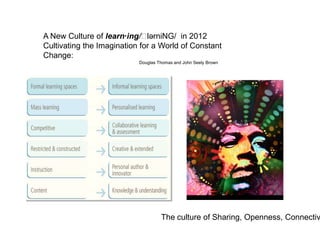
A New Culture of learn·ing/ˈ  lərniNG/ in 2012
Cultivating the Imagination for a World of Constant
Change:
                           Douglas Thomas and John Seely Brown


                                    The culture of Sharing, Openness, Connectiv
Objectives:
1. Define Web 2.0 tools and describe the ways in which Web 2.0 tools
can be applied to specific medical educational contexts.

2. Discuss the key concepts and methods of Web 2.0 tools that will
enhance collaboration, social interaction, and reflection.

3. Describe at least two Web 2.0 applications that can be used
to address specific curricular objectives and promote learners’ lifelong
learning skills in medical education.
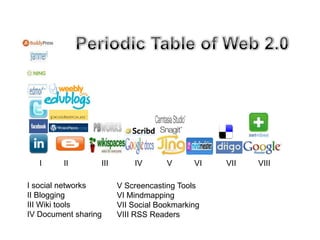
I     II       III       IV       V      VI   VII   VIII

I social networks       V Screencasting Tools
II Blogging             VI Mindmapping
III Wiki tools          VII Social Bookmarking
IV Document sharing     VIII RSS Readers
Multi-functionality of Web 2.0

Content management: medical search engines, open source resources, aggregation, R

Collaboration Tools: Blogs, Wikis, Social Networks, Social Bookmarking,
Synchronous Collaborative environments, Vodcasts, Podcasts, Document sharing, virtua

Graphic Tools: Screencasting, visualization tools, concept mapping

Word clouds:

Virtual simulations: Animations, Games

Mashups:
How Web 2.0 tools fit into Bloom’s Digital
Taxonomy?

                            Creating

                            Analyzing

                           Evaluating

                            Applying

                          Understanding

                          Remembering
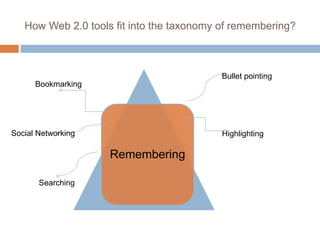
How Web 2.0 tools fit into the taxonomy of remembering?


                                           Bullet pointing
      Bookmarking


Social Networking                          Highlighting

                    Remembering

       Searching
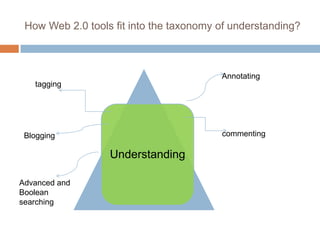
How Web 2.0 tools fit into the taxonomy of understanding?


                                         Annotating
   tagging


 Blogging                                commenting

                  Understanding

Advanced and
Boolean
searching
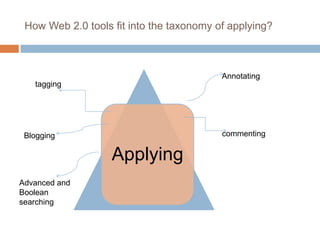
How Web 2.0 tools fit into the taxonomy of applying?


                                          Annotating
   tagging


 Blogging                                 commenting


                   Applying
Advanced and
Boolean
searching
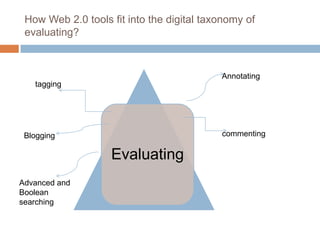
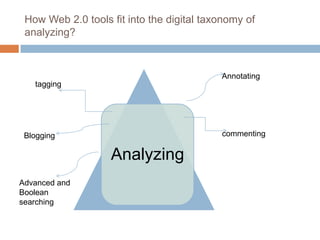
How Web 2.0 tools fit into the digital taxonomy of
 evaluating?


                                           Annotating
   tagging


 Blogging                                  commenting

                   Evaluating
Advanced and
Boolean
searching
How Web 2.0 tools fit into the digital taxonomy of
 analyzing?


                                           Annotating
   tagging


 Blogging                                  commenting

                   Analyzing
Advanced and
Boolean
searching
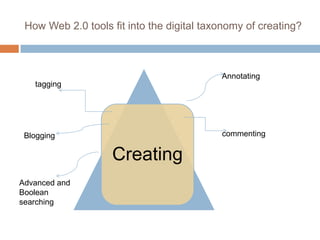
How Web 2.0 tools fit into the digital taxonomy of creating?


                                           Annotating
   tagging


 Blogging                                  commenting


                   Creating
Advanced and
Boolean
searching
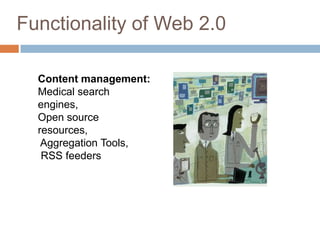
Functionality of Web 2.0

  Content management:
  Medical search
  engines,
  Open source
  resources,
   Aggregation Tools,
   RSS feeders
1.HealthFind http://www.healthfind.com
                                        HealthFind is using Google Custom
Medical Search Engines                  search to look up in selection of medical
                                        and health sites.
                                   2. PogoFrog http://www.pogofrog.com
                                        A medical research engine for
                                        physicians, using Google custom
                                        search.
                                   3. SearchMedica
                                           http://www.searchmedica.com
                                        It is a series of free medical search
                                        engines built by doctors for doctors and
                                        other medical professionals. This search
                                        engine searches in selected
                                        recommended medical sites or the
                                        entire web. The user can refine his
                                        search by category for more specific
                                        information, also he can narrow or
                                        broader the search.
                                   4. Hakia.com http://health.hakia.com
                                           (Semantic Search Technology)
                         Source: http://www.goomedic.com/12-web2-0-medical-search-engines.html
5. MedWorm : http://www.medworm.com MedStory http://www.medstory.com Smart
Medical Search engine, which filter the                     medical search engine, aimed to save time
search results by date, relevance, specialty when looking for certain medical topics by
filter. Every search query has RSS feed to giving the users a chance to explore
keep watching the results update,                           related topics to get focused results.
MedWorm look-up in medical news,                            9. GuidedMed
journals, organization, blogs and medical http://www.guidedmed.com/en/ Simple
podcasts.                                                   personalized search engine for health
6. Healthbase                                               information ( Diseases, Symptoms,
http://healthbase.netbase.com                               Surgeries , Problems, Clinical States), the
Netbase.com is a providing their medicine simple search home interface
2.0 search engine with showing up their                     10. Healia.com http://Healia.com A
capability of intelligent search in medical                 medical portal, communities and guides
and health field, their health search engine with extending medical capabilities to
search in diseases complications, medical retrieve results form the site, medical
conditions treatment.                                       journals, clinical trials, and from the web.
7. Modernmedicine.com:                                      11. GoPubMed.org
http://www.modernmedicine.com A                             http://www.gopubmed.org/web/gopubmed/
Medical and Health community portal,                        A Web2.0 search engine that search
which is rich with medical articles and                     PubMed.com, and return the result based
organized medical topics.                                   on classification of Gene Ontology and
ModernMedicine.com search also look-up Medical Subject Headings.
Source: http://www.goomedic.com/12-web2-0-medical-search-engines.html
recommended medical sites.
12. Healthline.com
http://www.healthline.com/

Honorable mention!
OmniMedical Search
http://www.omnimedicalsearch.com/
Searches medical news, images, and
forums.


                         Source: http://www.goomedic.com/12-web2-0-medical-search-engines.html
Open Sources for Learning


Free Online Modulesand Portals
    Resident Learning Center
    Pedia Link Learning Center
    MedEdPORTAL
Open Source Courses and Programs
    Health Sciences Online www.hso.info HSO is the first
    website to deliver authoritative, comprehensive, free, and
    ad-free health sciences knowledge (with over 50,000
    hand-selected resources, and 8,000 hits per day). HSO's
    founding collaborators and funders include CDC, NATO,
    World Bank, WHO, and the World Medical Association.
Open Textbook Publishing
    new collaborative opportunities for authors
    instructors can design content for their courses on an as-
    needed basis, choosing from an array of books, articles,
    videos, audio recordings, and readings
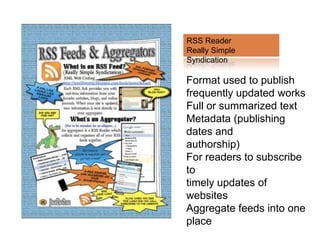
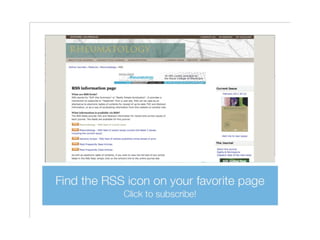
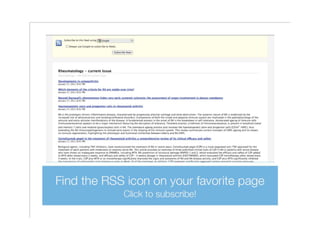
RSS Reader
Really Simple
Syndication

Format used to publish
frequently updated works
Full or summarized text
Metadata (publishing
dates and
authorship)
For readers to subscribe
to
timely updates of
websites
Aggregate feeds into one
place
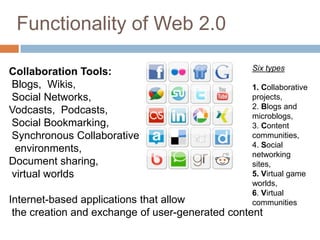
Functionality of Web 2.0

                                                 Six types
Collaboration Tools:
Blogs, Wikis,                                    1. Collaborative
Social Networks,                                 projects,
                                                 2. Blogs and
Vodcasts, Podcasts,
                                                 microblogs,
Social Bookmarking,                              3. Content
Synchronous Collaborative                        communities,
                                                 4. Social
 environments,
                                                 networking
Document sharing,                                sites,
virtual worlds                                   5. Virtual game
                                                 worlds,
                                                 6. Virtual
Internet-based applications that allow           communities
 the creation and exchange of user-generated content
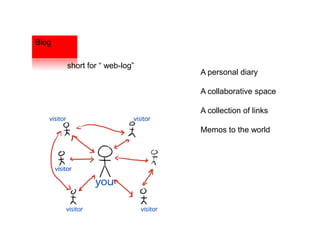
Blog

       short for “ web-log”
                              A personal diary

                              A collaborative space

                              A collection of links

                              Memos to the world
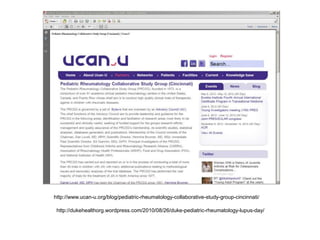
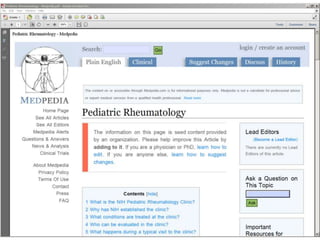
http://www.ucan-u.org/blog/pediatric-rheumatology-collaborative-study-group-cincinnati/

 http://dukehealthorg.wordpress.com/2010/08/26/duke-pediatric-rheumatology-lupus-day/
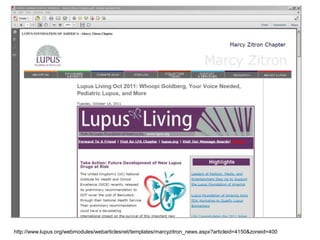
http://www.lupus.org/webmodules/webarticlesnet/templates/marcy
        zitron_news.aspx?articleid=4150&zoneid=400


http://www.lupus.org/webmodules/webarticlesnet/templates/marcyzitron_news.aspx?articleid=4150&zoneid=400
Wiki
Hawaiian word for “quick”


                            Website that allows creation
                            and editing of any number of
                            interlinked web pages via a
                            web browser

                            Often used to create
                            collaborative works
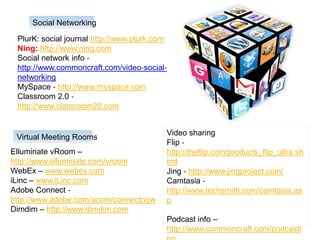
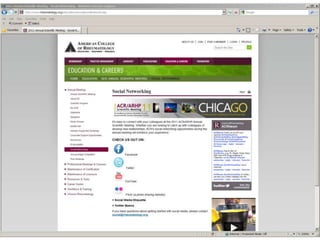
Social Networking

 PlurK: social journal http://www.plurk.com
 Ning: http://www.ning.com
 Social network info ‐
 http://www.commoncraft.com/video‐social‐
 networking
 MySpace ‐ http://www.myspace.com
 Classroom 2.0 ‐
 http://www.classroom20.com


                                          Video sharing
 Virtual Meeting Rooms
                                          Flip ‐
Elluminate vRoom –                        http://theflip.com/products_flip_ultra.sh
http://www.elluminate.com/vroom           tml
WebEx – www.webex.com                     Jing ‐ http://www.jingproject.com/
iLinc – www.iLinc.com                     Camtasia ‐
Adobe Connect ‐                           http://www.techsmith.com/camtasia.as
http://www.adobe.com/acom/connectnow      p
Dimdim – http://www.dimdim.com
                                          Podcast info –
                                          http://www.commoncraft.com/podcasti
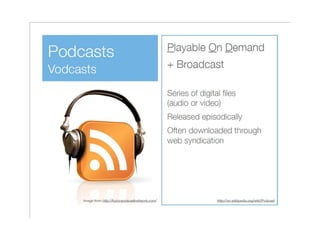
Vod-casts
   Video On Demand + broadCAST =
    VODCAST
   Video files commonly in blogs that can be
    played on a computer or a video iPod
   Some example sites:
       Medical podcasts & videocasts
       NOVA Vodcast | PBS
       National Institutes of Health (NIH) Vodcast
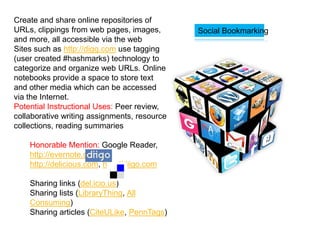
Create and share online repositories of
URLs, clippings from web pages, images,       Social Bookmarking
and more, all accessible via the web
Sites such as http://digg.com use tagging
(user created #hashmarks) technology to
categorize and organize web URLs. Online
notebooks provide a space to store text
and other media which can be accessed
via the Internet.
Potential Instructional Uses: Peer review,
collaborative writing assignments, resource
collections, reading summaries

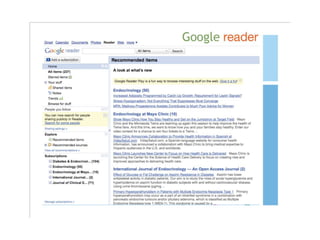
    Honorable Mention: Google Reader,
    http://evernote.com,
    http://delicious.com, http://diigo.com

    Sharing links (del.icio.us)
    Sharing lists (LibraryThing, All
    Consuming)
    Sharing articles (CiteULike, PennTags)
Visual Communication and
Collaboration
   Use media to collaborate with students and vice versa
   Potential Instructional Uses: Peer review, collaborative
    writing assignments, resource collections, reading
    summaries


Honorable Mention:
     Scribblar.com http://www.scribblar.com/
      (Multi-user white board, live video, image
      collabortion)
     Voicethread.com http://voicethread.com/

     Tokbox.com http://www.tokbox.com/ (Free video
Document Sharing
   Tag and share documents with others via the Internet
   http://Slideshare.net and http://Scribd.com are two sites
    which allow you to upload documents and share them
    via the Internet. The wisdom of the crowd typically
    promotes the best presentations/docs to the top of the
    search engine results. Remember to share as well as
    borrow.
   Potential Instructional Uses: sharing class resources,
    providing supplemental materials
   Honorable Mention: http://a.nnotate.com ,
    http://docs.google.com
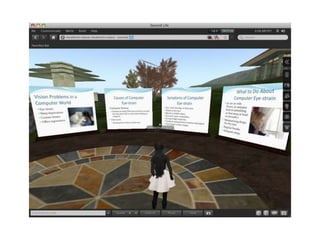
Virtual Worlds


Webkinz ‐ http://www.webkinz.com/us_en
JumpStart World ‐
http://www.knowledgeadventure.com/jumpstartworld
DimensionM ‐ http://www.dimensionm.com
SPORE ‐ http://www.spore.com
Edusim ‐ http://edusim3d.com
Teen Second Life ‐ http://teen.secondlife.com
Second Life http://secondlife.co
A non-hierarchical keyword or
Tagging   term assigned to a piece of
          information
          Description that allows item
          to be found again by
          browsing or searching
          Tag Cloud
          A visual depiction of user generated
          tags
          Importance of each tag is
          shown with font size or color
Functionality of Web 2.0


  Graphic Tools:

  Screencasting,
  visualization
  tools,
  concept mapping
Screencasting
   Record your computer screen with voice, mouse movements and
    video and share via the Internet
   ScreenToaster http://screentoaster.com is a Java-based tool for
    recording screencasts from your web browser. If you've got Java
    installed on your computer all you have to do is visit ScreenToaster
    and begin recording. A window will pop up asking you to select the
    area of your desktop that you want to record and decide whether
    you want to capture audio from your microphone.
   Potential Instructional Uses: Demos for repeated activities
    (Blackboard), demonstrate grading policies, review quizzes, class
    summaries/announcements
   Honorable mention: http://JingProject.com, http://Screenr.com,
    http://ScreenCastle.com, http://Screen-o-matic.com
Visualization Tools (Prezi)
   Provides alternate means to display information, temporally,
    graphically, or spatially.
   The Visual Thesaurus http://www.visualthesaurus.com is an
    interactive dictionary and thesaurus which creates word maps
    that blossom with meanings and branch to related words. Its
    innovative display encourages exploration and learning.
   Potential Instructional Uses: vocabulary development,
    definitions
   Honorable mention: http://prezi.com, http://ahead.com,
    http://dipity.com

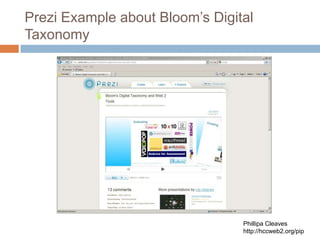
   http://prezi.com/gxgypkp67mka/blooms-digital-taxonomy-and-
    web-2-tools/
Prezi Example about Bloom’s Digital
Taxonomy


                                 Phillipa Cleaves
                                 http://hccweb2.org/pip
Concept/Mind Maps
   Shows relationships between entities (words, ideas, tasks)
   Webspiration™ http://mywebspiration.com is the new online
    visual thinking tool that helps you capture ideas, organize
    information, diagram processes and create clear, concise
    written documents whether working individually or
    collaboratively.
   IHMC CmapTools http://cmap.ihmc.us
   Potential Instructional Uses: setting objectives, brainstorming
    activities, identifying cues, summarize notes, providing
    frameworks
   Honorable mention: http://mindmeister.com, http://bubbl.us
Mashups

Examples of Mashup Mashup:
HealthMap http://healthmap.org/en
                                               Application development technique
Biowizard http://www.biowizard.com/
                                               Hybrid App
Vimo http://www.vimo.com/
                                               Reuse
PubWindows
                                               Simple examples work well
http://www.neurotransmitter.net/index.php
Programmableweb(portal)
www.programmableweb.com
Map of the Market (finance/visualization)
http://www.smartmoney.com/marketmap/ A website or web application that uses
Trulia (real estate) www.trulia.com       content from more than one source to
Resultr (create your search engine)       create a completely new service.
www.resultr.com/
The AD Generator (advertising/photos)
http://www.theadgenerator.org/

Medical search engines

  • 1.
    EXPLORING WEB 2.0TOOLS TO DEVELOP A COLLABORATIVE E- LEARNING ENVIRONMENT Michal J. Cidon MD. Kadriye O. Lewis Ed.D WGEA 2012
  • 2.
    A New Cultureof learn·ing/ˈ lərniNG/ in 2012 Cultivating the Imagination for a World of Constant Change: Douglas Thomas and John Seely Brown The culture of Sharing, Openness, Connectiv
  • 4.
    Objectives: 1. Define Web2.0 tools and describe the ways in which Web 2.0 tools can be applied to specific medical educational contexts. 2. Discuss the key concepts and methods of Web 2.0 tools that will enhance collaboration, social interaction, and reflection. 3. Describe at least two Web 2.0 applications that can be used to address specific curricular objectives and promote learners’ lifelong learning skills in medical education.
  • 6.
    I II III IV V VI VII VIII I social networks V Screencasting Tools II Blogging VI Mindmapping III Wiki tools VII Social Bookmarking IV Document sharing VIII RSS Readers
  • 7.
    Multi-functionality of Web2.0 Content management: medical search engines, open source resources, aggregation, R Collaboration Tools: Blogs, Wikis, Social Networks, Social Bookmarking, Synchronous Collaborative environments, Vodcasts, Podcasts, Document sharing, virtua Graphic Tools: Screencasting, visualization tools, concept mapping Word clouds: Virtual simulations: Animations, Games Mashups:
  • 8.
    How Web 2.0tools fit into Bloom’s Digital Taxonomy? Creating Analyzing Evaluating Applying Understanding Remembering
  • 9.
    How Web 2.0tools fit into the taxonomy of remembering? Bullet pointing Bookmarking Social Networking Highlighting Remembering Searching
  • 10.
    How Web 2.0tools fit into the taxonomy of understanding? Annotating tagging Blogging commenting Understanding Advanced and Boolean searching
  • 11.
    How Web 2.0tools fit into the taxonomy of applying? Annotating tagging Blogging commenting Applying Advanced and Boolean searching
  • 12.
    How Web 2.0tools fit into the digital taxonomy of evaluating? Annotating tagging Blogging commenting Evaluating Advanced and Boolean searching
  • 13.
    How Web 2.0tools fit into the digital taxonomy of analyzing? Annotating tagging Blogging commenting Analyzing Advanced and Boolean searching
  • 14.
    How Web 2.0tools fit into the digital taxonomy of creating? Annotating tagging Blogging commenting Creating Advanced and Boolean searching
  • 15.
    Functionality of Web2.0 Content management: Medical search engines, Open source resources, Aggregation Tools, RSS feeders
  • 16.
    1.HealthFind http://www.healthfind.com HealthFind is using Google Custom Medical Search Engines search to look up in selection of medical and health sites. 2. PogoFrog http://www.pogofrog.com A medical research engine for physicians, using Google custom search. 3. SearchMedica http://www.searchmedica.com It is a series of free medical search engines built by doctors for doctors and other medical professionals. This search engine searches in selected recommended medical sites or the entire web. The user can refine his search by category for more specific information, also he can narrow or broader the search. 4. Hakia.com http://health.hakia.com (Semantic Search Technology) Source: http://www.goomedic.com/12-web2-0-medical-search-engines.html
  • 17.
    5. MedWorm :http://www.medworm.com MedStory http://www.medstory.com Smart Medical Search engine, which filter the medical search engine, aimed to save time search results by date, relevance, specialty when looking for certain medical topics by filter. Every search query has RSS feed to giving the users a chance to explore keep watching the results update, related topics to get focused results. MedWorm look-up in medical news, 9. GuidedMed journals, organization, blogs and medical http://www.guidedmed.com/en/ Simple podcasts. personalized search engine for health 6. Healthbase information ( Diseases, Symptoms, http://healthbase.netbase.com Surgeries , Problems, Clinical States), the Netbase.com is a providing their medicine simple search home interface 2.0 search engine with showing up their 10. Healia.com http://Healia.com A capability of intelligent search in medical medical portal, communities and guides and health field, their health search engine with extending medical capabilities to search in diseases complications, medical retrieve results form the site, medical conditions treatment. journals, clinical trials, and from the web. 7. Modernmedicine.com: 11. GoPubMed.org http://www.modernmedicine.com A http://www.gopubmed.org/web/gopubmed/ Medical and Health community portal, A Web2.0 search engine that search which is rich with medical articles and PubMed.com, and return the result based organized medical topics. on classification of Gene Ontology and ModernMedicine.com search also look-up Medical Subject Headings. Source: http://www.goomedic.com/12-web2-0-medical-search-engines.html recommended medical sites.
  • 18.
    12. Healthline.com http://www.healthline.com/ Honorable mention! OmniMedicalSearch http://www.omnimedicalsearch.com/ Searches medical news, images, and forums. Source: http://www.goomedic.com/12-web2-0-medical-search-engines.html
  • 19.
    Open Sources forLearning Free Online Modulesand Portals Resident Learning Center Pedia Link Learning Center MedEdPORTAL Open Source Courses and Programs Health Sciences Online www.hso.info HSO is the first website to deliver authoritative, comprehensive, free, and ad-free health sciences knowledge (with over 50,000 hand-selected resources, and 8,000 hits per day). HSO's founding collaborators and funders include CDC, NATO, World Bank, WHO, and the World Medical Association. Open Textbook Publishing new collaborative opportunities for authors instructors can design content for their courses on an as- needed basis, choosing from an array of books, articles, videos, audio recordings, and readings
  • 20.
    RSS Reader Really Simple Syndication Formatused to publish frequently updated works Full or summarized text Metadata (publishing dates and authorship) For readers to subscribe to timely updates of websites Aggregate feeds into one place
  • 24.
    Functionality of Web2.0 Six types Collaboration Tools: Blogs, Wikis, 1. Collaborative Social Networks, projects, 2. Blogs and Vodcasts, Podcasts, microblogs, Social Bookmarking, 3. Content Synchronous Collaborative communities, 4. Social environments, networking Document sharing, sites, virtual worlds 5. Virtual game worlds, 6. Virtual Internet-based applications that allow communities the creation and exchange of user-generated content
  • 25.
    Blog short for “ web-log” A personal diary A collaborative space A collection of links Memos to the world
  • 26.
  • 27.
    http://www.lupus.org/webmodules/webarticlesnet/templates/marcy zitron_news.aspx?articleid=4150&zoneid=400 http://www.lupus.org/webmodules/webarticlesnet/templates/marcyzitron_news.aspx?articleid=4150&zoneid=400
  • 28.
    Wiki Hawaiian word for“quick” Website that allows creation and editing of any number of interlinked web pages via a web browser Often used to create collaborative works
  • 30.
    Social Networking PlurK:social journal http://www.plurk.com Ning: http://www.ning.com Social network info ‐ http://www.commoncraft.com/video‐social‐ networking MySpace ‐ http://www.myspace.com Classroom 2.0 ‐ http://www.classroom20.com Video sharing Virtual Meeting Rooms Flip ‐ Elluminate vRoom – http://theflip.com/products_flip_ultra.sh http://www.elluminate.com/vroom tml WebEx – www.webex.com Jing ‐ http://www.jingproject.com/ iLinc – www.iLinc.com Camtasia ‐ Adobe Connect ‐ http://www.techsmith.com/camtasia.as http://www.adobe.com/acom/connectnow p Dimdim – http://www.dimdim.com Podcast info – http://www.commoncraft.com/podcasti
  • 35.
    Vod-casts  Video On Demand + broadCAST = VODCAST  Video files commonly in blogs that can be played on a computer or a video iPod  Some example sites:  Medical podcasts & videocasts  NOVA Vodcast | PBS  National Institutes of Health (NIH) Vodcast
  • 36.
    Create and shareonline repositories of URLs, clippings from web pages, images, Social Bookmarking and more, all accessible via the web Sites such as http://digg.com use tagging (user created #hashmarks) technology to categorize and organize web URLs. Online notebooks provide a space to store text and other media which can be accessed via the Internet. Potential Instructional Uses: Peer review, collaborative writing assignments, resource collections, reading summaries Honorable Mention: Google Reader, http://evernote.com, http://delicious.com, http://diigo.com Sharing links (del.icio.us) Sharing lists (LibraryThing, All Consuming) Sharing articles (CiteULike, PennTags)
  • 37.
    Visual Communication and Collaboration  Use media to collaborate with students and vice versa  Potential Instructional Uses: Peer review, collaborative writing assignments, resource collections, reading summaries Honorable Mention:  Scribblar.com http://www.scribblar.com/ (Multi-user white board, live video, image collabortion)  Voicethread.com http://voicethread.com/  Tokbox.com http://www.tokbox.com/ (Free video
  • 38.
    Document Sharing  Tag and share documents with others via the Internet  http://Slideshare.net and http://Scribd.com are two sites which allow you to upload documents and share them via the Internet. The wisdom of the crowd typically promotes the best presentations/docs to the top of the search engine results. Remember to share as well as borrow.  Potential Instructional Uses: sharing class resources, providing supplemental materials  Honorable Mention: http://a.nnotate.com , http://docs.google.com
  • 39.
    Virtual Worlds Webkinz ‐http://www.webkinz.com/us_en JumpStart World ‐ http://www.knowledgeadventure.com/jumpstartworld DimensionM ‐ http://www.dimensionm.com SPORE ‐ http://www.spore.com Edusim ‐ http://edusim3d.com Teen Second Life ‐ http://teen.secondlife.com Second Life http://secondlife.co
  • 41.
    A non-hierarchical keywordor Tagging term assigned to a piece of information Description that allows item to be found again by browsing or searching Tag Cloud A visual depiction of user generated tags Importance of each tag is shown with font size or color
  • 42.
    Functionality of Web2.0 Graphic Tools: Screencasting, visualization tools, concept mapping
  • 43.
    Screencasting  Record your computer screen with voice, mouse movements and video and share via the Internet  ScreenToaster http://screentoaster.com is a Java-based tool for recording screencasts from your web browser. If you've got Java installed on your computer all you have to do is visit ScreenToaster and begin recording. A window will pop up asking you to select the area of your desktop that you want to record and decide whether you want to capture audio from your microphone.  Potential Instructional Uses: Demos for repeated activities (Blackboard), demonstrate grading policies, review quizzes, class summaries/announcements  Honorable mention: http://JingProject.com, http://Screenr.com, http://ScreenCastle.com, http://Screen-o-matic.com
  • 44.
    Visualization Tools (Prezi)  Provides alternate means to display information, temporally, graphically, or spatially.  The Visual Thesaurus http://www.visualthesaurus.com is an interactive dictionary and thesaurus which creates word maps that blossom with meanings and branch to related words. Its innovative display encourages exploration and learning.  Potential Instructional Uses: vocabulary development, definitions  Honorable mention: http://prezi.com, http://ahead.com, http://dipity.com  http://prezi.com/gxgypkp67mka/blooms-digital-taxonomy-and- web-2-tools/
  • 45.
    Prezi Example aboutBloom’s Digital Taxonomy Phillipa Cleaves http://hccweb2.org/pip
  • 46.
    Concept/Mind Maps  Shows relationships between entities (words, ideas, tasks)  Webspiration™ http://mywebspiration.com is the new online visual thinking tool that helps you capture ideas, organize information, diagram processes and create clear, concise written documents whether working individually or collaboratively.  IHMC CmapTools http://cmap.ihmc.us  Potential Instructional Uses: setting objectives, brainstorming activities, identifying cues, summarize notes, providing frameworks  Honorable mention: http://mindmeister.com, http://bubbl.us
  • 47.
    Mashups Examples of MashupMashup: HealthMap http://healthmap.org/en Application development technique Biowizard http://www.biowizard.com/ Hybrid App Vimo http://www.vimo.com/ Reuse PubWindows Simple examples work well http://www.neurotransmitter.net/index.php Programmableweb(portal) www.programmableweb.com Map of the Market (finance/visualization) http://www.smartmoney.com/marketmap/ A website or web application that uses Trulia (real estate) www.trulia.com content from more than one source to Resultr (create your search engine) create a completely new service. www.resultr.com/ The AD Generator (advertising/photos) http://www.theadgenerator.org/