Notes on Using the ISS Imagent for
    Callibrated multi-distance
          measurements
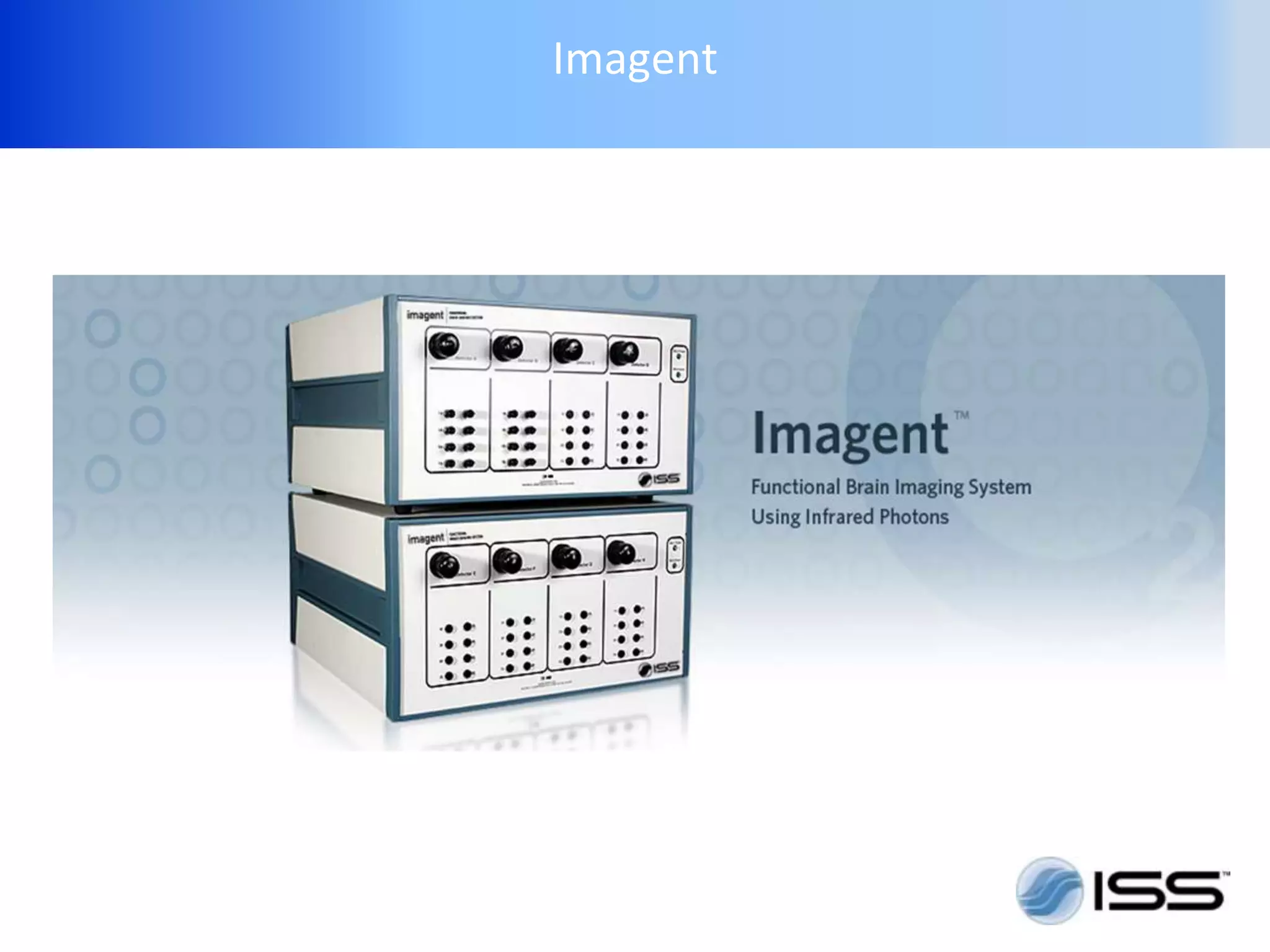
Imagent
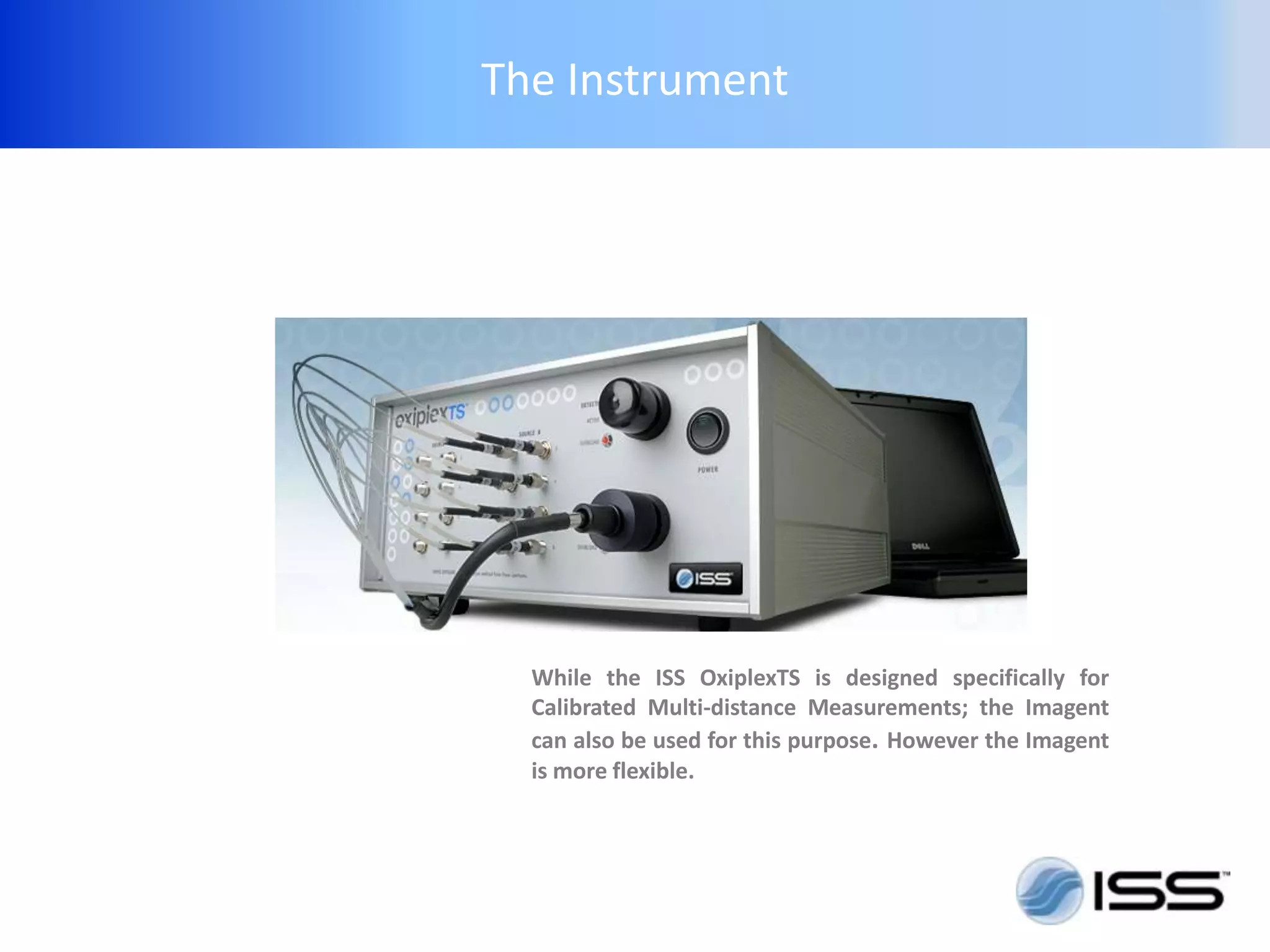
The Instrument


  While the ISS OxiplexTS is designed specifically for
  Calibrated Multi-distance Measurements; the Imagent
  can also be used for this purpose. However the Imagent
  is more flexible.
Instrument Setup


1. Setup
2. Check Instrument Function
3. Calibration
4. Measurement/Record
Imagent Setup


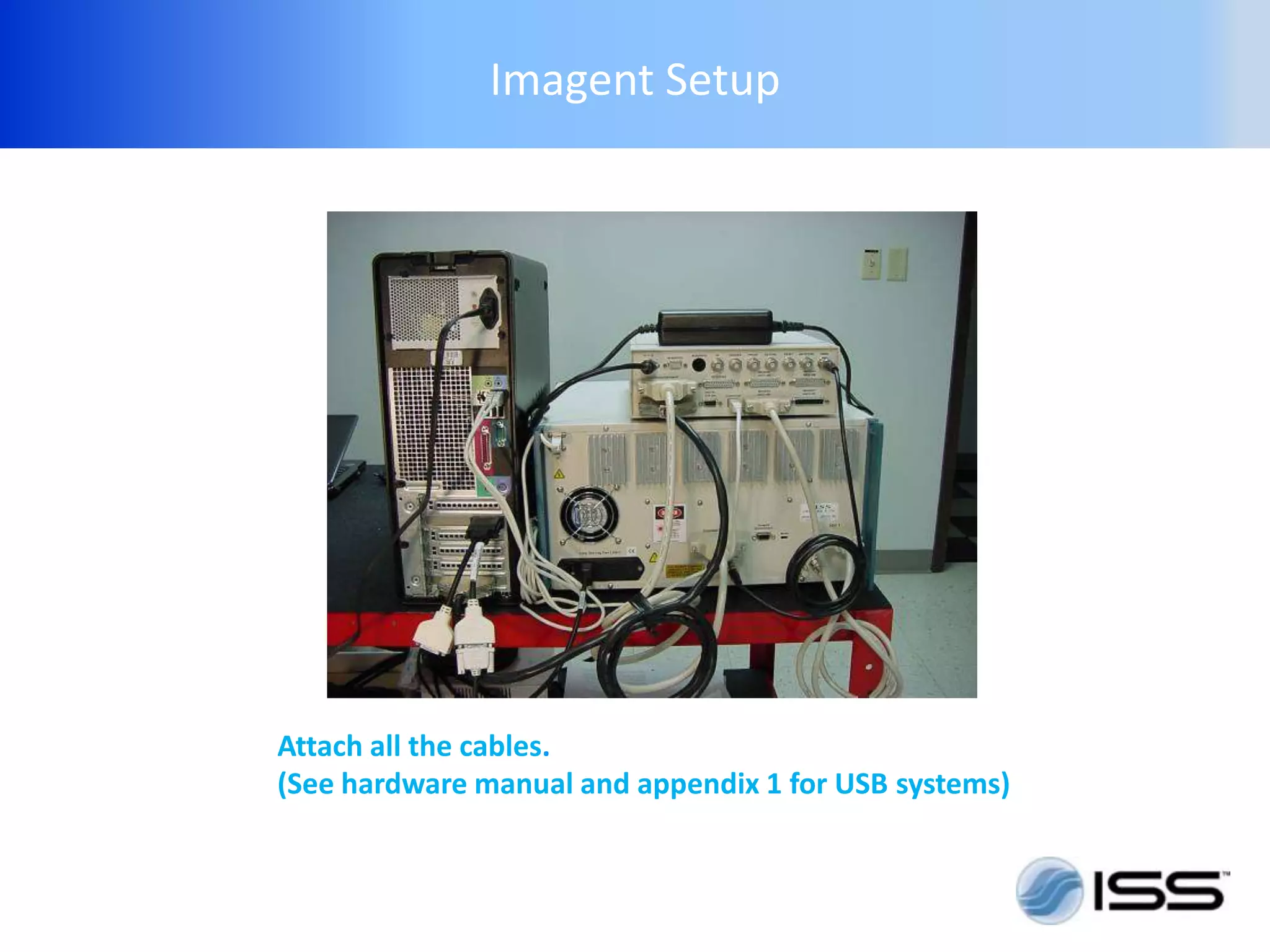
Attach all the cables.
(See hardware manual and appendix 1 for USB systems)
Imagent Setup


Start the system
• Turn on the computer (if a Magma docking station is
  used, it should be powered first.)

• Insure detectors are off (or covered)
  Turn on instrument

• Start Boxy software

• “ Warm up ” system for 10-30 minutes
Imagent Setup


Start the system
•   Turn on the computer

•   Insure detectors are off (or covered)

•   Turn on Imagent system

•   Start software

•   “Warm up” system for 10 minutes
Imagent Setup


Select Sensor
• Flexible or Rigid. The “rigid” muscle sensor is easier
  to calibrate and more accurate. The “flexible”
  sensors can be used in places the rigid sensor will
  not work.(sensor must be continuous, even contact
  with the skin)

•   Select longer emitter-detector distances for thick
    superficial layers
Imagent Setup


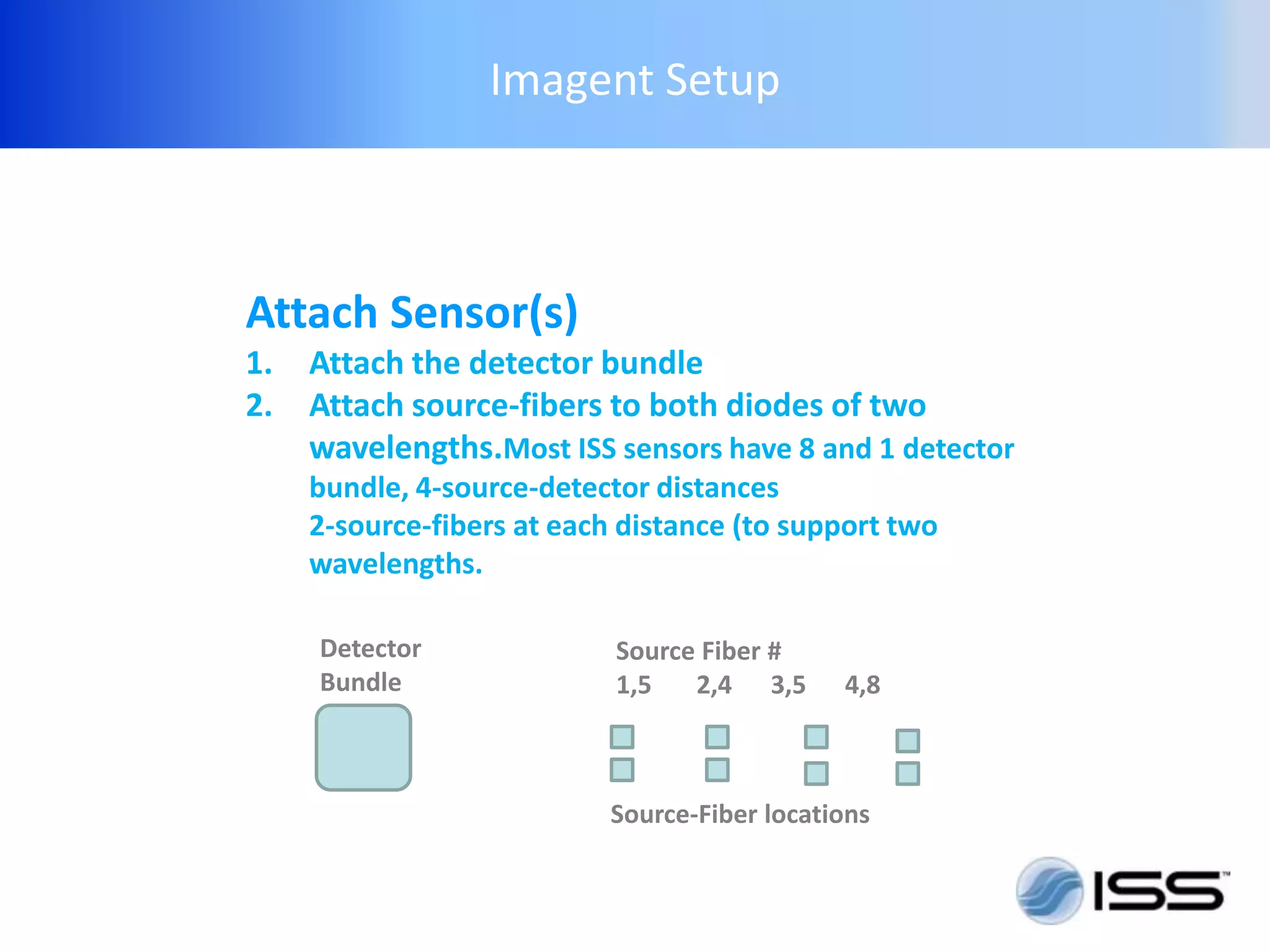
Attach Sensor(s)
1.   Attach the detector bundle
2.   Attach source-fibers to both diodes of two
     wavelengths.Most ISS sensors have 8 and 1 detector
     bundle, 4-source-detector distances
     2-source-fibers at each distance (to support two
     wavelengths.

     Detector               Source Fiber #
     Bundle                 1,5   2,4 3,5      4,8


                            Source-Fiber locations
Imagent Setup


Possible fiber attachments depends on the switch-
mode. There are multiple correct ways to attach the
source fibers.

Rules:
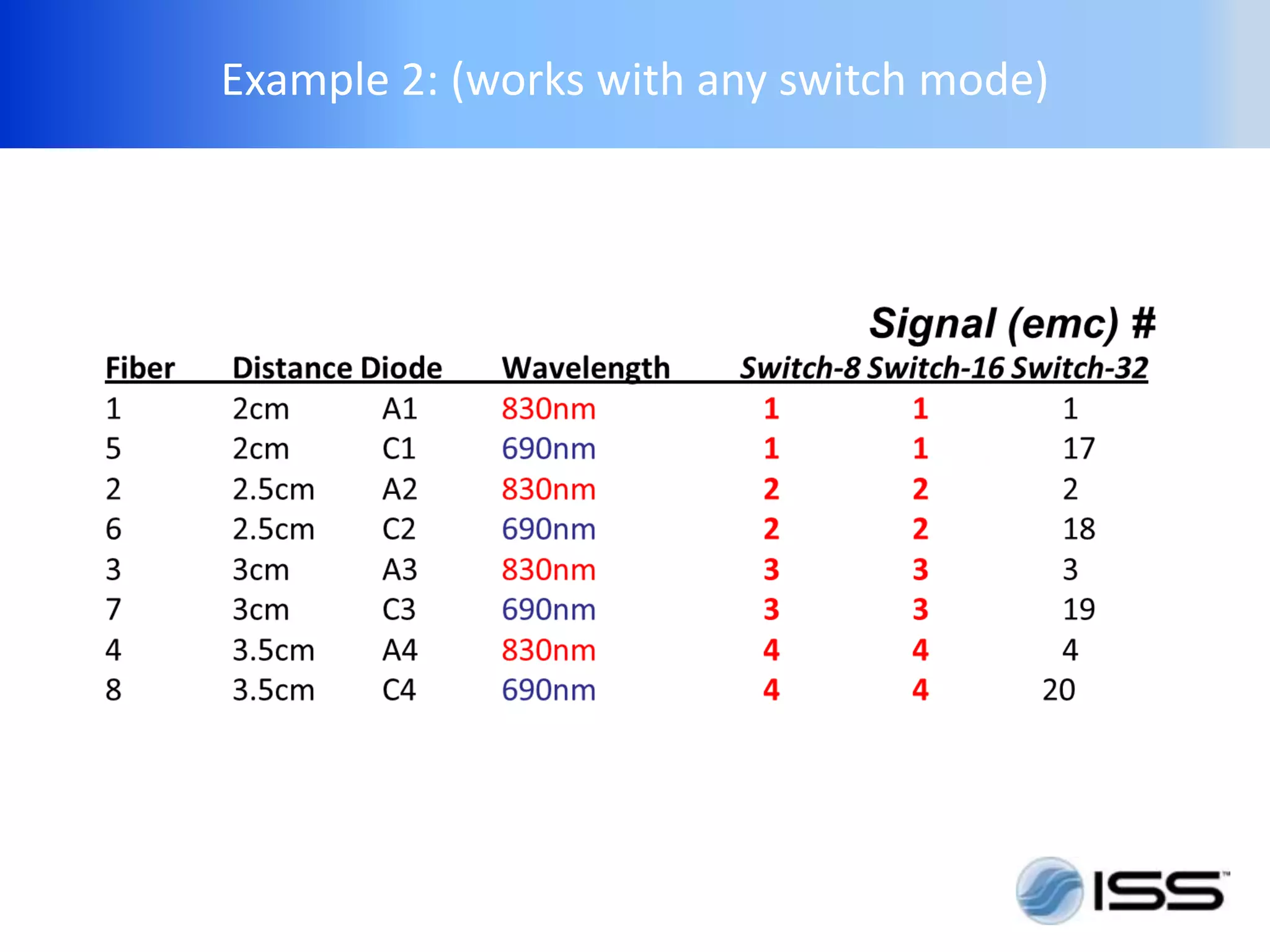
The 2 fibers connected to the same source-detector
distance group must be connected to diodes of two
wavelength.
No two diodes can have the same external mux #
(number/signal #). That is, two of the light source
used with one sensor can not be on at the same time.
The detector can only distinguish the signal form
diodes not simultaneously on.
Imagent Setup


While there are multiple correct ways to
attach the sensors, the software
setting must match and describe the physical
attachment .
Example 1: (for switch-32 only)
Example 2: (works with any switch mode)
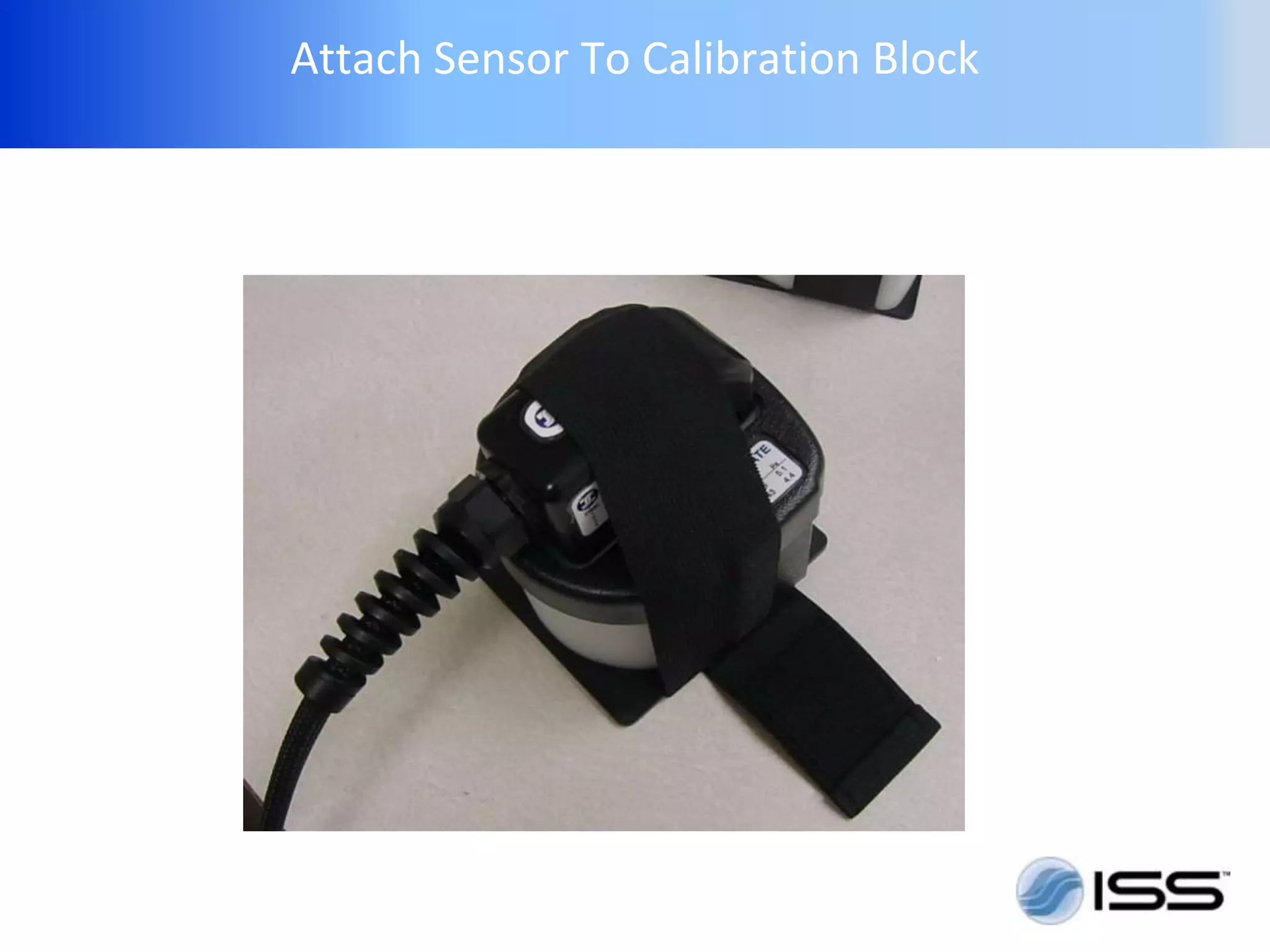
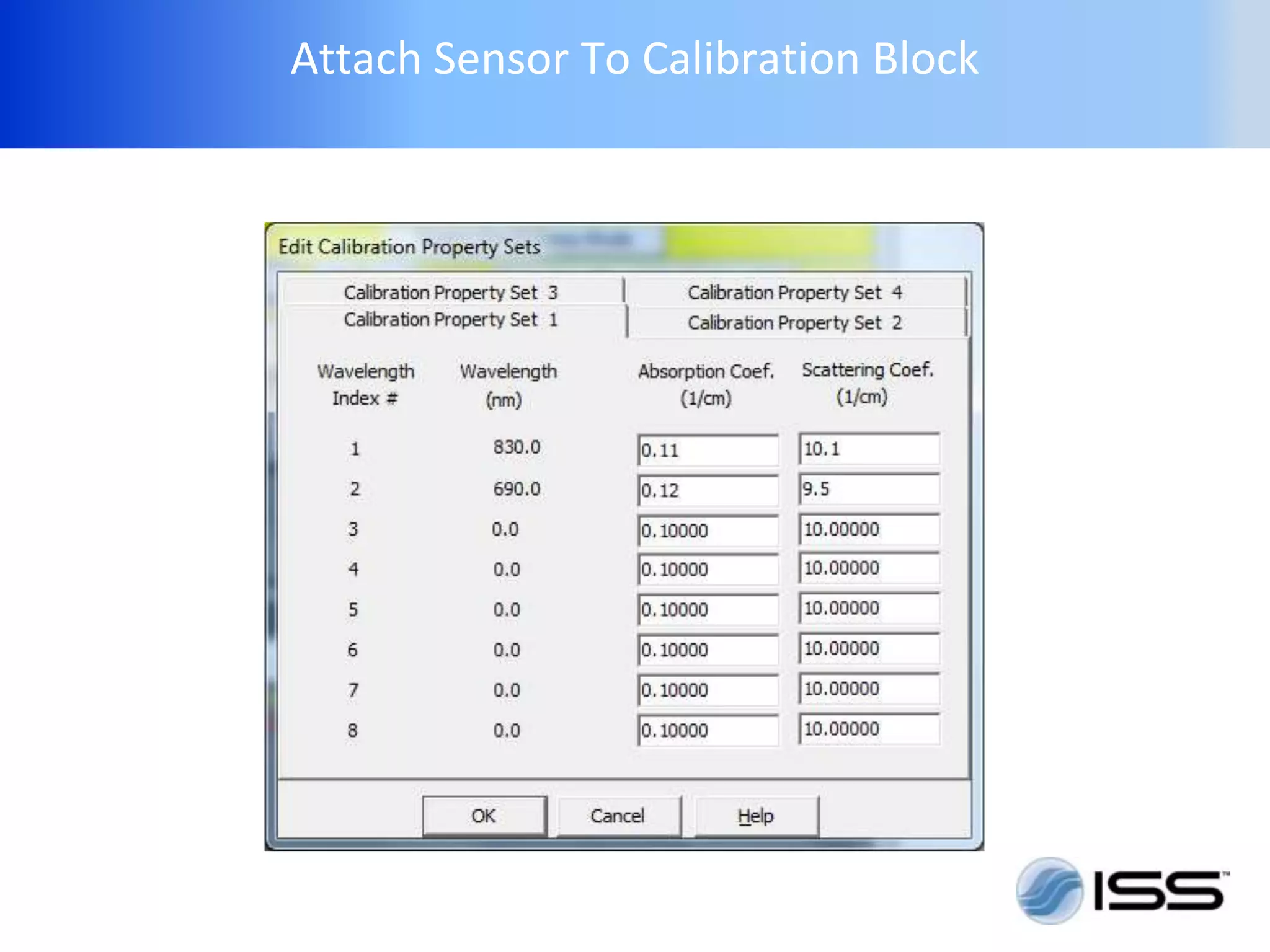
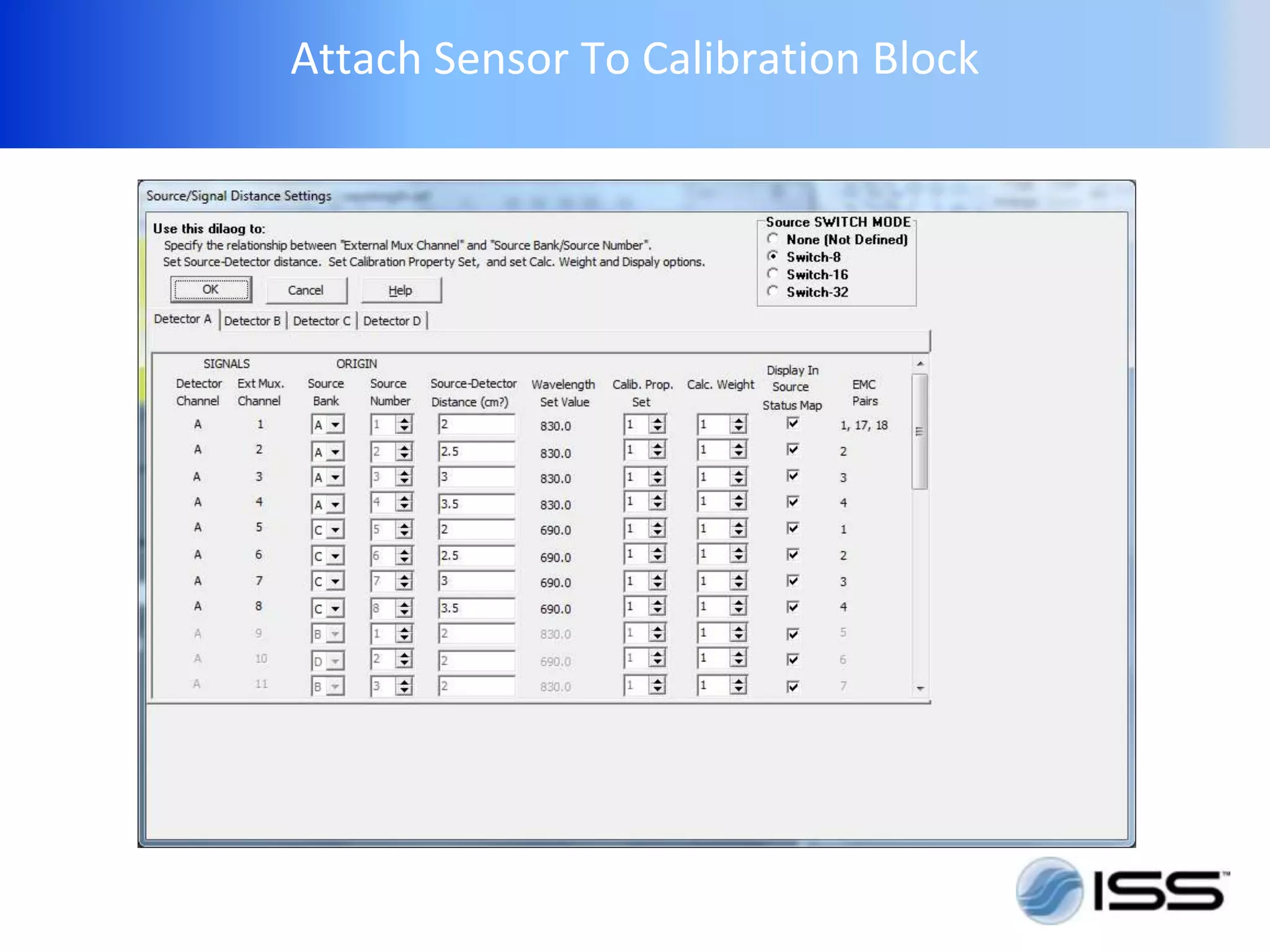
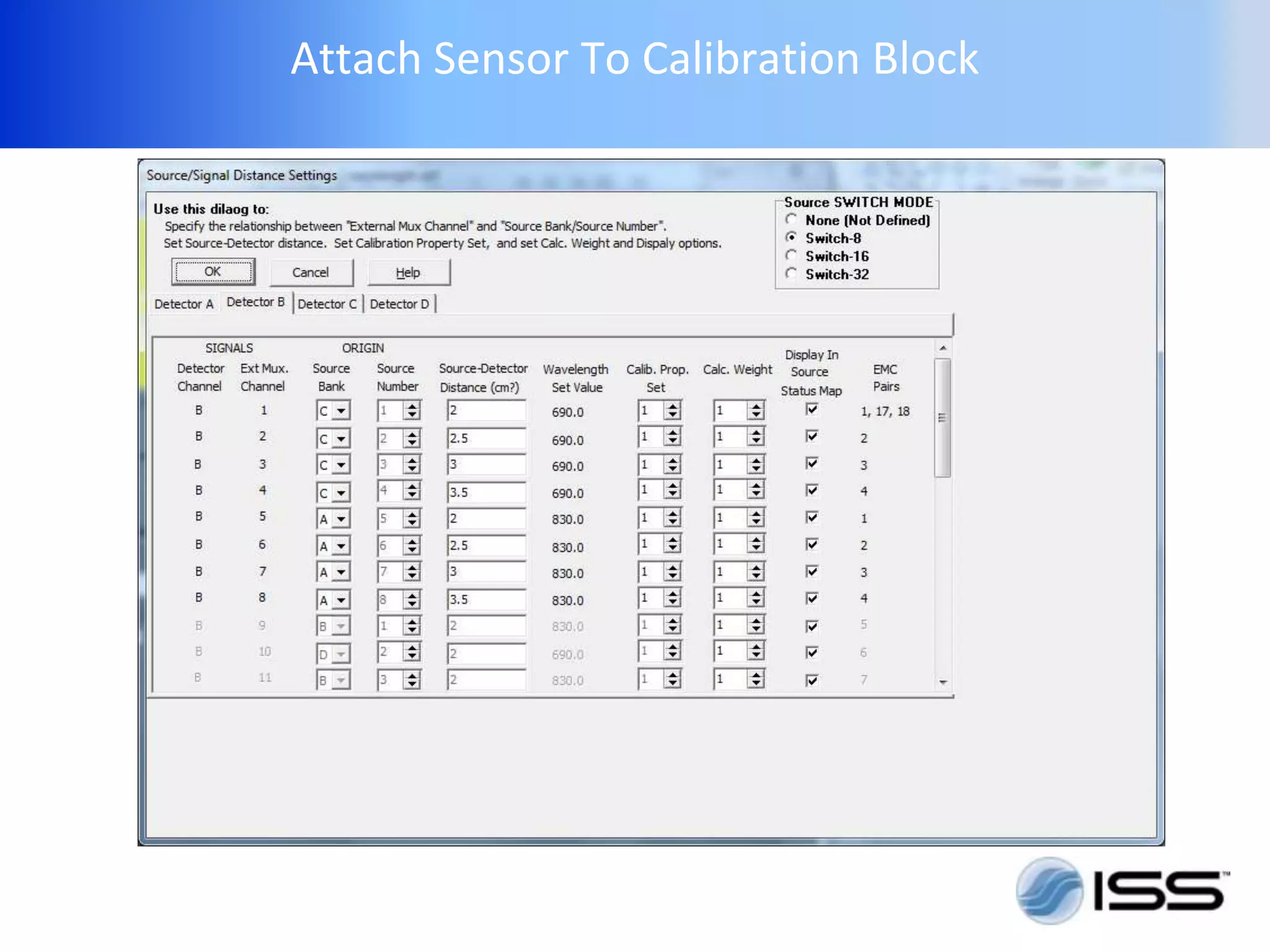
Attach Sensor To Calibration Block
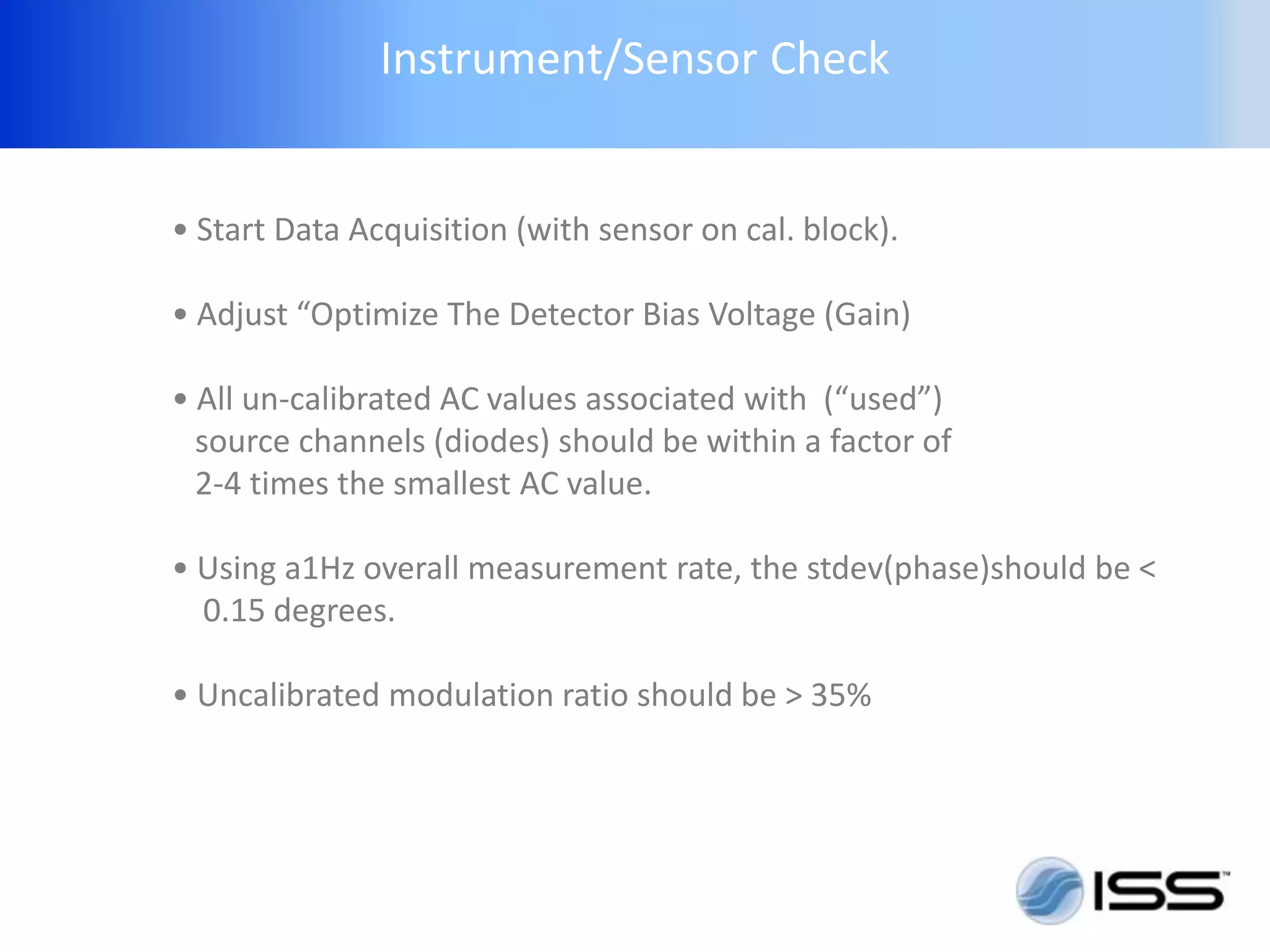
Instrument/Sensor Check


• Start Data Acquisition (with sensor on cal. block).

• Adjust “Optimize The Detector Bias Voltage (Gain)

• All un-calibrated AC values associated with (“used”)
  source channels (diodes) should be within a factor of
  2-4 times the smallest AC value.

• Using a1Hz overall measurement rate, the stdev(phase)should be <
  0.15 degrees.

• Uncalibrated modulation ratio should be > 35%
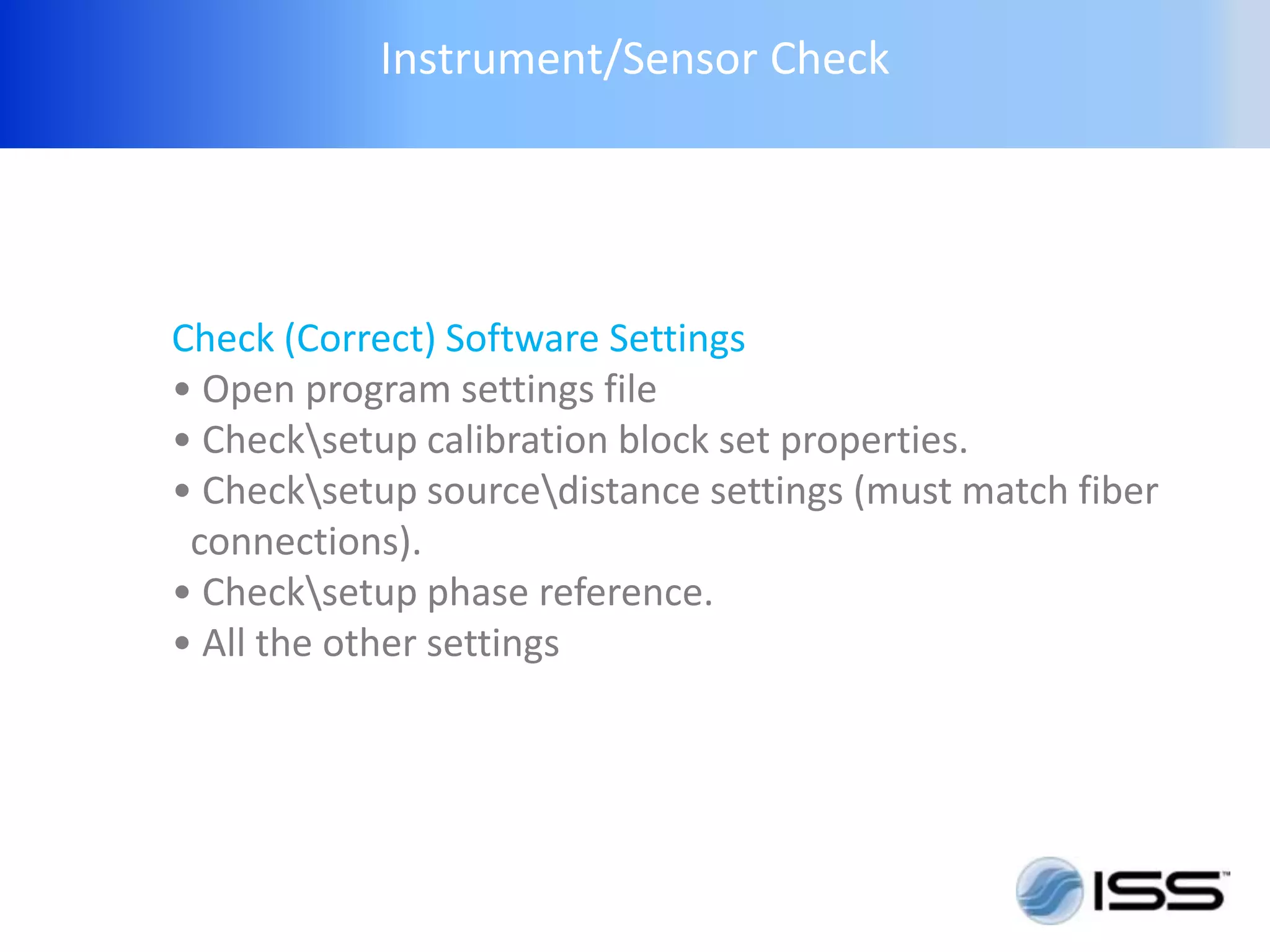
Instrument/Sensor Check


Check (Correct) Software Settings
• Open program settings file
• Checksetup calibration block set properties.
• Checksetup sourcedistance settings (must match fiber
 connections).
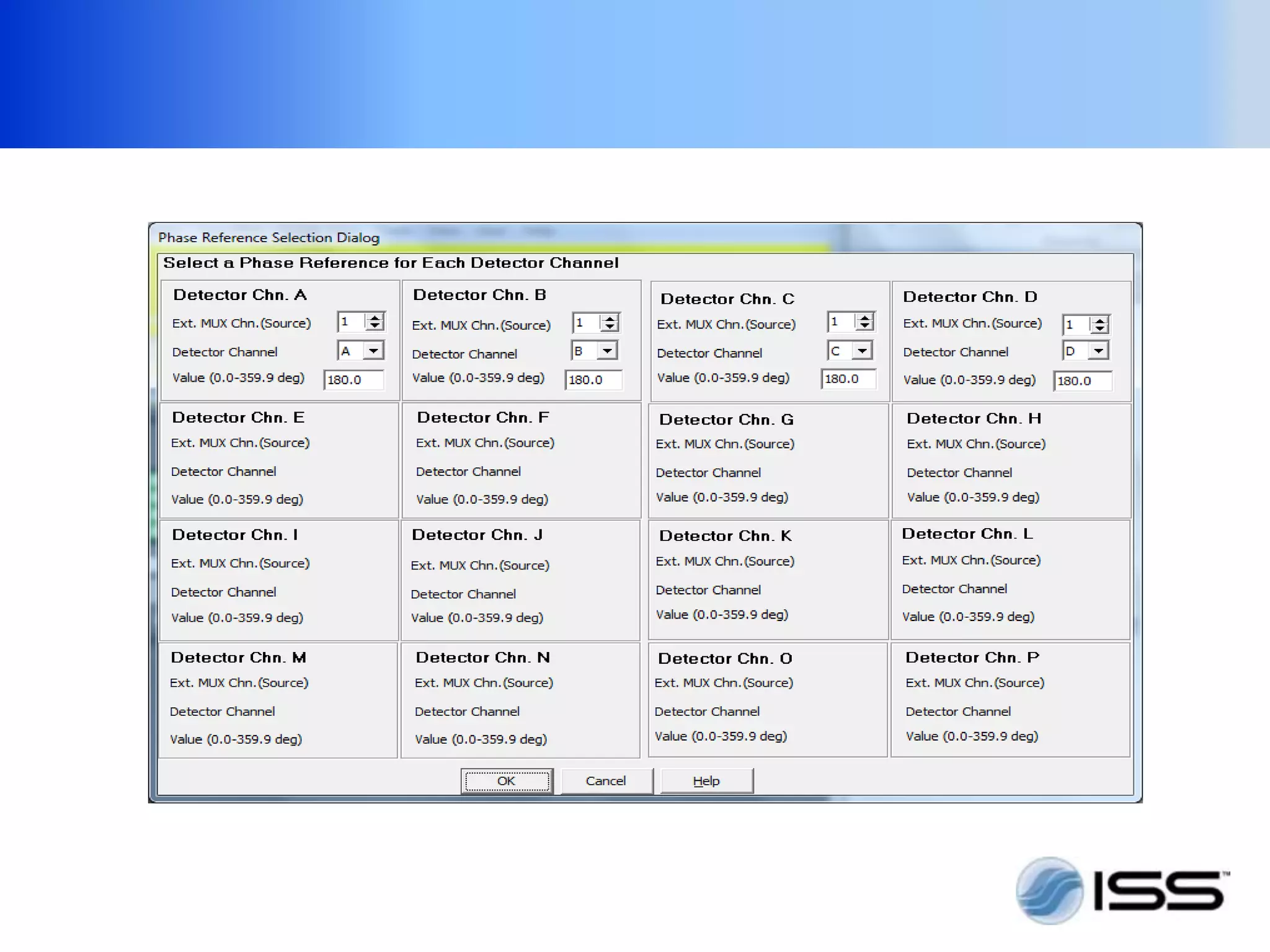
• Checksetup phase reference.
• All the other settings
Attach Sensor To Calibration Block
Check Instrument function PART2
Hold Sensor On Calibration Block


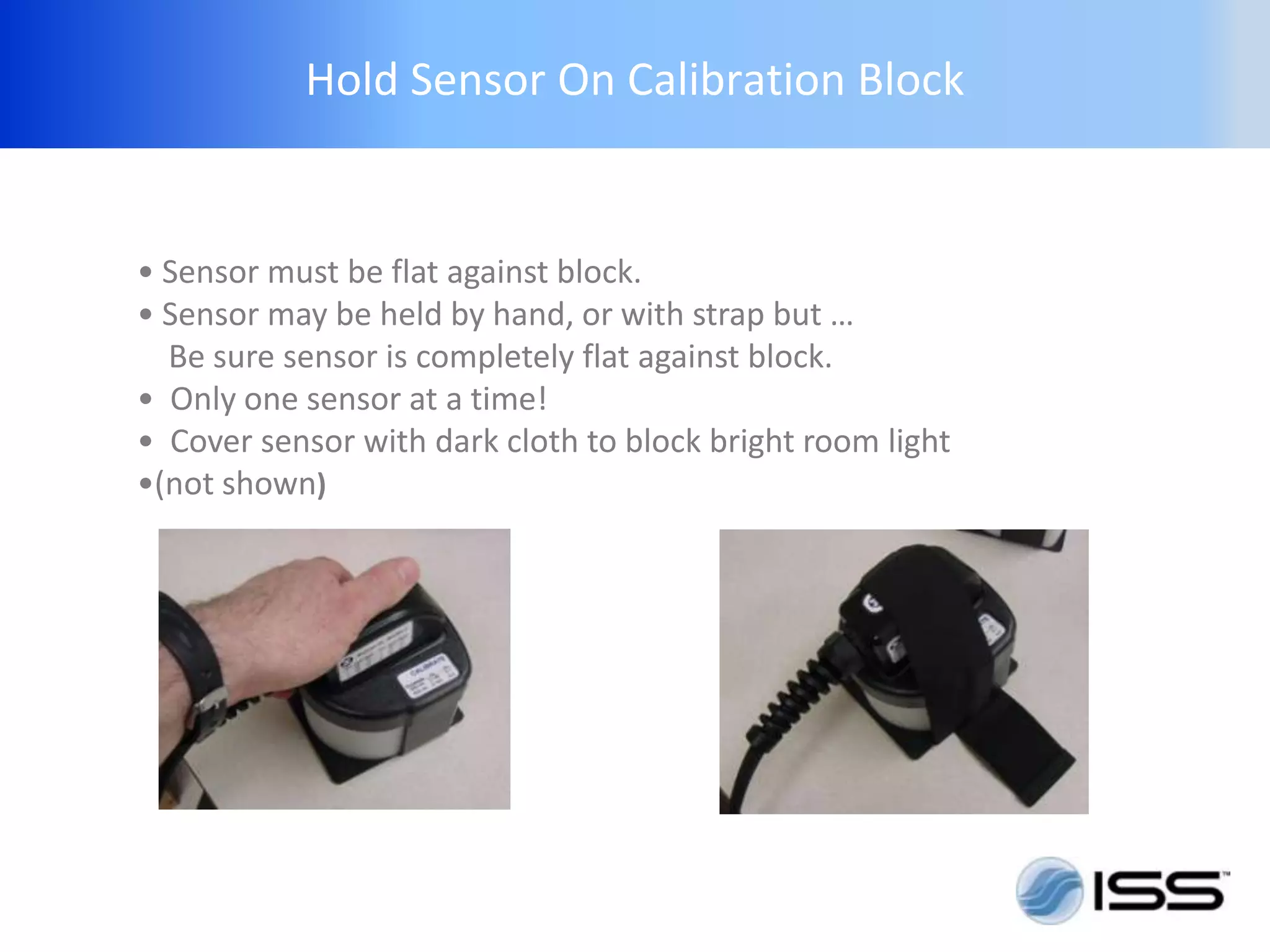
• Sensor must be flat against block.
• Sensor may be held by hand, or with strap but …
  Be sure sensor is completely flat against block.
• Only one sensor at a time!
• Cover sensor with dark cloth to block bright room light
•(not shown)
If using Flexible Sensor


• Select flat or curved surface to match sample.

• If using the flat surface of the block, remove block plastic cover.

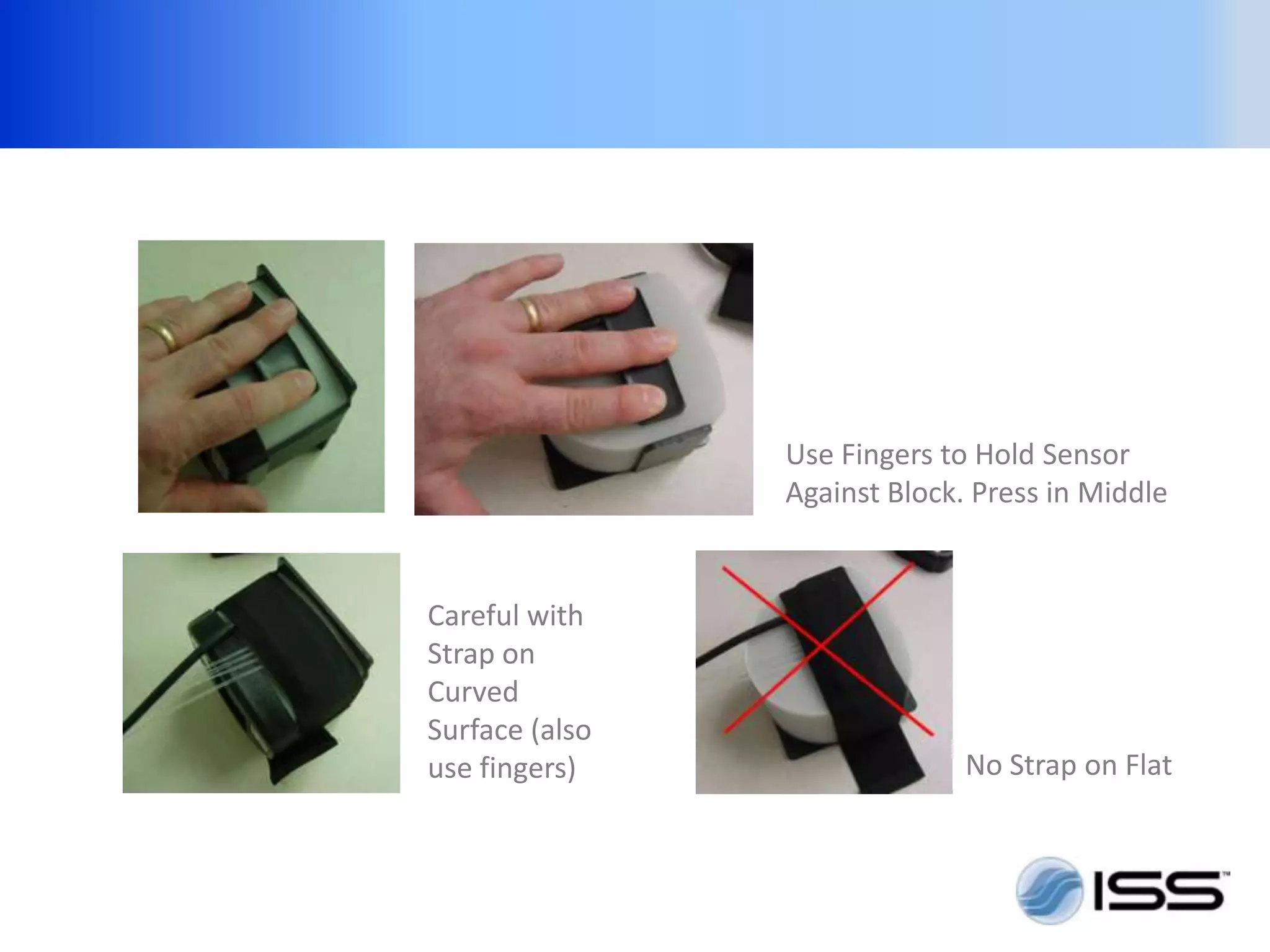
• Use fingers to insure sensor makes contact at all point with the
calibration block.

• Use of the strap to hold the sensor during calibration may allow the
sensor to arch up in the middle, and not be in full contact with the
block. This is particularly true when using the flat surface.

• Optical coupling gel may improve the accuracy of the calibration
Use Fingers to Hold Sensor
                Against Block. Press in Middle


Careful with
Strap on
Curved
Surface (also
use fingers)                  No Strap on Flat
If using Flexible Sensor


Finally, Run The Calibration Process In the
Software use the “Calibrate for Optical Properties
and Multiple Distances” option
If using Flexible Sensor


USE OF “REAL TIME” CALCULATIONS:
-- of best fit slopes, optical properties and
hemoglobin concentration (“Real time” is an option,
it can be done “offline” only.)
Optional Real Time Calculations


• Use program settings file suitable for real time multi-distance
calculations. Or setup user calculations using your own math
library (or ISS example math library bml_w2_c4.dll).

• Adjust user calculation parameters as desired.

• Insure weighting for all signals used is not 0 in the
  sourcedistance settings dialog.

• Use existing graph examples, or create desired graphs for real
  time display
With real time calculations we can perform more checks and
               examine data quality real time


    1. Cross-Calibration Test
    • After calibrating, place the sensor on a calibration block with different
    absorption and scattering values from the one that was used to calibrate the
    channel

    • Optimize the detector gain (insure no overvoltage warnings).

    • The instrument should now be measuring the properties of the second block
    within about +/-15% (for the most optimal configurations +/- 10%)

     (Turn Detector Off During Transfer, and Whenever The Sensor Is Not Connecte
                                 to a Subject or a Block)
With real time calculations we can perform more checks and
               examine data quality real time


    2. Check Correlation Coefficient of the
    linear regression analysis
Measure / Record
Use Of Average Scattering
Optional Real Time Calculations


The following example settings are taken from the example
program settings file


This is an example of using 4 multi-distance
ISS two wavelength sensors with an Imagent in Switch-8 mode.
PLEASE VISIT US
 W W W. I S S . C O M

Mebin progress

  • 2.
    Notes on Usingthe ISS Imagent for Callibrated multi-distance measurements
  • 3.
  • 4.
    The Instrument While the ISS OxiplexTS is designed specifically for Calibrated Multi-distance Measurements; the Imagent can also be used for this purpose. However the Imagent is more flexible.
  • 5.
    Instrument Setup 1. Setup 2.Check Instrument Function 3. Calibration 4. Measurement/Record
  • 6.
    Imagent Setup Attach allthe cables. (See hardware manual and appendix 1 for USB systems)
  • 7.
    Imagent Setup Start thesystem • Turn on the computer (if a Magma docking station is used, it should be powered first.) • Insure detectors are off (or covered) Turn on instrument • Start Boxy software • “ Warm up ” system for 10-30 minutes
  • 8.
    Imagent Setup Start thesystem • Turn on the computer • Insure detectors are off (or covered) • Turn on Imagent system • Start software • “Warm up” system for 10 minutes
  • 9.
    Imagent Setup Select Sensor •Flexible or Rigid. The “rigid” muscle sensor is easier to calibrate and more accurate. The “flexible” sensors can be used in places the rigid sensor will not work.(sensor must be continuous, even contact with the skin) • Select longer emitter-detector distances for thick superficial layers
  • 10.
    Imagent Setup Attach Sensor(s) 1. Attach the detector bundle 2. Attach source-fibers to both diodes of two wavelengths.Most ISS sensors have 8 and 1 detector bundle, 4-source-detector distances 2-source-fibers at each distance (to support two wavelengths. Detector Source Fiber # Bundle 1,5 2,4 3,5 4,8 Source-Fiber locations
  • 11.
    Imagent Setup Possible fiberattachments depends on the switch- mode. There are multiple correct ways to attach the source fibers. Rules: The 2 fibers connected to the same source-detector distance group must be connected to diodes of two wavelength. No two diodes can have the same external mux # (number/signal #). That is, two of the light source used with one sensor can not be on at the same time. The detector can only distinguish the signal form diodes not simultaneously on.
  • 12.
    Imagent Setup While thereare multiple correct ways to attach the sensors, the software setting must match and describe the physical attachment .
  • 13.
    Example 1: (forswitch-32 only)
  • 14.
    Example 2: (workswith any switch mode)
  • 15.
    Attach Sensor ToCalibration Block
  • 16.
    Instrument/Sensor Check • StartData Acquisition (with sensor on cal. block). • Adjust “Optimize The Detector Bias Voltage (Gain) • All un-calibrated AC values associated with (“used”) source channels (diodes) should be within a factor of 2-4 times the smallest AC value. • Using a1Hz overall measurement rate, the stdev(phase)should be < 0.15 degrees. • Uncalibrated modulation ratio should be > 35%
  • 17.
    Instrument/Sensor Check Check (Correct)Software Settings • Open program settings file • Checksetup calibration block set properties. • Checksetup sourcedistance settings (must match fiber connections). • Checksetup phase reference. • All the other settings
  • 18.
    Attach Sensor ToCalibration Block
  • 19.
    Attach Sensor ToCalibration Block
  • 20.
    Attach Sensor ToCalibration Block
  • 22.
  • 23.
    Hold Sensor OnCalibration Block • Sensor must be flat against block. • Sensor may be held by hand, or with strap but … Be sure sensor is completely flat against block. • Only one sensor at a time! • Cover sensor with dark cloth to block bright room light •(not shown)
  • 24.
    If using FlexibleSensor • Select flat or curved surface to match sample. • If using the flat surface of the block, remove block plastic cover. • Use fingers to insure sensor makes contact at all point with the calibration block. • Use of the strap to hold the sensor during calibration may allow the sensor to arch up in the middle, and not be in full contact with the block. This is particularly true when using the flat surface. • Optical coupling gel may improve the accuracy of the calibration
  • 25.
    Use Fingers toHold Sensor Against Block. Press in Middle Careful with Strap on Curved Surface (also use fingers) No Strap on Flat
  • 26.
    If using FlexibleSensor Finally, Run The Calibration Process In the Software use the “Calibrate for Optical Properties and Multiple Distances” option
  • 27.
    If using FlexibleSensor USE OF “REAL TIME” CALCULATIONS: -- of best fit slopes, optical properties and hemoglobin concentration (“Real time” is an option, it can be done “offline” only.)
  • 28.
    Optional Real TimeCalculations • Use program settings file suitable for real time multi-distance calculations. Or setup user calculations using your own math library (or ISS example math library bml_w2_c4.dll). • Adjust user calculation parameters as desired. • Insure weighting for all signals used is not 0 in the sourcedistance settings dialog. • Use existing graph examples, or create desired graphs for real time display
  • 29.
    With real timecalculations we can perform more checks and examine data quality real time 1. Cross-Calibration Test • After calibrating, place the sensor on a calibration block with different absorption and scattering values from the one that was used to calibrate the channel • Optimize the detector gain (insure no overvoltage warnings). • The instrument should now be measuring the properties of the second block within about +/-15% (for the most optimal configurations +/- 10%) (Turn Detector Off During Transfer, and Whenever The Sensor Is Not Connecte to a Subject or a Block)
  • 30.
    With real timecalculations we can perform more checks and examine data quality real time 2. Check Correlation Coefficient of the linear regression analysis
  • 31.
  • 32.
    Use Of AverageScattering
  • 33.
    Optional Real TimeCalculations The following example settings are taken from the example program settings file This is an example of using 4 multi-distance ISS two wavelength sensors with an Imagent in Switch-8 mode.
  • 34.
    PLEASE VISIT US W W W. I S S . C O M