Philip Tellis
@bluesmoon
Nic Jansma
@nicj
https://github.com/SOASTA/boomerang
http://www.soasta.com/mpulse
https://github.com/SOASTA/measuring-continuity
Measuring Continuity
2016-06-22
#VelocityCONF 2016
boomerang
https://github.com/SOASTA/boomerang
WARNING: HUMANS WHO SUBMIT PULL REQUESTS ARE KNOWN TO HAVE BEEN HIRED
WHY
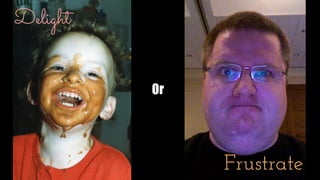
Delight
Or
Frustrate
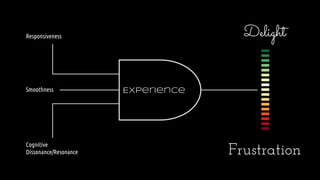
Experience
Responsiveness
Cognitive
Dissonance/Resonance
Smoothness
Delight
Frustration
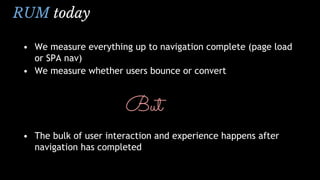
RUM today
• We measure everything up to navigation complete (page load
or SPA nav)
• We measure whether users bounce or convert
But
• The bulk of user interaction and experience happens after
navigation has completed
Which continuous
variables can we measure
and how?
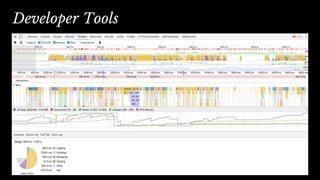
Developer Tools
“The fact that something is possible to measure, and may even be highly
desirable and useful to expose to developers, does not mean that it can
be exposed as runtime JavaScript API in the browser, due to various
privacy and security constraints”
— Performance APIs, Security and Privacy
https://w3c.github.io/perf-security-privacy/
Developer Tools
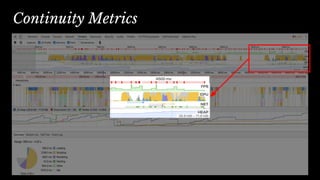
Continuity Metrics
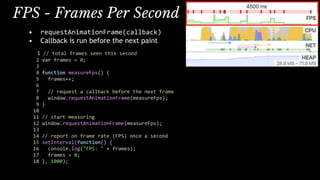
• requestAnimationFrame(callback)
• Callback is run before the next paint
1 // total frames seen this second
2 var frames = 0;
3
4 function measureFps() {
5 frames++;
6
7 // request a callback before the next frame
8 window.requestAnimationFrame(measureFps);
9 }
10
11 // start measuring
12 window.requestAnimationFrame(measureFps);
13
14 // report on frame rate (FPS) once a second
15 setInterval(function() {
16 console.log("FPS: " + frames);
17 frames = 0;
18 }, 1000);
FPS - Frames Per Second
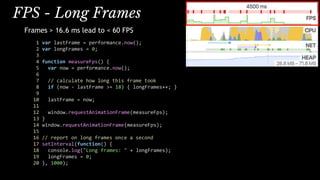
FPS - Long Frames
Frames > 16.6 ms lead to < 60 FPS
1 var lastFrame = performance.now();
2 var longFrames = 0;
3
4 function measureFps() {
5 var now = performance.now();
6
7 // calculate how long this frame took
8 if (now - lastFrame >= 18) { longFrames++; }
9
10 lastFrame = now;
11
12 window.requestAnimationFrame(measureFps);
13 }
14 window.requestAnimationFrame(measureFps);
15
16 // report on long frames once a second
17 setInterval(function() {
18 console.log("Long frames: " + longFrames);
19 longFrames = 0;
20 }, 1000);
FPS - Video
HTML5 VIDEO metrics (Chrome/FF)
1 var latestFrame = 0;
2 var latestReportedFrame = 0;
3
4 setInterval(function() {
5 // find the first VIDEO element on the page
6 var vids = document.getElementsByTagName("video");
7 if (vids && vids.length) {
8 var vid = vids[0];
9 if (vid.webkitDecodedFrameCount || vid.mozPaintedFrames) {
10 latestFrame = vid.webkitDecodedFrameCount || vid.mozPaintedFrames;
11 }
12 }
13
14 console.log("Video FPS: "
15 + Math.max(latestFrame - latestReportedFrame, 0));
16
17 // reset count
18 latestReportedFrame = latestFrame;
19 }, 1000);
CPU - Page Busy
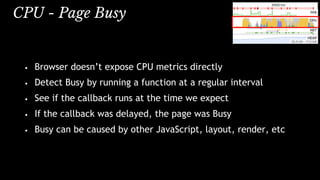
• Browser doesn’t expose CPU metrics directly
• Detect Busy by running a function at a regular interval
• See if the callback runs at the time we expect
• If the callback was delayed, the page was Busy
• Busy can be caused by other JavaScript, layout, render, etc
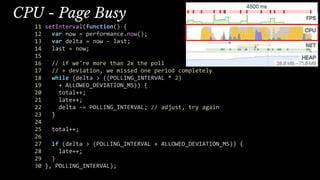
CPU - Page Busy
11 setInterval(function() {
12 var now = performance.now();
13 var delta = now - last;
14 last = now;
15
16 // if we're more than 2x the poll
17 // + deviation, we missed one period completely
18 while (delta > ((POLLING_INTERVAL * 2)
19 + ALLOWED_DEVIATION_MS)) {
20 total++;
21 late++;
22 delta -= POLLING_INTERVAL; // adjust, try again
23 }
24
25 total++;
26
27 if (delta > (POLLING_INTERVAL + ALLOWED_DEVIATION_MS)) {
28 late++;
29 }
30 }, POLLING_INTERVAL);
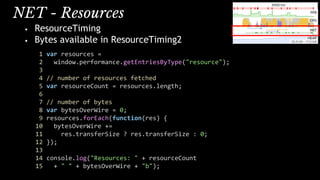
NET - Resources
• ResourceTiming
• Bytes available in ResourceTiming2
1 var resources =
2 window.performance.getEntriesByType("resource");
3
4 // number of resources fetched
5 var resourceCount = resources.length;
6
7 // number of bytes
8 var bytesOverWire = 0;
9 resources.forEach(function(res) {
10 bytesOverWire +=
11 res.transferSize ? res.transferSize : 0;
12 });
13
14 console.log("Resources: " + resourceCount
15 + " " + bytesOverWire + "b");
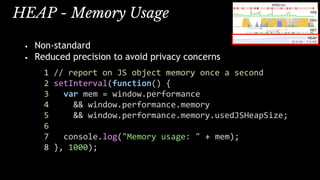
HEAP - Memory Usage
• Non-standard
• Reduced precision to avoid privacy concerns
1 // report on JS object memory once a second
2 setInterval(function() {
3 var mem = window.performance
4 && window.performance.memory
5 && window.performance.memory.usedJSHeapSize;
6
7 console.log("Memory usage: " + mem);
8 }, 1000);
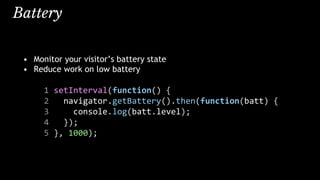
Battery
• Monitor your visitor’s battery state
• Reduce work on low battery
1 setInterval(function() {
2 navigator.getBattery().then(function(batt) {
3 console.log(batt.level);
4 });
5 }, 1000);
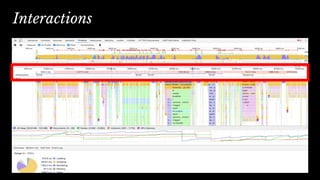
Interactions
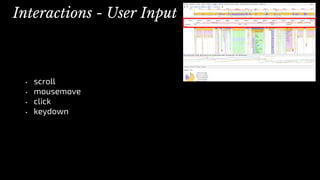
• scroll
• mousemove
• click
• keydown
Interactions - User Input
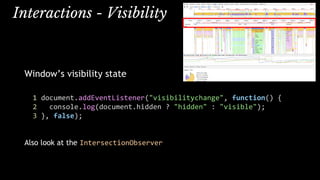
Interactions - Visibility
Window’s visibility state
1 document.addEventListener("visibilitychange", function() {
2 console.log(document.hidden ? "hidden" : "visible");
3 }, false);
Also look at the IntersectionObserver
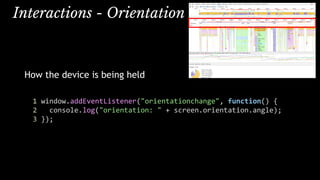
Interactions - Orientation
How the device is being held
1 window.addEventListener("orientationchange", function() {
2 console.log("orientation: " + screen.orientation.angle);
3 });
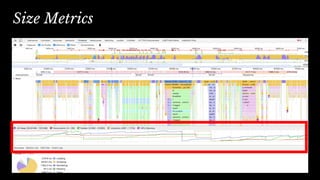
Size Metrics
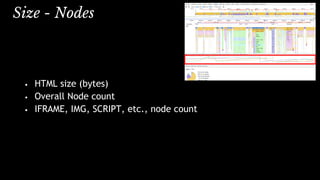
Size - Nodes
• HTML size (bytes)
• Overall Node count
• IFRAME, IMG, SCRIPT, etc., node count
MutationObserver == change over time
1 var d = document;
2 var mutationCount = 0;
3 var domLength =
4 d.getElementsByTagName("*").length;
5
6 // create an observer instance
7 var observer = new MutationObserver(function(mutations) {
8 mutations.forEach(function(mutation) {
9 if (mutation.type !== "childList") { return; }
10 for (var i = 0; i < mutation.addedNodes.length; i++) {
11 var node = mutation.addedNodes[i];
12 mutationCount++;
13 mutationCount += node.getElementsByTagName ?
14 node.getElementsByTagName("*").length : 0;
15 }
16 });
17 });
18
19 // configure the observer
20 observer.observe(d, { childList: true, subtree: true });
Size - DOM Changes
Errors
1 var errorCount = 0;
2
3 window.onerror = function () {
4 errorCount++;
5 }
6
7 setInterval(function() {
8 console.log("Errors: " + errorCount);
9 errorCount = 0;
10 }, 1000);
Demo
https://github.com/SOASTA/measuring-continuity
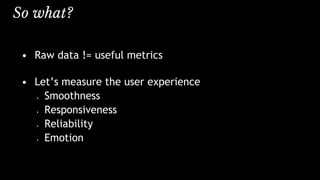
So what?
• Raw data != useful metrics
• Let’s measure the user experience
• Smoothness
• Responsiveness
• Reliability
• Emotion
Smoothness - FPS during scroll
FPS during page load
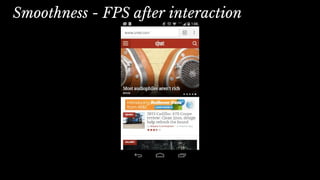
Smoothness - FPS after interaction
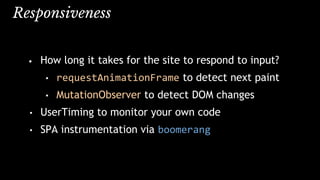
Responsiveness
• How long it takes for the site to respond to input?
• requestAnimationFrame to detect next paint
• MutationObserver to detect DOM changes
• UserTiming to monitor your own code
• SPA instrumentation via boomerang
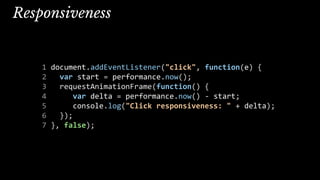
Responsiveness
1 document.addEventListener("click", function(e) {
2 var start = performance.now();
3 requestAnimationFrame(function() {
4 var delta = performance.now() - start;
5 console.log("Click responsiveness: " + delta);
6 });
7 }, false);
Reliability
• JavaScript errors
• Leaks:
• JavaScript memory usage over time
• DOM size increase over time
Tracking Emotion
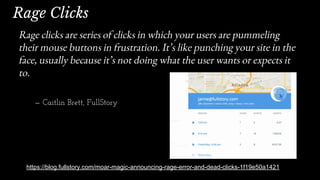
Rage Clicks
https://blog.fullstory.com/moar-magic-announcing-rage-error-and-dead-clicks-1f19e50a1421
Rage clicks are series of clicks in which your users are pummeling
their mouse buttons in frustration. It’s like punching your site in the
face, usually because it’s not doing what the user wants or expects it
to.
— Caitlin Brett, FullStory
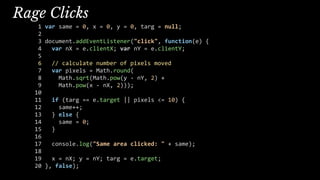
Rage Clicks
1 var same = 0, x = 0, y = 0, targ = null;
2
3 document.addEventListener("click", function(e) {
4 var nX = e.clientX; var nY = e.clientY;
5
6 // calculate number of pixels moved
7 var pixels = Math.round(
8 Math.sqrt(Math.pow(y - nY, 2) +
9 Math.pow(x - nX, 2)));
10
11 if (targ == e.target || pixels <= 10) {
12 same++;
13 } else {
14 same = 0;
15 }
16
17 console.log("Same area clicked: " + same);
18
19 x = nX; y = nY; targ = e.target;
20 }, false);
Dead Clicks
• Clicking without any meaningful visual (DOM) change
• Might happen during (or right after) page load due to
delayed JavaScript
Dead Clicks
Missed Clicks
User clicks near an element, but misses it
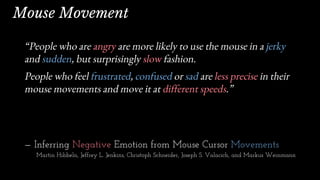
“People who are angry are more likely to use the mouse in a jerky
and sudden, but surprisingly slow fashion.
People who feel frustrated, confused or sad are less precise in their
mouse movements and move it at different speeds.”
— Inferring Negative Emotion from Mouse Cursor Movements
Martin Hibbeln, Jeffrey L. Jenkins, Christoph Schneider, Joseph S. Valacich, and Markus Weinmann
Mouse Movement
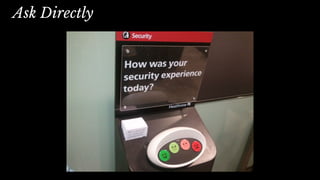
Ask Directly
Rage Clicking
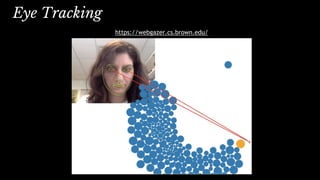
Eye Tracking
https://webgazer.cs.brown.edu/
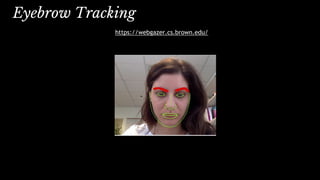
Eyebrow Tracking
https://webgazer.cs.brown.edu/
Emotion - α / β wave Tracking
Mind Reading Markup Language
Rage Clicks
http://blog.fullstory.com/2015/12/reducing-ux-rage-with-fullstorys-rage-clicks/
Inferring Emotion from Mouse Movements
http://www.telegraph.co.uk/technology/news/12050481/Websites-could-read-
emotions-by-seeing-how-fast-you-move-your-mouse.html
Scroll Behaviour
http://blog.chartbeat.com/2013/08/12/scroll-behavior-across-the-web/
WebGazer: Eye tracking in JavaScript
http://webgazer.cs.brown.edu/
What JavaScript knows about you
http://webkay.robinlinus.com/
Prerender Events
https://wiki.whatwg.org/wiki/Link_prerender_events
RequestAnimationFrame
https://developer.mozilla.org/en-
US/docs/Web/API/window/requestAnimationFrame
RequestIdleCallback
https://developers.google.com/web/updates/2015/08/using-requestidlecallback
IntersectionObserver
https://wicg.github.io/IntersectionObserver/
Further Reading
Video Metrics
https://wiki.whatwg.org/wiki/Video_Metrics
Resource Timing
https://www.w3.org/TR/resource-timing/
The Runtime Performance Checklist
http://calendar.perfplanet.com/2013/the-runtime-performance-checklist/
Jank Meter
https://webperf.ninja/2015/jank-meter/
RAIL Performance Audit of SFGate.com
https://docs.google.com/document/d/1K-mKOqiUiSjgZTEscBLjtjd6E67oiK8H2ztOiq5tigk
Performance: Security & Privacy Considerations
https://w3c.github.io/perf-security-privacy/
Motion Mark Analysis
https://docs.google.
com/document/d/1vKNGim07lvPCYL1ctiNss1BqhjfE49t6LwZkwoTkeXU/mobilebasic
Debouncing and Throttling Events
https://css-tricks.com/debouncing-throttling-explained-examples/
Code Examples from this talk
https://github.com/SOASTA/measuring-continuity
Thank You
Photo Credits
Rum on Ice by wiserbailey
https://www.flickr.com/photos/25084516@N03/4317148060/
Angel Delight by Auntie P
https://www.flickr.com/photos/auntiep/360764980/
Frustrated by Kevin Lawver
https://www.flickr.com/photos/kplawver/1903240219/
Philip Tellis
@bluesmoon
Nic Jansma
@nicj
https://github.com/SOASTA/boomerang
http://www.soasta.com/mpulse
https://github.com/SOASTA/measuring-continuity

Measuring Continuity

  • 1.
  • 2.
  • 3.
    boomerang https://github.com/SOASTA/boomerang WARNING: HUMANS WHOSUBMIT PULL REQUESTS ARE KNOWN TO HAVE BEEN HIRED
  • 4.
  • 5.
  • 6.
  • 7.
    RUM today • Wemeasure everything up to navigation complete (page load or SPA nav) • We measure whether users bounce or convert But • The bulk of user interaction and experience happens after navigation has completed
  • 8.
    Which continuous variables canwe measure and how?
  • 9.
  • 10.
    “The fact thatsomething is possible to measure, and may even be highly desirable and useful to expose to developers, does not mean that it can be exposed as runtime JavaScript API in the browser, due to various privacy and security constraints” — Performance APIs, Security and Privacy https://w3c.github.io/perf-security-privacy/ Developer Tools
  • 11.
  • 12.
    • requestAnimationFrame(callback) • Callbackis run before the next paint 1 // total frames seen this second 2 var frames = 0; 3 4 function measureFps() { 5 frames++; 6 7 // request a callback before the next frame 8 window.requestAnimationFrame(measureFps); 9 } 10 11 // start measuring 12 window.requestAnimationFrame(measureFps); 13 14 // report on frame rate (FPS) once a second 15 setInterval(function() { 16 console.log("FPS: " + frames); 17 frames = 0; 18 }, 1000); FPS - Frames Per Second
  • 13.
    FPS - LongFrames Frames > 16.6 ms lead to < 60 FPS 1 var lastFrame = performance.now(); 2 var longFrames = 0; 3 4 function measureFps() { 5 var now = performance.now(); 6 7 // calculate how long this frame took 8 if (now - lastFrame >= 18) { longFrames++; } 9 10 lastFrame = now; 11 12 window.requestAnimationFrame(measureFps); 13 } 14 window.requestAnimationFrame(measureFps); 15 16 // report on long frames once a second 17 setInterval(function() { 18 console.log("Long frames: " + longFrames); 19 longFrames = 0; 20 }, 1000);
  • 14.
    FPS - Video HTML5VIDEO metrics (Chrome/FF) 1 var latestFrame = 0; 2 var latestReportedFrame = 0; 3 4 setInterval(function() { 5 // find the first VIDEO element on the page 6 var vids = document.getElementsByTagName("video"); 7 if (vids && vids.length) { 8 var vid = vids[0]; 9 if (vid.webkitDecodedFrameCount || vid.mozPaintedFrames) { 10 latestFrame = vid.webkitDecodedFrameCount || vid.mozPaintedFrames; 11 } 12 } 13 14 console.log("Video FPS: " 15 + Math.max(latestFrame - latestReportedFrame, 0)); 16 17 // reset count 18 latestReportedFrame = latestFrame; 19 }, 1000);
  • 15.
    CPU - PageBusy • Browser doesn’t expose CPU metrics directly • Detect Busy by running a function at a regular interval • See if the callback runs at the time we expect • If the callback was delayed, the page was Busy • Busy can be caused by other JavaScript, layout, render, etc
  • 16.
    CPU - PageBusy 11 setInterval(function() { 12 var now = performance.now(); 13 var delta = now - last; 14 last = now; 15 16 // if we're more than 2x the poll 17 // + deviation, we missed one period completely 18 while (delta > ((POLLING_INTERVAL * 2) 19 + ALLOWED_DEVIATION_MS)) { 20 total++; 21 late++; 22 delta -= POLLING_INTERVAL; // adjust, try again 23 } 24 25 total++; 26 27 if (delta > (POLLING_INTERVAL + ALLOWED_DEVIATION_MS)) { 28 late++; 29 } 30 }, POLLING_INTERVAL);
  • 17.
    NET - Resources •ResourceTiming • Bytes available in ResourceTiming2 1 var resources = 2 window.performance.getEntriesByType("resource"); 3 4 // number of resources fetched 5 var resourceCount = resources.length; 6 7 // number of bytes 8 var bytesOverWire = 0; 9 resources.forEach(function(res) { 10 bytesOverWire += 11 res.transferSize ? res.transferSize : 0; 12 }); 13 14 console.log("Resources: " + resourceCount 15 + " " + bytesOverWire + "b");
  • 18.
    HEAP - MemoryUsage • Non-standard • Reduced precision to avoid privacy concerns 1 // report on JS object memory once a second 2 setInterval(function() { 3 var mem = window.performance 4 && window.performance.memory 5 && window.performance.memory.usedJSHeapSize; 6 7 console.log("Memory usage: " + mem); 8 }, 1000);
  • 19.
    Battery • Monitor yourvisitor’s battery state • Reduce work on low battery 1 setInterval(function() { 2 navigator.getBattery().then(function(batt) { 3 console.log(batt.level); 4 }); 5 }, 1000);
  • 20.
  • 21.
    • scroll • mousemove •click • keydown Interactions - User Input
  • 22.
    Interactions - Visibility Window’svisibility state 1 document.addEventListener("visibilitychange", function() { 2 console.log(document.hidden ? "hidden" : "visible"); 3 }, false); Also look at the IntersectionObserver
  • 23.
    Interactions - Orientation Howthe device is being held 1 window.addEventListener("orientationchange", function() { 2 console.log("orientation: " + screen.orientation.angle); 3 });
  • 24.
  • 25.
    Size - Nodes •HTML size (bytes) • Overall Node count • IFRAME, IMG, SCRIPT, etc., node count
  • 26.
    MutationObserver == changeover time 1 var d = document; 2 var mutationCount = 0; 3 var domLength = 4 d.getElementsByTagName("*").length; 5 6 // create an observer instance 7 var observer = new MutationObserver(function(mutations) { 8 mutations.forEach(function(mutation) { 9 if (mutation.type !== "childList") { return; } 10 for (var i = 0; i < mutation.addedNodes.length; i++) { 11 var node = mutation.addedNodes[i]; 12 mutationCount++; 13 mutationCount += node.getElementsByTagName ? 14 node.getElementsByTagName("*").length : 0; 15 } 16 }); 17 }); 18 19 // configure the observer 20 observer.observe(d, { childList: true, subtree: true }); Size - DOM Changes
  • 27.
    Errors 1 var errorCount= 0; 2 3 window.onerror = function () { 4 errorCount++; 5 } 6 7 setInterval(function() { 8 console.log("Errors: " + errorCount); 9 errorCount = 0; 10 }, 1000);
  • 28.
  • 29.
    So what? • Rawdata != useful metrics • Let’s measure the user experience • Smoothness • Responsiveness • Reliability • Emotion
  • 30.
    Smoothness - FPSduring scroll FPS during page load
  • 31.
    Smoothness - FPSafter interaction
  • 32.
    Responsiveness • How longit takes for the site to respond to input? • requestAnimationFrame to detect next paint • MutationObserver to detect DOM changes • UserTiming to monitor your own code • SPA instrumentation via boomerang
  • 33.
    Responsiveness 1 document.addEventListener("click", function(e){ 2 var start = performance.now(); 3 requestAnimationFrame(function() { 4 var delta = performance.now() - start; 5 console.log("Click responsiveness: " + delta); 6 }); 7 }, false);
  • 34.
    Reliability • JavaScript errors •Leaks: • JavaScript memory usage over time • DOM size increase over time
  • 35.
  • 36.
    Rage Clicks https://blog.fullstory.com/moar-magic-announcing-rage-error-and-dead-clicks-1f19e50a1421 Rage clicksare series of clicks in which your users are pummeling their mouse buttons in frustration. It’s like punching your site in the face, usually because it’s not doing what the user wants or expects it to. — Caitlin Brett, FullStory
  • 37.
    Rage Clicks 1 varsame = 0, x = 0, y = 0, targ = null; 2 3 document.addEventListener("click", function(e) { 4 var nX = e.clientX; var nY = e.clientY; 5 6 // calculate number of pixels moved 7 var pixels = Math.round( 8 Math.sqrt(Math.pow(y - nY, 2) + 9 Math.pow(x - nX, 2))); 10 11 if (targ == e.target || pixels <= 10) { 12 same++; 13 } else { 14 same = 0; 15 } 16 17 console.log("Same area clicked: " + same); 18 19 x = nX; y = nY; targ = e.target; 20 }, false);
  • 38.
    Dead Clicks • Clickingwithout any meaningful visual (DOM) change • Might happen during (or right after) page load due to delayed JavaScript
  • 39.
  • 40.
    Missed Clicks User clicksnear an element, but misses it
  • 41.
    “People who areangry are more likely to use the mouse in a jerky and sudden, but surprisingly slow fashion. People who feel frustrated, confused or sad are less precise in their mouse movements and move it at different speeds.” — Inferring Negative Emotion from Mouse Cursor Movements Martin Hibbeln, Jeffrey L. Jenkins, Christoph Schneider, Joseph S. Valacich, and Markus Weinmann Mouse Movement
  • 42.
  • 43.
  • 44.
  • 45.
  • 46.
    Emotion - α/ β wave Tracking Mind Reading Markup Language
  • 47.
    Rage Clicks http://blog.fullstory.com/2015/12/reducing-ux-rage-with-fullstorys-rage-clicks/ Inferring Emotionfrom Mouse Movements http://www.telegraph.co.uk/technology/news/12050481/Websites-could-read- emotions-by-seeing-how-fast-you-move-your-mouse.html Scroll Behaviour http://blog.chartbeat.com/2013/08/12/scroll-behavior-across-the-web/ WebGazer: Eye tracking in JavaScript http://webgazer.cs.brown.edu/ What JavaScript knows about you http://webkay.robinlinus.com/ Prerender Events https://wiki.whatwg.org/wiki/Link_prerender_events RequestAnimationFrame https://developer.mozilla.org/en- US/docs/Web/API/window/requestAnimationFrame RequestIdleCallback https://developers.google.com/web/updates/2015/08/using-requestidlecallback IntersectionObserver https://wicg.github.io/IntersectionObserver/ Further Reading Video Metrics https://wiki.whatwg.org/wiki/Video_Metrics Resource Timing https://www.w3.org/TR/resource-timing/ The Runtime Performance Checklist http://calendar.perfplanet.com/2013/the-runtime-performance-checklist/ Jank Meter https://webperf.ninja/2015/jank-meter/ RAIL Performance Audit of SFGate.com https://docs.google.com/document/d/1K-mKOqiUiSjgZTEscBLjtjd6E67oiK8H2ztOiq5tigk Performance: Security & Privacy Considerations https://w3c.github.io/perf-security-privacy/ Motion Mark Analysis https://docs.google. com/document/d/1vKNGim07lvPCYL1ctiNss1BqhjfE49t6LwZkwoTkeXU/mobilebasic Debouncing and Throttling Events https://css-tricks.com/debouncing-throttling-explained-examples/ Code Examples from this talk https://github.com/SOASTA/measuring-continuity
  • 48.
  • 49.
    Photo Credits Rum onIce by wiserbailey https://www.flickr.com/photos/25084516@N03/4317148060/ Angel Delight by Auntie P https://www.flickr.com/photos/auntiep/360764980/ Frustrated by Kevin Lawver https://www.flickr.com/photos/kplawver/1903240219/
  • 50.