jQuery and Web Performance
Dave Methvin
President, jQuery Foundation
Lead Developer, jQuery Core
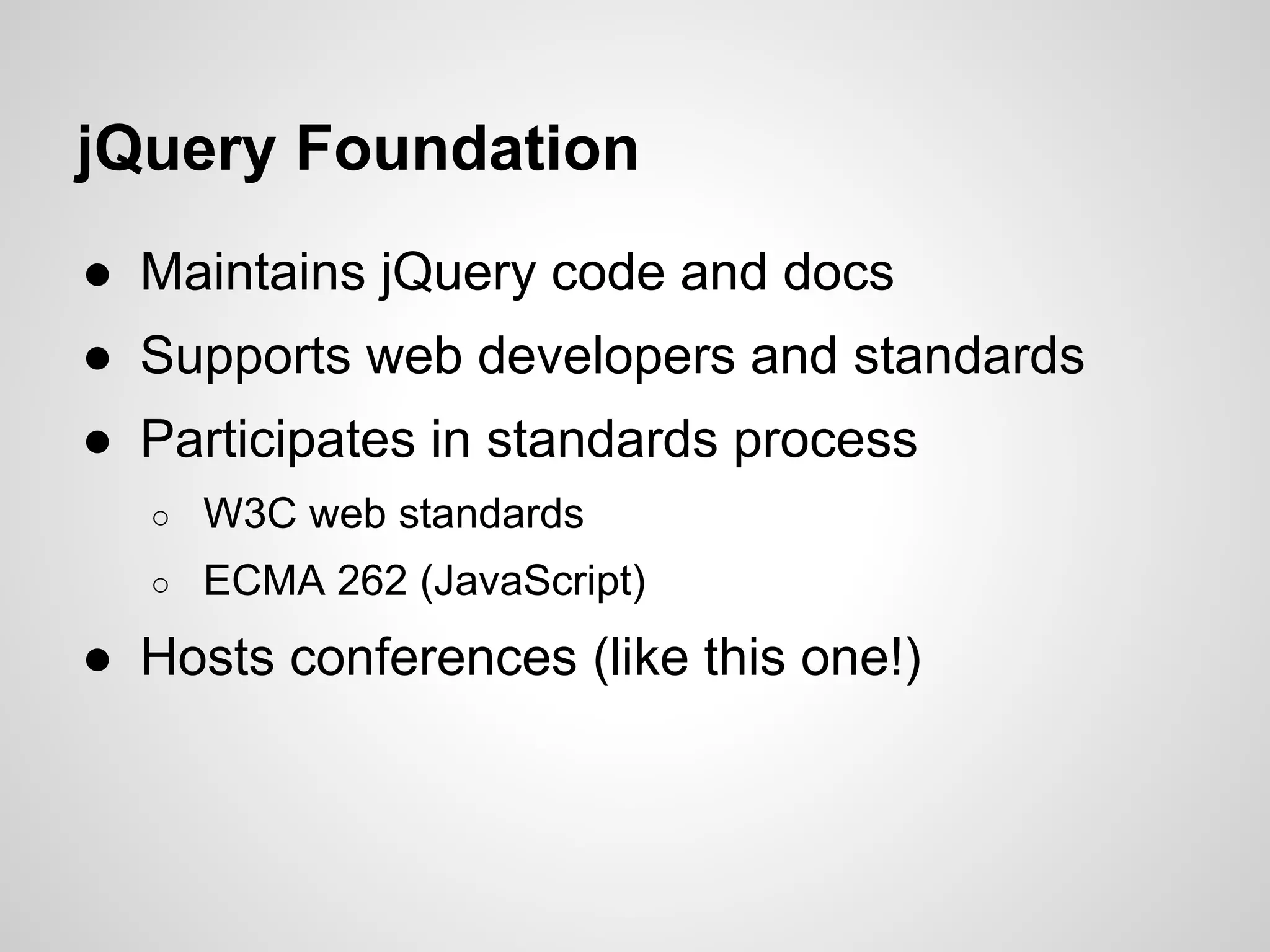
jQuery Foundation
● Maintains jQuery code and docs
● Supports web developers and standards
● Participates in standards process
○

W3C web standards

○

ECMA 262 (JavaScript)

● Hosts conferences (like this one!)
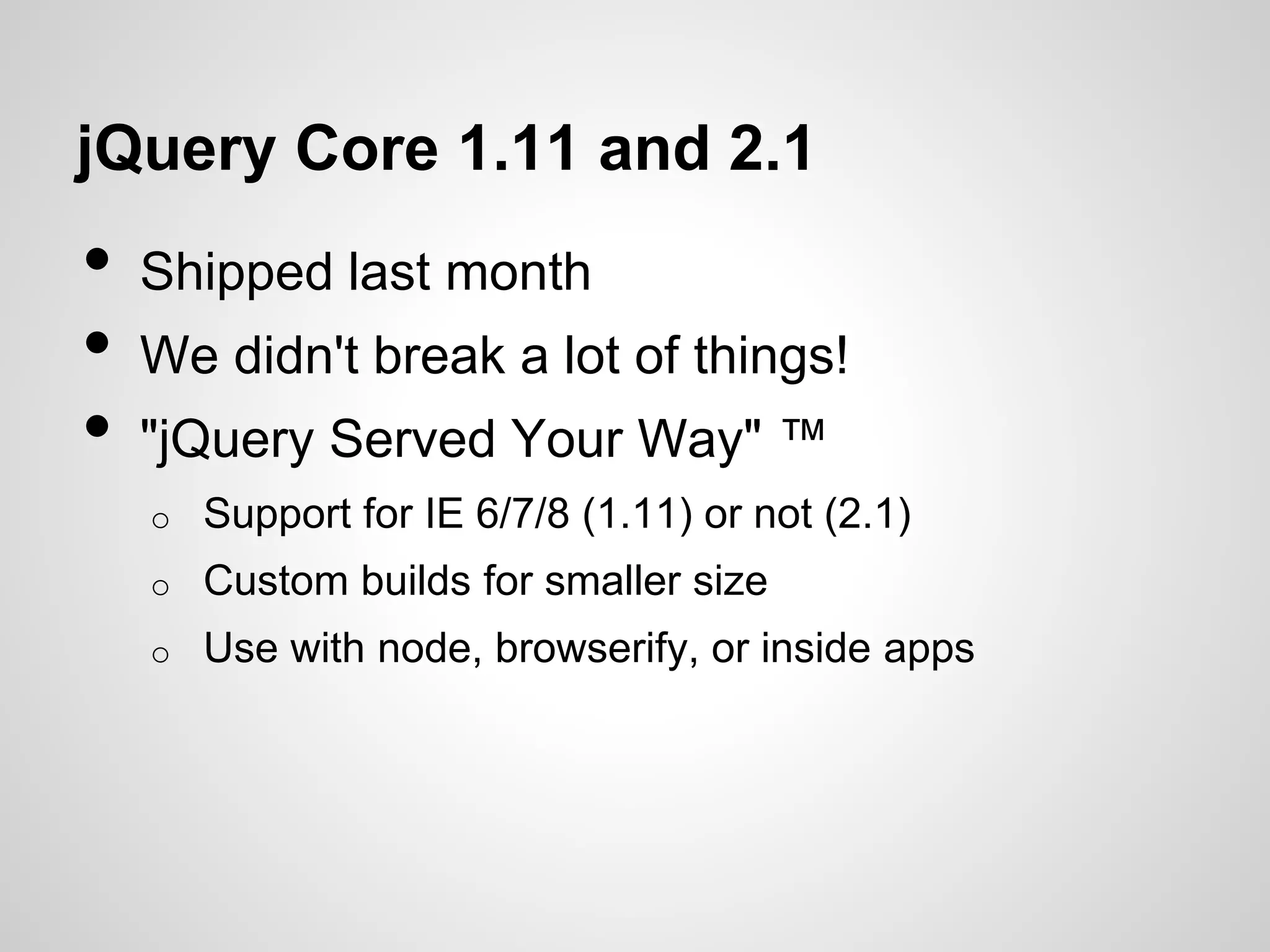
jQuery Core 1.11 and 2.1

•
•
•

Shipped last month
We didn't break a lot of things!
"jQuery Served Your Way" ™
o

Support for IE 6/7/8 (1.11) or not (2.1)

o

Custom builds for smaller size

o

Use with node, browserify, or inside apps
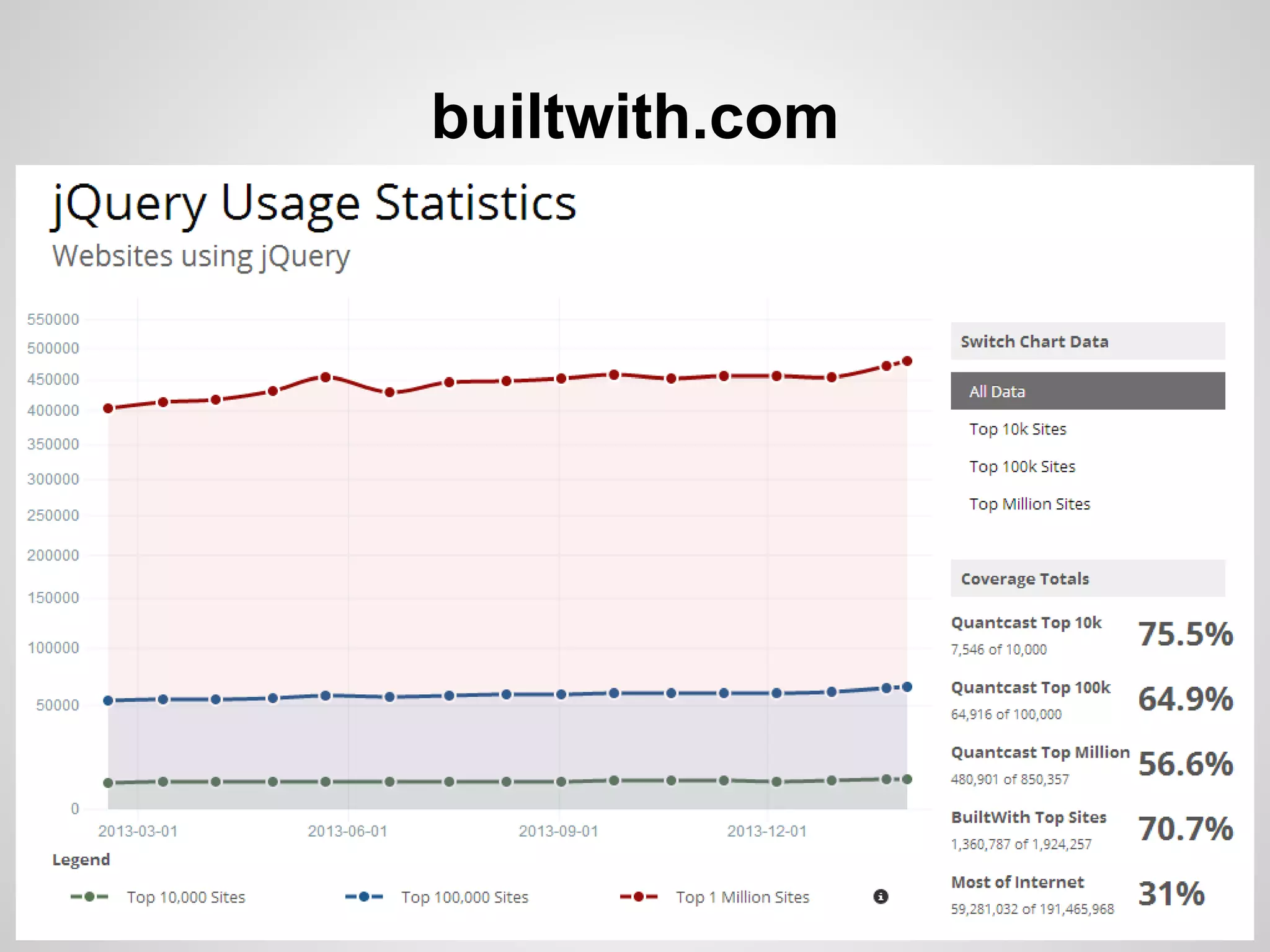
builtwith.com
jQuery Team - World Wide
http://contribute.jquery.org
PERFORMANCE
"JavaScript / jQuery /
browsers are a bad
developer environment!"
A poor
workman
blames
his tools
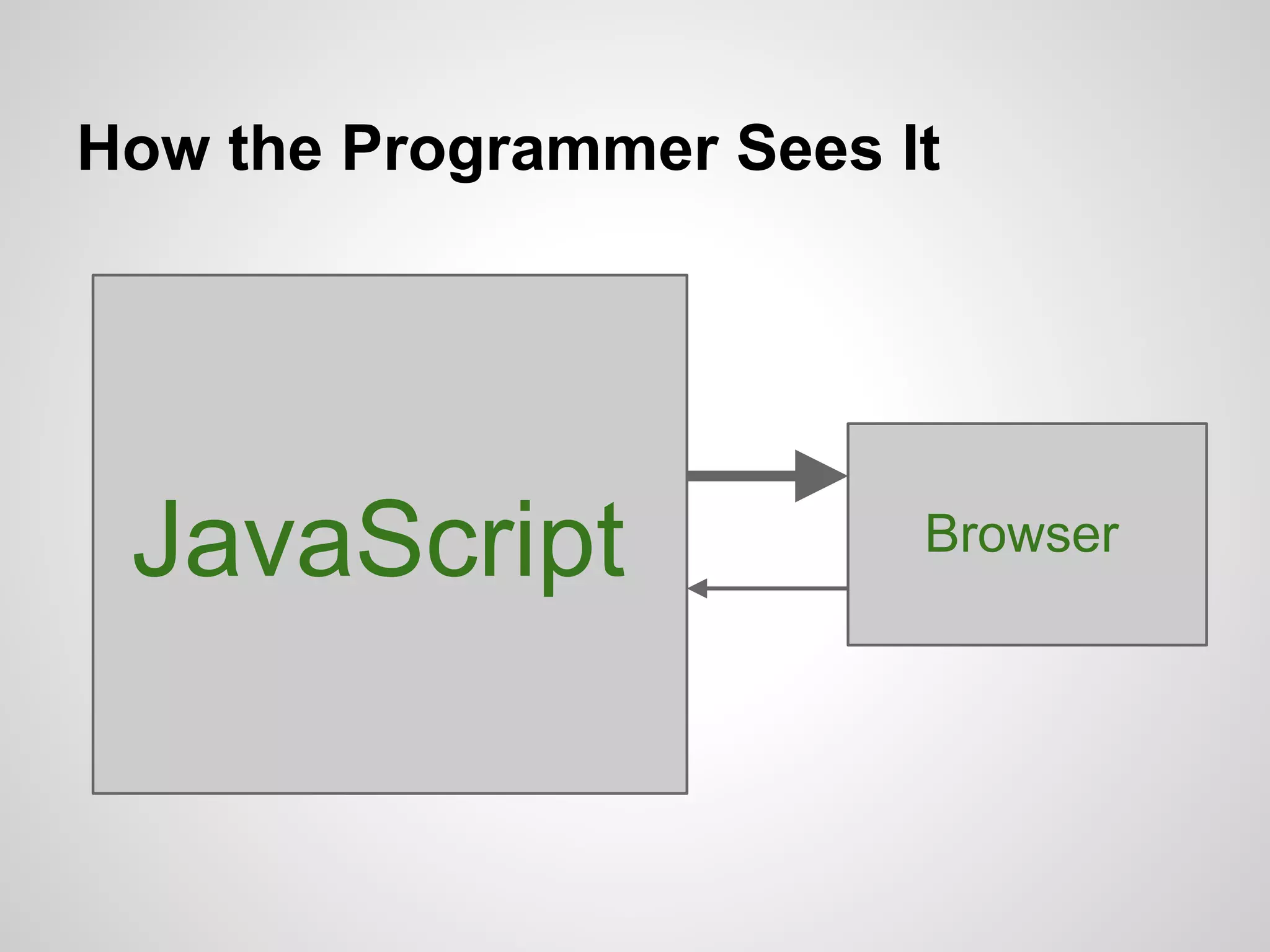
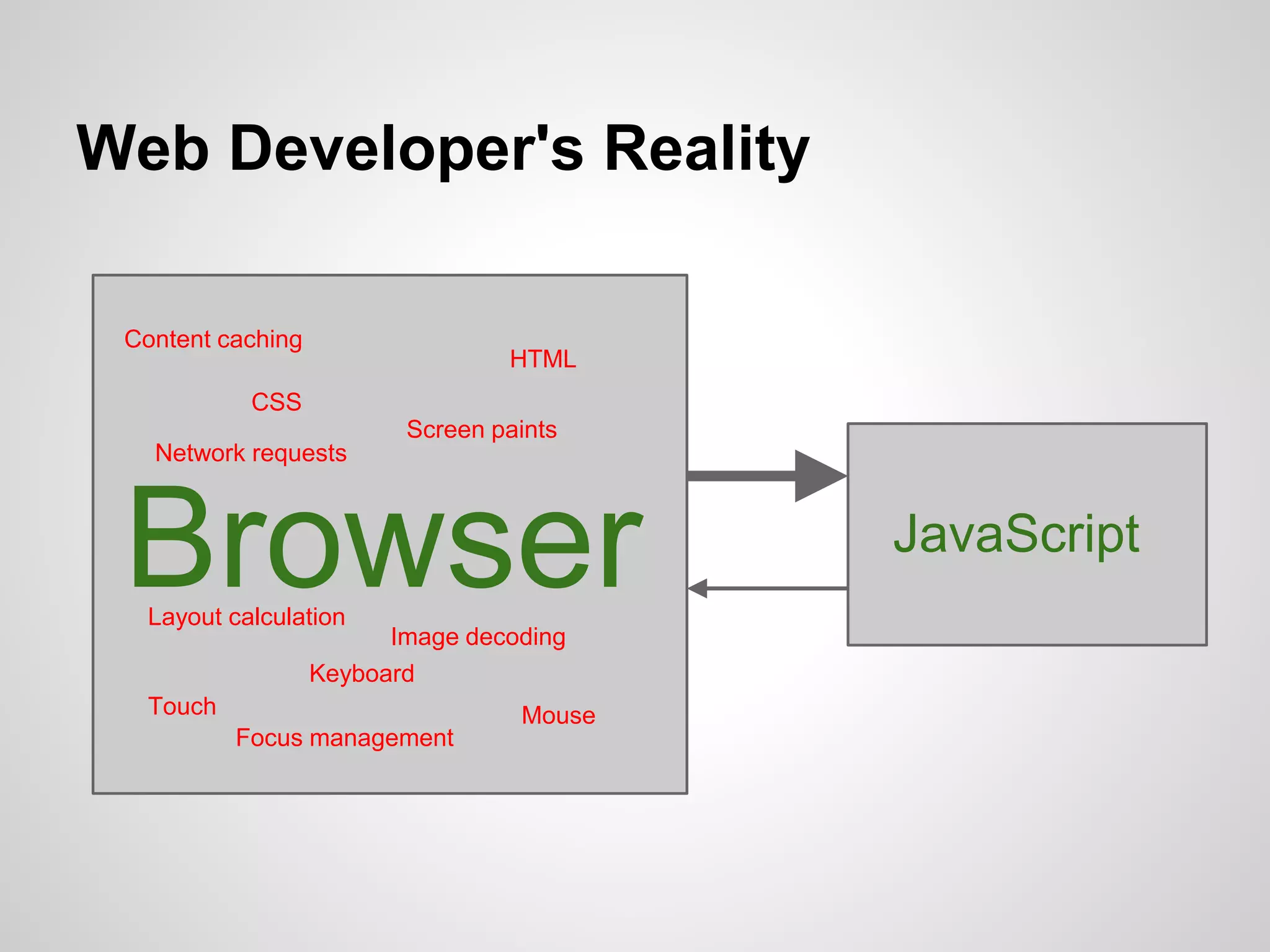
How the Programmer Sees It

JavaScript

Browser
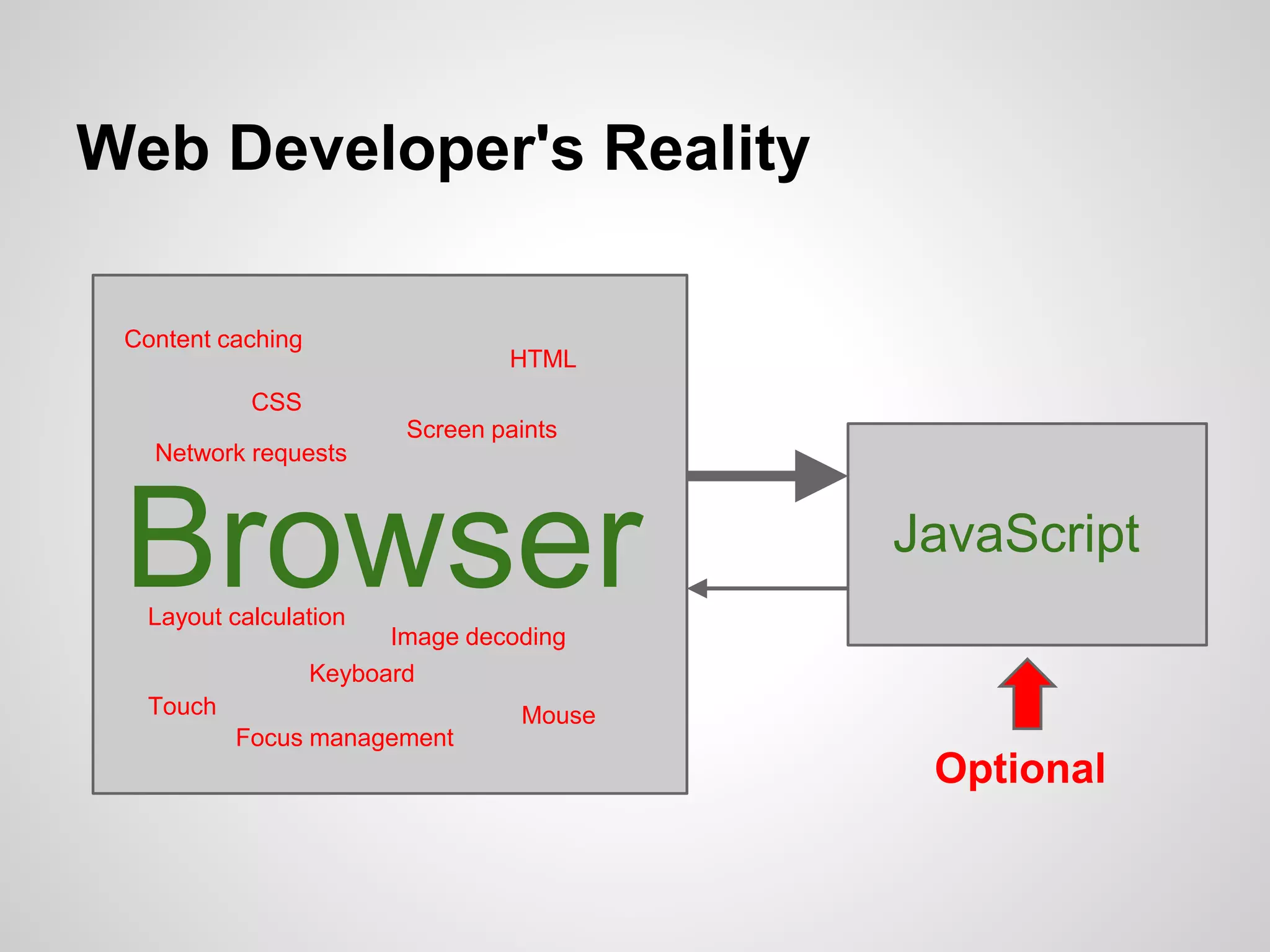
Web Developer's Reality
Content caching

HTML

CSS
Screen paints

Network requests

Browser
Layout calculation

Image decoding
Keyboard

Touch
Focus management

Mouse

JavaScript
Web Developer's Reality
Content caching

HTML

CSS
Screen paints

Network requests

Browser

JavaScript

Layout calculation

Image decoding
Keyboard

Touch
Focus management

Mouse

Optional
How Do I Make My Page Fast?

1)Find slow stuff
2)Make it not slow
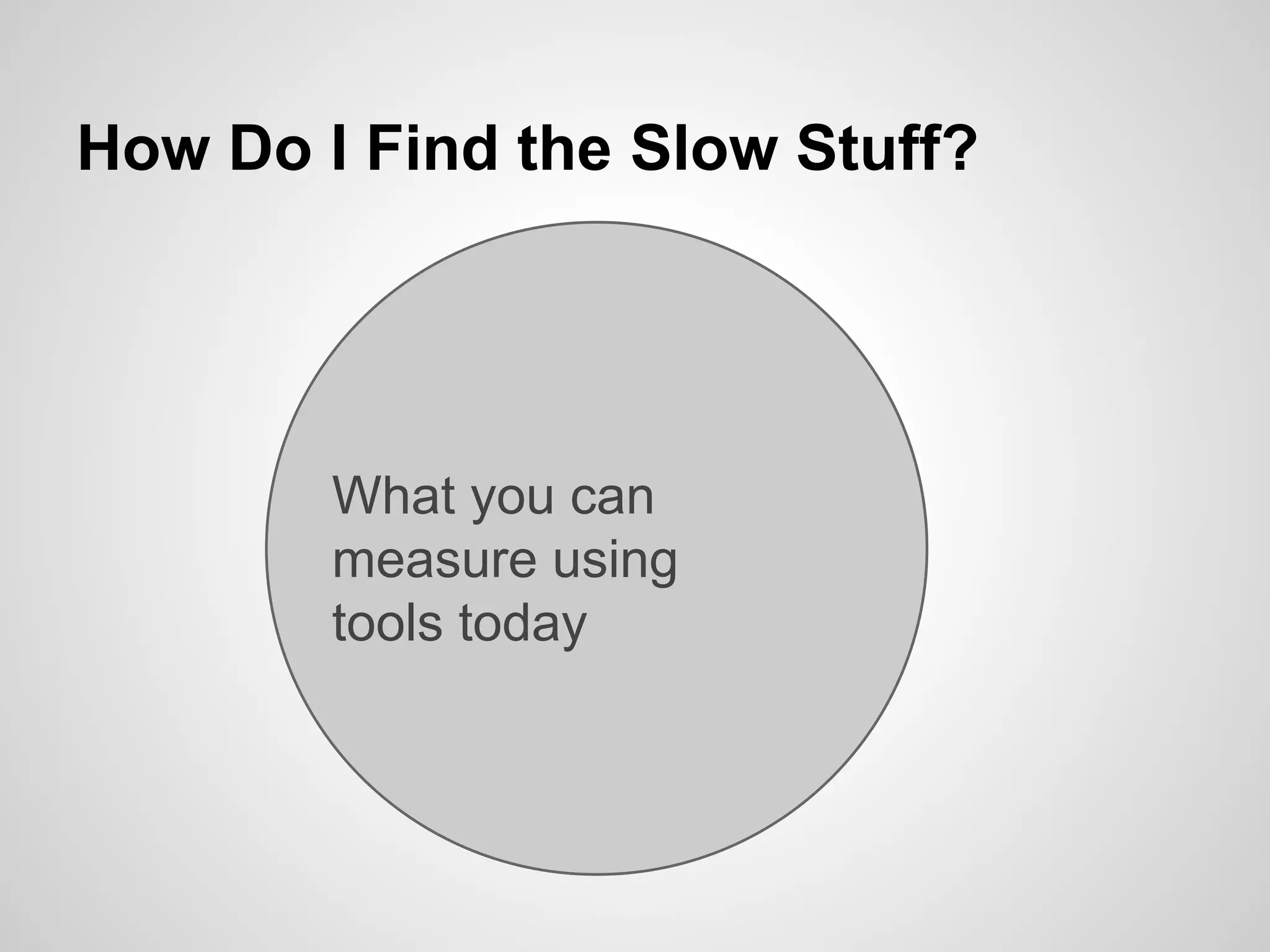
How Do I Find the Slow Stuff?

What you can
measure using
tools today
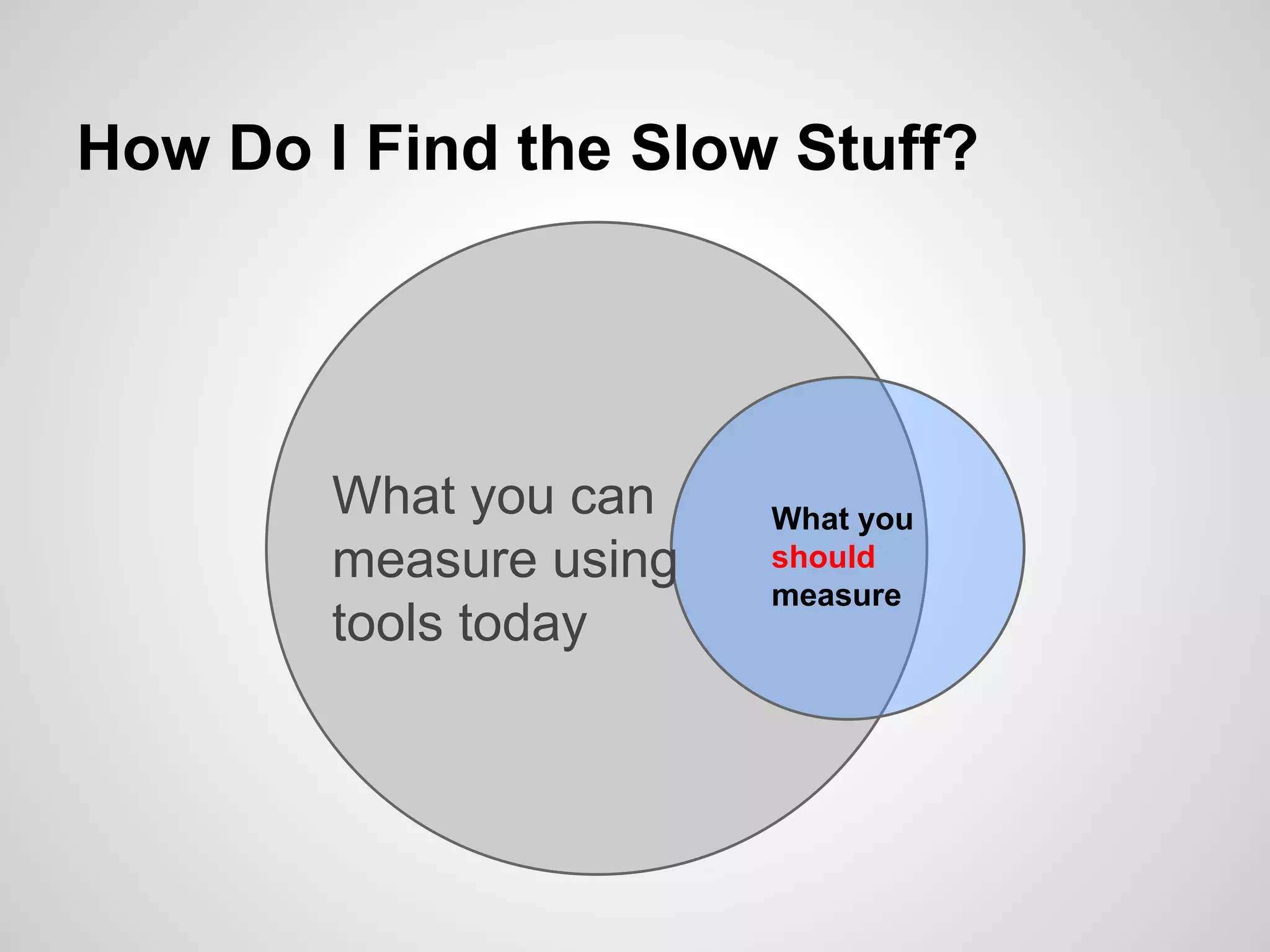
How Do I Find the Slow Stuff?

What you can
measure using
tools today

What you
should
measure
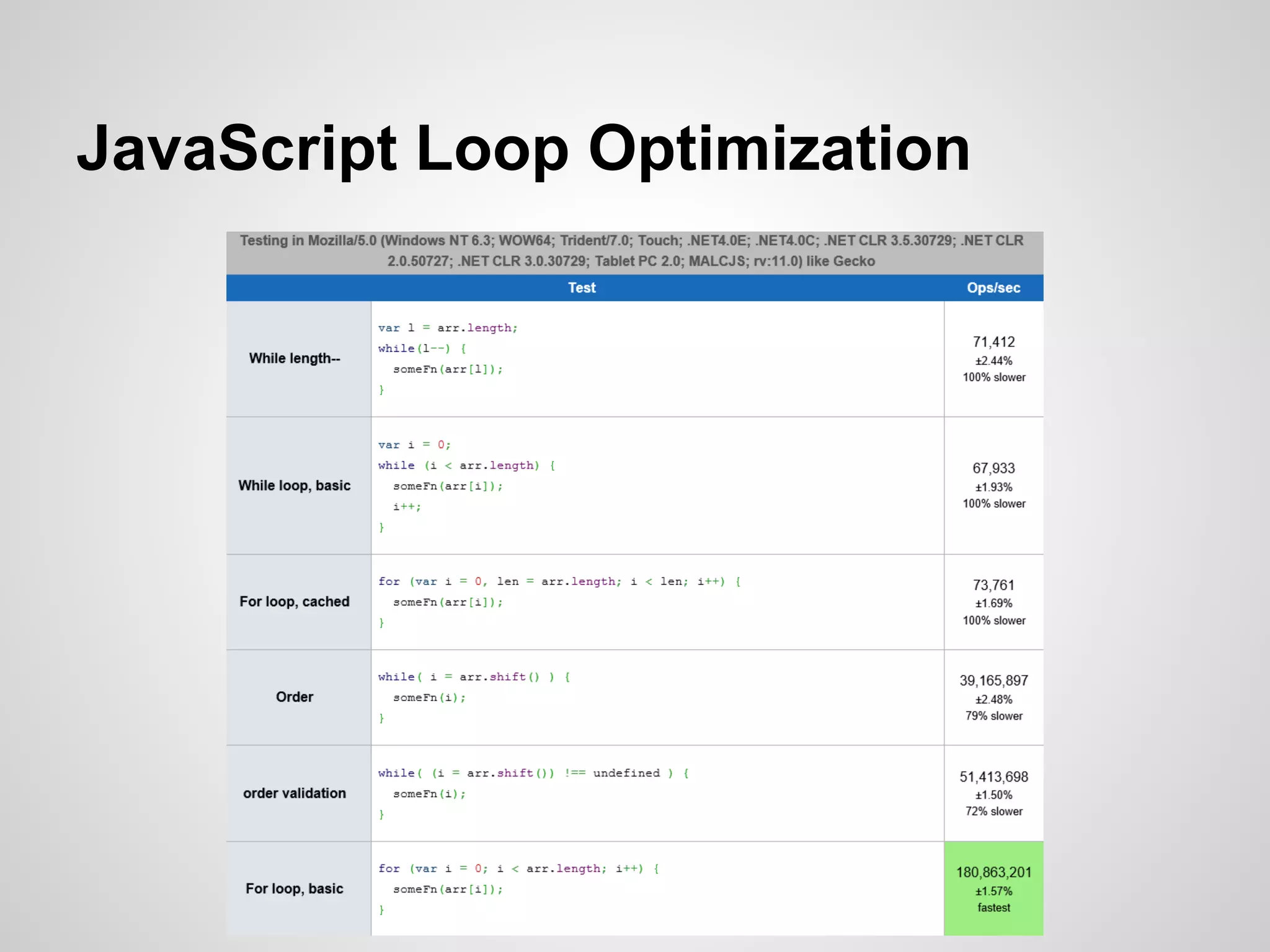
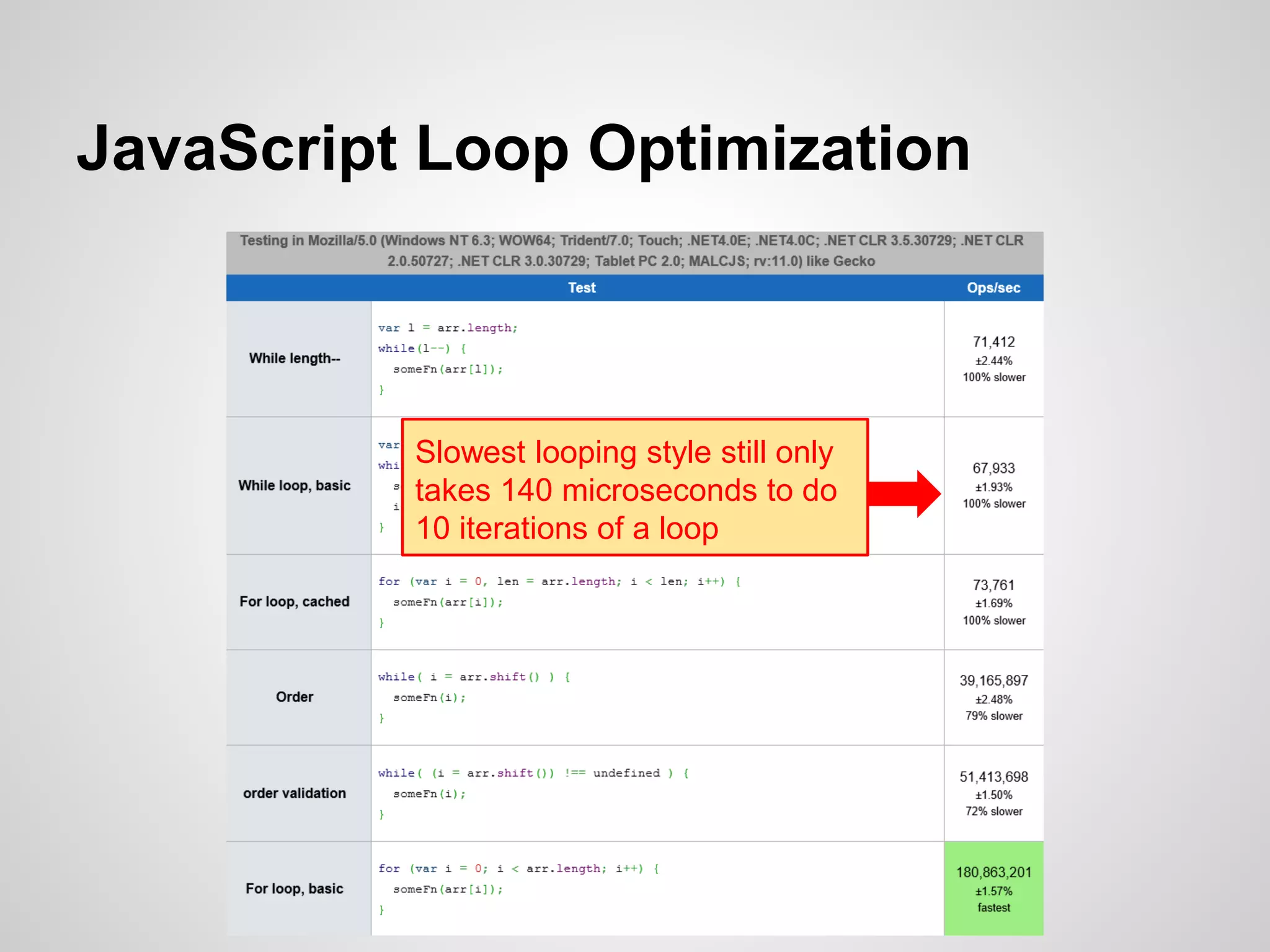
JavaScript Loop Optimization

Slowest looping style still only
takes 140 microseconds to do
10 iterations of a loop
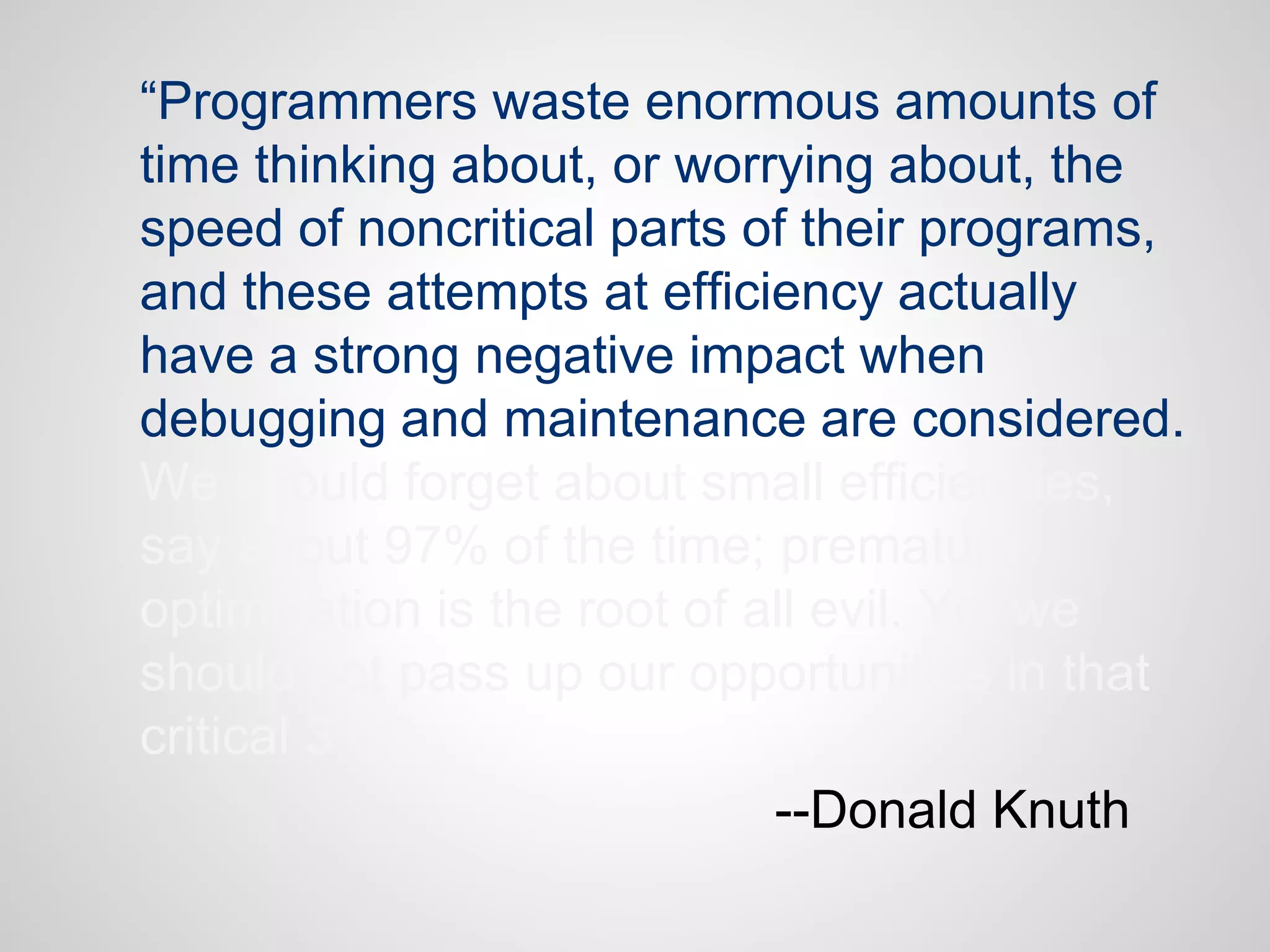
“Programmers waste enormous amounts of
time thinking about, or worrying about, the
speed of noncritical parts of their programs,
and these attempts at efficiency actually
have a strong negative impact when
debugging and maintenance are considered.
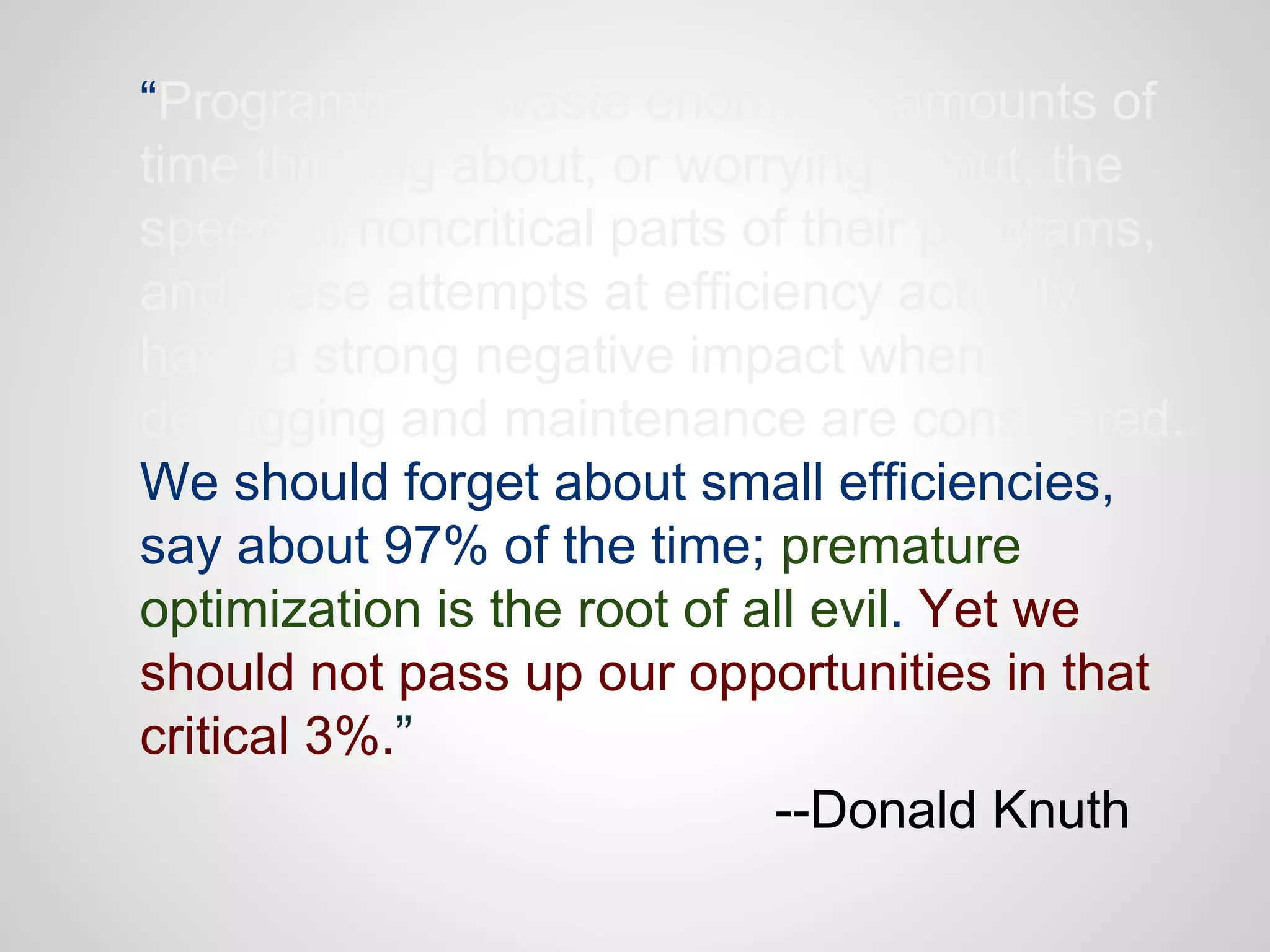
We should forget about small efficiencies,
say about 97% of the time; premature
optimization is the root of all evil. Yet we
should not pass up our opportunities in that
critical 3%.”
--Donald Knuth
“Programmers waste enormous amounts of
time thinking about, or worrying about, the
speed of noncritical parts of their programs,
and these attempts at efficiency actually
have a strong negative impact when
debugging and maintenance are considered.
We should forget about small efficiencies,
say about 97% of the time; premature
optimization is the root of all evil. Yet we
should not pass up our opportunities in that
critical 3%.”
--Donald Knuth
This Should Be You, 97% of the
Time
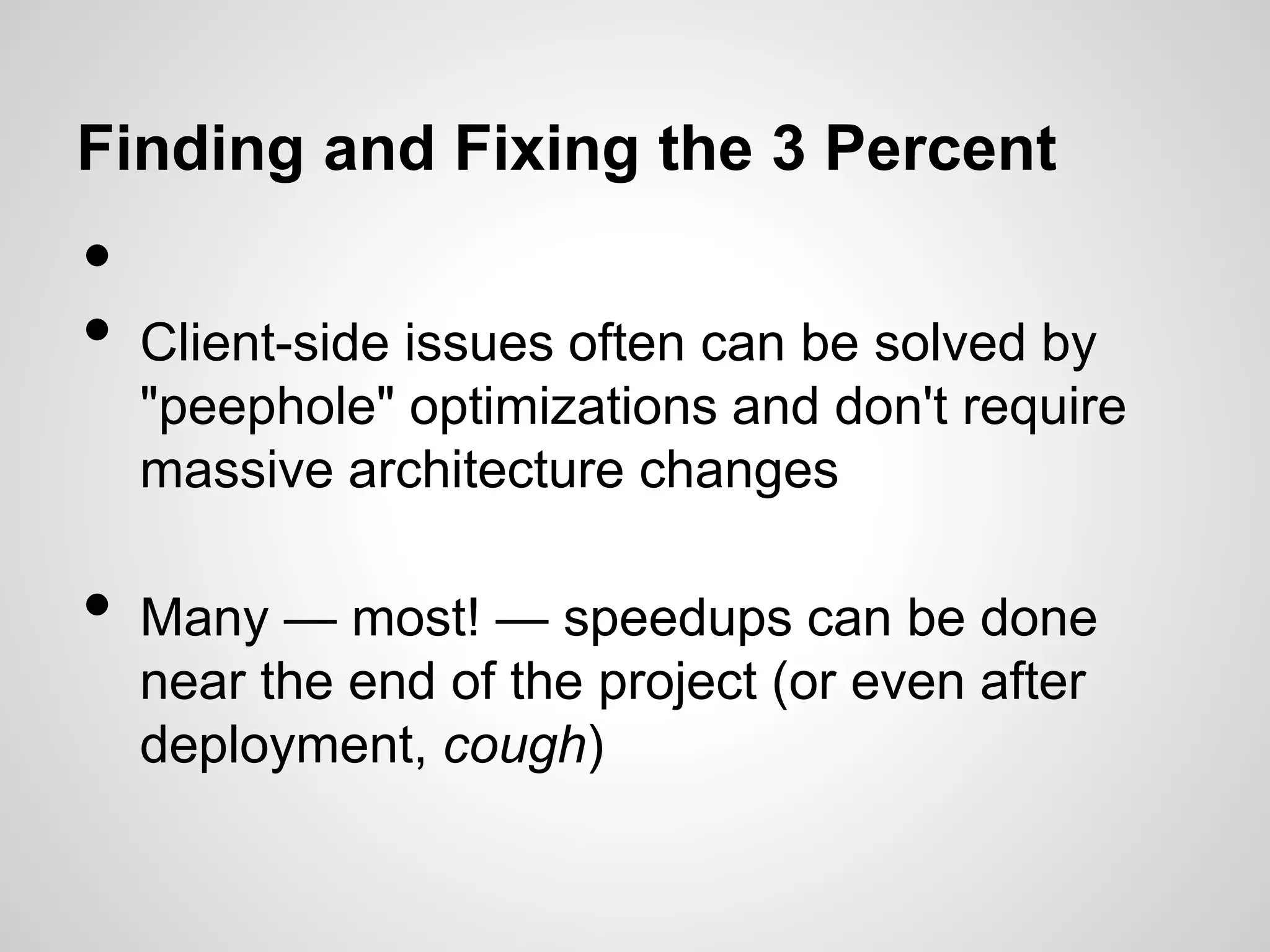
Finding and Fixing the 3 Percent

•
•
•

Client-side issues often can be solved by
"peephole" optimizations and don't require
massive architecture changes
Many — most! — speedups can be done
near the end of the project (or even after
deployment, cough)
Page Load Performance
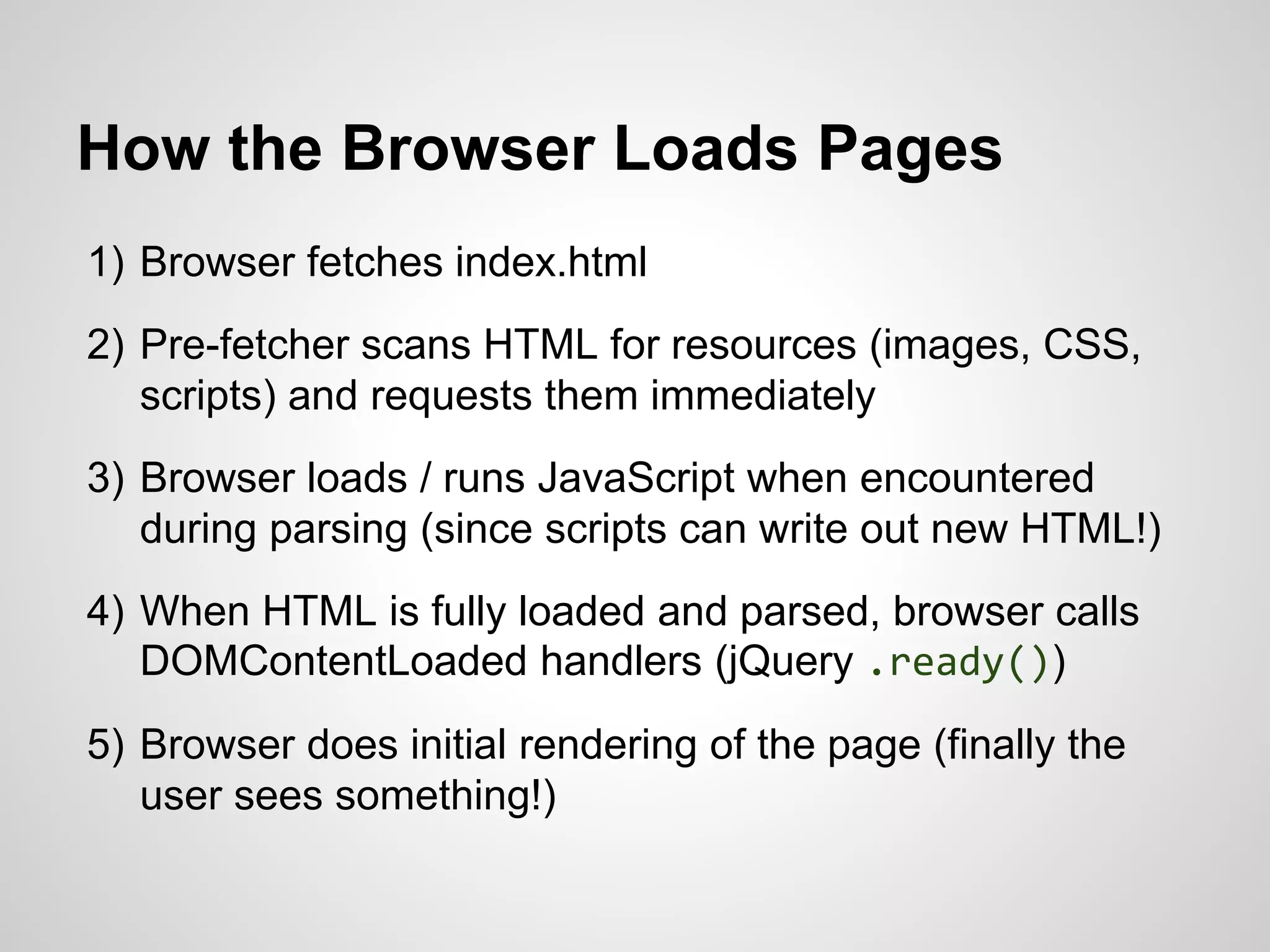
How the Browser Loads Pages
1) Browser fetches index.html
2) Pre-fetcher scans HTML for resources (images, CSS,
scripts) and requests them immediately

3) Browser loads / runs JavaScript when encountered
during parsing (since scripts can write out new HTML!)
4) When HTML is fully loaded and parsed, browser calls
DOMContentLoaded handlers (jQuery .ready())
5) Browser does initial rendering of the page (finally the
user sees something!)
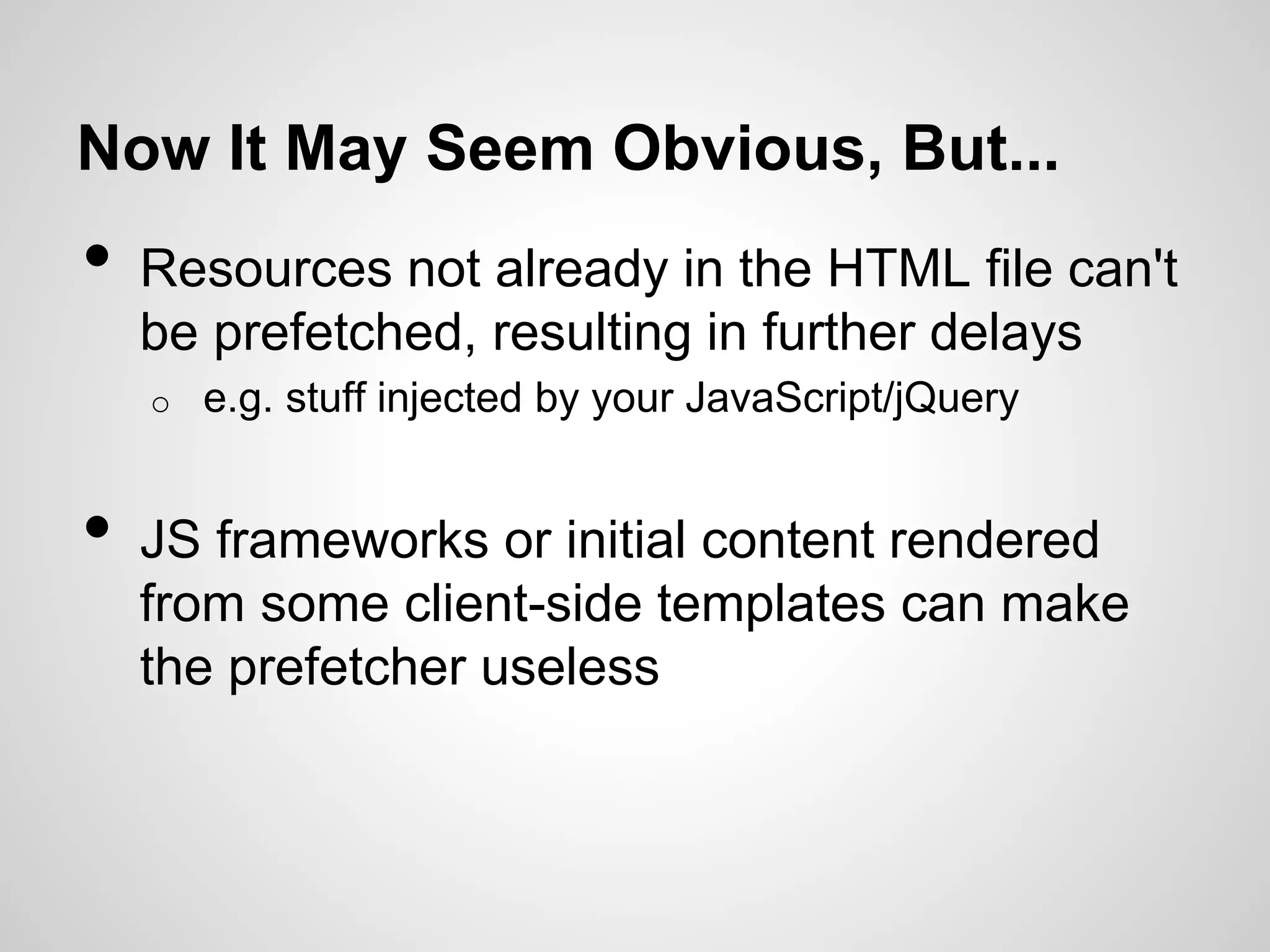
Now It May Seem Obvious, But...

•

Resources not already in the HTML file can't
be prefetched, resulting in further delays
o

•

e.g. stuff injected by your JavaScript/jQuery

JS frameworks or initial content rendered
from some client-side templates can make
the prefetcher useless
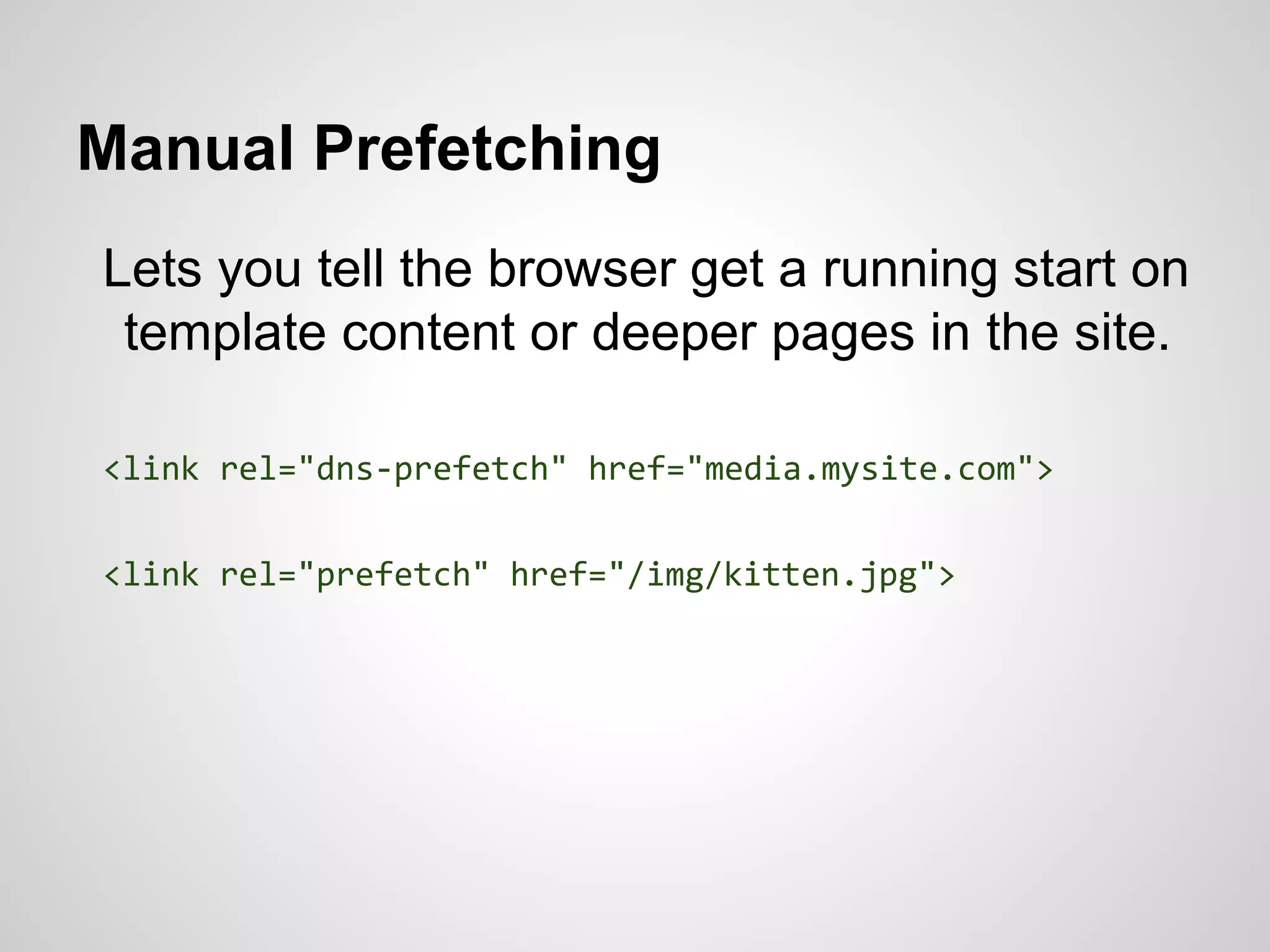
Manual Prefetching
Lets you tell the browser get a running start on
template content or deeper pages in the site.
<link rel="dns-prefetch" href="media.mysite.com">
<link rel="prefetch" href="/img/kitten.jpg">
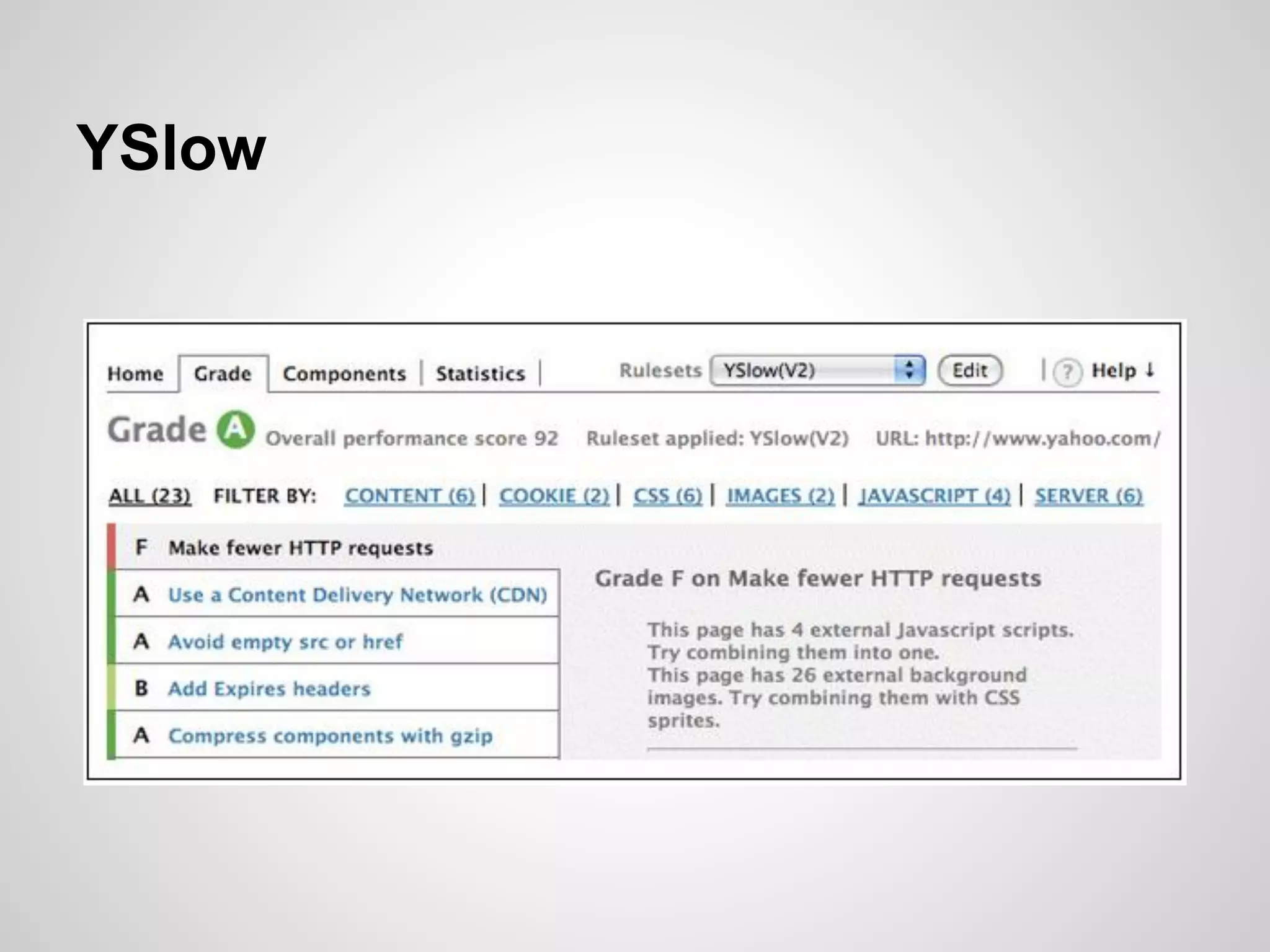
YSlow
Google PageSpeed
modern.IE
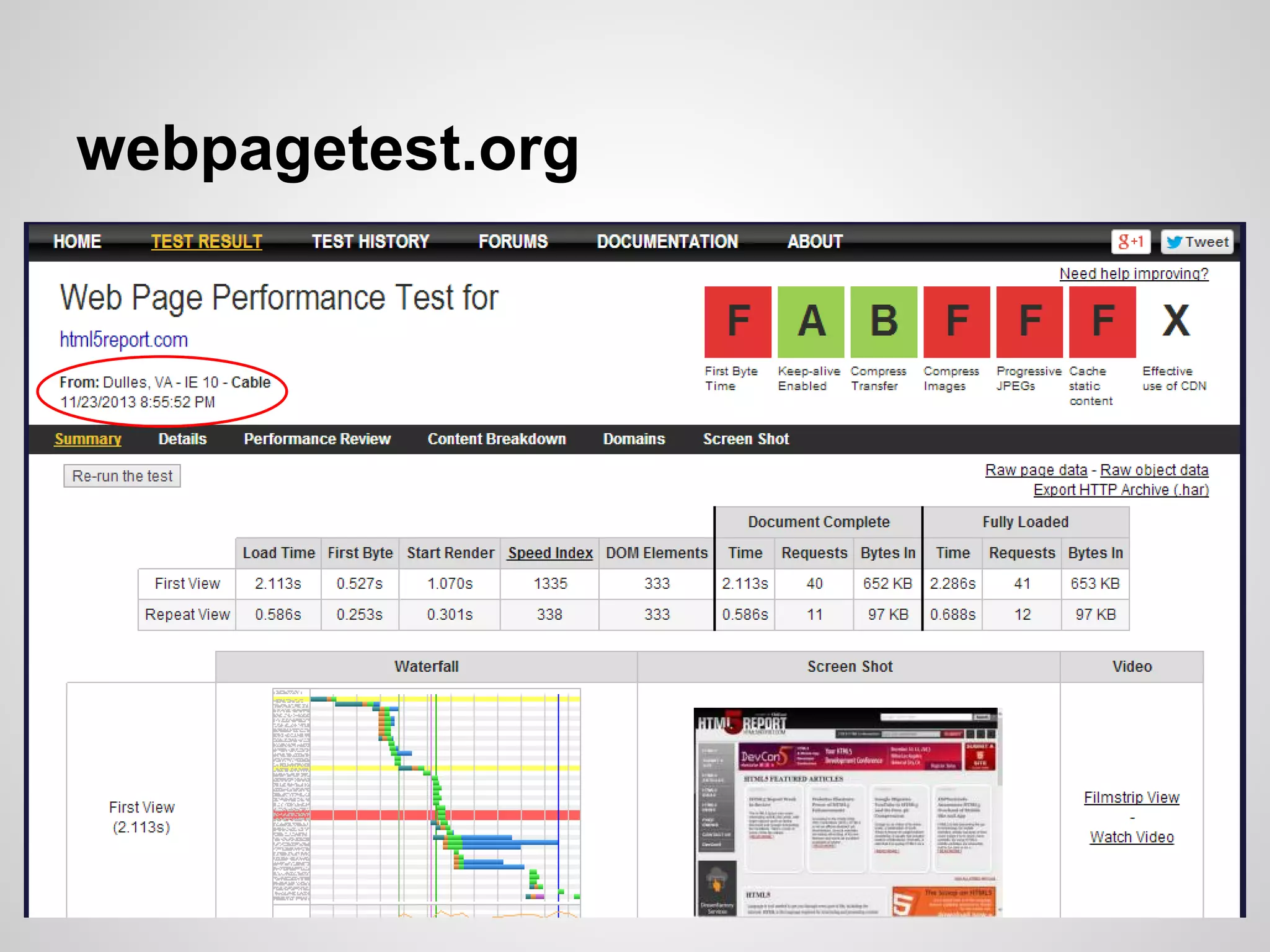
webpagetest.org
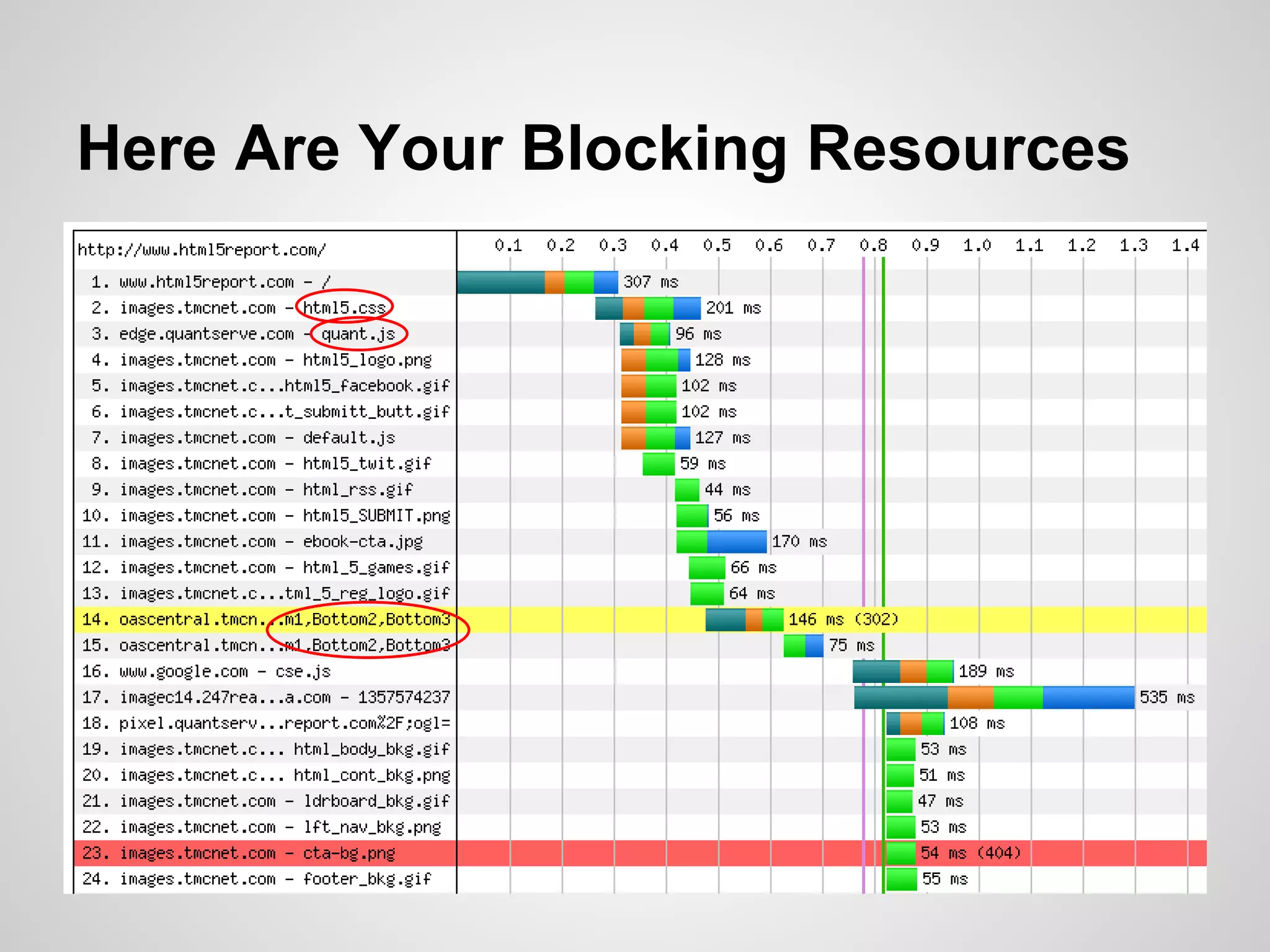
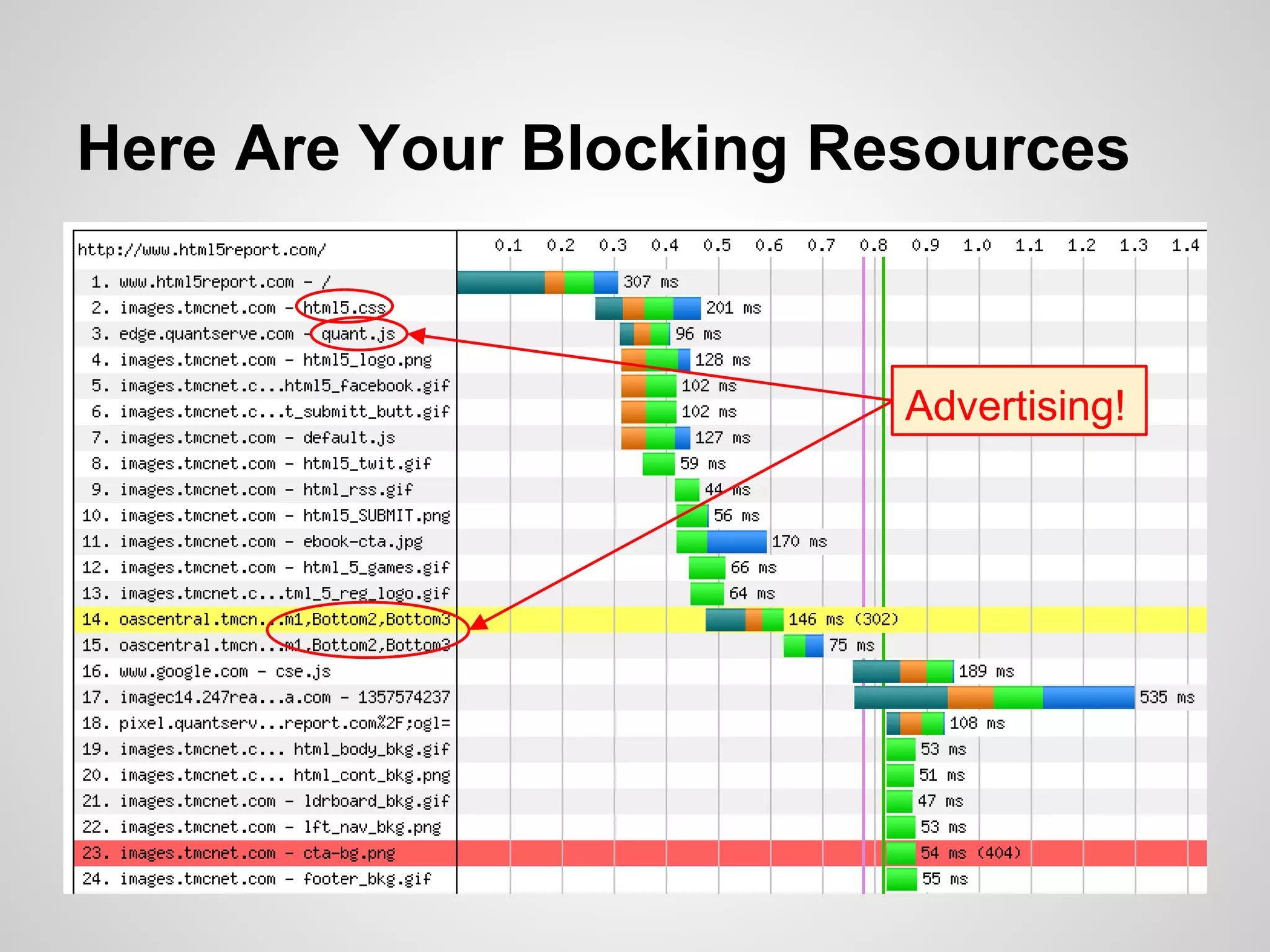
Here Are Your Blocking Resources

Advertising!
You Have 16 Milliseconds … Begin
60 frames/second ~ 16 milliseconds/frame

•
•

Long-running operations can make the page
appear "janky" rather than smooth
Really long-running operations can make the
page appear unresponsive to the user
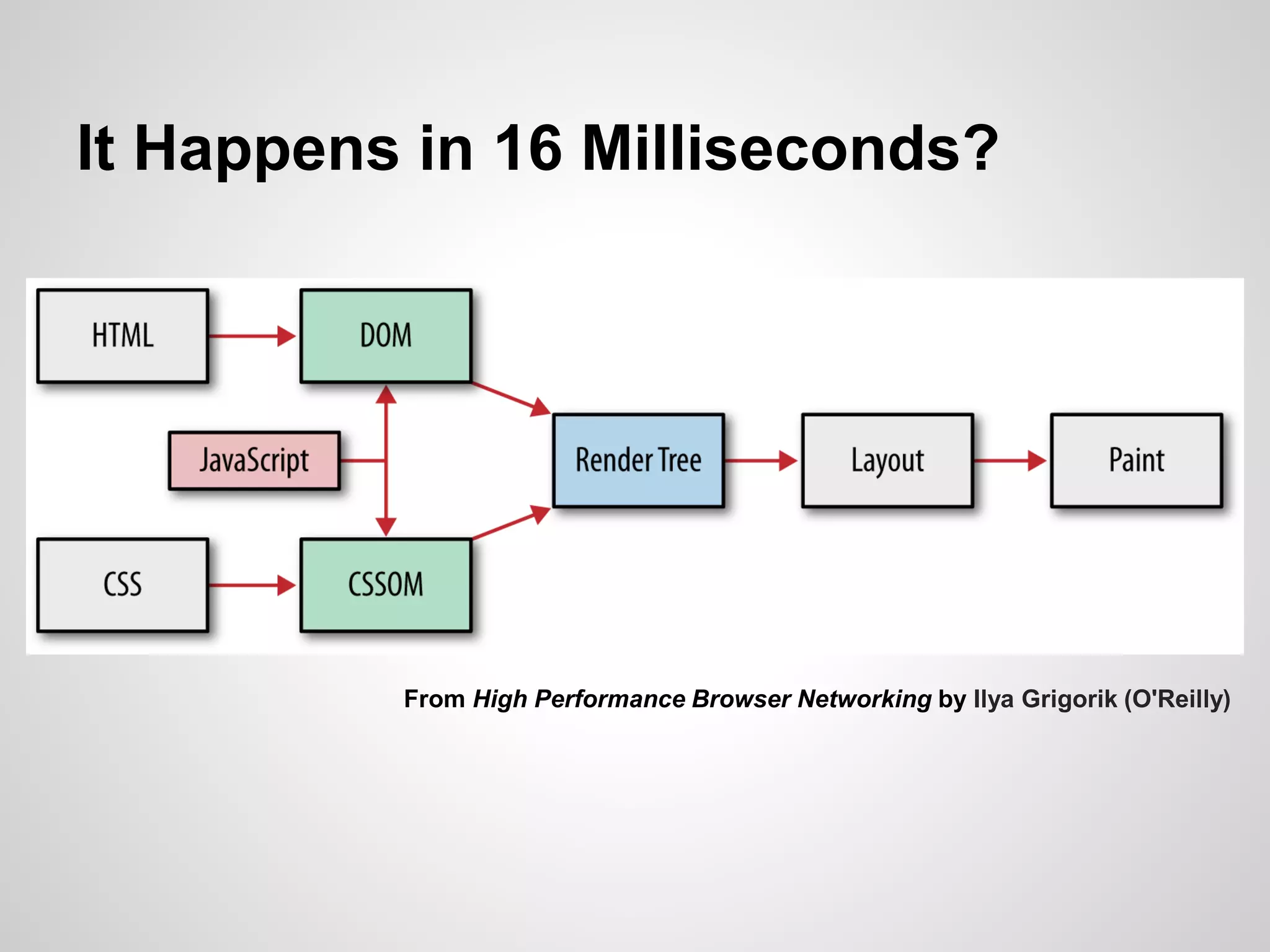
It Happens in 16 Milliseconds?

From High Performance Browser Networking by Ilya Grigorik (O'Reilly)
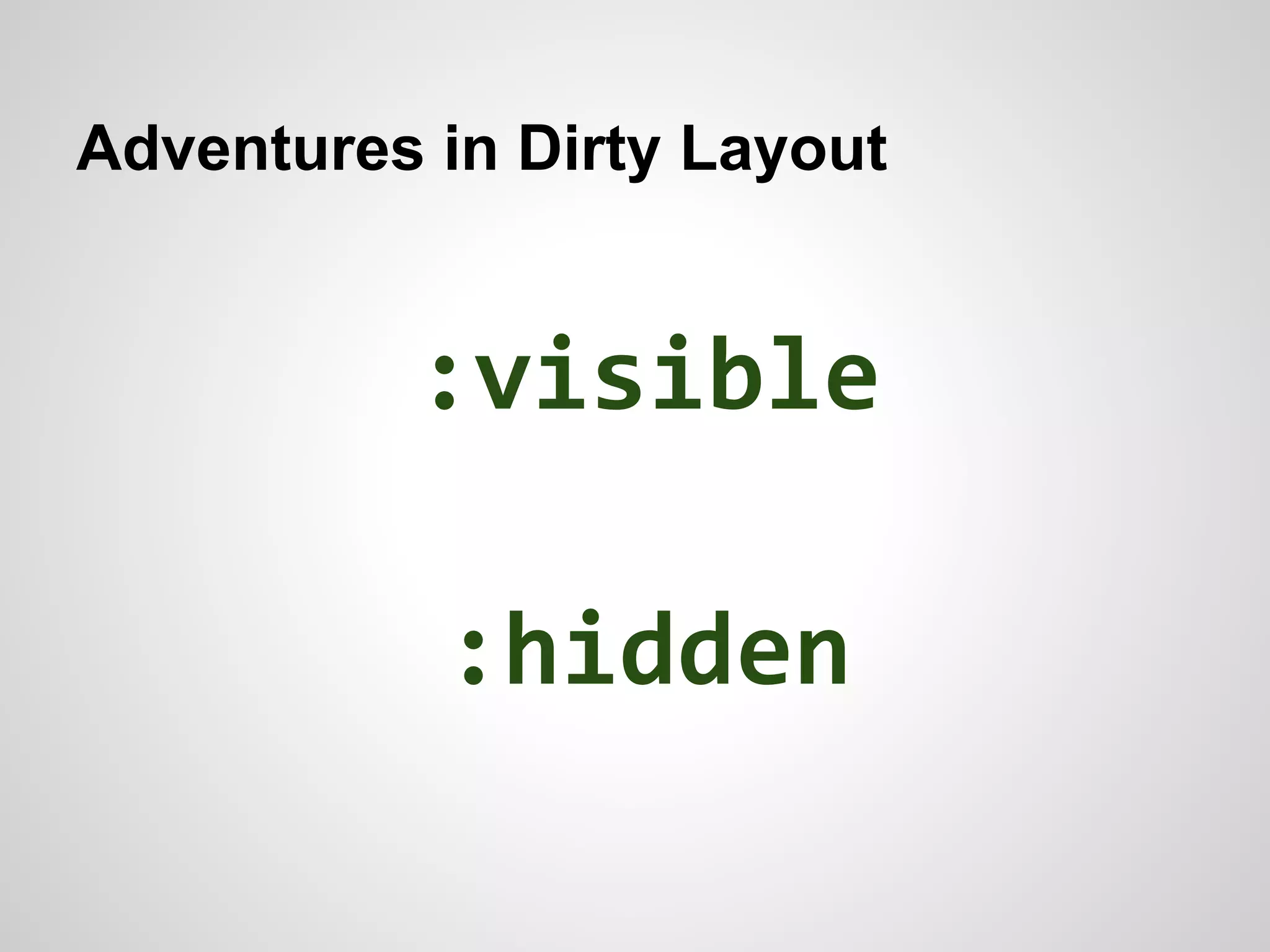
Adventures in Dirty Layout

:visible
:hidden
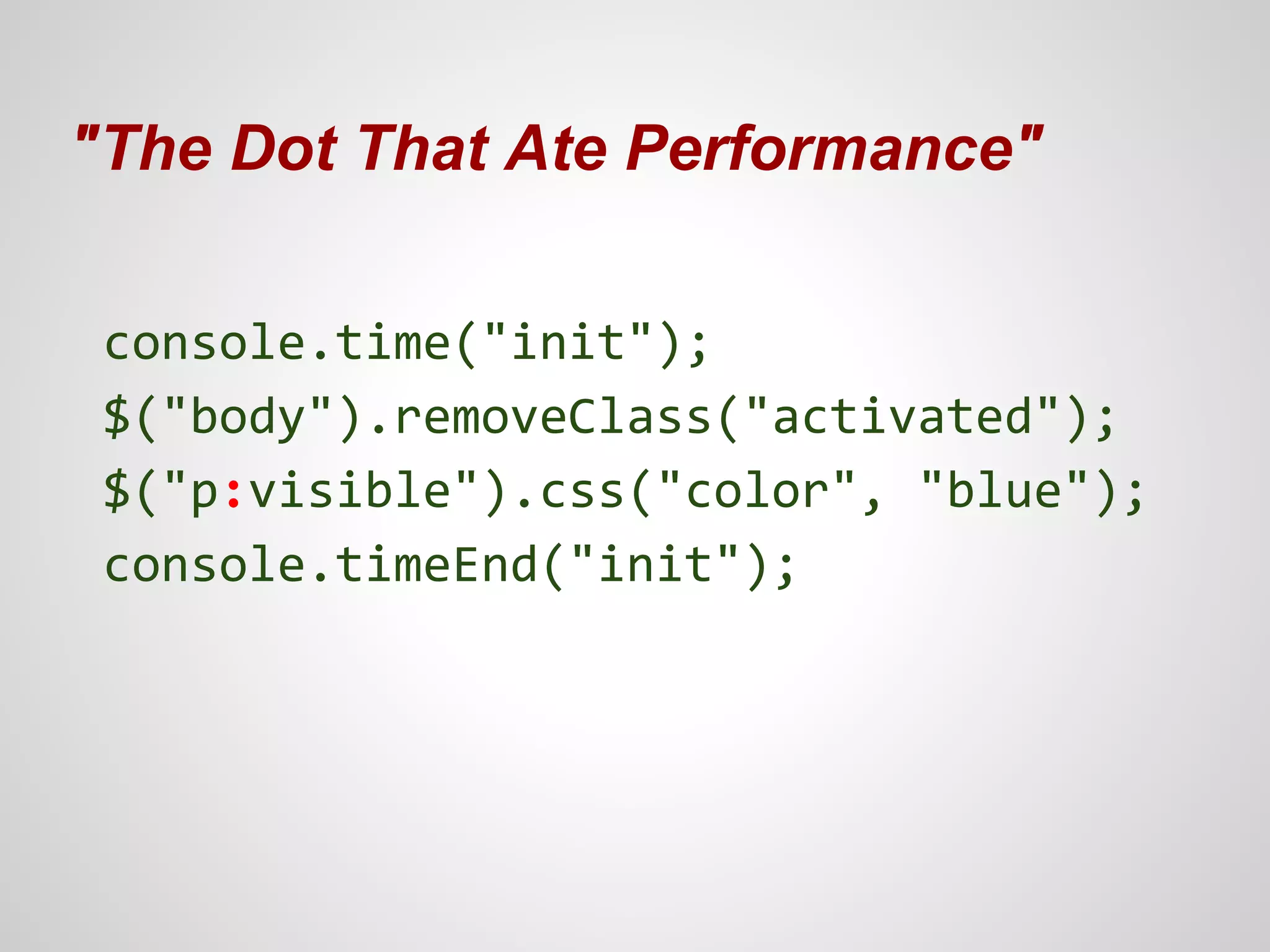
"The Dot That Ate Performance"
console.time("init");
$("body").removeClass("activated");
$("p:visible").css("color", "blue");
console.timeEnd("init");
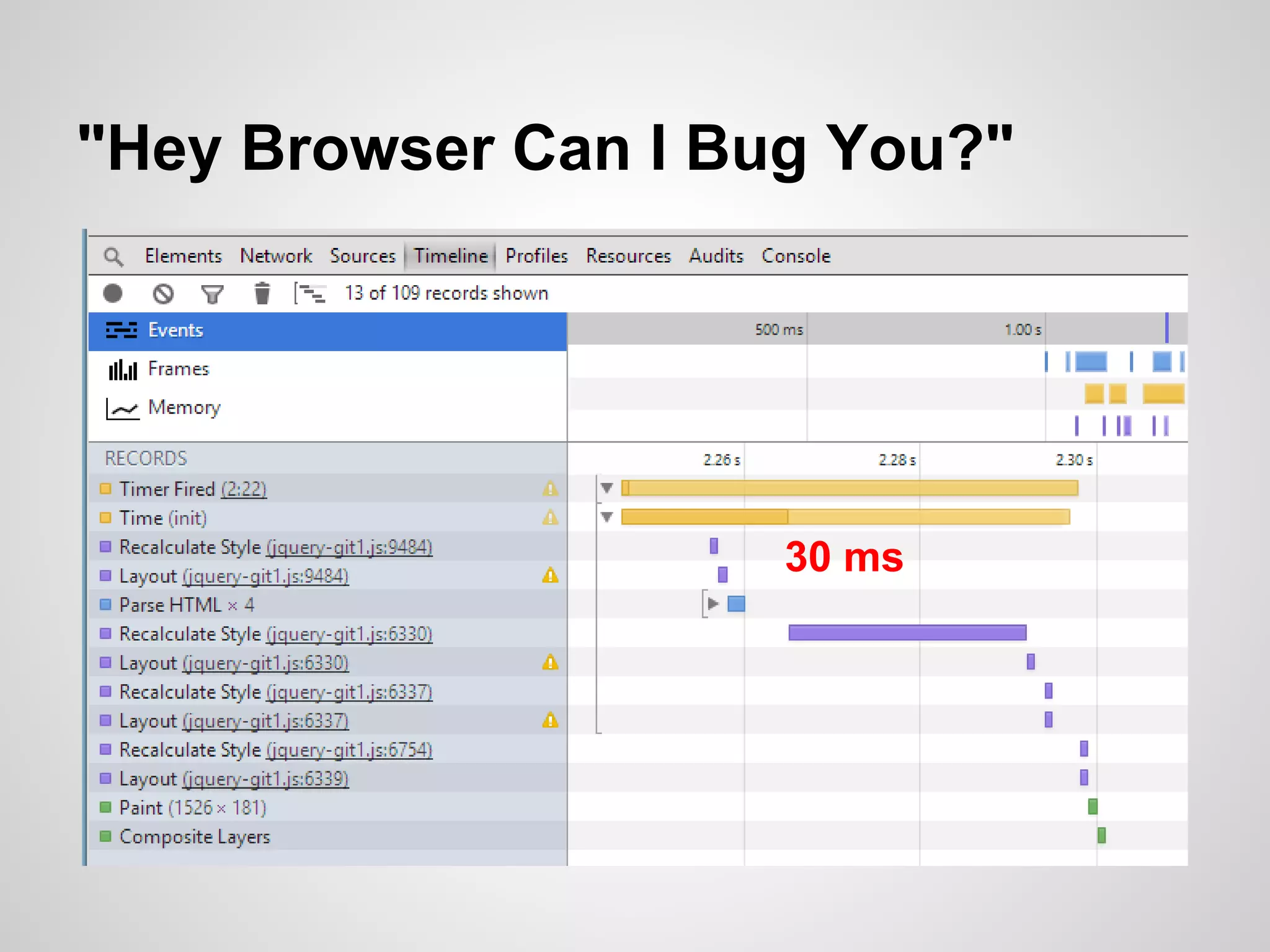
"Hey Browser Can I Bug You?"

30 ms
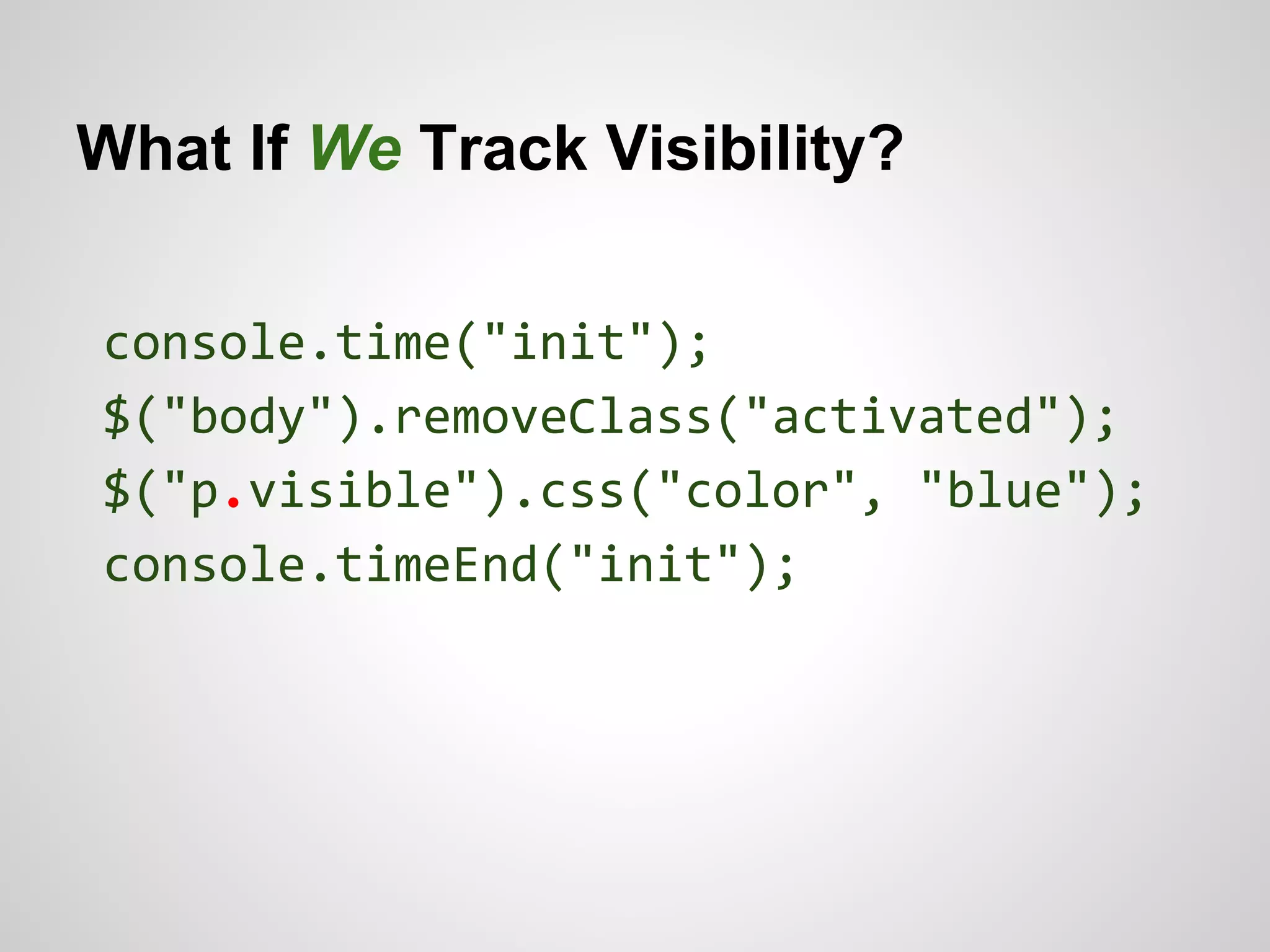
What If We Track Visibility?
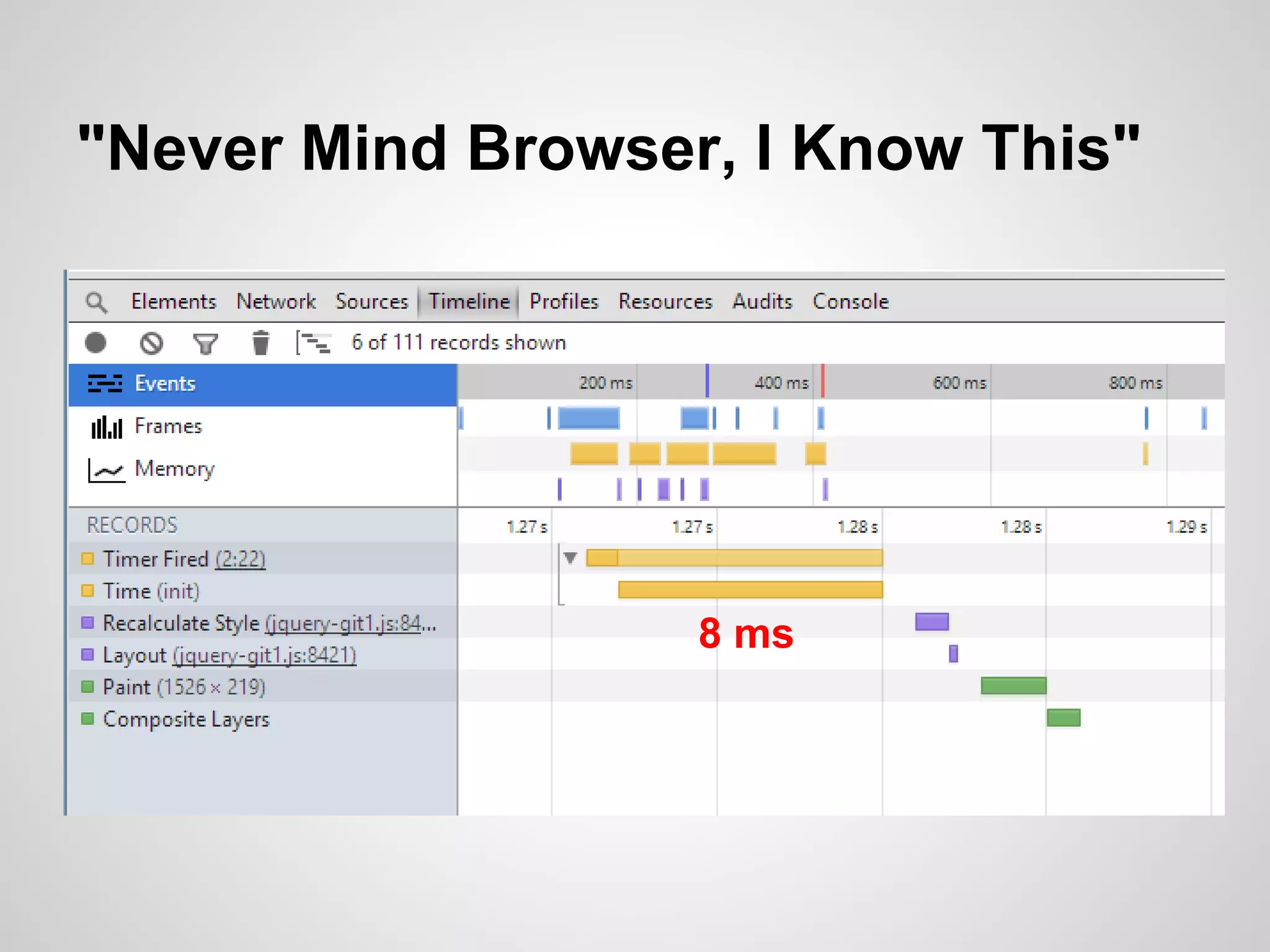
console.time("init");
$("body").removeClass("activated");
$("p.visible").css("color", "blue");
console.timeEnd("init");
"Never Mind Browser, I Know This"

8 ms
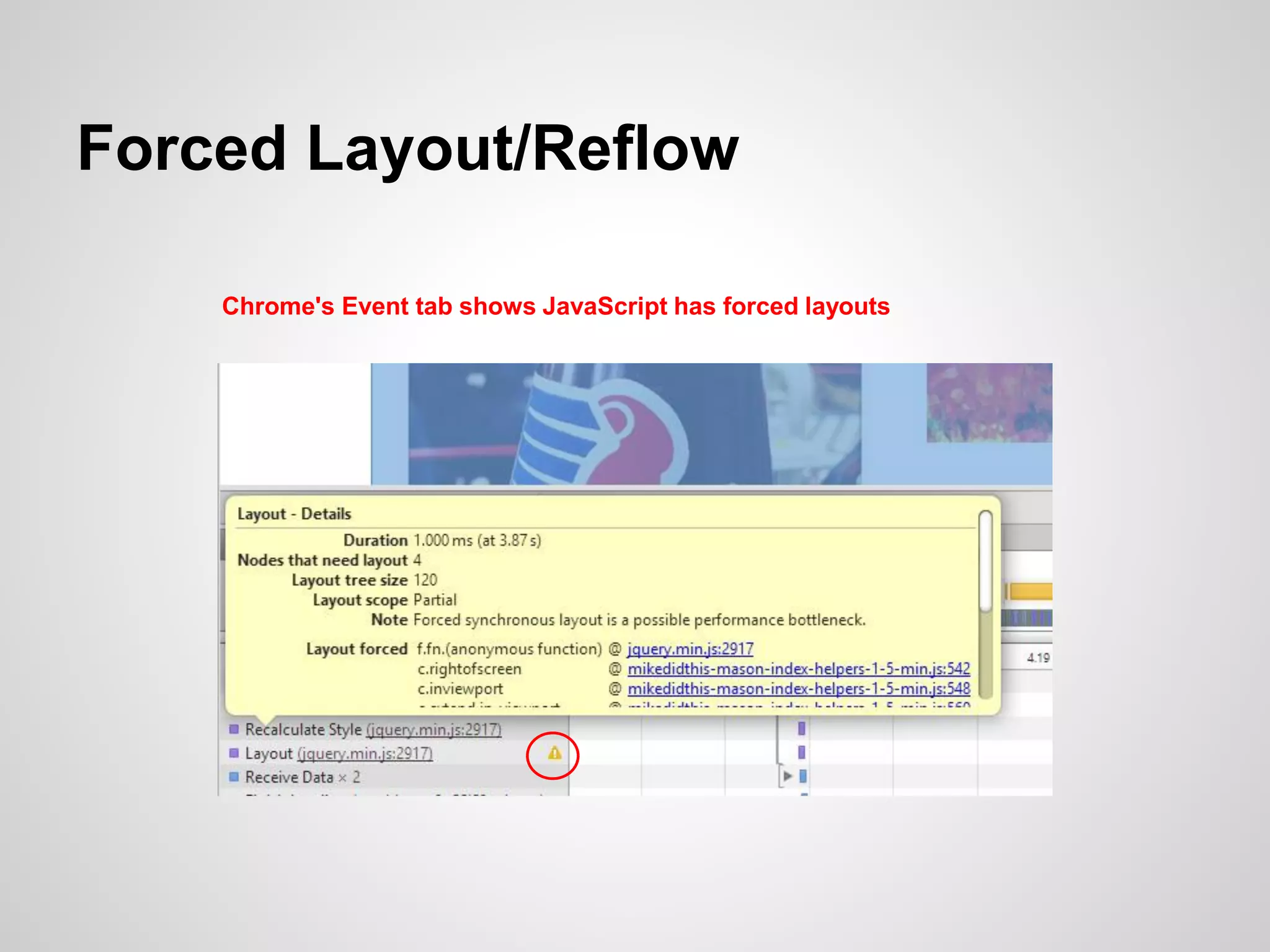
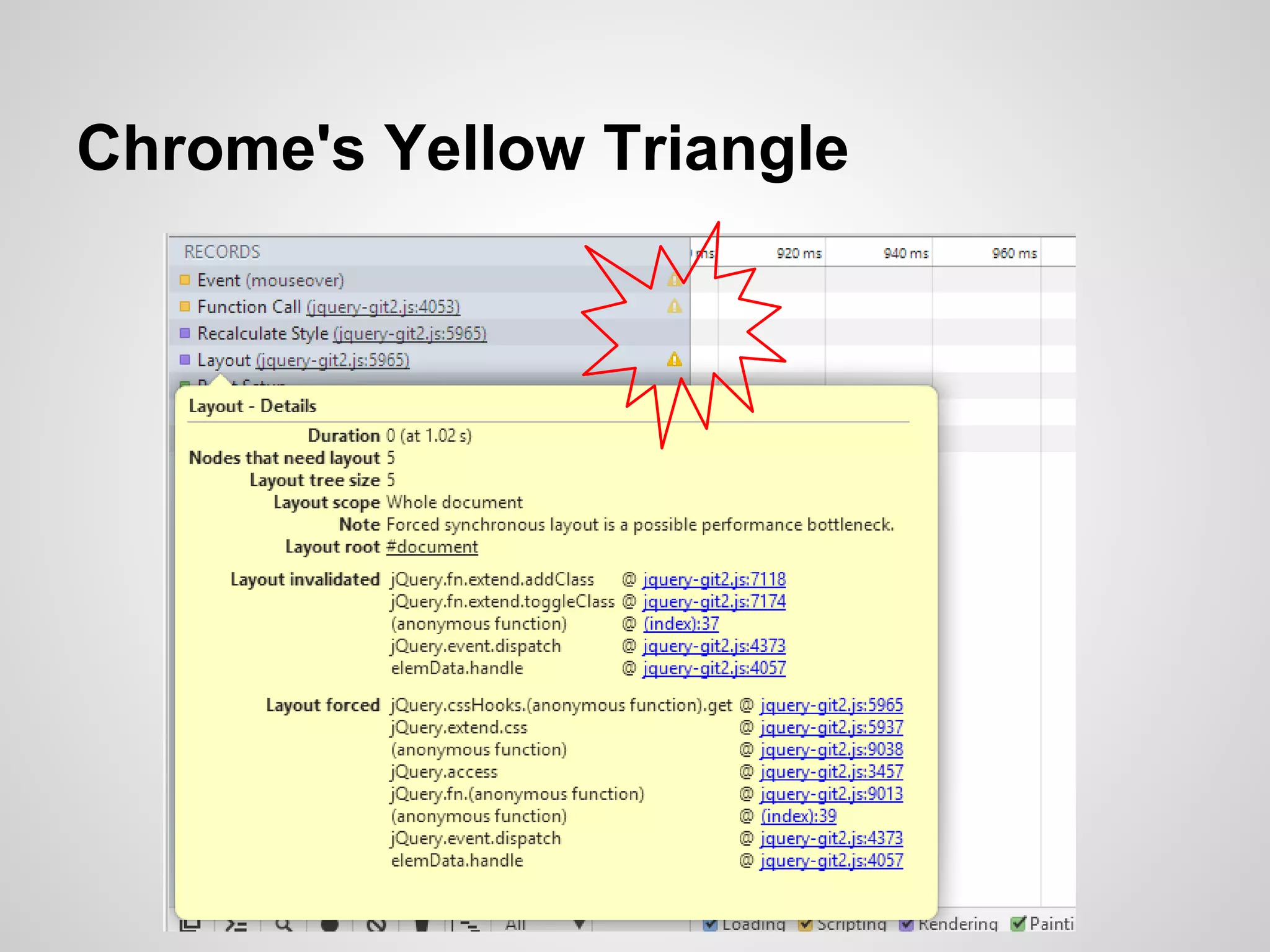
Chrome's Yellow Triangle
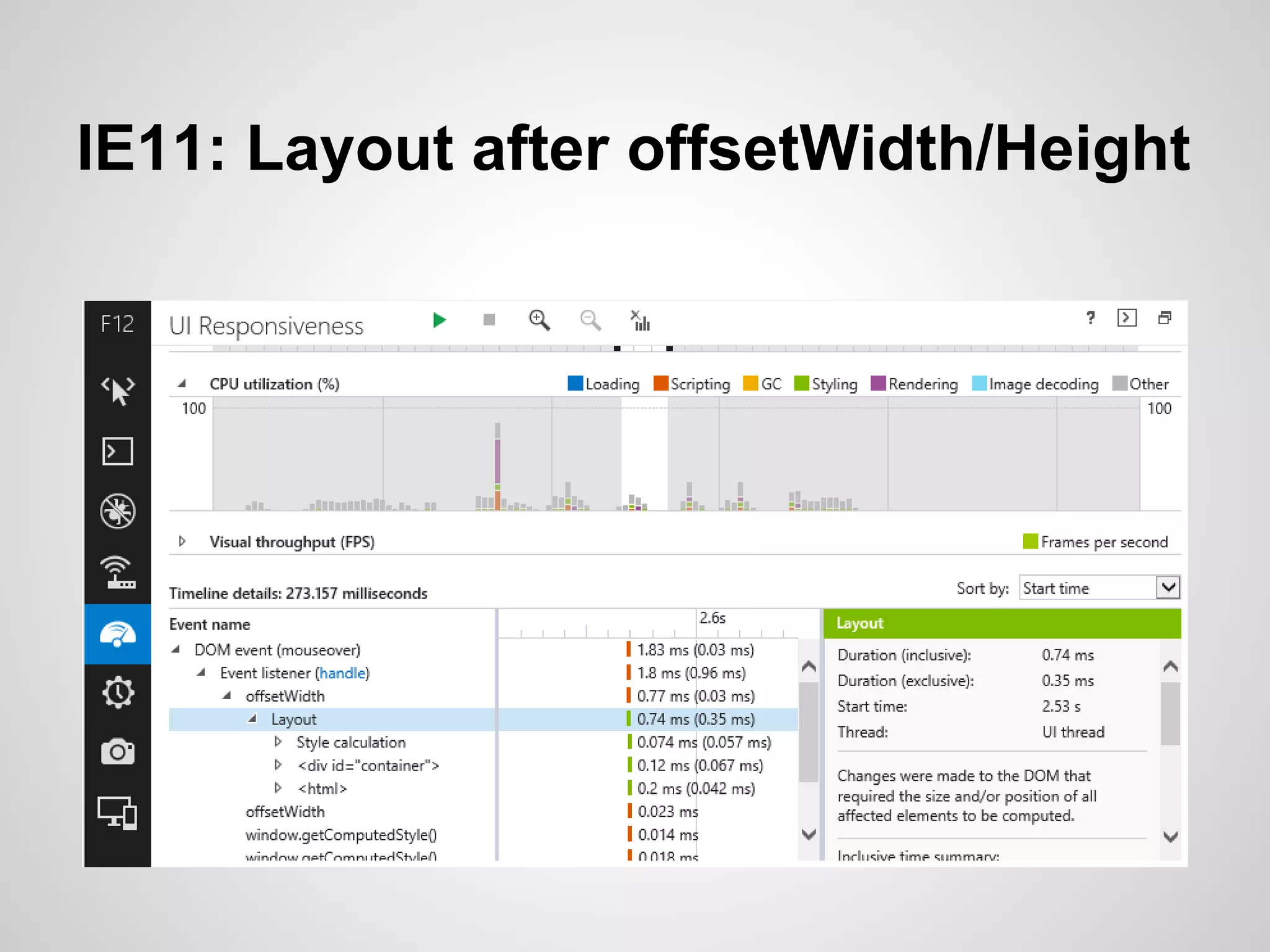
IE11: Layout after offsetWidth/Height
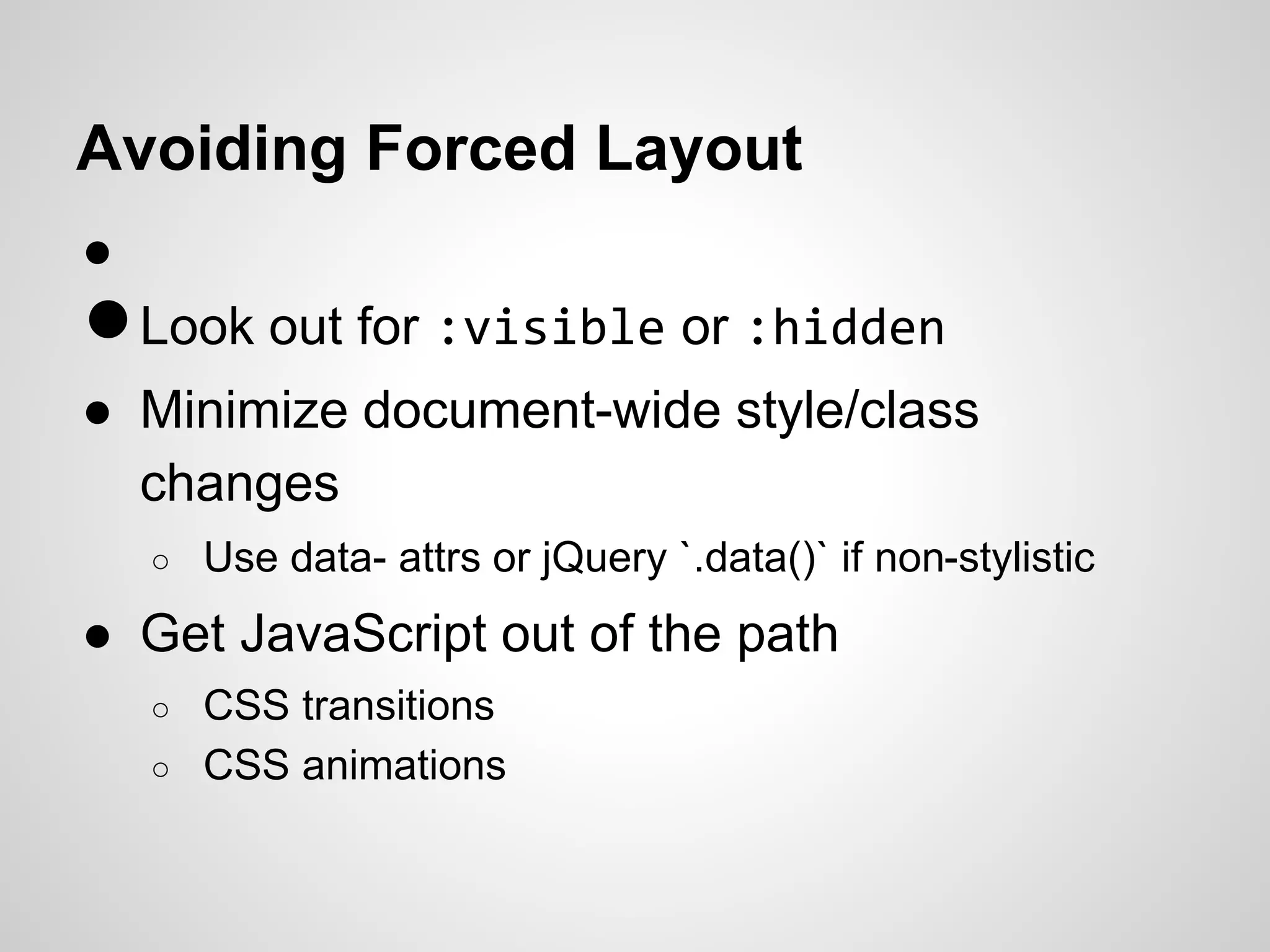
Avoiding Forced Layout
●

● Look out for :visible or :hidden
● Minimize document-wide style/class
changes
○

Use data- attrs or jQuery `.data()` if non-stylistic

● Get JavaScript out of the path
○
○

CSS transitions
CSS animations
Using Dev Tools Profilers

When JavaScript really is the
problem (or seems to be), a
profiler can find the hot spots.
A Real Site: gimmickbook.com
What's Wrong?

•
•
•

Stutters during infinite scroll
Seems to get worse as the page grows
Using the jQuery Masonry plugin
What's Wrong?

Faster!
Forced Layout/Reflow
Chrome's Event tab shows JavaScript has forced layouts
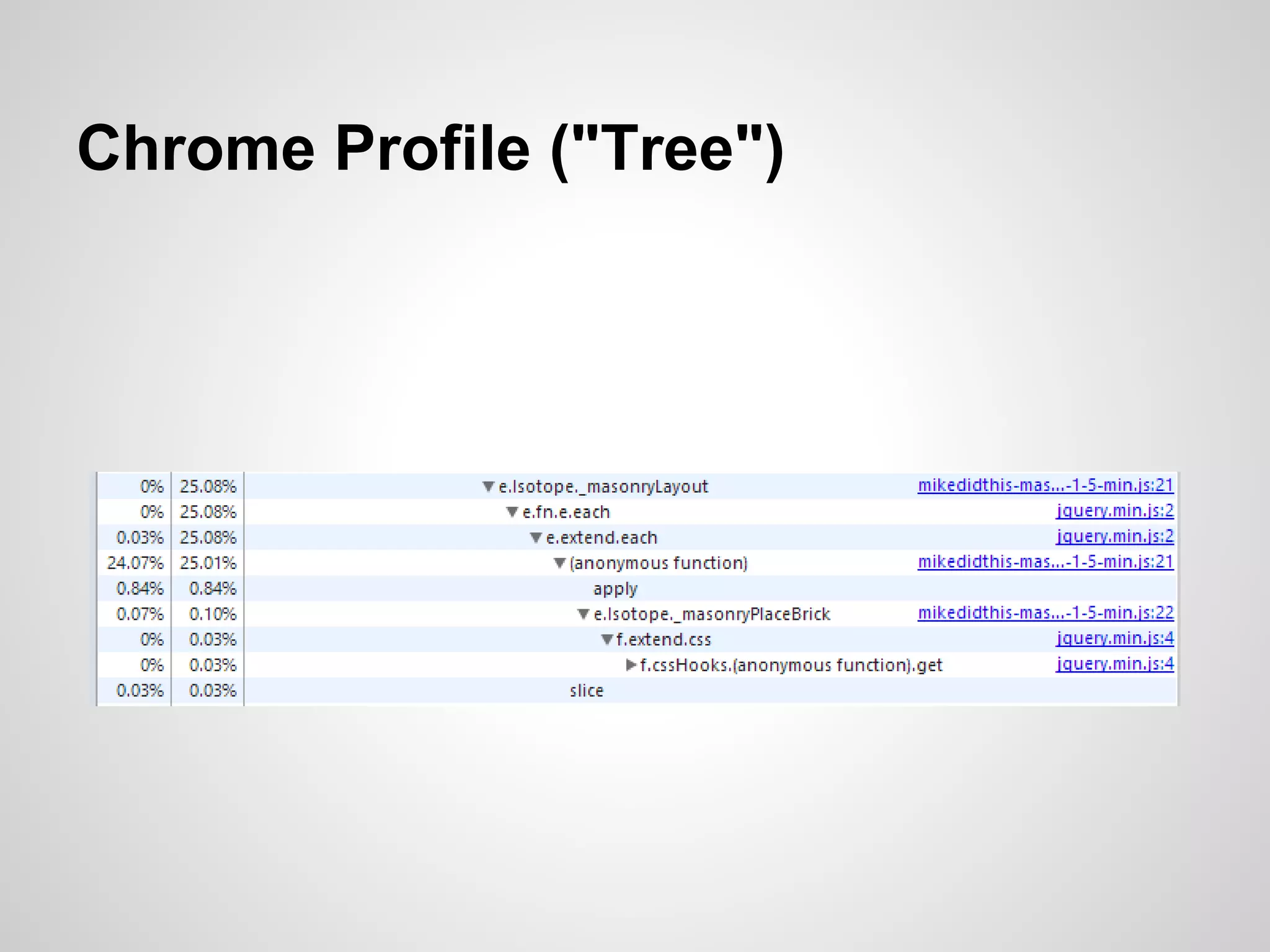
Chrome Profile ("Tree")
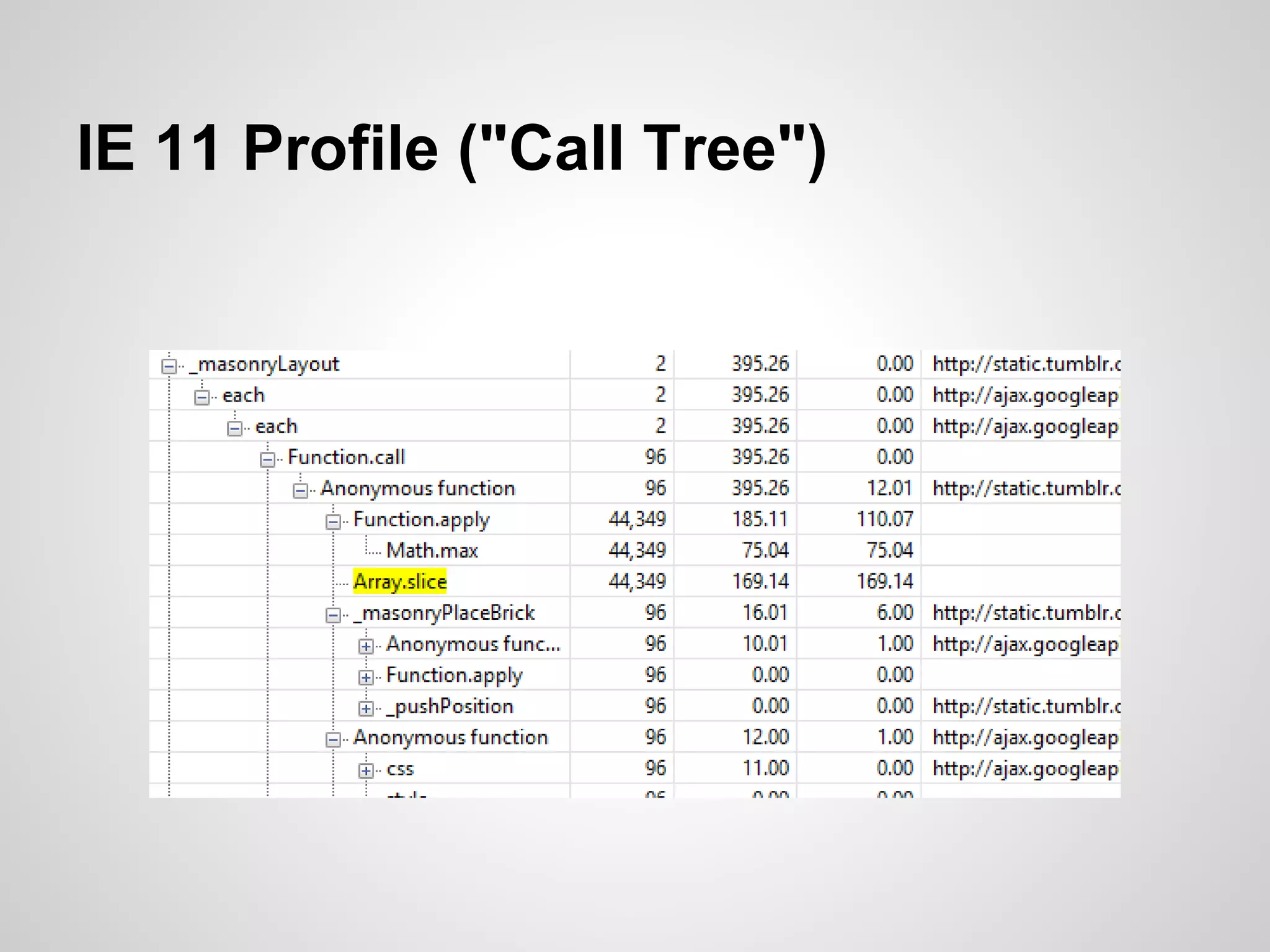
IE 11 Profile ("Call Tree")
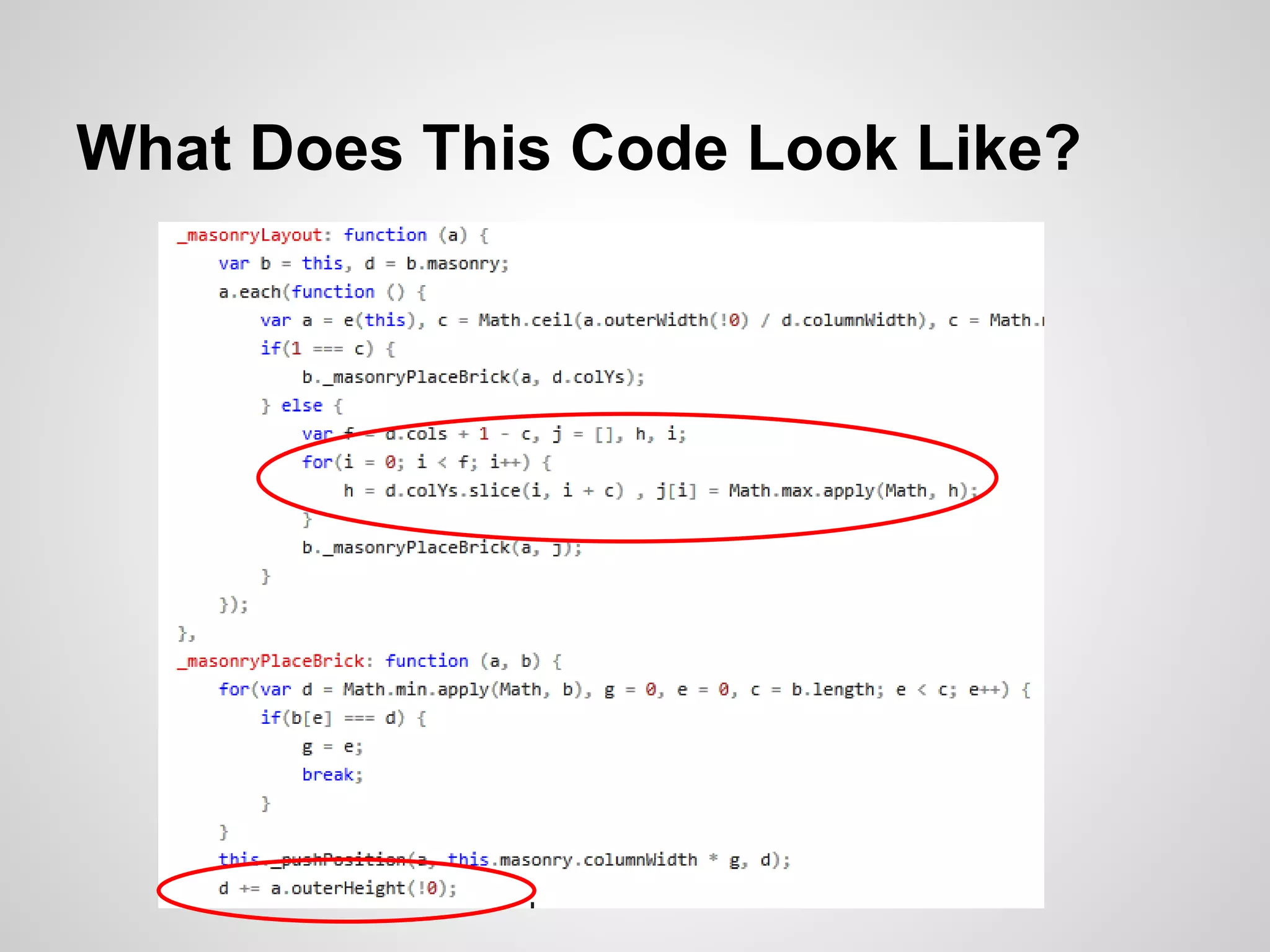
What Does This Code Look Like?
Moral of the Story

Infinite scroll should not be used with
full-page layout algorithms!
In this case, the plugin could be
changed to only lay out the new
items, since nothing above them
changed.
You Have the Tools, Use Them!
$("#talk")
.find(".useful")
.append(contactInfo)
.end();
Twitter: @davemethvin
GitHub: @dmethvin
IRC (Freenode): DaveMethvin #jquery-dev
Email: dave@jquery.com

jQuery Conference San Diego 2014 - Web Performance

  • 1.
    jQuery and WebPerformance Dave Methvin President, jQuery Foundation Lead Developer, jQuery Core
  • 2.
    jQuery Foundation ● MaintainsjQuery code and docs ● Supports web developers and standards ● Participates in standards process ○ W3C web standards ○ ECMA 262 (JavaScript) ● Hosts conferences (like this one!)
  • 3.
    jQuery Core 1.11and 2.1 • • • Shipped last month We didn't break a lot of things! "jQuery Served Your Way" ™ o Support for IE 6/7/8 (1.11) or not (2.1) o Custom builds for smaller size o Use with node, browserify, or inside apps
  • 4.
  • 5.
    jQuery Team -World Wide
  • 6.
  • 7.
  • 8.
    "JavaScript / jQuery/ browsers are a bad developer environment!"
  • 9.
  • 10.
    How the ProgrammerSees It JavaScript Browser
  • 11.
    Web Developer's Reality Contentcaching HTML CSS Screen paints Network requests Browser Layout calculation Image decoding Keyboard Touch Focus management Mouse JavaScript
  • 12.
    Web Developer's Reality Contentcaching HTML CSS Screen paints Network requests Browser JavaScript Layout calculation Image decoding Keyboard Touch Focus management Mouse Optional
  • 13.
    How Do IMake My Page Fast? 1)Find slow stuff 2)Make it not slow
  • 14.
    How Do IFind the Slow Stuff? What you can measure using tools today
  • 15.
    How Do IFind the Slow Stuff? What you can measure using tools today What you should measure
  • 16.
  • 17.
    JavaScript Loop Optimization Slowestlooping style still only takes 140 microseconds to do 10 iterations of a loop
  • 18.
    “Programmers waste enormousamounts of time thinking about, or worrying about, the speed of noncritical parts of their programs, and these attempts at efficiency actually have a strong negative impact when debugging and maintenance are considered. We should forget about small efficiencies, say about 97% of the time; premature optimization is the root of all evil. Yet we should not pass up our opportunities in that critical 3%.” --Donald Knuth
  • 19.
    “Programmers waste enormousamounts of time thinking about, or worrying about, the speed of noncritical parts of their programs, and these attempts at efficiency actually have a strong negative impact when debugging and maintenance are considered. We should forget about small efficiencies, say about 97% of the time; premature optimization is the root of all evil. Yet we should not pass up our opportunities in that critical 3%.” --Donald Knuth
  • 20.
    This Should BeYou, 97% of the Time
  • 21.
    Finding and Fixingthe 3 Percent • • • Client-side issues often can be solved by "peephole" optimizations and don't require massive architecture changes Many — most! — speedups can be done near the end of the project (or even after deployment, cough)
  • 22.
  • 23.
    How the BrowserLoads Pages 1) Browser fetches index.html 2) Pre-fetcher scans HTML for resources (images, CSS, scripts) and requests them immediately 3) Browser loads / runs JavaScript when encountered during parsing (since scripts can write out new HTML!) 4) When HTML is fully loaded and parsed, browser calls DOMContentLoaded handlers (jQuery .ready()) 5) Browser does initial rendering of the page (finally the user sees something!)
  • 24.
    Now It MaySeem Obvious, But... • Resources not already in the HTML file can't be prefetched, resulting in further delays o • e.g. stuff injected by your JavaScript/jQuery JS frameworks or initial content rendered from some client-side templates can make the prefetcher useless
  • 25.
    Manual Prefetching Lets youtell the browser get a running start on template content or deeper pages in the site. <link rel="dns-prefetch" href="media.mysite.com"> <link rel="prefetch" href="/img/kitten.jpg">
  • 26.
  • 27.
  • 28.
  • 29.
  • 30.
    Here Are YourBlocking Resources
  • 31.
    Here Are YourBlocking Resources Advertising!
  • 32.
    You Have 16Milliseconds … Begin 60 frames/second ~ 16 milliseconds/frame • • Long-running operations can make the page appear "janky" rather than smooth Really long-running operations can make the page appear unresponsive to the user
  • 33.
    It Happens in16 Milliseconds? From High Performance Browser Networking by Ilya Grigorik (O'Reilly)
  • 34.
    Adventures in DirtyLayout :visible :hidden
  • 35.
    "The Dot ThatAte Performance" console.time("init"); $("body").removeClass("activated"); $("p:visible").css("color", "blue"); console.timeEnd("init");
  • 36.
    "Hey Browser CanI Bug You?" 30 ms
  • 37.
    What If WeTrack Visibility? console.time("init"); $("body").removeClass("activated"); $("p.visible").css("color", "blue"); console.timeEnd("init");
  • 38.
    "Never Mind Browser,I Know This" 8 ms
  • 39.
  • 40.
    IE11: Layout afteroffsetWidth/Height
  • 41.
    Avoiding Forced Layout ● ●Look out for :visible or :hidden ● Minimize document-wide style/class changes ○ Use data- attrs or jQuery `.data()` if non-stylistic ● Get JavaScript out of the path ○ ○ CSS transitions CSS animations
  • 42.
    Using Dev ToolsProfilers When JavaScript really is the problem (or seems to be), a profiler can find the hot spots.
  • 43.
    A Real Site:gimmickbook.com
  • 44.
    What's Wrong? • • • Stutters duringinfinite scroll Seems to get worse as the page grows Using the jQuery Masonry plugin
  • 45.
  • 46.
    Forced Layout/Reflow Chrome's Eventtab shows JavaScript has forced layouts
  • 47.
  • 48.
    IE 11 Profile("Call Tree")
  • 49.
    What Does ThisCode Look Like?
  • 50.
    Moral of theStory Infinite scroll should not be used with full-page layout algorithms! In this case, the plugin could be changed to only lay out the new items, since nothing above them changed.
  • 51.
    You Have theTools, Use Them!
  • 52.