Create AmazingCross-
Platform Desktop Node Apps
with Electron
ViennaJS, June
@chrischinch
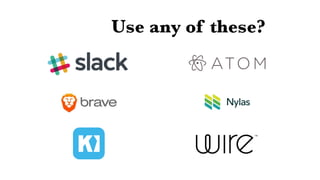
Use any of these?
What is it?
• From GitHub*
• JavaScript as a ‘desktop’
Application
• Version 1.0 released in May
*You might have heard of them
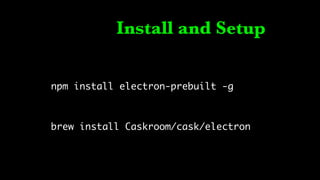
Install and Setup
npm install electron-prebuilt -g
brew install Caskroom/cask/electron
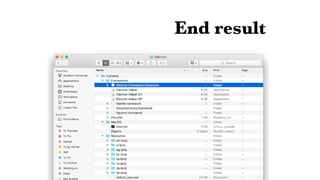
End result
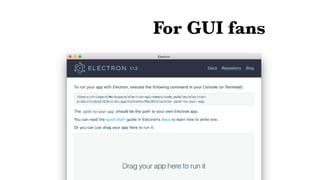
For GUI fans
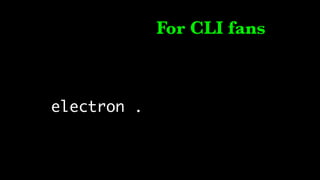
For CLI fans
electron .
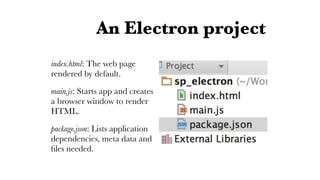
An Electron project
index.html: The web page
rendered by default.
main.js: Starts app and creates
a browser window to render
HTML.
package.json: Lists application
dependencies, meta data and
files needed.
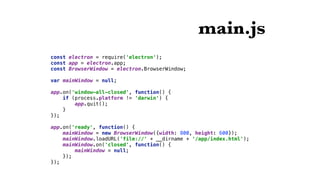
main.js
const electron = require('electron');

const app = electron.app;

const BrowserWindow = electron.BrowserWindow;


var mainWindow = null;


app.on('window-all-closed', function() {

if (process.platform != 'darwin') {

app.quit();

}

});


app.on('ready', function() {

mainWindow = new BrowserWindow({width: 800, height: 600});

mainWindow.loadURL('file://' + __dirname + '/app/index.html');

mainWindow.on('closed', function() {

mainWindow = null;

});

});
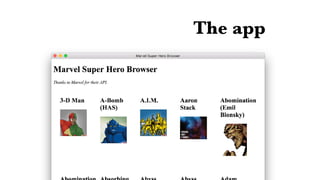
The app
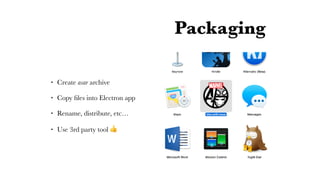
Packaging
• Create asar archive
• Copy files into Electron app
• Rename, distribute, etc…
• Use 3rd party tool 👍
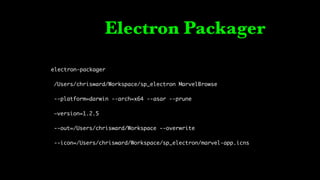
Electron Packager
electron-packager
/Users/chrisward/Workspace/sp_electron MarvelBrowse
--platform=darwin --arch=x64 --asar --prune
—version=1.2.5
--out=/Users/chrisward/Workspace --overwrite
--icon=/Users/chrisward/Workspace/sp_electron/marvel-app.icns
Going native
• Notifications
• Recent documents
• Menus
• Progress bars, thumbnails,
represented file, dock, System
preferences…
Thank You!
Chris Ward
gregariousmammal.com
@chrischinch
Developer Relations & Technical Writer
I have stickers and merchandise!

Building Cross Platform Apps with Electron