A PRIMER TO
SYNC ADAPTERS
    Kiana Tennyson
        mdevcon
   Tuschinski Theater
     March 2013
OVERVIEW

v Who is Kiana?
v SyncAdapter Use Cases
v The Big Picture
v Configuration
v Authorization, Content, Synchronization
v Wrap up/Questions
WHO’S KIANA?

v Software Developer

v Professional background working on web portals

v Work at Manheim, wholesale vehicle auction company

v Customer facing applications
     •  Web portal (www.manheim.com) Ruby, Java, JS
     •  iOS app
     •  Android app
SYNC ADAPTERS ARE…?

v Share data between a remote data source and an Android
device

v Android OS provides plug-in architecture that takes care of:
     •    Coordinating network availability with syncing all datasources
     •    Scheduling synchronization/Handling stopped processes
     •    Accommodating user preferences when syncing
     •     Handling network interruptions
TOUGH PARTS

v Good news! Writing a Custom SyncAdapter is actually easy!

v Bad news. There are potentially tough parts:
     •  Authentication Handling
     •  (Custom) Content Provider
     •  Data Handling

v Defined by business rules
BEST USE CASES

Application that…

v Requires authentication step to connect to remote
datasource

v Potentially could use a built-in ContentProvider
     •  All providers found in android.provider package

v Application Suite backed by custom ContentProvider
!(BEST USE CASES)

v Anything that DOES NOT require a login
v Any source that provides an RSS feed
     •  Typically public data sources like news/media sites
     •  Write a parser that reads the feed only when the user wants it
     •  SyncAdapter not necessary to write to the ContentProvider

v If Service does not constantly need to run in the
background
     •  User has limited battery power, code with this in mind
A Primer to SyncAdapters


CONFIGURATION
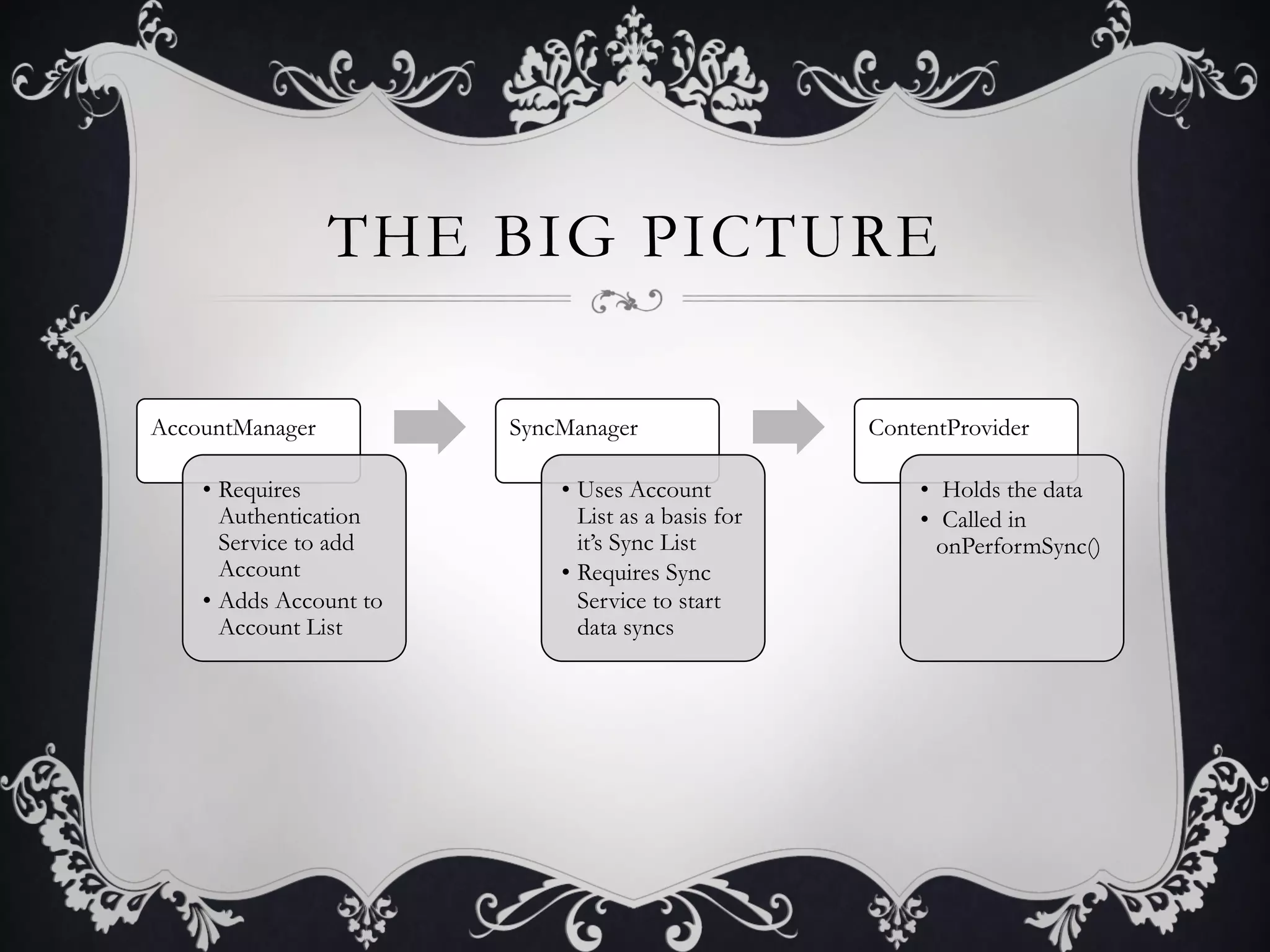
THE BIG PICTURE

AccountManager           SyncManager                  ContentProvider

    •  Requires              •  Uses Account              •  Holds the data
       Authentication           List as a basis for       •  Called in
       Service to add           it’s Sync List              onPerformSync()
       Account               •  Requires Sync
    •  Adds Account to          Service to start
       Account List             data syncs
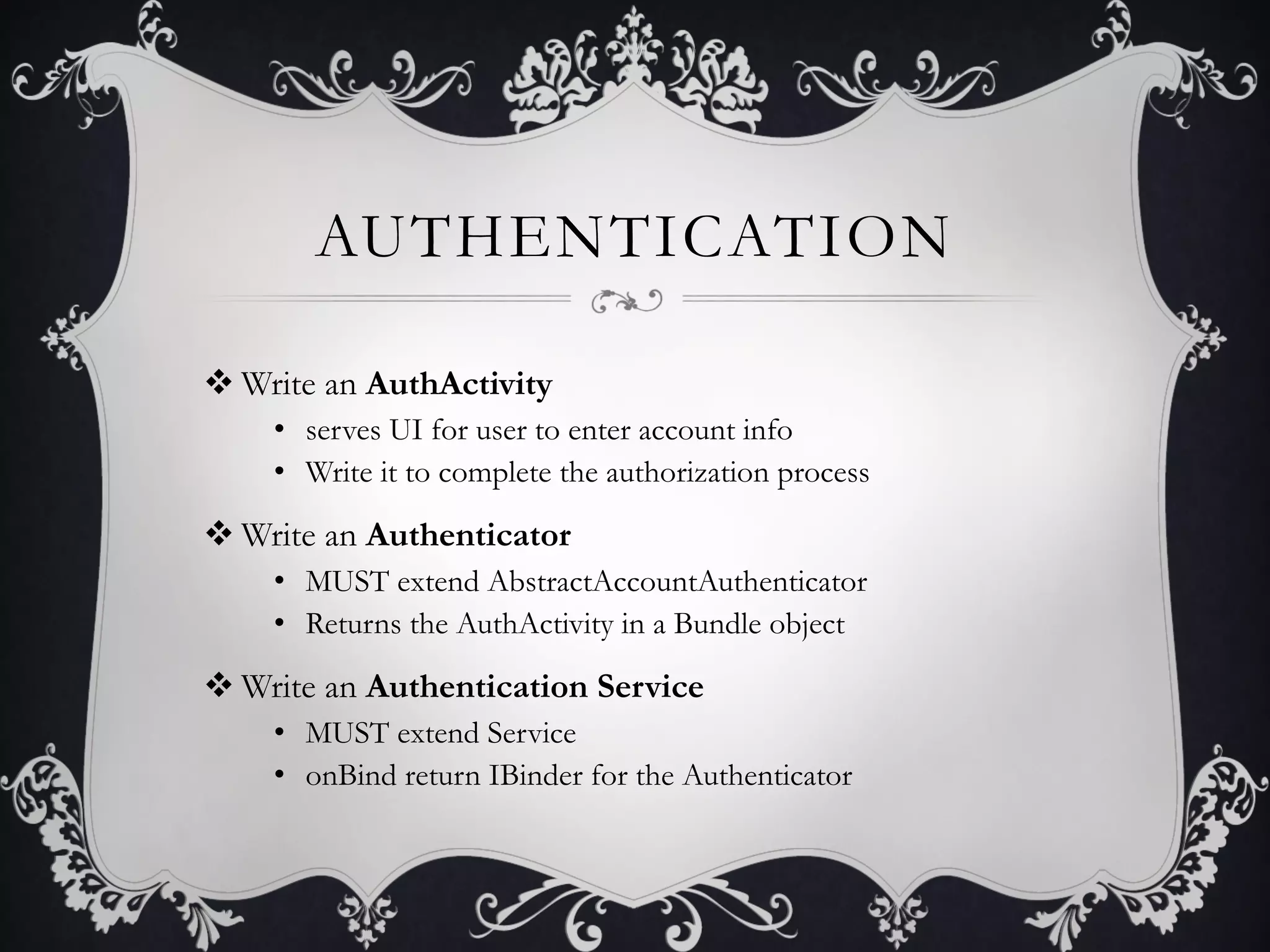
AUTHENTICATION

v Write an AuthActivity
    •  serves UI for user to enter account info
    •  Write it to complete the authorization process

v Write an Authenticator
    •  MUST extend AbstractAccountAuthenticator
    •  Returns the AuthActivity in a Bundle object

v Write an Authentication Service
    •  MUST extend Service
    •  onBind return IBinder for the Authenticator
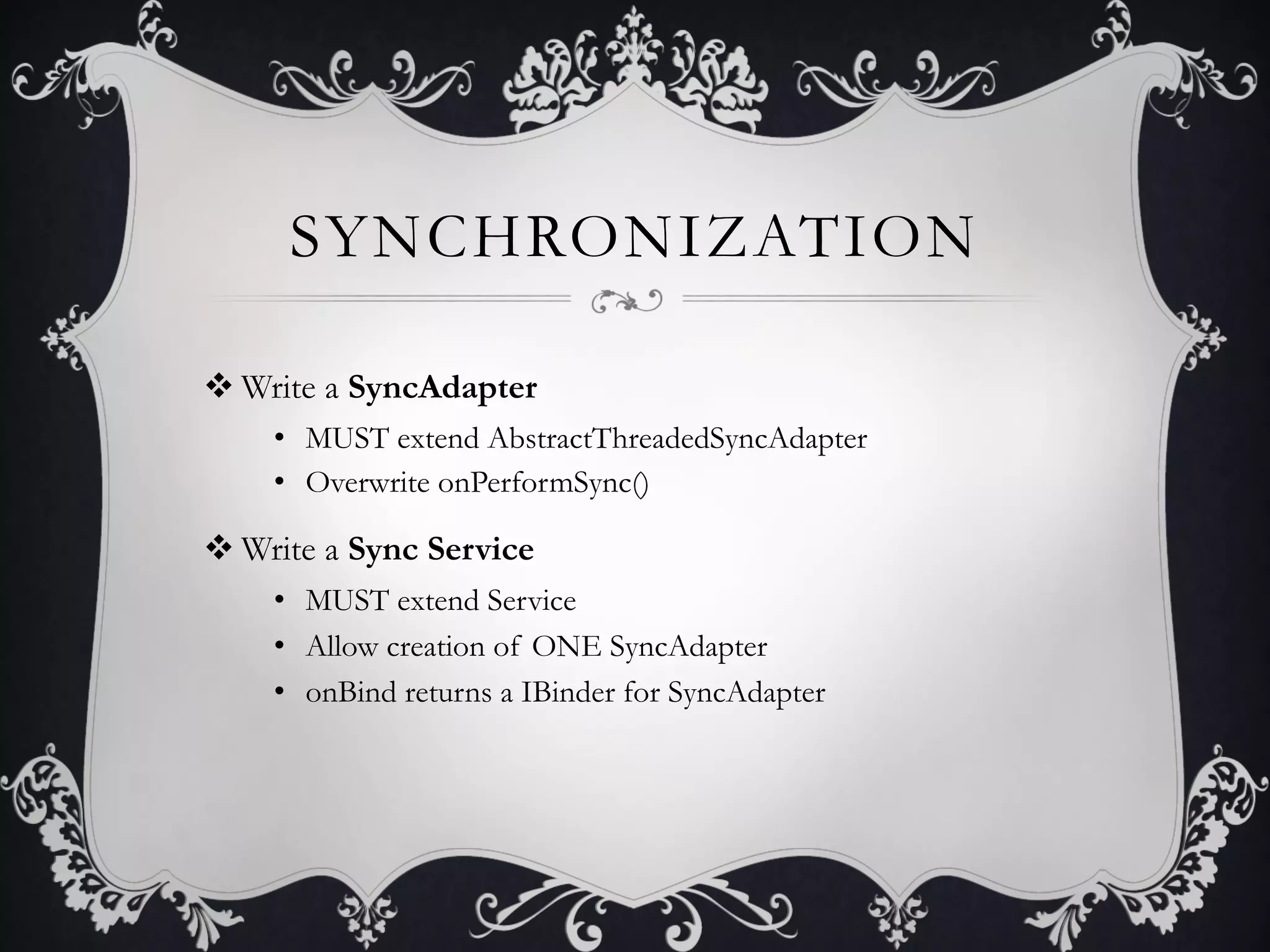
SYNCHRONIZATION

v Write a SyncAdapter
    •  MUST extend AbstractThreadedSyncAdapter
    •  Overwrite onPerformSync()

v Write a Sync Service
    •  MUST extend Service
    •  Allow creation of ONE SyncAdapter
    •  onBind returns a IBinder for SyncAdapter
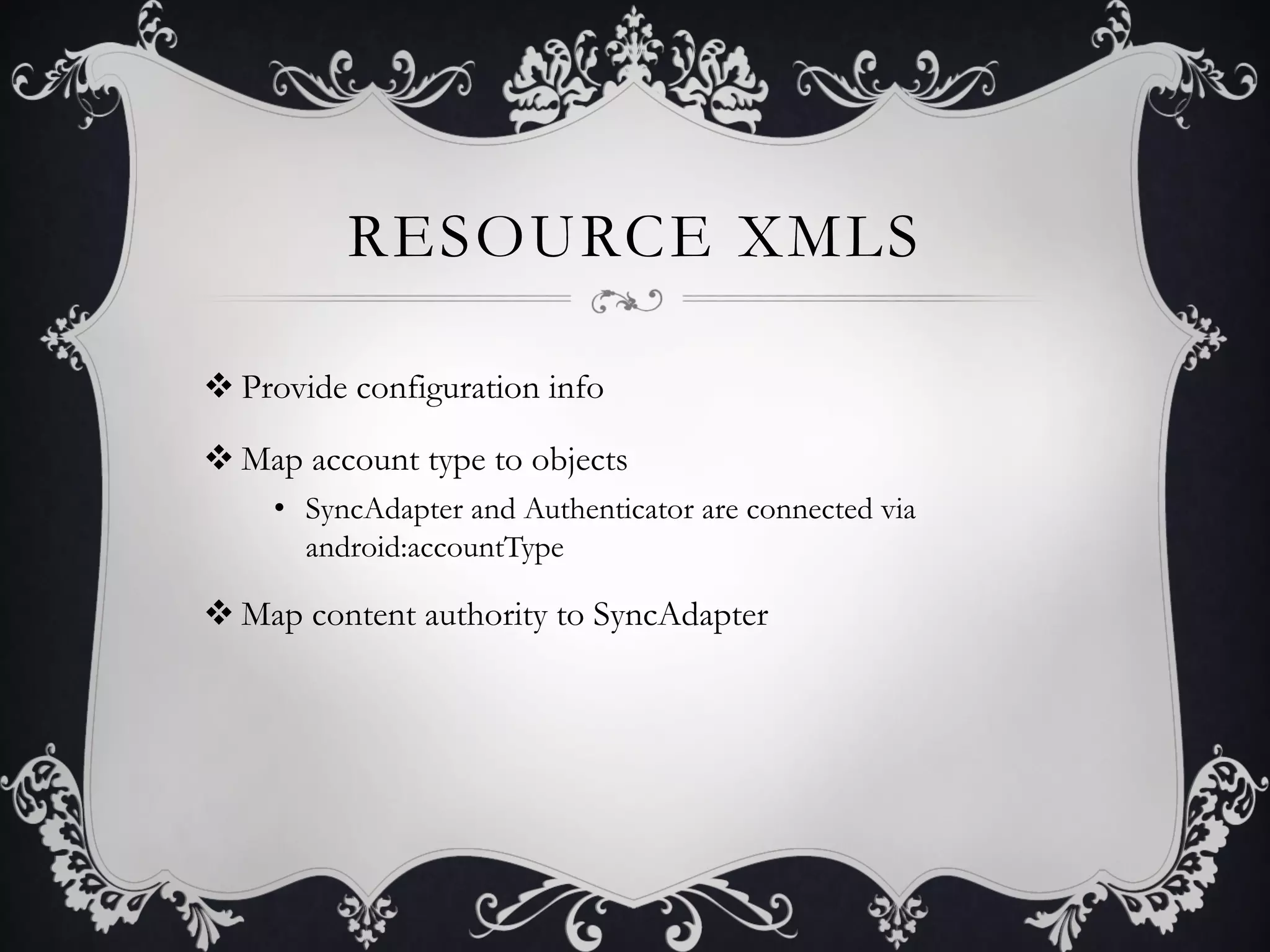
RESOURCE XMLS

v Provide configuration info

v Map account type to objects
     •  SyncAdapter and Authenticator are connected via
        android:accountType

v Map content authority to SyncAdapter
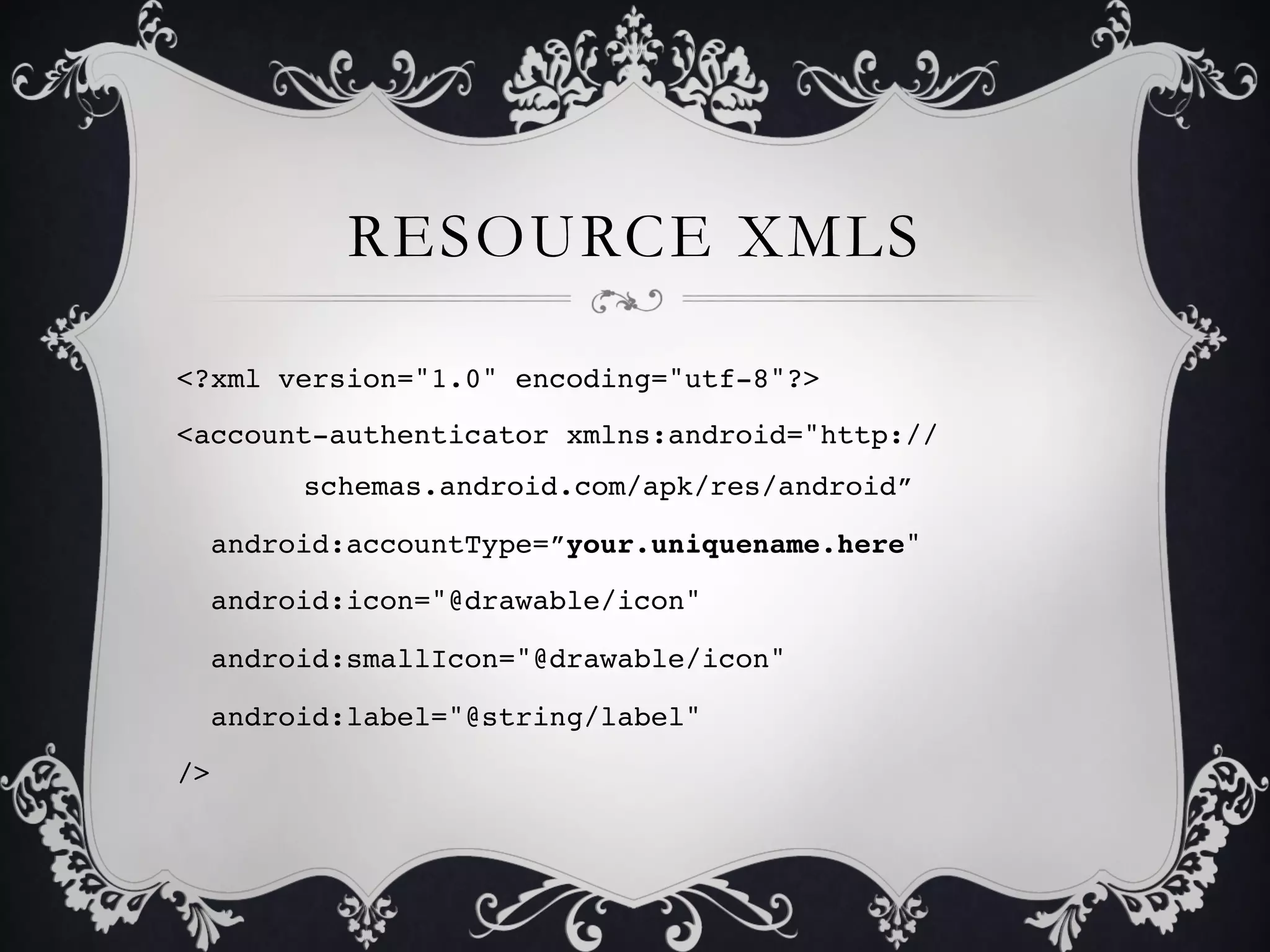
RESOURCE XMLS

<?xml version="1.0" encoding="utf-8"?>!
<account-authenticator xmlns:android="http://
      !schemas.android.com/apk/res/android”!

  android:accountType=”your.uniquename.here"!

  android:icon="@drawable/icon"!

  android:smallIcon="@drawable/icon"!

  android:label="@string/label"!

/>!
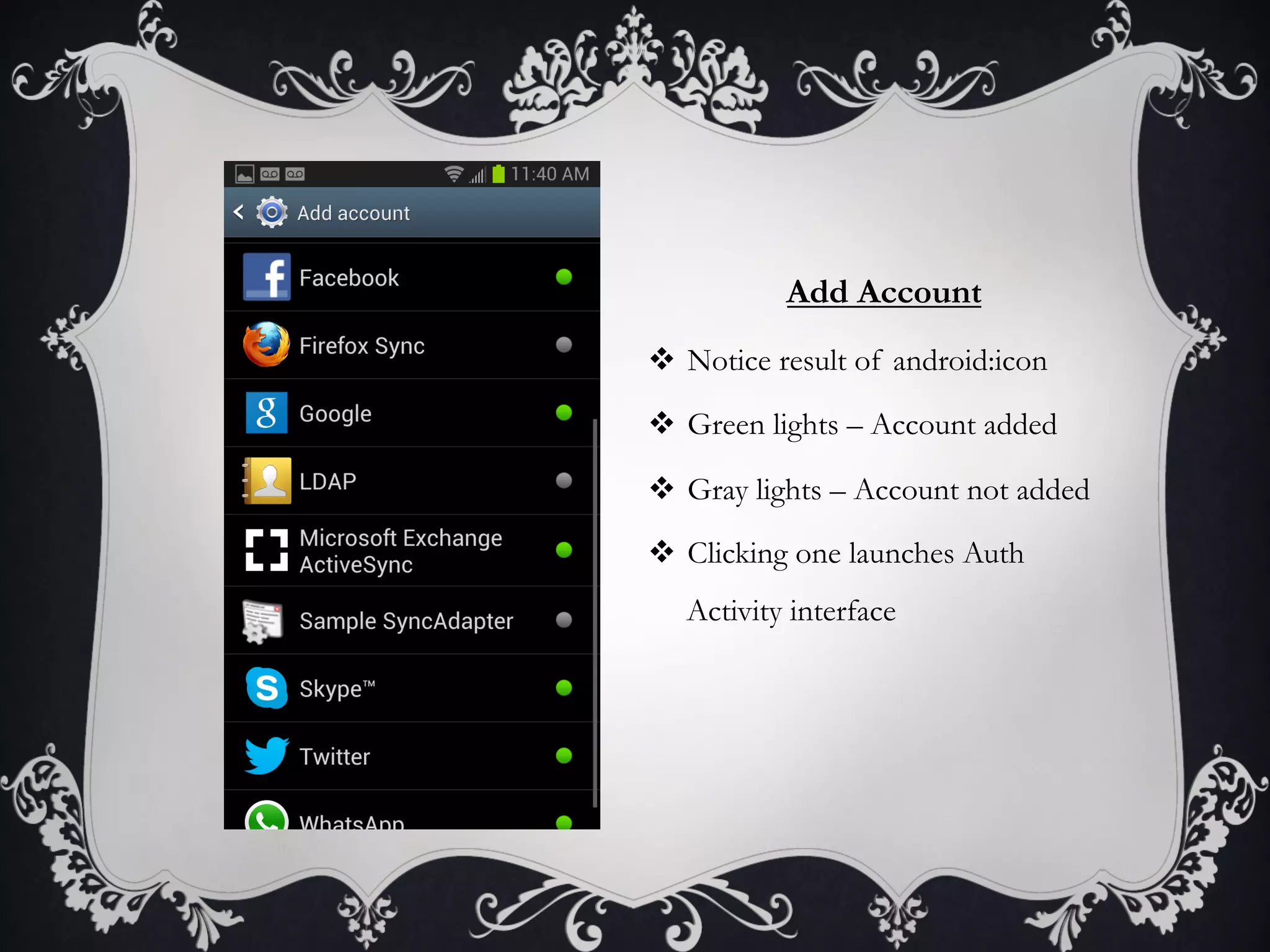
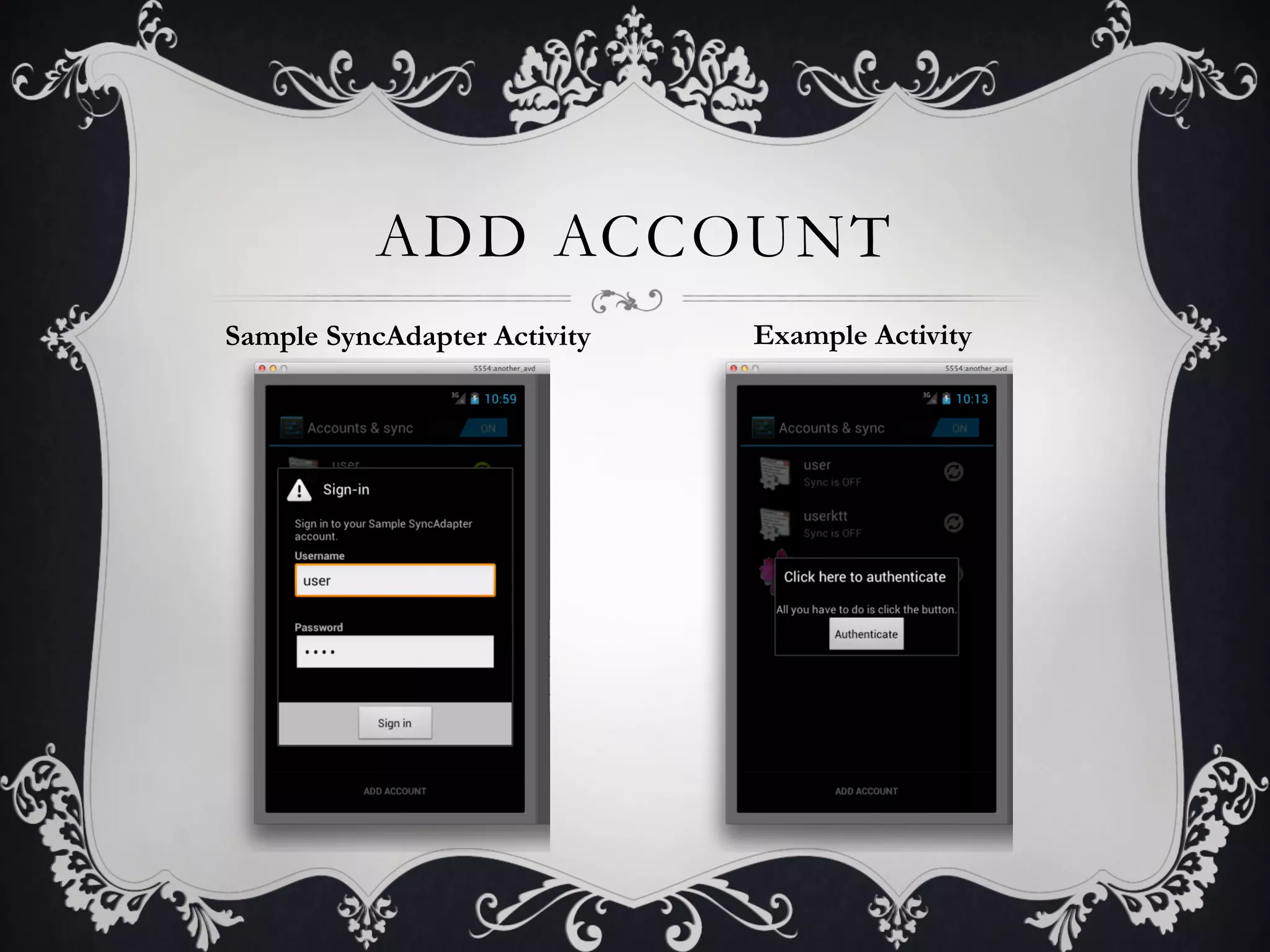
Add Account
v  Notice result of android:icon

v  Green lights – Account added

v  Gray lights – Account not added

v  Clicking one launches Auth
   Activity interface
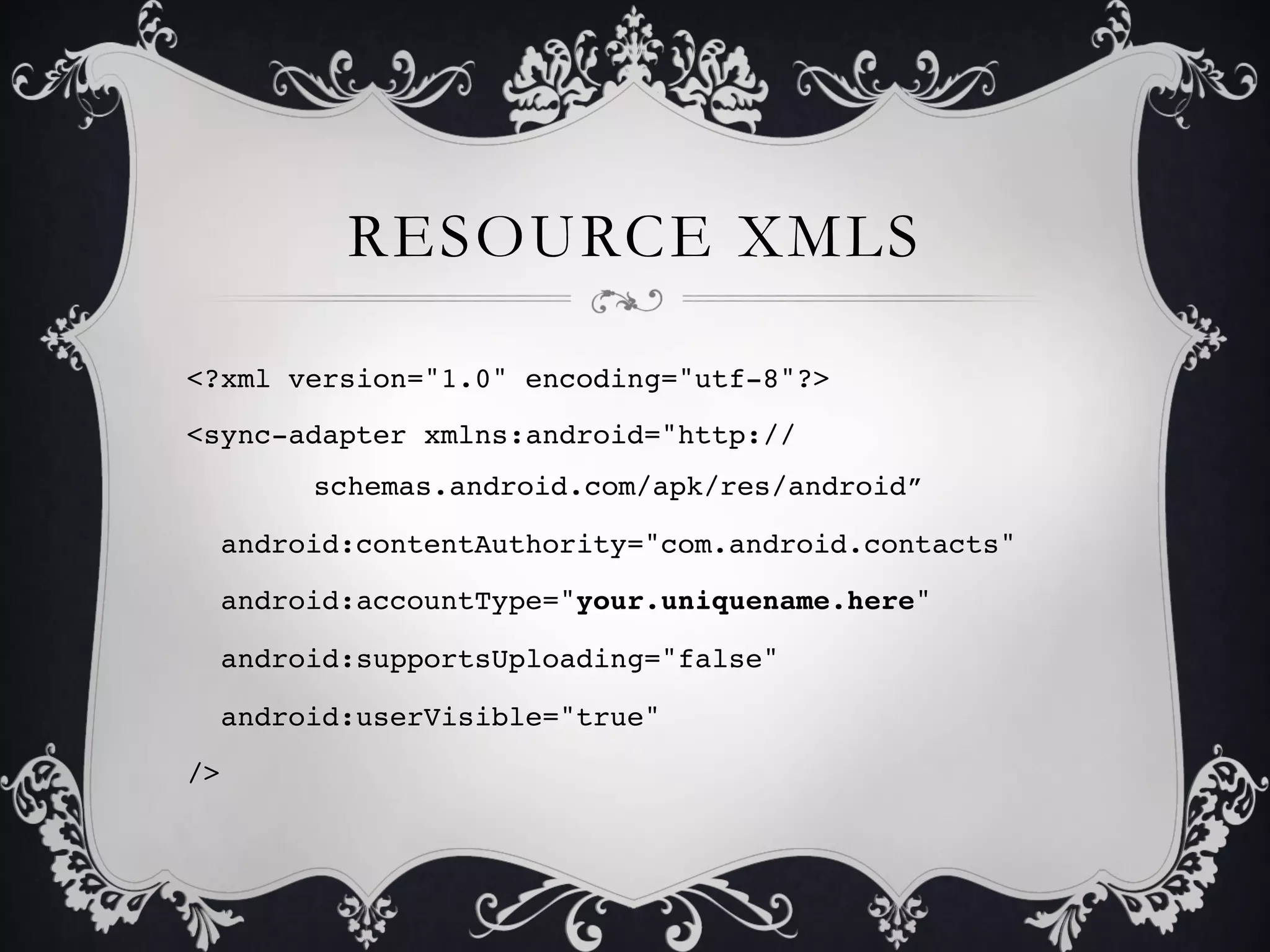
RESOURCE XMLS

<?xml version="1.0" encoding="utf-8"?>!
<sync-adapter xmlns:android="http://
      !schemas.android.com/apk/res/android”!

  android:contentAuthority="com.android.contacts"!

  android:accountType="your.uniquename.here"!

  android:supportsUploading="false"!

  android:userVisible="true"!

/>!
MANIFEST
v Several appropriate permissions

v Declare AuthenticationService with <service> tag
     •  Intent filter: “android.accounts.AccountAuthenticator”
     •  Meta-data tag points AccountAuthenticator to xml resource file

v Declare SyncService with <service> tag
     •  Intent filter: “android.content.SyncAdapter”
     •  Meta-data tag points SyncAdapter to xml resource file
     •  Other Meta-data tag defines custom MIME-types

v Declare AuthActivity (no Intent filter necessary)
MANIFEST.XML
<service android:name=".authenticator.AuthenticationService”
         !android:exported="true”>!
    <intent-filter>!
        <action android:name="android.accounts.AccountAuthenticator" />!
    </intent-filter>!
    <meta-data android:name="android.accounts.AccountAuthenticator”!
         !android:resource="@xml/authenticator" />!
</service>!
<service android:name=".syncadapter.SyncService” android:exported="true">!
    <intent-filter>!
        <action android:name="android.content.SyncAdapter" />!
    </intent-filter>!
    <meta-data android:name="android.content.SyncAdapter”!
         !android:resource="@xml/syncadapter" />!
    <meta-data android:name="android.provider.CONTACTS_STRUCTURE”!
         !android:resource="@xml/contacts" />!
</service>!
WHY SERVICES?

v SyncAdapter is bound to a service, Authentication is bound to a
service… but why?

v SyncManager finds all syncAdapters via a SyncAdaptersCache.

v AccountManager finds all Accounts via AccountAuthenticatorCache

v RegisteredServicesCache
     •  Reads the XML files created (account-authenticator and syncadapter)
     •  Generates service maps
CODE SUMMARY

v Create a syncadapter.xml file
v Create an authenticator.xml file
v Add an authentication <service> to manifest
v Add a sync <service> to manifest
v Add correct permissions to manifest
v Write some java… but what does any of this mean?
A Primer to SyncAdapters


THE DATA
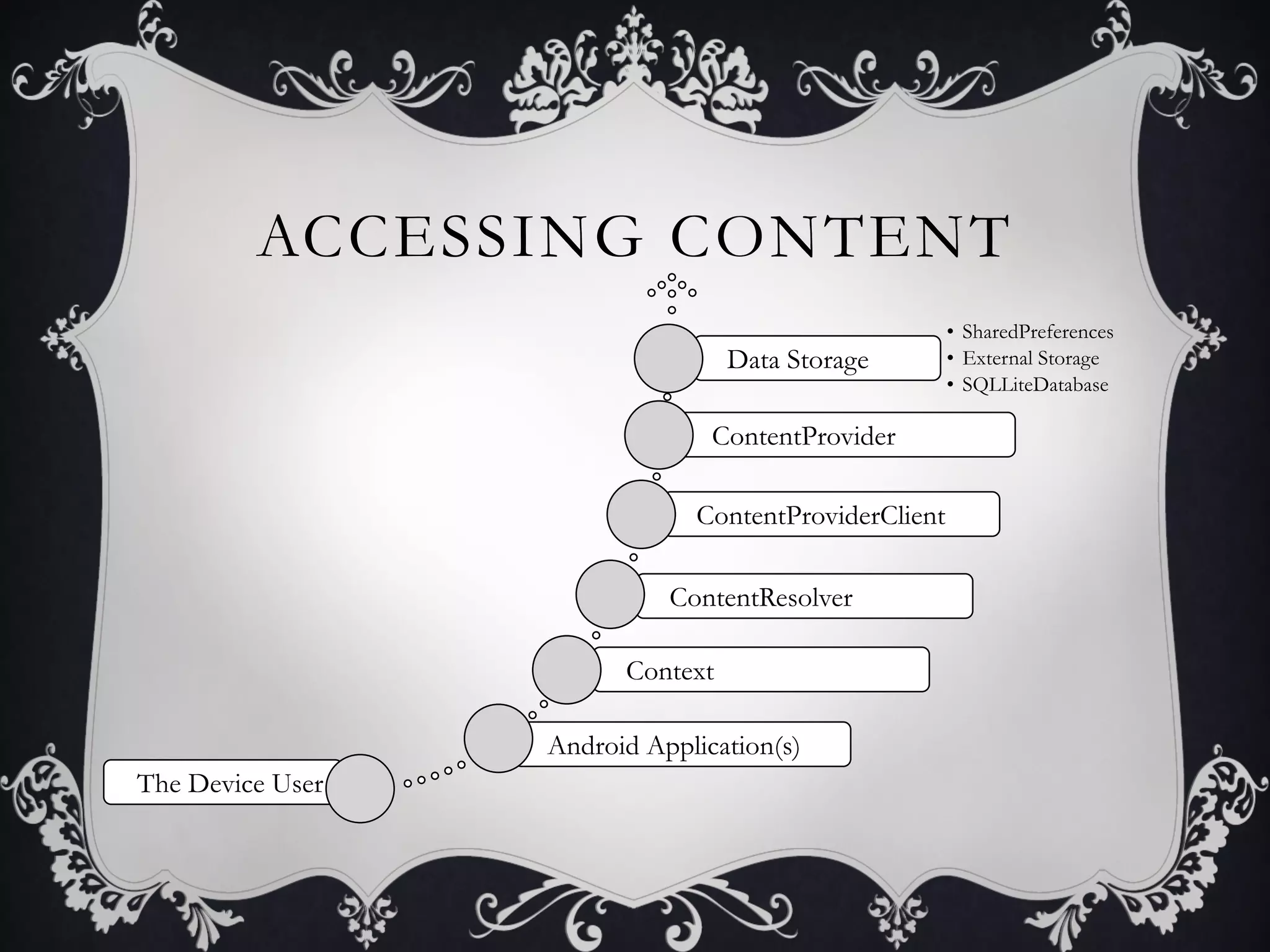
ACCESSING CONTENT
                                                      •  SharedPreferences
                                  Data Storage        •  External Storage
                                                      •  SQLLiteDatabase

                                ContentProvider

                              ContentProviderClient

                            ContentResolver

                        Context

                  Android Application(s)
The Device User
CONTENT PROVIDER

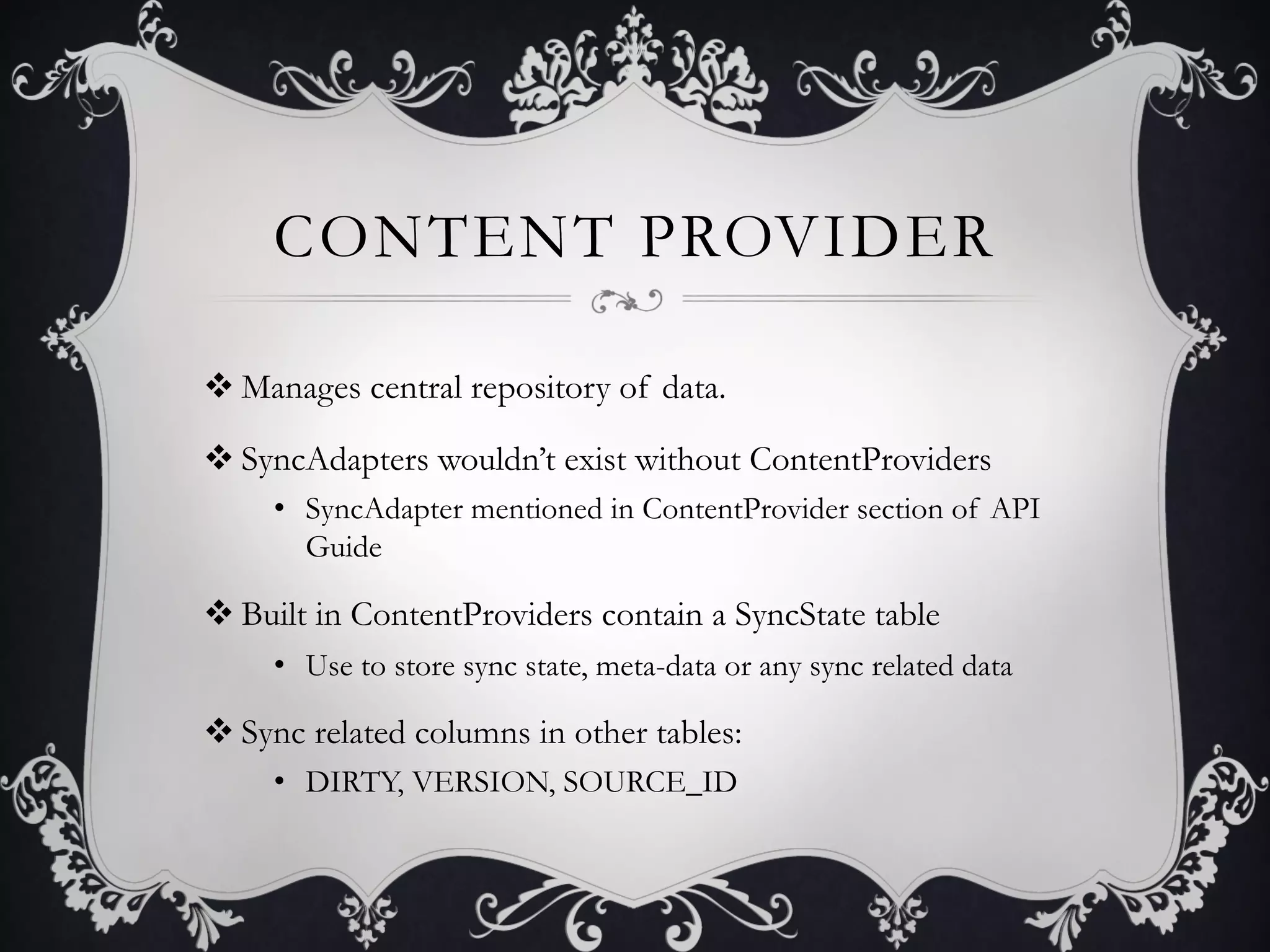
v Manages central repository of data.

v SyncAdapters wouldn’t exist without ContentProviders
     •  SyncAdapter mentioned in ContentProvider section of API
        Guide

v Built in ContentProviders contain a SyncState table
     •  Use to store sync state, meta-data or any sync related data

v Sync related columns in other tables:
     •  DIRTY, VERSION, SOURCE_ID
IMPORTANT COLUMNS
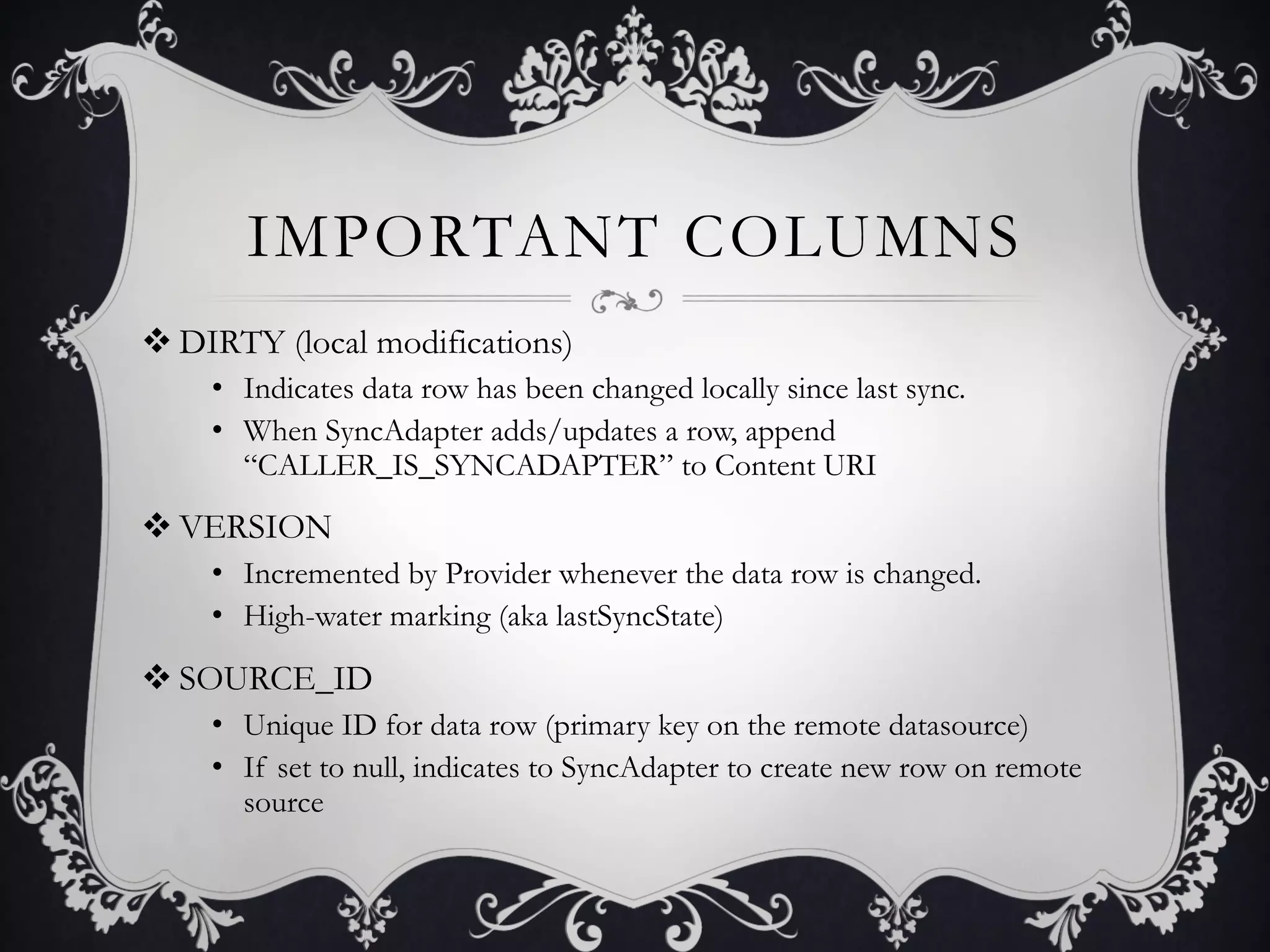
v DIRTY (local modifications)
    •  Indicates data row has been changed locally since last sync.
    •  When SyncAdapter adds/updates a row, append
       “CALLER_IS_SYNCADAPTER” to Content URI
v VERSION
    •  Incremented by Provider whenever the data row is changed.
    •  High-water marking (aka lastSyncState)

v SOURCE_ID
    •  Unique ID for data row (primary key on the remote datasource)
    •  If set to null, indicates to SyncAdapter to create new row on remote
       source
CUSTOM
       CONTENT PROVIDER

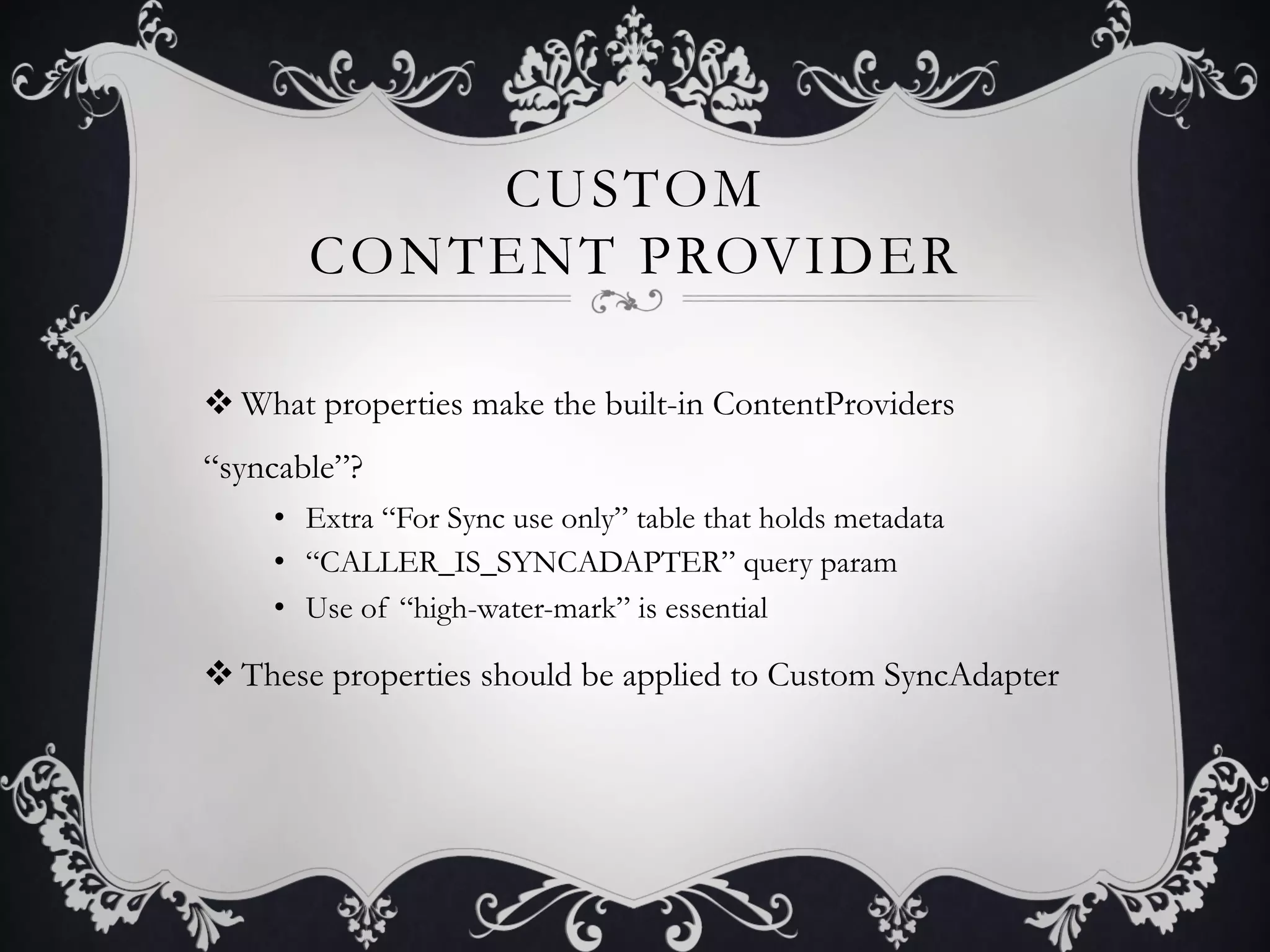
v What properties make the built-in ContentProviders
“syncable”?
    •  Extra “For Sync use only” table that holds metadata
    •  “CALLER_IS_SYNCADAPTER” query param
    •  Use of “high-water-mark” is essential

v These properties should be applied to Custom SyncAdapter
CONTENT RESOLVER VS
  CONTENTPROVIDER CLIENT
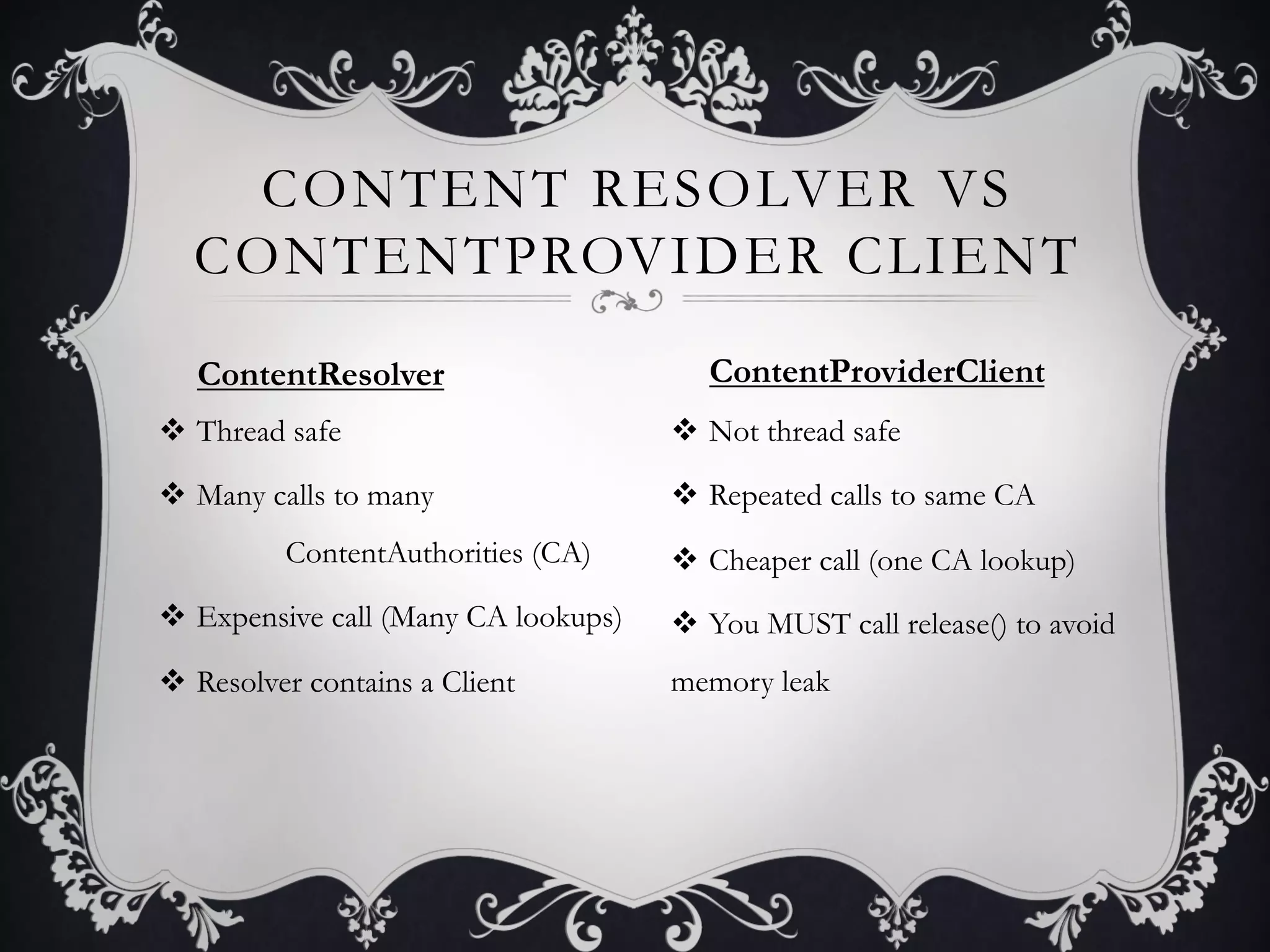
   ContentResolver                        ContentProviderClient
v  Thread safe                        v  Not thread safe

v  Many calls to many                 v  Repeated calls to same CA
          ContentAuthorities (CA)      v  Cheaper call (one CA lookup)
v  Expensive call (Many CA lookups)   v  You MUST call release() to avoid
v  Resolver contains a Client         memory leak
CONTENTPROVIDER
            CLIENT

v Part of onPerformSync() method signature.

v Not thread safe, so be careful with usage
     •  Utilize locking strategies, ensure no outside services are
        performing activities on sync-candidate data

v Android Sample project uses threadsafe ContentResolver
via a Manager
CONTENT RESOLVER

v Do I really need this? Your choice.
     •  ContentResolvers query the ContentProvider
     •  Use it to CRUD data inside syncAdapter.onPerformSync();
     •  SampleSyncAdapter uses the ContentResolver by way of it’s
        ContactsManager class, because it performs batch operations

v Retrieve it using: context.getContentResolver();

v However, there are other ways to access the data
DATA CONSIDERATIONS

v Determine structure of serialized/transmitted data
     •  Using json? xml? yaml?
     •  What does a single row (data unit) look like?

v How does the server parse and save the transmitted data?
     •  Likely defined by business limitations.

v How does the device parse/save the data?
     •  ContentProviderClient or ContentResolver (batch ops)
A Primer to SyncAdapters


AUTHENTICATION
ACCOUNT

v Account object contains an Account name and Account type.
    •  Note, the Account object does NOT contain a password
    •  Example: user has multiple twitter accounts

v AccountManager maps an Account object to it’s “password”

v Recommended strategy: store Account and authToken on device
    •  SampleSyncAdapter project stores password (possible human error)

v SyncManager can only schedule syncs per Account
ACCOUNT MANAGER

v Contains centralized registry of user’s online accounts

v Used to determine list of data sources to be synced
     •  AccountManager provides list of Accounts
     •  SyncManager grabs the list of Accounts for syncing

v AccountAuthenticatorCache maps accountType to objects
extending AbstractAccountAuthenticator

v Android Component; you don’t write this
AUTHENTICATION

v User chooses to Add an Account
     •  List compiled from array of allowable account types

v System chooses Authenticator based on
“android:accountType”
     •  Binds to a Service which returns the Authenticator’s IBinder

v Authenticator’s overridden addAccount() method is called
     •  Ultimately the Login UI displays, new Account is created
AUTHENTICATOR

v Allows developer to implement authentication
     •  Per remote service

v Must extend AbstractAccountAuthenticator
     •  Responds to an intent “android.accounts.AccountAuthenticator”
        advertised by the AccountManager for it’s accountType only.

v Authentication Service returns a Binder to your implemented
AbstractAccountAuthenticator

v addAccount() returns bundle with intent containing Activity
ADD ACCOUNT
Sample SyncAdapter Activity   Example Activity
A Primer to SyncAdapters


THE SYNC
SYNCMANAGER

v Responsible for scheduling, cancelling syncs.
     •  Maintains a list of active syncs (mActiveSyncContext)

v Sync handling strategy very tightly coupled to Accounts
     •  Account is part of most SyncManager methods

v How do the SyncHandler and Account interact?
     •  SyncHandler receives a message containing an
        ActiveSyncContext. ActiveSyncContext contains all
        information about the sync that needs to begin including the
        Account.
SYNCHRONIZATION

v SyncManager contains ONE SyncHandler

v SyncHandler’s job: receive/handle sync operation messages
    •  On receiving a Connection Message, calls startSync for the
       syncAdapter in question
    •  startSync() spins up a new SyncThread
    •  The method onPerformSync() that was implemented is
       invoked when run() is invoked on the thread
SYNC ADAPTER

v Where the main party happens. The method onPerformSync()
gets called within a syncThread.run()

v Make use of the DIRTY/VERSION/SOURCE_ID rows

v Instantiate like any class.
     •  However, create only one for thread safety.
ONPERFORMSYNC()

v What should I do in the onPerformSync() method?

v Merge remote data with local data
       •  DIRTY/VERSION/SOURCE_ID columns

v Use business rules to determine order of operations
       •  Whether local data overwrites remote data or vice versa

v Implement a remote connection strategy to access remote
data
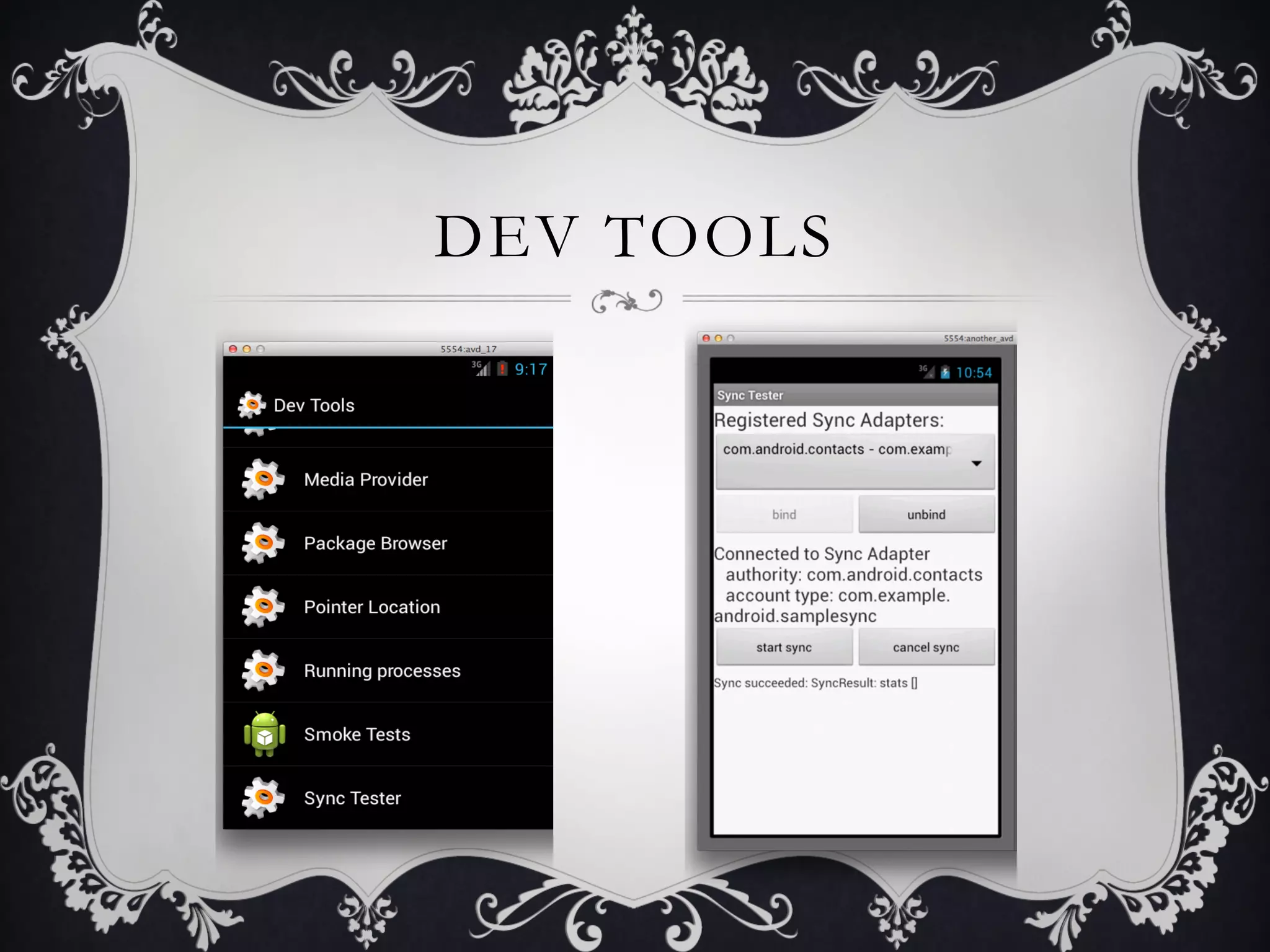
DEV TOOLS
WRAP UP

v We learned…
    •    What SyncAdapters are
    •    Set up
    •    Content (ContentProvider/data characteristics)
    •    Authorization (Accounts, Account Management)
    •    Synchronization (SyncManager, SyncService)
    •    Debugging/Dev Tools
A Primer to SyncAdapters


QUESTIONS?

mdevcon - A Primer to SyncAdapters

  • 1.
    A PRIMER TO SYNCADAPTERS Kiana Tennyson mdevcon Tuschinski Theater March 2013
  • 2.
    OVERVIEW v Who is Kiana? v SyncAdapterUse Cases v The Big Picture v Configuration v Authorization, Content, Synchronization v Wrap up/Questions
  • 3.
    WHO’S KIANA? v Software Developer v Professionalbackground working on web portals v Work at Manheim, wholesale vehicle auction company v Customer facing applications •  Web portal (www.manheim.com) Ruby, Java, JS •  iOS app •  Android app
  • 4.
    SYNC ADAPTERS ARE…? v Sharedata between a remote data source and an Android device v Android OS provides plug-in architecture that takes care of: •  Coordinating network availability with syncing all datasources •  Scheduling synchronization/Handling stopped processes •  Accommodating user preferences when syncing •  Handling network interruptions
  • 5.
    TOUGH PARTS v Good news!Writing a Custom SyncAdapter is actually easy! v Bad news. There are potentially tough parts: •  Authentication Handling •  (Custom) Content Provider •  Data Handling v Defined by business rules
  • 6.
    BEST USE CASES Applicationthat… v Requires authentication step to connect to remote datasource v Potentially could use a built-in ContentProvider •  All providers found in android.provider package v Application Suite backed by custom ContentProvider
  • 7.
    !(BEST USE CASES) v Anythingthat DOES NOT require a login v Any source that provides an RSS feed •  Typically public data sources like news/media sites •  Write a parser that reads the feed only when the user wants it •  SyncAdapter not necessary to write to the ContentProvider v If Service does not constantly need to run in the background •  User has limited battery power, code with this in mind
  • 8.
    A Primer toSyncAdapters CONFIGURATION
  • 9.
    THE BIG PICTURE AccountManager SyncManager ContentProvider •  Requires •  Uses Account •  Holds the data Authentication List as a basis for •  Called in Service to add it’s Sync List onPerformSync() Account •  Requires Sync •  Adds Account to Service to start Account List data syncs
  • 10.
    AUTHENTICATION v Write an AuthActivity •  serves UI for user to enter account info •  Write it to complete the authorization process v Write an Authenticator •  MUST extend AbstractAccountAuthenticator •  Returns the AuthActivity in a Bundle object v Write an Authentication Service •  MUST extend Service •  onBind return IBinder for the Authenticator
  • 11.
    SYNCHRONIZATION v Write a SyncAdapter •  MUST extend AbstractThreadedSyncAdapter •  Overwrite onPerformSync() v Write a Sync Service •  MUST extend Service •  Allow creation of ONE SyncAdapter •  onBind returns a IBinder for SyncAdapter
  • 12.
    RESOURCE XMLS v Provide configurationinfo v Map account type to objects •  SyncAdapter and Authenticator are connected via android:accountType v Map content authority to SyncAdapter
  • 13.
    RESOURCE XMLS <?xml version="1.0"encoding="utf-8"?>! <account-authenticator xmlns:android="http:// !schemas.android.com/apk/res/android”! android:accountType=”your.uniquename.here"! android:icon="@drawable/icon"! android:smallIcon="@drawable/icon"! android:label="@string/label"! />!
  • 14.
    Add Account v  Noticeresult of android:icon v  Green lights – Account added v  Gray lights – Account not added v  Clicking one launches Auth Activity interface
  • 15.
    RESOURCE XMLS <?xml version="1.0"encoding="utf-8"?>! <sync-adapter xmlns:android="http:// !schemas.android.com/apk/res/android”! android:contentAuthority="com.android.contacts"! android:accountType="your.uniquename.here"! android:supportsUploading="false"! android:userVisible="true"! />!
  • 16.
    MANIFEST v Several appropriate permissions v DeclareAuthenticationService with <service> tag •  Intent filter: “android.accounts.AccountAuthenticator” •  Meta-data tag points AccountAuthenticator to xml resource file v Declare SyncService with <service> tag •  Intent filter: “android.content.SyncAdapter” •  Meta-data tag points SyncAdapter to xml resource file •  Other Meta-data tag defines custom MIME-types v Declare AuthActivity (no Intent filter necessary)
  • 17.
    MANIFEST.XML <service android:name=".authenticator.AuthenticationService” !android:exported="true”>! <intent-filter>! <action android:name="android.accounts.AccountAuthenticator" />! </intent-filter>! <meta-data android:name="android.accounts.AccountAuthenticator”! !android:resource="@xml/authenticator" />! </service>! <service android:name=".syncadapter.SyncService” android:exported="true">! <intent-filter>! <action android:name="android.content.SyncAdapter" />! </intent-filter>! <meta-data android:name="android.content.SyncAdapter”! !android:resource="@xml/syncadapter" />! <meta-data android:name="android.provider.CONTACTS_STRUCTURE”! !android:resource="@xml/contacts" />! </service>!
  • 18.
    WHY SERVICES? v SyncAdapter isbound to a service, Authentication is bound to a service… but why? v SyncManager finds all syncAdapters via a SyncAdaptersCache. v AccountManager finds all Accounts via AccountAuthenticatorCache v RegisteredServicesCache •  Reads the XML files created (account-authenticator and syncadapter) •  Generates service maps
  • 19.
    CODE SUMMARY v Create asyncadapter.xml file v Create an authenticator.xml file v Add an authentication <service> to manifest v Add a sync <service> to manifest v Add correct permissions to manifest v Write some java… but what does any of this mean?
  • 20.
    A Primer toSyncAdapters THE DATA
  • 21.
    ACCESSING CONTENT •  SharedPreferences Data Storage •  External Storage •  SQLLiteDatabase ContentProvider ContentProviderClient ContentResolver Context Android Application(s) The Device User
  • 22.
    CONTENT PROVIDER v Manages centralrepository of data. v SyncAdapters wouldn’t exist without ContentProviders •  SyncAdapter mentioned in ContentProvider section of API Guide v Built in ContentProviders contain a SyncState table •  Use to store sync state, meta-data or any sync related data v Sync related columns in other tables: •  DIRTY, VERSION, SOURCE_ID
  • 23.
    IMPORTANT COLUMNS v DIRTY (localmodifications) •  Indicates data row has been changed locally since last sync. •  When SyncAdapter adds/updates a row, append “CALLER_IS_SYNCADAPTER” to Content URI v VERSION •  Incremented by Provider whenever the data row is changed. •  High-water marking (aka lastSyncState) v SOURCE_ID •  Unique ID for data row (primary key on the remote datasource) •  If set to null, indicates to SyncAdapter to create new row on remote source
  • 24.
    CUSTOM CONTENT PROVIDER v What properties make the built-in ContentProviders “syncable”? •  Extra “For Sync use only” table that holds metadata •  “CALLER_IS_SYNCADAPTER” query param •  Use of “high-water-mark” is essential v These properties should be applied to Custom SyncAdapter
  • 25.
    CONTENT RESOLVER VS CONTENTPROVIDER CLIENT ContentResolver ContentProviderClient v  Thread safe v  Not thread safe v  Many calls to many v  Repeated calls to same CA ContentAuthorities (CA) v  Cheaper call (one CA lookup) v  Expensive call (Many CA lookups) v  You MUST call release() to avoid v  Resolver contains a Client memory leak
  • 26.
    CONTENTPROVIDER CLIENT v Part of onPerformSync() method signature. v Not thread safe, so be careful with usage •  Utilize locking strategies, ensure no outside services are performing activities on sync-candidate data v Android Sample project uses threadsafe ContentResolver via a Manager
  • 27.
    CONTENT RESOLVER v Do Ireally need this? Your choice. •  ContentResolvers query the ContentProvider •  Use it to CRUD data inside syncAdapter.onPerformSync(); •  SampleSyncAdapter uses the ContentResolver by way of it’s ContactsManager class, because it performs batch operations v Retrieve it using: context.getContentResolver(); v However, there are other ways to access the data
  • 28.
    DATA CONSIDERATIONS v Determine structureof serialized/transmitted data •  Using json? xml? yaml? •  What does a single row (data unit) look like? v How does the server parse and save the transmitted data? •  Likely defined by business limitations. v How does the device parse/save the data? •  ContentProviderClient or ContentResolver (batch ops)
  • 29.
    A Primer toSyncAdapters AUTHENTICATION
  • 30.
    ACCOUNT v Account object containsan Account name and Account type. •  Note, the Account object does NOT contain a password •  Example: user has multiple twitter accounts v AccountManager maps an Account object to it’s “password” v Recommended strategy: store Account and authToken on device •  SampleSyncAdapter project stores password (possible human error) v SyncManager can only schedule syncs per Account
  • 31.
    ACCOUNT MANAGER v Contains centralizedregistry of user’s online accounts v Used to determine list of data sources to be synced •  AccountManager provides list of Accounts •  SyncManager grabs the list of Accounts for syncing v AccountAuthenticatorCache maps accountType to objects extending AbstractAccountAuthenticator v Android Component; you don’t write this
  • 32.
    AUTHENTICATION v User chooses toAdd an Account •  List compiled from array of allowable account types v System chooses Authenticator based on “android:accountType” •  Binds to a Service which returns the Authenticator’s IBinder v Authenticator’s overridden addAccount() method is called •  Ultimately the Login UI displays, new Account is created
  • 33.
    AUTHENTICATOR v Allows developer toimplement authentication •  Per remote service v Must extend AbstractAccountAuthenticator •  Responds to an intent “android.accounts.AccountAuthenticator” advertised by the AccountManager for it’s accountType only. v Authentication Service returns a Binder to your implemented AbstractAccountAuthenticator v addAccount() returns bundle with intent containing Activity
  • 34.
    ADD ACCOUNT Sample SyncAdapterActivity Example Activity
  • 35.
    A Primer toSyncAdapters THE SYNC
  • 36.
    SYNCMANAGER v Responsible for scheduling,cancelling syncs. •  Maintains a list of active syncs (mActiveSyncContext) v Sync handling strategy very tightly coupled to Accounts •  Account is part of most SyncManager methods v How do the SyncHandler and Account interact? •  SyncHandler receives a message containing an ActiveSyncContext. ActiveSyncContext contains all information about the sync that needs to begin including the Account.
  • 37.
    SYNCHRONIZATION v SyncManager contains ONESyncHandler v SyncHandler’s job: receive/handle sync operation messages •  On receiving a Connection Message, calls startSync for the syncAdapter in question •  startSync() spins up a new SyncThread •  The method onPerformSync() that was implemented is invoked when run() is invoked on the thread
  • 38.
    SYNC ADAPTER v Where themain party happens. The method onPerformSync() gets called within a syncThread.run() v Make use of the DIRTY/VERSION/SOURCE_ID rows v Instantiate like any class. •  However, create only one for thread safety.
  • 39.
    ONPERFORMSYNC() v What should Ido in the onPerformSync() method? v Merge remote data with local data •  DIRTY/VERSION/SOURCE_ID columns v Use business rules to determine order of operations •  Whether local data overwrites remote data or vice versa v Implement a remote connection strategy to access remote data
  • 40.
  • 41.
    WRAP UP v We learned… •  What SyncAdapters are •  Set up •  Content (ContentProvider/data characteristics) •  Authorization (Accounts, Account Management) •  Synchronization (SyncManager, SyncService) •  Debugging/Dev Tools
  • 42.
    A Primer toSyncAdapters QUESTIONS?