Email   lcycenter@gmail.com
}    Maven2
}    Maven2
}    Maven2
}    Maven2
      ◦ 
      ◦ 
      ◦ 
      ◦ 
      ◦ 
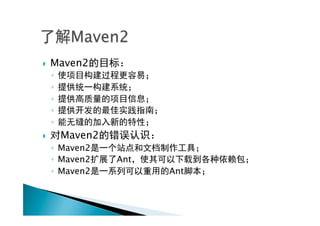
}         Maven2
      ◦  Maven2
      ◦  Maven2     Ant
      ◦  Maven2           Ant
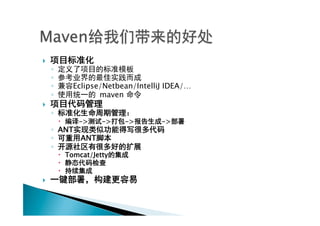
} 
      ◦ 
      ◦ 
      ◦          Eclipse/Netbean/IntelliJ IDEA/…
      ◦                 maven
} 
      ◦ 
           –     ->     ->   ->        ->
      ◦  ANT
      ◦      ANT
      ◦ 
           –  Tomcat/Jetty
           – 
           – 
} 
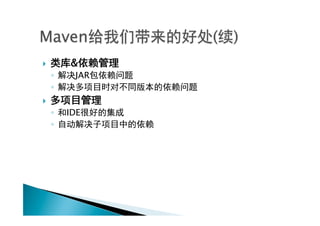
}         &
      ◦     JAR
      ◦ 
} 
      ◦    IDE
      ◦ 
} 
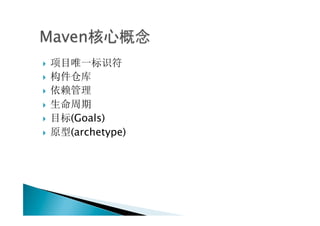
} 
} 

} 
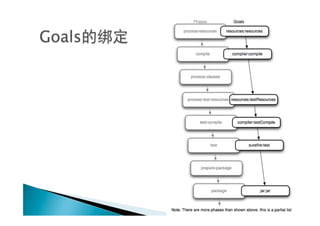
}    (Goals)
}    (archetype)
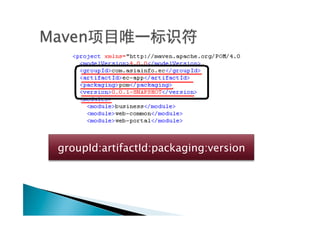
groupId:artifactId:packaging:version
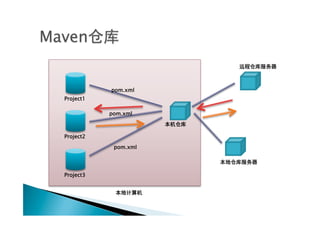
pom.xml
Project1

           pom.xml


Project2

            pom.xml


Project3
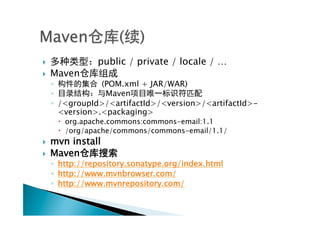
}               public / private / locale / …
}    Maven
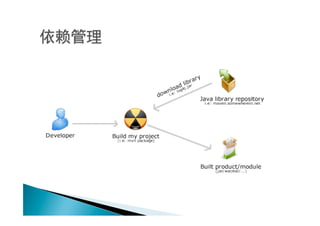
      ◦            (POM.xml + JAR/WAR)
      ◦             Maven
      ◦  /<groupId>/<artifactId>/<version>/<artifactId>-
         <version>.<packaging>
       –  org.apache.commons:commons-email:1.1
       –  /org/apache/commons/commons-email/1.1/
}    mvn install
}    Maven
      ◦  http://repository.sonatype.org/index.html
      ◦  http://www.mvnbrowser.com/
      ◦  http://www.mvnrepository.com/
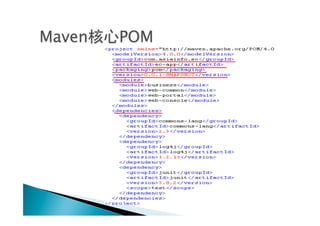
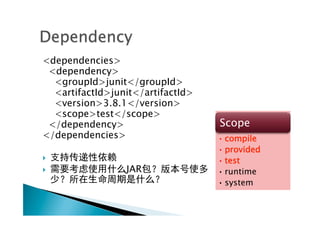
<dependencies>
 <dependency>
  <groupId>junit</groupId>
  <artifactId>junit</artifactId>
  <version>3.8.1</version>
  <scope>test</scope>
 </dependency>                     Scope
</dependencies>                    • compile
                                   • provided
}                                 • test
}               JAR               • runtime
                                   • system
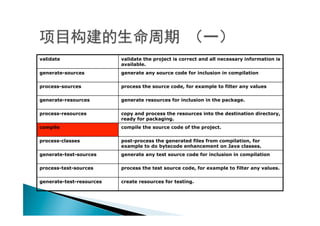
validate                  validate the project is correct and all necessary information is
                          available.
generate-sources          generate any source code for inclusion in compilation

process-sources           process the source code, for example to filter any values

generate-resources        generate resources for inclusion in the package.

process-resources         copy and process the resources into the destination directory,
                          ready for packaging.
compile                   compile the source code of the project.

process-classes           post-process the generated files from compilation, for
                          example to do bytecode enhancement on Java classes.
generate-test-sources     generate any test source code for inclusion in compilation

process-test-sources      process the test source code, for example to filter any values.

generate-test-resources   create resources for testing.
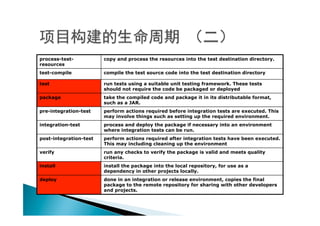
process-test-           copy and process the resources into the test destination directory.
resources
test-compile            compile the test source code into the test destination directory

test                    run tests using a suitable unit testing framework. These tests
                        should not require the code be packaged or deployed
package                 take the compiled code and package it in its distributable format,
                        such as a JAR.
pre-integration-test    perform actions required before integration tests are executed. This
                        may involve things such as setting up the required environment.
integration-test        process and deploy the package if necessary into an environment
                        where integration tests can be run.
post-integration-test   perform actions required after integration tests have been executed.
                        This may including cleaning up the environment
verify                  run any checks to verify the package is valid and meets quality
                        criteria.
install                 install the package into the local repository, for use as a
                        dependency in other projects locally.
deploy                  done in an integration or release environment, copies the final
                        package to the remote repository for sharing with other developers
                        and projects.
} 
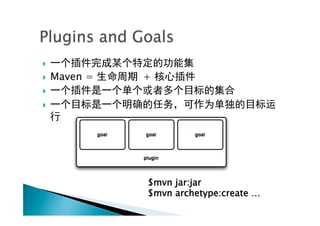
}    Maven =   +
} 

} 


                $mvn jar:jar
                $mvn archetype:create …
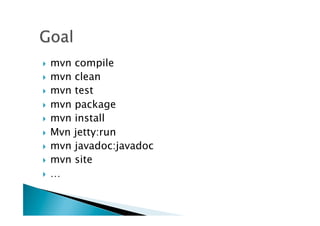
}  mvn compile
}  mvn clean
}  mvn test

}  mvn package
}  mvn install

}  Mvn jetty:run
}  mvn javadoc:javadoc
}  mvn site

}  …
}    Maven2
}    Maven2
}    Maven2
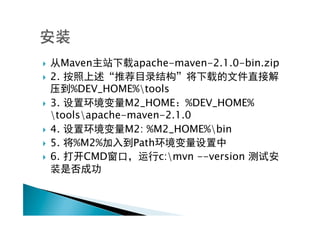
}         Maven   apache-maven-2.1.0-bin.zip
}    2.
        %DEV_HOME%tools
}  3.            M2_HOME %DEV_HOME%
    toolsapache-maven-2.1.0
}  4.            M2: %M2_HOME%bin
}  5.  %M2%       Path
}  6.     CMD          c:mvn --version
}    Maven2
}    Maven2
}    Maven2
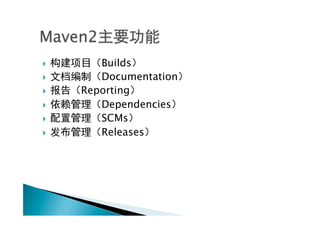
}       Builds
}       Documentation
}    Reporting
}       Dependencies
}       SCMs
}       Releases
}    Maven2
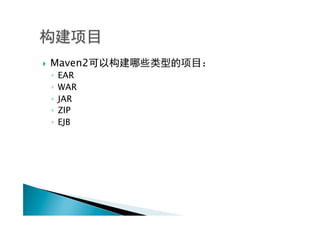
      ◦  EAR
      ◦  WAR
      ◦  JAR
      ◦  ZIP
      ◦  EJB
} 
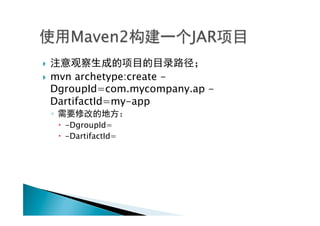
}    mvn archetype:create -
      DgroupId=com.mycompany.ap -
      DartifactId=my-app
      ◦ 
           –  -DgroupId=
           –  -DartifactId=
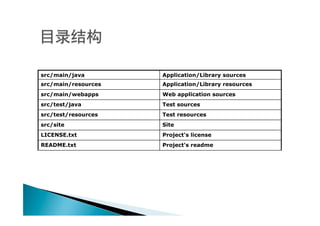
src/main/java        Application/Library sources
src/main/resources   Application/Library resources
src/main/webapps     Web application sources
src/test/java        Test sources
src/test/resources   Test resources
src/site             Site
LICENSE.txt          Project's license
README.txt           Project's readme
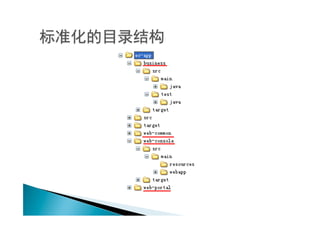
} 
}    Maven2

} 
} 
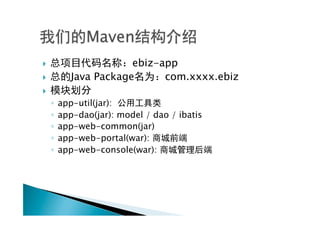
}                    ebiz-app
}        Java Package      com.xxxx.ebiz
} 
      ◦  app-util(jar):
      ◦  app-dao(jar): model / dao / ibatis
      ◦  app-web-common(jar)
      ◦  app-web-portal(war):
      ◦  app-web-console(war):
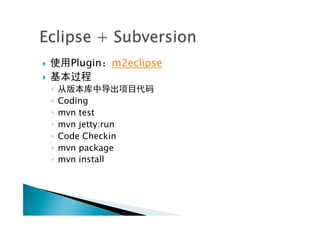
}        Plugin    m2eclipse
} 
      ◦ 
      ◦  Coding
      ◦  mvn test
      ◦  mvn jetty:run
      ◦  Code Checkin
      ◦  mvn package
      ◦  mvn install
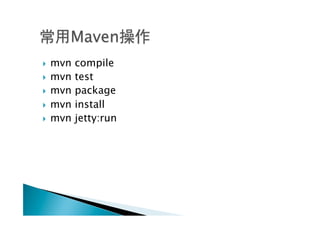
}  mvn   compile
}  mvn   test
}  mvn   package
}  mvn   install
}  mvn   jetty:run

Maven2交流

  • 1.
    Email lcycenter@gmail.com
  • 2.
    }  Maven2 }  Maven2 }  Maven2
  • 3.
    }  Maven2 ◦  ◦  ◦  ◦  ◦  }  Maven2 ◦  Maven2 ◦  Maven2 Ant ◦  Maven2 Ant
  • 4.
    }  ◦  ◦  ◦  Eclipse/Netbean/IntelliJ IDEA/… ◦  maven }  ◦  –  -> -> -> -> ◦  ANT ◦  ANT ◦  –  Tomcat/Jetty –  –  } 
  • 5.
    }  & ◦  JAR ◦  }  ◦  IDE ◦ 
  • 9.
    }  }  }  }  }  (Goals) }  (archetype)
  • 10.
  • 11.
    pom.xml Project1 pom.xml Project2 pom.xml Project3
  • 12.
    }  public / private / locale / … }  Maven ◦  (POM.xml + JAR/WAR) ◦  Maven ◦  /<groupId>/<artifactId>/<version>/<artifactId>- <version>.<packaging> –  org.apache.commons:commons-email:1.1 –  /org/apache/commons/commons-email/1.1/ }  mvn install }  Maven ◦  http://repository.sonatype.org/index.html ◦  http://www.mvnbrowser.com/ ◦  http://www.mvnrepository.com/
  • 13.
    <dependencies> <dependency> <groupId>junit</groupId> <artifactId>junit</artifactId> <version>3.8.1</version> <scope>test</scope> </dependency> Scope </dependencies> • compile • provided }  • test }  JAR • runtime • system
  • 15.
    validate validate the project is correct and all necessary information is available. generate-sources generate any source code for inclusion in compilation process-sources process the source code, for example to filter any values generate-resources generate resources for inclusion in the package. process-resources copy and process the resources into the destination directory, ready for packaging. compile compile the source code of the project. process-classes post-process the generated files from compilation, for example to do bytecode enhancement on Java classes. generate-test-sources generate any test source code for inclusion in compilation process-test-sources process the test source code, for example to filter any values. generate-test-resources create resources for testing.
  • 16.
    process-test- copy and process the resources into the test destination directory. resources test-compile compile the test source code into the test destination directory test run tests using a suitable unit testing framework. These tests should not require the code be packaged or deployed package take the compiled code and package it in its distributable format, such as a JAR. pre-integration-test perform actions required before integration tests are executed. This may involve things such as setting up the required environment. integration-test process and deploy the package if necessary into an environment where integration tests can be run. post-integration-test perform actions required after integration tests have been executed. This may including cleaning up the environment verify run any checks to verify the package is valid and meets quality criteria. install install the package into the local repository, for use as a dependency in other projects locally. deploy done in an integration or release environment, copies the final package to the remote repository for sharing with other developers and projects.
  • 17.
    }  }  Maven = + }  }  $mvn jar:jar $mvn archetype:create …
  • 19.
    }  mvn compile } mvn clean }  mvn test }  mvn package }  mvn install }  Mvn jetty:run }  mvn javadoc:javadoc }  mvn site }  …
  • 20.
    }  Maven2 }  Maven2 }  Maven2
  • 21.
    }  Maven apache-maven-2.1.0-bin.zip }  2. %DEV_HOME%tools }  3. M2_HOME %DEV_HOME% toolsapache-maven-2.1.0 }  4. M2: %M2_HOME%bin }  5. %M2% Path }  6. CMD c:mvn --version
  • 22.
    }  Maven2 }  Maven2 }  Maven2
  • 23.
    }  Builds }  Documentation }  Reporting }  Dependencies }  SCMs }  Releases
  • 24.
    }  Maven2 ◦  EAR ◦  WAR ◦  JAR ◦  ZIP ◦  EJB
  • 25.
    }  }  mvn archetype:create - DgroupId=com.mycompany.ap - DartifactId=my-app ◦  –  -DgroupId= –  -DartifactId=
  • 27.
    src/main/java Application/Library sources src/main/resources Application/Library resources src/main/webapps Web application sources src/test/java Test sources src/test/resources Test resources src/site Site LICENSE.txt Project's license README.txt Project's readme
  • 28.
    }  }  Maven2 }  } 
  • 29.
    }  ebiz-app }  Java Package com.xxxx.ebiz }  ◦  app-util(jar): ◦  app-dao(jar): model / dao / ibatis ◦  app-web-common(jar) ◦  app-web-portal(war): ◦  app-web-console(war):
  • 31.
    }  Plugin m2eclipse }  ◦  ◦  Coding ◦  mvn test ◦  mvn jetty:run ◦  Code Checkin ◦  mvn package ◦  mvn install
  • 33.
    }  mvn compile }  mvn test }  mvn package }  mvn install }  mvn jetty:run