MASTER’S
PROJECT
PRESENTATION
BY: SNEHA PANTAM
BOOK-HUNT!
Android Mobile Application
for Indoor Navigation
INTRODUCTION
Library is a collection of
Books.
INTRODUCTION
Sometimes it is difficult for a Student to
search for his desired book among so
many books in the Library.
INTRODUCTION
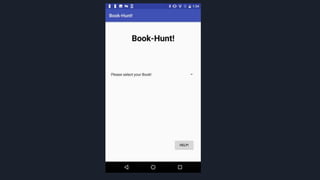
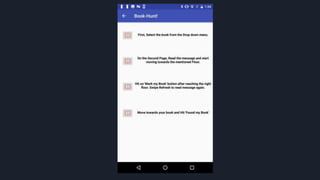
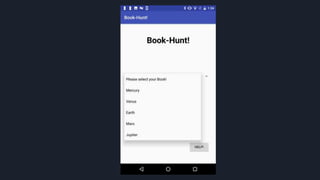
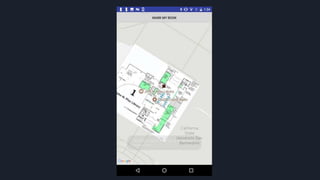
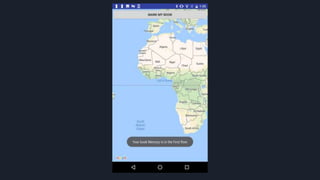
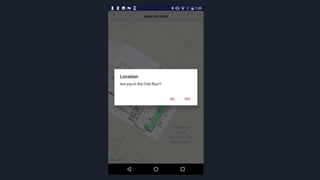
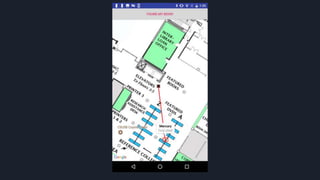
This Android app Book-Hunt! helps
students find books in the Library.
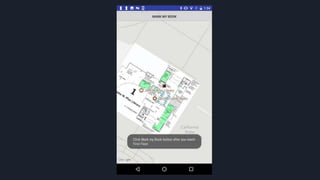
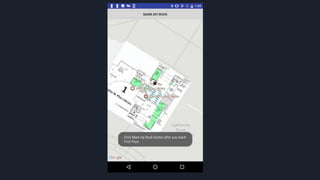
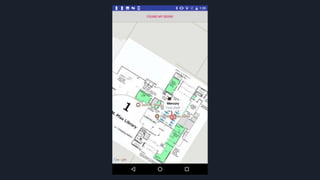
It Locates the student’s location on the
Floorplan and places a Marker on the
location of the Book.
A line between the user location and the
book makes it easy for the student to
navigate towards the book.
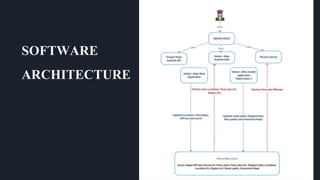
SOFTWARE
ARCHITECTURE
The two most essential things in Book-
Hunt are:
● IndoorAtlas
● Google Android API
INDOORATLAS
IndoorAtlas works on Indoor Positioning
Systems.
Indoor positioning systems (IPS) locate
people or objects inside a building using
radio signals, geomagnetic fields, inertial
sensor data, barometric pressure, camera
data or other sensory information
collected by a smartphone device or
tablet.
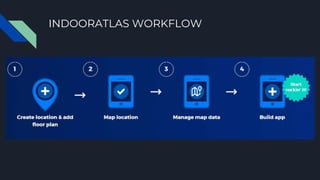
INDOORATLAS WORKFLOW
INDOORATLAS IS DIVIDED INTO:
● IndoorAtlas Dashboard.
● Mapping Application: Map Creator 2
● IndoorAtlas Android SDK
● IndoorAtlas Cloud
INDOORATLAS DASHBOARD
The first step in starting to explore
IndoorAtlas is to sign up
app.indooratlas.com which is the web
portal of managing your IndoorAtlas
floor plans, maps, API keys and
Applications.
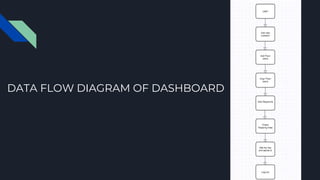
DATA FLOW DIAGRAM OF DASHBOARD
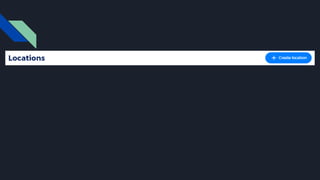
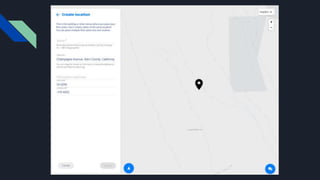
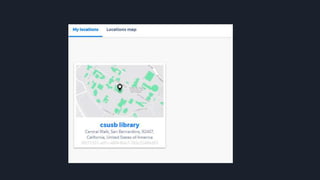
ADDING LOCATIONS
Location is the building or venue where you are going to deploy
indoor positioning service. In the IndoorAtlas system, a location
includes one or more floor plans, which are used as mapping aids and
storing basic context information, such as a floor number and name.
Locations can be added by:
● creating them manually from floor plan images or
● importing from Micello
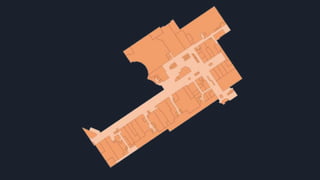
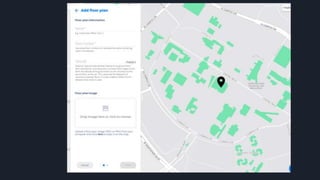
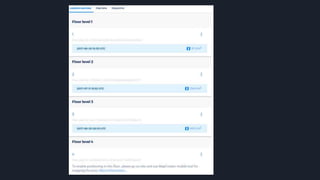
ADDING FLOOR PLANS
In the IndoorAtlas system, floor plans are used for defining indoor
coordinate frames on which one can do mapping. In the web
application, floor plans are positioned on the world map to bind your
indoor locations to the standard global coordinate system, WGS-84.
All floor plans must also be given a floor number which determines
the correct vertical ordering within a location. The floor plans with
the same floor number are interpreted to be on roughly on the same
vertical level or to form a contiguous, walkable surface.
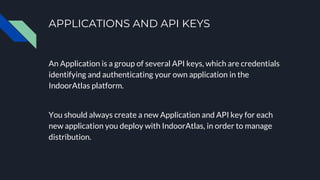
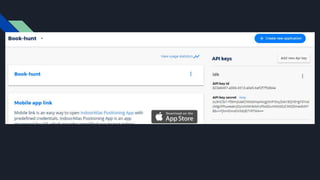
APPLICATIONS AND API KEYS
An Application is a group of several API keys, which are credentials
identifying and authenticating your own application in the
IndoorAtlas platform.
You should always create a new Application and API key for each
new application you deploy with IndoorAtlas, in order to manage
distribution.
MAP CREATOR 2
Map Creator 2 is an IndoorAtlas Android mobile application which
helps users to map the data on the floor plan.
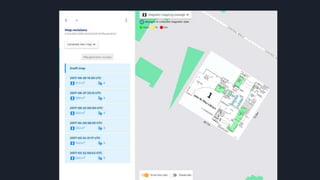
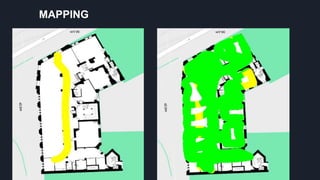
Mapping (or fingerprinting) is the process of gathering signal data
from a target venue using MapCreator 2.
MAPPING
INDOORATLAS ANDROID SDK
Minimum Requirements
To run IndoorAtlas SDK on an Android device, you
need:
● SDK minimum API level 10 (Gingerbread)
● Physical Android device (emulator is not
supported) with Wi-Fi connectivity.
● Gyroscope and Magnetometer are preferred.
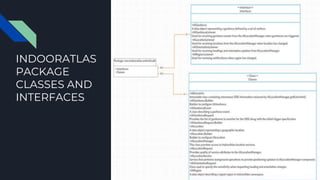
INDOORATLAS
PACKAGE
CLASSES AND
INTERFACES
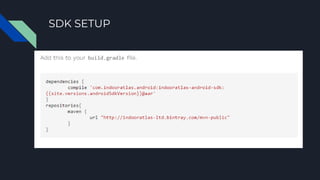
SDK SETUP
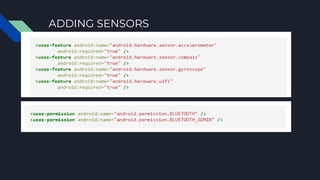
ADDING SENSORS
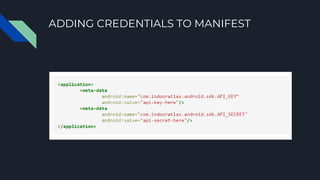
ADDING CREDENTIALS TO MANIFEST
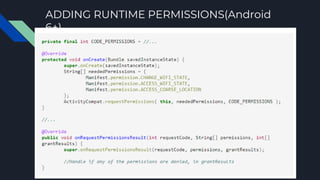
ADDING RUNTIME PERMISSIONS(Android
6+)
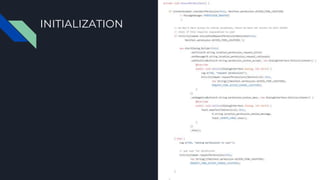
INITIALIZATION
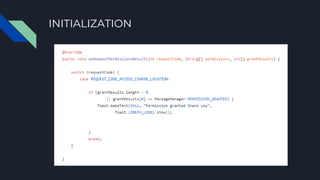
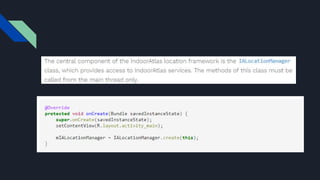
INITIALIZATION
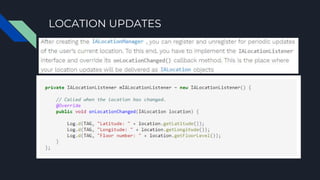
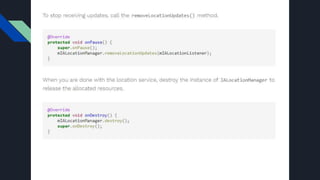
LOCATION UPDATES
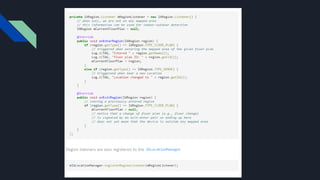
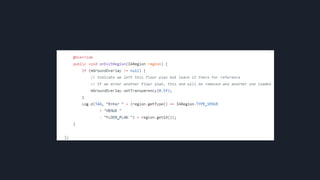
FLOOR DETECTION
The automatic recognition of floor plans, locations (a.k.a. venues) and
indoor-outdoor-transitions are handled in the IndoorAtlas SDK with
IARegion events
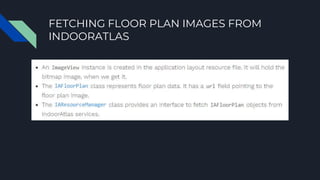
FETCHING FLOOR PLAN IMAGES FROM
INDOORATLAS
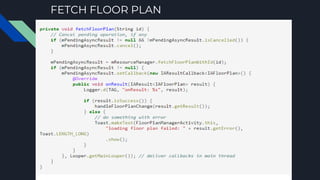
IndoorAtlas SDK also provides an API for fetching
the floor plan images that you have stored in our
cloud in the mapping phase.
FETCHING FLOOR PLAN IMAGES FROM
INDOORATLAS
FETCH FLOOR PLAN
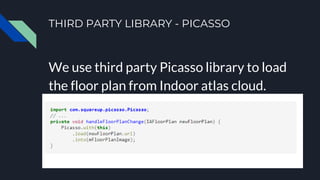
THIRD PARTY LIBRARY - PICASSO
We use third party Picasso library to load
the floor plan from Indoor atlas cloud.
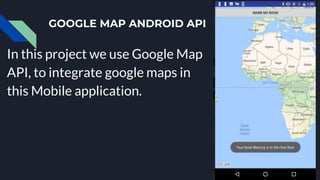
GOOGLE MAP ANDROID API
In this project we use Google Map
API, to integrate google maps in
this Mobile application.
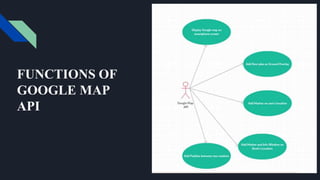
FUNCTIONS OF
GOOGLE MAP
API
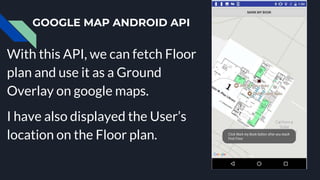
GOOGLE MAP ANDROID API
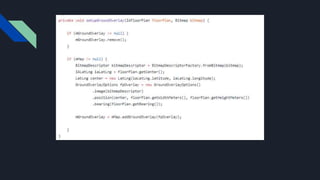
With this API, we can fetch Floor
plan and use it as a Ground
Overlay on google maps.
I have also displayed the User’s
location on the Floor plan.
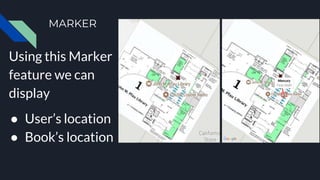
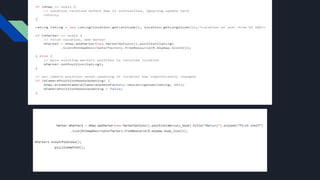
MARKER
Using this Marker
feature we can
display
● User’s location
● Book’s location
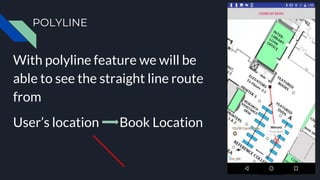
POLYLINE
With polyline feature we will be
able to see the straight line route
from
User’s location Book Location
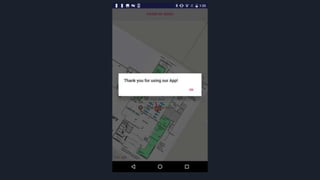
THANK
YOU!
BY: SNEHA PANTAM

Master’s project presentation

  • 1.
  • 2.
    INTRODUCTION Library is acollection of Books.
  • 3.
    INTRODUCTION Sometimes it isdifficult for a Student to search for his desired book among so many books in the Library.
  • 4.
    INTRODUCTION This Android appBook-Hunt! helps students find books in the Library.
  • 5.
    It Locates thestudent’s location on the Floorplan and places a Marker on the location of the Book. A line between the user location and the book makes it easy for the student to navigate towards the book.
  • 18.
  • 19.
    The two mostessential things in Book- Hunt are: ● IndoorAtlas ● Google Android API
  • 20.
    INDOORATLAS IndoorAtlas works onIndoor Positioning Systems.
  • 21.
    Indoor positioning systems(IPS) locate people or objects inside a building using radio signals, geomagnetic fields, inertial sensor data, barometric pressure, camera data or other sensory information collected by a smartphone device or tablet.
  • 22.
  • 23.
    INDOORATLAS IS DIVIDEDINTO: ● IndoorAtlas Dashboard. ● Mapping Application: Map Creator 2 ● IndoorAtlas Android SDK ● IndoorAtlas Cloud
  • 24.
    INDOORATLAS DASHBOARD The firststep in starting to explore IndoorAtlas is to sign up app.indooratlas.com which is the web portal of managing your IndoorAtlas floor plans, maps, API keys and Applications.
  • 25.
    DATA FLOW DIAGRAMOF DASHBOARD
  • 26.
    ADDING LOCATIONS Location isthe building or venue where you are going to deploy indoor positioning service. In the IndoorAtlas system, a location includes one or more floor plans, which are used as mapping aids and storing basic context information, such as a floor number and name. Locations can be added by: ● creating them manually from floor plan images or ● importing from Micello
  • 30.
    ADDING FLOOR PLANS Inthe IndoorAtlas system, floor plans are used for defining indoor coordinate frames on which one can do mapping. In the web application, floor plans are positioned on the world map to bind your indoor locations to the standard global coordinate system, WGS-84. All floor plans must also be given a floor number which determines the correct vertical ordering within a location. The floor plans with the same floor number are interpreted to be on roughly on the same vertical level or to form a contiguous, walkable surface.
  • 35.
    APPLICATIONS AND APIKEYS An Application is a group of several API keys, which are credentials identifying and authenticating your own application in the IndoorAtlas platform. You should always create a new Application and API key for each new application you deploy with IndoorAtlas, in order to manage distribution.
  • 37.
    MAP CREATOR 2 MapCreator 2 is an IndoorAtlas Android mobile application which helps users to map the data on the floor plan. Mapping (or fingerprinting) is the process of gathering signal data from a target venue using MapCreator 2.
  • 38.
  • 39.
    INDOORATLAS ANDROID SDK MinimumRequirements To run IndoorAtlas SDK on an Android device, you need: ● SDK minimum API level 10 (Gingerbread) ● Physical Android device (emulator is not supported) with Wi-Fi connectivity. ● Gyroscope and Magnetometer are preferred.
  • 40.
  • 41.
  • 42.
  • 43.
  • 44.
  • 45.
  • 46.
  • 48.
  • 49.
    FLOOR DETECTION The automaticrecognition of floor plans, locations (a.k.a. venues) and indoor-outdoor-transitions are handled in the IndoorAtlas SDK with IARegion events
  • 51.
    FETCHING FLOOR PLANIMAGES FROM INDOORATLAS IndoorAtlas SDK also provides an API for fetching the floor plan images that you have stored in our cloud in the mapping phase.
  • 52.
    FETCHING FLOOR PLANIMAGES FROM INDOORATLAS
  • 53.
  • 54.
    THIRD PARTY LIBRARY- PICASSO We use third party Picasso library to load the floor plan from Indoor atlas cloud.
  • 55.
    GOOGLE MAP ANDROIDAPI In this project we use Google Map API, to integrate google maps in this Mobile application.
  • 56.
  • 57.
    GOOGLE MAP ANDROIDAPI With this API, we can fetch Floor plan and use it as a Ground Overlay on google maps. I have also displayed the User’s location on the Floor plan.
  • 60.
    MARKER Using this Marker featurewe can display ● User’s location ● Book’s location
  • 62.
    POLYLINE With polyline featurewe will be able to see the straight line route from User’s location Book Location
  • 64.