MARCH

ASSIGNMENTS
2014
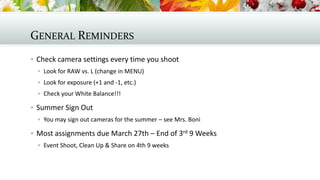
GENERAL REMINDERS
 Check camera settings every time you shoot
 Look for RAW vs. L (change in MENU)
 Look for exposure (+1 and -1, etc.)
 Check your White Balance!!!

 Summer Sign Out
 You may sign out cameras for the summer – see Mrs. Boni

 Most assignments due March 27th – End of 3rd 9 Weeks
 Event Shoot, Clean Up & Share on 4th 9 weeks
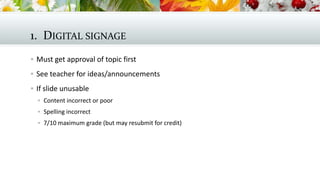
1. DIGITAL SIGNAGE
 Must get approval of topic first
 See teacher for ideas/announcements
 If slide unusable
 Content incorrect or poor
 Spelling incorrect
 7/10 maximum grade (but may resubmit for credit)
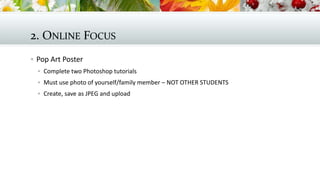
2. ONLINE FOCUS
 Pop Art Poster
 Complete two Photoshop tutorials
 Must use photo of yourself/family member – NOT OTHER STUDENTS
 Create, save as JPEG and upload
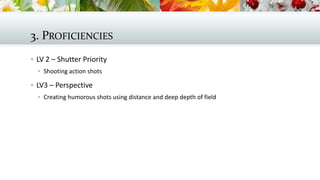
3. PROFICIENCIES
 LV 2 – Shutter Priority
 Shooting action shots

 LV3 – Perspective
 Creating humorous shots using distance and deep depth of field
4. TUTORIALS
 LV2 – Creating Photoshop Files
 Creating backgrounds from scratch
 Using shapes/objects
 No photos to use this month!

 LV3 – More Raw Editing
 Batch editing – copying edits from one photo to others
 Editing portraits
 Creating actions to automate edits
5. PROJECT
 All – Student Planner Design
 Use template
 No faces or school building images
 Create 2014-2015 design idea for submission to “contest”

 Winning design appears on 700 planners
6. EVENT SHOOT
 Library Arts Cafe
 Musical
 Boys Tennis – double event credit!
 Baseball
 Softball
 Boys and Girls LAX

 Track
 Boys Volleyball
7. CLEAN UP
 Save wanted JPEGS in Best Work
 Delete unwanted files
 Keep under 1GB of files in folder
8. SHARE
 Save an image to share in main share folder
 Comment upon your own and at least one other person’s photograph
 Discuss topics related to photography
 If absent, must complete write up in online focus space

March assignments

  • 1.
  • 2.
    GENERAL REMINDERS  Checkcamera settings every time you shoot  Look for RAW vs. L (change in MENU)  Look for exposure (+1 and -1, etc.)  Check your White Balance!!!  Summer Sign Out  You may sign out cameras for the summer – see Mrs. Boni  Most assignments due March 27th – End of 3rd 9 Weeks  Event Shoot, Clean Up & Share on 4th 9 weeks
  • 3.
    1. DIGITAL SIGNAGE Must get approval of topic first  See teacher for ideas/announcements  If slide unusable  Content incorrect or poor  Spelling incorrect  7/10 maximum grade (but may resubmit for credit)
  • 4.
    2. ONLINE FOCUS Pop Art Poster  Complete two Photoshop tutorials  Must use photo of yourself/family member – NOT OTHER STUDENTS  Create, save as JPEG and upload
  • 5.
    3. PROFICIENCIES  LV2 – Shutter Priority  Shooting action shots  LV3 – Perspective  Creating humorous shots using distance and deep depth of field
  • 6.
    4. TUTORIALS  LV2– Creating Photoshop Files  Creating backgrounds from scratch  Using shapes/objects  No photos to use this month!  LV3 – More Raw Editing  Batch editing – copying edits from one photo to others  Editing portraits  Creating actions to automate edits
  • 7.
    5. PROJECT  All– Student Planner Design  Use template  No faces or school building images  Create 2014-2015 design idea for submission to “contest”  Winning design appears on 700 planners
  • 8.
    6. EVENT SHOOT Library Arts Cafe  Musical  Boys Tennis – double event credit!  Baseball  Softball  Boys and Girls LAX  Track  Boys Volleyball
  • 9.
    7. CLEAN UP Save wanted JPEGS in Best Work  Delete unwanted files  Keep under 1GB of files in folder
  • 10.
    8. SHARE  Savean image to share in main share folder  Comment upon your own and at least one other person’s photograph  Discuss topics related to photography  If absent, must complete write up in online focus space