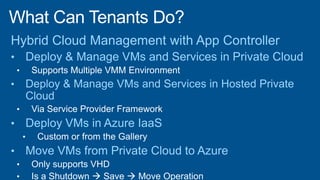
Enables administration of deployed
services:• Providing administrators are granted
authority
• Wherever the services are deployed
(Public, Private, or Hybrid Cloud)
• With a familiar interface
• Without requiring knowledge of the
underlying fabric
Clouds based on:
• Virtual Machine Manager
• Administrator for App Controller and VMM
• Two way trust between App Controller Server
and VMM Server
• Hosting provider
• Management certificate
• Service endpoint URL
• Windows Azure
• Management certificate
• Subscription ID
App Controller SP1
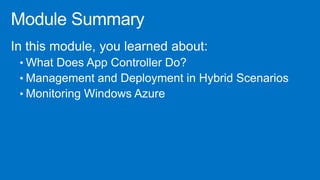
• Deployment
• Common experience across public and
private clouds
• Platform as a Service application
• Windows Azure virtual machine (SP1)
• Operations
• Start, stop, remote desktop
• Scale, upgrade
• Migration (SP1)
• VMM to Windows Azure
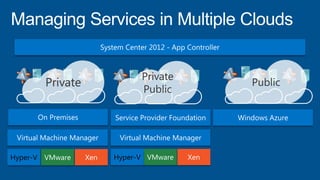
Private
Private
Public
Public
Adding Private, Public and Hosted
Clouds to App Controller
•
•
Deploying to Private and Public
Clouds in App Controller
VMM
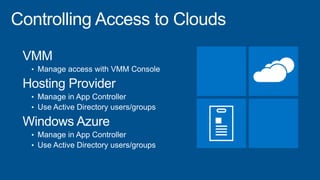
• Manage access with VMM Console
Hosting Provider
• Manage in App Controller
• Use Active Directory users/groups
Windows Azure
• Manage in App Controller
• Use Active Directory users/groups
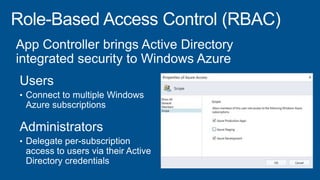
Configuring RBAC for Azure in App
Controller
Deployment
• Common experience across public and private
clouds
• Windows Azure virtual machine (SP1)
Operations
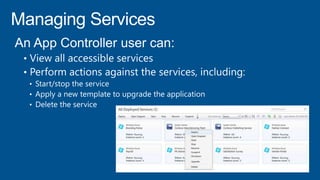
• Manage Services
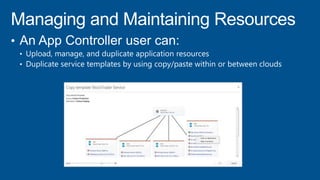
• Manage and Maintaining Application Resources
• Manage Multiple Windows Azure Subscriptions
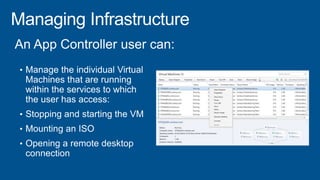
• Manage the Infrastructure
Migrating VMs from Private-to-
Public Cloud with App Controller
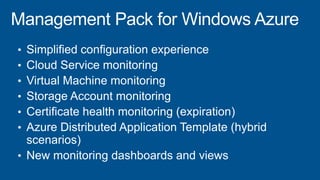
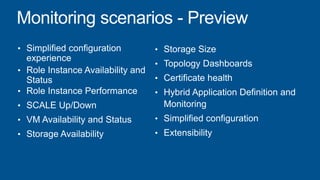
Monitoring Windows Azure with
Operations Manager
©2013 Microsoft Corporation. All rights reserved. Microsoft, Windows, Office, Azure, System Center, Dynamics and other product names are or may be registered trademarks and/or
trademarks in the U.S. and/or other countries. The information herein is for informational purposes only and represents the current view of Microsoft Corporation as of the date of this
presentation. Because Microsoft must respond to changing market conditions, it should not be interpreted to be a commitment on the part of Microsoft, and Microsoft cannot guarantee
the accuracy of any information provided after the date of this presentation. MICROSOFT MAKES NO WARRANTIES, EXPRESS, IMPLIED OR STATUTORY, AS TO THE INFORMATION IN
THIS PRESENTATION.

2.2 connect sysctr_2_public_cloud_final

  • 5.
    Enables administration ofdeployed services:• Providing administrators are granted authority • Wherever the services are deployed (Public, Private, or Hybrid Cloud) • With a familiar interface • Without requiring knowledge of the underlying fabric
  • 6.
    Clouds based on: •Virtual Machine Manager • Administrator for App Controller and VMM • Two way trust between App Controller Server and VMM Server • Hosting provider • Management certificate • Service endpoint URL • Windows Azure • Management certificate • Subscription ID
  • 7.
    App Controller SP1 •Deployment • Common experience across public and private clouds • Platform as a Service application • Windows Azure virtual machine (SP1) • Operations • Start, stop, remote desktop • Scale, upgrade • Migration (SP1) • VMM to Windows Azure
  • 8.
  • 9.
    Adding Private, Publicand Hosted Clouds to App Controller
  • 10.
  • 12.
    Deploying to Privateand Public Clouds in App Controller
  • 15.
    VMM • Manage accesswith VMM Console Hosting Provider • Manage in App Controller • Use Active Directory users/groups Windows Azure • Manage in App Controller • Use Active Directory users/groups
  • 17.
    Configuring RBAC forAzure in App Controller
  • 18.
    Deployment • Common experienceacross public and private clouds • Windows Azure virtual machine (SP1) Operations • Manage Services • Manage and Maintaining Application Resources • Manage Multiple Windows Azure Subscriptions • Manage the Infrastructure
  • 22.
    Migrating VMs fromPrivate-to- Public Cloud with App Controller
  • 27.
    Monitoring Windows Azurewith Operations Manager
  • 30.
    ©2013 Microsoft Corporation.All rights reserved. Microsoft, Windows, Office, Azure, System Center, Dynamics and other product names are or may be registered trademarks and/or trademarks in the U.S. and/or other countries. The information herein is for informational purposes only and represents the current view of Microsoft Corporation as of the date of this presentation. Because Microsoft must respond to changing market conditions, it should not be interpreted to be a commitment on the part of Microsoft, and Microsoft cannot guarantee the accuracy of any information provided after the date of this presentation. MICROSOFT MAKES NO WARRANTIES, EXPRESS, IMPLIED OR STATUTORY, AS TO THE INFORMATION IN THIS PRESENTATION.