Making your Application Social
 with the Chatter API


Logan Henriquez
Product Manager
@loganh

Quinton Wall
Developer Evangelist
@quintonwall


                       Follow us @forcedotcom
Safe Harbor
Safe harbor statement under the Private Securities Litigation Reform Act of 1995: This presentation may
contain forward-looking statements that involve risks, uncertainties, and assumptions. If any such
uncertainties materialize or if any of the assumptions proves incorrect, the results of salesforce.com, inc.
could differ materially from the results expressed or implied by the forward-looking statements we make. All
statements other than statements of historical fact could be deemed forward-looking, including any
projections of subscriber growth, earnings, revenues, or other financial items and any statements regarding
strategies or plans of management for future operations, statements of belief, any statements concerning
new, planned, or upgraded services or technology developments and customer contracts or use of our
services.

The risks and uncertainties referred to above include – but are not limited to – risks associated with
developing and delivering new functionality for our service, our new business model, our past operating
losses, possible fluctuations in our operating results and rate of growth, interruptions or delays in our Web
hosting, breach of our security measures, the immature market in which we operate, our relatively limited
operating history, our ability to expand, retain, and motivate our employees and manage our growth, new
releases of our service and successful customer deployment, and utilization and selling to larger enterprise
customers. Further information on potential factors that could affect the financial results of salesforce.com,
inc. is included in our annual report on Form 10-K filed on April 30, 2008 and in other filings with the
Securities and Exchange Commission. These documents are available on the SEC Filings section of the
Investor Information section of our Web site.

Any unreleased services or features referenced in this or other press releases or public statements are not
currently available and may not be delivered on time or at all. Customers who purchase our services should
make the purchase decisions based upon features that are currently available. Salesforce.com, inc.
assumes no obligation and does not intend to update these forward-looking statements.
@forcedotcom / #forcewebinar


Developer Force Group


facebook.com/forcedotcom


  Follow us @forcedotcom
Agenda


  Why Social Enable Your App?
  Use Cases
  Eloqua: Demo and Sample Code
  Tips
  Summer ‘12 Preview
  Q&A


                    Follow us @forcedotcom
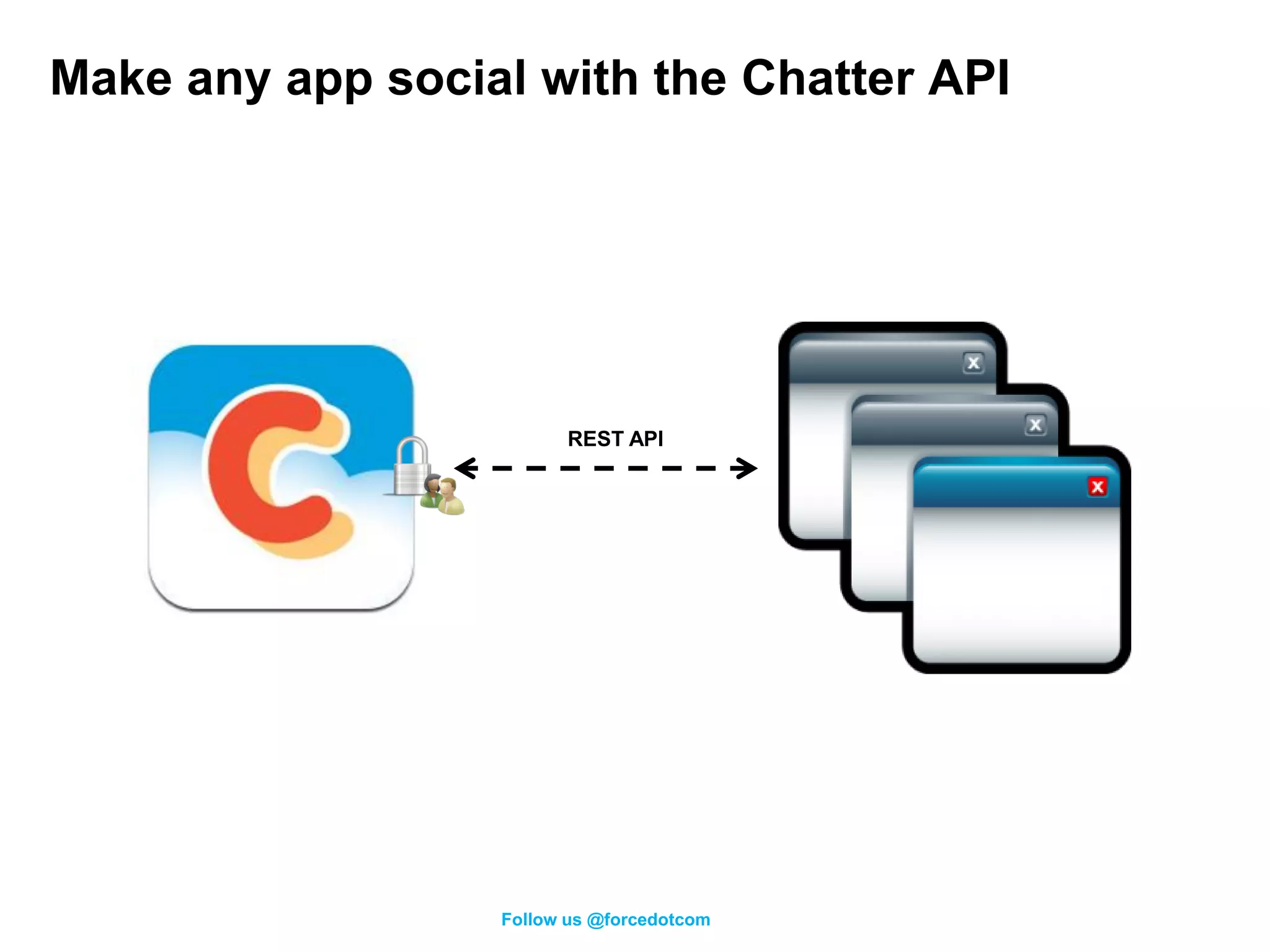
Make any app social with the Chatter API


                        REST API


                  Follow us @forcedotcom
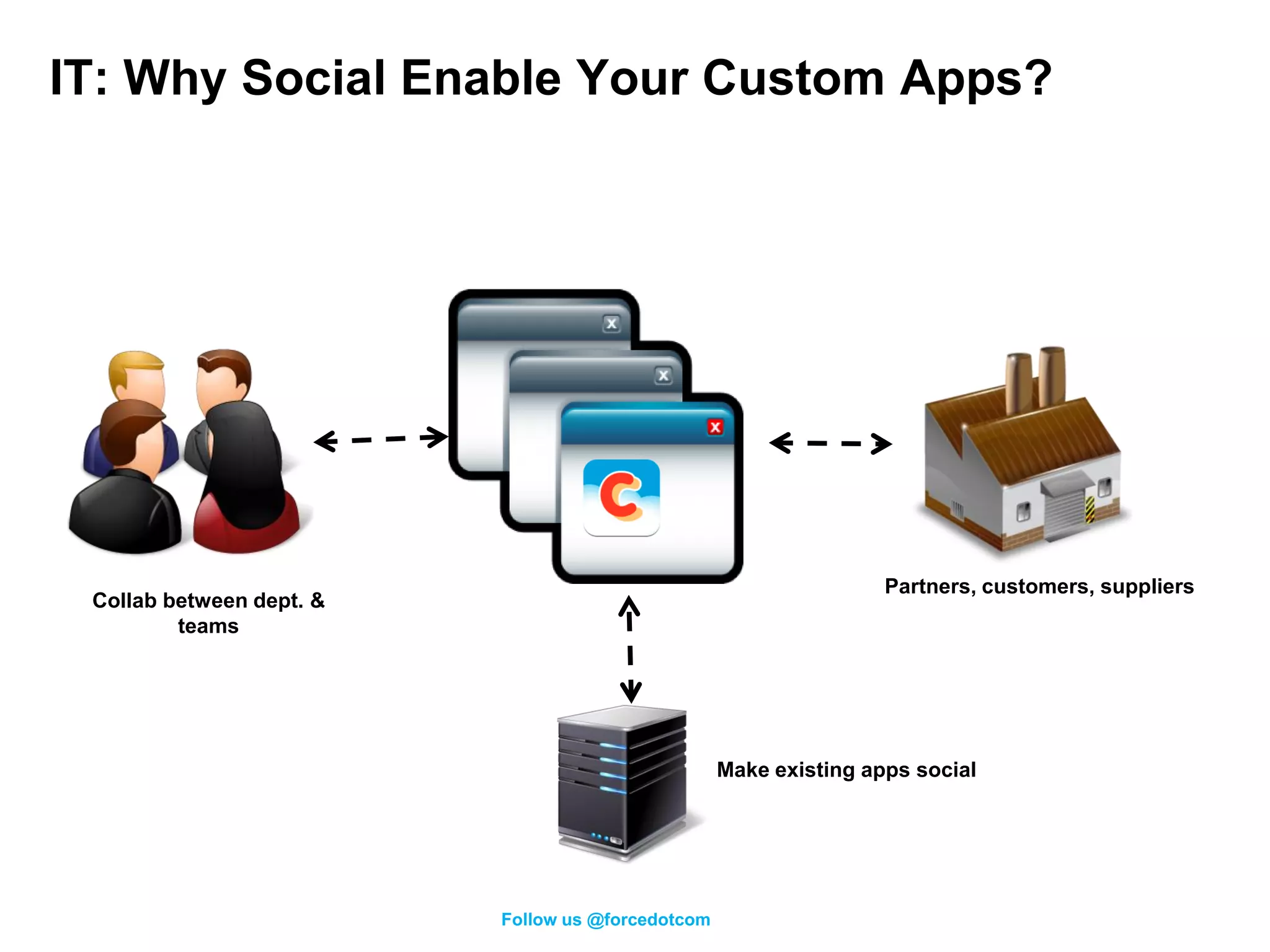
IT: Why Social Enable Your Custom Apps?


                                                                   Partners, customers, suppliers
 Collab between dept. &
         teams


                                                   Make existing apps social


                          Follow us @forcedotcom
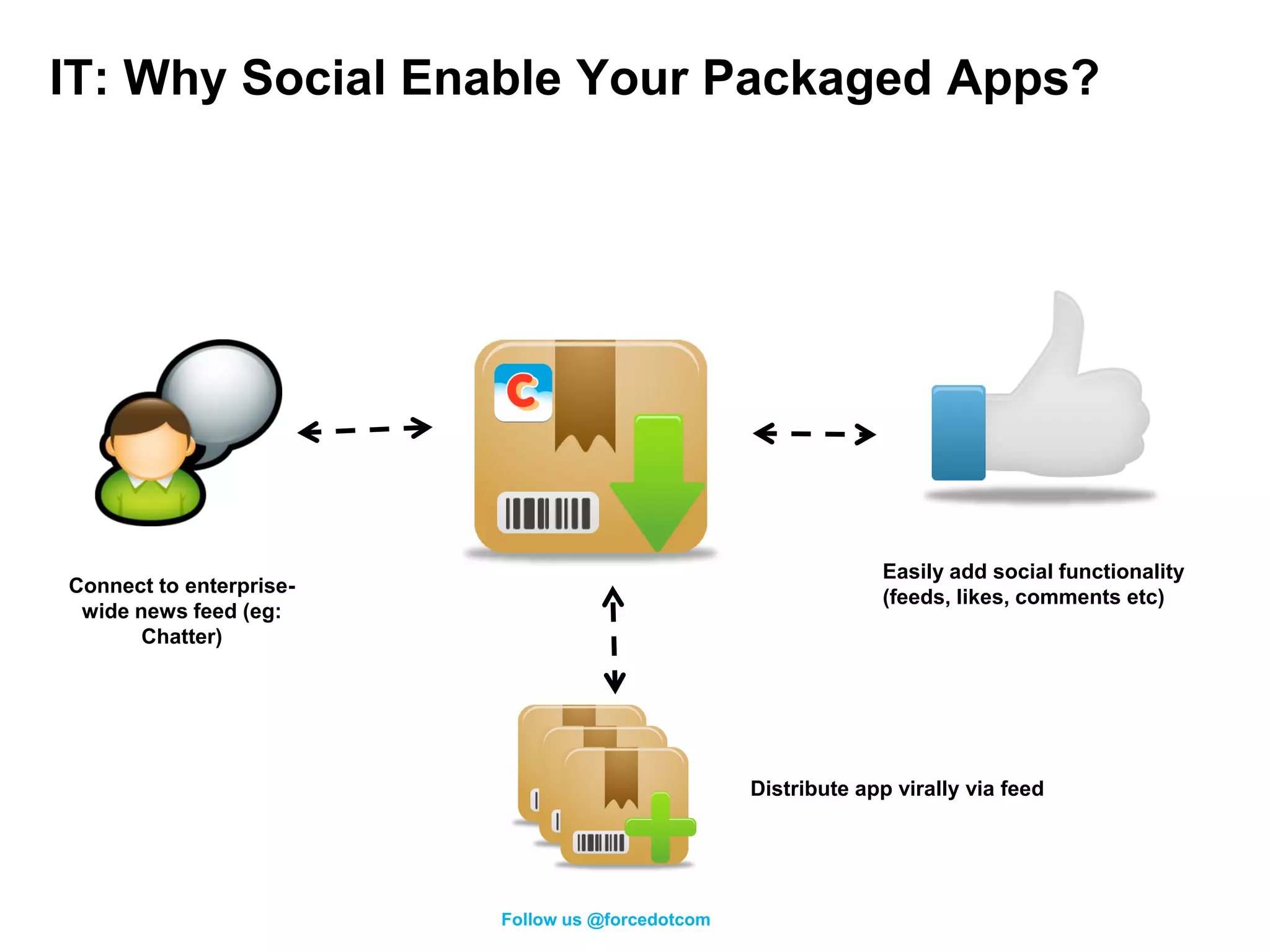
IT: Why Social Enable Your Packaged Apps?


                                                               Easily add social functionality
Connect to enterprise-
                                                               (feeds, likes, comments etc)
 wide news feed (eg:
       Chatter)


                                                  Distribute app virally via feed


                         Follow us @forcedotcom
Follow us @forcedotcom
Chatter API Use Cases


           Follow us @forcedotcom
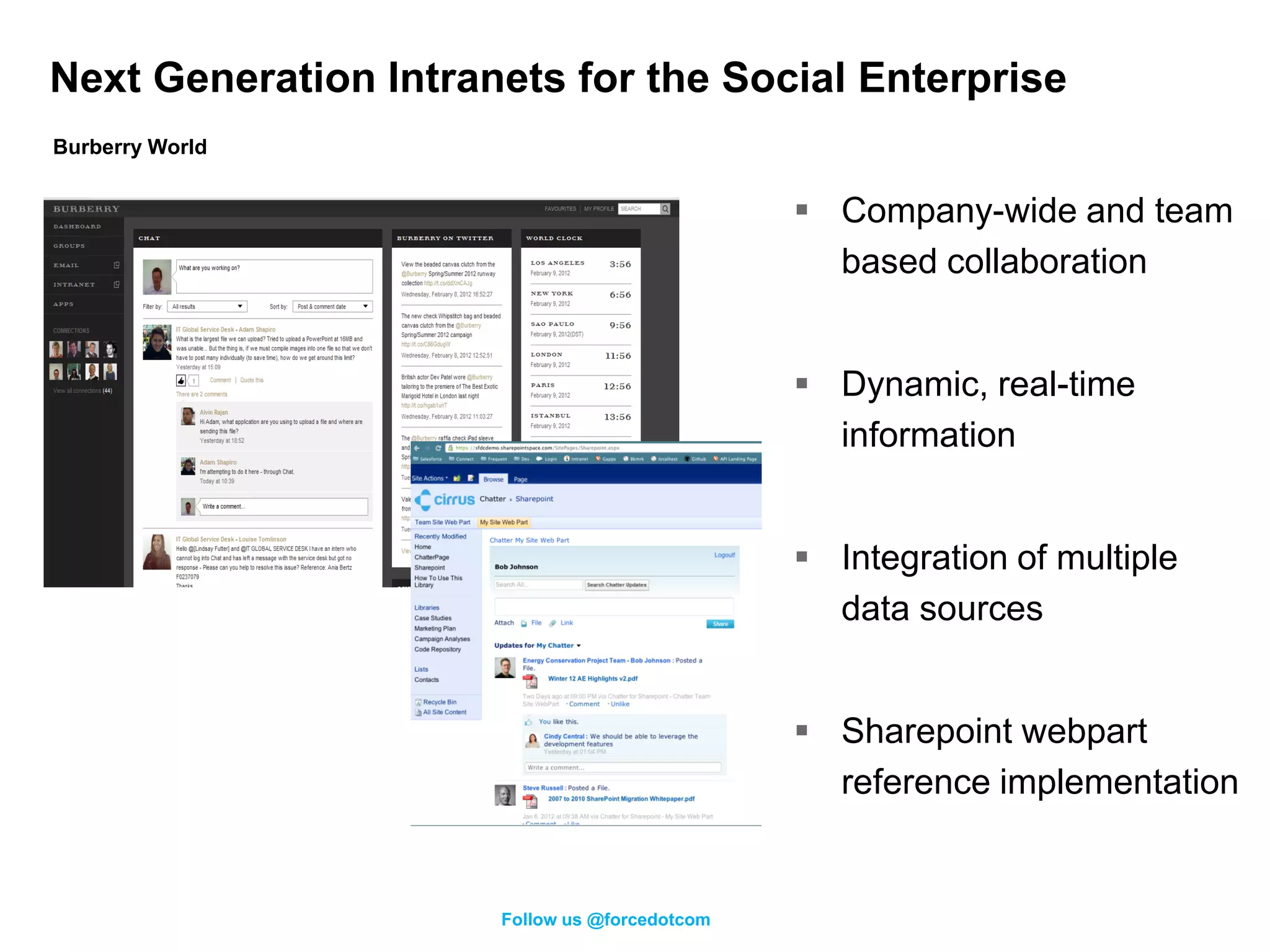
Next Generation Intranets for the Social Enterprise
Burberry World


                                                Company-wide and team
                                                 based collaboration


                                                Dynamic, real-time
                                                 information


                                                Integration of multiple
                                                 data sources


                                                Sharepoint webpart
                                                 reference implementation


                      Follow us @forcedotcom
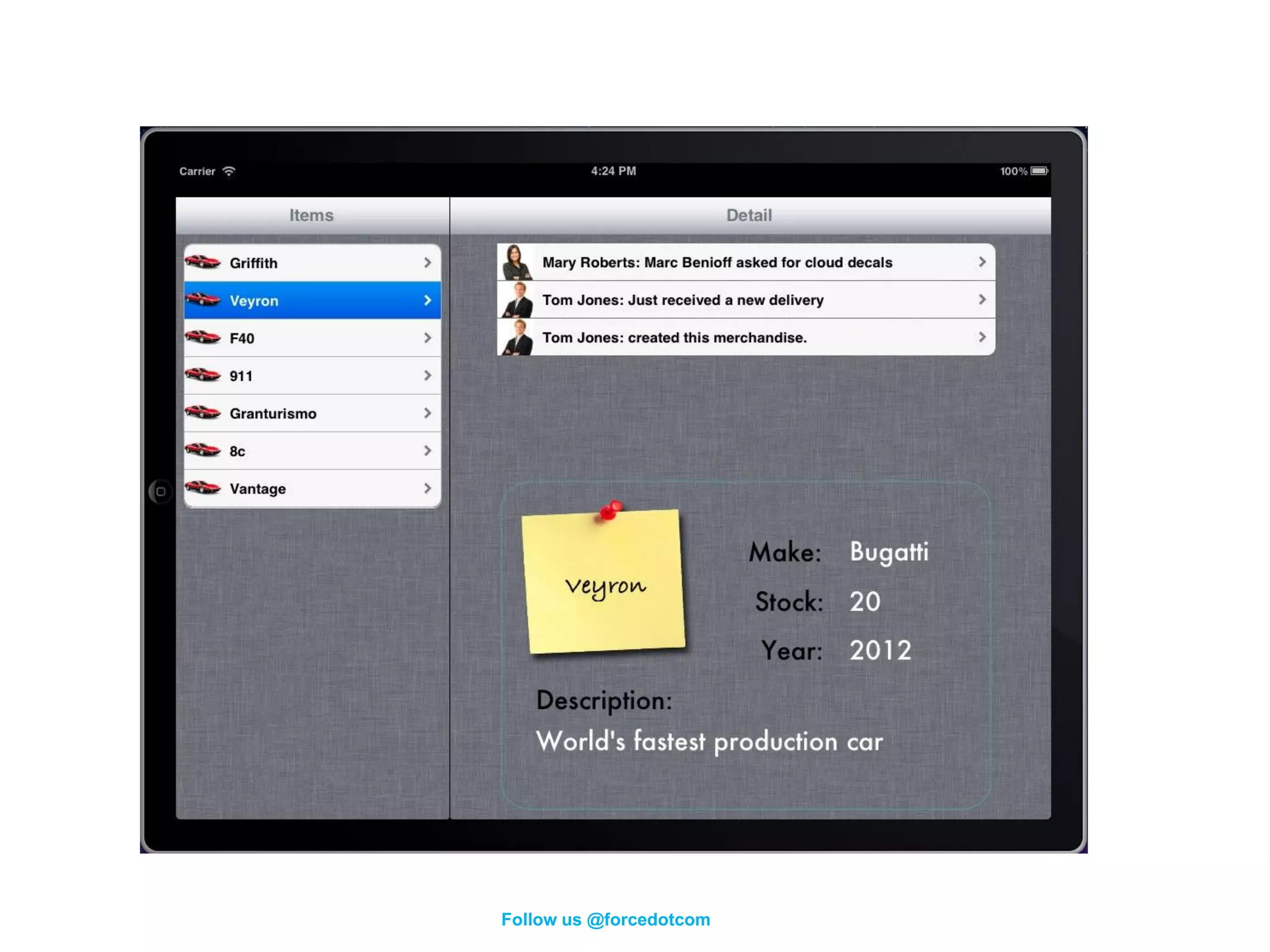
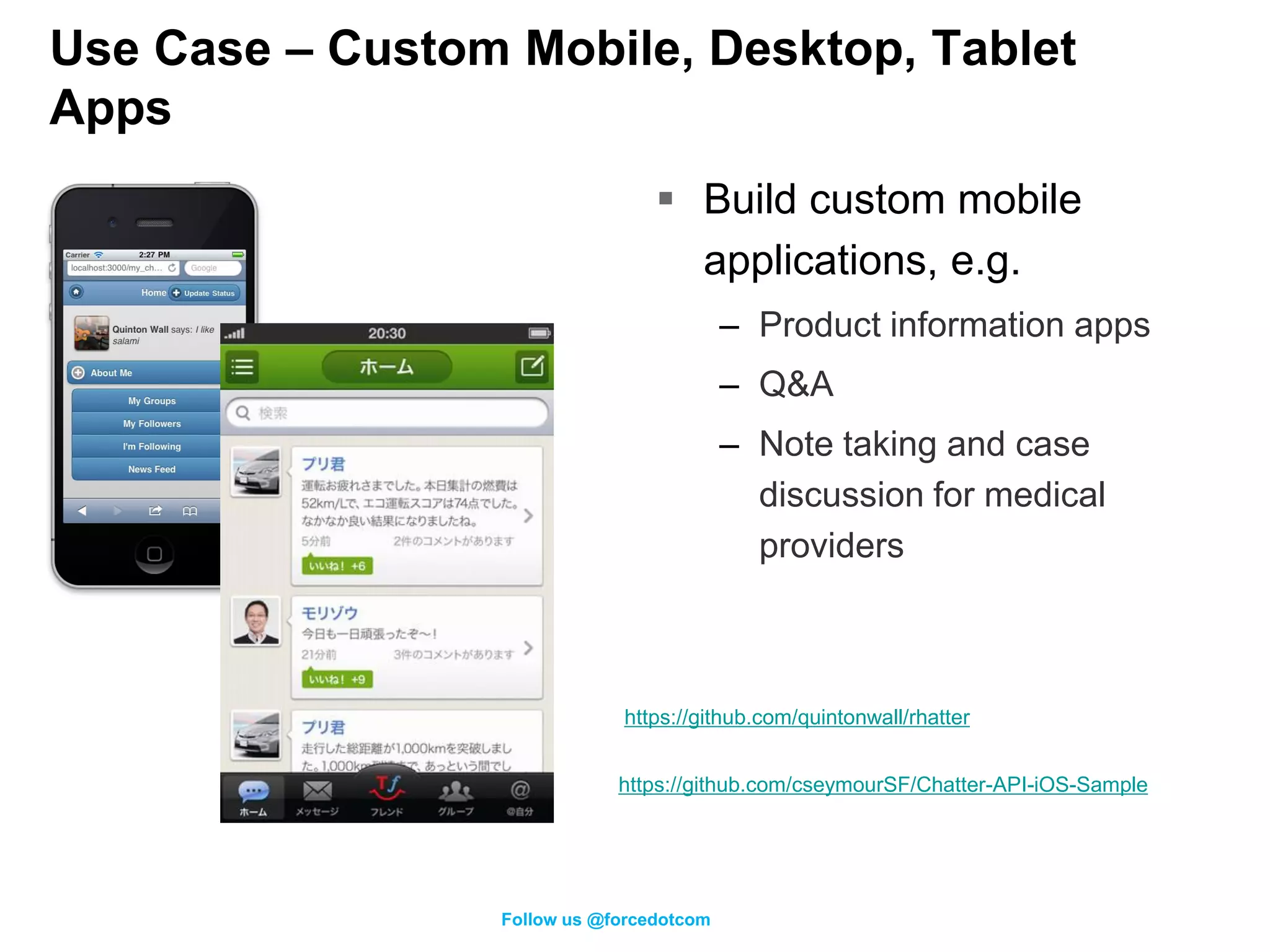
Use Case – Custom Mobile, Desktop, Tablet
Apps
                                   Build custom mobile
                                    applications, e.g.
                                           – Product information apps
                                           – Q&A
                                           – Note taking and case
                                             discussion for medical
                                             providers


                              https://github.com/quintonwall/rhatter


                              https://github.com/cseymourSF/Chatter-API-iOS-Sample


                  Follow us @forcedotcom
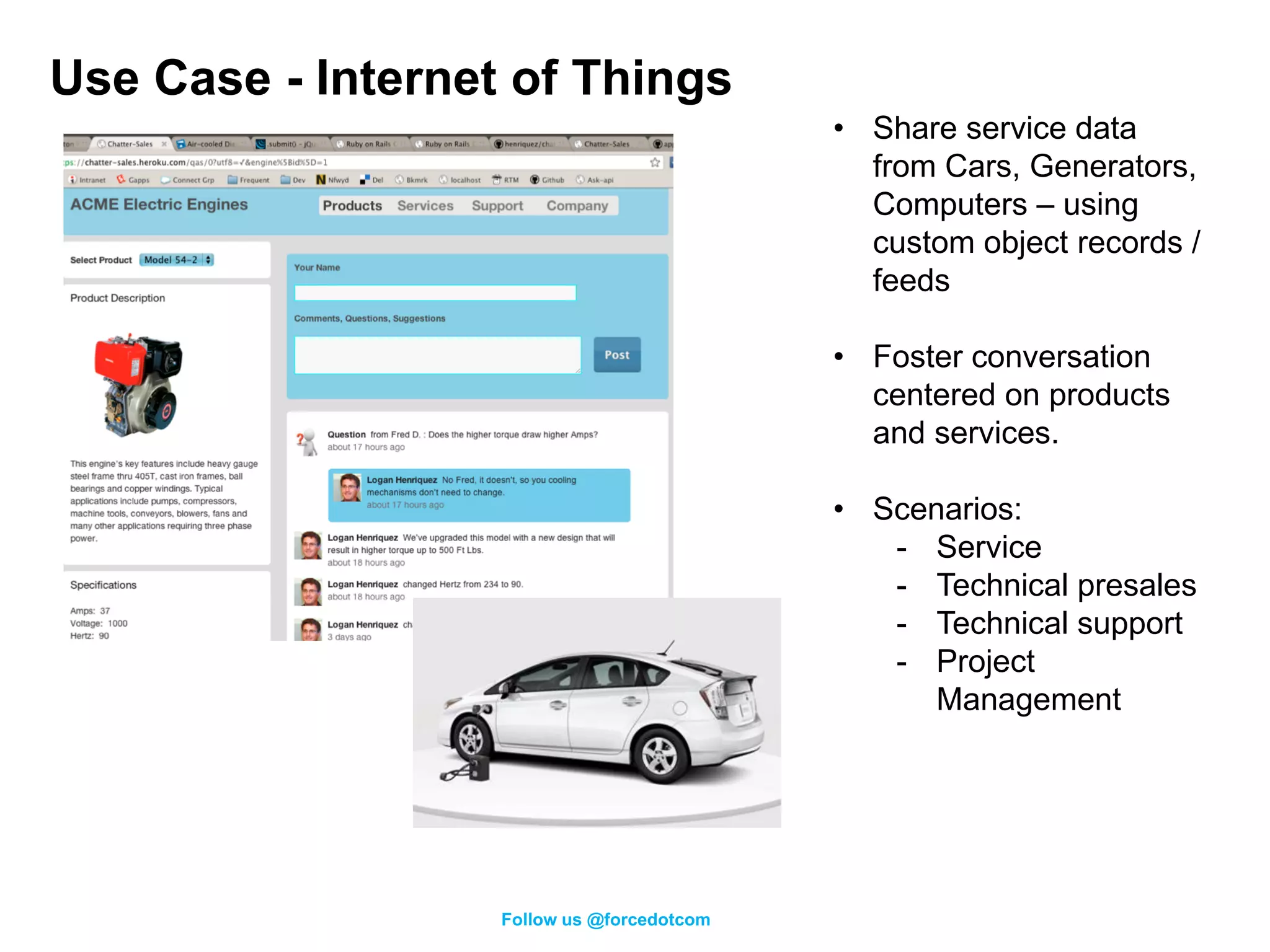
Use Case - Internet of Things
                                            • Share service data
                                              from Cars, Generators,
                                              Computers – using
                                              custom object records /
                                              feeds

                                            • Foster conversation
                                              centered on products
                                              and services.

                                            • Scenarios:
                                               - Service
                                               - Technical presales
                                               - Technical support
                                               - Project
                                                  Management


                   Follow us @forcedotcom
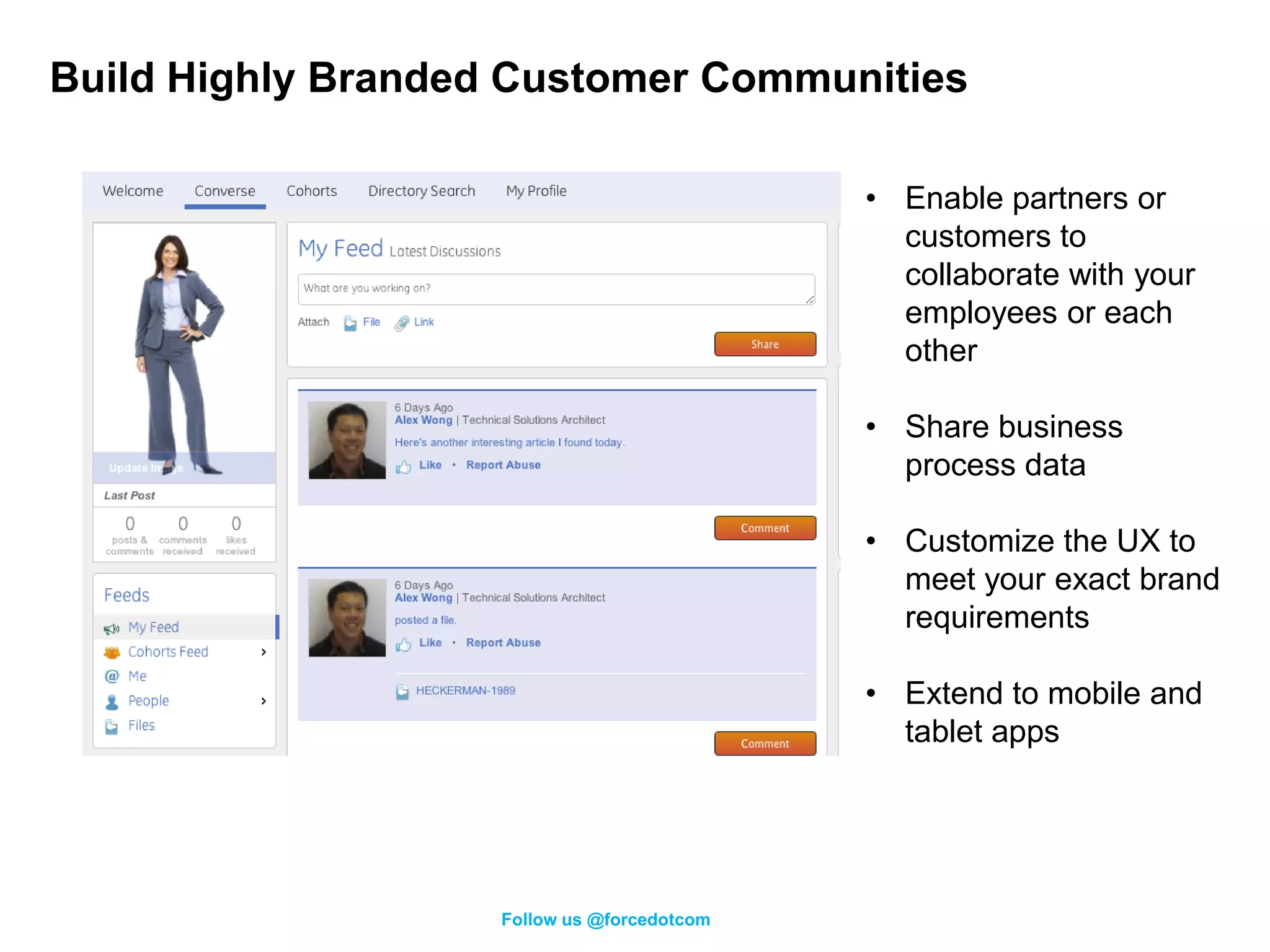
Build Highly Branded Customer Communities

                                             • Enable partners or
                                               customers to
                                               collaborate with your
                                               employees or each
                                               other

                                             • Share business
                                               process data

                                             • Customize the UX to
                                               meet your exact brand
                                               requirements

                                             • Extend to mobile and
                                               tablet apps


                    Follow us @forcedotcom
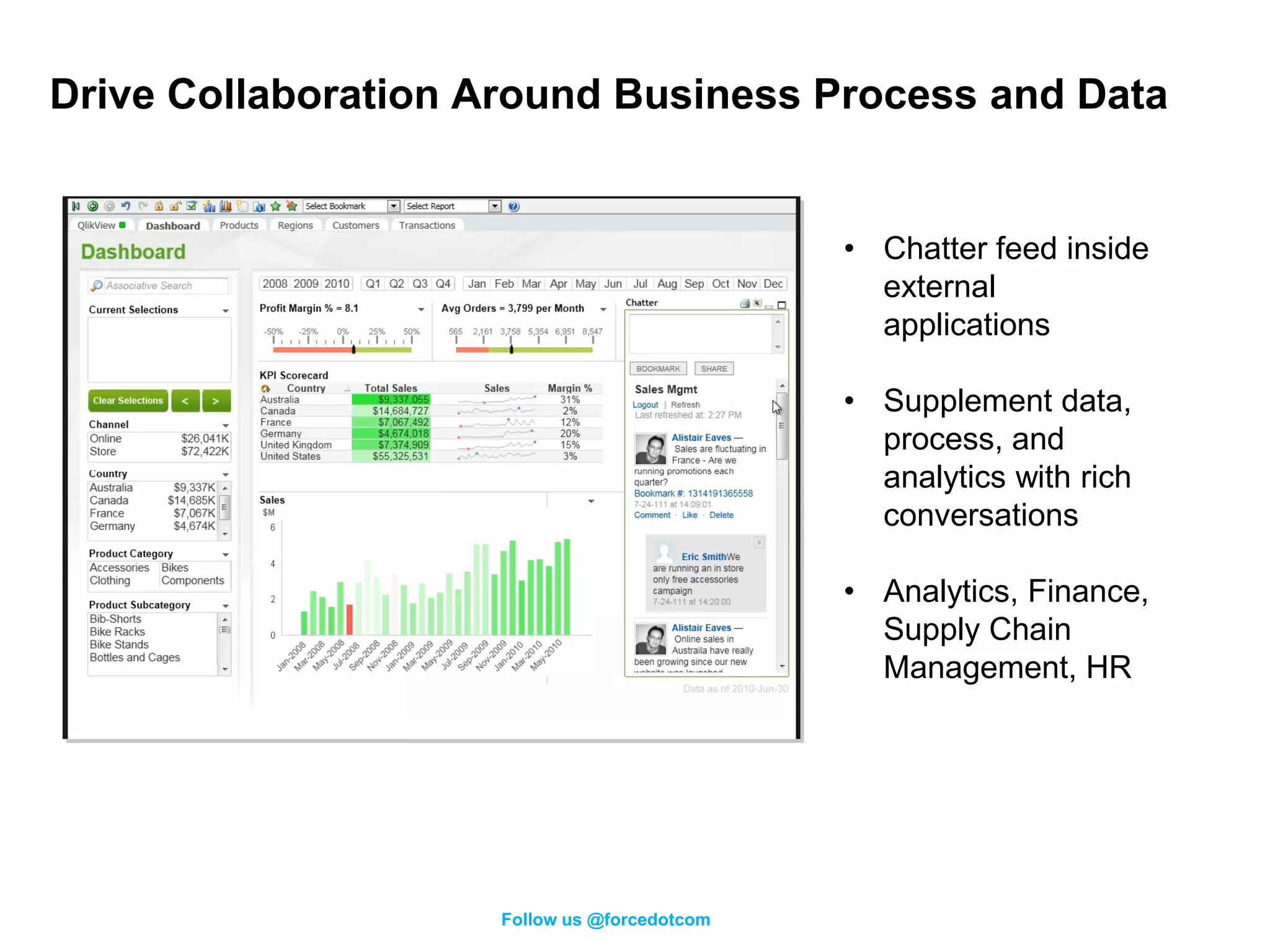
Drive Collaboration Around Business Process and Data


                                              • Chatter feed inside
                                                external
                                                applications

                                              • Supplement data,
                                                process, and
                                                analytics with rich
                                                conversations

                                              • Analytics, Finance,
                                                Supply Chain
                                                Management, HR


                     Follow us @forcedotcom
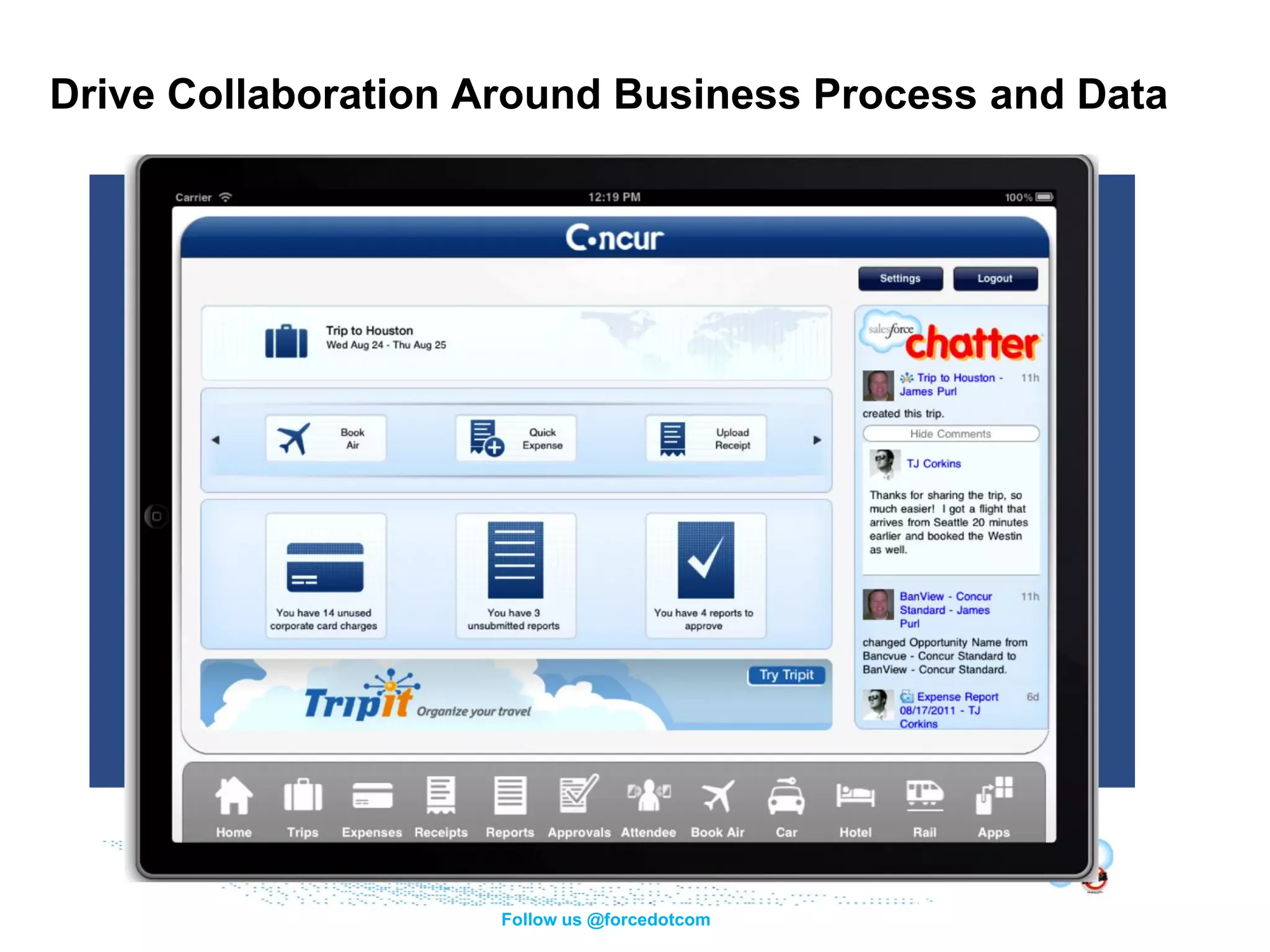
Drive Collaboration Around Business Process and Data


                     Follow us @forcedotcom
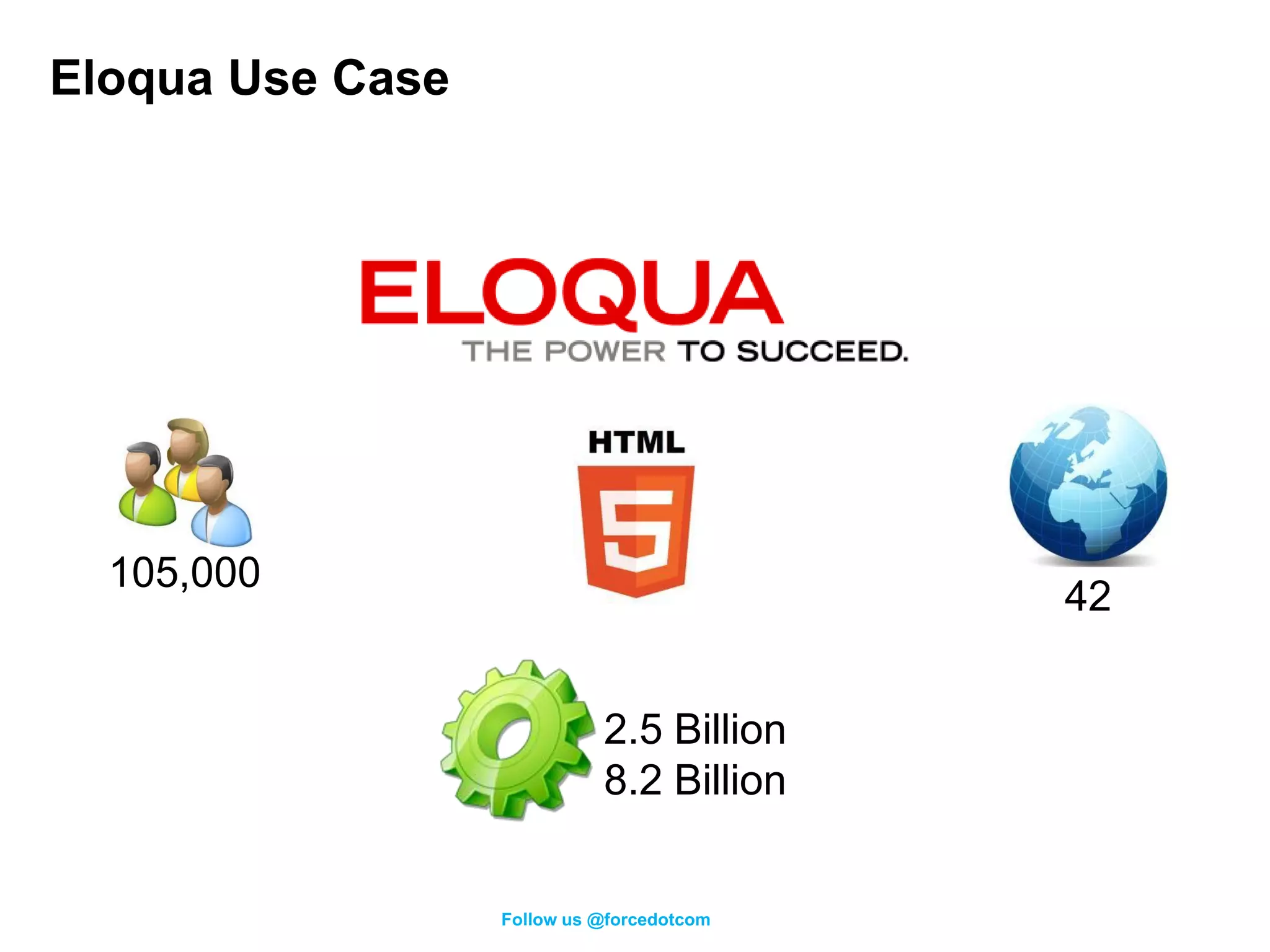
Eloqua Use Case


  105,000
                                           42


                            2.5 Billion
                            8.2 Billion


                  Follow us @forcedotcom
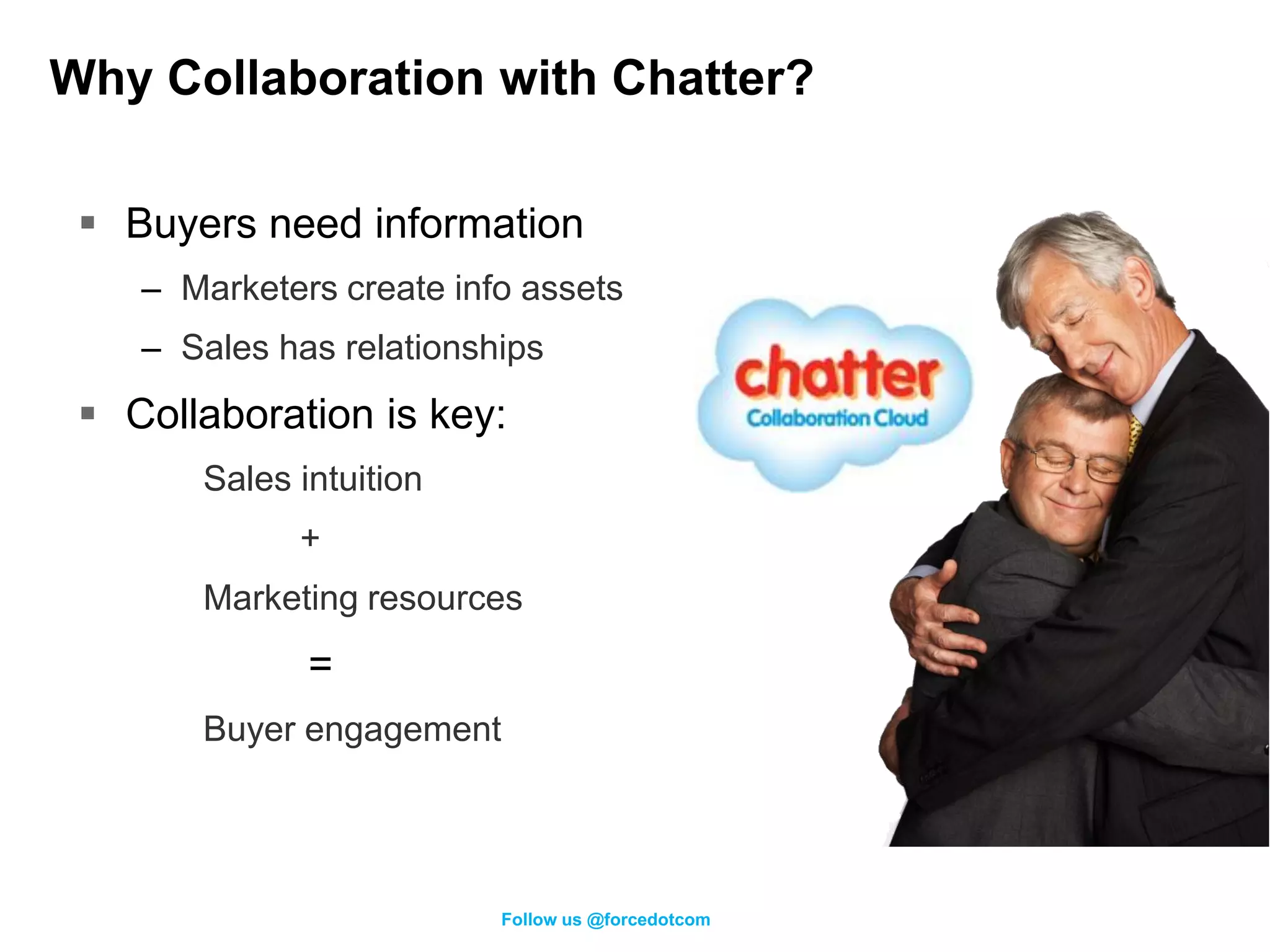
Why Collaboration with Chatter?

  Buyers need information
    – Marketers create info assets
    – Sales has relationships
  Collaboration is key:
       Sales intuition
             +
       Marketing resources
              =
       Buyer engagement


                          Follow us @forcedotcom
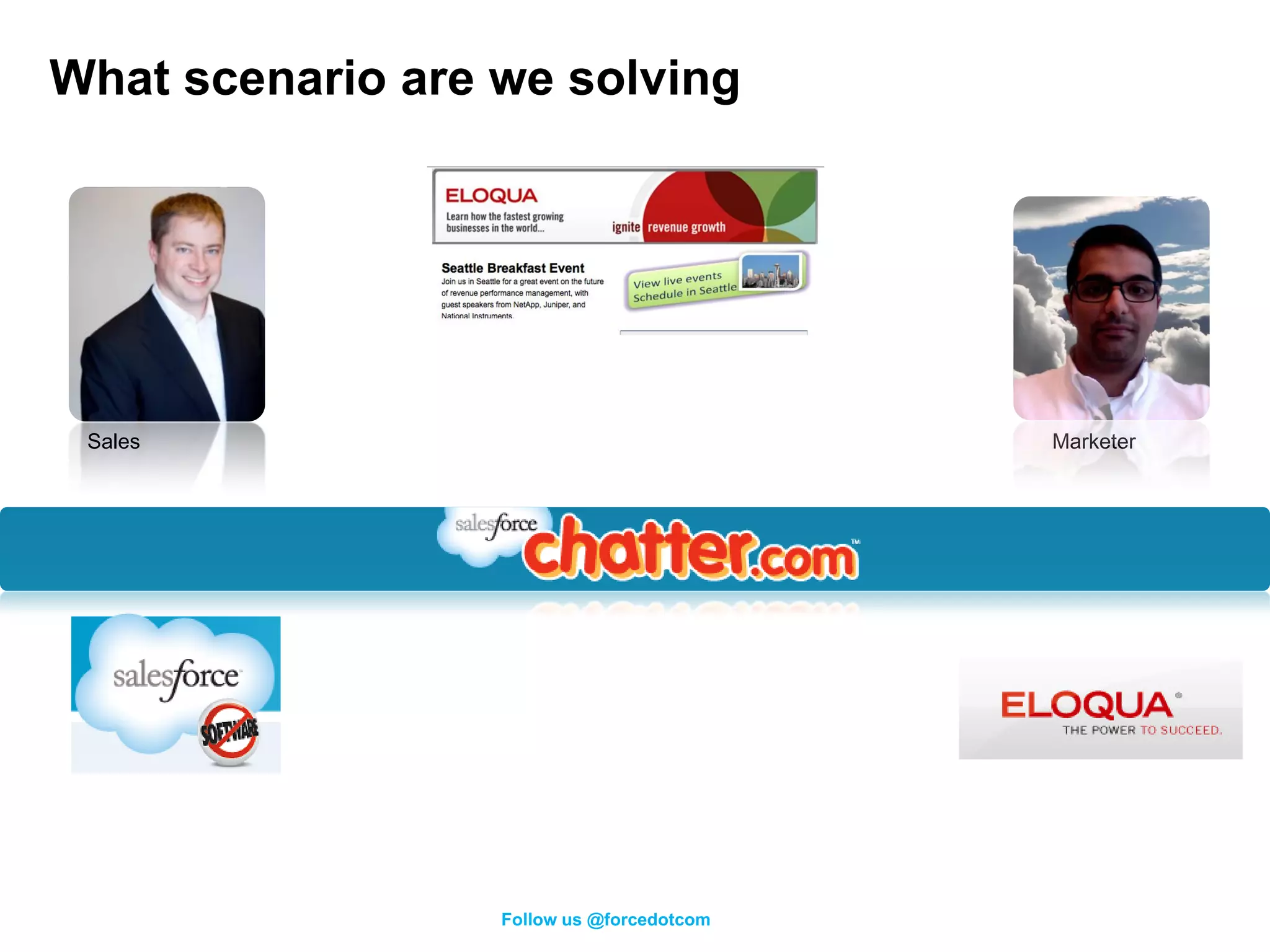
What scenario are we solving


 Sales                                     Marketer


                  Follow us @forcedotcom
Eloqua Demo
REST API Resources


          Follow us @forcedotcom
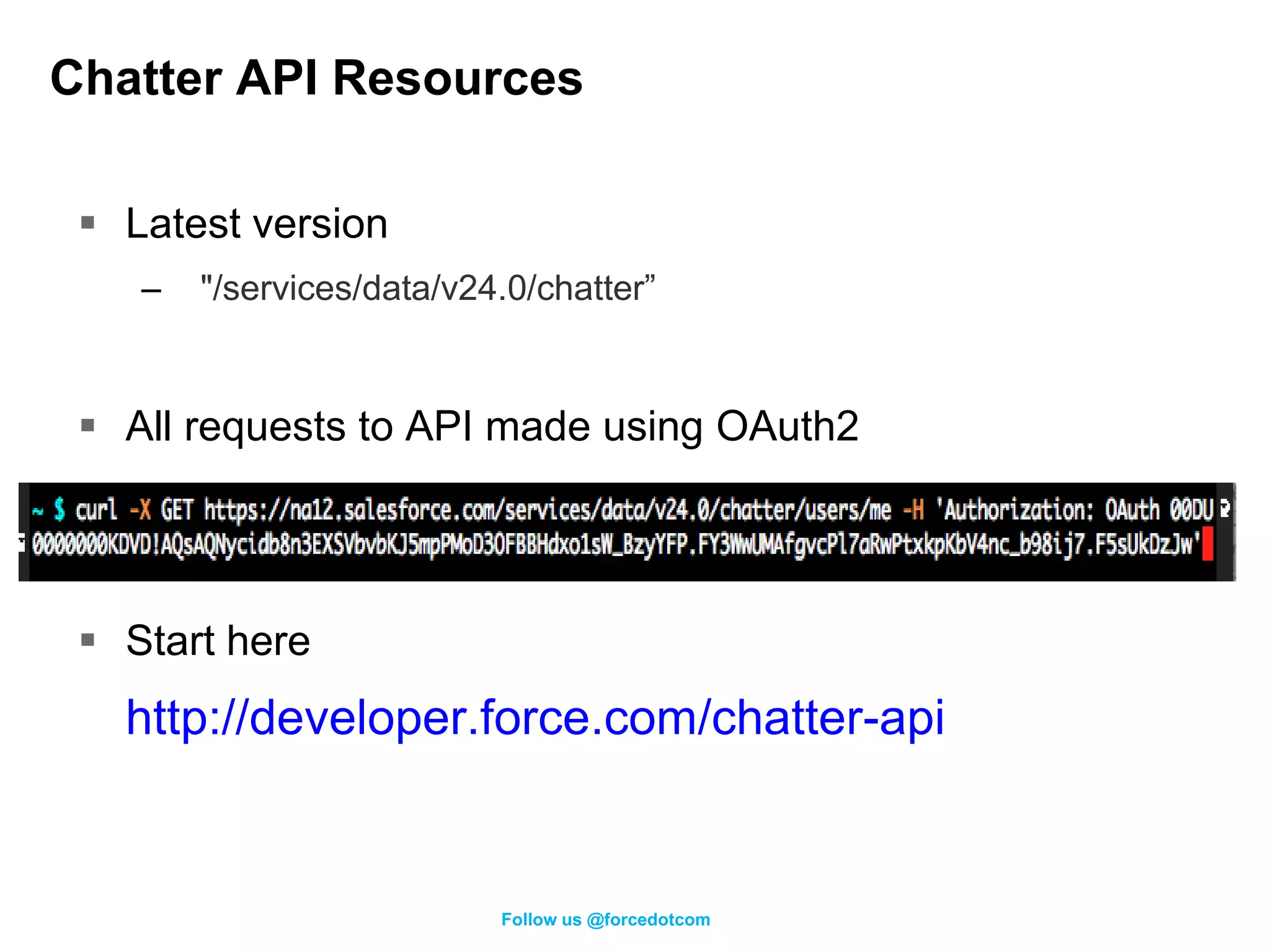
Chatter API Resources

  Latest version
    –   "/services/data/v24.0/chatter”


  All requests to API made using OAuth2


  Start here
   http://developer.force.com/chatter-api


                           Follow us @forcedotcom
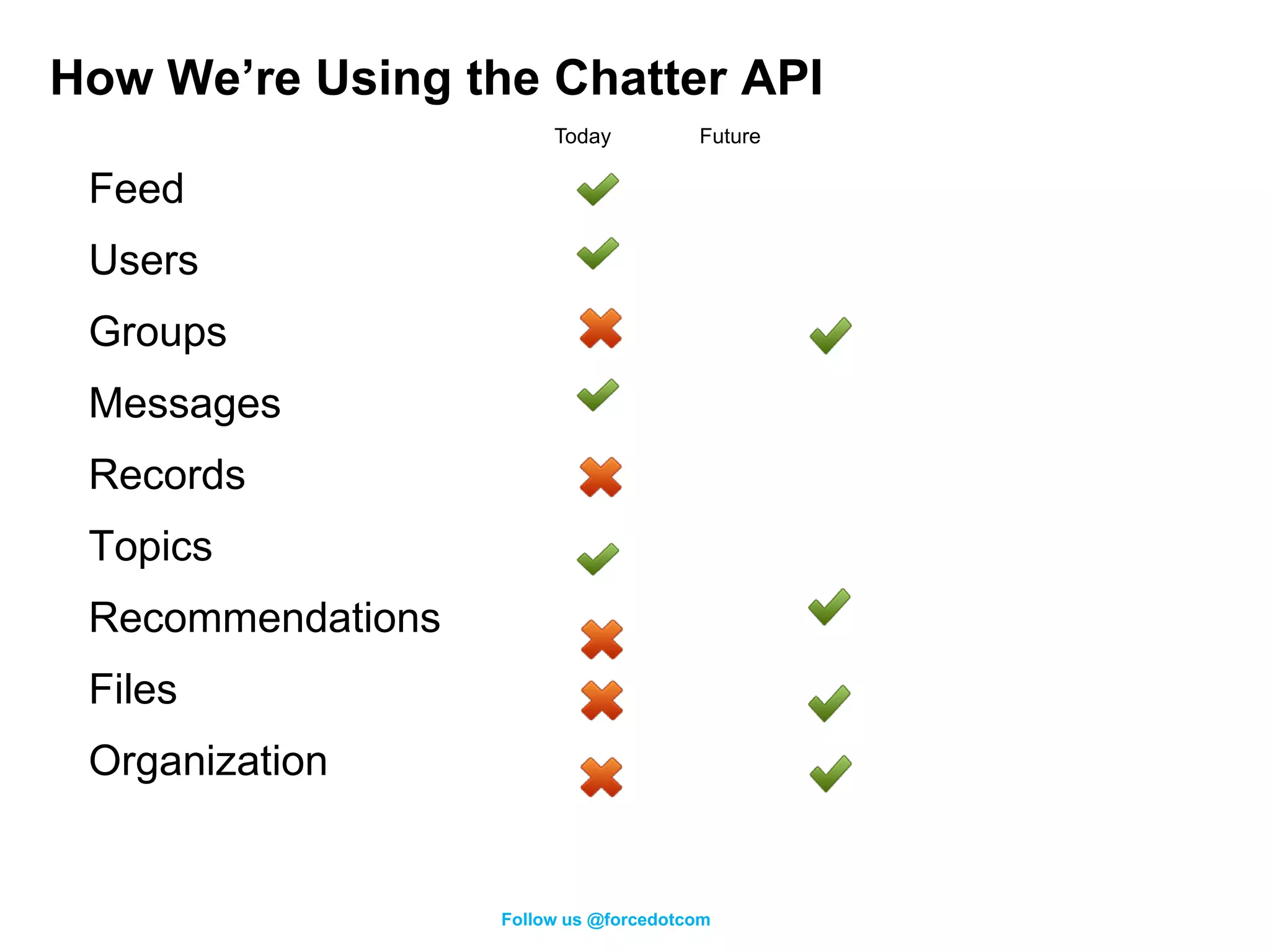
How We’re Using the Chatter API
                        Today          Future

 Feed
 Users
 Groups
 Messages
 Records
 Topics
 Recommendations
 Files
 Organization


                   Follow us @forcedotcom
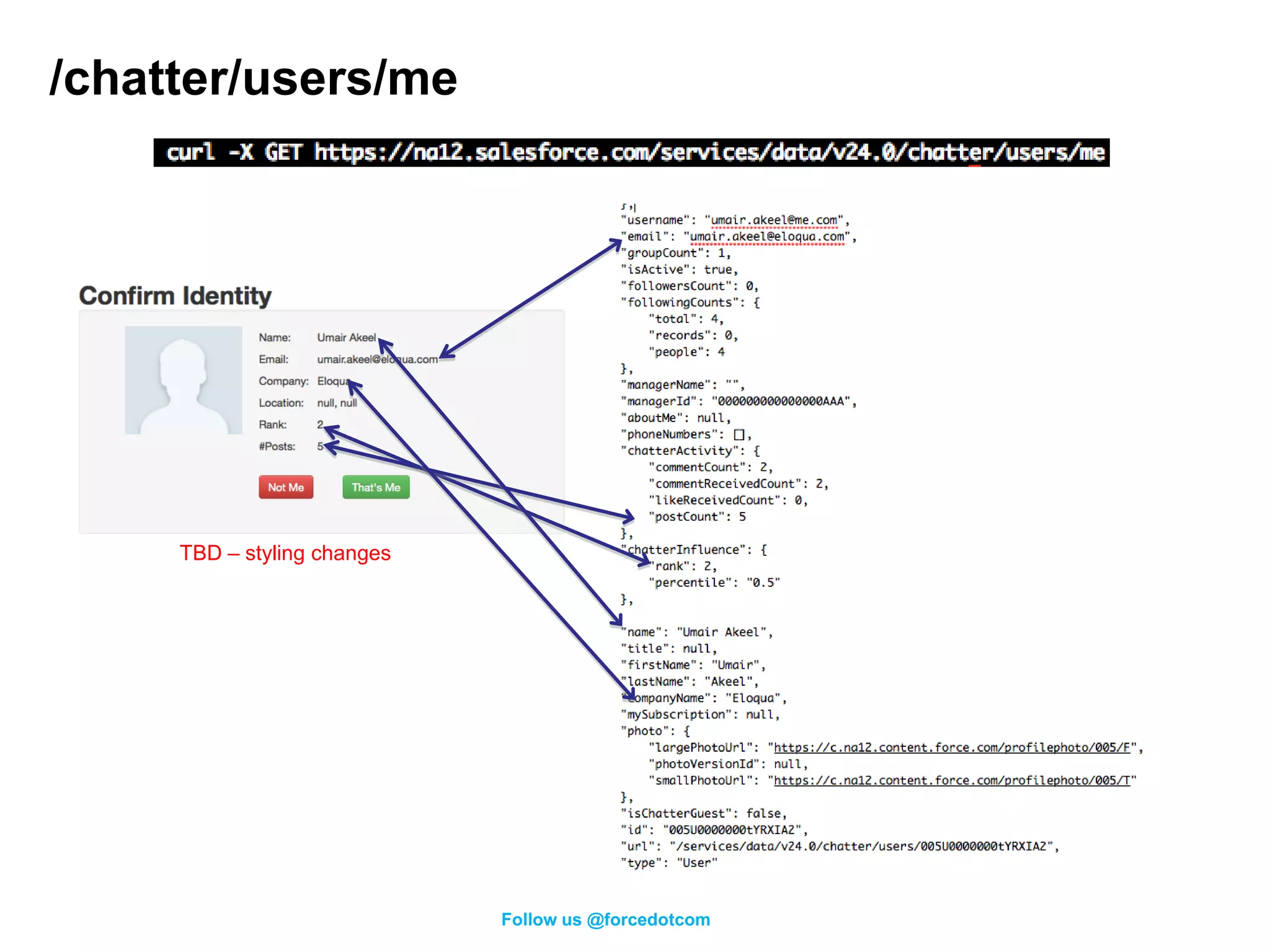
/chatter/users/me


     TBD – styling changes


                             Follow us @forcedotcom
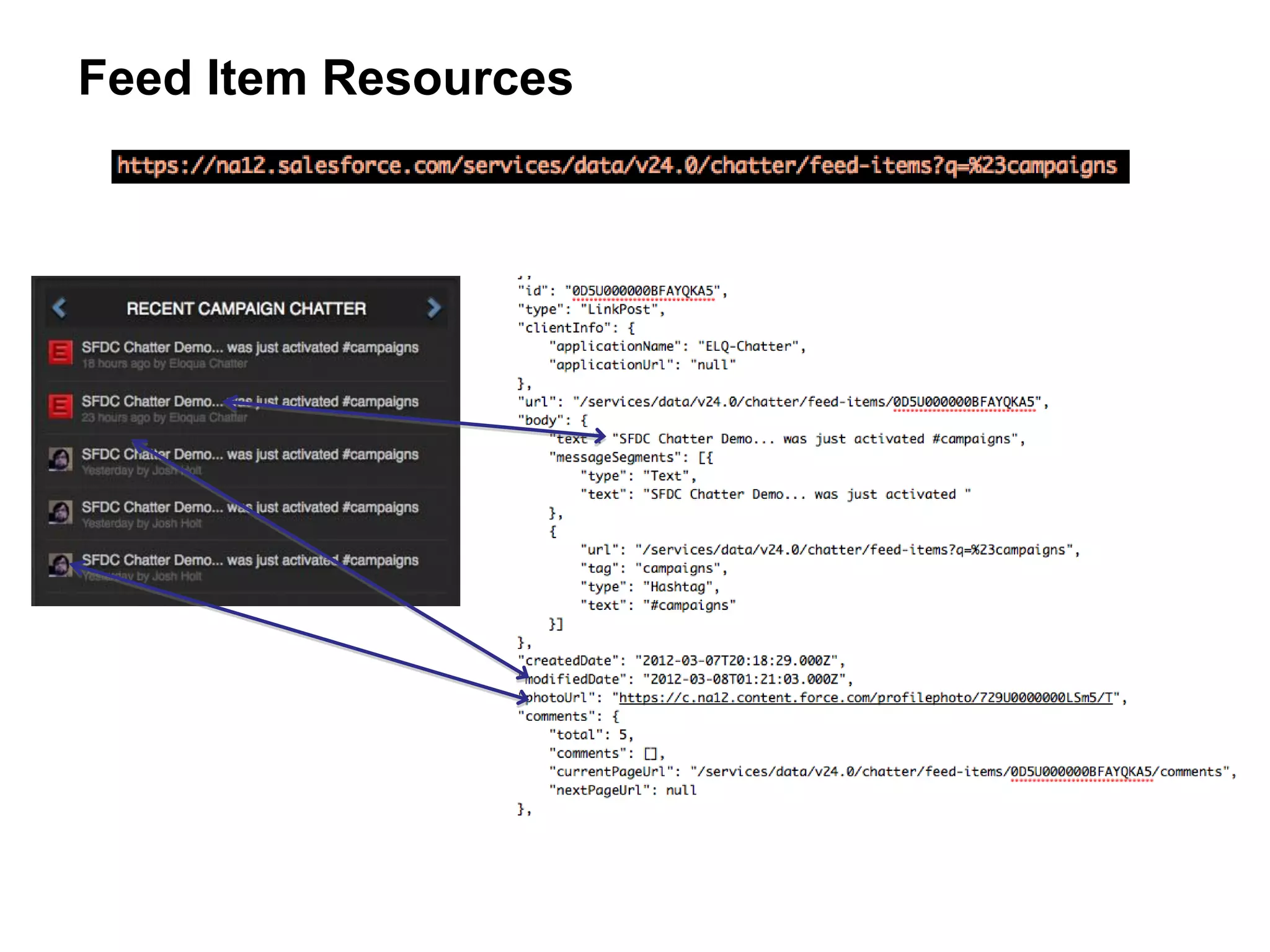
Feed Item Resources
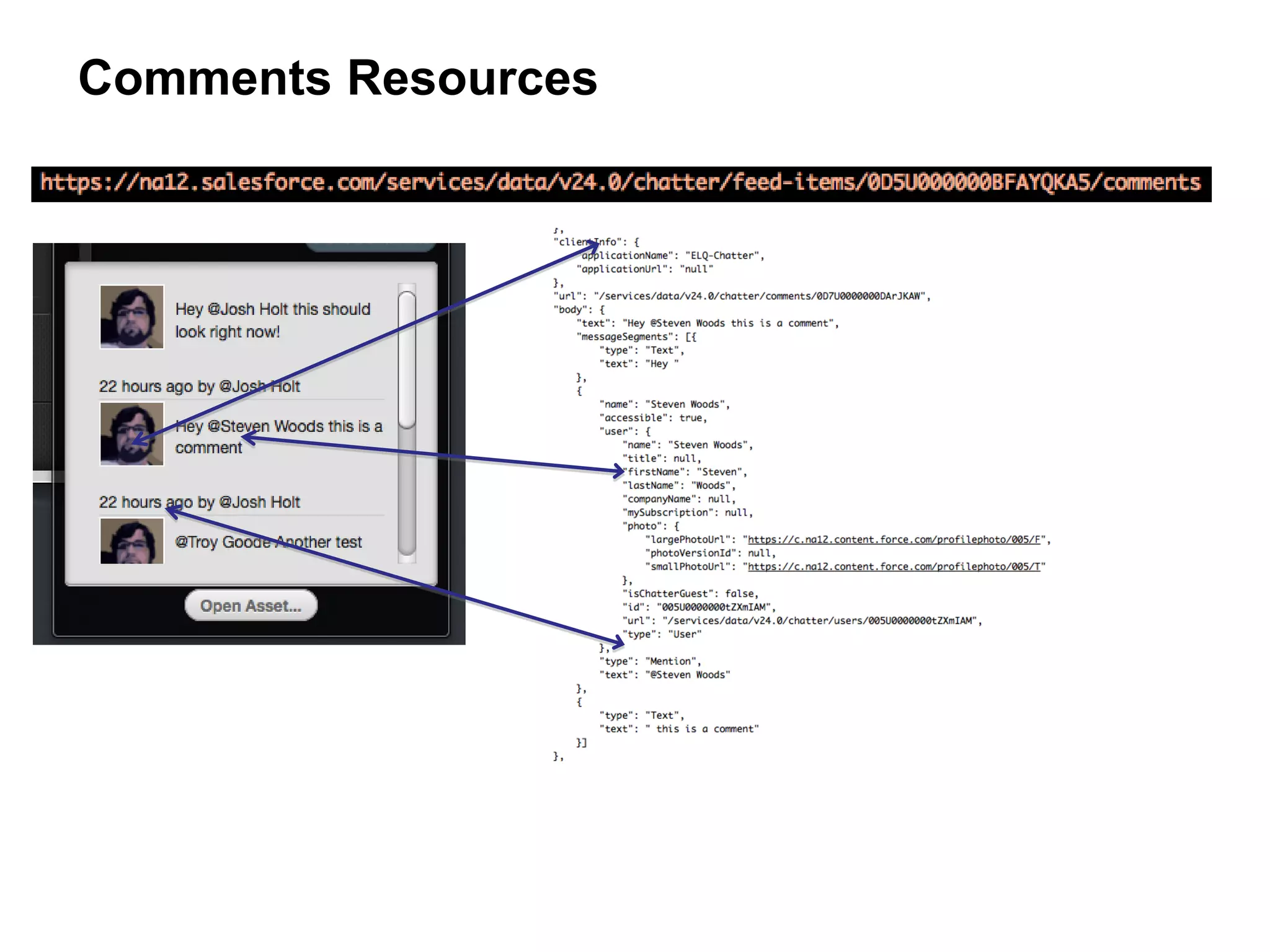
Comments Resources
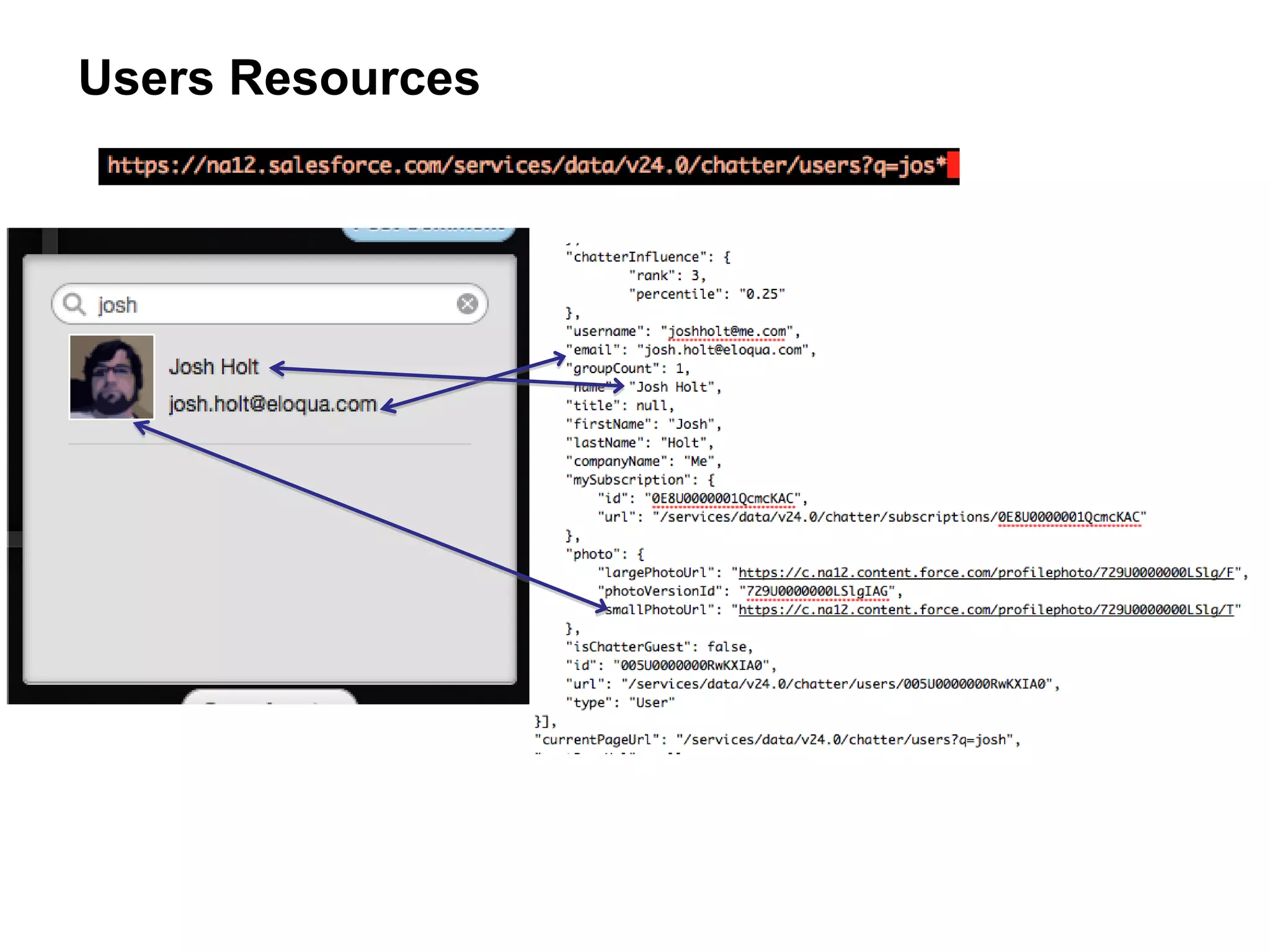
Users Resources
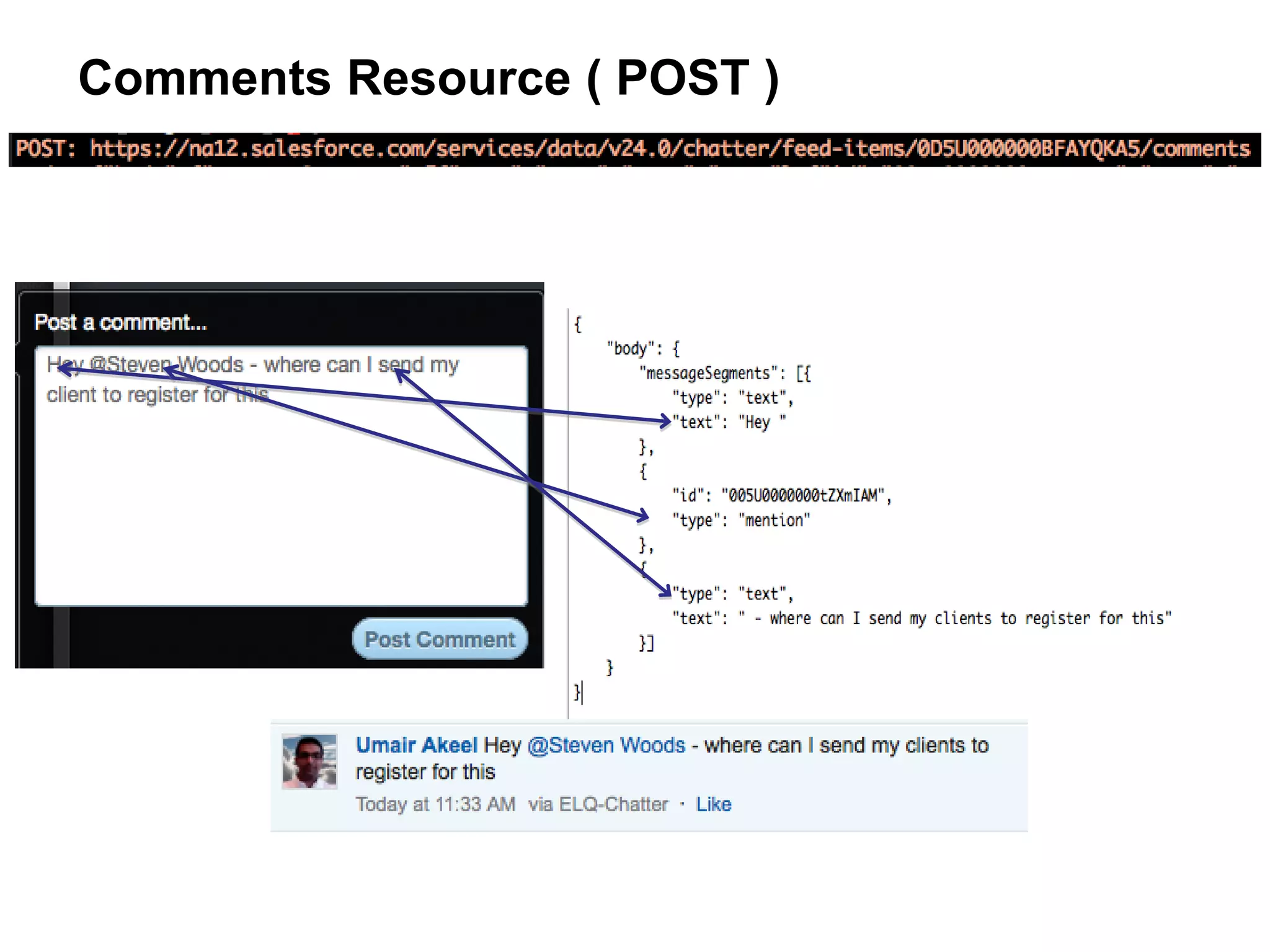
Comments Resource ( POST )
Chatter API Tips


            Follow us @forcedotcom
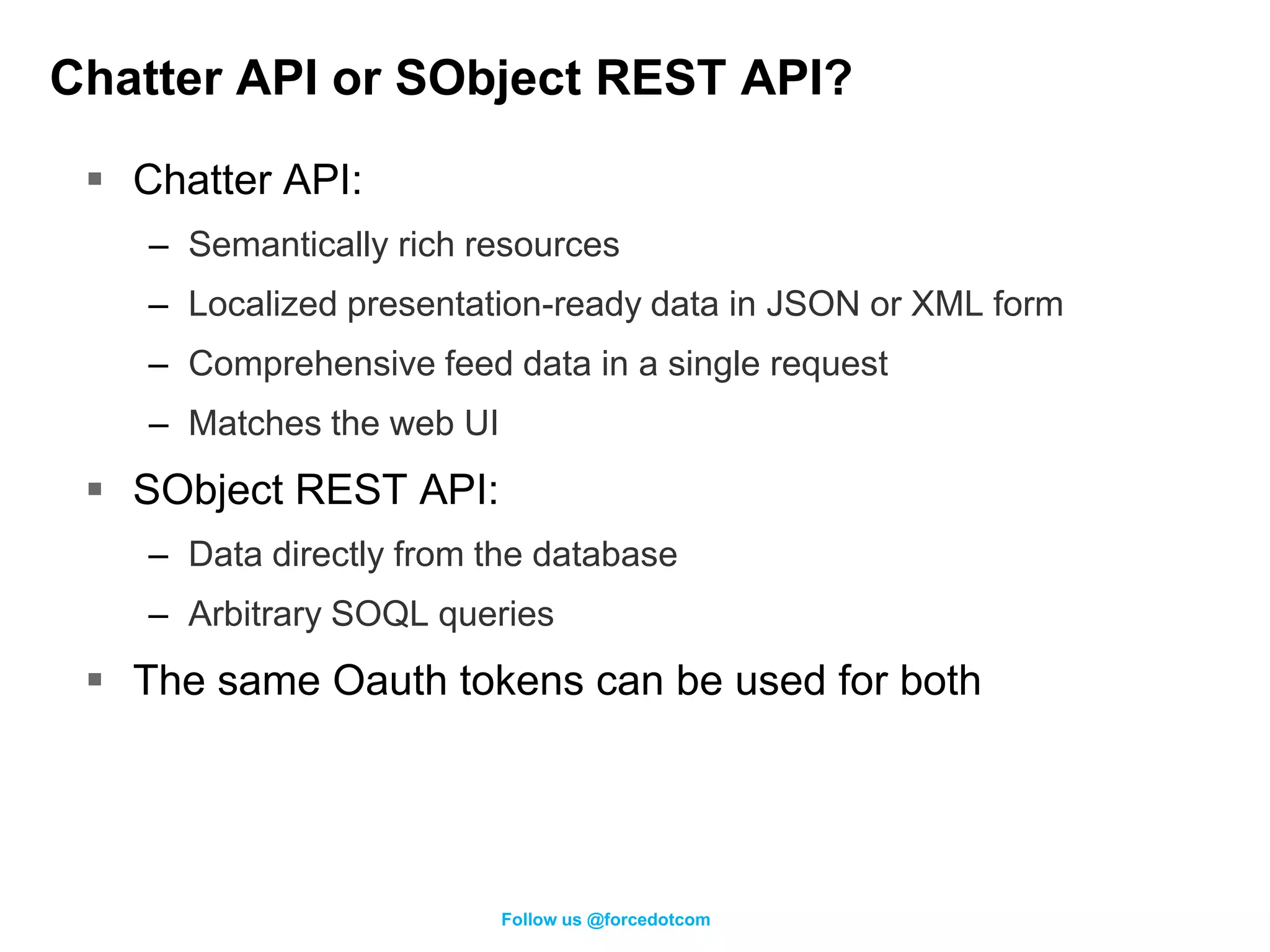
Chatter API or SObject REST API?

  Chatter API:
    – Semantically rich resources
    – Localized presentation-ready data in JSON or XML form
    – Comprehensive feed data in a single request
    – Matches the web UI
  SObject REST API:
    – Data directly from the database
    – Arbitrary SOQL queries
  The same Oauth tokens can be used for both


                           Follow us @forcedotcom
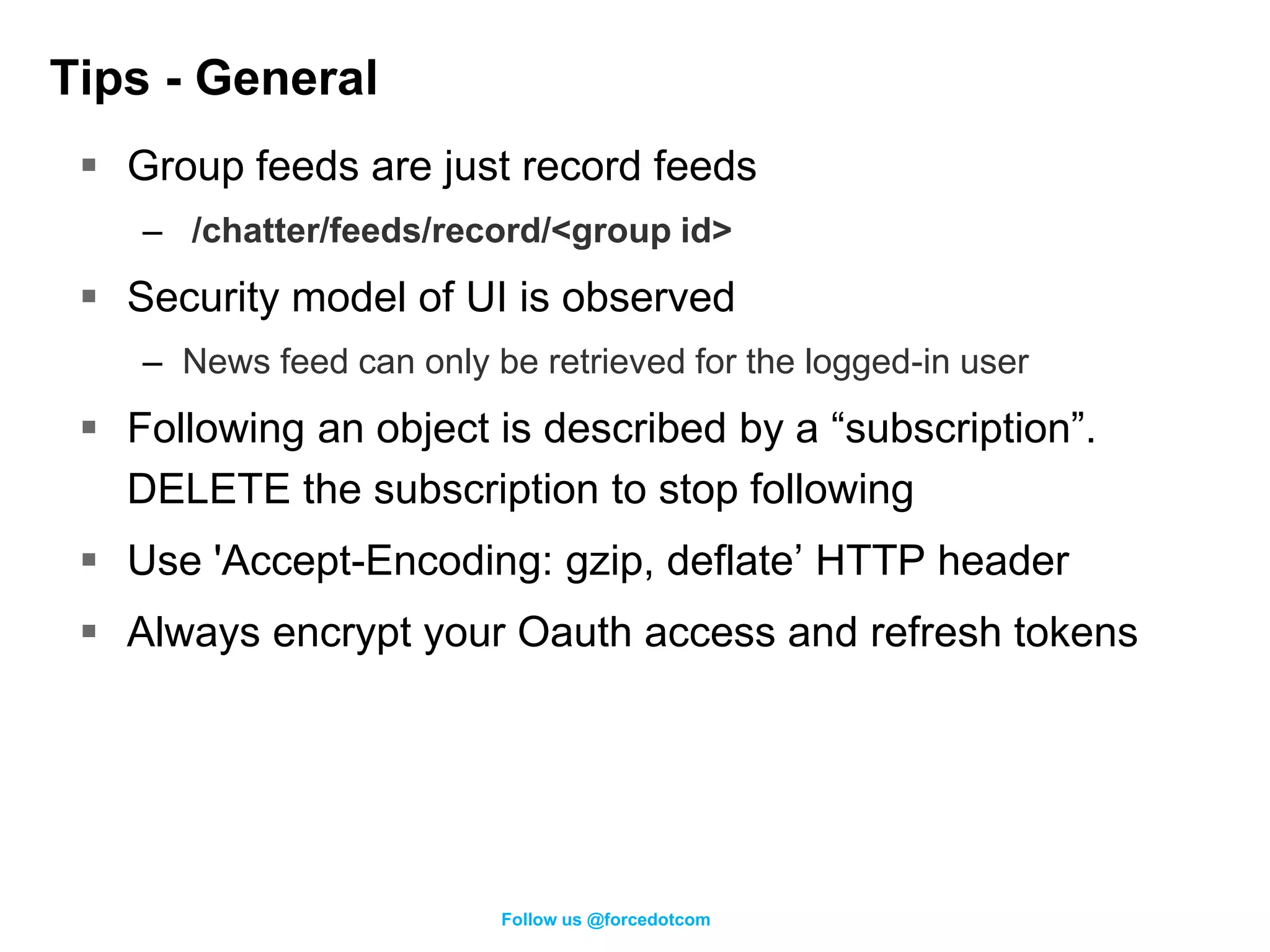
Tips - General
  Group feeds are just record feeds
    – /chatter/feeds/record/<group id>
  Security model of UI is observed
    – News feed can only be retrieved for the logged-in user
  Following an object is described by a “subscription”.
   DELETE the subscription to stop following
  Use 'Accept-Encoding: gzip, deflate’ HTTP header
  Always encrypt your Oauth access and refresh tokens


                          Follow us @forcedotcom
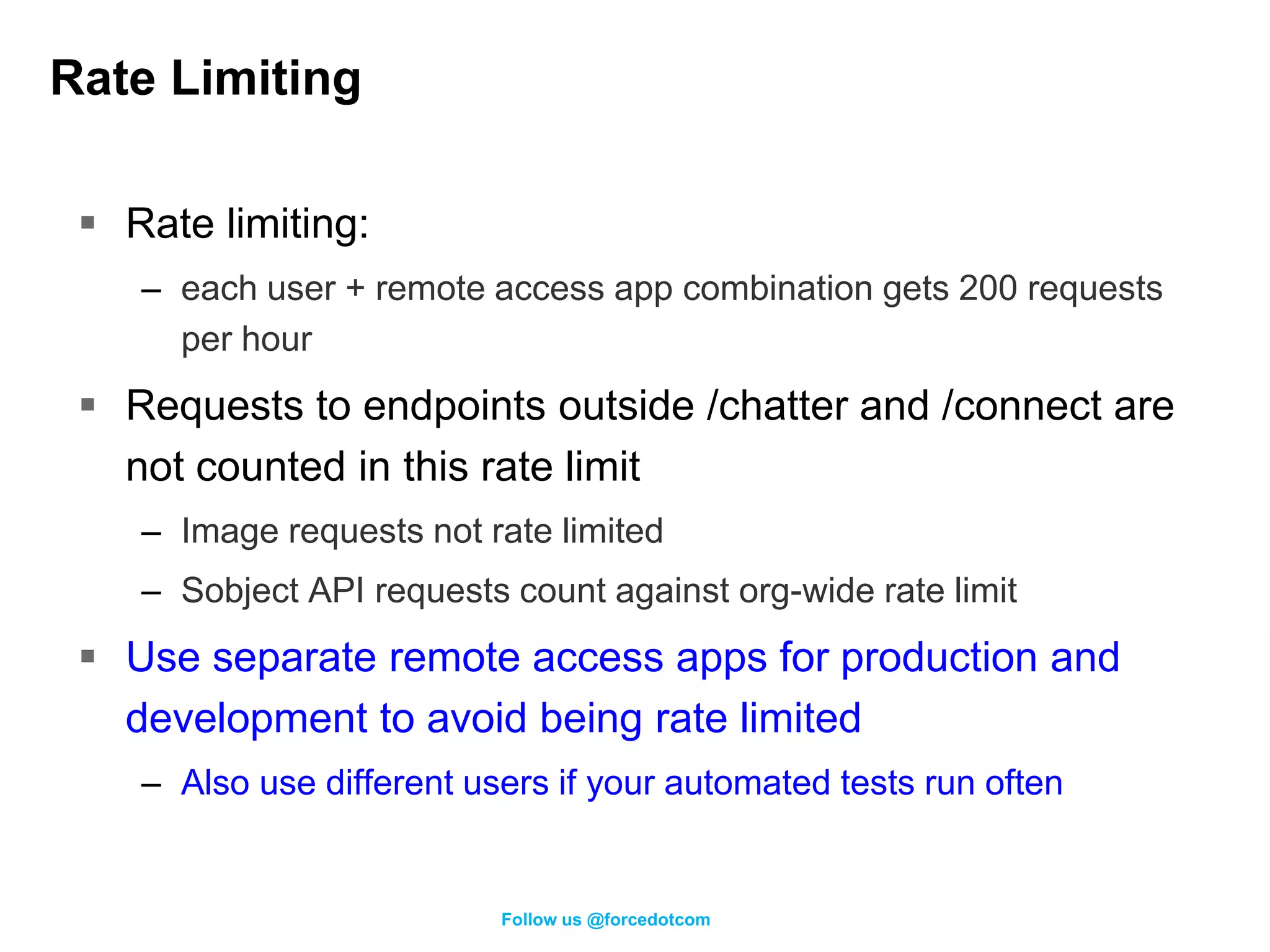
Rate Limiting

  Rate limiting:
    – each user + remote access app combination gets 200 requests
      per hour
  Requests to endpoints outside /chatter and /connect are
   not counted in this rate limit
    – Image requests not rate limited
    – Sobject API requests count against org-wide rate limit
  Use separate remote access apps for production and
   development to avoid being rate limited
    – Also use different users if your automated tests run often


                           Follow us @forcedotcom
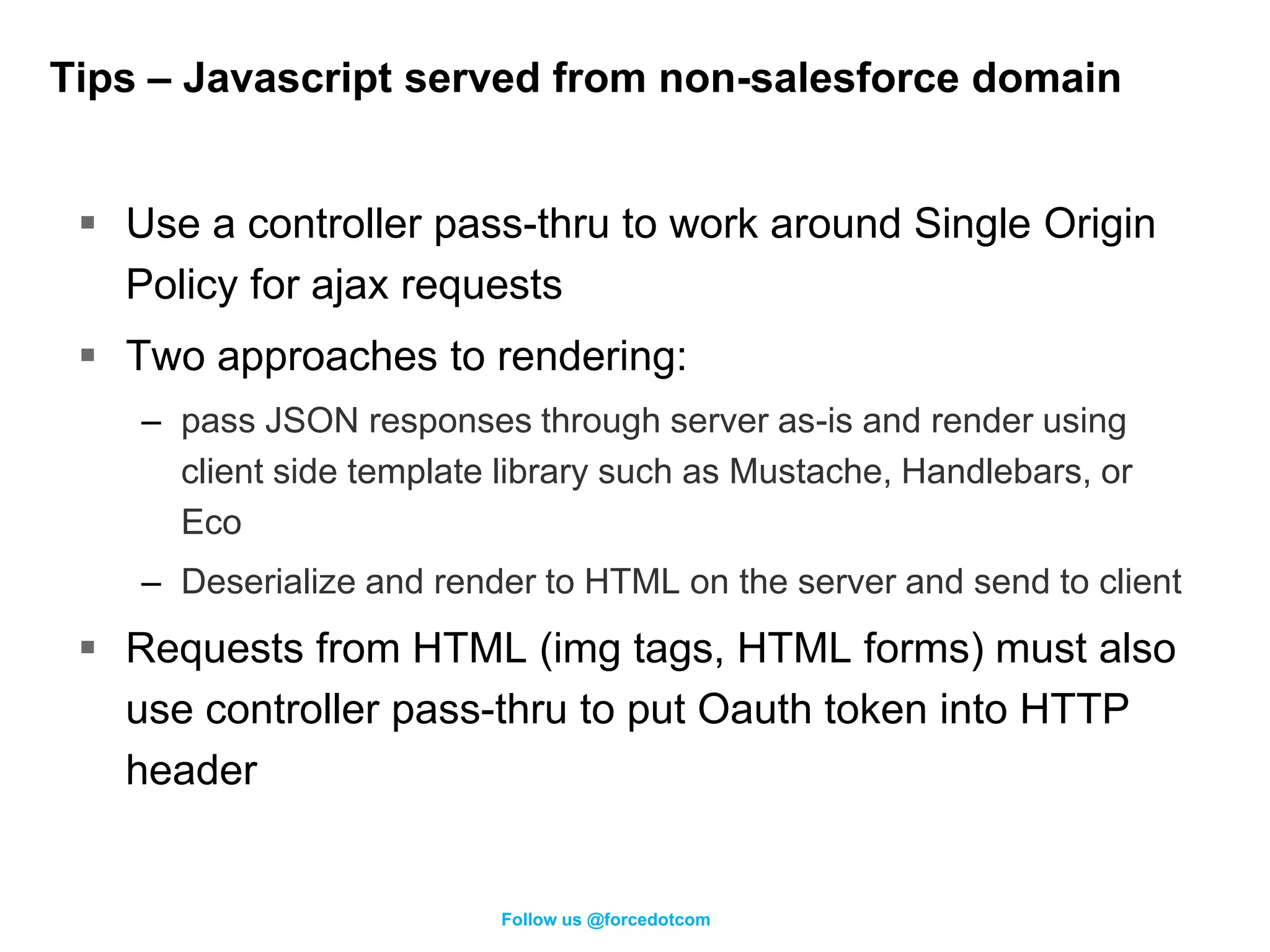
Tips – Javascript served from non-salesforce domain


  Use a controller pass-thru to work around Single Origin
   Policy for ajax requests
  Two approaches to rendering:
    – pass JSON responses through server as-is and render using
      client side template library such as Mustache, Handlebars, or
      Eco
    – Deserialize and render to HTML on the server and send to client
  Requests from HTML (img tags, HTML forms) must also
   use controller pass-thru to put Oauth token into HTTP
   header


                          Follow us @forcedotcom
Tips – Javascript served from salesforce domain


  Can make ajax requests directly to Chatter API and
   render to HTML on client.
    – When Connect in Apex goes GA, you can also make requests to
      a controller to get custom rendered HTML.
  Use an ajax proxy if you’re on a custom domain. (see
   the salesforce ajax toolkit) to work around SOP.


                         Follow us @forcedotcom
Tips – Apex

  Apex Now
   – Call the Chatter API using Apex callouts
   – Use session Id from UserInfo


  Apex Future
   – ConnectAPI class will provide Chatter API resources directly


                         Follow us @forcedotcom
Connect in Apex (Pilot in Summer)

  Exposing the same Chatter API resources and data in
   Apex
  Use cases include:
    – Customized social experiences in Visualforce
    – Custom Chatter feed rendering in Visualforce
    – Posting feed items with @-mentions in Apex
    – Modifying user and group photos in Apex


  Taking pilot nominations over the next two weeks.


                          Follow us @forcedotcom
How do I begin?


      https://developer.force.com/chatter-api


                  Follow us @forcedotcom
Take Aways

  Chatter can drive better user engagement with external
   applications
  Easy to build integrations with existing applications
  Wealth of interesting use cases emerge from news feed
   integration.


                        Follow us @forcedotcom
Q&A
   http://bit.ly/chattersur
              vey


@loganh                     @quintonwall
          Follow us @forcedotcom

Making Applications Social with the Chatter API Webinar

  • 1.
    Making your ApplicationSocial with the Chatter API Logan Henriquez Product Manager @loganh Quinton Wall Developer Evangelist @quintonwall Follow us @forcedotcom
  • 2.
    Safe Harbor Safe harborstatement under the Private Securities Litigation Reform Act of 1995: This presentation may contain forward-looking statements that involve risks, uncertainties, and assumptions. If any such uncertainties materialize or if any of the assumptions proves incorrect, the results of salesforce.com, inc. could differ materially from the results expressed or implied by the forward-looking statements we make. All statements other than statements of historical fact could be deemed forward-looking, including any projections of subscriber growth, earnings, revenues, or other financial items and any statements regarding strategies or plans of management for future operations, statements of belief, any statements concerning new, planned, or upgraded services or technology developments and customer contracts or use of our services. The risks and uncertainties referred to above include – but are not limited to – risks associated with developing and delivering new functionality for our service, our new business model, our past operating losses, possible fluctuations in our operating results and rate of growth, interruptions or delays in our Web hosting, breach of our security measures, the immature market in which we operate, our relatively limited operating history, our ability to expand, retain, and motivate our employees and manage our growth, new releases of our service and successful customer deployment, and utilization and selling to larger enterprise customers. Further information on potential factors that could affect the financial results of salesforce.com, inc. is included in our annual report on Form 10-K filed on April 30, 2008 and in other filings with the Securities and Exchange Commission. These documents are available on the SEC Filings section of the Investor Information section of our Web site. Any unreleased services or features referenced in this or other press releases or public statements are not currently available and may not be delivered on time or at all. Customers who purchase our services should make the purchase decisions based upon features that are currently available. Salesforce.com, inc. assumes no obligation and does not intend to update these forward-looking statements.
  • 3.
    @forcedotcom / #forcewebinar DeveloperForce Group facebook.com/forcedotcom Follow us @forcedotcom
  • 4.
    Agenda  WhySocial Enable Your App?  Use Cases  Eloqua: Demo and Sample Code  Tips  Summer ‘12 Preview  Q&A Follow us @forcedotcom
  • 5.
    Make any appsocial with the Chatter API REST API Follow us @forcedotcom
  • 6.
    IT: Why SocialEnable Your Custom Apps? Partners, customers, suppliers Collab between dept. & teams Make existing apps social Follow us @forcedotcom
  • 7.
    IT: Why SocialEnable Your Packaged Apps? Easily add social functionality Connect to enterprise- (feeds, likes, comments etc) wide news feed (eg: Chatter) Distribute app virally via feed Follow us @forcedotcom
  • 8.
  • 9.
    Chatter API UseCases Follow us @forcedotcom
  • 10.
    Next Generation Intranetsfor the Social Enterprise Burberry World  Company-wide and team based collaboration  Dynamic, real-time information  Integration of multiple data sources  Sharepoint webpart reference implementation Follow us @forcedotcom
  • 11.
    Use Case –Custom Mobile, Desktop, Tablet Apps  Build custom mobile applications, e.g. – Product information apps – Q&A – Note taking and case discussion for medical providers https://github.com/quintonwall/rhatter https://github.com/cseymourSF/Chatter-API-iOS-Sample Follow us @forcedotcom
  • 12.
    Use Case -Internet of Things • Share service data from Cars, Generators, Computers – using custom object records / feeds • Foster conversation centered on products and services. • Scenarios: - Service - Technical presales - Technical support - Project Management Follow us @forcedotcom
  • 13.
    Build Highly BrandedCustomer Communities • Enable partners or customers to collaborate with your employees or each other • Share business process data • Customize the UX to meet your exact brand requirements • Extend to mobile and tablet apps Follow us @forcedotcom
  • 14.
    Drive Collaboration AroundBusiness Process and Data • Chatter feed inside external applications • Supplement data, process, and analytics with rich conversations • Analytics, Finance, Supply Chain Management, HR Follow us @forcedotcom
  • 15.
    Drive Collaboration AroundBusiness Process and Data Follow us @forcedotcom
  • 16.
    Eloqua Use Case 105,000 42 2.5 Billion 8.2 Billion Follow us @forcedotcom
  • 17.
    Why Collaboration withChatter?  Buyers need information – Marketers create info assets – Sales has relationships  Collaboration is key: Sales intuition + Marketing resources = Buyer engagement Follow us @forcedotcom
  • 18.
    What scenario arewe solving Sales Marketer Follow us @forcedotcom
  • 19.
  • 20.
    REST API Resources Follow us @forcedotcom
  • 21.
    Chatter API Resources  Latest version – "/services/data/v24.0/chatter”  All requests to API made using OAuth2  Start here http://developer.force.com/chatter-api Follow us @forcedotcom
  • 22.
    How We’re Usingthe Chatter API Today Future Feed Users Groups Messages Records Topics Recommendations Files Organization Follow us @forcedotcom
  • 23.
    /chatter/users/me TBD – styling changes Follow us @forcedotcom
  • 24.
  • 25.
  • 26.
  • 27.
  • 28.
    Chatter API Tips Follow us @forcedotcom
  • 29.
    Chatter API orSObject REST API?  Chatter API: – Semantically rich resources – Localized presentation-ready data in JSON or XML form – Comprehensive feed data in a single request – Matches the web UI  SObject REST API: – Data directly from the database – Arbitrary SOQL queries  The same Oauth tokens can be used for both Follow us @forcedotcom
  • 30.
    Tips - General  Group feeds are just record feeds – /chatter/feeds/record/<group id>  Security model of UI is observed – News feed can only be retrieved for the logged-in user  Following an object is described by a “subscription”. DELETE the subscription to stop following  Use 'Accept-Encoding: gzip, deflate’ HTTP header  Always encrypt your Oauth access and refresh tokens Follow us @forcedotcom
  • 31.
    Rate Limiting Rate limiting: – each user + remote access app combination gets 200 requests per hour  Requests to endpoints outside /chatter and /connect are not counted in this rate limit – Image requests not rate limited – Sobject API requests count against org-wide rate limit  Use separate remote access apps for production and development to avoid being rate limited – Also use different users if your automated tests run often Follow us @forcedotcom
  • 32.
    Tips – Javascriptserved from non-salesforce domain  Use a controller pass-thru to work around Single Origin Policy for ajax requests  Two approaches to rendering: – pass JSON responses through server as-is and render using client side template library such as Mustache, Handlebars, or Eco – Deserialize and render to HTML on the server and send to client  Requests from HTML (img tags, HTML forms) must also use controller pass-thru to put Oauth token into HTTP header Follow us @forcedotcom
  • 33.
    Tips – Javascriptserved from salesforce domain  Can make ajax requests directly to Chatter API and render to HTML on client. – When Connect in Apex goes GA, you can also make requests to a controller to get custom rendered HTML.  Use an ajax proxy if you’re on a custom domain. (see the salesforce ajax toolkit) to work around SOP. Follow us @forcedotcom
  • 34.
    Tips – Apex  Apex Now – Call the Chatter API using Apex callouts – Use session Id from UserInfo  Apex Future – ConnectAPI class will provide Chatter API resources directly Follow us @forcedotcom
  • 35.
    Connect in Apex(Pilot in Summer)  Exposing the same Chatter API resources and data in Apex  Use cases include: – Customized social experiences in Visualforce – Custom Chatter feed rendering in Visualforce – Posting feed items with @-mentions in Apex – Modifying user and group photos in Apex  Taking pilot nominations over the next two weeks. Follow us @forcedotcom
  • 36.
    How do Ibegin? https://developer.force.com/chatter-api Follow us @forcedotcom
  • 37.
    Take Aways Chatter can drive better user engagement with external applications  Easy to build integrations with existing applications  Wealth of interesting use cases emerge from news feed integration. Follow us @forcedotcom
  • 38.
    Q&A http://bit.ly/chattersur vey @loganh @quintonwall Follow us @forcedotcom