
Lesson 1
Understand the advantages of controlling emotions during presentations Understand the importance of breathing and posture.  Describe the important features of communication.  Understand the importance of Self Evaluation.
Manage your emotions Develop your confidence Use your voice Apply appropriate dress code Know your material Identify your motivations Conduct Self Evaluation To make a successful presentation you will need to:
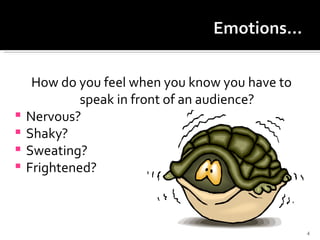
How do you feel when you know you have to speak in front of an audience? Nervous? Shaky? Sweating? Frightened?
Some suggestions for positive self talk include: I can do this I am well prepared for this I know my material I have practiced for this I have  a high degree of confidence in this I know it will be a success See Page 6 in Workbook.
Some thoughts before a presentation might include: Anxiety No on wants to hear from me They will think I am stupid My ideas are never as good as other presenters I have never been good at public speaking
What effect does each of the following have on a person giving a presentation?  How should they deal with it? someone is reading something else someone giggles someone yawns as you make an important point a person in the second row is staring at you and smiling you drop your notes on the floor How does a speaker get an audience to applaud?
Organise Visualize Practice Breathe Focus on relaxing Release tension Move Eye contact with audience Posture.
All stand up…!! Feet about the same distance apart as your shoulders Rock back and forth from heel to toe until you feel comfortable Relax your shoulders Look straight ahead Take a deep breath Continue standing….(next slide)
Place your feet together….. Lift your right leg about six (6) inches off the floor….now 12 inches… Now say this… I   am standing comfortably   on one foot
David Firkin, a computer consultant, had been invited to the high school staff meeting to discuss the possible options for the school’s new computer network.  He had researched carefully the available computers and the needs of the school.  He felt that all those who came to hear him would probably be familiar with computers, otherwise they would not have come to the presentation.  About five minutes into his presentation he realised that most of the audience were looking bored. What do you think went wrong with David’s presentation? David had felt that if this presentation went well he would probably get the contract for the new network. What could he do now to salvage his presentation (and the contract)?
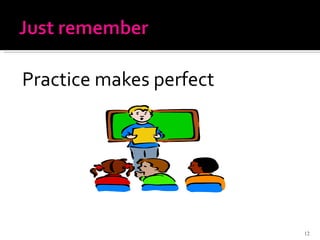
Practice makes perfect
How well is the speaker using his posture, gestures and voice? Do you think the speaker is motivated to give this presentation? Killer Presentation Skills See Portal for Student Observation Sheet
You have 45 minutes (in pairs) to prepare a 5 minute presentation introducing yourselves to your classmates.  You can choose to inform, educate and/or entertain your classmates.  Talk about: Where you come from What you have achieved Why you chose to do the course What your goals are

Make Presentations (1)

  • 1.
  • 2.
    Understand the advantagesof controlling emotions during presentations Understand the importance of breathing and posture. Describe the important features of communication. Understand the importance of Self Evaluation.
  • 3.
    Manage your emotionsDevelop your confidence Use your voice Apply appropriate dress code Know your material Identify your motivations Conduct Self Evaluation To make a successful presentation you will need to:
  • 4.
    How do youfeel when you know you have to speak in front of an audience? Nervous? Shaky? Sweating? Frightened?
  • 5.
    Some suggestions forpositive self talk include: I can do this I am well prepared for this I know my material I have practiced for this I have a high degree of confidence in this I know it will be a success See Page 6 in Workbook.
  • 6.
    Some thoughts beforea presentation might include: Anxiety No on wants to hear from me They will think I am stupid My ideas are never as good as other presenters I have never been good at public speaking
  • 7.
    What effect doeseach of the following have on a person giving a presentation? How should they deal with it? someone is reading something else someone giggles someone yawns as you make an important point a person in the second row is staring at you and smiling you drop your notes on the floor How does a speaker get an audience to applaud?
  • 8.
    Organise Visualize PracticeBreathe Focus on relaxing Release tension Move Eye contact with audience Posture.
  • 9.
    All stand up…!!Feet about the same distance apart as your shoulders Rock back and forth from heel to toe until you feel comfortable Relax your shoulders Look straight ahead Take a deep breath Continue standing….(next slide)
  • 10.
    Place your feettogether….. Lift your right leg about six (6) inches off the floor….now 12 inches… Now say this… I am standing comfortably on one foot
  • 11.
    David Firkin, acomputer consultant, had been invited to the high school staff meeting to discuss the possible options for the school’s new computer network. He had researched carefully the available computers and the needs of the school. He felt that all those who came to hear him would probably be familiar with computers, otherwise they would not have come to the presentation. About five minutes into his presentation he realised that most of the audience were looking bored. What do you think went wrong with David’s presentation? David had felt that if this presentation went well he would probably get the contract for the new network. What could he do now to salvage his presentation (and the contract)?
  • 12.
  • 13.
    How well isthe speaker using his posture, gestures and voice? Do you think the speaker is motivated to give this presentation? Killer Presentation Skills See Portal for Student Observation Sheet
  • 14.
    You have 45minutes (in pairs) to prepare a 5 minute presentation introducing yourselves to your classmates. You can choose to inform, educate and/or entertain your classmates. Talk about: Where you come from What you have achieved Why you chose to do the course What your goals are

Editor's Notes

  • #5 Carefully prepared visuals can make your report or presentation more interesting. But even more important, pictures are an effective way to communicate with the diverse audiences that are common in today's business environment. Moreover, in the numbers-oriented world of work, people rely heavily on trend lines, distribution curves, and percentages. Once you have selected the information that you will include in your report, you must identify which points to illustrate visually. Once you have identified which points require visual support, you must pare down your selection. Your goal is to achieve a reasonable balance between verbal and visual information. The ideal blend depends on the nature of your subject. Another factor to consider when deciding on the number and types of visuals to include in a report is your production schedule.
  • #7 Once you've selected which points to illustrate visually, your next step is to select the type of visual that will present your data most clearly and effectively to your audience. Keep in mind that most visuals are not interchangeable. Some types of visuals depict certain kinds of data better than others: To present detailed, exact values, use tables. To illustrate trends over time, use a line chart or a bar chart. To show frequency or distribution, use a pie chart, segmented bar chart, or area chart. To compare one item with another, use a bar chart. To compare one part with the whole, use a pie chart. To show correlations, use a line chart, a bar chart, or a scatter (dot) chart. To show geographic relationships, use a map. To illustrate a process or a procedure, use a flowchart or a diagram.