Magento 2 RMA Extension
Return Merchandise Authorization is very useful provides the freedom to
the customer to return and exchange the bought goods.
Understanding of RMA
RMA Stands for Return Merchandise Authorization. RMA is the process of
returning a product to receive a refund, replacement, or repair during the
stipulated time-period.
Returned merchandise requires management after the return. The product has a
second life cycle after the return. An important aspect of RMA management is
learning from RMA trends to prevent further returns.
What is the use of RMA
Product return is a much-needed feature in the e-commerce store. RMA feature
helps to improve end-user experience and satisfaction. As goods are bought
without the physical inspection by the buyers.
So this module provides the freedom to the customer to return and exchange
the bought goods. This module offers a quick and convenient way for the
customers to file an RMA.
Use Case of RMA
End-User satisfaction is very important for any business. By adding an RMA
service to your marketplace for the product will improve customer satisfaction.
That’s why RMA is an essential feature of any functional e-commerce store. It
provides the freedom to the customer to return and exchange the bought goods.
The customers will be more confident while purchasing the product. Magento 2
RMA System Marketplace Add-on will reduce the hassle of the seller to manage
the product return manually. It will create more transparency between the
customers and the seller.
Introduction
Magento 2 RMA Extension: Magento 2 Product Return RMA (Return
Merchandise Authorization) allows the store owner to integrate the RMA system
for its customers so that they can create a request for product return. RMA is
very useful for managing product return/refund/exchange/order cancellation.
With the help of Magento 2 RMA Extension, a registered customer or a guest
customer can return the products, have them exchanged or refunded within the
admin specified time limit.
Features
● Send and receive file attachments with the messages.
● Create customizable fields for the RMA Request Form.
● Guest Customers can generate RMA too.
● The buyer and Admin can communicate using the RMA system.
● RMA History with Filters and Pagination.
● Show Return Policy Page to customers.
● Dynamic order selection with various options.
● Print RMA details and shipping labels easily.
Some More Features
● The customer can also enter consignment numbers and upload images
after RMA generation.
● The admin can manage RMA status as well as Reasons.
● The customer and the admin receive notification emails.
● Using Return Quantity, the admin will return RMA quantity to their store.
● The admin can select the allowed product types for RMA.
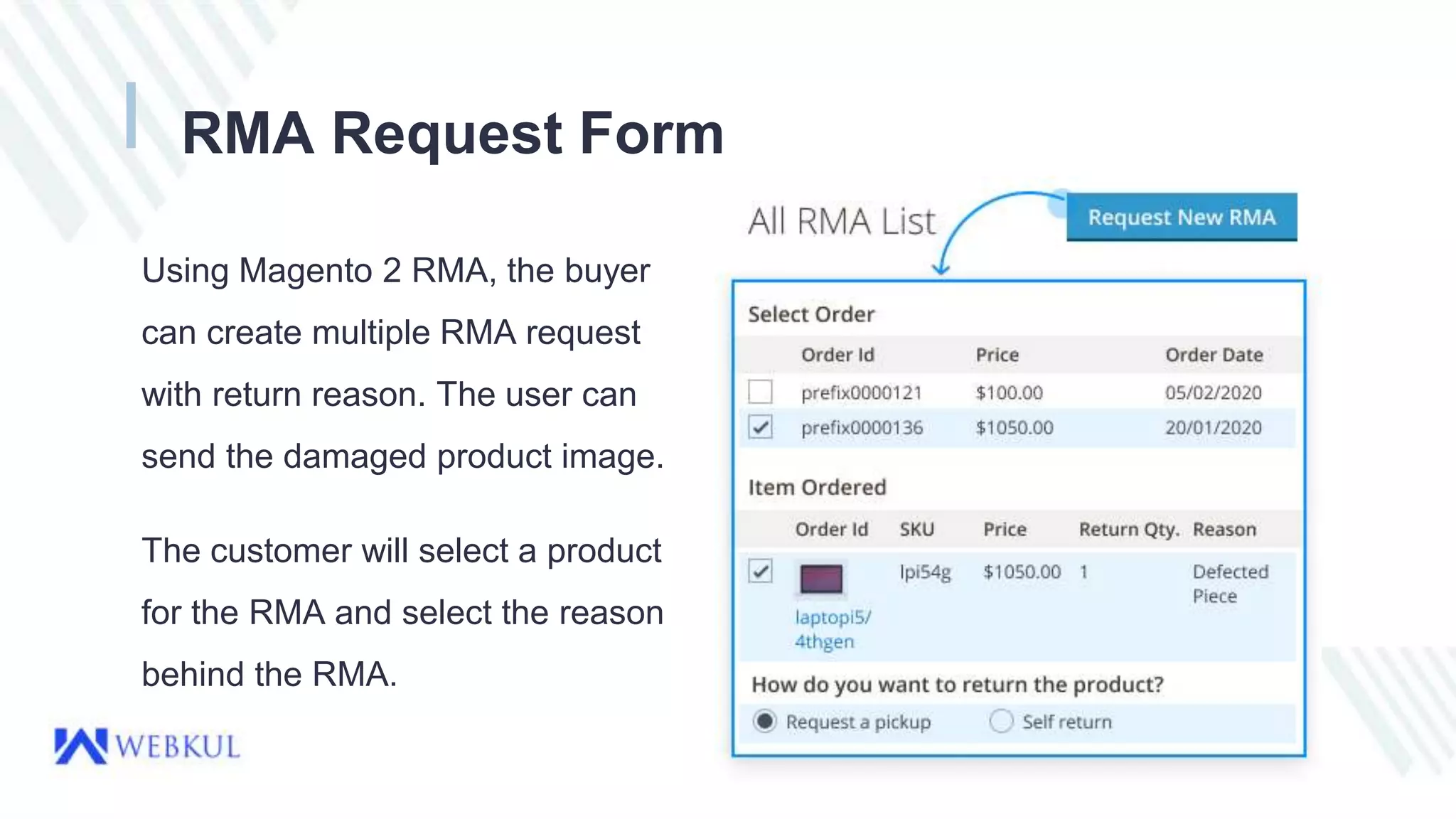
RMA Request Form
Using Magento 2 RMA, the buyer
can create multiple RMA request
with return reason. The user can
send the damaged product image.
The customer will select a product
for the RMA and select the reason
behind the RMA.
Return Shipping Label
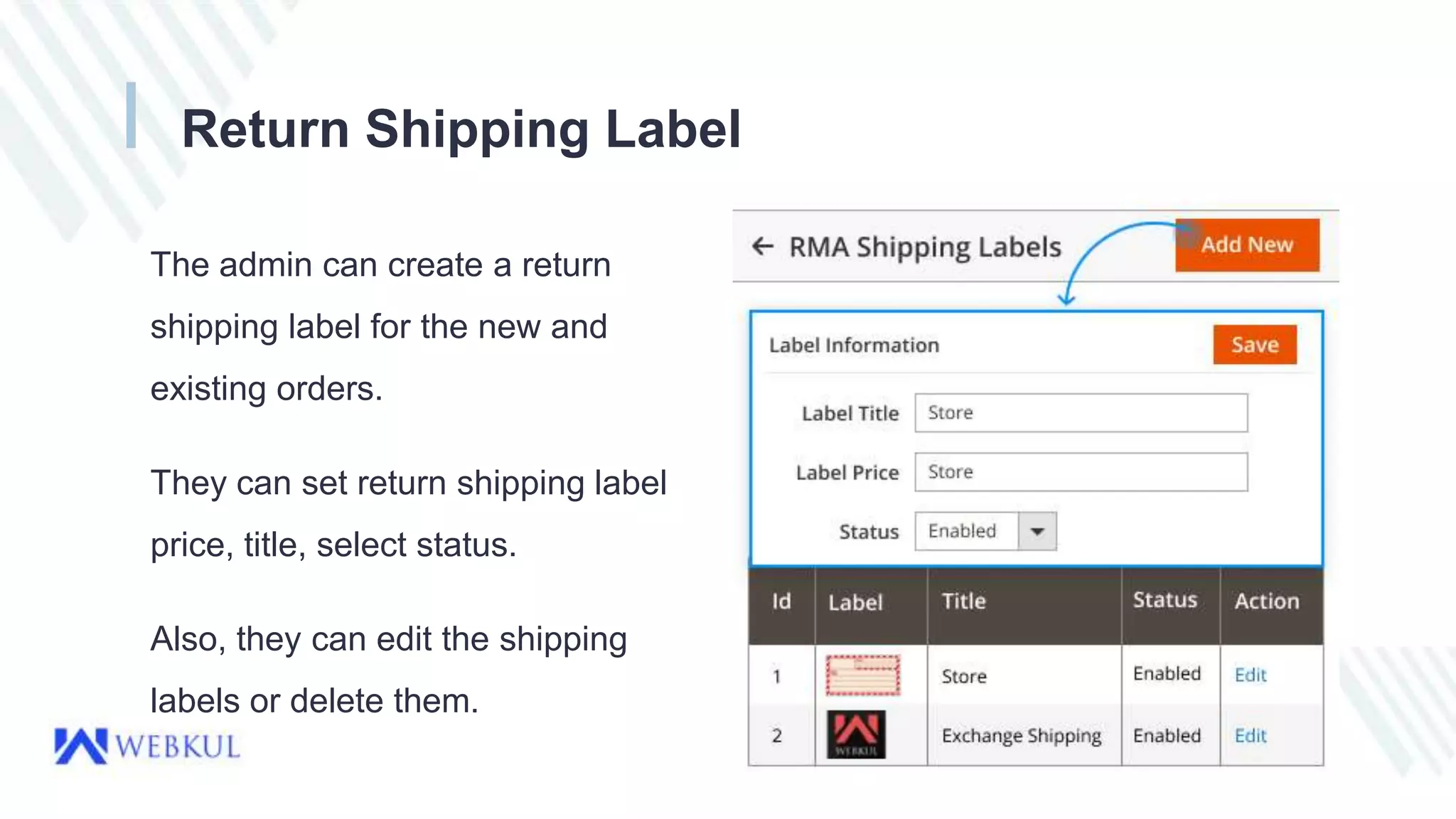
The admin can create a return
shipping label for the new and
existing orders.
They can set return shipping label
price, title, select status.
Also, they can edit the shipping
labels or delete them.
Create RMA Custom Fields
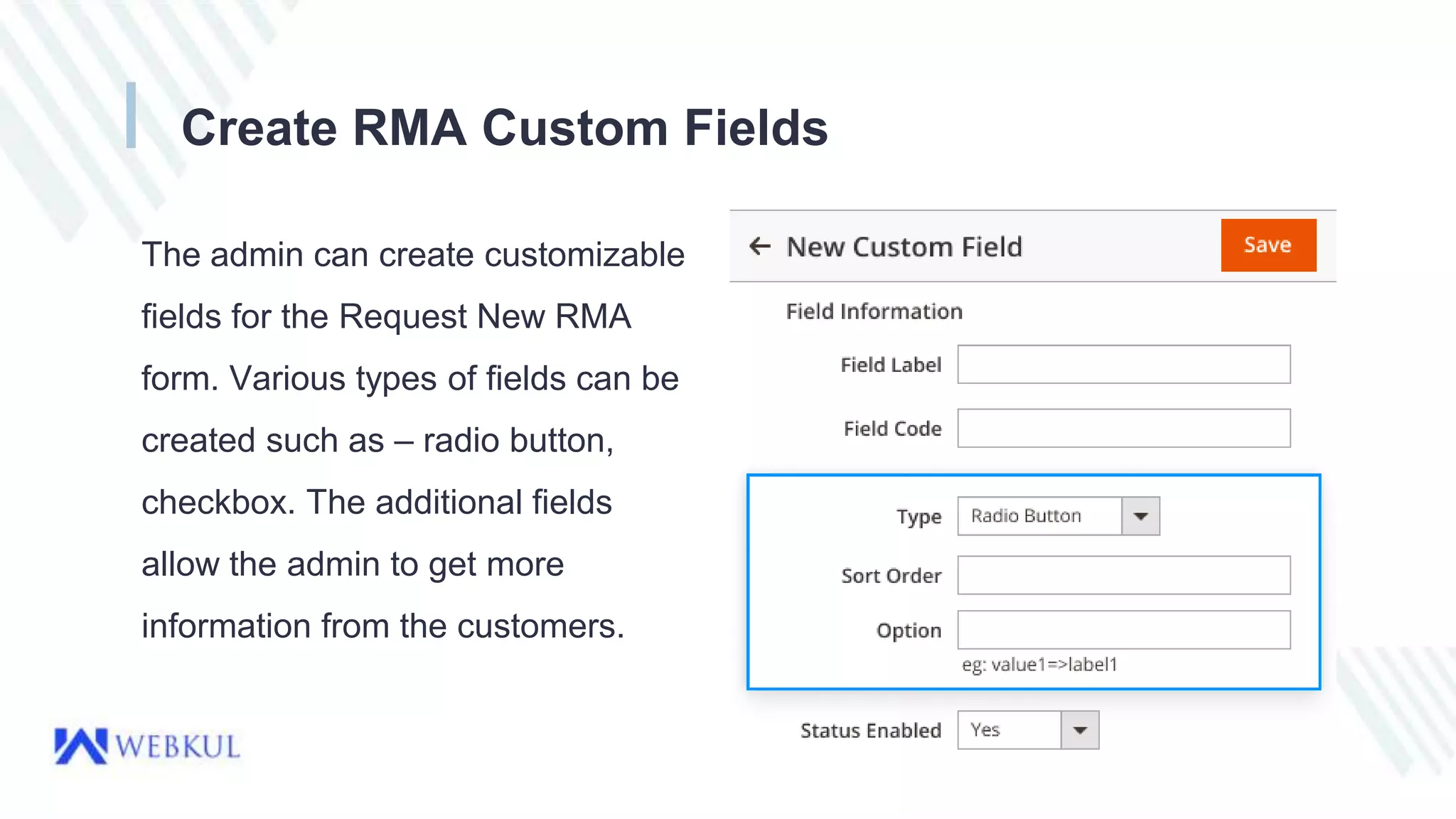
The admin can create customizable
fields for the Request New RMA
form. Various types of fields can be
created such as – radio button,
checkbox. The additional fields
allow the admin to get more
information from the customers.
E-mail Notification for RMA
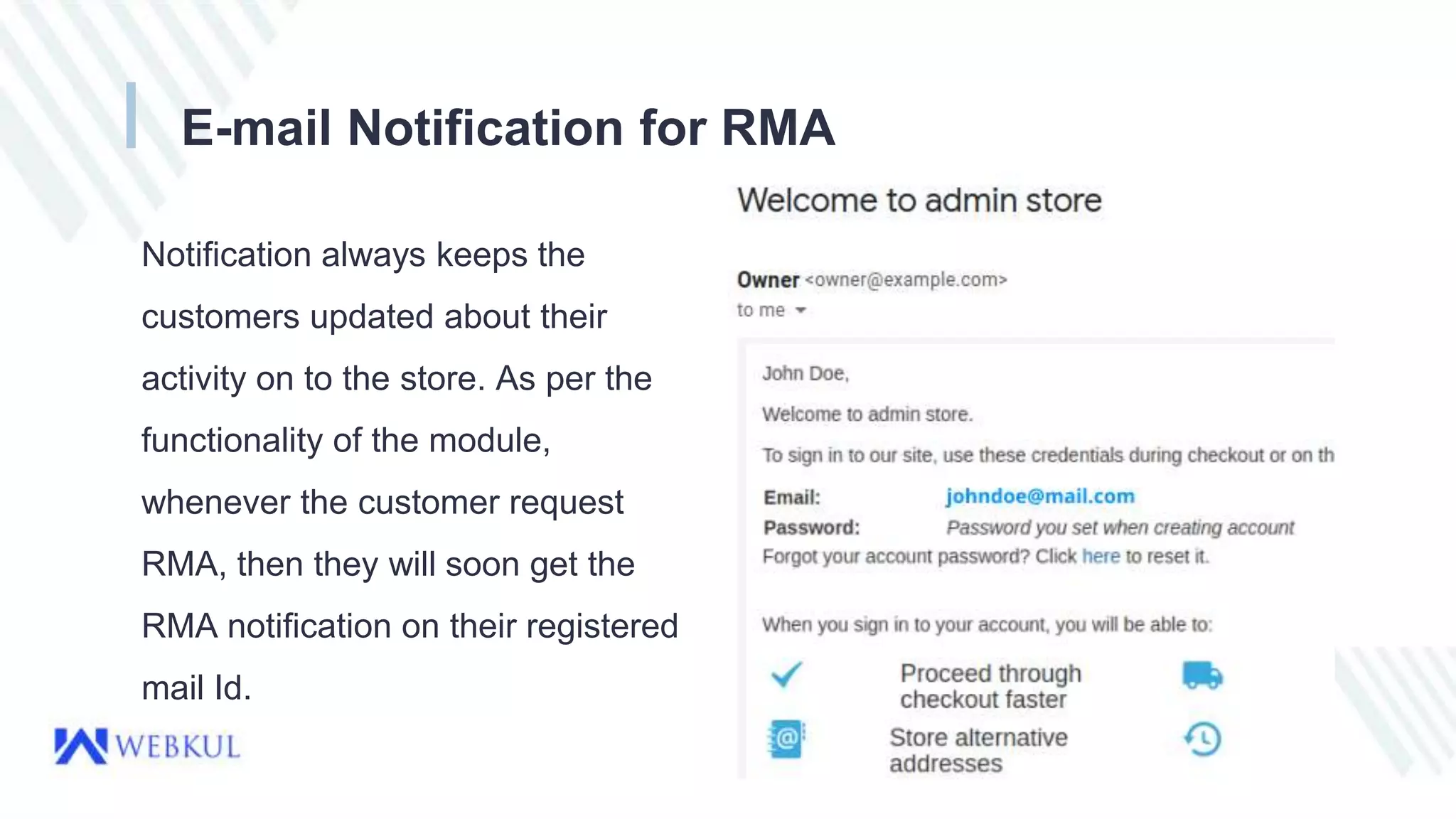
Notification always keeps the
customers updated about their
activity on to the store. As per the
functionality of the module,
whenever the customer request
RMA, then they will soon get the
RMA notification on their registered
mail Id.
RMA History & Conversation
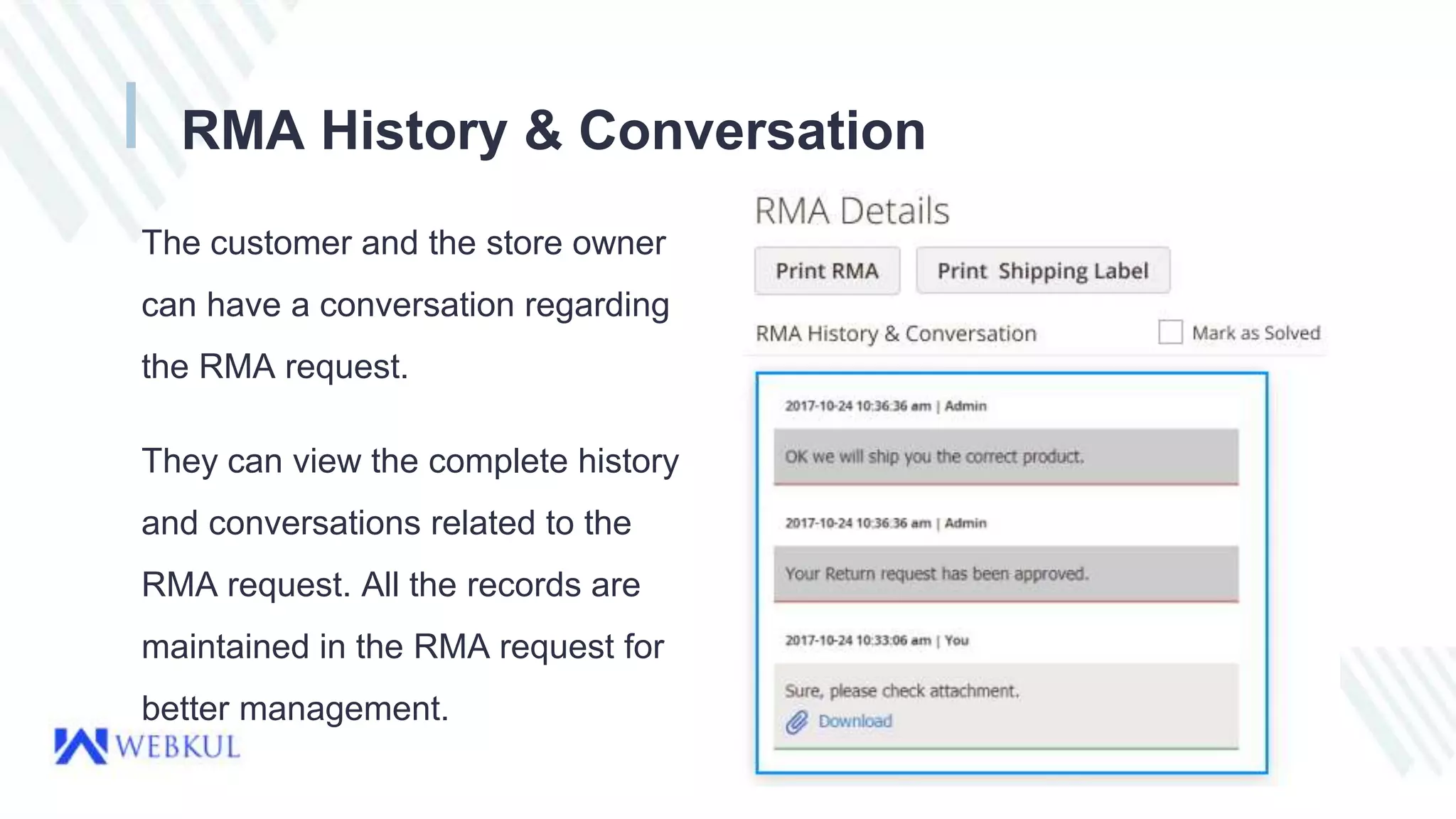
The customer and the store owner
can have a conversation regarding
the RMA request.
They can view the complete history
and conversations related to the
RMA request. All the records are
maintained in the RMA request for
better management.
Advantages of RMA
● Customizable Fields For RMA Request Form - The RMA Custom Fields
allows the admin to retrieve additional information from the customers.
● RMA Request By Guest Users - Guest users can also Request New RMA
by just providing their order ID & email address.
● Create RMA Reasons - The admin can create multiple RMA reasons
helping customers to choose one of their desired reasons.
● Quick Messaging B/W Store Admin & Customers - The admin can
effortlessly manage quick responses & queries from the customer side.
● User Guide - http://webkul.com/blog/magento-2-product-return-rma/
● StoreLink - https://store.webkul.com/magento2-rma-extension.html
● For further queries or customization requirements, please send an email to
support@webkul.com.
● You can also create a support ticket at-
https://webkul.uvdesk.com/en/customer/create-ticket/
● Or reach out via Voice at - India - (+91)-9870284067 USA - (+1)-9143531684
Contact Us
THANK YOU

Magento 2 RMA Extension

  • 1.
    Magento 2 RMAExtension Return Merchandise Authorization is very useful provides the freedom to the customer to return and exchange the bought goods.
  • 2.
    Understanding of RMA RMAStands for Return Merchandise Authorization. RMA is the process of returning a product to receive a refund, replacement, or repair during the stipulated time-period. Returned merchandise requires management after the return. The product has a second life cycle after the return. An important aspect of RMA management is learning from RMA trends to prevent further returns.
  • 3.
    What is theuse of RMA Product return is a much-needed feature in the e-commerce store. RMA feature helps to improve end-user experience and satisfaction. As goods are bought without the physical inspection by the buyers. So this module provides the freedom to the customer to return and exchange the bought goods. This module offers a quick and convenient way for the customers to file an RMA.
  • 4.
    Use Case ofRMA End-User satisfaction is very important for any business. By adding an RMA service to your marketplace for the product will improve customer satisfaction. That’s why RMA is an essential feature of any functional e-commerce store. It provides the freedom to the customer to return and exchange the bought goods. The customers will be more confident while purchasing the product. Magento 2 RMA System Marketplace Add-on will reduce the hassle of the seller to manage the product return manually. It will create more transparency between the customers and the seller.
  • 5.
    Introduction Magento 2 RMAExtension: Magento 2 Product Return RMA (Return Merchandise Authorization) allows the store owner to integrate the RMA system for its customers so that they can create a request for product return. RMA is very useful for managing product return/refund/exchange/order cancellation. With the help of Magento 2 RMA Extension, a registered customer or a guest customer can return the products, have them exchanged or refunded within the admin specified time limit.
  • 6.
    Features ● Send andreceive file attachments with the messages. ● Create customizable fields for the RMA Request Form. ● Guest Customers can generate RMA too. ● The buyer and Admin can communicate using the RMA system. ● RMA History with Filters and Pagination. ● Show Return Policy Page to customers. ● Dynamic order selection with various options. ● Print RMA details and shipping labels easily.
  • 7.
    Some More Features ●The customer can also enter consignment numbers and upload images after RMA generation. ● The admin can manage RMA status as well as Reasons. ● The customer and the admin receive notification emails. ● Using Return Quantity, the admin will return RMA quantity to their store. ● The admin can select the allowed product types for RMA.
  • 8.
    RMA Request Form UsingMagento 2 RMA, the buyer can create multiple RMA request with return reason. The user can send the damaged product image. The customer will select a product for the RMA and select the reason behind the RMA.
  • 9.
    Return Shipping Label Theadmin can create a return shipping label for the new and existing orders. They can set return shipping label price, title, select status. Also, they can edit the shipping labels or delete them.
  • 10.
    Create RMA CustomFields The admin can create customizable fields for the Request New RMA form. Various types of fields can be created such as – radio button, checkbox. The additional fields allow the admin to get more information from the customers.
  • 11.
    E-mail Notification forRMA Notification always keeps the customers updated about their activity on to the store. As per the functionality of the module, whenever the customer request RMA, then they will soon get the RMA notification on their registered mail Id.
  • 12.
    RMA History &Conversation The customer and the store owner can have a conversation regarding the RMA request. They can view the complete history and conversations related to the RMA request. All the records are maintained in the RMA request for better management.
  • 13.
    Advantages of RMA ●Customizable Fields For RMA Request Form - The RMA Custom Fields allows the admin to retrieve additional information from the customers. ● RMA Request By Guest Users - Guest users can also Request New RMA by just providing their order ID & email address. ● Create RMA Reasons - The admin can create multiple RMA reasons helping customers to choose one of their desired reasons. ● Quick Messaging B/W Store Admin & Customers - The admin can effortlessly manage quick responses & queries from the customer side.
  • 14.
    ● User Guide- http://webkul.com/blog/magento-2-product-return-rma/ ● StoreLink - https://store.webkul.com/magento2-rma-extension.html ● For further queries or customization requirements, please send an email to support@webkul.com. ● You can also create a support ticket at- https://webkul.uvdesk.com/en/customer/create-ticket/ ● Or reach out via Voice at - India - (+91)-9870284067 USA - (+1)-9143531684 Contact Us
  • 15.