Android, let’s chat!
Google Cloud Messaging


By
Maria Magdalena Bădiţa
I’m so lonely…
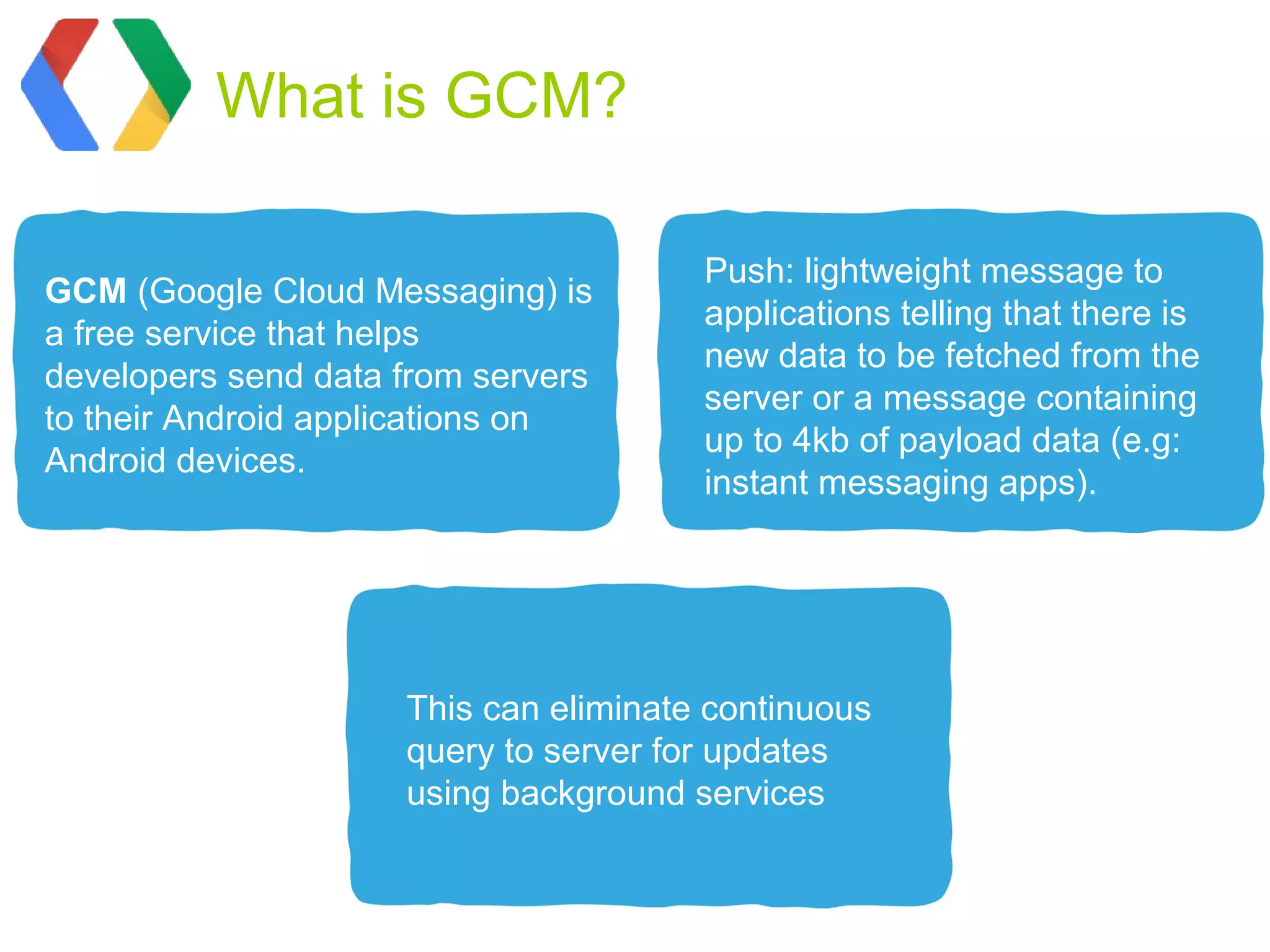
What is GCM?

                                       Push: lightweight message to
GCM (Google Cloud Messaging) is
                                       applications telling that there is
a free service that helps
                                       new data to be fetched from the
developers send data from servers
                                       server or a message containing
to their Android applications on
                                       up to 4kb of payload data (e.g:
Android devices.
                                       instant messaging apps).


                     This can eliminate continuous
                     query to server for updates
                     using background services
GCM Characteristics


  Allows 3rd-party                       GCM makes no
application servers to send              guarantees about delivery
messages to their Android                or the order of messages.
applications.


                    Application on an Android device
                    doesn't need to be running to
                    receive messages.
Device registration
Send the notification
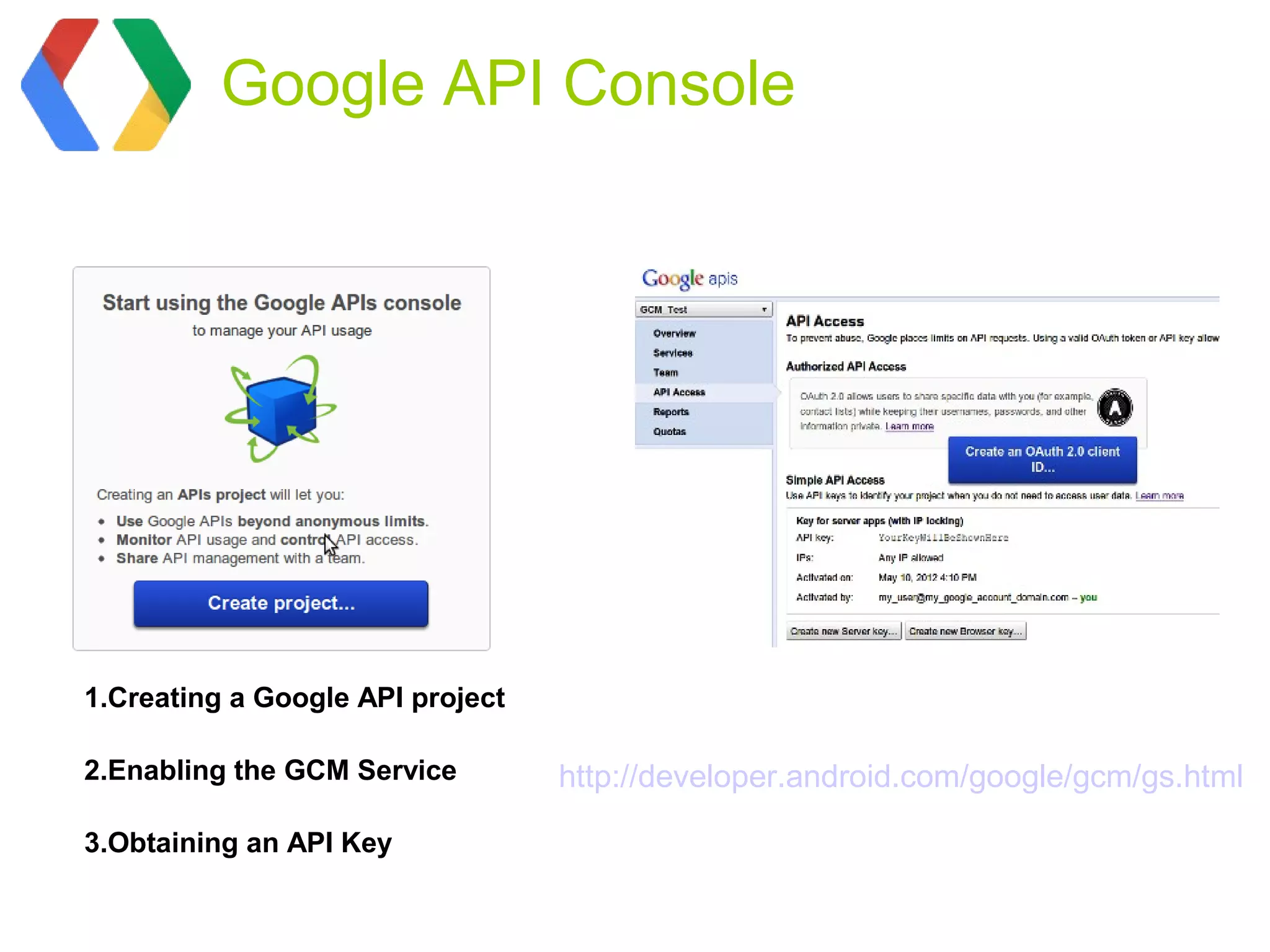
Google API Console


1.Creating a Google API project

2.Enabling the GCM Service        http://developer.android.com/google/gcm/gs.html

3.Obtaining an API Key
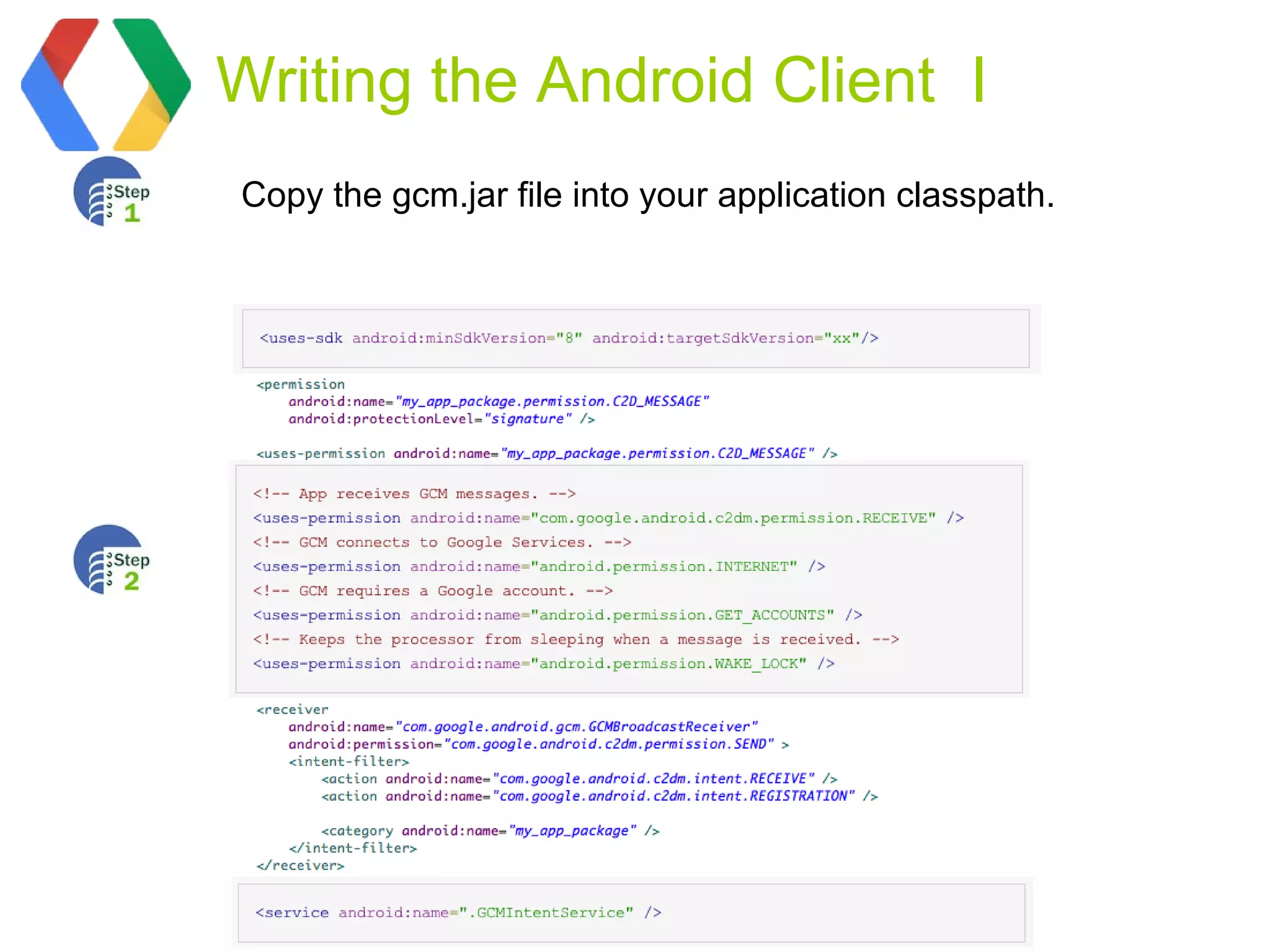
Writing the Android Client I
Copy the gcm.jar file into your application classpath.
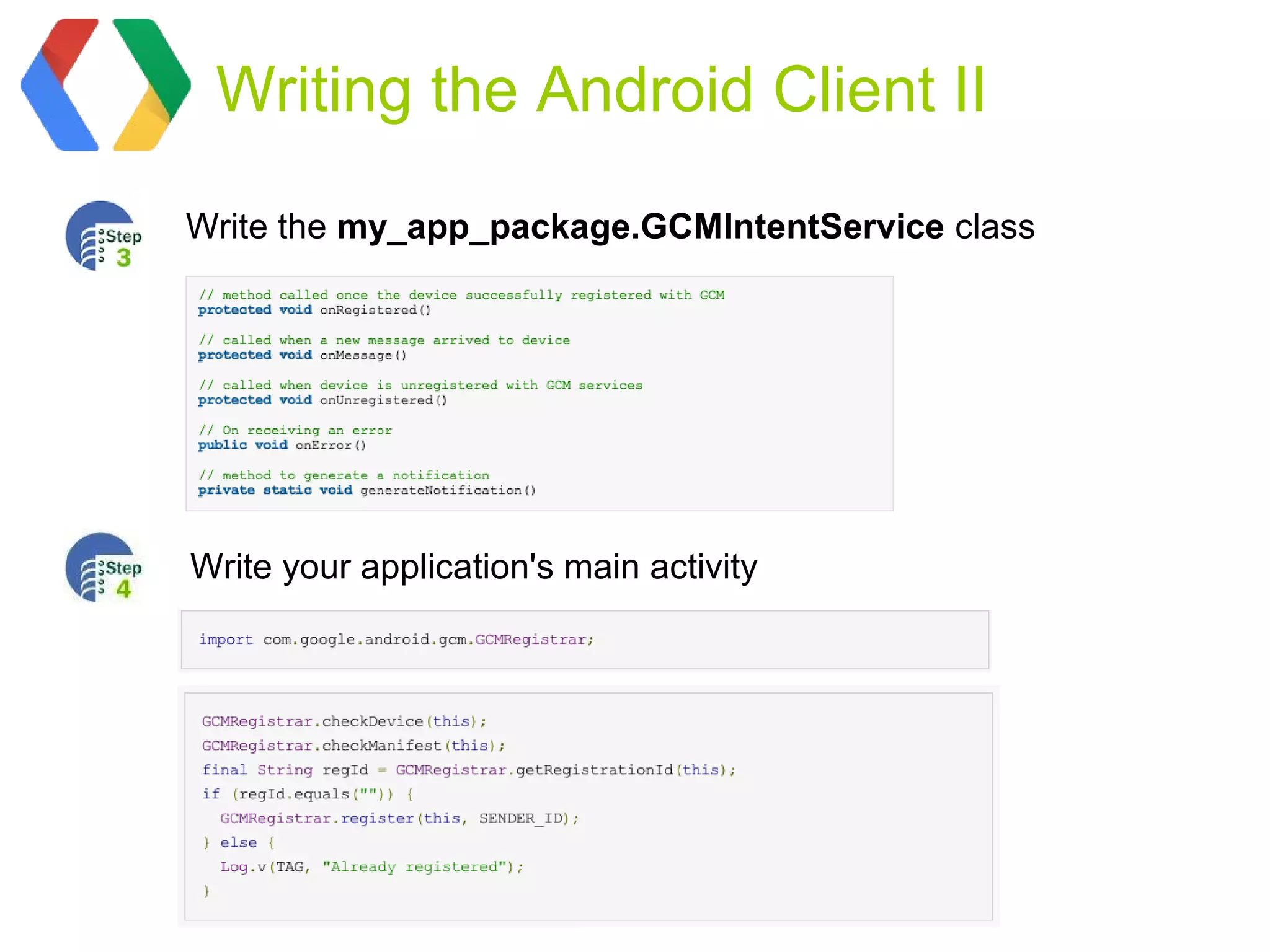
Writing the Android Client II

Write the my_app_package.GCMIntentService class


Write your application's main activity
Migration


Android Cloud to Device
Messaging (C2DM) is
deprecated.                  GCM replaces C2DM


                          The focus of GCM is as follows:
                            * Ease of use. No sign-up forms.
                            * No quotas.
                            * GCM and C2DM stats are available
                            through the Developer Console.
                            * Battery efficiency.
                            * Rich set of new APIs.
Client changes


Server changes
   Sending messages to GCM devices requires a few changes:

   * The request should be sent to a new endpoint:
   https://android.googleapis.com/gcm/send.

   * The Authorization header of the request should contain the
   API key generated during sign up. This key replaces the
   deprecated ClientLogin Auth token.
Resources

• http://developer.android.com/
• https://developers.google.com/events/io/
Thank you!!! Now I can
       chat with my Android
       friends! :)


Speaker.bio.toString(
)
      http://magdabadita.wordpress.com/

      Smartphone Platforms


      SmartphonePlatf

Magda badita gcm

  • 2.
    Android, let’s chat! GoogleCloud Messaging By Maria Magdalena Bădiţa
  • 8.
  • 13.
    What is GCM? Push: lightweight message to GCM (Google Cloud Messaging) is applications telling that there is a free service that helps new data to be fetched from the developers send data from servers server or a message containing to their Android applications on up to 4kb of payload data (e.g: Android devices. instant messaging apps). This can eliminate continuous query to server for updates using background services
  • 14.
    GCM Characteristics Allows 3rd-party GCM makes no application servers to send guarantees about delivery messages to their Android or the order of messages. applications. Application on an Android device doesn't need to be running to receive messages.
  • 15.
  • 16.
  • 17.
    Google API Console 1.Creatinga Google API project 2.Enabling the GCM Service http://developer.android.com/google/gcm/gs.html 3.Obtaining an API Key
  • 18.
    Writing the AndroidClient I Copy the gcm.jar file into your application classpath.
  • 19.
    Writing the AndroidClient II Write the my_app_package.GCMIntentService class Write your application's main activity
  • 20.
    Migration Android Cloud toDevice Messaging (C2DM) is deprecated. GCM replaces C2DM The focus of GCM is as follows: * Ease of use. No sign-up forms. * No quotas. * GCM and C2DM stats are available through the Developer Console. * Battery efficiency. * Rich set of new APIs.
  • 21.
    Client changes Server changes Sending messages to GCM devices requires a few changes: * The request should be sent to a new endpoint: https://android.googleapis.com/gcm/send. * The Authorization header of the request should contain the API key generated during sign up. This key replaces the deprecated ClientLogin Auth token.
  • 22.
  • 24.
    Thank you!!! NowI can chat with my Android friends! :) Speaker.bio.toString( ) http://magdabadita.wordpress.com/ Smartphone Platforms SmartphonePlatf