Ranjitha Ravi
ranjitharavi2402@gmail.com
 Introduction
 C2DM Technology
 C2DM Advantages&Disadvantages
 GCM Definition
 GCM characteristics
 GCM Working
 Summary
 References
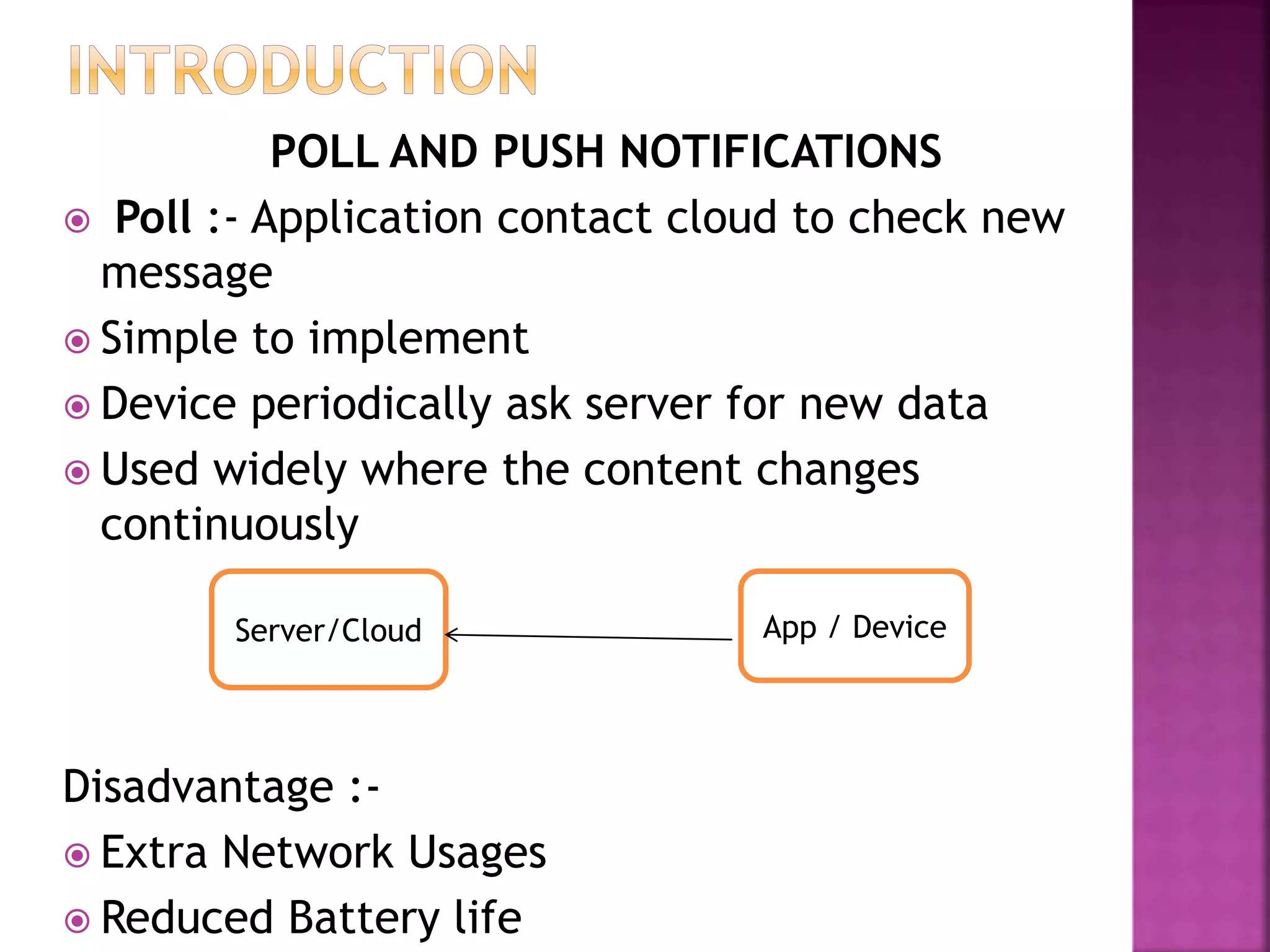
POLL AND PUSH NOTIFICATIONS
 Poll :- Application contact cloud to check new
message
 Simple to implement
 Device periodically ask server for new data
 Used widely where the content changes
continuously
Disadvantage :-
 Extra Network Usages
 Reduced Battery life
Server/Cloud App / Device
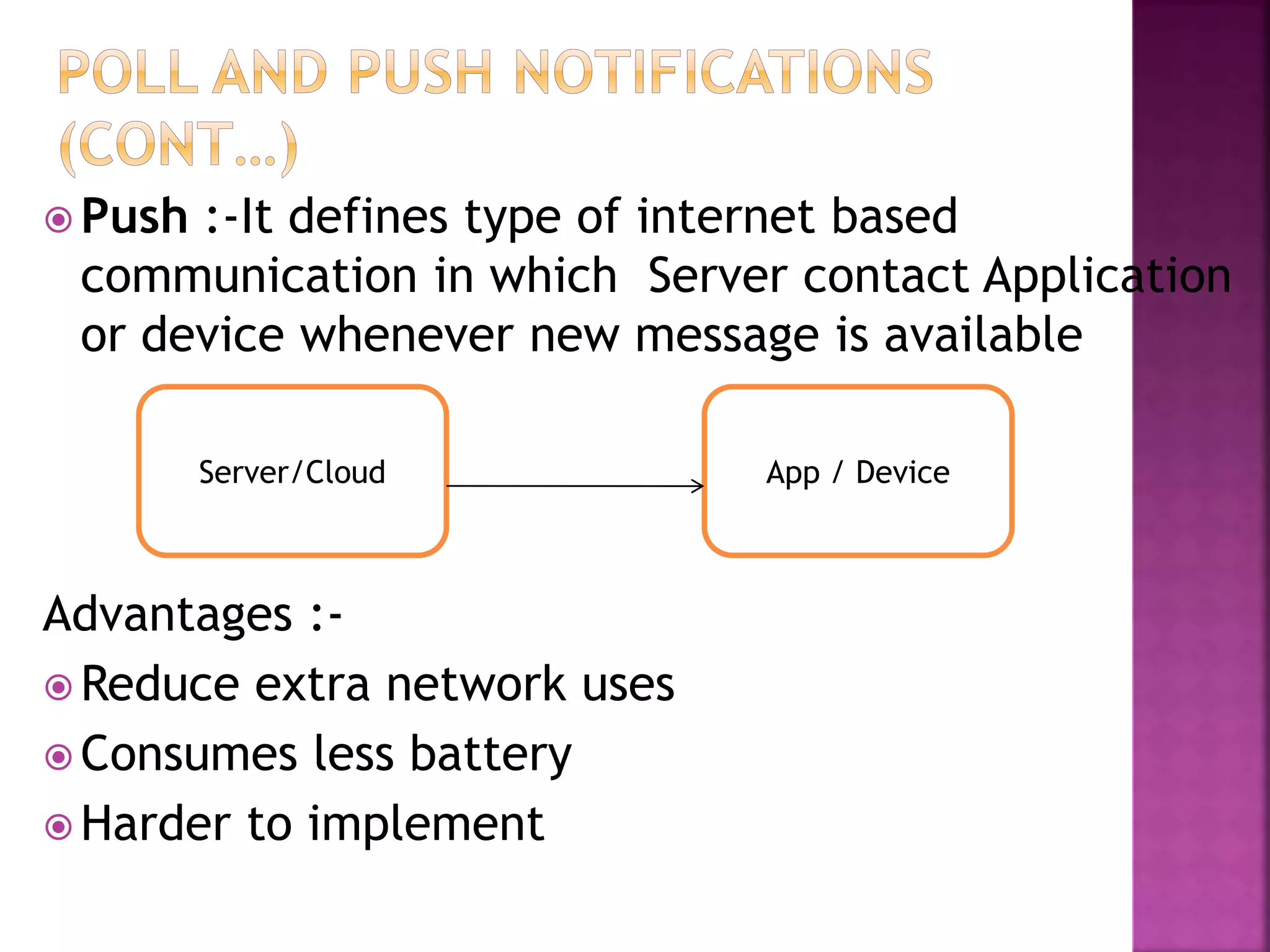
 Push :-It defines type of internet based
communication in which Server contact Application
or device whenever new message is available
Advantages :-
 Reduce extra network uses
 Consumes less battery
 Harder to implement
Server/Cloud App / Device
 Stands for Cloud to Device Messaging
 Used to send message from cloud to device
or application
 Support Push Notification
 C2DM retired and It’s time to GCM (Google
Cloud Messaging)
 Part of Google API
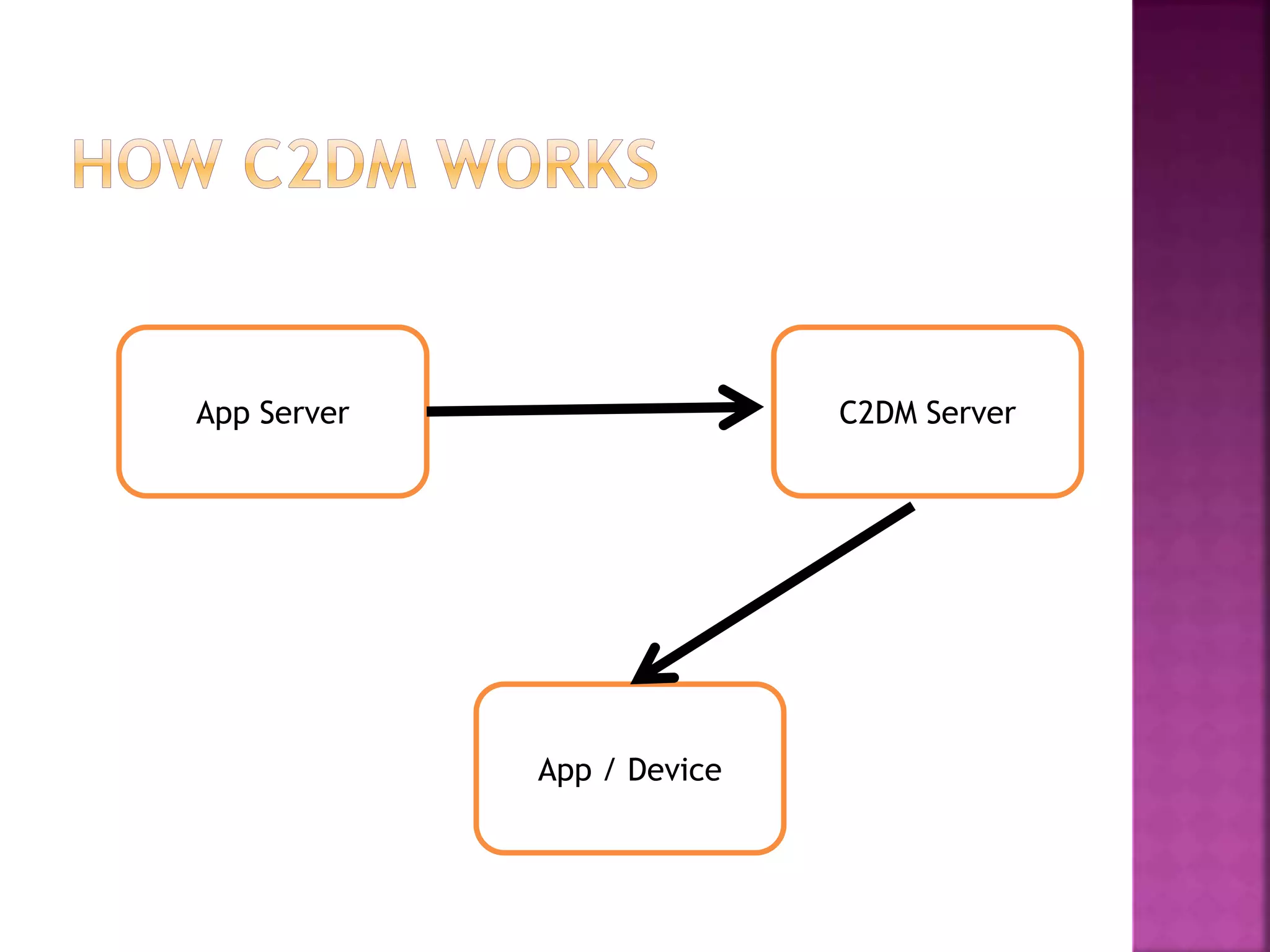
App Server C2DM Server
App / Device
Advantages :
 Using C2DM Developers can develop more
productive apps
 C2DM is connected to cloud so developers
can get benefits of cloud computing in their
apps
Disadvantage :
 Internet connectivity is required
 Limited message size
 GCM (Google Cloud Messaging) is a free
service that helps developers send data from
servers to their Android applications on
Android devices.
 Lightweight message to applications telling
that
there is new data to be fetched from the
server or
a message containing up to 4kb of payload
data (e.g: instant messaging apps).
● Allows 3rd-party application servers to send
messages to their Android applications.
● GCM makes no guarantees about delivery or the
order of
messages.
● Application on an Android device doesn't need to be
running to
receive messages.
● Uses an existing connection for Google services.
For pre-4.0devices, this requires users to set up their
Google account on their mobile devices.
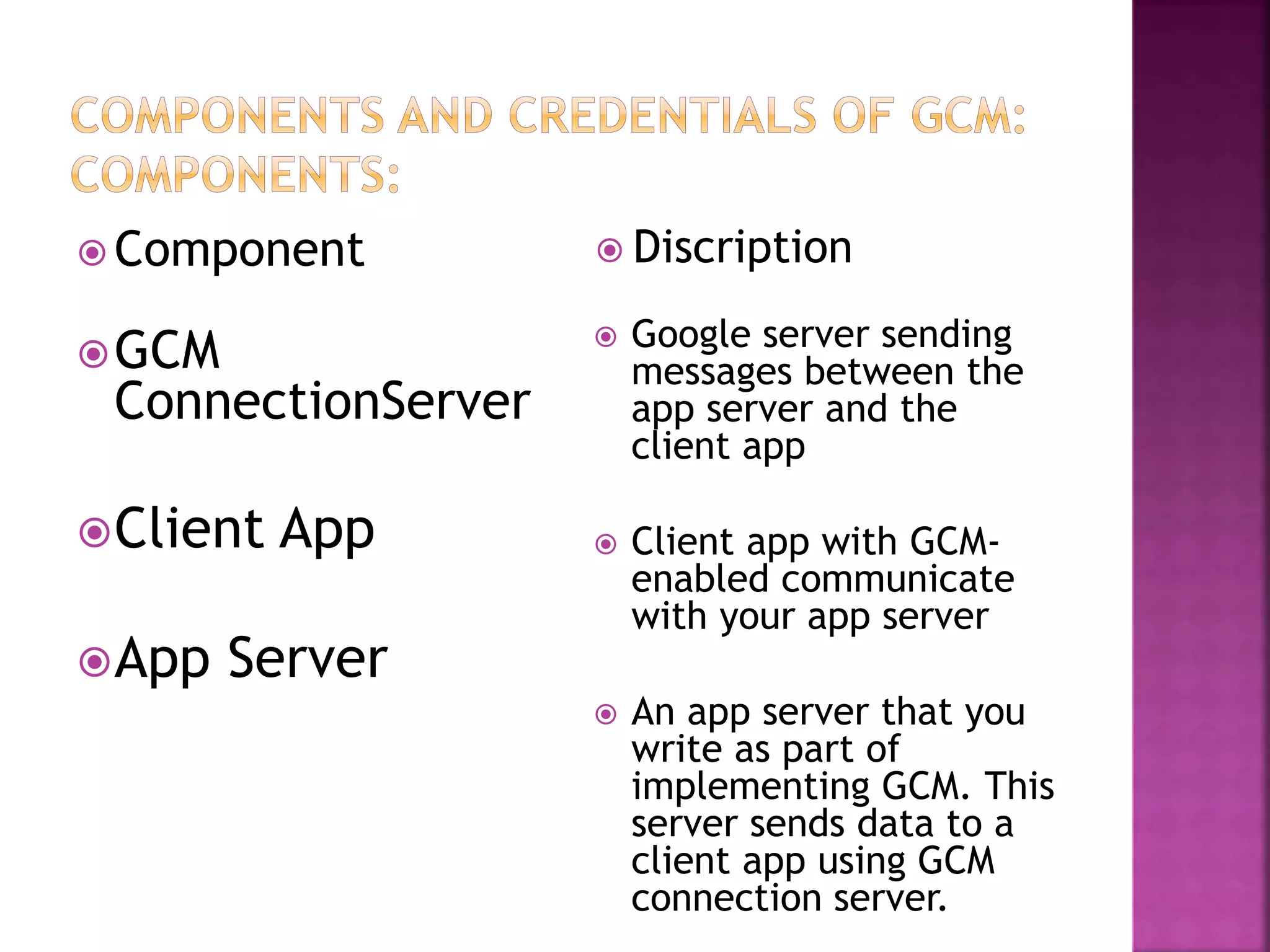
GCM
ConnectionServer
Client App
App Server
 Google server sending
messages between the
app server and the
client app
 Client app with GCM-
enabled communicate
with your app server
 An app server that you
write as part of
implementing GCM. This
server sends data to a
client app using GCM
connection server.
 Component  Discription
 Google migrated its products like :
Blogger to Google Blogs
Picasa to Google Image
AdMob to Google AdMob
Android marketplace to Google play
 So It’s time to C2DM to GCM
 Overcome disadvantages of C2DM
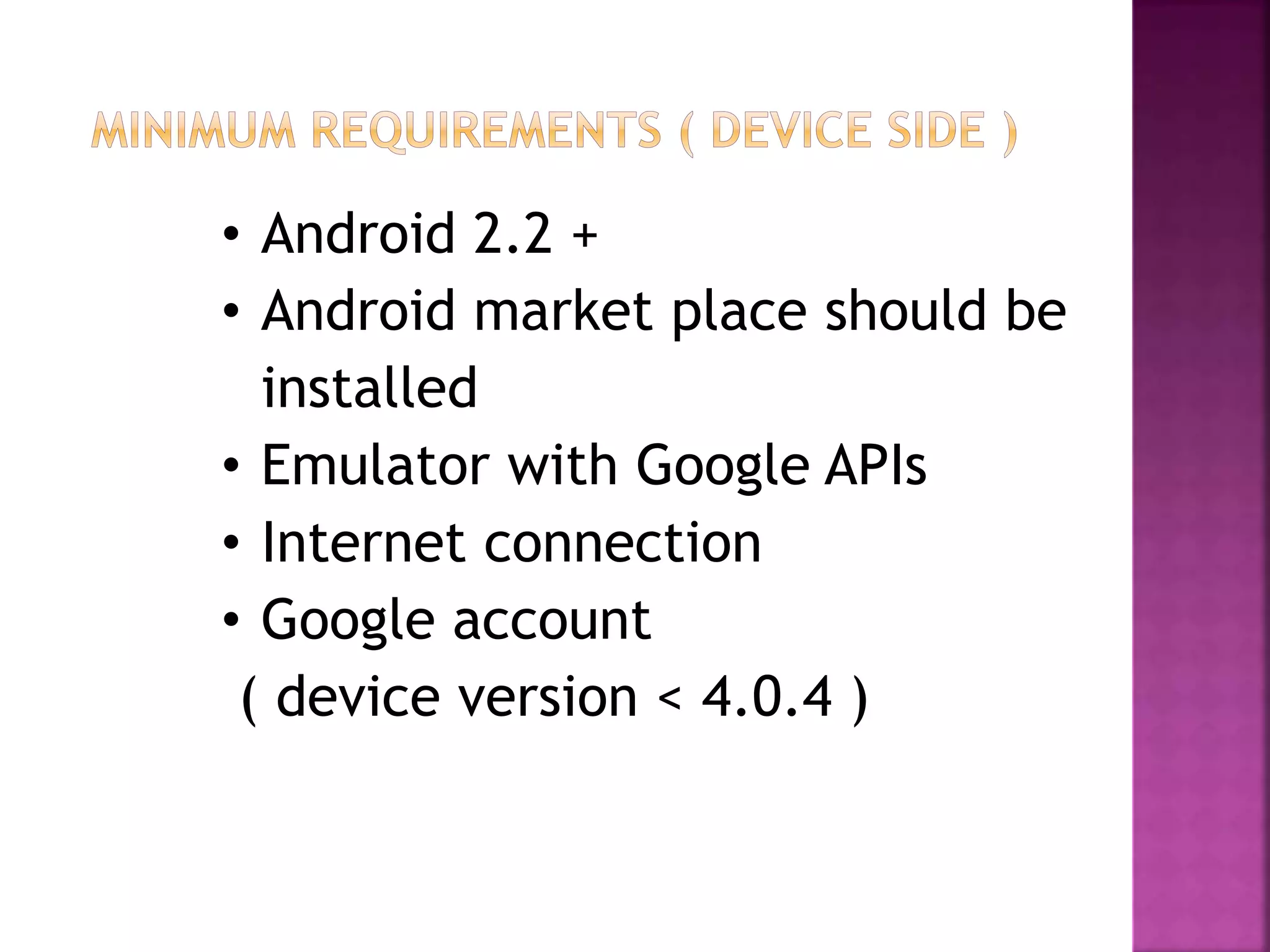
• Android 2.2 +
• Android market place should be
installed
• Emulator with Google APIs
• Internet connection
• Google account
( device version < 4.0.4 )
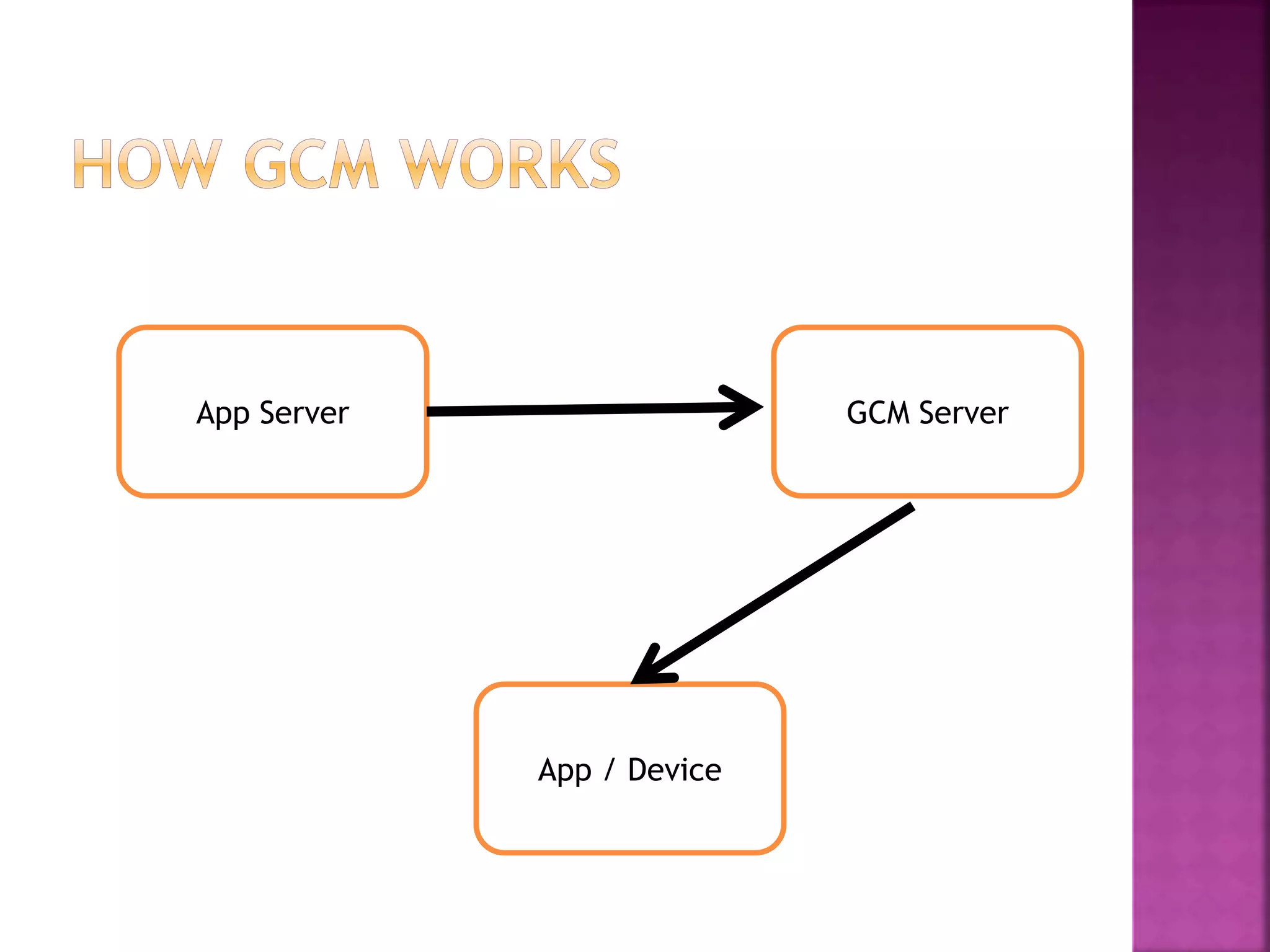
App Server GCM Server
App / Device
HOW GCM WORKS (contd.)
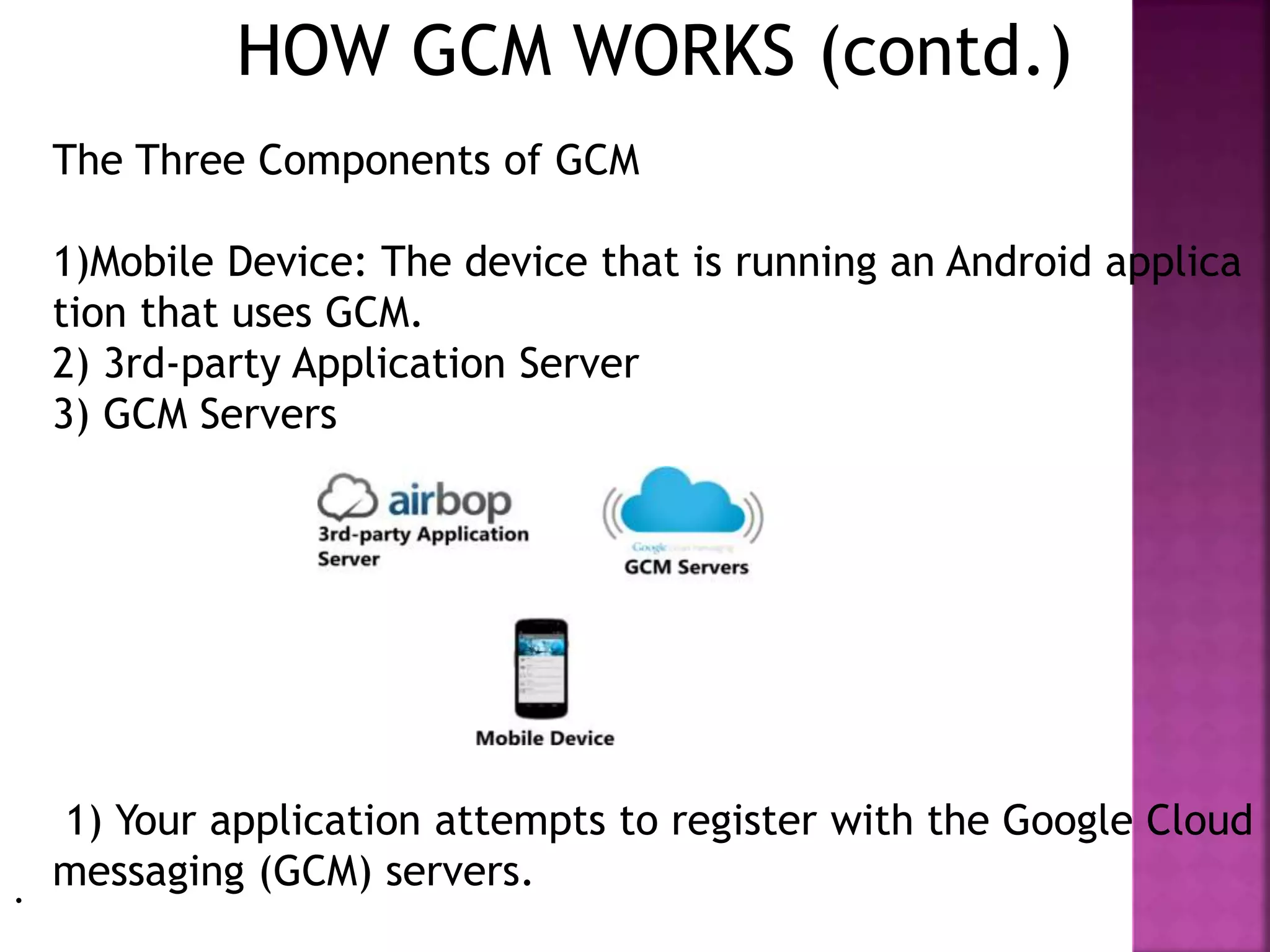
The Three Components of GCM
1)Mobile Device: The device that is running an Android applica
tion that uses GCM.
2) 3rd-party Application Server
3) GCM Servers
1) Your application attempts to register with the Google Cloud
messaging (GCM) servers..
5) The AirBop servers send the message to GCM using t
he registration Id to target the app and device AirBop
delivers the message to the GCM servers along with th
e registration Ids of registered clients.
6) GCM sends the message to the apps and devices tha
t match the registration Id(s).
4) You compose a message on the AirBop website
2) GCM registers your device and generates a registrati
on Id for your application.
3) Your app sends the registration Id (plus optional addi
tional information) to the AirBop servers.
7) Your app opens the message and handles the data appr
opriately.
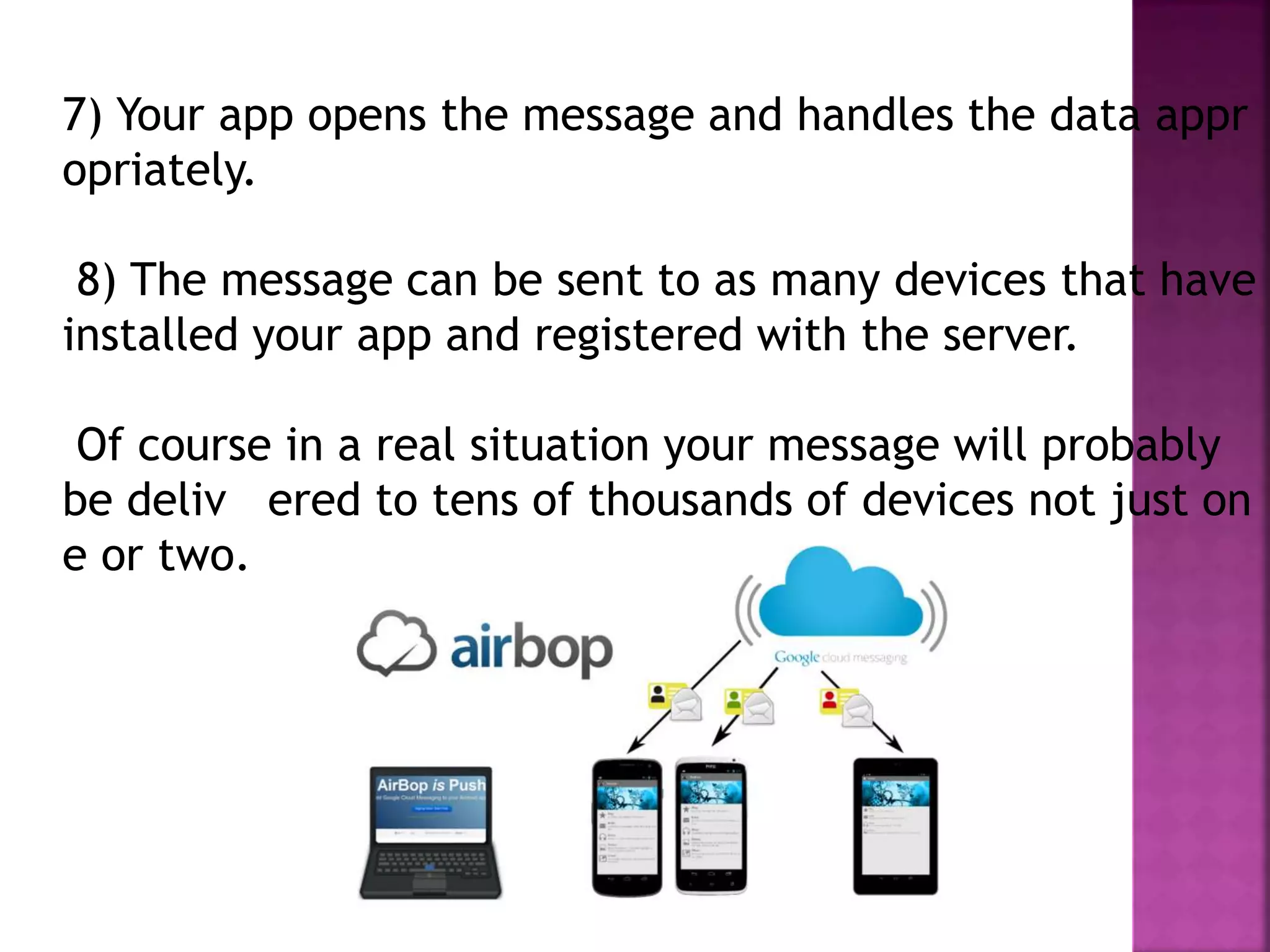
8) The message can be sent to as many devices that have
installed your app and registered with the server.
Of course in a real situation your message will probably
be deliv ered to tens of thousands of devices not just on
e or two.
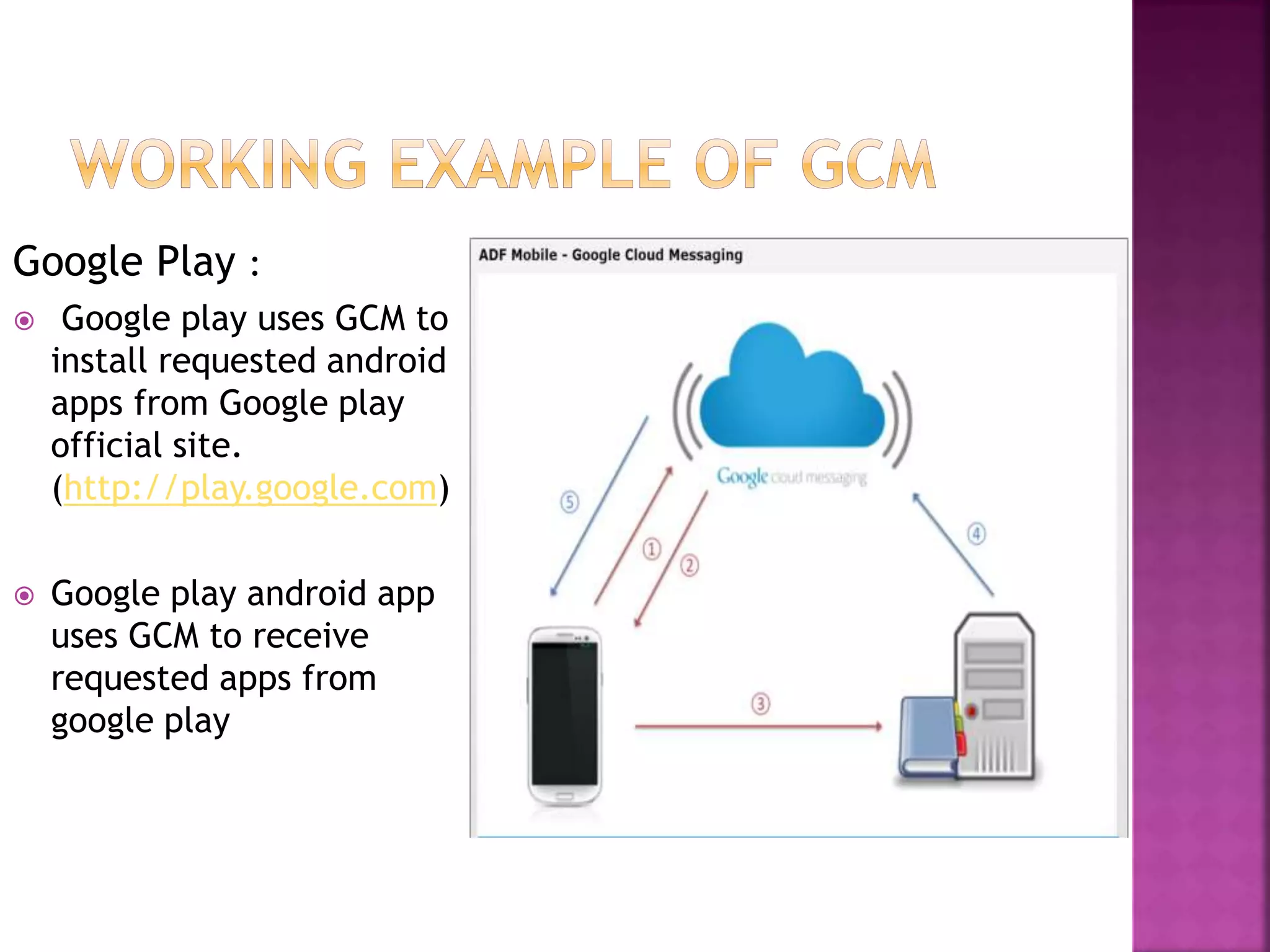
Google Play :
 Google play uses GCM to
install requested android
apps from Google play
official site.
(http://play.google.com)
 Google play android app
uses GCM to receive
requested apps from
google play
 Message Multicasting for News
 Multiple Senders for Social Updates
 Time to Live for Events and Promos
 Messages with Payload for IM
Thank you for your
time.

GCM Technology for Android

  • 1.
  • 3.
     Introduction  C2DMTechnology  C2DM Advantages&Disadvantages  GCM Definition  GCM characteristics  GCM Working  Summary  References
  • 4.
    POLL AND PUSHNOTIFICATIONS  Poll :- Application contact cloud to check new message  Simple to implement  Device periodically ask server for new data  Used widely where the content changes continuously Disadvantage :-  Extra Network Usages  Reduced Battery life Server/Cloud App / Device
  • 5.
     Push :-Itdefines type of internet based communication in which Server contact Application or device whenever new message is available Advantages :-  Reduce extra network uses  Consumes less battery  Harder to implement Server/Cloud App / Device
  • 6.
     Stands forCloud to Device Messaging  Used to send message from cloud to device or application  Support Push Notification  C2DM retired and It’s time to GCM (Google Cloud Messaging)  Part of Google API
  • 7.
    App Server C2DMServer App / Device
  • 8.
    Advantages :  UsingC2DM Developers can develop more productive apps  C2DM is connected to cloud so developers can get benefits of cloud computing in their apps Disadvantage :  Internet connectivity is required  Limited message size
  • 10.
     GCM (GoogleCloud Messaging) is a free service that helps developers send data from servers to their Android applications on Android devices.  Lightweight message to applications telling that there is new data to be fetched from the server or a message containing up to 4kb of payload data (e.g: instant messaging apps).
  • 11.
    ● Allows 3rd-partyapplication servers to send messages to their Android applications. ● GCM makes no guarantees about delivery or the order of messages. ● Application on an Android device doesn't need to be running to receive messages. ● Uses an existing connection for Google services. For pre-4.0devices, this requires users to set up their Google account on their mobile devices.
  • 12.
    GCM ConnectionServer Client App App Server Google server sending messages between the app server and the client app  Client app with GCM- enabled communicate with your app server  An app server that you write as part of implementing GCM. This server sends data to a client app using GCM connection server.  Component  Discription
  • 13.
     Google migratedits products like : Blogger to Google Blogs Picasa to Google Image AdMob to Google AdMob Android marketplace to Google play  So It’s time to C2DM to GCM  Overcome disadvantages of C2DM
  • 14.
    • Android 2.2+ • Android market place should be installed • Emulator with Google APIs • Internet connection • Google account ( device version < 4.0.4 )
  • 15.
    App Server GCMServer App / Device
  • 16.
    HOW GCM WORKS(contd.) The Three Components of GCM 1)Mobile Device: The device that is running an Android applica tion that uses GCM. 2) 3rd-party Application Server 3) GCM Servers 1) Your application attempts to register with the Google Cloud messaging (GCM) servers..
  • 17.
    5) The AirBopservers send the message to GCM using t he registration Id to target the app and device AirBop delivers the message to the GCM servers along with th e registration Ids of registered clients. 6) GCM sends the message to the apps and devices tha t match the registration Id(s). 4) You compose a message on the AirBop website 2) GCM registers your device and generates a registrati on Id for your application. 3) Your app sends the registration Id (plus optional addi tional information) to the AirBop servers.
  • 18.
    7) Your appopens the message and handles the data appr opriately. 8) The message can be sent to as many devices that have installed your app and registered with the server. Of course in a real situation your message will probably be deliv ered to tens of thousands of devices not just on e or two.
  • 19.
    Google Play : Google play uses GCM to install requested android apps from Google play official site. (http://play.google.com)  Google play android app uses GCM to receive requested apps from google play
  • 20.
     Message Multicastingfor News  Multiple Senders for Social Updates  Time to Live for Events and Promos  Messages with Payload for IM
  • 21.
    Thank you foryour time.

Editor's Notes

  • #21 Up to 1000 devices simultaneously. Up to 100 project IDs Default ttl time is 4 week
  • #22 I hope you enjoyed it. HAVE A GREAT DAY…