Android chat in the cloud
RESTful APIs, authentication, push notifications and some additional goodies
Alfredo Morresi
Developer Relations @ Google
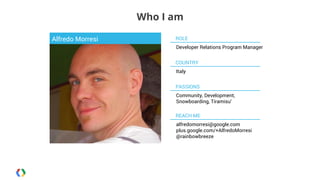
Who I am
Alfredo Morresi

ROLE
Developer Relations Program Manager
COUNTRY
Italy
PASSIONS
Community, Development,
Snowboarding, Tiramisu'
REACH ME
alfredomorresi@google.com
plus.google.com/+AlfredoMorresi
@rainbowbreeze
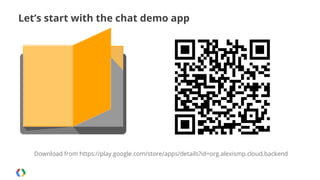
Let’s start with the chat demo app

Download from https://play.google.com/store/apps/details?id=org.alexismp.cloud.backend
In less than 40 minutes?
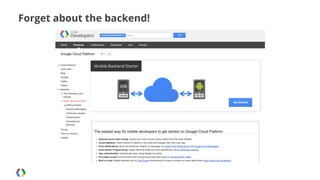
Forget about the backend!
Use Google Cloud Platform + Mobile Backend Starter
Optional server-side coding: Control your cloud service using Android and iOS client libraries.
Cloud Datastore: Store millions of objects in the cloud and manage them from your app.
Push Notifications: Send and broadcast objects as messages via Apple Push Notifications and
Google Cloud Messaging.
Event Driven Programming: Create real-time interactive user experiences using Continuous
Queries.
User authentication: Authenticate users using Google Accounts and control access on private data.
Built to scale: Mobile backend runs on App Engine infrastructure to scale to millions of users within
hours.
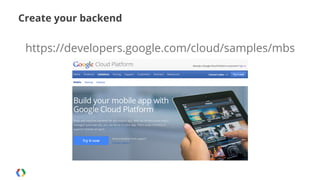
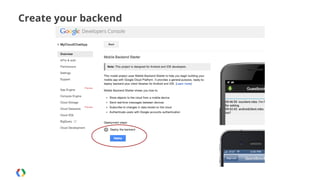
Create your backend

https://developers.google.com/cloud/samples/mbs
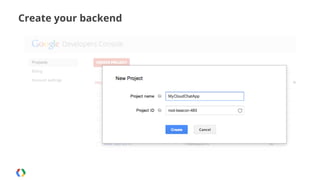
Create your backend
Create your backend
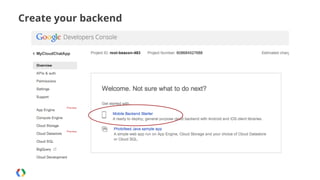
Create your backend
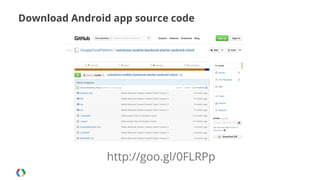
Download Android app source code

http://goo.gl/0FLRPp
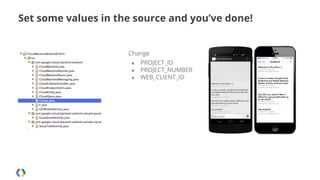
Set some values in the source and you’ve done!

Change
●
●
●

PROJECT_ID
PROJECT_NUMBER
WEB_CLIENT_ID
Step 1
Accessing to the APIs
Google Cloud Endpoints: generate APIs from annotations

https://developers.google.com/appengine/docs/java/endpoints/
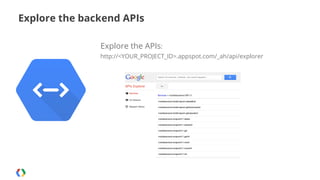
Explore the backend APIs
Explore the APIs:
http://<YOUR_PROJECT_ID>.appspot.com/_ah/api/explorer
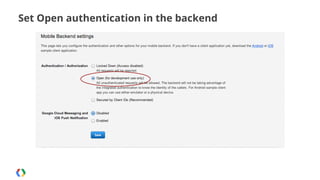
Set Open authentication in the backend
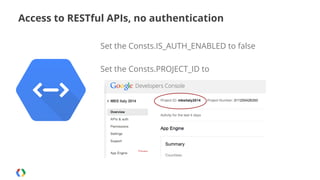
Access to RESTful APIs, no authentication
Set the Consts.IS_AUTH_ENABLED to false
Set the Consts.PROJECT_ID to
It was easy!
Access to RESTful APIs, no authentication
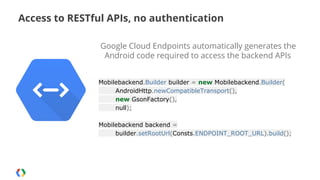
Google Cloud Endpoints automatically generates the
Android code required to access the backend APIs
Mobilebackend.Builder builder = new Mobilebackend.Builder(
AndroidHttp.newCompatibleTransport(),
new GsonFactory(),
null);
Mobilebackend backend =
builder.setRootUrl(Consts.ENDPOINT_ROOT_URL).build();
Access to RESTful APIs, no authentication
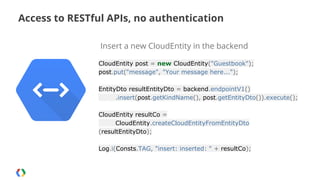
Insert a new CloudEntity in the backend
CloudEntity post = new CloudEntity("Guestbook");
post.put("message", "Your message here...");
EntityDto resultEntityDto = backend.endpointV1()
.insert(post.getKindName(), post.getEntityDto()).execute();
CloudEntity resultCo =
CloudEntity.createCloudEntityFromEntityDto
(resultEntityDto);
Log.i(Consts.TAG, "insert: inserted: " + resultCo);
Step 2
Accessing to the APIs with authentication
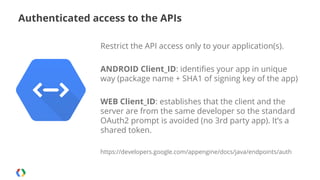
Authenticated access to the APIs
Restrict the API access only to your application(s).
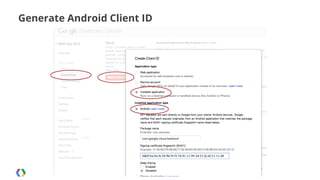
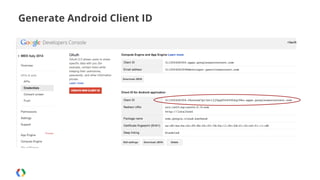
ANDROID Client_ID: identifies your app in unique
way (package name + SHA1 of signing key of the app)
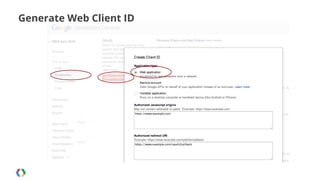
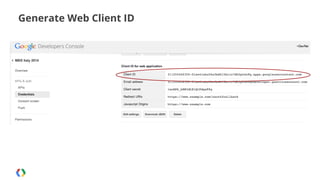
WEB Client_ID: establishes that the client and the
server are from the same developer so the standard
OAuth2 prompt is avoided (no 3rd party app). It’s a
shared token.
https://developers.google.com/appengine/docs/java/endpoints/auth
Generate Android Client ID
Generate Web Client ID
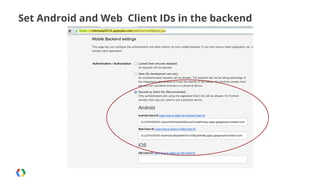
Set Android and Web Client IDs in the backend
Authenticated access to the APIs

Set the Consts.IS_AUTH_ENABLED to true
Set the Consts.WEB_CLIENT_ID to Web Client ID
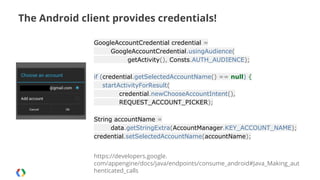
The Android client provides credentials!
GoogleAccountCredential credential =
GoogleAccountCredential.usingAudience(
getActivity(), Consts.AUTH_AUDIENCE);
if (credential.getSelectedAccountName() == null) {
startActivityForResult(
credential.newChooseAccountIntent(),
REQUEST_ACCOUNT_PICKER);
String accountName =
data.getStringExtra(AccountManager.KEY_ACCOUNT_NAME);
credential.setSelectedAccountName(accountName);
https://developers.google.
com/appengine/docs/java/endpoints/consume_android#Java_Making_aut
henticated_calls
Authenticated access to the APIs
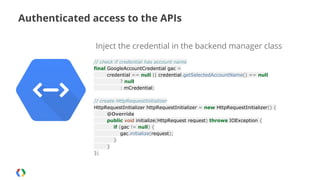
Inject the credential in the backend manager class
// check if credential has account name
final GoogleAccountCredential gac =
credential == null || credential.getSelectedAccountName() == null
? null
: mCredential;
// create HttpRequestInitializer
HttpRequestInitializer httpRequestInitializer = new HttpRequestInitializer() {
@Override
public void initialize(HttpRequest request) throws IOException {
if (gac != null) {
gac.initialize(request);
}
}
};
Authenticated access to the APIs
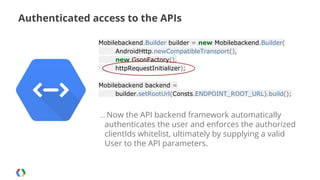
Mobilebackend.Builder builder = new Mobilebackend.Builder(
AndroidHttp.newCompatibleTransport(),
new GsonFactory(),
httpRequestInitializer);
Mobilebackend backend =
builder.setRootUrl(Consts.ENDPOINT_ROOT_URL).build();
… Now

the API backend framework automatically
authenticates the user and enforces the authorized
clientIds whitelist, ultimately by supplying a valid
User to the API parameters.
Step 3
Add push notifications
Google Cloud Messaging for Android

http://developer.android.com/google/gcm/index.html
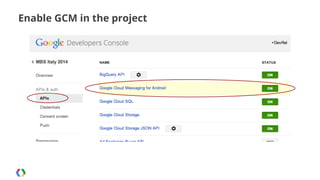
Enable GCM in the project
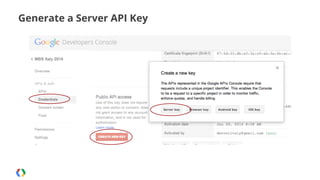
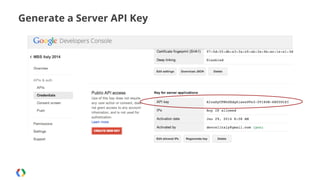
Generate a Server API Key
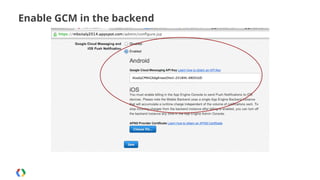
Enable GCM in the backend
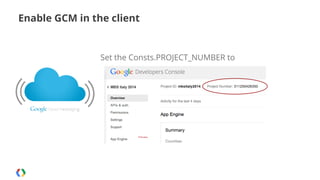
Enable GCM in the client

Set the Consts.PROJECT_NUMBER to
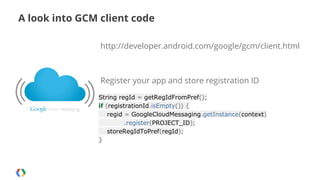
A look into GCM client code
http://developer.android.com/google/gcm/client.html

Register your app and store registration ID
String regId = getRegIdFromPref();
if (registrationId.isEmpty()) {
regid = GoogleCloudMessaging.getInstance(context)
.register(PROJECT_ID);
storeRegIdToPref(regId);
}
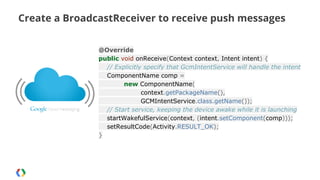
Create a BroadcastReceiver to receive push messages
@Override
public void onReceive(Context context, Intent intent) {
// Explicitly specify that GcmIntentService will handle the intent
ComponentName comp =
new ComponentName(
context.getPackageName(),
GCMIntentService.class.getName());
// Start service, keeping the device awake while it is launching
startWakefulService(context, (intent.setComponent(comp)));
setResultCode(Activity.RESULT_OK);
}
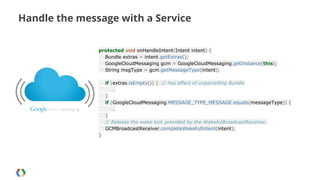
Handle the message with a Service
protected void onHandleIntent(Intent intent) {
Bundle extras = intent.getExtras();
GoogleCloudMessaging gcm = GoogleCloudMessaging.getInstance(this);
String msgType = gcm.getMessageType(intent);
if (extras.isEmpty()) { // has effect of unparcelling Bundle
…
}
if (GoogleCloudMessaging.MESSAGE_TYPE_MESSAGE.equals(messageType)) {
…
}
// Release the wake lock provided by the WakefulBroadcastReceiver.
GCMBroadcastReceiver.completeWakefulIntent(intent);
}
And remember to...

App registration is a network operation
Bonus Step
App internal architecture
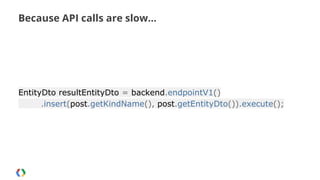
Because API calls are slow...

EntityDto resultEntityDto = backend.endpointV1()
.insert(post.getKindName(), post.getEntityDto()).execute();
Never forget!
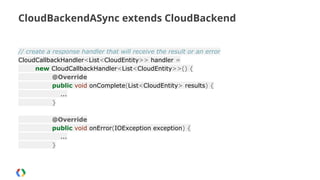
CloudBackendASync extends CloudBackend
// create a response handler that will receive the result or an error
CloudCallbackHandler<List<CloudEntity>> handler =
new CloudCallbackHandler<List<CloudEntity>>() {
@Override
public void onComplete(List<CloudEntity> results) {
...
}
@Override
public void onError(IOException exception) {
...
}
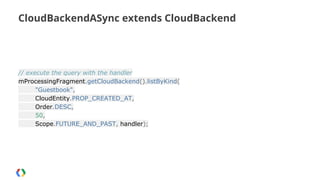
CloudBackendASync extends CloudBackend

// execute the query with the handler
mProcessingFragment.getCloudBackend().listByKind(
"Guestbook",
CloudEntity.PROP_CREATED_AT,
Order.DESC,
50,
Scope.FUTURE_AND_PAST, handler);
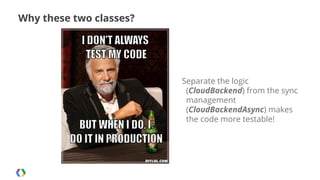
Why these two classes?

Separate the logic
(CloudBackend) from the sync
management
(CloudBackendAsync) makes
the code more testable!
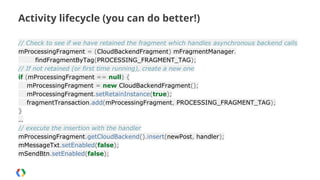
Activity lifecycle (you can do better!)
// Check to see if we have retained the fragment which handles asynchronous backend calls
mProcessingFragment = (CloudBackendFragment) mFragmentManager.
findFragmentByTag(PROCESSING_FRAGMENT_TAG);
// If not retained (or first time running), create a new one
if (mProcessingFragment == null) {
mProcessingFragment = new CloudBackendFragment();
mProcessingFragment.setRetainInstance(true);
fragmentTransaction.add(mProcessingFragment, PROCESSING_FRAGMENT_TAG);
}
…
// execute the insertion with the handler
mProcessingFragment.getCloudBackend().insert(newPost, handler);
mMessageTxt.setEnabled(false);
mSendBtn.setEnabled(false);
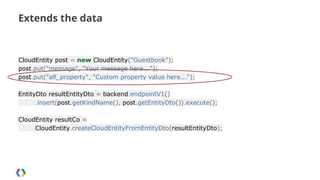
Extends the data

CloudEntity post = new CloudEntity("Guestbook");
post.put("message", "Your message here...");
post.put("alf_property", "Custom property value here...");
EntityDto resultEntityDto = backend.endpointV1()
.insert(post.getKindName(), post.getEntityDto()).execute();
CloudEntity resultCo =
CloudEntity.createCloudEntityFromEntityDto(resultEntityDto);
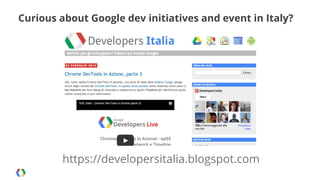
Curious about Google dev initiatives and event in Italy?

https://developersitalia.blogspot.com
Thank you!
http://developers.google.com
Alfredo Morresi
plus.google.com/+AlfredoMorresi
@rainbowbreeze

Android chat in the cloud

  • 2.
    Android chat inthe cloud RESTful APIs, authentication, push notifications and some additional goodies Alfredo Morresi Developer Relations @ Google
  • 3.
    Who I am AlfredoMorresi ROLE Developer Relations Program Manager COUNTRY Italy PASSIONS Community, Development, Snowboarding, Tiramisu' REACH ME alfredomorresi@google.com plus.google.com/+AlfredoMorresi @rainbowbreeze
  • 4.
    Let’s start withthe chat demo app Download from https://play.google.com/store/apps/details?id=org.alexismp.cloud.backend
  • 5.
    In less than40 minutes?
  • 6.
  • 7.
    Use Google CloudPlatform + Mobile Backend Starter Optional server-side coding: Control your cloud service using Android and iOS client libraries. Cloud Datastore: Store millions of objects in the cloud and manage them from your app. Push Notifications: Send and broadcast objects as messages via Apple Push Notifications and Google Cloud Messaging. Event Driven Programming: Create real-time interactive user experiences using Continuous Queries. User authentication: Authenticate users using Google Accounts and control access on private data. Built to scale: Mobile backend runs on App Engine infrastructure to scale to millions of users within hours.
  • 8.
  • 9.
  • 10.
  • 11.
  • 12.
    Download Android appsource code http://goo.gl/0FLRPp
  • 13.
    Set some valuesin the source and you’ve done! Change ● ● ● PROJECT_ID PROJECT_NUMBER WEB_CLIENT_ID
  • 15.
  • 16.
    Google Cloud Endpoints:generate APIs from annotations https://developers.google.com/appengine/docs/java/endpoints/
  • 17.
    Explore the backendAPIs Explore the APIs: http://<YOUR_PROJECT_ID>.appspot.com/_ah/api/explorer
  • 18.
  • 19.
    Access to RESTfulAPIs, no authentication Set the Consts.IS_AUTH_ENABLED to false Set the Consts.PROJECT_ID to
  • 20.
  • 21.
    Access to RESTfulAPIs, no authentication Google Cloud Endpoints automatically generates the Android code required to access the backend APIs Mobilebackend.Builder builder = new Mobilebackend.Builder( AndroidHttp.newCompatibleTransport(), new GsonFactory(), null); Mobilebackend backend = builder.setRootUrl(Consts.ENDPOINT_ROOT_URL).build();
  • 22.
    Access to RESTfulAPIs, no authentication Insert a new CloudEntity in the backend CloudEntity post = new CloudEntity("Guestbook"); post.put("message", "Your message here..."); EntityDto resultEntityDto = backend.endpointV1() .insert(post.getKindName(), post.getEntityDto()).execute(); CloudEntity resultCo = CloudEntity.createCloudEntityFromEntityDto (resultEntityDto); Log.i(Consts.TAG, "insert: inserted: " + resultCo);
  • 23.
    Step 2 Accessing tothe APIs with authentication
  • 24.
    Authenticated access tothe APIs Restrict the API access only to your application(s). ANDROID Client_ID: identifies your app in unique way (package name + SHA1 of signing key of the app) WEB Client_ID: establishes that the client and the server are from the same developer so the standard OAuth2 prompt is avoided (no 3rd party app). It’s a shared token. https://developers.google.com/appengine/docs/java/endpoints/auth
  • 25.
  • 26.
  • 27.
  • 28.
  • 29.
    Set Android andWeb Client IDs in the backend
  • 30.
    Authenticated access tothe APIs Set the Consts.IS_AUTH_ENABLED to true Set the Consts.WEB_CLIENT_ID to Web Client ID
  • 32.
    The Android clientprovides credentials! GoogleAccountCredential credential = GoogleAccountCredential.usingAudience( getActivity(), Consts.AUTH_AUDIENCE); if (credential.getSelectedAccountName() == null) { startActivityForResult( credential.newChooseAccountIntent(), REQUEST_ACCOUNT_PICKER); String accountName = data.getStringExtra(AccountManager.KEY_ACCOUNT_NAME); credential.setSelectedAccountName(accountName); https://developers.google. com/appengine/docs/java/endpoints/consume_android#Java_Making_aut henticated_calls
  • 33.
    Authenticated access tothe APIs Inject the credential in the backend manager class // check if credential has account name final GoogleAccountCredential gac = credential == null || credential.getSelectedAccountName() == null ? null : mCredential; // create HttpRequestInitializer HttpRequestInitializer httpRequestInitializer = new HttpRequestInitializer() { @Override public void initialize(HttpRequest request) throws IOException { if (gac != null) { gac.initialize(request); } } };
  • 34.
    Authenticated access tothe APIs Mobilebackend.Builder builder = new Mobilebackend.Builder( AndroidHttp.newCompatibleTransport(), new GsonFactory(), httpRequestInitializer); Mobilebackend backend = builder.setRootUrl(Consts.ENDPOINT_ROOT_URL).build(); … Now the API backend framework automatically authenticates the user and enforces the authorized clientIds whitelist, ultimately by supplying a valid User to the API parameters.
  • 35.
    Step 3 Add pushnotifications
  • 37.
    Google Cloud Messagingfor Android http://developer.android.com/google/gcm/index.html
  • 38.
    Enable GCM inthe project
  • 39.
  • 40.
  • 41.
    Enable GCM inthe backend
  • 42.
    Enable GCM inthe client Set the Consts.PROJECT_NUMBER to
  • 44.
    A look intoGCM client code http://developer.android.com/google/gcm/client.html Register your app and store registration ID String regId = getRegIdFromPref(); if (registrationId.isEmpty()) { regid = GoogleCloudMessaging.getInstance(context) .register(PROJECT_ID); storeRegIdToPref(regId); }
  • 45.
    Create a BroadcastReceiverto receive push messages @Override public void onReceive(Context context, Intent intent) { // Explicitly specify that GcmIntentService will handle the intent ComponentName comp = new ComponentName( context.getPackageName(), GCMIntentService.class.getName()); // Start service, keeping the device awake while it is launching startWakefulService(context, (intent.setComponent(comp))); setResultCode(Activity.RESULT_OK); }
  • 46.
    Handle the messagewith a Service protected void onHandleIntent(Intent intent) { Bundle extras = intent.getExtras(); GoogleCloudMessaging gcm = GoogleCloudMessaging.getInstance(this); String msgType = gcm.getMessageType(intent); if (extras.isEmpty()) { // has effect of unparcelling Bundle … } if (GoogleCloudMessaging.MESSAGE_TYPE_MESSAGE.equals(messageType)) { … } // Release the wake lock provided by the WakefulBroadcastReceiver. GCMBroadcastReceiver.completeWakefulIntent(intent); }
  • 47.
    And remember to... Appregistration is a network operation
  • 48.
  • 49.
    Because API callsare slow... EntityDto resultEntityDto = backend.endpointV1() .insert(post.getKindName(), post.getEntityDto()).execute();
  • 50.
  • 51.
    CloudBackendASync extends CloudBackend //create a response handler that will receive the result or an error CloudCallbackHandler<List<CloudEntity>> handler = new CloudCallbackHandler<List<CloudEntity>>() { @Override public void onComplete(List<CloudEntity> results) { ... } @Override public void onError(IOException exception) { ... }
  • 52.
    CloudBackendASync extends CloudBackend //execute the query with the handler mProcessingFragment.getCloudBackend().listByKind( "Guestbook", CloudEntity.PROP_CREATED_AT, Order.DESC, 50, Scope.FUTURE_AND_PAST, handler);
  • 53.
    Why these twoclasses? Separate the logic (CloudBackend) from the sync management (CloudBackendAsync) makes the code more testable!
  • 54.
    Activity lifecycle (youcan do better!) // Check to see if we have retained the fragment which handles asynchronous backend calls mProcessingFragment = (CloudBackendFragment) mFragmentManager. findFragmentByTag(PROCESSING_FRAGMENT_TAG); // If not retained (or first time running), create a new one if (mProcessingFragment == null) { mProcessingFragment = new CloudBackendFragment(); mProcessingFragment.setRetainInstance(true); fragmentTransaction.add(mProcessingFragment, PROCESSING_FRAGMENT_TAG); } … // execute the insertion with the handler mProcessingFragment.getCloudBackend().insert(newPost, handler); mMessageTxt.setEnabled(false); mSendBtn.setEnabled(false);
  • 55.
    Extends the data CloudEntitypost = new CloudEntity("Guestbook"); post.put("message", "Your message here..."); post.put("alf_property", "Custom property value here..."); EntityDto resultEntityDto = backend.endpointV1() .insert(post.getKindName(), post.getEntityDto()).execute(); CloudEntity resultCo = CloudEntity.createCloudEntityFromEntityDto(resultEntityDto);
  • 56.
    Curious about Googledev initiatives and event in Italy? https://developersitalia.blogspot.com
  • 57.