MSc Biomedical Science
Postgraduate Course Feedback

Essential Library Skills and
Literature Searching
Wed 16 October 2013
th
Today we are going to look at …

1) Essential Library Skills
Using the Library pages on MyUniHub:
• The Library Catalogue
• Summon
• Your Library Subject Guide
Today we are going to look at …

2) Literature Searching
•
•
•
•
•
•
•
•

Introduction to journal databases
Planning your search strategy
Searching Medline
Accessing the journal articles you have found
What are peer-reviewed articles?
Searching Science Direct and Web of Science
Using Google Scholar
Referencing
Using the Library pages on
MyUniHub

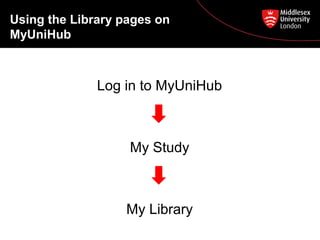
Log in to MyUniHub

My Study

My Library
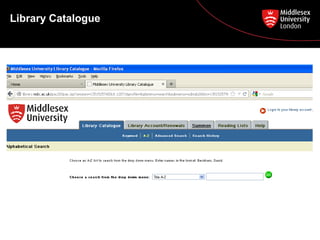
Library Catalogue
Library Catalogue

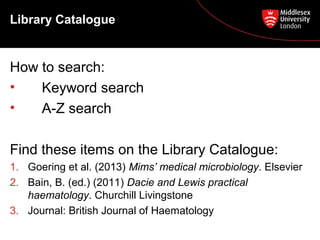
How to search:
•
Keyword search
•
A-Z search
Find these items on the Library Catalogue:
1. Goering et al. (2013) Mims’ medical microbiology. Elsevier
2. Bain, B. (ed.) (2011) Dacie and Lewis practical
haematology. Churchill Livingstone
3. Journal: British Journal of Haematology
Library Catalogue – e-books and
e-journals

• E-books and e-journals are also found on the
Library Catalogue.
• You will see ‘[electronic resource]’ after the
title.
• Click on the blue link to download or read the
book or journal online (You must be logged
into myUniHub!)
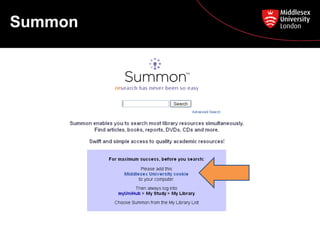
Summon
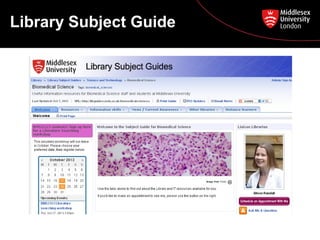
Library Subject Guide
Introduction to journal
databases
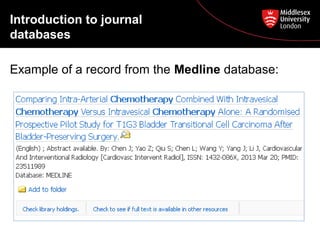
Example of a record from the Medline database:
Introduction to journal
databases
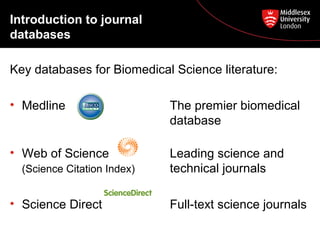
Key databases for Biomedical Science literature:
• Medline

The premier biomedical
database

• Web of Science

Leading science and
technical journals

(Science Citation Index)

• Science Direct

Full-text science journals
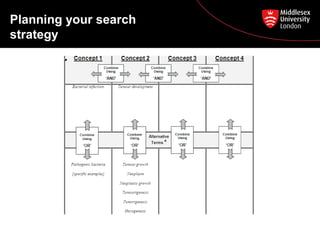
Planning your search
strategy
1. Define your question
2. Break it down into concepts (databases work best
if you break your question down into single
subjects)
3. List the words or phrases that you could use for
each concept (alternative terms, truncate using *)
Planning your search
strategy

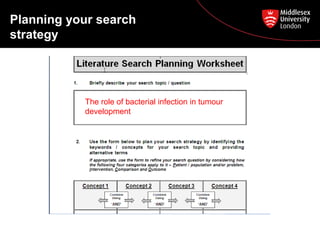
The role of bacterial infection in tumour
development
Planning your search
strategy
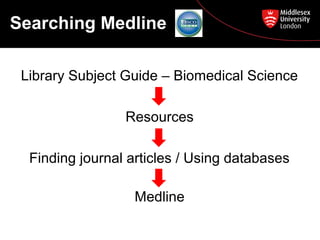
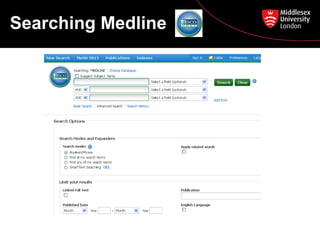
Searching Medline
Library Subject Guide – Biomedical Science
Resources
Finding journal articles / Using databases
Medline
Searching Medline
Accessing the articles
you have found
• The full-text article may appear (as a PDF).
• If it does not appear:
– Search the Library Catalogue for the journal title
to determine whether we have access to the fulltext of that issue.

• If we do not have access, use our InterLibrary-Loan service (via My Study > My
Library)
Peer review
• A formal procedure for checking the quality of
research before it is published.
• If a publication is peer reviewed it means it has
been read, checked and authenticated by
independent, third party academics (peers).
• The quality-control system of academic publishing
for hundreds of years.
Searching other
databases
Science Direct
Web of Science
• Search for the same topic on these two databases,
and be prepared to tell the class what you like /
dislike about each database.
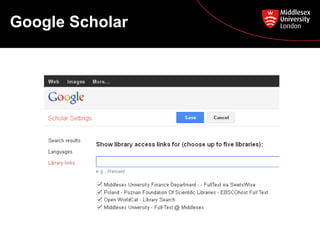
Google Scholar
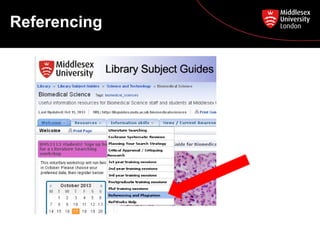
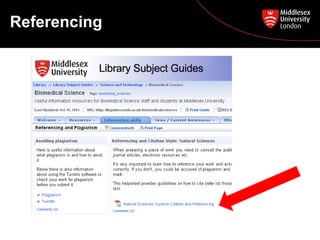
Referencing
Referencing
Need help?

• Librarians in the Specialist Zone (1st floor) 11-3
Monday – Friday (on call 9-11, 3-5)
• Ask a Librarian http://askalibrarian.mdx.ac.uk/
• BMS Library Subject Guide
http://libguides.mdx.ac.uk/biomedicalsciences

MSc Biomedical Science Oct 2013

  • 1.
    MSc Biomedical Science PostgraduateCourse Feedback Essential Library Skills and Literature Searching Wed 16 October 2013 th
  • 2.
    Today we aregoing to look at … 1) Essential Library Skills Using the Library pages on MyUniHub: • The Library Catalogue • Summon • Your Library Subject Guide
  • 3.
    Today we aregoing to look at … 2) Literature Searching • • • • • • • • Introduction to journal databases Planning your search strategy Searching Medline Accessing the journal articles you have found What are peer-reviewed articles? Searching Science Direct and Web of Science Using Google Scholar Referencing
  • 4.
    Using the Librarypages on MyUniHub Log in to MyUniHub My Study My Library
  • 5.
  • 6.
    Library Catalogue How tosearch: • Keyword search • A-Z search Find these items on the Library Catalogue: 1. Goering et al. (2013) Mims’ medical microbiology. Elsevier 2. Bain, B. (ed.) (2011) Dacie and Lewis practical haematology. Churchill Livingstone 3. Journal: British Journal of Haematology
  • 7.
    Library Catalogue –e-books and e-journals • E-books and e-journals are also found on the Library Catalogue. • You will see ‘[electronic resource]’ after the title. • Click on the blue link to download or read the book or journal online (You must be logged into myUniHub!)
  • 8.
  • 9.
  • 10.
    Introduction to journal databases Exampleof a record from the Medline database:
  • 11.
    Introduction to journal databases Keydatabases for Biomedical Science literature: • Medline The premier biomedical database • Web of Science Leading science and technical journals (Science Citation Index) • Science Direct Full-text science journals
  • 12.
    Planning your search strategy 1.Define your question 2. Break it down into concepts (databases work best if you break your question down into single subjects) 3. List the words or phrases that you could use for each concept (alternative terms, truncate using *)
  • 13.
    Planning your search strategy Therole of bacterial infection in tumour development
  • 14.
  • 15.
    Searching Medline Library SubjectGuide – Biomedical Science Resources Finding journal articles / Using databases Medline
  • 16.
  • 17.
    Accessing the articles youhave found • The full-text article may appear (as a PDF). • If it does not appear: – Search the Library Catalogue for the journal title to determine whether we have access to the fulltext of that issue. • If we do not have access, use our InterLibrary-Loan service (via My Study > My Library)
  • 18.
    Peer review • Aformal procedure for checking the quality of research before it is published. • If a publication is peer reviewed it means it has been read, checked and authenticated by independent, third party academics (peers). • The quality-control system of academic publishing for hundreds of years.
  • 19.
    Searching other databases Science Direct Webof Science • Search for the same topic on these two databases, and be prepared to tell the class what you like / dislike about each database.
  • 20.
  • 21.
  • 22.
  • 23.
    Need help? • Librariansin the Specialist Zone (1st floor) 11-3 Monday – Friday (on call 9-11, 3-5) • Ask a Librarian http://askalibrarian.mdx.ac.uk/ • BMS Library Subject Guide http://libguides.mdx.ac.uk/biomedicalsciences

Editor's Notes

  • #5 ALL STUDENTS DO THIS LIVE. NEXT – NOW CLICK ON LIBRARY CATALOGUE LINK
  • #7 DEMO: Keyword search, Title search TASK FOR STUDENTS: 2 minutes to try the 3 searches, then feed back to class. WHEN TAKING FEEDBACK: Explain how to find books on shelf. Note that Dacie and Lewis is also an e-book. Note blue link. Note that the journal is available with two date ranges.Note blue links.
  • #9 EVERYONE: Go back to My Study then choose Summon link. EXPLAIN: Hold up a print journal to explain coverage of Summon as opposed to Library Catalogue. Explain the MDX cookie. Let’s have a quick look at Summon, but specific journal databases are more appropriate for postgraduate students. STUDENTS DO: Search for chemotherapy Try refining tools: Full-text, Content type, Pub date.
  • #10 EVERYONE: Go back to My Study then choose Library Subject Guides link. POINT OUT: Home page > Appointments, Referencing guide Resources > Catalogue, Summon, Databases, Web resources Information Skills > Powerpoints, Referencing
  • #11 ASK THE STUDENTS TO FIND THESE ELEMENTS IN THE RECORD: Name of first author Title of article Title of journal in which it is printed Year and Volume Is there an Abstract? HOLD UP: A print journal, to help explain the elements you are asking them to find
  • #13 QUESTION: ‘The role of bacterial infection in tumour development’
  • #14 GIVE OUT HANDOUTS. GIVE THEM THE TOPIC: ‘The role of bacterial infection in tumour development’ (For Medical Microbiology students. See other two worksheets for Cellular Pathology and Clinical Biochemistry topics...) EXPLAIN THE FORM AND ASK THEM TO FILL IN PART 2, IN PAIRS (ALSO SEE TOP OF PAGE 2 FOR TIPS).
  • #15 TAKE FEEDBACK ON PART 2 and show the example above. NOW DISCUSS PART 3 altogether – e.g. Date range, age group(s), peer reviewed (more later)..., publication types (e.g. Original research article vs. review article.)
  • #16 ALL STUDENTS DO THIS LIVE.
  • #17 ALL STUDENTS DO THIS WITH YOU: Type in ‘bacterial infection’ Tick the box ‘Suggest subject terms’. (EXPLAIN: MESH subject headings and their benefits) Now select the MESH term ‘Bacterial Infections’, click ‘Explode’ (to include different sub-headings about different infections), then click ‘Search database’. ASK STUDENTS: How many articles has it found? NOTICE: the ‘Search History’ box halfway down the screen. Now do another search for ‘tumo#r’ in the top box AND ‘growth’ in the second box. Look again at the number of results. Now, in the Search History, tick S1 and S2 then combine them using the AND button. You should get 1,400+ results. View some of your results and find your search terms highlighted. Encourage the students to try some other synonyms etc from their worksheets, combine their search results with AND or OR, and see what they get. WANDER AROUND and help. For example: tumo#rigenesis (means growth of tumours) Neoplasm* AND growth (neoplasm means tumour)
  • #20 Do a QUICK DEMO of each. STUDENTS try some searches like the ones we did on Medline, then feedback the pros and cons of each database.
  • #21 ONLY IF THERE’S TIME: Show students how to link Google Scholar to Middlesex, and explain benefits.