WHAT IS LINUX? Linux was developed by Linux Torvalds at the University of Helsinki in Finland. He started his work in 1991. The effort expanded with volunteers contributing code and documentation over the internet. It is currently developed under the GNU public license and is freely available in source and binary form.
Some of its features include : 1. Virtual memory, allowing the system to use disk  room the same as RAM memory. 2. Networking with TCP/IP and other protocols. 3. Multiple user capability. 4. Protected mode so programs or user's can't  access unauthorized areas. 5. Shared libraries 6. True multitasking 7. X - A graphical user interface similar to windows,  but supports remote sessions over a network.
Advanced server functionality * FTP server * Telnet server * BOOTP server * DHCP server * Samba server * DNS server * SNMP services * Mail services * Network file sharing
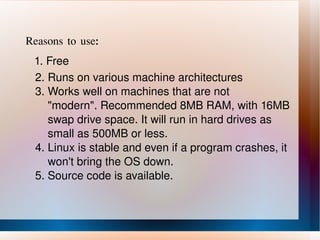
Reasons to use: 1. Free 2. Runs on various machine architectures 3. Works well on machines that are not  "modern". Recommended 8MB RAM, with 16MB  swap drive space. It will run in hard drives as  small as 500MB or less. 4. Linux is stable and even if a program crashes, it  won't bring the OS down. 5. Source code is available.
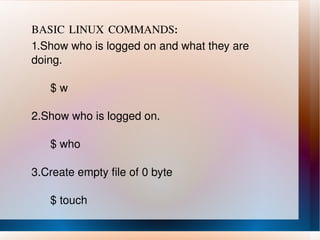
BASIC LINUX COMMANDS: 1.Show who is logged on and what they are doing. $ w 2.Show who is logged on. $ who 3.Create empty file of 0 byte $ touch
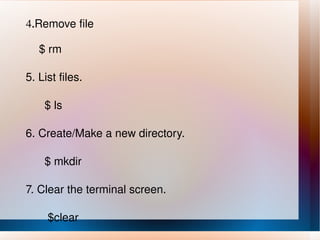
4. Remove file $ rm 5. List files. $ ls 6. Create/Make a new directory. $ mkdir 7. Clear the terminal screen. $clear
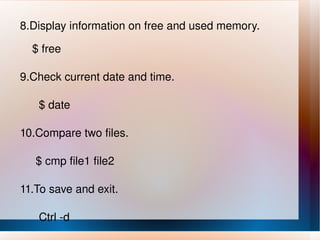
8.Display information on free and used memory. $ free 9.Check current date and time. $ date 10.Compare two files. $ cmp file1 file2 11.To save and exit. Ctrl -d
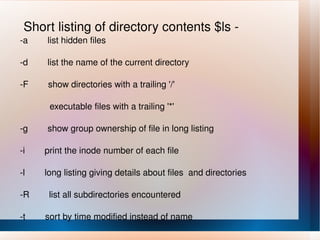
Short listing of directory contents $ls - -a  list hidden files -d  list the name of the current directory -F  show directories with a trailing '/' executable files with a trailing '*' -g  show group ownership of file in long listing -i  print the inode number of each file -l  long listing giving details about files  and directories -R  list all subdirectories encountered -t  sort by time modified instead of name
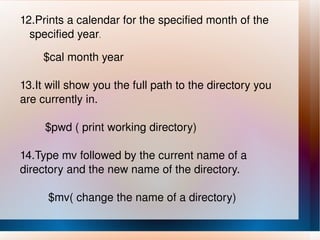
12.Prints a calendar for the specified month of the  specified year . $cal month year  13.It will show you the full path to the directory you are currently in. $pwd ( print working directory) 14.Type mv followed by the current name of a directory and the new name of the directory. $mv( change the name of a directory)
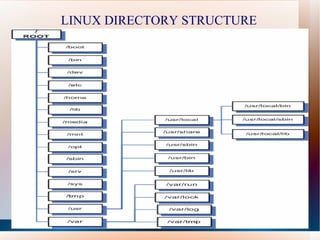
LINUX DIRECTORY STRUCTURE
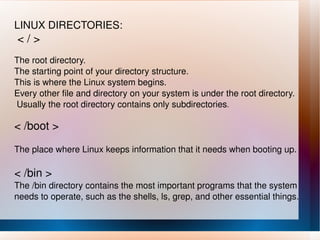
LINUX DIRECTORIES: < / > The root directory.
The starting point of your directory structure.
This is where the Linux system begins.
Every other file and directory on your system is under the root directory.
Usually the root directory contains only subdirectories .

Linux basics

  • 1.
    WHAT IS LINUX?Linux was developed by Linux Torvalds at the University of Helsinki in Finland. He started his work in 1991. The effort expanded with volunteers contributing code and documentation over the internet. It is currently developed under the GNU public license and is freely available in source and binary form.
  • 2.
    Some of itsfeatures include : 1. Virtual memory, allowing the system to use disk room the same as RAM memory. 2. Networking with TCP/IP and other protocols. 3. Multiple user capability. 4. Protected mode so programs or user's can't access unauthorized areas. 5. Shared libraries 6. True multitasking 7. X - A graphical user interface similar to windows, but supports remote sessions over a network.
  • 3.
    Advanced server functionality* FTP server * Telnet server * BOOTP server * DHCP server * Samba server * DNS server * SNMP services * Mail services * Network file sharing
  • 4.
    Reasons to use:1. Free 2. Runs on various machine architectures 3. Works well on machines that are not &quot;modern&quot;. Recommended 8MB RAM, with 16MB swap drive space. It will run in hard drives as small as 500MB or less. 4. Linux is stable and even if a program crashes, it won't bring the OS down. 5. Source code is available.
  • 5.
    BASIC LINUX COMMANDS:1.Show who is logged on and what they are doing. $ w 2.Show who is logged on. $ who 3.Create empty file of 0 byte $ touch
  • 6.
    4. Remove file$ rm 5. List files. $ ls 6. Create/Make a new directory. $ mkdir 7. Clear the terminal screen. $clear
  • 7.
    8.Display information onfree and used memory. $ free 9.Check current date and time. $ date 10.Compare two files. $ cmp file1 file2 11.To save and exit. Ctrl -d
  • 8.
    Short listing ofdirectory contents $ls - -a list hidden files -d list the name of the current directory -F show directories with a trailing '/' executable files with a trailing '*' -g show group ownership of file in long listing -i print the inode number of each file -l long listing giving details about files and directories -R list all subdirectories encountered -t sort by time modified instead of name
  • 9.
    12.Prints a calendarfor the specified month of the specified year . $cal month year 13.It will show you the full path to the directory you are currently in. $pwd ( print working directory) 14.Type mv followed by the current name of a directory and the new name of the directory. $mv( change the name of a directory)
  • 10.
  • 11.
    LINUX DIRECTORIES: </ > The root directory.
  • 12.
    The starting pointof your directory structure.
  • 13.
    This is wherethe Linux system begins.
  • 14.
    Every other fileand directory on your system is under the root directory.
  • 15.
    Usually the rootdirectory contains only subdirectories .