How to make a pseudo-file
As a follow-up to our first lab, we
examine the steps needed to
create our own ‘/proc’ file
The ‘extensibility’ imperative
• A modern OS needs the ability to evolve
• It will need to support new devices
• It will need to allow ‘bugs’ to be repaired
• It will need to permit performance gains
• Otherwise: suffer early obsolescence!
Two Extensibility Mechanisms
• ‘Open Source’ programming
• ‘Installable’ kernel modules
‘Open Source’
• Source text for the Linux kernel is on disk
(usual directory-location is ‘/usr/src/linux’)
• Majority of the sources are written in ‘C’
(so ‘portable’ across CPU architectures)
• Some are written in assembly languages
(for nearly twenty different architectures)
• Files are grouped into major categories
(kernel, mm, fs, net, ipc, lib, drivers, init)
• You could edit and recompile your kernel
Installable kernel modules
• Great mechanism for kernel ‘extensibility’
• Neat tool for studying how kernel works
• Kernel can be modified while it’s running
• Unnecessary to recompile and then reboot
• But inherently unsafe: programming bugs
in the kernel can cause system crashes!
Some ‘superuser’ privileges
• Since modifying a running kernel is ‘risky’,
only authorized ‘system administrators’ are
normally allowed to install kernel modules
• But our systems are specially configured
to permit you to install or remove modules
• This is purely for ‘educational’ purposes
(so you should use this privilege wisely)
Linux module structure
• Two ‘module administration’ functions are
mandatory components in every module
plus
• Appropriate ‘module service’ functions and
their supporting kernel data-structures are
optional components in particular modules
also
• Recent kernels require a Module License!
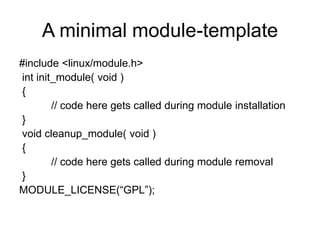
A minimal module-template
#include <linux/module.h>
int init_module( void )
{
// code here gets called during module installation
}
void cleanup_module( void )
{
// code here gets called during module removal
}
MODULE_LICENSE(“GPL”);
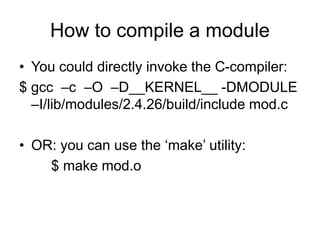
How to compile a module
• You could directly invoke the C-compiler:
$ gcc –c –O –D__KERNEL__ -DMODULE
–I/lib/modules/2.4.26/build/include mod.c
• OR: you can use the ‘make’ utility:
$ make mod.o
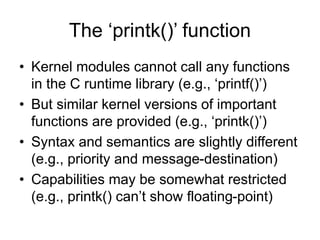
The ‘printk()’ function
• Kernel modules cannot call any functions
in the C runtime library (e.g., ‘printf()’)
• But similar kernel versions of important
functions are provided (e.g., ‘printk()’)
• Syntax and semantics are slightly different
(e.g., priority and message-destination)
• Capabilities may be somewhat restricted
(e.g., printk() can’t show floating-point)
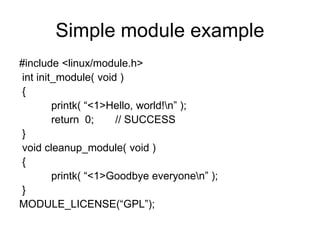
Simple module example
#include <linux/module.h>
int init_module( void )
{
printk( “<1>Hello, world!n” );
return 0; // SUCCESS
}
void cleanup_module( void )
{
printk( “<1>Goodbye everyonen” );
}
MODULE_LICENSE(“GPL”);
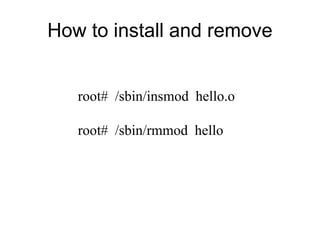
How to install and remove
root# /sbin/insmod hello.o
root# /sbin/rmmod hello
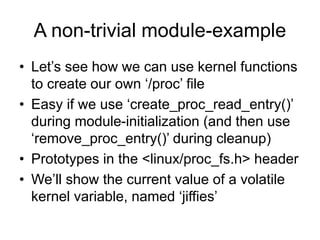
A non-trivial module-example
• Let’s see how we can use kernel functions
to create our own ‘/proc’ file
• Easy if we use ‘create_proc_read_entry()’
during module-initialization (and then use
‘remove_proc_entry()’ during cleanup)
• Prototypes in the <linux/proc_fs.h> header
• We’ll show the current value of a volatile
kernel variable, named ‘jiffies’
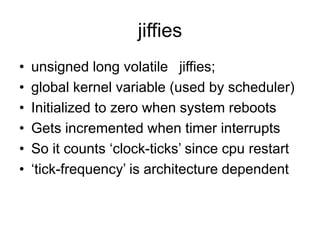
jiffies
• unsigned long volatile jiffies;
• global kernel variable (used by scheduler)
• Initialized to zero when system reboots
• Gets incremented when timer interrupts
• So it counts ‘clock-ticks’ since cpu restart
• ‘tick-frequency’ is architecture dependent
Writing the ‘jiffies.c’ module
• We need to declare a name for pseudo-file
static char modname[ ] = “jiffies”;
• We need to define a ‘proc_read’ function
(see code on the following slide)
• We need to ‘register’ our filename, along
with its ‘read’ method, in ‘init_module()’
• We need to ‘unregister’ our pseudo-file in
‘cleanup_module()’
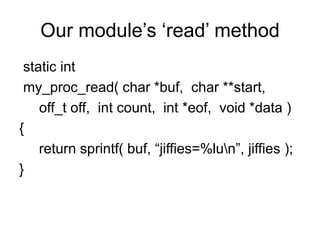
Our module’s ‘read’ method
static int
my_proc_read( char *buf, char **start,
off_t off, int count, int *eof, void *data )
{
return sprintf( buf, “jiffies=%lun”, jiffies );
}
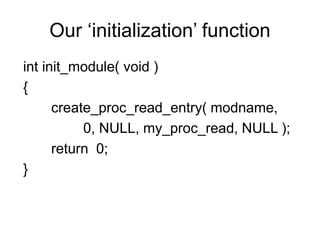
Our ‘initialization’ function
int init_module( void )
{
create_proc_read_entry( modname,
0, NULL, my_proc_read, NULL );
return 0;
}
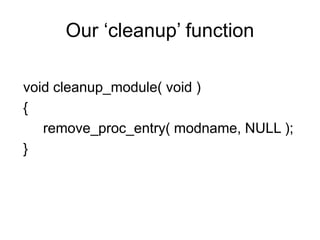
Our ‘cleanup’ function
void cleanup_module( void )
{
remove_proc_entry( modname, NULL );
}
In-class exercise #1
• Use an editor (e.g., ‘vi’) to create a source
file in C (named ‘jiffies.c’) for your module
• Use the ‘make’ command to compile your
module’s source-file into an object-file
• Use the ‘insmod’ command to install your
module object-file into the running kernel
• Use the ‘cat’ command to display ‘jiffies’
• Then use ‘rmmod’ to remove your module
Makefile
• We need it to automate module compiles
• Otherwise we type a VERY long command
• To compile ‘jiffies.c’ type: $ make jiffies.o
• Our Makefile defines some ‘implicit rules’
• ‘make’ works by doing pattern-matching
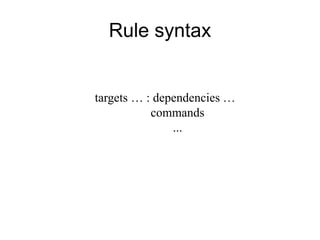
Rule syntax
targets … : dependencies …
commands
...
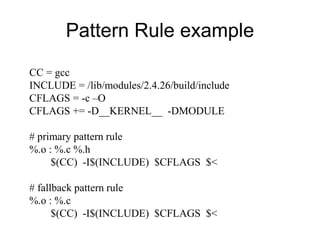
Pattern Rule example
CC = gcc
INCLUDE = /lib/modules/2.4.26/build/include
CFLAGS = -c –O
CFLAGS += -D__KERNEL__ -DMODULE
# primary pattern rule
%.o : %.c %.h
$(CC) -I$(INCLUDE) $CFLAGS $<
# fallback pattern rule
%.o : %.c
$(CC) -I$(INCLUDE) $CFLAGS $<
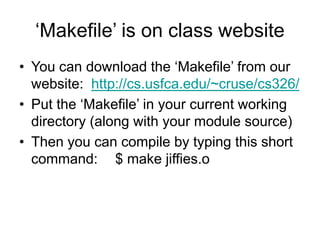
‘Makefile’ is on class website
• You can download the ‘Makefile’ from our
website: http://cs.usfca.edu/~cruse/cs326/
• Put the ‘Makefile’ in your current working
directory (along with your module source)
• Then you can compile by typing this short
command: $ make jiffies.o
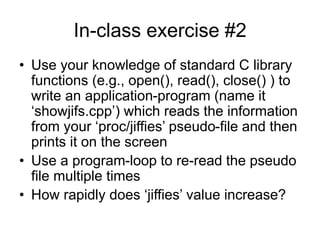
In-class exercise #2
• Use your knowledge of standard C library
functions (e.g., open(), read(), close() ) to
write an application-program (name it
‘showjifs.cpp’) which reads the information
from your ‘proc/jiffies’ pseudo-file and then
prints it on the screen
• Use a program-loop to re-read the pseudo
file multiple times
• How rapidly does ‘jiffies’ value increase?

lesson03.ppt

  • 1.
    How to makea pseudo-file As a follow-up to our first lab, we examine the steps needed to create our own ‘/proc’ file
  • 2.
    The ‘extensibility’ imperative •A modern OS needs the ability to evolve • It will need to support new devices • It will need to allow ‘bugs’ to be repaired • It will need to permit performance gains • Otherwise: suffer early obsolescence!
  • 3.
    Two Extensibility Mechanisms •‘Open Source’ programming • ‘Installable’ kernel modules
  • 4.
    ‘Open Source’ • Sourcetext for the Linux kernel is on disk (usual directory-location is ‘/usr/src/linux’) • Majority of the sources are written in ‘C’ (so ‘portable’ across CPU architectures) • Some are written in assembly languages (for nearly twenty different architectures) • Files are grouped into major categories (kernel, mm, fs, net, ipc, lib, drivers, init) • You could edit and recompile your kernel
  • 5.
    Installable kernel modules •Great mechanism for kernel ‘extensibility’ • Neat tool for studying how kernel works • Kernel can be modified while it’s running • Unnecessary to recompile and then reboot • But inherently unsafe: programming bugs in the kernel can cause system crashes!
  • 6.
    Some ‘superuser’ privileges •Since modifying a running kernel is ‘risky’, only authorized ‘system administrators’ are normally allowed to install kernel modules • But our systems are specially configured to permit you to install or remove modules • This is purely for ‘educational’ purposes (so you should use this privilege wisely)
  • 7.
    Linux module structure •Two ‘module administration’ functions are mandatory components in every module plus • Appropriate ‘module service’ functions and their supporting kernel data-structures are optional components in particular modules also • Recent kernels require a Module License!
  • 8.
    A minimal module-template #include<linux/module.h> int init_module( void ) { // code here gets called during module installation } void cleanup_module( void ) { // code here gets called during module removal } MODULE_LICENSE(“GPL”);
  • 9.
    How to compilea module • You could directly invoke the C-compiler: $ gcc –c –O –D__KERNEL__ -DMODULE –I/lib/modules/2.4.26/build/include mod.c • OR: you can use the ‘make’ utility: $ make mod.o
  • 10.
    The ‘printk()’ function •Kernel modules cannot call any functions in the C runtime library (e.g., ‘printf()’) • But similar kernel versions of important functions are provided (e.g., ‘printk()’) • Syntax and semantics are slightly different (e.g., priority and message-destination) • Capabilities may be somewhat restricted (e.g., printk() can’t show floating-point)
  • 11.
    Simple module example #include<linux/module.h> int init_module( void ) { printk( “<1>Hello, world!n” ); return 0; // SUCCESS } void cleanup_module( void ) { printk( “<1>Goodbye everyonen” ); } MODULE_LICENSE(“GPL”);
  • 12.
    How to installand remove root# /sbin/insmod hello.o root# /sbin/rmmod hello
  • 13.
    A non-trivial module-example •Let’s see how we can use kernel functions to create our own ‘/proc’ file • Easy if we use ‘create_proc_read_entry()’ during module-initialization (and then use ‘remove_proc_entry()’ during cleanup) • Prototypes in the <linux/proc_fs.h> header • We’ll show the current value of a volatile kernel variable, named ‘jiffies’
  • 14.
    jiffies • unsigned longvolatile jiffies; • global kernel variable (used by scheduler) • Initialized to zero when system reboots • Gets incremented when timer interrupts • So it counts ‘clock-ticks’ since cpu restart • ‘tick-frequency’ is architecture dependent
  • 15.
    Writing the ‘jiffies.c’module • We need to declare a name for pseudo-file static char modname[ ] = “jiffies”; • We need to define a ‘proc_read’ function (see code on the following slide) • We need to ‘register’ our filename, along with its ‘read’ method, in ‘init_module()’ • We need to ‘unregister’ our pseudo-file in ‘cleanup_module()’
  • 16.
    Our module’s ‘read’method static int my_proc_read( char *buf, char **start, off_t off, int count, int *eof, void *data ) { return sprintf( buf, “jiffies=%lun”, jiffies ); }
  • 17.
    Our ‘initialization’ function intinit_module( void ) { create_proc_read_entry( modname, 0, NULL, my_proc_read, NULL ); return 0; }
  • 18.
    Our ‘cleanup’ function voidcleanup_module( void ) { remove_proc_entry( modname, NULL ); }
  • 19.
    In-class exercise #1 •Use an editor (e.g., ‘vi’) to create a source file in C (named ‘jiffies.c’) for your module • Use the ‘make’ command to compile your module’s source-file into an object-file • Use the ‘insmod’ command to install your module object-file into the running kernel • Use the ‘cat’ command to display ‘jiffies’ • Then use ‘rmmod’ to remove your module
  • 20.
    Makefile • We needit to automate module compiles • Otherwise we type a VERY long command • To compile ‘jiffies.c’ type: $ make jiffies.o • Our Makefile defines some ‘implicit rules’ • ‘make’ works by doing pattern-matching
  • 21.
    Rule syntax targets …: dependencies … commands ...
  • 22.
    Pattern Rule example CC= gcc INCLUDE = /lib/modules/2.4.26/build/include CFLAGS = -c –O CFLAGS += -D__KERNEL__ -DMODULE # primary pattern rule %.o : %.c %.h $(CC) -I$(INCLUDE) $CFLAGS $< # fallback pattern rule %.o : %.c $(CC) -I$(INCLUDE) $CFLAGS $<
  • 23.
    ‘Makefile’ is onclass website • You can download the ‘Makefile’ from our website: http://cs.usfca.edu/~cruse/cs326/ • Put the ‘Makefile’ in your current working directory (along with your module source) • Then you can compile by typing this short command: $ make jiffies.o
  • 24.
    In-class exercise #2 •Use your knowledge of standard C library functions (e.g., open(), read(), close() ) to write an application-program (name it ‘showjifs.cpp’) which reads the information from your ‘proc/jiffies’ pseudo-file and then prints it on the screen • Use a program-loop to re-read the pseudo file multiple times • How rapidly does ‘jiffies’ value increase?