Intro to Node.js
        Chris Cowan
            Lead Engineer
    http://www.plus3network.com
Node’s Goal is to provide an
 easy way to build scalable
    network programs.
Node.js is NOT another
  web framework!

  But you can create a web framework using NPM modules.
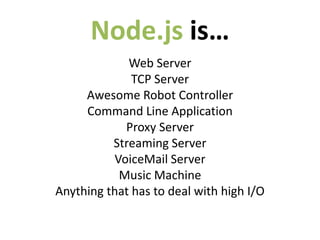
Node.js is…
             Web Server
              TCP Server
     Awesome Robot Controller
     Command Line Application
            Proxy Server
          Streaming Server
          VoiceMail Server
           Music Machine
Anything that has to deal with high I/O
Node.js is
Server Side JavaScript!
Node.js is

FUN!
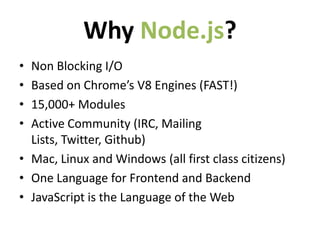
Why Node.js?
• Non Blocking I/O
• Based on Chrome’s V8 Engines (FAST!)
• 15,000+ Modules
• Active Community (IRC, Mailing
  Lists, Twitter, Github)
• Mac, Linux and Windows (all first class citizens)
• One Language for Frontend and Backend
• JavaScript is the Language of the Web
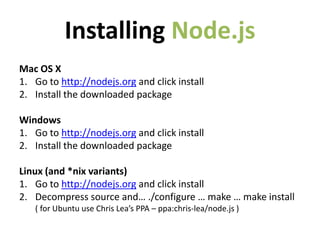
Installing Node.js
Mac OS X
1. Go to http://nodejs.org and click install
2. Install the downloaded package

Windows
1. Go to http://nodejs.org and click install
2. Install the downloaded package

Linux (and *nix variants)
1. Go to http://nodejs.org and click install
2. Decompress source and… ./configure … make … make install
   ( for Ubuntu use Chris Lea’s PPA – ppa:chris-lea/node.js )
Some Basic
 Examples
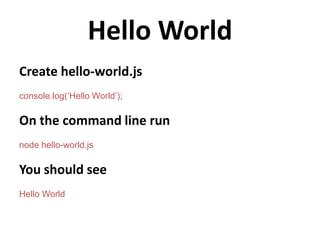
Hello World
Create hello-world.js
console.log(‘Hello World’);

On the command line run
node hello-world.js

You should see
Hello World
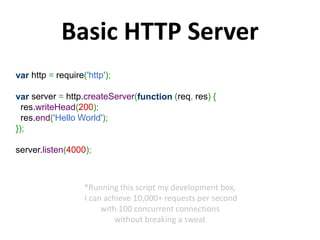
Basic HTTP Server
var http = require('http');

var server = http.createServer(function (req, res) {
  res.writeHead(200);
  res.end('Hello World');
});

server.listen(4000);


                   *Running this script my development box,
                   I can achieve 10,000+ requests per second
                        with 100 concurrent connections
                            without breaking a sweat
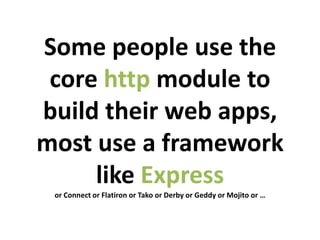
Some people use the
 core http module to
build their web apps,
most use a framework
     like Express
 or Connect or Flatiron or Tako or Derby or Geddy or Mojito or …
Visit
http://expressjs.com/guide.html
       for a detailed guide
         on using Express
What is Non-Blocking I/O?
    And why should I care?
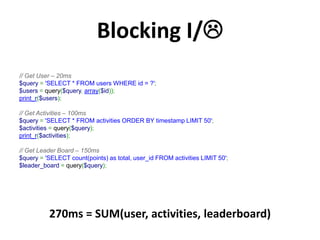
Blocking I/
// Get User – 20ms
$query = 'SELECT * FROM users WHERE id = ?';
$users = query($query, array($id));
print_r($users);

// Get Activities – 100ms
$query = 'SELECT * FROM activities ORDER BY timestamp LIMIT 50';
$activities = query($query);
print_r($activities);

// Get Leader Board – 150ms
$query = 'SELECT count(points) as total, user_id FROM activities LIMIT 50';
$leader_board = query($query);


          270ms = SUM(user, activities, leaderboard)
Non-Blocking I/
// Get User – 20ms
var query = 'SELECT * FROM users WHERE id = ?';
db.query(query, [userId], function (err, results) {
  console.log(results);
});

// Get Activities – 100ms
var query = 'SELECT * FROM activities ORDER BY timestamp LIMIT 50';
db.query(query, function (err, results) {
  console.log(results);
});

// Get Leader Board – 150ms
var query = 'SELECT count(points) as total, user_id FROM activities LIMIT 50';
db.query(query, function (err, results) {
  console.log(results);
});


           150ms = MAX(user, activities, leaderboard)
The most jarring thing
about Server Side JavaScript
  is thinking in callbacks
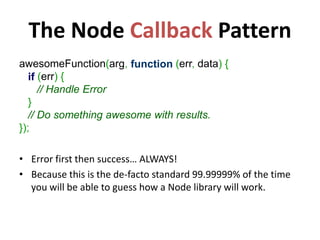
The Node Callback Pattern
awesomeFunction(arg, function (err, data) {
   if (err) {
      // Handle Error
   }
   // Do something awesome with results.
});

• Error first then success… ALWAYS!
• Because this is the de-facto standard 99.99999% of the time
  you will be able to guess how a Node library will work.
Callbacks are the Devil’s Work!
                          Don’t go down this rabbit hole…
var userQuery = 'SELECT * FROM users WHERE id = ?';
var activityQuery = 'SELECT * FROM activities ORDER BY timestamp LIMIT 50';
var leaderBoardQuery = 'SELECT count(points) as total, user_id FROM activities LIMIT 50';

db.query(userQuery, [id], function (userErr, userResults) {
 db.query(activityQuery, function (activityErr, activityResults) {
    db.query(leaderBoardQuery, function (leaderBoardErr, leaderBoardResults) {

        // Do something here

      });
   });
});


   One of the biggest mistakes is to get yourself in
    to callback hell by nesting callbacks inside of
          callbacks inside of more callbacks.
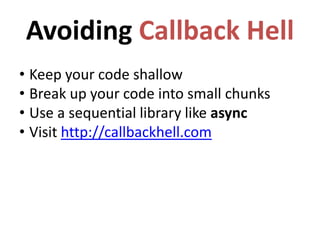
Avoiding Callback Hell
• Keep your code shallow
• Break up your code into small chunks
• Use a sequential library like async
• Visit http://callbackhell.com
Async to the rescue!
var async = require('async');
var db = require(’db');

function getUser (callback) {
  var query = 'SELECT * FROM users WHERE id = ?';
  db.query(query, [userId], callback);
}

function getActivities (callback) {
  var query = 'SELECT * FROM activities ORDER BY timestamp LIMIT 50';
  db.query(query, callback);
}

function getLeaderBoard (callback) {
  var query = 'SELECT count(points) as total, user_id FROM activities LIMIT 50';
  db.query(query, callback);
}

var tasks = [getUser, getActivities, getLeaderBoard];
async.parallel(tasks, function (err, results) {
  var user       = results[0][0];
  var activities = results[1];
  var leaderBoard = results[2];
});
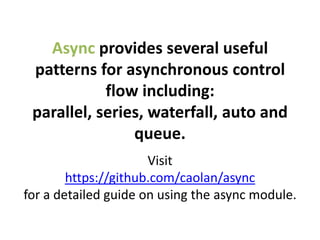
Async provides several useful
 patterns for asynchronous control
            flow including:
 parallel, series, waterfall, auto and
                queue.
                      Visit
        https://github.com/caolan/async
for a detailed guide on using the async module.
The Node Package Manager
 otherwise know as… NPM

 It’s how you harness the
    awesomeness of the
    Node.js community!
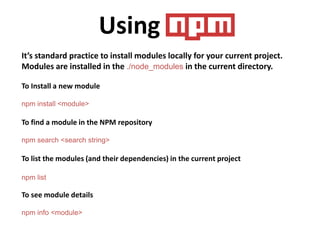
Using NPM
It’s standard practice to install modules locally for your current project.
Modules are installed in the ./node_modules in the current directory.

To Install a new module

npm install <module>

To find a module in the NPM repository

npm search <search string>

To list the modules (and their dependencies) in the current project

npm list

To see module details

npm info <module>
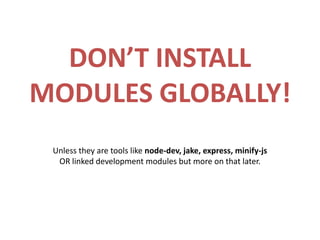
DON’T INSTALL
MODULES GLOBALLY!
 Unless they are tools like node-dev, jake, express, minify-js
  OR linked development modules but more on that later.
NPM is awesome sauce!

               Visit
        https://npmjs.org
for more details about NPM and to
browse the current NPM Repository
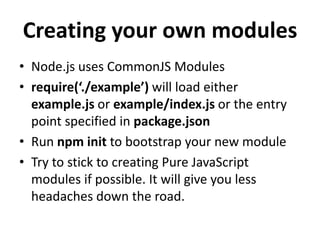
Creating your own modules
• Node.js uses CommonJS Modules
• require(‘./example’) will load either
  example.js or example/index.js or the entry
  point specified in package.json
• Run npm init to bootstrap your new module
• Try to stick to creating Pure JavaScript
  modules if possible. It will give you less
  headaches down the road.
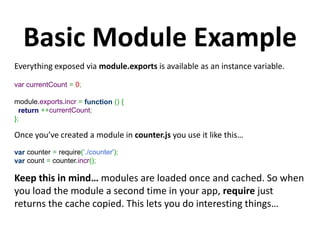
Basic Module Example
Everything exposed via module.exports is available as an instance variable.

var currentCount = 0;

module.exports.incr = function () {
  return ++currentCount;
};

Once you’ve created a module in counter.js you use it like this…
var counter = require(’./counter');
var count = counter.incr();

Keep this in mind… modules are loaded once and cached. So when
you load the module a second time in your app, require just
returns the cache copied. This lets you do interesting things…
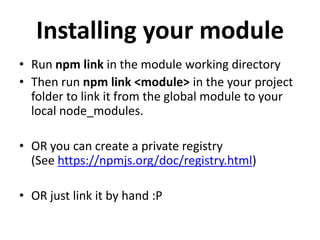
Installing your module
• Run npm link in the module working directory
• Then run npm link <module> in the your project
  folder to link it from the global module to your
  local node_modules.

• OR you can create a private registry
  (See https://npmjs.org/doc/registry.html)

• OR just link it by hand :P
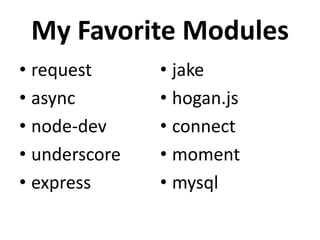
My Favorite Modules
• request      • jake
• async        • hogan.js
• node-dev     • connect
• underscore   • moment
• express      • mysql
Questions?
Contact me at chris@chriscowan.us

Intro To Node.js

  • 1.
    Intro to Node.js Chris Cowan Lead Engineer http://www.plus3network.com
  • 2.
    Node’s Goal isto provide an easy way to build scalable network programs.
  • 3.
    Node.js is NOTanother web framework! But you can create a web framework using NPM modules.
  • 4.
    Node.js is… Web Server TCP Server Awesome Robot Controller Command Line Application Proxy Server Streaming Server VoiceMail Server Music Machine Anything that has to deal with high I/O
  • 5.
  • 6.
  • 7.
    Why Node.js? • NonBlocking I/O • Based on Chrome’s V8 Engines (FAST!) • 15,000+ Modules • Active Community (IRC, Mailing Lists, Twitter, Github) • Mac, Linux and Windows (all first class citizens) • One Language for Frontend and Backend • JavaScript is the Language of the Web
  • 8.
    Installing Node.js Mac OSX 1. Go to http://nodejs.org and click install 2. Install the downloaded package Windows 1. Go to http://nodejs.org and click install 2. Install the downloaded package Linux (and *nix variants) 1. Go to http://nodejs.org and click install 2. Decompress source and… ./configure … make … make install ( for Ubuntu use Chris Lea’s PPA – ppa:chris-lea/node.js )
  • 9.
  • 10.
    Hello World Create hello-world.js console.log(‘HelloWorld’); On the command line run node hello-world.js You should see Hello World
  • 11.
    Basic HTTP Server varhttp = require('http'); var server = http.createServer(function (req, res) { res.writeHead(200); res.end('Hello World'); }); server.listen(4000); *Running this script my development box, I can achieve 10,000+ requests per second with 100 concurrent connections without breaking a sweat
  • 12.
    Some people usethe core http module to build their web apps, most use a framework like Express or Connect or Flatiron or Tako or Derby or Geddy or Mojito or …
  • 13.
    Visit http://expressjs.com/guide.html for a detailed guide on using Express
  • 14.
    What is Non-BlockingI/O? And why should I care?
  • 15.
    Blocking I/ // GetUser – 20ms $query = 'SELECT * FROM users WHERE id = ?'; $users = query($query, array($id)); print_r($users); // Get Activities – 100ms $query = 'SELECT * FROM activities ORDER BY timestamp LIMIT 50'; $activities = query($query); print_r($activities); // Get Leader Board – 150ms $query = 'SELECT count(points) as total, user_id FROM activities LIMIT 50'; $leader_board = query($query); 270ms = SUM(user, activities, leaderboard)
  • 16.
    Non-Blocking I/ // GetUser – 20ms var query = 'SELECT * FROM users WHERE id = ?'; db.query(query, [userId], function (err, results) { console.log(results); }); // Get Activities – 100ms var query = 'SELECT * FROM activities ORDER BY timestamp LIMIT 50'; db.query(query, function (err, results) { console.log(results); }); // Get Leader Board – 150ms var query = 'SELECT count(points) as total, user_id FROM activities LIMIT 50'; db.query(query, function (err, results) { console.log(results); }); 150ms = MAX(user, activities, leaderboard)
  • 17.
    The most jarringthing about Server Side JavaScript is thinking in callbacks
  • 18.
    The Node CallbackPattern awesomeFunction(arg, function (err, data) { if (err) { // Handle Error } // Do something awesome with results. }); • Error first then success… ALWAYS! • Because this is the de-facto standard 99.99999% of the time you will be able to guess how a Node library will work.
  • 19.
    Callbacks are theDevil’s Work! Don’t go down this rabbit hole… var userQuery = 'SELECT * FROM users WHERE id = ?'; var activityQuery = 'SELECT * FROM activities ORDER BY timestamp LIMIT 50'; var leaderBoardQuery = 'SELECT count(points) as total, user_id FROM activities LIMIT 50'; db.query(userQuery, [id], function (userErr, userResults) { db.query(activityQuery, function (activityErr, activityResults) { db.query(leaderBoardQuery, function (leaderBoardErr, leaderBoardResults) { // Do something here }); }); }); One of the biggest mistakes is to get yourself in to callback hell by nesting callbacks inside of callbacks inside of more callbacks.
  • 20.
    Avoiding Callback Hell •Keep your code shallow • Break up your code into small chunks • Use a sequential library like async • Visit http://callbackhell.com
  • 21.
    Async to therescue! var async = require('async'); var db = require(’db'); function getUser (callback) { var query = 'SELECT * FROM users WHERE id = ?'; db.query(query, [userId], callback); } function getActivities (callback) { var query = 'SELECT * FROM activities ORDER BY timestamp LIMIT 50'; db.query(query, callback); } function getLeaderBoard (callback) { var query = 'SELECT count(points) as total, user_id FROM activities LIMIT 50'; db.query(query, callback); } var tasks = [getUser, getActivities, getLeaderBoard]; async.parallel(tasks, function (err, results) { var user = results[0][0]; var activities = results[1]; var leaderBoard = results[2]; });
  • 22.
    Async provides severaluseful patterns for asynchronous control flow including: parallel, series, waterfall, auto and queue. Visit https://github.com/caolan/async for a detailed guide on using the async module.
  • 23.
    The Node PackageManager otherwise know as… NPM It’s how you harness the awesomeness of the Node.js community!
  • 24.
    Using NPM It’s standardpractice to install modules locally for your current project. Modules are installed in the ./node_modules in the current directory. To Install a new module npm install <module> To find a module in the NPM repository npm search <search string> To list the modules (and their dependencies) in the current project npm list To see module details npm info <module>
  • 25.
    DON’T INSTALL MODULES GLOBALLY! Unless they are tools like node-dev, jake, express, minify-js OR linked development modules but more on that later.
  • 26.
    NPM is awesomesauce! Visit https://npmjs.org for more details about NPM and to browse the current NPM Repository
  • 27.
    Creating your ownmodules • Node.js uses CommonJS Modules • require(‘./example’) will load either example.js or example/index.js or the entry point specified in package.json • Run npm init to bootstrap your new module • Try to stick to creating Pure JavaScript modules if possible. It will give you less headaches down the road.
  • 28.
    Basic Module Example Everythingexposed via module.exports is available as an instance variable. var currentCount = 0; module.exports.incr = function () { return ++currentCount; }; Once you’ve created a module in counter.js you use it like this… var counter = require(’./counter'); var count = counter.incr(); Keep this in mind… modules are loaded once and cached. So when you load the module a second time in your app, require just returns the cache copied. This lets you do interesting things…
  • 29.
    Installing your module •Run npm link in the module working directory • Then run npm link <module> in the your project folder to link it from the global module to your local node_modules. • OR you can create a private registry (See https://npmjs.org/doc/registry.html) • OR just link it by hand :P
  • 30.
    My Favorite Modules •request • jake • async • hogan.js • node-dev • connect • underscore • moment • express • mysql
  • 31.
    Questions? Contact me atchris@chriscowan.us