The following websites were chosen and evaluated using the guidelines suggested
by Dudeney & Hockly (2007) How to teach English with technology (p.34)

Criteria for judging websites:

1) Accuracy
2) Currency
3) Content
4) Functionality
National Inventors Hall of Fame
Web site: http://www.invent.org/hall_of_fame/1_0_0_hall_of_fame.asp

The information, which is updated and showed to students in a friendly way, is
presented by an organization. Students can search or browse by inventor,
invention, induction date or decade. Let us suppose that they search for an
invention such as “Telephone”; they are given a short and clear description of the
invention and the inventor. The content is stimulating because it gives students
new ideas and examples to keep on working on the subject.


Retrieved October 4, 2011, from Zoom Inventors and Inventions
Web site: http://www.enchantedlearning.com/inventors/

Enchanted Learning is a company which produces educational material that is
published online. There is a wide range of topics and the information presented is
clear, simple and updated. This site emphasizes creativity and enjoyment of
learning. The material is created so that the navigation and controls are intuitive
and simple. Students can navigate a subset of the web using “Little Explorers”, one
of their picture dictionaries, and can easily find the information they are looking for.

Retrieved October 4, 2011, Web site: http://www.about.com/

Students have the possibility to start their search by clicking on “Explore Topics” or
“Browse Categories”. This site is updated, colourful and clearly divided into the
different topics. Once they have chosen the topic “Inventions” they look for
“Telephone” for instance and they will find a short and clear description of both the
invention and the inventor.


Enchanted Learning is a company which produces educational material that is
published online. There is a wide range of topics and the information presented is
clear, simple and updated. This site emphasizes creativity and enjoyment of
learning. The material is created so that the navigation and controls are intuitive
and simple. Students can navigate a subset of the web using “Little Explorers”, one
of their picture dictionaries, and can easily find the information they are looking for.

Retrieved October 4, 2011, Web site: http://www.about.com/
Students have the possibility to start their search by clicking on “Explore Topics” or
“Browse Categories”. This site is updated, colourful and clearly divided into the
different topics. Once they have chosen the topic “Inventions” they look for
“Telephone” for instance and they will find a short and clear description of both the
invention and the inventor.


Teachers: Oliveira Noelia – Torres Marina
Level: Pre Intermediate
Number of students:
Periods: 2 periods of 40 minutes each.
Number of Lessons: 3


Topic: Inventors and Inventions
Grammatical content: Passive voice Present / Past
Lexical content: Specific vocabulary related to the topic.


Lesson 1
Warmer
Activity 1

T will introduce the students with the topic of the unit. She will use the big question and the
pictures on pages 152 and 153 to do so. Students will discuss some of the great ideas that make
our world a better place orally. Then the teacher will copy students’ opinions on the board.


Web

Activity 3

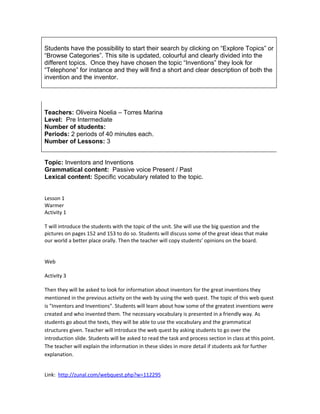
Then they will be asked to look for information about inventors for the great inventions they
mentioned in the previous activity on the web by using the web quest. The topic of this web quest
is "Inventors and Inventions". Students will learn about how some of the greatest inventions were
created and who invented them. The necessary vocabulary is presented in a friendly way. As
students go about the texts, they will be able to use the vocabulary and the grammatical
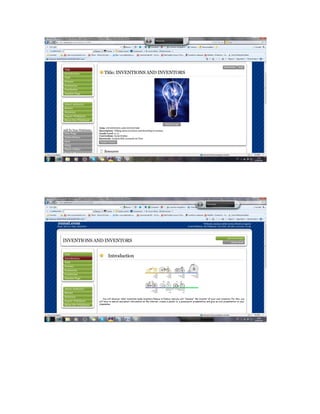
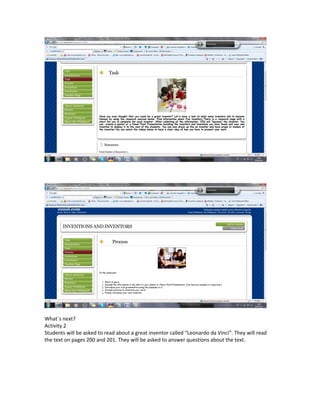
structures given. Teacher will introduce the web quest by asking students to go over the
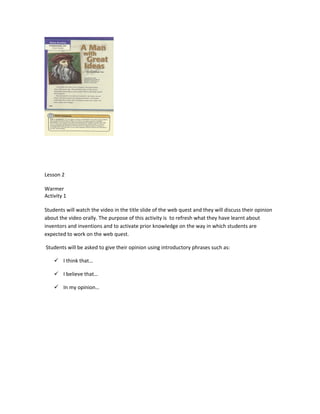
introduction slide. Students will be asked to read the task and process section in class at this point.
The teacher will explain the information in these slides in more detail if students ask for further
explanation.


Link: http://zunal.com/webquest.php?w=112295
What`s next?
Activity 2
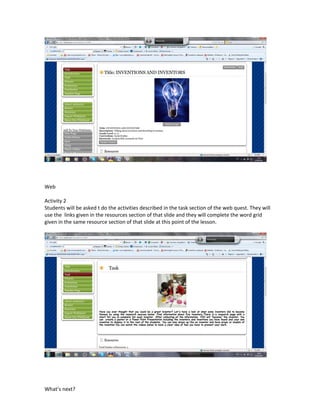
Students will be asked to read about a great inventor called “Leonardo da Vinci”. They will read
the text on pages 200 and 201. They will be asked to answer questions about the text.
Lesson 2

Warmer
Activity 1

Students will watch the video in the title slide of the web quest and they will discuss their opinion
about the video orally. The purpose of this activity is to refresh what they have learnt about
inventors and inventions and to activate prior knowledge on the way in which students are
expected to work on the web quest.

Students will be asked to give their opinion using introductory phrases such as:

     I think that…

     I believe that…

     In my opinion…
Web

Activity 2
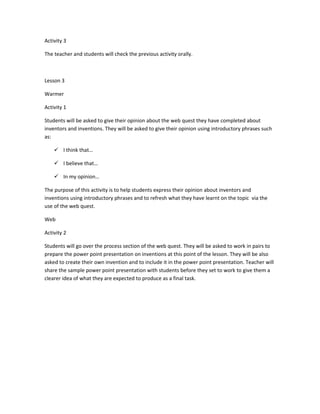
Students will be asked t do the activities described in the task section of the web quest. They will
use the links given in the resources section of that slide and they will complete the word grid
given in the same resource section of that slide at this point of the lesson.


What’s next?
Activity 3

The teacher and students will check the previous activity orally.


Lesson 3

Warmer

Activity 1

Students will be asked to give their opinion about the web quest they have completed about
inventors and inventions. They will be asked to give their opinion using introductory phrases such
as:

     I think that…

     I believe that…

     In my opinion…

The purpose of this activity is to help students express their opinion about inventors and
inventions using introductory phrases and to refresh what they have learnt on the topic via the
use of the web quest.

Web

Activity 2

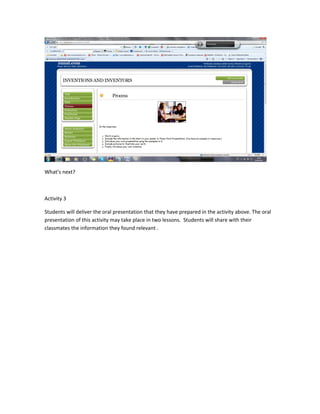
Students will go over the process section of the web quest. They will be asked to work in pairs to
prepare the power point presentation on inventions at this point of the lesson. They will be also
asked to create their own invention and to include it in the power point presentation. Teacher will
share the sample power point presentation with students before they set to work to give them a
clearer idea of what they are expected to produce as a final task.
What’s next?


Activity 3

Students will deliver the oral presentation that they have prepared in the activity above. The oral
presentation of this activity may take place in two lessons. Students will share with their
classmates the information they found relevant .

Lesson plan on web quests marina noelia

  • 1.
    The following websiteswere chosen and evaluated using the guidelines suggested by Dudeney & Hockly (2007) How to teach English with technology (p.34) Criteria for judging websites: 1) Accuracy 2) Currency 3) Content 4) Functionality National Inventors Hall of Fame Web site: http://www.invent.org/hall_of_fame/1_0_0_hall_of_fame.asp The information, which is updated and showed to students in a friendly way, is presented by an organization. Students can search or browse by inventor, invention, induction date or decade. Let us suppose that they search for an invention such as “Telephone”; they are given a short and clear description of the invention and the inventor. The content is stimulating because it gives students new ideas and examples to keep on working on the subject. Retrieved October 4, 2011, from Zoom Inventors and Inventions Web site: http://www.enchantedlearning.com/inventors/ Enchanted Learning is a company which produces educational material that is published online. There is a wide range of topics and the information presented is clear, simple and updated. This site emphasizes creativity and enjoyment of learning. The material is created so that the navigation and controls are intuitive and simple. Students can navigate a subset of the web using “Little Explorers”, one of their picture dictionaries, and can easily find the information they are looking for. Retrieved October 4, 2011, Web site: http://www.about.com/ Students have the possibility to start their search by clicking on “Explore Topics” or “Browse Categories”. This site is updated, colourful and clearly divided into the different topics. Once they have chosen the topic “Inventions” they look for “Telephone” for instance and they will find a short and clear description of both the invention and the inventor. Enchanted Learning is a company which produces educational material that is published online. There is a wide range of topics and the information presented is clear, simple and updated. This site emphasizes creativity and enjoyment of learning. The material is created so that the navigation and controls are intuitive and simple. Students can navigate a subset of the web using “Little Explorers”, one of their picture dictionaries, and can easily find the information they are looking for. Retrieved October 4, 2011, Web site: http://www.about.com/
  • 2.
    Students have thepossibility to start their search by clicking on “Explore Topics” or “Browse Categories”. This site is updated, colourful and clearly divided into the different topics. Once they have chosen the topic “Inventions” they look for “Telephone” for instance and they will find a short and clear description of both the invention and the inventor. Teachers: Oliveira Noelia – Torres Marina Level: Pre Intermediate Number of students: Periods: 2 periods of 40 minutes each. Number of Lessons: 3 Topic: Inventors and Inventions Grammatical content: Passive voice Present / Past Lexical content: Specific vocabulary related to the topic. Lesson 1 Warmer Activity 1 T will introduce the students with the topic of the unit. She will use the big question and the pictures on pages 152 and 153 to do so. Students will discuss some of the great ideas that make our world a better place orally. Then the teacher will copy students’ opinions on the board. Web Activity 3 Then they will be asked to look for information about inventors for the great inventions they mentioned in the previous activity on the web by using the web quest. The topic of this web quest is "Inventors and Inventions". Students will learn about how some of the greatest inventions were created and who invented them. The necessary vocabulary is presented in a friendly way. As students go about the texts, they will be able to use the vocabulary and the grammatical structures given. Teacher will introduce the web quest by asking students to go over the introduction slide. Students will be asked to read the task and process section in class at this point. The teacher will explain the information in these slides in more detail if students ask for further explanation. Link: http://zunal.com/webquest.php?w=112295
  • 4.
    What`s next? Activity 2 Studentswill be asked to read about a great inventor called “Leonardo da Vinci”. They will read the text on pages 200 and 201. They will be asked to answer questions about the text.
  • 5.
    Lesson 2 Warmer Activity 1 Studentswill watch the video in the title slide of the web quest and they will discuss their opinion about the video orally. The purpose of this activity is to refresh what they have learnt about inventors and inventions and to activate prior knowledge on the way in which students are expected to work on the web quest. Students will be asked to give their opinion using introductory phrases such as:  I think that…  I believe that…  In my opinion…
  • 6.
    Web Activity 2 Students willbe asked t do the activities described in the task section of the web quest. They will use the links given in the resources section of that slide and they will complete the word grid given in the same resource section of that slide at this point of the lesson. What’s next?
  • 7.
    Activity 3 The teacherand students will check the previous activity orally. Lesson 3 Warmer Activity 1 Students will be asked to give their opinion about the web quest they have completed about inventors and inventions. They will be asked to give their opinion using introductory phrases such as:  I think that…  I believe that…  In my opinion… The purpose of this activity is to help students express their opinion about inventors and inventions using introductory phrases and to refresh what they have learnt on the topic via the use of the web quest. Web Activity 2 Students will go over the process section of the web quest. They will be asked to work in pairs to prepare the power point presentation on inventions at this point of the lesson. They will be also asked to create their own invention and to include it in the power point presentation. Teacher will share the sample power point presentation with students before they set to work to give them a clearer idea of what they are expected to produce as a final task.
  • 8.
    What’s next? Activity 3 Studentswill deliver the oral presentation that they have prepared in the activity above. The oral presentation of this activity may take place in two lessons. Students will share with their classmates the information they found relevant .