Lesson 1. Introduction to ICT
ICT– Information and Communication Technology
• It deals with the use of different
communication technologies
such as mobile phones,
telephone, Internet to locate,
save, send and edit information
• Is a study of computers as data
processing tools. It introduces
students to the fundamental of
using computer systems in an
internet environment.
ICT in the Philippines
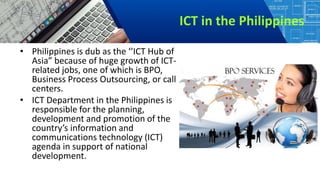
• Philippines is dub as the ‘’ICT Hub of
Asia” because of huge growth of ICT-
related jobs, one of which is BPO,
Business Process Outsourcing, or call
centers.
• ICT Department in the Philippines is
responsible for the planning,
development and promotion of the
country’s information and
communications technology (ICT)
agenda in support of national
development.
Computer
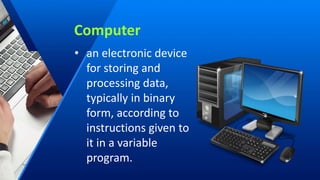
• an electronic device
for storing and
processing data,
typically in binary
form, according to
instructions given to
it in a variable
program.
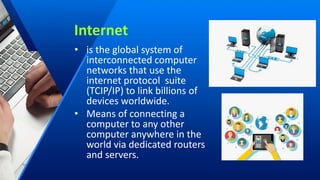
Internet
• is the global system of
interconnected computer
networks that use the
internet protocol suite
(TCIP/IP) to link billions of
devices worldwide.
• Means of connecting a
computer to any other
computer anywhere in the
world via dedicated routers
and servers.
• Sometimes called simply ‘’the Net’’, is a worldwide system of
computer networks- a network of networks in which the users
at any one computer can get information from any other
computer.
World Wide Web
• An information system on the internet
that allows documents to be
connected to other documents by
hypertext links, enabling the user to
search for information by moving
from one document to another.
• Is an information space where
documents and other web resources
are identified by URLs, interlinked by
hypertext links, and can be accessed
via the Internet.
• Invented by Tim-Berners Lee
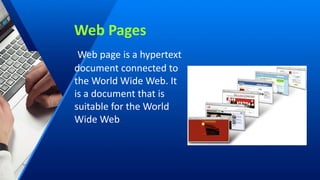
Web Pages
Web page is a hypertext
document connected to
the World Wide Web. It
is a document that is
suitable for the World
Wide Web.
The different online platforms of
World Wide Web:
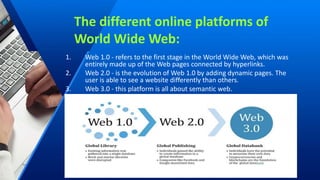
1. Web 1.0 - refers to the first stage in the World Wide Web, which was
entirely made up of the Web pages connected by hyperlinks.
2. Web 2.0 - is the evolution of Web 1.0 by adding dynamic pages. The
user is able to see a website differently than others.
3. Web 3.0 - this platform is all about semantic web.
Static Web Page
• is known as a flat page or stationary page in the
sense that the page is ‘’as is’’ and cannot be
manipulated by the user. The content is also the
same for all users that is referred to as Web 1.0
Dynamic Web Pages
• web 2.0 is the evolution of web 1.0 by adding
dynamic web pages. The user is able to see
website differently than others e.g. social
networking sites, wikis, video sharing sites.
FEATURES OF WEB 2.0
1. Folksonomy- allows user to categorize and classify information using
freely chosen keywords e.g. tagging by FB, Twitter, use tags that start
with the sign #, referred to as hashtag.
2. Rich User Experience - content is dynamic and is responsive to user’s
input
3. User Participation- The owner of the website is not the only one who
is able to put content. Others are able to place a content of their own
by means of comments, reviews and evaluation e.g. Lazada, Amazon.
4. Long T ail- services that are offered on demand rather than on a one-
time purchase. This is synonymous to subscribing to a data plan that
charges you for the amount of time you spent in the internet.
5. Software as a services- users will be subscribe to a software only
when needed rather than purchasing them e.g. Google docs used to
create and edit word processing and spread sheet.
6. Mass Participation- diverse information sharing through universal
web access. Web 2.0’s content is based on people from various
cultures.
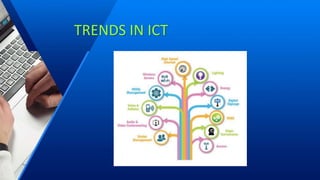
TRENDS IN ICT
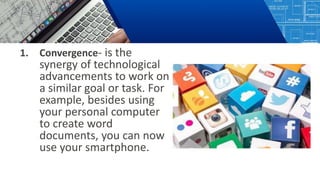
1. Convergence- is the
synergy of technological
advancements to work on
a similar goal or task. For
example, besides using
your personal computer
to create word
documents, you can now
use your smartphone.
2. Social Media- is a website, application, or online
channel that enables web users to create , co-
create, discuss modify, and exchange user
generated content.
Six types of Social Media:
1. Social Networks - These
are sites that allows you to
connect with other people
with the same interests or
background. Once the user
creates his/her account,
he/she can set up a profile,
add people, share content,
etc
Example: Facebook and
Google+
2. Bookmarking Sites -
Sites that allow you to
store and manage links
to various website and
resources. Most of the
sites allow you to create
a tag to others.
Stumble Upon,
Pinterest
3. Social News - Sites that allow users to
post their own news items or links to
other news sources. The users can also
comment on the post and comments
may also be rank.
Ex. Reddit and Digg
4. Media Sharing - sites that allow you to
upload and share media content like
images, music and video.
Ex. Flickr, YouTube and
Instagram
5. Microblogging - focus on short updates
from the user. Those that subscribed to
the user will be able to receive these
updates.
Ex. Twitter and Plurk
6. Blogs and Forums -
allow user to post
their content. Other
users are able to
comment on the said
topic.
Ex. Blogger,
WordPress and
Tumblr
3. Mobile Technologies- The popularity of smartphones
and tablets has taken a major rise over the years.
This is largely because of the devices capability to
do the tasks that were originally found in PCs.
Several of these devices are capable of using a high-
speed internet. Today the latest model devices use
4G Networking (LTE), which is currently the MOBILE
OS
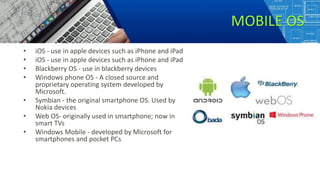
MOBILE OS
• iOS - use in apple devices such as iPhone and iPad
• Blackberry OS - use in blackberry devices
• Windows phone OS - A closed source and
proprietary operating system developed by
Microsoft.
• Symbian - the original smartphone OS. Used by
Nokia devices
• Web OS- originally used in smartphone; now in
smart TVs
• Windows Mobile - developed by Microsoft for
smartphones and pocket PCs
4. Assertive Media- is a non- profit service designed
to help people who have visual and reading
impairments. A database of audio recordings is
used to read to the user.
4. e.g. Yahoo!, Gmail, Hotmail Cloud computing-
distributed computing on internet or delivery of
computing service over the internet.
Instead of running an e-mail program on your
computer, you log in to a Web e-mail account
remotely. The software and storage for your
account doesn’t exist on your computer - it’s on the
service’s computer cloud.
Three Components
1. Client computers - clients are the device
that the end user interact with cloud.
2. Distributed Servers - Often servers are in
geographically different places, but
server acts as if they are working next to
each other
3. Datacenters - It is collection of servers
where application is placed and is
accessed via Internet
TYPES OF CLOUDS
• PUBLIC CLOUD allows systems and services to be easily
accessible to the general public. Public cloud may be
less secured because of its openness, e.g. e-mail
• PRIVATE CLOUD allows systems and services to be
accessible within an organization. It offers increased
security because of its private nature.
• COMMUNITY CLOUD allows systems and services to be
accessible by group of organizations.
• HYBRID CLOUD is a mixture of public and private cloud.
However, the critical activities are performed using
private cloud while the non-critical activities are
performed using public cloud.

Lesson 1. Introduction to ICT.pptx

  • 1.
  • 2.
    ICT– Information andCommunication Technology • It deals with the use of different communication technologies such as mobile phones, telephone, Internet to locate, save, send and edit information • Is a study of computers as data processing tools. It introduces students to the fundamental of using computer systems in an internet environment.
  • 3.
    ICT in thePhilippines • Philippines is dub as the ‘’ICT Hub of Asia” because of huge growth of ICT- related jobs, one of which is BPO, Business Process Outsourcing, or call centers. • ICT Department in the Philippines is responsible for the planning, development and promotion of the country’s information and communications technology (ICT) agenda in support of national development.
  • 4.
    Computer • an electronicdevice for storing and processing data, typically in binary form, according to instructions given to it in a variable program.
  • 5.
    Internet • is theglobal system of interconnected computer networks that use the internet protocol suite (TCIP/IP) to link billions of devices worldwide. • Means of connecting a computer to any other computer anywhere in the world via dedicated routers and servers.
  • 6.
    • Sometimes calledsimply ‘’the Net’’, is a worldwide system of computer networks- a network of networks in which the users at any one computer can get information from any other computer.
  • 7.
    World Wide Web •An information system on the internet that allows documents to be connected to other documents by hypertext links, enabling the user to search for information by moving from one document to another. • Is an information space where documents and other web resources are identified by URLs, interlinked by hypertext links, and can be accessed via the Internet. • Invented by Tim-Berners Lee
  • 8.
    Web Pages Web pageis a hypertext document connected to the World Wide Web. It is a document that is suitable for the World Wide Web.
  • 9.
    The different onlineplatforms of World Wide Web: 1. Web 1.0 - refers to the first stage in the World Wide Web, which was entirely made up of the Web pages connected by hyperlinks. 2. Web 2.0 - is the evolution of Web 1.0 by adding dynamic pages. The user is able to see a website differently than others. 3. Web 3.0 - this platform is all about semantic web.
  • 10.
    Static Web Page •is known as a flat page or stationary page in the sense that the page is ‘’as is’’ and cannot be manipulated by the user. The content is also the same for all users that is referred to as Web 1.0
  • 11.
    Dynamic Web Pages •web 2.0 is the evolution of web 1.0 by adding dynamic web pages. The user is able to see website differently than others e.g. social networking sites, wikis, video sharing sites.
  • 12.
    FEATURES OF WEB2.0 1. Folksonomy- allows user to categorize and classify information using freely chosen keywords e.g. tagging by FB, Twitter, use tags that start with the sign #, referred to as hashtag. 2. Rich User Experience - content is dynamic and is responsive to user’s input 3. User Participation- The owner of the website is not the only one who is able to put content. Others are able to place a content of their own by means of comments, reviews and evaluation e.g. Lazada, Amazon. 4. Long T ail- services that are offered on demand rather than on a one- time purchase. This is synonymous to subscribing to a data plan that charges you for the amount of time you spent in the internet. 5. Software as a services- users will be subscribe to a software only when needed rather than purchasing them e.g. Google docs used to create and edit word processing and spread sheet. 6. Mass Participation- diverse information sharing through universal web access. Web 2.0’s content is based on people from various cultures.
  • 13.
  • 14.
    1. Convergence- isthe synergy of technological advancements to work on a similar goal or task. For example, besides using your personal computer to create word documents, you can now use your smartphone.
  • 15.
    2. Social Media-is a website, application, or online channel that enables web users to create , co- create, discuss modify, and exchange user generated content.
  • 16.
    Six types ofSocial Media: 1. Social Networks - These are sites that allows you to connect with other people with the same interests or background. Once the user creates his/her account, he/she can set up a profile, add people, share content, etc Example: Facebook and Google+
  • 17.
    2. Bookmarking Sites- Sites that allow you to store and manage links to various website and resources. Most of the sites allow you to create a tag to others. Stumble Upon, Pinterest
  • 18.
    3. Social News- Sites that allow users to post their own news items or links to other news sources. The users can also comment on the post and comments may also be rank. Ex. Reddit and Digg
  • 19.
    4. Media Sharing- sites that allow you to upload and share media content like images, music and video. Ex. Flickr, YouTube and Instagram
  • 20.
    5. Microblogging -focus on short updates from the user. Those that subscribed to the user will be able to receive these updates. Ex. Twitter and Plurk
  • 21.
    6. Blogs andForums - allow user to post their content. Other users are able to comment on the said topic. Ex. Blogger, WordPress and Tumblr
  • 22.
    3. Mobile Technologies-The popularity of smartphones and tablets has taken a major rise over the years. This is largely because of the devices capability to do the tasks that were originally found in PCs. Several of these devices are capable of using a high- speed internet. Today the latest model devices use 4G Networking (LTE), which is currently the MOBILE OS
  • 23.
    MOBILE OS • iOS- use in apple devices such as iPhone and iPad • iOS - use in apple devices such as iPhone and iPad • Blackberry OS - use in blackberry devices • Windows phone OS - A closed source and proprietary operating system developed by Microsoft. • Symbian - the original smartphone OS. Used by Nokia devices • Web OS- originally used in smartphone; now in smart TVs • Windows Mobile - developed by Microsoft for smartphones and pocket PCs
  • 24.
    4. Assertive Media-is a non- profit service designed to help people who have visual and reading impairments. A database of audio recordings is used to read to the user.
  • 25.
    4. e.g. Yahoo!,Gmail, Hotmail Cloud computing- distributed computing on internet or delivery of computing service over the internet. Instead of running an e-mail program on your computer, you log in to a Web e-mail account remotely. The software and storage for your account doesn’t exist on your computer - it’s on the service’s computer cloud.
  • 26.
    Three Components 1. Clientcomputers - clients are the device that the end user interact with cloud. 2. Distributed Servers - Often servers are in geographically different places, but server acts as if they are working next to each other 3. Datacenters - It is collection of servers where application is placed and is accessed via Internet
  • 27.
    TYPES OF CLOUDS •PUBLIC CLOUD allows systems and services to be easily accessible to the general public. Public cloud may be less secured because of its openness, e.g. e-mail • PRIVATE CLOUD allows systems and services to be accessible within an organization. It offers increased security because of its private nature. • COMMUNITY CLOUD allows systems and services to be accessible by group of organizations. • HYBRID CLOUD is a mixture of public and private cloud. However, the critical activities are performed using private cloud while the non-critical activities are performed using public cloud.