EYE GLARE PROCESS
I first had to split the chosen
video clip into separate
frames, this created over
200 video clips for a space
of around 4 seconds.
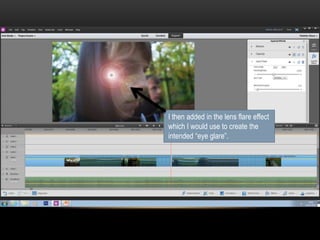
I then added in the lens flare effect
which I would use to create the
intended “eye glare”.
After changing the brightness
and blending the flare, I then
duplicated it so it was then
ready to position over the eyes
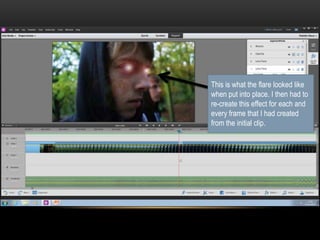
This is what the flare looked like
when put into place. I then had to
re-create this effect for each and
every frame that I had created
from the initial clip.
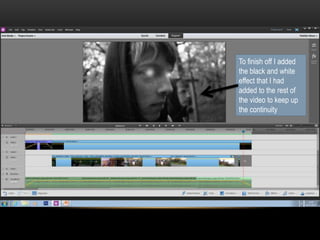
To finish off I added
the black and white
effect that I had
added to the rest of
the video to keep up
the continuity

Lens Flare Editing Process

  • 1.
  • 2.
    I first hadto split the chosen video clip into separate frames, this created over 200 video clips for a space of around 4 seconds.
  • 3.
    I then addedin the lens flare effect which I would use to create the intended “eye glare”.
  • 4.
    After changing thebrightness and blending the flare, I then duplicated it so it was then ready to position over the eyes
  • 5.
    This is whatthe flare looked like when put into place. I then had to re-create this effect for each and every frame that I had created from the initial clip.
  • 6.
    To finish offI added the black and white effect that I had added to the rest of the video to keep up the continuity