LEARNING MANAGEMENT
SYSTEM (LMS)
PRESENTED BY : MASHITAH HARIS
SUPERVISOR : MR TJ ISKANDAR
UNIVERSITY TENAGA NASIONAL
COLLEGE OF INFORMATION TECHNOLOGY
HISTORY
• In the early ’90s some Luther Seminary (St. Paul)
faculty members were struggling to retain students who
didn’t have the funds or, because of family obligations,
couldn’t relocate to attend seminary.
• Tom Walker knew there had to be some kind of tool that
would enable people to communicate with each other
without being in the same place at the same time.
• Learning management systems (LMS) also sometimes
known as Course management systems (CMS) have
come a long way since those early days.
DEFINITION
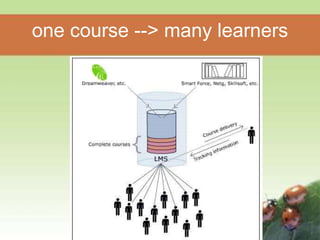
• Learning Management System (or LMS) is a
broad term used to describe software tools
designed to manage user learning interventions
and provide access to online learning services
for students, teacher, and administrator.
• A software system, that allows the development
and delivery of educational courses using the
Internet as a delivery system.
one course --> many learners
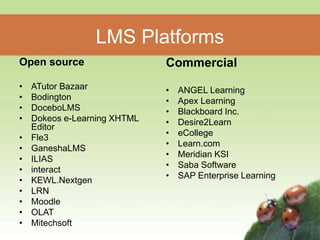
LMS Platforms
Open source
• ATutor Bazaar
• Bodington
• DoceboLMS
• Dokeos e-Learning XHTML
Editor
• Fle3
• GaneshaLMS
• ILIAS
• interact
• KEWL.Nextgen
• LRN
• Moodle
• OLAT
• Mitechsoft
Commercial
• ANGEL Learning
• Apex Learning
• Blackboard Inc.
• Desire2Learn
• eCollege
• Learn.com
• Meridian KSI
• Saba Software
• SAP Enterprise Learning
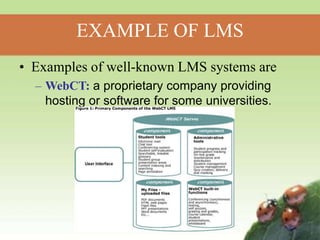
EXAMPLE OF LMS
• Examples of well-known LMS systems are
– WebCT: a proprietary company providing
hosting or software for some universities.
Blackboard : Popular learning software
provider and ASP portal for education.
Moodle : a free, Open Source software
package, to help educators create
effective online learning communities.
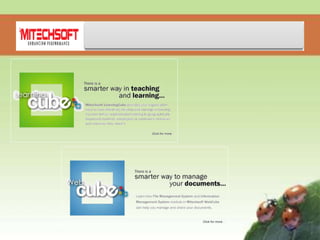
LEARNING CUBE
• Allows you to provide members of your
community with tools to develop, implement and
share effectively the available technology to
improve their intra and inter-organizations
learning process.
• With this centralized method of delivery and
tracking of learning process you can save a lot
of administrative time and effort to manage your
learning community.
FEATURES OF LEARNING CUBE
• Announcement Facility
• Notes Facility
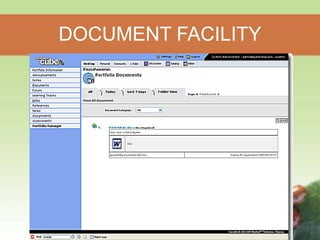
• Document Facility
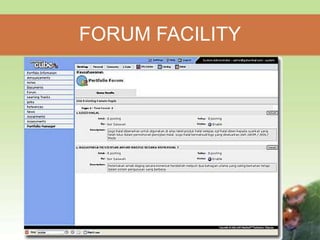
• Forum Facility
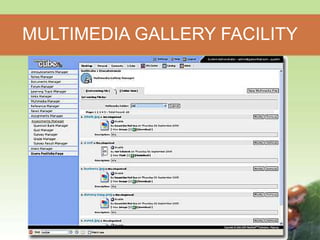
• Multimedia Gallery
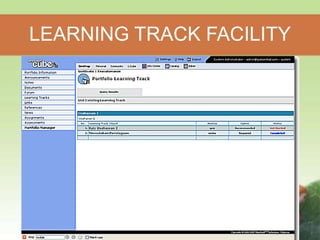
• Learning Track Facility
• Links Facility
• References Facility
• News Facility
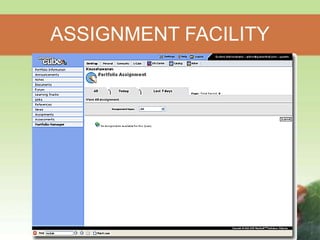
• Assignment Facility
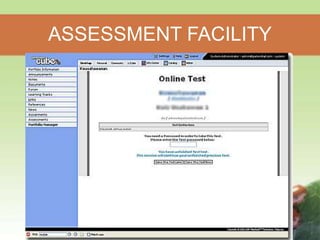
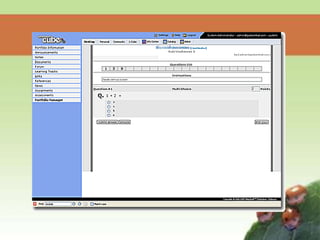
• Assessment Facility
• Portfolio Management Facility
• LearningCube Portal Facility
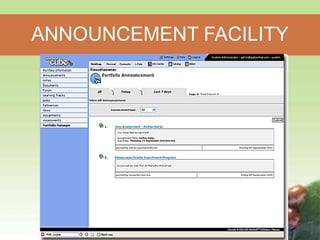
ANNOUNCEMENT FACILITY
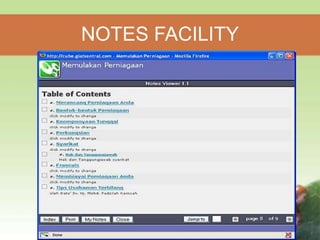
NOTES FACILITY
DOCUMENT FACILITY
FORUM FACILITY
MULTIMEDIA GALLERY FACILITY
LEARNING TRACK FACILITY
ASSIGNMENT FACILITY
ASSESSMENT FACILITY
ROLE OF LMS
• Registration and charging
• Managing the process
• Testing
• Mentoring and monitoring
• User’s function
• Administrator functions
ADVANTAGES OF LMS
• Ability of an LMS to allow you to fully
manage and track your own learning.
• Provide support for distance learning.
• Purposefully designed
– Mature
– Safe and Secure
– Ease of Use
– Centrally Supported
DISADVANTAGES OF LMS
• Cost – Expensive to create.
• Time required to install necessary
hardware, software, course and database.
• Not designed to be stand-alone.
• Need for a LMS Administrator.
USAGE OF LMS IN LOCAL
UNIVERSITY
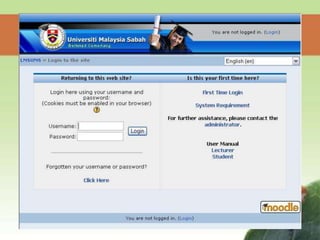
• Universiti Malaysia Sabah (UMS)
– a course management system designed to
help lecturers to create an online learning
environment.
– This system provides functions such as:-
• register courses online
• course cataloging
• bulletin system
• information searching
• online quizzes, etc.
USAGE OF LMS IN LOCAL
UNIVERSITY (Cont.)
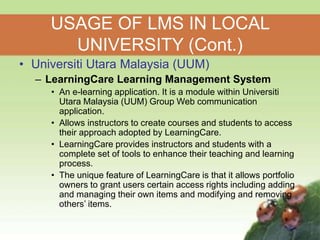
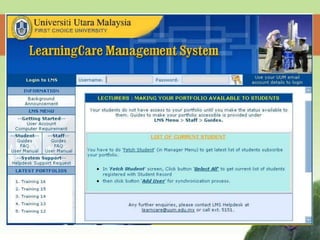
• Universiti Utara Malaysia (UUM)
– LearningCare Learning Management System
• An e-learning application. It is a module within Universiti
Utara Malaysia (UUM) Group Web communication
application.
• Allows instructors to create courses and students to access
their approach adopted by LearningCare.
• LearningCare provides instructors and students with a
complete set of tools to enhance their teaching and learning
process.
• The unique feature of LearningCare is that it allows portfolio
owners to grant users certain access rights including adding
and managing their own items and modifying and removing
others’ items.
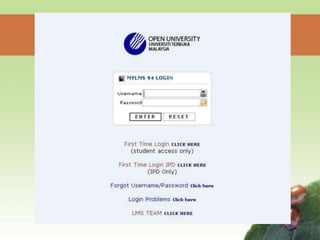
• Open University Malaysia (OUM)
– OUM has developed its own learning portal, known as Learning
Management System (my LMS), since June 2003 to support the
various activities of e-learning at the university.
– Applications :
• e-mail
• learner profiles
• Learner Connexxions
• Tutor Connexxions
• Digital Library.
– myLMS is a comprehensive and flexible e-learning system that
enables facilitators and learners to interact in a virtual classroom
environment and at the same time allows OUM to track and
monitor learning and teaching development among
facilitators and learners
USAGE OF LMS IN LOCAL
UNIVERSITY (Cont.)
• Things to consider:
– Cost : Some LMS platforms can be very
expensive.
– Course and Assessment : Prepared by
lecturers or tutors.
– The system is easy to use for both lecturers
and students.
IMPLEMENTING LMS IN UNITEN
• Offer Internet Tutorial
– give students more personal support.
– accompany them through the whole lecture
period.
• Run a Distance Education Program.
– For post graduate student or part time
students.
References
• http://www.e-learningconsulting.com/products/learning-
management-system.html
• http://en.wikipedia.org/wiki/Learning_management_syste
m
• http://edutechwiki.unige.ch/en/Learning_management_s
ystem
• http://www.globalstrata.com/services/training/guide-
learning-management-system.pdf
• http://216.151.81.21/projects/Rafferty%20LMS.pdf
• http://moodle.org/
• http://www.oum.edu.my/p5/cgs/index.php?op=support_s
ervices&m=37&page=278
• http://www.mitechsoft.com/?pr_content=48
THANK YOU

learning-management-system-lms for beginners

  • 1.
    LEARNING MANAGEMENT SYSTEM (LMS) PRESENTEDBY : MASHITAH HARIS SUPERVISOR : MR TJ ISKANDAR UNIVERSITY TENAGA NASIONAL COLLEGE OF INFORMATION TECHNOLOGY
  • 2.
    HISTORY • In theearly ’90s some Luther Seminary (St. Paul) faculty members were struggling to retain students who didn’t have the funds or, because of family obligations, couldn’t relocate to attend seminary. • Tom Walker knew there had to be some kind of tool that would enable people to communicate with each other without being in the same place at the same time. • Learning management systems (LMS) also sometimes known as Course management systems (CMS) have come a long way since those early days.
  • 3.
    DEFINITION • Learning ManagementSystem (or LMS) is a broad term used to describe software tools designed to manage user learning interventions and provide access to online learning services for students, teacher, and administrator. • A software system, that allows the development and delivery of educational courses using the Internet as a delivery system.
  • 4.
    one course -->many learners
  • 5.
    LMS Platforms Open source •ATutor Bazaar • Bodington • DoceboLMS • Dokeos e-Learning XHTML Editor • Fle3 • GaneshaLMS • ILIAS • interact • KEWL.Nextgen • LRN • Moodle • OLAT • Mitechsoft Commercial • ANGEL Learning • Apex Learning • Blackboard Inc. • Desire2Learn • eCollege • Learn.com • Meridian KSI • Saba Software • SAP Enterprise Learning
  • 6.
    EXAMPLE OF LMS •Examples of well-known LMS systems are – WebCT: a proprietary company providing hosting or software for some universities.
  • 7.
    Blackboard : Popularlearning software provider and ASP portal for education. Moodle : a free, Open Source software package, to help educators create effective online learning communities.
  • 9.
    LEARNING CUBE • Allowsyou to provide members of your community with tools to develop, implement and share effectively the available technology to improve their intra and inter-organizations learning process. • With this centralized method of delivery and tracking of learning process you can save a lot of administrative time and effort to manage your learning community.
  • 10.
    FEATURES OF LEARNINGCUBE • Announcement Facility • Notes Facility • Document Facility • Forum Facility • Multimedia Gallery • Learning Track Facility • Links Facility • References Facility • News Facility • Assignment Facility • Assessment Facility • Portfolio Management Facility • LearningCube Portal Facility
  • 11.
  • 12.
  • 13.
  • 14.
  • 15.
  • 16.
  • 17.
  • 18.
  • 20.
    ROLE OF LMS •Registration and charging • Managing the process • Testing • Mentoring and monitoring • User’s function • Administrator functions
  • 21.
    ADVANTAGES OF LMS •Ability of an LMS to allow you to fully manage and track your own learning. • Provide support for distance learning. • Purposefully designed – Mature – Safe and Secure – Ease of Use – Centrally Supported
  • 22.
    DISADVANTAGES OF LMS •Cost – Expensive to create. • Time required to install necessary hardware, software, course and database. • Not designed to be stand-alone. • Need for a LMS Administrator.
  • 23.
    USAGE OF LMSIN LOCAL UNIVERSITY • Universiti Malaysia Sabah (UMS) – a course management system designed to help lecturers to create an online learning environment. – This system provides functions such as:- • register courses online • course cataloging • bulletin system • information searching • online quizzes, etc.
  • 25.
    USAGE OF LMSIN LOCAL UNIVERSITY (Cont.) • Universiti Utara Malaysia (UUM) – LearningCare Learning Management System • An e-learning application. It is a module within Universiti Utara Malaysia (UUM) Group Web communication application. • Allows instructors to create courses and students to access their approach adopted by LearningCare. • LearningCare provides instructors and students with a complete set of tools to enhance their teaching and learning process. • The unique feature of LearningCare is that it allows portfolio owners to grant users certain access rights including adding and managing their own items and modifying and removing others’ items.
  • 27.
    • Open UniversityMalaysia (OUM) – OUM has developed its own learning portal, known as Learning Management System (my LMS), since June 2003 to support the various activities of e-learning at the university. – Applications : • e-mail • learner profiles • Learner Connexxions • Tutor Connexxions • Digital Library. – myLMS is a comprehensive and flexible e-learning system that enables facilitators and learners to interact in a virtual classroom environment and at the same time allows OUM to track and monitor learning and teaching development among facilitators and learners USAGE OF LMS IN LOCAL UNIVERSITY (Cont.)
  • 29.
    • Things toconsider: – Cost : Some LMS platforms can be very expensive. – Course and Assessment : Prepared by lecturers or tutors. – The system is easy to use for both lecturers and students. IMPLEMENTING LMS IN UNITEN
  • 30.
    IMPLEMENTING LMS INUNITEN • Offer Internet Tutorial – give students more personal support. – accompany them through the whole lecture period. • Run a Distance Education Program. – For post graduate student or part time students.
  • 31.
    References • http://www.e-learningconsulting.com/products/learning- management-system.html • http://en.wikipedia.org/wiki/Learning_management_syste m •http://edutechwiki.unige.ch/en/Learning_management_s ystem • http://www.globalstrata.com/services/training/guide- learning-management-system.pdf • http://216.151.81.21/projects/Rafferty%20LMS.pdf • http://moodle.org/ • http://www.oum.edu.my/p5/cgs/index.php?op=support_s ervices&m=37&page=278 • http://www.mitechsoft.com/?pr_content=48
  • 32.