Dr.S.Srinivasa Ragavan
Prof.& Head, Dept. of Lib.&Info.Sc.
Chair, School of LIS
Bhrarthidasaan University
Trichirappalli -620 024
What is eLearning
 E-Learning can be defined broadly as any
use of Web and Internet technologies to
create learning experiences.
(Horton & Horton, 2000, p.13)
 E-learning refers to the use of electronic
media and information and communication
technologies (ICT) in education. E-learning
is broadly inclusive of all forms
of educational technology in
learning and teaching.
Dr. S. Srinivasaragavan ,Professor & Head, DLIS, BDU
Terminologies
E-learning is inclusive of, and is broadly synonymous with
 Multimedia Learning,
 Technology-Enhanced Learning (TEL),
 Computer-based instruction (CBI),
 Computer-based Training (CBT),
 Computer-aided Instruction (CAI),
 Internet-based Training (IBT),
 Web-based Training (WBT),
 Online Education,
 Virtual Education,
 Virtual Learning Environments (VLE)
These alternative names emphasize a particular aspect, component or
delivery method.
Dr. S. Srinivasaragavan ,Professor & Head, DLIS, BDU
Advantages & Disadvantages of eLearning
Key advantages of E-learning are
 Improved open access to education, including access to full degree
programs[
 Better integration for non-full-time students, particularly in
continuing education,
 Improved interactions between students and instructors,
 Provision of tools to enable students to independently solve problems,
 Acquisition of technological skills through practice with tools and
computers.
Key disadvantages of E-learning, that have been found to make learning
less effective than traditional class room settings, are
 Potential distractions that hinder actually learning,
 Ease of cheating,
 Bias towards tech-savvy students over non-technical students,
 Lack of social interaction & feedback between teacher and students,
 Lack of direct and immediate feedback from teachers.
Dr. S. Srinivasaragavan ,Professor & Head, DLIS, BDU
Technology for eLearning
There are many types of technologies used in the
education system. Most e-learning uses combinations
of these techniques, including.
 Audio
 Video
 Computers, Tablets, Mobile devices
 Webcams
 Interactive White boards
 Screen Casting
 Blogs,
 Collaborative Software
 Virtual Classrooms etc
Dr. S. Srinivasaragavan ,Professor & Head, DLIS, BDU
e-Learning Tools and Technologies
(Grouped by Software & Hardware)
Software Hardware
Create Authoring & Editing Tools
PC, Workstations, Digital
Cameras, Video Camcorders
Offer
Web Servers,
Media (Stream) Servers,
Web Servers (Mainframes)
Access
Web Browsers + Plugins
(Java, Flash, Acrobat Reader)
PC, Pocket PC, Internet
Tablets, Smart Phones
Dr. S. Srinivasaragavan ,Professor & Head, DLIS, BDU
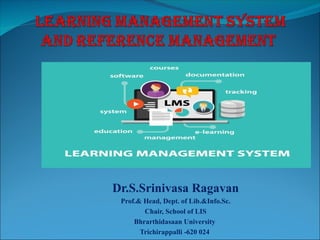
Learning Management Systems
 A learning management system (LMS) simplifies
the process of administering education and
training.
(Horton & Horton, 2000, p.169)
 A Learning Management System (LMS) is
a software application for the, administration,
documentation, tracking, reporting and delivery of
 e-learning education courses or training programs.
Dr. S. Srinivasaragavan ,Professor & Head, DLIS, BDU
HISTORY
 In the early ’90s some Luther Seminary (St. Paul) faculty
members were struggling to retain students who didn’t have
the funds or, because of family obligations, couldn’t relocate
to attend seminary.
 Tom Walker knew there had to be some kind of tool that
would enable people to communicate with each other
without being in the same place at the same time.
 Learning management systems (LMS) also sometimes known
as Course management systems (CMS) have come a long
way since those early days.
Dr. S. Srinivasaragavan ,Professor & Head, DLIS, BDU
Define Learning Management
System
 A learning management system (LMS) is a software application for the
administration, documentation, tracking, reporting, and delivery of educational
courses, training programs, or learning and development programs. The learning
management system concept emerged directly from e-Learning.
 Learning Management System (or LMS) is a broad term used to describe software
tools designed to manage user learning interventions and provide access to online
learning services for students, teacher, and administrator.
 LMS is used to manage online content and administer distance learning
processes.LMS allows us to create and support an unlimited number of online
learning courses that can be accessed by students from all over the world.
Dr. S. Srinivasaragavan ,Professor & Head, DLIS, BDU
CONT……
 Online quizzes;
 Course documents repository;
 Drop box and mailbox;
 Embedded forum and chat;
 Multilanguage interface and much
more.
Dr. S. Srinivasaragavan ,Professor & Head, DLIS, BDU
What is an LMS Used For?
 At a very basic level, learning management systems centralize, deploy, and measure
learning activities. A state-of-the-art learning management system supports a variety of
internal and external corporate use cases, including:
 Employee On boarding: Perhaps the most common LMS use case is to support new
employees with their initial on boarding. Bring new comers up-to-speed on your
company’s learning culture by providing them opportunities to consume relevant
materials across multiple devices, contribute their own knowledge, and be recognized
for it.
 Employee Development and Retention: Another common LMS use case is to support
the training and development of current employees. Within the LMS, courses can be
assigned to ensure employees acquire the right job skills, are informed about product
changes, are up-to-date on compliance training, etc.
Dr. S. Srinivasaragavan ,Professor & Head, DLIS, BDU
CONT…..
 Compliance Training: An LMS can also be used to make sure employees receive any mandated
training and manage recurring certification and training programs. This centralized approach
mitigates risk and helps to avoid any potential regulatory compliance issues.
 Sales Enablement: An LMS is also central to enabling sales at scale by preparing salespeople
with the knowledge they need, exactly when they need it. The platform also speeds up on
boarding so that new hires can start selling sooner, and ensures that you retain your top
performers.
 Customer Training: Another common LMS use case is for organizations to provide training to
customers. This is especially common for software and technology companies who need to
effectively onboard users so they can use their product. Ongoing customer training will also
provide more value to customers and prevent customer churn.
 Partner Training: The LMS can be also leveraged to train an organization’s partners and
channels (e.g., resellers). This is a great way to enhance your partnership programs and provide
more value to partners.
 Member Training: An LMS is also commonly used to amplify membership value by creating
centralized content and facilitating engagement among your members with digital learning.
LMS Platforms
Open source
 ATutor Bazaar
 Bodington
 DoceboLMS
 Dokeos e-Learning XHTML Editor
 Fle3
 GaneshaLMS
 ILIAS
 interact
 KEWL.Nextgen
 LRN
 Moodle
 OLAT
 Mitechsoft
Commercial
 ANGEL Learning
 Apex Learning
 Blackboard Inc.
 Desire2Learn
 eCollege
 Learn.com
 Meridian KSI
 Saba Software
 SAP Enterprise Learning
Dr. S. Srinivasaragavan ,Professor & Head, DLIS, BDU
Ideal LMS
A robust LMS should be able to do the following:
 Centralize and automate administration
 Use self-service and self-guided services
 Assemble and deliver learning content rapidly
 Consolidate training initiatives
 Personalize content and enable knowledge reuse
 Effectively communicate learning goals to students
 Effectively manage assessment.
 Easy to use and compatible with a variety of web based
platforms.
 Support portability, standards and enable knowledge
reuse.
Dr. S. Srinivasaragavan ,Professor & Head, DLIS, BDU
Key Functionalities of LMS
 Student Registration and Administration
 Training Event Management (i.e., scheduling, tracking,
and WBT delivery)
 Curriculum and Certification Management
 Skills and Competencies Management
 Reporting
 Training Record Management
 Courseware Authoring
 Collaborative Content Development
 Facilitated Content Management (i.e., indexing and
reuse)
 Publishing
 Workflow Integration
Dr. S. Srinivasaragavan ,Professor & Head, DLIS, BDU
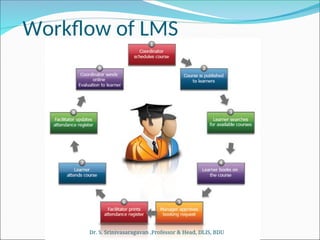
Workflow of LMS
Dr. S. Srinivasaragavan ,Professor & Head, DLIS, BDU
LMS TOOLS CONT…..
Claroline
 Allows teacher to write a course description, publish documents in any
format, administer public and private forums, develop learning paths,
create groups of students, prepare online exercises, and publish
announcements
 Translated into 35 languages.
OLAT - The Open Source LMS
 Multilingual online translation tool having flexible course system.
 Offers wikis, single pages with integrated WYSIWYG HTML editor, forums
and "file dialog" element to discuss papers, questionnaire for course
evaluations, etc.
Dr. S. Srinivasasaragavan ,Professor & Head, DLIS, BDU
LMS TOOLS CONT…..
ATutor
 This open source Learning Management System boasts a variety of useful features, ranging
from email notifications to file storage. One of the most notable highlights of ATutor is that
it is user-friendly and easily accessible, which makes it an ideal match for those who may
be new to the world of eLearning design and development. It also offers a wide selection of
themes to speed up the eLearning course development process, as well as eLearning
assessment tools, file backups, analytics, and poll integration.
Eliademy
 This open source Learning Management System is completely free for educators and
eLearning facilitators, but a small fee per user is charged for the Premium version. It
features eLearning course catalogs, eLearning assessment tools, and even a mobile Android
applications for educators who wish to develop mobile learning modules for their on-the-go
audiences. eLearning facilitators can simply upload and share the eLearning course with
their audience immediately, as long as the learners have shared their email addresses.
Dr. S. Srinivasasaragavan ,Professor & Head, DLIS, BDU
LMS TOOLS CONT…..
Forma LMS
 From skill gap analysis to detailed analytics and reporting, Forma LMS is packed with variety
of features. It also boasts certificates, competency management support, and a wide range of
virtual classroom management tools, including calendars and event managers. This open
source Learning Management System is ideally suited for corporate training programs and
offers an active online community where you can find advice, tips, and tricks to get the most
out of the open source tool.
Dokeos
 Dokeos LMS is the powerful, easy to use, and full-featured learning management system that's
flexibility to fit your eLearning needs. Dokeos is the only LMS that seamlessly integrates FDA
and EMA compliance and audit capability to ensure accurate employee validation and detailed
reporting and management tools. DOKEOS eLEARNING SUITE makes it easy to create rich,
effective learning experiences.
Dr. S. Srinivasasaragavan ,Professor & Head, DLIS, BDU
LMS TOOLS CONT…..
 DOKEOS MANAGER - The platform for the most complete learning management system
 DOKEOS AUTHOR - Easily create customized training in just a few clicks. Create modules from scratch or
import existing PowerPoint presentations or SCORM modules into engaging online courses.
 DOKEOS LIVE - Organize and manage meetings, courses and conferences online with just a browser. It’s just
like talking face-to-face!
 DOKEOS SHOP - Create your branded e-learning marketplace to deliver free or subscription-based learning
resources.
 DOKEOS WEB TV - Build your personal on-demand video channel/portal to deliver quality eLearning
courses.
 DOKEOS GAME - Easily build serious games online that immerse learners into realistic, 3D scenarios that
are fun and educational with full-featured evaluation and compliance reporting.
 DOKEOS EVALUATION - Evaluate, validate and certify competencies and track your participants’ skills
development using mixed learning features. Online and offline/paper options are integrated into the suite.
 ILIAS
 Powerful Open Source LMS for developing and realizing web-based eLearning. ILIAS was developed to reduce
the cost of using new media in education and training and to ensure the maximum level of customer
influence in implementing the software.
Dr. S. Srinivasaragavan ,Professor & Head, DLIS, BDU
Standards for e-Learning
We need e-Learning standarts for:
 To enable interoperability on different platform
 Accessibility,
 Reusability.
Dr. S. Srinivasaragavan ,Professor & Head, DLIS, BDU
Standards for eLearning
 IMS Global
 non-profit standards organization
 concerned with establishing interoperability for learning systems and
learning content
 mission is to "support the adoption and use of learning technology
worldwide".
 eLML
 The eLesson Markup Language (eLML)
 Is an open source XML framework for creating eLessons using XML
 The didactical fundament of eLML is the pedagogical model called ECLASS
 SCORM
 Sharable Content Object Reference Model
 A collection of standards and specifications for web-based e-learning
 Defines communications between client side content and a host system
called the run-time environment
 Also defines how content may be packaged into a transferrable ZIP file.
Dr. S. Srinivasaragavan ,Professor & Head, DLIS, BDU
SCORM
Sharable Content Object
Reference Model
A software model that defines the interrelationship
of course components, data models, and protocols
such that content “objects” are sharable across
systems that conform with the same model.
Integrates industry specifications from
many other organizations
 AICC, IMS, IEEE, ARIADNE, etc.
Dr. S. Srinivasaragavan ,Professor & Head, DLIS, BDU
Goal of SCORM
 Accessability
 Content can be identified and located when it is needed
and as it is needed
 Interoperability
 Content will function in multiple applications,
environment and software/hardware configurations
regardless of the tools and platform used to create.
 Reusability
 Content is independent of learning context and can be
used for many different learners.
 Durability
 Content does not require modification to operate as
software systems are changed or upgraded.
Dr. S. Srinivasaragavan ,Professor & Head, DLIS, BDU
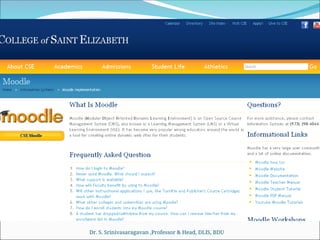
Moodle
http://moodle.org
Moodle (abbreviation for Modular Object-
Oriented Dynamic Learning Environment) is
a free and open-source e-learning software
platform, also known as a Course
Management System, , or Virtual Learning
Environment.
Dr. S. Srinivasaragavan ,Professor & Head, DLIS, BDU
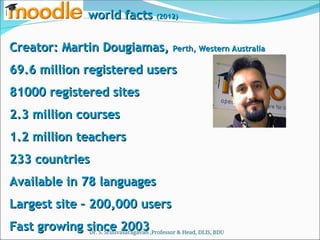
Creator: Martin Dougiamas,
Creator: Martin Dougiamas, Perth, Western Australia
Perth, Western Australia
69.6 million registered users
81000 registered sites
2.3 million courses
2.3 million courses
1.2 million teachers
233 countries
233 countries
Available in 78 languages
Largest site – 200,000 users
Fast growing since 2003
world facts
world facts (2012)
(2012)
Dr. S. Srinivasaragavan ,Professor & Head, DLIS, BDU
Features
 Site Management
 User Management
 Course Management
 Assignment Module
 Chat Module
 Quiz Modules
 Forum Module
 Resources (webpages, documents etc..)
 Activites (assignment submission, wikis, discussion
board, journals, blogs etc..)
 Many other custom modules created by Moodle
users.
Dr. S. Srinivasaragavan ,Professor & Head, DLIS, BDU
Why Moodle
 High Availability
 Scalability
 The largest Moodle installation is at Open Polytechnic New Zealand
with 45,000+ students and 6,500+ courses.
 Usability
 Moodle’s interface is simple and powerful.
 Interoperability
 Moodle supports LDAP authentication
 Moodle supports import and export of SCORM/IMS Content Packaging
standards.
 Quizes can be exported in IMS QTI 2 format.
 Courses and forums can have RSS feeds.
 Stability
 Security
 Moodle's current system of roles includes administrators, teachers,
teachers without editing privileges (sometimes called teaching
assistants), students, and guests.
Dr. S. Srinivasaragavan ,Professor & Head, DLIS, BDU
as a
as a platform
platform
that comes with a great set of bricks.
Imagine
Imagine
Ever seen or
played
with
?
?
Dr. S. Srinivasaragavan ,Professor & Head, DLIS, BDU
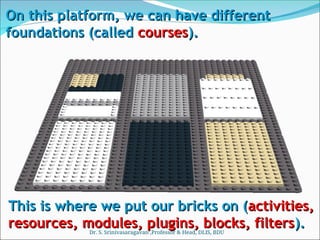
On this platform, we can have different
foundations (called
foundations (called courses
courses).
).
This is where we put our bricks on (
This is where we put our bricks on (activities,
activities,
resources, modules, plugins, blocks, filters
resources, modules, plugins, blocks, filters).
).
Dr. S. Srinivasaragavan ,Professor & Head, DLIS, BDU
Let’s imagine we can do four basic things
with four basic colour bricks
Communicate
Communicate
Store
Store
Evaluate
Evaluate Collaborate
Collaborate
Dr. S. Srinivasaragavan ,Professor & Head, DLIS, BDU
Folders
Folders
Files
Files
Links
Links
Webpage
Webpage
LMS package
LMS package
Database
Database
Labels
Labels
Portfolio*
Portfolio*
We can store…
We can store…
Dr. S. Srinivasaragavan ,Professor & Head, DLIS, BDU
build up folders
build up folders ,
name, organise
name, organise
store virtually any
store virtually any
digital documents,
digital documents,
images,
images,
audio/video, text
audio/video, text
files
files
cut access time
cut access time
with direct one-
with direct one-
click link to any
click link to any
website
website
(“make our own”
(“make our own”
page, WYSWIG or
page, WYSWIG or
with HTML,
with HTML,
embed, hyperlink,
embed, hyperlink,
insert images,
insert images,
connect
connect
insert Flash
insert Flash
Learning objects,
Learning objects,
SCORM, embeds
SCORM, embeds
build a searchable
build a searchable
repository of files,
web links, images,
web links, images,
geo tags…
geo tags…
keep things clean
keep things clean
and organised
and organised
with labels
with labels
create and
create and
maintain a
maintain a
portfolio of
portfolio of
documents*
documents*
For example,
For example,
we can…
we can…
and more!
and more!
Dr. S. Srinivasaragavan ,Professor & Head, DLIS, BDU
Messaging
Messaging
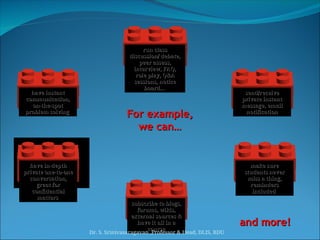
We can
We can
communicate
communicate
through…
through…
Forums
Forums
Calendar
Calendar
Dialogue
Dialogue
RSS
RSS
Chatroom
Chatroom
Dr. S. Srinivasaragavan ,Professor & Head, DLIS, BDU
send/receive
send/receive
private instant
private instant
message
message, email
, email
notification
notification
For example,
For example,
we can…
we can…
run class
run class
discussion/ debate,
discussion/ debate,
peer assess,
peer assess,
interview, FAQ,
interview, FAQ,
role play, Q&A
role play, Q&A
sessions, notice
sessions, notice
board…
board…
make sure
make sure
students never
students never
miss a thing,
miss a thing,
reminders
reminders
included
included
have in-depth
have in-depth
private one-to-one
private one-to-one
conversation,
conversation,
great for
great for
confidential
confidential
matters
matters
subscribe to blogs,
subscribe to blogs,
forums, wikis,
forums, wikis,
external sources &
external sources &
have it all in a
have it all in a
course
course
have instant
have instant
communication,
communication,
on-the-spot
on-the-spot
problem solving
problem solving
and more!
and more!
Dr. S. Srinivasaragavan ,Professor & Head, DLIS, BDU
Workshop
Workshop
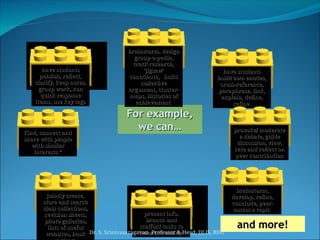
We can
We can
collaborate
collaborate
through…
through…
Database
Database
Blog
Blog Glossary
Glossary
Wiki
Wiki
Lesson
Lesson
Forum
Forum
Social network*
Social network*
Dr. S. Srinivasaragavan ,Professor & Head, DLIS, BDU
brainstorm,
brainstorm,
develop, refine,
develop, refine,
conclude, peer-
conclude, peer-
assess a topic
assess a topic
For example,
For example,
we can…
we can…
jointly create,
jointly create,
store and search
store and search
class collections,
class collections,
revision sheets,
revision sheets,
photo galleries,
photo galleries,
lists of useful
lists of useful
websites, book
websites, book
have students
have students
publish, reflect,
publish, reflect,
clarify, keep notes,
group work, run
group work, run
quick response
quick response
items, use key tags
items, use key tags
have students
have students
build own entries,
build own entries,
cross-reference,
cross-reference,
paraphrase, link,
paraphrase, link,
explain, define,
explain, define,
refine
refine
brainstorm, design
brainstorm, design
group-o-pedia,
group-o-pedia,
track research,
track research,
‘jigsaw’
‘jigsaw’
contribute, build
contribute, build
collective
collective
argument, cluster-
argument, cluster-
maps, histories of
maps, histories of
achievement
achievement
present info,
present info,
branch and
branch and
scaffold tasks to
scaffold tasks to
learner’s ability
learner’s ability
provoke/ moderate
provoke/ moderate
a debate, guide
a debate, guide
discussion, view,
discussion, view,
rate and reflect on
rate and reflect on
peer contribution
peer contribution
Find, connect and
Find, connect and
share with people
share with people
with similar
with similar
interests *
interests *
and more!
and more!
Dr. S. Srinivasaragavan ,Professor & Head, DLIS, BDU
Survey
Survey
Assignment
Assignment
Gradebook
Gradebook
Choice
Choice
Quiz
Quiz
Scales
Scales
Grade
Grade
Ratings
Ratings
We can
We can
evaluate
evaluate
with…
with…
Dr. S. Srinivasaragavan ,Professor & Head, DLIS, BDU
use pre-set
use pre-set
surveys to check
surveys to check
on ways of
on ways of
constructivist
constructivist
learning
learning
write and submit
write and submit
online, offline,
online, offline,
offer feedback,
offer feedback,
grade, resubmit,
grade, resubmit,
upload one or
upload one or
more files
more files
portfolio style
portfolio style
have all grades in
have all grades in
one place,
one place,
cumulate scores,
cumulate scores,
penalties, notes,
penalties, notes,
customise
customise
permissions
permissions
quickly & easily
quickly & easily
gather opinions,
gather opinions,
permissions,
permissions,
selections, votes
selections, votes
check & build
check & build
understanding
understanding
with multiple
with multiple
choice, true/false,
choice, true/false,
cloze, essay,
cloze, essay,
drag’n’drop, short
drag’n’drop, short
answer Q
answer Q
create own
create own
feedback formats,
feedback formats,
self/peer
self/peer
evaluation made
evaluation made
easy
easy
set your own
set your own
either ABCD, 1-5, 0-
100, outcomes,
100, outcomes,
standards,
standards,
competencies
competencies
seek opinions, self
seek opinions, self
and peer evaluate,
and peer evaluate,
run competitions,
run competitions,
rate entries
rate entries
For example,
For example,
we can…
we can…
and more!
and more!
Dr. S. Srinivasaragavan ,Professor & Head, DLIS, BDU
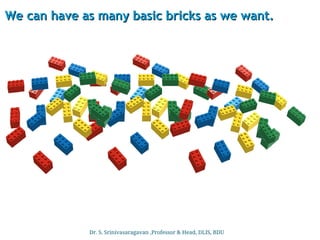
We can have as many basic bricks as we want.
Dr. S. Srinivasaragavan ,Professor & Head, DLIS, BDU
But we can get many other, compatible bricks too.
Podcast
ELGG
Mahara
Certificate
Polls
Timers
Games
Widgets
Calculators
these plus nearly 400 other compatible
modules, plugins, blocks, filters,
activities…
Google Apps
Individual Learning Plan
LAMS
OpenMeetings
Translate
HotPotatoes
We can arrange the bricks that fit in any way that
suits our educational and/or business purpose.
Dr. S. Srinivasaragavan ,Professor & Head, DLIS, BDU
We decide who gets in and does what in our courses
…
…and for that reason we have roles:
and for that reason we have roles:
Admin
Admin can
can
do, see & edit
do, see & edit
anything on
anything on
the site
the site
Teacher
Teacher can do, see
can do, see
& edit anything in
& edit anything in
their course
their course
Student
Student can do, see
can do, see
& edit in course as
& edit in course as
assigned by
assigned by
teacher
teacher
Guest
Guest can only look
can only look
in to parts allowed
in to parts allowed
Permissions for
Permissions for
parent
parent or any
or any other
other
role can be
role can be
specified...
specified...
Dr. S. Srinivasaragavan ,Professor & Head, DLIS, BDU
Learning Management System
https://bdulms.in/
Dr. S. Srinivasaragavan ,Professor & Head, DLIS, BDU
Course Categories
Dr. S. Srinivasaragavan ,Professor & Head, DLIS, BDU
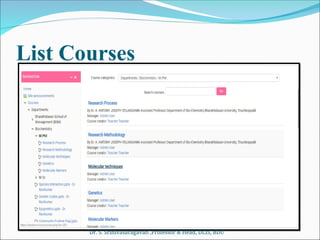
List Courses
Dr. S. Srinivasaragavan ,Professor & Head, DLIS, BDU
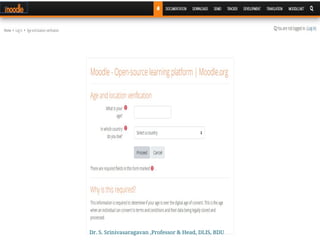
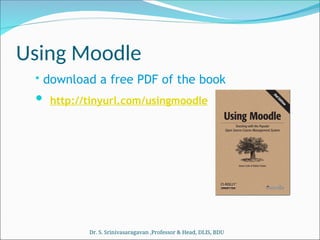
Using Moodle
• download a free PDF of the book
 http://tinyurl.com/usingmoodle
Dr. S. Srinivasaragavan ,Professor & Head, DLIS, BDU
Reference Management Tools
Introduction
Introduction
 Reference Management software program
that simplify the process of reference
management by allowing the user to collect,
store, and organize references, insert
citations at the appropriate place in the
body of the manuscript, and generate a list
of the references in an appropriate format
of bibliographic styles.
Dr. S. Srinivasaragavan ,Professor & Head, DLIS, BDU
Why Reference need
 Organize and tag citations & documents
 Create instant bibliographies in standard
formats.
 Create personal citation database of articles
on your topics.
 Format papers with in-text citations and
bibliographies in standard formats.
 Share your database of citations/articles
with others.
Dr. S. Srinivasaragavan ,Professor & Head, DLIS, BDU
Functions of Reference
 Storing and Managing References
 Creating Bibliographies
 Searching and Retrieving References from
Online Databases
Dr. S. Srinivasaragavan ,Professor & Head, DLIS, BDU
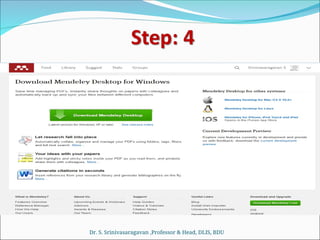
Mendeley
Mendeley is a free, award-winning,
desktop and web program for managing
and sharing research papers, discovering
research data and collaborating online
available for Windows, Mac, and Linux.
http://www.mendeley.com/
Dr. S. Srinivasaragavan ,Professor & Head, DLIS, BDU
Features
Features
 Quick and simple installation
 Word Plugin
 Citation styles for +1000 journals
 Create bibliographies instantly
 Flexible formatting
 Collaborate on bibliographies
 Share bibliographies
 Annotate and highlight
 Add and Organize
 Backup, Sync and Mobile
 Network and Discover
Dr. S. Srinivasaragavan ,Professor & Head, DLIS, BDU
Functions/Needs of Mendeley
 Create-your-bibliography-database
 Capture-citations-from-everywhere
 Build-your-network-of-researchers
 Collaborate-share-discover
 Research-papers-statistics
 Annotate-PDFs
 Create-Bibliographies
 Sync-from-Zotero and others
Dr. S. Srinivasaragavan ,Professor & Head, DLIS, BDU
MENDELEY HOMEPAGE
Dr. S. Srinivasaragavan ,Professor & Head, DLIS, BDU
MENDELEY ACCOUNT
creation in WEB BASE
SOFTWARE (BROWSER)
Dr. S. Srinivasaragavan ,Professor & Head, DLIS, BDU
E-mail address is necessary to create the account and further updates.
Dr. S. Srinivasaragavan ,Professor & Head, DLIS, BDU
Choose your research area
Dr. S. Srinivasaragavan ,Professor & Head, DLIS, BDU
INSTALLING ADDITIONAL CITATION STYLES
 Open support portal
Dr. S. Srinivasaragavan ,Professor & Head, DLIS, BDU
feedback with dynamically to solve the queries
Dr. S. Srinivasaragavan ,Professor & Head, DLIS, BDU
WIKINDX is a free Virtual Research Environment
(an online bibliographic and quotations/notes
management and article authoring system)
designed either for single use (on a variety of
operating sytems) or multi-user collaborative use
across the internet.
Dr. S. Srinivasaragavan ,Professor & Head, DLIS, BDU
JabRef
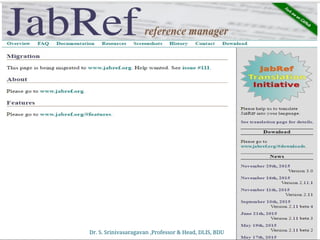
• JabRef is an open source bibliography reference
manager. The native file format used by JabRef is
BibTeX, the standard LaTeX bibliography format.
JabRef runs on the Java VM (version 1.8 or newer), and
works equally well on Windows, Linux, and Mac OS X.
• BibTeX is an application and a bibliography file format
written by Oren Patashnik and Leslie Lamport for the
LaTeX document preparation system. General
information can be found on the CTAN BibTeX
package information page. JabRef also supports Bib
Latex.
• Bibliographies generated by LaTeX and BibTeX from a
BibTeX file can be formatted to suit any reference list
specifications through the use of different BibTeX and
BibLaTeX style files.
Dr. S. Srinivasaragavan ,Professor & Head, DLIS, BDU
JabRef Features
JabRef Features
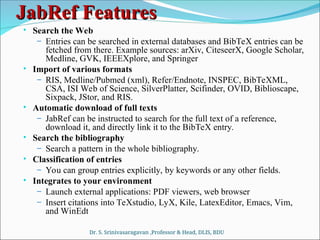
• Search the Web
– Entries can be searched in external databases and BibTeX entries can be
fetched from there. Example sources: arXiv, CiteseerX, Google Scholar,
Medline, GVK, IEEEXplore, and Springer
• Import of various formats
– RIS, Medline/Pubmed (xml), Refer/Endnote, INSPEC, BibTeXML,
CSA, ISI Web of Science, SilverPlatter, Scifinder, OVID, Biblioscape,
Sixpack, JStor, and RIS.
• Automatic download of full texts
– JabRef can be instructed to search for the full text of a reference,
download it, and directly link it to the BibTeX entry.
• Search the bibliography
– Search a pattern in the whole bibliography.
• Classification of entries
– You can group entries explicitly, by keywords or any other fields.
• Integrates to your environment
– Launch external applications: PDF viewers, web browser
– Insert citations into TeXstudio, LyX, Kile, LatexEditor, Emacs, Vim,
and WinEdt
Dr. S. Srinivasaragavan ,Professor & Head, DLIS, BDU
JabRef Features Cont ,..
 Automatic Key generation
 BibTeX keys can be automatically generated in a customizable way from
document data, e.g. using author names, title and year.
 Support for XMP Metadata in PDFs
 Improve the workflow of sharing PDFs and bibliography information
 Built-in and custom export formats
 HTML, Docbook, BibTeXML, MODS, RTF, Refer/Endnote, and
OpenOffice.org as well as LibreOffice
 Customization of the JabRef interface
 Fonts, displayed fields, etc.
 Customization of BibTeX fields
 You can add your own fields to any BibTeX entry type.
 Translations
 JabRef menus and dialog boxes are translated into Brazilian Portuguese,
Chinese (simplified), Danish, Dutch, English, French, German, Indonesian,
Italian, Japanese, Norwegian, Spanish, Turkish, Vietnamese.
 See our translation page on github for more information and the status of each
translation.
Dr. S. Srinivasaragavan ,Professor & Head, DLIS, BDU
PROFILE MANAGEMENT SYSTEM
VIVO
VIVO
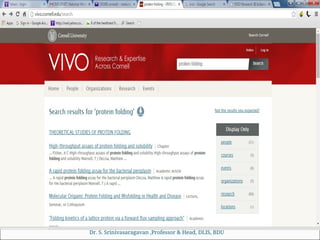
VIVO is a research-focused discovery tool that
enables collaboration among researchers across all
disciplines.
Browse or search information on people,
departments, courses, grants, and publications.
VIVO is an open source semantic web
application originally developed and implemented at
Cornell. When installed and populated with
researcher interests, activities, and
accomplishments, it enables the discovery of
research and scholarship across disciplines at that
institution and beyond.
Dr. S. Srinivasaragavan ,Professor & Head, DLIS, BDU
ORCID
Dr. S. Srinivasaragavan ,Professor & Head, DLIS, BDU
ORCID
ORCID
 ORCID (Open Researcher and Contributor ID)
is a nonproprietary alphanumeric code to uniquely
identify scientific and other academic authors.
 This addresses the problem that a particular
author's contributions to the scientific literature or
publications in the humanities can be hard to
recognize as most personal names are not unique,
they can change have cultural differences in name
order, contain inconsistent use of first-name
abbreviations and employ different writing
systems.
 It provides a persistent identity for humans, similar
to that created for content-related entities on digital
networks by digital object identifiers (DOIs)
Dr. S. Srinivasaragavan ,Professor & Head, DLIS, BDU
RESEARCH GATE
Dr. S. Srinivasaragavan ,Professor & Head, DLIS, BDU
RESEARCH GATE
Dr. S. Srinivasaragavan ,Professor & Head, DLIS, BDU
RESEARCHGATE
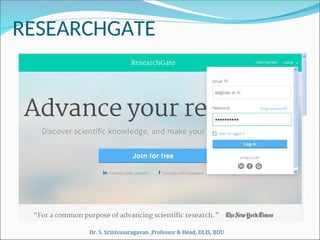
Institutional e-mail is necessary to create the account
Dr. S. Srinivasaragavan ,Professor & Head, DLIS, BDU
RESEARCHGATE
Dr. S. Srinivasaragavan ,Professor & Head, DLIS, BDU
RESEARCHGATE Contd..,
Dr. S. Srinivasaragavan ,Professor & Head, DLIS, BDU
RESEARCHGATE Contd..,
Dr. S. Srinivasaragavan ,Professor & Head, DLIS, BDU
RESEARCHGATE Contd..,
Dr. S. Srinivasaragavan ,Professor & Head, DLIS, BDU
RESEARCHGATE Contd..,
Dr. S. Srinivasaragavan ,Professor & Head, DLIS, BDU
RESEARCHGATE Contd..,
Dr. S. Srinivasaragavan ,Professor & Head, DLIS, BDU
GOOGLE SCHOLAR
Dr. S. Srinivasaragavan ,Professor & Head, DLIS, BDU
GOOGLE SCHOLAR – PROFILE
Dr. S. Srinivasaragavan ,Professor & Head, DLIS, BDU
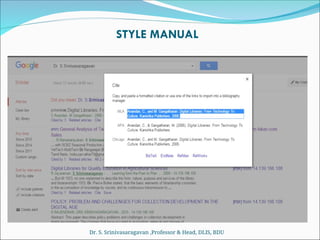
STYLE MANUAL
Dr. S. Srinivasaragavan ,Professor & Head, DLIS, BDU
Conclusion
Conclusion
• The influence of information technology the
research scholars are over loaded with information
and this lead in to the problems of identifying,
collecting and storing of scholarly communications
for their research.
• Hence research scholars are needed the Reference
Management software to solve their problems and
to handle the downloaded articles from internet,
online databases, online e-journals & e-books etc.
• Reference management software helps to complete
the research in organized way and even it helps the
other researchers to know the related literature for
their future research.
Dr. S. Srinivasaragavan ,Professor & Head, DLIS, BDU
References
 http://human.edublogs.org
 http://www.moodle.org
 http://moodle.com/stories/
 Books -
https://moodle.org/mod/data/view.php?id=7246
 Documentation -
http://docs.moodle.org/24/en/?lang=en_us
 Downloads - https://moodle.org/downloads/
Dr. S. Srinivasaragavan ,Professor & Head, DLIS, BDU

Learning Management System Reference Man

  • 1.
    Dr.S.Srinivasa Ragavan Prof.& Head,Dept. of Lib.&Info.Sc. Chair, School of LIS Bhrarthidasaan University Trichirappalli -620 024
  • 2.
    What is eLearning E-Learning can be defined broadly as any use of Web and Internet technologies to create learning experiences. (Horton & Horton, 2000, p.13)  E-learning refers to the use of electronic media and information and communication technologies (ICT) in education. E-learning is broadly inclusive of all forms of educational technology in learning and teaching. Dr. S. Srinivasaragavan ,Professor & Head, DLIS, BDU
  • 3.
    Terminologies E-learning is inclusiveof, and is broadly synonymous with  Multimedia Learning,  Technology-Enhanced Learning (TEL),  Computer-based instruction (CBI),  Computer-based Training (CBT),  Computer-aided Instruction (CAI),  Internet-based Training (IBT),  Web-based Training (WBT),  Online Education,  Virtual Education,  Virtual Learning Environments (VLE) These alternative names emphasize a particular aspect, component or delivery method. Dr. S. Srinivasaragavan ,Professor & Head, DLIS, BDU
  • 4.
    Advantages & Disadvantagesof eLearning Key advantages of E-learning are  Improved open access to education, including access to full degree programs[  Better integration for non-full-time students, particularly in continuing education,  Improved interactions between students and instructors,  Provision of tools to enable students to independently solve problems,  Acquisition of technological skills through practice with tools and computers. Key disadvantages of E-learning, that have been found to make learning less effective than traditional class room settings, are  Potential distractions that hinder actually learning,  Ease of cheating,  Bias towards tech-savvy students over non-technical students,  Lack of social interaction & feedback between teacher and students,  Lack of direct and immediate feedback from teachers. Dr. S. Srinivasaragavan ,Professor & Head, DLIS, BDU
  • 5.
    Technology for eLearning Thereare many types of technologies used in the education system. Most e-learning uses combinations of these techniques, including.  Audio  Video  Computers, Tablets, Mobile devices  Webcams  Interactive White boards  Screen Casting  Blogs,  Collaborative Software  Virtual Classrooms etc Dr. S. Srinivasaragavan ,Professor & Head, DLIS, BDU
  • 6.
    e-Learning Tools andTechnologies (Grouped by Software & Hardware) Software Hardware Create Authoring & Editing Tools PC, Workstations, Digital Cameras, Video Camcorders Offer Web Servers, Media (Stream) Servers, Web Servers (Mainframes) Access Web Browsers + Plugins (Java, Flash, Acrobat Reader) PC, Pocket PC, Internet Tablets, Smart Phones Dr. S. Srinivasaragavan ,Professor & Head, DLIS, BDU
  • 7.
    Learning Management Systems A learning management system (LMS) simplifies the process of administering education and training. (Horton & Horton, 2000, p.169)  A Learning Management System (LMS) is a software application for the, administration, documentation, tracking, reporting and delivery of  e-learning education courses or training programs. Dr. S. Srinivasaragavan ,Professor & Head, DLIS, BDU
  • 8.
    HISTORY  In theearly ’90s some Luther Seminary (St. Paul) faculty members were struggling to retain students who didn’t have the funds or, because of family obligations, couldn’t relocate to attend seminary.  Tom Walker knew there had to be some kind of tool that would enable people to communicate with each other without being in the same place at the same time.  Learning management systems (LMS) also sometimes known as Course management systems (CMS) have come a long way since those early days. Dr. S. Srinivasaragavan ,Professor & Head, DLIS, BDU
  • 9.
    Define Learning Management System A learning management system (LMS) is a software application for the administration, documentation, tracking, reporting, and delivery of educational courses, training programs, or learning and development programs. The learning management system concept emerged directly from e-Learning.  Learning Management System (or LMS) is a broad term used to describe software tools designed to manage user learning interventions and provide access to online learning services for students, teacher, and administrator.  LMS is used to manage online content and administer distance learning processes.LMS allows us to create and support an unlimited number of online learning courses that can be accessed by students from all over the world. Dr. S. Srinivasaragavan ,Professor & Head, DLIS, BDU
  • 10.
    CONT……  Online quizzes; Course documents repository;  Drop box and mailbox;  Embedded forum and chat;  Multilanguage interface and much more. Dr. S. Srinivasaragavan ,Professor & Head, DLIS, BDU
  • 11.
    What is anLMS Used For?  At a very basic level, learning management systems centralize, deploy, and measure learning activities. A state-of-the-art learning management system supports a variety of internal and external corporate use cases, including:  Employee On boarding: Perhaps the most common LMS use case is to support new employees with their initial on boarding. Bring new comers up-to-speed on your company’s learning culture by providing them opportunities to consume relevant materials across multiple devices, contribute their own knowledge, and be recognized for it.  Employee Development and Retention: Another common LMS use case is to support the training and development of current employees. Within the LMS, courses can be assigned to ensure employees acquire the right job skills, are informed about product changes, are up-to-date on compliance training, etc. Dr. S. Srinivasaragavan ,Professor & Head, DLIS, BDU
  • 12.
    CONT…..  Compliance Training:An LMS can also be used to make sure employees receive any mandated training and manage recurring certification and training programs. This centralized approach mitigates risk and helps to avoid any potential regulatory compliance issues.  Sales Enablement: An LMS is also central to enabling sales at scale by preparing salespeople with the knowledge they need, exactly when they need it. The platform also speeds up on boarding so that new hires can start selling sooner, and ensures that you retain your top performers.  Customer Training: Another common LMS use case is for organizations to provide training to customers. This is especially common for software and technology companies who need to effectively onboard users so they can use their product. Ongoing customer training will also provide more value to customers and prevent customer churn.  Partner Training: The LMS can be also leveraged to train an organization’s partners and channels (e.g., resellers). This is a great way to enhance your partnership programs and provide more value to partners.  Member Training: An LMS is also commonly used to amplify membership value by creating centralized content and facilitating engagement among your members with digital learning.
  • 13.
    LMS Platforms Open source ATutor Bazaar  Bodington  DoceboLMS  Dokeos e-Learning XHTML Editor  Fle3  GaneshaLMS  ILIAS  interact  KEWL.Nextgen  LRN  Moodle  OLAT  Mitechsoft Commercial  ANGEL Learning  Apex Learning  Blackboard Inc.  Desire2Learn  eCollege  Learn.com  Meridian KSI  Saba Software  SAP Enterprise Learning Dr. S. Srinivasaragavan ,Professor & Head, DLIS, BDU
  • 14.
    Ideal LMS A robustLMS should be able to do the following:  Centralize and automate administration  Use self-service and self-guided services  Assemble and deliver learning content rapidly  Consolidate training initiatives  Personalize content and enable knowledge reuse  Effectively communicate learning goals to students  Effectively manage assessment.  Easy to use and compatible with a variety of web based platforms.  Support portability, standards and enable knowledge reuse. Dr. S. Srinivasaragavan ,Professor & Head, DLIS, BDU
  • 15.
    Key Functionalities ofLMS  Student Registration and Administration  Training Event Management (i.e., scheduling, tracking, and WBT delivery)  Curriculum and Certification Management  Skills and Competencies Management  Reporting  Training Record Management  Courseware Authoring  Collaborative Content Development  Facilitated Content Management (i.e., indexing and reuse)  Publishing  Workflow Integration Dr. S. Srinivasaragavan ,Professor & Head, DLIS, BDU
  • 16.
    Workflow of LMS Dr.S. Srinivasaragavan ,Professor & Head, DLIS, BDU
  • 17.
    LMS TOOLS CONT….. Claroline Allows teacher to write a course description, publish documents in any format, administer public and private forums, develop learning paths, create groups of students, prepare online exercises, and publish announcements  Translated into 35 languages. OLAT - The Open Source LMS  Multilingual online translation tool having flexible course system.  Offers wikis, single pages with integrated WYSIWYG HTML editor, forums and "file dialog" element to discuss papers, questionnaire for course evaluations, etc. Dr. S. Srinivasasaragavan ,Professor & Head, DLIS, BDU
  • 18.
    LMS TOOLS CONT….. ATutor This open source Learning Management System boasts a variety of useful features, ranging from email notifications to file storage. One of the most notable highlights of ATutor is that it is user-friendly and easily accessible, which makes it an ideal match for those who may be new to the world of eLearning design and development. It also offers a wide selection of themes to speed up the eLearning course development process, as well as eLearning assessment tools, file backups, analytics, and poll integration. Eliademy  This open source Learning Management System is completely free for educators and eLearning facilitators, but a small fee per user is charged for the Premium version. It features eLearning course catalogs, eLearning assessment tools, and even a mobile Android applications for educators who wish to develop mobile learning modules for their on-the-go audiences. eLearning facilitators can simply upload and share the eLearning course with their audience immediately, as long as the learners have shared their email addresses. Dr. S. Srinivasasaragavan ,Professor & Head, DLIS, BDU
  • 19.
    LMS TOOLS CONT….. FormaLMS  From skill gap analysis to detailed analytics and reporting, Forma LMS is packed with variety of features. It also boasts certificates, competency management support, and a wide range of virtual classroom management tools, including calendars and event managers. This open source Learning Management System is ideally suited for corporate training programs and offers an active online community where you can find advice, tips, and tricks to get the most out of the open source tool. Dokeos  Dokeos LMS is the powerful, easy to use, and full-featured learning management system that's flexibility to fit your eLearning needs. Dokeos is the only LMS that seamlessly integrates FDA and EMA compliance and audit capability to ensure accurate employee validation and detailed reporting and management tools. DOKEOS eLEARNING SUITE makes it easy to create rich, effective learning experiences. Dr. S. Srinivasasaragavan ,Professor & Head, DLIS, BDU
  • 20.
    LMS TOOLS CONT….. DOKEOS MANAGER - The platform for the most complete learning management system  DOKEOS AUTHOR - Easily create customized training in just a few clicks. Create modules from scratch or import existing PowerPoint presentations or SCORM modules into engaging online courses.  DOKEOS LIVE - Organize and manage meetings, courses and conferences online with just a browser. It’s just like talking face-to-face!  DOKEOS SHOP - Create your branded e-learning marketplace to deliver free or subscription-based learning resources.  DOKEOS WEB TV - Build your personal on-demand video channel/portal to deliver quality eLearning courses.  DOKEOS GAME - Easily build serious games online that immerse learners into realistic, 3D scenarios that are fun and educational with full-featured evaluation and compliance reporting.  DOKEOS EVALUATION - Evaluate, validate and certify competencies and track your participants’ skills development using mixed learning features. Online and offline/paper options are integrated into the suite.  ILIAS  Powerful Open Source LMS for developing and realizing web-based eLearning. ILIAS was developed to reduce the cost of using new media in education and training and to ensure the maximum level of customer influence in implementing the software. Dr. S. Srinivasaragavan ,Professor & Head, DLIS, BDU
  • 21.
    Standards for e-Learning Weneed e-Learning standarts for:  To enable interoperability on different platform  Accessibility,  Reusability. Dr. S. Srinivasaragavan ,Professor & Head, DLIS, BDU
  • 22.
    Standards for eLearning IMS Global  non-profit standards organization  concerned with establishing interoperability for learning systems and learning content  mission is to "support the adoption and use of learning technology worldwide".  eLML  The eLesson Markup Language (eLML)  Is an open source XML framework for creating eLessons using XML  The didactical fundament of eLML is the pedagogical model called ECLASS  SCORM  Sharable Content Object Reference Model  A collection of standards and specifications for web-based e-learning  Defines communications between client side content and a host system called the run-time environment  Also defines how content may be packaged into a transferrable ZIP file. Dr. S. Srinivasaragavan ,Professor & Head, DLIS, BDU
  • 23.
    SCORM Sharable Content Object ReferenceModel A software model that defines the interrelationship of course components, data models, and protocols such that content “objects” are sharable across systems that conform with the same model. Integrates industry specifications from many other organizations  AICC, IMS, IEEE, ARIADNE, etc. Dr. S. Srinivasaragavan ,Professor & Head, DLIS, BDU
  • 24.
    Goal of SCORM Accessability  Content can be identified and located when it is needed and as it is needed  Interoperability  Content will function in multiple applications, environment and software/hardware configurations regardless of the tools and platform used to create.  Reusability  Content is independent of learning context and can be used for many different learners.  Durability  Content does not require modification to operate as software systems are changed or upgraded. Dr. S. Srinivasaragavan ,Professor & Head, DLIS, BDU
  • 25.
    Moodle http://moodle.org Moodle (abbreviation forModular Object- Oriented Dynamic Learning Environment) is a free and open-source e-learning software platform, also known as a Course Management System, , or Virtual Learning Environment. Dr. S. Srinivasaragavan ,Professor & Head, DLIS, BDU
  • 26.
    Creator: Martin Dougiamas, Creator:Martin Dougiamas, Perth, Western Australia Perth, Western Australia 69.6 million registered users 69.6 million registered users 81000 registered sites 81000 registered sites 2.3 million courses 2.3 million courses 1.2 million teachers 1.2 million teachers 233 countries 233 countries Available in 78 languages Available in 78 languages Largest site – 200,000 users Largest site – 200,000 users Fast growing since 2003 Fast growing since 2003 world facts world facts (2012) (2012) Dr. S. Srinivasaragavan ,Professor & Head, DLIS, BDU
  • 27.
    Features  Site Management User Management  Course Management  Assignment Module  Chat Module  Quiz Modules  Forum Module  Resources (webpages, documents etc..)  Activites (assignment submission, wikis, discussion board, journals, blogs etc..)  Many other custom modules created by Moodle users. Dr. S. Srinivasaragavan ,Professor & Head, DLIS, BDU
  • 28.
    Why Moodle  HighAvailability  Scalability  The largest Moodle installation is at Open Polytechnic New Zealand with 45,000+ students and 6,500+ courses.  Usability  Moodle’s interface is simple and powerful.  Interoperability  Moodle supports LDAP authentication  Moodle supports import and export of SCORM/IMS Content Packaging standards.  Quizes can be exported in IMS QTI 2 format.  Courses and forums can have RSS feeds.  Stability  Security  Moodle's current system of roles includes administrators, teachers, teachers without editing privileges (sometimes called teaching assistants), students, and guests. Dr. S. Srinivasaragavan ,Professor & Head, DLIS, BDU
  • 29.
    as a as aplatform platform that comes with a great set of bricks. that comes with a great set of bricks. Imagine Imagine Ever seen or played with ? ? Dr. S. Srinivasaragavan ,Professor & Head, DLIS, BDU
  • 30.
    On this platform,we can have different On this platform, we can have different foundations (called foundations (called courses courses). ). This is where we put our bricks on ( This is where we put our bricks on (activities, activities, resources, modules, plugins, blocks, filters resources, modules, plugins, blocks, filters). ). Dr. S. Srinivasaragavan ,Professor & Head, DLIS, BDU
  • 31.
    Let’s imagine wecan do four basic things Let’s imagine we can do four basic things with four basic colour bricks with four basic colour bricks Communicate Communicate Store Store Evaluate Evaluate Collaborate Collaborate Dr. S. Srinivasaragavan ,Professor & Head, DLIS, BDU
  • 32.
  • 33.
    build up folders buildup folders , name, organise name, organise store virtually any store virtually any digital documents, digital documents, images, images, audio/video, text audio/video, text files files cut access time cut access time with direct one- with direct one- click link to any click link to any website website (“make our own” (“make our own” page, WYSWIG or page, WYSWIG or with HTML, with HTML, embed, hyperlink, embed, hyperlink, insert images, insert images, connect connect insert Flash insert Flash Learning objects, Learning objects, SCORM, embeds SCORM, embeds build a searchable build a searchable repository of files, repository of files, web links, images, web links, images, geo tags… geo tags… keep things clean keep things clean and organised and organised with labels with labels create and create and maintain a maintain a portfolio of portfolio of documents* documents* For example, For example, we can… we can… and more! and more! Dr. S. Srinivasaragavan ,Professor & Head, DLIS, BDU
  • 34.
  • 35.
    send/receive send/receive private instant private instant message message,email , email notification notification For example, For example, we can… we can… run class run class discussion/ debate, discussion/ debate, peer assess, peer assess, interview, FAQ, interview, FAQ, role play, Q&A role play, Q&A sessions, notice sessions, notice board… board… make sure make sure students never students never miss a thing, miss a thing, reminders reminders included included have in-depth have in-depth private one-to-one private one-to-one conversation, conversation, great for great for confidential confidential matters matters subscribe to blogs, subscribe to blogs, forums, wikis, forums, wikis, external sources & external sources & have it all in a have it all in a course course have instant have instant communication, communication, on-the-spot on-the-spot problem solving problem solving and more! and more! Dr. S. Srinivasaragavan ,Professor & Head, DLIS, BDU
  • 36.
    Workshop Workshop We can We can collaborate collaborate through… through… Database Database Blog BlogGlossary Glossary Wiki Wiki Lesson Lesson Forum Forum Social network* Social network* Dr. S. Srinivasaragavan ,Professor & Head, DLIS, BDU
  • 37.
    brainstorm, brainstorm, develop, refine, develop, refine, conclude,peer- conclude, peer- assess a topic assess a topic For example, For example, we can… we can… jointly create, jointly create, store and search store and search class collections, class collections, revision sheets, revision sheets, photo galleries, photo galleries, lists of useful lists of useful websites, book websites, book have students have students publish, reflect, publish, reflect, clarify, keep notes, clarify, keep notes, group work, run group work, run quick response quick response items, use key tags items, use key tags have students have students build own entries, build own entries, cross-reference, cross-reference, paraphrase, link, paraphrase, link, explain, define, explain, define, refine refine brainstorm, design brainstorm, design group-o-pedia, group-o-pedia, track research, track research, ‘jigsaw’ ‘jigsaw’ contribute, build contribute, build collective collective argument, cluster- argument, cluster- maps, histories of maps, histories of achievement achievement present info, present info, branch and branch and scaffold tasks to scaffold tasks to learner’s ability learner’s ability provoke/ moderate provoke/ moderate a debate, guide a debate, guide discussion, view, discussion, view, rate and reflect on rate and reflect on peer contribution peer contribution Find, connect and Find, connect and share with people share with people with similar with similar interests * interests * and more! and more! Dr. S. Srinivasaragavan ,Professor & Head, DLIS, BDU
  • 38.
  • 39.
    use pre-set use pre-set surveysto check surveys to check on ways of on ways of constructivist constructivist learning learning write and submit write and submit online, offline, online, offline, offer feedback, offer feedback, grade, resubmit, grade, resubmit, upload one or upload one or more files more files portfolio style portfolio style have all grades in have all grades in one place, one place, cumulate scores, cumulate scores, penalties, notes, penalties, notes, customise customise permissions permissions quickly & easily quickly & easily gather opinions, gather opinions, permissions, permissions, selections, votes selections, votes check & build check & build understanding understanding with multiple with multiple choice, true/false, choice, true/false, cloze, essay, cloze, essay, drag’n’drop, short drag’n’drop, short answer Q answer Q create own create own feedback formats, feedback formats, self/peer self/peer evaluation made evaluation made easy easy set your own set your own either ABCD, 1-5, 0- either ABCD, 1-5, 0- 100, outcomes, 100, outcomes, standards, standards, competencies competencies seek opinions, self seek opinions, self and peer evaluate, and peer evaluate, run competitions, run competitions, rate entries rate entries For example, For example, we can… we can… and more! and more! Dr. S. Srinivasaragavan ,Professor & Head, DLIS, BDU
  • 40.
    We can haveas many basic bricks as we want. We can have as many basic bricks as we want. Dr. S. Srinivasaragavan ,Professor & Head, DLIS, BDU
  • 41.
    But we canget many other, compatible bricks too. But we can get many other, compatible bricks too. Podcast ELGG Mahara Certificate Polls Timers Games Widgets Calculators these plus nearly 400 other compatible modules, plugins, blocks, filters, activities… Google Apps Individual Learning Plan LAMS OpenMeetings Translate HotPotatoes
  • 42.
    We can arrangethe bricks that fit in any way that We can arrange the bricks that fit in any way that suits our educational and/or business purpose. suits our educational and/or business purpose. Dr. S. Srinivasaragavan ,Professor & Head, DLIS, BDU
  • 43.
    We decide whogets in and does what in our courses We decide who gets in and does what in our courses … …and for that reason we have roles: and for that reason we have roles: Admin Admin can can do, see & edit do, see & edit anything on anything on the site the site Teacher Teacher can do, see can do, see & edit anything in & edit anything in their course their course Student Student can do, see can do, see & edit in course as & edit in course as assigned by assigned by teacher teacher Guest Guest can only look can only look in to parts allowed in to parts allowed Permissions for Permissions for parent parent or any or any other other role can be role can be specified... specified... Dr. S. Srinivasaragavan ,Professor & Head, DLIS, BDU
  • 44.
    Dr. S. Srinivasaragavan,Professor & Head, DLIS, BDU
  • 45.
    Dr. S. Srinivasaragavan,Professor & Head, DLIS, BDU
  • 46.
    Dr. S. Srinivasaragavan,Professor & Head, DLIS, BDU
  • 47.
    Dr. S. Srinivasaragavan,Professor & Head, DLIS, BDU
  • 48.
    Dr. S. Srinivasaragavan,Professor & Head, DLIS, BDU
  • 49.
    Dr. S. Srinivasaragavan,Professor & Head, DLIS, BDU
  • 50.
    Dr. S. Srinivasaragavan,Professor & Head, DLIS, BDU
  • 51.
    Dr. S. Srinivasaragavan,Professor & Head, DLIS, BDU
  • 52.
    Learning Management System https://bdulms.in/ Dr.S. Srinivasaragavan ,Professor & Head, DLIS, BDU
  • 53.
    Course Categories Dr. S.Srinivasaragavan ,Professor & Head, DLIS, BDU
  • 54.
    Dr. S. Srinivasaragavan,Professor & Head, DLIS, BDU
  • 55.
    List Courses Dr. S.Srinivasaragavan ,Professor & Head, DLIS, BDU
  • 56.
    Dr. S. Srinivasaragavan,Professor & Head, DLIS, BDU
  • 57.
    Dr. S. Srinivasaragavan,Professor & Head, DLIS, BDU
  • 58.
    Dr. S. Srinivasaragavan,Professor & Head, DLIS, BDU
  • 59.
    Dr. S. Srinivasaragavan,Professor & Head, DLIS, BDU
  • 60.
    Dr. S. Srinivasaragavan,Professor & Head, DLIS, BDU
  • 61.
    Using Moodle • downloada free PDF of the book  http://tinyurl.com/usingmoodle Dr. S. Srinivasaragavan ,Professor & Head, DLIS, BDU
  • 62.
  • 63.
    Introduction Introduction  Reference Managementsoftware program that simplify the process of reference management by allowing the user to collect, store, and organize references, insert citations at the appropriate place in the body of the manuscript, and generate a list of the references in an appropriate format of bibliographic styles. Dr. S. Srinivasaragavan ,Professor & Head, DLIS, BDU
  • 64.
    Why Reference need Organize and tag citations & documents  Create instant bibliographies in standard formats.  Create personal citation database of articles on your topics.  Format papers with in-text citations and bibliographies in standard formats.  Share your database of citations/articles with others. Dr. S. Srinivasaragavan ,Professor & Head, DLIS, BDU
  • 65.
    Functions of Reference Functionsof Reference  Storing and Managing References  Creating Bibliographies  Searching and Retrieving References from Online Databases Dr. S. Srinivasaragavan ,Professor & Head, DLIS, BDU
  • 66.
    Mendeley Mendeley is afree, award-winning, desktop and web program for managing and sharing research papers, discovering research data and collaborating online available for Windows, Mac, and Linux. http://www.mendeley.com/ Dr. S. Srinivasaragavan ,Professor & Head, DLIS, BDU
  • 67.
    Features Features  Quick andsimple installation  Word Plugin  Citation styles for +1000 journals  Create bibliographies instantly  Flexible formatting  Collaborate on bibliographies  Share bibliographies  Annotate and highlight  Add and Organize  Backup, Sync and Mobile  Network and Discover Dr. S. Srinivasaragavan ,Professor & Head, DLIS, BDU
  • 68.
    Functions/Needs of Mendeley Functions/Needsof Mendeley  Create-your-bibliography-database  Capture-citations-from-everywhere  Build-your-network-of-researchers  Collaborate-share-discover  Research-papers-statistics  Annotate-PDFs  Create-Bibliographies  Sync-from-Zotero and others Dr. S. Srinivasaragavan ,Professor & Head, DLIS, BDU
  • 69.
    MENDELEY HOMEPAGE Dr. S.Srinivasaragavan ,Professor & Head, DLIS, BDU
  • 70.
    MENDELEY ACCOUNT creation inWEB BASE SOFTWARE (BROWSER) Dr. S. Srinivasaragavan ,Professor & Head, DLIS, BDU
  • 71.
    E-mail address isnecessary to create the account and further updates. Dr. S. Srinivasaragavan ,Professor & Head, DLIS, BDU
  • 72.
    Choose your researcharea Dr. S. Srinivasaragavan ,Professor & Head, DLIS, BDU
  • 73.
    Dr. S. Srinivasaragavan,Professor & Head, DLIS, BDU
  • 74.
    Dr. S. Srinivasaragavan,Professor & Head, DLIS, BDU
  • 75.
    INSTALLING ADDITIONAL CITATIONSTYLES INSTALLING ADDITIONAL CITATION STYLES  Open support portal Dr. S. Srinivasaragavan ,Professor & Head, DLIS, BDU
  • 76.
    Dr. S. Srinivasaragavan,Professor & Head, DLIS, BDU
  • 77.
    feedback with dynamicallyto solve the queries feedback with dynamically to solve the queries Dr. S. Srinivasaragavan ,Professor & Head, DLIS, BDU
  • 78.
    Dr. S. Srinivasaragavan,Professor & Head, DLIS, BDU
  • 79.
    WIKINDX is afree Virtual Research Environment (an online bibliographic and quotations/notes management and article authoring system) designed either for single use (on a variety of operating sytems) or multi-user collaborative use across the internet. Dr. S. Srinivasaragavan ,Professor & Head, DLIS, BDU
  • 80.
    Dr. S. Srinivasaragavan,Professor & Head, DLIS, BDU
  • 81.
    Dr. S. Srinivasaragavan,Professor & Head, DLIS, BDU
  • 82.
    Dr. S. Srinivasaragavan,Professor & Head, DLIS, BDU
  • 83.
    Dr. S. Srinivasaragavan,Professor & Head, DLIS, BDU
  • 84.
    JabRef • JabRef isan open source bibliography reference manager. The native file format used by JabRef is BibTeX, the standard LaTeX bibliography format. JabRef runs on the Java VM (version 1.8 or newer), and works equally well on Windows, Linux, and Mac OS X. • BibTeX is an application and a bibliography file format written by Oren Patashnik and Leslie Lamport for the LaTeX document preparation system. General information can be found on the CTAN BibTeX package information page. JabRef also supports Bib Latex. • Bibliographies generated by LaTeX and BibTeX from a BibTeX file can be formatted to suit any reference list specifications through the use of different BibTeX and BibLaTeX style files. Dr. S. Srinivasaragavan ,Professor & Head, DLIS, BDU
  • 85.
    JabRef Features JabRef Features •Search the Web – Entries can be searched in external databases and BibTeX entries can be fetched from there. Example sources: arXiv, CiteseerX, Google Scholar, Medline, GVK, IEEEXplore, and Springer • Import of various formats – RIS, Medline/Pubmed (xml), Refer/Endnote, INSPEC, BibTeXML, CSA, ISI Web of Science, SilverPlatter, Scifinder, OVID, Biblioscape, Sixpack, JStor, and RIS. • Automatic download of full texts – JabRef can be instructed to search for the full text of a reference, download it, and directly link it to the BibTeX entry. • Search the bibliography – Search a pattern in the whole bibliography. • Classification of entries – You can group entries explicitly, by keywords or any other fields. • Integrates to your environment – Launch external applications: PDF viewers, web browser – Insert citations into TeXstudio, LyX, Kile, LatexEditor, Emacs, Vim, and WinEdt Dr. S. Srinivasaragavan ,Professor & Head, DLIS, BDU
  • 86.
    JabRef Features Cont,..  Automatic Key generation  BibTeX keys can be automatically generated in a customizable way from document data, e.g. using author names, title and year.  Support for XMP Metadata in PDFs  Improve the workflow of sharing PDFs and bibliography information  Built-in and custom export formats  HTML, Docbook, BibTeXML, MODS, RTF, Refer/Endnote, and OpenOffice.org as well as LibreOffice  Customization of the JabRef interface  Fonts, displayed fields, etc.  Customization of BibTeX fields  You can add your own fields to any BibTeX entry type.  Translations  JabRef menus and dialog boxes are translated into Brazilian Portuguese, Chinese (simplified), Danish, Dutch, English, French, German, Indonesian, Italian, Japanese, Norwegian, Spanish, Turkish, Vietnamese.  See our translation page on github for more information and the status of each translation. Dr. S. Srinivasaragavan ,Professor & Head, DLIS, BDU
  • 87.
    PROFILE MANAGEMENT SYSTEM PROFILEMANAGEMENT SYSTEM VIVO VIVO VIVO is a research-focused discovery tool that enables collaboration among researchers across all disciplines. Browse or search information on people, departments, courses, grants, and publications. VIVO is an open source semantic web application originally developed and implemented at Cornell. When installed and populated with researcher interests, activities, and accomplishments, it enables the discovery of research and scholarship across disciplines at that institution and beyond. Dr. S. Srinivasaragavan ,Professor & Head, DLIS, BDU
  • 88.
    Dr. S. Srinivasaragavan,Professor & Head, DLIS, BDU
  • 89.
    Dr. S. Srinivasaragavan,Professor & Head, DLIS, BDU
  • 90.
    Dr. S. Srinivasaragavan,Professor & Head, DLIS, BDU
  • 91.
    ORCID Dr. S. Srinivasaragavan,Professor & Head, DLIS, BDU
  • 92.
    ORCID ORCID  ORCID (OpenResearcher and Contributor ID) is a nonproprietary alphanumeric code to uniquely identify scientific and other academic authors.  This addresses the problem that a particular author's contributions to the scientific literature or publications in the humanities can be hard to recognize as most personal names are not unique, they can change have cultural differences in name order, contain inconsistent use of first-name abbreviations and employ different writing systems.  It provides a persistent identity for humans, similar to that created for content-related entities on digital networks by digital object identifiers (DOIs)
  • 93.
    Dr. S. Srinivasaragavan,Professor & Head, DLIS, BDU
  • 94.
    RESEARCH GATE Dr. S.Srinivasaragavan ,Professor & Head, DLIS, BDU
  • 95.
    RESEARCH GATE Dr. S.Srinivasaragavan ,Professor & Head, DLIS, BDU
  • 96.
    RESEARCHGATE Institutional e-mail isnecessary to create the account Dr. S. Srinivasaragavan ,Professor & Head, DLIS, BDU
  • 97.
    RESEARCHGATE Dr. S. Srinivasaragavan,Professor & Head, DLIS, BDU
  • 98.
    RESEARCHGATE Contd.., Dr. S.Srinivasaragavan ,Professor & Head, DLIS, BDU
  • 99.
    RESEARCHGATE Contd.., Dr. S.Srinivasaragavan ,Professor & Head, DLIS, BDU
  • 100.
    RESEARCHGATE Contd.., Dr. S.Srinivasaragavan ,Professor & Head, DLIS, BDU
  • 101.
    RESEARCHGATE Contd.., Dr. S.Srinivasaragavan ,Professor & Head, DLIS, BDU
  • 102.
    RESEARCHGATE Contd.., Dr. S.Srinivasaragavan ,Professor & Head, DLIS, BDU
  • 103.
    GOOGLE SCHOLAR Dr. S.Srinivasaragavan ,Professor & Head, DLIS, BDU
  • 104.
    GOOGLE SCHOLAR –PROFILE Dr. S. Srinivasaragavan ,Professor & Head, DLIS, BDU
  • 105.
    STYLE MANUAL Dr. S.Srinivasaragavan ,Professor & Head, DLIS, BDU
  • 106.
    Dr. S. Srinivasaragavan,Professor & Head, DLIS, BDU
  • 107.
    Dr. S. Srinivasaragavan,Professor & Head, DLIS, BDU
  • 108.
    Conclusion Conclusion • The influenceof information technology the research scholars are over loaded with information and this lead in to the problems of identifying, collecting and storing of scholarly communications for their research. • Hence research scholars are needed the Reference Management software to solve their problems and to handle the downloaded articles from internet, online databases, online e-journals & e-books etc. • Reference management software helps to complete the research in organized way and even it helps the other researchers to know the related literature for their future research. Dr. S. Srinivasaragavan ,Professor & Head, DLIS, BDU
  • 111.
    References  http://human.edublogs.org  http://www.moodle.org http://moodle.com/stories/  Books - https://moodle.org/mod/data/view.php?id=7246  Documentation - http://docs.moodle.org/24/en/?lang=en_us  Downloads - https://moodle.org/downloads/ Dr. S. Srinivasaragavan ,Professor & Head, DLIS, BDU