Introduction to C++
C is a programming language developed in the 1970's alongside
the UNIX operating system.
C provides a comprehensive set of features for handling a wide
variety of applications, such as systems development and scientific
computation.
C++ is an “extension” of the C language, in that most C programs
are also C++ programs.
C++, as opposed to C, supports “object-oriented programming.”
General form of a C++ program :
// Program description
#include directives
int main()
{
constant declarations
variable declarations
executable statements
return 0;
}
C++ keywords
Keywords appear in blue in Visual C++.
Each keyword has a predefined purpose in the language.
Do not use keywords as variable and constant names!!
The complete list of keywords is on page 673 of the textbook.
We shall cover the following keywords in this class:
bool, break, case, char, const, continue,
do, default, double, else, extern, false,
float, for, if, int, long, namespace, return,
short, static, struct, switch, typedef, true,
unsigned, void, while
Example 0 – adding 2 numbers
Peter: Hey Frank, I just learned how to add two numbers
together.
Frank: Cool!
Peter : Give me the first number.
Frank: 2.
Peter : Ok, and give me the second number.
Frank: 5.
Peter : Ok, here's the answer: 2 + 5 = 7.
Frank: Wow! You are amazing!
after Frank says “2”, Peter has to keep this number in his mind.
after Frank says “5”, Peter also needs to keep this number in his mind.
First number : 2 second number : 5 Sum : 7
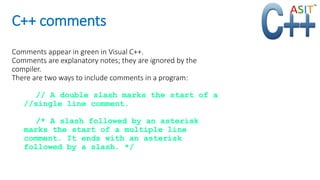
C++ comments
Comments appear in green in Visual C++.
Comments are explanatory notes; they are ignored by the
compiler.
There are two ways to include comments in a program:
// A double slash marks the start of a
//single line comment.
/* A slash followed by an asterisk
marks the start of a multiple line
comment. It ends with an asterisk
followed by a slash. */
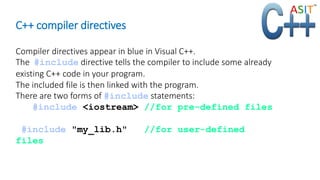
C++ compiler directives
Compiler directives appear in blue in Visual C++.
The #include directive tells the compiler to include some already
existing C++ code in your program.
The included file is then linked with the program.
There are two forms of #include statements:
#include <iostream> //for pre-defined files
#include "my_lib.h" //for user-defined
files
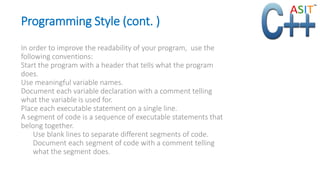
Programming Style (cont. )
In order to improve the readability of your program, use the
following conventions:
Start the program with a header that tells what the program
does.
Use meaningful variable names.
Document each variable declaration with a comment telling
what the variable is used for.
Place each executable statement on a single line.
A segment of code is a sequence of executable statements that
belong together.
Use blank lines to separate different segments of code.
Document each segment of code with a comment telling
what the segment does.
For more details
www.asit.amcsquare.com
Wise Machines India Pvt Ltd
# 360, Sri Sai Padma Arcade,
Varthur Main Road,
Ramagondanahalli,
Whitefield ,Bangalore – 560066
9740377262
* we also have branches in Hyderabad and Chennai
we provide online and classroom training for C++

Learn C++ at ASIT

  • 1.
    Introduction to C++ Cis a programming language developed in the 1970's alongside the UNIX operating system. C provides a comprehensive set of features for handling a wide variety of applications, such as systems development and scientific computation. C++ is an “extension” of the C language, in that most C programs are also C++ programs. C++, as opposed to C, supports “object-oriented programming.”
  • 2.
    General form ofa C++ program : // Program description #include directives int main() { constant declarations variable declarations executable statements return 0; }
  • 3.
    C++ keywords Keywords appearin blue in Visual C++. Each keyword has a predefined purpose in the language. Do not use keywords as variable and constant names!! The complete list of keywords is on page 673 of the textbook. We shall cover the following keywords in this class: bool, break, case, char, const, continue, do, default, double, else, extern, false, float, for, if, int, long, namespace, return, short, static, struct, switch, typedef, true, unsigned, void, while
  • 4.
    Example 0 –adding 2 numbers Peter: Hey Frank, I just learned how to add two numbers together. Frank: Cool! Peter : Give me the first number. Frank: 2. Peter : Ok, and give me the second number. Frank: 5. Peter : Ok, here's the answer: 2 + 5 = 7. Frank: Wow! You are amazing! after Frank says “2”, Peter has to keep this number in his mind. after Frank says “5”, Peter also needs to keep this number in his mind. First number : 2 second number : 5 Sum : 7
  • 5.
    C++ comments Comments appearin green in Visual C++. Comments are explanatory notes; they are ignored by the compiler. There are two ways to include comments in a program: // A double slash marks the start of a //single line comment. /* A slash followed by an asterisk marks the start of a multiple line comment. It ends with an asterisk followed by a slash. */
  • 6.
    C++ compiler directives Compilerdirectives appear in blue in Visual C++. The #include directive tells the compiler to include some already existing C++ code in your program. The included file is then linked with the program. There are two forms of #include statements: #include <iostream> //for pre-defined files #include "my_lib.h" //for user-defined files
  • 7.
    Programming Style (cont.) In order to improve the readability of your program, use the following conventions: Start the program with a header that tells what the program does. Use meaningful variable names. Document each variable declaration with a comment telling what the variable is used for. Place each executable statement on a single line. A segment of code is a sequence of executable statements that belong together. Use blank lines to separate different segments of code. Document each segment of code with a comment telling what the segment does.
  • 8.
    For more details www.asit.amcsquare.com WiseMachines India Pvt Ltd # 360, Sri Sai Padma Arcade, Varthur Main Road, Ramagondanahalli, Whitefield ,Bangalore – 560066 9740377262 * we also have branches in Hyderabad and Chennai we provide online and classroom training for C++