INTRODUCTION TO C++
AND TO JAVA
 Introduction to C++
 General Form of C++
 C++ Keywords
 C++ Identifiers
 C++ Comments
 C++ Compiler Directives
 Programming Style
 What makes a bad program?
 Introduction to Java
 Characteristics of Java
 Java Flowchart
 Java Principles
 Java Examples
 Java Editions
 About the Authors
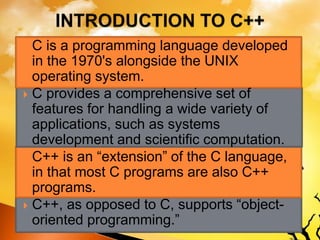
 C is a programming language developed
in the 1970's alongside the UNIX
operating system.
 C provides a comprehensive set of
features for handling a wide variety of
applications, such as systems
development and scientific computation.
 C++ is an “extension” of the C language,
in that most C programs are also C++
programs.
 C++, as opposed to C, supports “object-
oriented programming.”
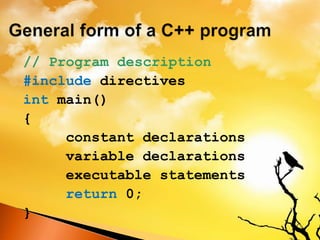
// Program description
#include directives
int main()
{
constant declarations
variable declarations
executable statements
return 0;
}
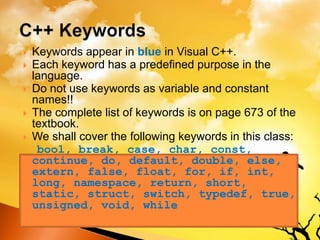
 Keywords appear in blue in Visual C++.
 Each keyword has a predefined purpose in the
language.
 Do not use keywords as variable and constant
names!!
 The complete list of keywords is on page 673 of the
textbook.
 We shall cover the following keywords in this class:
bool, break, case, char, const,
continue, do, default, double, else,
extern, false, float, for, if, int,
long, namespace, return, short,
static, struct, switch, typedef, true,
unsigned, void, while
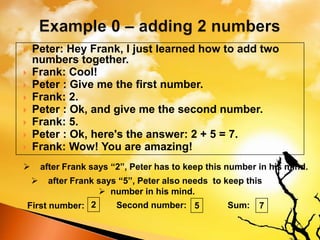
 Peter: Hey Frank, I just learned how to add two
numbers together.
 Frank: Cool!
 Peter : Give me the first number.
 Frank: 2.
 Peter : Ok, and give me the second number.
 Frank: 5.
 Peter : Ok, here's the answer: 2 + 5 = 7.
 Frank: Wow! You are amazing!
 after Frank says “2”, Peter has to keep this number in his mind.
 after Frank says “5”, Peter also needs to keep this
 number in his mind.
First number: 2 Second number: 5 Sum: 7
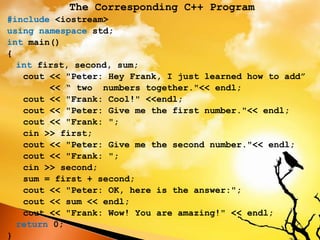
The Corresponding C++ Program
#include <iostream>
using namespace std;
int main()
{
int first, second, sum;
cout << "Peter: Hey Frank, I just learned how to add”
<< “ two numbers together."<< endl;
cout << "Frank: Cool!" <<endl;
cout << "Peter: Give me the first number."<< endl;
cout << "Frank: ";
cin >> first;
cout << "Peter: Give me the second number."<< endl;
cout << "Frank: ";
cin >> second;
sum = first + second;
cout << "Peter: OK, here is the answer:";
cout << sum << endl;
cout << "Frank: Wow! You are amazing!" << endl;
return 0;
}
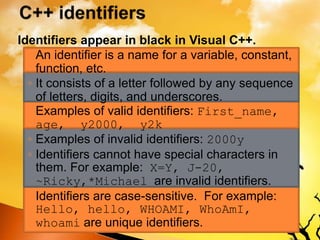
Identifiers appear in black in Visual C++.
◦ An identifier is a name for a variable, constant,
function, etc.
◦ It consists of a letter followed by any sequence
of letters, digits, and underscores.
◦ Examples of valid identifiers: First_name,
age, y2000, y2k
◦ Examples of invalid identifiers: 2000y
◦ Identifiers cannot have special characters in
them. For example: X=Y, J-20,
~Ricky,*Michael are invalid identifiers.
◦ Identifiers are case-sensitive. For example:
Hello, hello, WHOAMI, WhoAmI,
whoami are unique identifiers.
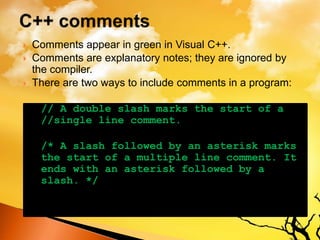
 Comments appear in green in Visual C++.
 Comments are explanatory notes; they are ignored by
the compiler.
 There are two ways to include comments in a program:
// A double slash marks the start of a
//single line comment.
/* A slash followed by an asterisk marks
the start of a multiple line comment. It
ends with an asterisk followed by a
slash. */
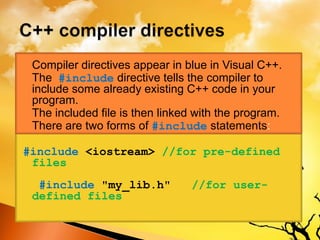
 Compiler directives appear in blue in Visual C++.
 The #include directive tells the compiler to
include some already existing C++ code in your
program.
 The included file is then linked with the program.
 There are two forms of #include statements:
#include <iostream> //for pre-defined
files
#include "my_lib.h" //for user-
defined files
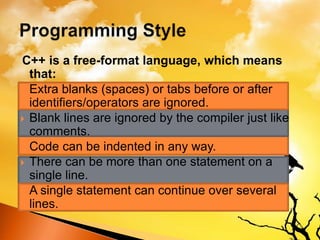
C++ is a free-format language, which means
that:
 Extra blanks (spaces) or tabs before or after
identifiers/operators are ignored.
 Blank lines are ignored by the compiler just like
comments.
 Code can be indented in any way.
 There can be more than one statement on a
single line.
 A single statement can continue over several
lines.
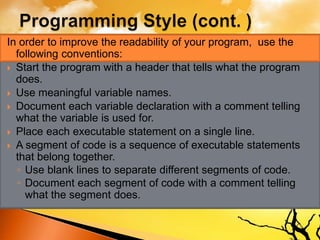
In order to improve the readability of your program, use the
following conventions:
 Start the program with a header that tells what the program
does.
 Use meaningful variable names.
 Document each variable declaration with a comment telling
what the variable is used for.
 Place each executable statement on a single line.
 A segment of code is a sequence of executable statements
that belong together.
◦ Use blank lines to separate different segments of code.
◦ Document each segment of code with a comment telling
what the segment does.
Java is an object oriented programming language
developed in 1991 by James Gosling, Patrick
Naughton, Chris Wrath, Ed Frank, Craig Forrest,
and Mike Sheridan at Sun Microsystem, Inc. It came
out in 1955 and served to fill a need that has been
addressed by its special characteristic.
Many software developers prefer to use Java because:
 Java is free. It can be downloaded from the Internet
for free at http://java.sun.com
 Java is simple. There is less to learn in Java but it has
many capabilities like other programming languages.
 Java is useful in networking. It has many components
to program Internet communications. Many mobile
phones today are Java-enabled, so that Java
programs, like games, can be loaded to them.
 Java is secure. It ensures that a program can accept only
what is designed to accept.
 Java is dynamic. The design of Java makes it possible to
reuse previously written programs.
 Java is robust. It excludes some components that are
error prone. It provides a means for programmers to
define and handle common errors in their program.
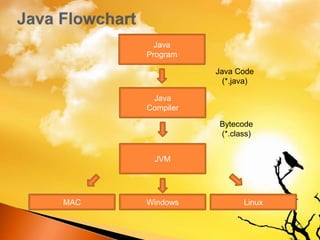
 Java is a platform-independent or portable. It can run on
any computer installed with the Java Virtual
Machine(JVM). A java program must first be converted, or
translated into a language that the JVM understands,
which is in the form of a file of bytecodes having the
.class extension. This takes place when you compile your
java program.
Java
Program
JVM
Java
Compiler
MAC Windows Linux
Java Code
(*.java)
Bytecode
(*.class)
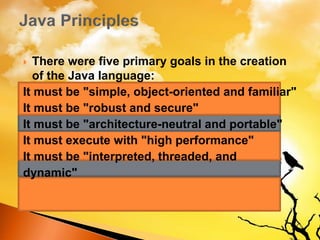
 There were five primary goals in the creation
of the Java language:
It must be "simple, object-oriented and familiar"
It must be "robust and secure"
It must be "architecture-neutral and portable"
It must execute with "high performance"
It must be "interpreted, threaded, and
dynamic"
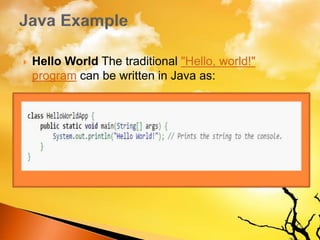
 Hello World The traditional "Hello, world!"
program can be written in Java as:
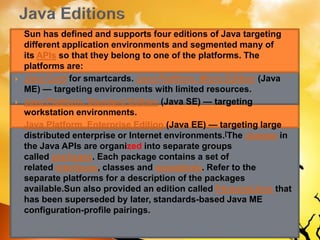
 Sun has defined and supports four editions of Java targeting
different application environments and segmented many of
its APIs so that they belong to one of the platforms. The
platforms are:
 Java Card for smartcards. Java Platform, Micro Edition (Java
ME) — targeting environments with limited resources.
 Java Platform, Standard Edition (Java SE) — targeting
workstation environments.
 Java Platform, Enterprise Edition (Java EE) — targeting large
distributed enterprise or Internet environments.[The classes in
the Java APIs are organized into separate groups
called packages. Each package contains a set of
related interfaces, classes and exceptions. Refer to the
separate platforms for a description of the packages
available.Sun also provided an edition called PersonalJava that
has been superseded by later, standards-based Java ME
configuration-profile pairings.
Camille Andrea Guevarra
and Ghislaine Faye
Bautista are best friends.
They do things together
and when they want
something they’ll work
hard for it. They are from
Juan G. Macaraeg NHS
and are currently Grade
9 Students.
Submitted to:
Mr. Angel Coroña

Programming

  • 1.
  • 2.
     Introduction toC++  General Form of C++  C++ Keywords  C++ Identifiers  C++ Comments  C++ Compiler Directives  Programming Style  What makes a bad program?  Introduction to Java  Characteristics of Java  Java Flowchart  Java Principles  Java Examples  Java Editions  About the Authors
  • 3.
     C isa programming language developed in the 1970's alongside the UNIX operating system.  C provides a comprehensive set of features for handling a wide variety of applications, such as systems development and scientific computation.  C++ is an “extension” of the C language, in that most C programs are also C++ programs.  C++, as opposed to C, supports “object- oriented programming.”
  • 4.
    // Program description #includedirectives int main() { constant declarations variable declarations executable statements return 0; }
  • 5.
     Keywords appearin blue in Visual C++.  Each keyword has a predefined purpose in the language.  Do not use keywords as variable and constant names!!  The complete list of keywords is on page 673 of the textbook.  We shall cover the following keywords in this class: bool, break, case, char, const, continue, do, default, double, else, extern, false, float, for, if, int, long, namespace, return, short, static, struct, switch, typedef, true, unsigned, void, while
  • 6.
     Peter: HeyFrank, I just learned how to add two numbers together.  Frank: Cool!  Peter : Give me the first number.  Frank: 2.  Peter : Ok, and give me the second number.  Frank: 5.  Peter : Ok, here's the answer: 2 + 5 = 7.  Frank: Wow! You are amazing!  after Frank says “2”, Peter has to keep this number in his mind.  after Frank says “5”, Peter also needs to keep this  number in his mind. First number: 2 Second number: 5 Sum: 7
  • 7.
    The Corresponding C++Program #include <iostream> using namespace std; int main() { int first, second, sum; cout << "Peter: Hey Frank, I just learned how to add” << “ two numbers together."<< endl; cout << "Frank: Cool!" <<endl; cout << "Peter: Give me the first number."<< endl; cout << "Frank: "; cin >> first; cout << "Peter: Give me the second number."<< endl; cout << "Frank: "; cin >> second; sum = first + second; cout << "Peter: OK, here is the answer:"; cout << sum << endl; cout << "Frank: Wow! You are amazing!" << endl; return 0; }
  • 8.
    Identifiers appear inblack in Visual C++. ◦ An identifier is a name for a variable, constant, function, etc. ◦ It consists of a letter followed by any sequence of letters, digits, and underscores. ◦ Examples of valid identifiers: First_name, age, y2000, y2k ◦ Examples of invalid identifiers: 2000y ◦ Identifiers cannot have special characters in them. For example: X=Y, J-20, ~Ricky,*Michael are invalid identifiers. ◦ Identifiers are case-sensitive. For example: Hello, hello, WHOAMI, WhoAmI, whoami are unique identifiers.
  • 9.
     Comments appearin green in Visual C++.  Comments are explanatory notes; they are ignored by the compiler.  There are two ways to include comments in a program: // A double slash marks the start of a //single line comment. /* A slash followed by an asterisk marks the start of a multiple line comment. It ends with an asterisk followed by a slash. */
  • 10.
     Compiler directivesappear in blue in Visual C++.  The #include directive tells the compiler to include some already existing C++ code in your program.  The included file is then linked with the program.  There are two forms of #include statements: #include <iostream> //for pre-defined files #include "my_lib.h" //for user- defined files
  • 11.
    C++ is afree-format language, which means that:  Extra blanks (spaces) or tabs before or after identifiers/operators are ignored.  Blank lines are ignored by the compiler just like comments.  Code can be indented in any way.  There can be more than one statement on a single line.  A single statement can continue over several lines.
  • 12.
    In order toimprove the readability of your program, use the following conventions:  Start the program with a header that tells what the program does.  Use meaningful variable names.  Document each variable declaration with a comment telling what the variable is used for.  Place each executable statement on a single line.  A segment of code is a sequence of executable statements that belong together. ◦ Use blank lines to separate different segments of code. ◦ Document each segment of code with a comment telling what the segment does.
  • 13.
    Java is anobject oriented programming language developed in 1991 by James Gosling, Patrick Naughton, Chris Wrath, Ed Frank, Craig Forrest, and Mike Sheridan at Sun Microsystem, Inc. It came out in 1955 and served to fill a need that has been addressed by its special characteristic.
  • 14.
    Many software developersprefer to use Java because:  Java is free. It can be downloaded from the Internet for free at http://java.sun.com  Java is simple. There is less to learn in Java but it has many capabilities like other programming languages.  Java is useful in networking. It has many components to program Internet communications. Many mobile phones today are Java-enabled, so that Java programs, like games, can be loaded to them.
  • 15.
     Java issecure. It ensures that a program can accept only what is designed to accept.  Java is dynamic. The design of Java makes it possible to reuse previously written programs.  Java is robust. It excludes some components that are error prone. It provides a means for programmers to define and handle common errors in their program.  Java is a platform-independent or portable. It can run on any computer installed with the Java Virtual Machine(JVM). A java program must first be converted, or translated into a language that the JVM understands, which is in the form of a file of bytecodes having the .class extension. This takes place when you compile your java program.
  • 16.
  • 17.
     There werefive primary goals in the creation of the Java language: It must be "simple, object-oriented and familiar" It must be "robust and secure" It must be "architecture-neutral and portable" It must execute with "high performance" It must be "interpreted, threaded, and dynamic"
  • 18.
     Hello WorldThe traditional "Hello, world!" program can be written in Java as:
  • 19.
     Sun hasdefined and supports four editions of Java targeting different application environments and segmented many of its APIs so that they belong to one of the platforms. The platforms are:  Java Card for smartcards. Java Platform, Micro Edition (Java ME) — targeting environments with limited resources.  Java Platform, Standard Edition (Java SE) — targeting workstation environments.  Java Platform, Enterprise Edition (Java EE) — targeting large distributed enterprise or Internet environments.[The classes in the Java APIs are organized into separate groups called packages. Each package contains a set of related interfaces, classes and exceptions. Refer to the separate platforms for a description of the packages available.Sun also provided an edition called PersonalJava that has been superseded by later, standards-based Java ME configuration-profile pairings.
  • 20.
    Camille Andrea Guevarra andGhislaine Faye Bautista are best friends. They do things together and when they want something they’ll work hard for it. They are from Juan G. Macaraeg NHS and are currently Grade 9 Students. Submitted to: Mr. Angel Coroña