Layers
Presented by
HASSAN MANSOOR
2014-ME-83
HASSAN SAIFI
2014-ME-84
Engineering Drawing
A graphical language used by engineers
and other technical persons associated
with engineering profession.
AutoCAD
AutoCAD is a computer-aided design
(CAD) program used for 2-D and 3-D
Design and drafting.
Layer
 It is an AutoCAD command which is
used
when we are dealing with complex
geometries like building structures,
wiring
system etc.
 It allows you to control the colour, line
type, activity and visibility of individual
part of the drawing.
Example
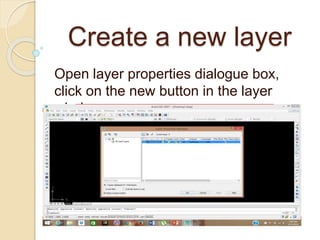
Create a new layer
Open layer properties dialogue box,
click on the new button in the layer
window.
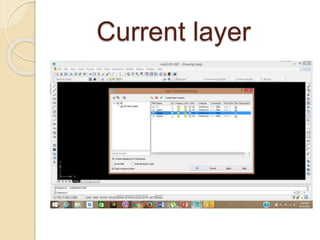
Current layer
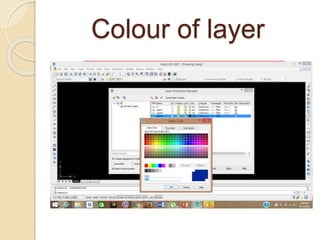
Colour of layer
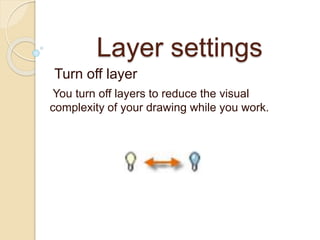
Layer settings
Turn off layer
You turn off layers to reduce the visual
complexity of your drawing while you work.
Freeze layer
You freeze layers that you do not need
to access for a while. Freezing layers is
similar to turning them off, but improves
performance in very large drawings.
Lock layer
You lock layers when you want to
prevent accidental changes to the
objects on those layers. Also, the
objects on locked layers appear faded,
which helps reduce the visual
complexity of your drawing, but still lets
you see the objects faintly.
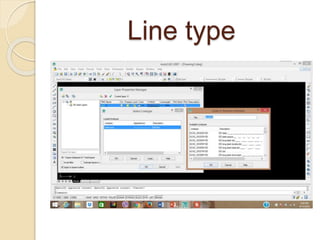
Line type
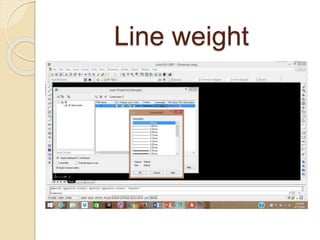
Line weight
Layers slide

Layers slide

  • 2.
  • 3.
    Engineering Drawing A graphicallanguage used by engineers and other technical persons associated with engineering profession.
  • 4.
    AutoCAD AutoCAD is acomputer-aided design (CAD) program used for 2-D and 3-D Design and drafting.
  • 5.
    Layer  It isan AutoCAD command which is used when we are dealing with complex geometries like building structures, wiring system etc.  It allows you to control the colour, line type, activity and visibility of individual part of the drawing.
  • 6.
  • 7.
    Create a newlayer Open layer properties dialogue box, click on the new button in the layer window.
  • 8.
  • 9.
  • 10.
    Layer settings Turn offlayer You turn off layers to reduce the visual complexity of your drawing while you work.
  • 11.
    Freeze layer You freezelayers that you do not need to access for a while. Freezing layers is similar to turning them off, but improves performance in very large drawings.
  • 12.
    Lock layer You locklayers when you want to prevent accidental changes to the objects on those layers. Also, the objects on locked layers appear faded, which helps reduce the visual complexity of your drawing, but still lets you see the objects faintly.
  • 13.
  • 14.