Lab Session On Robot Control
Using Teach Pendant
By
Mr.K.Pavan Kumar Reddy
Assistant professor (Adhoc)
Department of Mechanical Engineering
JNTUA College of Engineering Pulivendula-516390
Contents
• Robot Programming & Interface
• Teach pendant method
• About workspace LT software
• With workspace LT what we can?
• Features of workspace LT
• Benefits of Workspace LT
• Requirements for installing workspace LT
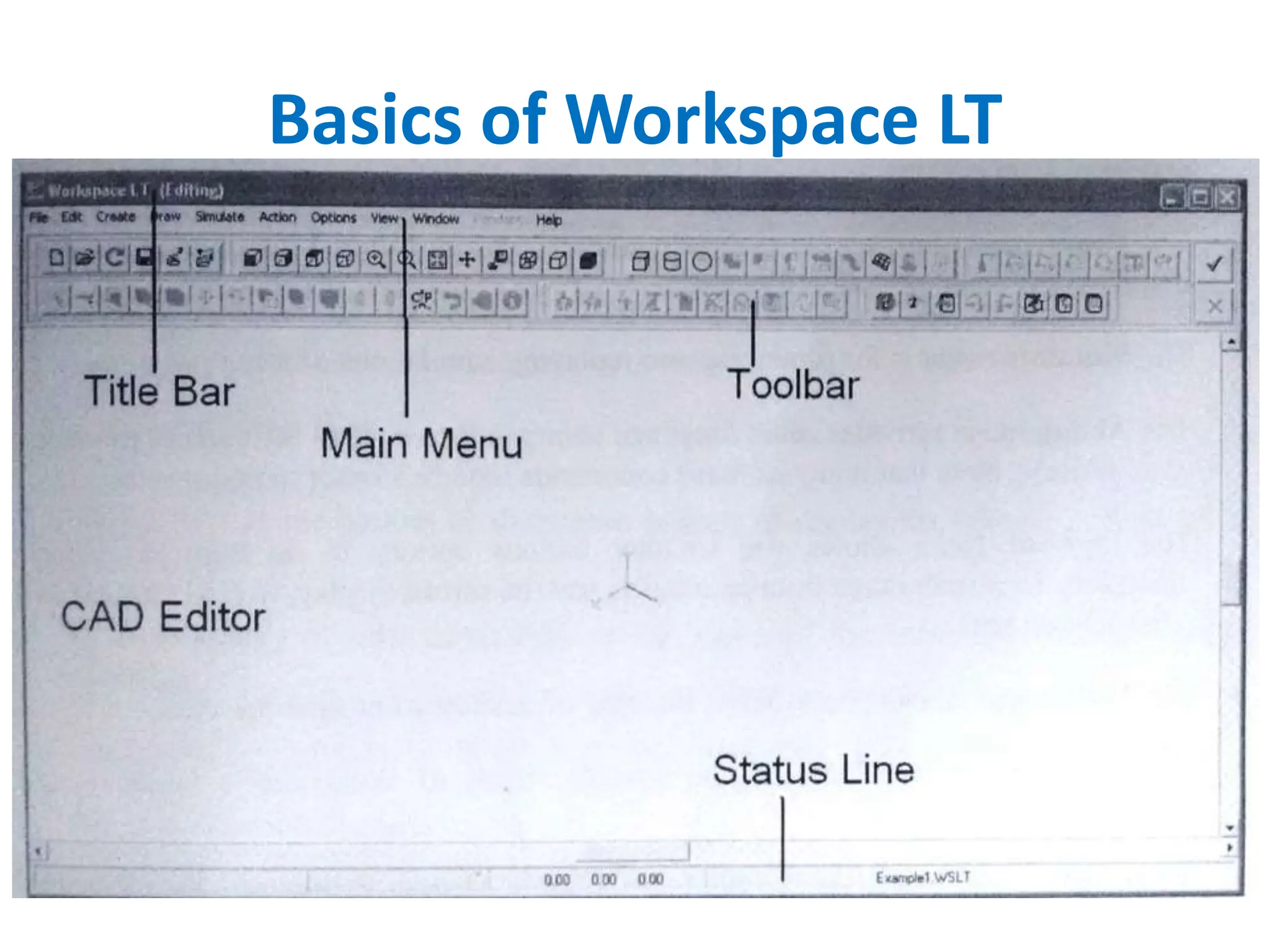
• Basics of Workspace LT
• Lab session on Six axis Aristo Robot
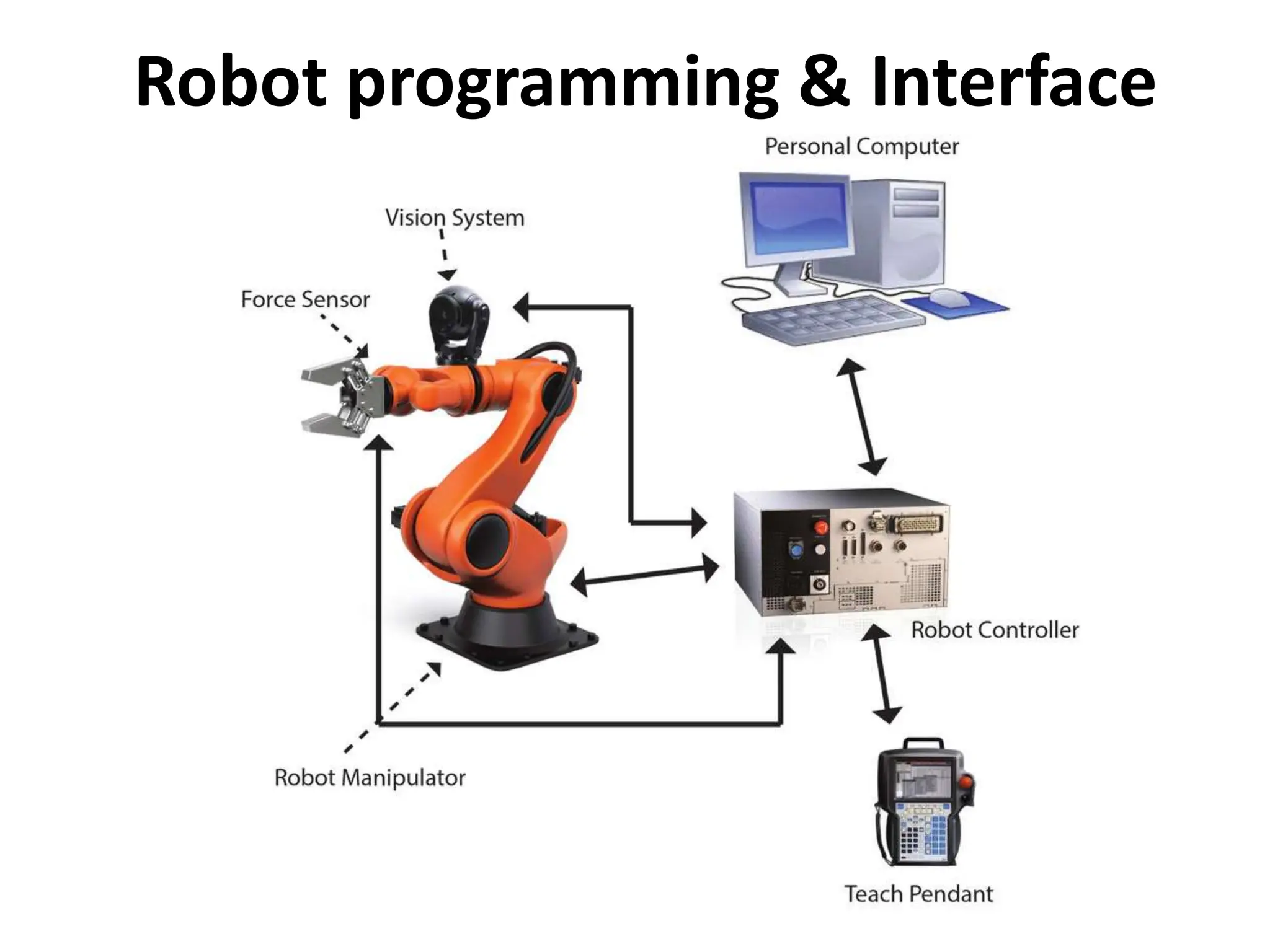
Robot programming & Interface
• Positional commands
• Lead-by-the-nose
• Offline programming
• Robot simulation tools
• Teach pendant
Robot programming & Interface
Teach pendant
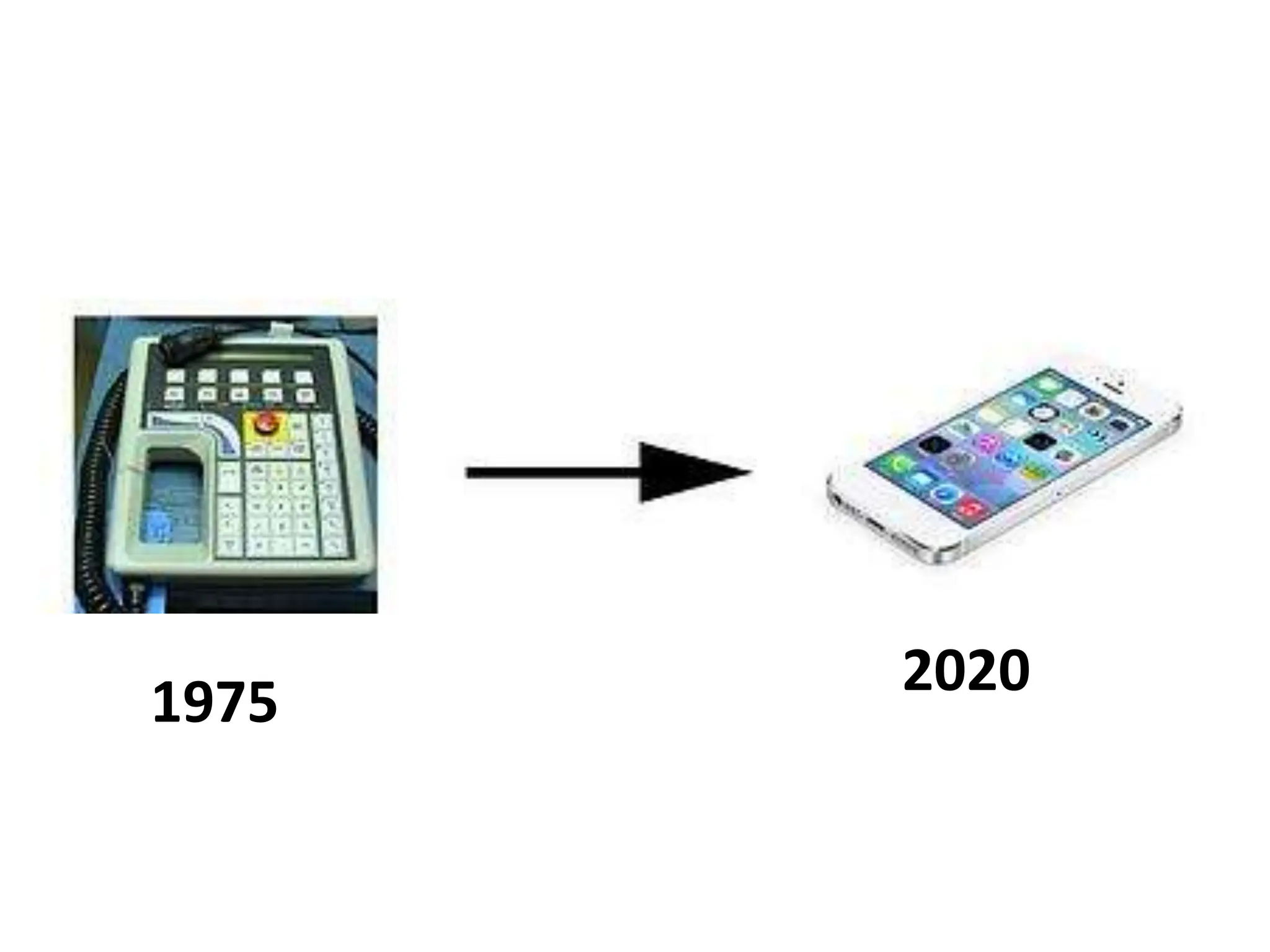
1975 2020
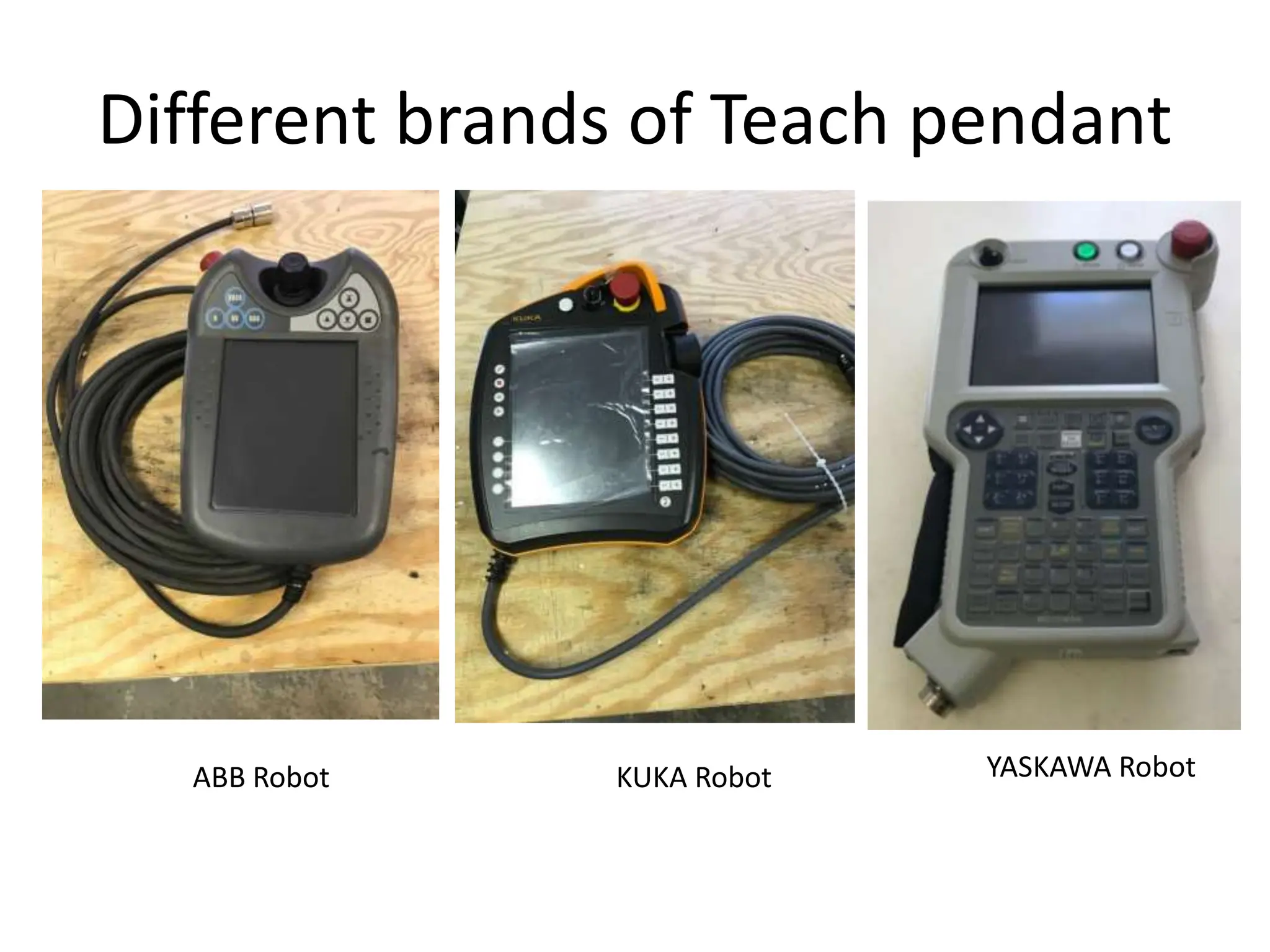
Different brands of Teach pendant
ABB Robot KUKA Robot YASKAWA Robot
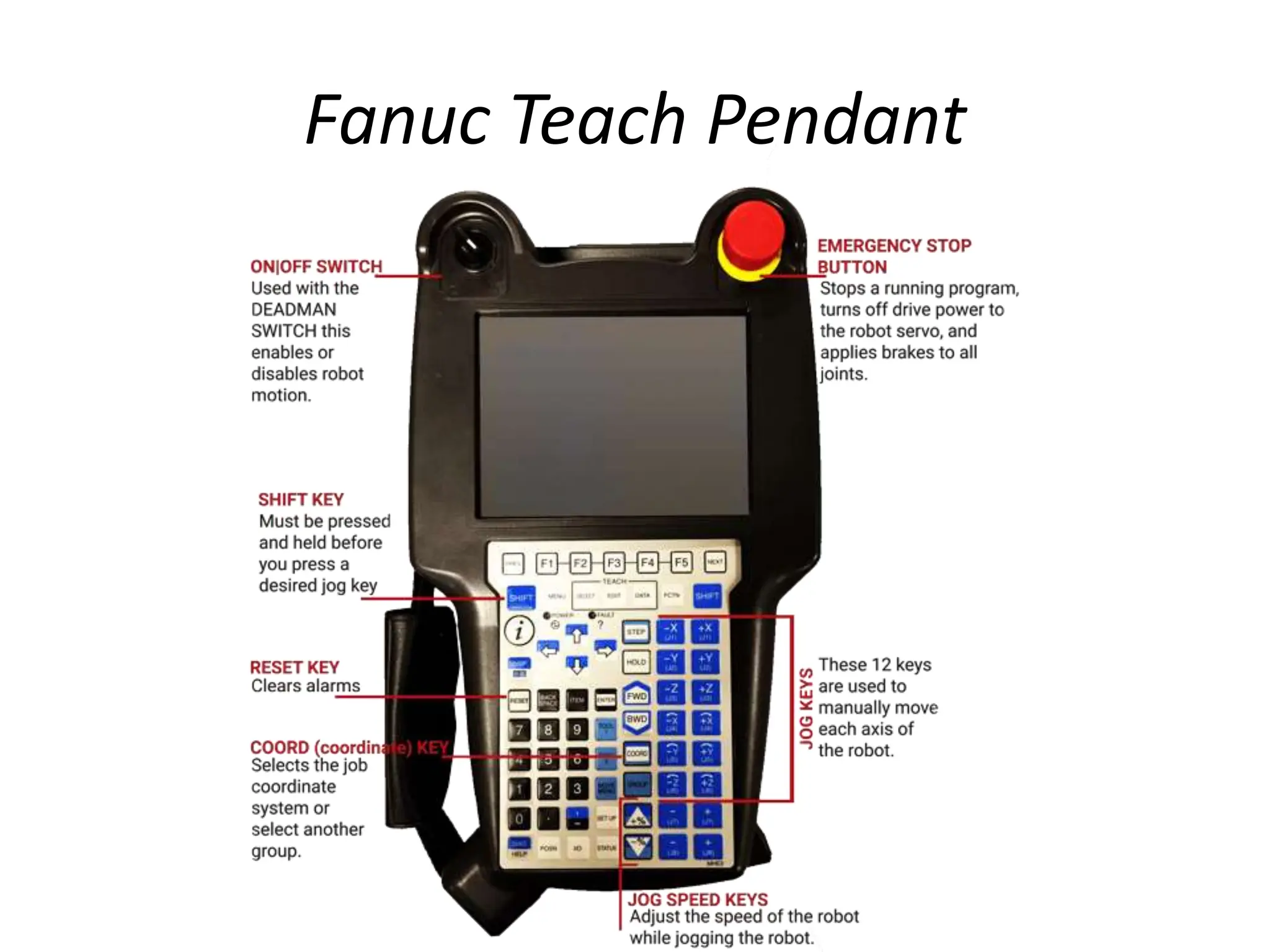
Fanuc Teach Pendant
Advantages of a Teaching Pendant
• Most traditional industrial robots come with a
teach pendant, which makes them familiar to
technicians.
• They allow precise positioning.
• Teach pendants are great for simple
movements, such as painting in a straight line
or over a large flat surface.
Disadvantages of a Teaching Pendant
• Disruptive to the whole system due to robot
downtime. The robot must be put into "teach
mode" and all operations using the robot
halted until it has been programmed.
• Requires training to learn and program.
• Might be difficult for skilled craftspeople who
are unfamiliar with programming.
About Workspace LT software
• Workspace LT™ is a Robot Offline Programming and
Simulation Software.
• Workspace LT™ brings Industrial Grade Robot and
Automation Simulation to Educational Institutions.
• Workspace LT™ provides an affordable solution for
teaching the concepts and programming of Robots and
other manufacturing automation equipment. While
targeted at the educational market, it offers full offline
programming, and the ability to simulate complex
workcells with multiple robots and automation devices.
• Workspace LT allows you to make maximum use of
limited Robot lab resources.
With workspace LT what we can?
• Quickly model a workcell layouts and evaluate
their performance.
• Communicate our design concept using 3D
graphics.
• Test reach and detect collisions.
• Generate robot programs off-line using a mouse
driven menu system.
• Optimize programming using high-level
Workspace LT functions.
• Download programs to a robot controller.
Features of workspace LT
• A 3D CAD system featuring constructive solid
geometry.
• Kinematic and inverse kinematic templates.
• OpenGL graphics interface to produce high-
quality renderings of 3D objects.
• Advanced robot languages support.
• Microsoft Windows user interface.
• CAD import and export facilities.
• Open architecture.
Benefits of Workspace LT
• Prevent Costly Equipment Damage with
the Collision Detection Feature.
• Save Programming Time and Improve Path
Accuracy with the Automatic Path Feature.
• Eliminate Redundant Engineering with CAD
Functionality.
• Optimize Workcell Layout using the Reach
Checking Feature
Robot Languages
• AB G-Code
• ABB Rapid
• Adept V-Plus
• Fanuc Karel 5
• Fanuc TP
• Mitsubishi PA10
• Mitsubishi Melfa Basic
• Motoman Inform II
• Kawasaki AS
• Kuka KRL
• Nachi Slim
• Panasonic Pres
• Siemens G-Code
Requirements for installing workspace LT
• OS Requirements
• windows 2000 (SP4 or later)
• windows XP 32 or 64 bit editions (SP2 or later)
• Windows vista 32 or 64 bit editions
• windows 7, 32 or 64 bit editions
• System Hardware
• Processor: 1 GHz minimum recommended, 2.4 GHz or
higher preferred
• Memory: 500 MB minimum (200 & XP), 1 GB minimum
vista and windows 7
• Mouse: 2 button with wheel
• Disk space: 100 MB free
• Network connections to licence server
• CD-ROM or DVD-ROM drive for installation
Basics of Workspace LT

Lab session on Robot Control using teach pendant.pptx

  • 1.
    Lab Session OnRobot Control Using Teach Pendant By Mr.K.Pavan Kumar Reddy Assistant professor (Adhoc) Department of Mechanical Engineering JNTUA College of Engineering Pulivendula-516390
  • 2.
    Contents • Robot Programming& Interface • Teach pendant method • About workspace LT software • With workspace LT what we can? • Features of workspace LT • Benefits of Workspace LT • Requirements for installing workspace LT • Basics of Workspace LT • Lab session on Six axis Aristo Robot
  • 3.
  • 4.
    • Positional commands •Lead-by-the-nose • Offline programming • Robot simulation tools • Teach pendant Robot programming & Interface
  • 5.
  • 6.
  • 7.
    Different brands ofTeach pendant ABB Robot KUKA Robot YASKAWA Robot
  • 8.
  • 9.
    Advantages of aTeaching Pendant • Most traditional industrial robots come with a teach pendant, which makes them familiar to technicians. • They allow precise positioning. • Teach pendants are great for simple movements, such as painting in a straight line or over a large flat surface.
  • 10.
    Disadvantages of aTeaching Pendant • Disruptive to the whole system due to robot downtime. The robot must be put into "teach mode" and all operations using the robot halted until it has been programmed. • Requires training to learn and program. • Might be difficult for skilled craftspeople who are unfamiliar with programming.
  • 11.
    About Workspace LTsoftware • Workspace LT™ is a Robot Offline Programming and Simulation Software. • Workspace LT™ brings Industrial Grade Robot and Automation Simulation to Educational Institutions. • Workspace LT™ provides an affordable solution for teaching the concepts and programming of Robots and other manufacturing automation equipment. While targeted at the educational market, it offers full offline programming, and the ability to simulate complex workcells with multiple robots and automation devices. • Workspace LT allows you to make maximum use of limited Robot lab resources.
  • 12.
    With workspace LTwhat we can? • Quickly model a workcell layouts and evaluate their performance. • Communicate our design concept using 3D graphics. • Test reach and detect collisions. • Generate robot programs off-line using a mouse driven menu system. • Optimize programming using high-level Workspace LT functions. • Download programs to a robot controller.
  • 13.
    Features of workspaceLT • A 3D CAD system featuring constructive solid geometry. • Kinematic and inverse kinematic templates. • OpenGL graphics interface to produce high- quality renderings of 3D objects. • Advanced robot languages support. • Microsoft Windows user interface. • CAD import and export facilities. • Open architecture.
  • 14.
    Benefits of WorkspaceLT • Prevent Costly Equipment Damage with the Collision Detection Feature. • Save Programming Time and Improve Path Accuracy with the Automatic Path Feature. • Eliminate Redundant Engineering with CAD Functionality. • Optimize Workcell Layout using the Reach Checking Feature
  • 15.
    Robot Languages • ABG-Code • ABB Rapid • Adept V-Plus • Fanuc Karel 5 • Fanuc TP • Mitsubishi PA10 • Mitsubishi Melfa Basic • Motoman Inform II • Kawasaki AS • Kuka KRL • Nachi Slim • Panasonic Pres • Siemens G-Code
  • 16.
    Requirements for installingworkspace LT • OS Requirements • windows 2000 (SP4 or later) • windows XP 32 or 64 bit editions (SP2 or later) • Windows vista 32 or 64 bit editions • windows 7, 32 or 64 bit editions • System Hardware • Processor: 1 GHz minimum recommended, 2.4 GHz or higher preferred • Memory: 500 MB minimum (200 & XP), 1 GB minimum vista and windows 7 • Mouse: 2 button with wheel • Disk space: 100 MB free • Network connections to licence server • CD-ROM or DVD-ROM drive for installation
  • 17.