1
Notre Dame University Bangladesh
Department of Computer Science and Engineering
(CSE)
Lab Report
Content:
Submitted to:
Name: Mondira Chakraborty
Designation: Lecturer
Dept: Computer Science and
Engineering
Submitted by:
Name: Rup Chowdhury
Id: 201120010
Semester: Fall
Year: 2023
Course Name: Computer Graphics Lab
Course Code: CSE 4204
2
Contents
1. Introduction to OpenGL and GLUT. The reasons behind using GLUT -------------- (3 - 7)
2. Drawing a flag using GLUT --------------------------------------------------------------- (8 - 12)
3. DDA Algorithm ---------------------------------------------------------------------------- (13 - 17)
4. Midpoint Line Drawing Algorithm ------------------------------------------------------ (18 - 21)
5. Transformation ----------------------------------------------------------------------------- (22 - 31)
3
Experiment No: 1
Experiment Name: Introduction to OpenGL and GLUT. The reasons behind using GLUT.
Aim: To learn about OpenGL, GLUT and why we use GLUT.
Procedure: Read books on OpenGL and GLUT.
Code:
What is OpenGL?
It is a window system independent, operating system independent graphics rendering API which
can render high-quality color images composed of geometric and image primitives. OpenGL is a
library for doing computer graphics. By using it, you can create interactive applications which
render high-quality color images composed of 3D geometric objects and images.
OpenGL is window and operating system independent. As such, the part of your application which
does rendering is platform independent. However, for OpenGL to be able to render, it needs a
window to draw into. Generally, this is controlled by the windowing system on whatever platform
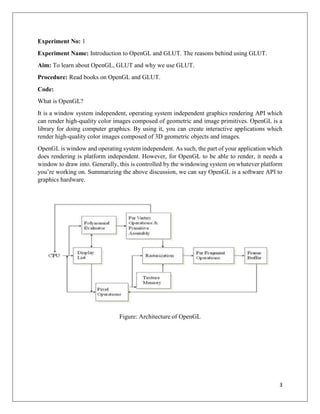
you’re working on. Summarizing the above discussion, we can say OpenGL is a software API to
graphics hardware.
Figure: Architecture of OpenGL
4
What is GLUT?
GLUT is the OpenGL Utility Toolkit, a window system independent toolkit for writing OpenGL
programs. It implements a simple windowing application programming interface (API) for
OpenGL. GLUT makes it considerably easier to learn about and explore OpenGL programming.
GLUT provides a portable API so you can write a single OpenGL program that works across all
PC and workstation OS platforms. GLUT is designed for constructing small to medium sized
OpenGL programs. While GLUT is well-suited to learning OpenGL and developing simple
OpenGL applications, GLUT is not a full-featured toolkit so large applications requiring
sophisticated user interfaces are better off using native window system toolkits. GLUT is simple,
easy, and small.
The GLUT library has C, C++ (same as C), FORTRAN, and Ada programming bindings. The
GLUT source code distribution is portable to nearly all OpenGL implementations and platforms.
The current version is 3.7. Additional releases of the library are not anticipated. GLUT is not open
source. Mark Kilgard maintains the copyright.
The toolkit supports:
• Multiple windows for OpenGL rendering
• Callback driven event processing
• Sophisticated input devices
• An 'idle' routine and timers
• A simple, cascading pop-up menu facility
• Utility routines to generate various solid and wire frame objects
• Support for bitmap and stroke fonts
GLUT functions and data types:
 glutInit : Initializes the GLUT library and negotiates a session with the window system.
 glutInitWindowSize: Sets the initial window size. Normally it is written as, “void
glutInitWindowSize(int width, int height)”. Where “int width” represents the width in
pixels and “int Height” represents the height in pixels.
 glutInitWindowPosition: Sets the initial window position on the screen. Normally it is
written as, “void glutInitWindowPosition(int x, int y)”. Where “int x” represents the
position in x axis and “int y” represents the position in y axis.
 glutCreateWindow: Requests to create window.
 glutInitDisplayMode: Sets the initial display mode.
5
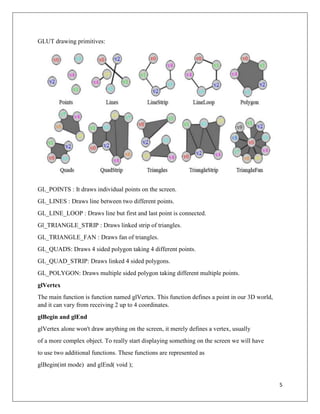
GLUT drawing primitives:
GL_POINTS : It draws individual points on the screen.
GL_LINES : Draws line between two different points.
GL_LINE_LOOP : Draws line but first and last point is connected.
Gl_TRIANGLE_STRIP : Draws linked strip of triangles.
GL_TRIANGLE_FAN : Draws fan of triangles.
GL_QUADS: Draws 4 sided polygon taking 4 different points.
GL_QUAD_STRIP: Draws linked 4 sided polygons.
GL_POLYGON: Draws multiple sided polygon taking different multiple points.
glVertex
The main function is function named glVertex. This function defines a point in our 3D world,
and it can vary from receiving 2 up to 4 coordinates.
glBegin and glEnd
glVertex alone won't draw anything on the screen, it merely defines a vertex, usually
of a more complex object. To really start displaying something on the screen we will have
to use two additional functions. These functions are represented as
glBegin(int mode) and glEnd( void );
6
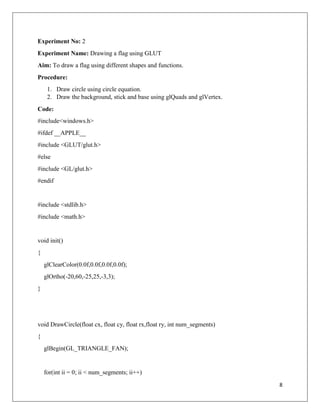
glVertex2f(100.0f, 150.0f); defines a point at x = 100, y = 150, z = 0; this function takes
only 2 parameters, z is always 0.
glVertex3f(100.0f, 150.0f, -25.0f); defines a point at x = 100, y = 150, z = -25.0f; this
function takes 3 parameters, defining a fully 3D point in your world.
glVertex3f(0, 0, 0);
glVertex3f(200, 0, 0);
glVertex3f(200, 100, 0);
glVertex3f(100, 200, 0);
glVertex3f(0, 100, 0);
glVertex3f(0, 0, 0);
(100, 200)
(200, 100)
(0, 100)
(200, 0)
(0, 0)
7
The gluOrtho2D function sets up a two-dimensional orthographic viewing region.
Discussion:
From this lab I learned about OpenGL and GLUT theoretically. And we learned about the
different functions and data types of GLUT. How these functions work and properties of the
function, how these codes are written.
8
Experiment No: 2
Experiment Name: Drawing a flag using GLUT
Aim: To draw a flag using different shapes and functions.
Procedure:
1. Draw circle using circle equation.
2. Draw the background, stick and base using glQuads and glVertex.
Code:
#include<windows.h>
#ifdef __APPLE__
#include <GLUT/glut.h>
#else
#include <GL/glut.h>
#endif
#include <stdlib.h>
#include <math.h>
void init()
{
glClearColor(0.0f,0.0f,0.0f,0.0f);
glOrtho(-20,60,-25,25,-3,3);
}
void DrawCircle(float cx, float cy, float rx,float ry, int num_segments)
{
glBegin(GL_TRIANGLE_FAN);
for(int ii = 0; ii < num_segments; ii++)
9
{
float theta = 2.0f * 3.1415926f * float(ii) / float(num_segments);//get the current angle
float x = rx * cosf(theta);//calculate the x component
float y = ry * sinf(theta);//calculate the y component
glVertex2f(x + cx, y + cy);//output vertex
}
glEnd();
}
void myDisplay()
{
glClear(GL_COLOR_BUFFER_BIT);
//big square
glColor3f(0.0f,0.6f,0.1f);
glBegin(GL_QUADS);
glVertex3d(35,25,0);
glVertex3d(35,4,0);
glVertex3d(1.0,4.0,0.0);
glVertex3f(1.0,25.0,0.0);
glEnd();
//circle
glColor3f(1.0f,0.0f,0.0f);
glBegin(GL_QUADS);
10
glVertex3d(20,20,0);
glVertex3d(20,10,0);
glVertex3d(10,10,0);
glVertex3f(10,20,0);
glEnd();
//big stand
glColor3f(1.0f,1.0f,1.0f);
glBegin(GL_QUADS);
glVertex3d(1,27,0);
glVertex3d(1,-25,0);
glVertex3d(-1,-25,0);
glVertex3f(-1,27,0);
glEnd();
//big ground
glColor3f(0.7f,0.3f,0.0f);
glBegin(GL_QUADS);
glVertex3d(5,-25,0);
glVertex3d(5,-27,0);
glVertex3d(-5,-27,0);
glVertex3f(-5,-25,0);
glEnd();
glPushMatrix();
glColor3f(0.9, 0.0, 0.0);
11
DrawCircle(15,15,7,7,1000);
glPopMatrix();
/*
glColor3f(0.0f,1.0f,0.0f);
glBegin(GL_LINES);
glVertex3d(2.0,2.0,0.0);
//glVertex3d(2.0,-2.0,0.0);
glVertex3d(-2.0,-2.0,0.0);
//glVertex3f(-2.0,2.0,0.0);
glEnd();
*/
glFlush();
}
int main()
{
glutInitDisplayMode(GLUT_SINGLE|GLUT_RGB);
glutInitWindowSize(1920,1080);
glutInitWindowPosition(0,0);
glutCreateWindow("Ohee");
init();
glutDisplayFunc(myDisplay);
glutMainLoop();
return 0;
}
12
Discussion: From this lab, I have learned to draw different shapes like rectangle and circle. Then
I learned how to merge different shapes to draw an image. This lab helped me learn coordination
system more practically.
13
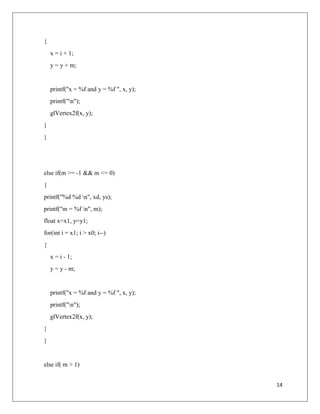
Experiment No: 3
Experiment Name: DDA Algorithm
Aim: To draw line using DDA Algorithm
Procedure:
1. Create DDA function.
2. Take coordinates for 2 different points ((x1, y1) (x2, y2))
3. Put these coordinates into the DDA algorithm with a loop.
Code:
#include<stdio.h>
#include<GL/gl.h>
#include<GL/glut.h>
#include<iostream>
using namespace std;
int x0, x1, y0, y1;
void DDA(int x0, int x1, int y0, int y1)
{
float ys = (y1 - y0);
float xd = (x1 - x0);
float m = ys/xd;
if(m <= 1 && m > 0)
{
printf("%d %d n", xd, ys);
printf("m = %f n", m);
float x=0.0, y=y0;
for(int i = x0; i < x1; i++)
14
{
x = i + 1;
y = y + m;
printf("x = %f and y = %f ", x, y);
printf("n");
glVertex2f(x, y);
}
}
else if(m >= -1 && m <= 0)
{
printf("%d %d n", xd, ys);
printf("m = %f n", m);
float x=x1, y=y1;
for(int i = x1; i > x0; i--)
{
x = i - 1;
y = y - m;
printf("x = %f and y = %f ", x, y);
printf("n");
glVertex2f(x, y);
}
}
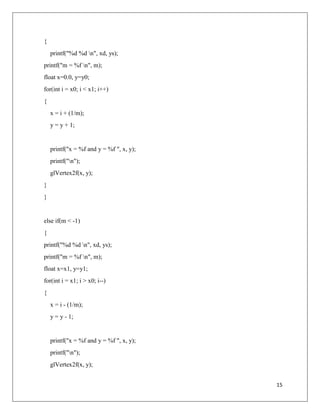
else if( m > 1)
15
{
printf("%d %d n", xd, ys);
printf("m = %f n", m);
float x=0.0, y=y0;
for(int i = x0; i < x1; i++)
{
x = i + (1/m);
y = y + 1;
printf("x = %f and y = %f ", x, y);
printf("n");
glVertex2f(x, y);
}
}
else if(m < -1)
{
printf("%d %d n", xd, ys);
printf("m = %f n", m);
float x=x1, y=y1;
for(int i = x1; i > x0; i--)
{
x = i - (1/m);
y = y - 1;
printf("x = %f and y = %f ", x, y);
printf("n");
glVertex2f(x, y);
16
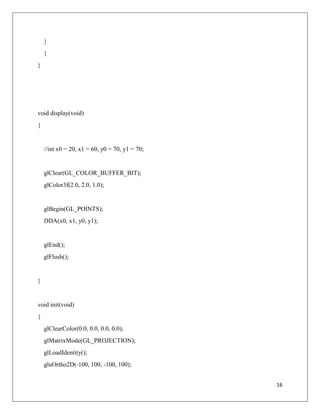
}
}
}
void display(void)
{
//int x0 = 20, x1 = 60, y0 = 70, y1 = 70;
glClear(GL_COLOR_BUFFER_BIT);
glColor3f(2.0, 2.0, 1.0);
glBegin(GL_POINTS);
DDA(x0, x1, y0, y1);
glEnd();
glFlush();
}
void init(void)
{
glClearColor(0.0, 0.0, 0.0, 0.0);
glMatrixMode(GL_PROJECTION);
glLoadIdentity();
gluOrtho2D(-100, 100, -100, 100);
17
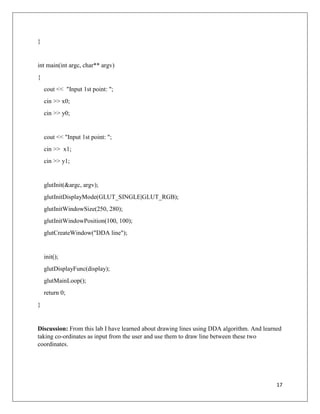
}
int main(int argc, char** argv)
{
cout << "Input 1st point: ";
cin >> x0;
cin >> y0;
cout << "Input 1st point: ";
cin >> x1;
cin >> y1;
glutInit(&argc, argv);
glutInitDisplayMode(GLUT_SINGLE|GLUT_RGB);
glutInitWindowSize(250, 280);
glutInitWindowPosition(100, 100);
glutCreateWindow("DDA line");
init();
glutDisplayFunc(display);
glutMainLoop();
return 0;
}
Discussion: From this lab I have learned about drawing lines using DDA algorithm. And learned
taking co-ordinates as input from the user and use them to draw line between these two
coordinates.
18
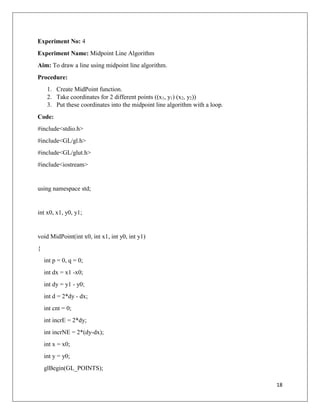
Experiment No: 4
Experiment Name: Midpoint Line Algorithm
Aim: To draw a line using midpoint line algorithm.
Procedure:
1. Create MidPoint function.
2. Take coordinates for 2 different points ((x1, y1) (x2, y2))
3. Put these coordinates into the midpoint line algorithm with a loop.
Code:
#include<stdio.h>
#include<GL/gl.h>
#include<GL/glut.h>
#include<iostream>
using namespace std;
int x0, x1, y0, y1;
void MidPoint(int x0, int x1, int y0, int y1)
{
int p = 0, q = 0;
int dx = x1 -x0;
int dy = y1 - y0;
int d = 2*dy - dx;
int cnt = 0;
int incrE = 2*dy;
int incrNE = 2*(dy-dx);
int x = x0;
int y = y0;
glBegin(GL_POINTS);
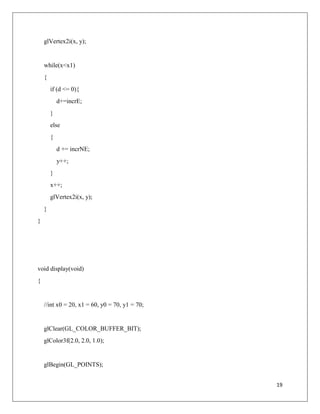
19
glVertex2i(x, y);
while(x<x1)
{
if (d <= 0){
d+=incrE;
}
else
{
d += incrNE;
y++;
}
x++;
glVertex2i(x, y);
}
}
void display(void)
{
//int x0 = 20, x1 = 60, y0 = 70, y1 = 70;
glClear(GL_COLOR_BUFFER_BIT);
glColor3f(2.0, 2.0, 1.0);
glBegin(GL_POINTS);
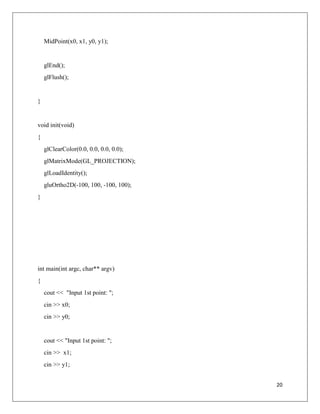
20
MidPoint(x0, x1, y0, y1);
glEnd();
glFlush();
}
void init(void)
{
glClearColor(0.0, 0.0, 0.0, 0.0);
glMatrixMode(GL_PROJECTION);
glLoadIdentity();
gluOrtho2D(-100, 100, -100, 100);
}
int main(int argc, char** argv)
{
cout << "Input 1st point: ";
cin >> x0;
cin >> y0;
cout << "Input 1st point: ";
cin >> x1;
cin >> y1;
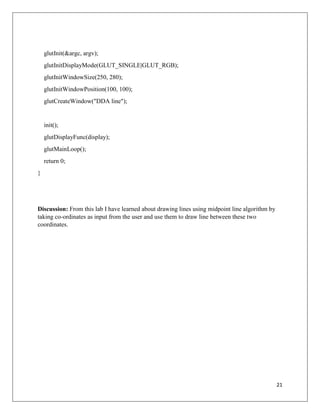
21
glutInit(&argc, argv);
glutInitDisplayMode(GLUT_SINGLE|GLUT_RGB);
glutInitWindowSize(250, 280);
glutInitWindowPosition(100, 100);
glutCreateWindow("DDA line");
init();
glutDisplayFunc(display);
glutMainLoop();
return 0;
}
Discussion: From this lab I have learned about drawing lines using midpoint line algorithm by
taking co-ordinates as input from the user and use them to draw line between these two
coordinates.
22
Experiment No: 5
Experiment Name: Transformation
Aim: To use translation, scaling, rotation on an object to transform it.
Procedure:
1. Create 3 different functions for translation, scaling and rotation.
2. Take input from the user.
3. Take opinion from the user and give desire result.
Code:
#include<stdio.h>
#include<GL/gl.h>
#include<GL/glut.h>
#include<math.h>
float T[3][3];
int P1[3][1];
int P2[3][1];
int NT[3][1];
int choice,Dx,Dy,Sx,Sy;
typedef GLfloat colorType[3];
float angle;
void drawPxl(GLint x, GLint y, GLfloat r, GLfloat g, GLfloat b)
{
glColor3f(r,g,b);
glBegin (GL_POINTS);
glVertex2i (x,y);
glEnd();
}
void matCal(int p[3][1])
{
for(int i=0;i<3;i++)
{
for(int k=0;k<3;k++)
{
NT[i][1]+=T[i][k]*p[k][1];
// printf("%f ",T[i][k]);
}
//printf("n");
}
23
}
void toTranslate(int p[3][1])
{
NT[0][1]=NT[1][1]=NT[2][1]=0; // reset resulant matrix to 0
// form transform matrix.....
T[0][0]=1;
T[0][1]=0;
T[0][2]=Dx;
T[1][0]=0;
T[1][1]=1;
T[1][2]=Dy;
T[2][0]=0;
T[2][1]=0;
T[2][2]=1;
matCal(p);
}
void toScal(int p[3][1])
{
NT[0][1]=NT[1][1]=NT[2][1]=0; // reset resulant matrix to 0
// form scalling matrix.....
T[0][0]=Sx;
T[0][1]=0;
T[0][2]=0;
T[1][0]=0;
T[1][1]=Sy;
T[1][2]=0;
T[2][0]=0;
T[2][1]=0;
T[2][2]=1;
matCal(p);
}
void toRotate(int p[3][1])
{
24
NT[0][1]=NT[1][1]=NT[2][1]=0; // reset resulant matrix to 0
//angle = angle*22/1260;
// form rotation matrix.....
T[0][0]=cos(angle);;
T[0][1]=-sin(angle);
T[0][2]=0;
T[1][0]=sin(angle);
T[1][1]=cos(angle);
T[1][2]=0;
T[2][0]=0;
T[2][1]=0;
T[2][2]=1;
matCal(p);
}
void renderBitmapString(float x, float y, void *font, char *string)
{
char *c;
glRasterPos2f(x,y);
for (c=string; *c != '0'; c++)
{
glutBitmapCharacter(font, *c);
}
}
void MidpointLine(int x0,int y0,int x1,int y1,float r, float g, float b)
{
int dx,dy,d,incrE,incrNE,x,y;
dx=x1-x0;
dy=y1-y0;
d=2*dy-dx;
incrE=2*dy;
incrNE=2*(dy-dx);
x=x0;
y=y0;
drawPxl(x,y,r,g,b);
if(x0==x1) // for vertical line drawing...
{
while(y!=y1)
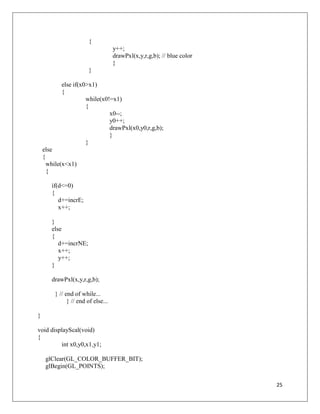
25
{
y++;
drawPxl(x,y,r,g,b); // blue color
}
}
else if(x0>x1)
{
while(x0!=x1)
{
x0--;
y0++;
drawPxl(x0,y0,r,g,b);
}
}
else
{
while(x<x1)
{
if(d<=0)
{
d+=incrE;
x++;
}
else
{
d+=incrNE;
x++;
y++;
}
drawPxl(x,y,r,g,b);
} // end of while...
} // end of else...
}
void displayScal(void)
{
int x0,y0,x1,y1;
glClear(GL_COLOR_BUFFER_BIT);
glBegin(GL_POINTS);
26
x0=P1[0][1];y0=P1[1][1];
x1=P2[0][1];y1=P2[1][1];
MidpointLine(x0,y0,x1,y1,0,1,0);// initial
toScal(P1);
x0=NT[0][1];y0=NT[1][1];
toScal(P2);
x1=NT[0][1];y1=NT[1][1];
MidpointLine(x0,y0,x1,y1,1,0,0);//final red color
MidpointLine(-100,0,100,0,0,0,0); // x axis.....
MidpointLine(0,-100,0,80,0,0,0); // y axis.....
glColor3f(1,0,1);
renderBitmapString(-60,90,GLUT_BITMAP_TIMES_ROMAN_24, "Red color indicates
scalling line");
glEnd();
glFlush();
}
void displayTranslate(void)
{
int x0,y0,x1,y1;
glClear(GL_COLOR_BUFFER_BIT);
glBegin(GL_POINTS);
x0=P1[0][1];y0=P1[1][1];
x1=P2[0][1];y1=P2[1][1];
MidpointLine(x0,y0,x1,y1,0,1,0);// initial
toTranslate(P1);
x0=NT[0][1];y0=NT[1][1];
toTranslate(P2);
x1=NT[0][1];y1=NT[1][1];
27
MidpointLine(x0,y0,x1,y1,1,0,0);//final
MidpointLine(-100,0,100,0,0,0,0); // x axis.....
MidpointLine(0,-100,0,80,0,0,0); // y axis.....
glColor3f(1,0,1);
renderBitmapString(-60,90,GLUT_BITMAP_TIMES_ROMAN_24, "Red color indicates
Translated line");
glEnd();
glFlush();
}
void displayRotation(void)
{
int x0,y0,x1,y1;
glClear(GL_COLOR_BUFFER_BIT);
glBegin(GL_POINTS);
x0=P1[0][1];y0=P1[1][1];
x1=P2[0][1];y1=P2[1][1];
MidpointLine(x0,y0,x1,y1,0,1,0);// initial
toRotate(P1);
x0=NT[0][1];y0=NT[1][1];
toRotate(P2);
x1=NT[0][1];y1=NT[1][1];
MidpointLine(x0,y0,x1,y1,1,0,0);//final red color
printf("%d %d %d %dn",x0,y0,x1,y1);
MidpointLine(-100,0,100,0,0,0,0); // x axis.....
MidpointLine(0,-100,0,80,0,0,0); // y axis.....
glColor3f(1,0,1);
renderBitmapString(-60,90,GLUT_BITMAP_TIMES_ROMAN_24, "Red color indicates
Rotated line");
glEnd();
glFlush();
28
}
/*void display(void)
{
int x0,y0,x1,y1;
glClear(GL_COLOR_BUFFER_BIT);
glBegin(GL_POINTS);
if(choice==1)
{
x0=P1[0][1];y0=P1[1][1];
x1=P2[0][1];y1=P2[1][1];
MidpointLine(x0,y0,x1,y1,0,1,0);// initial
toTranslate(P1);
x0=NT[0][1];y0=NT[1][1];
toTranslate(P2);
x1=NT[0][1];y1=NT[1][1];
MidpointLine(x0,y0,x1,y1,1,0,0);//final
glEnd();
glFlush();
}
else if(choice==2)
{
x0=P1[0][1];y0=P1[1][1];
x1=P2[0][1];y1=P2[1][1];
MidpointLine(x0,y0,x1,y1,0,1,0);// initial
toScal(P1);
x0=NT[0][1];y0=NT[1][1];
toScal(P2);
x1=NT[0][1];y1=NT[1][1];
29
MidpointLine(x0,y0,x1,y1,1,0,0);//final red color
glEnd();
glFlush();
}
else if(choice==3)
{
x0=P1[0][1];y0=P1[1][1];
x1=P2[0][1];y1=P2[1][1];
MidpointLine(x0,y0,x1,y1,0,1,0);// initial
toRotate(P1);
x0=NT[0][1];y0=NT[1][1];
toRotate(P2);
x1=NT[0][1];y1=NT[1][1];
MidpointLine(x0,y0,x1,y1,1,0,0);//final red color
// printf("%d %d %d %d",x0,y0,x1,y1);
glEnd();
glFlush();
}
glColor3f(1,0,1);
renderBitmapString(-100,160,GLUT_BITMAP_TIMES_ROMAN_24, "Red color indicates
transformed line");
glEnd();
glFlush();
}*/
void init(void)
{
glClearColor(1.0,1.0,1.0,1.0);
glColor3f(0.0,0.0,0.0);
glPointSize(3.0);
glMatrixMode(GL_PROJECTION);
glLoadIdentity();
30
gluOrtho2D(-100,100,-100,100);
}
int main(int argc, char** argv)
{
glutInit(& argc, argv);
glutInitDisplayMode(GLUT_SINGLE|GLUT_RGB);
glutInitWindowSize(650,650);
glutInitWindowPosition(100,100);
//glutCreateWindow("TSR");
printf("1.Translation 2.Scaling 3.RotationnEnter your choice: ");
scanf("%d",&choice);
printf("nEnter P1 point(x0,y0,1): ");for(int i=0;i<3;i++) scanf("%d",&P1[i][1]);
printf("nEnter P2 point(x1,y1,1): ");for(int i=0;i<3;i++) scanf("%d",&P2[i][1]);
if(choice==1)
{
printf("nEnter DX,DY: ");scanf("%d %d",&Dx,&Dy);
glutCreateWindow("Translation");
glutDisplayFunc(displayTranslate);
}
else if(choice==2)
{
printf("nEnter SX,SY: ");scanf("%d %d",&Sx,&Sy);
glutCreateWindow("Scaling");
glutDisplayFunc(displayScal);
}
else if(choice==3)
{
printf("nEnter Angle: ");scanf("%f",&angle);
glutCreateWindow("Rotation");
glutDisplayFunc(displayRotation);
}
else printf("nInvalid choice!");
//glutDisplayFunc(display);
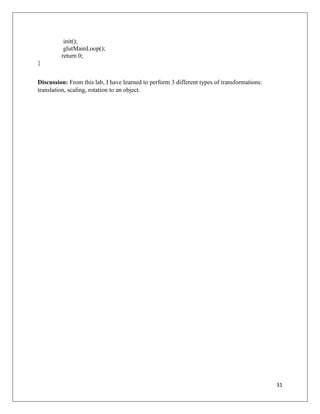
31
init();
glutMainLoop();
return 0;
}
Discussion: From this lab, I have learned to perform 3 different types of transformations:
translation, scaling, rotation to an object.

Lab Practices and Works Documentation / Report on Computer Graphics

  • 1.
    1 Notre Dame UniversityBangladesh Department of Computer Science and Engineering (CSE) Lab Report Content: Submitted to: Name: Mondira Chakraborty Designation: Lecturer Dept: Computer Science and Engineering Submitted by: Name: Rup Chowdhury Id: 201120010 Semester: Fall Year: 2023 Course Name: Computer Graphics Lab Course Code: CSE 4204
  • 2.
    2 Contents 1. Introduction toOpenGL and GLUT. The reasons behind using GLUT -------------- (3 - 7) 2. Drawing a flag using GLUT --------------------------------------------------------------- (8 - 12) 3. DDA Algorithm ---------------------------------------------------------------------------- (13 - 17) 4. Midpoint Line Drawing Algorithm ------------------------------------------------------ (18 - 21) 5. Transformation ----------------------------------------------------------------------------- (22 - 31)
  • 3.
    3 Experiment No: 1 ExperimentName: Introduction to OpenGL and GLUT. The reasons behind using GLUT. Aim: To learn about OpenGL, GLUT and why we use GLUT. Procedure: Read books on OpenGL and GLUT. Code: What is OpenGL? It is a window system independent, operating system independent graphics rendering API which can render high-quality color images composed of geometric and image primitives. OpenGL is a library for doing computer graphics. By using it, you can create interactive applications which render high-quality color images composed of 3D geometric objects and images. OpenGL is window and operating system independent. As such, the part of your application which does rendering is platform independent. However, for OpenGL to be able to render, it needs a window to draw into. Generally, this is controlled by the windowing system on whatever platform you’re working on. Summarizing the above discussion, we can say OpenGL is a software API to graphics hardware. Figure: Architecture of OpenGL
  • 4.
    4 What is GLUT? GLUTis the OpenGL Utility Toolkit, a window system independent toolkit for writing OpenGL programs. It implements a simple windowing application programming interface (API) for OpenGL. GLUT makes it considerably easier to learn about and explore OpenGL programming. GLUT provides a portable API so you can write a single OpenGL program that works across all PC and workstation OS platforms. GLUT is designed for constructing small to medium sized OpenGL programs. While GLUT is well-suited to learning OpenGL and developing simple OpenGL applications, GLUT is not a full-featured toolkit so large applications requiring sophisticated user interfaces are better off using native window system toolkits. GLUT is simple, easy, and small. The GLUT library has C, C++ (same as C), FORTRAN, and Ada programming bindings. The GLUT source code distribution is portable to nearly all OpenGL implementations and platforms. The current version is 3.7. Additional releases of the library are not anticipated. GLUT is not open source. Mark Kilgard maintains the copyright. The toolkit supports: • Multiple windows for OpenGL rendering • Callback driven event processing • Sophisticated input devices • An 'idle' routine and timers • A simple, cascading pop-up menu facility • Utility routines to generate various solid and wire frame objects • Support for bitmap and stroke fonts GLUT functions and data types:  glutInit : Initializes the GLUT library and negotiates a session with the window system.  glutInitWindowSize: Sets the initial window size. Normally it is written as, “void glutInitWindowSize(int width, int height)”. Where “int width” represents the width in pixels and “int Height” represents the height in pixels.  glutInitWindowPosition: Sets the initial window position on the screen. Normally it is written as, “void glutInitWindowPosition(int x, int y)”. Where “int x” represents the position in x axis and “int y” represents the position in y axis.  glutCreateWindow: Requests to create window.  glutInitDisplayMode: Sets the initial display mode.
  • 5.
    5 GLUT drawing primitives: GL_POINTS: It draws individual points on the screen. GL_LINES : Draws line between two different points. GL_LINE_LOOP : Draws line but first and last point is connected. Gl_TRIANGLE_STRIP : Draws linked strip of triangles. GL_TRIANGLE_FAN : Draws fan of triangles. GL_QUADS: Draws 4 sided polygon taking 4 different points. GL_QUAD_STRIP: Draws linked 4 sided polygons. GL_POLYGON: Draws multiple sided polygon taking different multiple points. glVertex The main function is function named glVertex. This function defines a point in our 3D world, and it can vary from receiving 2 up to 4 coordinates. glBegin and glEnd glVertex alone won't draw anything on the screen, it merely defines a vertex, usually of a more complex object. To really start displaying something on the screen we will have to use two additional functions. These functions are represented as glBegin(int mode) and glEnd( void );
  • 6.
    6 glVertex2f(100.0f, 150.0f); definesa point at x = 100, y = 150, z = 0; this function takes only 2 parameters, z is always 0. glVertex3f(100.0f, 150.0f, -25.0f); defines a point at x = 100, y = 150, z = -25.0f; this function takes 3 parameters, defining a fully 3D point in your world. glVertex3f(0, 0, 0); glVertex3f(200, 0, 0); glVertex3f(200, 0, 0); glVertex3f(200, 100, 0); glVertex3f(200, 100, 0); glVertex3f(100, 200, 0); glVertex3f(100, 200, 0); glVertex3f(0, 100, 0); glVertex3f(0, 100, 0); glVertex3f(0, 0, 0); (100, 200) (200, 100) (0, 100) (200, 0) (0, 0)
  • 7.
    7 The gluOrtho2D functionsets up a two-dimensional orthographic viewing region. Discussion: From this lab I learned about OpenGL and GLUT theoretically. And we learned about the different functions and data types of GLUT. How these functions work and properties of the function, how these codes are written.
  • 8.
    8 Experiment No: 2 ExperimentName: Drawing a flag using GLUT Aim: To draw a flag using different shapes and functions. Procedure: 1. Draw circle using circle equation. 2. Draw the background, stick and base using glQuads and glVertex. Code: #include<windows.h> #ifdef __APPLE__ #include <GLUT/glut.h> #else #include <GL/glut.h> #endif #include <stdlib.h> #include <math.h> void init() { glClearColor(0.0f,0.0f,0.0f,0.0f); glOrtho(-20,60,-25,25,-3,3); } void DrawCircle(float cx, float cy, float rx,float ry, int num_segments) { glBegin(GL_TRIANGLE_FAN); for(int ii = 0; ii < num_segments; ii++)
  • 9.
    9 { float theta =2.0f * 3.1415926f * float(ii) / float(num_segments);//get the current angle float x = rx * cosf(theta);//calculate the x component float y = ry * sinf(theta);//calculate the y component glVertex2f(x + cx, y + cy);//output vertex } glEnd(); } void myDisplay() { glClear(GL_COLOR_BUFFER_BIT); //big square glColor3f(0.0f,0.6f,0.1f); glBegin(GL_QUADS); glVertex3d(35,25,0); glVertex3d(35,4,0); glVertex3d(1.0,4.0,0.0); glVertex3f(1.0,25.0,0.0); glEnd(); //circle glColor3f(1.0f,0.0f,0.0f); glBegin(GL_QUADS);
  • 10.
  • 11.
  • 12.
    12 Discussion: From thislab, I have learned to draw different shapes like rectangle and circle. Then I learned how to merge different shapes to draw an image. This lab helped me learn coordination system more practically.
  • 13.
    13 Experiment No: 3 ExperimentName: DDA Algorithm Aim: To draw line using DDA Algorithm Procedure: 1. Create DDA function. 2. Take coordinates for 2 different points ((x1, y1) (x2, y2)) 3. Put these coordinates into the DDA algorithm with a loop. Code: #include<stdio.h> #include<GL/gl.h> #include<GL/glut.h> #include<iostream> using namespace std; int x0, x1, y0, y1; void DDA(int x0, int x1, int y0, int y1) { float ys = (y1 - y0); float xd = (x1 - x0); float m = ys/xd; if(m <= 1 && m > 0) { printf("%d %d n", xd, ys); printf("m = %f n", m); float x=0.0, y=y0; for(int i = x0; i < x1; i++)
  • 14.
    14 { x = i+ 1; y = y + m; printf("x = %f and y = %f ", x, y); printf("n"); glVertex2f(x, y); } } else if(m >= -1 && m <= 0) { printf("%d %d n", xd, ys); printf("m = %f n", m); float x=x1, y=y1; for(int i = x1; i > x0; i--) { x = i - 1; y = y - m; printf("x = %f and y = %f ", x, y); printf("n"); glVertex2f(x, y); } } else if( m > 1)
  • 15.
    15 { printf("%d %d n",xd, ys); printf("m = %f n", m); float x=0.0, y=y0; for(int i = x0; i < x1; i++) { x = i + (1/m); y = y + 1; printf("x = %f and y = %f ", x, y); printf("n"); glVertex2f(x, y); } } else if(m < -1) { printf("%d %d n", xd, ys); printf("m = %f n", m); float x=x1, y=y1; for(int i = x1; i > x0; i--) { x = i - (1/m); y = y - 1; printf("x = %f and y = %f ", x, y); printf("n"); glVertex2f(x, y);
  • 16.
    16 } } } void display(void) { //int x0= 20, x1 = 60, y0 = 70, y1 = 70; glClear(GL_COLOR_BUFFER_BIT); glColor3f(2.0, 2.0, 1.0); glBegin(GL_POINTS); DDA(x0, x1, y0, y1); glEnd(); glFlush(); } void init(void) { glClearColor(0.0, 0.0, 0.0, 0.0); glMatrixMode(GL_PROJECTION); glLoadIdentity(); gluOrtho2D(-100, 100, -100, 100);
  • 17.
    17 } int main(int argc,char** argv) { cout << "Input 1st point: "; cin >> x0; cin >> y0; cout << "Input 1st point: "; cin >> x1; cin >> y1; glutInit(&argc, argv); glutInitDisplayMode(GLUT_SINGLE|GLUT_RGB); glutInitWindowSize(250, 280); glutInitWindowPosition(100, 100); glutCreateWindow("DDA line"); init(); glutDisplayFunc(display); glutMainLoop(); return 0; } Discussion: From this lab I have learned about drawing lines using DDA algorithm. And learned taking co-ordinates as input from the user and use them to draw line between these two coordinates.
  • 18.
    18 Experiment No: 4 ExperimentName: Midpoint Line Algorithm Aim: To draw a line using midpoint line algorithm. Procedure: 1. Create MidPoint function. 2. Take coordinates for 2 different points ((x1, y1) (x2, y2)) 3. Put these coordinates into the midpoint line algorithm with a loop. Code: #include<stdio.h> #include<GL/gl.h> #include<GL/glut.h> #include<iostream> using namespace std; int x0, x1, y0, y1; void MidPoint(int x0, int x1, int y0, int y1) { int p = 0, q = 0; int dx = x1 -x0; int dy = y1 - y0; int d = 2*dy - dx; int cnt = 0; int incrE = 2*dy; int incrNE = 2*(dy-dx); int x = x0; int y = y0; glBegin(GL_POINTS);
  • 19.
    19 glVertex2i(x, y); while(x<x1) { if (d<= 0){ d+=incrE; } else { d += incrNE; y++; } x++; glVertex2i(x, y); } } void display(void) { //int x0 = 20, x1 = 60, y0 = 70, y1 = 70; glClear(GL_COLOR_BUFFER_BIT); glColor3f(2.0, 2.0, 1.0); glBegin(GL_POINTS);
  • 20.
    20 MidPoint(x0, x1, y0,y1); glEnd(); glFlush(); } void init(void) { glClearColor(0.0, 0.0, 0.0, 0.0); glMatrixMode(GL_PROJECTION); glLoadIdentity(); gluOrtho2D(-100, 100, -100, 100); } int main(int argc, char** argv) { cout << "Input 1st point: "; cin >> x0; cin >> y0; cout << "Input 1st point: "; cin >> x1; cin >> y1;
  • 21.
    21 glutInit(&argc, argv); glutInitDisplayMode(GLUT_SINGLE|GLUT_RGB); glutInitWindowSize(250, 280); glutInitWindowPosition(100,100); glutCreateWindow("DDA line"); init(); glutDisplayFunc(display); glutMainLoop(); return 0; } Discussion: From this lab I have learned about drawing lines using midpoint line algorithm by taking co-ordinates as input from the user and use them to draw line between these two coordinates.
  • 22.
    22 Experiment No: 5 ExperimentName: Transformation Aim: To use translation, scaling, rotation on an object to transform it. Procedure: 1. Create 3 different functions for translation, scaling and rotation. 2. Take input from the user. 3. Take opinion from the user and give desire result. Code: #include<stdio.h> #include<GL/gl.h> #include<GL/glut.h> #include<math.h> float T[3][3]; int P1[3][1]; int P2[3][1]; int NT[3][1]; int choice,Dx,Dy,Sx,Sy; typedef GLfloat colorType[3]; float angle; void drawPxl(GLint x, GLint y, GLfloat r, GLfloat g, GLfloat b) { glColor3f(r,g,b); glBegin (GL_POINTS); glVertex2i (x,y); glEnd(); } void matCal(int p[3][1]) { for(int i=0;i<3;i++) { for(int k=0;k<3;k++) { NT[i][1]+=T[i][k]*p[k][1]; // printf("%f ",T[i][k]); } //printf("n"); }
  • 23.
    23 } void toTranslate(int p[3][1]) { NT[0][1]=NT[1][1]=NT[2][1]=0;// reset resulant matrix to 0 // form transform matrix..... T[0][0]=1; T[0][1]=0; T[0][2]=Dx; T[1][0]=0; T[1][1]=1; T[1][2]=Dy; T[2][0]=0; T[2][1]=0; T[2][2]=1; matCal(p); } void toScal(int p[3][1]) { NT[0][1]=NT[1][1]=NT[2][1]=0; // reset resulant matrix to 0 // form scalling matrix..... T[0][0]=Sx; T[0][1]=0; T[0][2]=0; T[1][0]=0; T[1][1]=Sy; T[1][2]=0; T[2][0]=0; T[2][1]=0; T[2][2]=1; matCal(p); } void toRotate(int p[3][1]) {
  • 24.
    24 NT[0][1]=NT[1][1]=NT[2][1]=0; // resetresulant matrix to 0 //angle = angle*22/1260; // form rotation matrix..... T[0][0]=cos(angle);; T[0][1]=-sin(angle); T[0][2]=0; T[1][0]=sin(angle); T[1][1]=cos(angle); T[1][2]=0; T[2][0]=0; T[2][1]=0; T[2][2]=1; matCal(p); } void renderBitmapString(float x, float y, void *font, char *string) { char *c; glRasterPos2f(x,y); for (c=string; *c != '0'; c++) { glutBitmapCharacter(font, *c); } } void MidpointLine(int x0,int y0,int x1,int y1,float r, float g, float b) { int dx,dy,d,incrE,incrNE,x,y; dx=x1-x0; dy=y1-y0; d=2*dy-dx; incrE=2*dy; incrNE=2*(dy-dx); x=x0; y=y0; drawPxl(x,y,r,g,b); if(x0==x1) // for vertical line drawing... { while(y!=y1)
  • 25.
    25 { y++; drawPxl(x,y,r,g,b); // bluecolor } } else if(x0>x1) { while(x0!=x1) { x0--; y0++; drawPxl(x0,y0,r,g,b); } } else { while(x<x1) { if(d<=0) { d+=incrE; x++; } else { d+=incrNE; x++; y++; } drawPxl(x,y,r,g,b); } // end of while... } // end of else... } void displayScal(void) { int x0,y0,x1,y1; glClear(GL_COLOR_BUFFER_BIT); glBegin(GL_POINTS);
  • 26.
    26 x0=P1[0][1];y0=P1[1][1]; x1=P2[0][1];y1=P2[1][1]; MidpointLine(x0,y0,x1,y1,0,1,0);// initial toScal(P1); x0=NT[0][1];y0=NT[1][1]; toScal(P2); x1=NT[0][1];y1=NT[1][1]; MidpointLine(x0,y0,x1,y1,1,0,0);//final redcolor MidpointLine(-100,0,100,0,0,0,0); // x axis..... MidpointLine(0,-100,0,80,0,0,0); // y axis..... glColor3f(1,0,1); renderBitmapString(-60,90,GLUT_BITMAP_TIMES_ROMAN_24, "Red color indicates scalling line"); glEnd(); glFlush(); } void displayTranslate(void) { int x0,y0,x1,y1; glClear(GL_COLOR_BUFFER_BIT); glBegin(GL_POINTS); x0=P1[0][1];y0=P1[1][1]; x1=P2[0][1];y1=P2[1][1]; MidpointLine(x0,y0,x1,y1,0,1,0);// initial toTranslate(P1); x0=NT[0][1];y0=NT[1][1]; toTranslate(P2); x1=NT[0][1];y1=NT[1][1];
  • 27.
    27 MidpointLine(x0,y0,x1,y1,1,0,0);//final MidpointLine(-100,0,100,0,0,0,0); // xaxis..... MidpointLine(0,-100,0,80,0,0,0); // y axis..... glColor3f(1,0,1); renderBitmapString(-60,90,GLUT_BITMAP_TIMES_ROMAN_24, "Red color indicates Translated line"); glEnd(); glFlush(); } void displayRotation(void) { int x0,y0,x1,y1; glClear(GL_COLOR_BUFFER_BIT); glBegin(GL_POINTS); x0=P1[0][1];y0=P1[1][1]; x1=P2[0][1];y1=P2[1][1]; MidpointLine(x0,y0,x1,y1,0,1,0);// initial toRotate(P1); x0=NT[0][1];y0=NT[1][1]; toRotate(P2); x1=NT[0][1];y1=NT[1][1]; MidpointLine(x0,y0,x1,y1,1,0,0);//final red color printf("%d %d %d %dn",x0,y0,x1,y1); MidpointLine(-100,0,100,0,0,0,0); // x axis..... MidpointLine(0,-100,0,80,0,0,0); // y axis..... glColor3f(1,0,1); renderBitmapString(-60,90,GLUT_BITMAP_TIMES_ROMAN_24, "Red color indicates Rotated line"); glEnd(); glFlush();
  • 28.
    28 } /*void display(void) { int x0,y0,x1,y1; glClear(GL_COLOR_BUFFER_BIT); glBegin(GL_POINTS); if(choice==1) { x0=P1[0][1];y0=P1[1][1]; x1=P2[0][1];y1=P2[1][1]; MidpointLine(x0,y0,x1,y1,0,1,0);//initial toTranslate(P1); x0=NT[0][1];y0=NT[1][1]; toTranslate(P2); x1=NT[0][1];y1=NT[1][1]; MidpointLine(x0,y0,x1,y1,1,0,0);//final glEnd(); glFlush(); } else if(choice==2) { x0=P1[0][1];y0=P1[1][1]; x1=P2[0][1];y1=P2[1][1]; MidpointLine(x0,y0,x1,y1,0,1,0);// initial toScal(P1); x0=NT[0][1];y0=NT[1][1]; toScal(P2); x1=NT[0][1];y1=NT[1][1];
  • 29.
    29 MidpointLine(x0,y0,x1,y1,1,0,0);//final red color glEnd(); glFlush(); } elseif(choice==3) { x0=P1[0][1];y0=P1[1][1]; x1=P2[0][1];y1=P2[1][1]; MidpointLine(x0,y0,x1,y1,0,1,0);// initial toRotate(P1); x0=NT[0][1];y0=NT[1][1]; toRotate(P2); x1=NT[0][1];y1=NT[1][1]; MidpointLine(x0,y0,x1,y1,1,0,0);//final red color // printf("%d %d %d %d",x0,y0,x1,y1); glEnd(); glFlush(); } glColor3f(1,0,1); renderBitmapString(-100,160,GLUT_BITMAP_TIMES_ROMAN_24, "Red color indicates transformed line"); glEnd(); glFlush(); }*/ void init(void) { glClearColor(1.0,1.0,1.0,1.0); glColor3f(0.0,0.0,0.0); glPointSize(3.0); glMatrixMode(GL_PROJECTION); glLoadIdentity();
  • 30.
    30 gluOrtho2D(-100,100,-100,100); } int main(int argc,char** argv) { glutInit(& argc, argv); glutInitDisplayMode(GLUT_SINGLE|GLUT_RGB); glutInitWindowSize(650,650); glutInitWindowPosition(100,100); //glutCreateWindow("TSR"); printf("1.Translation 2.Scaling 3.RotationnEnter your choice: "); scanf("%d",&choice); printf("nEnter P1 point(x0,y0,1): ");for(int i=0;i<3;i++) scanf("%d",&P1[i][1]); printf("nEnter P2 point(x1,y1,1): ");for(int i=0;i<3;i++) scanf("%d",&P2[i][1]); if(choice==1) { printf("nEnter DX,DY: ");scanf("%d %d",&Dx,&Dy); glutCreateWindow("Translation"); glutDisplayFunc(displayTranslate); } else if(choice==2) { printf("nEnter SX,SY: ");scanf("%d %d",&Sx,&Sy); glutCreateWindow("Scaling"); glutDisplayFunc(displayScal); } else if(choice==3) { printf("nEnter Angle: ");scanf("%f",&angle); glutCreateWindow("Rotation"); glutDisplayFunc(displayRotation); } else printf("nInvalid choice!"); //glutDisplayFunc(display);
  • 31.
    31 init(); glutMainLoop(); return 0; } Discussion: Fromthis lab, I have learned to perform 3 different types of transformations: translation, scaling, rotation to an object.