LaTeX Basics
Aubry Verret

October 22, 2013
A
What is LTEX?

Definition

La-tex [lah-tek or lay-tek]
-noun
A powerful document markup system that uses the
TeX typesetting program. The current version is
LaTeX2e.
A
LTEXPhilosophy

Content and Styling should remain separate.
The author writes the content. LaTeX takes care of
formatting details like margins, indentation, and
layout.
A
Who uses LTEX?

Users include:
Journals and conferences primarily in scientific
and technical disciplines
Researchers publishing in a scientific, technical
field(mathematics, physics, computer science,
engineering), or humanities field
Students studying in a scientific, technical, or
humanities discipline
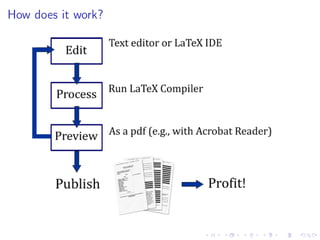
How does it work?
A
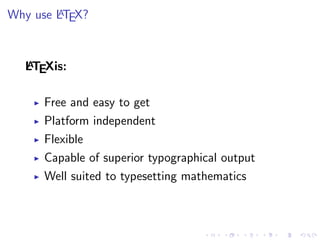
Why use LTEX?

A
LTEXis:

Free and easy to get
Platform independent
Flexible
Capable of superior typographical output
Well suited to typesetting mathematics
A
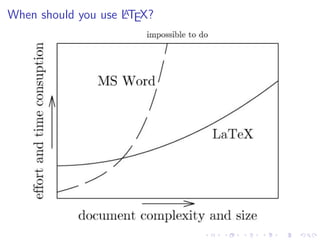
When should you use LTEX?
Getting LaTeX
Windows - Miktex
(http://www.miktex.org/ or ProTeX
http://www.tug.org/protext/)
Getting LaTeX
Windows - Miktex
(http://www.miktex.org/ or ProTeX
http://www.tug.org/protext/)
Mac - MacTeX
(http://www.tug.org/mactex/2009/)
Getting LaTeX
Windows - Miktex
(http://www.miktex.org/ or ProTeX
http://www.tug.org/protext/)
Mac - MacTeX
(http://www.tug.org/mactex/2009/)
Linux - TeX Live
(http://www.tug.org/texlive/)
Specialized Editors
Many free editors are available:
LED (http://www.latexeditor.org/)
TeXnicCenter (http://www.texniccenter.org/)
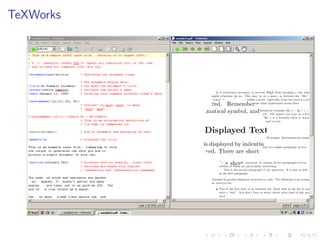
TeXWorks (http://www.tug.org/texworks/)
TeXMaker (http://www.xm1math.net/texmaker/)
Winedt (http://www.winedt.com/)
TeXlipse-Eclipse plug-in
(http://texlipse.sourceforge.net/)
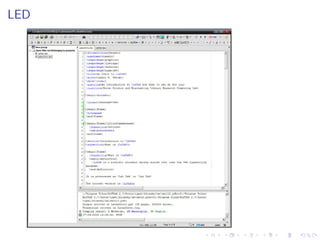
LED
TeXWorks
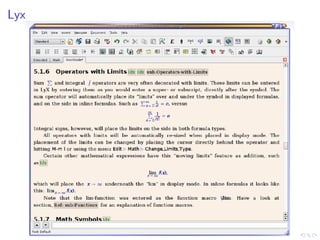
Lyx
The Lyx document processor:

Utilizes the TeX language
Offers a graphical user interface
Offers full support for document features such as equations,
bibliographies, indexes, etc.
Is designed for those who prefer to use LaTeX like a word
processor

www.lyx.org
Lyx
Getting Started

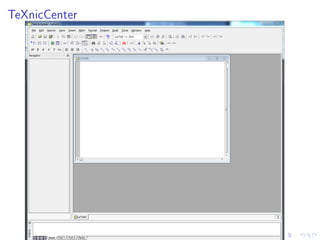
To open the TeXnic Center program go to:
Start → Programs → TeXnic Center
Open a new document and save it.
TeX files

Download tex files here:
http://www2.lib.virginia.edu/brown/
rescomp/latex/practice.zip
TeXnicCenter
A
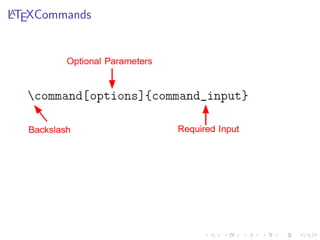
LTEXCommands
A
LTEXCommands

Example: documentclass[10pt]{article}
A
LTEXCommands

Example: documentclass[10pt]{article}
Example: begin{document}
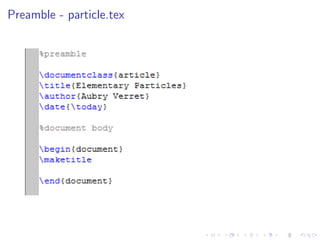
Preamble - particle.tex
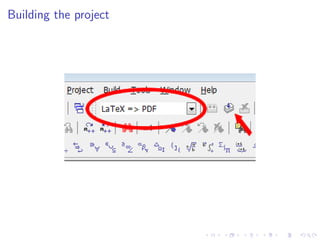
Building the project
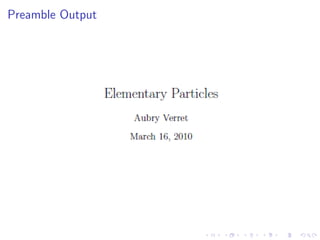
Preamble Output
Document Classes

article - shorter works such as papers for class,
conference submissions, and journal articles
report - longer works such as dissertations,
theses, or short books
book - long works with many sections or
chapters
letter - provides special structure for various
aspects of a letter
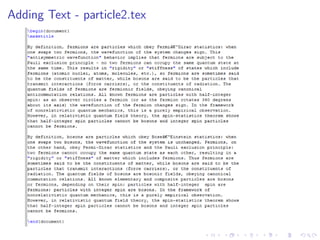
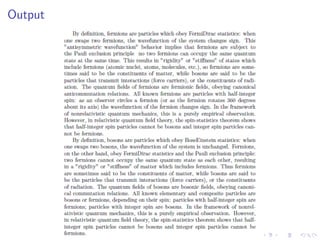
Adding Text - particle2.tex
Output
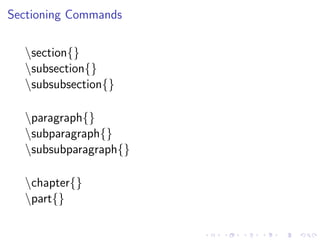
Sectioning Commands
section{}
subsection{}
subsubsection{}
paragraph{}
subparagraph{}
subsubparagraph{}
chapter{}
part{}
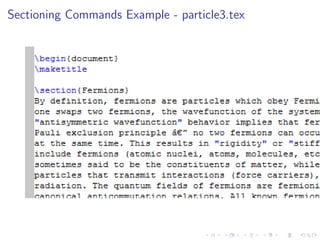
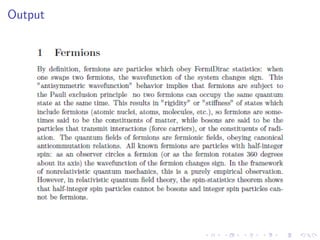
Sectioning Commands Example - particle3.tex
Output
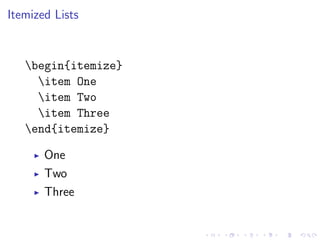
Itemized Lists

begin{itemize}
item One
item Two
item Three
end{itemize}
One
Two
Three
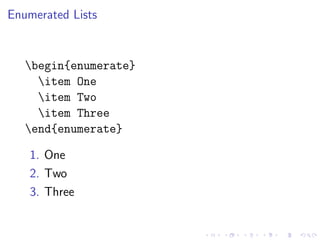
Enumerated Lists

begin{enumerate}
item One
item Two
item Three
end{enumerate}
1. One
2. Two
3. Three
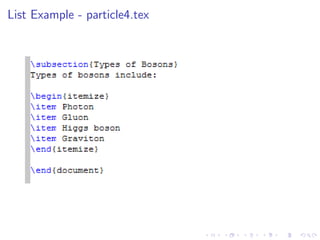
List Example - particle4.tex
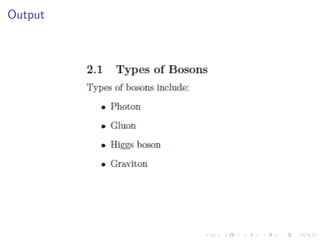
Output
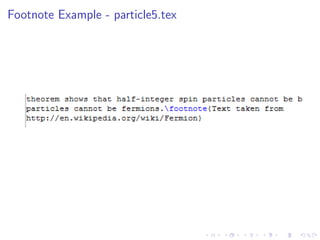
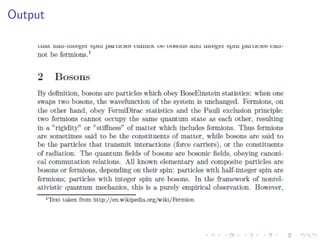
Footnotes

footnote[number]{text}

Automatically numbered
Provides an optional argument for overriding
automatic numbering
Footnote Example - particle5.tex
Output
Table of Contents

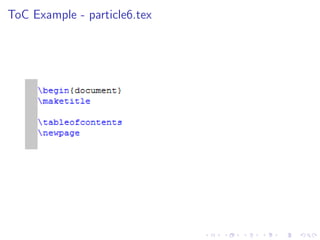
tableofcontents

Requires no input
Is placed where you want the ToC to appear
Utilizes sectioning commands
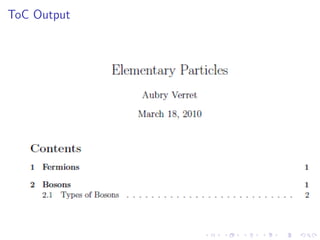
ToC Example - particle6.tex
ToC Output
Bibliographies

A
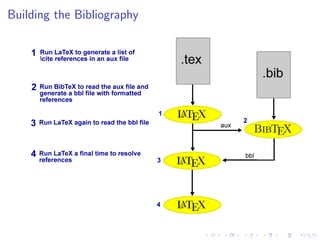
BibTeX is used with LTEXto generate bibliographies.

1. Place bib entries in a separate .bib file
2. Reference the entries in the .tex file
3. Compile both files to generate the bibliography and references
Bib Entries

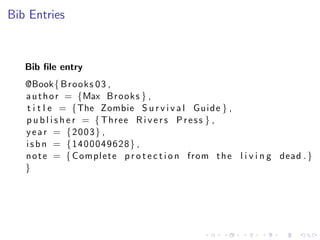
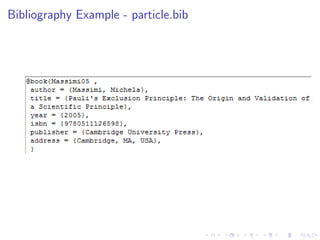
Bib file entry
@Book{ B r o o k s 0 3 ,
a u t h o r = {Max B r o o k s } ,
t i t l e = {The Zombie S u r v i v a l G u i d e } ,
p u b l i s h e r = { Three R i v e r s P r e s s } ,
y e a r = {2003} ,
i s b n = {1400049628} ,
n o t e = { Complete p r o t e c t i o n from t h e l i v i n g dead . }
}
Citations

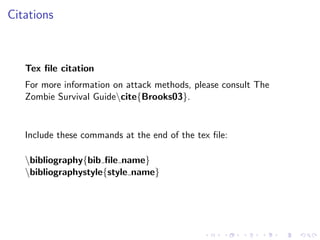
Tex file citation
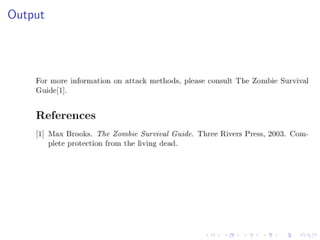
For more information on attack methods, please consult The
Zombie Survival Guidecite{Brooks03}.

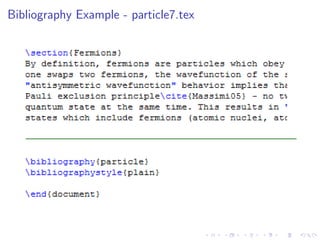
Include these commands at the end of the tex file:
bibliography{bib file name}
bibliographystyle{style name}
Building the Bibliography
Output
Bibliography Example - particle7.tex
Bibliography Example - particle.bib
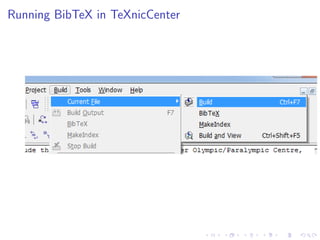
Running BibTeX in TeXnicCenter
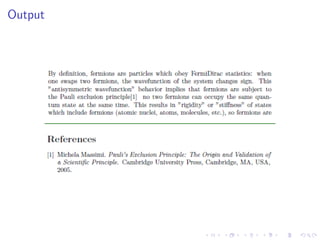
Output
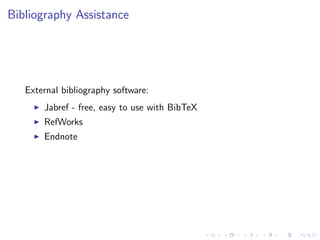
Bibliography Assistance

External bibliography software:
Jabref - free, easy to use with BibTeX
RefWorks
Endnote
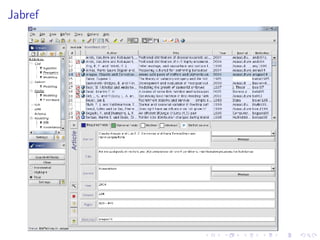
Jabref
Mathematics

A
LTEXmust be put into math mode before using
mathematical symbols

Math environments:
Mathematics

A
LTEXmust be put into math mode before using
mathematical symbols

Math environments:
Math - short in-line equations
Mathematics

A
LTEXmust be put into math mode before using
mathematical symbols

Math environments:
Math - short in-line equations
Displaymath - equations set apart in text
Mathematics

A
LTEXmust be put into math mode before using
mathematical symbols

Math environments:
Math - short in-line equations
Displaymath - equations set apart in text
Equation - numbered and centered equations
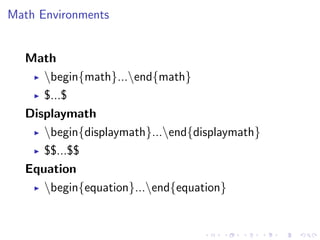
Math Environments

Math
begin{math}...end{math}
$...$
Displaymath
begin{displaymath}...end{displaymath}
$$...$$
Equation
begin{equation}...end{equation}
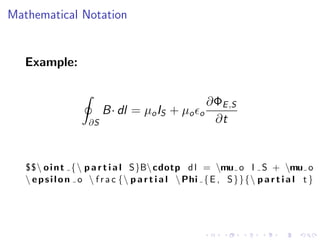
Mathematical Notation

Example:

B· dl = µo IS + µo
∂S

o

∂ΦE ,S
∂t

$$ o i n t {  p a r t i a l S}B cdotp d l = mu o I S + mu o
 e p s i l o n o  f r a c { p a r t i a l  Phi { E , S }}{ p a r t i a l t }
More Examples
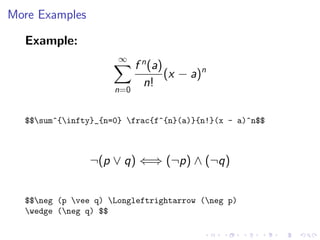
Example:
∞

n=0

f n (a)
(x − a)n
n!

$$sum^{infty}_{n=0} frac{f^{n}(a)}{n!}(x - a)^n$$

¬(p ∨ q) ⇐⇒ (¬p) ∧ (¬q)
$$neg (p vee q) Longleftrightarrow (neg p)
wedge (neg q) $$
More Examples
Example (Matrices)


a11 a12 · · · a1n
 a21 a22 · · · a2n  


 .
. ..
. 
.
. 
 .
. .
.
.
an1 an2 · · · ann

x1
x2
.
.
.
xn





 
 
=
 

0
0
.
.
.







0

$$left[ begin{array}{cccc}
a_{11} & a_{12} & cdots & a_{1n} 
a_{21} & a_{22} & cdots & a_{2n} 
vdots & vdots & ddots & vdots 
a_{n1} & a_{n2} & cdots & a_{nn} end{array} right]
left[ begin{array}{c}
x_1  x_2  vdots 
x_n end{array} right] = left[ begin{array}{c}
0  0  vdots  0 end{array} right]$$
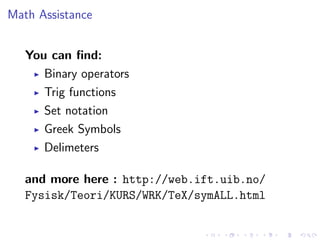
Math Assistance
You can find:
Binary operators
Trig functions
Set notation
Greek Symbols
Delimeters
and more here : http://web.ift.uib.no/
Fysisk/Teori/KURS/WRK/TeX/symALL.html
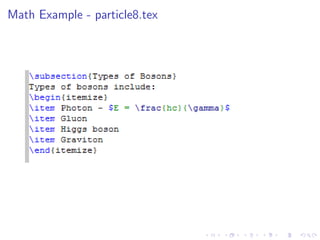
Math Example - particle8.tex
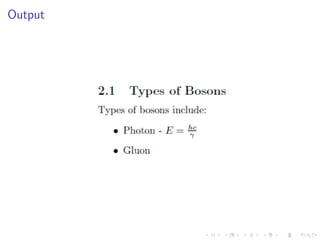
Output
Amsmath Package

If you use mathematics heavily in your documents,
you might consider using the amsmath package. It
provides some enhancements to the normal LaTeX
math capabilities which make typesetting formulas
easier and more attractive.
Go here for more info:
http://www.ams.org/tex/amslatex.html
Packages
A
LTEXpackages are add-ons that provide added or
modified styling features to your document

color- enables you to typeset in color
babel- offers support for other languages
hyperref- provides support for url’s in a
document
Include the following command in the preamble:
usepackage{package name}
Graphics

A
LTEXuses the package graphicx to manage graphics

include{graphicx}
This package allows you to:
Use several file formats
Scale images
Crop images
Rotate images
Image formats

Using the latex command:
EPS format
Using the pdflatex command:
JPG
PNG
PDF
Inserting Graphics

Insert graphics using:
includegraphics[options]{image file}
Options include:
width and height
scale
rotation angle
trim
Example Graphic:
includegraphics[scale = .5]{science cat}
Example Graphic:
includegraphics[scale = .5, angle = 90]{science cat}
Figures

Include figures using the figure environment:
begin{figure}...end{figure}
Placement options:
h - here
t - top of page
b - bottom of page
p - separate page
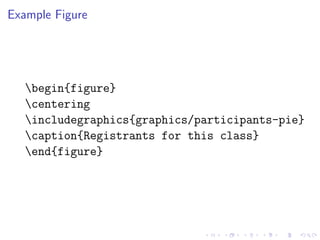
Example Figure

begin{figure}
centering
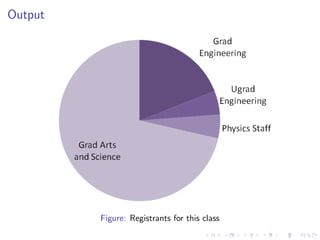
includegraphics{graphics/participants-pie}
caption{Registrants for this class}
end{figure}
Output

Figure: Registrants for this class
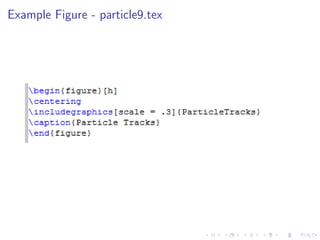
Example Figure - particle9.tex
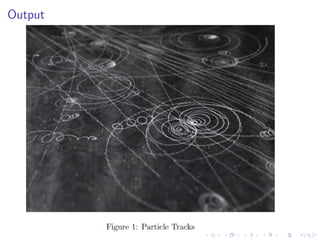
Output
Referencing Figures
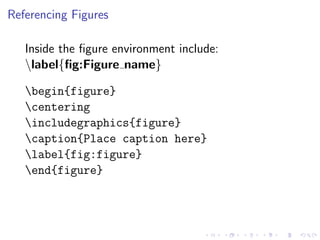
Inside the figure environment include:
label{fig:Figure name}
Referencing Figures
Inside the figure environment include:
label{fig:Figure name}
begin{figure}
centering
includegraphics{figure}
caption{Place caption here}
label{fig:figure}
end{figure}
Referencing Figures
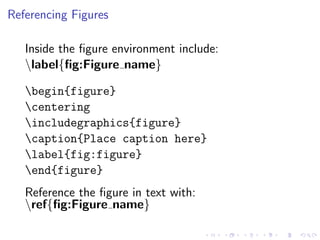
Inside the figure environment include:
label{fig:Figure name}
begin{figure}
centering
includegraphics{figure}
caption{Place caption here}
label{fig:figure}
end{figure}
Reference the figure in text with:
ref{fig:Figure name}
How to Make A Table

A
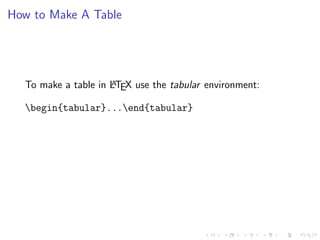
To make a table in LTEX use the tabular environment:

begin{tabular}...end{tabular}
How to Make A Table

A
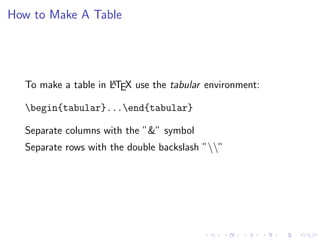
To make a table in LTEX use the tabular environment:

begin{tabular}...end{tabular}
Separate columns with the ”&” symbol
Separate rows with the double backslash ””
Tabular Layout

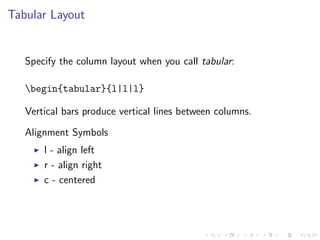
Specify the column layout when you call tabular:
begin{tabular}{l|l|l}
Vertical bars produce vertical lines between columns.
Alignment Symbols
l - align left
r - align right
c - centered
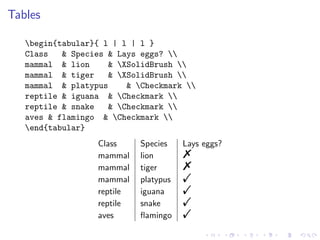
Tables
begin{tabular}{ l | l | l }
Class
& Species & Lays eggs? 
mammal & lion
& XSolidBrush 
mammal & tiger
& XSolidBrush 
mammal & platypus
& Checkmark 
reptile & iguana & Checkmark 
reptile & snake
& Checkmark 
aves & flamingo & Checkmark 
end{tabular}
Class
mammal
mammal
mammal
reptile
reptile
aves

Species
lion
tiger
platypus
iguana
snake
flamingo

Lays eggs?

%
%
!
!
!
!
Tables
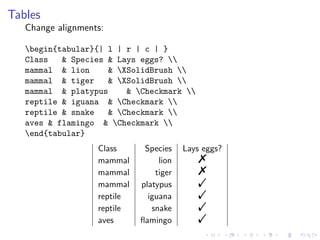
Change alignments:
begin{tabular}{| l | r | c | }
Class
& Species & Lays eggs? 
mammal & lion
& XSolidBrush 
mammal & tiger
& XSolidBrush 
mammal & platypus
& Checkmark 
reptile & iguana & Checkmark 
reptile & snake
& Checkmark 
aves & flamingo & Checkmark 
end{tabular}
Class
mammal
mammal
mammal
reptile
reptile
aves

Species
lion
tiger
platypus
iguana
snake
flamingo

Lays eggs?

%
%
!
!
!
!
Tables
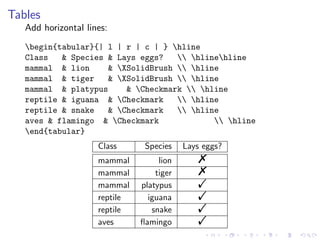
Add horizontal lines:
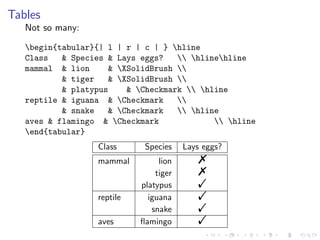
begin{tabular}{| l | r | c | } hline
Class
& Species & Lays eggs?
 hlinehline
mammal & lion
& XSolidBrush  hline
mammal & tiger
& XSolidBrush  hline
mammal & platypus
& Checkmark  hline
reptile & iguana & Checkmark
 hline
reptile & snake
& Checkmark
 hline
aves & flamingo & Checkmark
 hline
end{tabular}
Class
mammal
mammal
mammal
reptile
reptile
aves

Species
lion
tiger
platypus
iguana
snake
flamingo

Lays eggs?

%
%
!
!
!
!
Tables
Not so many:
begin{tabular}{| l | r | c | } hline
Class
& Species & Lays eggs?
 hlinehline
mammal & lion
& XSolidBrush 
& tiger
& XSolidBrush 
& platypus
& Checkmark  hline
reptile & iguana & Checkmark

& snake
& Checkmark
 hline
aves & flamingo & Checkmark
 hline
end{tabular}
Class
mammal

reptile
aves

Species
lion
tiger
platypus
iguana
snake
flamingo

Lays eggs?

%
%
!
!
!
!
Tables
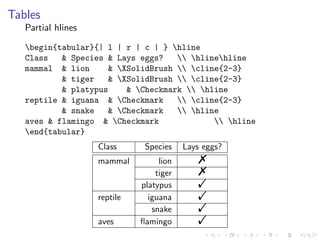
Partial hlines
begin{tabular}{| l | r | c | } hline
Class
& Species & Lays eggs?
 hlinehline
mammal & lion
& XSolidBrush  cline{2-3}
& tiger
& XSolidBrush  cline{2-3}
& platypus
& Checkmark  hline
reptile & iguana & Checkmark
 cline{2-3}
& snake
& Checkmark
 hline
aves & flamingo & Checkmark
 hline
end{tabular}
Class
mammal

reptile
aves

Species
lion
tiger
platypus
iguana
snake
flamingo

Lays eggs?

%
%
!
!
!
!
Tables

The table enviroment:
begin{table} ... end{table}
allows you to:
Turn a table into a float
Add a caption
Number the table for referencing
Tables
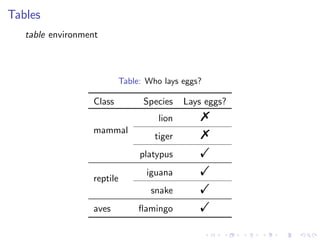
table environment

Table: Who lays eggs?

Class

Species
lion

mammal

tiger
platypus

reptile

iguana
snake

aves

flamingo

Lays eggs?

%
%
!
!
!
!
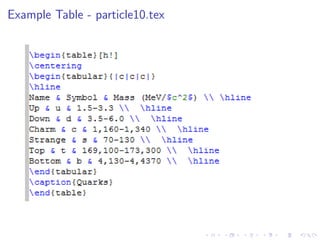
Example Table - particle10.tex
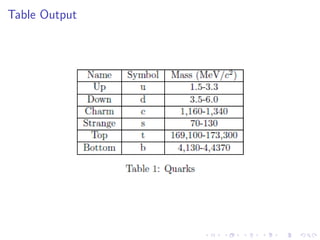
Table Output
Decoding Error Messages

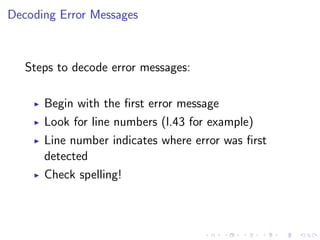
Steps to decode error messages:
Begin with the first error message
Look for line numbers (l.43 for example)
Line number indicates where error was first
detected
Check spelling!
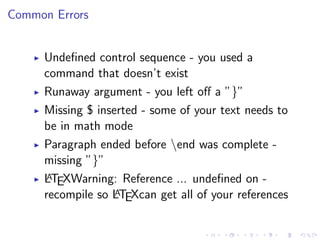
Common Errors
Undefined control sequence - you used a
command that doesn’t exist
Runaway argument - you left off a ”}”
Missing $ inserted - some of your text needs to
be in math mode
Paragraph ended before end was complete missing ”}”
A
LTEXWarning: Reference ... undefined on A
recompile so LTEXcan get all of your references
Where To Get Help

A
Books - LTEXConcisely by Adrian Johnstone
Online - numerous manuals available
Research Computing Lab www2.lib.virginia.edu/brown/rescomp/
help/index.html
Most Commonly Used Commands

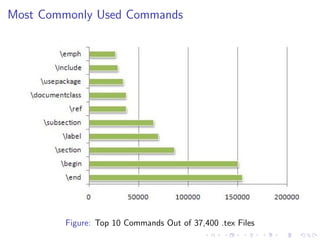
Figure: Top 10 Commands Out of 37,400 .tex Files
Special Characters

A
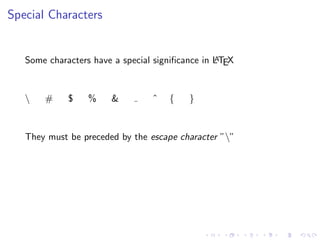
Some characters have a special significance in LTEX


#

$

%

&

ˆ

{

}

They must be preceded by the escape character ””
Special Characters

A
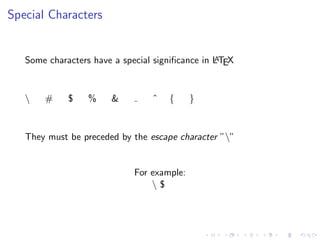
Some characters have a special significance in LTEX


#

$

%

&

ˆ

{

}

They must be preceded by the escape character ””

For example:
$
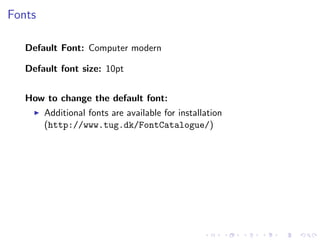
Fonts
Default Font: Computer modern
Default font size: 10pt
How to change the default font:
Additional fonts are available for installation
(http://www.tug.dk/FontCatalogue/)
Fonts
Default Font: Computer modern
Default font size: 10pt
How to change the default font:
Additional fonts are available for installation
(http://www.tug.dk/FontCatalogue/)
How to change the default font size:
documentclass command accepts [11pt] and [12pt] as options
fix-cm package overrides font size defaults
special commands
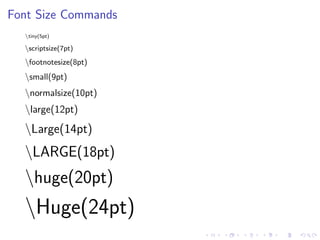
Font Size Commands
tiny(5pt)

scriptsize(7pt)

footnotesize(8pt)

small(9pt)

normalsize(10pt)

large(12pt)

Large(14pt)

LARGE(18pt)

huge(20pt)

Huge(24pt)

La tex basics