K&K IoT Lecture 
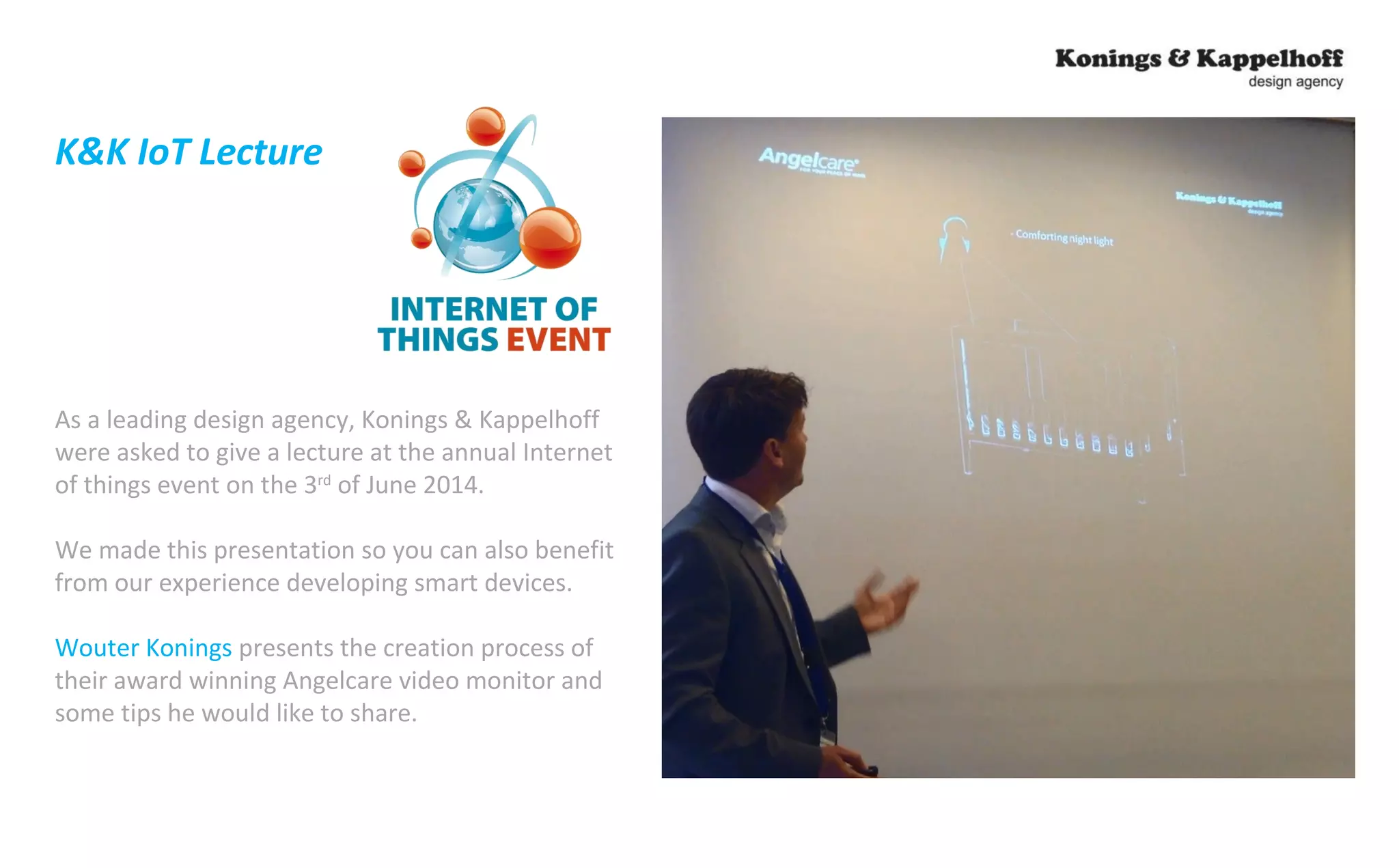
As a leading design agency, Konings & Kappelhoff 
were asked to give a lecture at the annual Internet 
of things event on the 3rd of June 2014. 
We made this presentation so you can also benefit 
from our experience developing smart devices. 
Wouter Konings presents the creation process of 
their award winning Angelcare video monitor and 
some tips he would like to share.
“Industrial Design of Smart Devices” 
Case 
- Development of a Video Baby Monitor with Internet Connectivity -
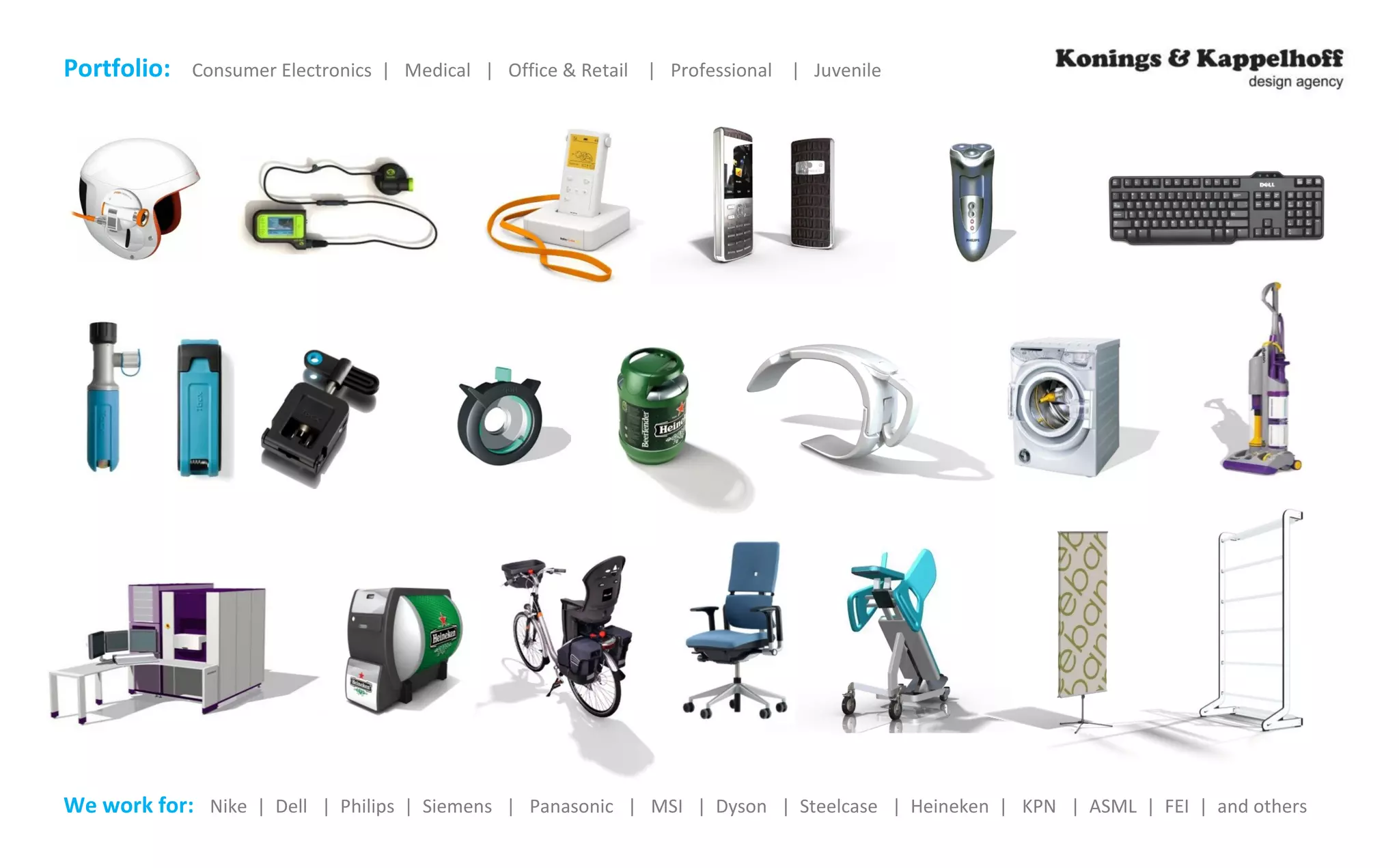
Portfolio: Consumer Electronics | Medical | Office & Retail | Professional | Juvenile 
We work for: Nike | Dell | Philips | Siemens | Panasonic | MSI | Dyson | Steelcase | Heineken | KPN | ASML | FEI | and others
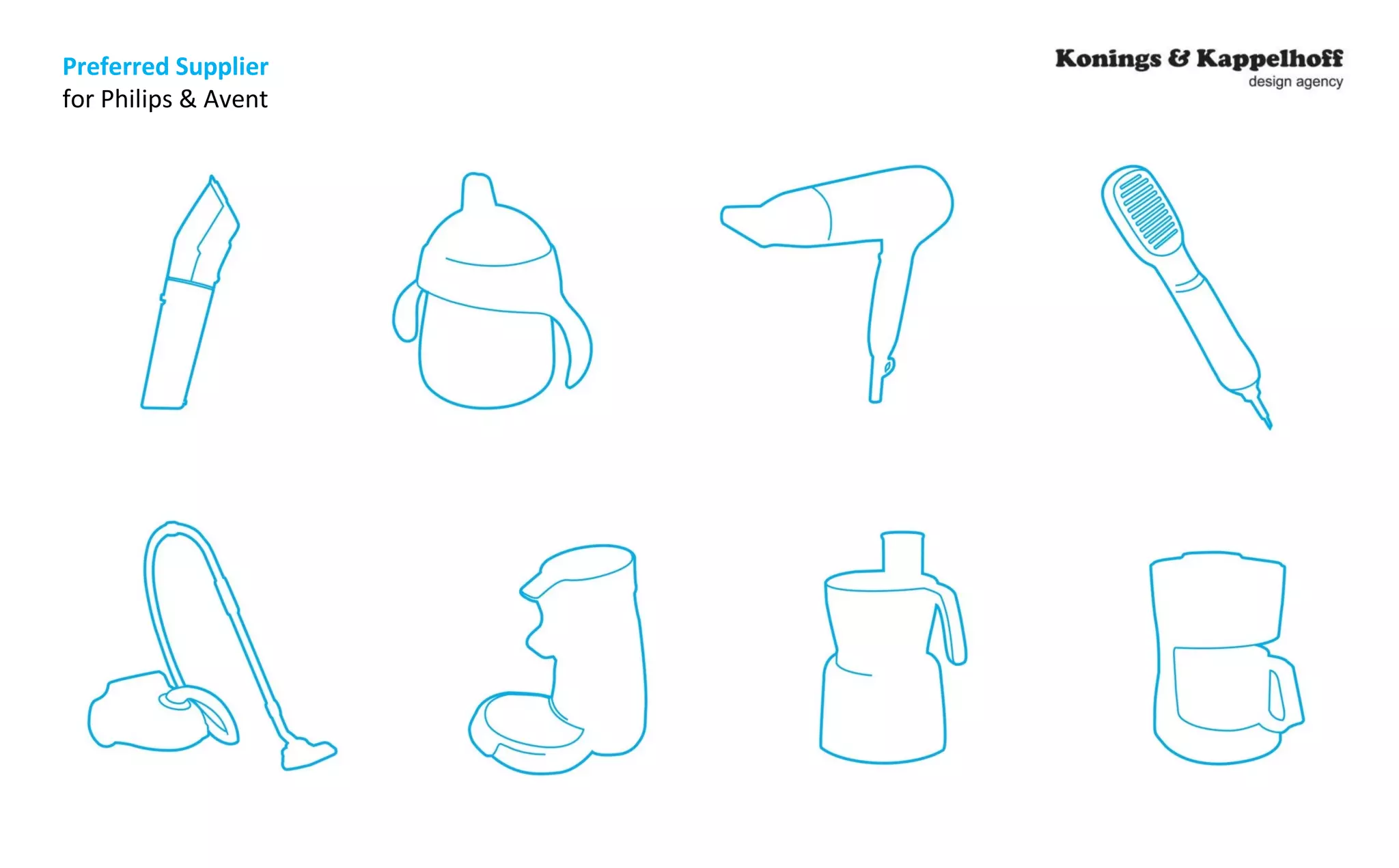
Preferred Supplier 
for Philips & Avent
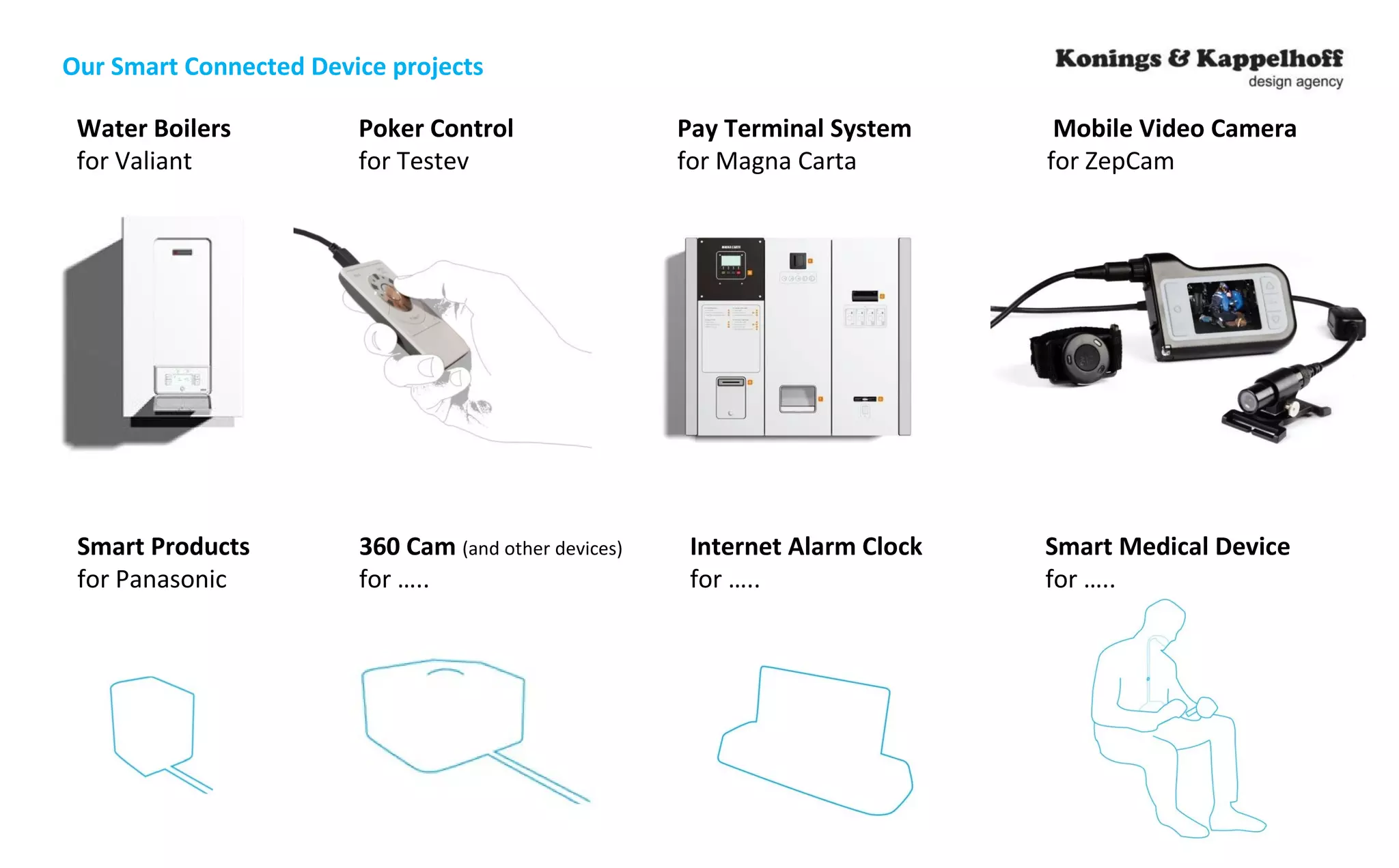
Our Smart Connected Device projects 
Water Boilers Poker Control Pay Terminal System Mobile Video Camera 
for Valiant for Testev for Magna Carta for ZepCam 
Smart Products 360 Cam (and other devices) Internet Alarm Clock Smart Medical Device 
for Panasonic for ….. for ….. for …..
Case
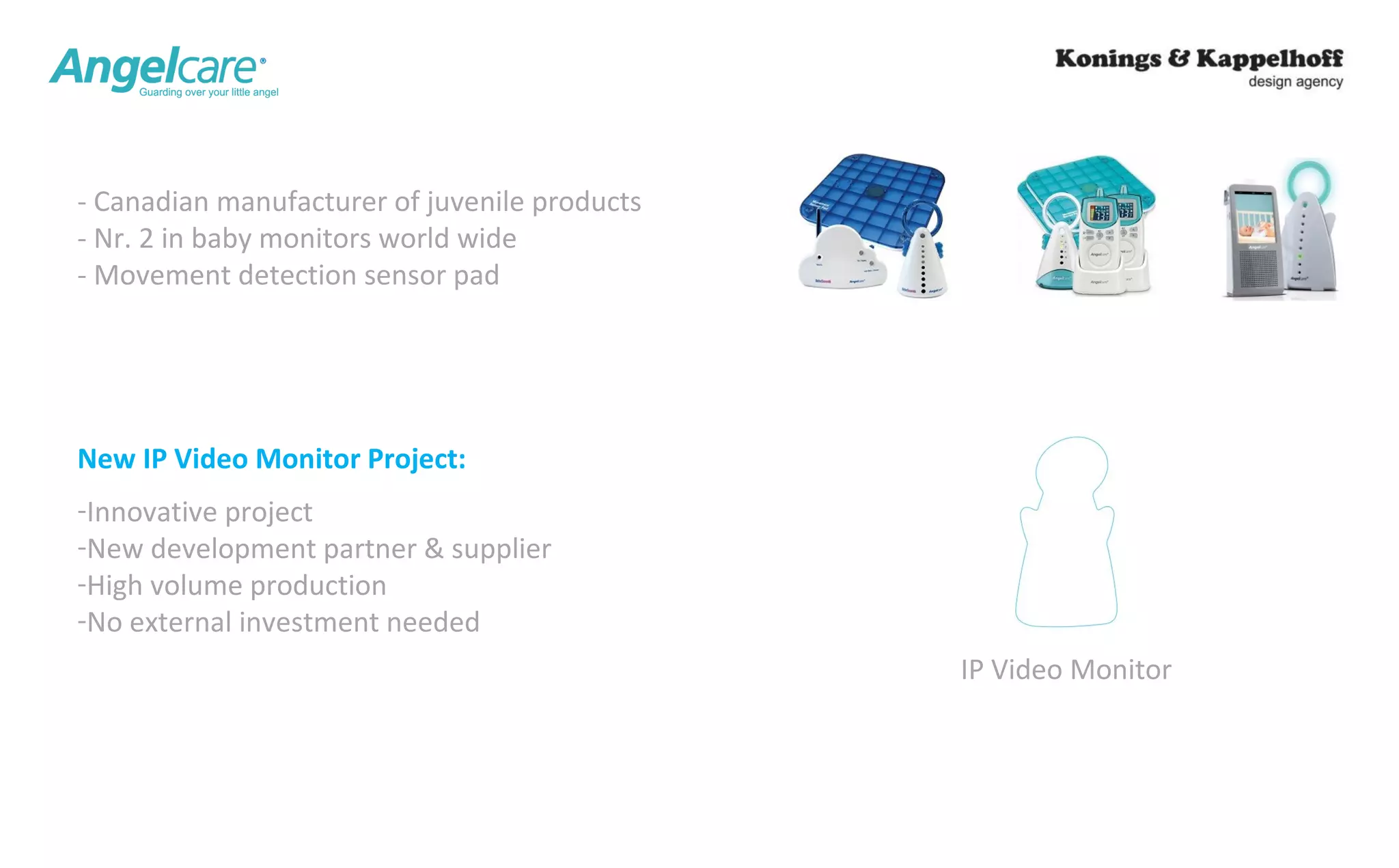
IP Video Monitor 
- Canadian manufacturer of juvenile products 
- Nr. 2 in baby monitors world wide 
- Movement detection sensor pad 
New IP Video Monitor Project: 
-Innovative project 
-New development partner & supplier 
-High volume production 
-No external investment needed
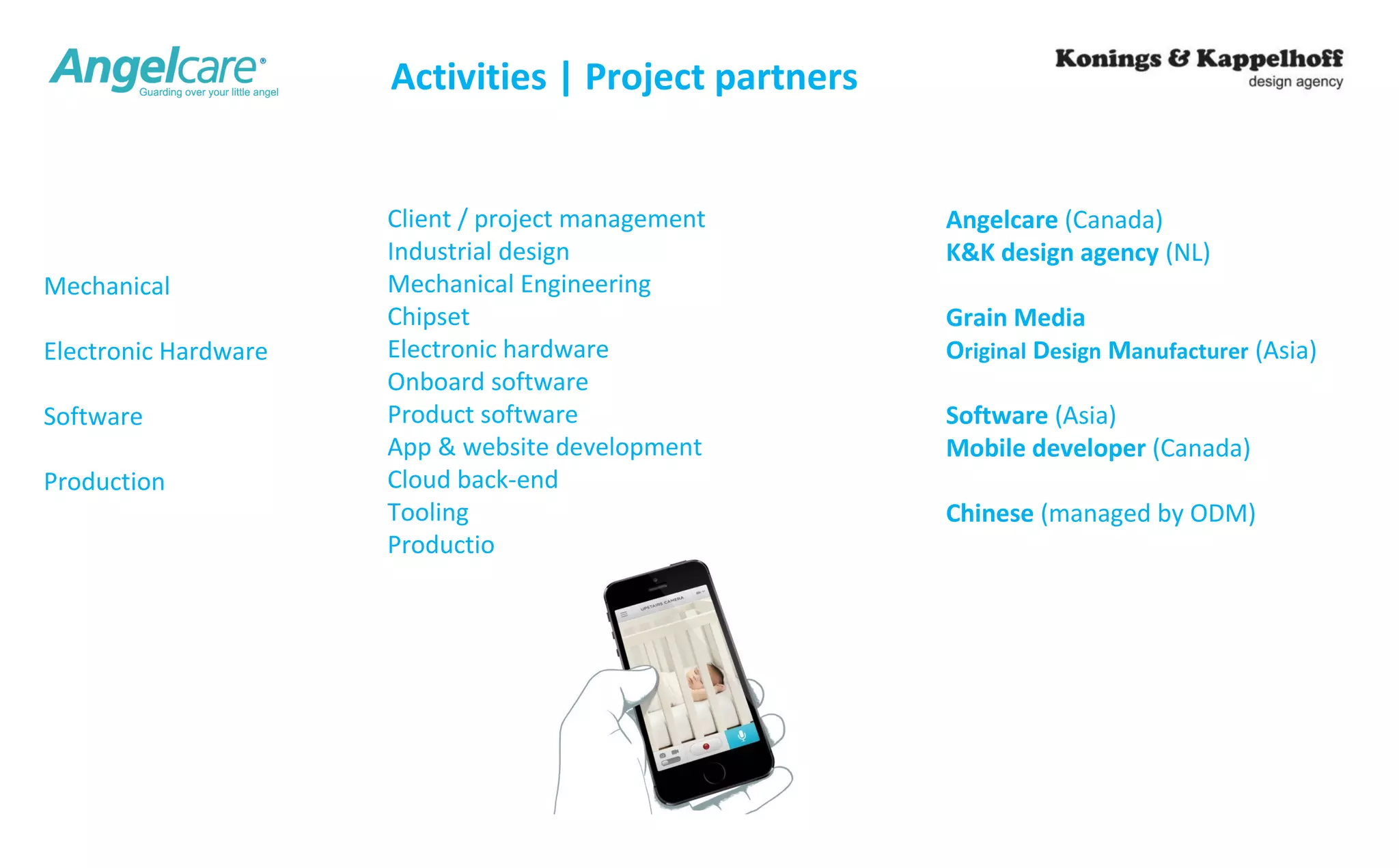
Activities | Project partners 
Client / project management 
Industrial design 
Mechanical Engineering 
Chipset 
Electronic hardware 
Onboard software 
Product software 
App & website development 
Cloud back-end 
Tooling 
Production 
Angelcare (Canada) 
K&K design agency (NL) 
Grain Media 
Original Design Manufacturer (Asia) 
Software (Asia) 
Mobile developer (Canada) 
Chinese (managed by ODM) 
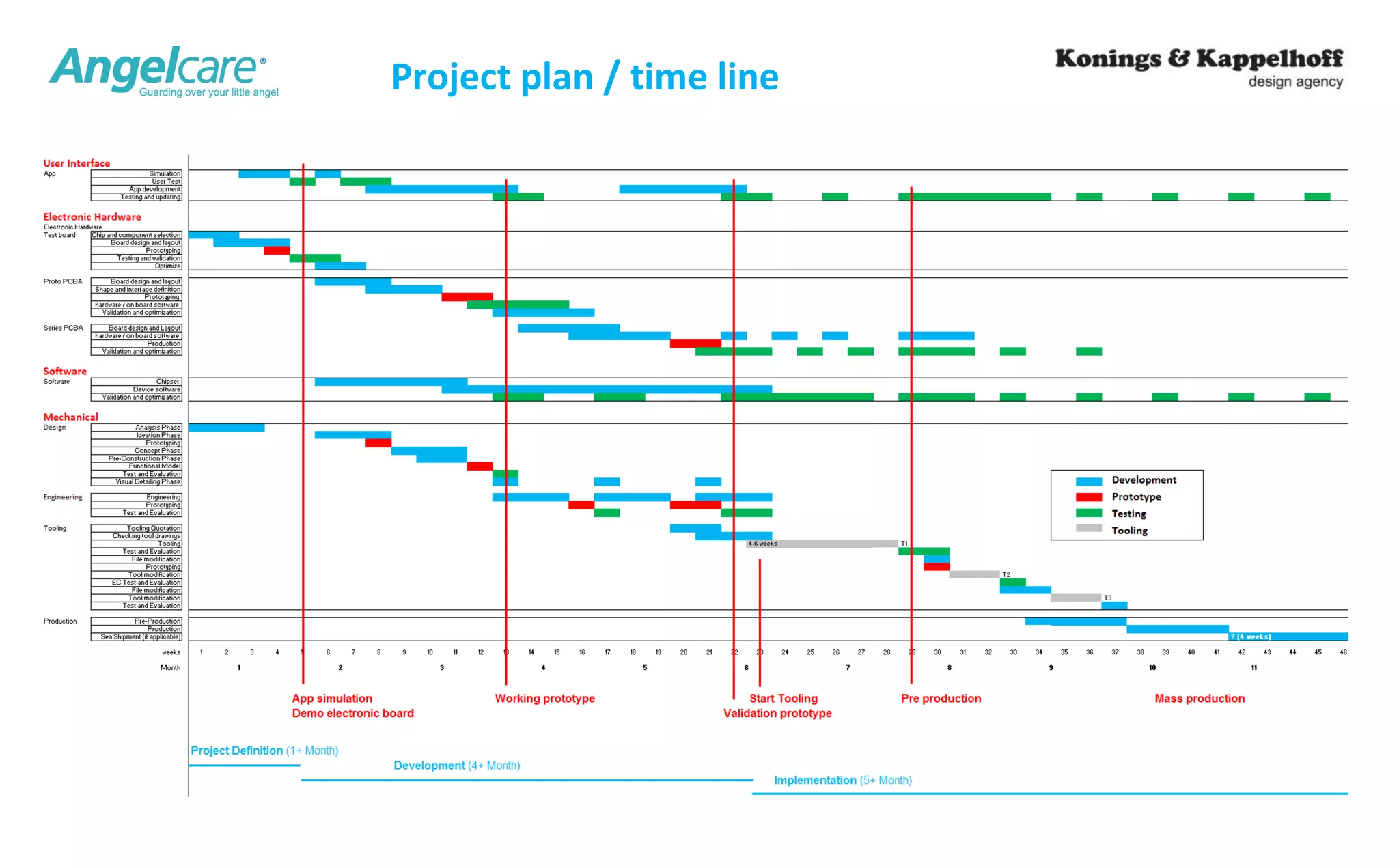
Mechanical 
Electronic Hardware 
Software 
Production
Project plan / time line
User Case
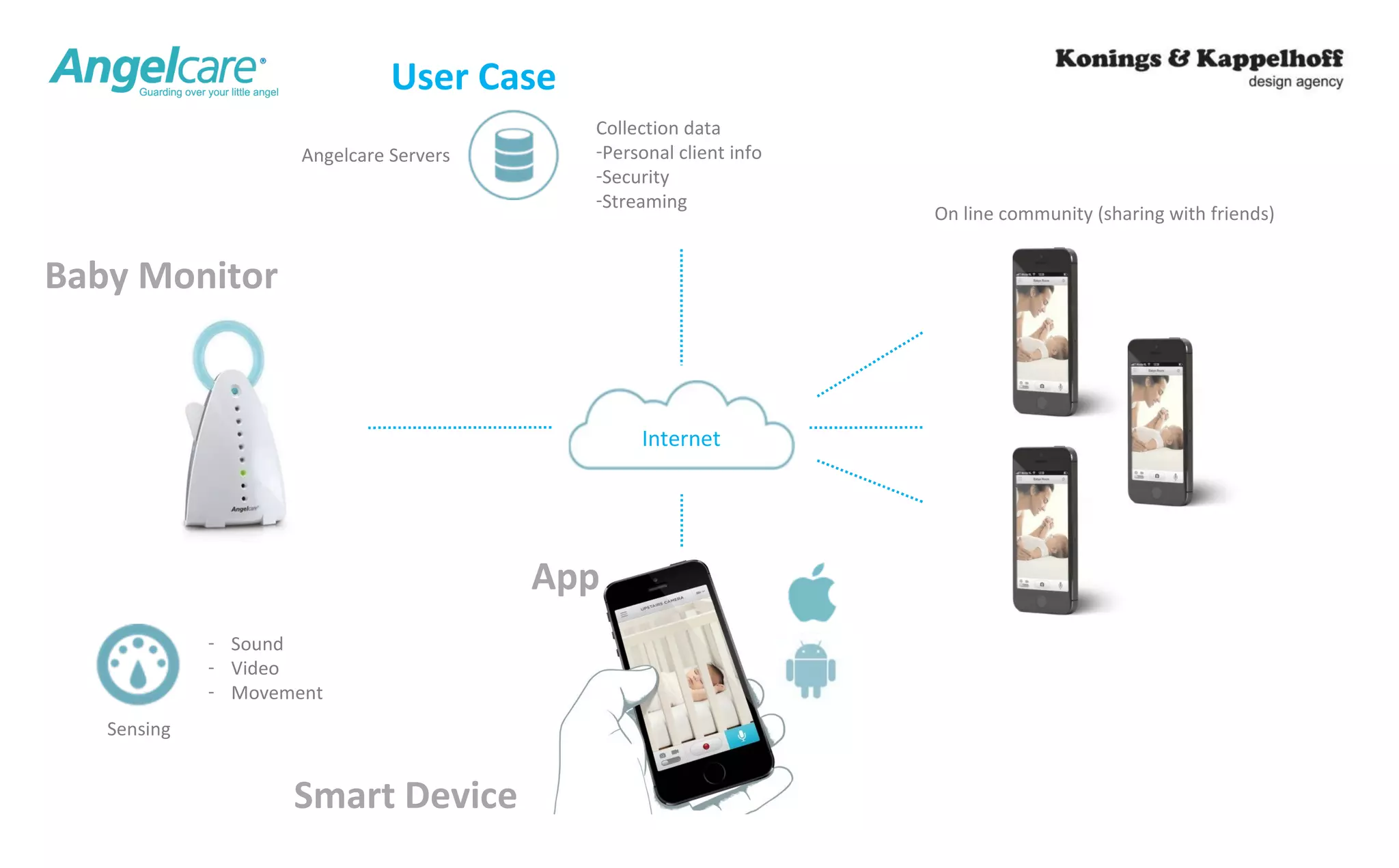
Sensing 
- Sound 
- Video 
- Movement 
Internet 
App 
Smart Device 
Baby Monitor 
User Case 
On line community (sharing with friends) 
Collection data 
-Personal client info 
-Security 
-Streaming 
Angelcare Servers
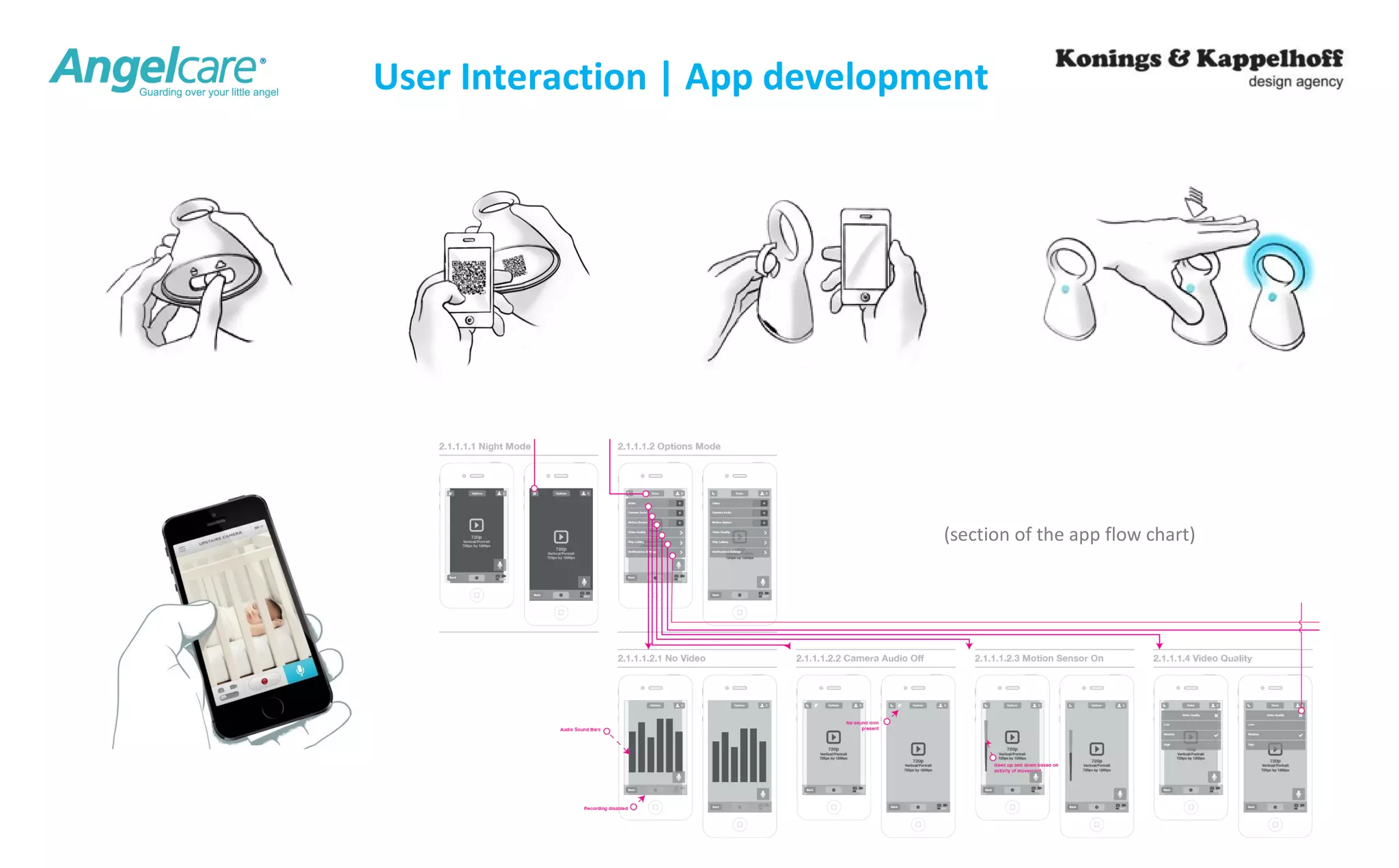
User Interaction | App development 
(section of the app flow chart)
Creating added value 
through industrial design
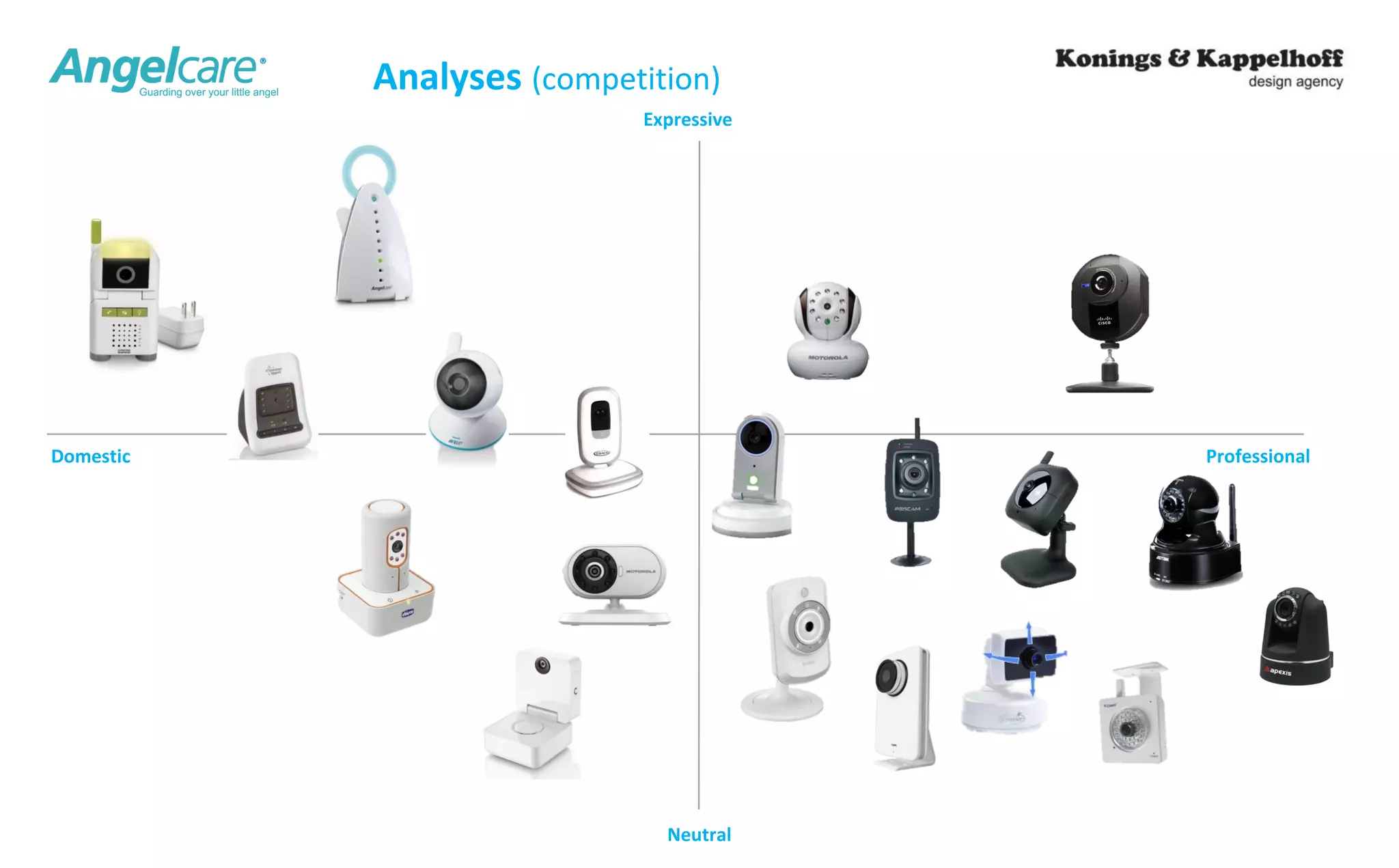
Analyses (competition) 
Expressive 
Domestic Professional 
Neutral
15 
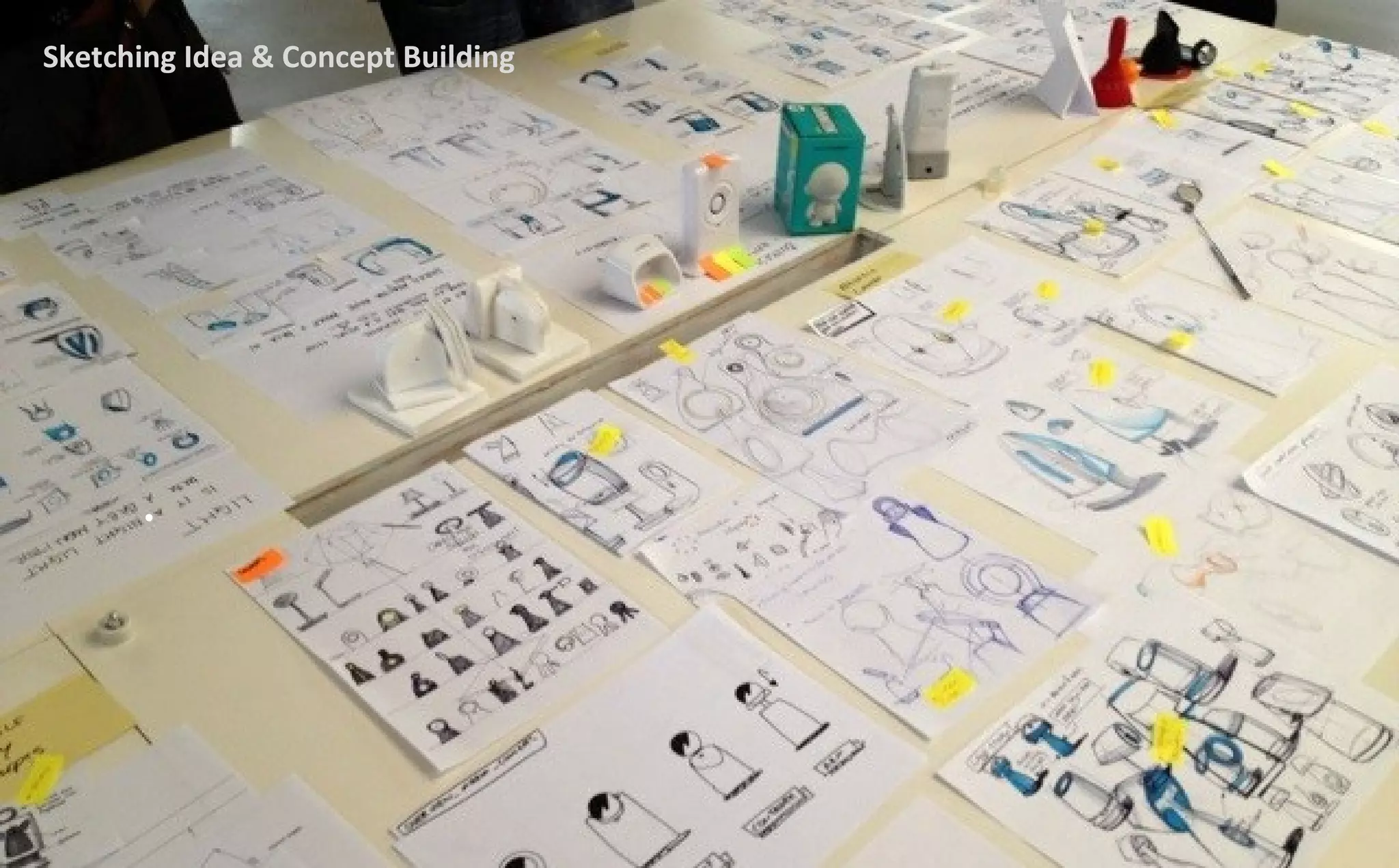
Sketching Idea & Concept Building
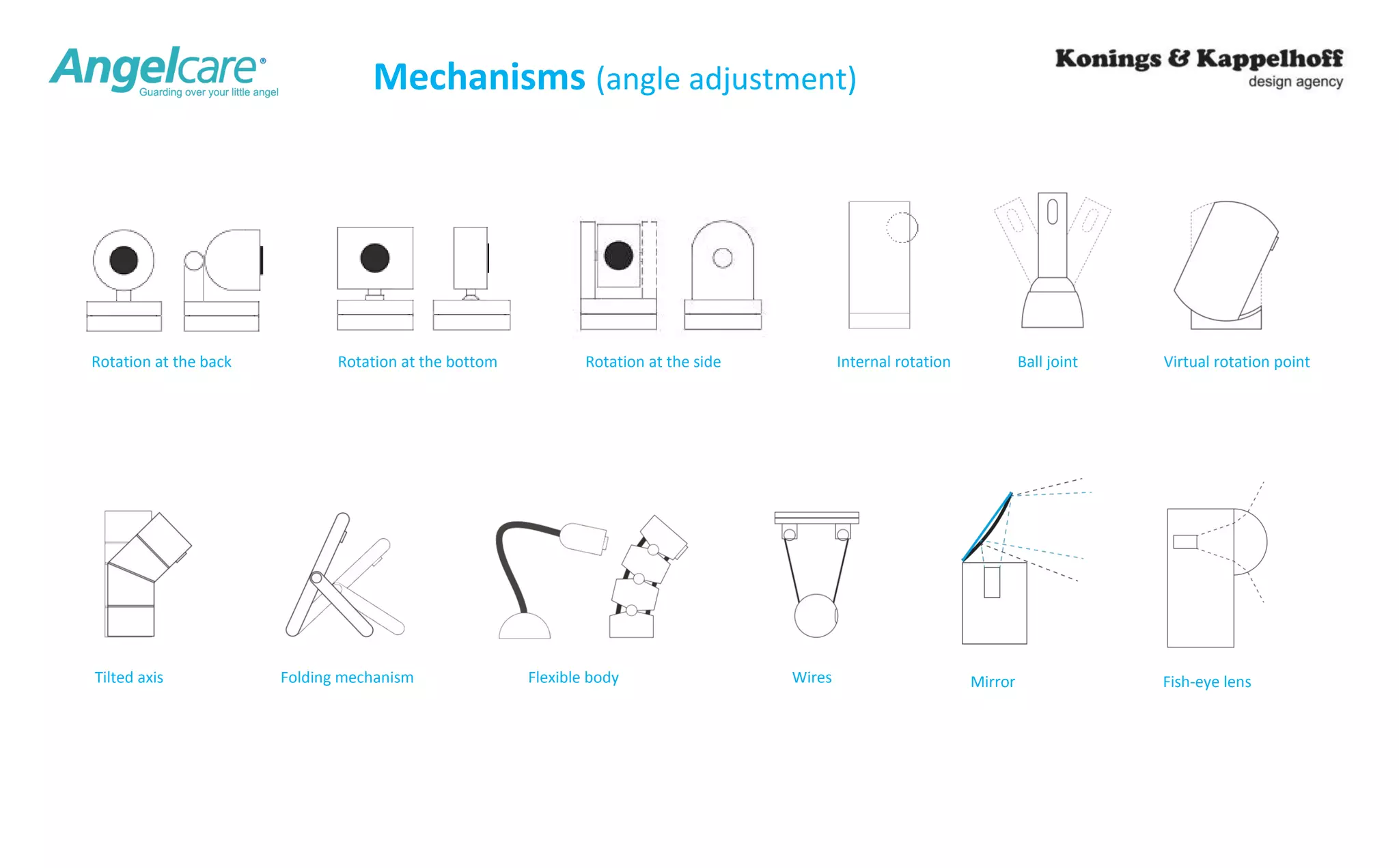
Mechanisms (angle adjustment) 
Rotation at the back Rotation at the bottom Rotation at the side Internal rotation 
Tilted axis 
Ball joint Virtual rotation point 
Folding mechanism Flexible body Wires Mirror Fish-eye lens
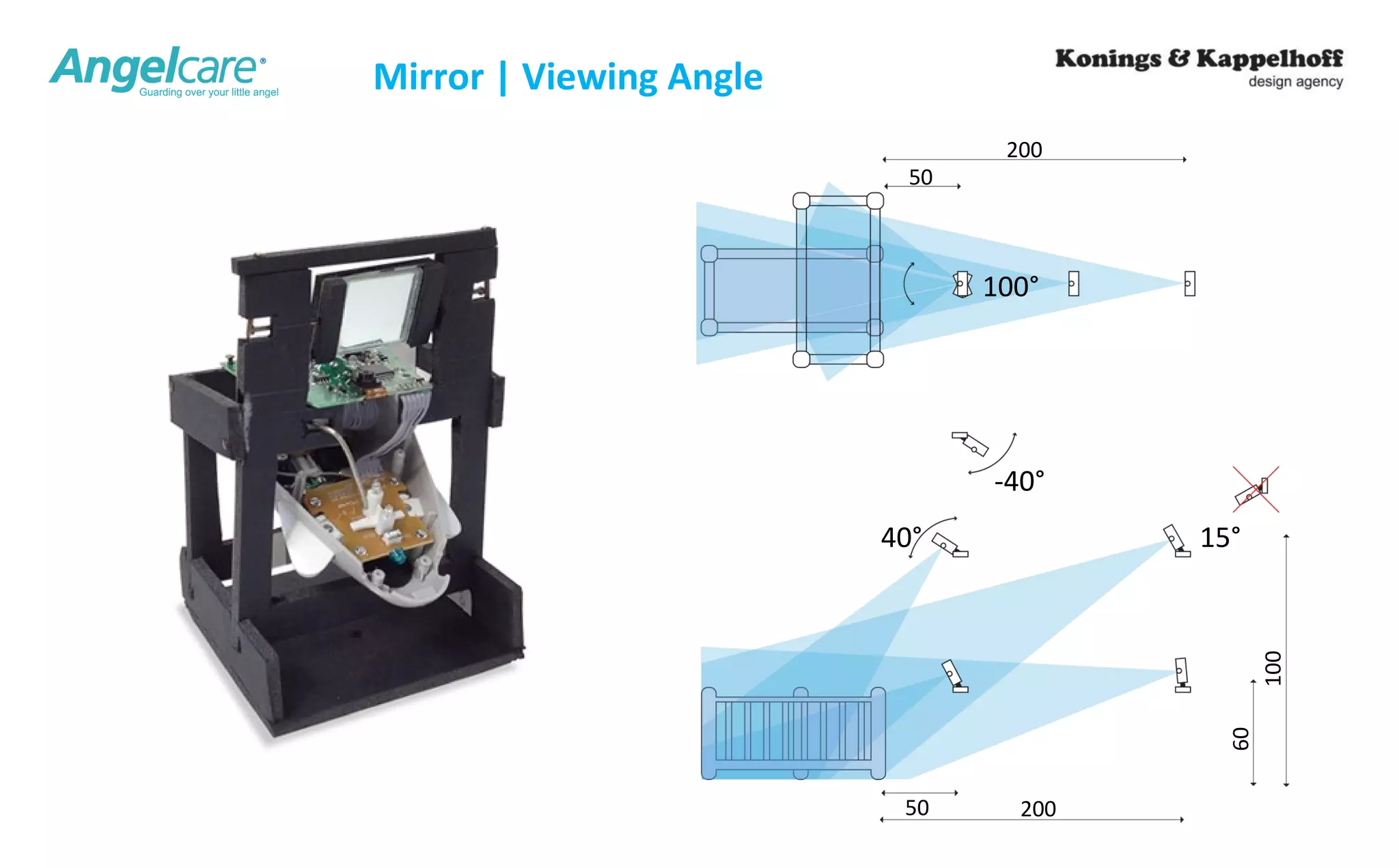
Mirror | Viewing Angle 
100° 
40° 15° 
50 200 
60 
100 
-40° 
50 
200
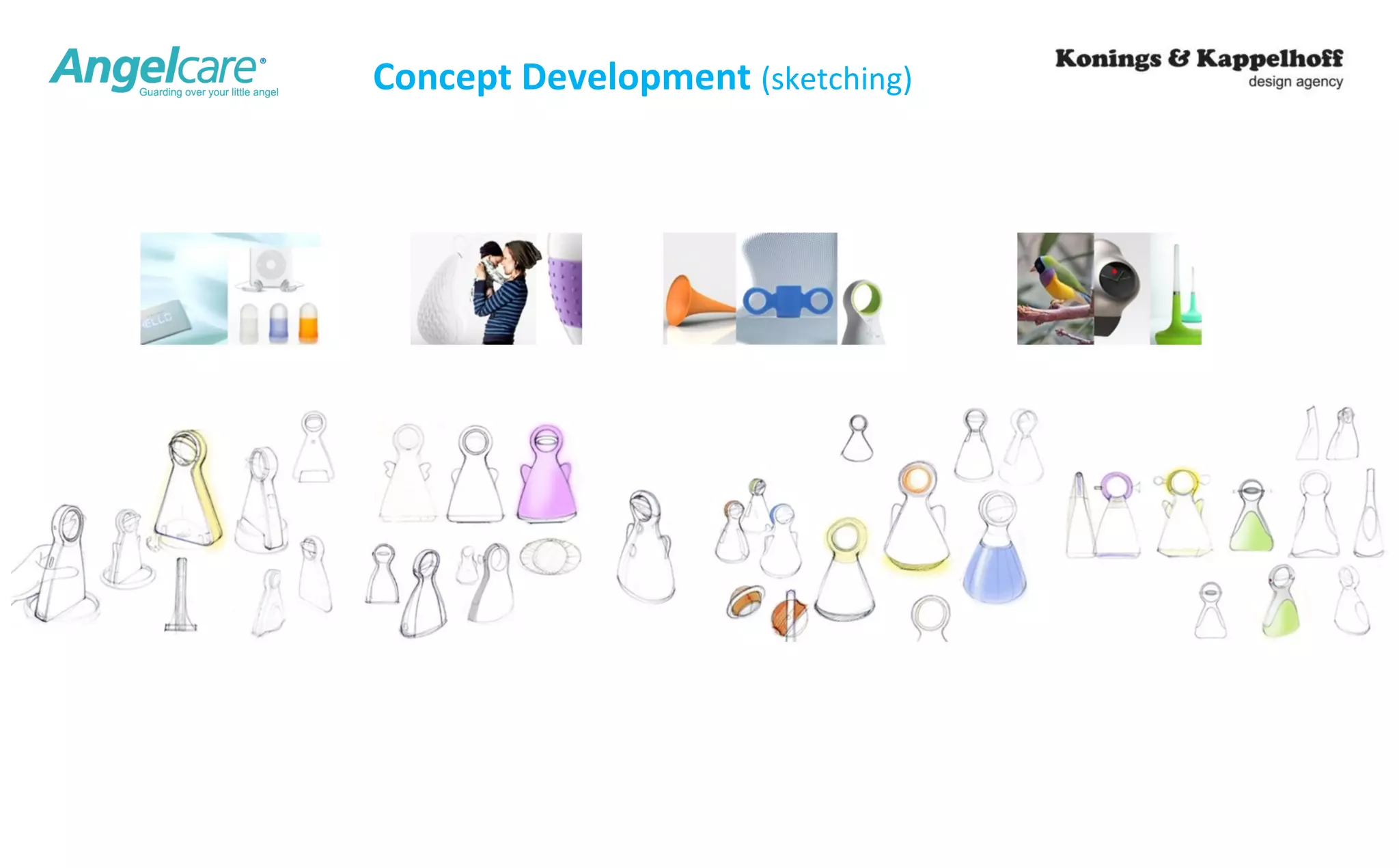
Concept Development (sketching)
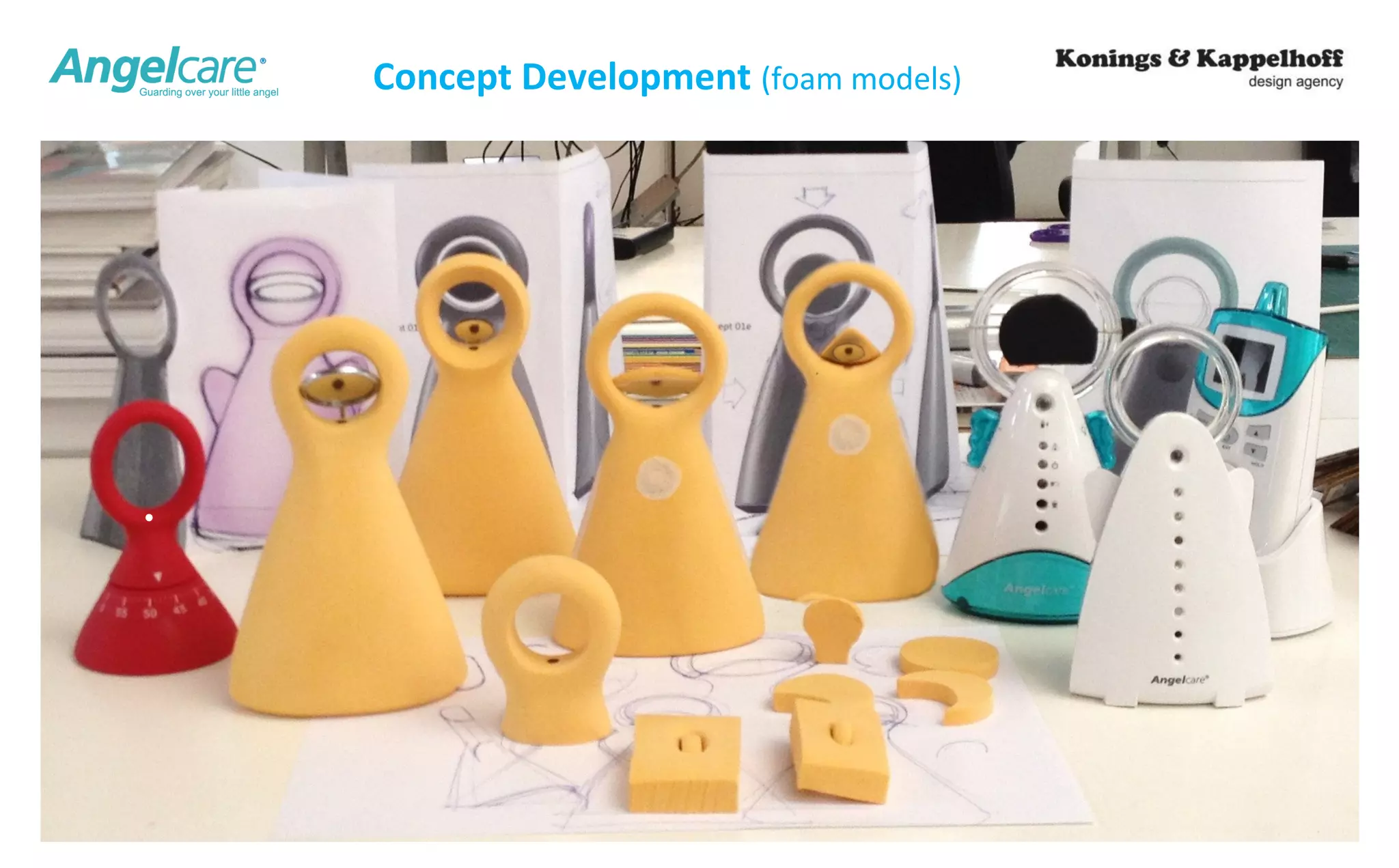
Concept Development (foam models)
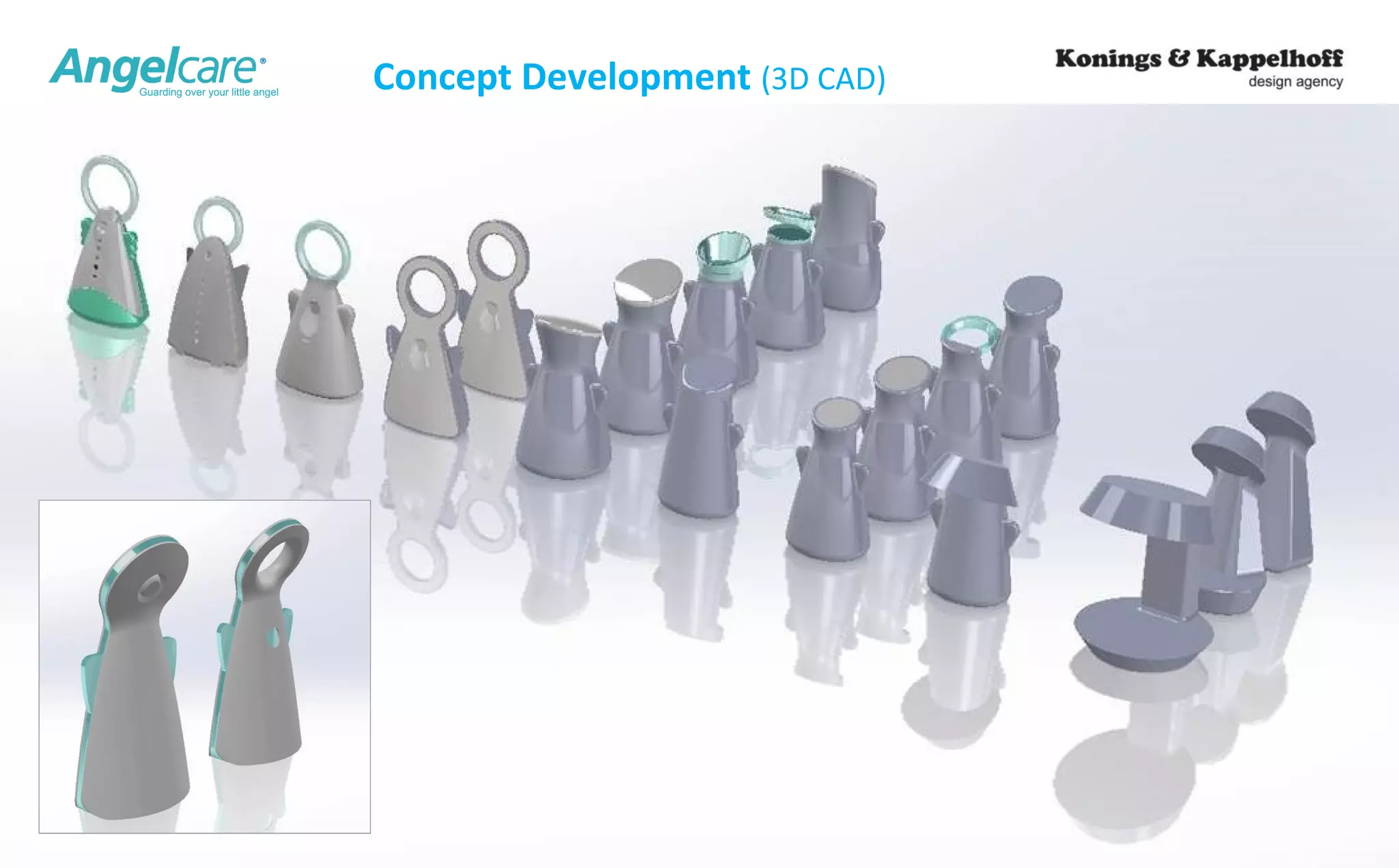
Concept Development (3D CAD)
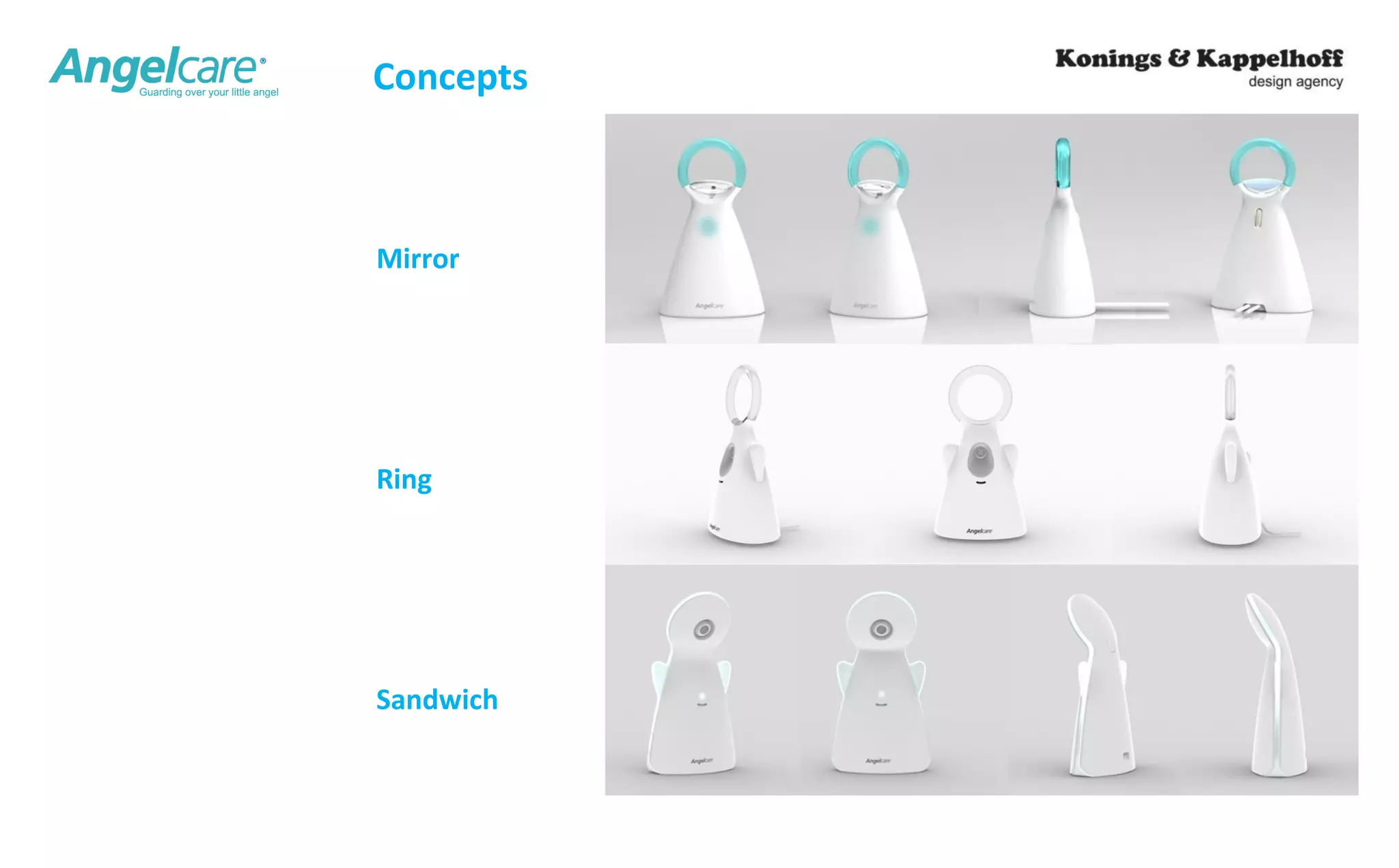
Concepts 
Mirror 
Ring 
Sandwich
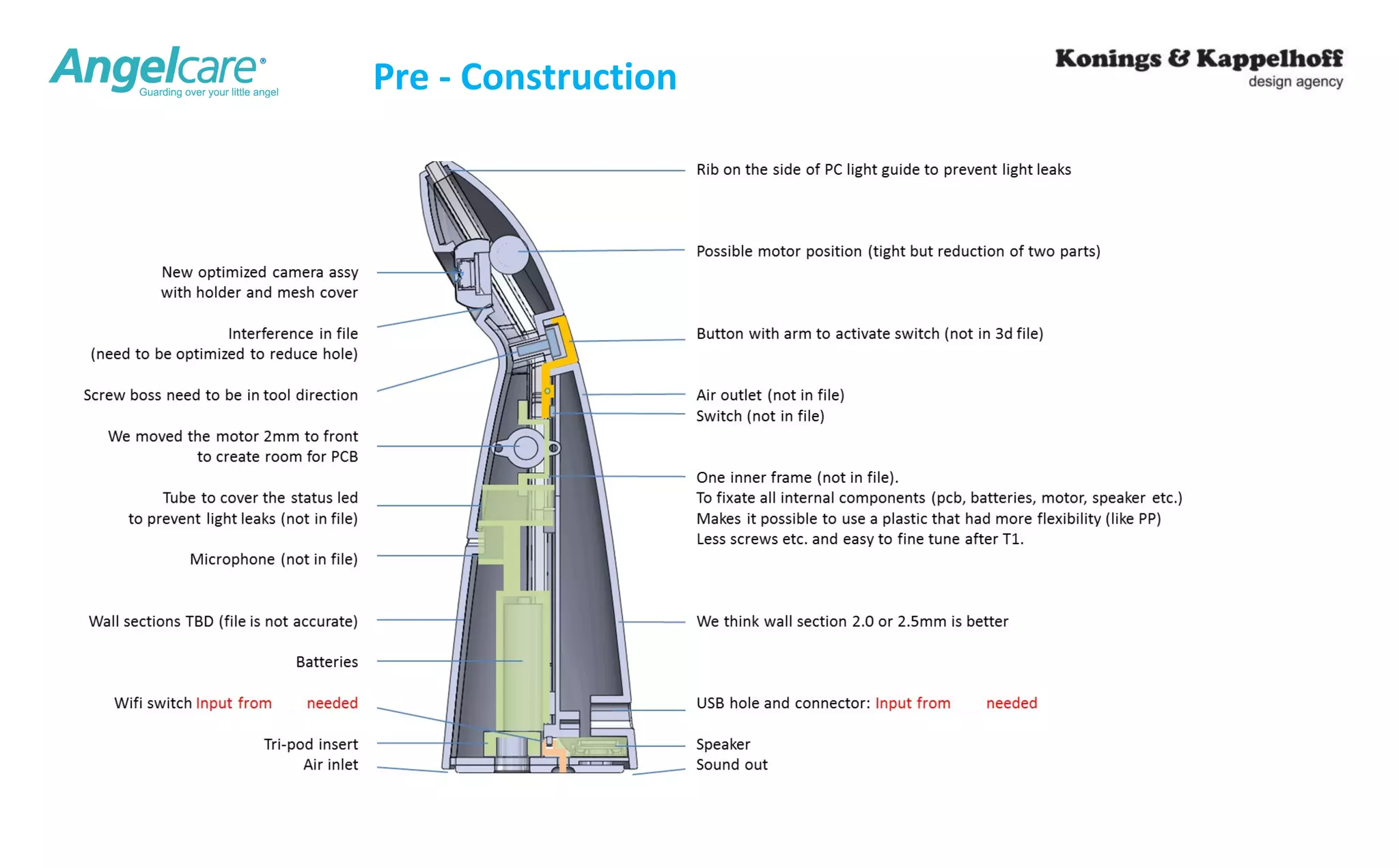
Pre - Construction
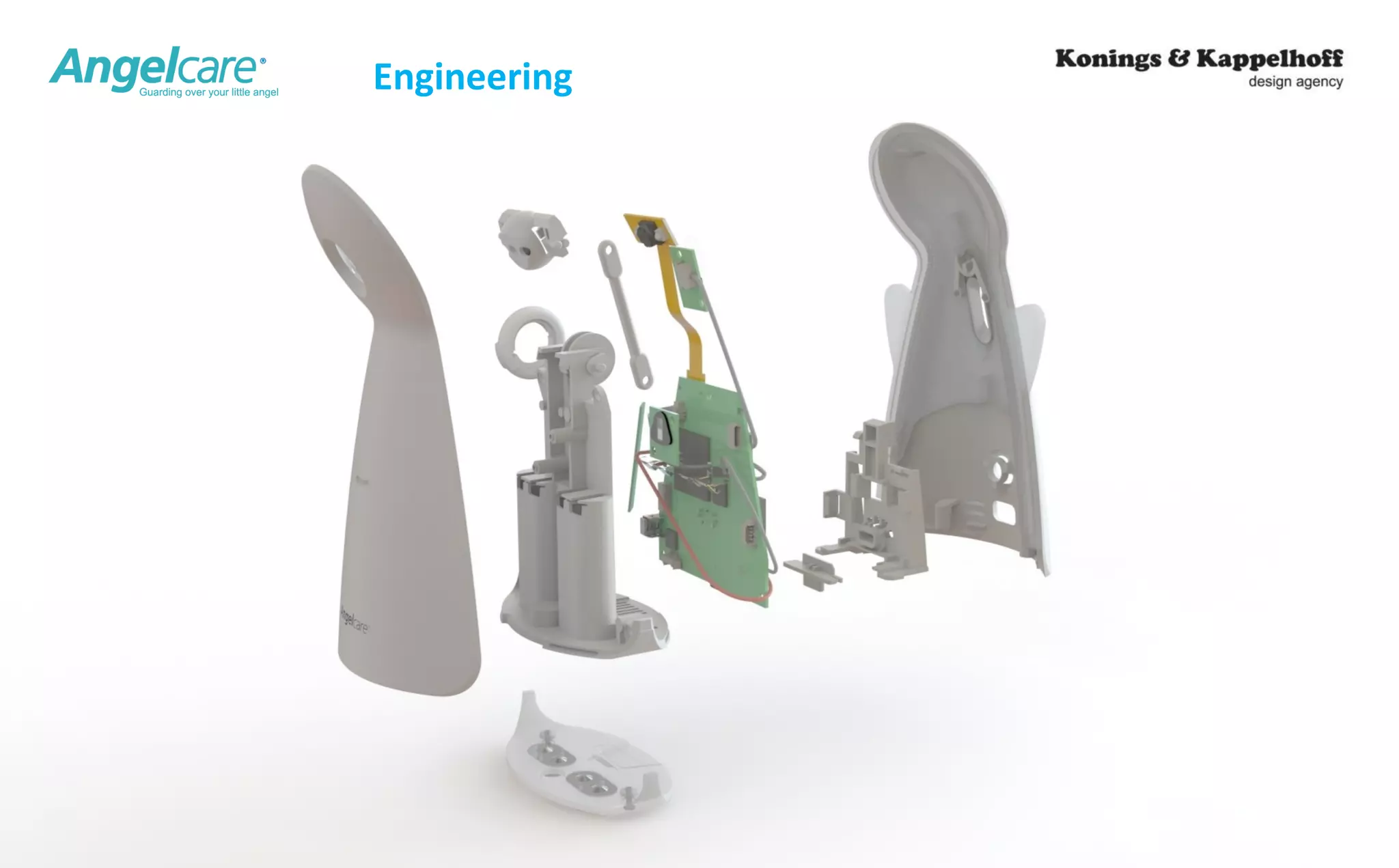
Engineering
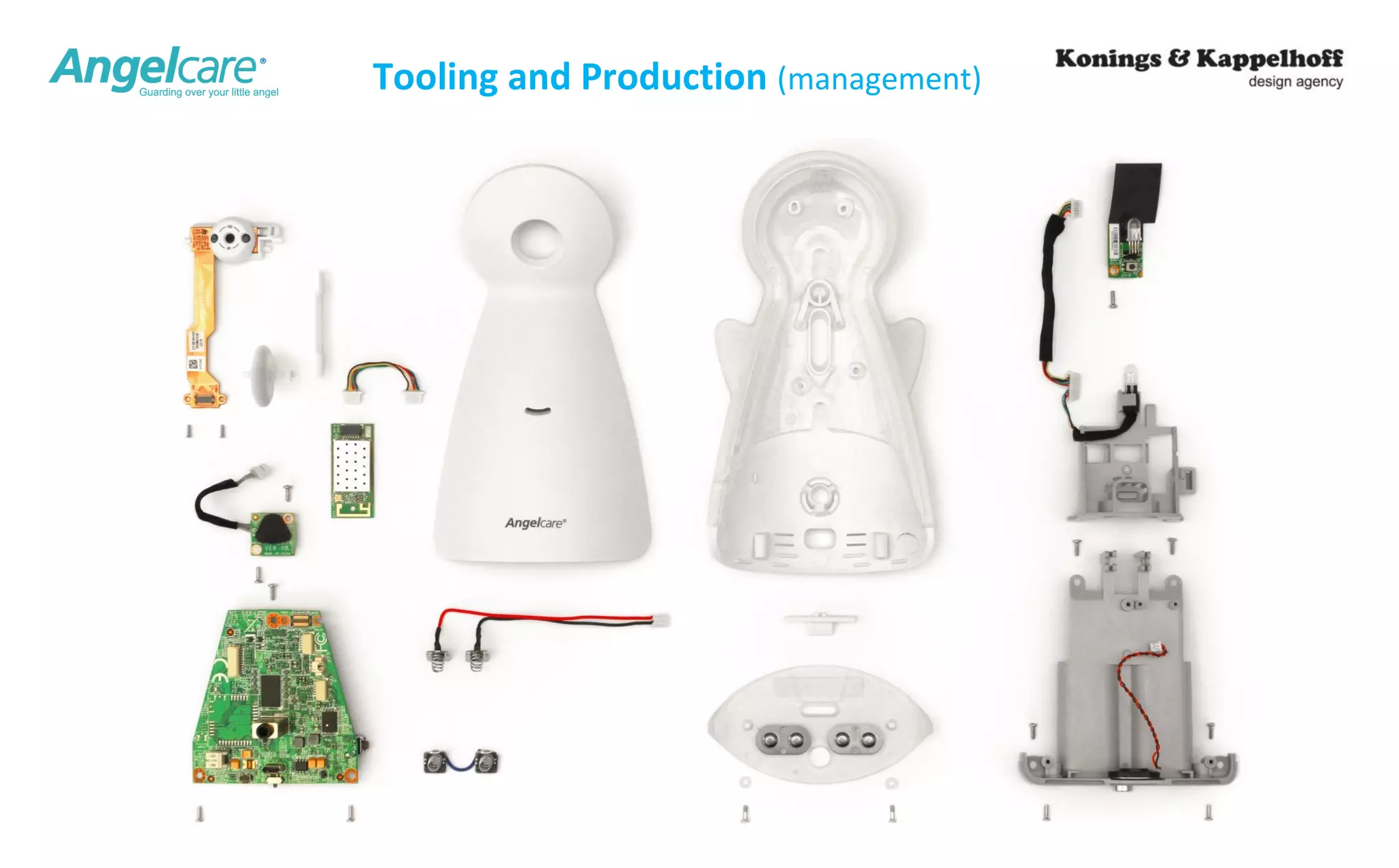
Tooling and Production (management)
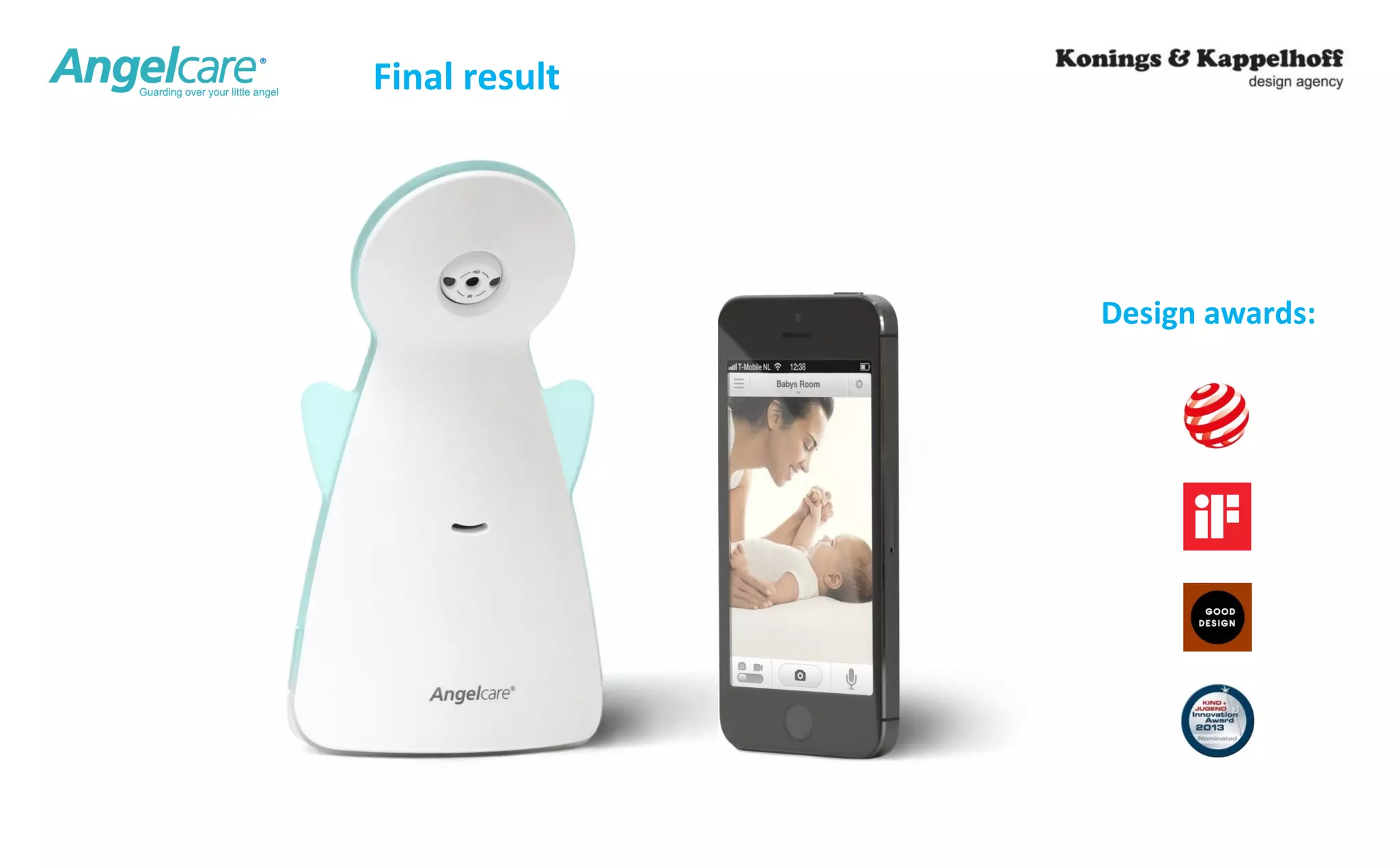
Design awards: 
Final result
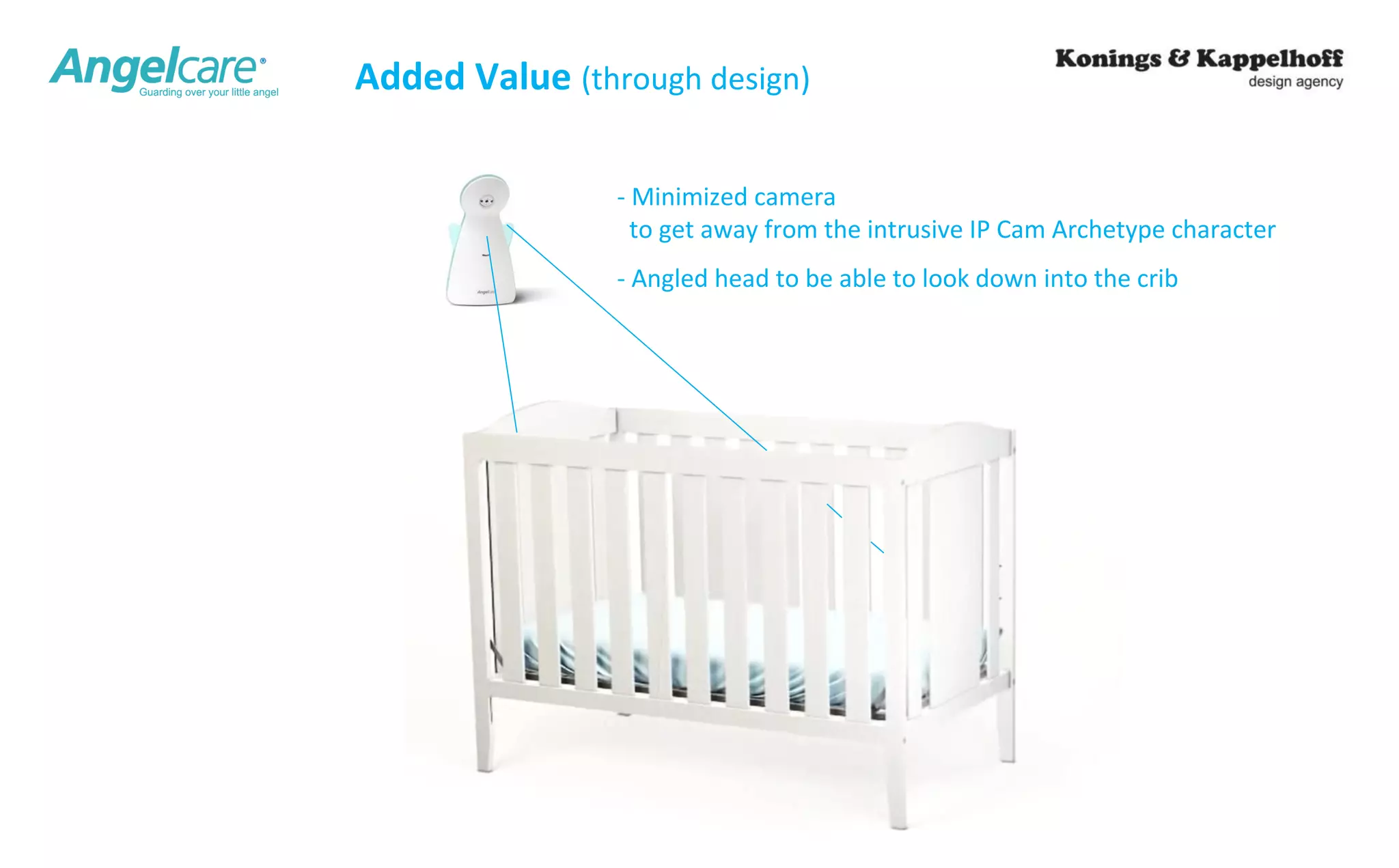
Added Value (through design) 
- Minimized camera 
to get away from the intrusive IP Cam Archetype character 
- Angled head to be able to look down into the crib
27 
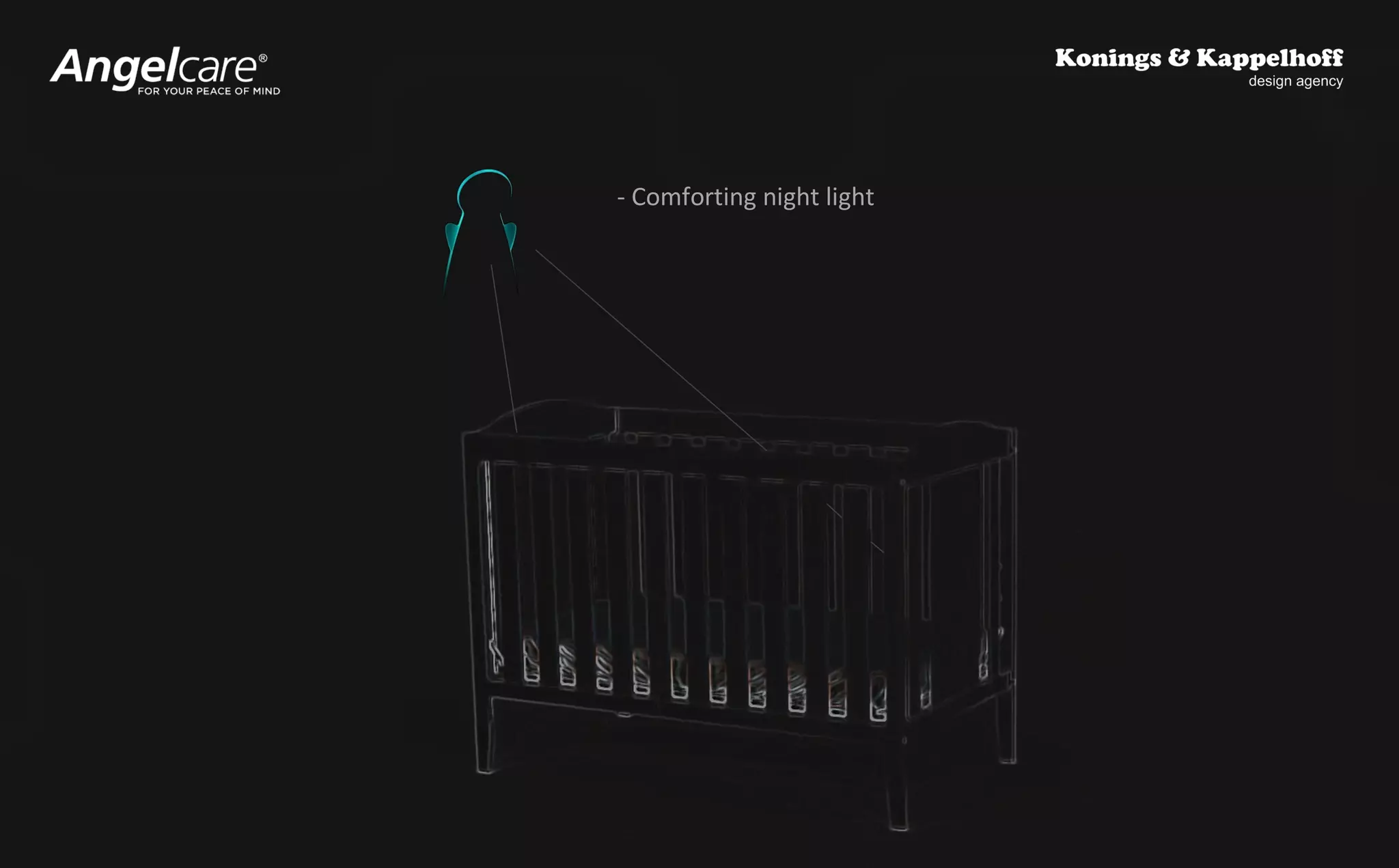
- Comforting night light
Do and Don’ts 
1. We advice our clients to keep the project management in there own hands. 
Insure you (as a client) have direct contact with all the team members. 
Avoid a chain of responsibilities / communication. 
If needed add independent experts to the team to ask the right questions. 
In short: Do not believe in One-Stop-Shopping. 
(they will do the shopping for you and you will have less control and spend more money). 
2. Create a detailed user scenarios and test as soon as possible. 
3. If you need to innovate, develop it first and find production later. 
Original Design Manufacturers are great when everything is clear. 
Demand an open cost calculations with a pre-specified margin. 
4. Save budget to optimize the software & app after product introduction. 
5. Do not think it can be done quicker 
The only way is to cut corners… and the overall quality will suffer.
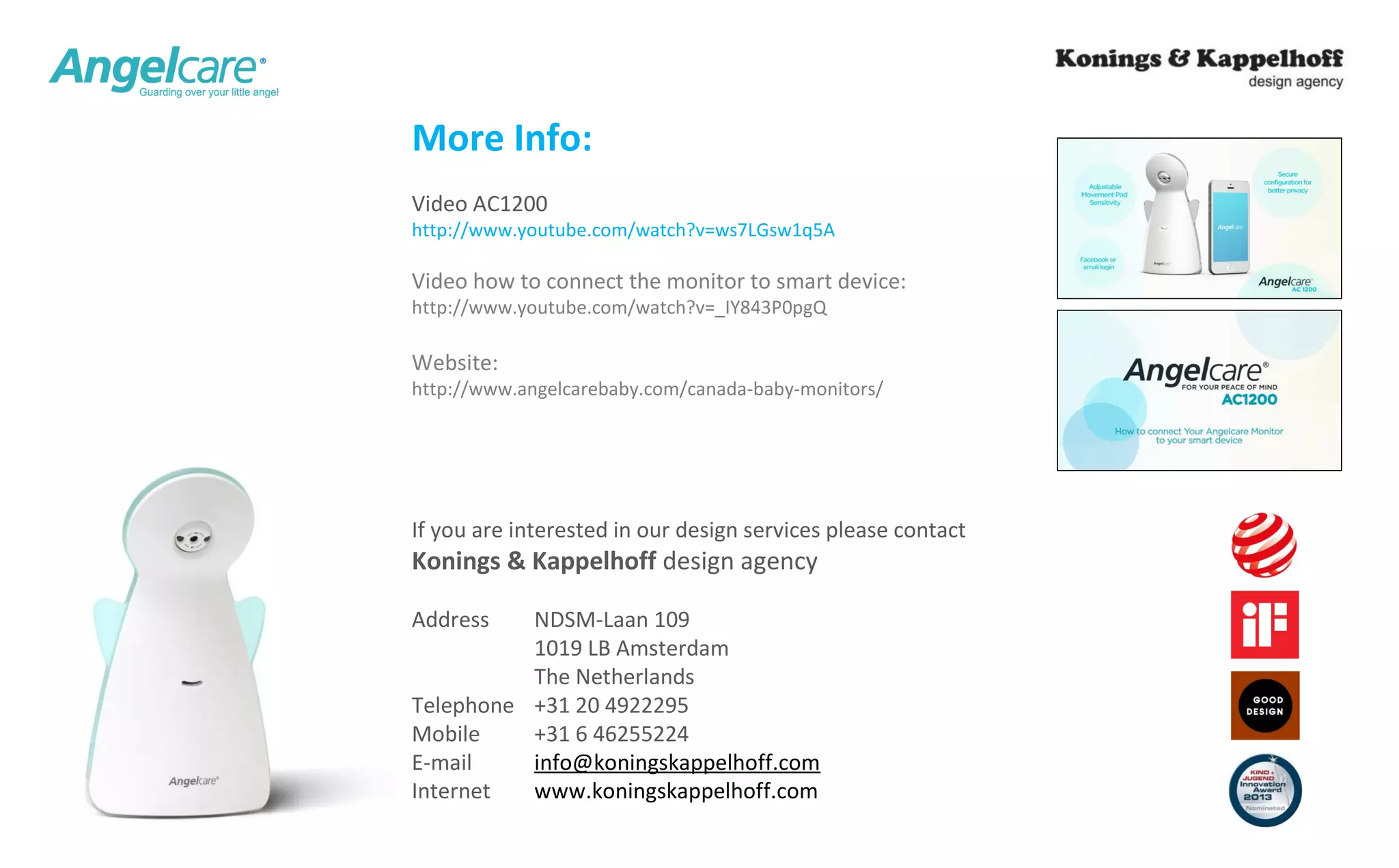
More Info: 
Video AC1200 
http://www.youtube.com/watch?v=ws7LGsw1q5A 
Video how to connect the monitor to smart device: 
http://www.youtube.com/watch?v=_IY843P0pgQ 
Website: 
http://www.angelcarebaby.com/canada-baby-monitors/ 
If you are interested in our design services please contact 
Konings & Kappelhoff design agency 
Address NDSM-Laan 109 
1019 LB Amsterdam 
The Netherlands 
Telephone +31 20 4922295 
Mobile +31 6 46255224 
E-mail info@koningskappelhoff.com 
Internet www.koningskappelhoff.com

K&K smart connected devices, internet of things

  • 1.
    K&K IoT Lecture As a leading design agency, Konings & Kappelhoff were asked to give a lecture at the annual Internet of things event on the 3rd of June 2014. We made this presentation so you can also benefit from our experience developing smart devices. Wouter Konings presents the creation process of their award winning Angelcare video monitor and some tips he would like to share.
  • 2.
    “Industrial Design ofSmart Devices” Case - Development of a Video Baby Monitor with Internet Connectivity -
  • 3.
    Portfolio: Consumer Electronics| Medical | Office & Retail | Professional | Juvenile We work for: Nike | Dell | Philips | Siemens | Panasonic | MSI | Dyson | Steelcase | Heineken | KPN | ASML | FEI | and others
  • 4.
    Preferred Supplier forPhilips & Avent
  • 5.
    Our Smart ConnectedDevice projects Water Boilers Poker Control Pay Terminal System Mobile Video Camera for Valiant for Testev for Magna Carta for ZepCam Smart Products 360 Cam (and other devices) Internet Alarm Clock Smart Medical Device for Panasonic for ….. for ….. for …..
  • 6.
  • 7.
    IP Video Monitor - Canadian manufacturer of juvenile products - Nr. 2 in baby monitors world wide - Movement detection sensor pad New IP Video Monitor Project: -Innovative project -New development partner & supplier -High volume production -No external investment needed
  • 8.
    Activities | Projectpartners Client / project management Industrial design Mechanical Engineering Chipset Electronic hardware Onboard software Product software App & website development Cloud back-end Tooling Production Angelcare (Canada) K&K design agency (NL) Grain Media Original Design Manufacturer (Asia) Software (Asia) Mobile developer (Canada) Chinese (managed by ODM) Mechanical Electronic Hardware Software Production
  • 9.
    Project plan /time line
  • 10.
  • 11.
    Sensing - Sound - Video - Movement Internet App Smart Device Baby Monitor User Case On line community (sharing with friends) Collection data -Personal client info -Security -Streaming Angelcare Servers
  • 12.
    User Interaction |App development (section of the app flow chart)
  • 13.
    Creating added value through industrial design
  • 14.
    Analyses (competition) Expressive Domestic Professional Neutral
  • 15.
    15 Sketching Idea& Concept Building
  • 16.
    Mechanisms (angle adjustment) Rotation at the back Rotation at the bottom Rotation at the side Internal rotation Tilted axis Ball joint Virtual rotation point Folding mechanism Flexible body Wires Mirror Fish-eye lens
  • 17.
    Mirror | ViewingAngle 100° 40° 15° 50 200 60 100 -40° 50 200
  • 18.
  • 19.
  • 20.
  • 21.
  • 22.
  • 23.
  • 24.
  • 25.
  • 26.
    Added Value (throughdesign) - Minimized camera to get away from the intrusive IP Cam Archetype character - Angled head to be able to look down into the crib
  • 27.
    27 - Comfortingnight light
  • 28.
    Do and Don’ts 1. We advice our clients to keep the project management in there own hands. Insure you (as a client) have direct contact with all the team members. Avoid a chain of responsibilities / communication. If needed add independent experts to the team to ask the right questions. In short: Do not believe in One-Stop-Shopping. (they will do the shopping for you and you will have less control and spend more money). 2. Create a detailed user scenarios and test as soon as possible. 3. If you need to innovate, develop it first and find production later. Original Design Manufacturers are great when everything is clear. Demand an open cost calculations with a pre-specified margin. 4. Save budget to optimize the software & app after product introduction. 5. Do not think it can be done quicker The only way is to cut corners… and the overall quality will suffer.
  • 29.
    More Info: VideoAC1200 http://www.youtube.com/watch?v=ws7LGsw1q5A Video how to connect the monitor to smart device: http://www.youtube.com/watch?v=_IY843P0pgQ Website: http://www.angelcarebaby.com/canada-baby-monitors/ If you are interested in our design services please contact Konings & Kappelhoff design agency Address NDSM-Laan 109 1019 LB Amsterdam The Netherlands Telephone +31 20 4922295 Mobile +31 6 46255224 E-mail info@koningskappelhoff.com Internet www.koningskappelhoff.com

Editor's Notes

  • #13 While those little vignettes are symbolic, here you see some real product concepts starting to take shape. Now that we have analysed the situation and created some design languages, it would be nice to hear how they “sound”..well in fact we are talking about “form language”, so in fact we want to see how this form language “looks” and how it can steer our concepts… We have had many ideas..as you can see here lots of design activity is taking place… We very much like an idea which we will call the “Mirror Concept”… The following slides show how we developed the “Mirror Concept” into the different design languages.
  • #15 While those little vignettes are symbolic, here you see some real product concepts starting to take shape. Now that we have analysed the situation and created some design languages, it would be nice to hear how they “sound”..well in fact we are talking about “form language”, so in fact we want to see how this form language “looks” and how it can steer our concepts… We have had many ideas..as you can see here lots of design activity is taking place… We very much like an idea which we will call the “Mirror Concept”… The following slides show how we developed the “Mirror Concept” into the different design languages.
  • #16 While those little vignettes are symbolic, here you see some real product concepts starting to take shape. Now that we have analysed the situation and created some design languages, it would be nice to hear how they “sound”..well in fact we are talking about “form language”, so in fact we want to see how this form language “looks” and how it can steer our concepts… We have had many ideas..as you can see here lots of design activity is taking place… We very much like an idea which we will call the “Mirror Concept”… The following slides show how we developed the “Mirror Concept” into the different design languages.
  • #17 While those little vignettes are symbolic, here you see some real product concepts starting to take shape. Now that we have analysed the situation and created some design languages, it would be nice to hear how they “sound”..well in fact we are talking about “form language”, so in fact we want to see how this form language “looks” and how it can steer our concepts… We have had many ideas..as you can see here lots of design activity is taking place… We very much like an idea which we will call the “Mirror Concept”… The following slides show how we developed the “Mirror Concept” into the different design languages.
  • #18 While those little vignettes are symbolic, here you see some real product concepts starting to take shape. Now that we have analysed the situation and created some design languages, it would be nice to hear how they “sound”..well in fact we are talking about “form language”, so in fact we want to see how this form language “looks” and how it can steer our concepts… We have had many ideas..as you can see here lots of design activity is taking place… We very much like an idea which we will call the “Mirror Concept”… The following slides show how we developed the “Mirror Concept” into the different design languages.
  • #19 While those little vignettes are symbolic, here you see some real product concepts starting to take shape. Now that we have analysed the situation and created some design languages, it would be nice to hear how they “sound”..well in fact we are talking about “form language”, so in fact we want to see how this form language “looks” and how it can steer our concepts… We have had many ideas..as you can see here lots of design activity is taking place… We very much like an idea which we will call the “Mirror Concept”… The following slides show how we developed the “Mirror Concept” into the different design languages.
  • #20 While those little vignettes are symbolic, here you see some real product concepts starting to take shape. Now that we have analysed the situation and created some design languages, it would be nice to hear how they “sound”..well in fact we are talking about “form language”, so in fact we want to see how this form language “looks” and how it can steer our concepts… We have had many ideas..as you can see here lots of design activity is taking place… We very much like an idea which we will call the “Mirror Concept”… The following slides show how we developed the “Mirror Concept” into the different design languages.
  • #22 One of the first things we did was create a working prototype with which we could experiment and use to optimise the viewing angles in Cad. This gave us a basic geometry…