







The JVM is your friend
Kai Koenig	

@AgentK
Web/Mobile Developer since the late 1990s	

Interested in: Java, CFML, Functional
Programming, Go, JS, Mobile, Raspberry Pi	

!
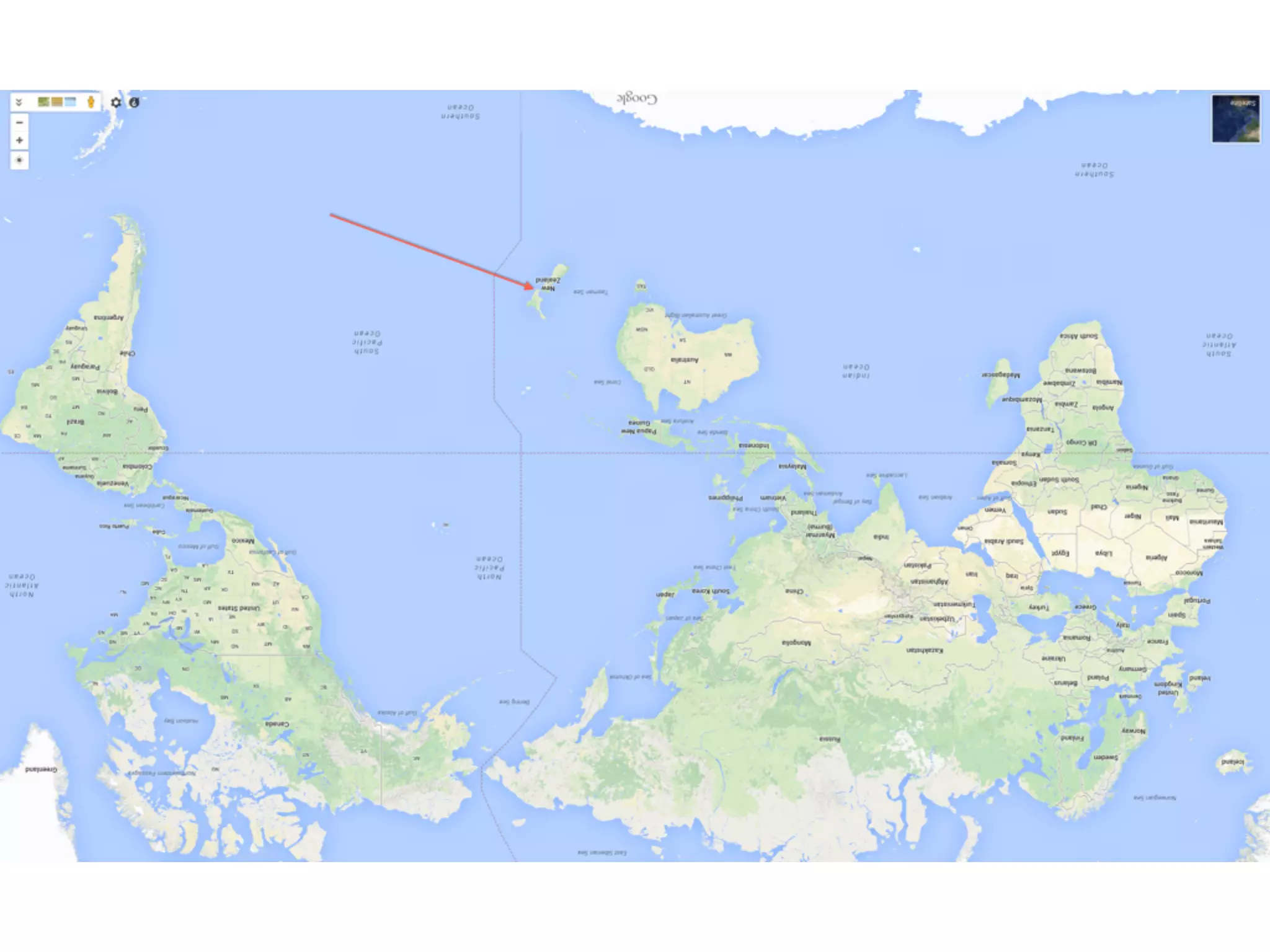
I’ve already showed you where I live :)	

Me
- The JVM and Java Memory Management

- What’s the big deal with Garbage Collection?

- GC Strategies for various situations & JVMs

- How to approach JVM “tuning”?

- CFML specifics

Agenda
The JVM and Java Memory
Management
JVM Architecture 
(“What’s that JVM thing?”)
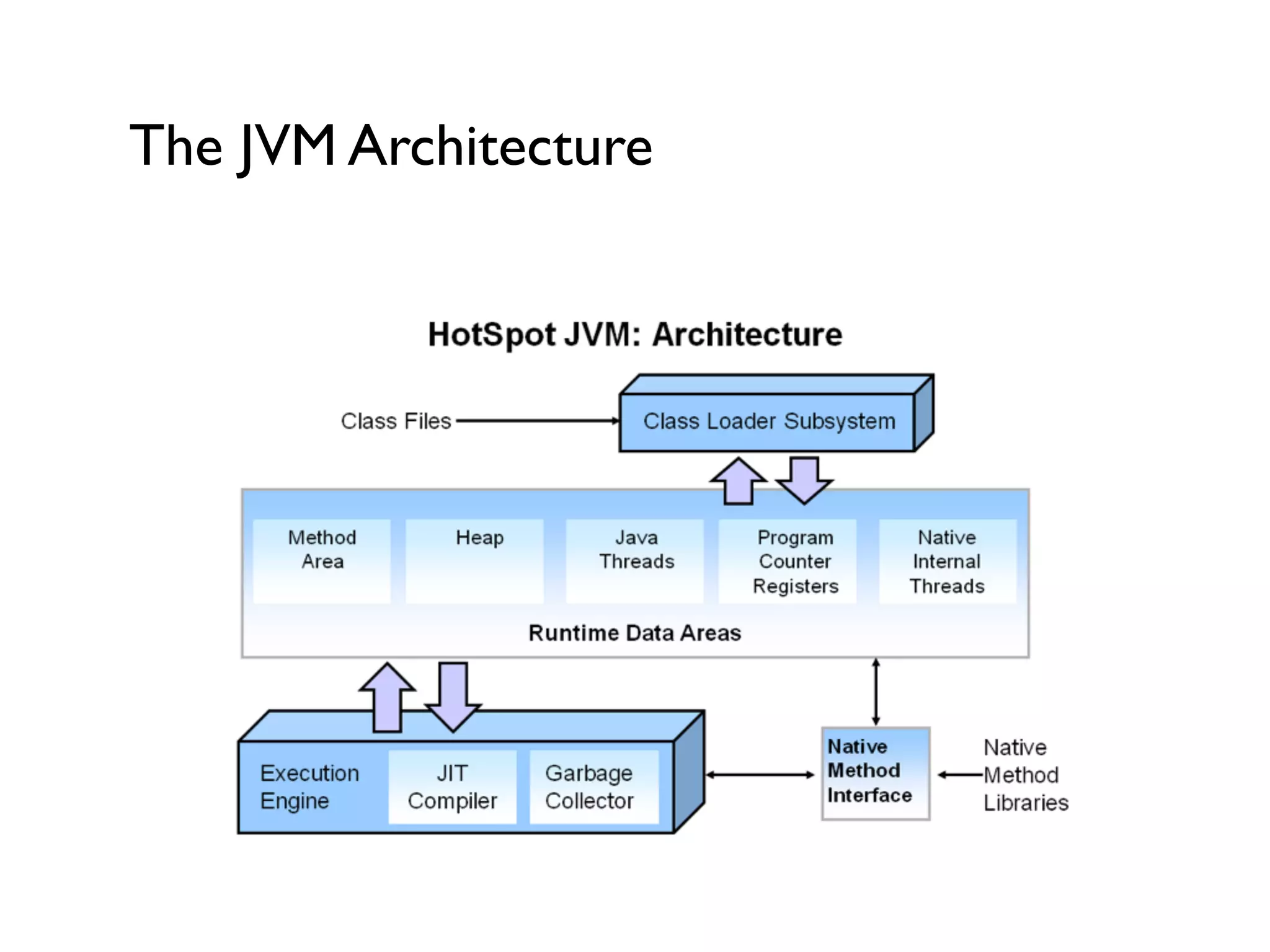
The JVM Architecture
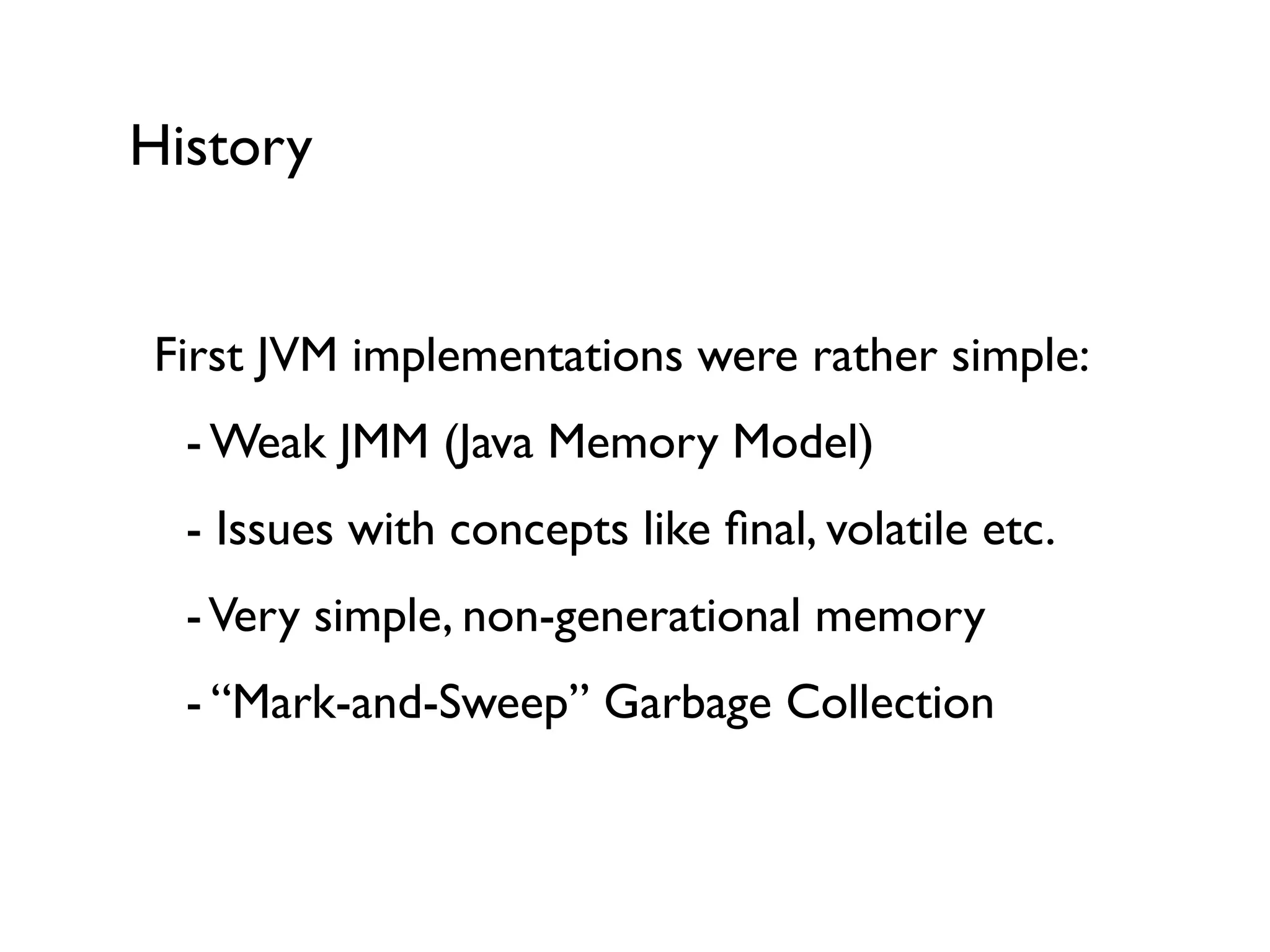
History
First JVM implementations were rather simple:	


 - Weak JMM (Java Memory Model)	


 - Issues with concepts like final, volatile etc.	


 -Very simple, non-generational memory	


 - “Mark-and-Sweep” Garbage Collection	

!
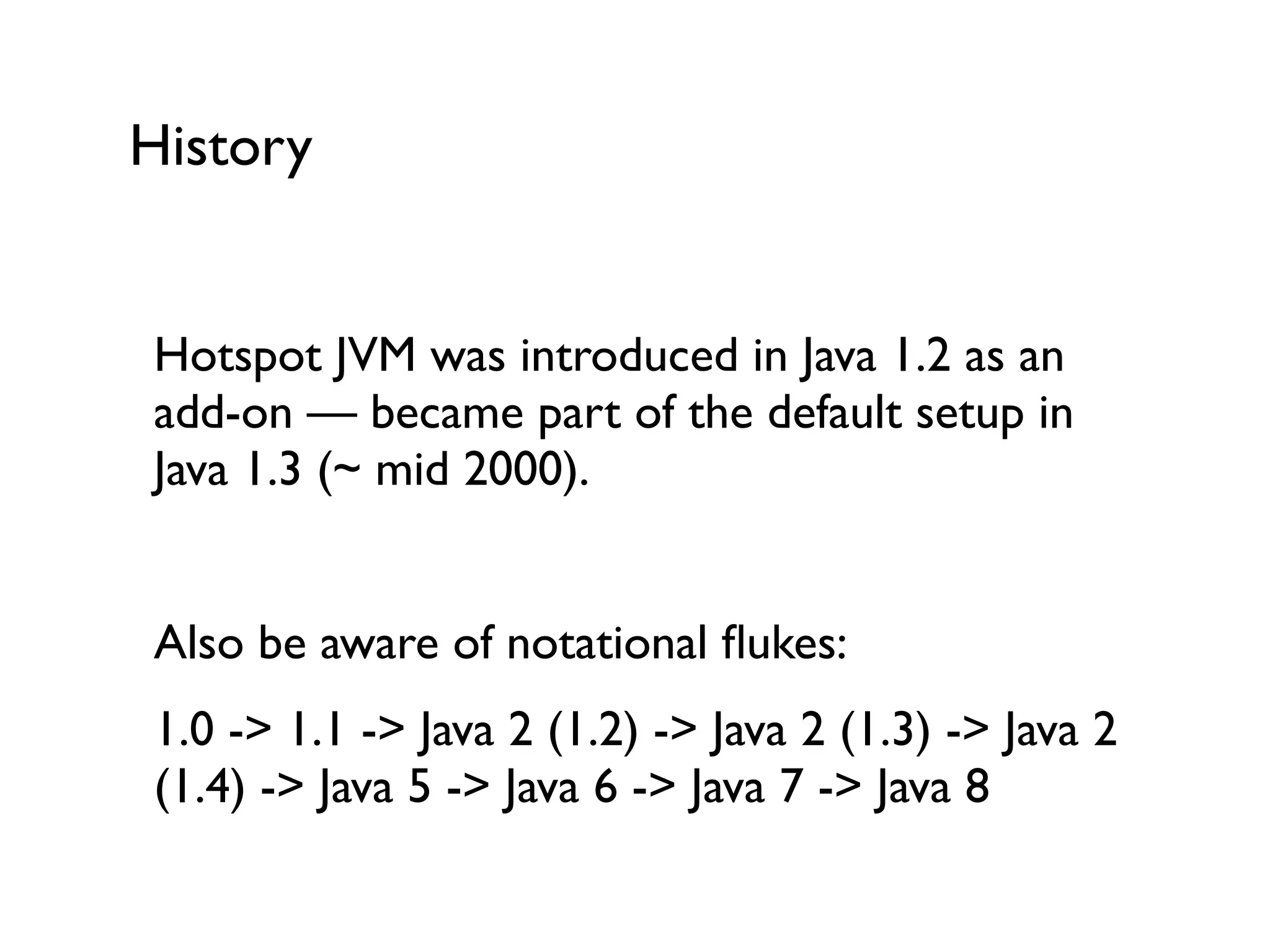
History
Hotspot JVM was introduced in Java 1.2 as an
add-on — became part of the default setup in
Java 1.3 (~ mid 2000).	

!
Also be aware of notational flukes:	

1.0 -> 1.1 -> Java 2 (1.2) -> Java 2 (1.3) -> Java 2
(1.4) -> Java 5 -> Java 6 -> Java 7 -> Java 8
Modern JVMs
Generational Memory Management	

Generational Garbage Collection	

Hotspot JVM	

!
What’s the big deal with
Garbage Collection?
Garbage
(“Who made that mess?”)
JVM Garbage
Over time the JVM accumulates a lot of objects
that are not needed anymore.	

If we didn’t clean up, we’d get Out-Of-Memory
errors sooner or later.	

Q:What’s being cleaned up?	

A:“Dead” objects	

!
JVM Garbage Collection
Every single GC algorithm starts with some kind
of “marking”: identifying the objects that are not
necessary anymore.	

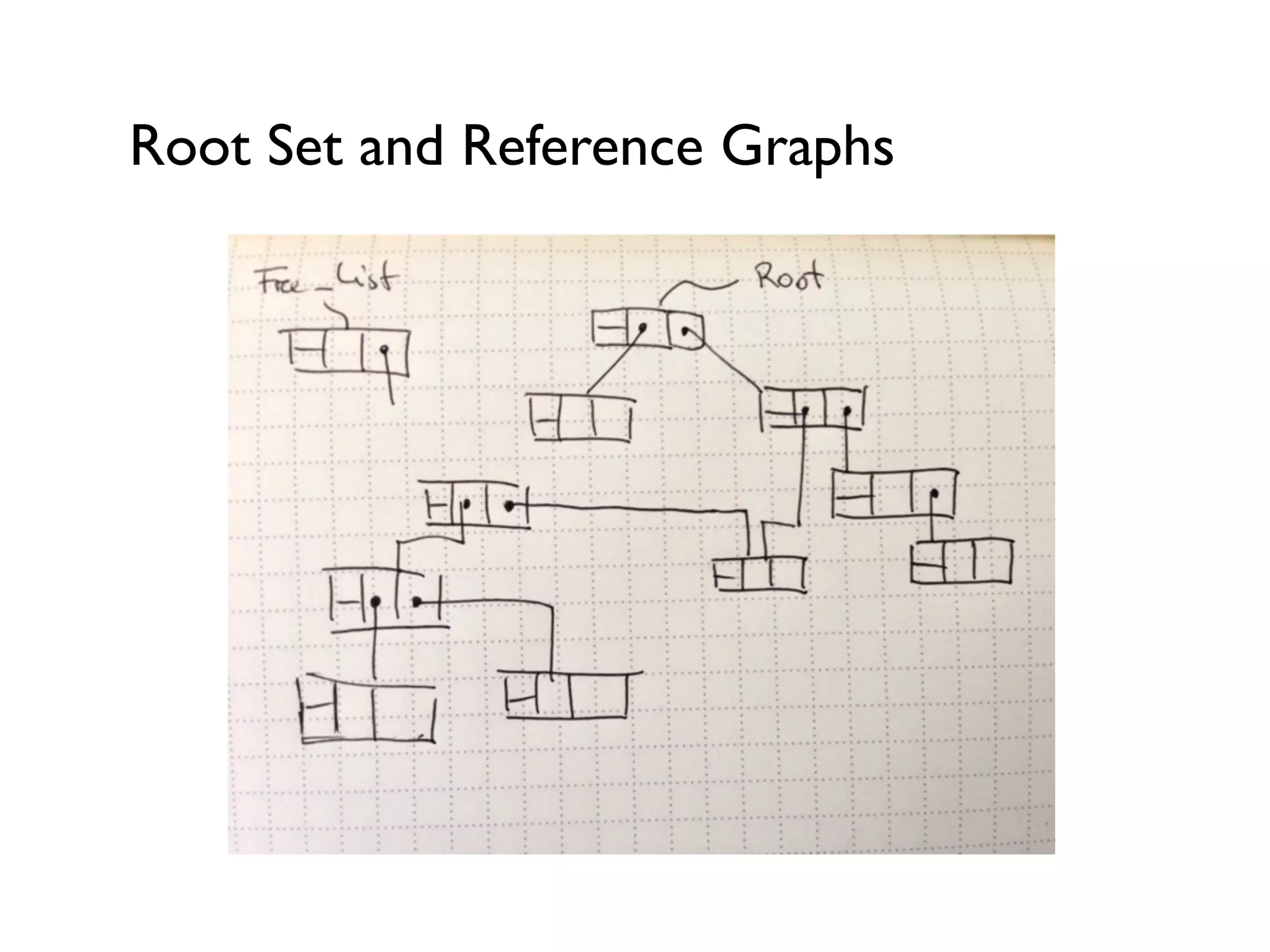
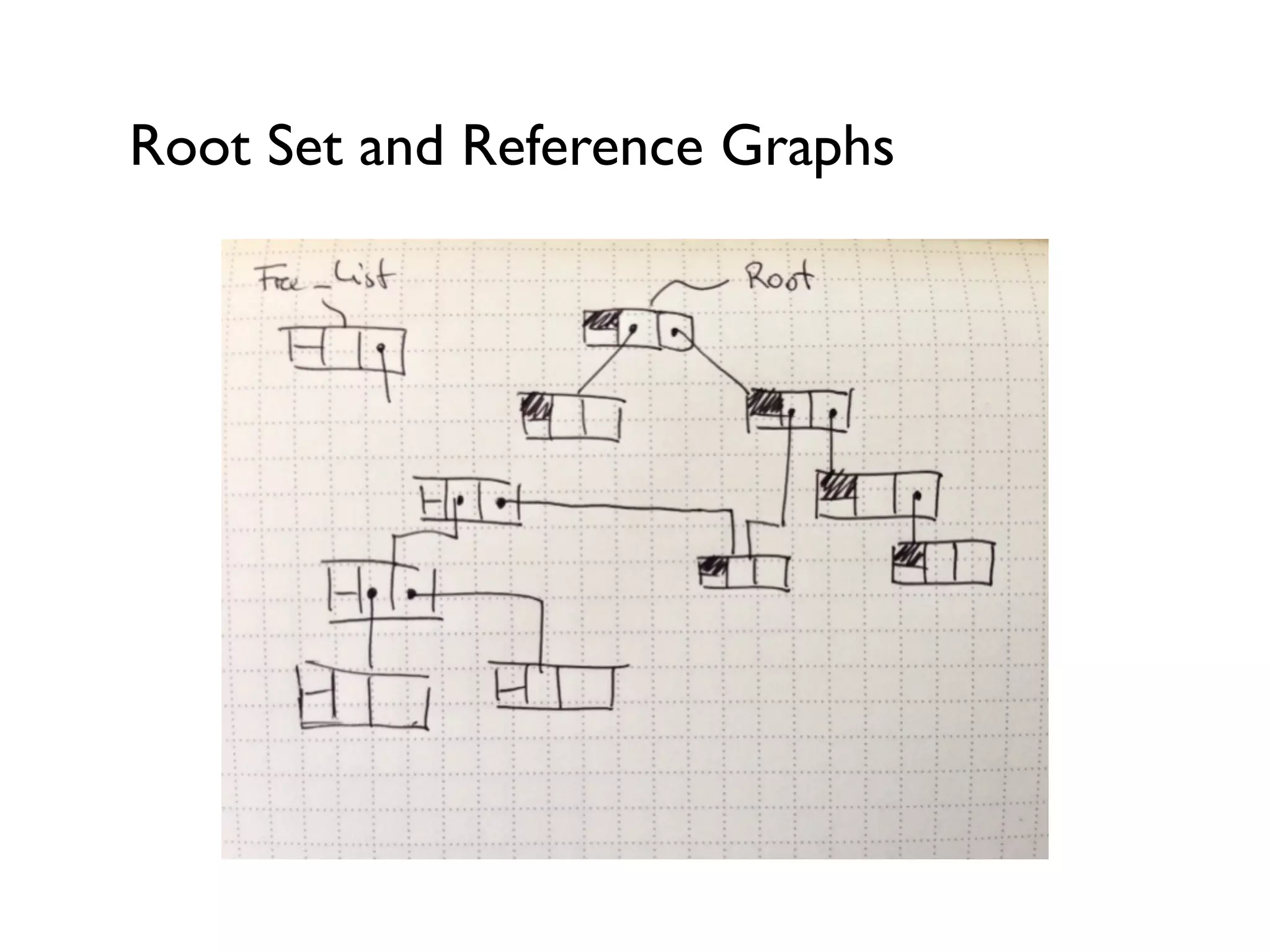
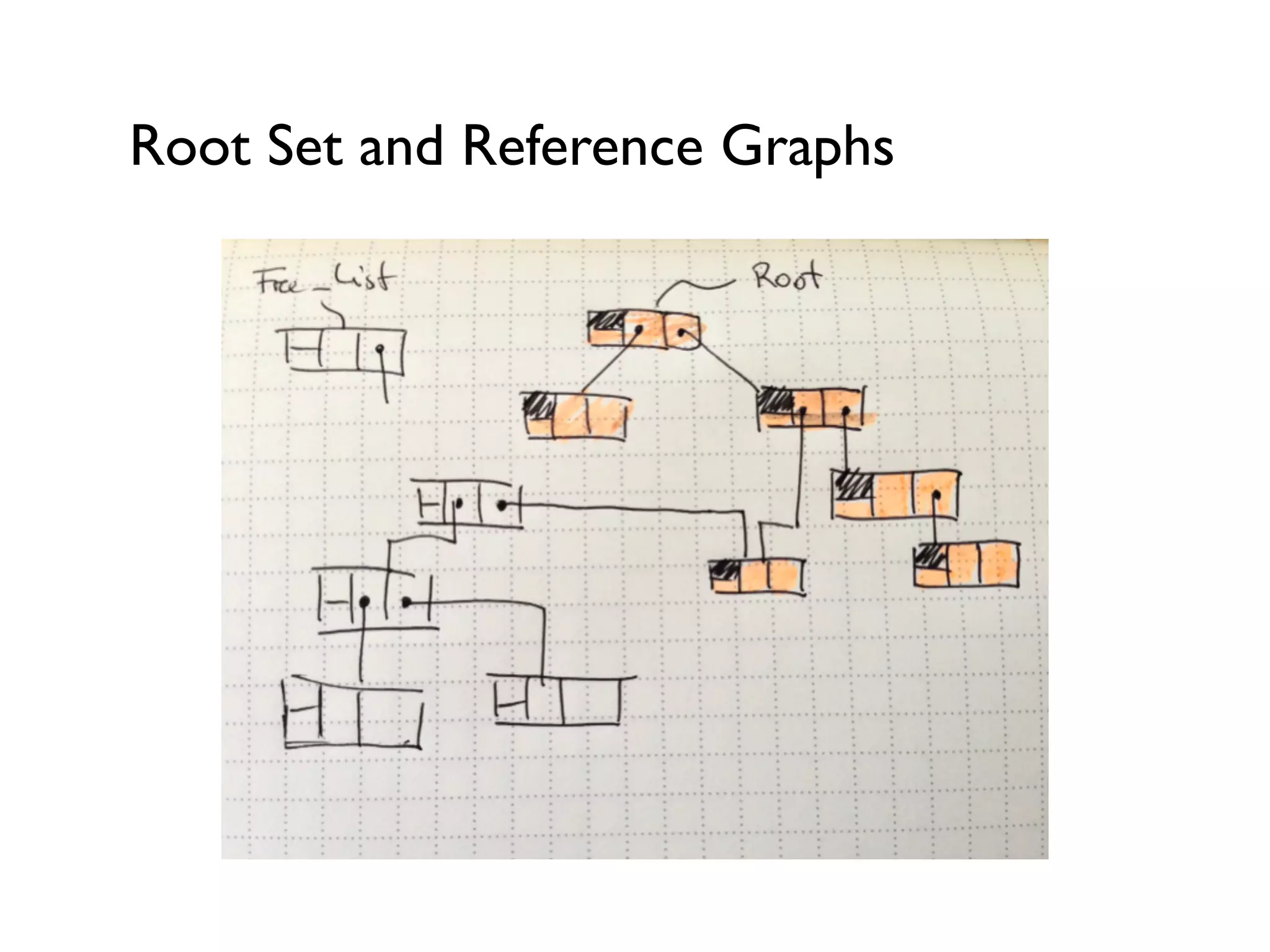
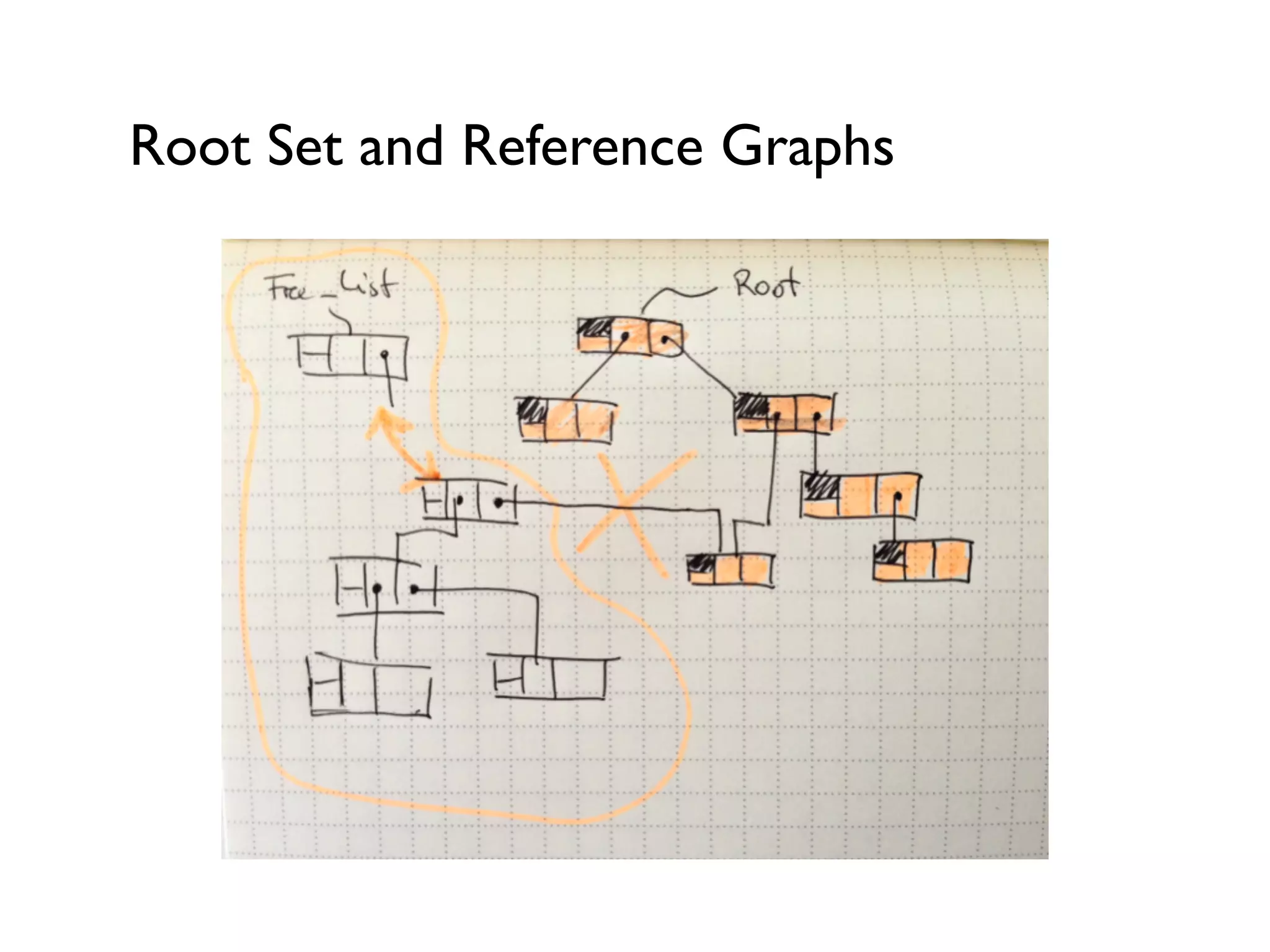
The Collector would start with a Root Set and
follow along object references it can reach.	

Everything else is Garbage and can go!	

Q:What’s the Root Set?
The Root Set
References on the Call Stacks of the JVM’s
threads	

Global References, e.g. static fields in Classes	

!
The Root Set are entry points into the reference
graph of “alive” objects.	

!
Root Set and Reference Graphs
What we’ve looked at is a basic “Mark-and-
Sweep” algorithm.	

The “Free List” could in the easiest form just be
used to mark memory as free.	

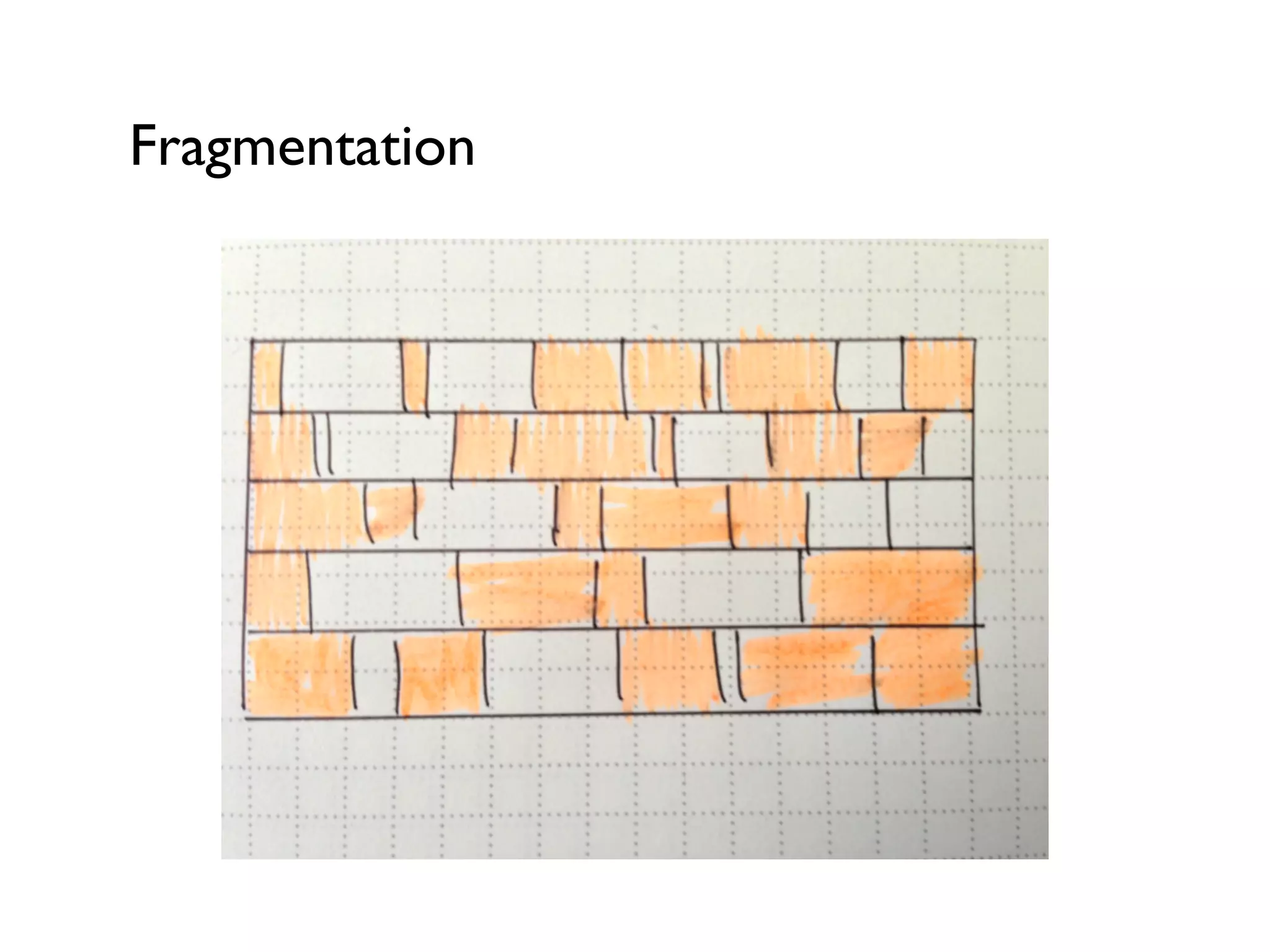
Problem: Fragmentation and therefore inability
to assign memory for new, fresh objects.	

!
Fragmentation
Generations
(“OK, let’s make this stuff really complicated”)
Basics of Generational Memory: Heap
Stores your objects and classes at the JVM’s
runtime.	

Usually the following basic assumptions are true:	


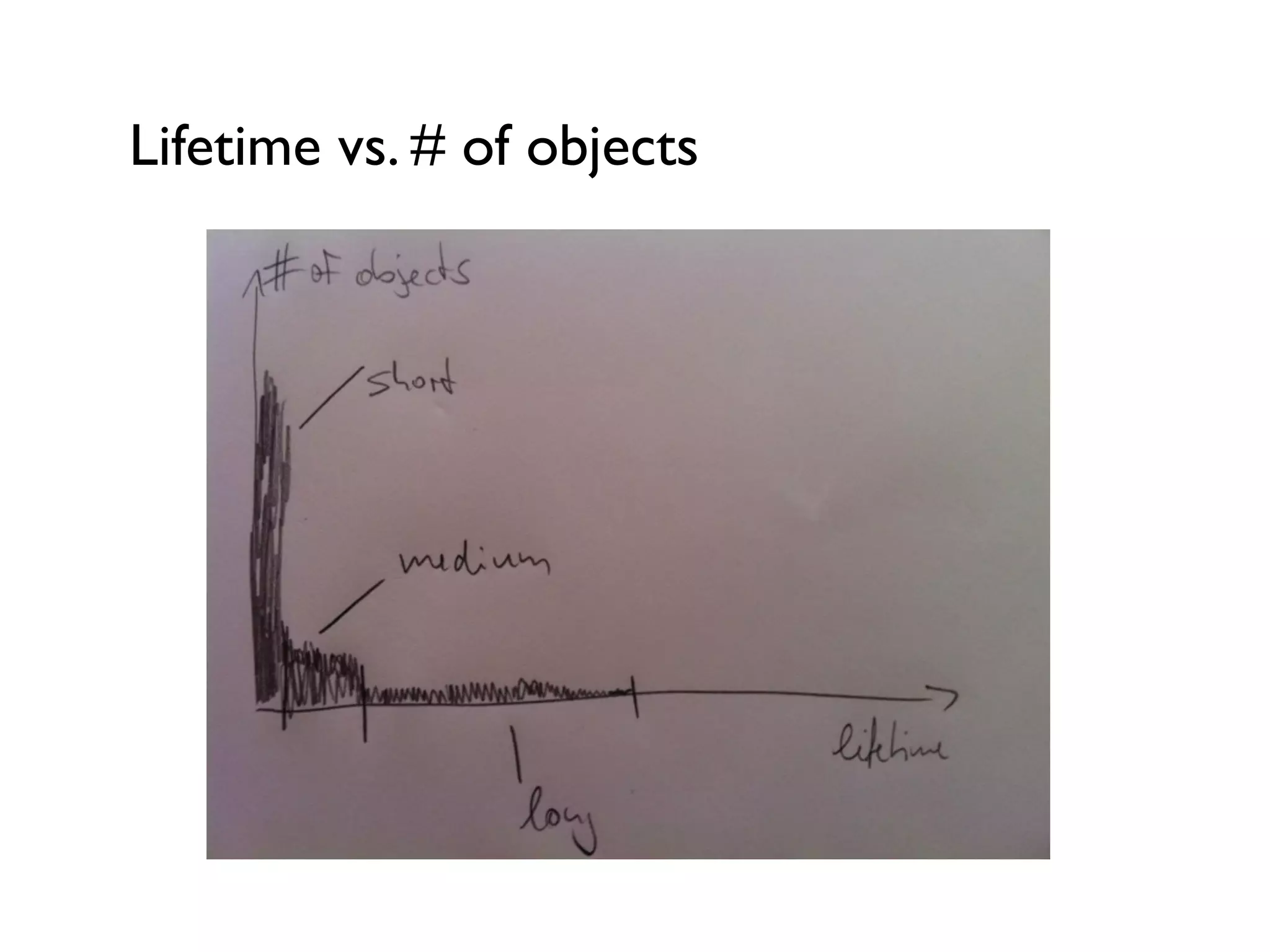
 - Lots of short-lived objects	


 -Very few (or: fewer) long-lived objects	

Also function-local objects are created here.
Lifetime vs. # of objects
Heap management
The JVM can’t know in advance what the lifespan
of a certain object would be.	

Generational Memory Management is a solution
to overcome this issue and fragmentation:	


 -Young Generation	


 - Old Generation / Tenured Generation	


 - Permanent Generation (special case…)
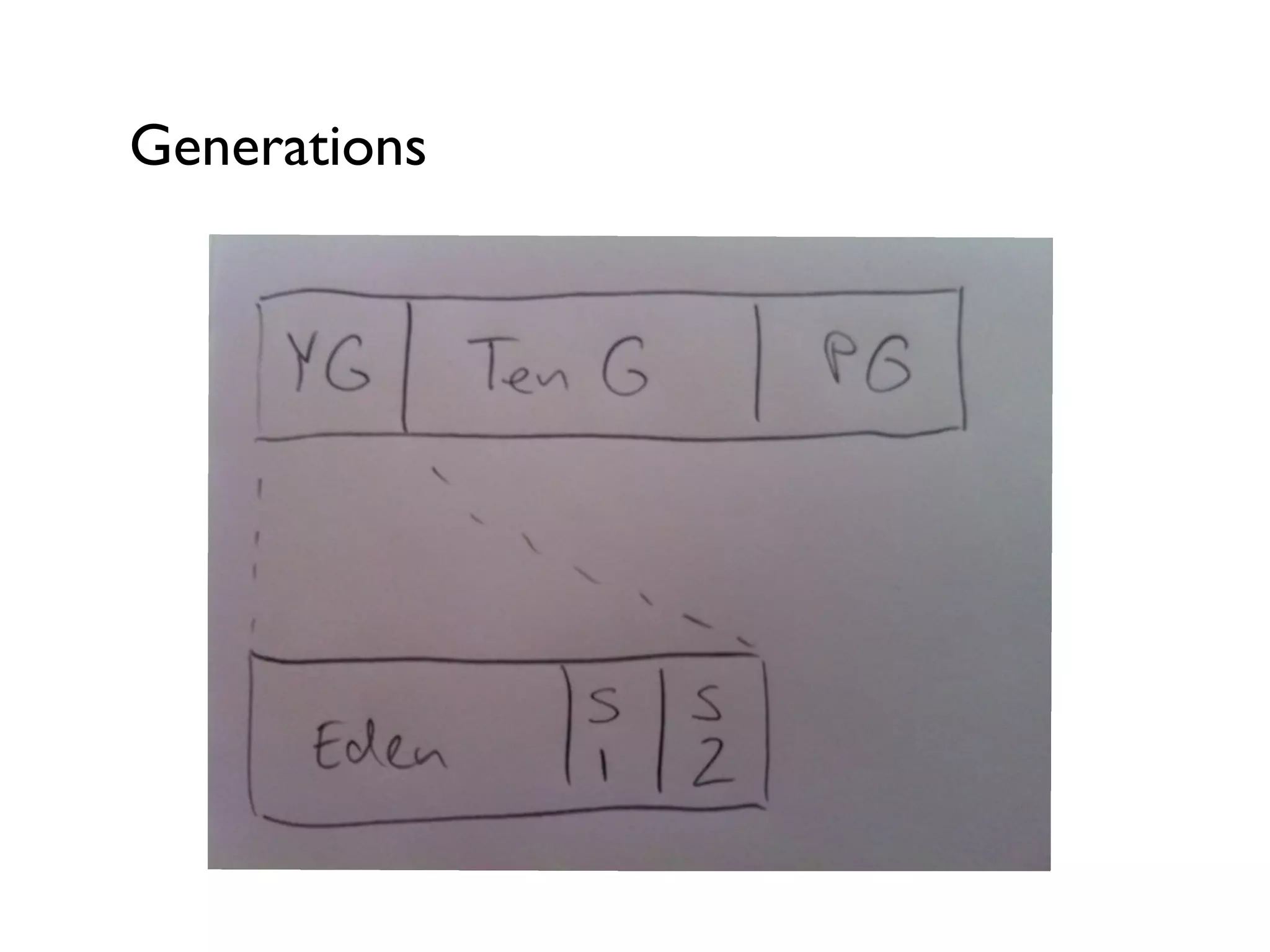
Generations
Young Generation - for new objects
!
!
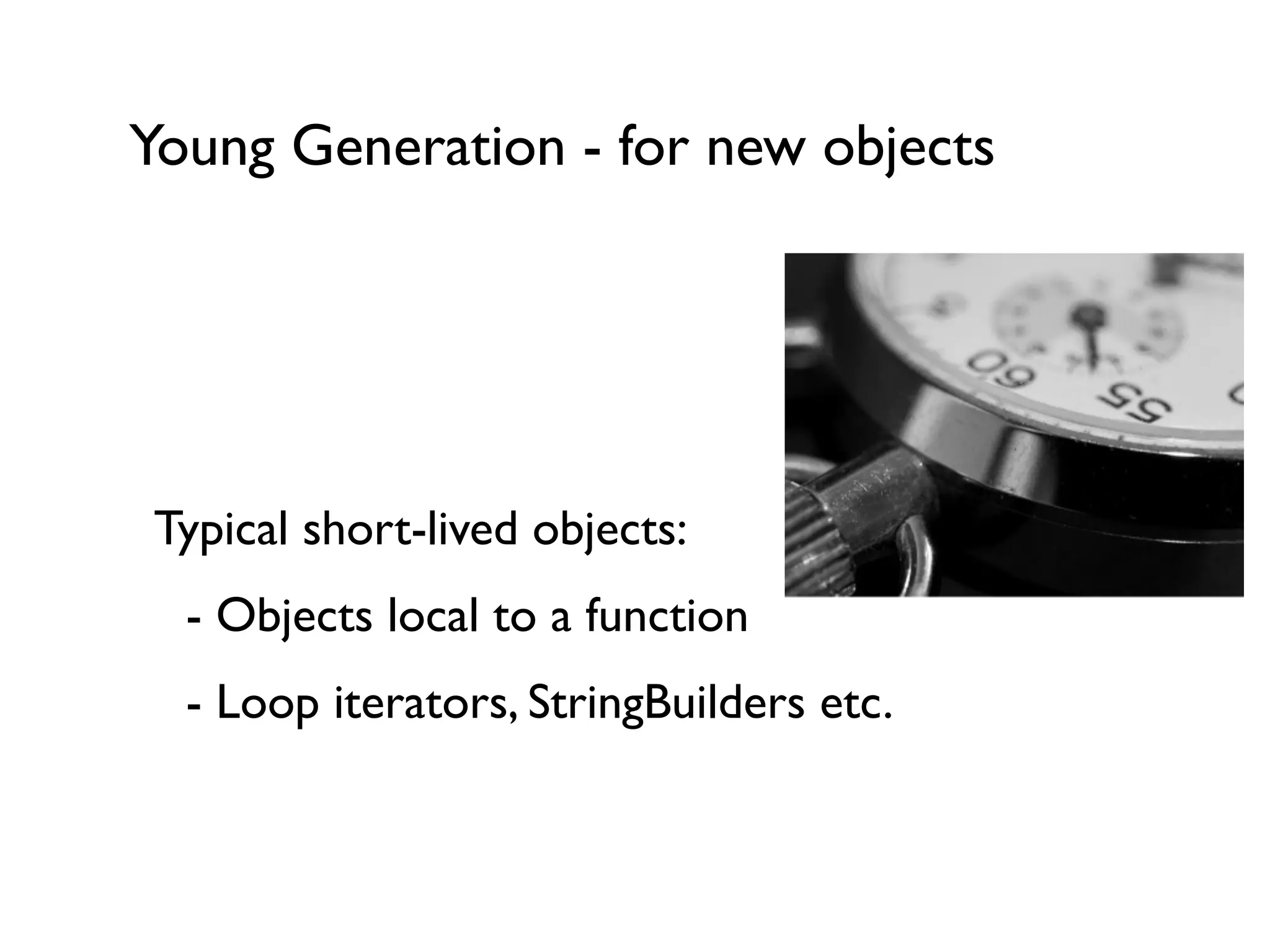
Typical short-lived objects:	


 - Objects local to a function	


 - Loop iterators, StringBuilders etc.	

!
Young Generation - for new objects
!
!
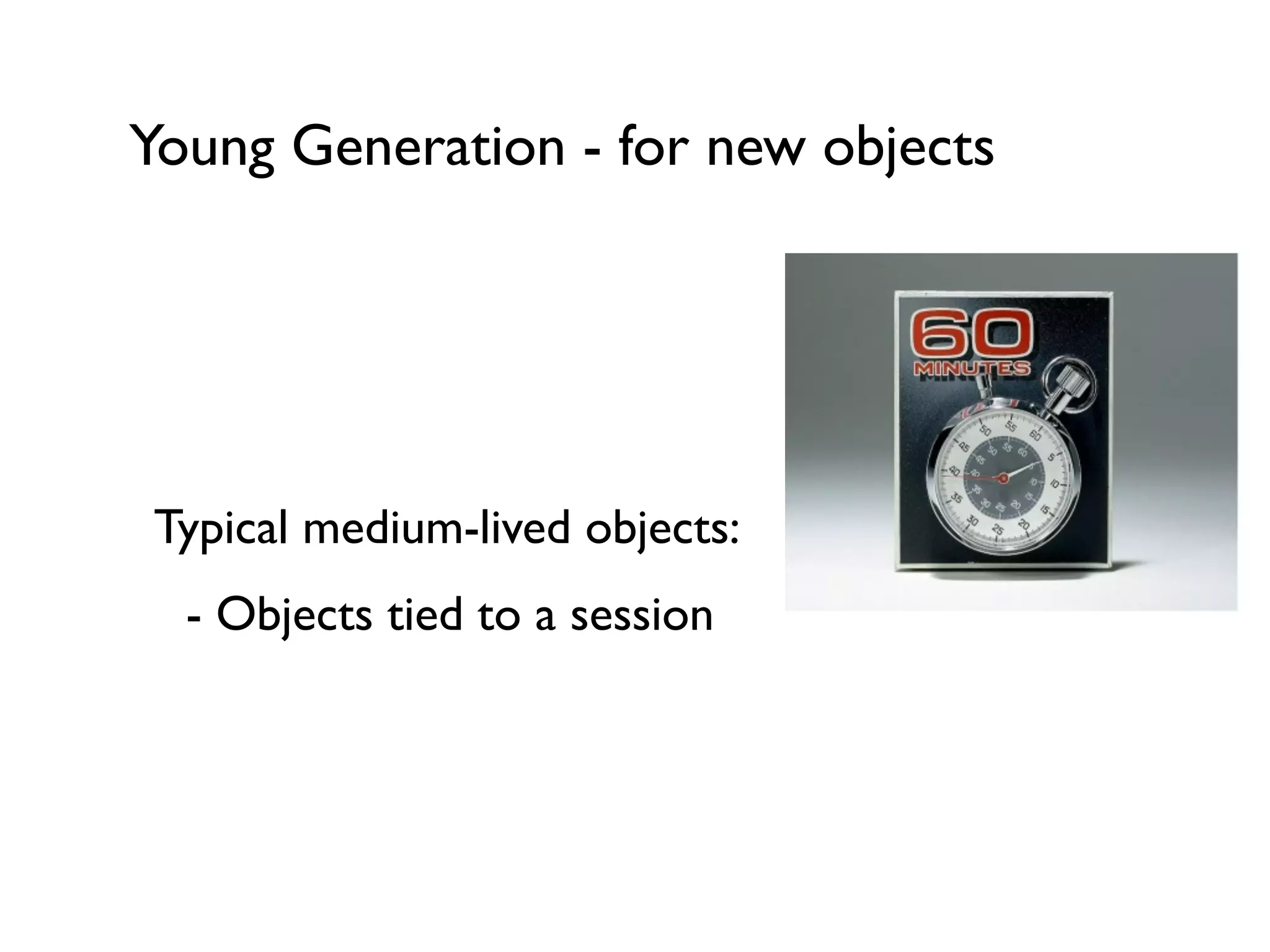
Typical medium-lived objects:	


 - Objects tied to a session	

!
!
Young Generation - for new objects
!
!
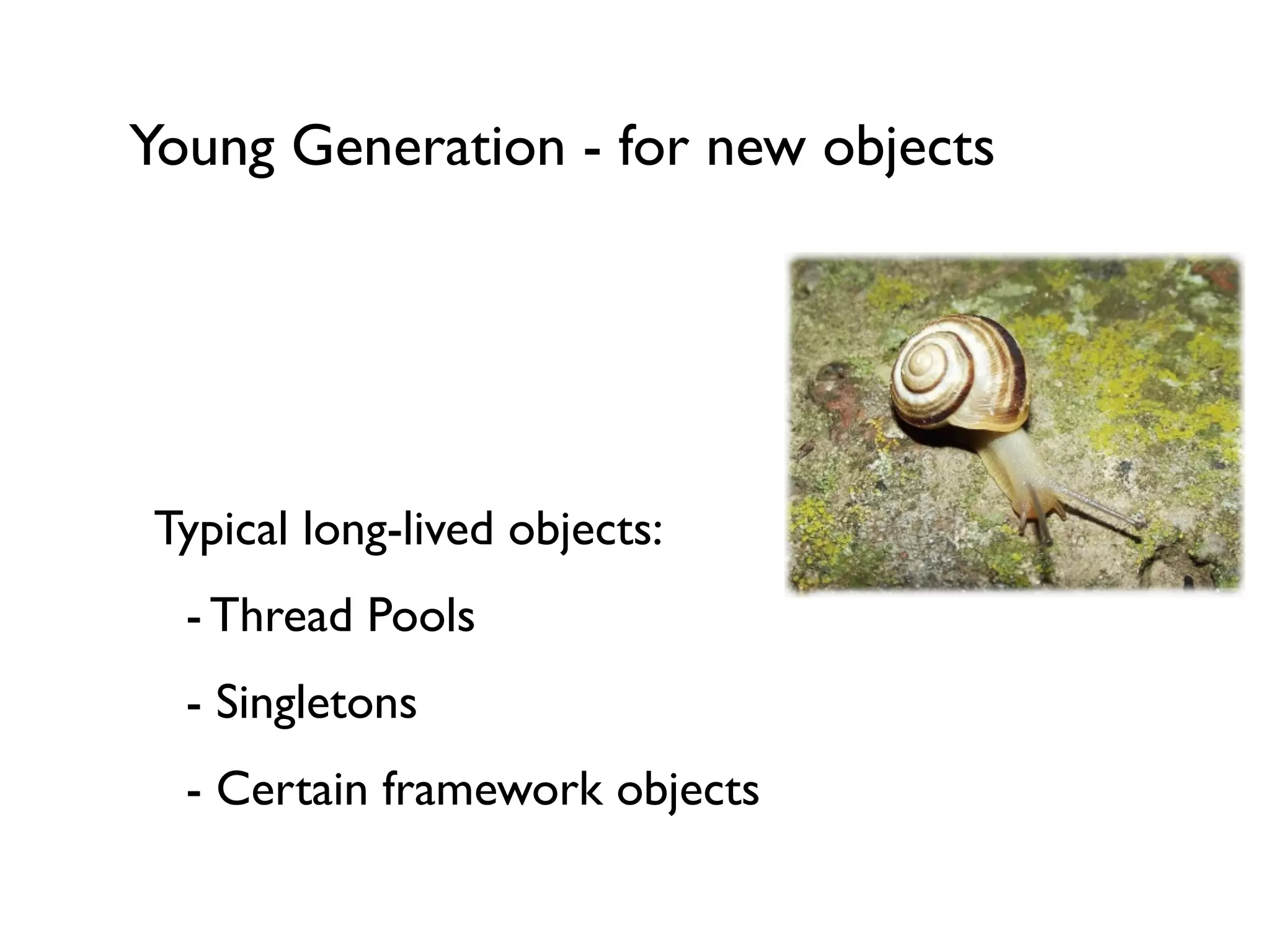
Typical long-lived objects:	


 - Thread Pools	


 - Singletons	


 - Certain framework objects
Young Generation - what happens next?
In general and following the theory of
Generational Memory Management:	


 -YG fills up -> Garbage Collection happens	


 -YG collection is supposed to be fast	

If an object survives a certain amount of
collections in theYG, the JVM will assume the
object is medium- or long-lived and move it into
the Old Generation.
Old Generation
Over time, more long-lived objects end up in the
Old Generation and at some point it’s going to
be full.	

In general and following the theory of
Generational Memory Management:	


 - OG fills up -> Garbage Collection happens	


 - OG collection is usually slower thanYG	


- Size of OG
Why is Generational Memory good?
Lots of garbage - cleaning it up fast is worthwhile	

Generational Memory Management:	


 -YG GC often -> space for new objects	


 - Each generation focusses on “type” of objects	


 - GC doesn’t have to search the whole heap	

!
!
Permanent Generation
Not a “Generation” as such, but still needs to be
managed appropriately.	

Stores:	


 - Classes	


 - Internal JVM objects	


 - JIT information	

!
GC Strategies for various
situations & JVMs
Generation Strategy(optional)
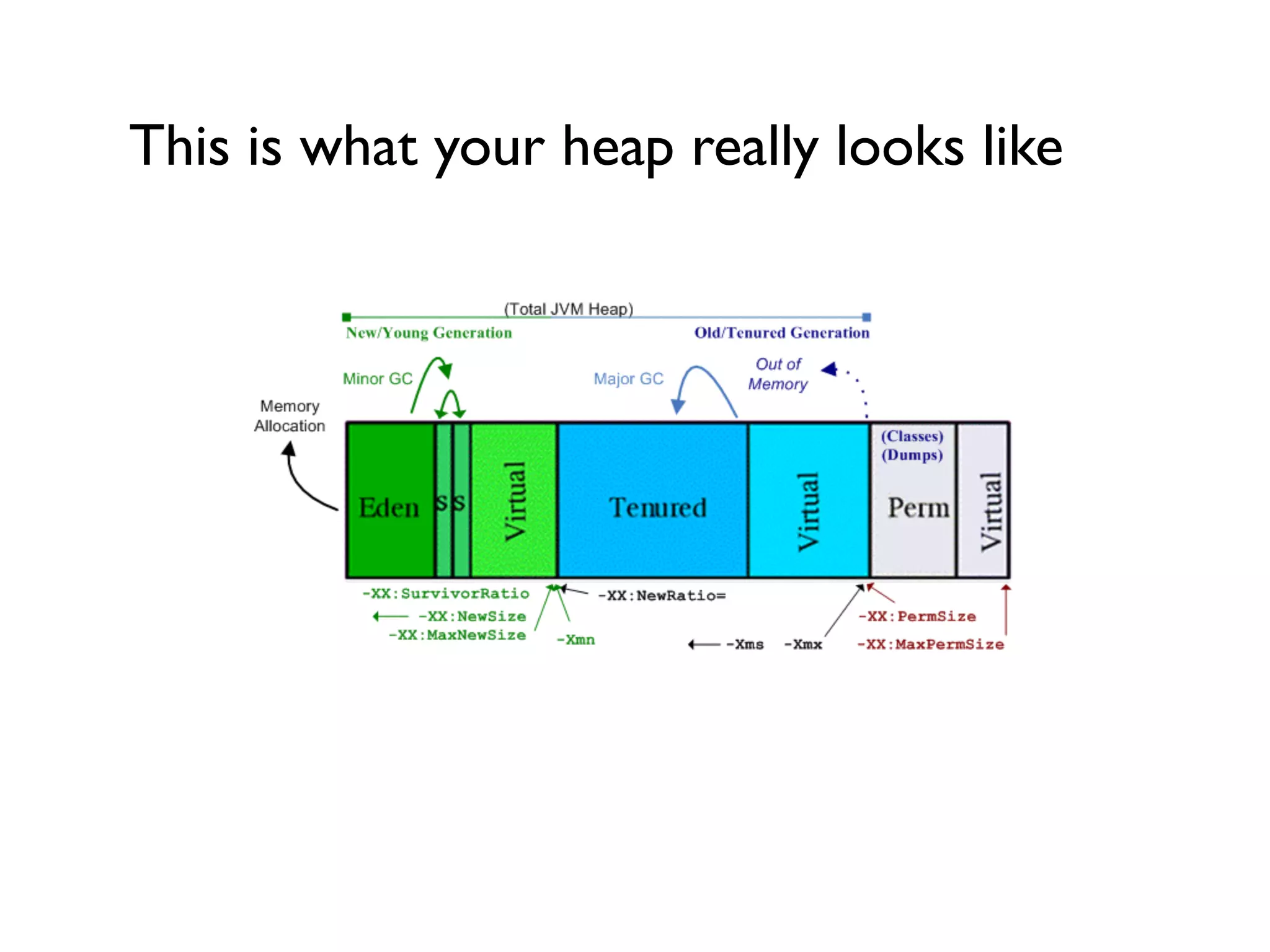
Young Generation Strategies
Generally, theYG is smaller than the OG.	

TheYG consists of sub-sections:	


 - Eden (new objects)	


 - Survivor 1 and Survivor 2	

One Survivor space is always empty and during a
YG collection the JVM will copy survivors from
Eden and S1 to S2 and vice versa.
Old Generation Strategies
The amount of survived GCs in theYG is called
“Tenuring Threshold”	

If Eden and Survivor Spaces are too small,
sometimes objects might get instant-promoted
to the OG (because there’s no space in theYG).	

Old Generation Collections are usually
expensive (slow, long)!	

!
This is what your heap really looks like
Collector Selection
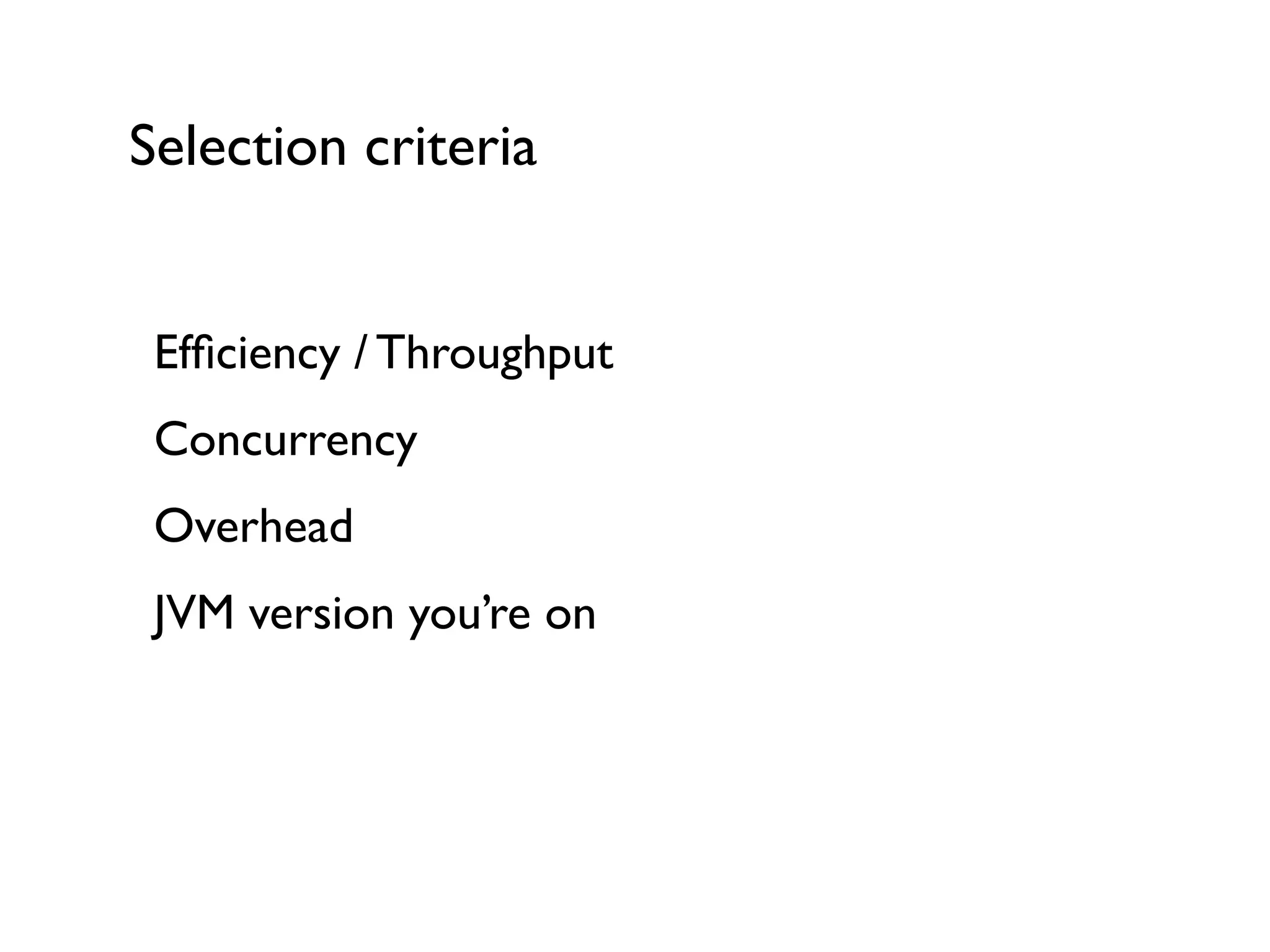
Selection criteria
Efficiency / Throughput	

Concurrency 	

Overhead	

JVM version you’re on	

!
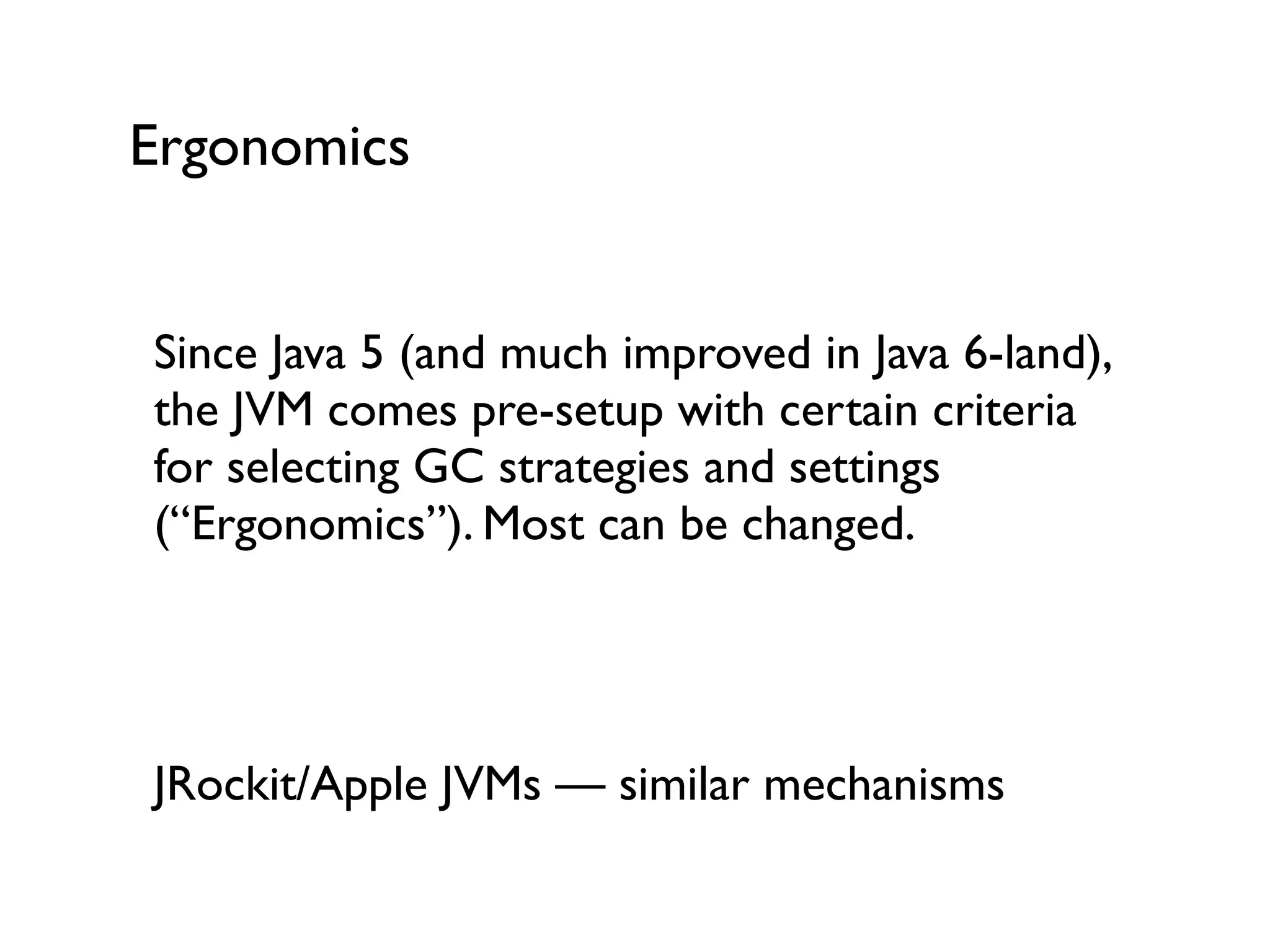
Ergonomics
Since Java 5 (and much improved in Java 6-land),
the JVM comes pre-setup with certain criteria
for selecting GC strategies and settings
(“Ergonomics”). Most can be changed.	

!
!
JRockit/Apple JVMs — similar mechanisms	

!
Young Generation
(optional)
YG Collectors: Serial
Mark-and-Sweep: Marking phase gets all
reachable objects, Sweeping cleans up the
leftovers	

Problems:	


 - Fragmentation
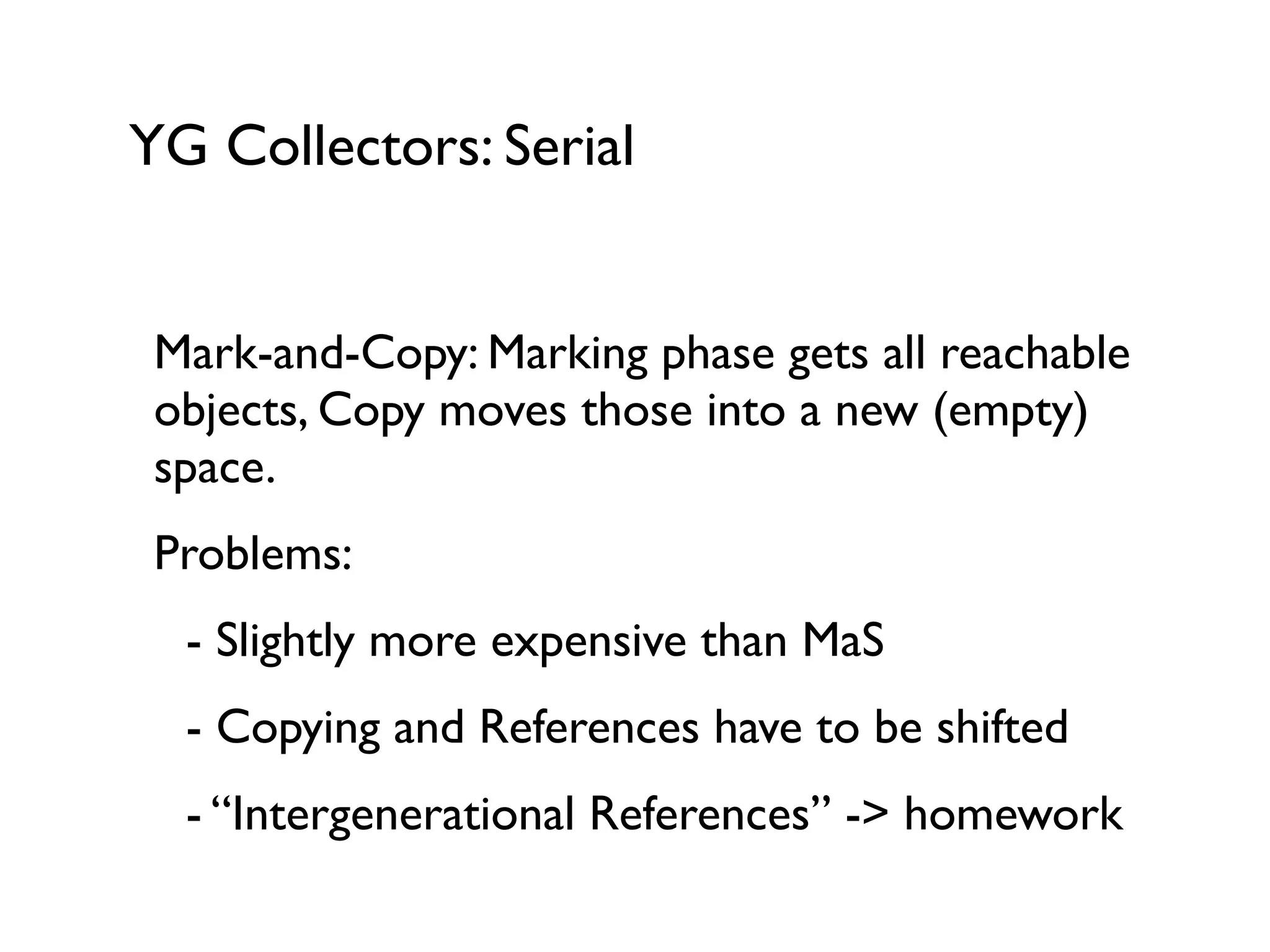
YG Collectors: Serial
Mark-and-Copy: Marking phase gets all reachable
objects, Copy moves those into a new (empty)
space.	

Problems:	


 - Slightly more expensive than MaS	


 - Copying and References have to be shifted	


 - “Intergenerational References” -> homework
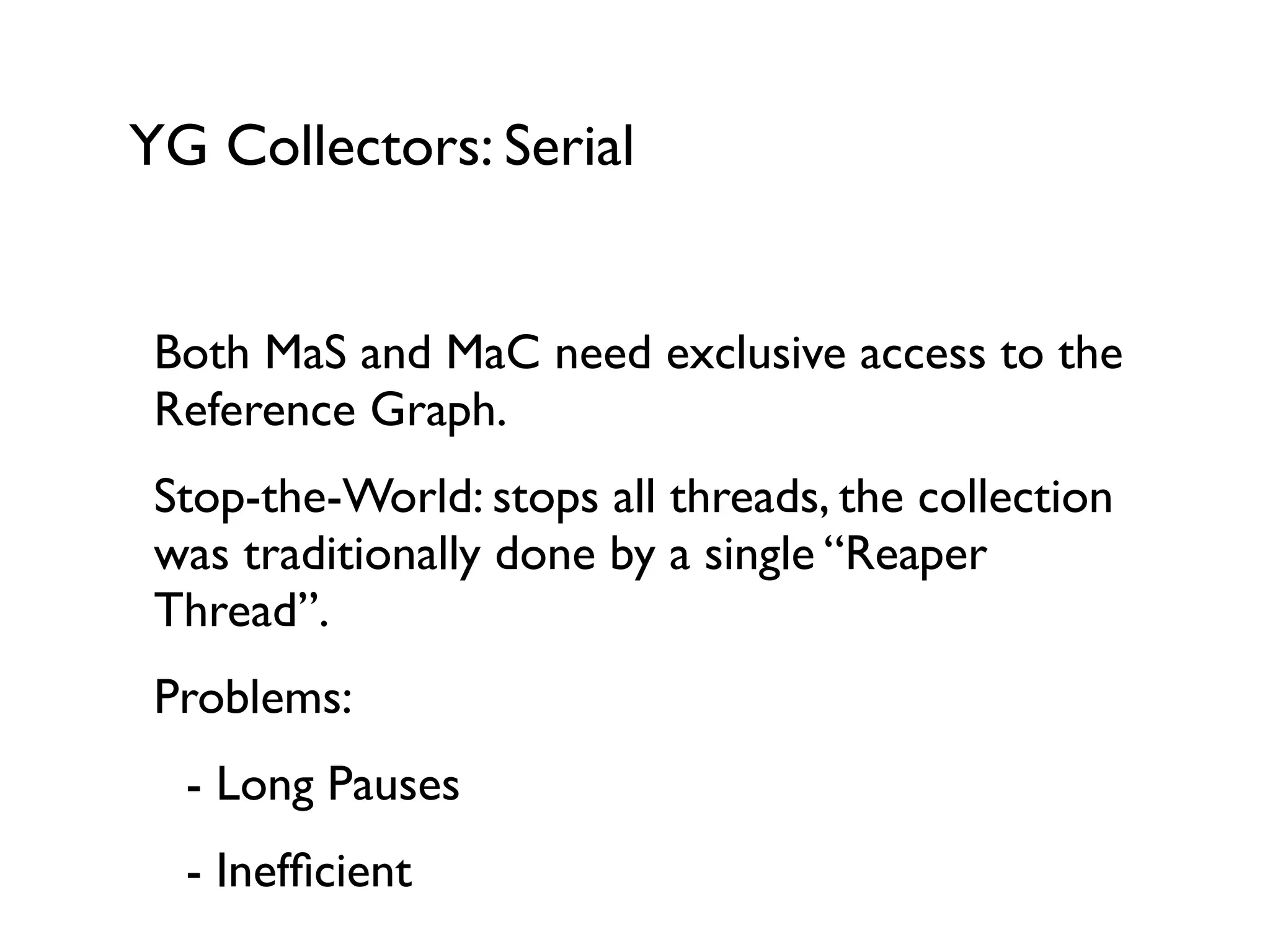
YG Collectors: Serial
Both MaS and MaC need exclusive access to the
Reference Graph.	

Stop-the-World: stops all threads, the collection
was traditionally done by a single “Reaper
Thread”.	

Problems:	


 - Long Pauses	


 - Inefficient
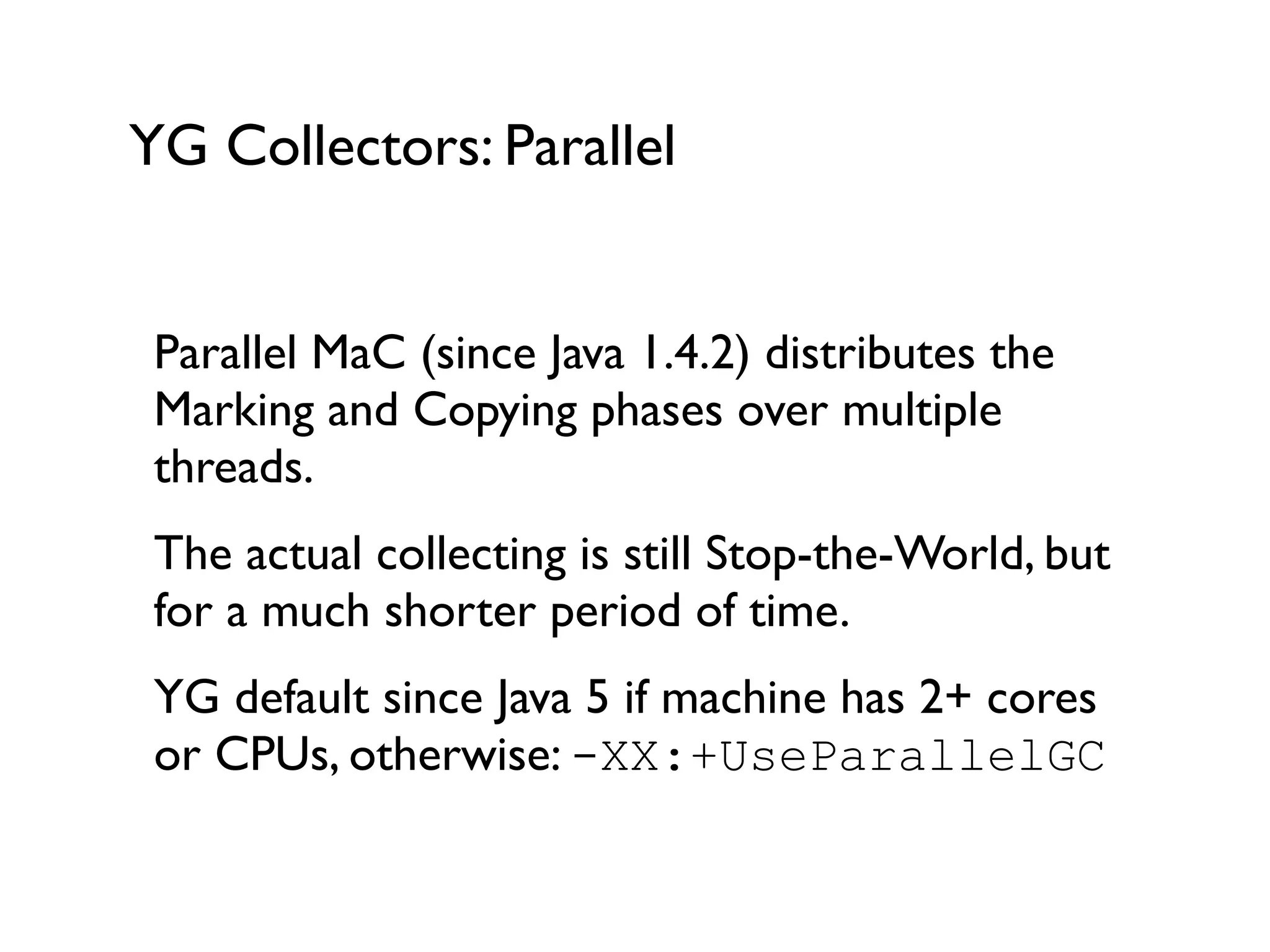
YG Collectors: Parallel
Parallel MaC (since Java 1.4.2) distributes the
Marking and Copying phases over multiple
threads.	

The actual collecting is still Stop-the-World, but
for a much shorter period of time.	

YG default since Java 5 if machine has 2+ cores
or CPUs, otherwise: -XX:+UseParallelGC	

!
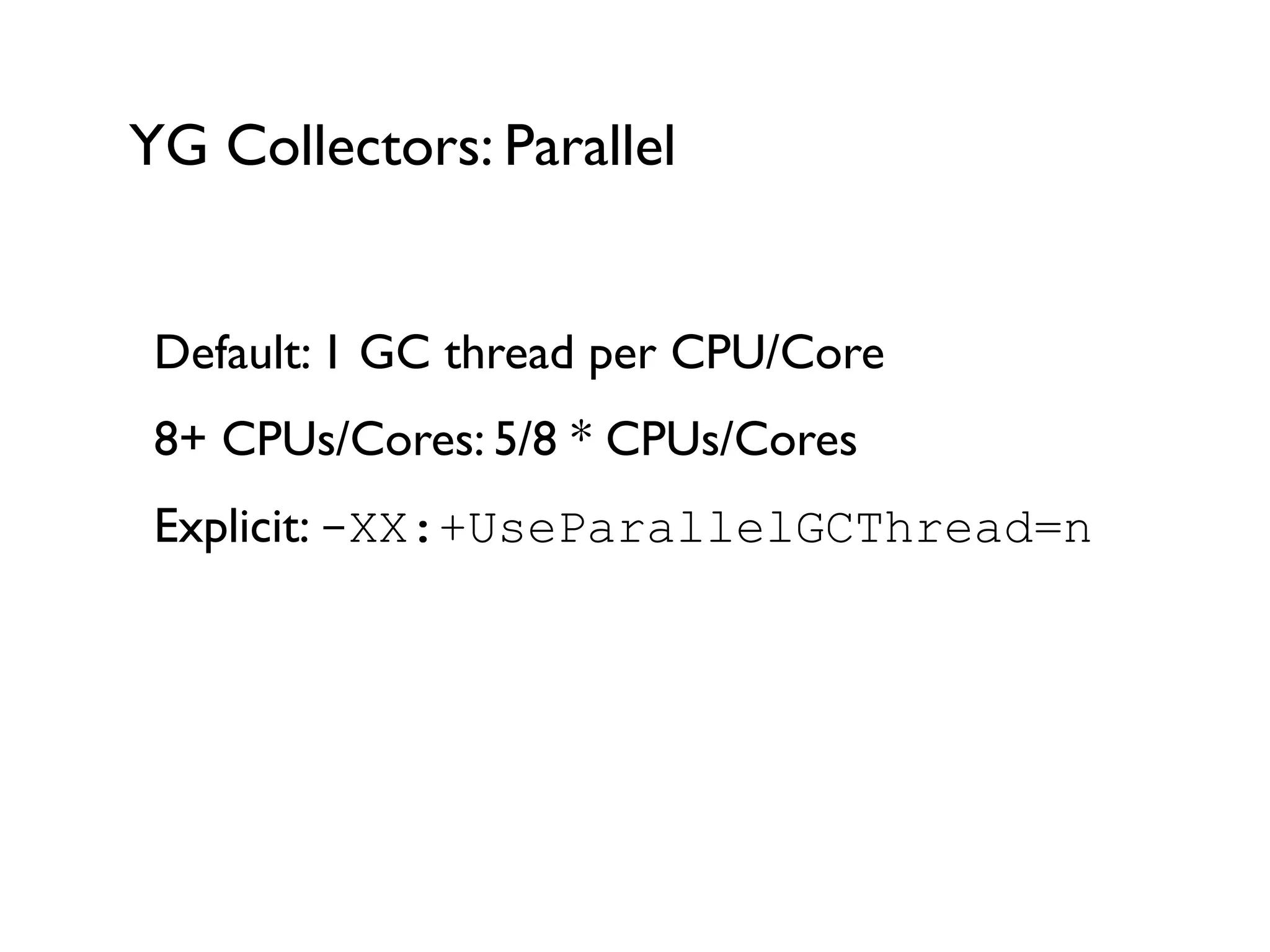
YG Collectors: Parallel
Default: 1 GC thread per CPU/Core	

8+ CPUs/Cores: 5/8 * CPUs/Cores	

Explicit: -XX:+UseParallelGCThread=n	

!
Old Generation
(optional)
OG Collectors
Many objects and low mortality means MaC
would be inefficient. Instead we use Mark-and-
Compact.	

MaCo is a variation of MaS with lower
fragmentation	

4 Phases: Marking, Calculation of new Locations,
Reference Adjustments and Moving	

!
OG Collectors
MaCo is a Full Collection algorithm - there’s no
“Pure OG collection”. 	

Doesn’t run often, but if it runs it’ll take a while.	

Performance issues:	


 - All objects are visited multiple times	


 - Serial collector, stops all the threads	

Enable via -XX:+UseSerialGC
OG Collectors: parallel
ParallelOld: Parallel and more efficient version of
MaCo, still Stop-the-World though - but shorter
StW pause than MaCo.	

Idea: 	


 - Marking and Compacting are multi-threaded	


 - Algorithm operates on 2 segments per thread	

OG default since Java 6 on server profiles or via
-XX:+UseParallelOldGC
OG Collectors: concurrent
CMS: concurrent version of MaS, does NOT
need to stop threads for the majority parts of its
work.	

4 Phases: Initial Marking, Concurrent Marking,
Remarking, Concurrent Sweep.	

Stop-the-World: Initial Marking & Remarking	

CMS via -XX:+UseConcMarkSweepGC	

!
OG Collectors: concurrent
Concurrent Mark-and-Sweep is the preferred
OG collector if you want to minimise Stop-the-
World collections.	

Overall throughput slightly less than ParallelOld,
but much better suited for web/server apps.	

Well suited for large heaps (but be aware of
fragmentation), there’s an “incremental” mode
for systems with 1-2 cores.
OG Collectors: G1 (Garbage First)
G1 is a replacement for CMS (experimental in
later Java 6 release, full support in Java 7+)	

Benefits:	


 - Low-pause	


 - Adaptable	


 - Much less fragmentation than CMS	


 - Better collector for full heap
OG Collectors: G1 (Garbage First)
Heap is split into regions (1-32MB)	

Collector is controlled by min time between GC
pauses and min length of GC pause	

!
!
In Java 6/7 (6u14, 7u4) set via -XX:+UseG1GC 	

!
How to approach JVM
“tuning”?
Tuning
Preamble
Do not trust consultants, blog posts, mailing list
discussions etc. telling you what the “best” JVM
settings for you would be.	

(That’s including myself!)	

There is no such thing as the “best” settings.	

It solely depends on the application and your
usage.
Typical reasons for tuning
Application Growth	

Change in available Resources (memory, CPU
etc)	

Actual Performance issues (unresponsiveness…)	

JVM-level error messages in log files
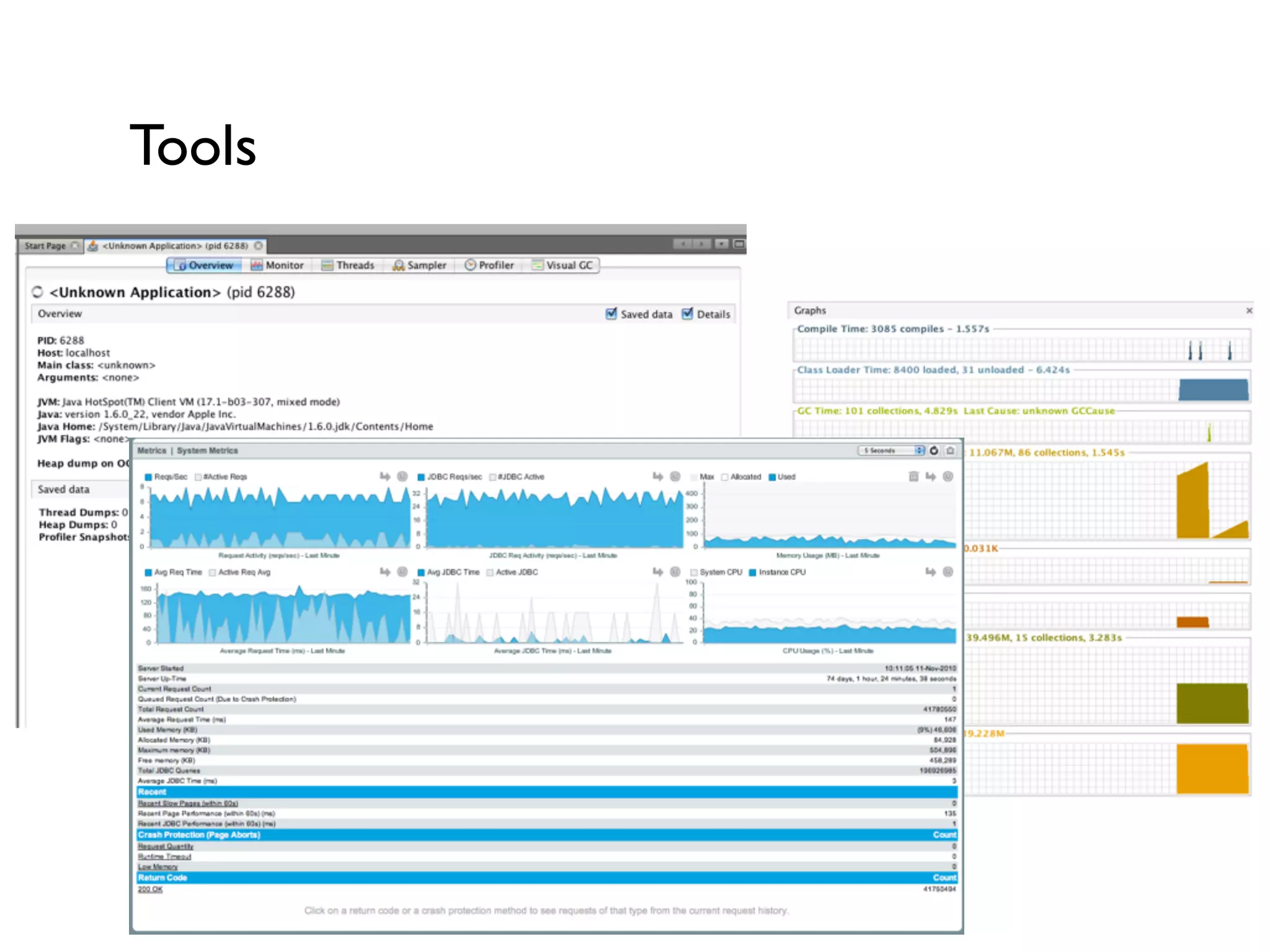
Tools
Process
Make an assumption for load, memory and GC
settings.	

Run Load tests, monitor and measure results.	

Change one setting, rinse and repeat.
JVM settings and logging
How do you find out what’s
happening in your JVM?	

-verbose:GC
-XX:+PrintGCDetails
-XX:+PrintGCTimeStamps
!
[GC 64781K->22983K(71360K), 0.0242084 secs]	

[GC 68487K->25003K(77888K), 0.0194041 secs]	

[Full GC 25003K->20302K(89600K), 0.1713420 secs]	

[GC 70670K->21755K(90048K), 0.0054093 secs]	

[GC 71913K->46558K(94912K), 0.0295257 secs]	

[Full GC 46558K->45267K(118336K), 0.2144038 secs]	

[GC 88214K->84651K(133056K), 0.0674443 secs]	

[Full GC 84651K->84633K(171648K), 0.1739369 secs]	

[GC 117977K->115114K(180736K), 0.0623399 secs]	

[GC 158613K->157136K(201152K), 0.0591171 secs]	

[Full GC 157136K->157098K(254784K), 0.1868453 secs]	

[GC 160678K->160455K(261184K), 0.0536678 secs]	

01/24 19:36:22 Debug [scheduler-1] - Next mail spool run in 15 seconds.	

[GC 202912K->200819K(268288K), 0.0625820 secs]	

[Full GC 200819K->200776K(332224K), 0.2121724 secs]	

[GC 213293K->212423K(339520K), 0.0426462 secs]	

[GC 259465K->256115K(340288K), 0.0645039 secs]	

[Full GC 256115K->255462K(418432K), 0.3226731 secs]	

[GC 281947K->279651K(421760K), 0.0530268 secs]	

[GC 331073K->323785K(422720K), 0.0695117 secs]	

[Full GC 323785K->323697K(459264K), 0.2139458 secs]	

[Full GC 364365K->361525K(459264K), 0.2180439 secs]	

[Full GC 400859K->400859K(459264K), 0.1702890 secs]	

[Full GC 400859K->43989K(274112K), 0.2642407 secs]	

[GC 95197K->93707K(273216K), 0.0338568 secs]	

[GC 146978K->140363K(276032K), 0.0664380 secs]	

[GC 193696K->189635K(277952K), 0.0630006 secs]	

[Full GC 189635K->189604K(425920K), 0.1913979 secs]	

[GC 219773K->205157K(426048K), 0.0442126 secs]
GC tuning process
Let’s look at a real world case	

!
!
GC tuning results/criteria
Demo of some tools	

!
!
GC tuning results/criteria
More often than not you’d want to optimise for
low GC pauses. 	

!
GC Throughput: 95%+ are good.	

Optimising for Throughput usually leads to
longer GC pauses, still useful for batch
operations.
Memory sizing concerns
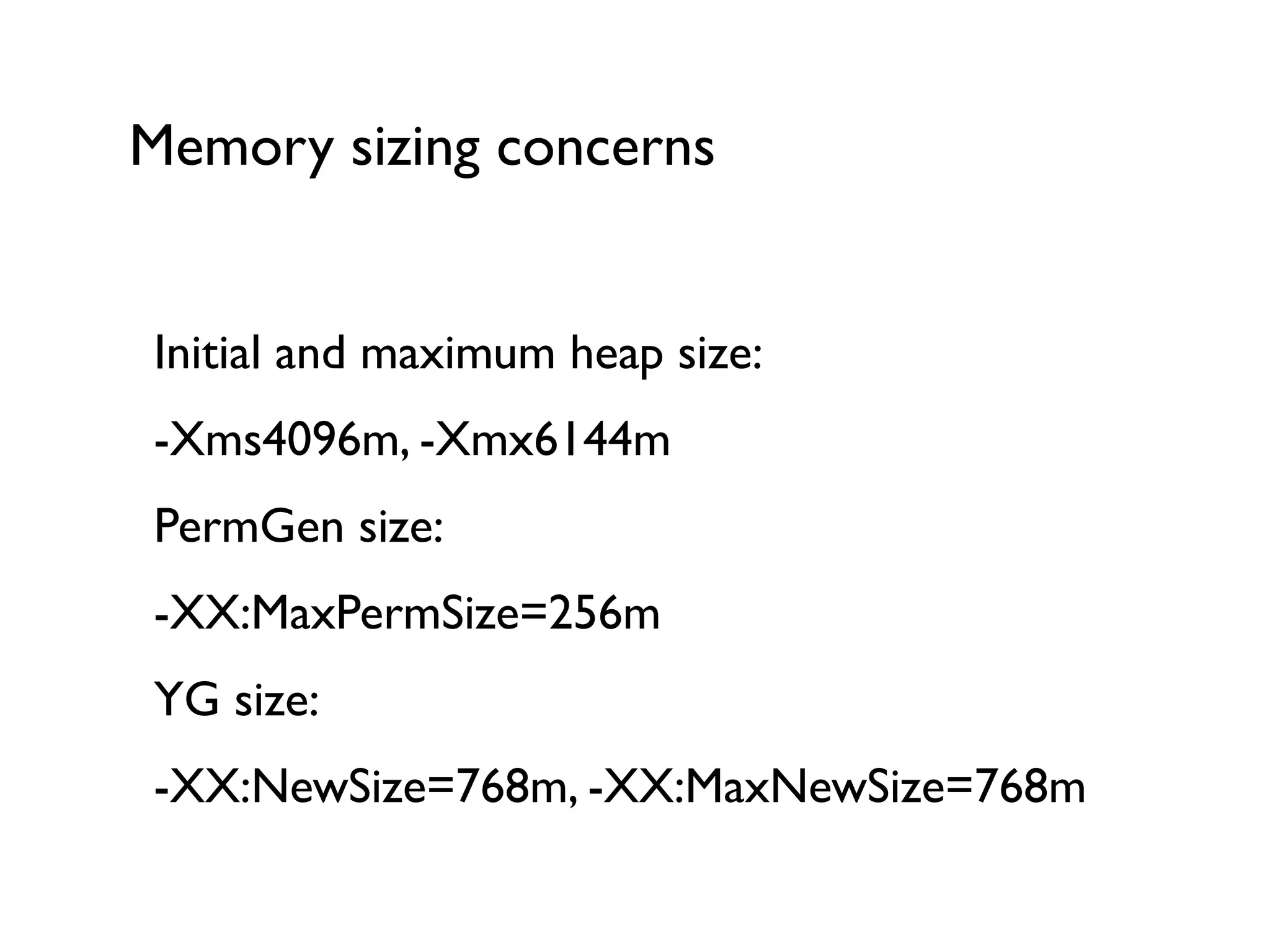
Initial and maximum heap size:	

-Xms4096m, -Xmx6144m	

PermGen size:	

-XX:MaxPermSize=256m	

YG size:	

-XX:NewSize=768m, -XX:MaxNewSize=768m
Memory sizing concerns
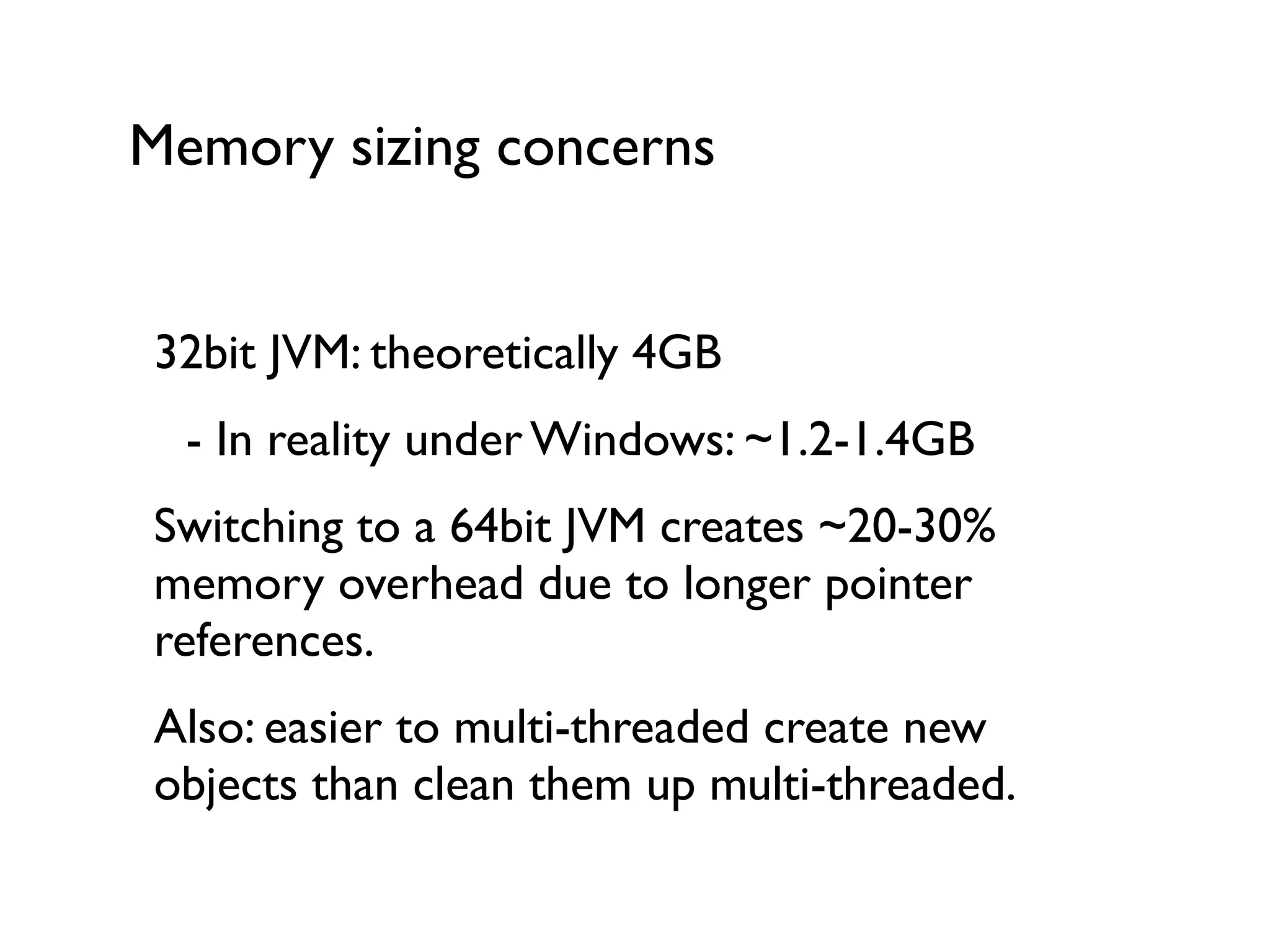
32bit JVM: theoretically 4GB	


 - In reality under Windows: ~1.2-1.4GB	

Switching to a 64bit JVM creates ~20-30%
memory overhead due to longer pointer
references.	

Also: easier to multi-threaded create new
objects than clean them up multi-threaded.
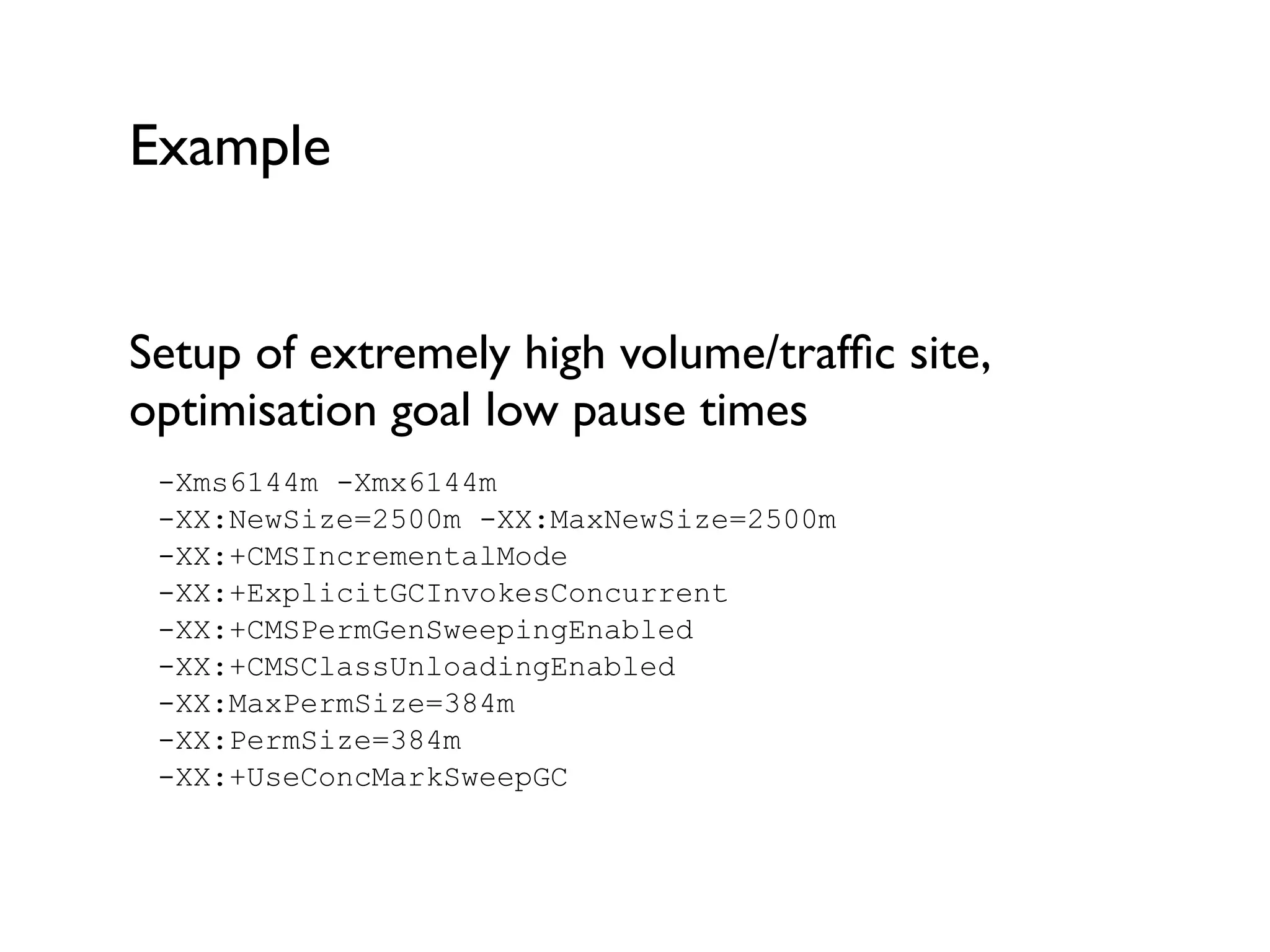
Example
Setup of extremely high volume/traffic site,
optimisation goal low pause times	

-Xms6144m -Xmx6144m 

-XX:NewSize=2500m -XX:MaxNewSize=2500m 

-XX:+CMSIncrementalMode 

-XX:+ExplicitGCInvokesConcurrent 

-XX:+CMSPermGenSweepingEnabled 

-XX:+CMSClassUnloadingEnabled 

-XX:MaxPermSize=384m 

-XX:PermSize=384m 

-XX:+UseConcMarkSweepGC
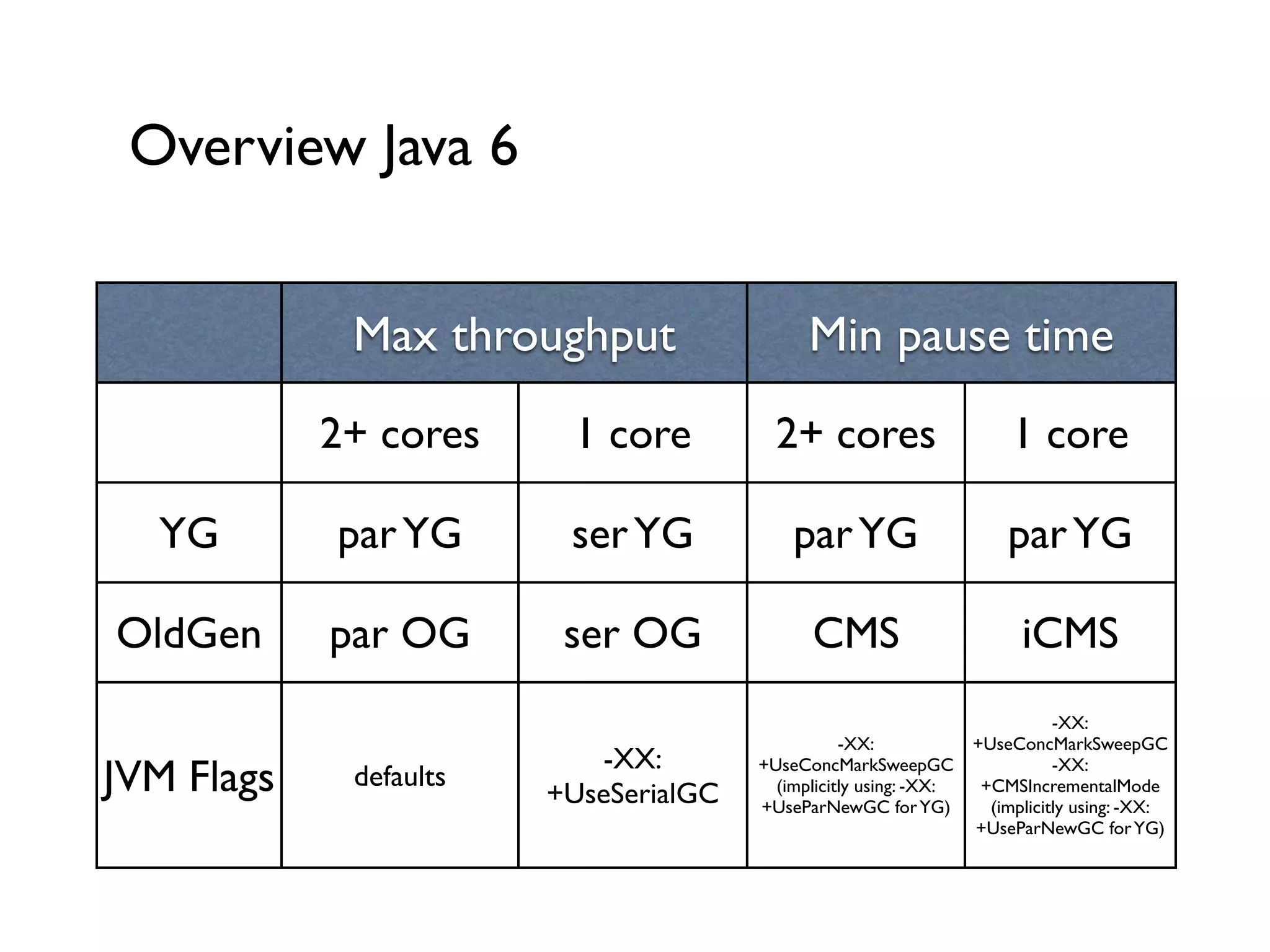
Overview Java 6
Max throughput Min pause time
2+ cores 1 core 2+ cores 1 core
YG parYG serYG parYG parYG
OldGen par OG ser OG CMS iCMS
JVM Flags defaults
-XX:
+UseSerialGC
-XX:
+UseConcMarkSweepGC 	

(implicitly using: -XX:
+UseParNewGC forYG)
-XX:
+UseConcMarkSweepGC
-XX:
+CMSIncrementalMode	

(implicitly using: -XX:
+UseParNewGC forYG)
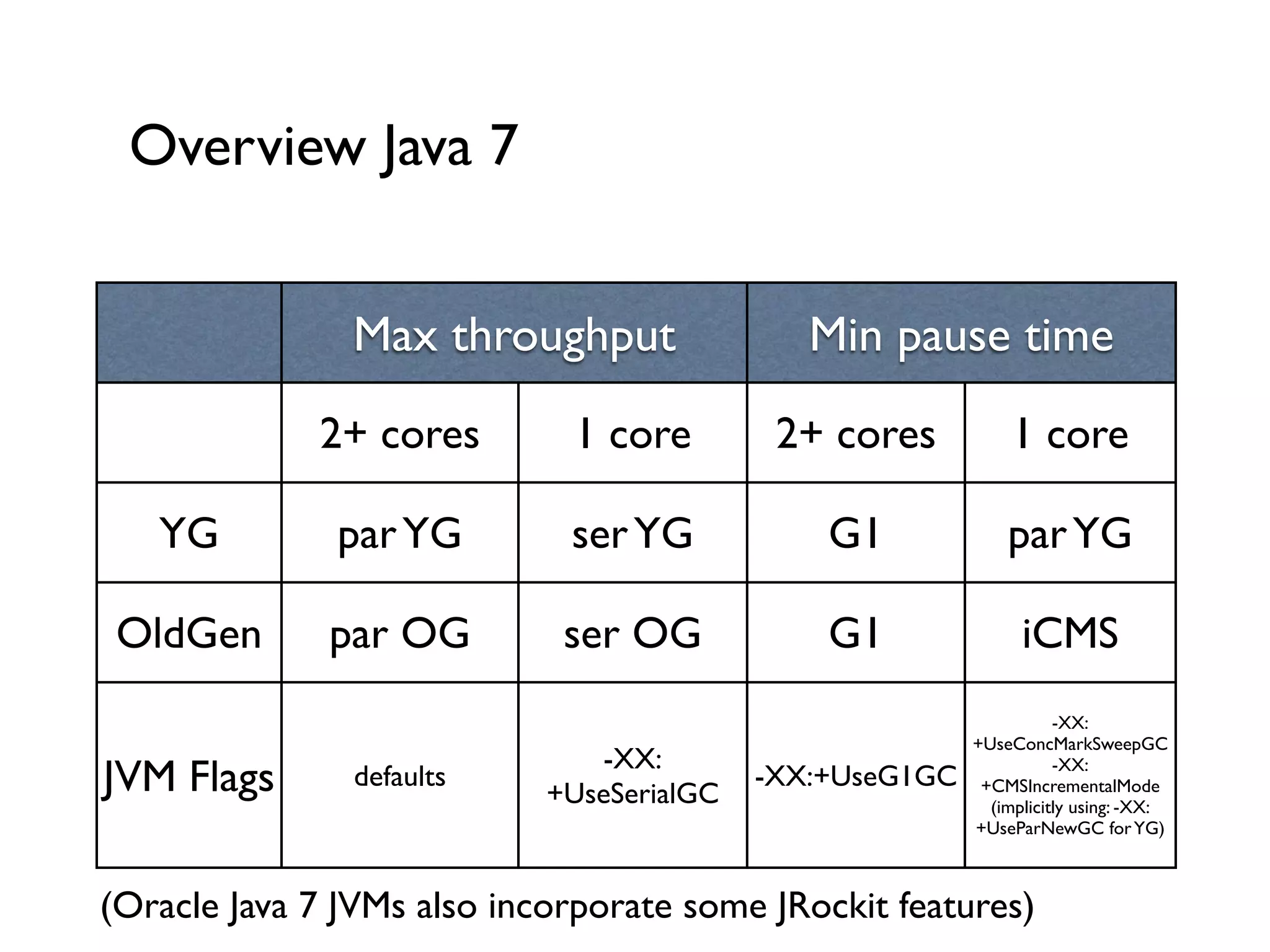
Overview Java 7
Max throughput Min pause time
2+ cores 1 core 2+ cores 1 core
YG parYG serYG G1 parYG
OldGen par OG ser OG G1 iCMS
JVM Flags defaults
-XX:
+UseSerialGC
-XX:+UseG1GC
-XX:
+UseConcMarkSweepGC
-XX:
+CMSIncrementalMode	

(implicitly using: -XX:
+UseParNewGC forYG)
(Oracle Java 7 JVMs also incorporate some JRockit features)
Photo credits
http://www.flickr.com/photos/aigle_dore/6973012997/	

http://www.flickr.com/photos/thanh_tan/2903192937	

http://www.flickr.com/photos/museemccordmuseum/3294656277/	

http://www.flickr.com/photos/wwarby/3297205226/	

https://www.flickr.com/photos/nationalmuseumofamericanhistory/9607222709/	

https://www.flickr.com/photos/mr_zorgman/6396087451/	

http://www.flickr.com/photos/thomashawk/3958193579/	

https://www.flickr.com/photos/24742305@N00/5589187752	

https://www.flickr.com/photos/39587102@N07/3821835981	

https://www.flickr.com/photos/21160499@N04/5437070898	

https://www.flickr.com/photos/65694112@N05/6147388744
Get in touch
Kai Koenig	

Email: kai@ventego-creative.co.nz	

www.ventego-creative.co.nz	

Blog: www.bloginblack.de	

Twitter: @AgentK

The JVM is your friend

  • 1.
    The JVM isyour friend Kai Koenig @AgentK
  • 3.
    Web/Mobile Developer sincethe late 1990s Interested in: Java, CFML, Functional Programming, Go, JS, Mobile, Raspberry Pi ! I’ve already showed you where I live :) Me
  • 4.
    - The JVMand Java Memory Management
 - What’s the big deal with Garbage Collection?
 - GC Strategies for various situations & JVMs
 - How to approach JVM “tuning”?
 - CFML specifics
 Agenda
  • 5.
    The JVM andJava Memory Management
  • 6.
  • 7.
  • 8.
    History First JVM implementationswere rather simple: - Weak JMM (Java Memory Model) - Issues with concepts like final, volatile etc. -Very simple, non-generational memory - “Mark-and-Sweep” Garbage Collection !
  • 9.
    History Hotspot JVM wasintroduced in Java 1.2 as an add-on — became part of the default setup in Java 1.3 (~ mid 2000). ! Also be aware of notational flukes: 1.0 -> 1.1 -> Java 2 (1.2) -> Java 2 (1.3) -> Java 2 (1.4) -> Java 5 -> Java 6 -> Java 7 -> Java 8
  • 10.
    Modern JVMs Generational MemoryManagement Generational Garbage Collection Hotspot JVM !
  • 11.
    What’s the bigdeal with Garbage Collection?
  • 12.
  • 13.
    JVM Garbage Over timethe JVM accumulates a lot of objects that are not needed anymore. If we didn’t clean up, we’d get Out-Of-Memory errors sooner or later. Q:What’s being cleaned up? A:“Dead” objects !
  • 14.
    JVM Garbage Collection Everysingle GC algorithm starts with some kind of “marking”: identifying the objects that are not necessary anymore. The Collector would start with a Root Set and follow along object references it can reach. Everything else is Garbage and can go! Q:What’s the Root Set?
  • 15.
    The Root Set Referenceson the Call Stacks of the JVM’s threads Global References, e.g. static fields in Classes ! The Root Set are entry points into the reference graph of “alive” objects. !
  • 16.
    Root Set andReference Graphs
  • 17.
    Root Set andReference Graphs
  • 18.
    Root Set andReference Graphs
  • 19.
    Root Set andReference Graphs
  • 20.
    Root Set andReference Graphs What we’ve looked at is a basic “Mark-and- Sweep” algorithm. The “Free List” could in the easiest form just be used to mark memory as free. Problem: Fragmentation and therefore inability to assign memory for new, fresh objects. !
  • 21.
  • 22.
    Generations
(“OK, let’s makethis stuff really complicated”)
  • 23.
    Basics of GenerationalMemory: Heap Stores your objects and classes at the JVM’s runtime. Usually the following basic assumptions are true: - Lots of short-lived objects -Very few (or: fewer) long-lived objects Also function-local objects are created here.
  • 24.
    Lifetime vs. #of objects
  • 25.
    Heap management The JVMcan’t know in advance what the lifespan of a certain object would be. Generational Memory Management is a solution to overcome this issue and fragmentation: -Young Generation - Old Generation / Tenured Generation - Permanent Generation (special case…)
  • 26.
  • 27.
    Young Generation -for new objects ! ! Typical short-lived objects: - Objects local to a function - Loop iterators, StringBuilders etc. !
  • 28.
    Young Generation -for new objects ! ! Typical medium-lived objects: - Objects tied to a session ! !
  • 29.
    Young Generation -for new objects ! ! Typical long-lived objects: - Thread Pools - Singletons - Certain framework objects
  • 30.
    Young Generation -what happens next? In general and following the theory of Generational Memory Management: -YG fills up -> Garbage Collection happens -YG collection is supposed to be fast If an object survives a certain amount of collections in theYG, the JVM will assume the object is medium- or long-lived and move it into the Old Generation.
  • 31.
    Old Generation Over time,more long-lived objects end up in the Old Generation and at some point it’s going to be full. In general and following the theory of Generational Memory Management: - OG fills up -> Garbage Collection happens - OG collection is usually slower thanYG - Size of OG
  • 32.
    Why is GenerationalMemory good? Lots of garbage - cleaning it up fast is worthwhile Generational Memory Management: -YG GC often -> space for new objects - Each generation focusses on “type” of objects - GC doesn’t have to search the whole heap ! !
  • 33.
    Permanent Generation Not a“Generation” as such, but still needs to be managed appropriately. Stores: - Classes - Internal JVM objects - JIT information !
  • 34.
    GC Strategies forvarious situations & JVMs
  • 35.
  • 36.
    Young Generation Strategies Generally,theYG is smaller than the OG. TheYG consists of sub-sections: - Eden (new objects) - Survivor 1 and Survivor 2 One Survivor space is always empty and during a YG collection the JVM will copy survivors from Eden and S1 to S2 and vice versa.
  • 37.
    Old Generation Strategies Theamount of survived GCs in theYG is called “Tenuring Threshold” If Eden and Survivor Spaces are too small, sometimes objects might get instant-promoted to the OG (because there’s no space in theYG). Old Generation Collections are usually expensive (slow, long)! !
  • 38.
    This is whatyour heap really looks like
  • 39.
  • 40.
    Selection criteria Efficiency /Throughput Concurrency Overhead JVM version you’re on !
  • 41.
    Ergonomics Since Java 5(and much improved in Java 6-land), the JVM comes pre-setup with certain criteria for selecting GC strategies and settings (“Ergonomics”). Most can be changed. ! ! JRockit/Apple JVMs — similar mechanisms !
  • 42.
  • 43.
    YG Collectors: Serial Mark-and-Sweep:Marking phase gets all reachable objects, Sweeping cleans up the leftovers Problems: - Fragmentation
  • 44.
    YG Collectors: Serial Mark-and-Copy:Marking phase gets all reachable objects, Copy moves those into a new (empty) space. Problems: - Slightly more expensive than MaS - Copying and References have to be shifted - “Intergenerational References” -> homework
  • 45.
    YG Collectors: Serial BothMaS and MaC need exclusive access to the Reference Graph. Stop-the-World: stops all threads, the collection was traditionally done by a single “Reaper Thread”. Problems: - Long Pauses - Inefficient
  • 46.
    YG Collectors: Parallel ParallelMaC (since Java 1.4.2) distributes the Marking and Copying phases over multiple threads. The actual collecting is still Stop-the-World, but for a much shorter period of time. YG default since Java 5 if machine has 2+ cores or CPUs, otherwise: -XX:+UseParallelGC !
  • 47.
    YG Collectors: Parallel Default:1 GC thread per CPU/Core 8+ CPUs/Cores: 5/8 * CPUs/Cores Explicit: -XX:+UseParallelGCThread=n !
  • 48.
  • 49.
    OG Collectors Many objectsand low mortality means MaC would be inefficient. Instead we use Mark-and- Compact. MaCo is a variation of MaS with lower fragmentation 4 Phases: Marking, Calculation of new Locations, Reference Adjustments and Moving !
  • 50.
    OG Collectors MaCo isa Full Collection algorithm - there’s no “Pure OG collection”. Doesn’t run often, but if it runs it’ll take a while. Performance issues: - All objects are visited multiple times - Serial collector, stops all the threads Enable via -XX:+UseSerialGC
  • 51.
    OG Collectors: parallel ParallelOld:Parallel and more efficient version of MaCo, still Stop-the-World though - but shorter StW pause than MaCo. Idea: - Marking and Compacting are multi-threaded - Algorithm operates on 2 segments per thread OG default since Java 6 on server profiles or via -XX:+UseParallelOldGC
  • 52.
    OG Collectors: concurrent CMS:concurrent version of MaS, does NOT need to stop threads for the majority parts of its work. 4 Phases: Initial Marking, Concurrent Marking, Remarking, Concurrent Sweep. Stop-the-World: Initial Marking & Remarking CMS via -XX:+UseConcMarkSweepGC !
  • 53.
    OG Collectors: concurrent ConcurrentMark-and-Sweep is the preferred OG collector if you want to minimise Stop-the- World collections. Overall throughput slightly less than ParallelOld, but much better suited for web/server apps. Well suited for large heaps (but be aware of fragmentation), there’s an “incremental” mode for systems with 1-2 cores.
  • 54.
    OG Collectors: G1(Garbage First) G1 is a replacement for CMS (experimental in later Java 6 release, full support in Java 7+) Benefits: - Low-pause - Adaptable - Much less fragmentation than CMS - Better collector for full heap
  • 55.
    OG Collectors: G1(Garbage First) Heap is split into regions (1-32MB) Collector is controlled by min time between GC pauses and min length of GC pause ! ! In Java 6/7 (6u14, 7u4) set via -XX:+UseG1GC !
  • 56.
    How to approachJVM “tuning”?
  • 57.
  • 58.
    Preamble Do not trustconsultants, blog posts, mailing list discussions etc. telling you what the “best” JVM settings for you would be. (That’s including myself!) There is no such thing as the “best” settings. It solely depends on the application and your usage.
  • 59.
    Typical reasons fortuning Application Growth Change in available Resources (memory, CPU etc) Actual Performance issues (unresponsiveness…) JVM-level error messages in log files
  • 60.
  • 61.
    Process Make an assumptionfor load, memory and GC settings. Run Load tests, monitor and measure results. Change one setting, rinse and repeat.
  • 62.
    JVM settings andlogging How do you find out what’s happening in your JVM? -verbose:GC -XX:+PrintGCDetails -XX:+PrintGCTimeStamps ! [GC 64781K->22983K(71360K), 0.0242084 secs] [GC 68487K->25003K(77888K), 0.0194041 secs] [Full GC 25003K->20302K(89600K), 0.1713420 secs] [GC 70670K->21755K(90048K), 0.0054093 secs] [GC 71913K->46558K(94912K), 0.0295257 secs] [Full GC 46558K->45267K(118336K), 0.2144038 secs] [GC 88214K->84651K(133056K), 0.0674443 secs] [Full GC 84651K->84633K(171648K), 0.1739369 secs] [GC 117977K->115114K(180736K), 0.0623399 secs] [GC 158613K->157136K(201152K), 0.0591171 secs] [Full GC 157136K->157098K(254784K), 0.1868453 secs] [GC 160678K->160455K(261184K), 0.0536678 secs] 01/24 19:36:22 Debug [scheduler-1] - Next mail spool run in 15 seconds. [GC 202912K->200819K(268288K), 0.0625820 secs] [Full GC 200819K->200776K(332224K), 0.2121724 secs] [GC 213293K->212423K(339520K), 0.0426462 secs] [GC 259465K->256115K(340288K), 0.0645039 secs] [Full GC 256115K->255462K(418432K), 0.3226731 secs] [GC 281947K->279651K(421760K), 0.0530268 secs] [GC 331073K->323785K(422720K), 0.0695117 secs] [Full GC 323785K->323697K(459264K), 0.2139458 secs] [Full GC 364365K->361525K(459264K), 0.2180439 secs] [Full GC 400859K->400859K(459264K), 0.1702890 secs] [Full GC 400859K->43989K(274112K), 0.2642407 secs] [GC 95197K->93707K(273216K), 0.0338568 secs] [GC 146978K->140363K(276032K), 0.0664380 secs] [GC 193696K->189635K(277952K), 0.0630006 secs] [Full GC 189635K->189604K(425920K), 0.1913979 secs] [GC 219773K->205157K(426048K), 0.0442126 secs]
  • 63.
    GC tuning process Let’slook at a real world case ! !
  • 64.
  • 65.
    GC tuning results/criteria Moreoften than not you’d want to optimise for low GC pauses. ! GC Throughput: 95%+ are good. Optimising for Throughput usually leads to longer GC pauses, still useful for batch operations.
  • 66.
    Memory sizing concerns Initialand maximum heap size: -Xms4096m, -Xmx6144m PermGen size: -XX:MaxPermSize=256m YG size: -XX:NewSize=768m, -XX:MaxNewSize=768m
  • 67.
    Memory sizing concerns 32bitJVM: theoretically 4GB - In reality under Windows: ~1.2-1.4GB Switching to a 64bit JVM creates ~20-30% memory overhead due to longer pointer references. Also: easier to multi-threaded create new objects than clean them up multi-threaded.
  • 68.
    Example Setup of extremelyhigh volume/traffic site, optimisation goal low pause times -Xms6144m -Xmx6144m 
 -XX:NewSize=2500m -XX:MaxNewSize=2500m 
 -XX:+CMSIncrementalMode 
 -XX:+ExplicitGCInvokesConcurrent 
 -XX:+CMSPermGenSweepingEnabled 
 -XX:+CMSClassUnloadingEnabled 
 -XX:MaxPermSize=384m 
 -XX:PermSize=384m 
 -XX:+UseConcMarkSweepGC
  • 69.
    Overview Java 6 Maxthroughput Min pause time 2+ cores 1 core 2+ cores 1 core YG parYG serYG parYG parYG OldGen par OG ser OG CMS iCMS JVM Flags defaults -XX: +UseSerialGC -XX: +UseConcMarkSweepGC (implicitly using: -XX: +UseParNewGC forYG) -XX: +UseConcMarkSweepGC -XX: +CMSIncrementalMode (implicitly using: -XX: +UseParNewGC forYG)
  • 70.
    Overview Java 7 Maxthroughput Min pause time 2+ cores 1 core 2+ cores 1 core YG parYG serYG G1 parYG OldGen par OG ser OG G1 iCMS JVM Flags defaults -XX: +UseSerialGC -XX:+UseG1GC -XX: +UseConcMarkSweepGC -XX: +CMSIncrementalMode (implicitly using: -XX: +UseParNewGC forYG) (Oracle Java 7 JVMs also incorporate some JRockit features)
  • 71.
  • 72.
    Get in touch KaiKoenig Email: kai@ventego-creative.co.nz www.ventego-creative.co.nz Blog: www.bloginblack.de Twitter: @AgentK