Exadel


Hands-on with RichFaces

JavaOne 2010
September 20th, 2010

Max Katz
Exadel
Exadel


Who is this guy?
● Senior Systems     Engineer, RIA strategist at
 Exadel
   ◦ http://mkblog.exadel.com
   ◦ http://twitter.com/maxkatz
● JSF/RichFaces consulting, training
● Leads   a number of projects:
  ◦   Exadel Tiggr
  ◦   Exadel Flamingo
  ◦   Exadel Fiji
  ◦   Exadel JavaFX Plug-in for Eclipse
Exadel


    Author of         Co-author of RichFaces
Practical RichFaces       DZone Refcard
     (Apress)
Exadel


Exadel
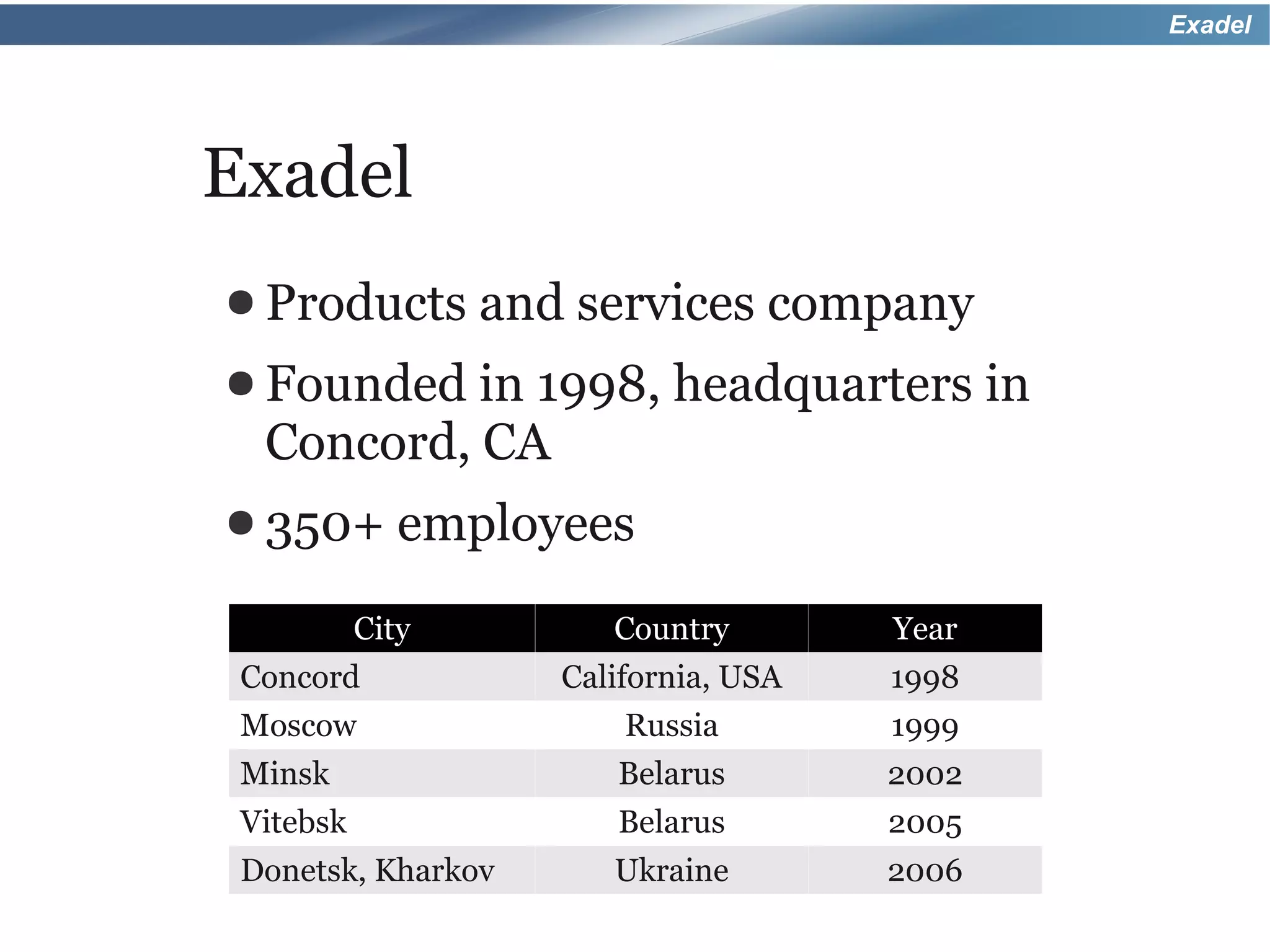
● Products        and services company
● Founded in 1998, headquarters in
  Concord, CA
● 350+        employees
           City         Country        Year
 Concord             California, USA   1998
 Moscow                  Russia        1999
 Minsk                  Belarus        2002
 Vitebsk                Belarus        2005
 Donetsk, Kharkov       Ukraine        2006
Exadel


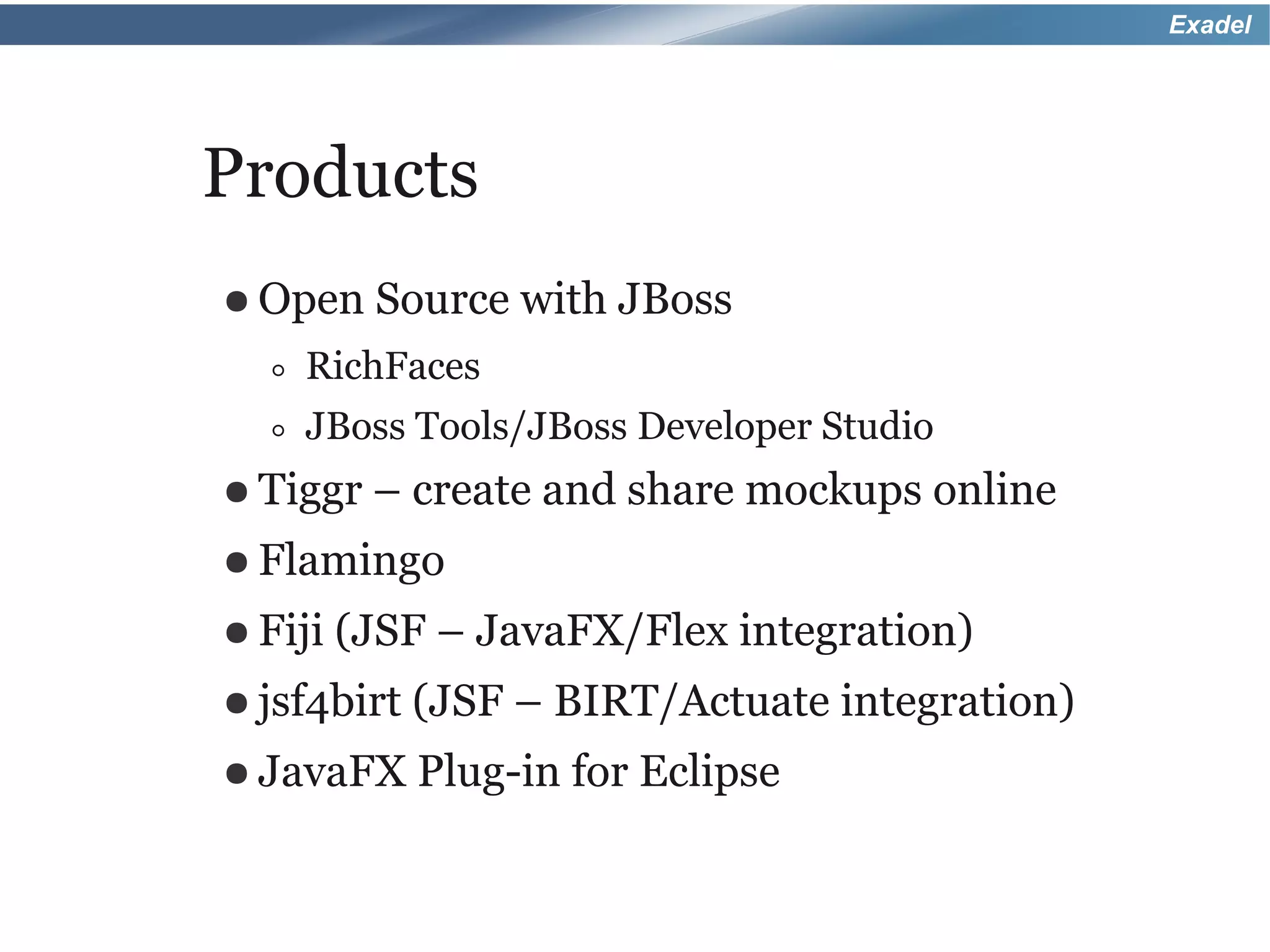
Products
● Open    Source with JBoss
  ◦ RichFaces
  ◦ JBoss Tools/JBoss Developer Studio
● Tiggr   – create and share mockups online
● Flamingo
● Fiji   (JSF – JavaFX/Flex integration)
● jsf4birt   (JSF – BIRT/Actuate integration)
● JavaFX     Plug-in for Eclipse
Exadel


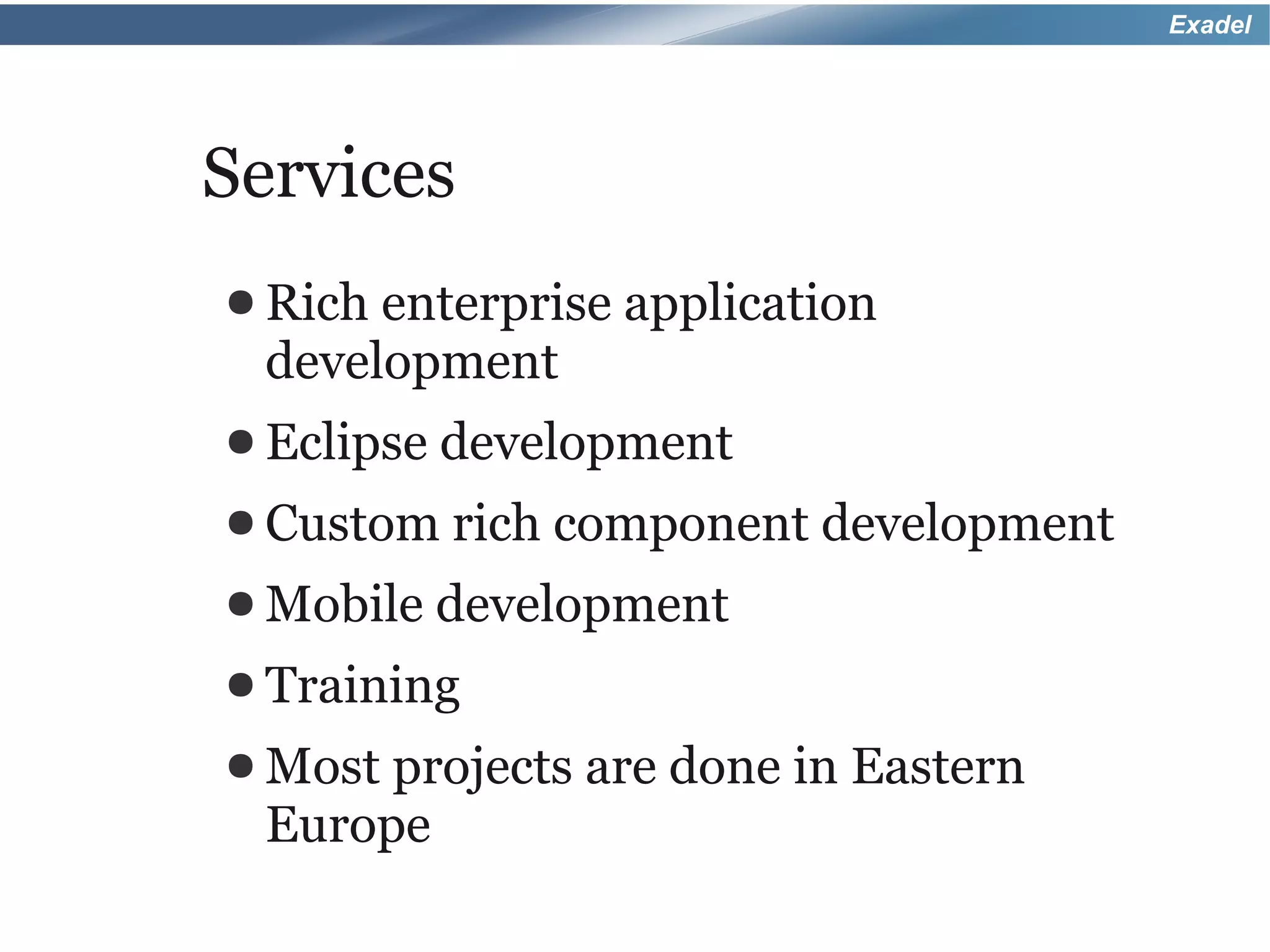
Services
● Rich enterprise application
 development
● Eclipse development
● Custom rich   component development
● Mobile   development
● Training
● Most projects   are done in Eastern
 Europe
Exadel


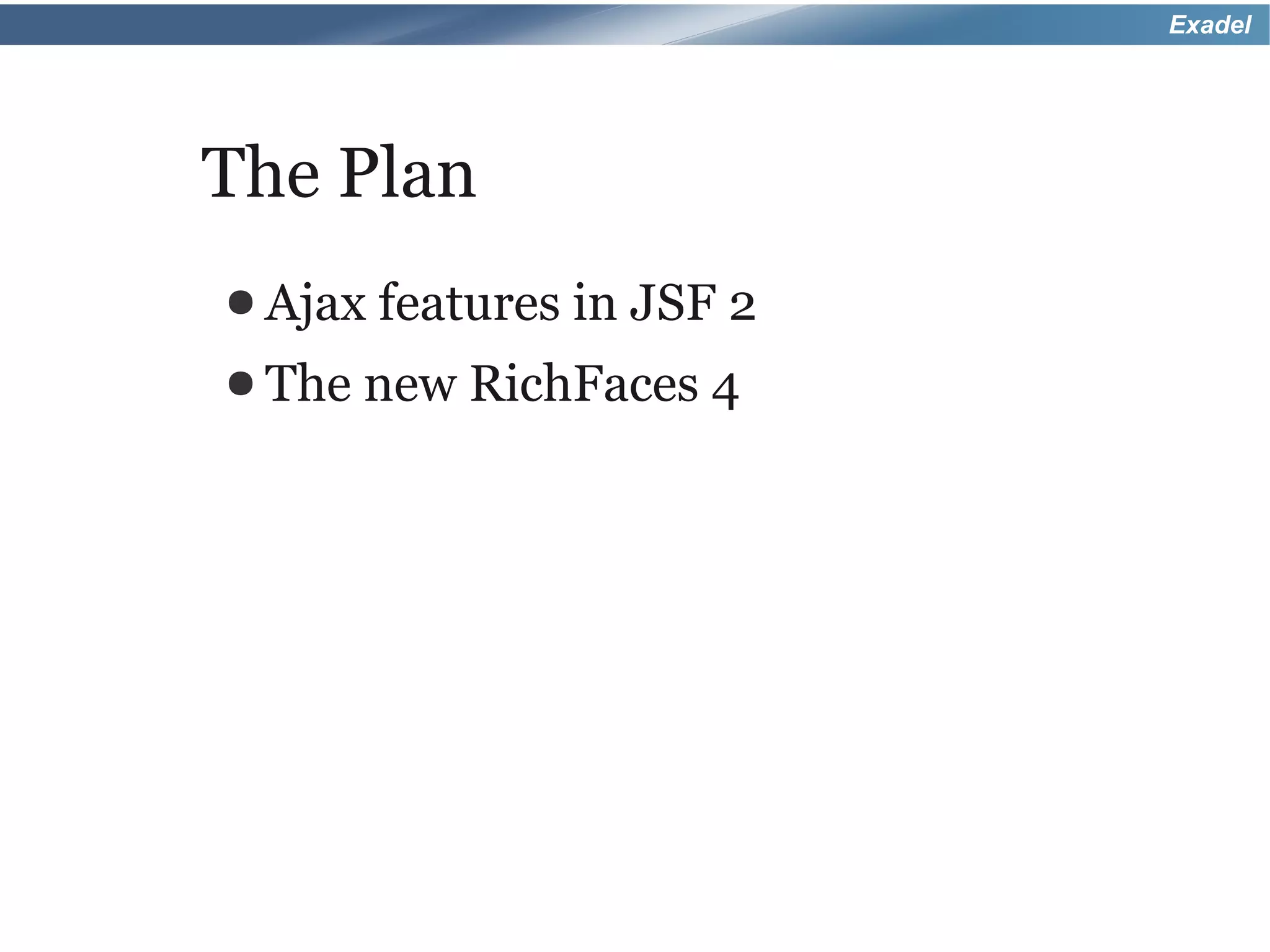
The Plan
● Ajax features in   JSF 2
● The   new RichFaces 4
Exadel


JSF 2
● JSF   2 is a major upgrade over JSF 1.x
● Many features, ideas taken from
 projects such as Seam and RichFaces,
 and others
Exadel


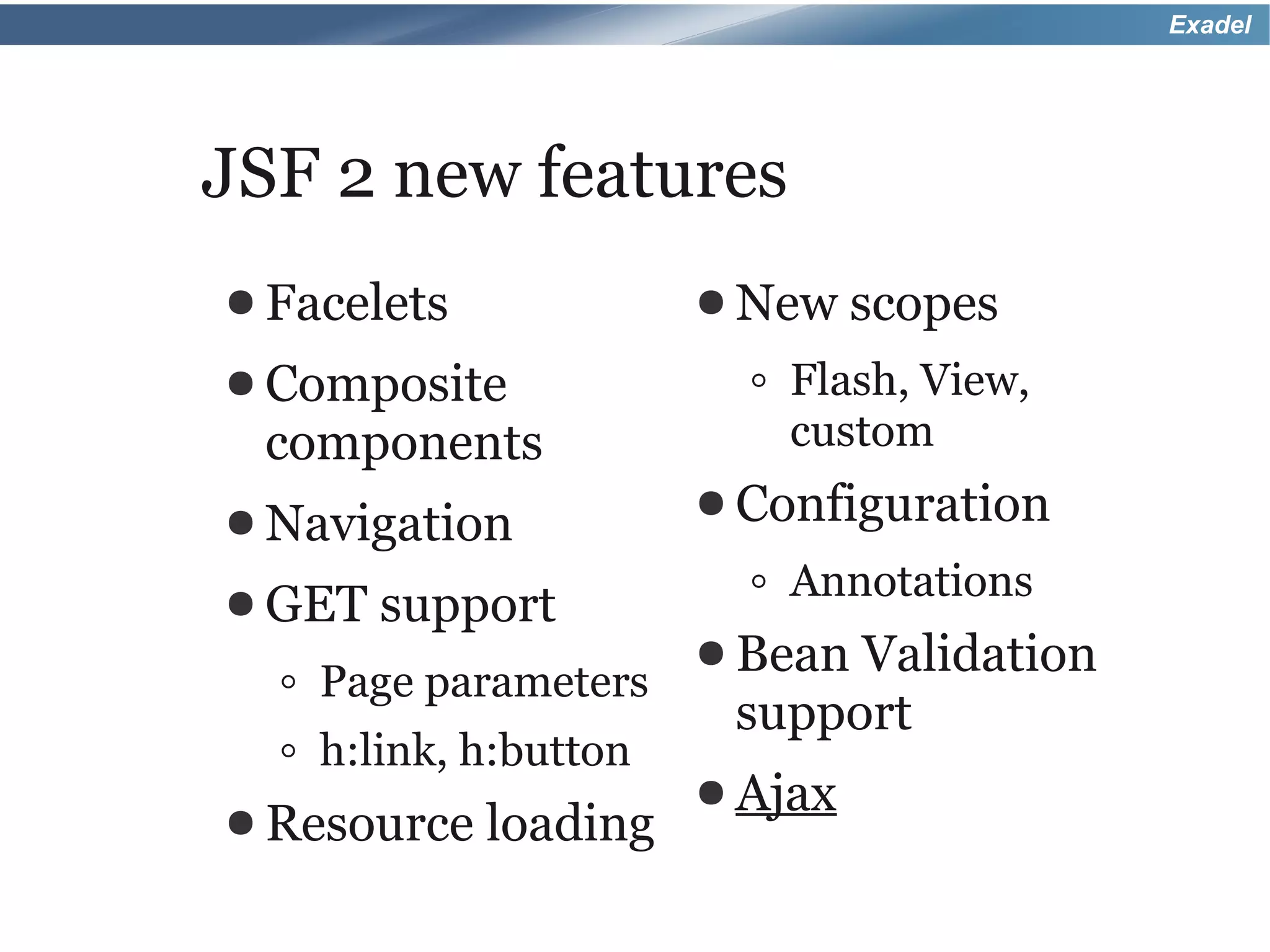
JSF 2 new features
● Facelets             ● New    scopes
● Composite              ◦ Flash, View,
 components                custom
● Navigation           ● Configuration

● GET   support          ◦ Annotations
                       ● BeanValidation
  ◦ Page parameters
                        support
  ◦ h:link, h:button
                       ● Ajax
● Resource   loading
Exadel


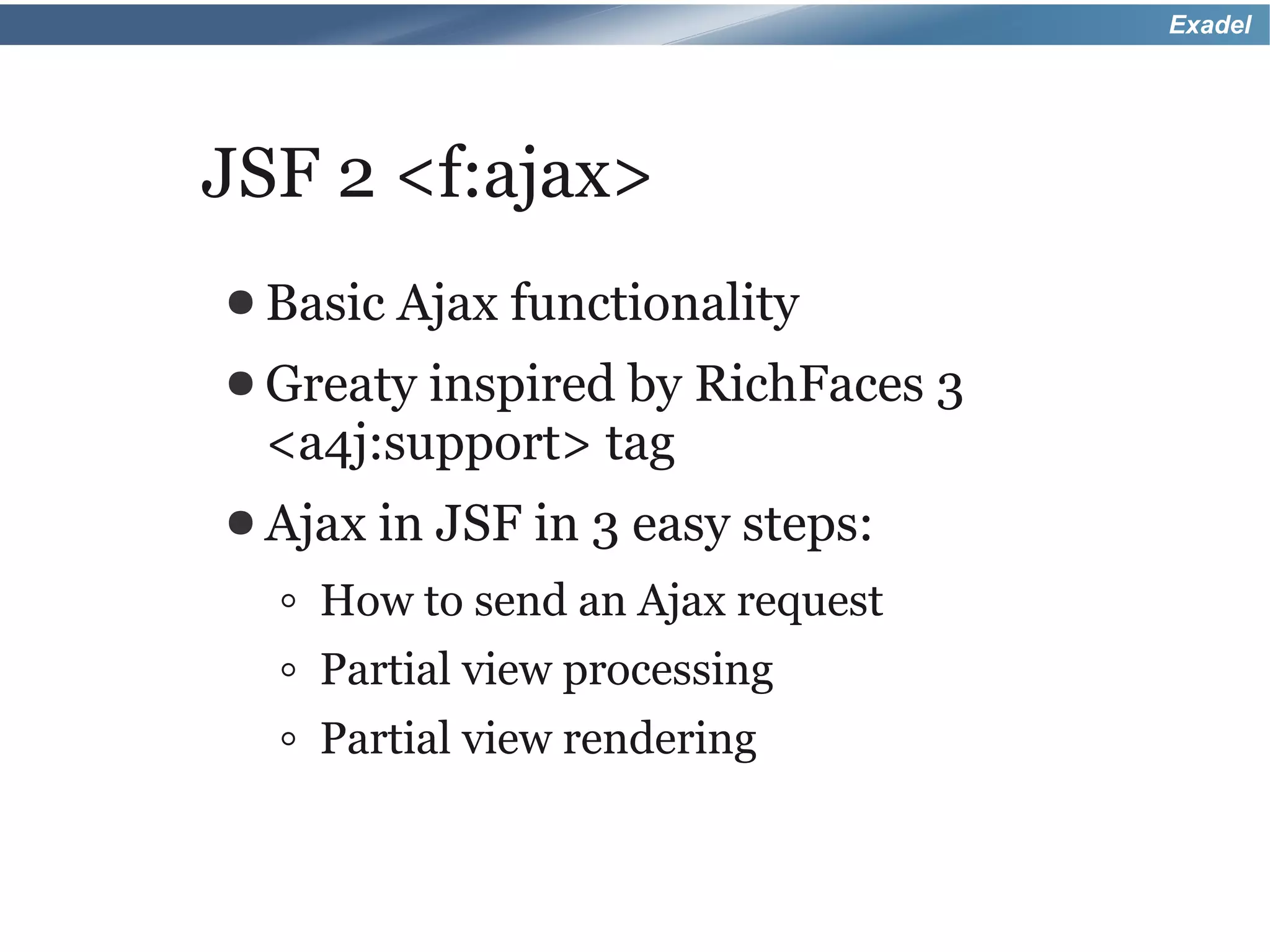
JSF 2 <f:ajax>
● Basic Ajax   functionality
● Greatyinspired by RichFaces 3
 <a4j:support> tag
● Ajax in   JSF in 3 easy steps:
  ◦ How to send an Ajax request
  ◦ Partial view processing
  ◦ Partial view rendering
Exadel


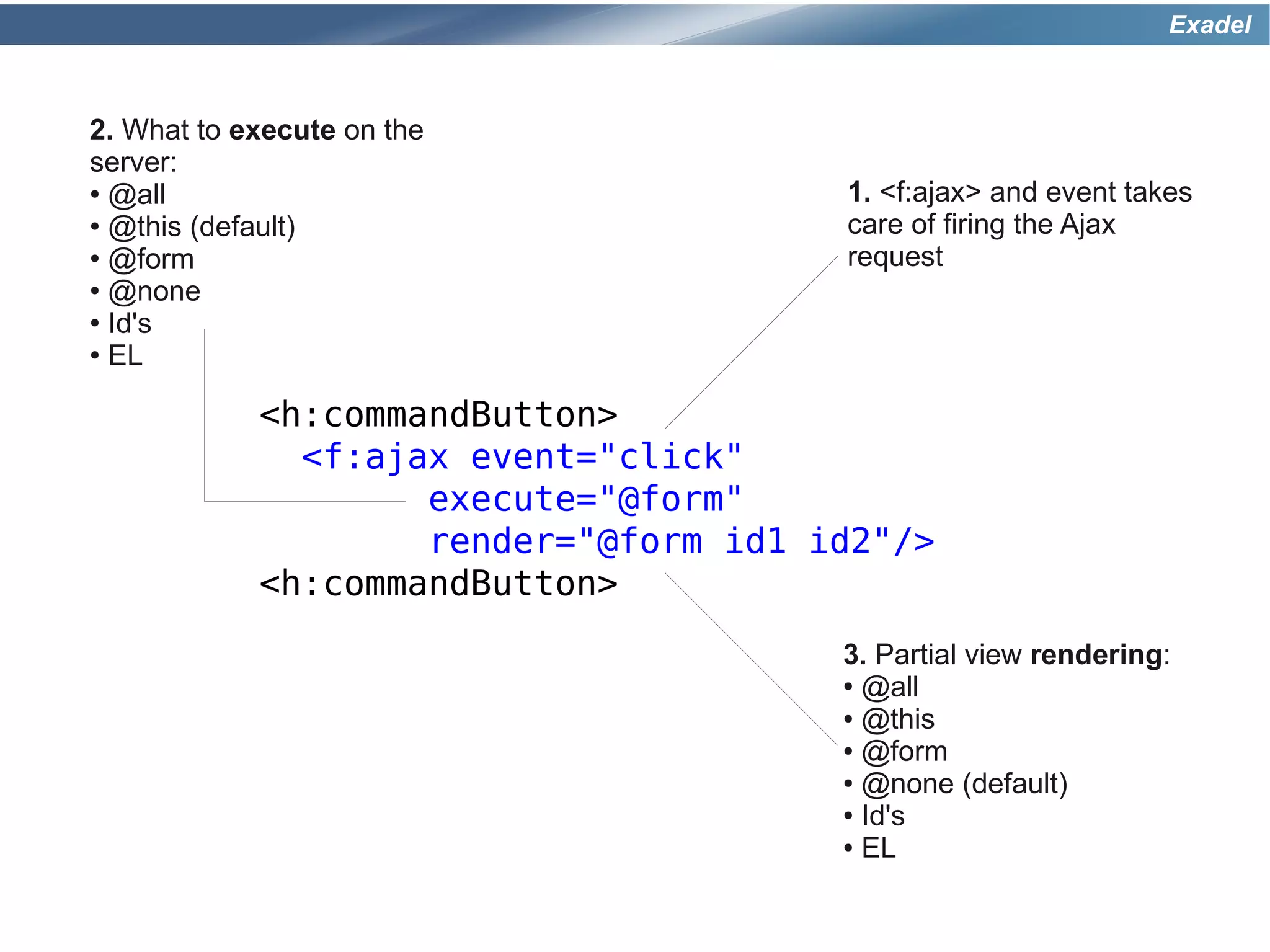
2. What to execute on the
server:
● @all                                 1. <f:ajax> and event takes
● @this (default)                      care of firing the Ajax
● @form                                request
● @none

● Id's

● EL


            <h:commandButton>
              <f:ajax event="click"
                    execute="@form"
                    render="@form id1 id2"/>
            <h:commandButton>
                                       3. Partial view rendering:
                                       ● @all

                                       ● @this

                                       ● @form

                                       ● @none (default)

                                       ● Id's

                                       ● EL
Exadel


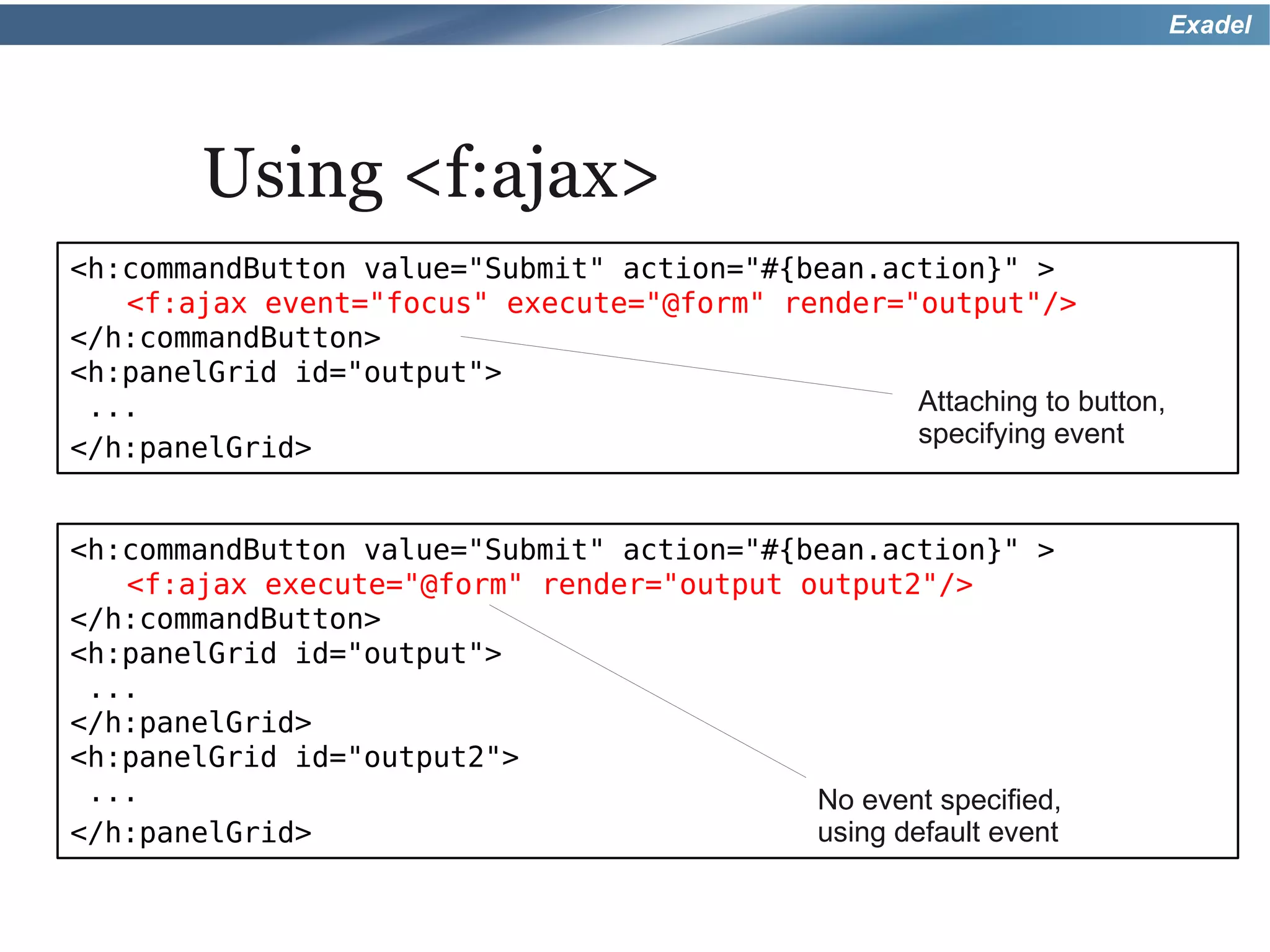
        Using <f:ajax>
<h:commandButton value="Submit" action="#{bean.action}" >
   <f:ajax event="focus" execute="@form" render="output"/>
</h:commandButton>
<h:panelGrid id="output">
 ...                                             Attaching to button,
                                                 specifying event
</h:panelGrid>


<h:commandButton value="Submit" action="#{bean.action}" >
   <f:ajax execute="@form" render="output output2"/>
</h:commandButton>
<h:panelGrid id="output">
 ...
</h:panelGrid>
<h:panelGrid id="output2">
 ...                                       No event specified,
</h:panelGrid>                             using default event
Exadel


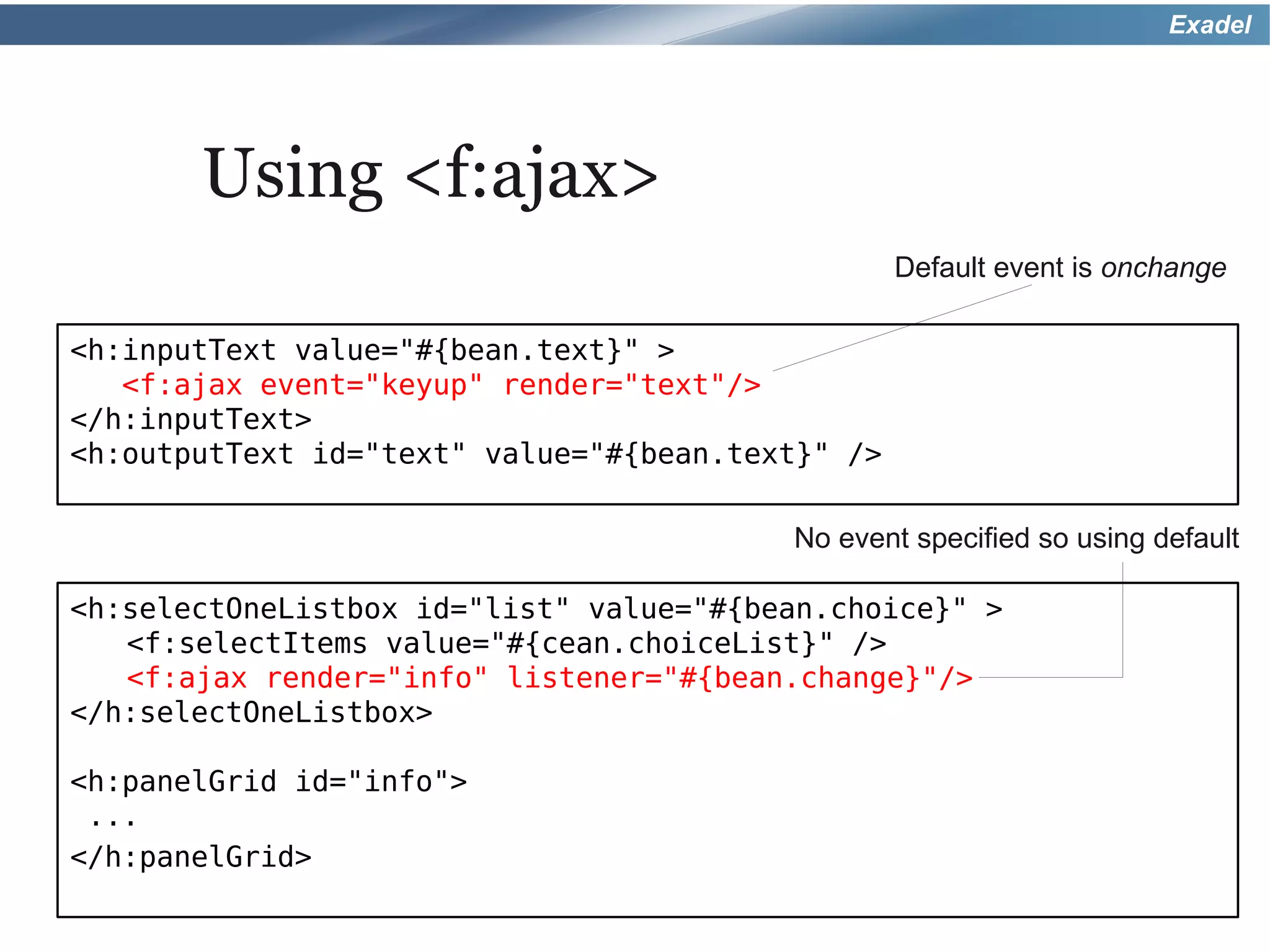
       Using <f:ajax>
                                                  Default event is onchange

<h:inputText value="#{bean.text}" >
   <f:ajax event="keyup" render="text"/>
</h:inputText>
<h:outputText id="text" value="#{bean.text}" />

                                         No event specified so using default

<h:selectOneListbox id="list" value="#{bean.choice}" >
   <f:selectItems value="#{cean.choiceList}" />
   <f:ajax render="info" listener="#{bean.change}"/>
</h:selectOneListbox>

<h:panelGrid id="info">
 ...
</h:panelGrid>
Exadel

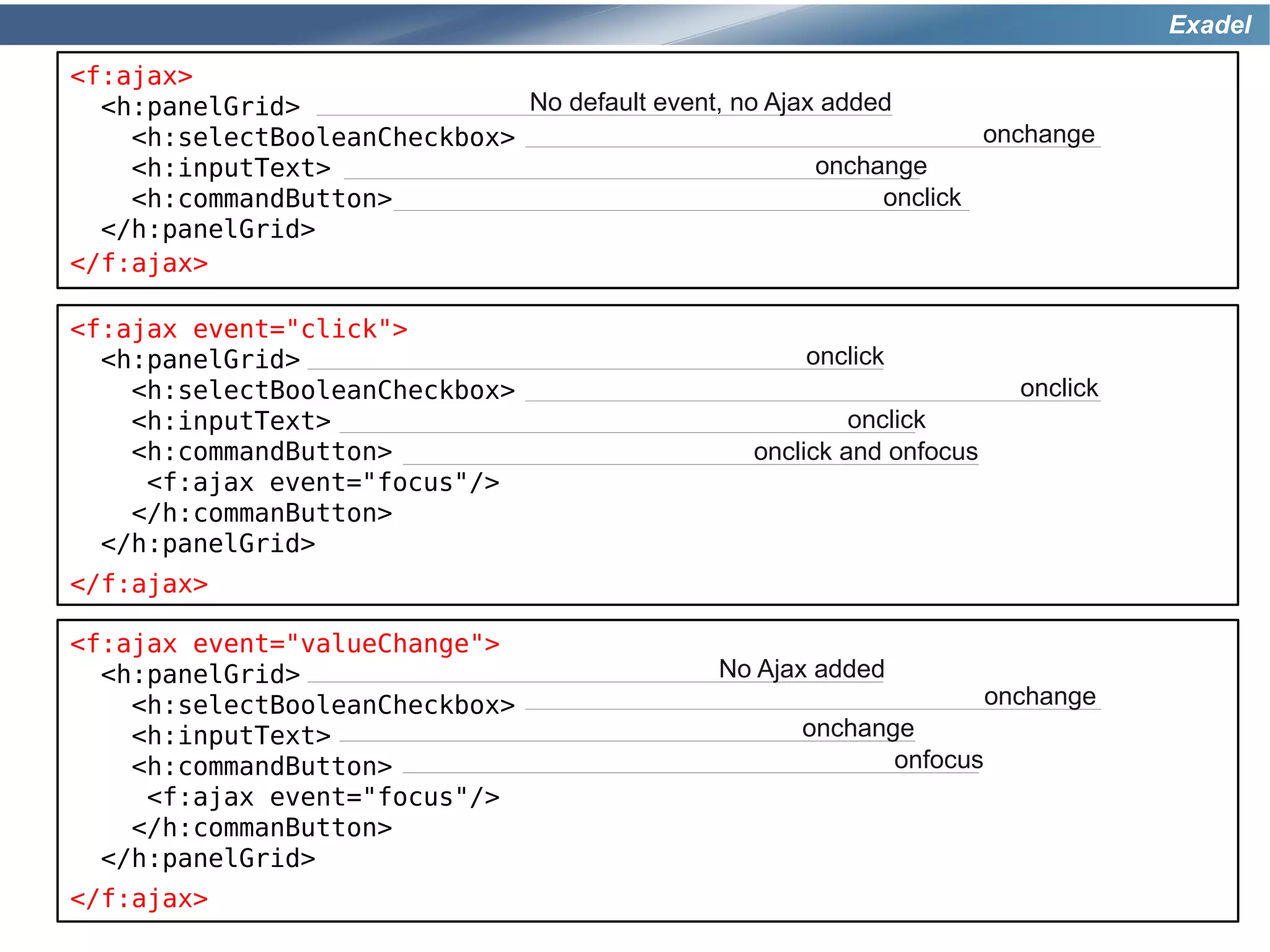
<f:ajax>
  <h:panelGrid>               No default event, no Ajax added
    <h:selectBooleanCheckbox>                                       onchange
    <h:inputText>                                      onchange
    <h:commandButton>                                       onclick
  </h:panelGrid>
</f:ajax>

<f:ajax event="click">
  <h:panelGrid>                                       onclick
    <h:selectBooleanCheckbox>                                             onclick
    <h:inputText>                                          onclick
    <h:commandButton>                             onclick and onfocus
     <f:ajax event="focus"/>
    </h:commanButton>
  </h:panelGrid>
</f:ajax>

<f:ajax event="valueChange">
  <h:panelGrid>                                 No Ajax added
    <h:selectBooleanCheckbox>                                           onchange
    <h:inputText>                                     onchange
    <h:commandButton>                                        onfocus
     <f:ajax event="focus"/>
    </h:commanButton>
  </h:panelGrid>
</f:ajax>
Exadel


   That's good, but a rich
component framework is still
  need to build real-world
     Ajax applications.
Exadel


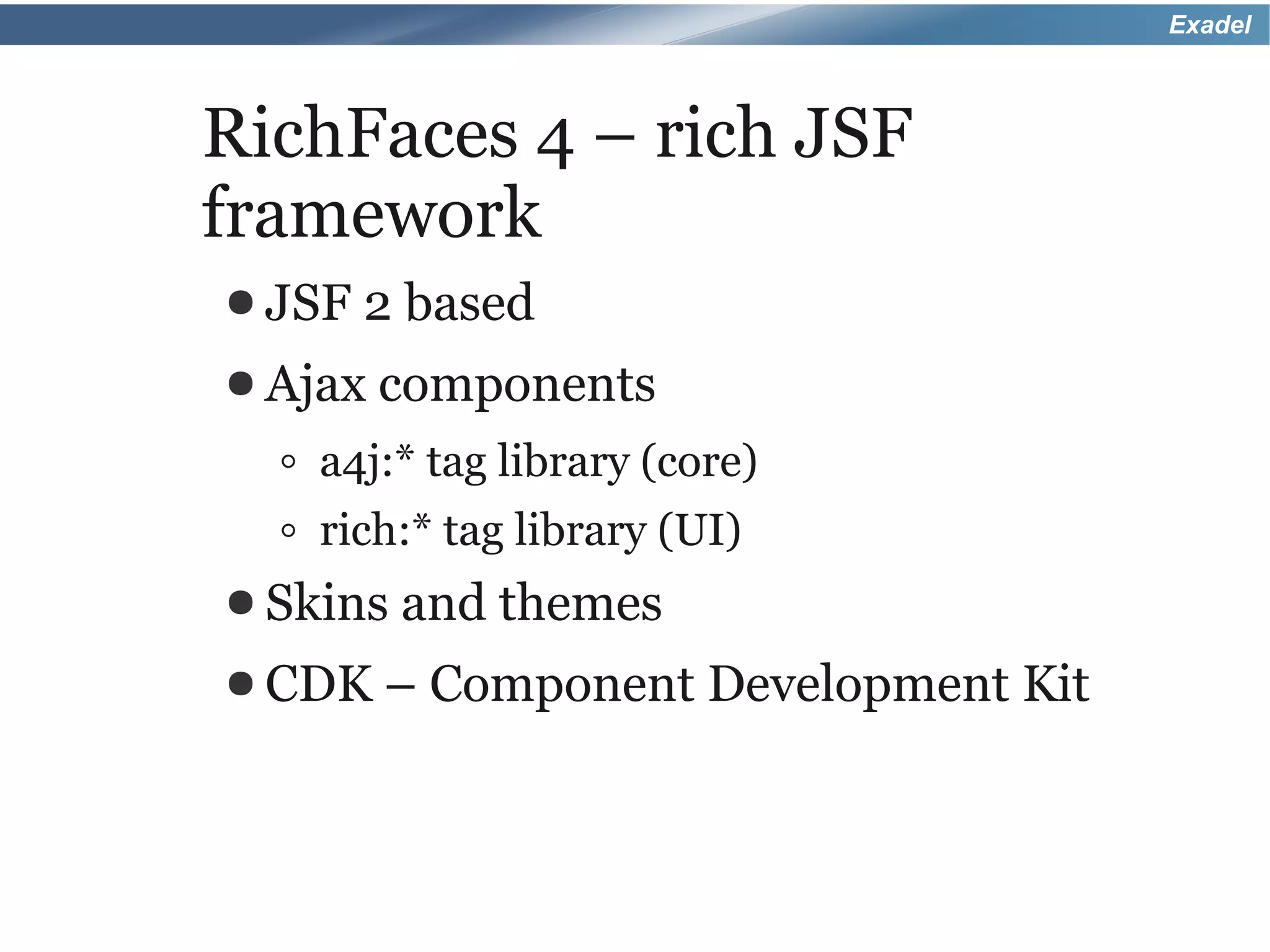
RichFaces 4 – rich JSF
framework
● JSF   2 based
● Ajax components

  ◦ a4j:* tag library (core)
  ◦ rich:* tag library (UI)
● Skins and themes
● CDK –   Component Development Kit
Exadel


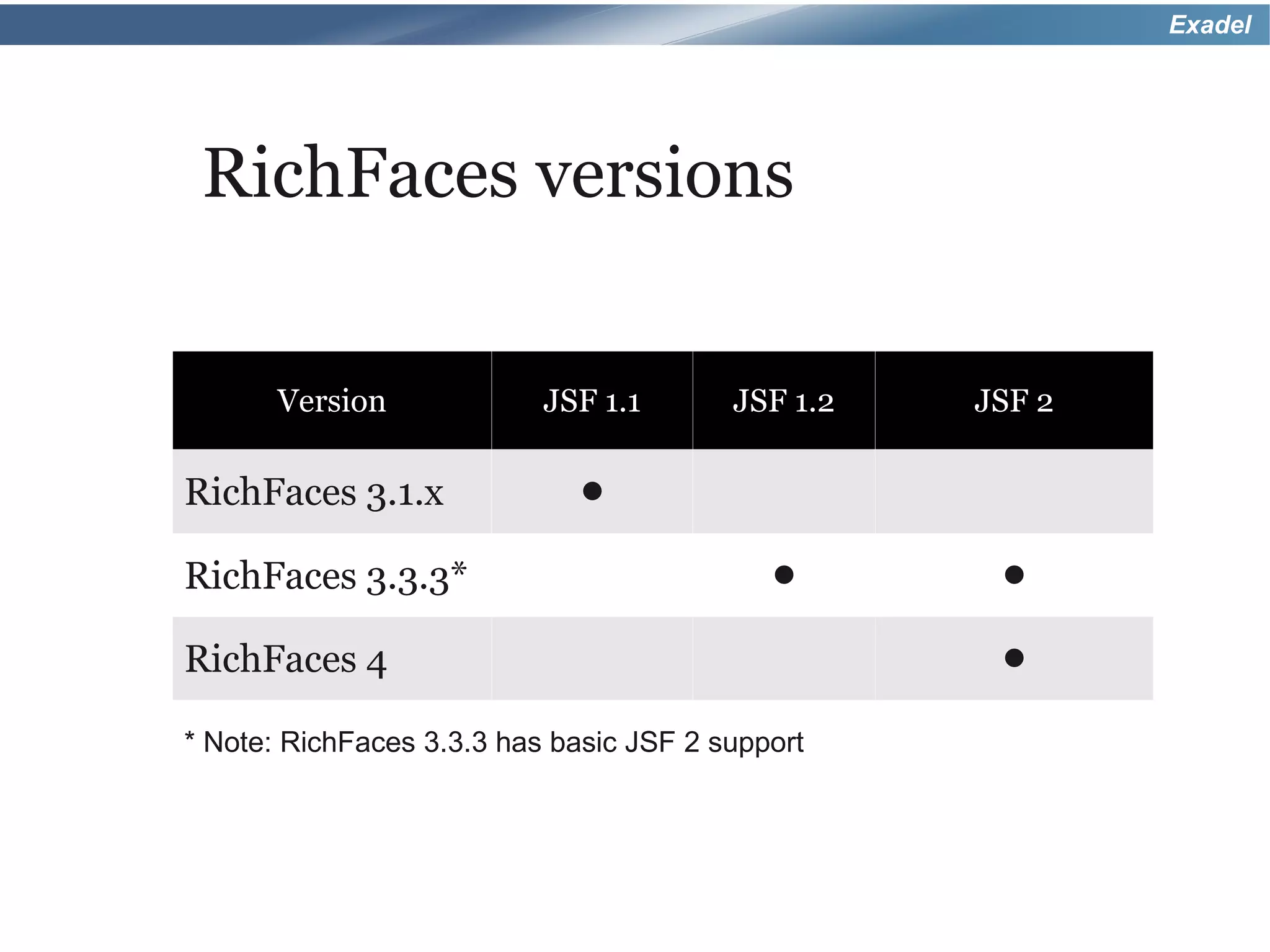
 RichFaces versions

       Version             JSF 1.1       JSF 1.2   JSF 2

RichFaces 3.1.x               •
RichFaces 3.3.3*                            •       •
RichFaces 4                                         •
* Note: RichFaces 3.3.3 has basic JSF 2 support
Exadel


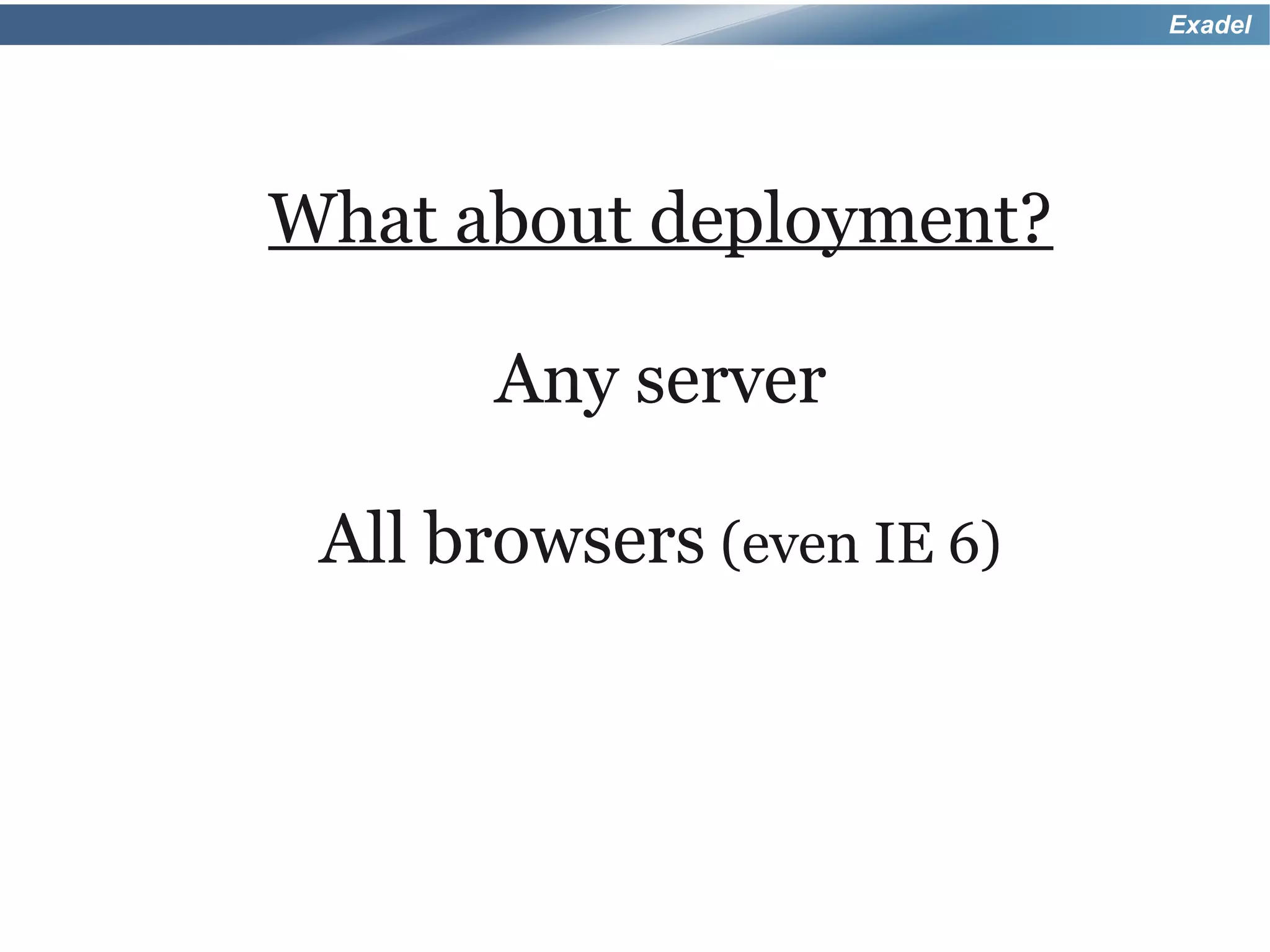
What about deployment?

       Any server

 All browsers (even IE 6)
Exadel


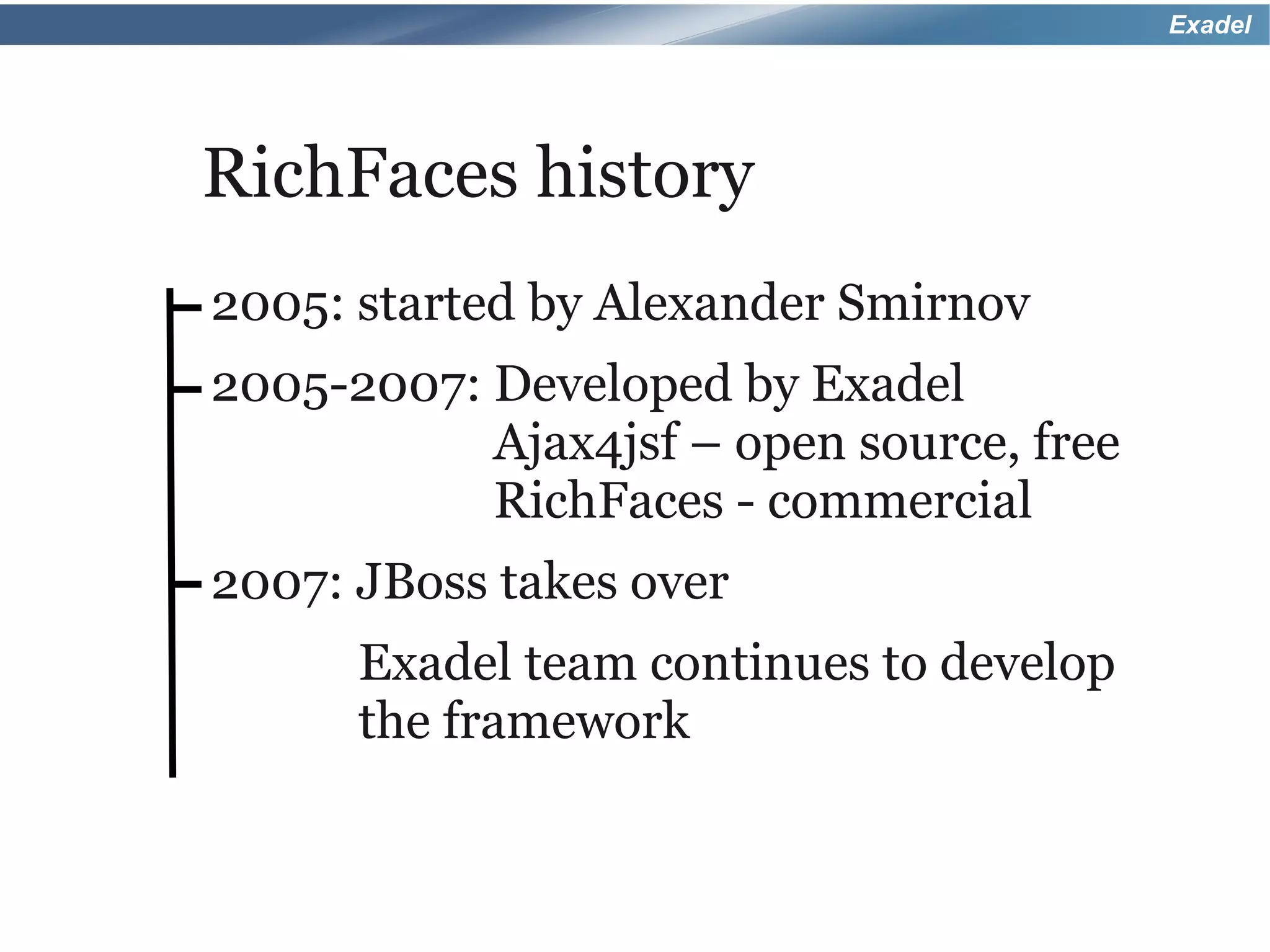
RichFaces history
2005: started by Alexander Smirnov
2005-2007: Developed by Exadel
           Ajax4jsf – open source, free
           RichFaces - commercial
2007: JBoss takes over
      Exadel team continues to develop
      the framework
Exadel


Just tell me when RichFaces 4
   is going to be released?
Exadel


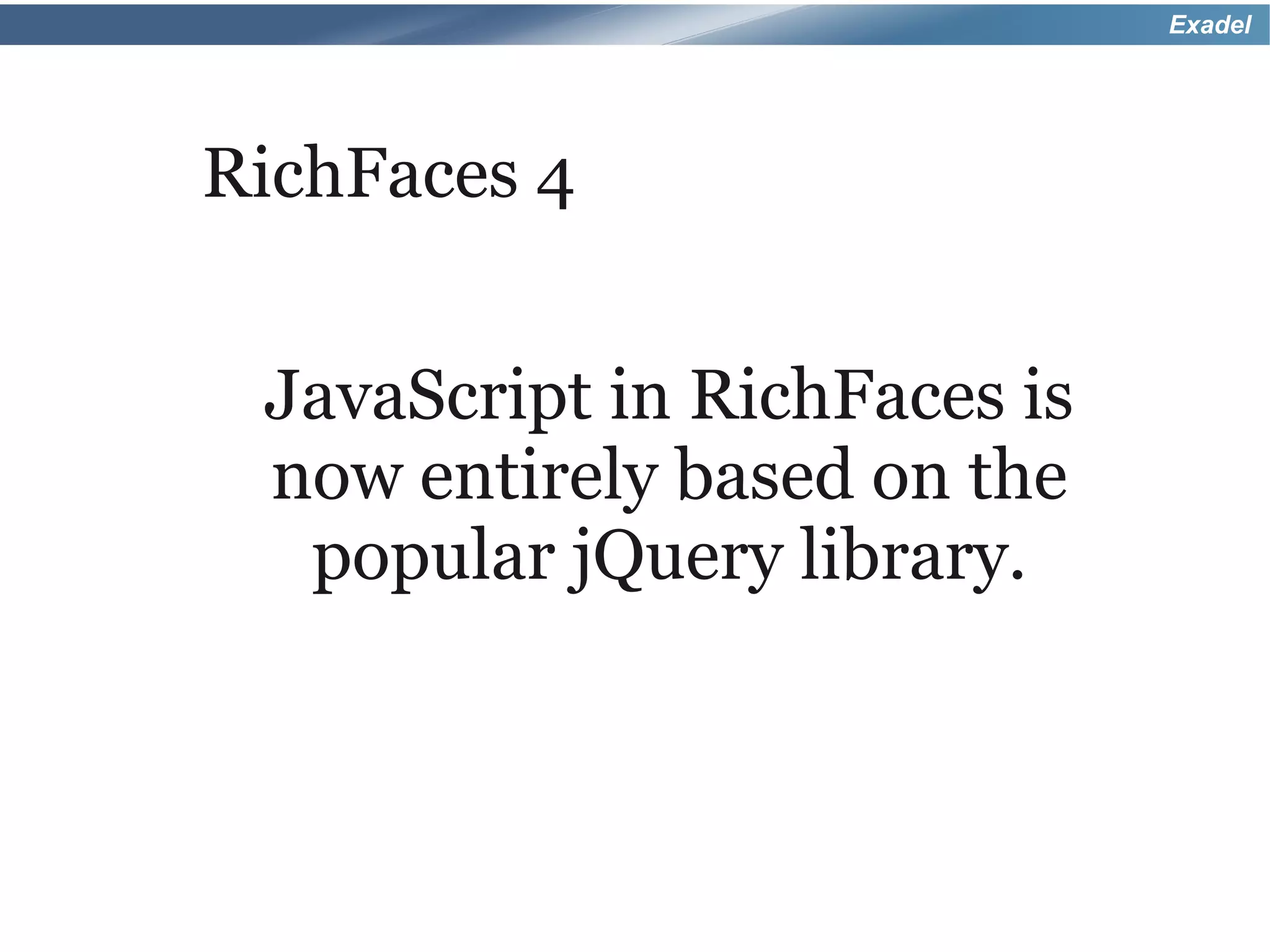
RichFaces 4


 JavaScript in RichFaces is
 now entirely based on the
  popular jQuery library.
Exadel


RichFaces 4
● All components are reviewed for
 consistency, usability
● Redesigned following    semantic
 HTML principles
● Server-side
           and client-side
 performance optimization
● Strict   code clean-up and review
Exadel


RichFaces 4
● Newand easy to use CDK
 (Component Development Kit)
● Quickly build your   own custom rich
 components
Exadel


Google App Engine
● DeployRichFaces application in
 Google App Engine (GAE)
● Special maven-based   plug-in
 available
Exadel


RichFaces <a4j:ajax>
● 100% based on     standard <f:ajax>
● Just replacef: with a4j: and get
 exactly the same functionality
● But,   you get extra features...
Exadel


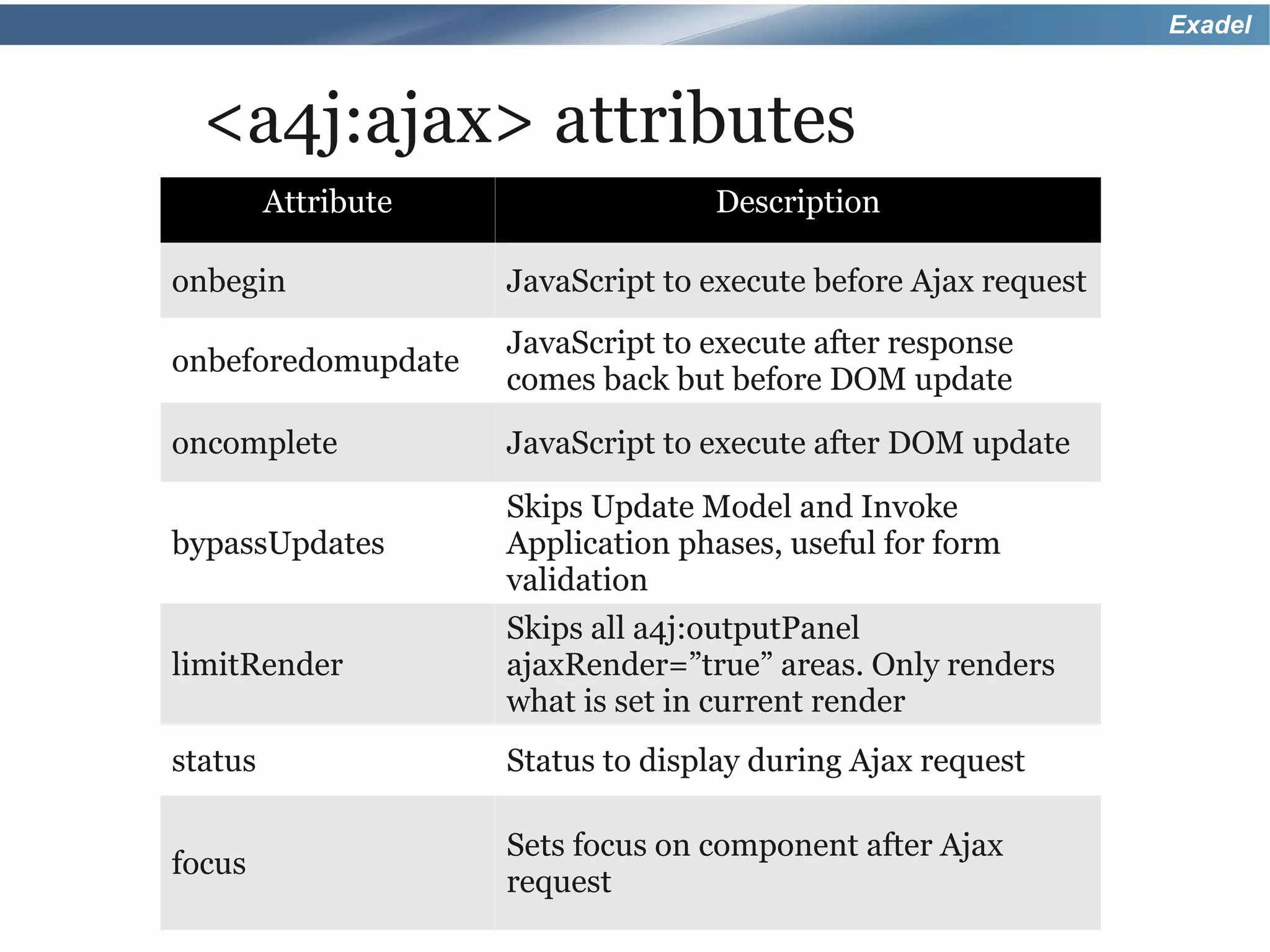
  <a4j:ajax> attributes
         Attribute                 Description

onbegin              JavaScript to execute before Ajax request
                     JavaScript to execute after response
onbeforedomupdate
                     comes back but before DOM update
oncomplete           JavaScript to execute after DOM update
                     Skips Update Model and Invoke
bypassUpdates        Application phases, useful for form
                     validation
                     Skips all a4j:outputPanel
limitRender          ajaxRender=”true” areas. Only renders
                     what is set in current render
status               Status to display during Ajax request

                     Sets focus on component after Ajax
focus
                     request
Exadel


RichFaces 4
That's not all, there are more RichFaces
                 goodies...
Exadel


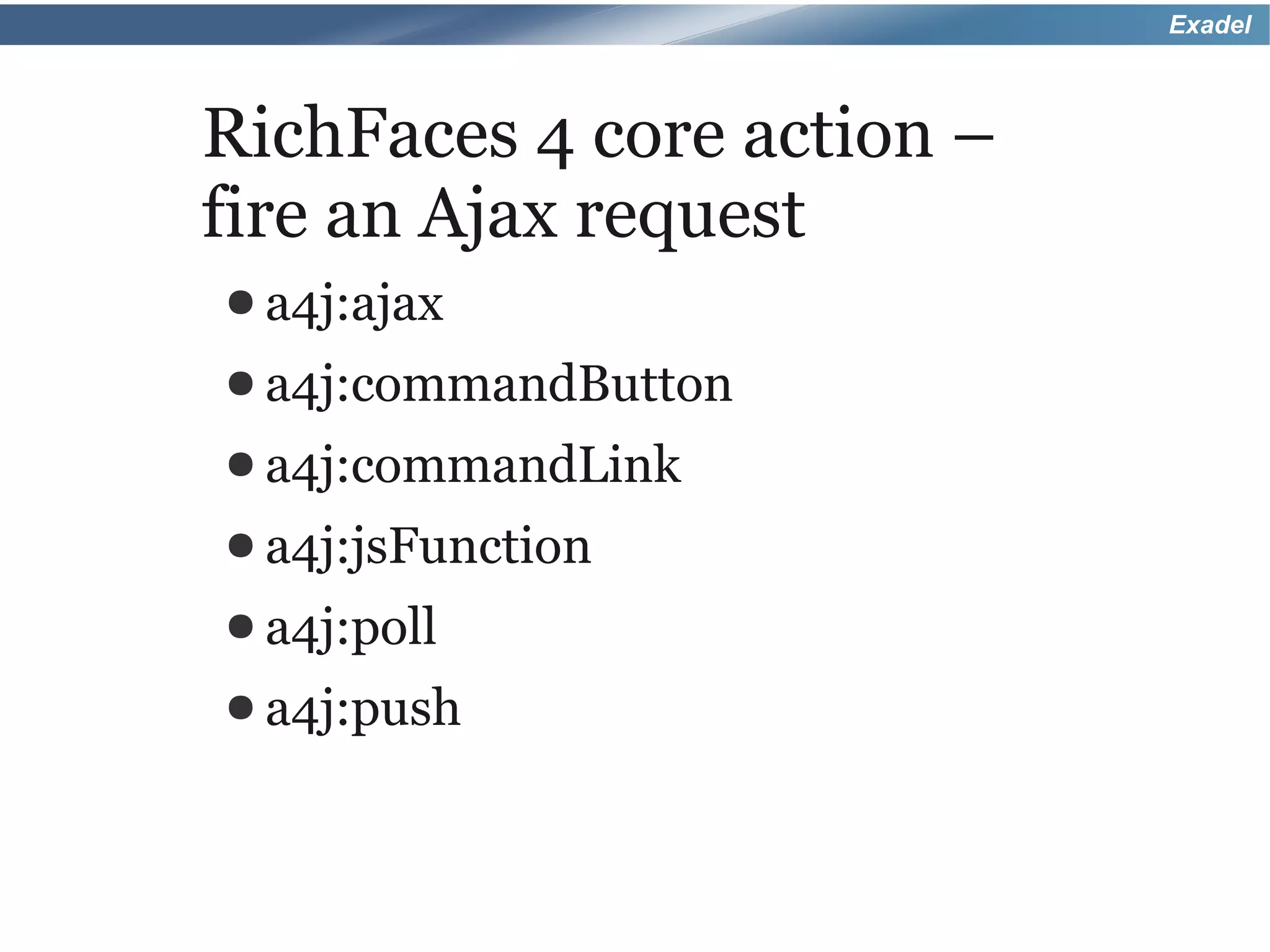
RichFaces 4 core action –
fire an Ajax request
● a4j:ajax
● a4j:commandButton
● a4j:commandLink
● a4j:jsFunction
● a4j:poll
● a4j:push
Exadel


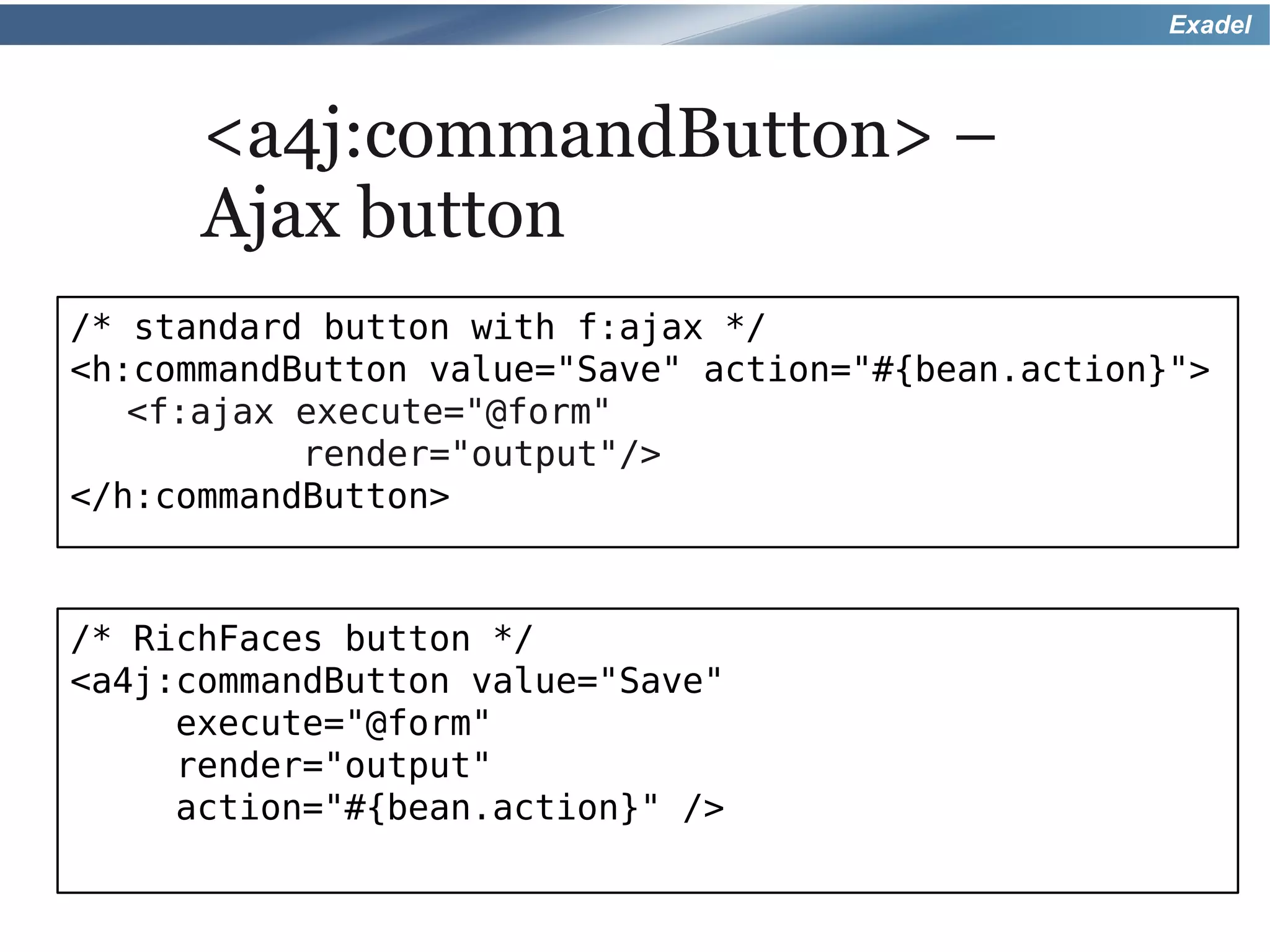
      <a4j:commandButton> –
      Ajax button
/* standard button with f:ajax */
<h:commandButton value="Save" action="#{bean.action}">
   <f:ajax execute="@form"
           render="output"/>
</h:commandButton>


/* RichFaces button */
<a4j:commandButton value="Save"
     execute="@form"
     render="output"
     action="#{bean.action}" />
Exadel


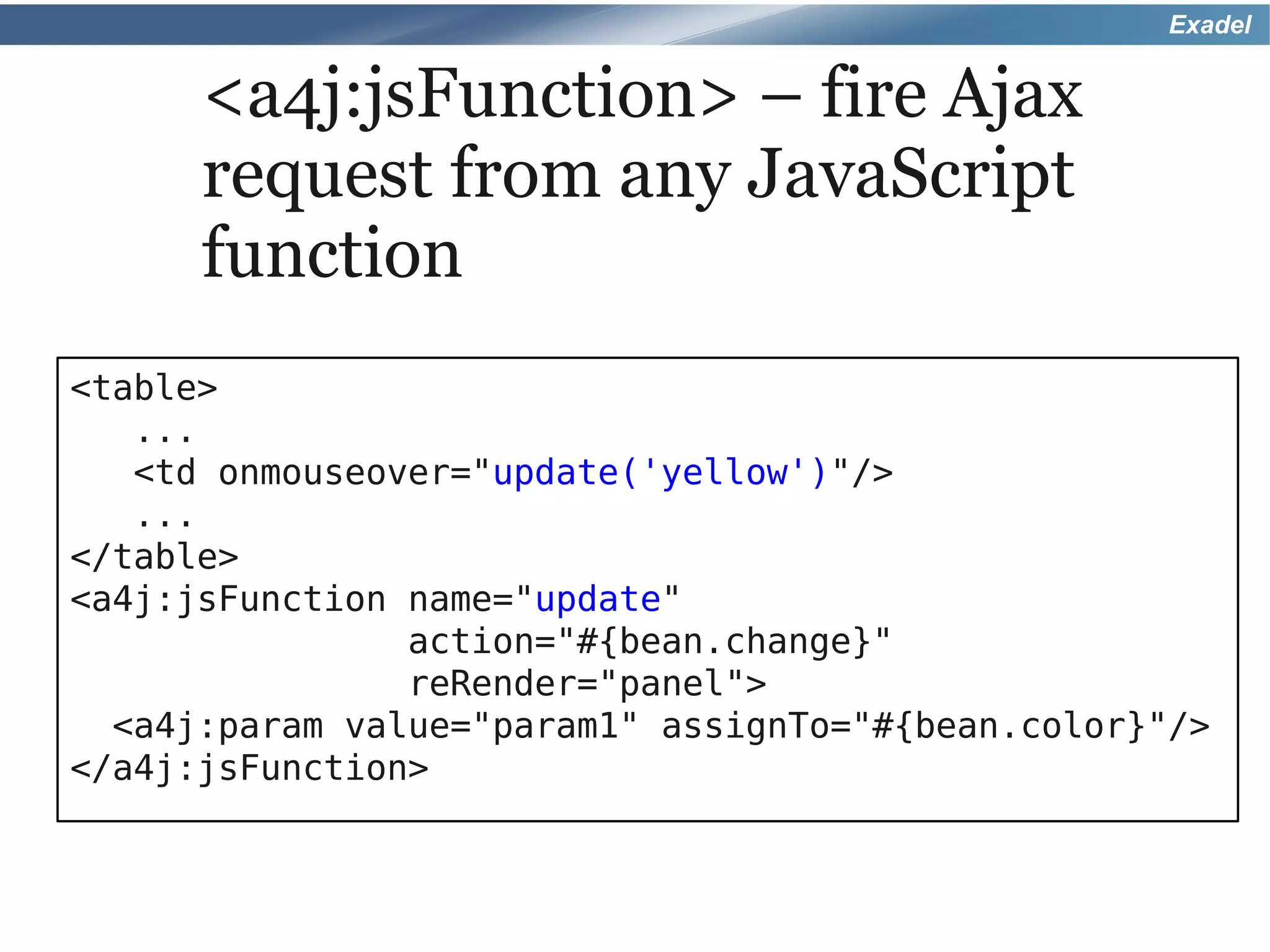
      <a4j:jsFunction> – fire Ajax
      request from any JavaScript
      function
<table>
   ...
   <td onmouseover="update('yellow')"/>
   ...
</table>
<a4j:jsFunction name="update"
                action="#{bean.change}"
                reRender="panel">
  <a4j:param value="param1" assignTo="#{bean.color}"/>
</a4j:jsFunction>
Exadel


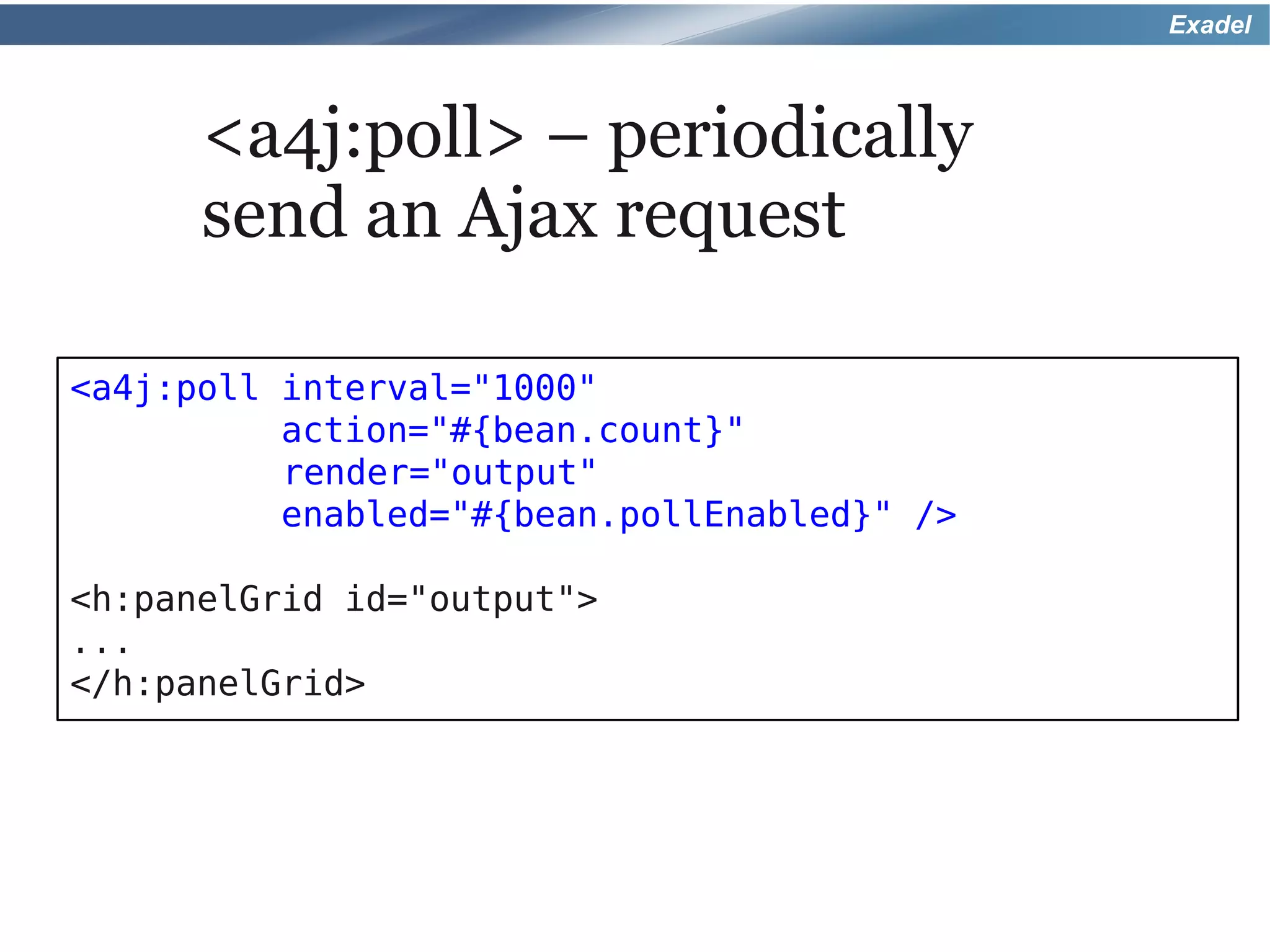
      <a4j:poll> – periodically
      send an Ajax request

<a4j:poll interval="1000"
          action="#{bean.count}"
          render="output"
          enabled="#{bean.pollEnabled}" />

<h:panelGrid id="output">
...
</h:panelGrid>
Exadel


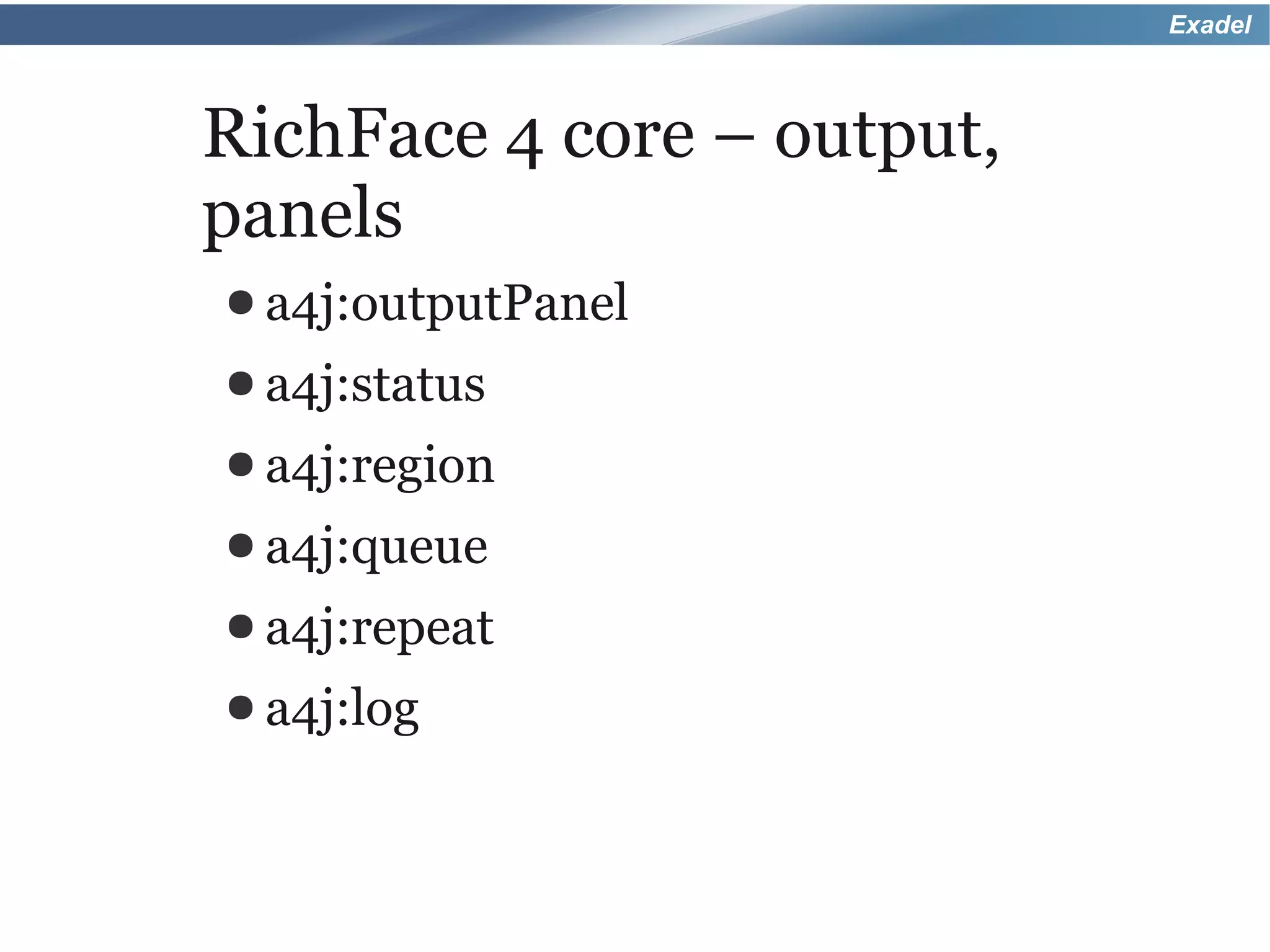
RichFace 4 core – output,
panels
● a4j:outputPanel
● a4j:status
● a4j:region
● a4j:queue
● a4j:repeat
● a4j:log
Exadel


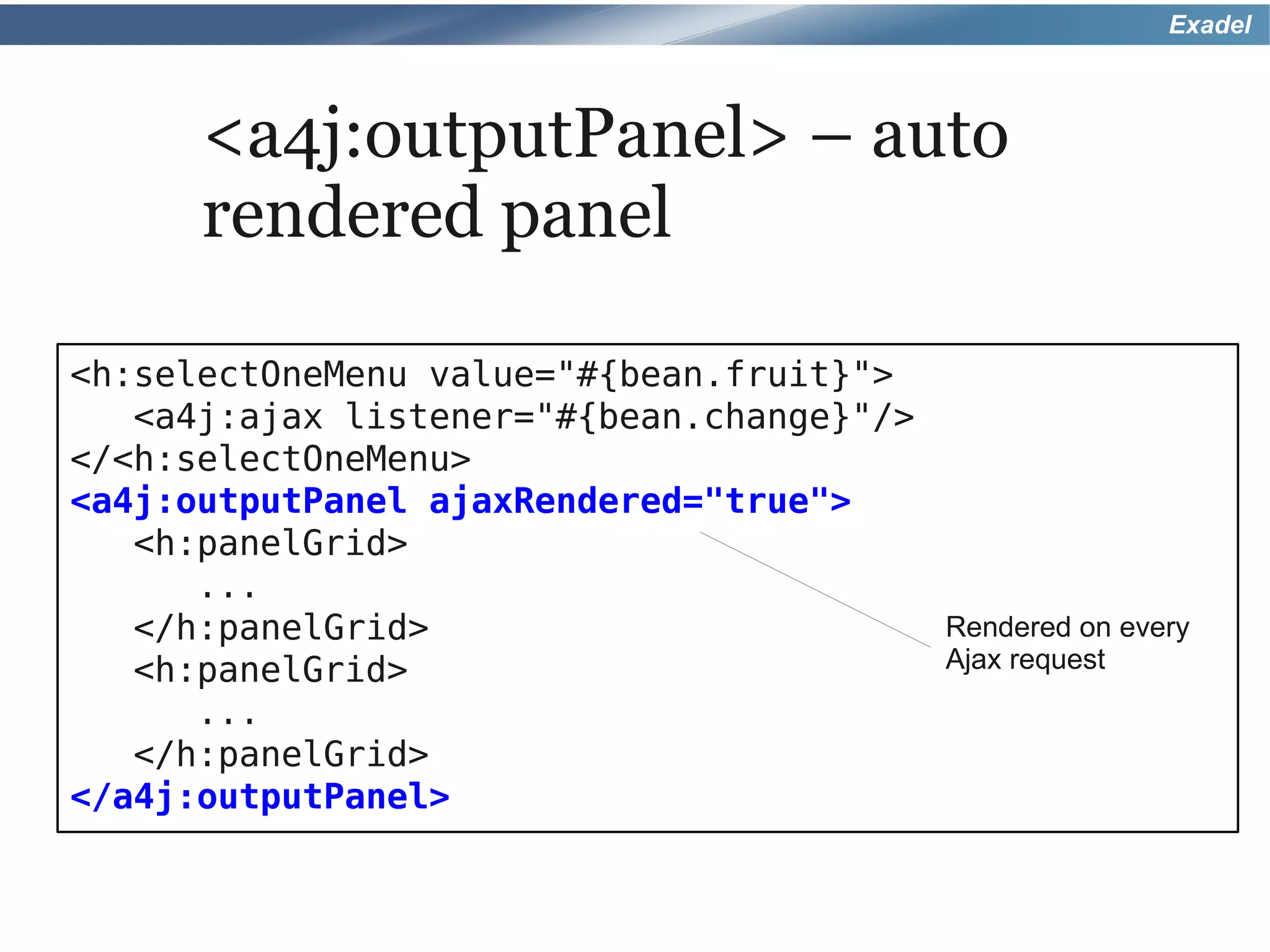
      <a4j:outputPanel> – auto
      rendered panel

<h:selectOneMenu value="#{bean.fruit}">
   <a4j:ajax listener="#{bean.change}"/>
</<h:selectOneMenu>
<a4j:outputPanel ajaxRendered="true">
   <h:panelGrid>
      ...
   </h:panelGrid>                        Rendered on every
   <h:panelGrid>                         Ajax request
      ...
   </h:panelGrid>
</a4j:outputPanel>
Exadel


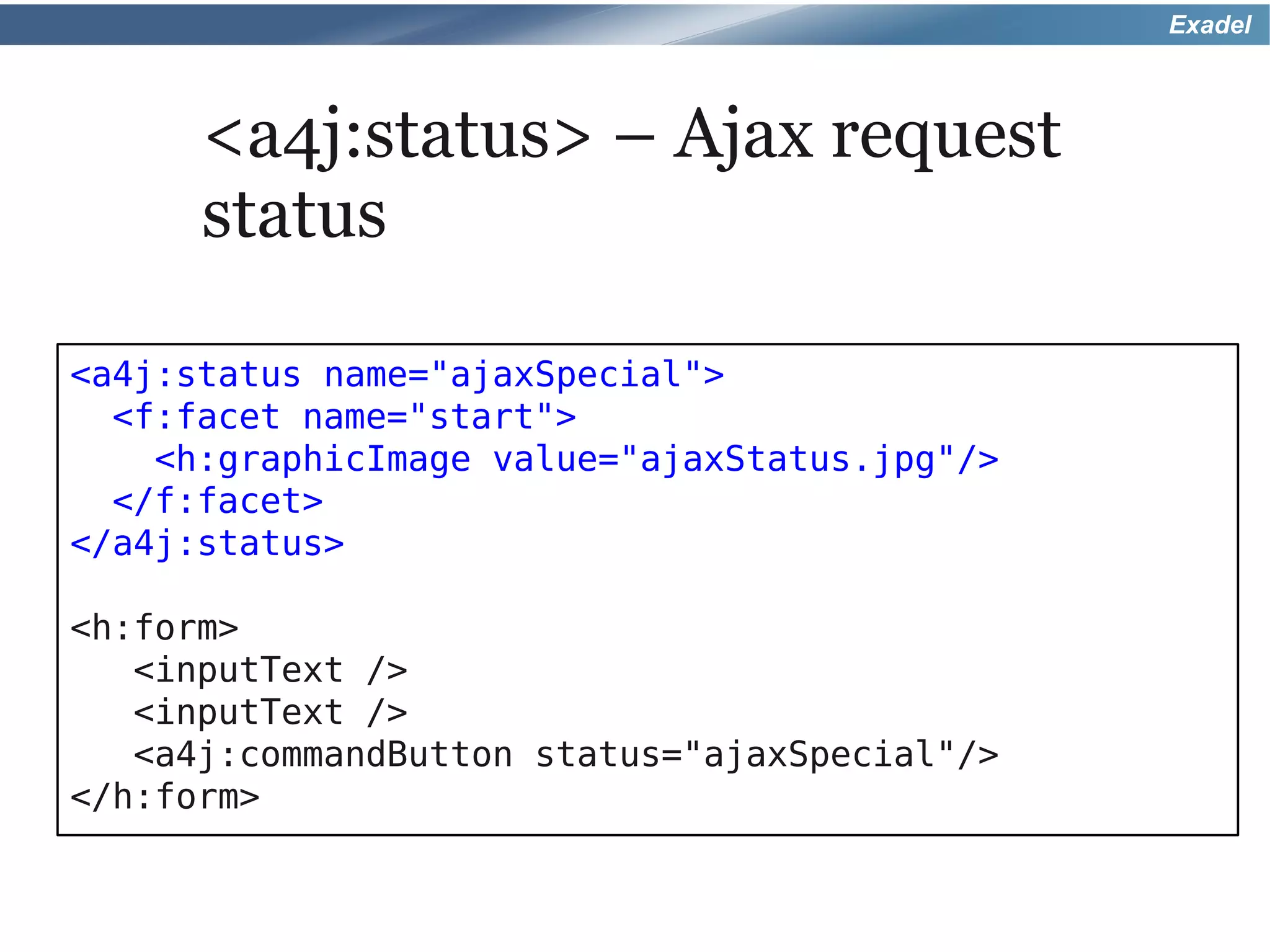
      <a4j:status> – Ajax request
      status

<a4j:status name="ajaxSpecial">
  <f:facet name="start">
    <h:graphicImage value="ajaxStatus.jpg"/>
  </f:facet>
</a4j:status>

<h:form>
   <inputText />
   <inputText />
   <a4j:commandButton status="ajaxSpecial"/>
</h:form>
Exadel


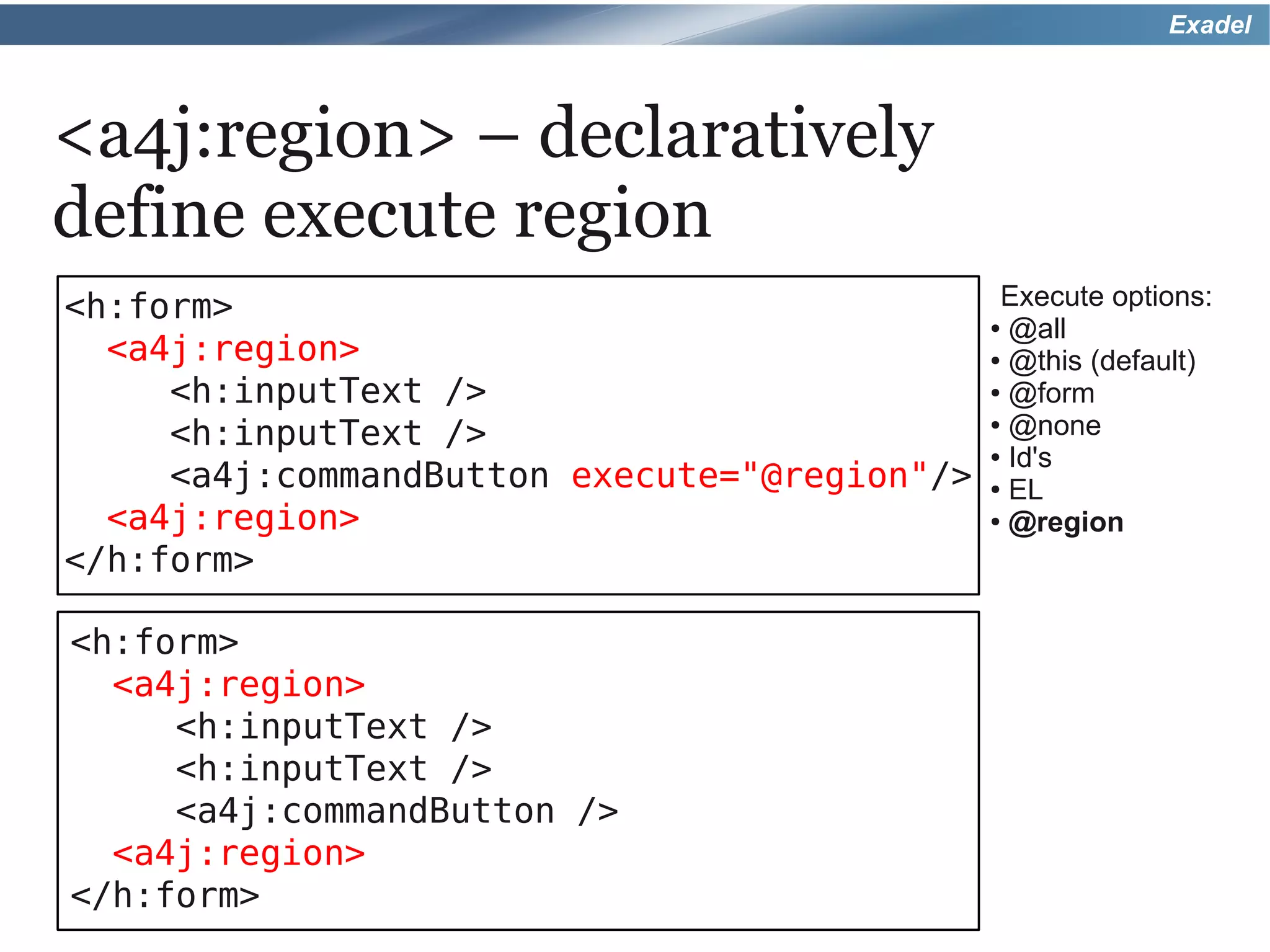
<a4j:region> – declaratively
define execute region
<h:form>                                    Execute options:
                                            @all●

  <a4j:region>                              @this (default)
                                                ●

     <h:inputText />                        @form
                                                ●


     <h:inputText />                        @none
                                                ●

                                            Id's●

     <a4j:commandButton execute="@region"/> EL  ●

  <a4j:region>                              @region
                                                ●


</h:form>

<h:form>
  <a4j:region>
     <h:inputText />
     <h:inputText />
     <a4j:commandButton />
  <a4j:region>
</h:form>
Exadel


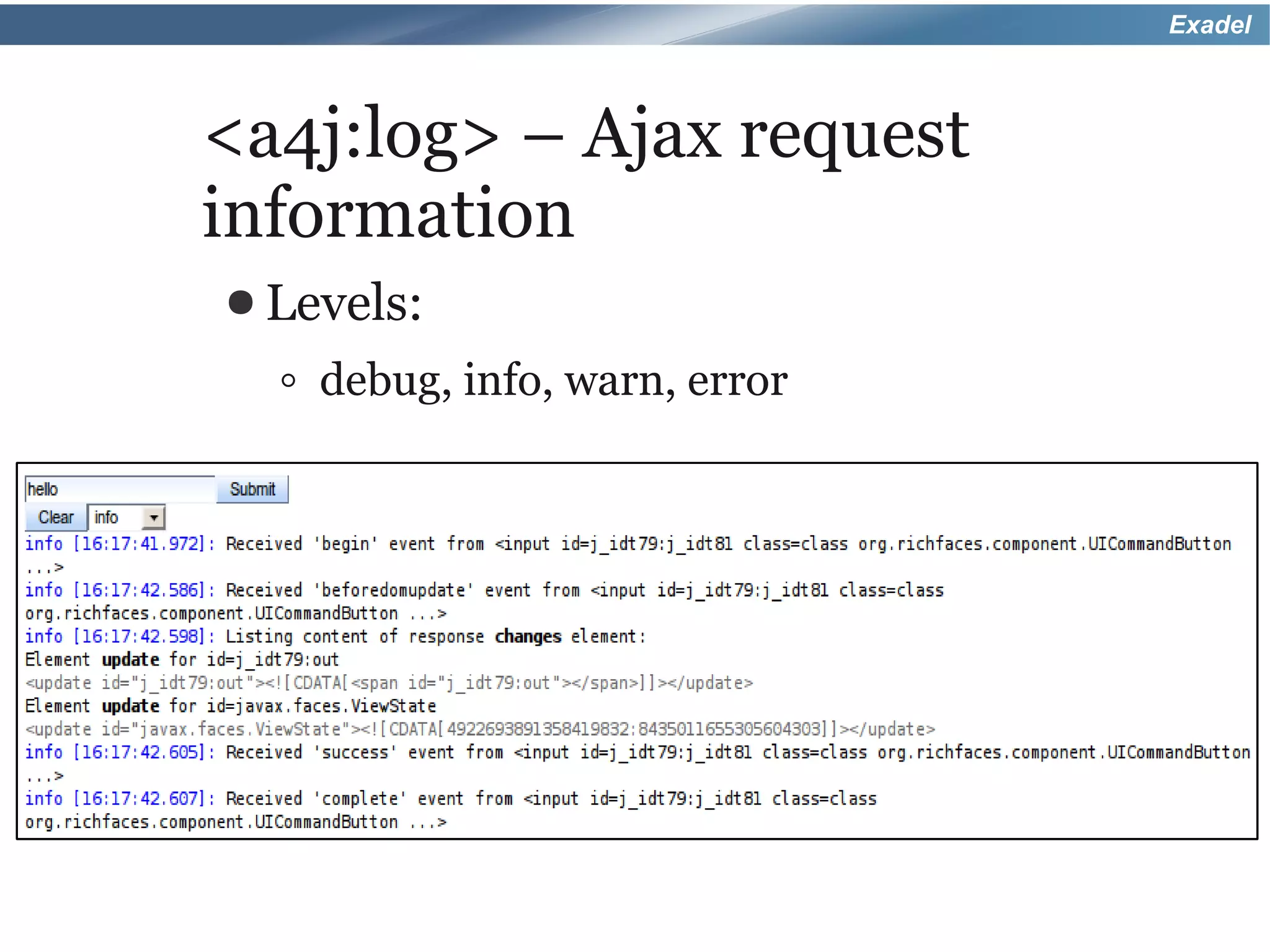
<a4j:log> – Ajax request
information
● Levels:

  ◦ debug, info, warn, error
Exadel


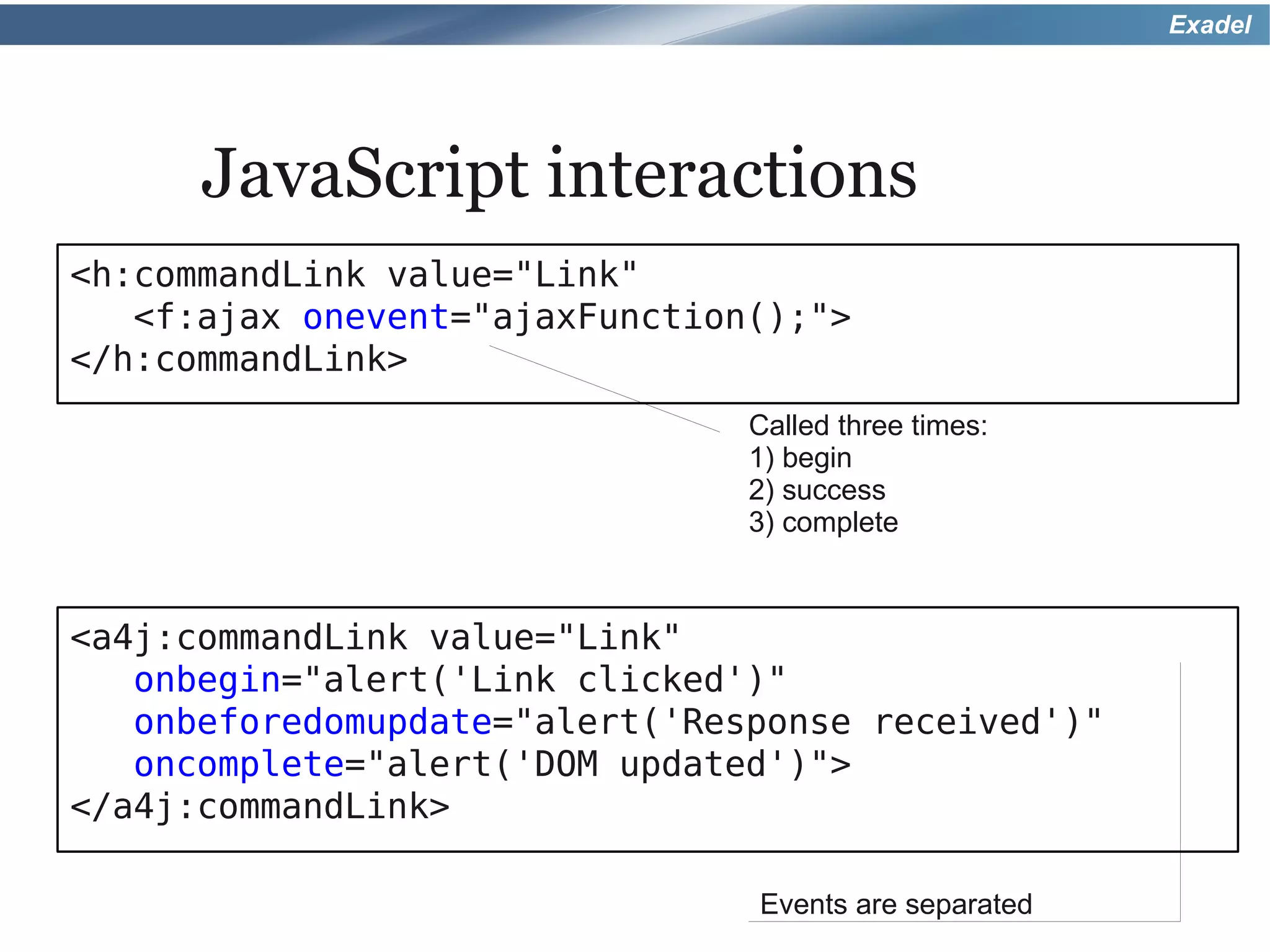
      JavaScript interactions
<h:commandLink value="Link"
   <f:ajax onevent="ajaxFunction();">
</h:commandLink>
                                Called three times:
                                1) begin
                                2) success
                                3) complete


<a4j:commandLink value="Link"
   onbegin="alert('Link clicked')"
   onbeforedomupdate="alert('Response received')"
   oncomplete="alert('DOM updated')">
</a4j:commandLink>

                                Events are separated
Exadel


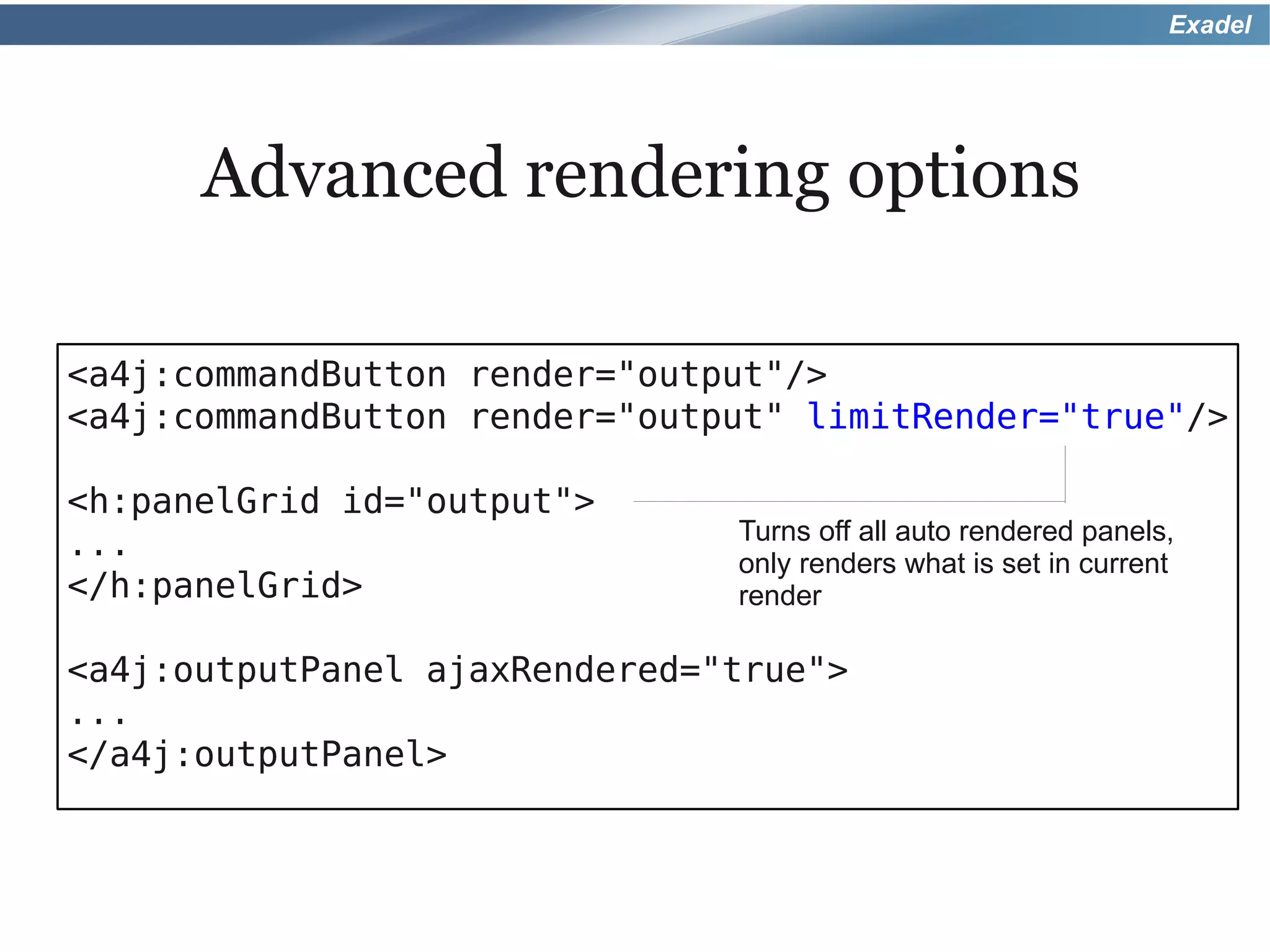
      Advanced rendering options

<a4j:commandButton render="output"/>
<a4j:commandButton render="output" limitRender="true"/>

<h:panelGrid id="output">
                               Turns off all auto rendered panels,
...
                               only renders what is set in current
</h:panelGrid>                 render

<a4j:outputPanel ajaxRendered="true">
...
</a4j:outputPanel>
Exadel


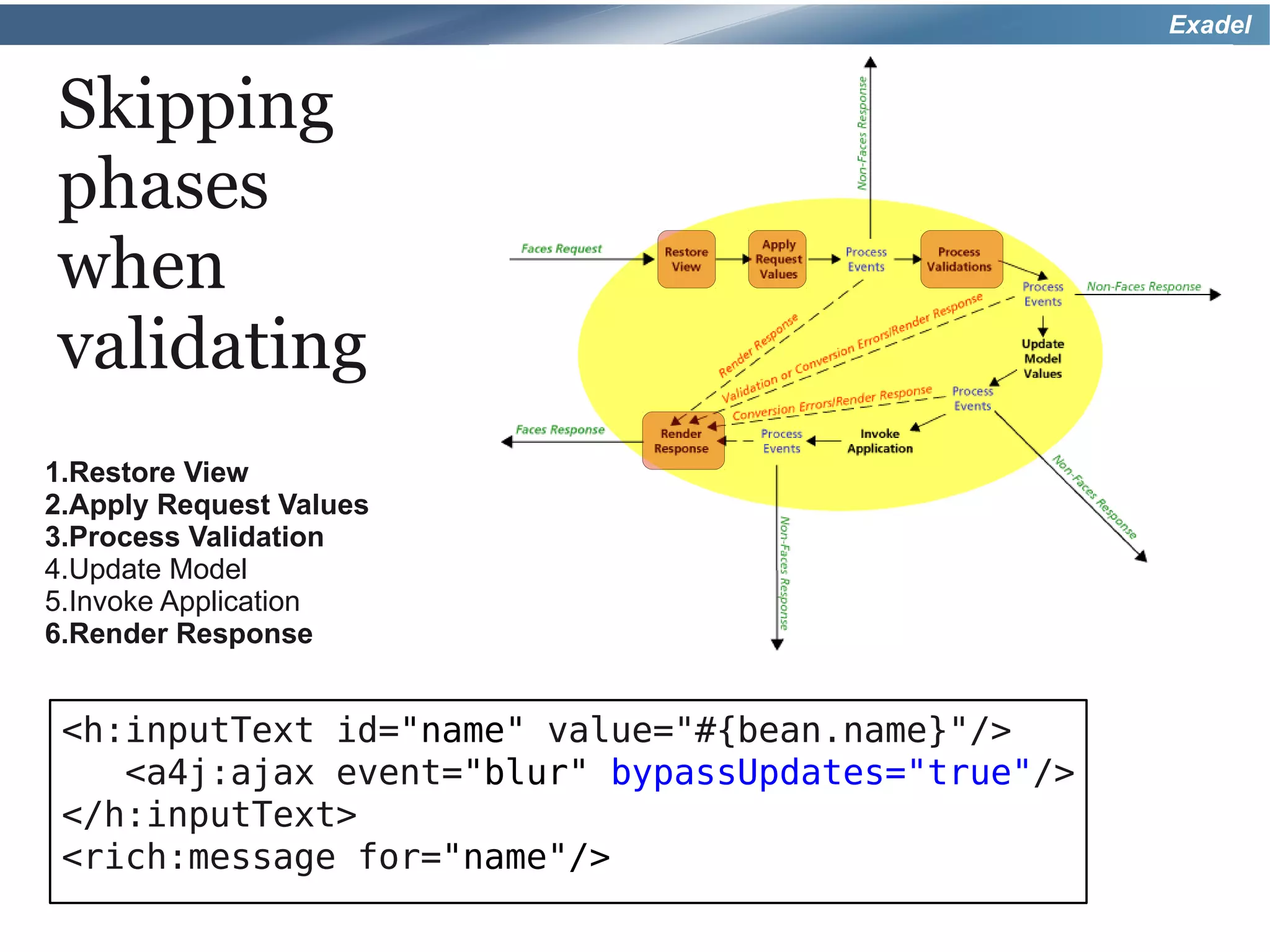
Skipping
phases
when
validating
1.Restore View
2.Apply Request Values
3.Process Validation
4.Update Model
5.Invoke Application
6.Render Response


 <h:inputText id="name" value="#{bean.name}"/>
    <a4j:ajax event="blur" bypassUpdates="true"/>
 </h:inputText>
 <rich:message for="name"/>
Exadel


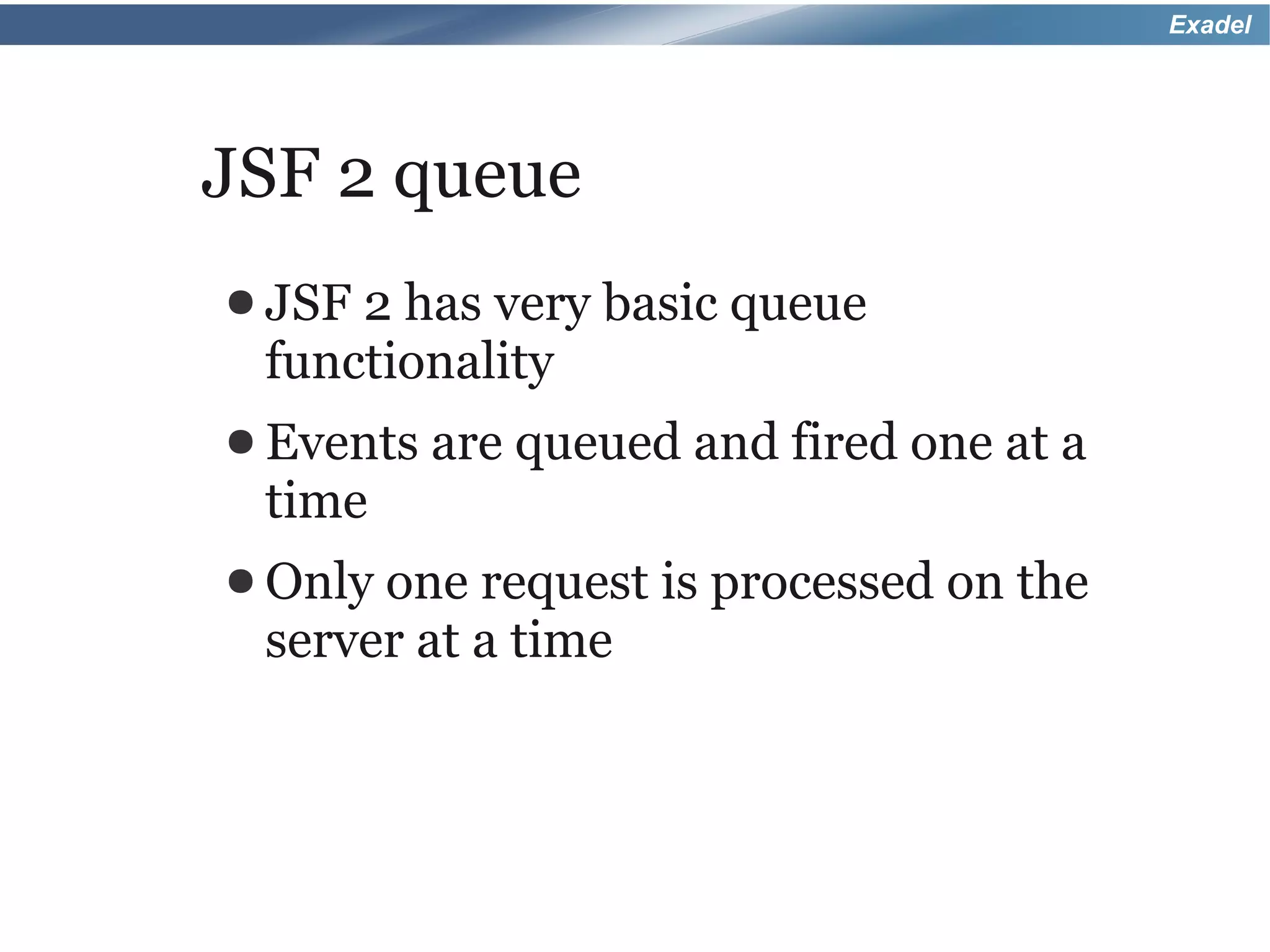
JSF 2 queue
● JSF2 has very basic queue
 functionality
● Events   are queued and fired one at a
 time
● Only one request is processed on the
 server at a time
Exadel


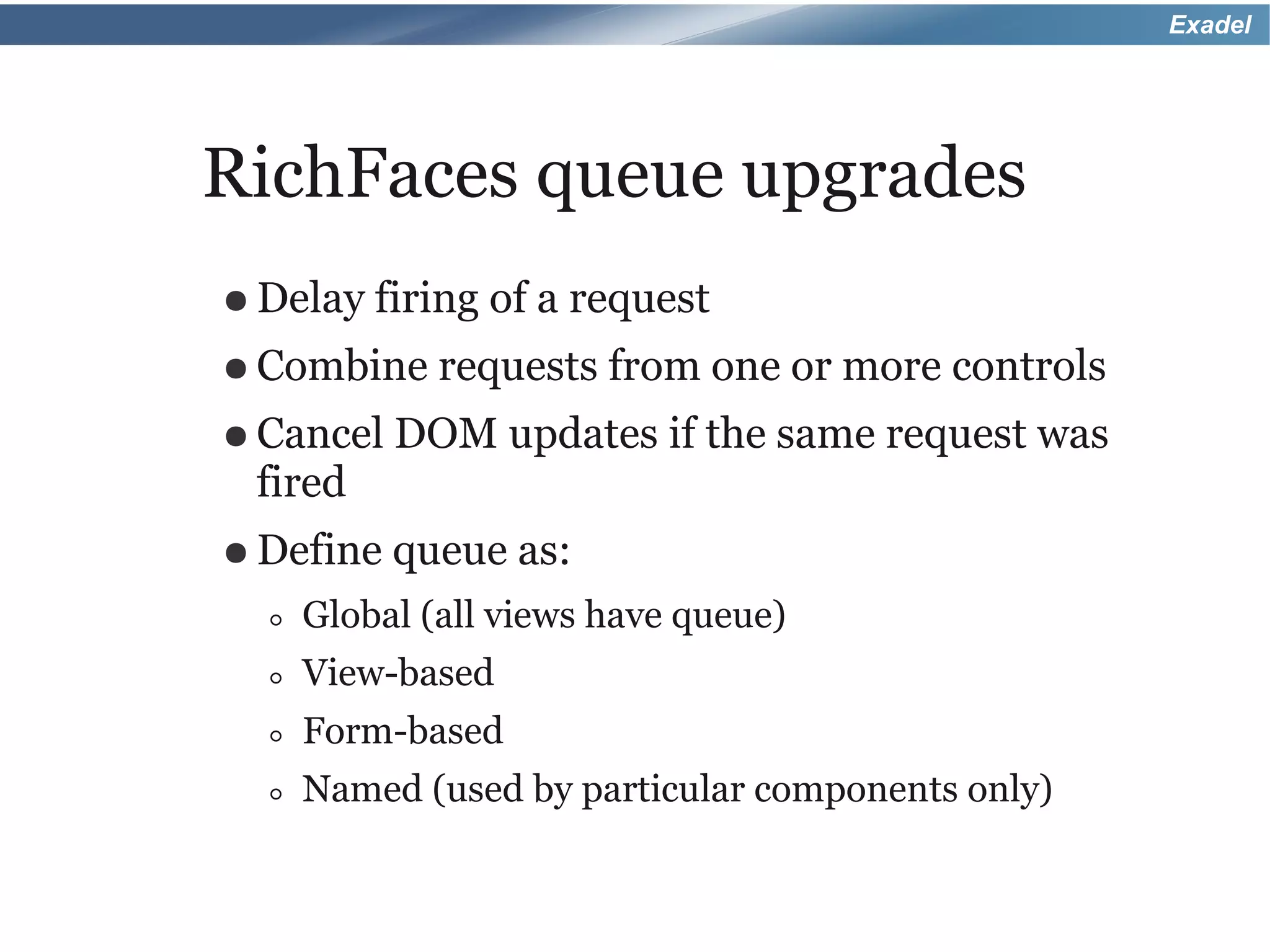
RichFaces queue upgrades
● Delay firing   of a request
● Combine requests      from one or more controls
● Cancel DOM       updates if the same request was
 fired
● Define   queue as:
  ◦   Global (all views have queue)
  ◦   View-based
  ◦   Form-based
  ◦   Named (used by particular components only)
Exadel


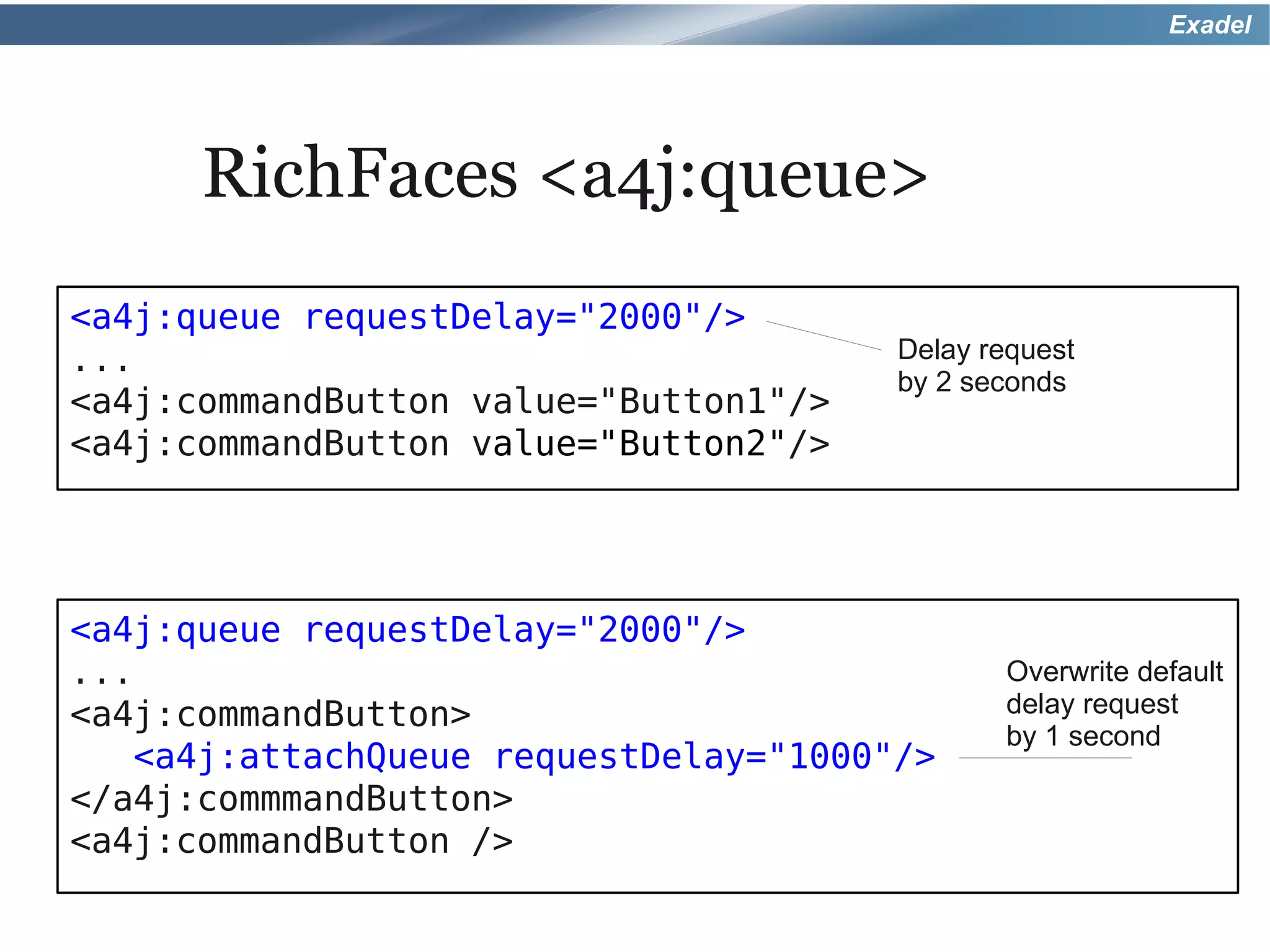
      RichFaces <a4j:queue>
<a4j:queue requestDelay="2000"/>
...                                    Delay request
                                       by 2 seconds
<a4j:commandButton value="Button1"/>
<a4j:commandButton value="Button2"/>


<a4j:queue requestDelay="2000"/>
...                                           Overwrite default
<a4j:commandButton>                           delay request
                                              by 1 second
   <a4j:attachQueue requestDelay="1000"/>
</a4j:commmandButton>
<a4j:commandButton />
Exadel


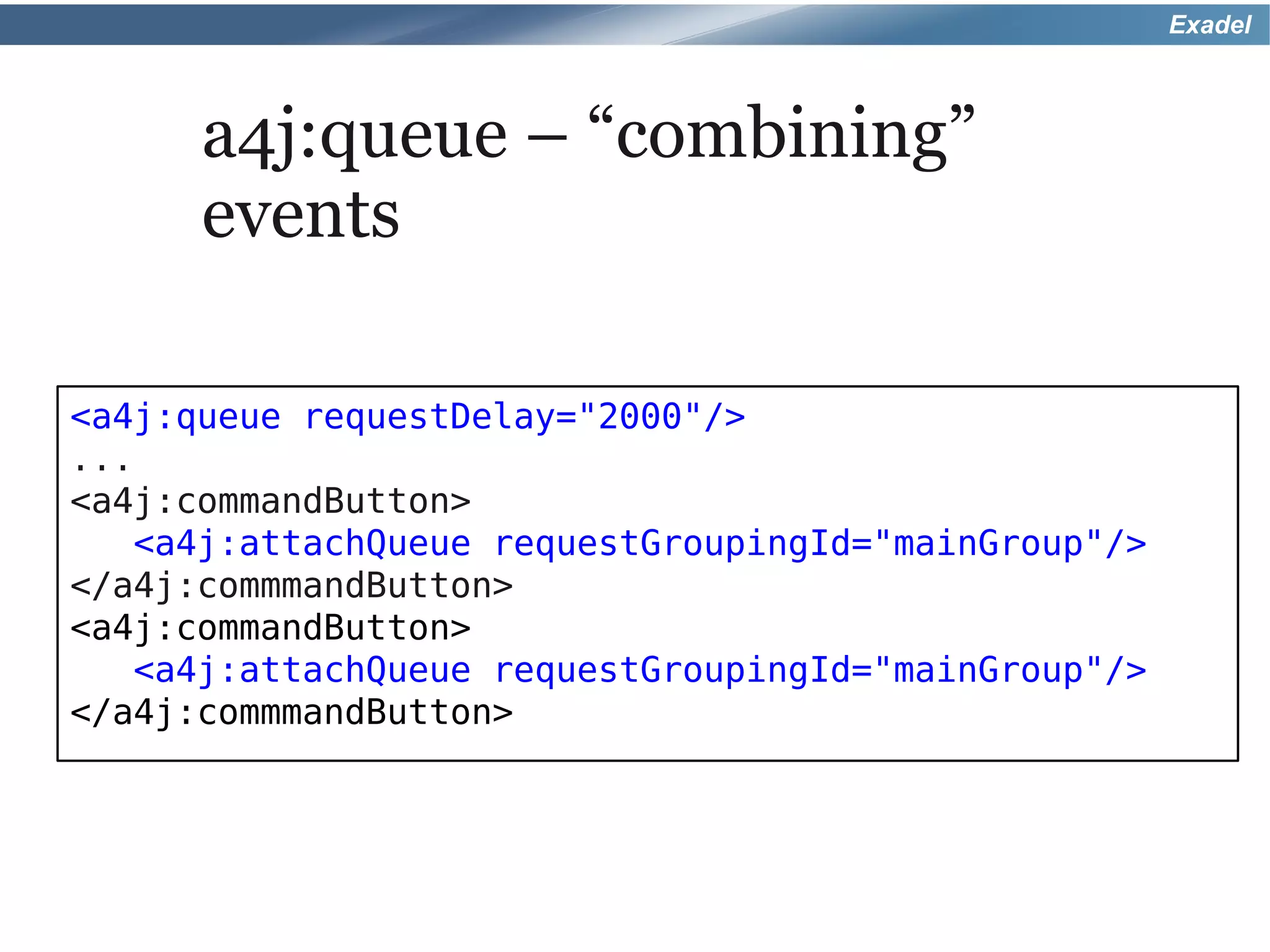
      a4j:queue – “combining”
      events

<a4j:queue requestDelay="2000"/>
...
<a4j:commandButton>
   <a4j:attachQueue requestGroupingId="mainGroup"/>
</a4j:commmandButton>
<a4j:commandButton>
   <a4j:attachQueue requestGroupingId="mainGroup"/>
</a4j:commmandButton>
Exadel


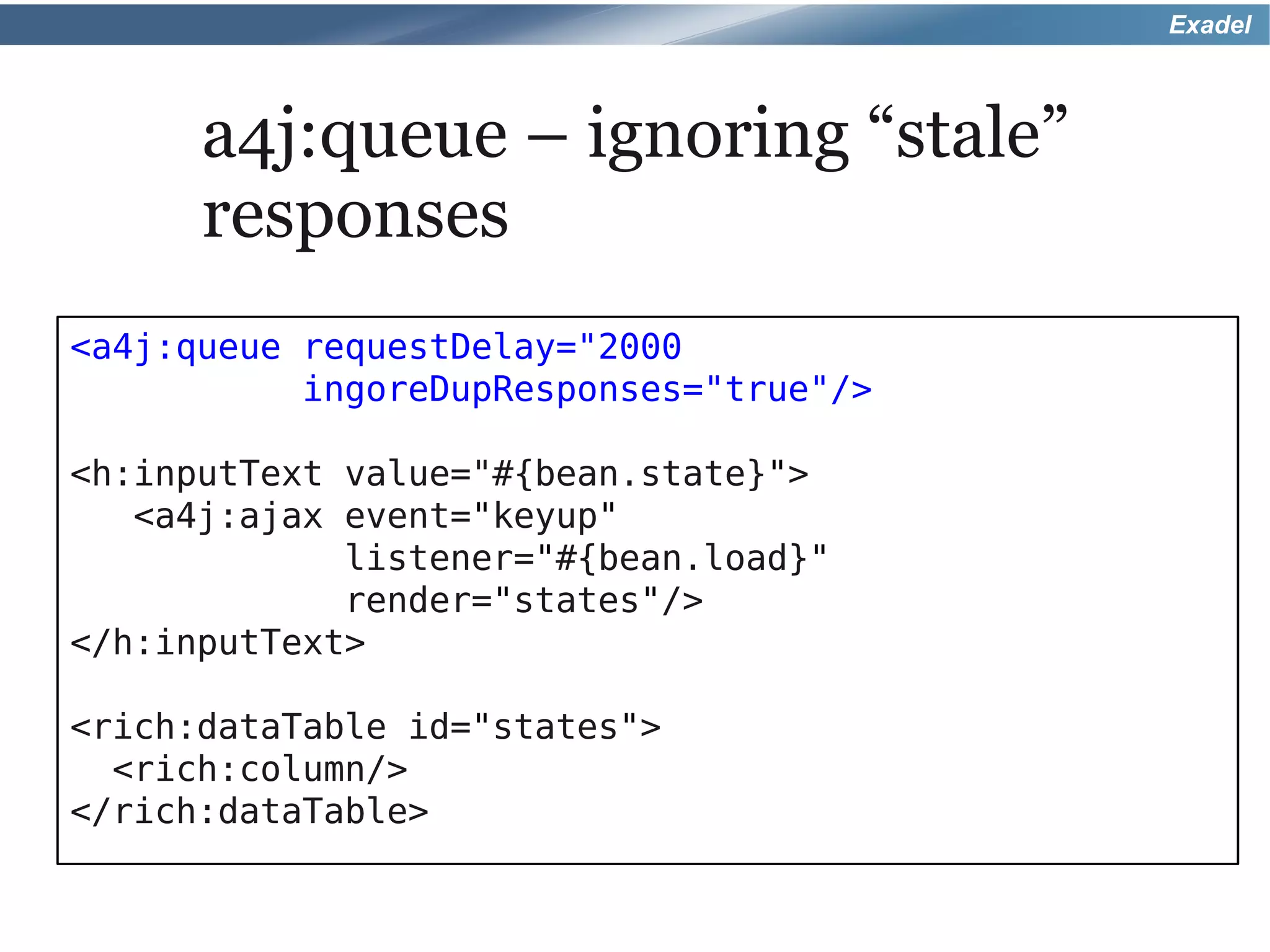
      a4j:queue – ignoring “stale”
      responses
<a4j:queue requestDelay="2000
           ingoreDupResponses="true"/>

<h:inputText value="#{bean.state}">
   <a4j:ajax event="keyup"
             listener="#{bean.load}"
             render="states"/>
</h:inputText>

<rich:dataTable id="states">
  <rich:column/>
</rich:dataTable>
Exadel


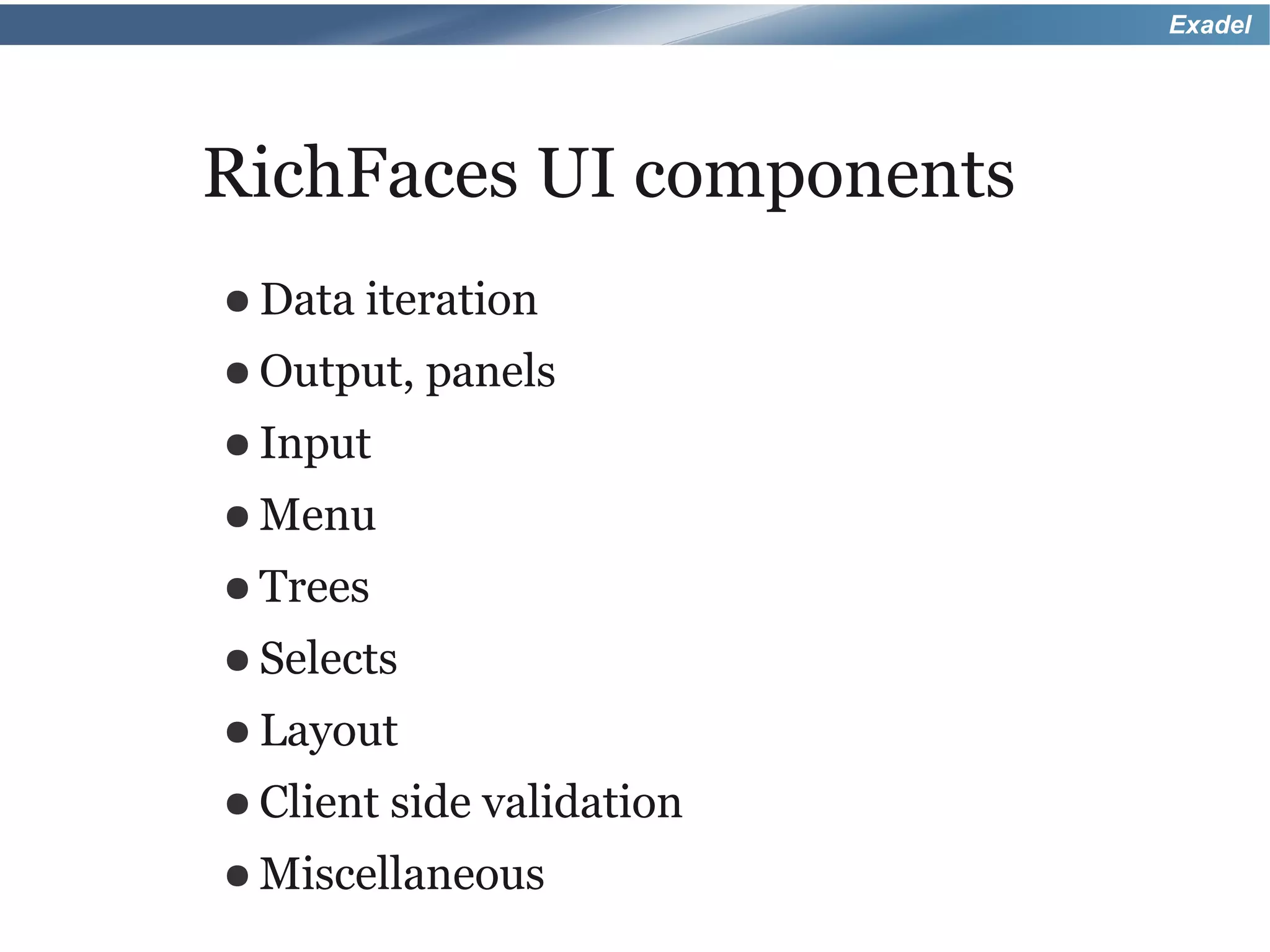
RichFaces UI components
● Data iteration
● Output,   panels
● Input
● Menu
● Trees
● Selects
● Layout
● Client side   validation
● Miscellaneous
Exadel


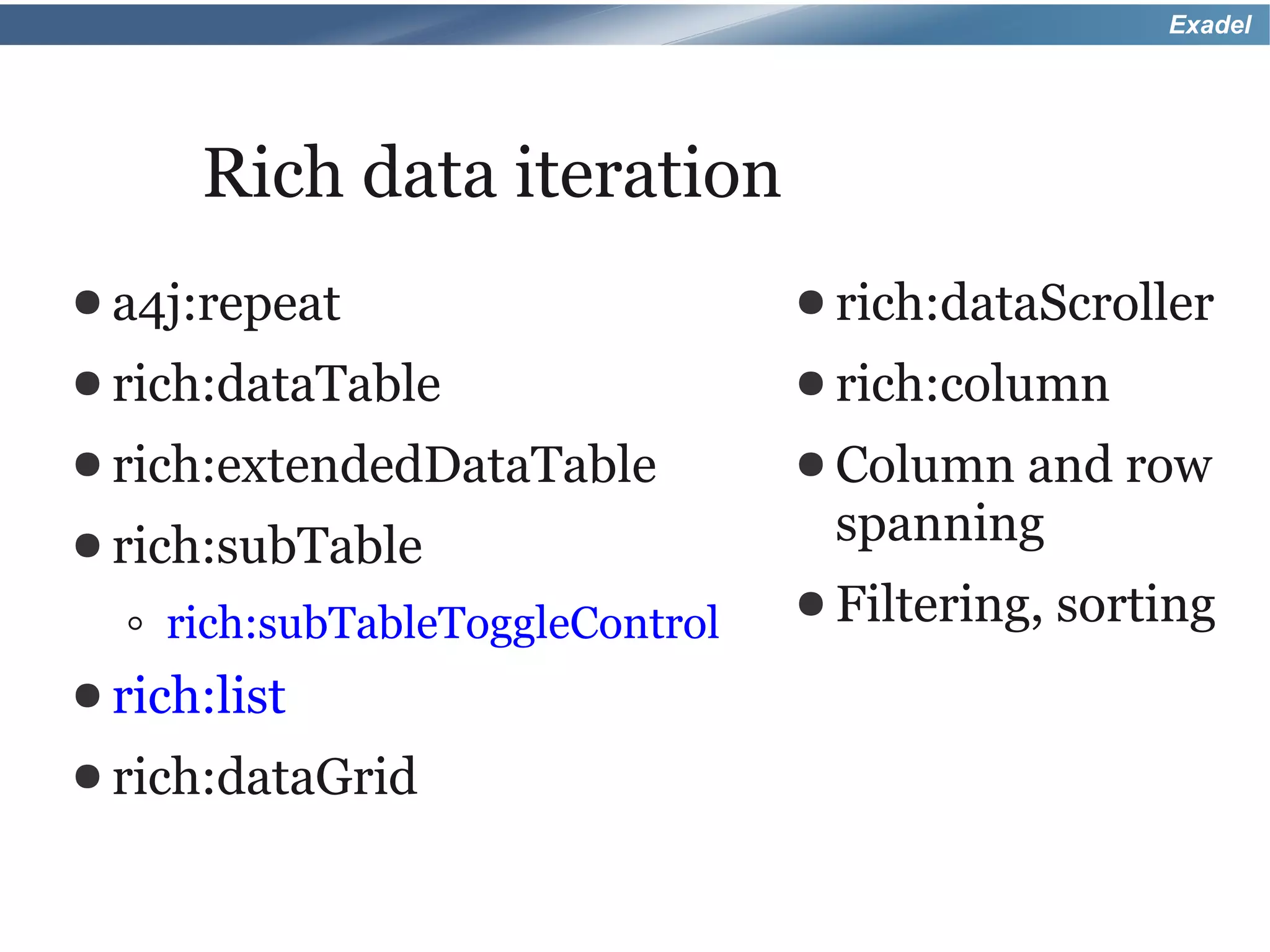
       Rich data iteration
● a4j:repeat                       ● rich:dataScroller
● rich:dataTable                   ● rich:column
● rich:extendedDataTable           ● Columnand row
● rich:subTable                     spanning
                                   ● Filtering,   sorting
  ◦   rich:subTableToggleControl
● rich:list
● rich:dataGrid
Exadel


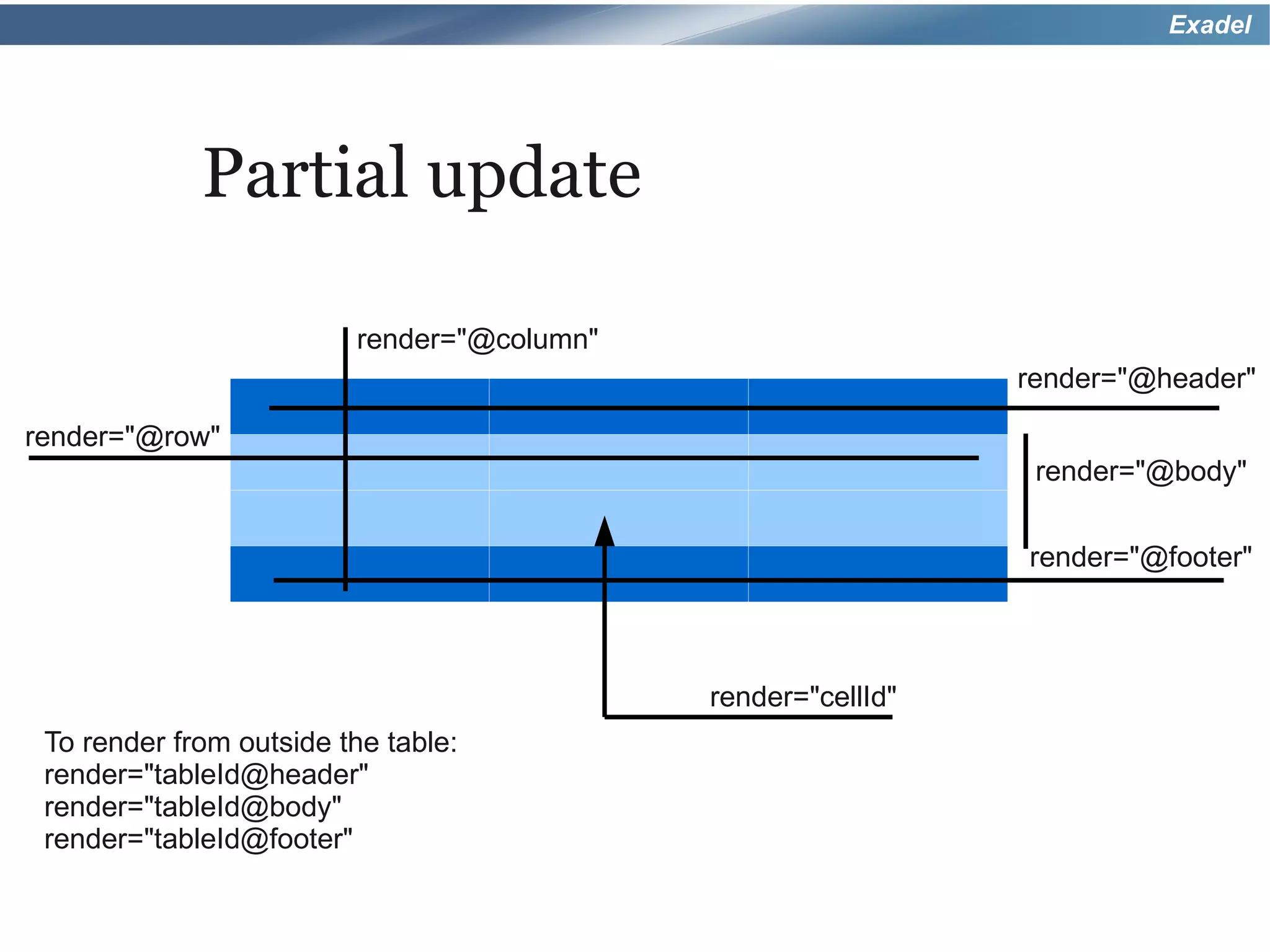
             Partial update

                         render="@column"
                                                              render="@header"

render="@row"
                                                               render="@body"

                                                              render="@footer"


                                            render="cellId"
 To render from outside the table:
 render="tableId@header"
 render="tableId@body"
 render="tableId@footer"
Exadel


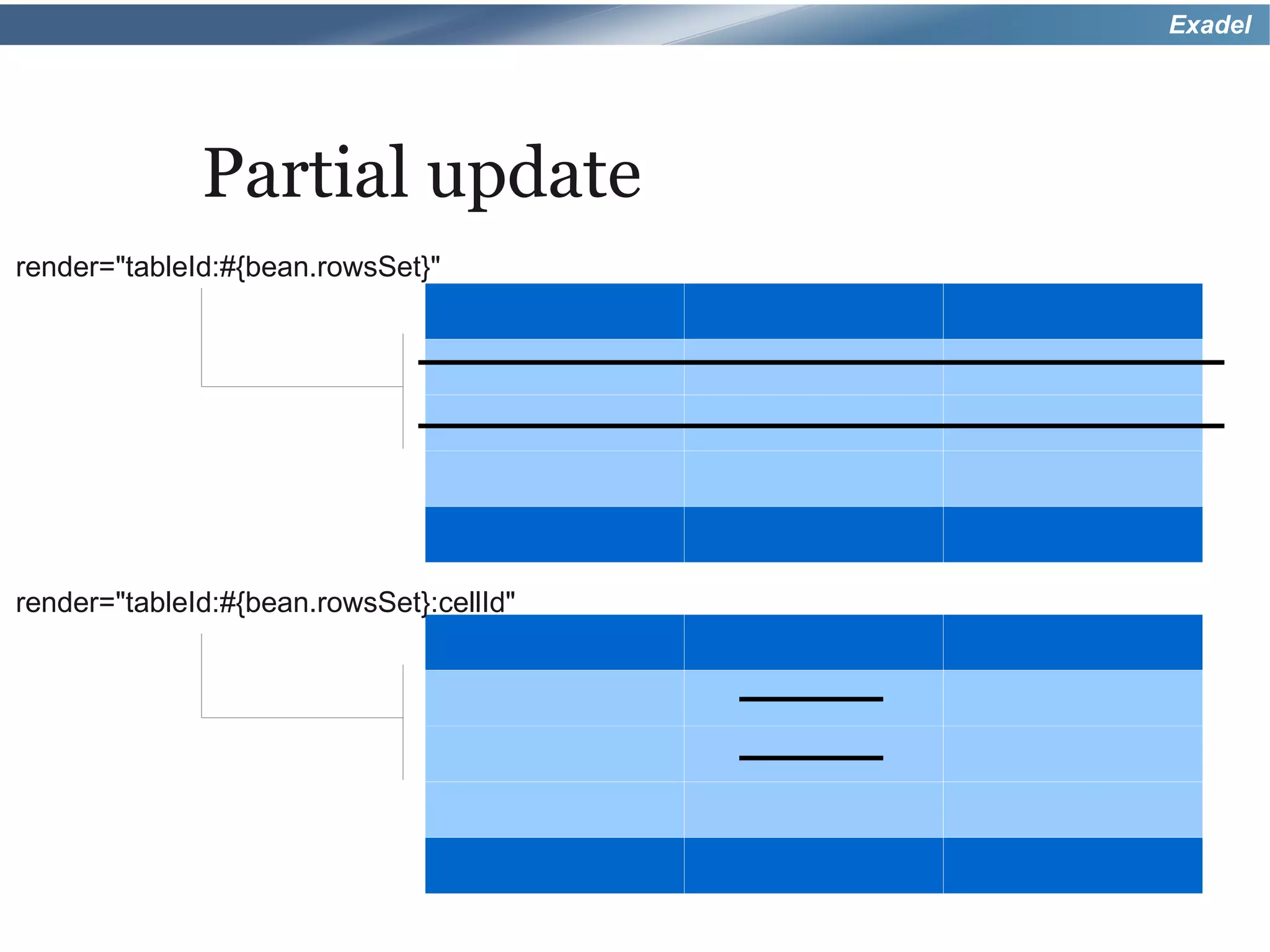
              Partial update
render="tableId:#{bean.rowsSet}"


render="tableId:#{bean.rowsSet}:cellId"
Exadel


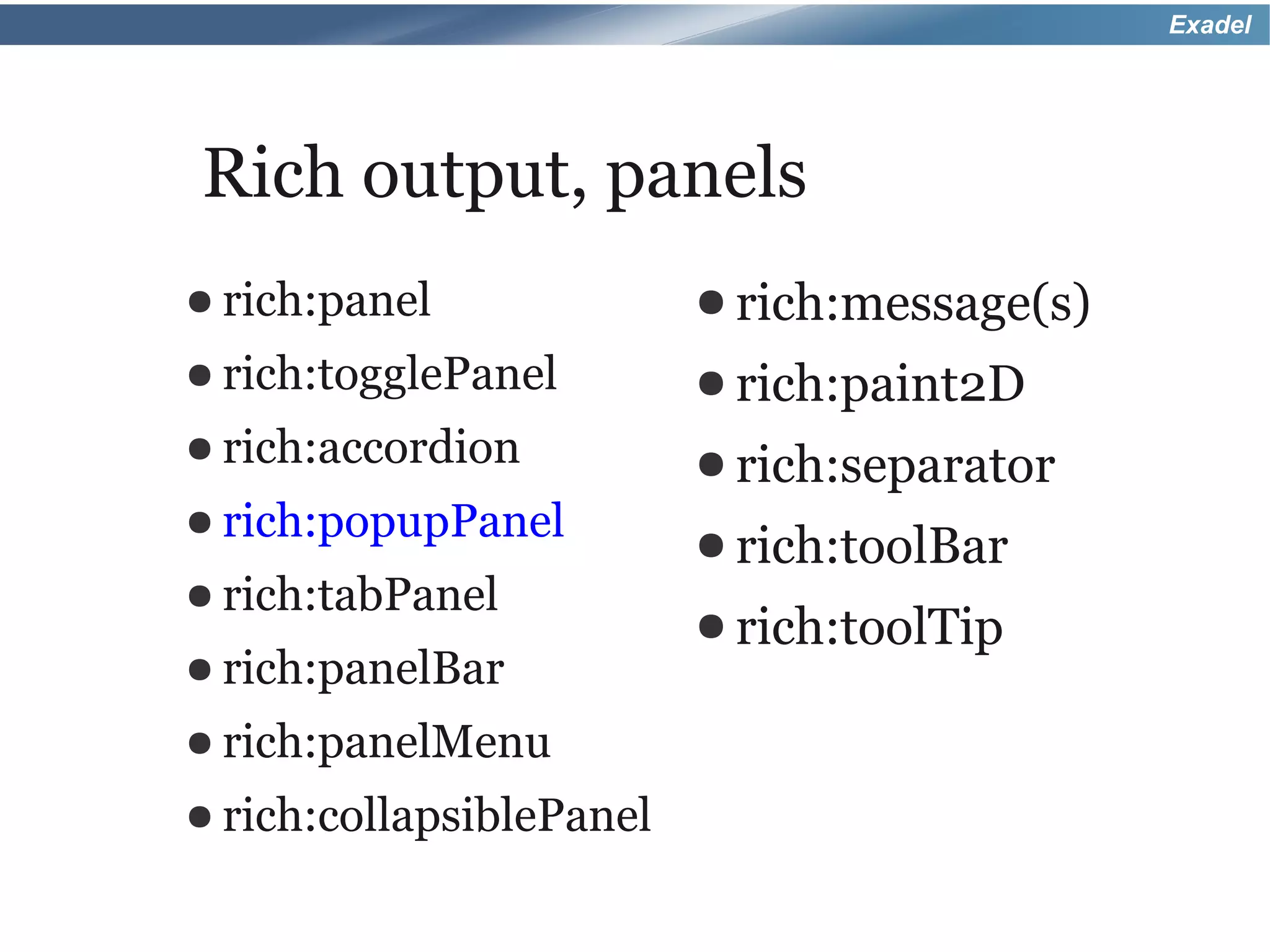
Rich output, panels
● rich:panel              ● rich:message(s)
● rich:togglePanel        ● rich:paint2D
● rich:accordion          ● rich:separator
● rich:popupPanel
                          ● rich:toolBar
● rich:tabPanel
                          ● rich:toolTip
● rich:panelBar

● rich:panelMenu

● rich:collapsiblePanel
Exadel


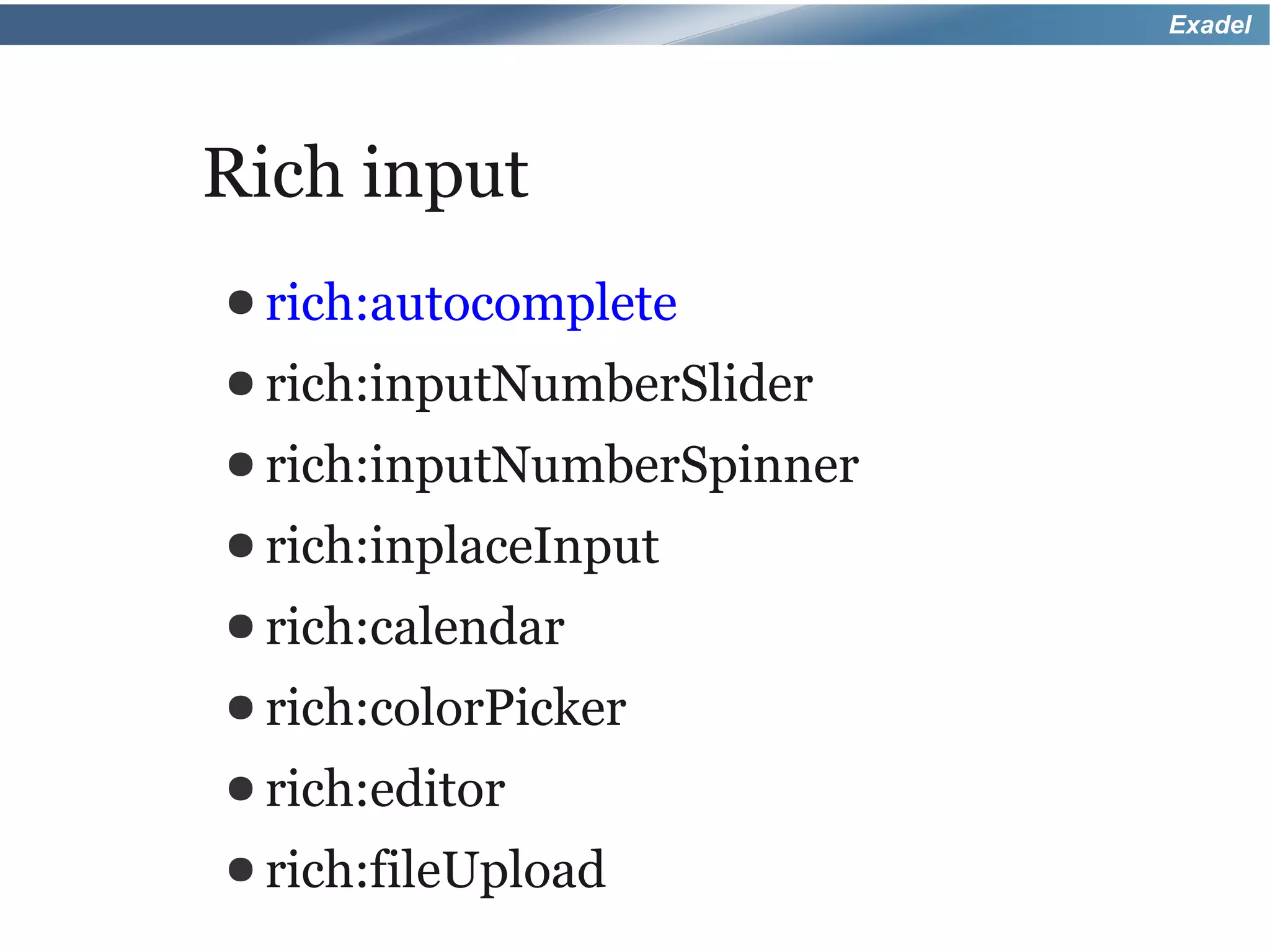
Rich input
● rich:autocomplete
● rich:inputNumberSlider
● rich:inputNumberSpinner
● rich:inplaceInput
● rich:calendar
● rich:colorPicker
● rich:editor
● rich:fileUpload
Exadel


Rich menu
● rich:contextMenu
● rich:dropDownMenu
Exadel


Rich tree
● rich:tree
● rich:treeNode
● Listeners
Exadel


Rich selects
● rich:orderingList
● rich:pickList
● rich:listShuttle
● rich:selectBox
● rich:inplaceSelect
Exadel


Rich layout
● rich:page
● rich:layout

  ◦ rich:layoutPanel
● rich:splitter
Exadel


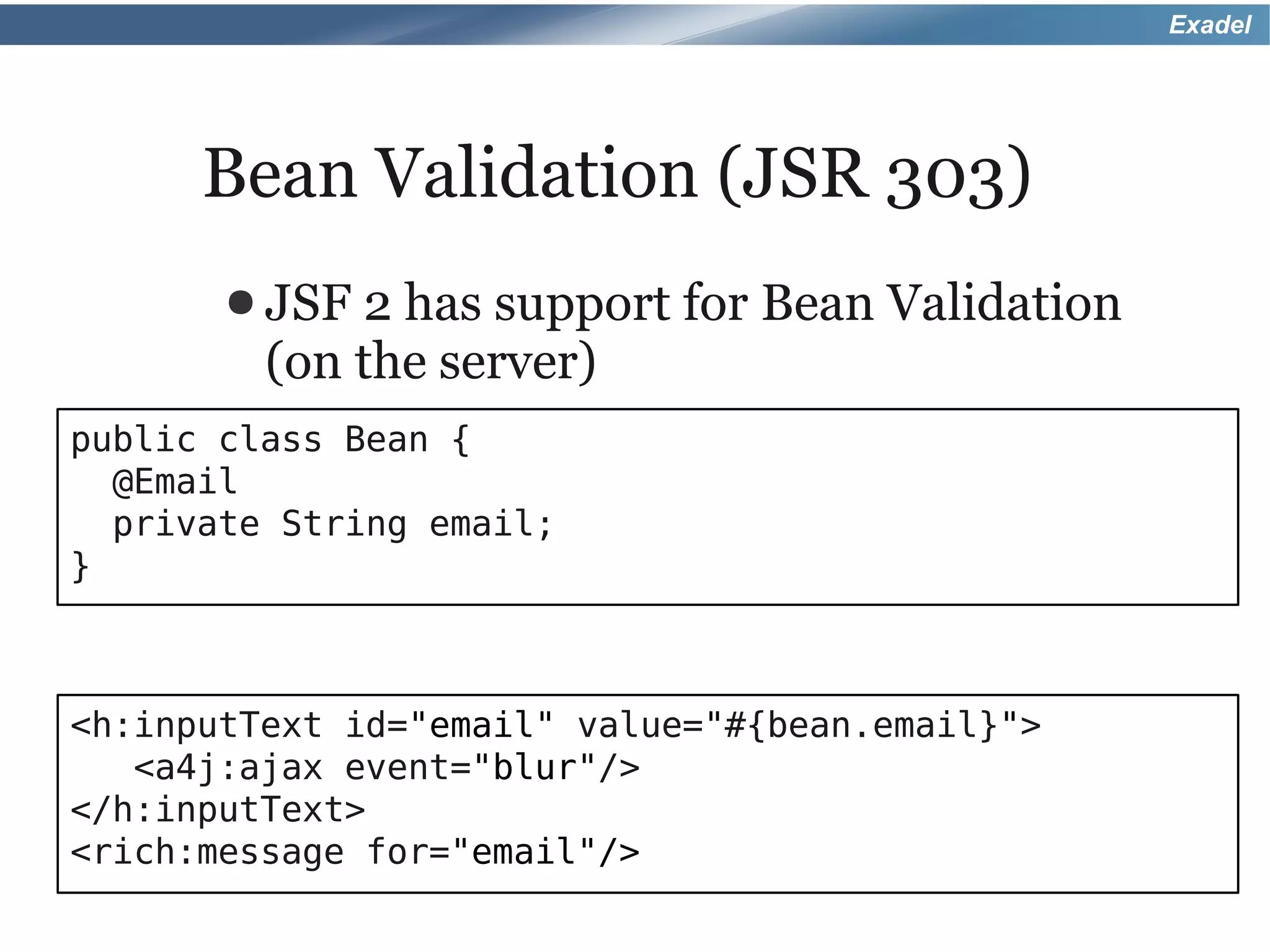
      Bean Validation (JSR 303)
       ● JSF 2 has support for Bean Validation
         (on the server)
public class Bean {
  @Email
  private String email;
}


<h:inputText id="email" value="#{bean.email}">
   <a4j:ajax event="blur"/>
</h:inputText>
<rich:message for="email"/>
Exadel


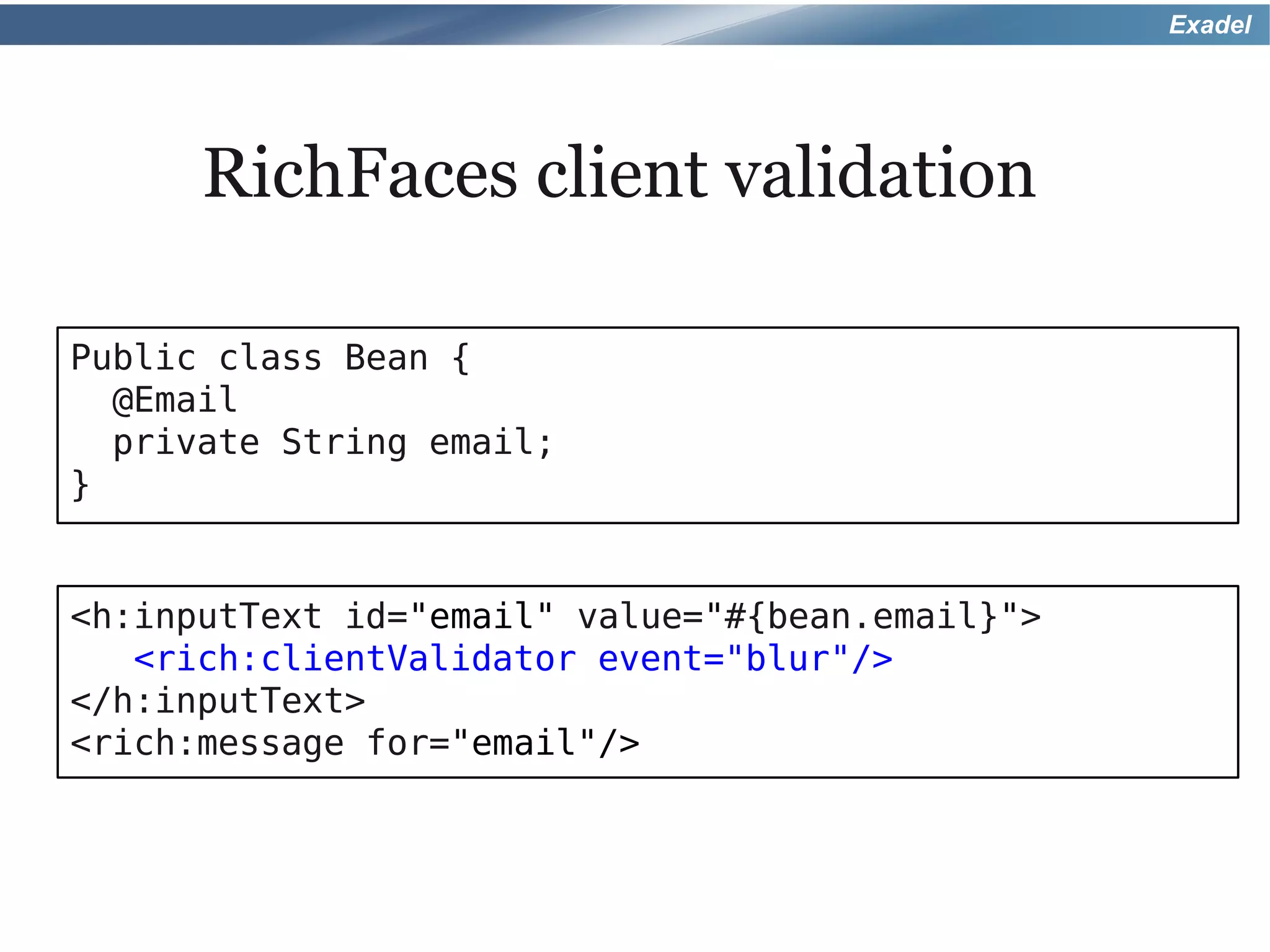
      RichFaces client validation

Public class Bean {
  @Email
  private String email;
}


<h:inputText id="email" value="#{bean.email}">
   <rich:clientValidator event="blur"/>
</h:inputText>
<rich:message for="email"/>
Exadel


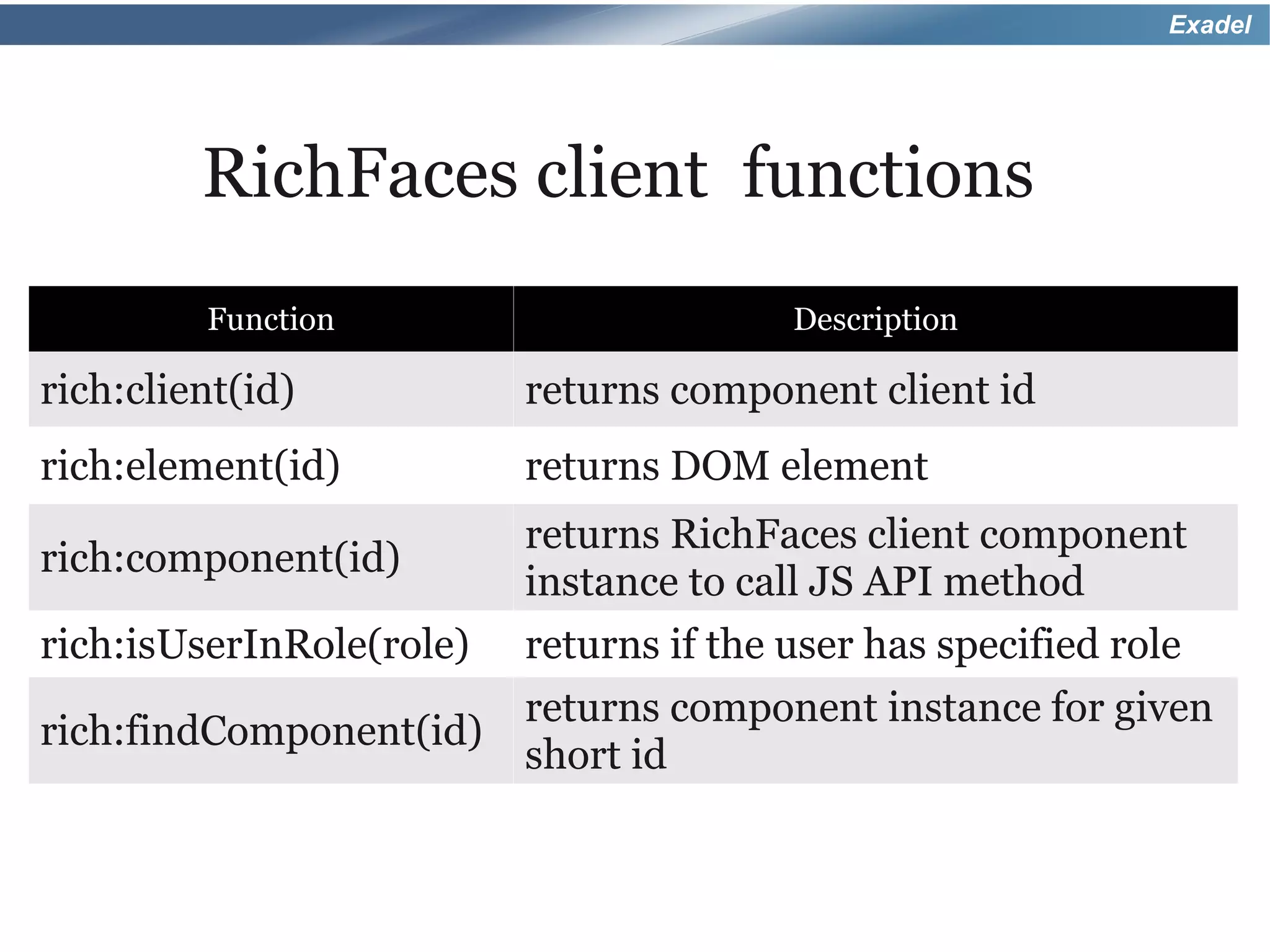
         RichFaces client functions
         Function                        Description

rich:client(id)           returns component client id
rich:element(id)          returns DOM element
                          returns RichFaces client component
rich:component(id)
                          instance to call JS API method
rich:isUserInRole(role)   returns if the user has specified role
                          returns component instance for given
rich:findComponent(id)
                          short id
Exadel


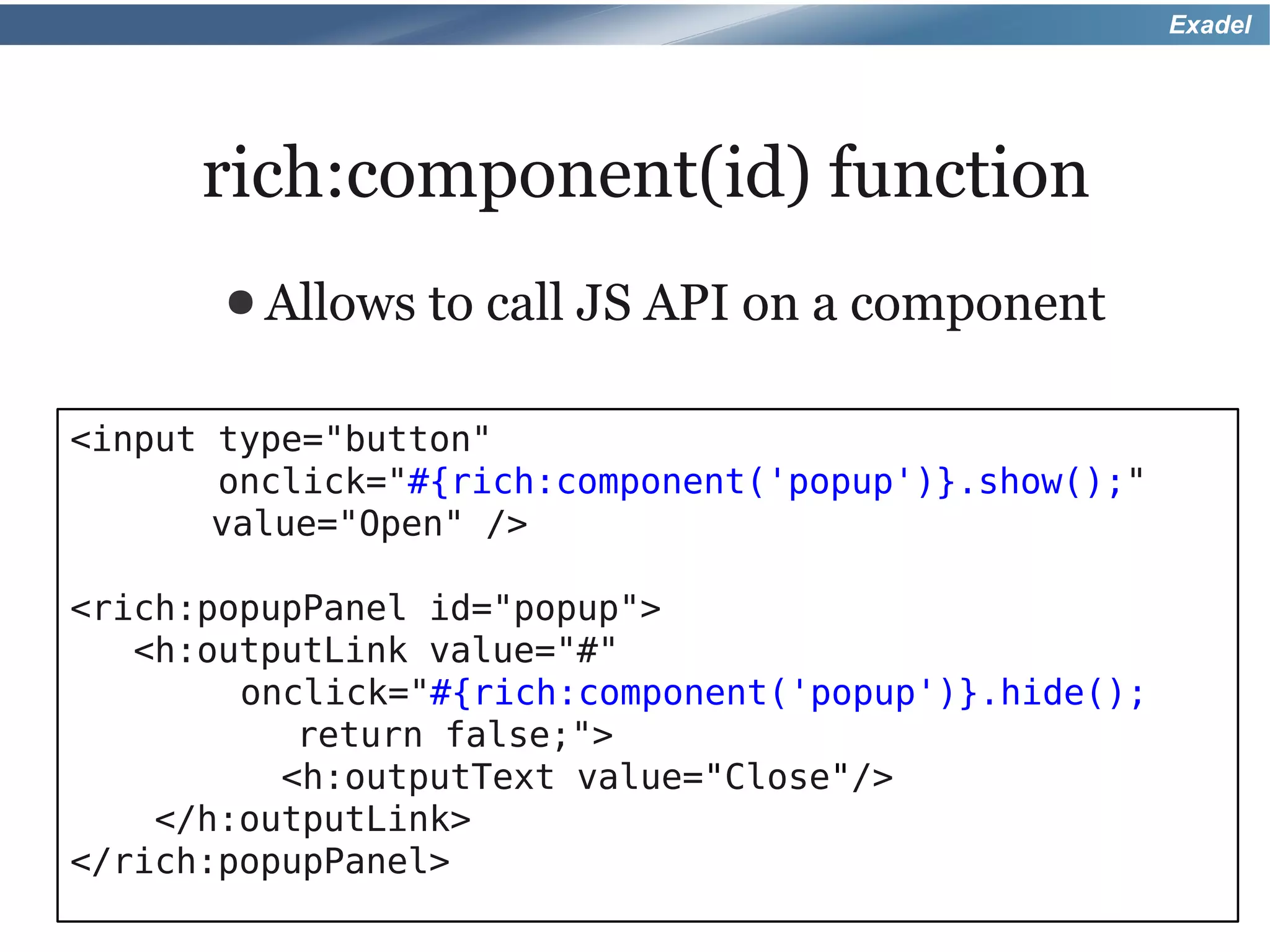
      rich:component(id) function
       ● Allows   to call JS API on a component

<input type="button"
       onclick="#{rich:component('popup')}.show();"
       value="Open" />

<rich:popupPanel id="popup">
   <h:outputLink value="#"
        onclick="#{rich:component('popup')}.hide();
           return false;">
          <h:outputText value="Close"/>
    </h:outputLink>
</rich:popupPanel>
Exadel


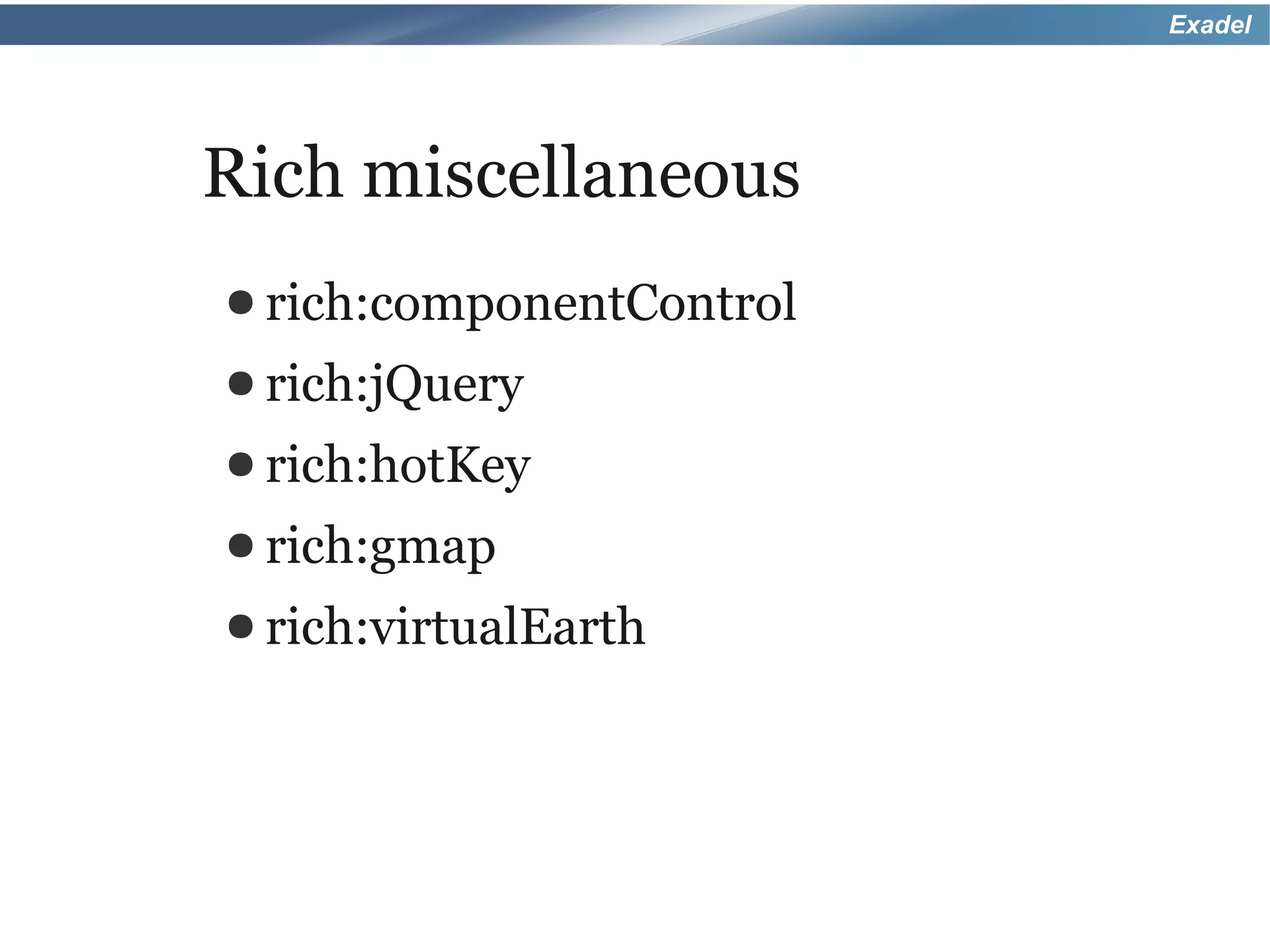
Rich miscellaneous
● rich:componentControl
● rich:jQuery
● rich:hotKey
● rich:gmap
● rich:virtualEarth
Exadel


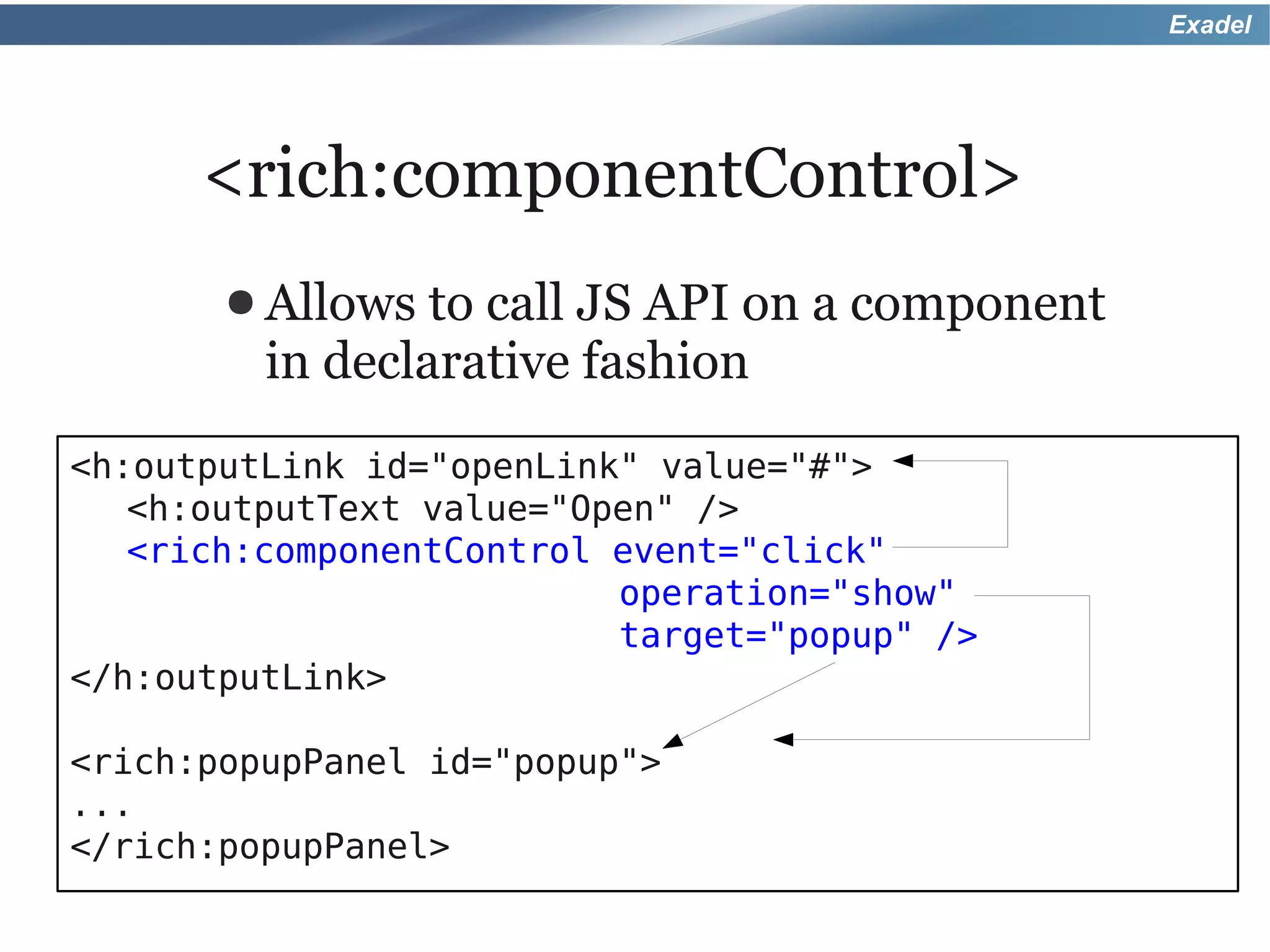
      <rich:componentControl>
       ● Allows  to call JS API on a component
         in declarative fashion
<h:outputLink id="openLink" value="#">
   <h:outputText value="Open" />
   <rich:componentControl event="click"
                          operation="show"
                          target="popup" />
</h:outputLink>

<rich:popupPanel id="popup">
...
</rich:popupPanel>
Exadel


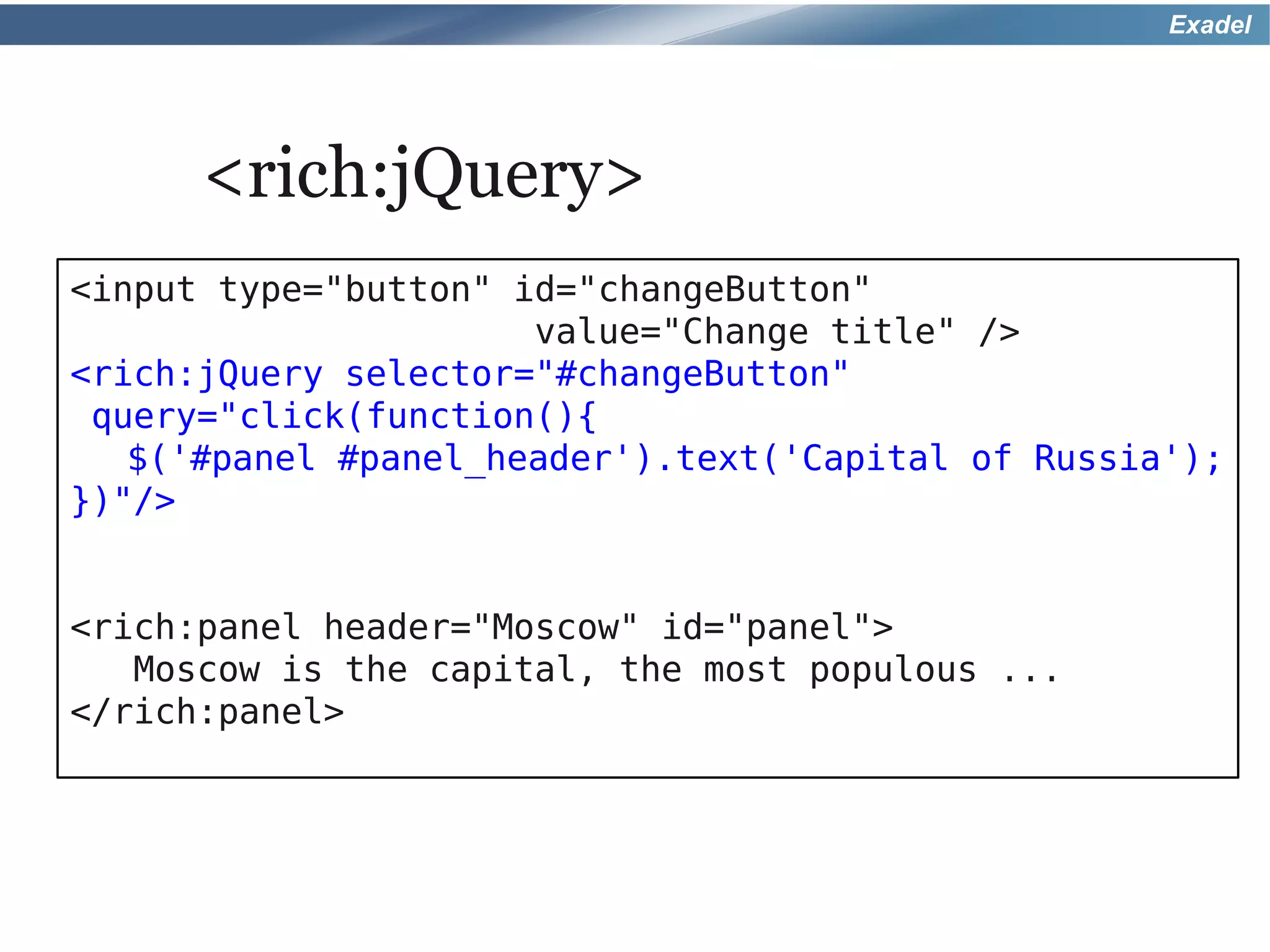
      <rich:jQuery>
<input type="button" id="changeButton"
                      value="Change title" />
<rich:jQuery selector="#changeButton"
 query="click(function(){
   $('#panel #panel_header').text('Capital of Russia');
})"/>


<rich:panel header="Moscow" id="panel">
   Moscow is the capital, the most populous ...
</rich:panel>
Exadel


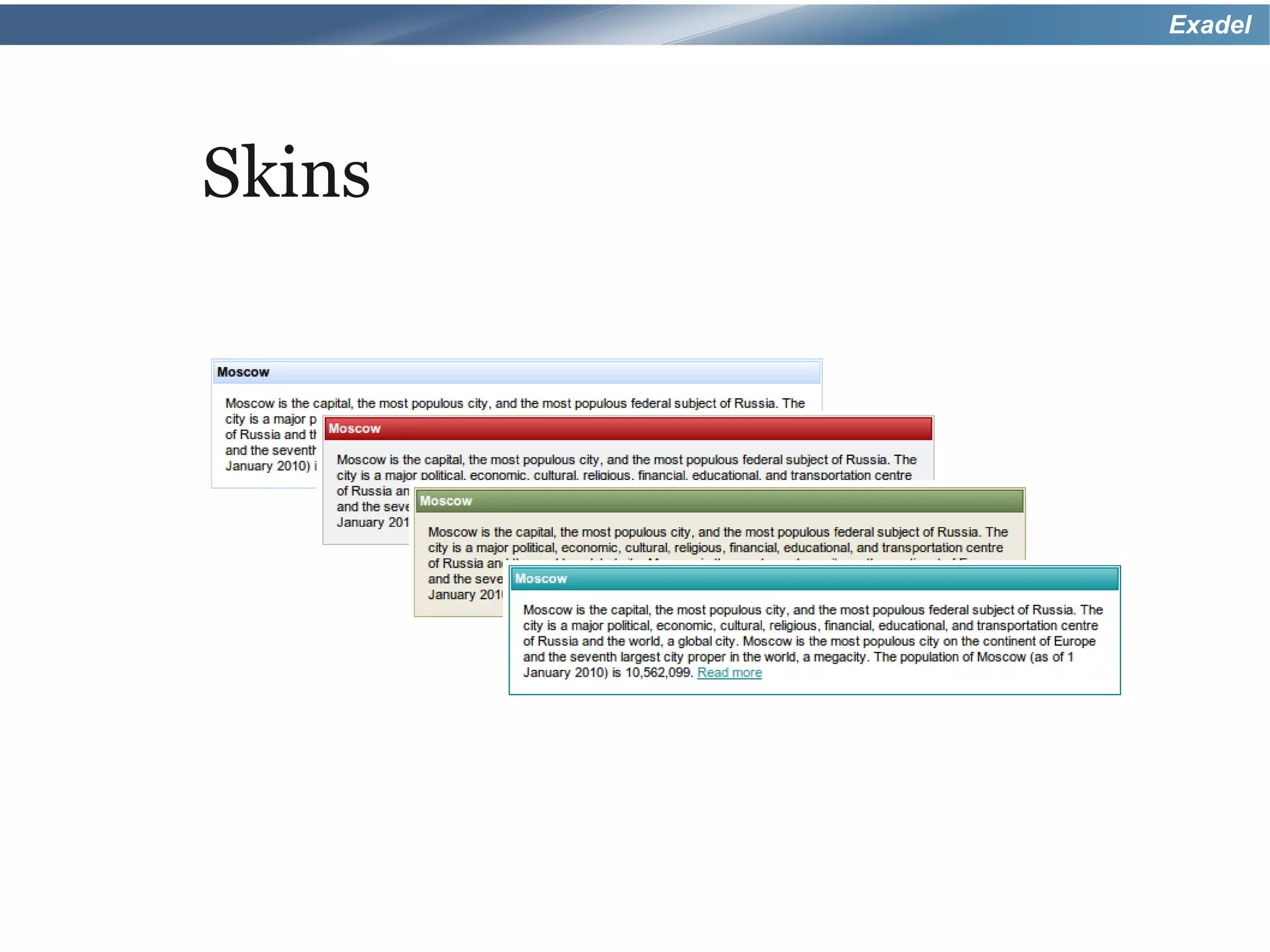
Skins
Exadel


Skins
● Lightweight   extension on top of CSS
● Change
       look and feel of all Rich
 component with a few minor changes
● Can
    be applied to standard JSF and
 HTML tags as well
Exadel


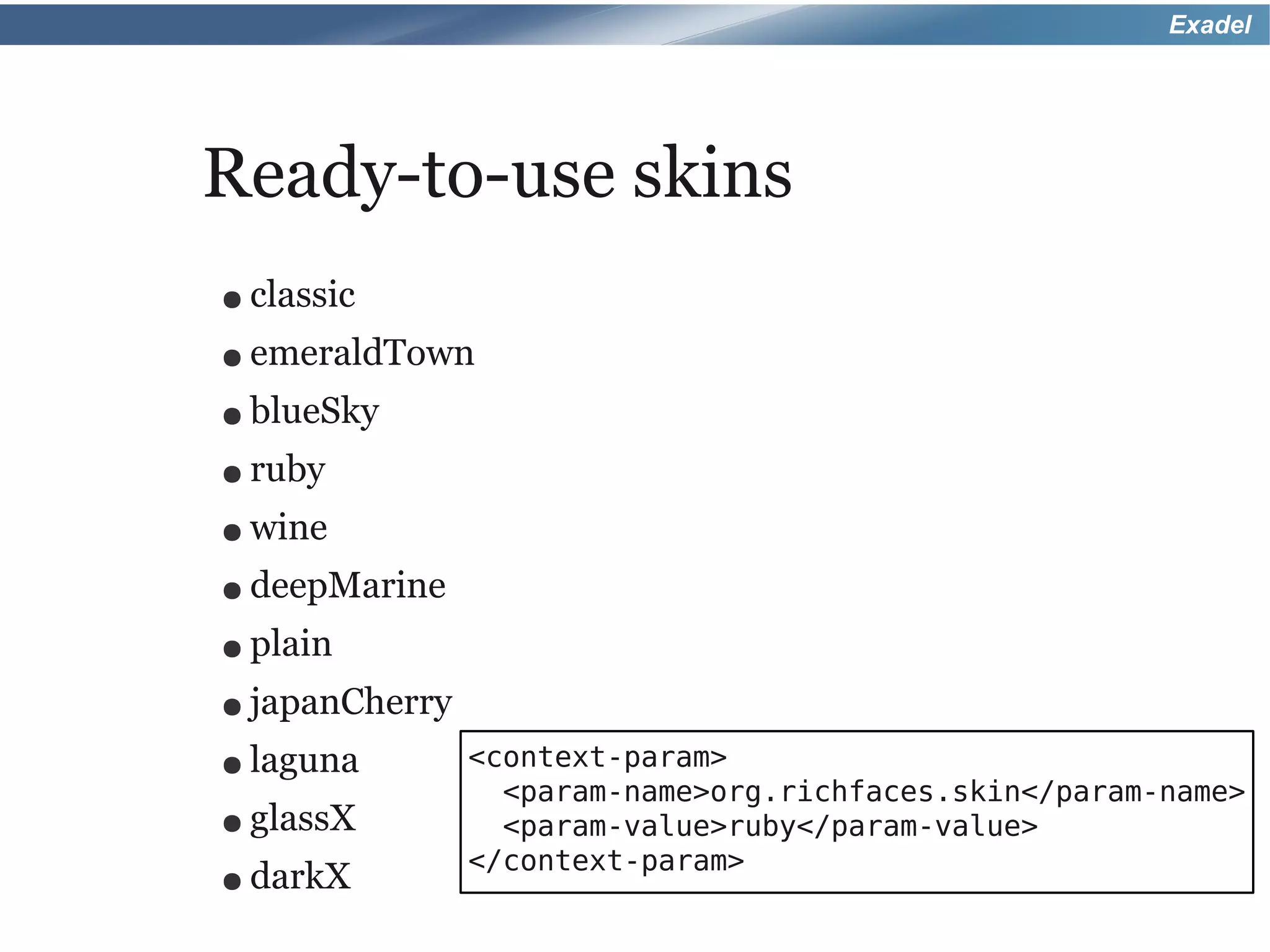
Ready-to-use skins
● classic
● emeraldTown
● blueSky
● ruby

● wine
● deepMarine
● plain
● japanCherry

● laguna        <context-param>
                  <param-name>org.richfaces.skin</param-name>
● glassX          <param-value>ruby</param-value>
                </context-param>
● darkX
Exadel


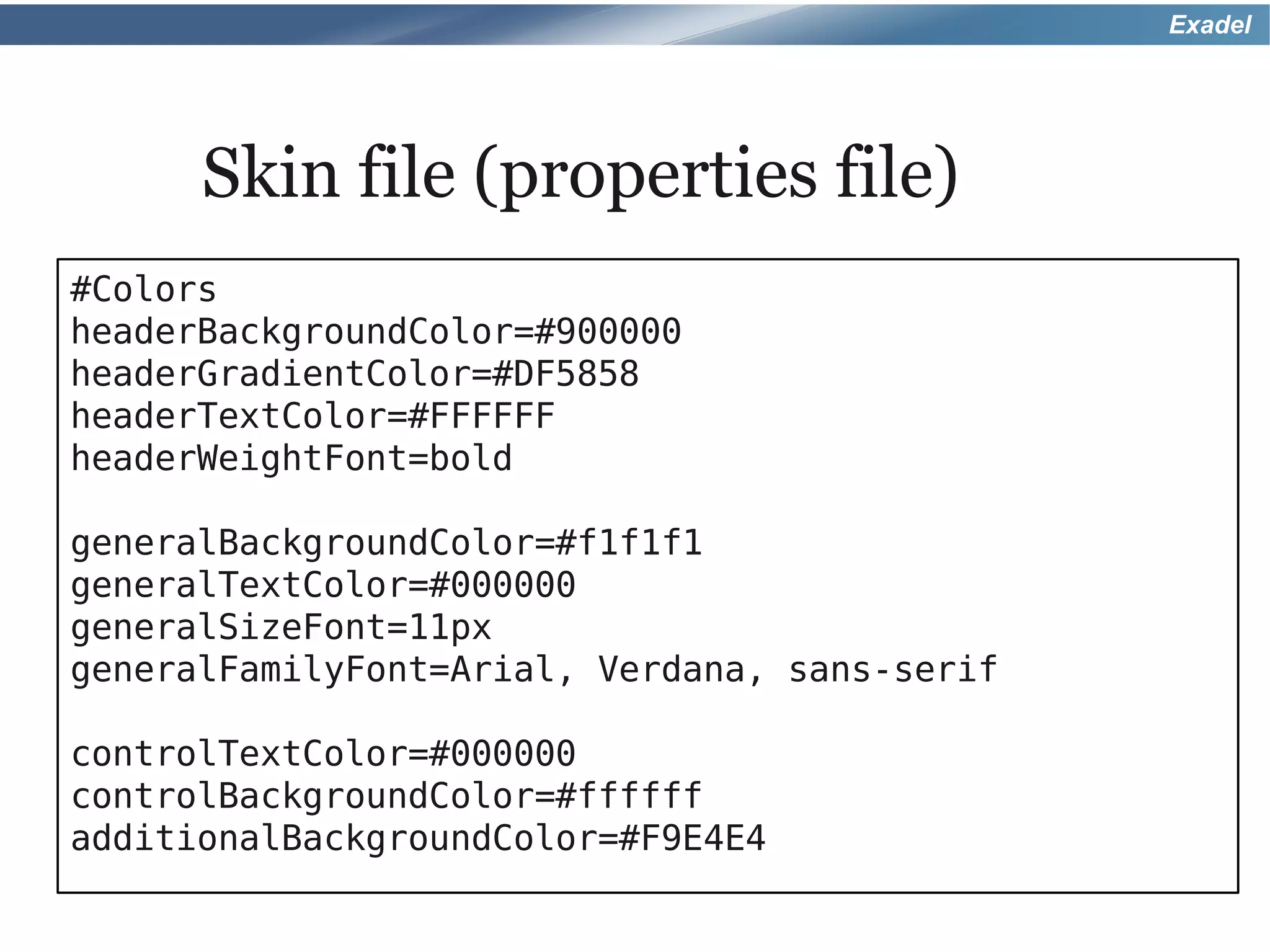
      Skin file (properties file)
#Colors
headerBackgroundColor=#900000
headerGradientColor=#DF5858
headerTextColor=#FFFFFF
headerWeightFont=bold

generalBackgroundColor=#f1f1f1
generalTextColor=#000000
generalSizeFont=11px
generalFamilyFont=Arial, Verdana, sans-serif

controlTextColor=#000000
controlBackgroundColor=#ffffff
additionalBackgroundColor=#F9E4E4
Exadel


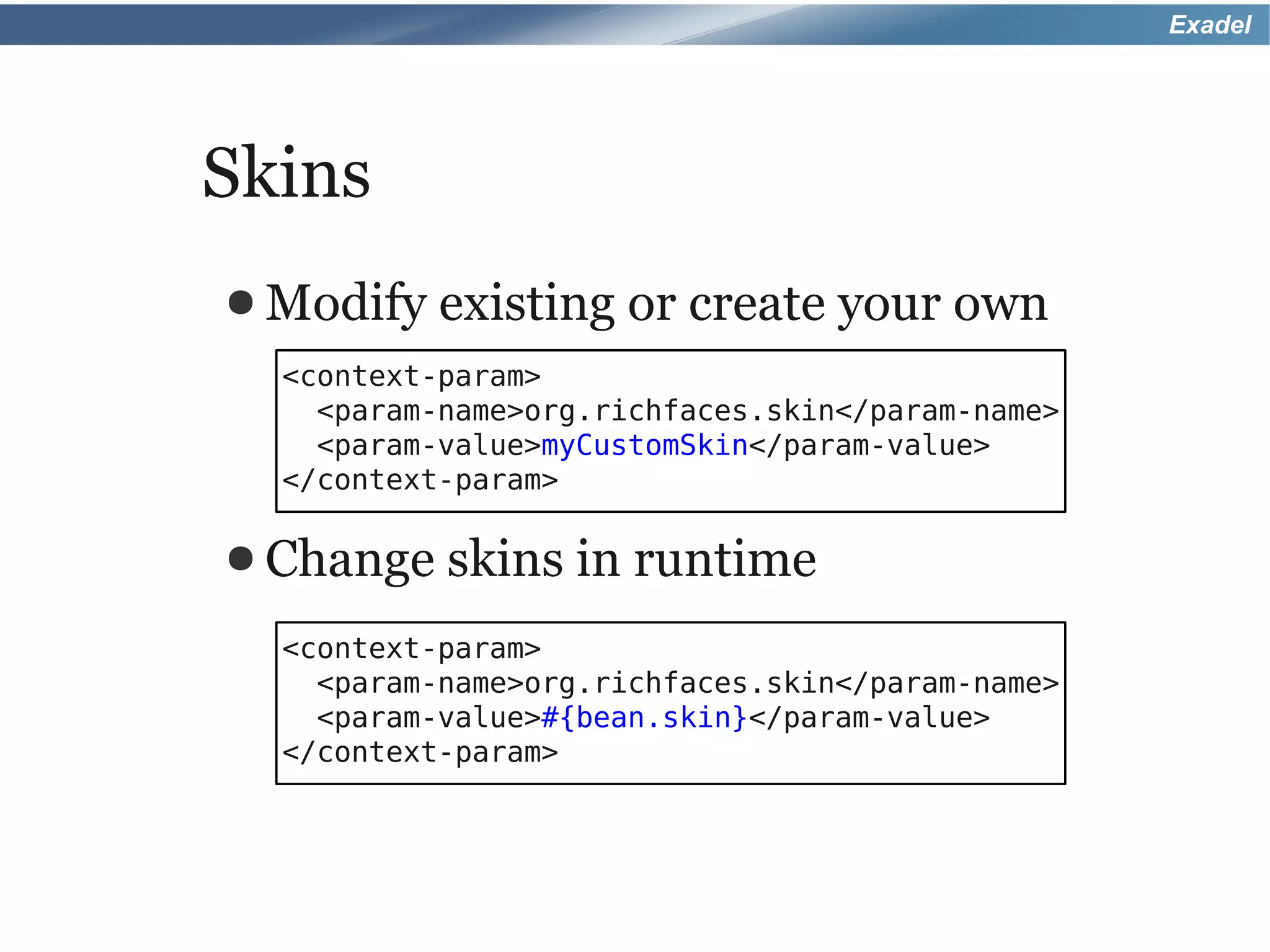
Skins
● Modify   existing or create your own
  <context-param>
    <param-name>org.richfaces.skin</param-name>
    <param-value>myCustomSkin</param-value>
  </context-param>

● Change   skins in runtime
  <context-param>
    <param-name>org.richfaces.skin</param-name>
    <param-value>#{bean.skin}</param-value>
  </context-param>
Exadel


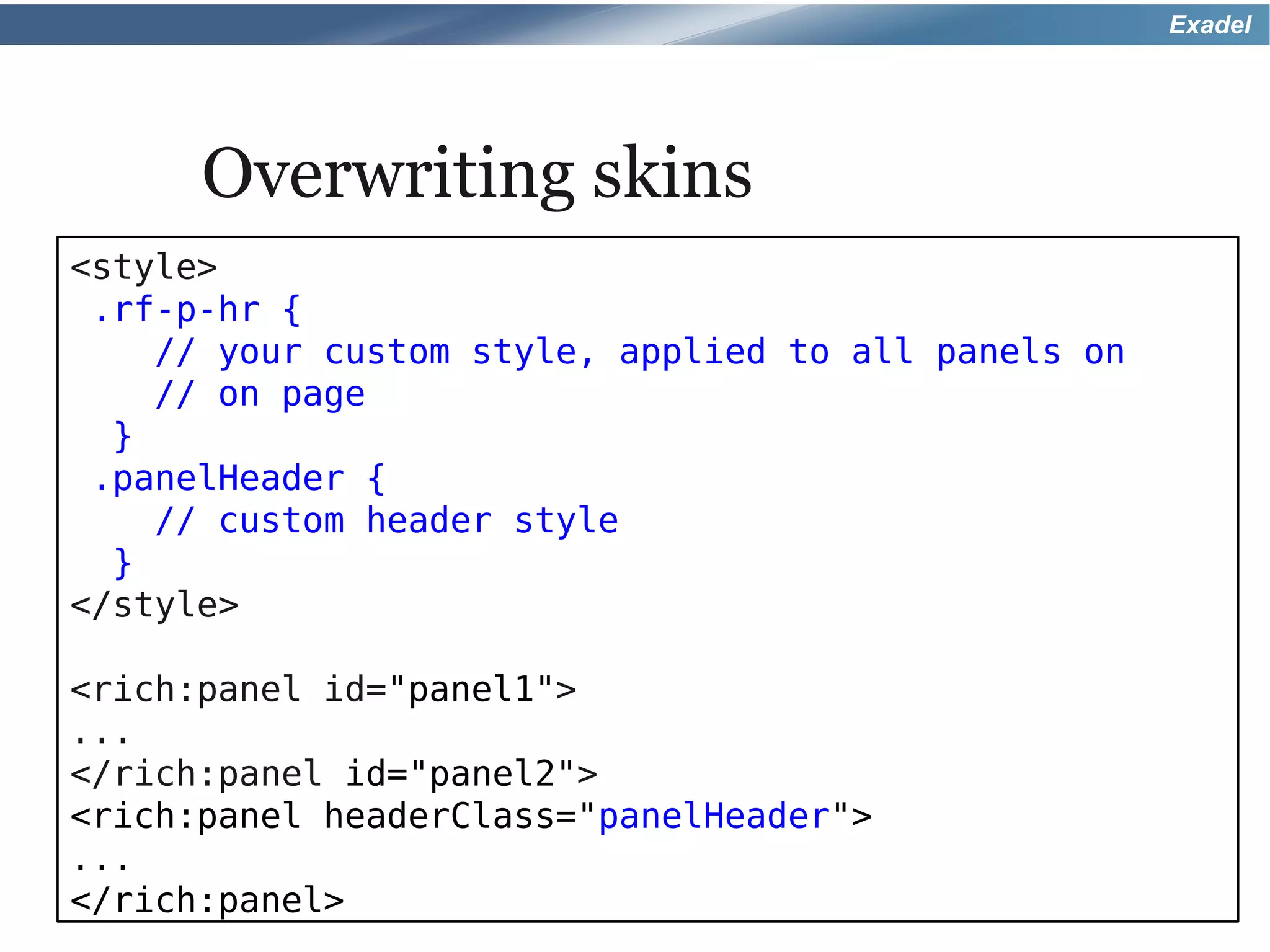
      Overwriting skins
<style>
 .rf-p-hr {
    // your custom style, applied to all panels on
    // on page
  }
 .panelHeader {
    // custom header style
  }
</style>

<rich:panel id="panel1">
...
</rich:panel id="panel2">
<rich:panel headerClass="panelHeader">
...
</rich:panel>
Exadel


Examples
Exadel


That's it for RichFaces, there
 is one more thing I want to
           show you.
Exadel


A peek at the future: Going
Beyond JavaServer Faces 2.0
with RichFaces 4

Tuesday, September 21
9:30am
Golden Gate 6/7

Jay Balunas, Red Hat
Alexander Smirnov, Exadel
Exadel


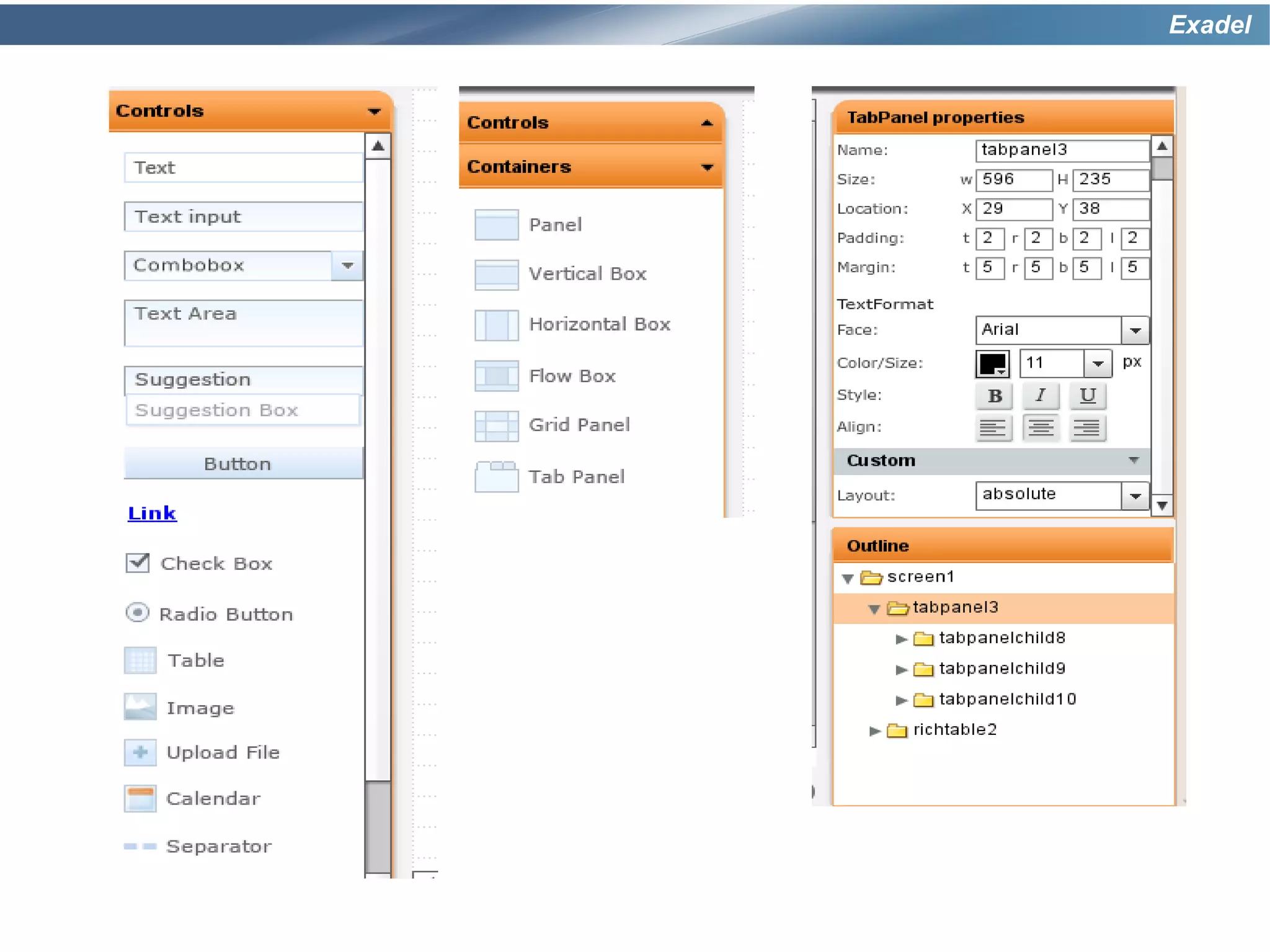
Exadel Tiggr
Exadel
Exadel


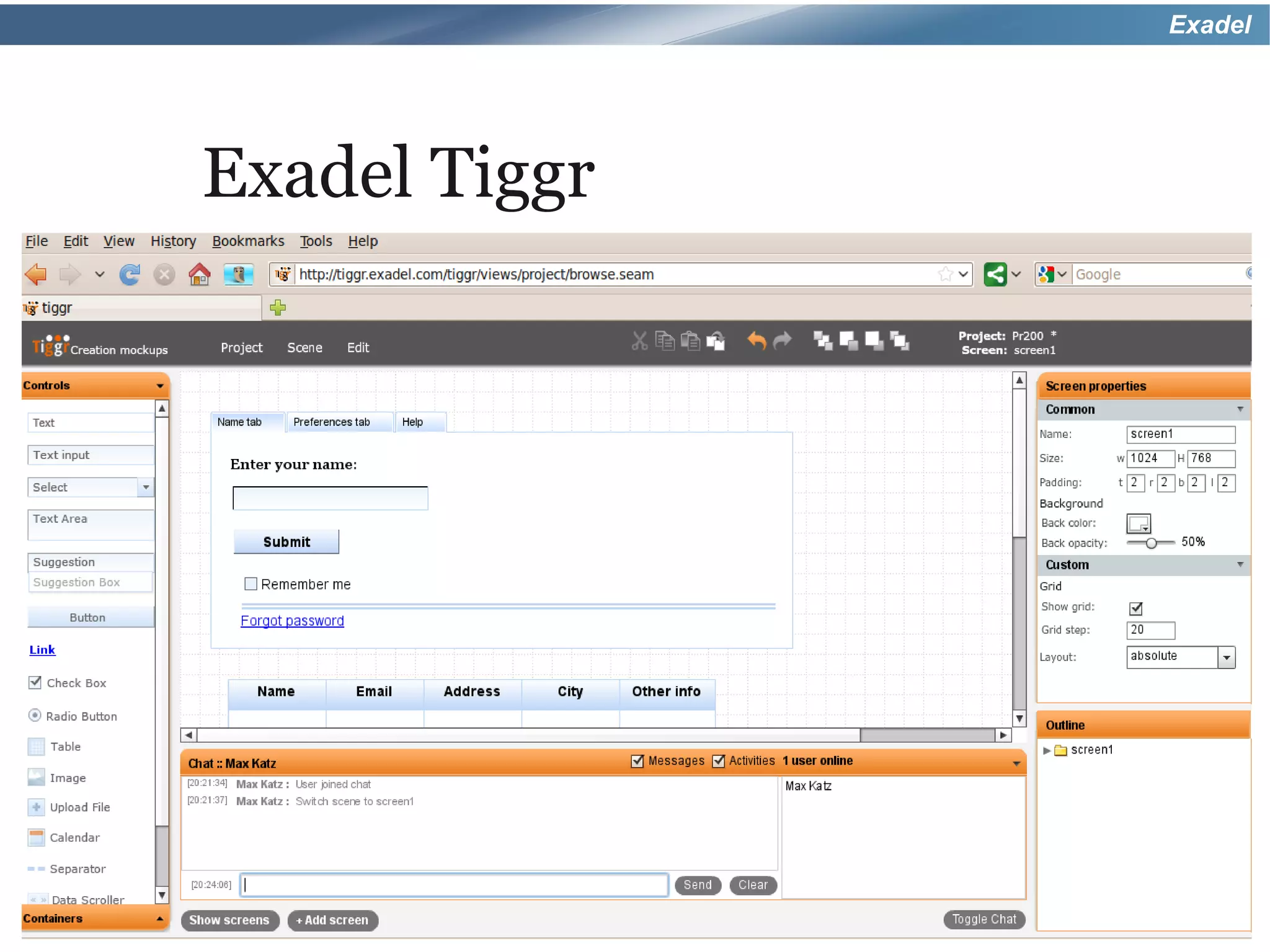
Exadel Tiggr
● Create, collaborate and share
 mockups online
● RichFaces    palette
● Upcoming features

  ◦ HTML generation
  ◦ More widgets and controls
● Give   it a try - http://tiggr.exadel.com
Exadel


http://tiggr.exadel.com
Exadel


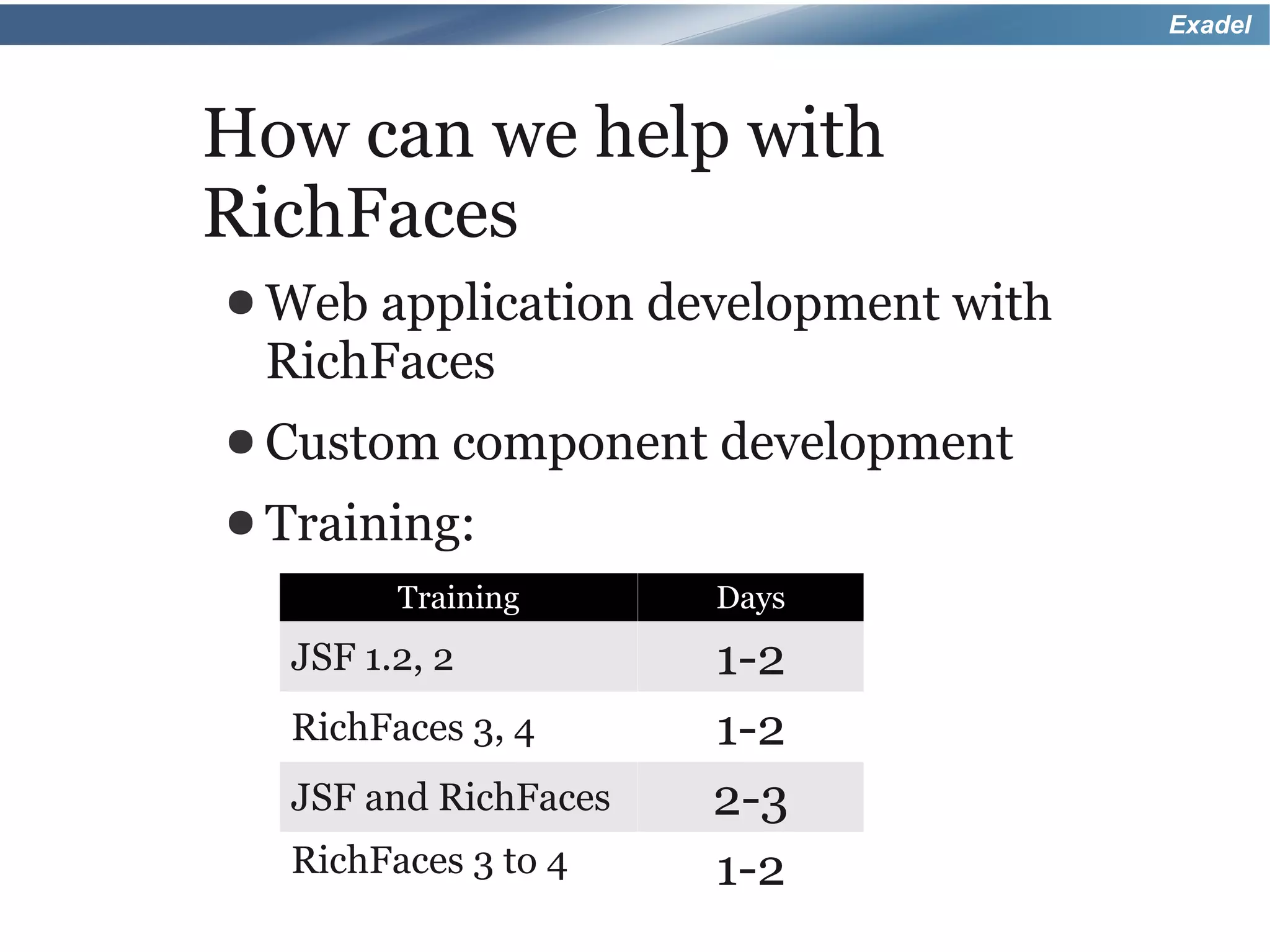
How can we help with
RichFaces
● Webapplication development with
 RichFaces
● Custom component    development
● Training:
        Training      Days
  JSF 1.2, 2          1-2
  RichFaces 3, 4      1-2
  JSF and RichFaces   2-3
  RichFaces 3 to 4    1-2
Exadel


Thank you!
● max@exadel.com
● http://mkblog.exadel.com
● http://twitter.com/maxkatz
● http://exadel.org

Hands On With Rich Faces 4 - JavaOne 2010

  • 1.
    Exadel Hands-on with RichFaces JavaOne2010 September 20th, 2010 Max Katz Exadel
  • 2.
    Exadel Who is thisguy? ● Senior Systems Engineer, RIA strategist at Exadel ◦ http://mkblog.exadel.com ◦ http://twitter.com/maxkatz ● JSF/RichFaces consulting, training ● Leads a number of projects: ◦ Exadel Tiggr ◦ Exadel Flamingo ◦ Exadel Fiji ◦ Exadel JavaFX Plug-in for Eclipse
  • 3.
    Exadel Author of Co-author of RichFaces Practical RichFaces DZone Refcard (Apress)
  • 4.
    Exadel Exadel ● Products and services company ● Founded in 1998, headquarters in Concord, CA ● 350+ employees City Country Year Concord California, USA 1998 Moscow Russia 1999 Minsk Belarus 2002 Vitebsk Belarus 2005 Donetsk, Kharkov Ukraine 2006
  • 5.
    Exadel Products ● Open Source with JBoss ◦ RichFaces ◦ JBoss Tools/JBoss Developer Studio ● Tiggr – create and share mockups online ● Flamingo ● Fiji (JSF – JavaFX/Flex integration) ● jsf4birt (JSF – BIRT/Actuate integration) ● JavaFX Plug-in for Eclipse
  • 6.
    Exadel Services ● Rich enterpriseapplication development ● Eclipse development ● Custom rich component development ● Mobile development ● Training ● Most projects are done in Eastern Europe
  • 7.
    Exadel The Plan ● Ajaxfeatures in JSF 2 ● The new RichFaces 4
  • 8.
    Exadel JSF 2 ● JSF 2 is a major upgrade over JSF 1.x ● Many features, ideas taken from projects such as Seam and RichFaces, and others
  • 9.
    Exadel JSF 2 newfeatures ● Facelets ● New scopes ● Composite ◦ Flash, View, components custom ● Navigation ● Configuration ● GET support ◦ Annotations ● BeanValidation ◦ Page parameters support ◦ h:link, h:button ● Ajax ● Resource loading
  • 10.
    Exadel JSF 2 <f:ajax> ●Basic Ajax functionality ● Greatyinspired by RichFaces 3 <a4j:support> tag ● Ajax in JSF in 3 easy steps: ◦ How to send an Ajax request ◦ Partial view processing ◦ Partial view rendering
  • 11.
    Exadel 2. What toexecute on the server: ● @all 1. <f:ajax> and event takes ● @this (default) care of firing the Ajax ● @form request ● @none ● Id's ● EL <h:commandButton> <f:ajax event="click" execute="@form" render="@form id1 id2"/> <h:commandButton> 3. Partial view rendering: ● @all ● @this ● @form ● @none (default) ● Id's ● EL
  • 12.
    Exadel Using <f:ajax> <h:commandButton value="Submit" action="#{bean.action}" > <f:ajax event="focus" execute="@form" render="output"/> </h:commandButton> <h:panelGrid id="output"> ... Attaching to button, specifying event </h:panelGrid> <h:commandButton value="Submit" action="#{bean.action}" > <f:ajax execute="@form" render="output output2"/> </h:commandButton> <h:panelGrid id="output"> ... </h:panelGrid> <h:panelGrid id="output2"> ... No event specified, </h:panelGrid> using default event
  • 13.
    Exadel Using <f:ajax> Default event is onchange <h:inputText value="#{bean.text}" > <f:ajax event="keyup" render="text"/> </h:inputText> <h:outputText id="text" value="#{bean.text}" /> No event specified so using default <h:selectOneListbox id="list" value="#{bean.choice}" > <f:selectItems value="#{cean.choiceList}" /> <f:ajax render="info" listener="#{bean.change}"/> </h:selectOneListbox> <h:panelGrid id="info"> ... </h:panelGrid>
  • 14.
    Exadel <f:ajax> <h:panelGrid> No default event, no Ajax added <h:selectBooleanCheckbox> onchange <h:inputText> onchange <h:commandButton> onclick </h:panelGrid> </f:ajax> <f:ajax event="click"> <h:panelGrid> onclick <h:selectBooleanCheckbox> onclick <h:inputText> onclick <h:commandButton> onclick and onfocus <f:ajax event="focus"/> </h:commanButton> </h:panelGrid> </f:ajax> <f:ajax event="valueChange"> <h:panelGrid> No Ajax added <h:selectBooleanCheckbox> onchange <h:inputText> onchange <h:commandButton> onfocus <f:ajax event="focus"/> </h:commanButton> </h:panelGrid> </f:ajax>
  • 15.
    Exadel That's good, but a rich component framework is still need to build real-world Ajax applications.
  • 16.
    Exadel RichFaces 4 –rich JSF framework ● JSF 2 based ● Ajax components ◦ a4j:* tag library (core) ◦ rich:* tag library (UI) ● Skins and themes ● CDK – Component Development Kit
  • 17.
    Exadel RichFaces versions Version JSF 1.1 JSF 1.2 JSF 2 RichFaces 3.1.x • RichFaces 3.3.3* • • RichFaces 4 • * Note: RichFaces 3.3.3 has basic JSF 2 support
  • 18.
    Exadel What about deployment? Any server All browsers (even IE 6)
  • 19.
    Exadel RichFaces history 2005: startedby Alexander Smirnov 2005-2007: Developed by Exadel Ajax4jsf – open source, free RichFaces - commercial 2007: JBoss takes over Exadel team continues to develop the framework
  • 20.
    Exadel Just tell mewhen RichFaces 4 is going to be released?
  • 21.
    Exadel RichFaces 4 JavaScriptin RichFaces is now entirely based on the popular jQuery library.
  • 22.
    Exadel RichFaces 4 ● Allcomponents are reviewed for consistency, usability ● Redesigned following semantic HTML principles ● Server-side and client-side performance optimization ● Strict code clean-up and review
  • 23.
    Exadel RichFaces 4 ● Newandeasy to use CDK (Component Development Kit) ● Quickly build your own custom rich components
  • 24.
    Exadel Google App Engine ●DeployRichFaces application in Google App Engine (GAE) ● Special maven-based plug-in available
  • 25.
    Exadel RichFaces <a4j:ajax> ● 100%based on standard <f:ajax> ● Just replacef: with a4j: and get exactly the same functionality ● But, you get extra features...
  • 26.
    Exadel <a4j:ajax>attributes Attribute Description onbegin JavaScript to execute before Ajax request JavaScript to execute after response onbeforedomupdate comes back but before DOM update oncomplete JavaScript to execute after DOM update Skips Update Model and Invoke bypassUpdates Application phases, useful for form validation Skips all a4j:outputPanel limitRender ajaxRender=”true” areas. Only renders what is set in current render status Status to display during Ajax request Sets focus on component after Ajax focus request
  • 27.
    Exadel RichFaces 4 That's notall, there are more RichFaces goodies...
  • 28.
    Exadel RichFaces 4 coreaction – fire an Ajax request ● a4j:ajax ● a4j:commandButton ● a4j:commandLink ● a4j:jsFunction ● a4j:poll ● a4j:push
  • 29.
    Exadel <a4j:commandButton> – Ajax button /* standard button with f:ajax */ <h:commandButton value="Save" action="#{bean.action}"> <f:ajax execute="@form" render="output"/> </h:commandButton> /* RichFaces button */ <a4j:commandButton value="Save" execute="@form" render="output" action="#{bean.action}" />
  • 30.
    Exadel <a4j:jsFunction> – fire Ajax request from any JavaScript function <table> ... <td onmouseover="update('yellow')"/> ... </table> <a4j:jsFunction name="update" action="#{bean.change}" reRender="panel"> <a4j:param value="param1" assignTo="#{bean.color}"/> </a4j:jsFunction>
  • 31.
    Exadel <a4j:poll> – periodically send an Ajax request <a4j:poll interval="1000" action="#{bean.count}" render="output" enabled="#{bean.pollEnabled}" /> <h:panelGrid id="output"> ... </h:panelGrid>
  • 32.
    Exadel RichFace 4 core– output, panels ● a4j:outputPanel ● a4j:status ● a4j:region ● a4j:queue ● a4j:repeat ● a4j:log
  • 33.
    Exadel <a4j:outputPanel> – auto rendered panel <h:selectOneMenu value="#{bean.fruit}"> <a4j:ajax listener="#{bean.change}"/> </<h:selectOneMenu> <a4j:outputPanel ajaxRendered="true"> <h:panelGrid> ... </h:panelGrid> Rendered on every <h:panelGrid> Ajax request ... </h:panelGrid> </a4j:outputPanel>
  • 34.
    Exadel <a4j:status> – Ajax request status <a4j:status name="ajaxSpecial"> <f:facet name="start"> <h:graphicImage value="ajaxStatus.jpg"/> </f:facet> </a4j:status> <h:form> <inputText /> <inputText /> <a4j:commandButton status="ajaxSpecial"/> </h:form>
  • 35.
    Exadel <a4j:region> – declaratively defineexecute region <h:form> Execute options: @all● <a4j:region> @this (default) ● <h:inputText /> @form ● <h:inputText /> @none ● Id's● <a4j:commandButton execute="@region"/> EL ● <a4j:region> @region ● </h:form> <h:form> <a4j:region> <h:inputText /> <h:inputText /> <a4j:commandButton /> <a4j:region> </h:form>
  • 36.
    Exadel <a4j:log> – Ajaxrequest information ● Levels: ◦ debug, info, warn, error
  • 37.
    Exadel JavaScript interactions <h:commandLink value="Link" <f:ajax onevent="ajaxFunction();"> </h:commandLink> Called three times: 1) begin 2) success 3) complete <a4j:commandLink value="Link" onbegin="alert('Link clicked')" onbeforedomupdate="alert('Response received')" oncomplete="alert('DOM updated')"> </a4j:commandLink> Events are separated
  • 38.
    Exadel Advanced rendering options <a4j:commandButton render="output"/> <a4j:commandButton render="output" limitRender="true"/> <h:panelGrid id="output"> Turns off all auto rendered panels, ... only renders what is set in current </h:panelGrid> render <a4j:outputPanel ajaxRendered="true"> ... </a4j:outputPanel>
  • 39.
    Exadel Skipping phases when validating 1.Restore View 2.Apply RequestValues 3.Process Validation 4.Update Model 5.Invoke Application 6.Render Response <h:inputText id="name" value="#{bean.name}"/> <a4j:ajax event="blur" bypassUpdates="true"/> </h:inputText> <rich:message for="name"/>
  • 40.
    Exadel JSF 2 queue ●JSF2 has very basic queue functionality ● Events are queued and fired one at a time ● Only one request is processed on the server at a time
  • 41.
    Exadel RichFaces queue upgrades ●Delay firing of a request ● Combine requests from one or more controls ● Cancel DOM updates if the same request was fired ● Define queue as: ◦ Global (all views have queue) ◦ View-based ◦ Form-based ◦ Named (used by particular components only)
  • 42.
    Exadel RichFaces <a4j:queue> <a4j:queue requestDelay="2000"/> ... Delay request by 2 seconds <a4j:commandButton value="Button1"/> <a4j:commandButton value="Button2"/> <a4j:queue requestDelay="2000"/> ... Overwrite default <a4j:commandButton> delay request by 1 second <a4j:attachQueue requestDelay="1000"/> </a4j:commmandButton> <a4j:commandButton />
  • 43.
    Exadel a4j:queue – “combining” events <a4j:queue requestDelay="2000"/> ... <a4j:commandButton> <a4j:attachQueue requestGroupingId="mainGroup"/> </a4j:commmandButton> <a4j:commandButton> <a4j:attachQueue requestGroupingId="mainGroup"/> </a4j:commmandButton>
  • 44.
    Exadel a4j:queue – ignoring “stale” responses <a4j:queue requestDelay="2000 ingoreDupResponses="true"/> <h:inputText value="#{bean.state}"> <a4j:ajax event="keyup" listener="#{bean.load}" render="states"/> </h:inputText> <rich:dataTable id="states"> <rich:column/> </rich:dataTable>
  • 45.
    Exadel RichFaces UI components ●Data iteration ● Output, panels ● Input ● Menu ● Trees ● Selects ● Layout ● Client side validation ● Miscellaneous
  • 46.
    Exadel Rich data iteration ● a4j:repeat ● rich:dataScroller ● rich:dataTable ● rich:column ● rich:extendedDataTable ● Columnand row ● rich:subTable spanning ● Filtering, sorting ◦ rich:subTableToggleControl ● rich:list ● rich:dataGrid
  • 47.
    Exadel Partial update render="@column" render="@header" render="@row" render="@body" render="@footer" render="cellId" To render from outside the table: render="tableId@header" render="tableId@body" render="tableId@footer"
  • 48.
    Exadel Partial update render="tableId:#{bean.rowsSet}" render="tableId:#{bean.rowsSet}:cellId"
  • 49.
    Exadel Rich output, panels ●rich:panel ● rich:message(s) ● rich:togglePanel ● rich:paint2D ● rich:accordion ● rich:separator ● rich:popupPanel ● rich:toolBar ● rich:tabPanel ● rich:toolTip ● rich:panelBar ● rich:panelMenu ● rich:collapsiblePanel
  • 50.
    Exadel Rich input ● rich:autocomplete ●rich:inputNumberSlider ● rich:inputNumberSpinner ● rich:inplaceInput ● rich:calendar ● rich:colorPicker ● rich:editor ● rich:fileUpload
  • 51.
  • 52.
    Exadel Rich tree ● rich:tree ●rich:treeNode ● Listeners
  • 53.
    Exadel Rich selects ● rich:orderingList ●rich:pickList ● rich:listShuttle ● rich:selectBox ● rich:inplaceSelect
  • 54.
    Exadel Rich layout ● rich:page ●rich:layout ◦ rich:layoutPanel ● rich:splitter
  • 55.
    Exadel Bean Validation (JSR 303) ● JSF 2 has support for Bean Validation (on the server) public class Bean { @Email private String email; } <h:inputText id="email" value="#{bean.email}"> <a4j:ajax event="blur"/> </h:inputText> <rich:message for="email"/>
  • 56.
    Exadel RichFaces client validation Public class Bean { @Email private String email; } <h:inputText id="email" value="#{bean.email}"> <rich:clientValidator event="blur"/> </h:inputText> <rich:message for="email"/>
  • 57.
    Exadel RichFaces client functions Function Description rich:client(id) returns component client id rich:element(id) returns DOM element returns RichFaces client component rich:component(id) instance to call JS API method rich:isUserInRole(role) returns if the user has specified role returns component instance for given rich:findComponent(id) short id
  • 58.
    Exadel rich:component(id) function ● Allows to call JS API on a component <input type="button" onclick="#{rich:component('popup')}.show();" value="Open" /> <rich:popupPanel id="popup"> <h:outputLink value="#" onclick="#{rich:component('popup')}.hide(); return false;"> <h:outputText value="Close"/> </h:outputLink> </rich:popupPanel>
  • 59.
    Exadel Rich miscellaneous ● rich:componentControl ●rich:jQuery ● rich:hotKey ● rich:gmap ● rich:virtualEarth
  • 60.
    Exadel <rich:componentControl> ● Allows to call JS API on a component in declarative fashion <h:outputLink id="openLink" value="#"> <h:outputText value="Open" /> <rich:componentControl event="click" operation="show" target="popup" /> </h:outputLink> <rich:popupPanel id="popup"> ... </rich:popupPanel>
  • 61.
    Exadel <rich:jQuery> <input type="button" id="changeButton" value="Change title" /> <rich:jQuery selector="#changeButton" query="click(function(){ $('#panel #panel_header').text('Capital of Russia'); })"/> <rich:panel header="Moscow" id="panel"> Moscow is the capital, the most populous ... </rich:panel>
  • 62.
  • 63.
    Exadel Skins ● Lightweight extension on top of CSS ● Change look and feel of all Rich component with a few minor changes ● Can be applied to standard JSF and HTML tags as well
  • 64.
    Exadel Ready-to-use skins ● classic ●emeraldTown ● blueSky ● ruby ● wine ● deepMarine ● plain ● japanCherry ● laguna <context-param> <param-name>org.richfaces.skin</param-name> ● glassX <param-value>ruby</param-value> </context-param> ● darkX
  • 65.
    Exadel Skin file (properties file) #Colors headerBackgroundColor=#900000 headerGradientColor=#DF5858 headerTextColor=#FFFFFF headerWeightFont=bold generalBackgroundColor=#f1f1f1 generalTextColor=#000000 generalSizeFont=11px generalFamilyFont=Arial, Verdana, sans-serif controlTextColor=#000000 controlBackgroundColor=#ffffff additionalBackgroundColor=#F9E4E4
  • 66.
    Exadel Skins ● Modify existing or create your own <context-param> <param-name>org.richfaces.skin</param-name> <param-value>myCustomSkin</param-value> </context-param> ● Change skins in runtime <context-param> <param-name>org.richfaces.skin</param-name> <param-value>#{bean.skin}</param-value> </context-param>
  • 67.
    Exadel Overwriting skins <style> .rf-p-hr { // your custom style, applied to all panels on // on page } .panelHeader { // custom header style } </style> <rich:panel id="panel1"> ... </rich:panel id="panel2"> <rich:panel headerClass="panelHeader"> ... </rich:panel>
  • 68.
  • 69.
    Exadel That's it forRichFaces, there is one more thing I want to show you.
  • 70.
    Exadel A peek atthe future: Going Beyond JavaServer Faces 2.0 with RichFaces 4 Tuesday, September 21 9:30am Golden Gate 6/7 Jay Balunas, Red Hat Alexander Smirnov, Exadel
  • 71.
  • 72.
  • 73.
    Exadel Exadel Tiggr ● Create,collaborate and share mockups online ● RichFaces palette ● Upcoming features ◦ HTML generation ◦ More widgets and controls ● Give it a try - http://tiggr.exadel.com
  • 74.
  • 75.
    Exadel How can wehelp with RichFaces ● Webapplication development with RichFaces ● Custom component development ● Training: Training Days JSF 1.2, 2 1-2 RichFaces 3, 4 1-2 JSF and RichFaces 2-3 RichFaces 3 to 4 1-2
  • 76.
    Exadel Thank you! ● max@exadel.com ●http://mkblog.exadel.com ● http://twitter.com/maxkatz ● http://exadel.org