JavaScript - Syntax
Brought to you by www.SiryMedia.in
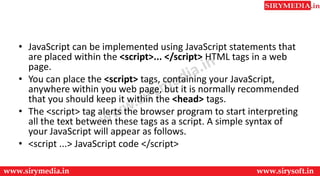
• JavaScript can be implemented using JavaScript statements that
are placed within the <script>... </script> HTML tags in a web
page.
• You can place the <script> tags, containing your JavaScript,
anywhere within you web page, but it is normally recommended
that you should keep it within the <head> tags.
• The <script> tag alerts the browser program to start interpreting
all the text between these tags as a script. A simple syntax of
your JavaScript will appear as follows.
• <script ...> JavaScript code </script>
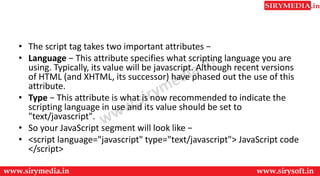
• The script tag takes two important attributes −
• Language − This attribute specifies what scripting language you are
using. Typically, its value will be javascript. Although recent versions
of HTML (and XHTML, its successor) have phased out the use of this
attribute.
• Type − This attribute is what is now recommended to indicate the
scripting language in use and its value should be set to
"text/javascript".
• So your JavaScript segment will look like −
• <script language="javascript" type="text/javascript"> JavaScript code
</script>
Your First JavaScript Script
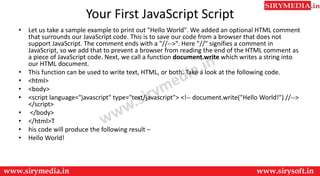
• Let us take a sample example to print out "Hello World". We added an optional HTML comment
that surrounds our JavaScript code. This is to save our code from a browser that does not
support JavaScript. The comment ends with a "//-->". Here "//" signifies a comment in
JavaScript, so we add that to prevent a browser from reading the end of the HTML comment as
a piece of JavaScript code. Next, we call a function document.write which writes a string into
our HTML document.
• This function can be used to write text, HTML, or both. Take a look at the following code.
• <html>
• <body>
• <script language="javascript" type="text/javascript"> <!-- document.write("Hello World!") //-->
</script>
• </body>
• </html>T
• his code will produce the following result −
• Hello World!
Whitespace and Line Breaks
• JavaScript ignores spaces, tabs, and newlines that appear
in JavaScript programs. You can use spaces, tabs, and
newlines freely in your program and you are free to format
and indent your programs in a neat and consistent way
that makes the code easy to read and understand.
Semicolons are Optional
• Simple statements in JavaScript are generally followed by a semicolon character,
just as they are in C, C++, and Java. JavaScript, however, allows you to omit this
semicolon if each of your statements are placed on a separate line. For example,
the following code could be written without semicolons.
• <script language="javascript" type="text/javascript">
• <!-- var1 = 10 var2 = 20 //-->
• </script>
• But when formatted in a single line as follows, you must use semicolons −
• <script language="javascript" type="text/javascript">
• <!-- var1 = 10; var2 = 20; //-->
• </script>
• Note − It is a good programming practice to use semicolons.
Case Sensitivity
• JavaScript is a case-sensitive language. This means that the
language keywords, variables, function names, and any
other identifiers must always be typed with a consistent
capitalization of letters.
• So the identifiers Time and TIME will convey different
meanings in JavaScript.
• NOTE − Care should be taken while writing variable and
function names in JavaScript.
Comments in JavaScript
• JavaScript supports both C-style and C++-style comments, Thus −
• Any text between a // and the end of a line is treated as a comment
and is ignored by JavaScript.
• Any text between the characters /* and */ is treated as a comment.
This may span multiple lines.
• JavaScript also recognizes the HTML comment opening sequence <!--
. JavaScript treats this as a single-line comment, just as it does the //
comment.
• The HTML comment closing sequence --> is not recognized by
JavaScript so it should be written as //-->.
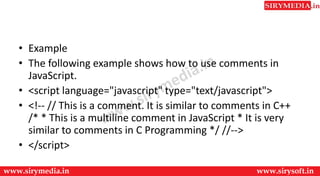
• Example
• The following example shows how to use comments in
JavaScript.
• <script language="javascript" type="text/javascript">
• <!-- // This is a comment. It is similar to comments in C++
/* * This is a multiline comment in JavaScript * It is very
similar to comments in C Programming */ //-->
• </script>
Thank You
For more updates subscribe to our YouTube channel
SiryMedia
To watch more videos visit our website
www.sirymedia.in

Js syntax

  • 1.
    JavaScript - Syntax Broughtto you by www.SiryMedia.in
  • 2.
    • JavaScript canbe implemented using JavaScript statements that are placed within the <script>... </script> HTML tags in a web page. • You can place the <script> tags, containing your JavaScript, anywhere within you web page, but it is normally recommended that you should keep it within the <head> tags. • The <script> tag alerts the browser program to start interpreting all the text between these tags as a script. A simple syntax of your JavaScript will appear as follows. • <script ...> JavaScript code </script>
  • 3.
    • The scripttag takes two important attributes − • Language − This attribute specifies what scripting language you are using. Typically, its value will be javascript. Although recent versions of HTML (and XHTML, its successor) have phased out the use of this attribute. • Type − This attribute is what is now recommended to indicate the scripting language in use and its value should be set to "text/javascript". • So your JavaScript segment will look like − • <script language="javascript" type="text/javascript"> JavaScript code </script>
  • 4.
    Your First JavaScriptScript • Let us take a sample example to print out "Hello World". We added an optional HTML comment that surrounds our JavaScript code. This is to save our code from a browser that does not support JavaScript. The comment ends with a "//-->". Here "//" signifies a comment in JavaScript, so we add that to prevent a browser from reading the end of the HTML comment as a piece of JavaScript code. Next, we call a function document.write which writes a string into our HTML document. • This function can be used to write text, HTML, or both. Take a look at the following code. • <html> • <body> • <script language="javascript" type="text/javascript"> <!-- document.write("Hello World!") //--> </script> • </body> • </html>T • his code will produce the following result − • Hello World!
  • 5.
    Whitespace and LineBreaks • JavaScript ignores spaces, tabs, and newlines that appear in JavaScript programs. You can use spaces, tabs, and newlines freely in your program and you are free to format and indent your programs in a neat and consistent way that makes the code easy to read and understand.
  • 6.
    Semicolons are Optional •Simple statements in JavaScript are generally followed by a semicolon character, just as they are in C, C++, and Java. JavaScript, however, allows you to omit this semicolon if each of your statements are placed on a separate line. For example, the following code could be written without semicolons. • <script language="javascript" type="text/javascript"> • <!-- var1 = 10 var2 = 20 //--> • </script> • But when formatted in a single line as follows, you must use semicolons − • <script language="javascript" type="text/javascript"> • <!-- var1 = 10; var2 = 20; //--> • </script> • Note − It is a good programming practice to use semicolons.
  • 7.
    Case Sensitivity • JavaScriptis a case-sensitive language. This means that the language keywords, variables, function names, and any other identifiers must always be typed with a consistent capitalization of letters. • So the identifiers Time and TIME will convey different meanings in JavaScript. • NOTE − Care should be taken while writing variable and function names in JavaScript.
  • 8.
    Comments in JavaScript •JavaScript supports both C-style and C++-style comments, Thus − • Any text between a // and the end of a line is treated as a comment and is ignored by JavaScript. • Any text between the characters /* and */ is treated as a comment. This may span multiple lines. • JavaScript also recognizes the HTML comment opening sequence <!-- . JavaScript treats this as a single-line comment, just as it does the // comment. • The HTML comment closing sequence --> is not recognized by JavaScript so it should be written as //-->.
  • 9.
    • Example • Thefollowing example shows how to use comments in JavaScript. • <script language="javascript" type="text/javascript"> • <!-- // This is a comment. It is similar to comments in C++ /* * This is a multiline comment in JavaScript * It is very similar to comments in C Programming */ //--> • </script>
  • 10.
    Thank You For moreupdates subscribe to our YouTube channel SiryMedia To watch more videos visit our website www.sirymedia.in