Five Tools Every
Journalist Should Use
JN 325
Reporting & Writing Across Media
Presenter: Ryan Phillips
The Age Of The Mobile Journalist
 As the landscape of information dissemination changes,
those in the industry must change with it.
 Journalists have at their disposal a wide range of tools
aimed at making the concept of a “Backpack Journalist”
more of a reality.

 For the first time since the advent of the internet,
journalists are forced to become tech-savvy.
Utilization is key
 Despite the negative stigma, immediacy has become
paramount (Don’t forget accuracy)
 There are tools available that will make your job as a
journalist easy ,but can that be a bad thing?
 What benefits have you experienced with using
multimedia tools in your work?
 While tech tools are nice, they are no replacement for
sound journalistic fundamentals (I.E writing, interview
skills, intuition, etc)
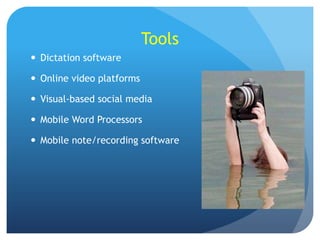
Tools
 Dictation software
 Online video platforms
 Visual-based social media

 Mobile Word Processors
 Mobile note/recording software
Dictation Software
 When dealing with in-depth interviews, transcribing can
be time-consuming, especially when deadlines are
involved.
 There is new software emerging that aims to help with
the transcription process, but be wary that this will
handle the bulk and not the entirety of the interview
process in terms of accuracy.
 Examples: Dragon, Listnote Speech, Mac iOS dictation
software
DRAGON
 Dragon Systems founded in 1982

 Free in iTunes App store
 Runs on Windows Platforms
 Called DragonDictate or Dragon
for Mac on Apple Platforms.
 Offers text-to-speech function
along with dictation
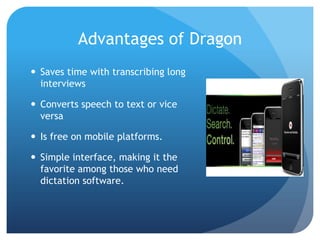
Advantages of Dragon
 Saves time with transcribing long
interviews
 Converts speech to text or vice
versa
 Is free on mobile platforms.
 Simple interface, making it the
favorite among those who need
dictation software.
Dragon Drawbacks
 Has difficulty with punctuation.

 Has difficulty translating regional dialects.
 Paid version can cost $$$
Online Video Platforms
 As the internet becomes the primary means of travel for
information, more online video platforms continue to
pop up including Vine and Tout.
 Allows users to instantly watch short videos by only
scrolling through a feed, meaning instant uploading and
instant viewing.
 Platforms have been incorporated by journalists to
promote immediacy.
Vine
 Released January 2013, owned by Twitter

 Maximum upload size, 6 seconds
 Can embed videos via social media.
 Free app across platforms
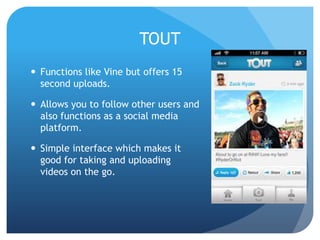
TOUT
 Functions like Vine but offers 15
second uploads.
 Allows you to follow other users and
also functions as a social media
platform.

 Simple interface which makes it
good for taking and uploading
videos on the go.
Drawbacks of Vine and TOUT
 Neither allows users to edit—What you take is what you
get.
 The short time allotment can narrow the scope of use.
 Video quality may be questionable.
Visual-Based Social Media
 Naturally, Instagram more
than 100 million users has
become the most popular and
widely used form of VisualBased Social media.
 Others include Snapchat and
Pinterest.

 Allows users to see the story
as opposed to reading it.
 w/Instagram, users can edit
photos (to a degree)
Advantages of Visual Based-Social
Media
 Personal connectedness with your audience.

 Allows users to build their own audience
 Allows for a small degree of internal editing
 Allows users (or journalists) to instantly upload photos
that may be relevant to readers or followers.
 Videos can be embedded in other social media outlets
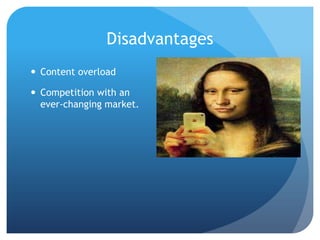
Disadvantages
 Content overload

 Competition with an
ever-changing market.
Mobile Word Processors
 Often when journalists are out in the field (at least in
the old days) their content output was restricted to a
typewriter or desktop computer.
 With new software available, Word Processor and Office
Suites are now available on mobile platforms.

 With this in mind, an entire news story can be put
together and formatted from a smartphone.
Docs To GO
 Currently $49.99 in app store.

 Allows user to access and edit word
documents and spreadsheets
 Is a better format than note taking
software for constructing written news
stories that need to go directly to
publication.
 Has a visual component that is
comparitevly equal to desktop office
suites.
Mobile Note-Taking Software
 Many new apps are attempting to converge the many
tools that professionals use into a single platform.
 This combines note-taking software, recording software
and organizational tools into one app.
 Many try to do this, but the most popular has proven to
be Evernote.
EVERNOTE
 Combines concepts mentioned
previously, primarily functions as
organizational tool but can prove
beneficial to journalists.
 Advantages- streamlining the
journalistic process
 Disadvantages- can cause dependency
if relied upon too much, thus causing a
qualitative drop in journalist
fundamentals such as personal note
taking and listening skills.
Thoughts
 Tools are great, but not a replacement for oldfashioned, time-tested journalistic techniques
 They should be approached in a way that asks “How can
this improve the skills I have learned and are currently
using?”

 With the push for immediacy in the media, it is crucial
to remember: DO NOT let your apps do your job.

Five Tools Every Journalist Should Use

  • 1.
    Five Tools Every JournalistShould Use JN 325 Reporting & Writing Across Media Presenter: Ryan Phillips
  • 2.
    The Age OfThe Mobile Journalist  As the landscape of information dissemination changes, those in the industry must change with it.  Journalists have at their disposal a wide range of tools aimed at making the concept of a “Backpack Journalist” more of a reality.  For the first time since the advent of the internet, journalists are forced to become tech-savvy.
  • 3.
    Utilization is key Despite the negative stigma, immediacy has become paramount (Don’t forget accuracy)  There are tools available that will make your job as a journalist easy ,but can that be a bad thing?  What benefits have you experienced with using multimedia tools in your work?  While tech tools are nice, they are no replacement for sound journalistic fundamentals (I.E writing, interview skills, intuition, etc)
  • 4.
    Tools  Dictation software Online video platforms  Visual-based social media  Mobile Word Processors  Mobile note/recording software
  • 5.
    Dictation Software  Whendealing with in-depth interviews, transcribing can be time-consuming, especially when deadlines are involved.  There is new software emerging that aims to help with the transcription process, but be wary that this will handle the bulk and not the entirety of the interview process in terms of accuracy.  Examples: Dragon, Listnote Speech, Mac iOS dictation software
  • 6.
    DRAGON  Dragon Systemsfounded in 1982  Free in iTunes App store  Runs on Windows Platforms  Called DragonDictate or Dragon for Mac on Apple Platforms.  Offers text-to-speech function along with dictation
  • 7.
    Advantages of Dragon Saves time with transcribing long interviews  Converts speech to text or vice versa  Is free on mobile platforms.  Simple interface, making it the favorite among those who need dictation software.
  • 8.
    Dragon Drawbacks  Hasdifficulty with punctuation.  Has difficulty translating regional dialects.  Paid version can cost $$$
  • 9.
    Online Video Platforms As the internet becomes the primary means of travel for information, more online video platforms continue to pop up including Vine and Tout.  Allows users to instantly watch short videos by only scrolling through a feed, meaning instant uploading and instant viewing.  Platforms have been incorporated by journalists to promote immediacy.
  • 10.
    Vine  Released January2013, owned by Twitter  Maximum upload size, 6 seconds  Can embed videos via social media.  Free app across platforms
  • 11.
    TOUT  Functions likeVine but offers 15 second uploads.  Allows you to follow other users and also functions as a social media platform.  Simple interface which makes it good for taking and uploading videos on the go.
  • 12.
    Drawbacks of Vineand TOUT  Neither allows users to edit—What you take is what you get.  The short time allotment can narrow the scope of use.  Video quality may be questionable.
  • 13.
    Visual-Based Social Media Naturally, Instagram more than 100 million users has become the most popular and widely used form of VisualBased Social media.  Others include Snapchat and Pinterest.  Allows users to see the story as opposed to reading it.  w/Instagram, users can edit photos (to a degree)
  • 14.
    Advantages of VisualBased-Social Media  Personal connectedness with your audience.  Allows users to build their own audience  Allows for a small degree of internal editing  Allows users (or journalists) to instantly upload photos that may be relevant to readers or followers.  Videos can be embedded in other social media outlets
  • 15.
    Disadvantages  Content overload Competition with an ever-changing market.
  • 16.
    Mobile Word Processors Often when journalists are out in the field (at least in the old days) their content output was restricted to a typewriter or desktop computer.  With new software available, Word Processor and Office Suites are now available on mobile platforms.  With this in mind, an entire news story can be put together and formatted from a smartphone.
  • 17.
    Docs To GO Currently $49.99 in app store.  Allows user to access and edit word documents and spreadsheets  Is a better format than note taking software for constructing written news stories that need to go directly to publication.  Has a visual component that is comparitevly equal to desktop office suites.
  • 18.
    Mobile Note-Taking Software Many new apps are attempting to converge the many tools that professionals use into a single platform.  This combines note-taking software, recording software and organizational tools into one app.  Many try to do this, but the most popular has proven to be Evernote.
  • 19.
    EVERNOTE  Combines conceptsmentioned previously, primarily functions as organizational tool but can prove beneficial to journalists.  Advantages- streamlining the journalistic process  Disadvantages- can cause dependency if relied upon too much, thus causing a qualitative drop in journalist fundamentals such as personal note taking and listening skills.
  • 20.
    Thoughts  Tools aregreat, but not a replacement for oldfashioned, time-tested journalistic techniques  They should be approached in a way that asks “How can this improve the skills I have learned and are currently using?”  With the push for immediacy in the media, it is crucial to remember: DO NOT let your apps do your job.