JavaScript to:
Print current date
Print Screen
Include JavaScript files (Head & Body)
Forms
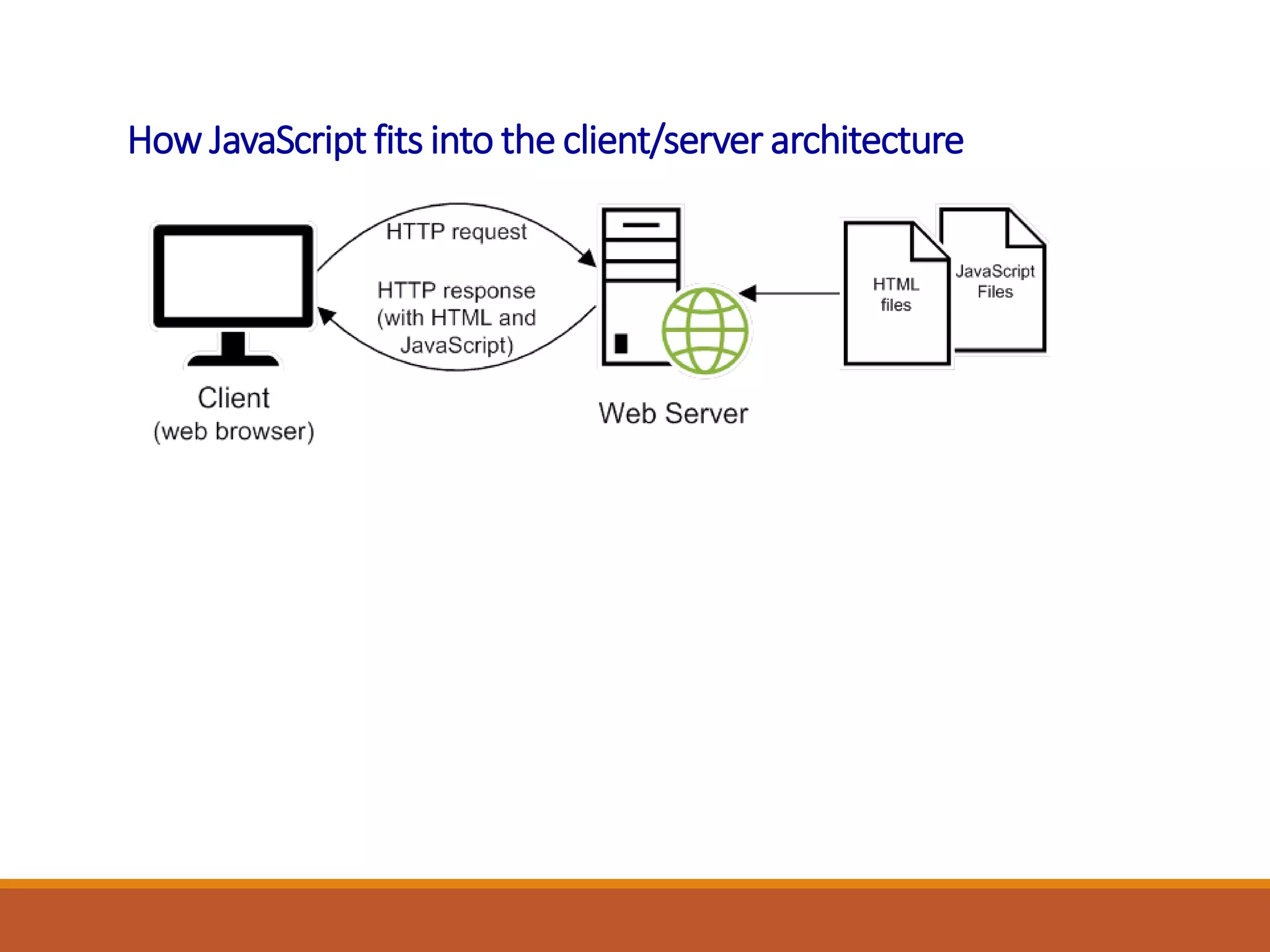
How JavaScript fits into the client/server architecture
JavaScript that gets the current date and year
<p>
<script>
var today = new Date();
document.write("Current date: ");
document.write(today.toDateString());
</script>
</p>
<p>
<script>
var today = new Date();
document.write("&copy;&nbsp;");
document.write(today.getFullYear());
document.write(", San Joaquin Valley Town Hall")
</script>
</p>
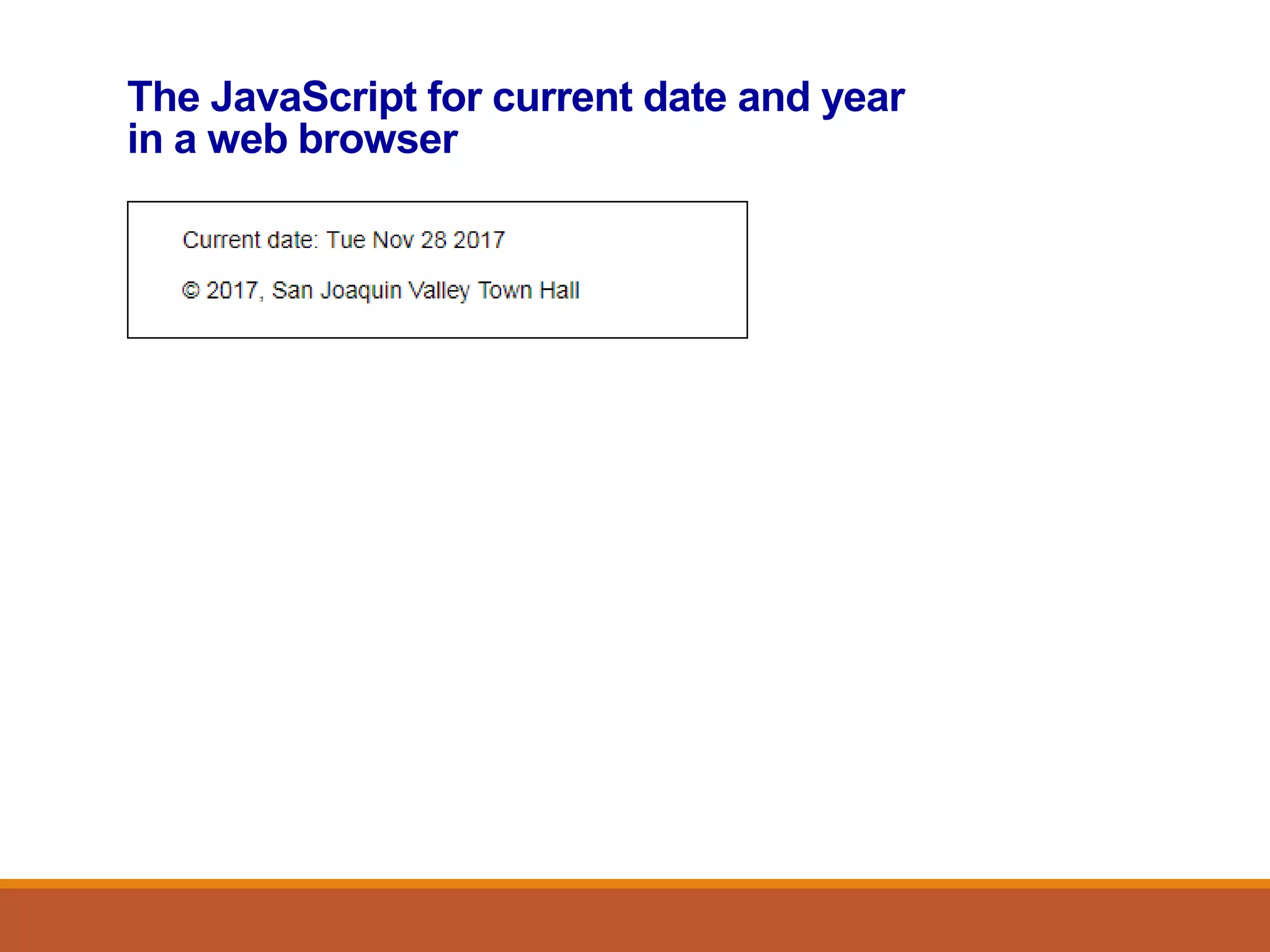
The JavaScript for current date and year
in a web browser
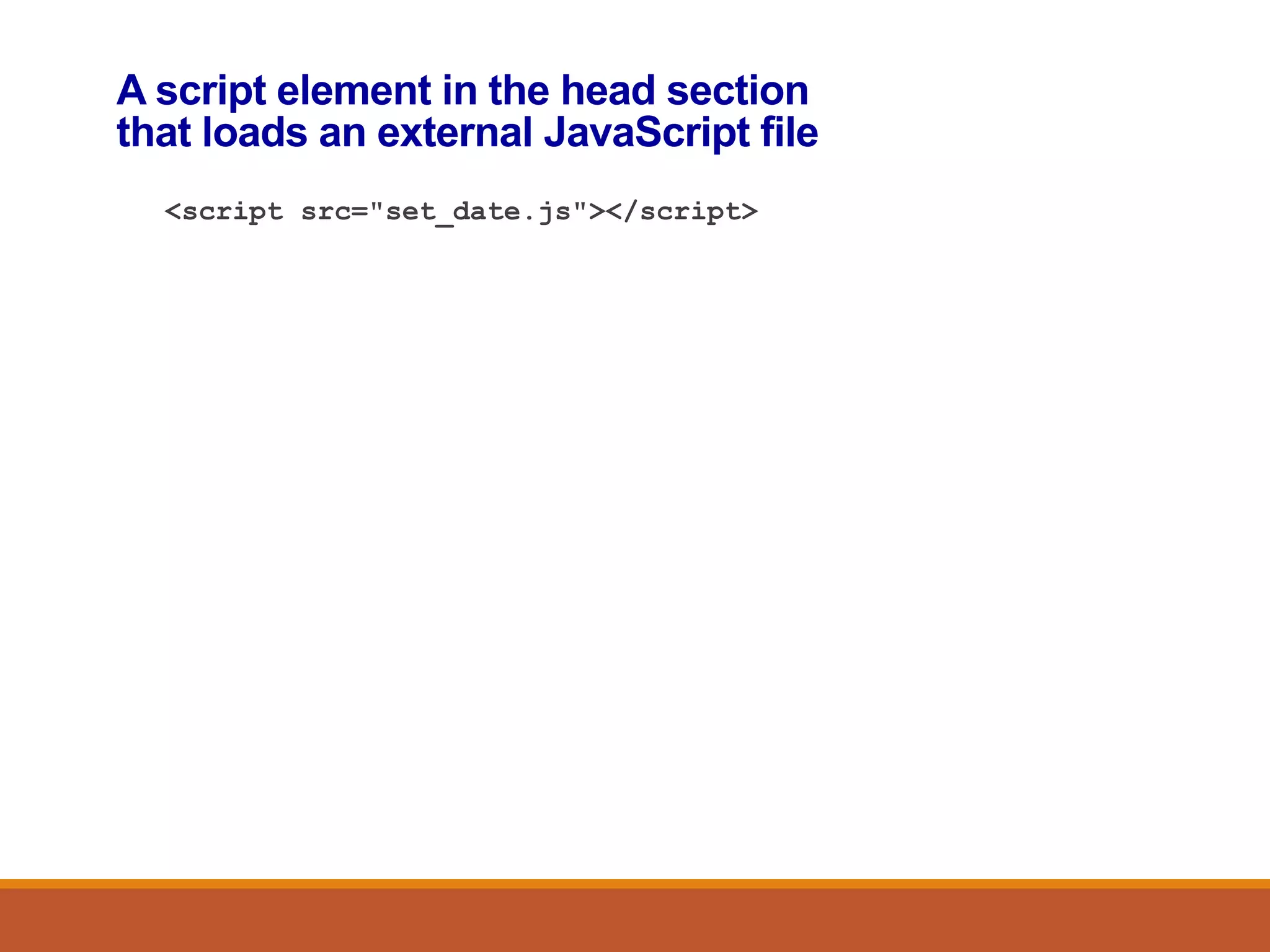
A script element in the head section
that loads an external JavaScript file
<script src="set_date.js"></script>
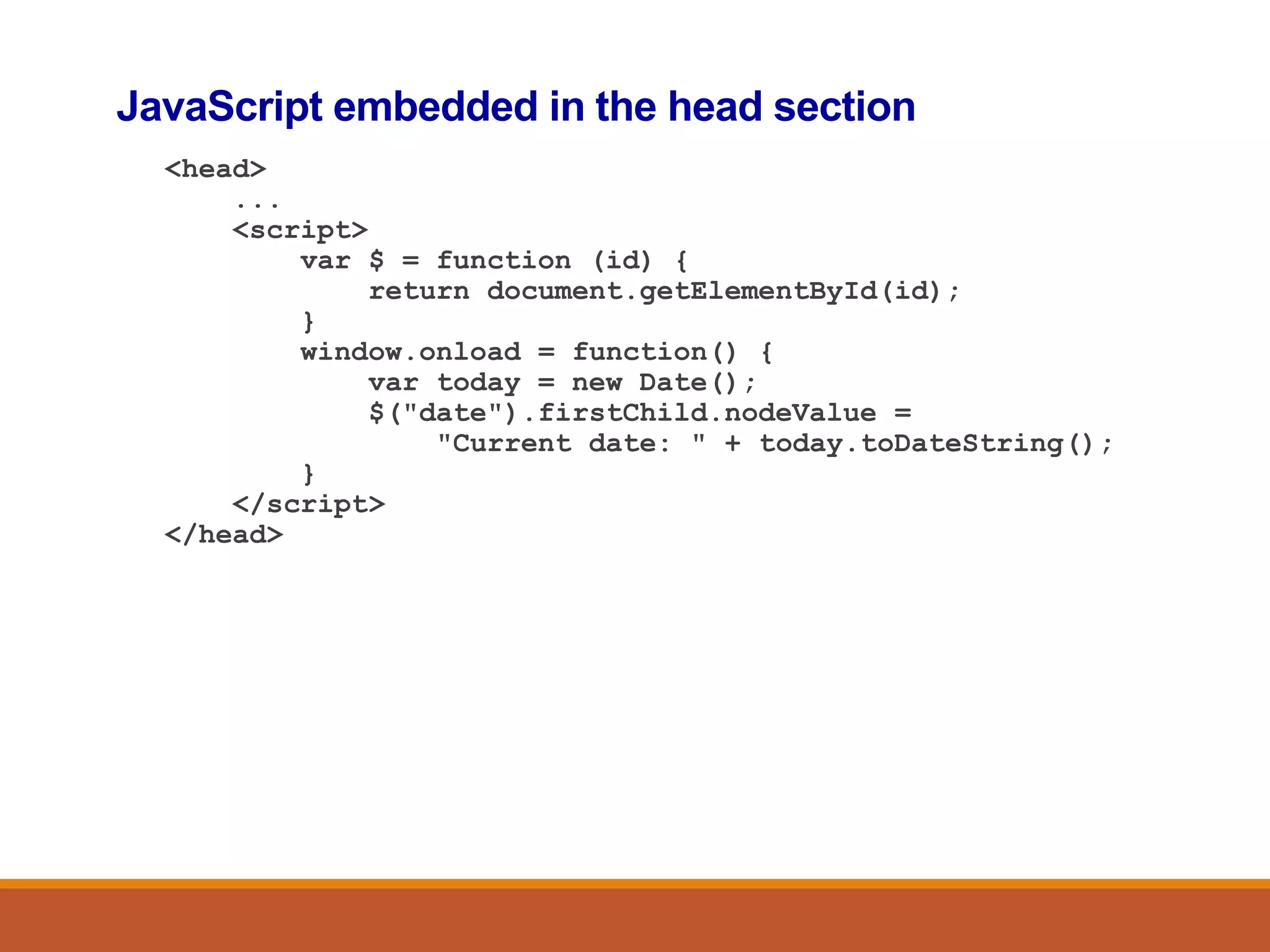
JavaScript embedded in the head section
<head>
...
<script>
var $ = function (id) {
return document.getElementById(id);
}
window.onload = function() {
var today = new Date();
$("date").firstChild.nodeValue =
"Current date: " + today.toDateString();
}
</script>
</head>
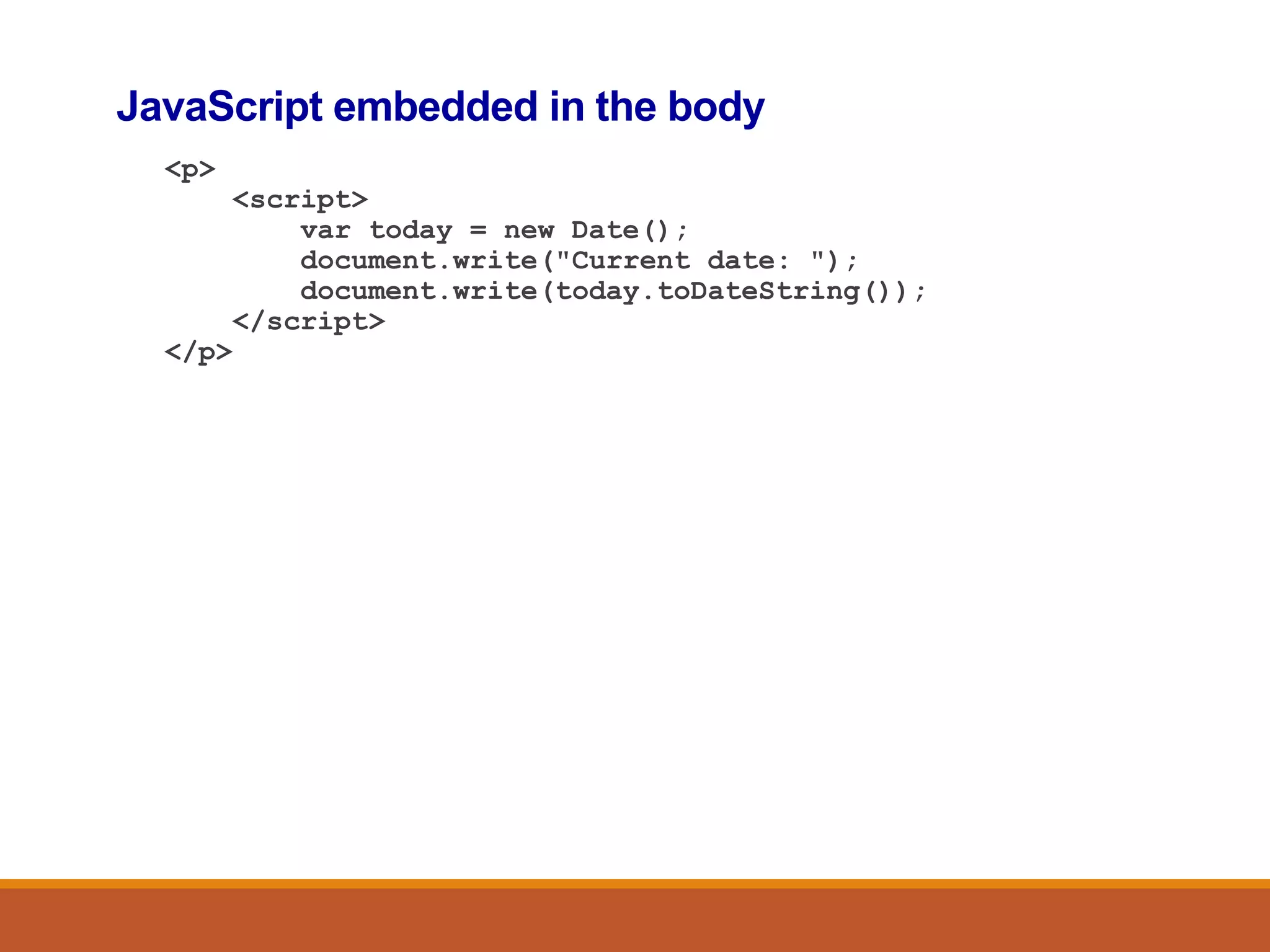
JavaScript embedded in the body
<p>
<script>
var today = new Date();
document.write("Current date: ");
document.write(today.toDateString());
</script>
</p>
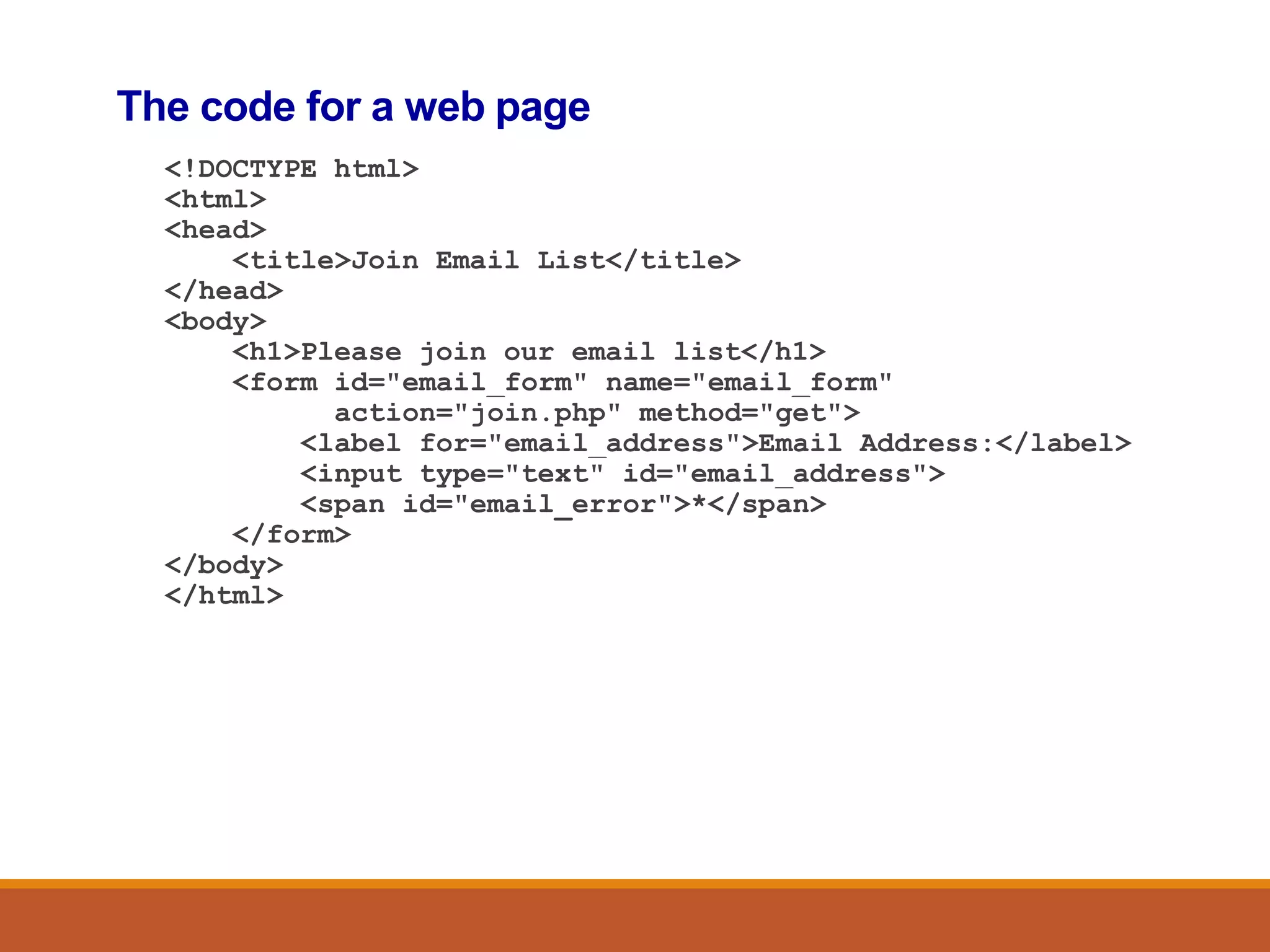
The code for a web page
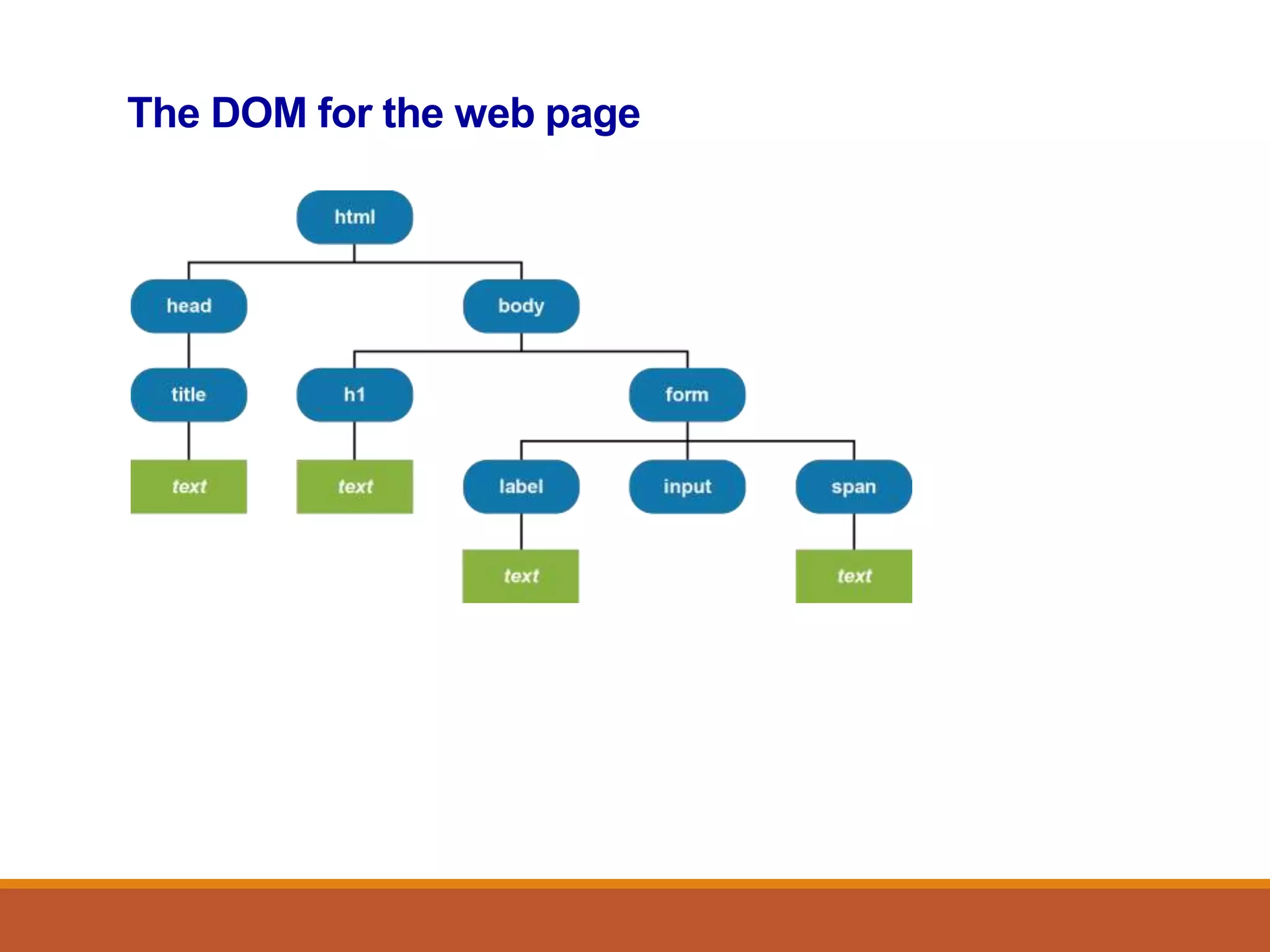
<!DOCTYPE html>
<html>
<head>
<title>Join Email List</title>
</head>
<body>
<h1>Please join our email list</h1>
<form id="email_form" name="email_form"
action="join.php" method="get">
<label for="email_address">Email Address:</label>
<input type="text" id="email_address">
<span id="email_error">*</span>
</form>
</body>
</html>
The DOM for the web page
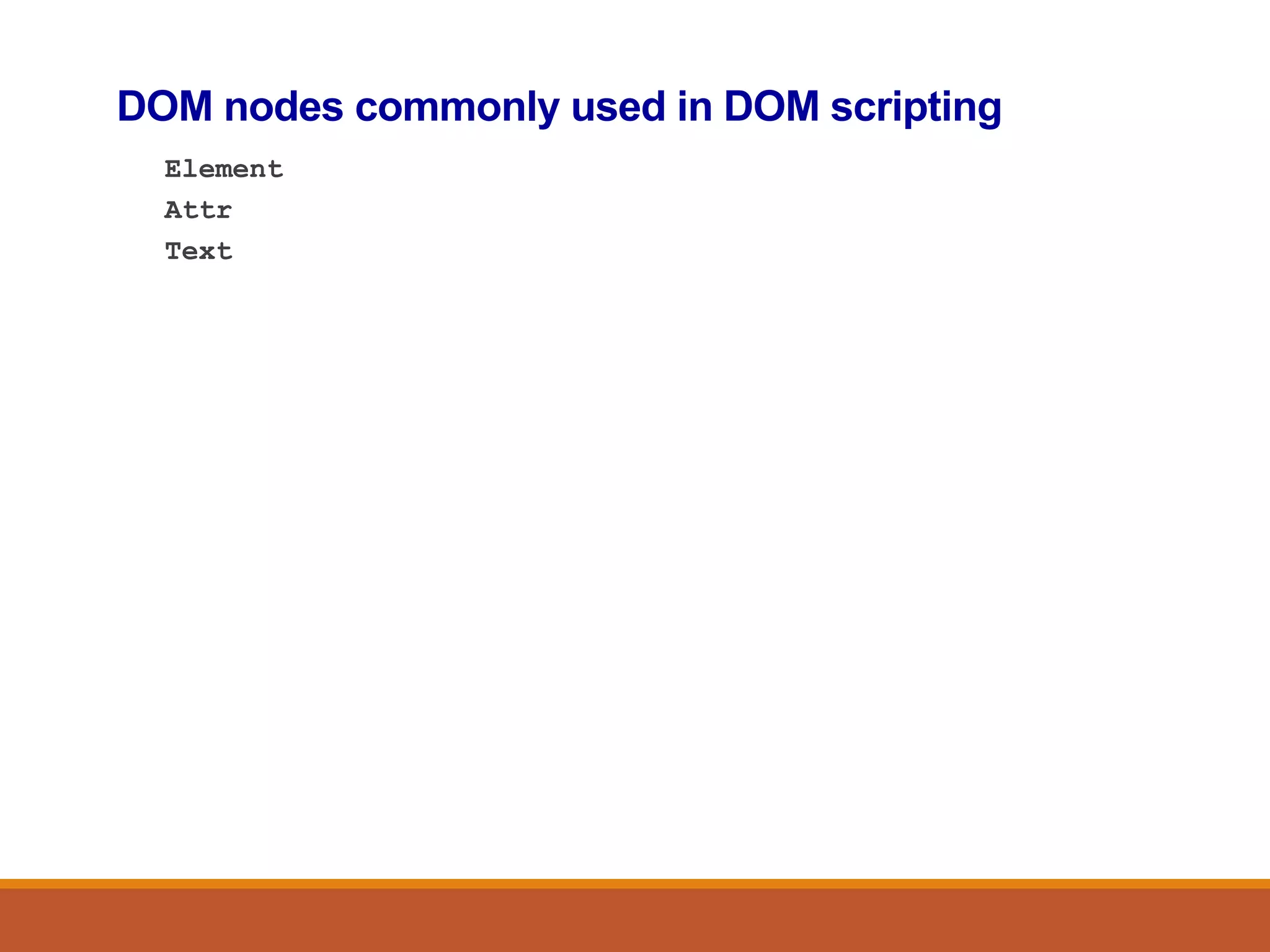
DOM nodes commonly used in DOM scripting
Element
Attr
Text
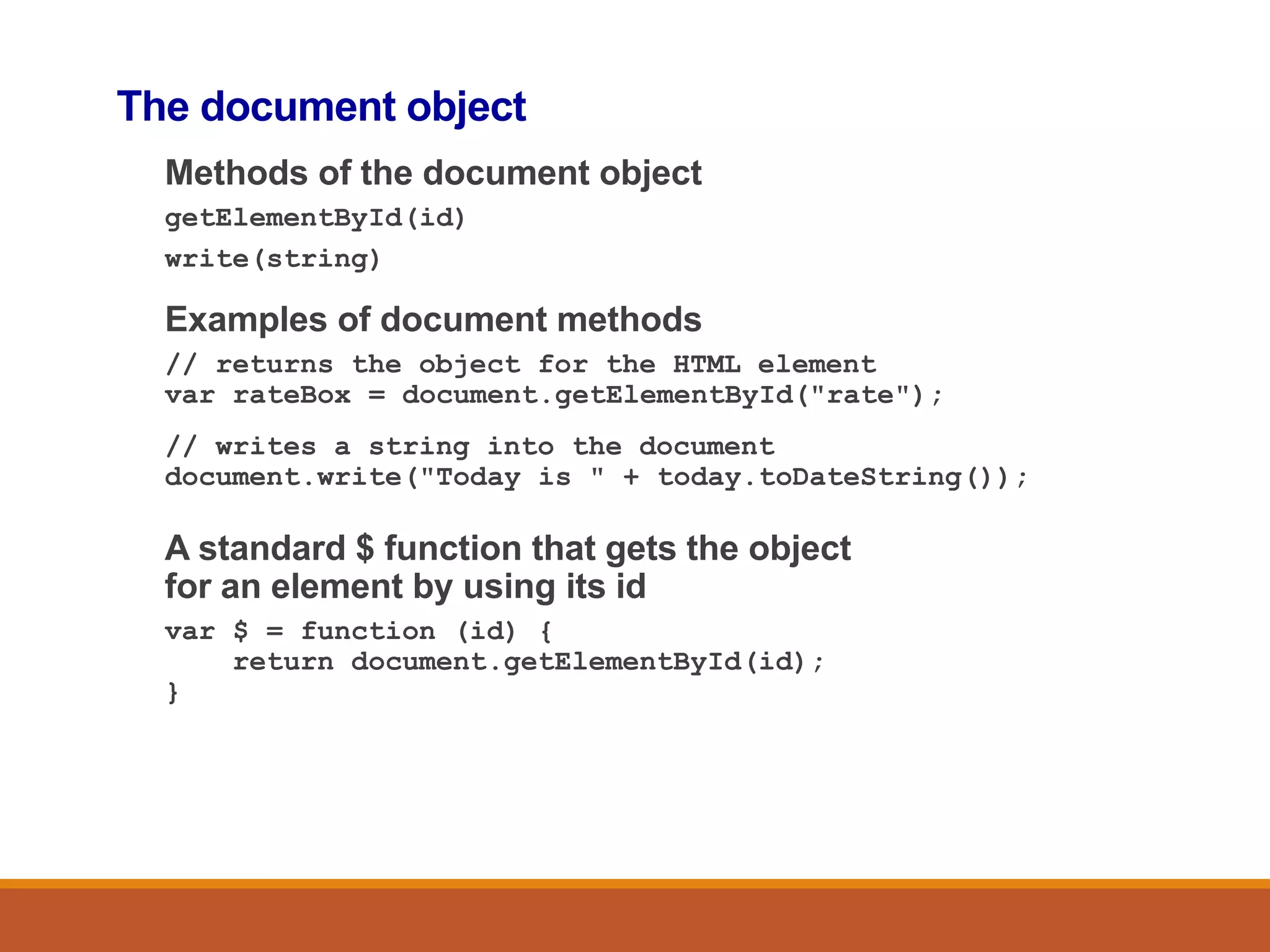
The document object
Methods of the document object
getElementById(id)
write(string)
Examples of document methods
// returns the object for the HTML element
var rateBox = document.getElementById("rate");
// writes a string into the document
document.write("Today is " + today.toDateString());
A standard $ function that gets the object
for an element by using its id
var $ = function (id) {
return document.getElementById(id);
}
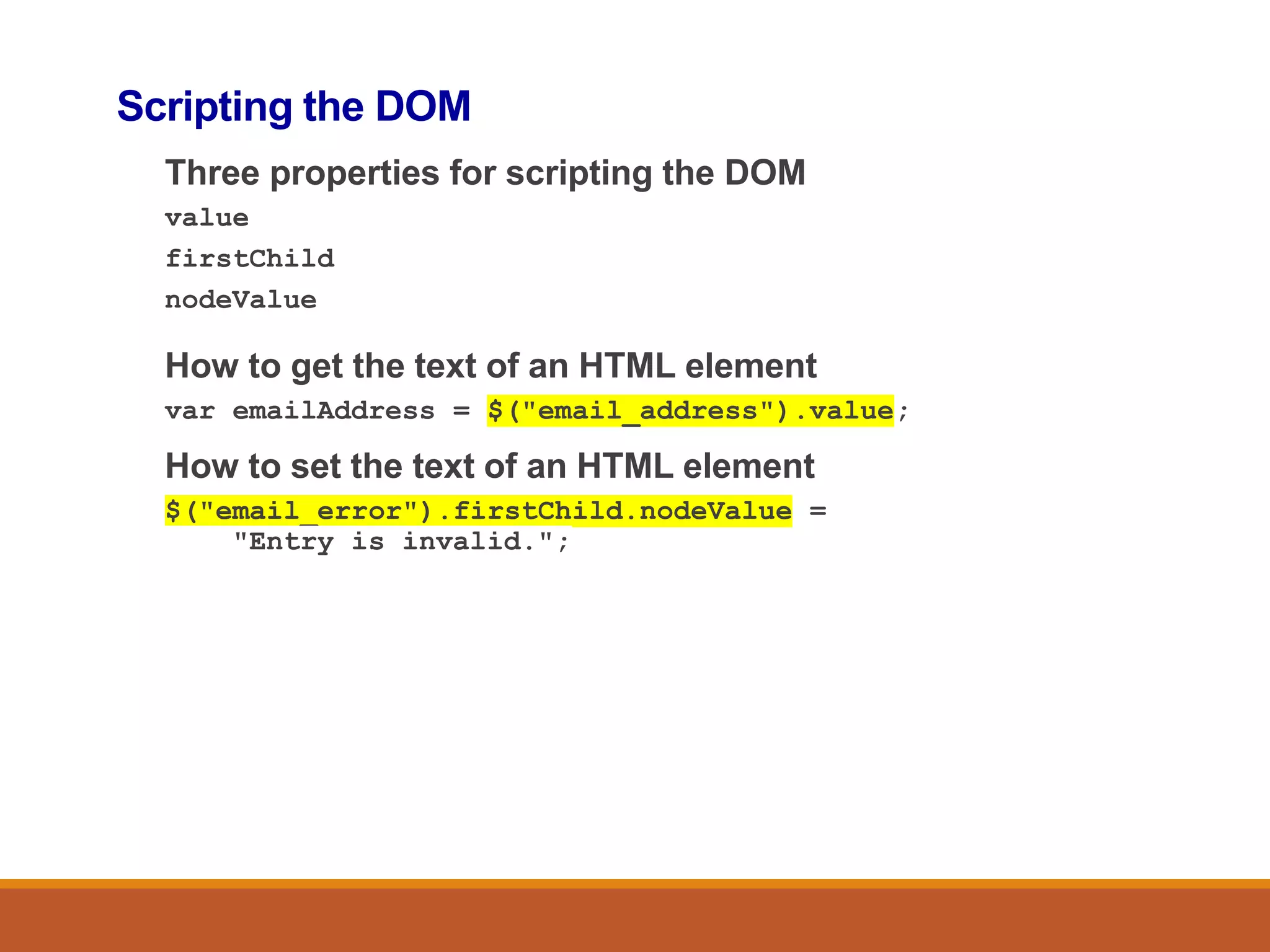
Scripting the DOM
Three properties for scripting the DOM
value
firstChild
nodeValue
How to get the text of an HTML element
var emailAddress = $("email_address").value;
How to set the text of an HTML element
$("email_error").firstChild.nodeValue =
"Entry is invalid.";
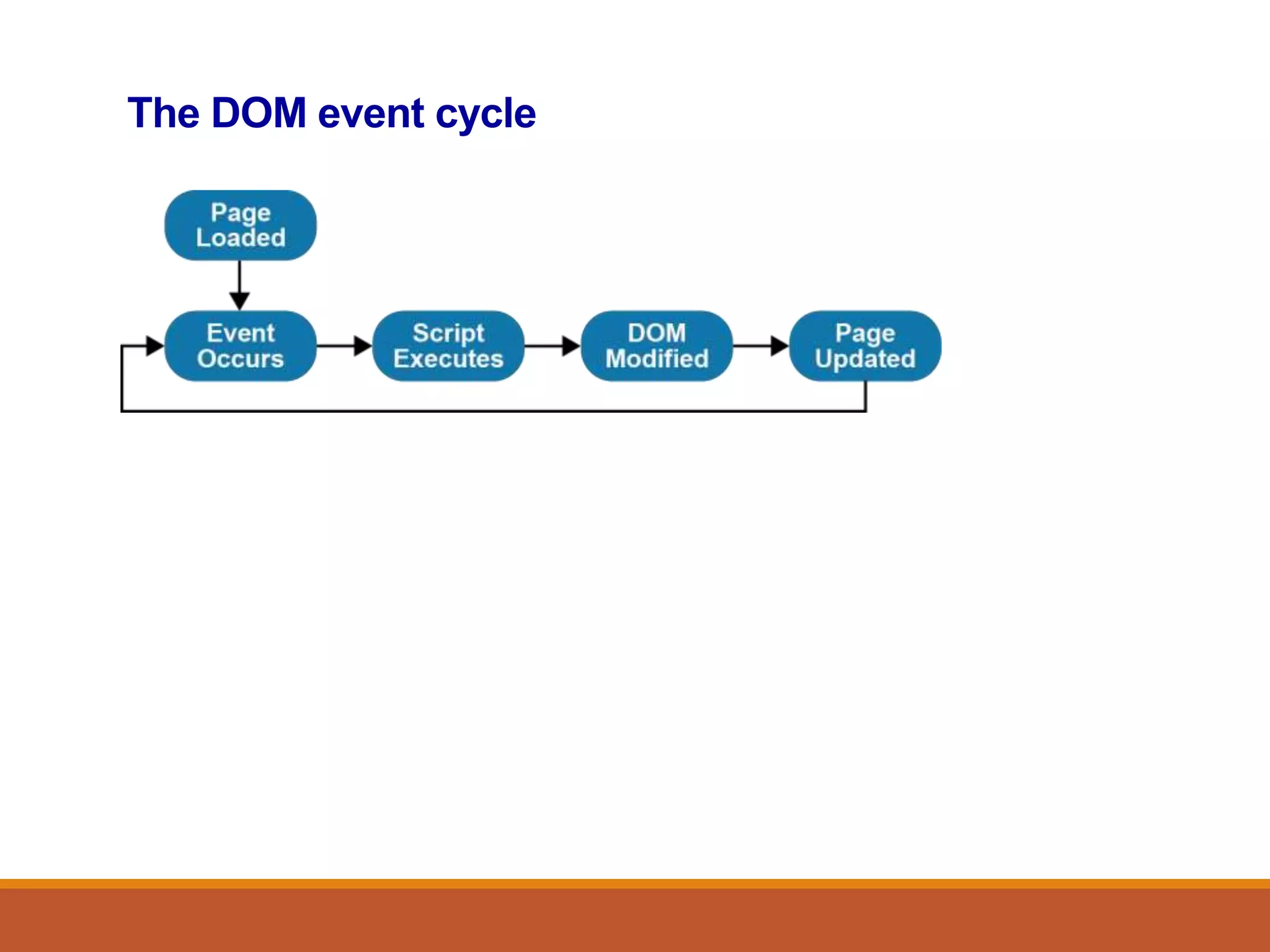
The DOM event cycle
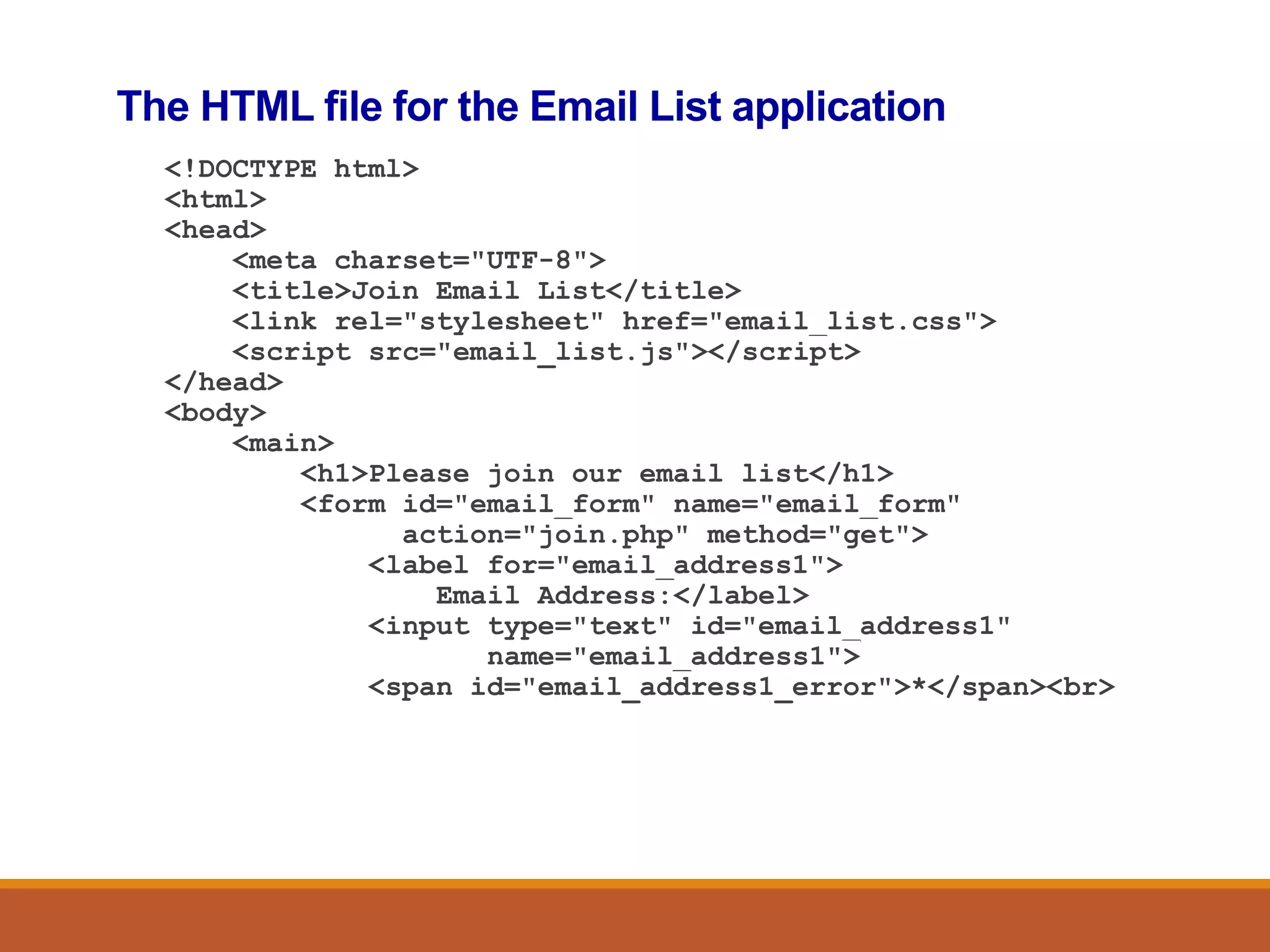
The HTML file for the Email List application
<!DOCTYPE html>
<html>
<head>
<meta charset="UTF-8">
<title>Join Email List</title>
<link rel="stylesheet" href="email_list.css">
<script src="email_list.js"></script>
</head>
<body>
<main>
<h1>Please join our email list</h1>
<form id="email_form" name="email_form"
action="join.php" method="get">
<label for="email_address1">
Email Address:</label>
<input type="text" id="email_address1"
name="email_address1">
<span id="email_address1_error">*</span><br>
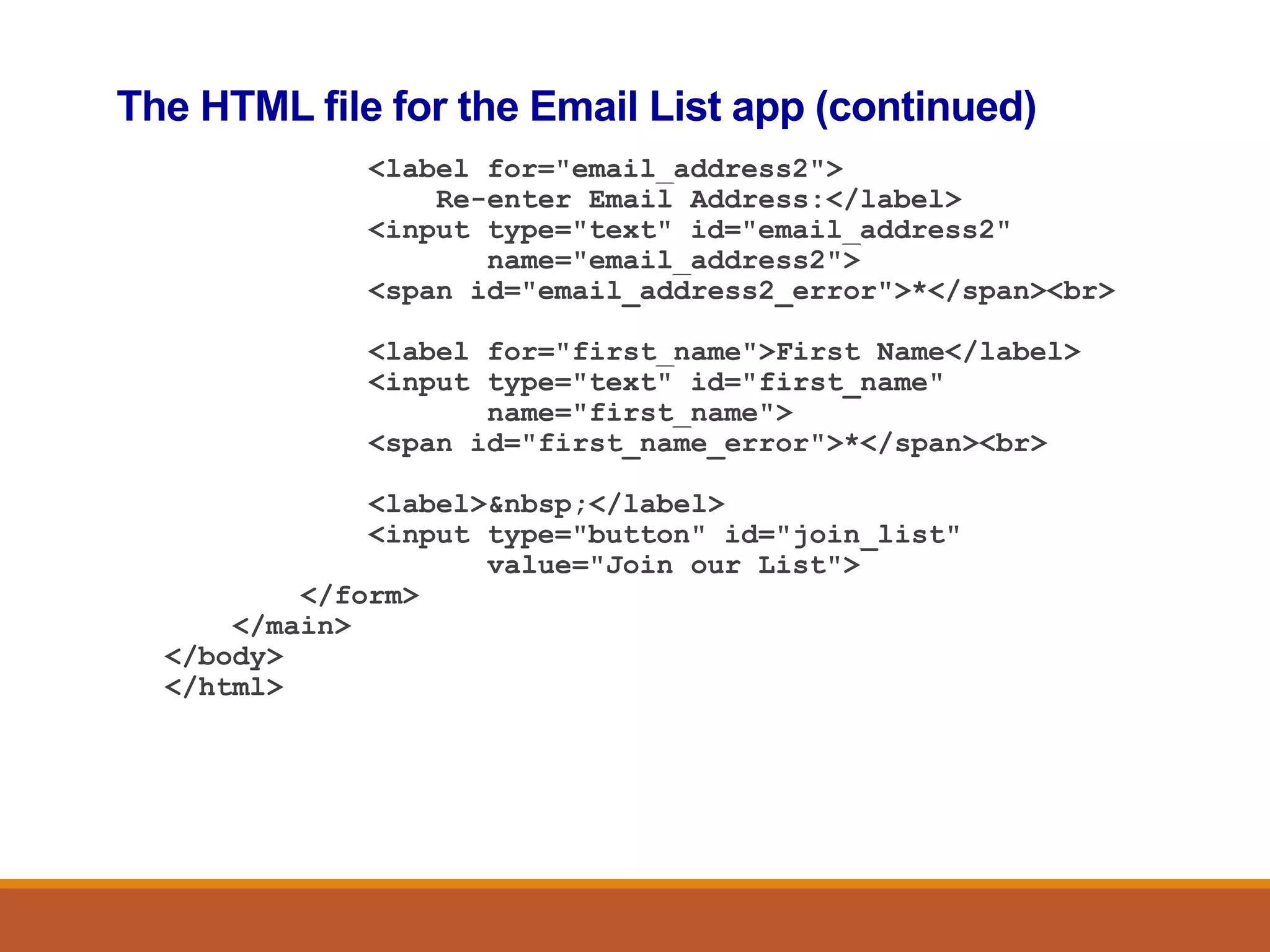
The HTML file for the Email List app (continued)
<label for="email_address2">
Re-enter Email Address:</label>
<input type="text" id="email_address2"
name="email_address2">
<span id="email_address2_error">*</span><br>
<label for="first_name">First Name</label>
<input type="text" id="first_name"
name="first_name">
<span id="first_name_error">*</span><br>
<label>&nbsp;</label>
<input type="button" id="join_list"
value="Join our List">
</form>
</main>
</body>
</html>
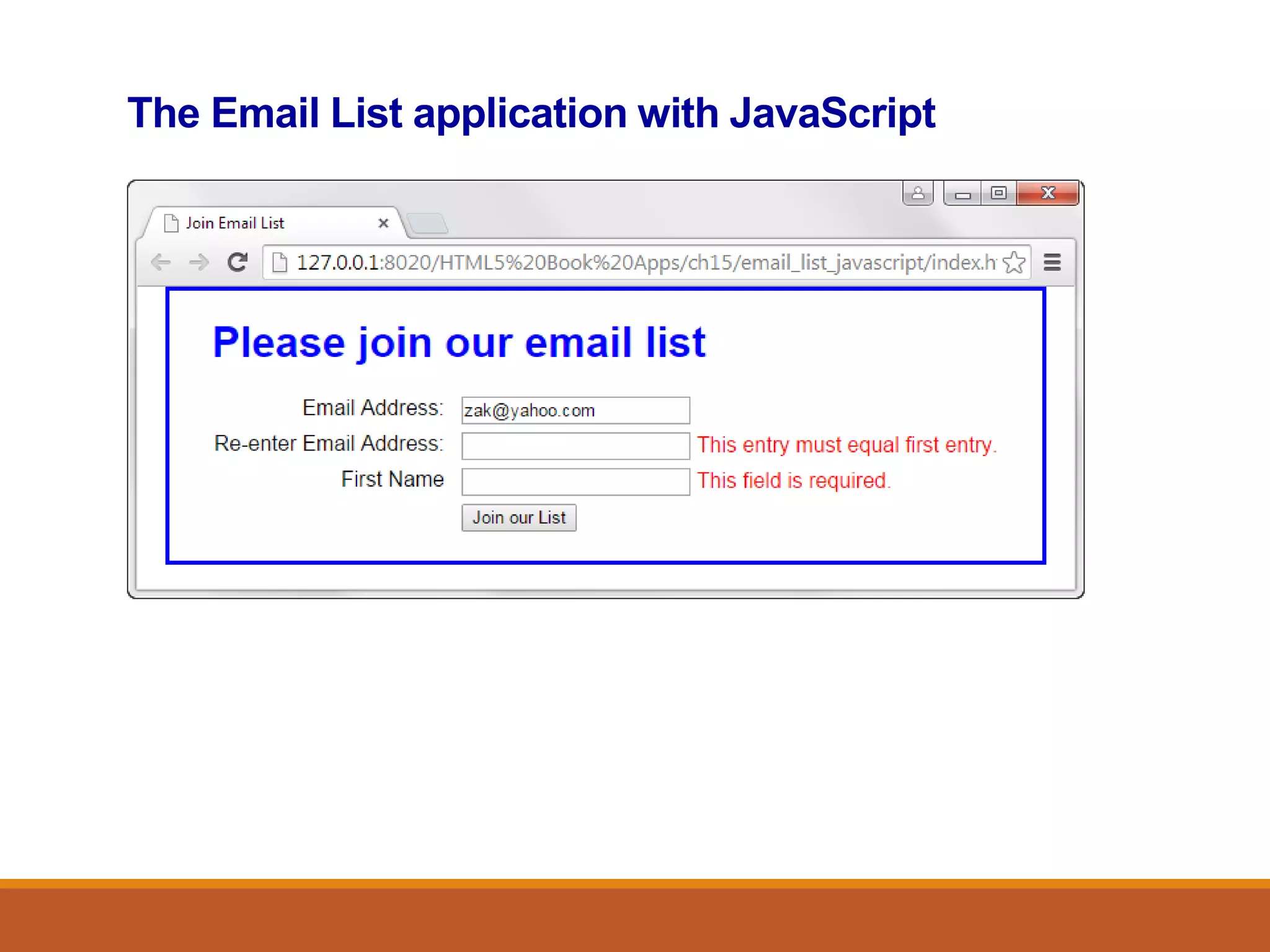
The Email List application with JavaScript
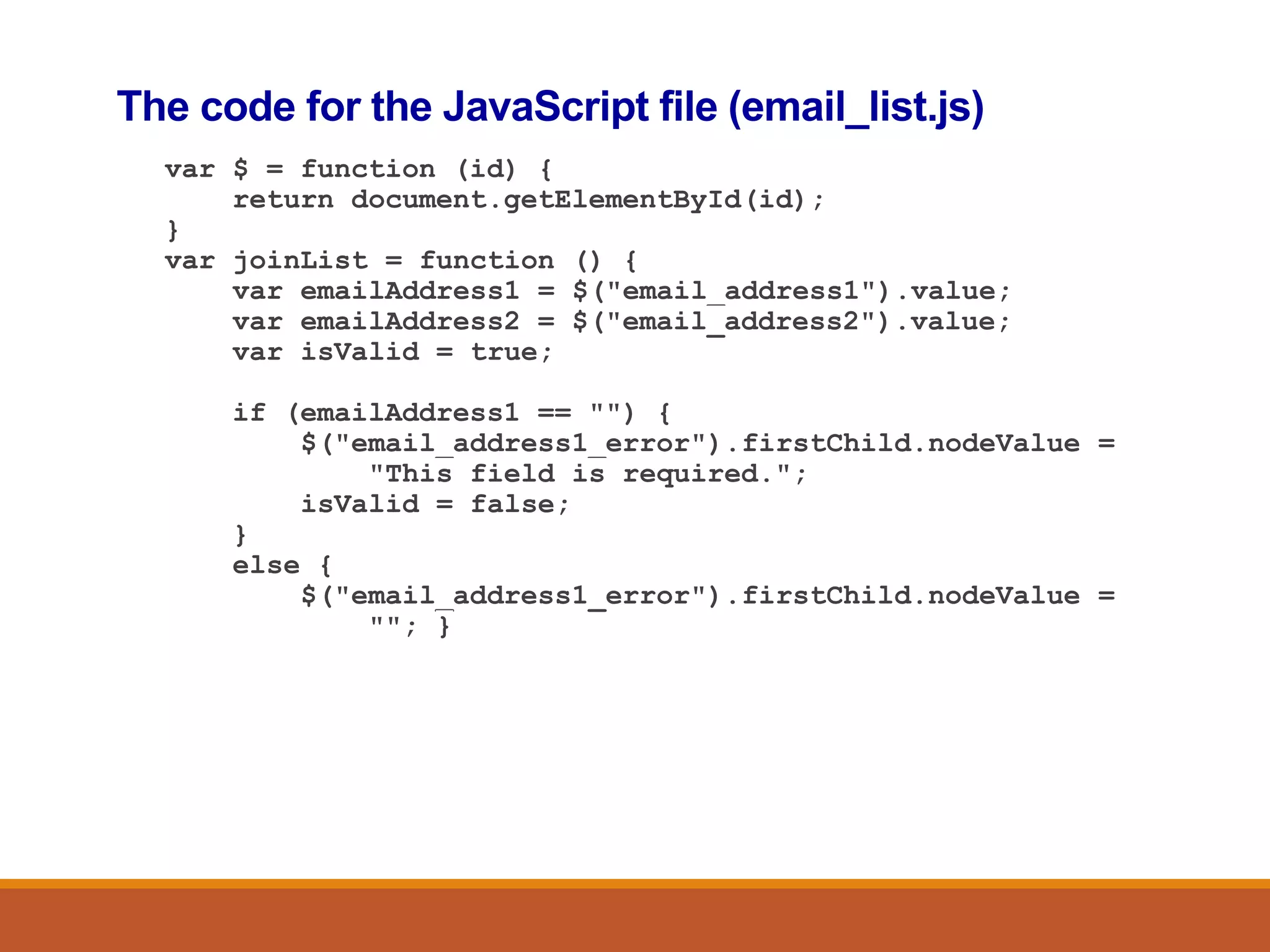
The code for the JavaScript file (email_list.js)
var $ = function (id) {
return document.getElementById(id);
}
var joinList = function () {
var emailAddress1 = $("email_address1").value;
var emailAddress2 = $("email_address2").value;
var isValid = true;
if (emailAddress1 == "") {
$("email_address1_error").firstChild.nodeValue =
"This field is required.";
isValid = false;
}
else {
$("email_address1_error").firstChild.nodeValue =
""; }
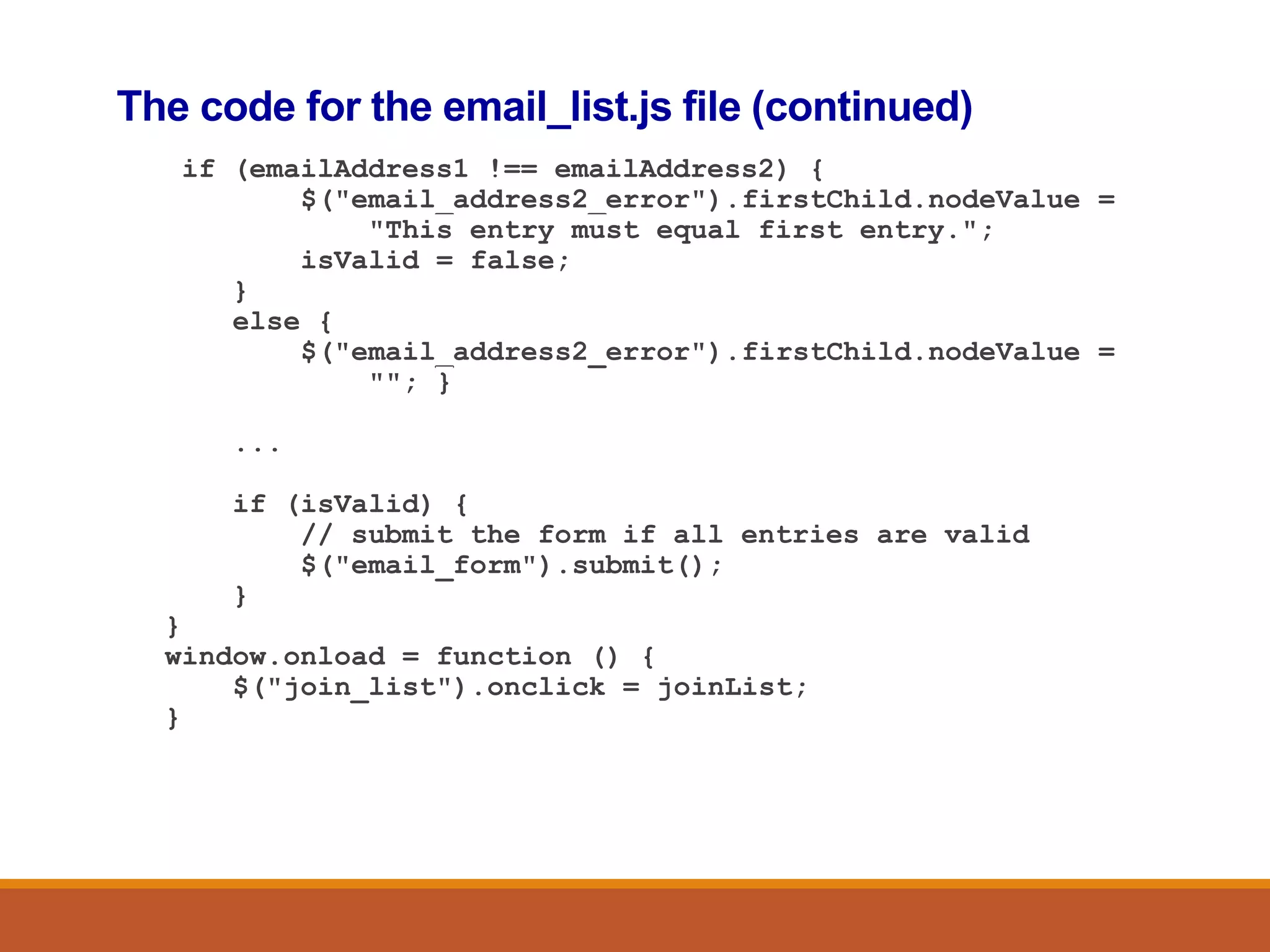
The code for the email_list.js file (continued)
if (emailAddress1 !== emailAddress2) {
$("email_address2_error").firstChild.nodeValue =
"This entry must equal first entry.";
isValid = false;
}
else {
$("email_address2_error").firstChild.nodeValue =
""; }
...
if (isValid) {
// submit the form if all entries are valid
$("email_form").submit();
}
}
window.onload = function () {
$("join_list").onclick = joinList;
}
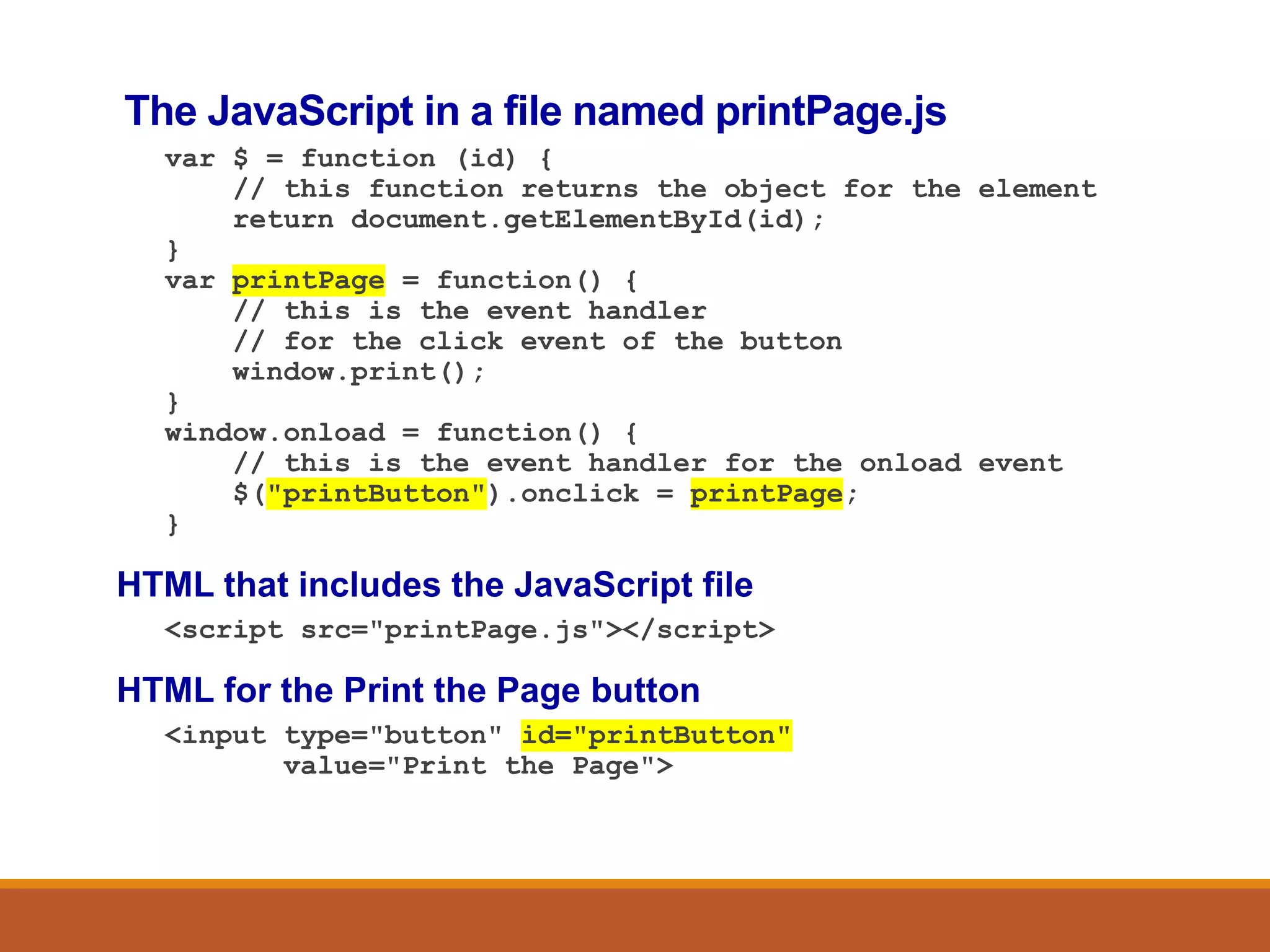
The JavaScript in a file named printPage.js
var $ = function (id) {
// this function returns the object for the element
return document.getElementById(id);
}
var printPage = function() {
// this is the event handler
// for the click event of the button
window.print();
}
window.onload = function() {
// this is the event handler for the onload event
$("printButton").onclick = printPage;
}
HTML that includes the JavaScript file
<script src="printPage.js"></script>
HTML for the Print the Page button
<input type="button" id="printButton"
value="Print the Page">

javaScriptForms.pptx

  • 1.
    JavaScript to: Print currentdate Print Screen Include JavaScript files (Head & Body) Forms
  • 2.
    How JavaScript fitsinto the client/server architecture
  • 3.
    JavaScript that getsthe current date and year <p> <script> var today = new Date(); document.write("Current date: "); document.write(today.toDateString()); </script> </p> <p> <script> var today = new Date(); document.write("&copy;&nbsp;"); document.write(today.getFullYear()); document.write(", San Joaquin Valley Town Hall") </script> </p>
  • 4.
    The JavaScript forcurrent date and year in a web browser
  • 5.
    A script elementin the head section that loads an external JavaScript file <script src="set_date.js"></script>
  • 6.
    JavaScript embedded inthe head section <head> ... <script> var $ = function (id) { return document.getElementById(id); } window.onload = function() { var today = new Date(); $("date").firstChild.nodeValue = "Current date: " + today.toDateString(); } </script> </head>
  • 7.
    JavaScript embedded inthe body <p> <script> var today = new Date(); document.write("Current date: "); document.write(today.toDateString()); </script> </p>
  • 8.
    The code fora web page <!DOCTYPE html> <html> <head> <title>Join Email List</title> </head> <body> <h1>Please join our email list</h1> <form id="email_form" name="email_form" action="join.php" method="get"> <label for="email_address">Email Address:</label> <input type="text" id="email_address"> <span id="email_error">*</span> </form> </body> </html>
  • 9.
    The DOM forthe web page
  • 10.
    DOM nodes commonlyused in DOM scripting Element Attr Text
  • 11.
    The document object Methodsof the document object getElementById(id) write(string) Examples of document methods // returns the object for the HTML element var rateBox = document.getElementById("rate"); // writes a string into the document document.write("Today is " + today.toDateString()); A standard $ function that gets the object for an element by using its id var $ = function (id) { return document.getElementById(id); }
  • 12.
    Scripting the DOM Threeproperties for scripting the DOM value firstChild nodeValue How to get the text of an HTML element var emailAddress = $("email_address").value; How to set the text of an HTML element $("email_error").firstChild.nodeValue = "Entry is invalid.";
  • 13.
  • 14.
    The HTML filefor the Email List application <!DOCTYPE html> <html> <head> <meta charset="UTF-8"> <title>Join Email List</title> <link rel="stylesheet" href="email_list.css"> <script src="email_list.js"></script> </head> <body> <main> <h1>Please join our email list</h1> <form id="email_form" name="email_form" action="join.php" method="get"> <label for="email_address1"> Email Address:</label> <input type="text" id="email_address1" name="email_address1"> <span id="email_address1_error">*</span><br>
  • 15.
    The HTML filefor the Email List app (continued) <label for="email_address2"> Re-enter Email Address:</label> <input type="text" id="email_address2" name="email_address2"> <span id="email_address2_error">*</span><br> <label for="first_name">First Name</label> <input type="text" id="first_name" name="first_name"> <span id="first_name_error">*</span><br> <label>&nbsp;</label> <input type="button" id="join_list" value="Join our List"> </form> </main> </body> </html>
  • 16.
    The Email Listapplication with JavaScript
  • 17.
    The code forthe JavaScript file (email_list.js) var $ = function (id) { return document.getElementById(id); } var joinList = function () { var emailAddress1 = $("email_address1").value; var emailAddress2 = $("email_address2").value; var isValid = true; if (emailAddress1 == "") { $("email_address1_error").firstChild.nodeValue = "This field is required."; isValid = false; } else { $("email_address1_error").firstChild.nodeValue = ""; }
  • 18.
    The code forthe email_list.js file (continued) if (emailAddress1 !== emailAddress2) { $("email_address2_error").firstChild.nodeValue = "This entry must equal first entry."; isValid = false; } else { $("email_address2_error").firstChild.nodeValue = ""; } ... if (isValid) { // submit the form if all entries are valid $("email_form").submit(); } } window.onload = function () { $("join_list").onclick = joinList; }
  • 19.
    The JavaScript ina file named printPage.js var $ = function (id) { // this function returns the object for the element return document.getElementById(id); } var printPage = function() { // this is the event handler // for the click event of the button window.print(); } window.onload = function() { // this is the event handler for the onload event $("printButton").onclick = printPage; } HTML that includes the JavaScript file <script src="printPage.js"></script> HTML for the Print the Page button <input type="button" id="printButton" value="Print the Page">