2000 West Park Drive 
Westborough MA 01581 USA 
Phone: 508 389 7300 Fax: 508 366 9901 
The entire contents of this document are subject to copyright with all rights reserved. All copyrightable text and graphics, the selection, arrangement and presentation of all 
information and the overall design of the document are the sole and exclusive property of Virtusa. 
Copyright © 2011 Virtusa Corporation. All rights reserved 
JavaScript
2 
Agenda 
• What is JavaScript? 
• Embedding JavaScript into an HTML document 
• JavaScript Language Constructs 
• Examples 
• JavaScript – taking over the world
3 
What is JavaScript? 
• JavaScript is the scripting language of the Web. 
• JavaScript is used in millions of Web pages to improve 
the design, validate forms, detect browsers, create 
cookies, and much more. 
• JavaScript is the most popular scripting language on the 
internet. 
• Unlike HTML, JavaScript is a case-sensitive language. 
• JavaScript is a simple programming language that can 
be written directly into HTML documents to allow for 
increased interactivity with the user. 
• For example, JavaScript can be used for form 
validations, making asynchronous front-end calls (AJAX) 
and for advanced UI functions (JQuery).
4 
Embedding JavaScript in to an HTML document 
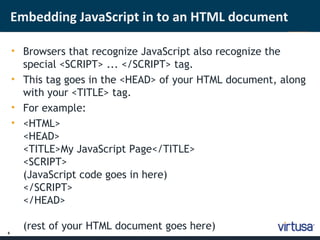
• Browsers that recognize JavaScript also recognize the 
special <SCRIPT> ... </SCRIPT> tag. 
• This tag goes in the <HEAD> of your HTML document, along 
with your <TITLE> tag. 
• For example: 
• <HTML> 
<HEAD> 
<TITLE>My JavaScript Page</TITLE> 
<SCRIPT> 
(JavaScript code goes in here) 
</SCRIPT> 
</HEAD> 
(rest of your HTML document goes here)
5 
‘Hello World!’ with JavaScript 
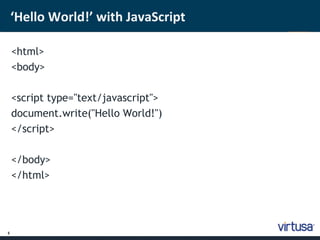
<html> 
<body> 
<script type="text/javascript"> 
document.write("Hello World!") 
</script> 
</body> 
</html>
6 
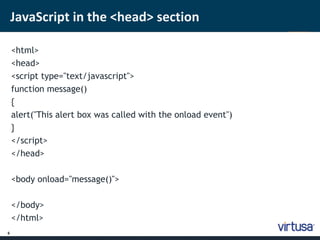
JavaScript in the <head> section 
<html> 
<head> 
<script type="text/javascript"> 
function message() 
{ 
alert("This alert box was called with the onload event") 
} 
</script> 
</head> 
<body onload="message()"> 
</body> 
</html>
7 
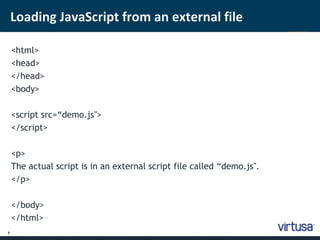
Loading JavaScript from an external file 
<html> 
<head> 
</head> 
<body> 
<script src=“demo.js"> 
</script> 
<p> 
The actual script is in an external script file called “demo.js". 
</p> 
</body> 
</html>
8 
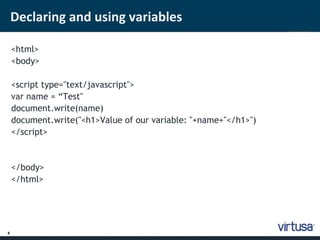
Declaring and using variables 
<html> 
<body> 
<script type="text/javascript"> 
var name = “Test" 
document.write(name) 
document.write("<h1>Value of our variable: "+name+"</h1>") 
</script> 
</body> 
</html>
9 
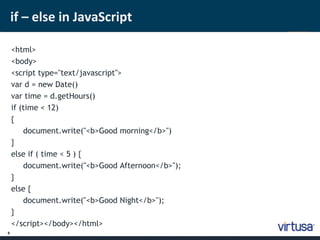
if – else in JavaScript 
<html> 
<body> 
<script type="text/javascript"> 
var d = new Date() 
var time = d.getHours() 
if (time < 12) 
{ 
document.write("<b>Good morning</b>") 
} 
else if ( time < 5 ) { 
document.write("<b>Good Afternoon</b>"); 
} 
else { 
document.write("<b>Good Night</b>"); 
} 
</script></body></html>
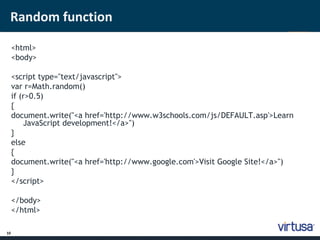
Random function 
10 
<html> 
<body> 
<script type="text/javascript"> 
var r=Math.random() 
if (r>0.5) 
{ 
document.write("<a href='http://www.w3schools.com/js/DEFAULT.asp'>Learn 
JavaScript development!</a>") 
} 
else 
{ 
document.write("<a href='http://www.google.com'>Visit Google Site!</a>") 
} 
</script> 
</body> 
</html>
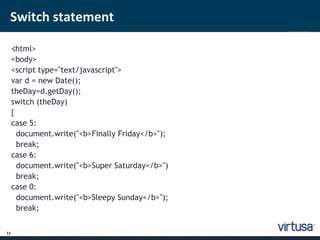
Switch statement 
11 
< ;html> 
<body> 
<script type="text/javascript"> 
var d = new Date(); 
theDay=d.getDay(); 
switch (theDay) 
{ 
case 5: 
document.write("<b>Finally Friday</b>"); 
break; 
case 6: 
document.write("<b>Super Saturday</b>") 
break; 
case 0: 
document.write("<b>Sleepy Sunday</b>"); 
break;
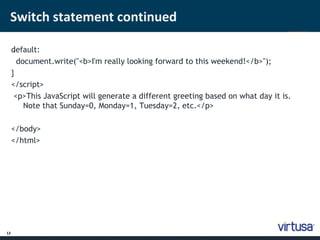
Switch statement continued 
12 
d ;efault: 
document.write("<b>I'm really looking forward to this weekend!</b>"); 
} 
</script> 
<p>This JavaScript will generate a different greeting based on what day it is. 
Note that Sunday=0, Monday=1, Tuesday=2, etc.</p> 
</body> 
</html>
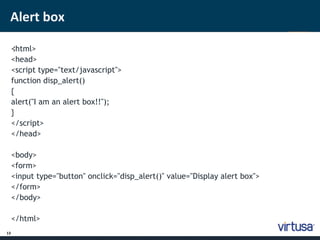
Alert box 
13 
< ;html> 
<head> 
<script type="text/javascript"> 
function disp_alert() 
{ 
alert("I am an alert box!!"); 
} 
</script> 
</head> 
<body> 
<form> 
<input type="button" onclick="disp_alert()" value="Display alert box"> 
</form> 
</body> 
</html>
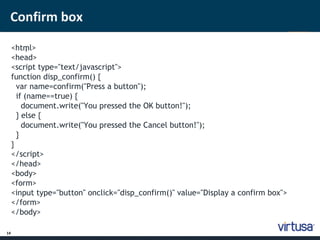
Confirm box 
14 
<htm ; l> 
<head> 
<script type="text/javascript"> 
function disp_confirm() { 
var name=confirm("Press a button"); 
if (name==true) { 
document.write("You pressed the OK button!"); 
} else { 
document.write("You pressed the Cancel button!"); 
} 
} 
</script> 
</head> 
<body> 
<form> 
<input type="button" onclick="disp_confirm()" value="Display a confirm box"> 
</form> 
</body>
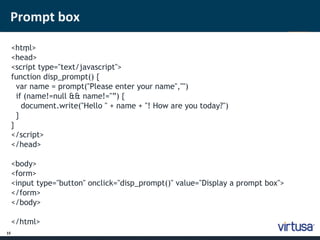
Prompt box 
15 
<htm ; l> 
<head> 
<script type="text/javascript"> 
function disp_prompt() { 
var name = prompt("Please enter your name","") 
if (name!=null && name!="”) { 
document.write("Hello " + name + "! How are you today?") 
} 
} 
</script> 
</head> 
<body> 
<form> 
<input type="button" onclick="disp_prompt()" value="Display a prompt box"> 
</form> 
</body> 
</html>
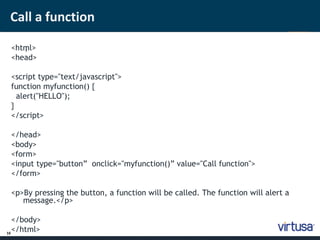
Call a function 
16 
<htm ; l> 
<head> 
<script type="text/javascript"> 
function myfunction() { 
alert("HELLO"); 
} 
</script> 
</head> 
<body> 
<form> 
<input type="button” onclick="myfunction()” value="Call function"> 
</form> 
<p>By pressing the button, a function will be called. The function will alert a 
message.</p> 
</body> 
</html>
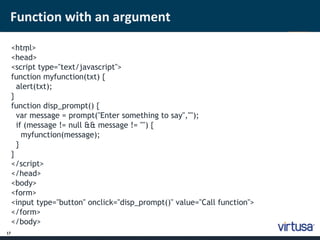
Function with an argument 
17 
<htm ; l> 
<head> 
<script type="text/javascript"> 
function myfunction(txt) { 
alert(txt); 
} 
function disp_prompt() { 
var message = prompt("Enter something to say",""); 
if (message != null && message != "") { 
myfunction(message); 
} 
} 
</script> 
</head> 
<body> 
<form> 
<input type="button" onclick="disp_prompt()" value="Call function"> 
</form> 
</body>
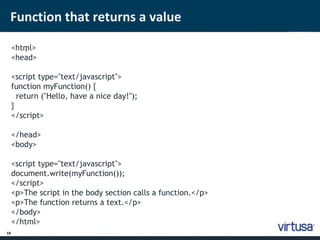
Function that returns a value 
18 
< htm ; l> 
<head> 
<script type="text/javascript"> 
function myFunction() { 
return ("Hello, have a nice day!"); 
} 
</script> 
</head> 
<body> 
<script type="text/javascript"> 
document.write(myFunction()); 
</script> 
<p>The script in the body section calls a function.</p> 
<p>The function returns a text.</p> 
</body> 
</html>
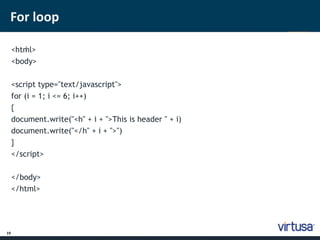
For loop 
19 
< htm ; l> 
<body> 
<script type="text/javascript"> 
for (i = 1; i <= 6; i++) 
{ 
document.write("<h" + i + ">This is header " + i) 
document.write("</h" + i + ">") 
} 
</script> 
</body> 
</html>
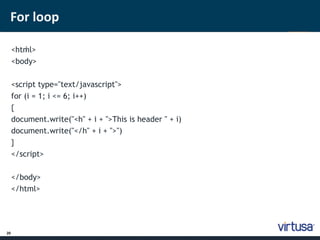
For loop 
20 
< htm ; l> 
<body> 
<script type="text/javascript"> 
for (i = 1; i <= 6; i++) 
{ 
document.write("<h" + i + ">This is header " + i) 
document.write("</h" + i + ">") 
} 
</script> 
</body> 
</html>
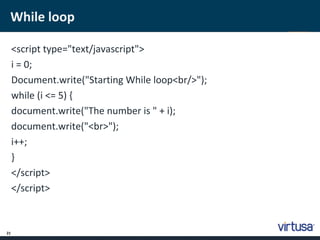
While loop 
21 
<script type="text/javascript"> 
i = 0; 
Document.write("Starting While loop<br/>"); 
while (i <= 5) { 
document.write("The number is " + i); 
document.write("<br>"); 
i++; 
} 
</script> 
</script>
Arrays in JavaScript 
22 
<html> 
<body> 
<script type="text/javascript"> 
var mycars = new Array(); 
mycars[0] = "Tesla Roadster"; 
mycars[1] = "Lamborghini Aventador"; 
mycars[2] = "BMW 520i"; 
for (i=0; i < mycars.length; i++) 
{ 
document.write(mycars[i] + "<br />"); 
} 
</script> 
</body> 
</html>
For – In statement (foreach) 
23 
<html> 
<body> 
<script type="text/javascript"> 
var x 
var mycars = new Array() 
mycars[0] = "Tesla Roadster"; 
mycars[1] = "Lamborghini Aventador"; 
mycars[2] = "BMW 520i"; 
for (x in mycars) 
{ 
document.write(mycars[x] + "<br />") 
} 
</script> 
</body> 
</html>
Join two arrays - concat 
24 
<html> 
<body> 
<script type="text/javascript"> 
var arr = new Array(3) 
arr[0] = “David" 
arr[1] = “Sam" 
arr[2] = “Dove" 
var arr2 = new Array(3) 
arr2[0] = "John" 
arr2[1] = "Andy" 
arr2[2] = "Wendy" 
document.write(arr.concat(arr2)) 
</script> 
</body> 
</html>
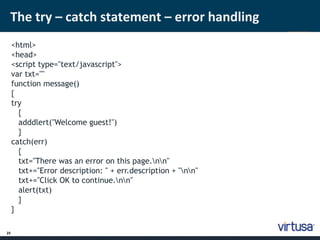
The try – catch statement – error handling 
25 
<html> 
<head> 
<script type="text/javascript"> 
var txt="" 
function message() 
{ 
try 
{ 
adddlert("Welcome guest!") 
} 
catch(err) 
{ 
txt="There was an error on this page.nn" 
txt+="Error description: " + err.description + "nn" 
txt+="Click OK to continue.nn" 
alert(txt) 
} 
}
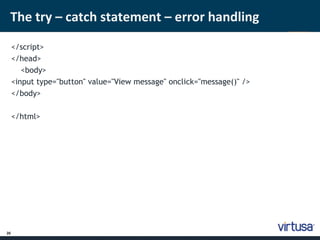
The try – catch statement – error handling 
26 
</script> 
</head> 
<body> 
<input type="button" value="View message" onclick="message()" /> 
</body> 
</html>
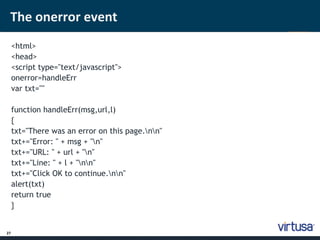
The onerror event 
27 
<html> 
<head> 
<script type="text/javascript"> 
onerror=handleErr 
var txt="" 
function handleErr(msg,url,l) 
{ 
txt="There was an error on this page.nn" 
txt+="Error: " + msg + "n" 
txt+="URL: " + url + "n" 
txt+="Line: " + l + "nn" 
txt+="Click OK to continue.nn" 
alert(txt) 
return true 
}
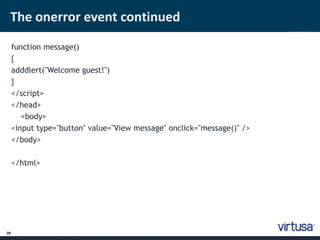
The onerror event continued 
28 
function message() 
{ 
adddlert("Welcome guest!") 
} 
</script> 
</head> 
<body> 
<input type="button" value="View message" onclick="message()" /> 
</body> 
</html>
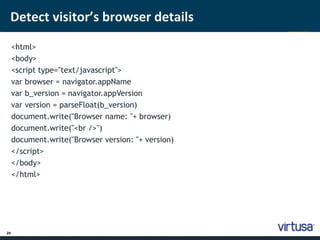
Detect visitor’s browser details 
29 
<html> 
<body> 
<script type="text/javascript"> 
var browser = navigator.appName 
var b_version = navigator.appVersion 
var version = parseFloat(b_version) 
document.write("Browser name: "+ browser) 
document.write("<br />") 
document.write("Browser version: "+ version) 
</script> 
</body> 
</html>
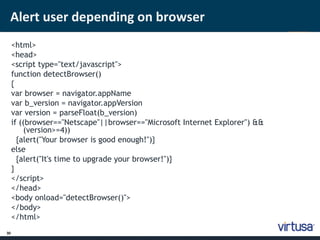
Alert user depending on browser 
30 
<html> 
<head> 
<script type="text/javascript"> 
function detectBrowser() 
{ 
var browser = navigator.appName 
var b_version = navigator.appVersion 
var version = parseFloat(b_version) 
if ((browser=="Netscape"||browser=="Microsoft Internet Explorer") && 
(version>=4)) 
{alert("Your browser is good enough!")} 
else 
{alert("It's time to upgrade your browser!")} 
} 
</script> 
</head> 
<body onload="detectBrowser()"> 
</body> 
</html>
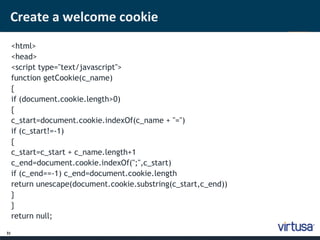
Create a welcome cookie 
31 
<html> 
<head> 
<script type="text/javascript"> 
function getCookie(c_name) 
{ 
if (document.cookie.length>0) 
{ 
c_start=document.cookie.indexOf(c_name + "=") 
if (c_start!=-1) 
{ 
c_start=c_start + c_name.length+1 
c_end=document.cookie.indexOf(";",c_start) 
if (c_end==-1) c_end=document.cookie.length 
return unescape(document.cookie.substring(c_start,c_end)) 
} 
} 
return null;
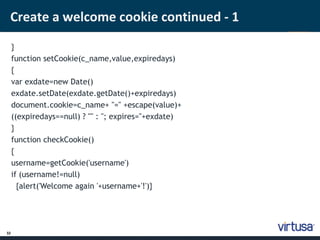
Create a welcome cookie continued - 1 
32 
} 
function setCookie(c_name,value,expiredays) 
{ 
var exdate=new Date() 
exdate.setDate(exdate.getDate()+expiredays) 
document.cookie=c_name+ "=" +escape(value)+ 
((expiredays==null) ? "" : "; expires="+exdate) 
} 
function checkCookie() 
{ 
username=getCookie('username') 
if (username!=null) 
{alert('Welcome again '+username+'!')}
Create a welcome cookie continued - 2 
33 
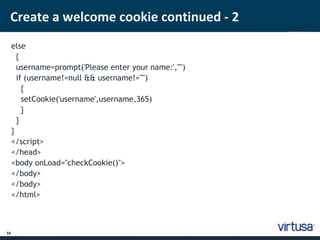
else 
{ 
username=prompt('Please enter your name:',"") 
if (username!=null && username!="") 
{ 
setCookie('username',username,365) 
} 
} 
} 
</script> 
</head> 
<body onLoad="checkCookie()"> 
</body> 
</body> 
</html>
The getElementById function 
34 
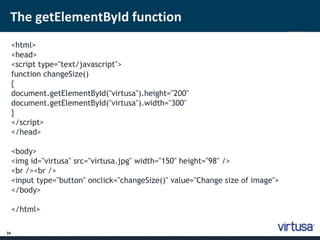
<html> 
<head> 
<script type="text/javascript"> 
function changeSize() 
{ 
document.getElementById("virtusa").height="200" 
document.getElementById("virtusa").width="300" 
} 
</script> 
</head> 
<body> 
<img id="virtusa" src="virtusa.jpg" width="150" height="98" /> 
<br /><br /> 
<input type="button" onclick="changeSize()" value="Change size of image"> 
</body> 
</html>
Simple timing 
35 
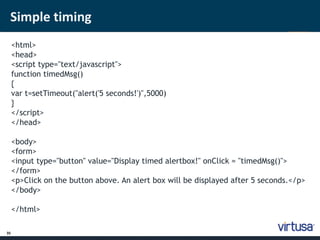
<html> 
<head> 
<script type="text/javascript"> 
function timedMsg() 
{ 
var t=setTimeout("alert('5 seconds!')",5000) 
} 
</script> 
</head> 
<body> 
<form> 
<input type="button" value="Display timed alertbox!" onClick = "timedMsg()"> 
</form> 
<p>Click on the button above. An alert box will be displayed after 5 seconds.</p> 
</body> 
</html>
More simple timing 
36 
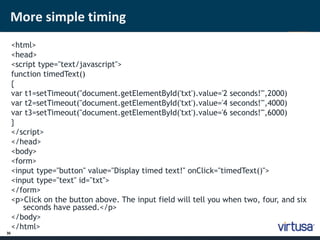
<html> 
<head> 
<script type="text/javascript"> 
function timedText() 
{ 
var t1=setTimeout("document.getElementById('txt').value='2 seconds!'",2000) 
var t2=setTimeout("document.getElementById('txt').value='4 seconds!'",4000) 
var t3=setTimeout("document.getElementById('txt').value='6 seconds!'",6000) 
} 
</script> 
</head> 
<body> 
<form> 
<input type="button" value="Display timed text!" onClick="timedText()"> 
<input type="text" id="txt"> 
</form> 
<p>Click on the button above. The input field will tell you when two, four, and six 
seconds have passed.</p> 
</body> 
</html>
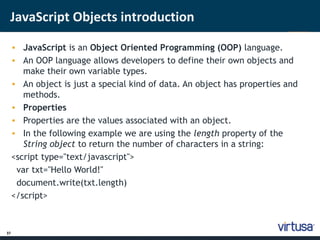
JavaScript Objects introduction 
37 
• JavaScript is an Object Oriented Programming (OOP) language. 
• An OOP language allows developers to define their own objects and 
make their own variable types. 
• An object is just a special kind of data. An object has properties and 
methods. 
• Properties 
• Properties are the values associated with an object. 
• In the following example we are using the length property of the 
String object to return the number of characters in a string: 
<script type="text/javascript"> 
var txt="Hello World!" 
document.write(txt.length) 
</script>
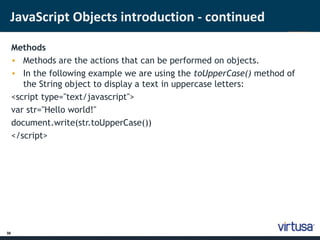
JavaScript Objects introduction - continued 
38 
Methods 
• Methods are the actions that can be performed on objects. 
• In the following example we are using the toUpperCase() method of 
the String object to display a text in uppercase letters: 
<script type="text/javascript"> 
var str="Hello world!" 
document.write(str.toUpperCase()) 
</script>
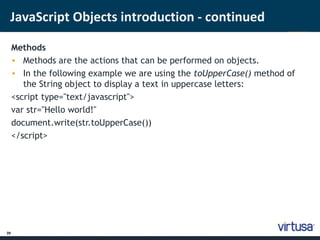
JavaScript Objects introduction - continued 
39 
Methods 
• Methods are the actions that can be performed on objects. 
• In the following example we are using the toUpperCase() method of 
the String object to display a text in uppercase letters: 
<script type="text/javascript"> 
var str="Hello world!" 
document.write(str.toUpperCase()) 
</script>
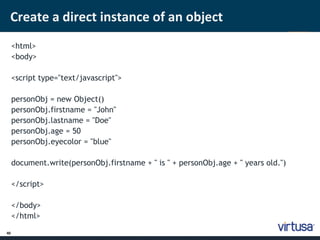
Create a direct instance of an object 
40 
<html> 
<body> 
<script type="text/javascript"> 
personObj = new Object() 
personObj.firstname = "John" 
personObj.lastname = "Doe" 
personObj.age = 50 
personObj.eyecolor = "blue" 
document.write(personObj.firstname + " is " + personObj.age + " years old.") 
</script> 
</body> 
</html>
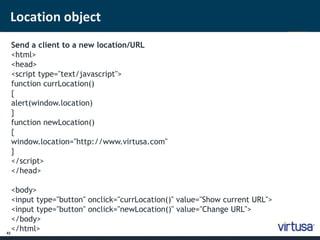
Location object 
41 
Send a client to a new location/URL 
<html> 
<head> 
<script type="text/javascript"> 
function currLocation() 
{ 
alert(window.location) 
} 
function newLocation() 
{ 
window.location="http://www.virtusa.com" 
} 
</script> 
</head> 
<body> 
<input type="button" onclick="currLocation()" value="Show current URL"> 
<input type="button" onclick="newLocation()" value="Change URL"> 
</body> 
</html>
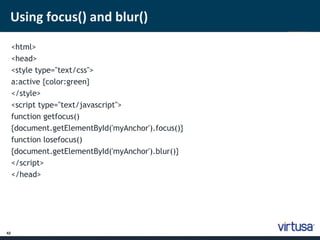
Using focus() and blur() 
42 
<html> 
<head> 
<style type="text/css"> 
a:active {color:green} 
</style> 
<script type="text/javascript"> 
function getfocus() 
{document.getElementById('myAnchor').focus()} 
function losefocus() 
{document.getElementById('myAnchor').blur()} 
</script> 
</head>
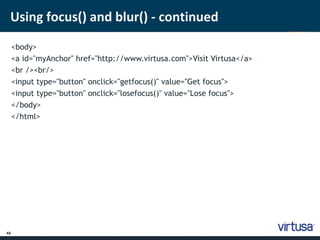
Using focus() and blur() - continued 
43 
<body> 
<a id="myAnchor" href="http://www.virtusa.com">Visit Virtusa</a> 
<br /><br/> 
<input type="button" onclick="getfocus()" value="Get focus"> 
<input type="button" onclick="losefocus()" value="Lose focus"> 
</body> 
</html>
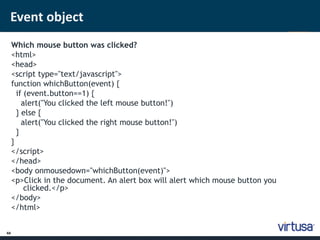
Event object 
44 
Which mouse button was clicked? 
<html> 
<head> 
<script type="text/javascript"> 
function whichButton(event) { 
if (event.button==1) { 
alert("You clicked the left mouse button!") 
} else { 
alert("You clicked the right mouse button!") 
} 
} 
</script> 
</head> 
<body onmousedown="whichButton(event)"> 
<p>Click in the document. An alert box will alert which mouse button you 
clicked.</p> 
</body> 
</html>
Callback functions 
45 
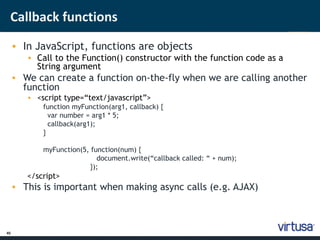
• In JavaScript, functions are objects 
• Call to the Function() constructor with the function code as a 
String argument 
• We can create a function on-the-fly when we are calling another 
function 
• <script type=“text/javascript”> 
function myFunction(arg1, callback) { 
var number = arg1 * 5; 
callback(arg1); 
} 
myFunction(5, function(num) { 
document.write(“callback called: “ + num); 
}); 
</script> 
• This is important when making async calls (e.g. AJAX)
Callback function example 
46 
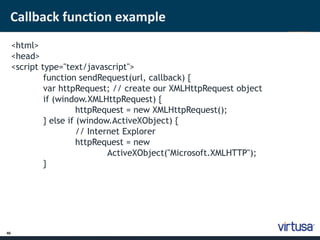
<html> 
<head> 
<script type="text/javascript"> 
function sendRequest(url, callback) { 
var httpRequest; // create our XMLHttpRequest object 
if (window.XMLHttpRequest) { 
httpRequest = new XMLHttpRequest(); 
} else if (window.ActiveXObject) { 
// Internet Explorer 
httpRequest = new 
ActiveXObject("Microsoft.XMLHTTP"); 
}
Callback function example - continued 
47 
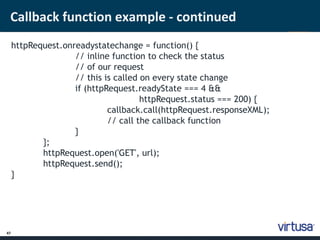
httpRequest.onreadystatechange = function() { 
// inline function to check the status 
// of our request 
// this is called on every state change 
if (httpRequest.readyState === 4 && 
httpRequest.status === 200) { 
callback.call(httpRequest.responseXML); 
// call the callback function 
} 
}; 
httpRequest.open('GET', url); 
httpRequest.send(); 
}
Callback function example – continued 2 
48 
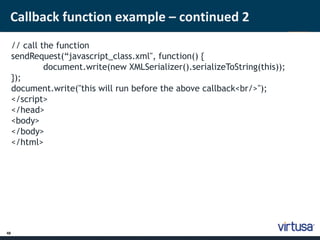
// call the function 
sendRequest(“javascript_class.xml", function() { 
document.write(new XMLSerializer().serializeToString(this)); 
}); 
document.write("this will run before the above callback<br/>"); 
</script> 
</head> 
<body> 
</body> 
</html>
Taking over the world using JavaScript 
49 
JavaScript is everywhere 
•Web Services : JavaScript Object Notation (JSON) 
•Asynchronous calls : AJAX 
•UI : JQuery, Angular JS 
•Backend : node.js 
•Database : NoSQL databases such as MongoDB
if ( question != null && question != “” ) { 
var answer = ask (question); 
if ( answer != satisfactory) { 
var betterAnswer = googleIt(question); 
} 
} 
2000 West Park Drive 
Westborough MA 01581 USA 
Phone: 508 389 7300 Fax: 508 366 9901 
The entire contents of this document are subject to copyright with all rights reserved. All copyrightable text and graphics, the selection, arrangement and presentation of all 
information and the overall design of the document are the sole and exclusive property of Virtusa. 
Copyright © 2011 Virtusa Corporation. All rights reserved 
Thank You!
www.virtusa.com 
© 2011 All rights reserved. Virtusa and all other related logos are either registered trademarks or trademarks of Virtusa Corporation in the United States, the European Union, and/or India. All 
other company and service names are the property of their respective holders and may be registered trademarks or trademarks in the United States and/or other countries.

JavaScript Training

  • 1.
    2000 West ParkDrive Westborough MA 01581 USA Phone: 508 389 7300 Fax: 508 366 9901 The entire contents of this document are subject to copyright with all rights reserved. All copyrightable text and graphics, the selection, arrangement and presentation of all information and the overall design of the document are the sole and exclusive property of Virtusa. Copyright © 2011 Virtusa Corporation. All rights reserved JavaScript
  • 2.
    2 Agenda •What is JavaScript? • Embedding JavaScript into an HTML document • JavaScript Language Constructs • Examples • JavaScript – taking over the world
  • 3.
    3 What isJavaScript? • JavaScript is the scripting language of the Web. • JavaScript is used in millions of Web pages to improve the design, validate forms, detect browsers, create cookies, and much more. • JavaScript is the most popular scripting language on the internet. • Unlike HTML, JavaScript is a case-sensitive language. • JavaScript is a simple programming language that can be written directly into HTML documents to allow for increased interactivity with the user. • For example, JavaScript can be used for form validations, making asynchronous front-end calls (AJAX) and for advanced UI functions (JQuery).
  • 4.
    4 Embedding JavaScriptin to an HTML document • Browsers that recognize JavaScript also recognize the special <SCRIPT> ... </SCRIPT> tag. • This tag goes in the <HEAD> of your HTML document, along with your <TITLE> tag. • For example: • <HTML> <HEAD> <TITLE>My JavaScript Page</TITLE> <SCRIPT> (JavaScript code goes in here) </SCRIPT> </HEAD> (rest of your HTML document goes here)
  • 5.
    5 ‘Hello World!’with JavaScript <html> <body> <script type="text/javascript"> document.write("Hello World!") </script> </body> </html>
  • 6.
    6 JavaScript inthe <head> section <html> <head> <script type="text/javascript"> function message() { alert("This alert box was called with the onload event") } </script> </head> <body onload="message()"> </body> </html>
  • 7.
    7 Loading JavaScriptfrom an external file <html> <head> </head> <body> <script src=“demo.js"> </script> <p> The actual script is in an external script file called “demo.js". </p> </body> </html>
  • 8.
    8 Declaring andusing variables <html> <body> <script type="text/javascript"> var name = “Test" document.write(name) document.write("<h1>Value of our variable: "+name+"</h1>") </script> </body> </html>
  • 9.
    9 if –else in JavaScript <html> <body> <script type="text/javascript"> var d = new Date() var time = d.getHours() if (time < 12) { document.write("<b>Good morning</b>") } else if ( time < 5 ) { document.write("<b>Good Afternoon</b>"); } else { document.write("<b>Good Night</b>"); } </script></body></html>
  • 10.
    Random function 10 <html> <body> <script type="text/javascript"> var r=Math.random() if (r>0.5) { document.write("<a href='http://www.w3schools.com/js/DEFAULT.asp'>Learn JavaScript development!</a>") } else { document.write("<a href='http://www.google.com'>Visit Google Site!</a>") } </script> </body> </html>
  • 11.
    Switch statement 11 < ;html> <body> <script type="text/javascript"> var d = new Date(); theDay=d.getDay(); switch (theDay) { case 5: document.write("<b>Finally Friday</b>"); break; case 6: document.write("<b>Super Saturday</b>") break; case 0: document.write("<b>Sleepy Sunday</b>"); break;
  • 12.
    Switch statement continued 12 d ;efault: document.write("<b>I'm really looking forward to this weekend!</b>"); } </script> <p>This JavaScript will generate a different greeting based on what day it is. Note that Sunday=0, Monday=1, Tuesday=2, etc.</p> </body> </html>
  • 13.
    Alert box 13 < ;html> <head> <script type="text/javascript"> function disp_alert() { alert("I am an alert box!!"); } </script> </head> <body> <form> <input type="button" onclick="disp_alert()" value="Display alert box"> </form> </body> </html>
  • 14.
    Confirm box 14 <htm ; l> <head> <script type="text/javascript"> function disp_confirm() { var name=confirm("Press a button"); if (name==true) { document.write("You pressed the OK button!"); } else { document.write("You pressed the Cancel button!"); } } </script> </head> <body> <form> <input type="button" onclick="disp_confirm()" value="Display a confirm box"> </form> </body>
  • 15.
    Prompt box 15 <htm ; l> <head> <script type="text/javascript"> function disp_prompt() { var name = prompt("Please enter your name","") if (name!=null && name!="”) { document.write("Hello " + name + "! How are you today?") } } </script> </head> <body> <form> <input type="button" onclick="disp_prompt()" value="Display a prompt box"> </form> </body> </html>
  • 16.
    Call a function 16 <htm ; l> <head> <script type="text/javascript"> function myfunction() { alert("HELLO"); } </script> </head> <body> <form> <input type="button” onclick="myfunction()” value="Call function"> </form> <p>By pressing the button, a function will be called. The function will alert a message.</p> </body> </html>
  • 17.
    Function with anargument 17 <htm ; l> <head> <script type="text/javascript"> function myfunction(txt) { alert(txt); } function disp_prompt() { var message = prompt("Enter something to say",""); if (message != null && message != "") { myfunction(message); } } </script> </head> <body> <form> <input type="button" onclick="disp_prompt()" value="Call function"> </form> </body>
  • 18.
    Function that returnsa value 18 < htm ; l> <head> <script type="text/javascript"> function myFunction() { return ("Hello, have a nice day!"); } </script> </head> <body> <script type="text/javascript"> document.write(myFunction()); </script> <p>The script in the body section calls a function.</p> <p>The function returns a text.</p> </body> </html>
  • 19.
    For loop 19 < htm ; l> <body> <script type="text/javascript"> for (i = 1; i <= 6; i++) { document.write("<h" + i + ">This is header " + i) document.write("</h" + i + ">") } </script> </body> </html>
  • 20.
    For loop 20 < htm ; l> <body> <script type="text/javascript"> for (i = 1; i <= 6; i++) { document.write("<h" + i + ">This is header " + i) document.write("</h" + i + ">") } </script> </body> </html>
  • 21.
    While loop 21 <script type="text/javascript"> i = 0; Document.write("Starting While loop<br/>"); while (i <= 5) { document.write("The number is " + i); document.write("<br>"); i++; } </script> </script>
  • 22.
    Arrays in JavaScript 22 <html> <body> <script type="text/javascript"> var mycars = new Array(); mycars[0] = "Tesla Roadster"; mycars[1] = "Lamborghini Aventador"; mycars[2] = "BMW 520i"; for (i=0; i < mycars.length; i++) { document.write(mycars[i] + "<br />"); } </script> </body> </html>
  • 23.
    For – Instatement (foreach) 23 <html> <body> <script type="text/javascript"> var x var mycars = new Array() mycars[0] = "Tesla Roadster"; mycars[1] = "Lamborghini Aventador"; mycars[2] = "BMW 520i"; for (x in mycars) { document.write(mycars[x] + "<br />") } </script> </body> </html>
  • 24.
    Join two arrays- concat 24 <html> <body> <script type="text/javascript"> var arr = new Array(3) arr[0] = “David" arr[1] = “Sam" arr[2] = “Dove" var arr2 = new Array(3) arr2[0] = "John" arr2[1] = "Andy" arr2[2] = "Wendy" document.write(arr.concat(arr2)) </script> </body> </html>
  • 25.
    The try –catch statement – error handling 25 <html> <head> <script type="text/javascript"> var txt="" function message() { try { adddlert("Welcome guest!") } catch(err) { txt="There was an error on this page.nn" txt+="Error description: " + err.description + "nn" txt+="Click OK to continue.nn" alert(txt) } }
  • 26.
    The try –catch statement – error handling 26 </script> </head> <body> <input type="button" value="View message" onclick="message()" /> </body> </html>
  • 27.
    The onerror event 27 <html> <head> <script type="text/javascript"> onerror=handleErr var txt="" function handleErr(msg,url,l) { txt="There was an error on this page.nn" txt+="Error: " + msg + "n" txt+="URL: " + url + "n" txt+="Line: " + l + "nn" txt+="Click OK to continue.nn" alert(txt) return true }
  • 28.
    The onerror eventcontinued 28 function message() { adddlert("Welcome guest!") } </script> </head> <body> <input type="button" value="View message" onclick="message()" /> </body> </html>
  • 29.
    Detect visitor’s browserdetails 29 <html> <body> <script type="text/javascript"> var browser = navigator.appName var b_version = navigator.appVersion var version = parseFloat(b_version) document.write("Browser name: "+ browser) document.write("<br />") document.write("Browser version: "+ version) </script> </body> </html>
  • 30.
    Alert user dependingon browser 30 <html> <head> <script type="text/javascript"> function detectBrowser() { var browser = navigator.appName var b_version = navigator.appVersion var version = parseFloat(b_version) if ((browser=="Netscape"||browser=="Microsoft Internet Explorer") && (version>=4)) {alert("Your browser is good enough!")} else {alert("It's time to upgrade your browser!")} } </script> </head> <body onload="detectBrowser()"> </body> </html>
  • 31.
    Create a welcomecookie 31 <html> <head> <script type="text/javascript"> function getCookie(c_name) { if (document.cookie.length>0) { c_start=document.cookie.indexOf(c_name + "=") if (c_start!=-1) { c_start=c_start + c_name.length+1 c_end=document.cookie.indexOf(";",c_start) if (c_end==-1) c_end=document.cookie.length return unescape(document.cookie.substring(c_start,c_end)) } } return null;
  • 32.
    Create a welcomecookie continued - 1 32 } function setCookie(c_name,value,expiredays) { var exdate=new Date() exdate.setDate(exdate.getDate()+expiredays) document.cookie=c_name+ "=" +escape(value)+ ((expiredays==null) ? "" : "; expires="+exdate) } function checkCookie() { username=getCookie('username') if (username!=null) {alert('Welcome again '+username+'!')}
  • 33.
    Create a welcomecookie continued - 2 33 else { username=prompt('Please enter your name:',"") if (username!=null && username!="") { setCookie('username',username,365) } } } </script> </head> <body onLoad="checkCookie()"> </body> </body> </html>
  • 34.
    The getElementById function 34 <html> <head> <script type="text/javascript"> function changeSize() { document.getElementById("virtusa").height="200" document.getElementById("virtusa").width="300" } </script> </head> <body> <img id="virtusa" src="virtusa.jpg" width="150" height="98" /> <br /><br /> <input type="button" onclick="changeSize()" value="Change size of image"> </body> </html>
  • 35.
    Simple timing 35 <html> <head> <script type="text/javascript"> function timedMsg() { var t=setTimeout("alert('5 seconds!')",5000) } </script> </head> <body> <form> <input type="button" value="Display timed alertbox!" onClick = "timedMsg()"> </form> <p>Click on the button above. An alert box will be displayed after 5 seconds.</p> </body> </html>
  • 36.
    More simple timing 36 <html> <head> <script type="text/javascript"> function timedText() { var t1=setTimeout("document.getElementById('txt').value='2 seconds!'",2000) var t2=setTimeout("document.getElementById('txt').value='4 seconds!'",4000) var t3=setTimeout("document.getElementById('txt').value='6 seconds!'",6000) } </script> </head> <body> <form> <input type="button" value="Display timed text!" onClick="timedText()"> <input type="text" id="txt"> </form> <p>Click on the button above. The input field will tell you when two, four, and six seconds have passed.</p> </body> </html>
  • 37.
    JavaScript Objects introduction 37 • JavaScript is an Object Oriented Programming (OOP) language. • An OOP language allows developers to define their own objects and make their own variable types. • An object is just a special kind of data. An object has properties and methods. • Properties • Properties are the values associated with an object. • In the following example we are using the length property of the String object to return the number of characters in a string: <script type="text/javascript"> var txt="Hello World!" document.write(txt.length) </script>
  • 38.
    JavaScript Objects introduction- continued 38 Methods • Methods are the actions that can be performed on objects. • In the following example we are using the toUpperCase() method of the String object to display a text in uppercase letters: <script type="text/javascript"> var str="Hello world!" document.write(str.toUpperCase()) </script>
  • 39.
    JavaScript Objects introduction- continued 39 Methods • Methods are the actions that can be performed on objects. • In the following example we are using the toUpperCase() method of the String object to display a text in uppercase letters: <script type="text/javascript"> var str="Hello world!" document.write(str.toUpperCase()) </script>
  • 40.
    Create a directinstance of an object 40 <html> <body> <script type="text/javascript"> personObj = new Object() personObj.firstname = "John" personObj.lastname = "Doe" personObj.age = 50 personObj.eyecolor = "blue" document.write(personObj.firstname + " is " + personObj.age + " years old.") </script> </body> </html>
  • 41.
    Location object 41 Send a client to a new location/URL <html> <head> <script type="text/javascript"> function currLocation() { alert(window.location) } function newLocation() { window.location="http://www.virtusa.com" } </script> </head> <body> <input type="button" onclick="currLocation()" value="Show current URL"> <input type="button" onclick="newLocation()" value="Change URL"> </body> </html>
  • 42.
    Using focus() andblur() 42 <html> <head> <style type="text/css"> a:active {color:green} </style> <script type="text/javascript"> function getfocus() {document.getElementById('myAnchor').focus()} function losefocus() {document.getElementById('myAnchor').blur()} </script> </head>
  • 43.
    Using focus() andblur() - continued 43 <body> <a id="myAnchor" href="http://www.virtusa.com">Visit Virtusa</a> <br /><br/> <input type="button" onclick="getfocus()" value="Get focus"> <input type="button" onclick="losefocus()" value="Lose focus"> </body> </html>
  • 44.
    Event object 44 Which mouse button was clicked? <html> <head> <script type="text/javascript"> function whichButton(event) { if (event.button==1) { alert("You clicked the left mouse button!") } else { alert("You clicked the right mouse button!") } } </script> </head> <body onmousedown="whichButton(event)"> <p>Click in the document. An alert box will alert which mouse button you clicked.</p> </body> </html>
  • 45.
    Callback functions 45 • In JavaScript, functions are objects • Call to the Function() constructor with the function code as a String argument • We can create a function on-the-fly when we are calling another function • <script type=“text/javascript”> function myFunction(arg1, callback) { var number = arg1 * 5; callback(arg1); } myFunction(5, function(num) { document.write(“callback called: “ + num); }); </script> • This is important when making async calls (e.g. AJAX)
  • 46.
    Callback function example 46 <html> <head> <script type="text/javascript"> function sendRequest(url, callback) { var httpRequest; // create our XMLHttpRequest object if (window.XMLHttpRequest) { httpRequest = new XMLHttpRequest(); } else if (window.ActiveXObject) { // Internet Explorer httpRequest = new ActiveXObject("Microsoft.XMLHTTP"); }
  • 47.
    Callback function example- continued 47 httpRequest.onreadystatechange = function() { // inline function to check the status // of our request // this is called on every state change if (httpRequest.readyState === 4 && httpRequest.status === 200) { callback.call(httpRequest.responseXML); // call the callback function } }; httpRequest.open('GET', url); httpRequest.send(); }
  • 48.
    Callback function example– continued 2 48 // call the function sendRequest(“javascript_class.xml", function() { document.write(new XMLSerializer().serializeToString(this)); }); document.write("this will run before the above callback<br/>"); </script> </head> <body> </body> </html>
  • 49.
    Taking over theworld using JavaScript 49 JavaScript is everywhere •Web Services : JavaScript Object Notation (JSON) •Asynchronous calls : AJAX •UI : JQuery, Angular JS •Backend : node.js •Database : NoSQL databases such as MongoDB
  • 50.
    if ( question!= null && question != “” ) { var answer = ask (question); if ( answer != satisfactory) { var betterAnswer = googleIt(question); } } 2000 West Park Drive Westborough MA 01581 USA Phone: 508 389 7300 Fax: 508 366 9901 The entire contents of this document are subject to copyright with all rights reserved. All copyrightable text and graphics, the selection, arrangement and presentation of all information and the overall design of the document are the sole and exclusive property of Virtusa. Copyright © 2011 Virtusa Corporation. All rights reserved Thank You!
  • 51.
    www.virtusa.com © 2011All rights reserved. Virtusa and all other related logos are either registered trademarks or trademarks of Virtusa Corporation in the United States, the European Union, and/or India. All other company and service names are the property of their respective holders and may be registered trademarks or trademarks in the United States and/or other countries.