
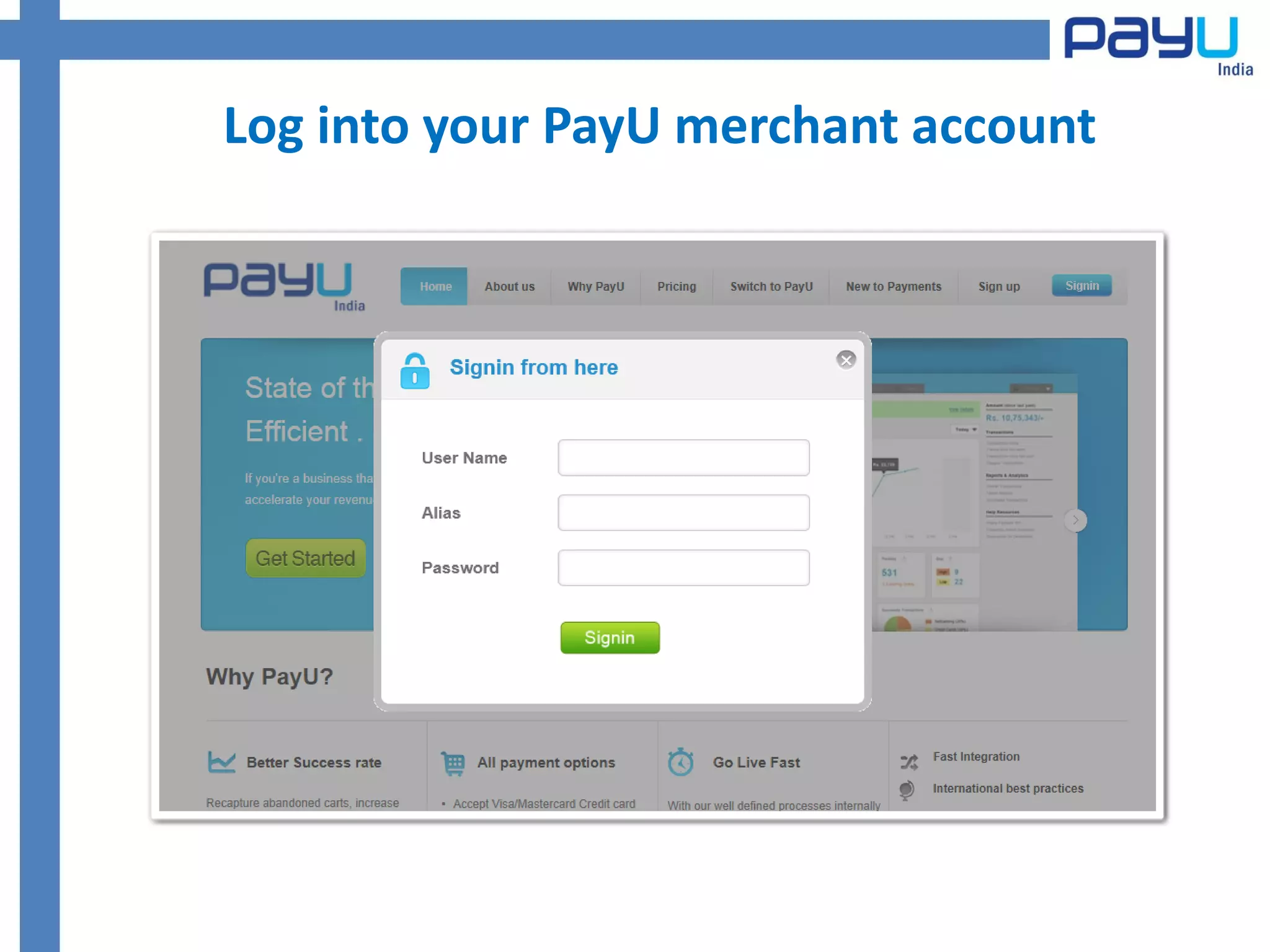
Log into your PayU merchant account
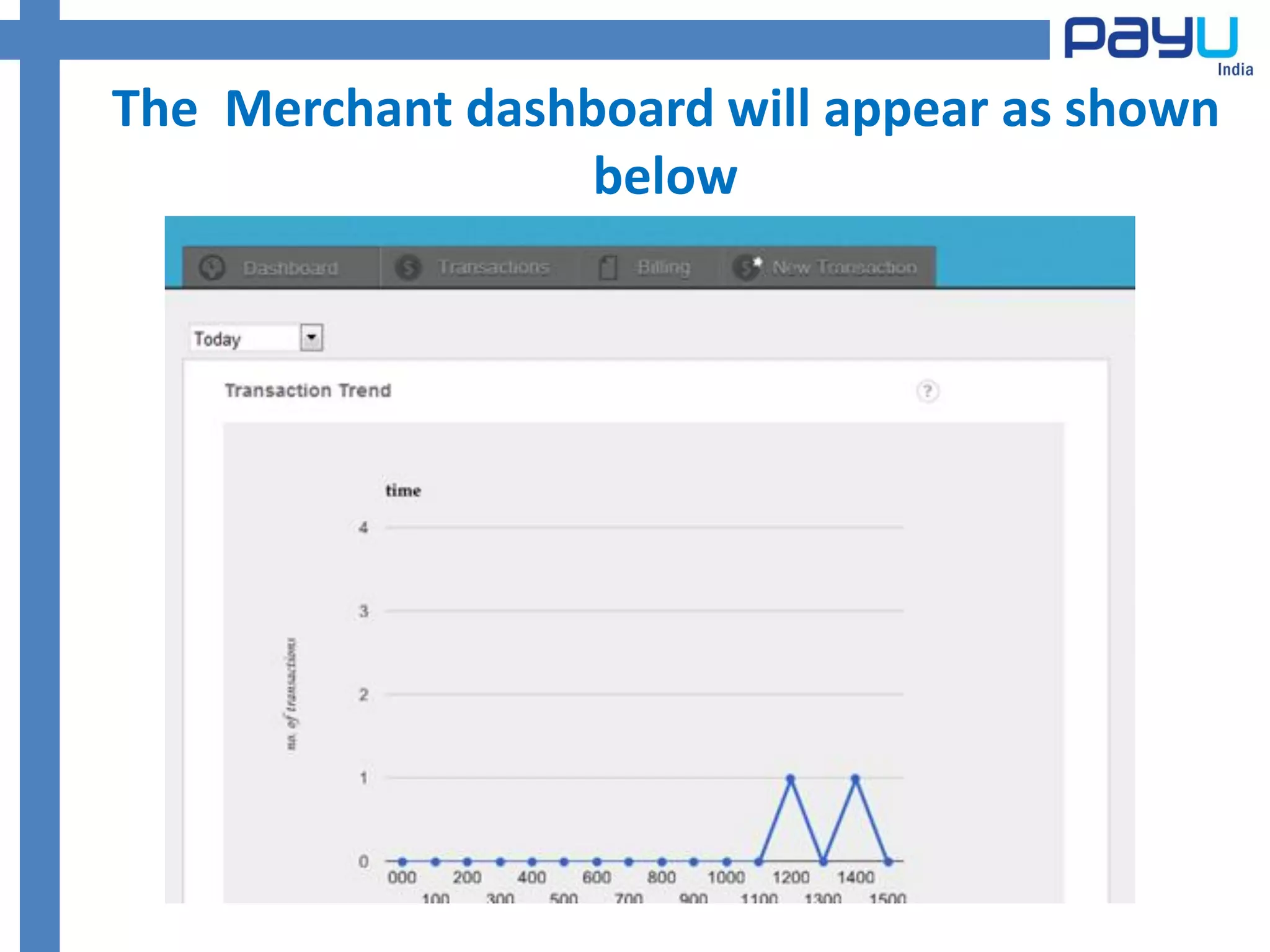
The Merchant dashboard will appear as shown
                  below
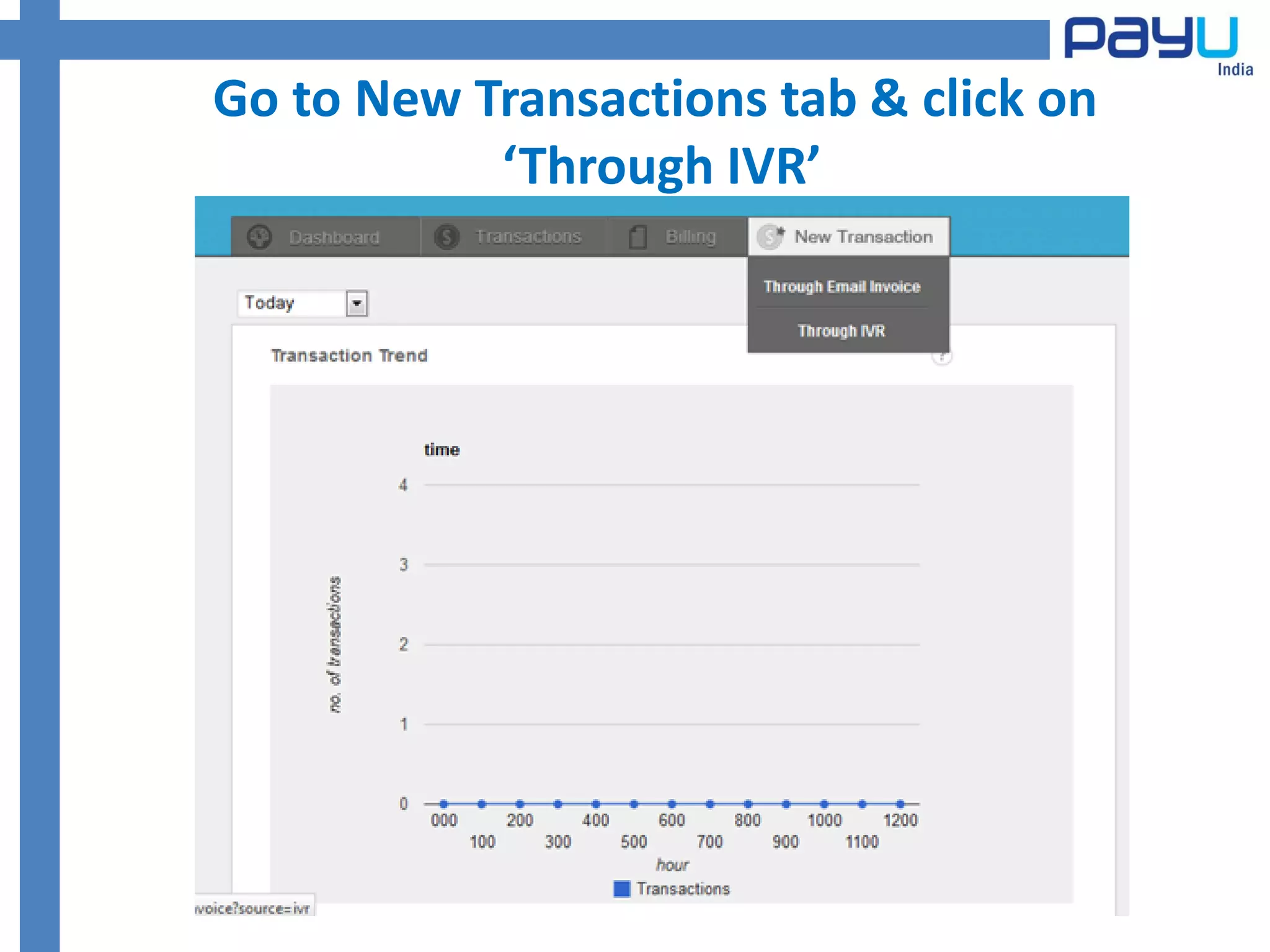
Go to New Transactions tab & click on
           ‘Through IVR’
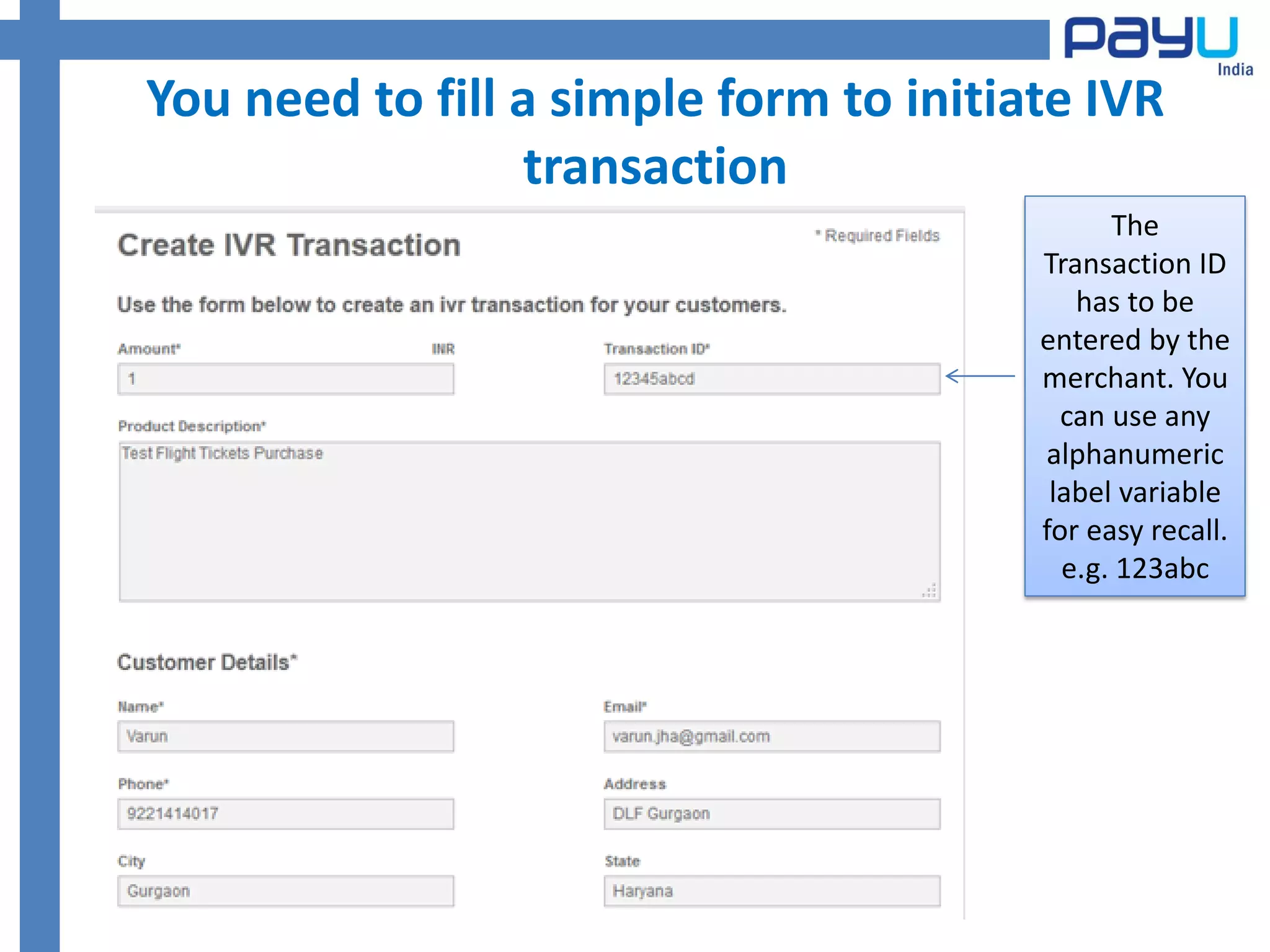
You need to fill a simple form to initiate IVR
                 transaction
                                              The
                                        Transaction ID
                                           has to be
                                        entered by the
                                        merchant. You
                                          can use any
                                        alphanumeric
                                         label variable
                                        for easy recall.
                                          e.g. 123abc
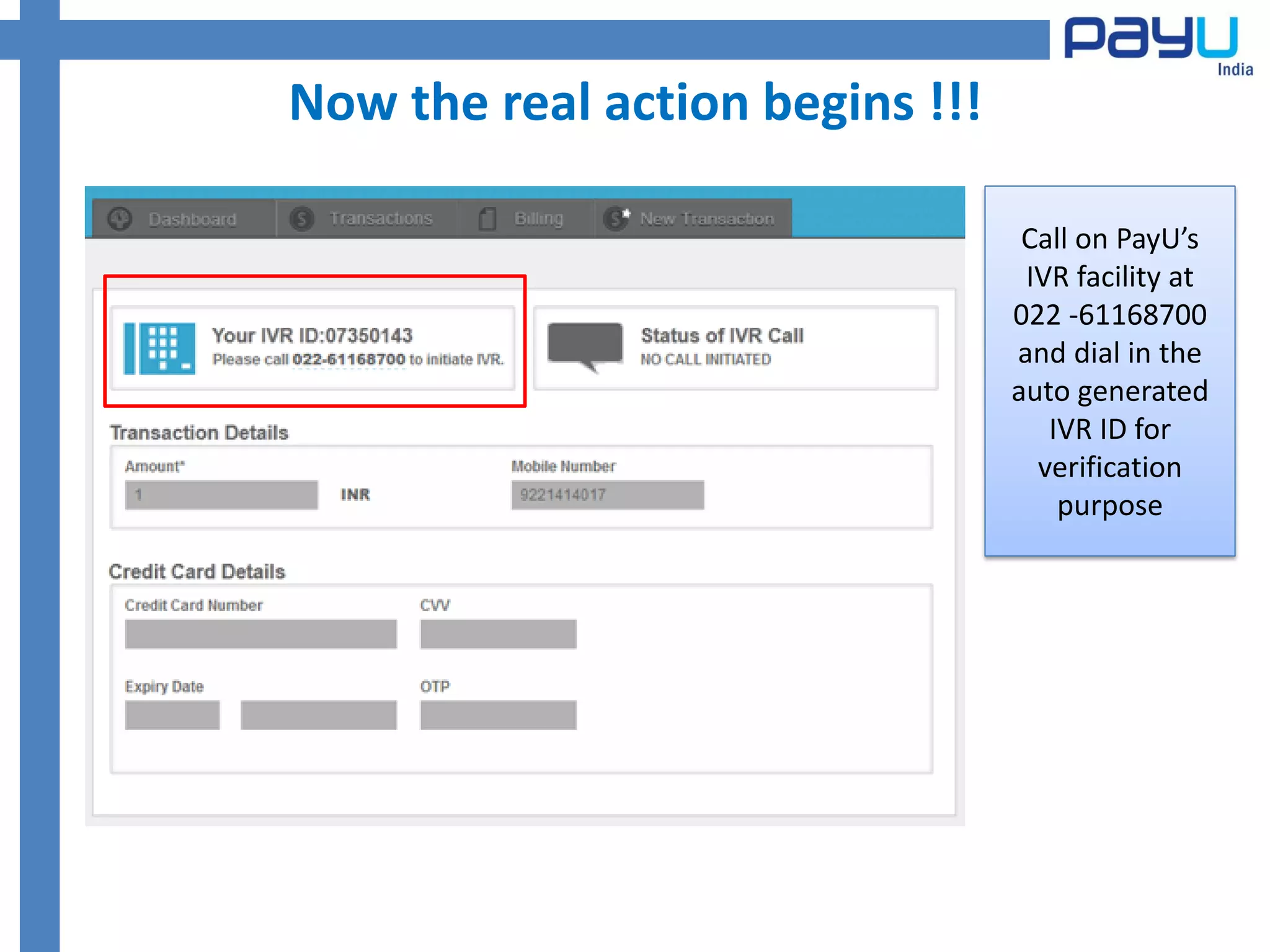
Now the real action begins !!!

                                  Call on PayU’s
                                  IVR facility at
                                 022 -61168700
                                 and dial in the
                                 auto generated
                                    IVR ID for
                                   verification
                                     purpose
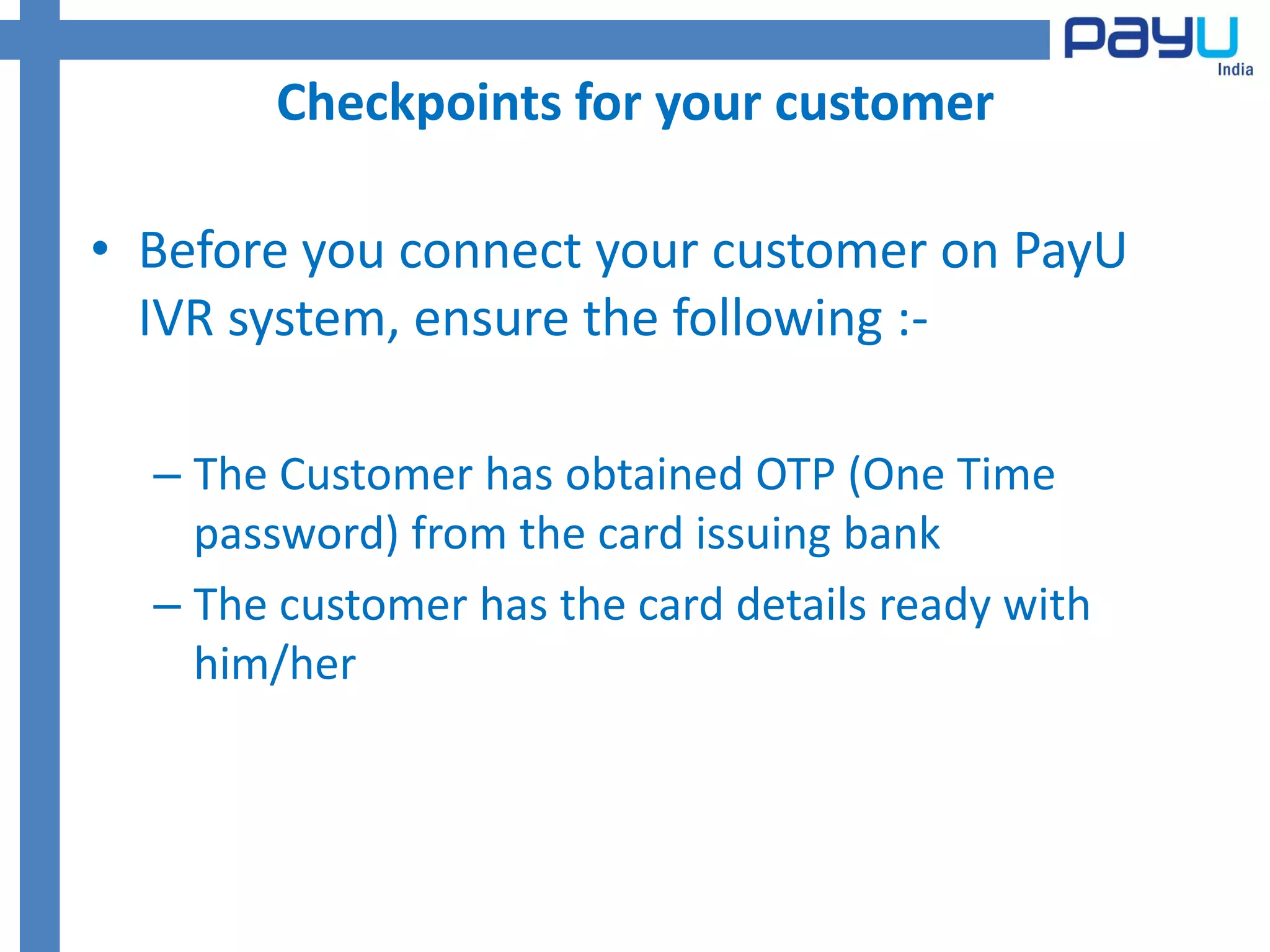
Checkpoints for your customer

• Before you connect your customer on PayU
  IVR system, ensure the following :-

  – The Customer has obtained OTP (One Time
    password) from the card issuing bank
  – The customer has the card details ready with
    him/her
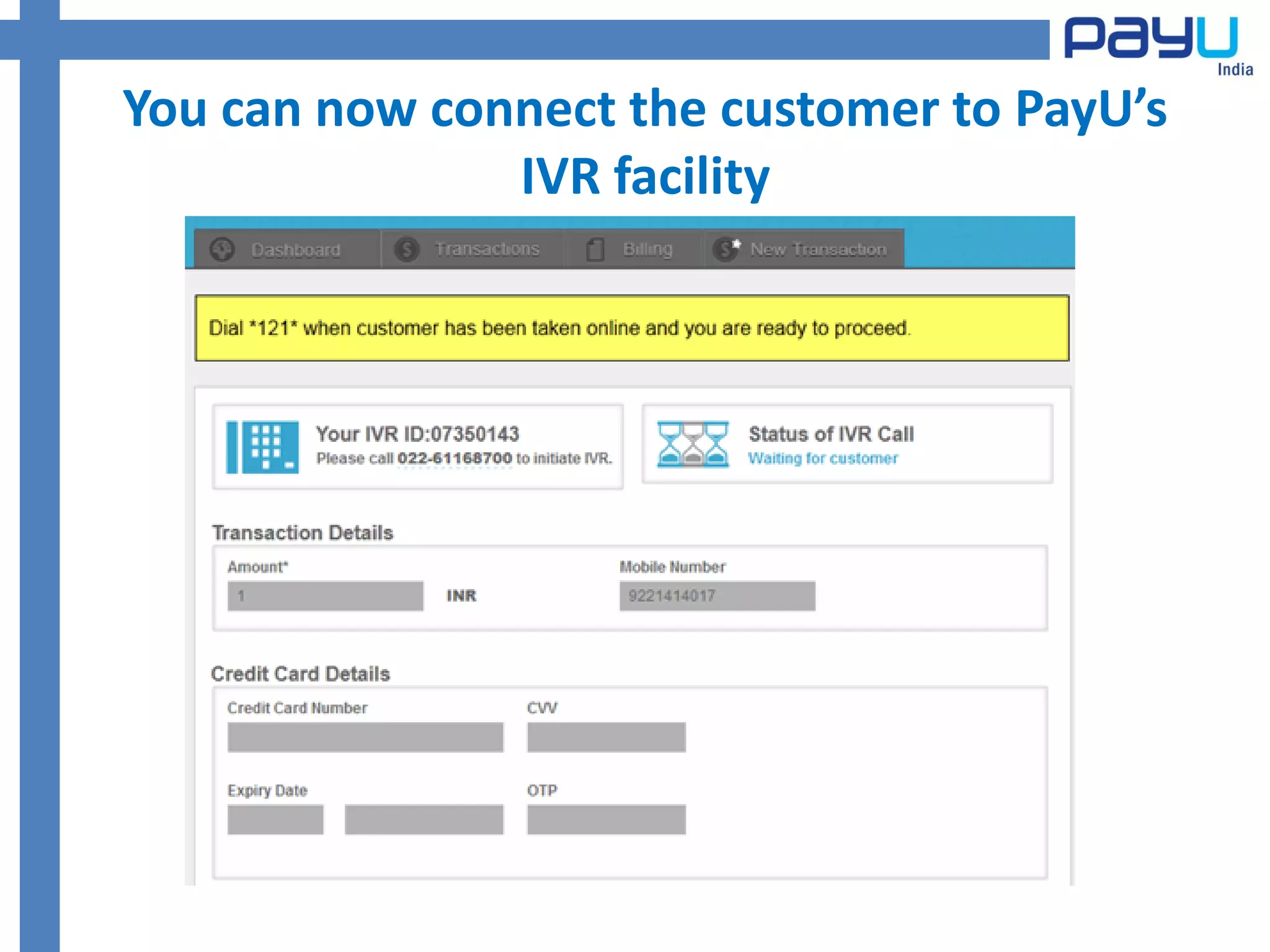
You can now connect the customer to PayU’s
               IVR facility
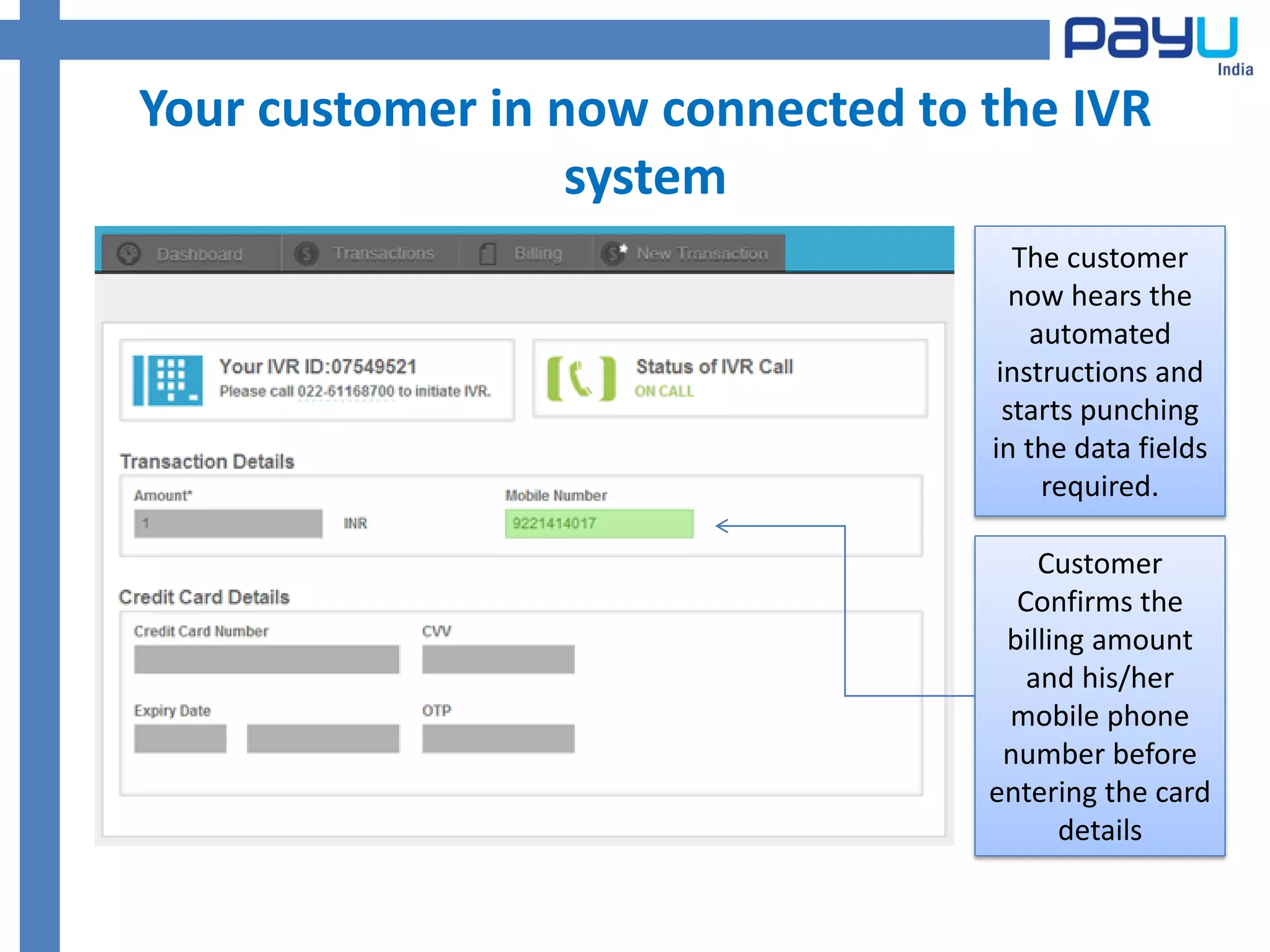
Your customer in now connected to the IVR
                  system
                                     The customer
                                     now hears the
                                      automated
                                   instructions and
                                    starts punching
                                  in the data fields
                                       required.

                                      Customer
                                    Confirms the
                                   billing amount
                                     and his/her
                                   mobile phone
                                   number before
                                  entering the card
                                        details
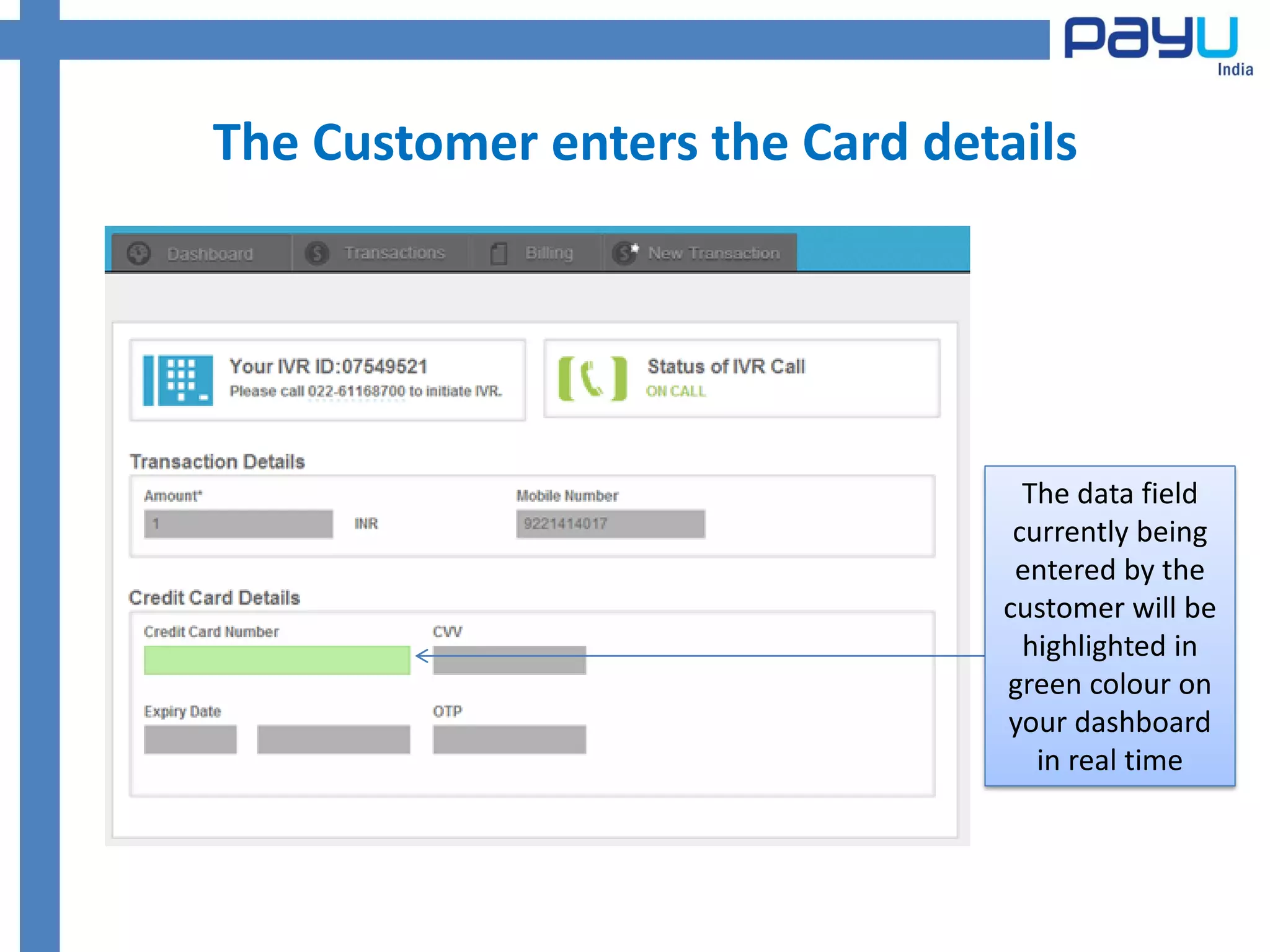
The Customer enters the Card details


                                  The data field
                                 currently being
                                 entered by the
                                customer will be
                                  highlighted in
                                green colour on
                                your dashboard
                                   in real time
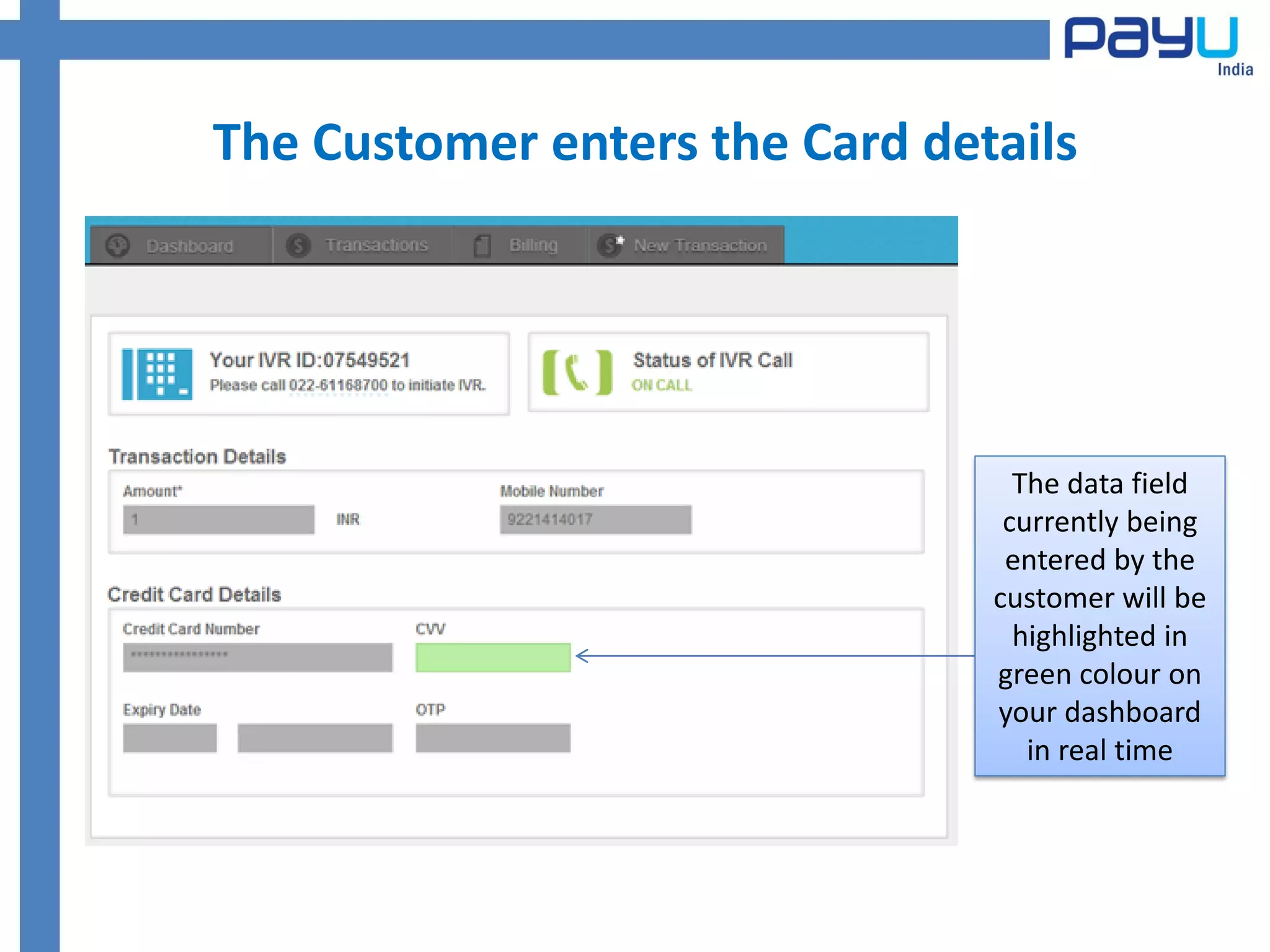
The Customer enters the Card details


                                  The data field
                                 currently being
                                 entered by the
                                customer will be
                                  highlighted in
                                green colour on
                                your dashboard
                                   in real time
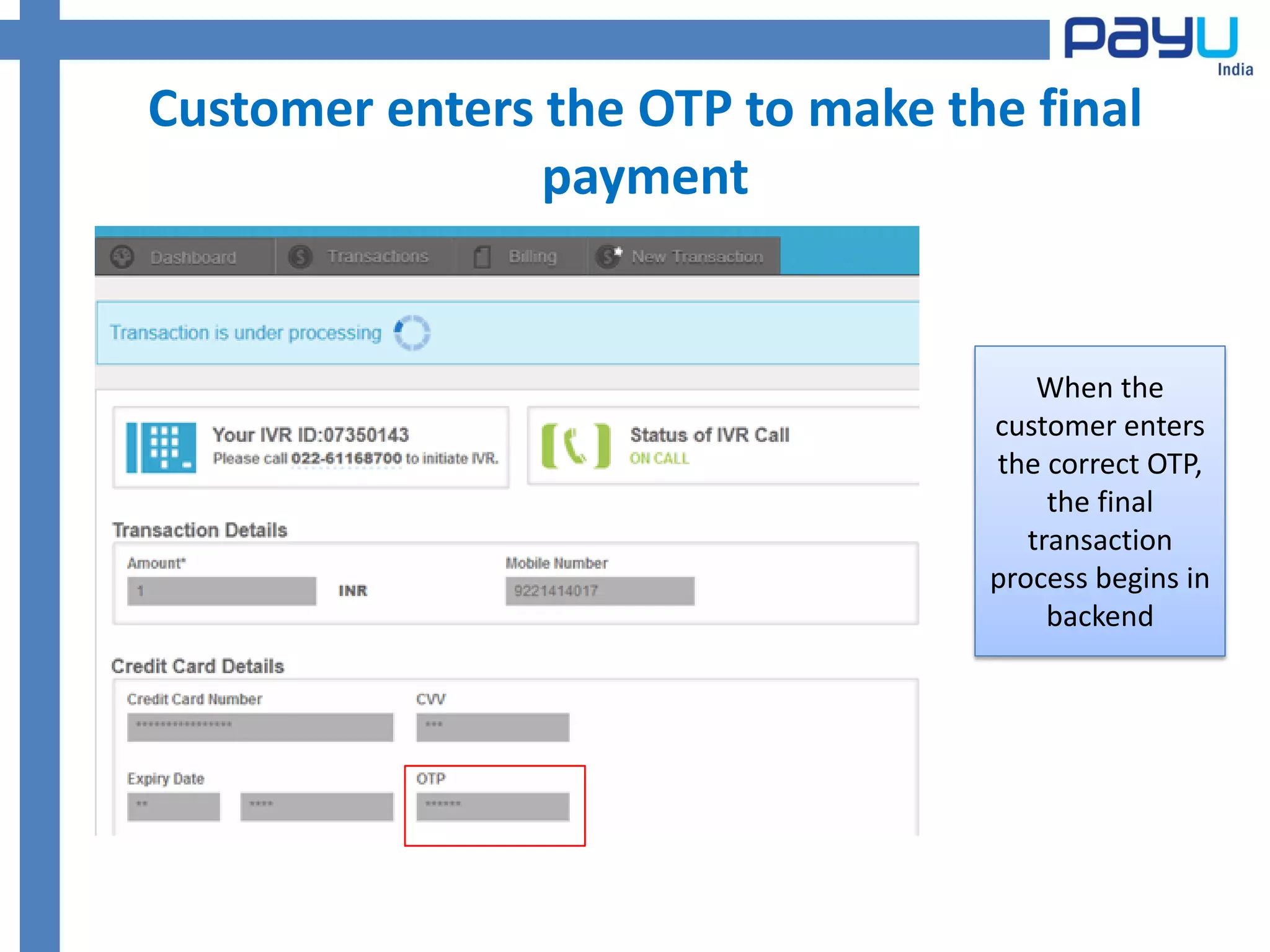
Customer enters the OTP to make the final
                payment


                                      When the
                                  customer enters
                                  the correct OTP,
                                       the final
                                     transaction
                                  process begins in
                                       backend
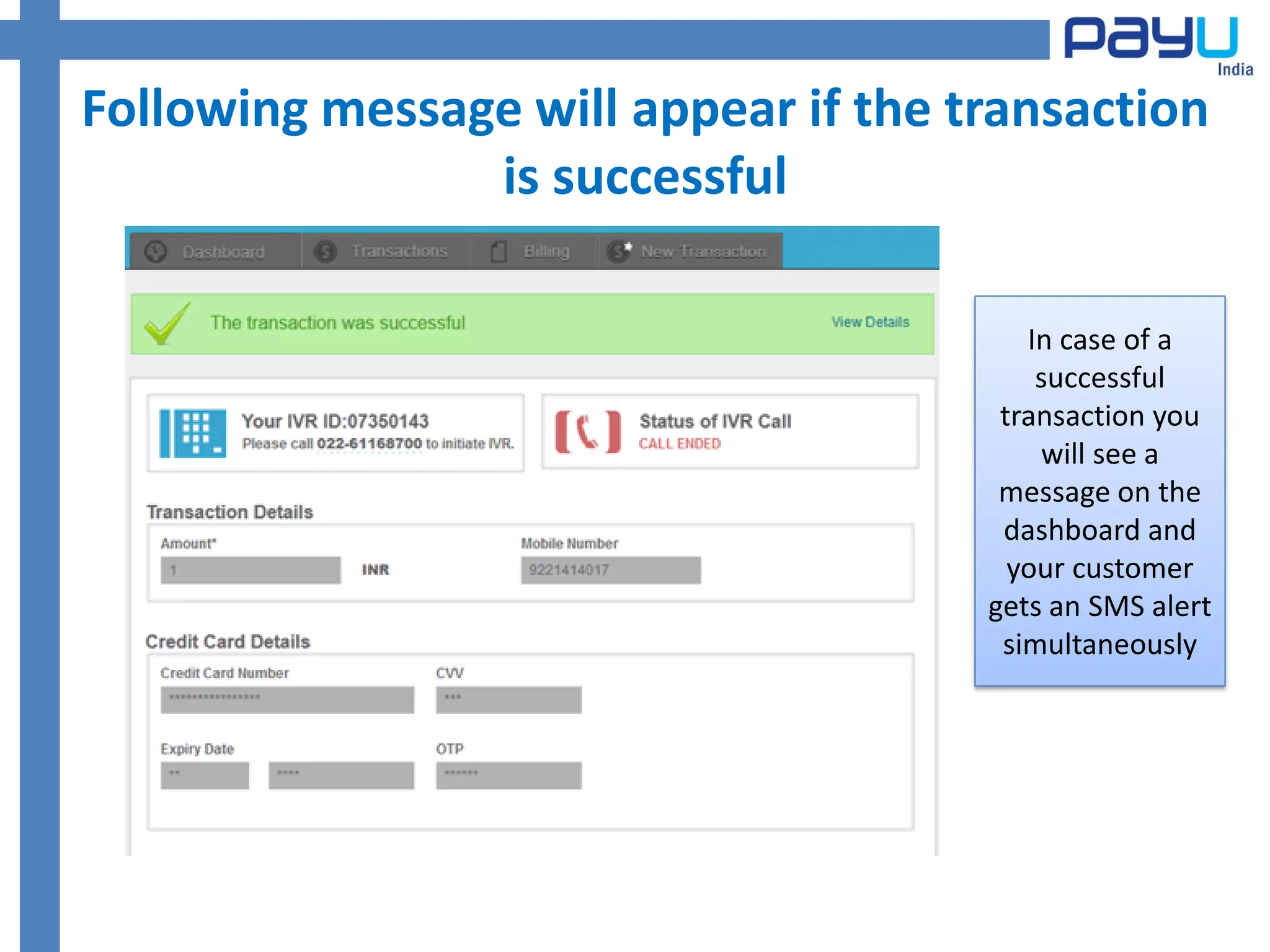
Following message will appear if the transaction
                is successful

                                         In case of a
                                          successful
                                       transaction you
                                          will see a
                                       message on the
                                       dashboard and
                                        your customer
                                      gets an SMS alert
                                       simultaneously
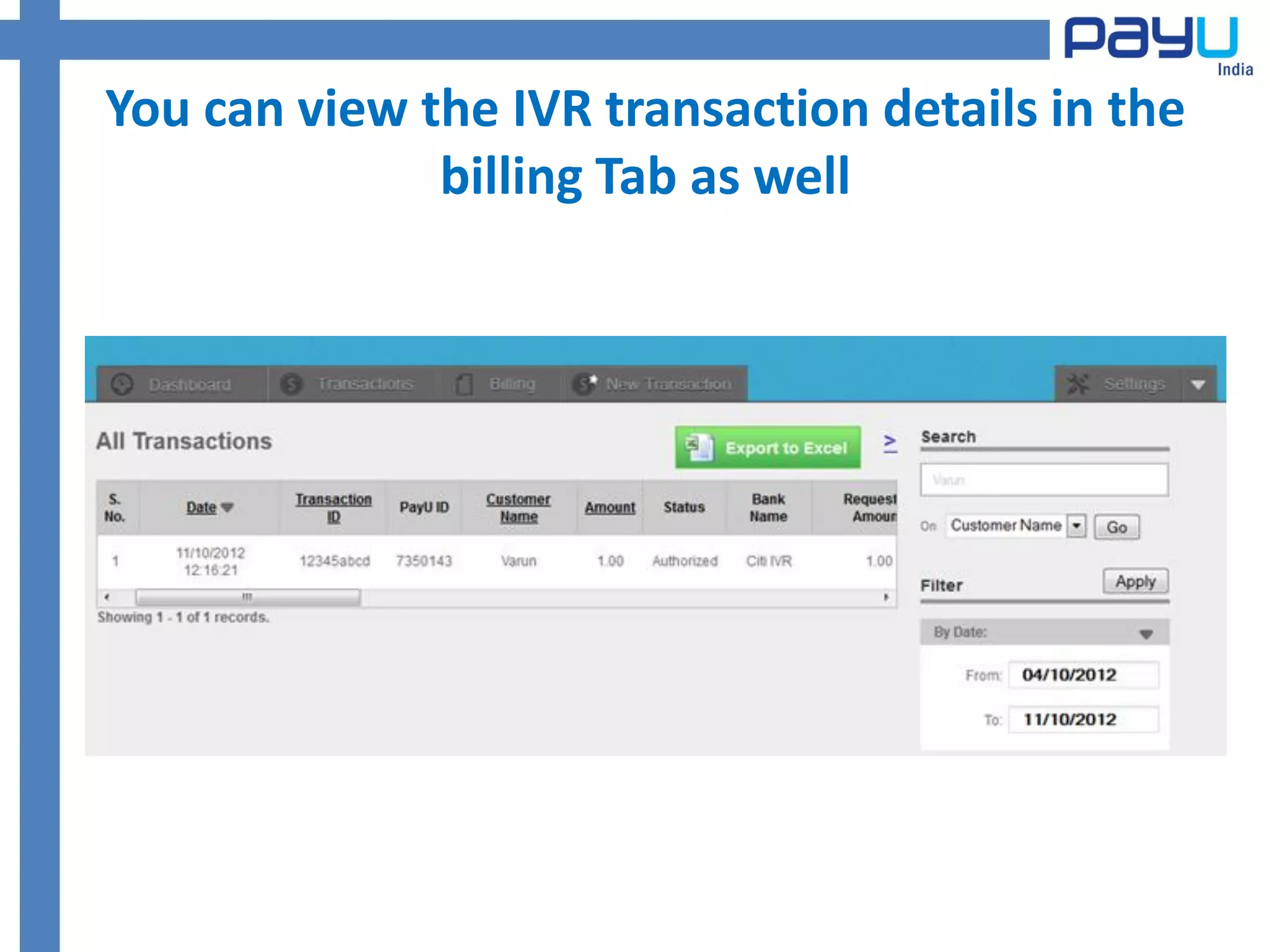
You can view the IVR transaction details in the
              billing Tab as well
Now your customers can pay anywhere,
                 anytime !!


Provide IVR Payment facility to your customers!


  Contact us at : contact@payu.in or call : +91 9818070222

Ivr payment method

  • 2.
    Log into yourPayU merchant account
  • 3.
    The Merchant dashboardwill appear as shown below
  • 4.
    Go to NewTransactions tab & click on ‘Through IVR’
  • 5.
    You need tofill a simple form to initiate IVR transaction The Transaction ID has to be entered by the merchant. You can use any alphanumeric label variable for easy recall. e.g. 123abc
  • 6.
    Now the realaction begins !!! Call on PayU’s IVR facility at 022 -61168700 and dial in the auto generated IVR ID for verification purpose
  • 7.
    Checkpoints for yourcustomer • Before you connect your customer on PayU IVR system, ensure the following :- – The Customer has obtained OTP (One Time password) from the card issuing bank – The customer has the card details ready with him/her
  • 8.
    You can nowconnect the customer to PayU’s IVR facility
  • 9.
    Your customer innow connected to the IVR system The customer now hears the automated instructions and starts punching in the data fields required. Customer Confirms the billing amount and his/her mobile phone number before entering the card details
  • 10.
    The Customer entersthe Card details The data field currently being entered by the customer will be highlighted in green colour on your dashboard in real time
  • 11.
    The Customer entersthe Card details The data field currently being entered by the customer will be highlighted in green colour on your dashboard in real time
  • 12.
    Customer enters theOTP to make the final payment When the customer enters the correct OTP, the final transaction process begins in backend
  • 13.
    Following message willappear if the transaction is successful In case of a successful transaction you will see a message on the dashboard and your customer gets an SMS alert simultaneously
  • 14.
    You can viewthe IVR transaction details in the billing Tab as well
  • 15.
    Now your customerscan pay anywhere, anytime !! Provide IVR Payment facility to your customers! Contact us at : contact@payu.in or call : +91 9818070222