ITC: 41 – Using Backward
Design to Build Better Courses
Stan Skrabut, Ed.D.
@skrabut
It is time to start another semester.
You are getting ready to prepare your course for the term.
You recognize that your current course
is not yielding the results you desire.
You want a course that addresses the essentials
with activities that guide students to content mastery.
Backward design is an instructional design method
that focuses on learning objectives and goals.
Backward design is an
instructional design
strategy for developing
courses.
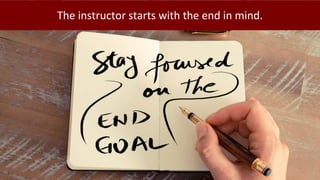
The instructor starts with the end in mind.
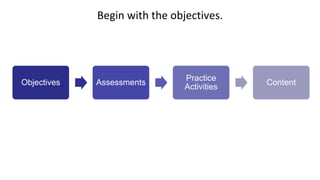
Begin with the objectives.
Objectives Assessments
Practice
Activities
Content
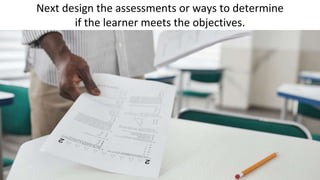
Next design the assessments or ways to determine
if the learner meets the objectives.
After you design the assessments,
you create the instructional materials to meet the objectives.
If everything is done correctly, learners should pass the
assessment thus demonstrating they have met your objective.
There are other names for backward design.
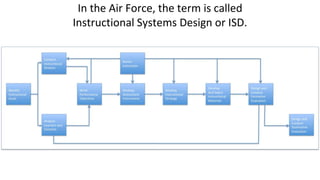
In the Air Force, the term is called
Instructional Systems Design or ISD.
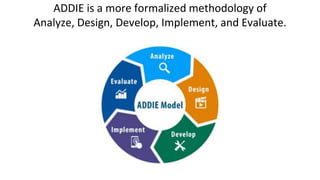
ADDIE is a more formalized methodology of
Analyze, Design, Develop, Implement, and Evaluate.
There are many reasons to use backward design
when designing courses.
Backward design focuses primarily on
student learning and understanding.
You’re focused on meeting the objective.
It helps prevent fluff or unnecessary content.
It encourages the instructor to establish the purpose of doing
something before implementing it into the curriculum
Instructors know exactly what and why
they are teaching something.
It helps identify the correct resources necessary to instruct.
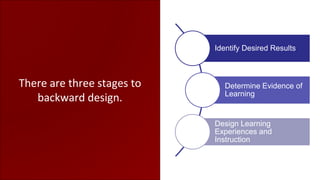
There are three stages to
backward design.
Identify Desired Results
Determine Evidence of
Learning
Design Learning
Experiences and
Instruction
Stage one is identifying desired results.
When designing a course, first create your goals and objectives.
A course goal indicates a broad learning outcome
students will acquire at the end of the course.
The goal must be realistic and achievable
but is not usually measurable.
A course objective indicates a specific learning outcome,
which should be measurable.
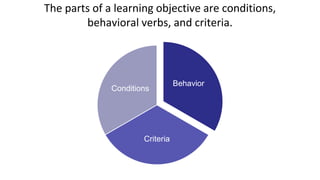
The parts of a learning objective are conditions,
behavioral verbs, and criteria.
Behavior
Criteria
Conditions
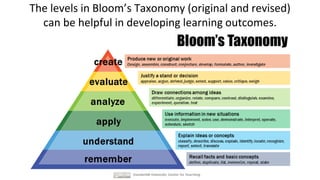
The levels in Bloom’s Taxonomy (original and revised)
can be helpful in developing learning outcomes.
Stage two is determining acceptable evidence of learning.
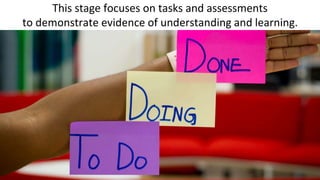
This stage focuses on tasks and assessments
to demonstrate evidence of understanding and learning.
In essence, you simply put the objective into action.
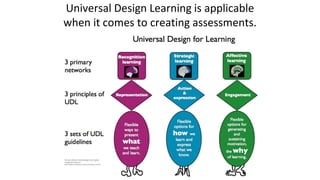
Universal Design Learning is applicable
when it comes to creating assessments.
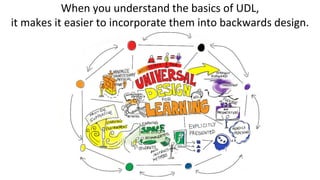
When you understand the basics of UDL,
it makes it easier to incorporate them into backwards design.
Stage three is designing learning experiences and instruction.
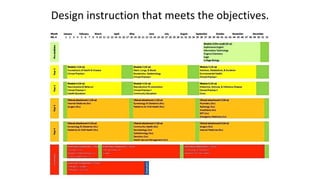
Design instruction that meets the objectives.
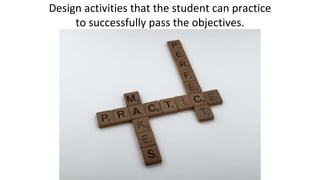
Design activities that the student can practice
to successfully pass the objectives.
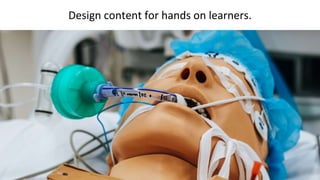
Design content for hands on learners.
UDL helps you decide on choice and supports.
Backward design works
neatly with open
educational resources
(OER).
Start by having the objectives in front of you
as you look for resources.
When designing backwards,
looking for OER should be the last step you consider.
Plan how students will engage with learning materials
to prepare for the assessments.
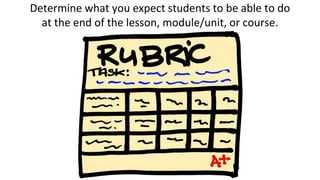
Determine what you expect students to be able to do
at the end of the lesson, module/unit, or course.
Articulate how students will demonstrate they have achieved
these learning outcomes; these are your assessments.
There are three primary ways to use existing OER.
As Is
Revise
Remix
Find a piece of OER and use it as-is.
Revise a piece of OER to meet your needs.
Take several pieces of OER and remix them into a new
compilation, using them either as they are or with revisions.
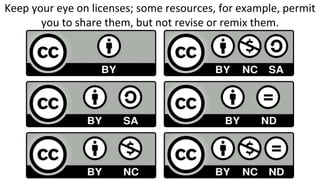
Keep your eye on licenses; some resources, for example, permit
you to share them, but not revise or remix them.

ITC:41 - Using Backward Design to Build Better Courses.pptx

Editor's Notes

  • #2 Photo by picjumbo.com: https://www.pexels.com/photo/white-printer-paper-196645/
  • #3 Photo by Gaining Visuals on Unsplash
  • #4 Photo by Vanessa Garcia : https://www.pexels.com/photo/photo-of-man-sitting-in-front-of-laptop-6326059/
  • #5 Photo by Adeolu Eletu on Unsplash
  • #6 Photo by Ihor Malytskyi on Unsplash
  • #7 Photo by picjumbo.com: https://www.pexels.com/photo/notebook-beside-the-iphone-on-table-196644/
  • #8 Photo by Daria Shevtsova: https://www.pexels.com/photo/everything-is-connected-neon-light-signage-1356300/
  • #11 Photo by Andy Barbour: https://www.pexels.com/photo/a-person-holding-test-papers-6683441/
  • #12 Photo by Monstera: https://www.pexels.com/photo/student-writing-in-papers-with-homework-task-6238039/
  • #13 Photo by Donald Tong: https://www.pexels.com/photo/person-doing-thumbs-up-193821/
  • #14 https://www.flickr.com/photos/vblibrary/6517132943
  • #15 Kenbethea, CC BY-SA 3.0 <https://creativecommons.org/licenses/by-sa/3.0>, via Wikimedia Commons
  • #17 https://www.flickr.com/photos/emagic/56206868/
  • #18 Photo by cottonbro: https://www.pexels.com/photo/a-diligent-male-student-reading-a-book-4861373/
  • #19 Photo by Engin Akyurt: https://www.pexels.com/photo/black-and-white-dartboard-1552617/
  • #20 Photo by Sharon McCutcheon on Unsplash
  • #21 Photo by Ivan Samkov: https://www.pexels.com/photo/a-person-in-white-long-sleeve-shirt-wearing-blue-medical-gloves-9628829/
  • #22 https://www.flickr.com/photos/debord/4932655275/
  • #23 Photo by olia danilevich: https://www.pexels.com/photo/spiral-notebook-pencils-and-paper-clips-flatlay-5088017/
  • #25 Photo by fauxels: https://www.pexels.com/photo/photo-of-person-pointing-on-laptop-3183171/
  • #26 Photo by Markus Winkler: https://www.pexels.com/photo/green-typewriter-on-brown-wooden-table-4052198/
  • #27 Image by <a href="https://pixabay.com/users/geralt-9301/?utm_source=link-attribution&amp;utm_medium=referral&amp;utm_campaign=image&amp;utm_content=459227">Gerd Altmann</a> from <a href="https://pixabay.com/?utm_source=link-attribution&amp;utm_medium=referral&amp;utm_campaign=image&amp;utm_content=459227">Pixabay</a>
  • #28 Photo by Andrea Piacquadio: https://www.pexels.com/photo/woman-raising-her-hands-up-while-sitting-on-floor-with-macbook-pro-on-lap-3813341/
  • #29 Photo by Ono Kosuki: https://www.pexels.com/photo/crop-man-measuring-length-of-plank-5973895/
  • #31 https://www.flickr.com/photos/vandycft/29428436431
  • #32 Photo by cottonbro: https://www.pexels.com/photo/black-short-coated-dog-on-white-printer-paper-8369515/
  • #33 Photo by Eden Constantino on Unsplash
  • #34 Photo by Yan Krukov: https://www.pexels.com/photo/men-standing-in-front-of-a-blackboard-8197528/
  • #35 https://www.flickr.com/photos/36224492@N06/8973962812
  • #37 Photo by Mars Sector-6 on Unsplash
  • #38 MMCedu, CC BY-SA 4.0 <https://creativecommons.org/licenses/by-sa/4.0>, via Wikimedia Commons
  • #39 Photo by Brett Jordan on Unsplash
  • #40 Photo by Tim Cooper on Unsplash
  • #41 Photo by cottonbro: https://www.pexels.com/photo/woman-with-a-sign-4669113/
  • #42 Jonathasmello, CC BY 3.0 <https://creativecommons.org/licenses/by/3.0>, via Wikimedia Commons
  • #43 Objectives by Nick Youngson CC BY-SA 3.0 Alpha Stock Images
  • #44 Grafik: Markus Büsges, leomaria, CC BY-SA 3.0 <https://creativecommons.org/licenses/by-sa/3.0>, via Wikimedia Commons
  • #45 Photo by MART PRODUCTION: https://www.pexels.com/photo/photo-of-doctor-looking-deeply-unto-the-screen-7088530/
  • #46 File:Rubric.jpg. (2020, October 27). Wikimedia Commons, the free media repository. Retrieved 14:31, April 28, 2022 from https://commons.wikimedia.org/w/index.php?title=File:Rubric.jpg&oldid=504248119.
  • #47 Photo by fauxels: https://www.pexels.com/photo/men-using-imac-indoors-3182780/
  • #49 File:Global Open Educational Resources (OER) Logo - Black and White variation.svg. (2020, October 5). Wikimedia Commons, the free media repository. Retrieved 14:21, April
  • #50 Photo by Alexas Fotos: https://www.pexels.com/photo/time-for-change-sign-with-led-light-2277784/
  • #51 Photo by Yan Krukov: https://www.pexels.com/photo/a-man-using-an-audio-mixer-9005523/
  • #52 Image by <a href="https://pixabay.com/users/progressor-160265/?utm_source=link-attribution&amp;utm_medium=referral&amp;utm_campaign=image&amp;utm_content=783531">progressor</a> from <a href="https://pixabay.com/?utm_source=link-attribution&amp;utm_medium=referral&amp;utm_campaign=image&amp;utm_content=783531">Pixabay</a>