International Research Journal of Engineering and Technology (IRJET) e-ISSN: 2395-0056
Volume: 06 Issue: 11 | Nov 2019 www.irjet.net p-ISSN: 2395-0072
© 2019, IRJET | Impact Factor value: 7.34 | ISO 9001:2008 Certified Journal | Page 117
An Approach to Accelerometer Based Controlled Robot
Rasika Gadage1, Shweta Mirje2, Prajakta Yadav3, Zakiya Makandar4, Mokshita Jain5,
Prof.G.I.Rathod6
1,2,3,4,5Student, Dept. of Computer Engineering, Dr. J J Magdum College of Engineering, Jaysingpur,
Maharastra, India
6Assistant Professor, Dept. of Computer Engineering, Dr. J J Magdum College of Engineering, Jaysingpur,
Maharastra, India
---------------------------------------------------------------------***----------------------------------------------------------------------
Abstract – Now-a-days, everyone is familiar with robot.
Human-Machine interaction is becoming easier to do day to
day work. Robots are becoming more popular for human
helping purpose. So we have decided to make a robot. But in
our project there is not particular human robot. We are going
to make a robotic car for handicapped or for ourselves also.
We can use the robotic car by simply moving the hands
without any physical connection. More probably, we areusing
hand gestures for movement of a robotic carwhichcanbe also
called as Auto Drive module as in our project. By simply hand
movement, we can move the car left, right, forward or
backward in any direction. The robotic car can consist of
robotic arm which is beneficial for doing work where human
being cannot go. Similarly we can attach voice camera which
can be used for communication and also to see that where our
robotic car is. Now we have named themodulesfortheproject
as Hand Gesture Module, Auto Drive Module, VoiceInteraction
and Robotic Arm.
Key Words: Hand Gesture, Auto Drive, Accelerometer,
Arduino UNO, Robotic Arm.
1. INTRODUCTION
We all are familiar with a normal robot. A normal robot is
somewhat a type of human being. Now-a-days we are using
more machine weapons i.e. there is more interaction
between human and machine.Sowedecidedtomakea robot
which can be helpful for human being.
In our project we are going to make a robotic car which is
handled by hand position. We are going to recognize the
position of hand by accelerometer. By the hand position, we
give the instruction to the robotic car so that it canmoveleft,
right, forward, backward.
In [1], the system is about arduino used robot. In that the
movement of robot is done by arduino. Arduino consists of
program code and according to that the robot moves. In [2],
the system consists of arduino and android. In this system,
we use android device for movement of the robot. By using
android mobile we can move the robot. In [3], the system
uses robocar which is used for movement. In this system,
there is being constructed here is attributed with the
qualities of beingthemultitaskingmachine.Butinoursystem
we are going to use Wi-Fi Module, Robotic Arm, etc. which is
not being used any further.
2. PROPOSED METHODLOGY
To develop a Accelerometer Based Controlled Robot, in
which the robot can move as per the instruction given by
hand gesture i.e. left, right, forward, backward.
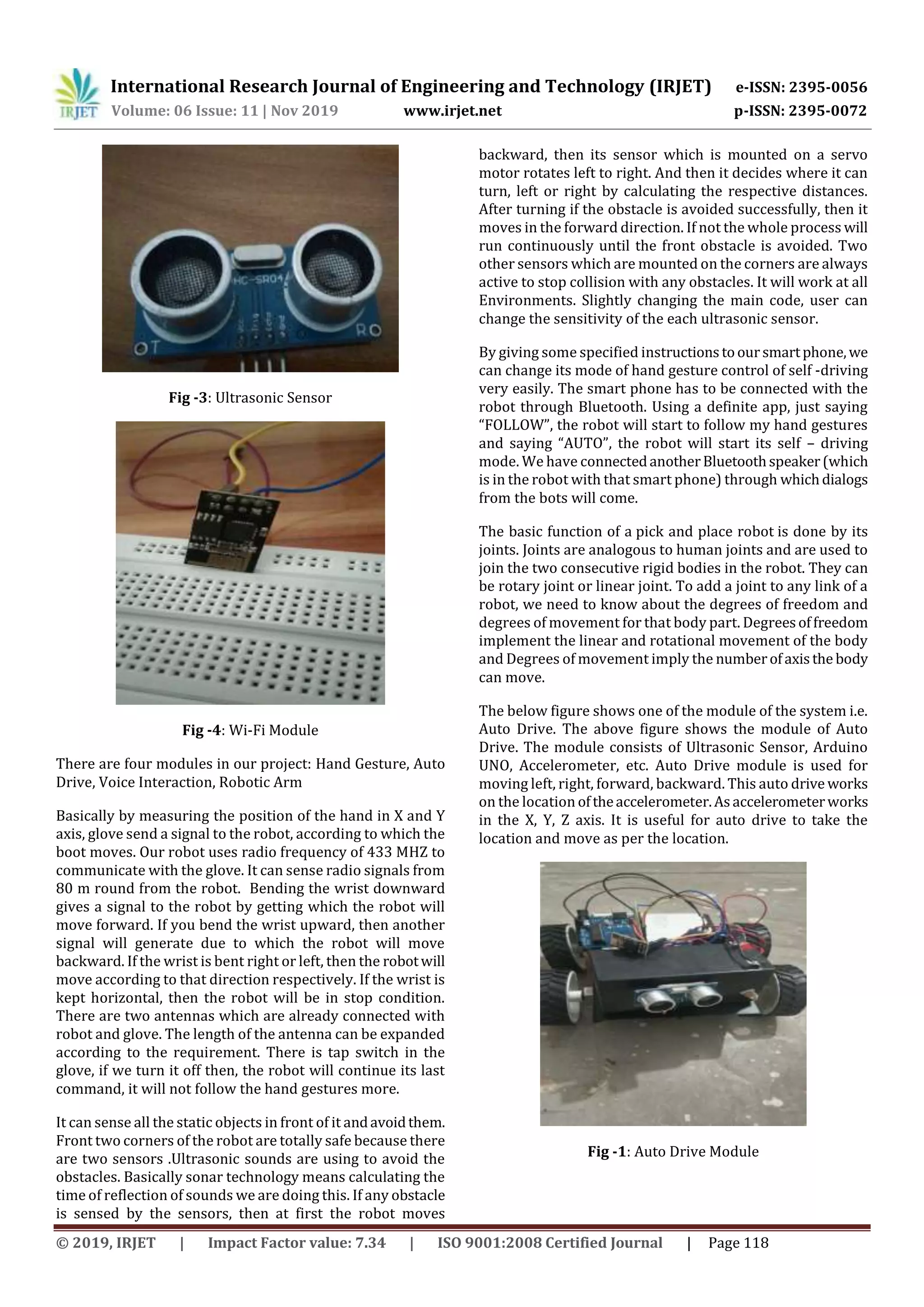
The below figures are some of the components whichwill be
used in our system. Some of them are Accelerometer,
Arduino UNO, Ultrasonic Sensor, Wi-Fi Module.
Fig -1: Accelerometer
Fig -2: Arduino UNO
International Research Journal of Engineering and Technology (IRJET) e-ISSN: 2395-0056
Volume: 06 Issue: 11 | Nov 2019 www.irjet.net p-ISSN: 2395-0072
© 2019, IRJET | Impact Factor value: 7.34 | ISO 9001:2008 Certified Journal | Page 118
Fig -3: Ultrasonic Sensor
Fig -4: Wi-Fi Module
There are four modules in our project: Hand Gesture, Auto
Drive, Voice Interaction, Robotic Arm
Basically by measuring the position of the hand in X and Y
axis, glove send a signal to the robot, according to which the
boot moves. Our robot uses radio frequency of 433 MHZ to
communicate with the glove. It can sense radio signals from
80 m round from the robot. Bending the wrist downward
gives a signal to the robot by getting which the robot will
move forward. If you bend the wrist upward, then another
signal will generate due to which the robot will move
backward. If the wrist is bent right or left, then the robotwill
move according to that direction respectively. If the wrist is
kept horizontal, then the robot will be in stop condition.
There are two antennas which are already connected with
robot and glove. The length of the antenna can be expanded
according to the requirement. There is tap switch in the
glove, if we turn it off then, the robot will continue its last
command, it will not follow the hand gestures more.
It can sense all the static objects in front of it andavoidthem.
Front two corners of the robot are totally safe because there
are two sensors .Ultrasonic sounds are using to avoid the
obstacles. Basically sonar technology means calculating the
time of reflection of sounds we are doing this. If any obstacle
is sensed by the sensors, then at first the robot moves
backward, then its sensor which is mounted on a servo
motor rotates left to right. And then it decides where it can
turn, left or right by calculating the respective distances.
After turning if the obstacle is avoided successfully, then it
moves in the forward direction. If not the whole process will
run continuously until the front obstacle is avoided. Two
other sensors which are mounted on the corners are always
active to stop collision with any obstacles. It will work at all
Environments. Slightly changing the main code, user can
change the sensitivity of the each ultrasonic sensor.
By giving some specified instructionstooursmartphone,we
can change its mode of hand gesture control of self -driving
very easily. The smart phone has to be connected with the
robot through Bluetooth. Using a definite app, just saying
“FOLLOW”, the robot will start to follow my hand gestures
and saying “AUTO”, the robot will start its self – driving
mode. We have connectedanotherBluetoothspeaker(which
is in the robot with that smart phone) through whichdialogs
from the bots will come.
The basic function of a pick and place robot is done by its
joints. Joints are analogous to human joints and are used to
join the two consecutive rigid bodies in the robot. They can
be rotary joint or linear joint. To add a joint to any link of a
robot, we need to know about the degrees of freedom and
degrees of movement for that body part. Degreesoffreedom
implement the linear and rotational movement of the body
and Degrees of movement imply the numberofaxisthe body
can move.
The below figure shows one of the module of the system i.e.
Auto Drive. The above figure shows the module of Auto
Drive. The module consists of Ultrasonic Sensor, Arduino
UNO, Accelerometer, etc. Auto Drive module is used for
moving left, right, forward, backward. This auto drive works
on the location oftheaccelerometer.Asaccelerometerworks
in the X, Y, Z axis. It is useful for auto drive to take the
location and move as per the location.
Fig -1: Auto Drive Module
International Research Journal of Engineering and Technology (IRJET) e-ISSN: 2395-0056
Volume: 06 Issue: 11 | Nov 2019 www.irjet.net p-ISSN: 2395-0072
© 2019, IRJET | Impact Factor value: 7.34 | ISO 9001:2008 Certified Journal | Page 119
3. CONCLUSIONS
We had done the two modules. One is hand gesture and
other is auto drive. In hand gesture, we are going to make a
circuit by using accelerometer which gives X Y and Z axis of
the location. By using location we can recognize the
movement of hand and use the location for sending to auto
drive and use that location for movement of robot. On the
other hand, we have auto drive, which consists of the motor
which moves forward, backward, left, right. Which will help
to move the robot from one place to another?
Overall we have four modules in our system. In which we
have completed two modules i.e. hand gesture and auto
drive. Further we are going to complete remaining modules
of our project, the overall project will be completed in next
semester. Further we are going to attach robotic arm to the
auto drive module which will help to pick the object and can
help us to move object from one place to another. Where
human being can’t move there we can send the robot and
take the objects or do any task using robotic arm. Next
Module is of Voice Interaction. In that we are going to fit the
camera and recognize the voice and let the user know about
the going on place and can interact with the people which
are far and can know the things they need. It will be useful
for us to use voice interaction. Again we can add the fire
sensor to the robot. So that if there is fire then we can send
robot and spray water to fire to reduce the fire.
REFERENCES
[1] Accelerometer and Arduino Based Gesture Controlled
Robot(IEEE Paper):
http://www.ijirset.com .
[2] Gesture Control Robot using Arduino and Android(IEEE
Paper):
http://www.ijarcsse.com/index.php/ijarcsse
[3] Accelerometer based gesture controlled robot using
Arduino:
https://www.youtube.com/watch?v=IEVK3PpQTho&fea
ture=youtu.be
[4] Accelerometer Based Gesture Controlled Robot with
Robotic Arm:
http://www.ijirst.org/articles/IJIRSTV3I10031.pdf
[5] Accelerometer-Based Control of an Industrial Robotic
Arm
[6] Accelerometer Based ControlledofanIndustrial Robotic
Arm(IEEE paper):
https://www.researchgate.net/publication/224079193
_Accelerometer
Based_Control_of_an_Industrial_Robotic_Arm
[7] Accelerometer and Arduino Based Gesture Controlled
Robocar(IEEE Paper):
http://www.ijirset.com

IRJET- An Approach to Accelerometer based Controlled Robot

  • 1.
    International Research Journalof Engineering and Technology (IRJET) e-ISSN: 2395-0056 Volume: 06 Issue: 11 | Nov 2019 www.irjet.net p-ISSN: 2395-0072 © 2019, IRJET | Impact Factor value: 7.34 | ISO 9001:2008 Certified Journal | Page 117 An Approach to Accelerometer Based Controlled Robot Rasika Gadage1, Shweta Mirje2, Prajakta Yadav3, Zakiya Makandar4, Mokshita Jain5, Prof.G.I.Rathod6 1,2,3,4,5Student, Dept. of Computer Engineering, Dr. J J Magdum College of Engineering, Jaysingpur, Maharastra, India 6Assistant Professor, Dept. of Computer Engineering, Dr. J J Magdum College of Engineering, Jaysingpur, Maharastra, India ---------------------------------------------------------------------***---------------------------------------------------------------------- Abstract – Now-a-days, everyone is familiar with robot. Human-Machine interaction is becoming easier to do day to day work. Robots are becoming more popular for human helping purpose. So we have decided to make a robot. But in our project there is not particular human robot. We are going to make a robotic car for handicapped or for ourselves also. We can use the robotic car by simply moving the hands without any physical connection. More probably, we areusing hand gestures for movement of a robotic carwhichcanbe also called as Auto Drive module as in our project. By simply hand movement, we can move the car left, right, forward or backward in any direction. The robotic car can consist of robotic arm which is beneficial for doing work where human being cannot go. Similarly we can attach voice camera which can be used for communication and also to see that where our robotic car is. Now we have named themodulesfortheproject as Hand Gesture Module, Auto Drive Module, VoiceInteraction and Robotic Arm. Key Words: Hand Gesture, Auto Drive, Accelerometer, Arduino UNO, Robotic Arm. 1. INTRODUCTION We all are familiar with a normal robot. A normal robot is somewhat a type of human being. Now-a-days we are using more machine weapons i.e. there is more interaction between human and machine.Sowedecidedtomakea robot which can be helpful for human being. In our project we are going to make a robotic car which is handled by hand position. We are going to recognize the position of hand by accelerometer. By the hand position, we give the instruction to the robotic car so that it canmoveleft, right, forward, backward. In [1], the system is about arduino used robot. In that the movement of robot is done by arduino. Arduino consists of program code and according to that the robot moves. In [2], the system consists of arduino and android. In this system, we use android device for movement of the robot. By using android mobile we can move the robot. In [3], the system uses robocar which is used for movement. In this system, there is being constructed here is attributed with the qualities of beingthemultitaskingmachine.Butinoursystem we are going to use Wi-Fi Module, Robotic Arm, etc. which is not being used any further. 2. PROPOSED METHODLOGY To develop a Accelerometer Based Controlled Robot, in which the robot can move as per the instruction given by hand gesture i.e. left, right, forward, backward. The below figures are some of the components whichwill be used in our system. Some of them are Accelerometer, Arduino UNO, Ultrasonic Sensor, Wi-Fi Module. Fig -1: Accelerometer Fig -2: Arduino UNO
  • 2.
    International Research Journalof Engineering and Technology (IRJET) e-ISSN: 2395-0056 Volume: 06 Issue: 11 | Nov 2019 www.irjet.net p-ISSN: 2395-0072 © 2019, IRJET | Impact Factor value: 7.34 | ISO 9001:2008 Certified Journal | Page 118 Fig -3: Ultrasonic Sensor Fig -4: Wi-Fi Module There are four modules in our project: Hand Gesture, Auto Drive, Voice Interaction, Robotic Arm Basically by measuring the position of the hand in X and Y axis, glove send a signal to the robot, according to which the boot moves. Our robot uses radio frequency of 433 MHZ to communicate with the glove. It can sense radio signals from 80 m round from the robot. Bending the wrist downward gives a signal to the robot by getting which the robot will move forward. If you bend the wrist upward, then another signal will generate due to which the robot will move backward. If the wrist is bent right or left, then the robotwill move according to that direction respectively. If the wrist is kept horizontal, then the robot will be in stop condition. There are two antennas which are already connected with robot and glove. The length of the antenna can be expanded according to the requirement. There is tap switch in the glove, if we turn it off then, the robot will continue its last command, it will not follow the hand gestures more. It can sense all the static objects in front of it andavoidthem. Front two corners of the robot are totally safe because there are two sensors .Ultrasonic sounds are using to avoid the obstacles. Basically sonar technology means calculating the time of reflection of sounds we are doing this. If any obstacle is sensed by the sensors, then at first the robot moves backward, then its sensor which is mounted on a servo motor rotates left to right. And then it decides where it can turn, left or right by calculating the respective distances. After turning if the obstacle is avoided successfully, then it moves in the forward direction. If not the whole process will run continuously until the front obstacle is avoided. Two other sensors which are mounted on the corners are always active to stop collision with any obstacles. It will work at all Environments. Slightly changing the main code, user can change the sensitivity of the each ultrasonic sensor. By giving some specified instructionstooursmartphone,we can change its mode of hand gesture control of self -driving very easily. The smart phone has to be connected with the robot through Bluetooth. Using a definite app, just saying “FOLLOW”, the robot will start to follow my hand gestures and saying “AUTO”, the robot will start its self – driving mode. We have connectedanotherBluetoothspeaker(which is in the robot with that smart phone) through whichdialogs from the bots will come. The basic function of a pick and place robot is done by its joints. Joints are analogous to human joints and are used to join the two consecutive rigid bodies in the robot. They can be rotary joint or linear joint. To add a joint to any link of a robot, we need to know about the degrees of freedom and degrees of movement for that body part. Degreesoffreedom implement the linear and rotational movement of the body and Degrees of movement imply the numberofaxisthe body can move. The below figure shows one of the module of the system i.e. Auto Drive. The above figure shows the module of Auto Drive. The module consists of Ultrasonic Sensor, Arduino UNO, Accelerometer, etc. Auto Drive module is used for moving left, right, forward, backward. This auto drive works on the location oftheaccelerometer.Asaccelerometerworks in the X, Y, Z axis. It is useful for auto drive to take the location and move as per the location. Fig -1: Auto Drive Module
  • 3.
    International Research Journalof Engineering and Technology (IRJET) e-ISSN: 2395-0056 Volume: 06 Issue: 11 | Nov 2019 www.irjet.net p-ISSN: 2395-0072 © 2019, IRJET | Impact Factor value: 7.34 | ISO 9001:2008 Certified Journal | Page 119 3. CONCLUSIONS We had done the two modules. One is hand gesture and other is auto drive. In hand gesture, we are going to make a circuit by using accelerometer which gives X Y and Z axis of the location. By using location we can recognize the movement of hand and use the location for sending to auto drive and use that location for movement of robot. On the other hand, we have auto drive, which consists of the motor which moves forward, backward, left, right. Which will help to move the robot from one place to another? Overall we have four modules in our system. In which we have completed two modules i.e. hand gesture and auto drive. Further we are going to complete remaining modules of our project, the overall project will be completed in next semester. Further we are going to attach robotic arm to the auto drive module which will help to pick the object and can help us to move object from one place to another. Where human being can’t move there we can send the robot and take the objects or do any task using robotic arm. Next Module is of Voice Interaction. In that we are going to fit the camera and recognize the voice and let the user know about the going on place and can interact with the people which are far and can know the things they need. It will be useful for us to use voice interaction. Again we can add the fire sensor to the robot. So that if there is fire then we can send robot and spray water to fire to reduce the fire. REFERENCES [1] Accelerometer and Arduino Based Gesture Controlled Robot(IEEE Paper): http://www.ijirset.com . [2] Gesture Control Robot using Arduino and Android(IEEE Paper): http://www.ijarcsse.com/index.php/ijarcsse [3] Accelerometer based gesture controlled robot using Arduino: https://www.youtube.com/watch?v=IEVK3PpQTho&fea ture=youtu.be [4] Accelerometer Based Gesture Controlled Robot with Robotic Arm: http://www.ijirst.org/articles/IJIRSTV3I10031.pdf [5] Accelerometer-Based Control of an Industrial Robotic Arm [6] Accelerometer Based ControlledofanIndustrial Robotic Arm(IEEE paper): https://www.researchgate.net/publication/224079193 _Accelerometer Based_Control_of_an_Industrial_Robotic_Arm [7] Accelerometer and Arduino Based Gesture Controlled Robocar(IEEE Paper): http://www.ijirset.com