iOS Basics
Introducing
the iPad,
iPhone, and
iCloud.
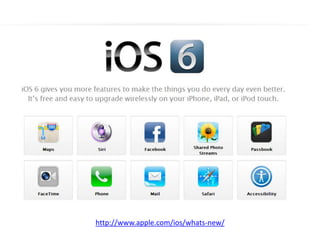
iOS 6
• iOS is Apple’s mobile operating system (OS).
• iOS runs on iPod Touches, iPhones, iPads, and
Apple TVs.
• Interact with the OS by swiping, tapping,
pinching, reverse pinching, shaking, rotating the
device etc.
• Updates since version 5.0 now happen over the
air (OTA).
Source: http://en.wikipedia.org/wiki/IOS
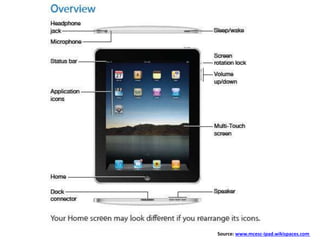
Source: www.mcesc-ipad.wikispaces.com
http://www.apple.com/ios/whats-new/
Installing Apps
Apple ID
appleid.apple.com/
yourname@icloud.com
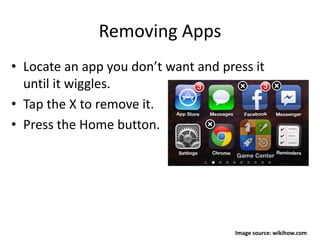
Removing Apps
• Locate an app you don’t want and press it
until it wiggles.
• Tap the X to remove it.
• Press the Home button.
Image source: wikihow.com
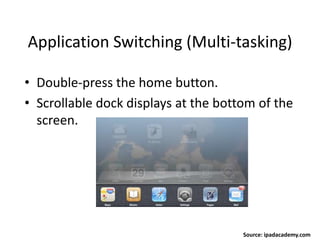
Application Switching (Multi-tasking)
• Double-press the home button.
• Scrollable dock displays at the bottom of the
screen.
Source: ipadacademy.com
Apple’s cloud-based storage
and syncing service.
iCloud
• Syncs data/documents between iDevices, Mac, and PC.
• Backs up/restores iDevices.
• First 5 GBs are free!
• Over Wi-Fi you can move everything (restore) from an old
iDevice to a new one.
• Yourname@me.com, yourname@icloud.com
• Web-based (i.e., cloud) access to your files (e.g., calendar,
contacts, notes, reminders, documents, photo streams, settings
of iDevices etc.) Note: music and movies don’t get backed up.
• Find your iPhone!
Source: http://goo.gl/xcukI
www.icloud.com/
iCloud
• iCloud account is created by Apple ID
• It is best to have 1 iCloud account for each
person so calendars, contacts etc. don’t get
confused with other people.
• Can have one Apple ID to buy music etc. for
the family and also have a separate iCloud
account.
Live Demo

iOS Basics: Introducing the iPad, iPhone, and iCloud.