Introduction
iCloud is a cloud storage and cloud
computing service from Apple Inc.
launched on October 12, 2011.
the service allows users to store
data such as music or iOS
applications.
Content everywhere
Anything you purchase from the iTunes
Store, App Store, and iBooks Store is
automatically available on all your
devices. You can also access past
purchases from any of your devices.
Basics Features of
iCLOUD
The cloud-based system allows
users to store :
Music,
Photos,

Applications
Documents
Bookmark
Basics Features of
iCLOUD
Reminders
Backups
Notes

Ibooks
Contacts and provides a platform for Apple's email
servers and calendars
Photos and Video
iCloud service which allows users to
store the most recent 1,000 photos on
the iCloud servers up to 30 days free of
charge. When a photo is taken on a
device with Photo Stream enabled, it is
automatically uploaded to the iCloud
servers; from there, it is automatically
pushed to the rest of device you have
got.
Find My iPhone
allows users to track the location of
their iOS device or Mac. A user can
see the device's approximate
location on a map and display a
message or play a sound on the
device (even if it is set to silent),
change the password on the device,
and remotely erase its contents.
iCloud Keychain
Keeps website, credit card, and Wi-Fi
account information up to date across
your iOS devices and Mac computers.
It also keeps Internet account names,
passwords, and settings up to date on
your Mac computers.
Find My Friends
Find My Friends is very similar to Find
My iPhone, except users can share their
location with other friends or family
using the feature.
iOS 6 added location-based alerts to
notify the user when a device arrives at
a certain location
Backup and restore
iCloud automatically backs up your
iOS device daily over Wi-Fi when
your device is turned on, locked,
and connected to a power source.
You can use your iCloud backup to
restore your iOS device or set up a
new one.
Music , Movies ,Books
With iCloud, anything you purchase in the
iTunes Store, the App Store, and iBooks is
automatically available on all your
devices the moment you tap Buy. You can
also access past purchases from any of
your devices. And whenever you start
something on one device, all your other
devices automatically remember where
you left off.
Why do you need iCLOUD
Back to My Mac
Control your remote Mac just as if you
were sitting in front of it. Screen sharing
opens a window displaying the desktop
of your remote Mac. You can use your
mouse and keyboard to open
applications, edit documents, and more.
Advantages
Don't have to use a USB chord to sync information
Pushes all your information to listed devices .
Makes it easier to sync information when you get a
new device
It's free to get 5GB of storage
Easier access to information
Disadvantages
iCloud service is compatible only with IOS devices
and has widespread accessibility issues.
iCloud will only keep new photos for 30 days using
the iPhone
iTunes has to be open in order to sync music, apps,
etc.
Possible security issues when you have multiple
devices synced to one account .
Conclusion
Apple’s iCloud can automatically
synchronize data from Macs, PCs
and iOS devices, which can help
people who are forced to deal with
multiple computer worlds.
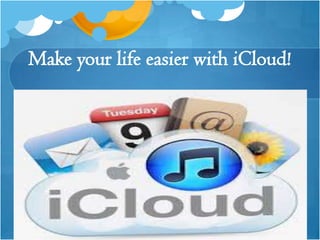
Make your life easier with iCloud!
icloud

icloud

  • 2.
    Introduction iCloud is acloud storage and cloud computing service from Apple Inc. launched on October 12, 2011. the service allows users to store data such as music or iOS applications.
  • 3.
    Content everywhere Anything youpurchase from the iTunes Store, App Store, and iBooks Store is automatically available on all your devices. You can also access past purchases from any of your devices.
  • 4.
    Basics Features of iCLOUD Thecloud-based system allows users to store : Music, Photos, Applications Documents Bookmark
  • 5.
    Basics Features of iCLOUD Reminders Backups Notes Ibooks Contactsand provides a platform for Apple's email servers and calendars
  • 6.
    Photos and Video iCloudservice which allows users to store the most recent 1,000 photos on the iCloud servers up to 30 days free of charge. When a photo is taken on a device with Photo Stream enabled, it is automatically uploaded to the iCloud servers; from there, it is automatically pushed to the rest of device you have got.
  • 7.
    Find My iPhone allowsusers to track the location of their iOS device or Mac. A user can see the device's approximate location on a map and display a message or play a sound on the device (even if it is set to silent), change the password on the device, and remotely erase its contents.
  • 8.
    iCloud Keychain Keeps website,credit card, and Wi-Fi account information up to date across your iOS devices and Mac computers. It also keeps Internet account names, passwords, and settings up to date on your Mac computers.
  • 9.
    Find My Friends FindMy Friends is very similar to Find My iPhone, except users can share their location with other friends or family using the feature. iOS 6 added location-based alerts to notify the user when a device arrives at a certain location
  • 10.
    Backup and restore iCloudautomatically backs up your iOS device daily over Wi-Fi when your device is turned on, locked, and connected to a power source. You can use your iCloud backup to restore your iOS device or set up a new one.
  • 11.
    Music , Movies,Books With iCloud, anything you purchase in the iTunes Store, the App Store, and iBooks is automatically available on all your devices the moment you tap Buy. You can also access past purchases from any of your devices. And whenever you start something on one device, all your other devices automatically remember where you left off.
  • 12.
    Why do youneed iCLOUD
  • 13.
    Back to MyMac Control your remote Mac just as if you were sitting in front of it. Screen sharing opens a window displaying the desktop of your remote Mac. You can use your mouse and keyboard to open applications, edit documents, and more.
  • 14.
    Advantages Don't have touse a USB chord to sync information Pushes all your information to listed devices . Makes it easier to sync information when you get a new device It's free to get 5GB of storage Easier access to information
  • 15.
    Disadvantages iCloud service iscompatible only with IOS devices and has widespread accessibility issues. iCloud will only keep new photos for 30 days using the iPhone iTunes has to be open in order to sync music, apps, etc. Possible security issues when you have multiple devices synced to one account .
  • 16.
    Conclusion Apple’s iCloud canautomatically synchronize data from Macs, PCs and iOS devices, which can help people who are forced to deal with multiple computer worlds.
  • 17.
    Make your lifeeasier with iCloud!