Welcome to the
Library at Royal
Holloway
When can I come to the Library?
http://www.flickr.com/photos/erikvanhannen/537167308/sizes/l/
Autumn Term Opening Hours
Bedford Library Founder’s Library
24/7 Monday – Thursday: 08:00 – 01:00
Friday: 08:00 – 21:00
Saturday & Sunday: 08:30 – 21:00
1
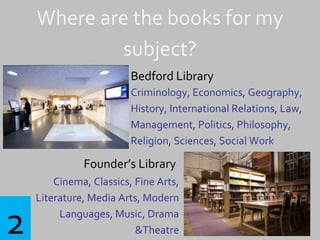
Where are the books for my
subject?
Bedford Library
Criminology, Economics, Geography,
History, International Relations, Law,
Management, Politics, Philosophy,
Religion, Sciences, Social Work
Founder’s Library
Cinema, Classics, Fine Arts,
Literature, Media Arts, Modern
Languages, Music, Drama
&Theatre2
How do I find books on my
reading list?
Search using Library Search:
http://www.rhul.ac.uk/library
Look for your online reading list:
http://readinglists.rhul.ac.uk
3
What if I don’t renew or bring
books back on time?
Three Week Loan 20p per day
One Week Loan 40p per day
24 Hour Loan 50p per hour
Sway Away. Geoanne Millares.
4
What can I do in the Library?
Study spaces: Silent, Quiet, Group study
Computer access: Fixed PCs, self-service laptops,
specialist software, laptop support
Printing, photocopying, scanning
Group study rooms: whiteboard, projector loans
DVDs & CDs
Books & Journals
Speak to your subject Librarian
5
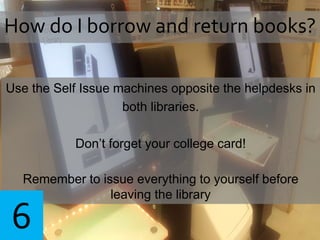
Use the Self Issue machines opposite the helpdesks in
both libraries.
Don’t forget your college card!
Remember to issue everything to yourself before
leaving the library
How do I borrow and return books?
6
How many books can I borrow?
25 books at a time
Your receipt shows when the items must be
renewed or returned
7
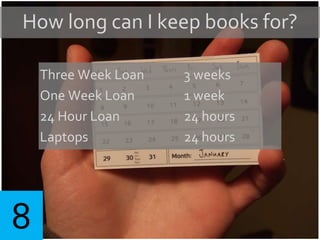
How long can I keep books for?
Three Week Loan 3 weeks
One Week Loan 1 week
24 Hour Loan 24 hours
Laptops 24 hours
8
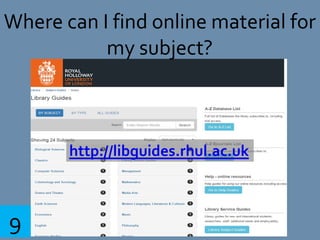
Where can I find online material for
my subject?
http://libguides.rhul.ac.uk
9
Missing book. Jeffrey Beall. CC BY SA
None of the books I need are on
the shelf, how do I get hold of
copies?
Place a hold request using LibrarySearch
Suggest a book using the More Books form
10
Can I check what books I’ve
borrowed and renew them?
Check your account online
Use the Self issue machines
11
I’ve forgotten my laptop what can I
do?
Borrow a laptop from
the self-service laptop lockers in Bedford Library
or at the Helpdesk in Founder’s Library
12
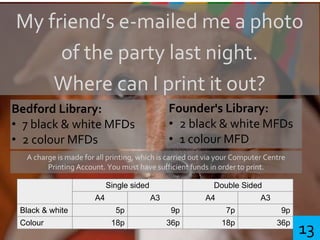
My friend’s e-mailed me a photo
of the party last night.
Where can I print it out?
Bedford Library:
• 7 black & white MFDs
• 2 colour MFDs
Founder's Library:
• 2 black & white MFDs
• 1 colour MFD
A charge is made for all printing, which is carried out via your Computer Centre
Printing Account. You must have sufficient funds in order to print.
Single sided Double Sided
A4 A3 A4 A3
Black & white 5p 9p 7p 9p
Colour 18p 36p 18p 36p
13
Book group study rooms online:
libraryrooms.rhul.ac.uk
6 in Bedford Library
2 in Founder’s Library
We’re doing a presentation where
can we practice?
14
Go to your Subject Guide for resources, and help
Sign up for group training sessions
Visit the Library helpdesks
Click ‘Library’ on Moodle for online lessons
Book a one to one appointment with a librarian
Where can I get more help?
15
Introduction to the library general with hyperlinks

Introduction to the library general with hyperlinks

  • 1.
    Welcome to the Libraryat Royal Holloway
  • 2.
    When can Icome to the Library? http://www.flickr.com/photos/erikvanhannen/537167308/sizes/l/ Autumn Term Opening Hours Bedford Library Founder’s Library 24/7 Monday – Thursday: 08:00 – 01:00 Friday: 08:00 – 21:00 Saturday & Sunday: 08:30 – 21:00 1
  • 3.
    Where are thebooks for my subject? Bedford Library Criminology, Economics, Geography, History, International Relations, Law, Management, Politics, Philosophy, Religion, Sciences, Social Work Founder’s Library Cinema, Classics, Fine Arts, Literature, Media Arts, Modern Languages, Music, Drama &Theatre2
  • 4.
    How do Ifind books on my reading list? Search using Library Search: http://www.rhul.ac.uk/library Look for your online reading list: http://readinglists.rhul.ac.uk 3
  • 5.
    What if Idon’t renew or bring books back on time? Three Week Loan 20p per day One Week Loan 40p per day 24 Hour Loan 50p per hour Sway Away. Geoanne Millares. 4
  • 6.
    What can Ido in the Library? Study spaces: Silent, Quiet, Group study Computer access: Fixed PCs, self-service laptops, specialist software, laptop support Printing, photocopying, scanning Group study rooms: whiteboard, projector loans DVDs & CDs Books & Journals Speak to your subject Librarian 5
  • 7.
    Use the SelfIssue machines opposite the helpdesks in both libraries. Don’t forget your college card! Remember to issue everything to yourself before leaving the library How do I borrow and return books? 6
  • 8.
    How many bookscan I borrow? 25 books at a time Your receipt shows when the items must be renewed or returned 7
  • 9.
    How long canI keep books for? Three Week Loan 3 weeks One Week Loan 1 week 24 Hour Loan 24 hours Laptops 24 hours 8
  • 10.
    Where can Ifind online material for my subject? http://libguides.rhul.ac.uk 9
  • 11.
    Missing book. JeffreyBeall. CC BY SA None of the books I need are on the shelf, how do I get hold of copies? Place a hold request using LibrarySearch Suggest a book using the More Books form 10
  • 12.
    Can I checkwhat books I’ve borrowed and renew them? Check your account online Use the Self issue machines 11
  • 13.
    I’ve forgotten mylaptop what can I do? Borrow a laptop from the self-service laptop lockers in Bedford Library or at the Helpdesk in Founder’s Library 12
  • 14.
    My friend’s e-mailedme a photo of the party last night. Where can I print it out? Bedford Library: • 7 black & white MFDs • 2 colour MFDs Founder's Library: • 2 black & white MFDs • 1 colour MFD A charge is made for all printing, which is carried out via your Computer Centre Printing Account. You must have sufficient funds in order to print. Single sided Double Sided A4 A3 A4 A3 Black & white 5p 9p 7p 9p Colour 18p 36p 18p 36p 13
  • 15.
    Book group studyrooms online: libraryrooms.rhul.ac.uk 6 in Bedford Library 2 in Founder’s Library We’re doing a presentation where can we practice? 14
  • 16.
    Go to yourSubject Guide for resources, and help Sign up for group training sessions Visit the Library helpdesks Click ‘Library’ on Moodle for online lessons Book a one to one appointment with a librarian Where can I get more help? 15