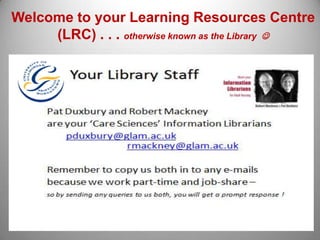
Welcome to your Learning Resources Centre
     (LRC) . . . otherwise known as the Library 
How to get a UNI Password
• You need this to gain access our electronic resources

• Go to www.glam.ac.uk

• Click the GlamLife tab at top right of the screen

• The GlamLife student portal will appear

• Directly underneath the Log In button click to

   ‘reset your password or activate your account’

• This will take you to Self Service Accounts Administration
  http://ssaa.glam.ac.uk

• Now take 2 minutes to set up your password.
Your
enrolment
number
Your Library Resources
     E-Journals, E-Newspapers,
     E-Databases - find them all at

     Books on the shelves
     Print Journals on the shelves
     On-line E-books
     Search for them all using our library catalogue
     Once you’ve registered with SSAA – return to the main Uni Glam
     web page www.glam.ac.uk

1.    Click on the GlamLife tab - top right of the page
2.    Click the ‘log in’ button – centre of next page
3.    You will arrive at your personal student GlamLife portal!
Click here to gain
access to our
library resources
help and
guidance
Your UNI e-mail address


• Is your enrolment number e.g. 795326@glam.ac.uk

• Your name is automatically added to the system.

• You access this from the GlamLife portal.

• Remember to check your University e-mail regularly.
Where will I find the books I need?
(not applicable to distance learning students)


• First, look on OPAC
  (Online Public Access Catalogue) to see what we have.

• Note the book classification number (the number on the book spine).

• Once you have the classification number, go to the book shelves to
  retrieve your book.

• Look at the shelf number lists, posted on the end of each book stack –
  300’s, 600’s etc.

• Work your way along the shelf, until you come to the number you
  need.

• Distance learners: Select online books (e-books) from the catalogue
Use this
option for
e-books
What’s a Library PIN and why do I need one . . .

• You need a PIN to manage your Library Account

• It is a 4 digit number . . . . It is not your enrolment number

• With your personal account, you will be able to renew books yourself

• Reserve books - that are on loan to somebody else

• Order a book (or journal article) which we do not stock
  (via our inter-library loan service)

• If you do not receive your PIN in a welcome e-mail, you can ask us for one, in
  person, by phone, or e-mail . . .

                    01443 482625 - lrsupport@glam.ac.uk
Library fees and charges
       they soon mount up . . . this is why you need to manage
         your own account . . . to ensure you NEVER pay fees!


•   Standard & One Week Loan fines:
    15p per day

•   Short Loan fines:
    £1.00 per hour

•   Late, lost & non-returned inter-library loans: £130 per item
    (charged by the British Library)

•   Laptop fines (overnight loans):
    £4.00 for the first hour, then £1.00 per hour thereafter . . .
Loan Entitlement & LRC Opening Hours
•   You can borrow up to 12 books
•   3 hour loan Laptops – use in the LRC with Wi-Fi connection


•   Use this link to find out where you can use a computer
                                               http://lcss.glam.ac.uk/is/facilities/gt/

•   LRCs at Glyntaff & Treforest are normally open from 8.00am to 10.00pm Mon – Thurs
    (during term time) but check before you visit http://lcss.glam.ac.uk/lrc/hours/

•   Saturday: 10.00am to 4pm
•   Sunday: (only at Treforest Campus) 10.00am to 4pm (self service)

•   There is a Qualified Librarian available (ask at the Information Desk) to answer your
    research queries - from 9.00am to 7.00pm (Mon – Thurs) and 9.00 - 5pm on Fridays

•   Or contact 01443 482625 - lrsupport@glam.ac.uk
Inter-Library Loans


• If we do not have the item you need (book or
  journal) you can request it using our Inter-Library
  Loan Service – see OPAC for details.


• There is a £3 fee for this service.
An organized collection of
information from a particular
subject area.

Can be searched and retrieved
electronically.

Contents include journal
articles, newspaper articles, book
reviews, conference
proceedings, etc.

Usually updated on a
daily, weekly, monthly or quarterly
basis.

Full-text databases contain the
whole content of an article.

Bibliographic databases contain
only citation information, i.e.
author, journal title, date and
CINAHL Plus with Full-Text
Provides authoritative coverage of literature related to nursing
and health from 1937. Selected journals also in the areas of
consumer health, biomedicine and health sciences
librarianship. International in coverage but US in origin.

MEDLINE
The most widely used medical database. It contains
citations and author abstracts from more than 4,600 biomedical
journals from 1966. International in coverage, US in origin.
View the on-line tutorial
to become expert at
researching your topic !
If you haven’t written an assignment for years . . . . .
                      or English is your second language . . . .
         You can ask for help from our Education Drop In Centre – EDIC

• They can arrange a tutorial to help you with your task;

•   show you how to reference
•   avoid plagiarism
•   help with report writing
•   or understanding statistics etc.

• You will find them in the foyer of the Elaine Morgan Building
• at Glyntaff Campus (next door to the LRC).

• OR - e-mail drop-in@glam.ac.uk

• They can e-mail you information and fact sheets – wherever you are based

• Click on ‘study skills’ at Blackboard to access fact sheets & on-line tutorials
e-mail us if you need help . . . .

Robert Mackney rmackney@glam.ac.uk

Pat Duxbury pduxbury@glam.ac.uk


. . . but also remember to watch the FINDit tutorials . . .


  At the start of your course spend 60 mins having a good look
              around the Library website pages
                . . . . it will be time well invested!


                   Thanks for listening 

Care Sciences LRC Induction (Feb 2012)

  • 1.
    Welcome to yourLearning Resources Centre (LRC) . . . otherwise known as the Library 
  • 2.
    How to geta UNI Password • You need this to gain access our electronic resources • Go to www.glam.ac.uk • Click the GlamLife tab at top right of the screen • The GlamLife student portal will appear • Directly underneath the Log In button click to ‘reset your password or activate your account’ • This will take you to Self Service Accounts Administration http://ssaa.glam.ac.uk • Now take 2 minutes to set up your password.
  • 4.
  • 5.
    Your Library Resources E-Journals, E-Newspapers, E-Databases - find them all at Books on the shelves Print Journals on the shelves On-line E-books Search for them all using our library catalogue Once you’ve registered with SSAA – return to the main Uni Glam web page www.glam.ac.uk 1. Click on the GlamLife tab - top right of the page 2. Click the ‘log in’ button – centre of next page 3. You will arrive at your personal student GlamLife portal!
  • 6.
    Click here togain access to our library resources help and guidance
  • 7.
    Your UNI e-mailaddress • Is your enrolment number e.g. 795326@glam.ac.uk • Your name is automatically added to the system. • You access this from the GlamLife portal. • Remember to check your University e-mail regularly.
  • 8.
    Where will Ifind the books I need? (not applicable to distance learning students) • First, look on OPAC (Online Public Access Catalogue) to see what we have. • Note the book classification number (the number on the book spine). • Once you have the classification number, go to the book shelves to retrieve your book. • Look at the shelf number lists, posted on the end of each book stack – 300’s, 600’s etc. • Work your way along the shelf, until you come to the number you need. • Distance learners: Select online books (e-books) from the catalogue
  • 10.
  • 11.
    What’s a LibraryPIN and why do I need one . . . • You need a PIN to manage your Library Account • It is a 4 digit number . . . . It is not your enrolment number • With your personal account, you will be able to renew books yourself • Reserve books - that are on loan to somebody else • Order a book (or journal article) which we do not stock (via our inter-library loan service) • If you do not receive your PIN in a welcome e-mail, you can ask us for one, in person, by phone, or e-mail . . . 01443 482625 - lrsupport@glam.ac.uk
  • 12.
    Library fees andcharges they soon mount up . . . this is why you need to manage your own account . . . to ensure you NEVER pay fees! • Standard & One Week Loan fines: 15p per day • Short Loan fines: £1.00 per hour • Late, lost & non-returned inter-library loans: £130 per item (charged by the British Library) • Laptop fines (overnight loans): £4.00 for the first hour, then £1.00 per hour thereafter . . .
  • 13.
    Loan Entitlement &LRC Opening Hours • You can borrow up to 12 books • 3 hour loan Laptops – use in the LRC with Wi-Fi connection • Use this link to find out where you can use a computer http://lcss.glam.ac.uk/is/facilities/gt/ • LRCs at Glyntaff & Treforest are normally open from 8.00am to 10.00pm Mon – Thurs (during term time) but check before you visit http://lcss.glam.ac.uk/lrc/hours/ • Saturday: 10.00am to 4pm • Sunday: (only at Treforest Campus) 10.00am to 4pm (self service) • There is a Qualified Librarian available (ask at the Information Desk) to answer your research queries - from 9.00am to 7.00pm (Mon – Thurs) and 9.00 - 5pm on Fridays • Or contact 01443 482625 - lrsupport@glam.ac.uk
  • 14.
    Inter-Library Loans • Ifwe do not have the item you need (book or journal) you can request it using our Inter-Library Loan Service – see OPAC for details. • There is a £3 fee for this service.
  • 16.
    An organized collectionof information from a particular subject area. Can be searched and retrieved electronically. Contents include journal articles, newspaper articles, book reviews, conference proceedings, etc. Usually updated on a daily, weekly, monthly or quarterly basis. Full-text databases contain the whole content of an article. Bibliographic databases contain only citation information, i.e. author, journal title, date and
  • 17.
    CINAHL Plus withFull-Text Provides authoritative coverage of literature related to nursing and health from 1937. Selected journals also in the areas of consumer health, biomedicine and health sciences librarianship. International in coverage but US in origin. MEDLINE The most widely used medical database. It contains citations and author abstracts from more than 4,600 biomedical journals from 1966. International in coverage, US in origin.
  • 18.
    View the on-linetutorial to become expert at researching your topic !
  • 19.
    If you haven’twritten an assignment for years . . . . . or English is your second language . . . . You can ask for help from our Education Drop In Centre – EDIC • They can arrange a tutorial to help you with your task; • show you how to reference • avoid plagiarism • help with report writing • or understanding statistics etc. • You will find them in the foyer of the Elaine Morgan Building • at Glyntaff Campus (next door to the LRC). • OR - e-mail drop-in@glam.ac.uk • They can e-mail you information and fact sheets – wherever you are based • Click on ‘study skills’ at Blackboard to access fact sheets & on-line tutorials
  • 20.
    e-mail us ifyou need help . . . . Robert Mackney rmackney@glam.ac.uk Pat Duxbury pduxbury@glam.ac.uk . . . but also remember to watch the FINDit tutorials . . . At the start of your course spend 60 mins having a good look around the Library website pages . . . . it will be time well invested! Thanks for listening 