Moodle and the 1:1 Classroom

        What is Moodle?
         Why Moodle?
   Course Goals and Objectives
           Schedule
What is Moodle?

• Course Management System (CMS)
  – Software for creating, managing, and
    communicating Internet-based course content
    and assessments
• Open Source
• Acronym:
  – Modular Object-Oriented Dynamic Learning
    Environment

                                  Back to Main Page
Why Moodle?
•   Accessible from anywhere with an Internet connection
•   Organize your course content and materials
•   Share resources and materials
•   Hold online discussions and chats
•   Create, distribute and collect assignments
•   Give quizzes, tests and surveys
•   Gather and process data quickly to drive instruction
•   Record grades (can be exported and imported to
    Skyward)

                                       Back to Main Page
Course Goals and Objectives
Goal

• By the end of this training, you will be able to use Moodle to create,
  manage and deliver digital content, activities and assessments.

Objectives

This training will enable participants to:
• Understand the Moodle workspace and basic editing tools
• Share digital resources with students
• Use online assignments, to include digital submission
• Create and deliver online quizzes
• Create and deliver activities using the following tools: Forums,
   Questionnaires, Glossary
• Manage and organize course content electronically
                                                     Back to Main Page
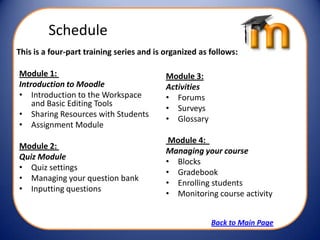
Schedule
This is a four-part training series and is organized as follows:

Module 1:                                  Module 3:
Introduction to Moodle                     Activities
• Introduction to the Workspace            • Forums
    and Basic Editing Tools
                                           • Surveys
• Sharing Resources with Students
                                           • Glossary
• Assignment Module
                                            Module 4:
Module 2:
                                           Managing your course
Quiz Module
                                           • Blocks
• Quiz settings
                                           • Gradebook
• Managing your question bank
                                           • Enrolling students
• Inputting questions
                                           • Monitoring course activity


                                                        Back to Main Page

Introduction to module training

  • 1.
    Moodle and the1:1 Classroom What is Moodle? Why Moodle? Course Goals and Objectives Schedule
  • 2.
    What is Moodle? •Course Management System (CMS) – Software for creating, managing, and communicating Internet-based course content and assessments • Open Source • Acronym: – Modular Object-Oriented Dynamic Learning Environment Back to Main Page
  • 3.
    Why Moodle? • Accessible from anywhere with an Internet connection • Organize your course content and materials • Share resources and materials • Hold online discussions and chats • Create, distribute and collect assignments • Give quizzes, tests and surveys • Gather and process data quickly to drive instruction • Record grades (can be exported and imported to Skyward) Back to Main Page
  • 4.
    Course Goals andObjectives Goal • By the end of this training, you will be able to use Moodle to create, manage and deliver digital content, activities and assessments. Objectives This training will enable participants to: • Understand the Moodle workspace and basic editing tools • Share digital resources with students • Use online assignments, to include digital submission • Create and deliver online quizzes • Create and deliver activities using the following tools: Forums, Questionnaires, Glossary • Manage and organize course content electronically Back to Main Page
  • 5.
    Schedule This is afour-part training series and is organized as follows: Module 1: Module 3: Introduction to Moodle Activities • Introduction to the Workspace • Forums and Basic Editing Tools • Surveys • Sharing Resources with Students • Glossary • Assignment Module Module 4: Module 2: Managing your course Quiz Module • Blocks • Quiz settings • Gradebook • Managing your question bank • Enrolling students • Inputting questions • Monitoring course activity Back to Main Page