#GAPAND2015
proudly present…
and
Please don’t talk
while the show is
going on.
Just sit down, eat
popcorns and do
not interrupt.
Thanks.
Interrupt me. Ask
any question you
have (no
answered
guaranteed :P)
Let’s enjoy
together!
EcmaScript 2015 top new features
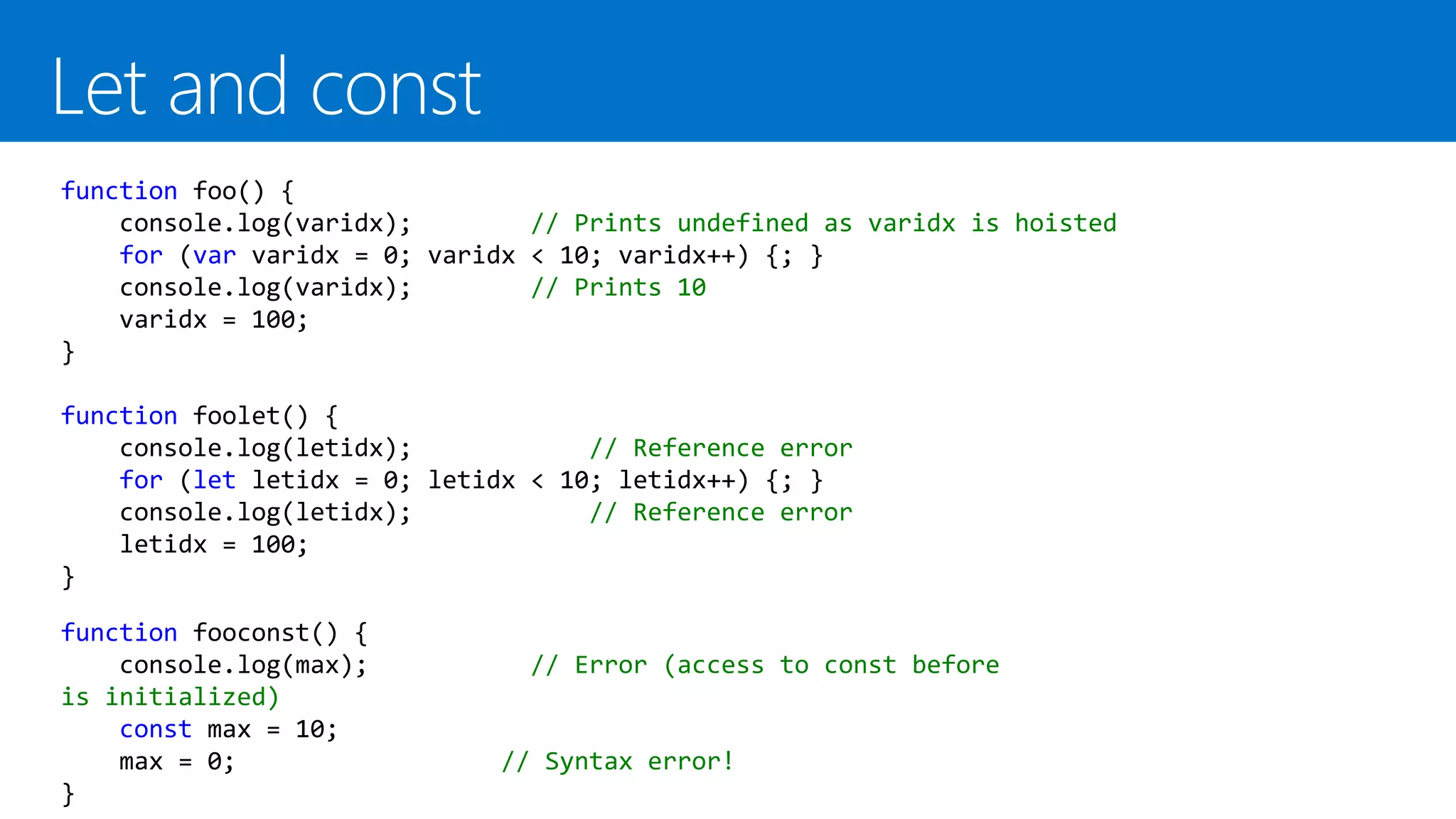
function foo() {
console.log(varidx); // Prints undefined as varidx is hoisted
for (var varidx = 0; varidx < 10; varidx++) {; }
console.log(varidx); // Prints 10
varidx = 100;
}
function foolet() {
console.log(letidx); // Reference error
for (let letidx = 0; letidx < 10; letidx++) {; }
console.log(letidx); // Reference error
letidx = 100;
}
function fooconst() {
console.log(max); // Error (access to const before
is initialized)
const max = 10;
max = 0; // Syntax error!
}
var Brewery = function(name) {
this.name = name;
this.beers = [
{name: "Punk IPA", style:"ipa"},
{name: "5 am", style: "pale ale"},
{name: "Tokio", style: "stout"}];
this.beersByType = function(type) {
return this.beers.filter(function (element) {
return element.style == type;
});
}
this.getBeersWithFullName = function() {
return this.beers.map(function(element) {
return {
name: element.name + " by " + this.name,
style: element.style};
});
}
}
Classic (ES5) code. Very verbose syntax
The new arrow syntax
var Brewery = function(name) {
this.name = name;
this.beers = [
{name: "Punk IPA", style:"ipa"},
{name: "5 am", style: "pale ale"},
{name: "Tokio", style: "stout"}];
this.beersByType = function(type) {
return this.beers.filter(e => e.syle == type);
}
this.getBeersWithFullName = function() {
return this.beers.map(function(element) {
return {
name: element.name + " by " + this.name,
style: element.style};
});
}
}
this problem. What is the value of
this inside the inner function?
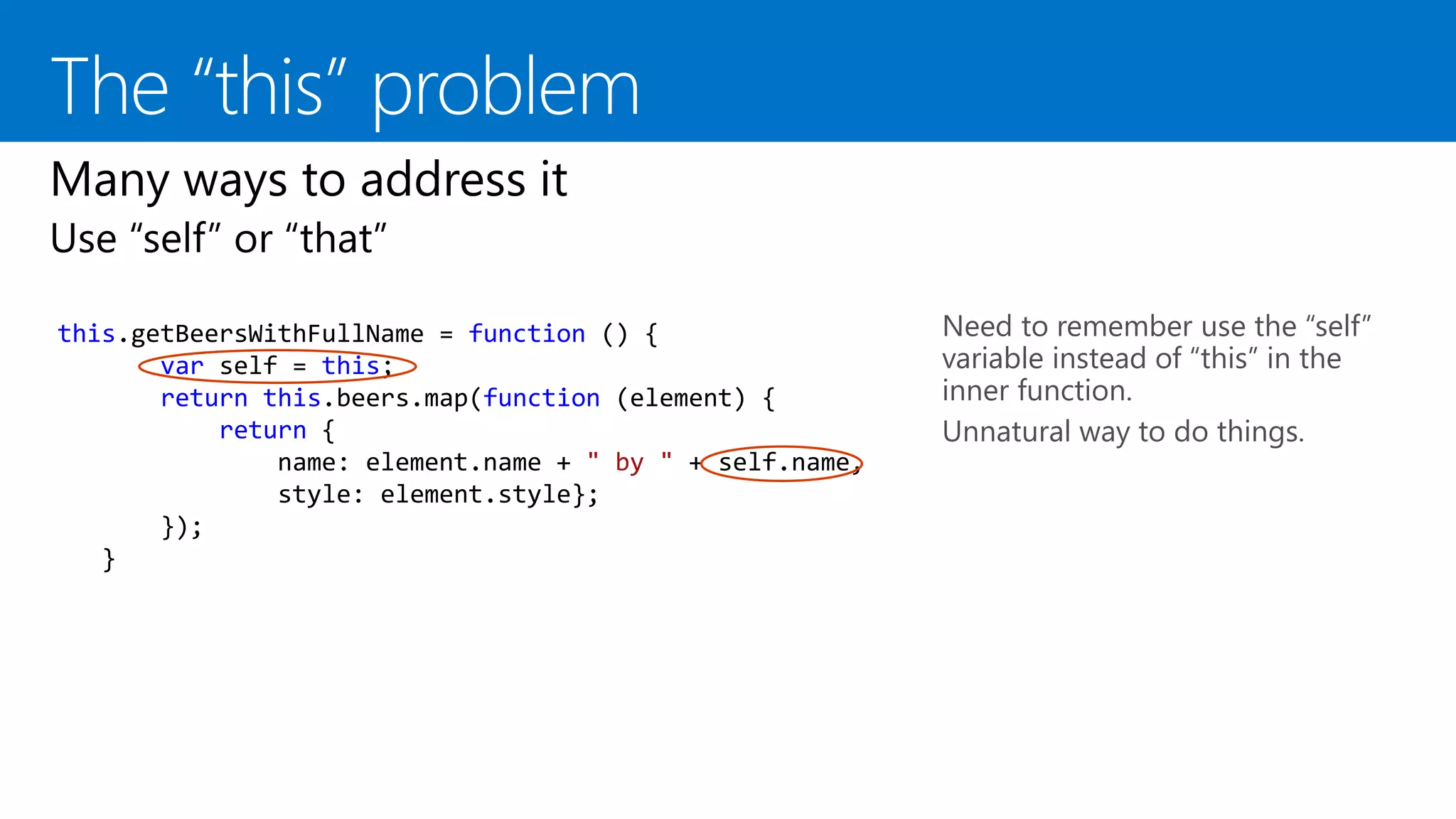
this.getBeersWithFullName = function () {
var self = this;
return this.beers.map(function (element) {
return {
name: element.name + " by " + self.name,
style: element.style};
});
}
Need to remember use the “self”
variable instead of “this” in the
inner function.
Unnatural way to do things.
this.getBeersWithFullName = function () {
return this.beers.map(function (element) {
return {
name: element.name + " by " + this.name,
style: element.style
};
}.bind(this));
}
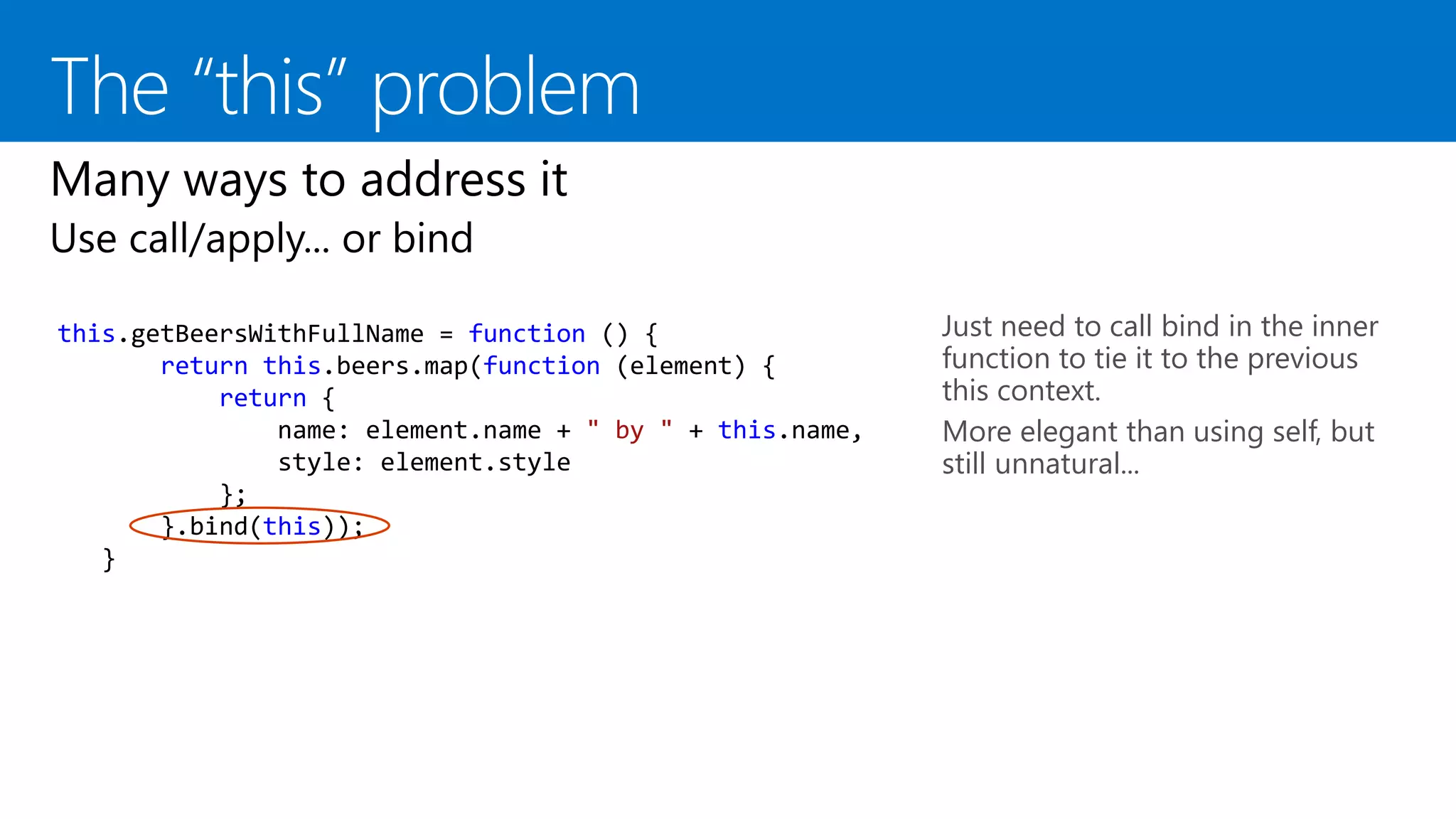
Just need to call bind in the inner
function to tie it to the previous
this context.
More elegant than using self, but
still unnatural...
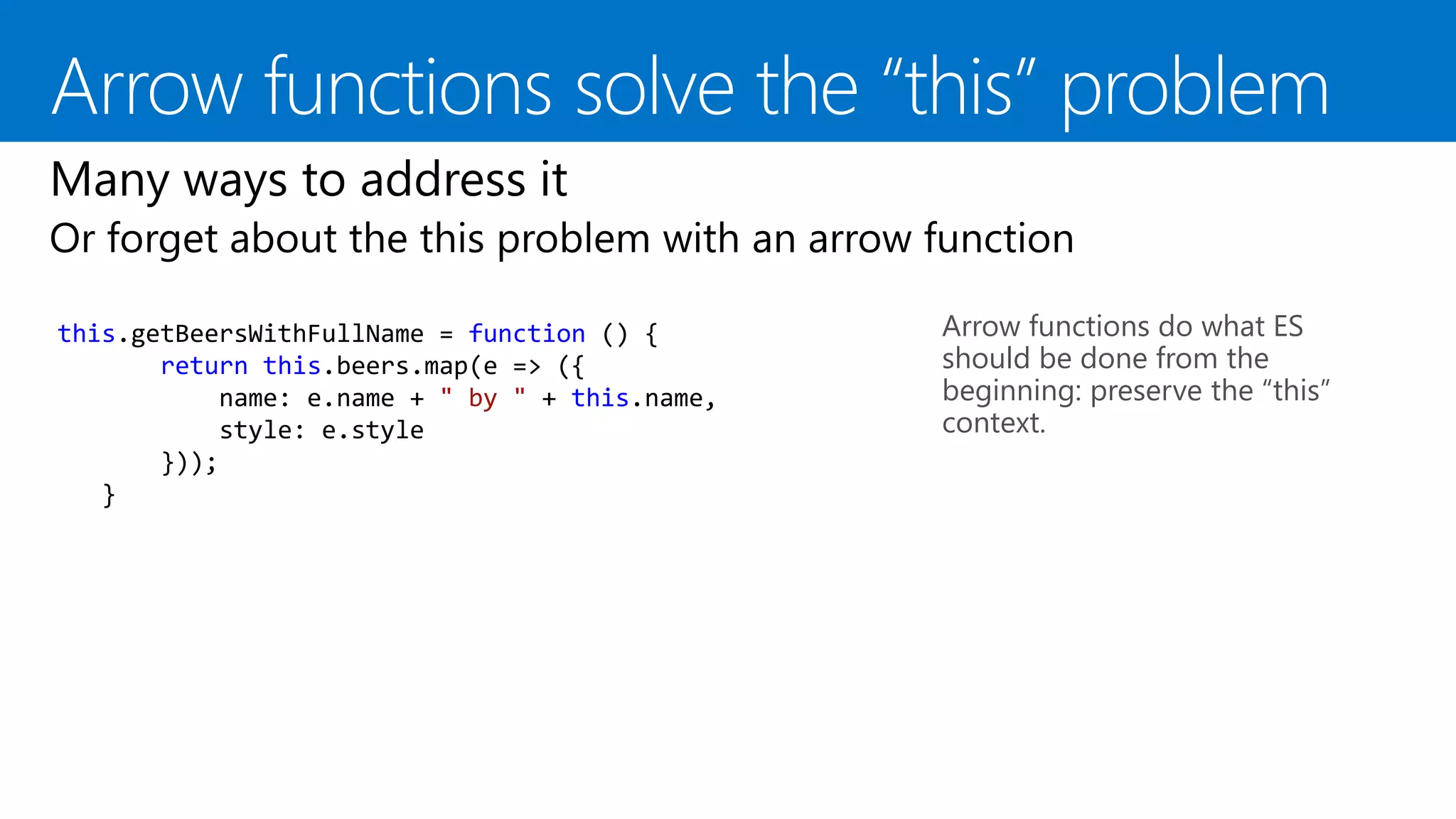
Arrow functions do what ES
should be done from the
beginning: preserve the “this”
context.
this.getBeersWithFullName = function () {
return this.beers.map(e => ({
name: e.name + " by " + this.name,
style: e.style
}));
}
Arrow functions do what ES
should be done from the
beginning: preserve the “this”
context.
this.getBeersWithFullName = function () {
return this.beers.map(e => ({
name: e.name + " by " + this.name,
style: e.style
}));
}
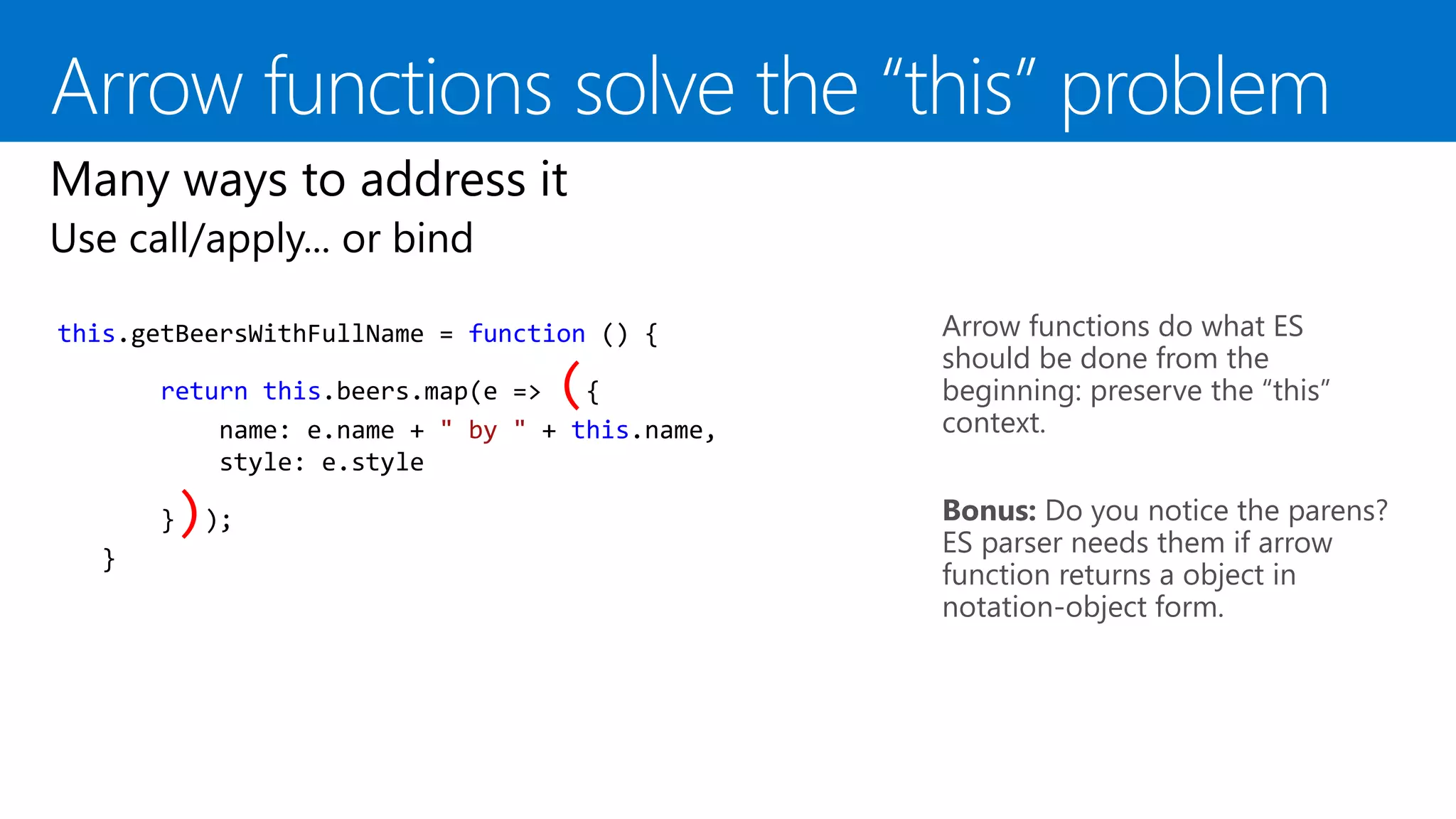
Bonus: Do you notice the parens?
ES parser needs them if arrow
function returns a object in
notation-object form.
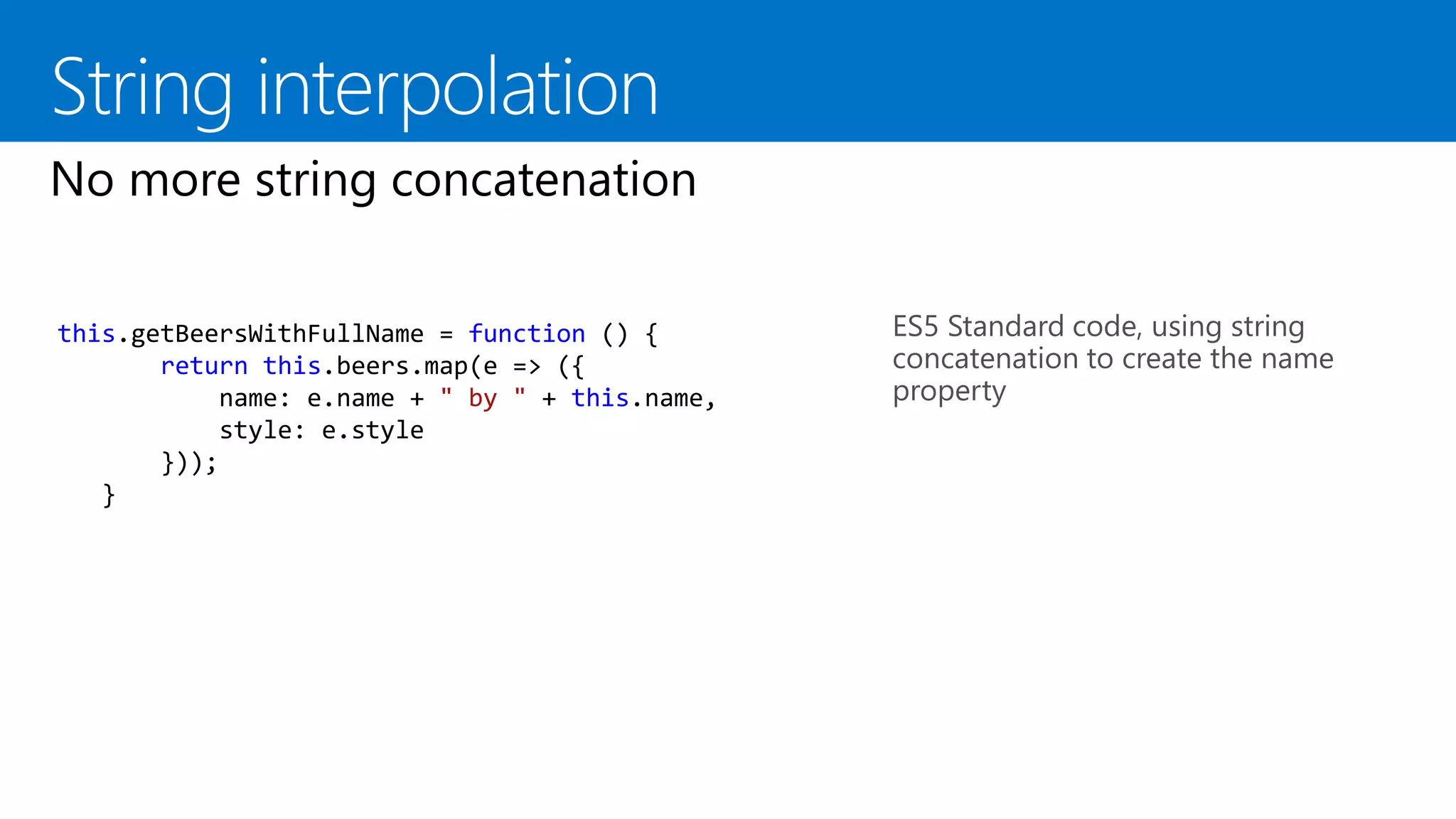
ES5 Standard code, using string
concatenation to create the name
property
this.getBeersWithFullName = function () {
return this.beers.map(e => ({
name: e.name + " by " + this.name,
style: e.style
}));
}
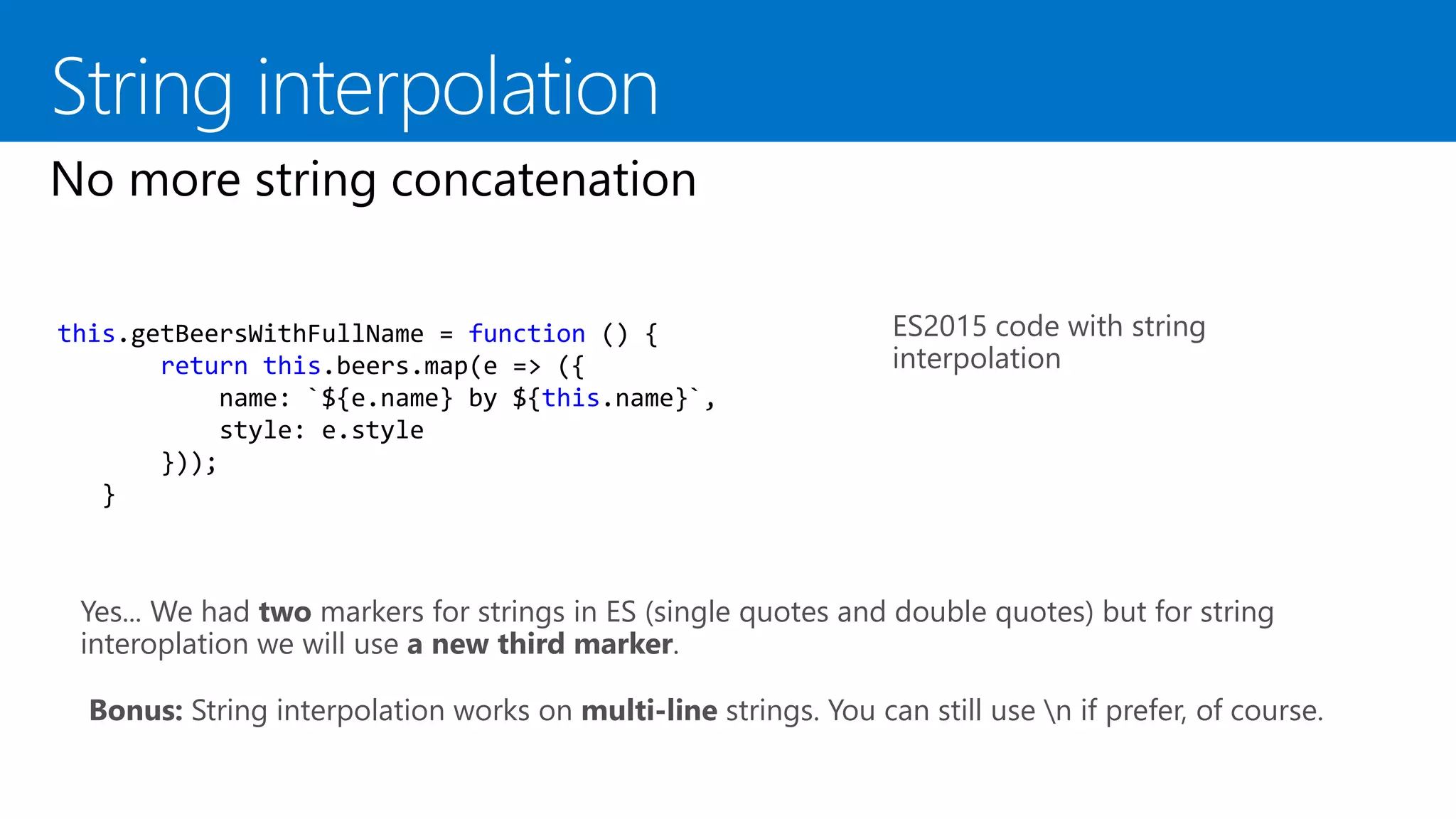
ES2015 code with string
interpolation
this.getBeersWithFullName = function () {
return this.beers.map(e => ({
name: `${e.name} by ${this.name}`,
style: e.style
}));
}
Yes... We had two markers for strings in ES (single quotes and double quotes) but for string
interoplation we will use a new third marker.
Bonus: String interpolation works on multi-line strings. You can still use n if prefer, of course.
var question = 'The answer to life the universe and everything';
var answer = 42;
var base = {
question,
answer,
toString: (() => `${this.question} is ${this.answer}`)
};
var der = {
__proto__: base,
['answer_' + (() => this.answer)()]: this.answer
}
We can use strings for object
properties as usual
We can create a Symbol using
Symbol.for(“name”) or
Symbol(“name”)
And we can use this newly Symbol
to create a new property for the
object
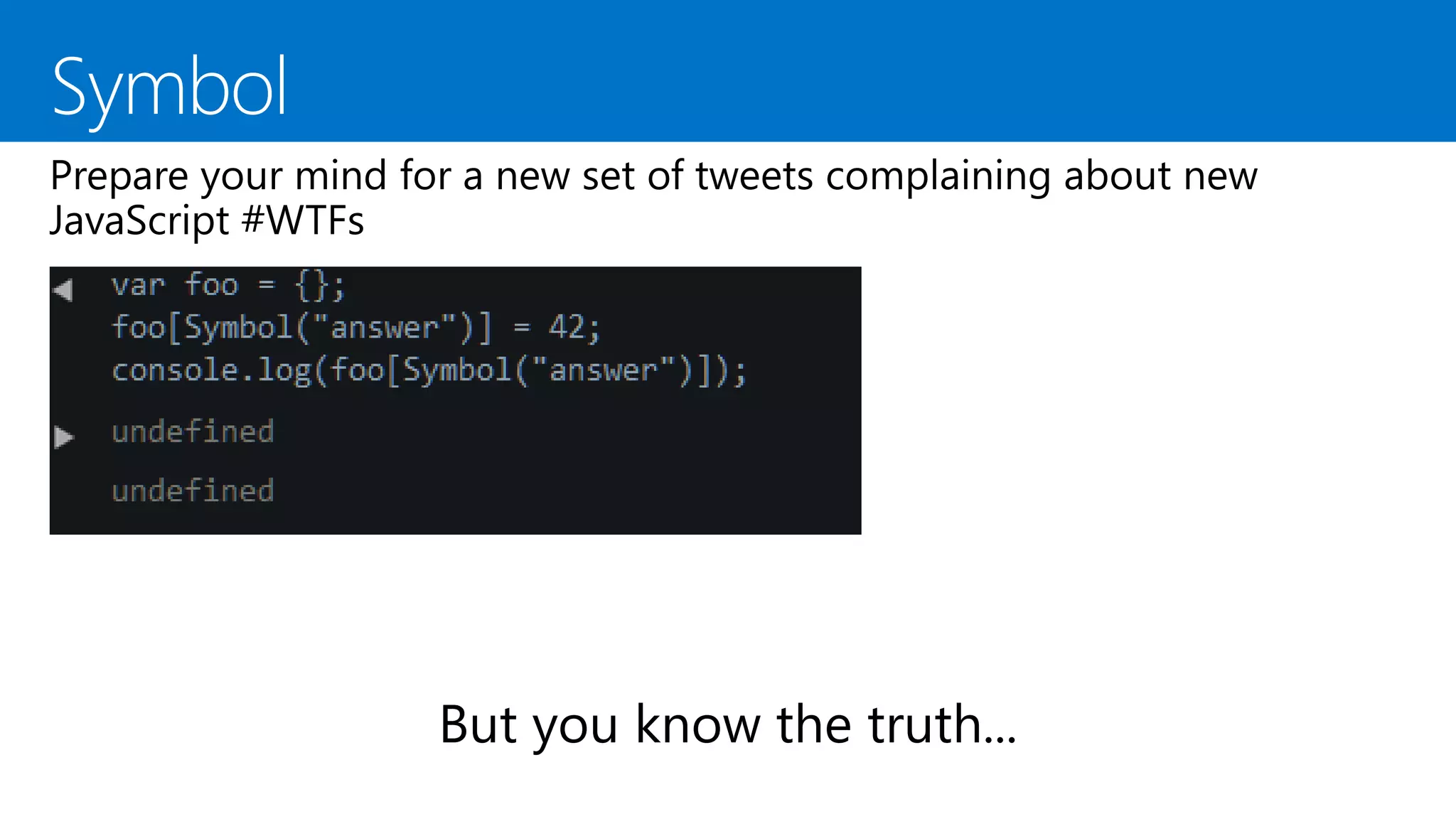
var obj = {};
obj[Symbol("a")] = "a";
obj[Symbol.for("b")] = "b";
obj["c"] = "c";
obj.d = "d";
for (var i in obj) {
console.log(i); // logs "c" and "d"
}
But are not private! Welcome to
Object.getOwnPropertySymbols()
Properties stored in símbols don’t
appear in for..in iterations nor in
Object.getOwnPropertyNames()
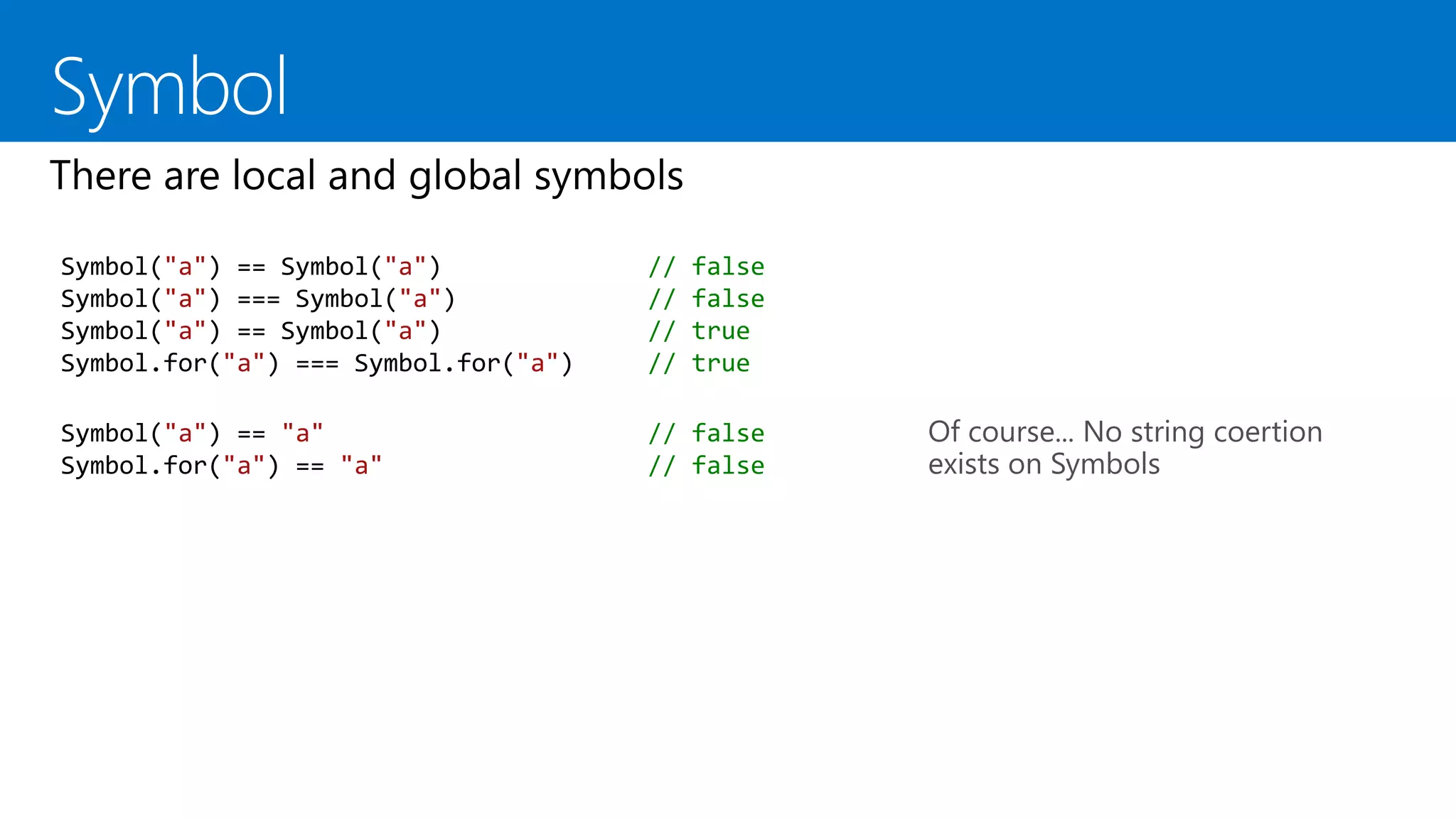
Of course... No string coertion
exists on Symbols
Symbol("a") == Symbol("a") // false
Symbol("a") === Symbol("a") // false
Symbol("a") == Symbol("a") // true
Symbol.for("a") === Symbol.for("a") // true
Symbol("a") == "a" // false
Symbol.for("a") == "a" // false
Any sufficiently
advanced
programming
technique is
indistinguishable
from WTF
Sir Arthur C. Clarke
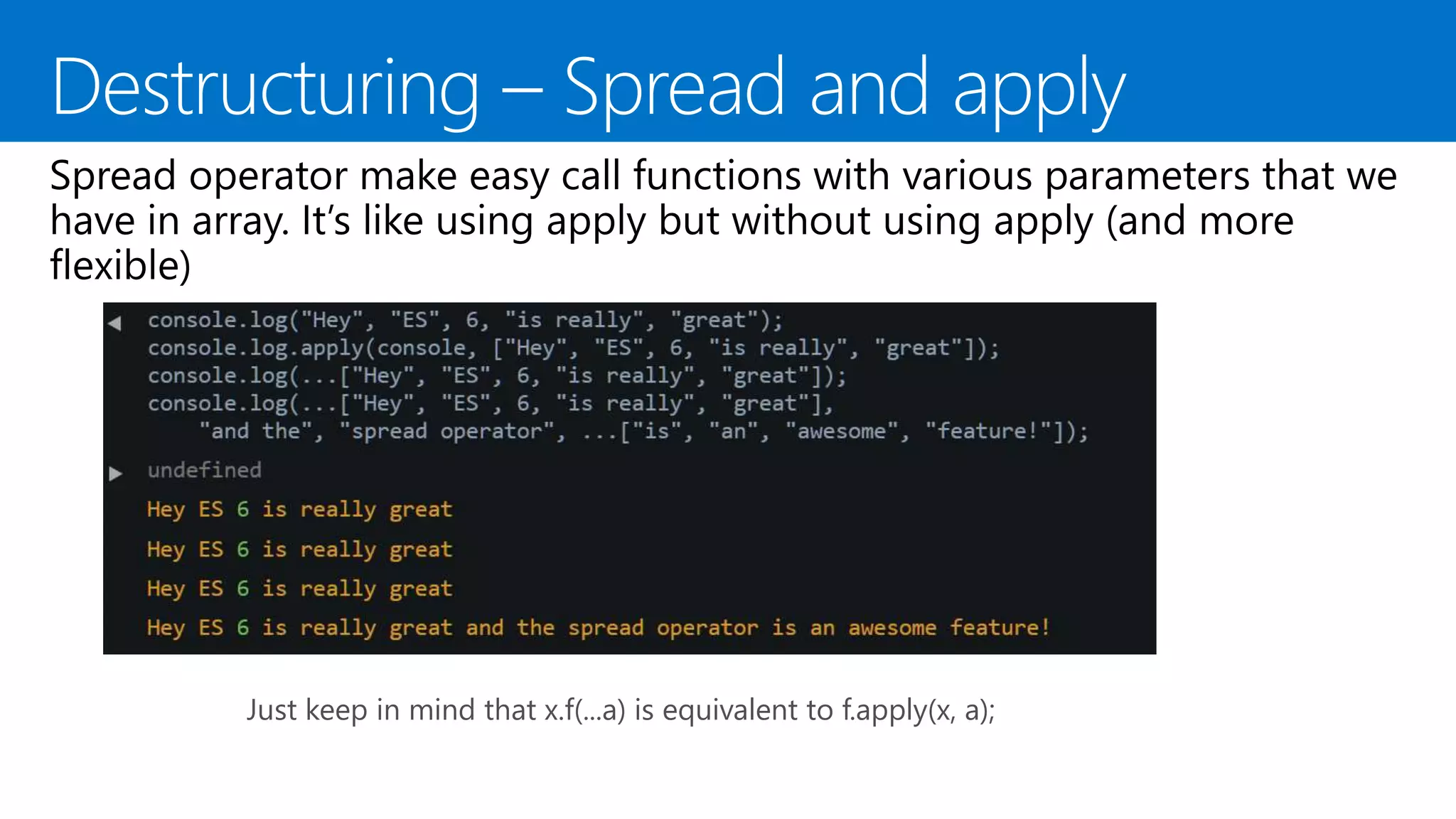
var values = [42, 69];
var x = 42;
var y = 69;
ES5 classic way of doing this
var values = [42, 69];
var [x,y] = values; Same with ES2015 destructuring
var x = 42;
var y = 69;
We want x = 69 and y = 42, but
with one simple line of code...
var x = 42;
var y = 69;
[x, y] = [y, x];
This declares three variables,
called c, d and e.
Value of c is first variable of arr (4)
Value of d is second variable of arr
(8)
Value of e is the rest values of arr
(an array with 15, 16, 23 and 42)
var arr = [4, 8, 15, 16, 23, 42];
var [c,d,...e ] = arr
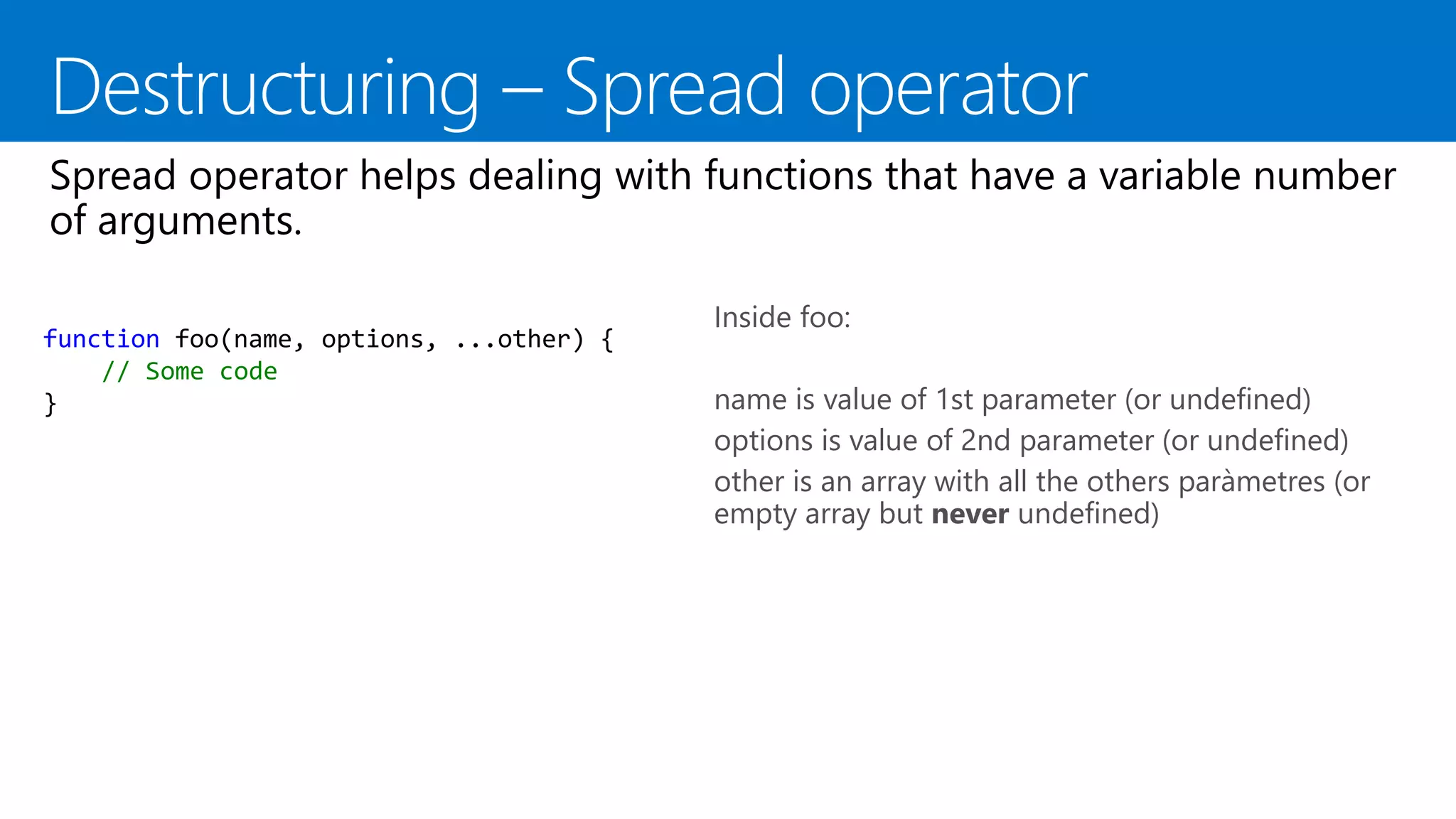
function foo(name, options, ...other) {
// Some code
}
Inside foo:
name is value of 1st parameter (or undefined)
options is value of 2nd parameter (or undefined)
other is an array with all the others paràmetres (or
empty array but never undefined)
Just keep in mind that x.f(...a) is equivalent to f.apply(x, a);
Iterators and for..of
An iterator is a function with a
specific name [Symbol.iterator].
This function mush return an
object with one method next().
The method next() must return an
object with two properties:
value: corrent value of iteration
done: boolean that equals true if
the last element has been reached.
let fibonacci = {
[Symbol.iterator]() {
let pre = 0, cur = 1;
return {
next() {
[pre, cur] = [cur, pre + cur];
return { done: false, value: cur }
}
}
}
}
for (var n of fibonacci) {
// truncate the sequence at 1000
if (n > 1000)
break;
console.log(n);
}
Notice the new for..of to iterate over all the values of
the iterator of an object
Use of function* to create the
generator.
Generators return iterators
([Symbol.iterator])
Use of yield to return “the next”
value of the iterator
If a generator never exits it returns
a “never ending” iterator. Of
course you must stop iterating it
when no more vàlues are needed.
var fibonacci = {
[Symbol.iterator]: function*() {
var pre = 0, cur = 1;
for (;;) {
var temp = pre;
pre = cur;
cur += temp;
yield cur;
}
}
}
for (var n of fibonacci) {
// truncate the sequence at 1000
if (n > 1000)
break;
console.log(n);
}
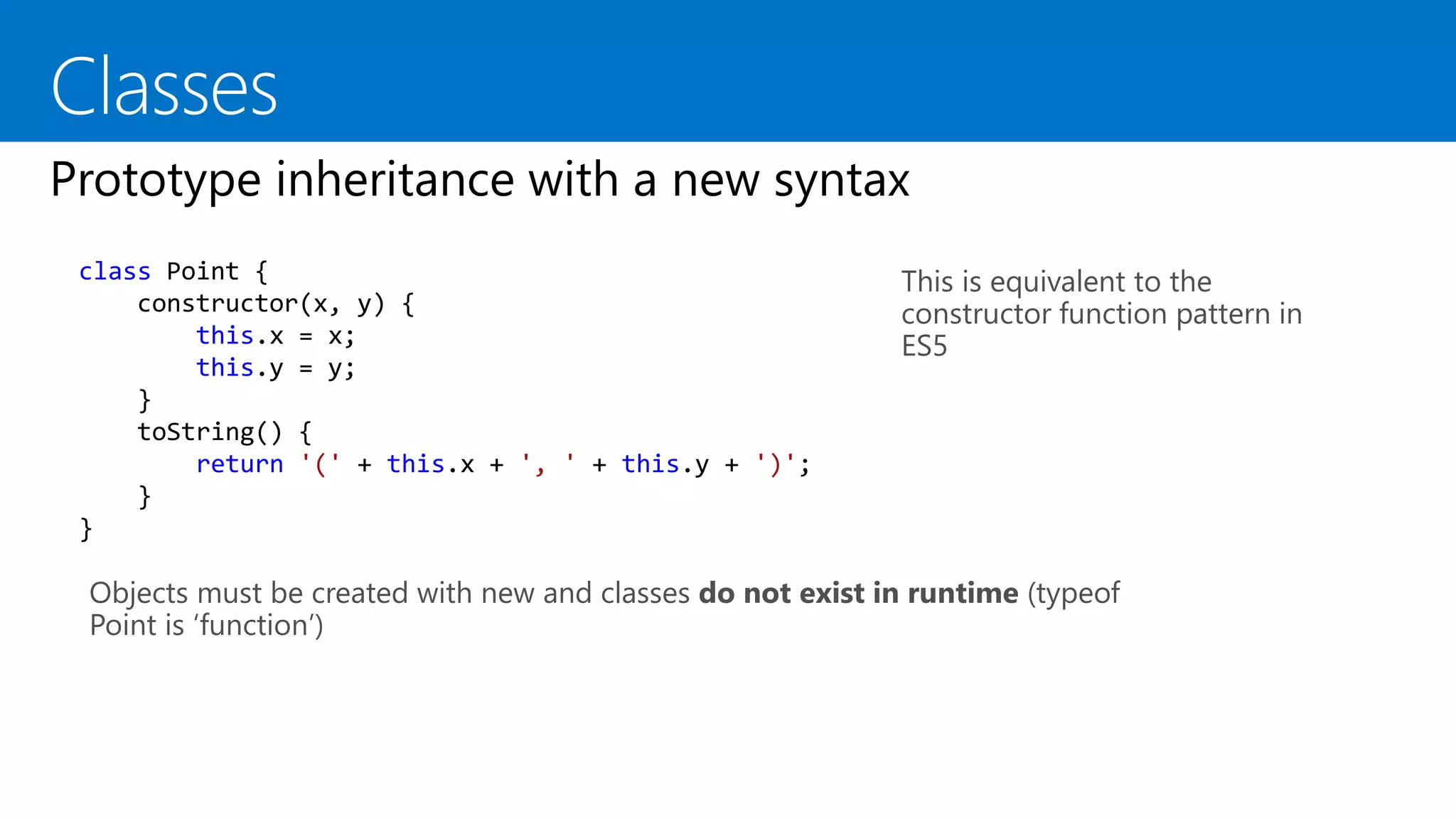
This is equivalent to the
constructor function pattern in
ES5
class Point {
constructor(x, y) {
this.x = x;
this.y = y;
}
toString() {
return '(' + this.x + ', ' + this.y + ')';
}
}
Objects must be created with new and classes do not exist in runtime (typeof
Point is ‘function’)
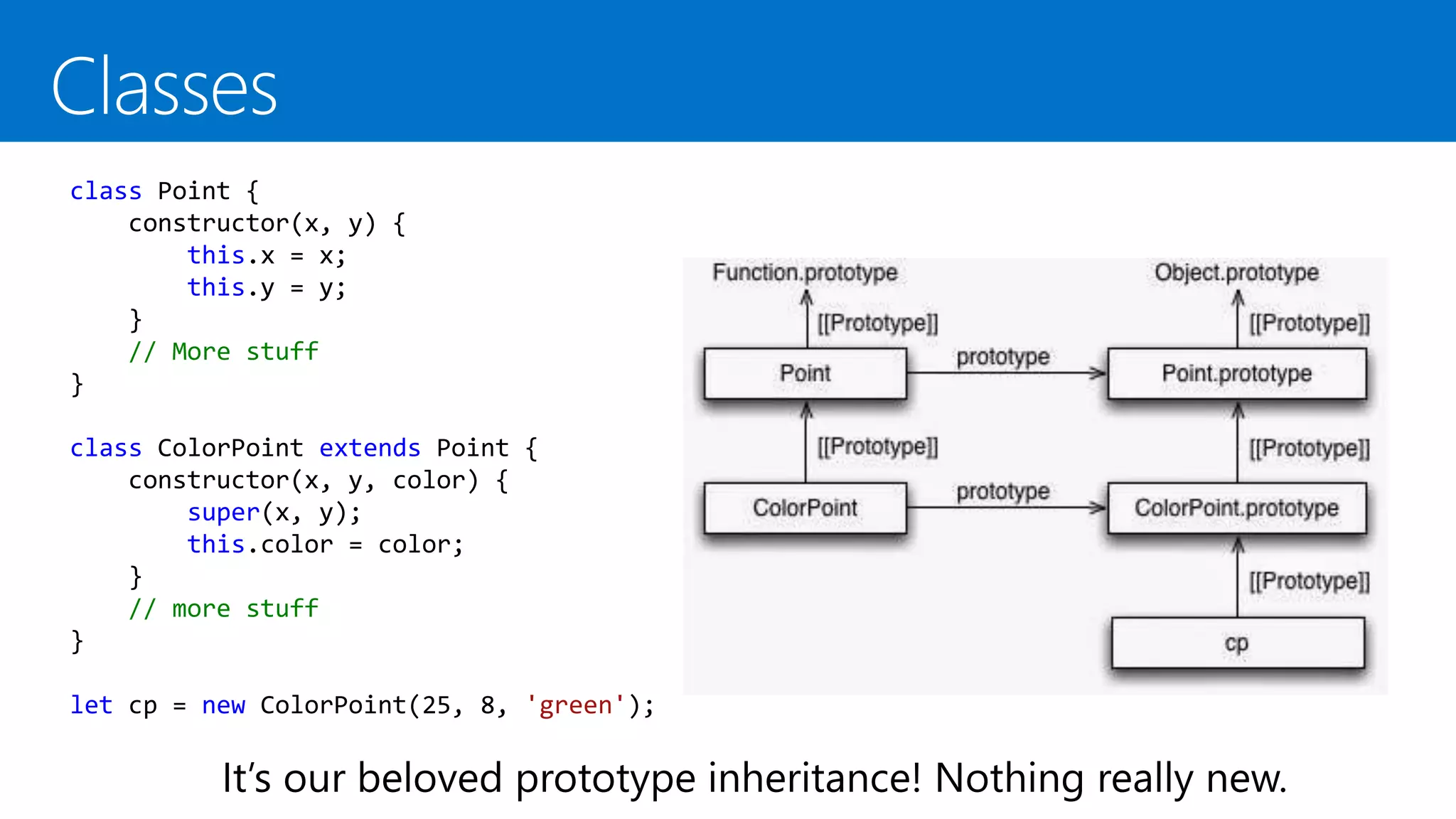
class Point {
constructor(x, y) {
this.x = x;
this.y = y;
}
// More stuff
}
class ColorPoint extends Point {
constructor(x, y, color) {
super(x, y);
this.color = color;
}
// more stuff
}
let cp = new ColorPoint(25, 8, 'green');
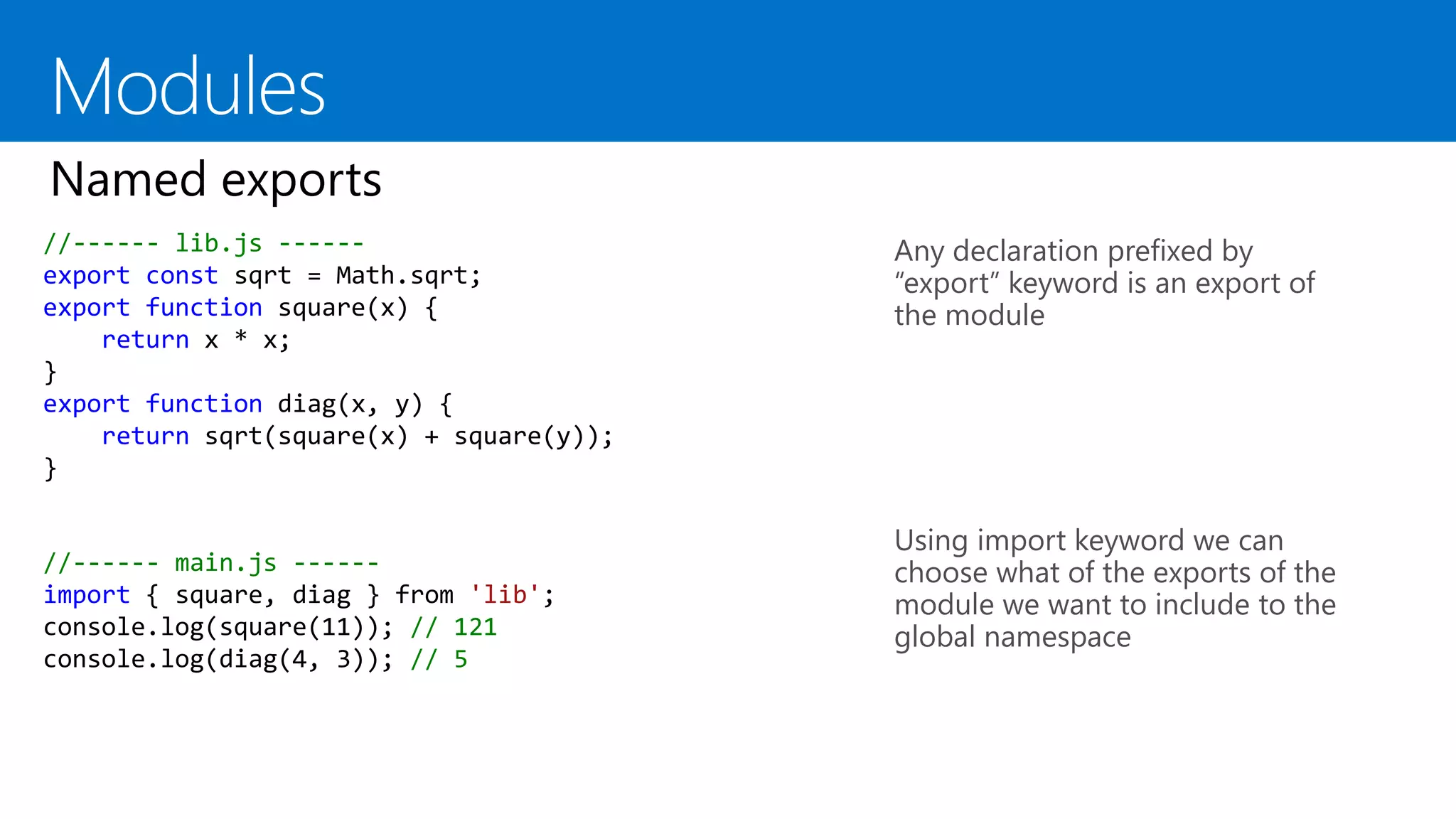
Modules
//------ lib.js ------
export const sqrt = Math.sqrt;
export function square(x) {
return x * x;
}
export function diag(x, y) {
return sqrt(square(x) + square(y));
}
Any declaration prefixed by
“export” keyword is an export of
the module
Using import keyword we can
choose what of the exports of the
module we want to include to the
global namespace
//------ main.js ------
import { square, diag } from 'lib';
console.log(square(11)); // 121
console.log(diag(4, 3)); // 5
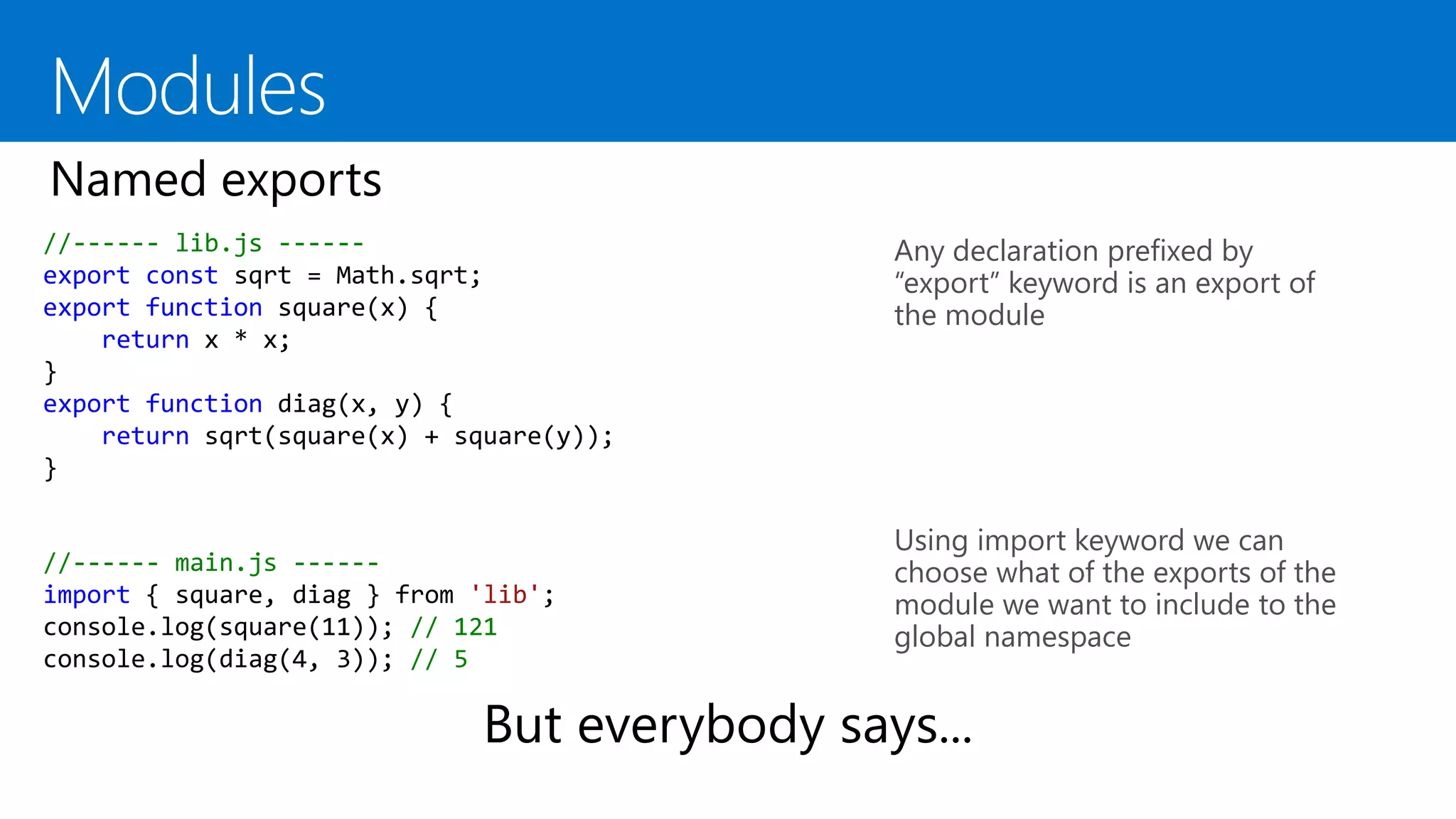
//------ lib.js ------
export const sqrt = Math.sqrt;
export function square(x) {
return x * x;
}
export function diag(x, y) {
return sqrt(square(x) + square(y));
}
Any declaration prefixed by
“export” keyword is an export of
the module
Using import keyword we can
choose what of the exports of the
module we want to include to the
global namespace
//------ main.js ------
import { square, diag } from 'lib';
console.log(square(11)); // 121
console.log(diag(4, 3)); // 5
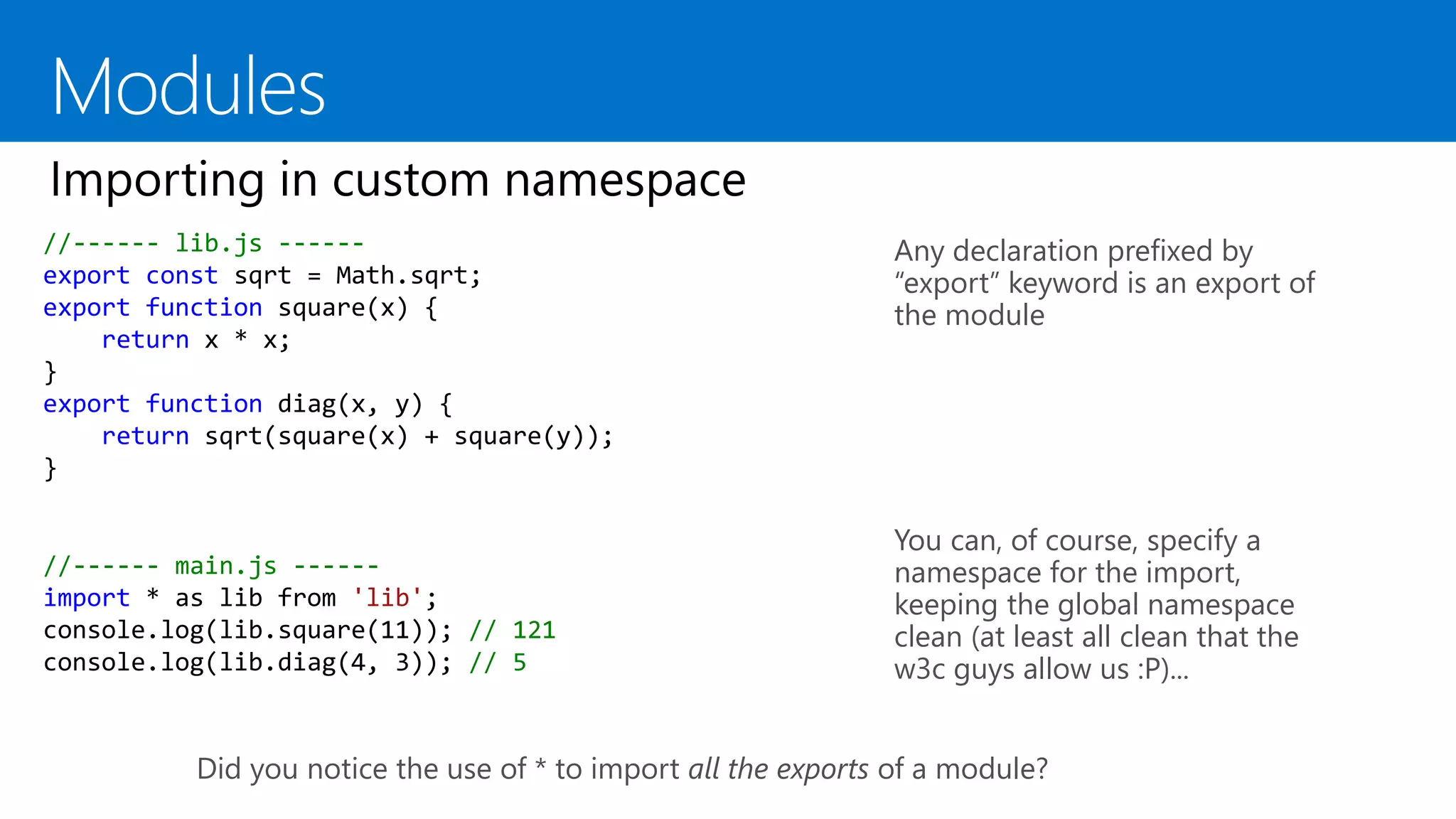
//------ lib.js ------
export const sqrt = Math.sqrt;
export function square(x) {
return x * x;
}
export function diag(x, y) {
return sqrt(square(x) + square(y));
}
Any declaration prefixed by
“export” keyword is an export of
the module
You can, of course, specify a
namespace for the import,
keeping the global namespace
clean (at least all clean that the
w3c guys allow us :P)...
//------ main.js ------
import * as lib from 'lib';
console.log(lib.square(11)); // 121
console.log(lib.diag(4, 3)); // 5
Did you notice the use of * to import all the exports of a module?
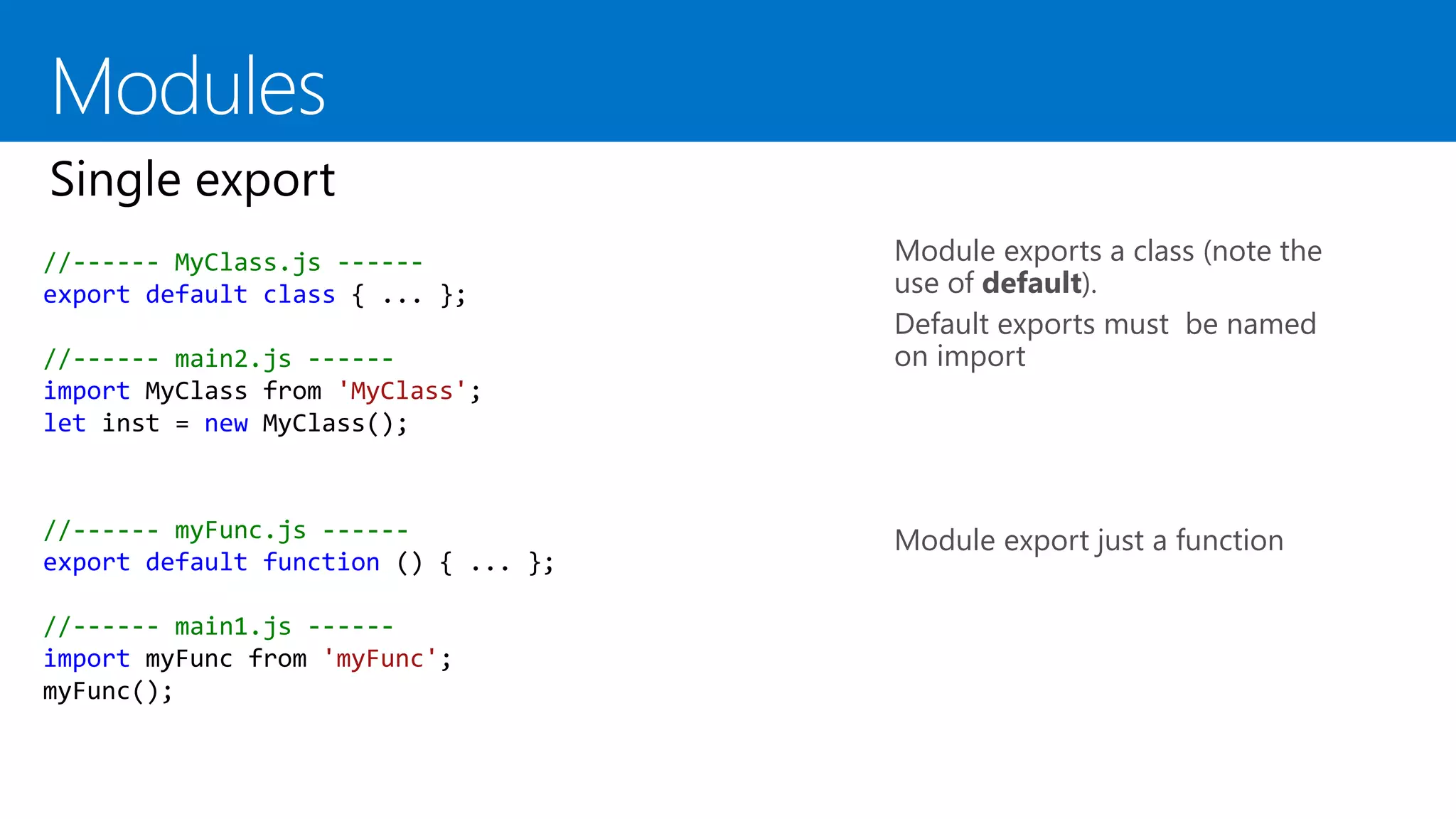
Module exports a class (note the
use of default).
Default exports must be named
on import
Module export just a function
//------ MyClass.js ------
export default class { ... };
//------ main2.js ------
import MyClass from 'MyClass';
let inst = new MyClass();
//------ myFunc.js ------
export default function () { ... };
//------ main1.js ------
import myFunc from 'myFunc';
myFunc();
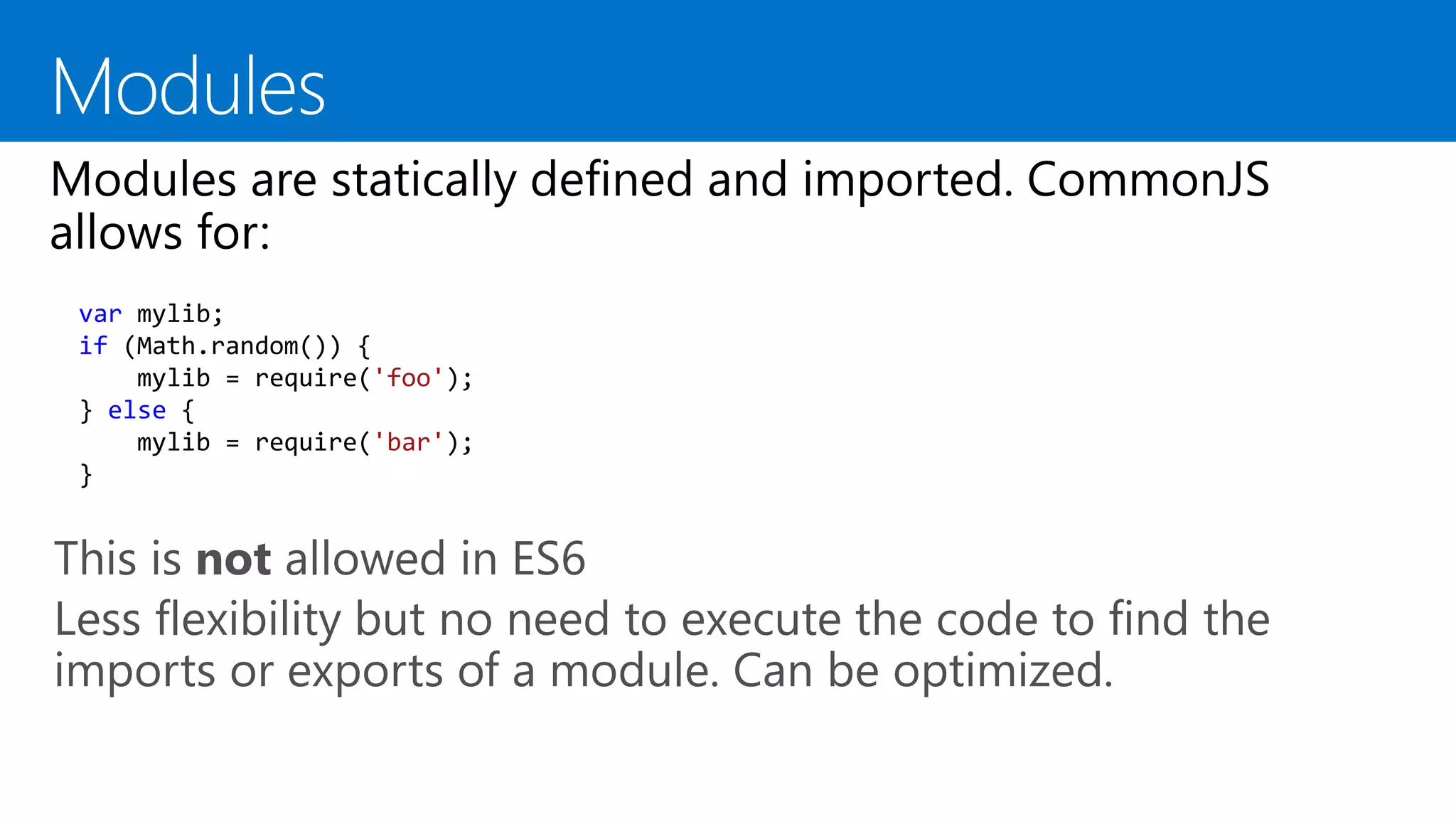
This is not allowed in ES6
Less flexibility but no need to execute the code to find the
imports or exports of a module. Can be optimized.
var mylib;
if (Math.random()) {
mylib = require('foo');
} else {
mylib = require('bar');
}
Eduard Tomàs i Avellana
#GAPAND2015
EcmaScript unchained

EcmaScript unchained

  • 1.
  • 5.
    Please don’t talk whilethe show is going on. Just sit down, eat popcorns and do not interrupt. Thanks.
  • 6.
    Interrupt me. Ask anyquestion you have (no answered guaranteed :P) Let’s enjoy together!
  • 7.
    EcmaScript 2015 topnew features
  • 9.
    function foo() { console.log(varidx);// Prints undefined as varidx is hoisted for (var varidx = 0; varidx < 10; varidx++) {; } console.log(varidx); // Prints 10 varidx = 100; } function foolet() { console.log(letidx); // Reference error for (let letidx = 0; letidx < 10; letidx++) {; } console.log(letidx); // Reference error letidx = 100; } function fooconst() { console.log(max); // Error (access to const before is initialized) const max = 10; max = 0; // Syntax error! }
  • 11.
    var Brewery =function(name) { this.name = name; this.beers = [ {name: "Punk IPA", style:"ipa"}, {name: "5 am", style: "pale ale"}, {name: "Tokio", style: "stout"}]; this.beersByType = function(type) { return this.beers.filter(function (element) { return element.style == type; }); } this.getBeersWithFullName = function() { return this.beers.map(function(element) { return { name: element.name + " by " + this.name, style: element.style}; }); } } Classic (ES5) code. Very verbose syntax
  • 12.
    The new arrowsyntax var Brewery = function(name) { this.name = name; this.beers = [ {name: "Punk IPA", style:"ipa"}, {name: "5 am", style: "pale ale"}, {name: "Tokio", style: "stout"}]; this.beersByType = function(type) { return this.beers.filter(e => e.syle == type); } this.getBeersWithFullName = function() { return this.beers.map(function(element) { return { name: element.name + " by " + this.name, style: element.style}; }); } } this problem. What is the value of this inside the inner function?
  • 13.
    this.getBeersWithFullName = function() { var self = this; return this.beers.map(function (element) { return { name: element.name + " by " + self.name, style: element.style}; }); } Need to remember use the “self” variable instead of “this” in the inner function. Unnatural way to do things.
  • 14.
    this.getBeersWithFullName = function() { return this.beers.map(function (element) { return { name: element.name + " by " + this.name, style: element.style }; }.bind(this)); } Just need to call bind in the inner function to tie it to the previous this context. More elegant than using self, but still unnatural...
  • 15.
    Arrow functions dowhat ES should be done from the beginning: preserve the “this” context. this.getBeersWithFullName = function () { return this.beers.map(e => ({ name: e.name + " by " + this.name, style: e.style })); }
  • 16.
    Arrow functions dowhat ES should be done from the beginning: preserve the “this” context. this.getBeersWithFullName = function () { return this.beers.map(e => ({ name: e.name + " by " + this.name, style: e.style })); } Bonus: Do you notice the parens? ES parser needs them if arrow function returns a object in notation-object form.
  • 18.
    ES5 Standard code,using string concatenation to create the name property this.getBeersWithFullName = function () { return this.beers.map(e => ({ name: e.name + " by " + this.name, style: e.style })); }
  • 19.
    ES2015 code withstring interpolation this.getBeersWithFullName = function () { return this.beers.map(e => ({ name: `${e.name} by ${this.name}`, style: e.style })); } Yes... We had two markers for strings in ES (single quotes and double quotes) but for string interoplation we will use a new third marker. Bonus: String interpolation works on multi-line strings. You can still use n if prefer, of course.
  • 21.
    var question ='The answer to life the universe and everything'; var answer = 42; var base = { question, answer, toString: (() => `${this.question} is ${this.answer}`) }; var der = { __proto__: base, ['answer_' + (() => this.answer)()]: this.answer }
  • 23.
    We can usestrings for object properties as usual We can create a Symbol using Symbol.for(“name”) or Symbol(“name”) And we can use this newly Symbol to create a new property for the object var obj = {}; obj[Symbol("a")] = "a"; obj[Symbol.for("b")] = "b"; obj["c"] = "c"; obj.d = "d"; for (var i in obj) { console.log(i); // logs "c" and "d" } But are not private! Welcome to Object.getOwnPropertySymbols() Properties stored in símbols don’t appear in for..in iterations nor in Object.getOwnPropertyNames()
  • 24.
    Of course... Nostring coertion exists on Symbols Symbol("a") == Symbol("a") // false Symbol("a") === Symbol("a") // false Symbol("a") == Symbol("a") // true Symbol.for("a") === Symbol.for("a") // true Symbol("a") == "a" // false Symbol.for("a") == "a" // false
  • 26.
  • 28.
    var values =[42, 69]; var x = 42; var y = 69; ES5 classic way of doing this var values = [42, 69]; var [x,y] = values; Same with ES2015 destructuring
  • 29.
    var x =42; var y = 69; We want x = 69 and y = 42, but with one simple line of code... var x = 42; var y = 69; [x, y] = [y, x];
  • 30.
    This declares threevariables, called c, d and e. Value of c is first variable of arr (4) Value of d is second variable of arr (8) Value of e is the rest values of arr (an array with 15, 16, 23 and 42) var arr = [4, 8, 15, 16, 23, 42]; var [c,d,...e ] = arr
  • 31.
    function foo(name, options,...other) { // Some code } Inside foo: name is value of 1st parameter (or undefined) options is value of 2nd parameter (or undefined) other is an array with all the others paràmetres (or empty array but never undefined)
  • 32.
    Just keep inmind that x.f(...a) is equivalent to f.apply(x, a);
  • 33.
  • 34.
    An iterator isa function with a specific name [Symbol.iterator]. This function mush return an object with one method next(). The method next() must return an object with two properties: value: corrent value of iteration done: boolean that equals true if the last element has been reached. let fibonacci = { [Symbol.iterator]() { let pre = 0, cur = 1; return { next() { [pre, cur] = [cur, pre + cur]; return { done: false, value: cur } } } } } for (var n of fibonacci) { // truncate the sequence at 1000 if (n > 1000) break; console.log(n); } Notice the new for..of to iterate over all the values of the iterator of an object
  • 36.
    Use of function*to create the generator. Generators return iterators ([Symbol.iterator]) Use of yield to return “the next” value of the iterator If a generator never exits it returns a “never ending” iterator. Of course you must stop iterating it when no more vàlues are needed. var fibonacci = { [Symbol.iterator]: function*() { var pre = 0, cur = 1; for (;;) { var temp = pre; pre = cur; cur += temp; yield cur; } } } for (var n of fibonacci) { // truncate the sequence at 1000 if (n > 1000) break; console.log(n); }
  • 38.
    This is equivalentto the constructor function pattern in ES5 class Point { constructor(x, y) { this.x = x; this.y = y; } toString() { return '(' + this.x + ', ' + this.y + ')'; } } Objects must be created with new and classes do not exist in runtime (typeof Point is ‘function’)
  • 40.
    class Point { constructor(x,y) { this.x = x; this.y = y; } // More stuff } class ColorPoint extends Point { constructor(x, y, color) { super(x, y); this.color = color; } // more stuff } let cp = new ColorPoint(25, 8, 'green');
  • 41.
  • 43.
    //------ lib.js ------ exportconst sqrt = Math.sqrt; export function square(x) { return x * x; } export function diag(x, y) { return sqrt(square(x) + square(y)); } Any declaration prefixed by “export” keyword is an export of the module Using import keyword we can choose what of the exports of the module we want to include to the global namespace //------ main.js ------ import { square, diag } from 'lib'; console.log(square(11)); // 121 console.log(diag(4, 3)); // 5
  • 44.
    //------ lib.js ------ exportconst sqrt = Math.sqrt; export function square(x) { return x * x; } export function diag(x, y) { return sqrt(square(x) + square(y)); } Any declaration prefixed by “export” keyword is an export of the module Using import keyword we can choose what of the exports of the module we want to include to the global namespace //------ main.js ------ import { square, diag } from 'lib'; console.log(square(11)); // 121 console.log(diag(4, 3)); // 5
  • 46.
    //------ lib.js ------ exportconst sqrt = Math.sqrt; export function square(x) { return x * x; } export function diag(x, y) { return sqrt(square(x) + square(y)); } Any declaration prefixed by “export” keyword is an export of the module You can, of course, specify a namespace for the import, keeping the global namespace clean (at least all clean that the w3c guys allow us :P)... //------ main.js ------ import * as lib from 'lib'; console.log(lib.square(11)); // 121 console.log(lib.diag(4, 3)); // 5 Did you notice the use of * to import all the exports of a module?
  • 47.
    Module exports aclass (note the use of default). Default exports must be named on import Module export just a function //------ MyClass.js ------ export default class { ... }; //------ main2.js ------ import MyClass from 'MyClass'; let inst = new MyClass(); //------ myFunc.js ------ export default function () { ... }; //------ main1.js ------ import myFunc from 'myFunc'; myFunc();
  • 48.
    This is notallowed in ES6 Less flexibility but no need to execute the code to find the imports or exports of a module. Can be optimized. var mylib; if (Math.random()) { mylib = require('foo'); } else { mylib = require('bar'); }
  • 49.
    Eduard Tomàs iAvellana #GAPAND2015