Introduction to
Genius Hour
What is
Genius
Hour?
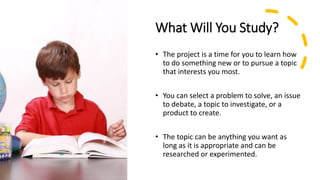
What Will You Study?
• The project is a time for you to learn how
to do something new or to pursue a topic
that interests you most.
• You can select a problem to solve, an issue
to debate, a topic to investigate, or a
product to create.
• The topic can be anything you want as
long as it is appropriate and can be
researched or experimented.
How Will the Project
Work?
• The project will be completed
independently and in stages over the
next 3 months.
• 60 minutes each week will be given to
work on the project.
• Google Sites will be used to keep us
informed of your progress and
learning.
Step 1: Brainstorm and
Choose a Topic
During this phase of Genius Hour, you will decide
on the topic that you wish to investigate. Here are
some questions to help you get started:
• If I could spend all day on one project or
activity, what would it be?
• What activity or skill has always interested me?
• What topic do I really want to know more
about?
• If I could choose my own classes for next year,
what would they be, and why?
Tip: When selecting a topic for your project, try to
word it as a thick question.
Step 2: Create an
Elevator Pitch
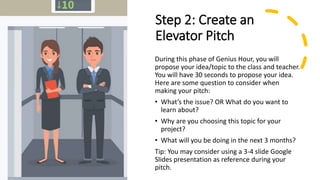
During this phase of Genius Hour, you will
propose your idea/topic to the class and teacher.
You will have 30 seconds to propose your idea.
Here are some question to consider when
making your pitch:
• What’s the issue? OR What do you want to
learn about?
• Why are you choosing this topic for your
project?
• What will you be doing in the next 3 months?
Tip: You may consider using a 3-4 slide Google
Slides presentation as reference during your
pitch.
Step 3: Plan Your Study
• Create a project proposal based on the
input of your teacher and peers.
• Use Google Calendar to plan out the
steps of completing the project based
on the timeline and your goals set.
• Meet with your teacher to discuss your
plan and get it approved.
Step 4: Gather Information
and Create Product
• Document your research in a journal or blog
format.
• Do not copy and paste the information word for
word. Use your own words.
• All resources used must pass the CRAAP test.
• Both in-print and online resources must be used. A
minimum of 5 resources should be cited.
• All Genius Hour Projects must have a product. It
can be a website, a video, a Prezi or Google slides
presentation.
Step 5: Present
• You will have 3-5 minutes to present
your research and work.
• Final presentations can be presented
live or pre-recorded.
• All presentations should be carefully
written using proper grammar and
spelling, choregraphed and rehearsed.
And Now a
Word from
Kid President!

Introduction to Genius Hour

  • 1.
  • 2.
  • 3.
    What Will YouStudy? • The project is a time for you to learn how to do something new or to pursue a topic that interests you most. • You can select a problem to solve, an issue to debate, a topic to investigate, or a product to create. • The topic can be anything you want as long as it is appropriate and can be researched or experimented.
  • 4.
    How Will theProject Work? • The project will be completed independently and in stages over the next 3 months. • 60 minutes each week will be given to work on the project. • Google Sites will be used to keep us informed of your progress and learning.
  • 5.
    Step 1: Brainstormand Choose a Topic During this phase of Genius Hour, you will decide on the topic that you wish to investigate. Here are some questions to help you get started: • If I could spend all day on one project or activity, what would it be? • What activity or skill has always interested me? • What topic do I really want to know more about? • If I could choose my own classes for next year, what would they be, and why? Tip: When selecting a topic for your project, try to word it as a thick question.
  • 6.
    Step 2: Createan Elevator Pitch During this phase of Genius Hour, you will propose your idea/topic to the class and teacher. You will have 30 seconds to propose your idea. Here are some question to consider when making your pitch: • What’s the issue? OR What do you want to learn about? • Why are you choosing this topic for your project? • What will you be doing in the next 3 months? Tip: You may consider using a 3-4 slide Google Slides presentation as reference during your pitch.
  • 7.
    Step 3: PlanYour Study • Create a project proposal based on the input of your teacher and peers. • Use Google Calendar to plan out the steps of completing the project based on the timeline and your goals set. • Meet with your teacher to discuss your plan and get it approved.
  • 8.
    Step 4: GatherInformation and Create Product • Document your research in a journal or blog format. • Do not copy and paste the information word for word. Use your own words. • All resources used must pass the CRAAP test. • Both in-print and online resources must be used. A minimum of 5 resources should be cited. • All Genius Hour Projects must have a product. It can be a website, a video, a Prezi or Google slides presentation.
  • 9.
    Step 5: Present •You will have 3-5 minutes to present your research and work. • Final presentations can be presented live or pre-recorded. • All presentations should be carefully written using proper grammar and spelling, choregraphed and rehearsed.
  • 10.
    And Now a Wordfrom Kid President!