Introduction  to
Concourse  CI
Toshiaki  Maki  (@making)
Sr.  Solutions  Architect  @Pivotal
2016-‐‑‒04-‐‑‒23  渋⾕谷Java
Agenda
•Concourse  CI?
•Concourse  vs.
•Architecture
•Three  Concepts
•How  to  Install
•Pipeline  Examples
Concourse  CI
https://concourse.ci
Concourse  CI
https://concourse.ci
Simple
Concourse  CI
https://concourse.ci
ScalableSimple
Concourse  CI
https://concourse.ci
Reusable
ScalableSimple
Concourse  CI
https://concourse.ci
Reusable
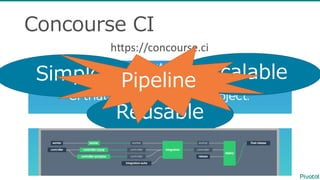
ScalableSimple Pipeline
Concourse  CI
•Concourse  is  originally  made  for  Pivotal  
Cloud  Foundry
•But  itʼ’s  independent  from  PCF  can  be  use  
outside  of  PCF  too.
•Written  in  Golang
Concourse  CI
https://www.thoughtworks.com/radar/tools
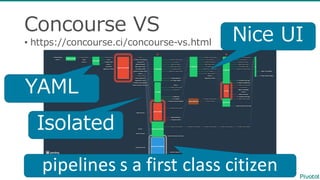
Concourse  VS
• https://concourse.ci/concourse-‐‑‒vs.html
pipelines	
  s	
  a	
  first	
  class	
  citizen
YAML
Isolated
Nice  UI
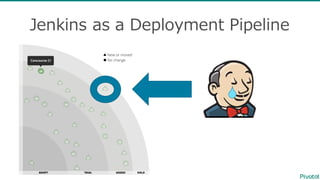
Jenkins  as  a  Deployment  Pipeline
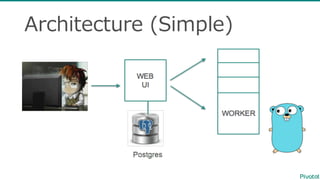
Architecture  (Simple)
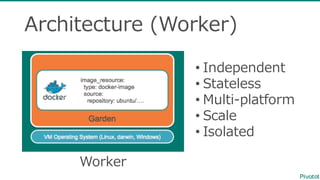
Architecture  (Worker)
Worker
• Independent
• Stateless
• Multi-‐‑‒platform
• Scale
• Isolated
Simple!
jobs:
-‐‑‒ name:  hello
plan:
-‐‑‒ task:  say-‐‑‒hello
config:
platform:  linux
image_̲resource:
type:  docker-‐‑‒image
source:
repository:  alpine
run:
path:  echo
args:  ["Hello,  world!"]
Three  Concepts
•Tasks
•Resources
•Jobs
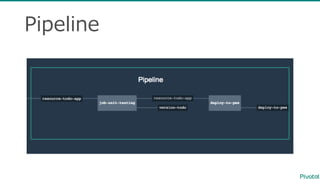
Pipeline
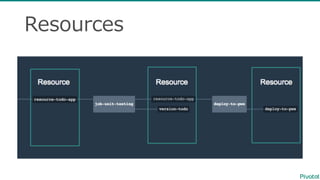
Resources
Resources
• Resource  used  by  the  jobs  in  your  pipeline
• For  example:  
• Git repository
• Docker image
• S3
• Pivotal  Tracker
• Semver
• Cloud  Foundry  etc…
• As  well  as  input  that  output  ..
• You  can  create  your  own  resource…
• Slack
• GitHub Pull  Request...
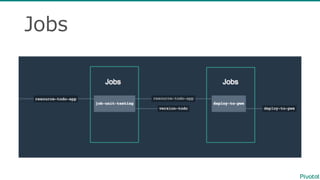
Jobs
Jobs
•Actions  to  be  done  in  your  pipeline
•Compose  by  resource  and  task  together  to  
DO  SOMETHING
•Basically:
• What  I  need  to  do  ?      ===>  Task
• What  I  need  to  use  ?  ===>  Resource
• What  I  need  to  produce  ?  ===>  Resource
Tasks
•Basically  run  script  inside  container.
•Stateless  no  hell  dependencies
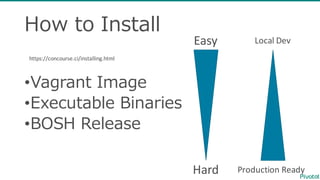
How  to  Install
•Vagrant  Image
•Executable  Binaries
•BOSH  Release
https://concourse.ci/installing.html
Easy
Hard Production	
  Ready
Local	
  Dev
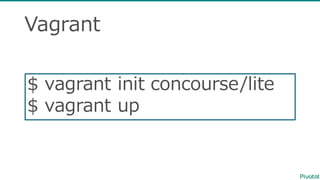
Vagrant
$  vagrant  init concourse/lite
$  vagrant  up
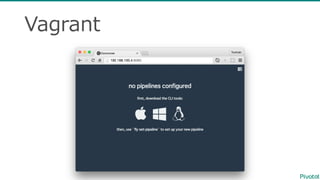
Vagrant
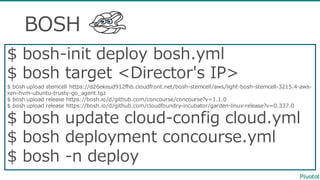
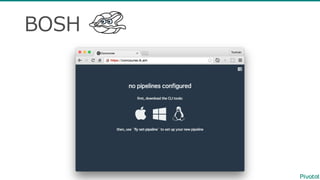
BOSH
$  bosh-‐‑‒init deploy  bosh.yml
$  bosh  target  <Director's  IP>
$  bosh  upload  stemcell https://d26ekeud912fhb.cloudfront.net/bosh-‐‑‒stemcell/aws/light-‐‑‒bosh-‐‑‒stemcell-‐‑‒3215.4-‐‑‒aws-‐‑‒
xen-‐‑‒hvm-‐‑‒ubuntu-‐‑‒trusty-‐‑‒go_̲agent.tgz  
$  bosh  upload  release  https://bosh.io/d/github.com/concourse/concourse?v=1.1.0
$  bosh  upload  release  https://bosh.io/d/github.com/cloudfoundry-‐‑‒incubator/garden-‐‑‒linux-‐‑‒release?v=0.337.0
$  bosh  update  cloud-‐‑‒config cloud.yml
$  bosh  deployment  concourse.yml
$  bosh  -‐‑‒n  deploy
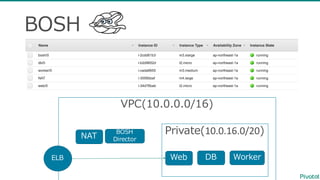
BOSH
BOSH
VPC(10.0.0.0/16)
Private(10.0.16.0/20)
ELB Web DB Worker
NAT
BOSH
Director
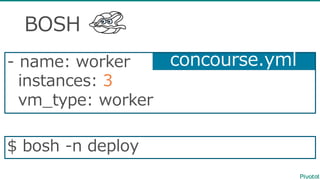
BOSH
-‐‑‒ name:  worker
instances:  3
vm_̲type:  worker
$  bosh  -‐‑‒n  deploy
concourse.yml
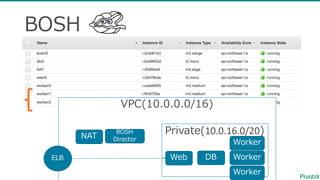
BOSH
VPC(10.0.0.0/16)
Private(10.0.16.0/20)
ELB Web DB Worker
NAT
BOSH
Director
Worker
Worker
Installation  Manual
https://blog.ik.am/entries/383
Hello  Pipeline
jobs:
-‐‑‒ name:  hello
plan:
-‐‑‒ task:  say-‐‑‒hello
config:
platform:  linux
image_̲resource:
type:  docker-‐‑‒image
source:
repository:  alpine
run:
path:  echo
args:  ["Hello,  world!"]
pipeline.yml
Script
Task
Job
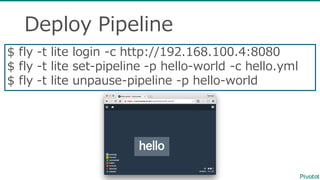
Deploy  Pipeline
$  fly  -‐‑‒t  lite  login  -‐‑‒c  http://192.168.100.4:8080
$  fly  -‐‑‒t  lite  set-‐‑‒pipeline  -‐‑‒p  hello-‐‑‒world  -‐‑‒c  hello.yml
$  fly  -‐‑‒t  lite  unpause-‐‑‒pipeline  -‐‑‒p  hello-‐‑‒world
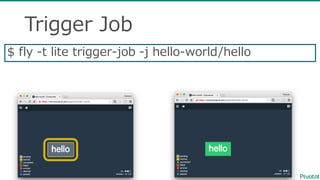
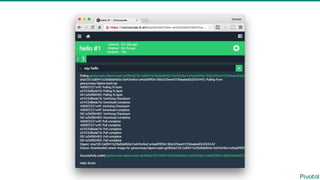
Trigger  Job
$  fly  -‐‑‒t  lite  trigger-‐‑‒job  -‐‑‒j  hello-‐‑‒world/hello
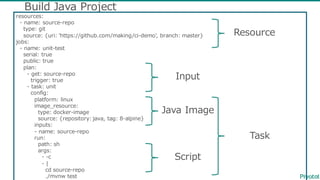
Build  Java  Project
resources:
-‐‑‒ name:  source-‐‑‒repo
type:  git
source:  {uri:  'https://github.com/making/ci-‐‑‒demo',  branch:  master}
jobs:
-‐‑‒ name:  unit-‐‑‒test
serial:  true
public:  true
plan:
-‐‑‒ get:  source-‐‑‒repo
trigger:  true
-‐‑‒ task:  unit
config:
platform:  linux
image_̲resource:
type:  docker-‐‑‒image
source:  {repository:  java,  tag:  8-‐‑‒alpine}
inputs:
-‐‑‒ name:  source-‐‑‒repo
run:
path:  sh
args:
-‐‑‒ -‐‑‒c
-‐‑‒ |
cd  source-‐‑‒repo
./mvnw test
Resource
Task
Java  Image
Script
Input
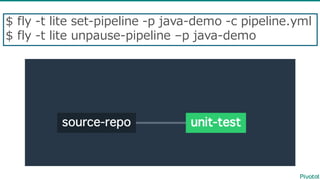
$  fly  -‐‑‒t  lite  set-‐‑‒pipeline  -‐‑‒p  java-‐‑‒demo  -‐‑‒c  pipeline.yml
$  fly  -‐‑‒t  lite  unpause-‐‑‒pipeline  –p  java-‐‑‒demo
-‐‑‒ name:  deploy-‐‑‒to-‐‑‒cf
serial:  true
plan:
-‐‑‒ get:  source-‐‑‒repo
trigger:  true  
passed:  [  unit-‐‑‒test  ]  
-‐‑‒ task:  unit
config:
platform:  linux
image_̲resource:
type:  docker-‐‑‒image
source:  {repository:  java,  tag:  8-‐‑‒alpine}
inputs:
-‐‑‒ name:  source-‐‑‒repo
outputs:  
-‐‑‒ name:  output
run:
path:  sh
args:
-‐‑‒ -‐‑‒c
-‐‑‒ |
cd  source-‐‑‒repo
./mvnw package  -‐‑‒Dmaven.test.skip=true
cp target/*.jar  ../output/demo.jar
-‐‑‒ put:  cf
params:
manifest:  source-‐‑‒repo/manifest.yml
path:  output/demo.jar
current_̲app_̲name:  concourse-‐‑‒ci-‐‑‒demo
Output  =  Deploy  to  Cloud  Foundry  
-‐‑‒ name:  cf
type:  cf
source:
api:  {{cf-‐‑‒api}}
username:  {{cf-‐‑‒username}}
password:  {{cf-‐‑‒password}}
organization:  {{cf-‐‑‒org}}
space:  {{cf-‐‑‒space}}  
skip_̲cert_̲check:  true
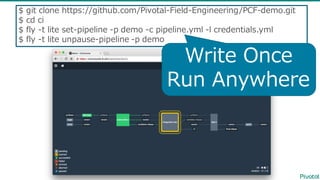
$  git clone  https://github.com/Pivotal-‐‑‒Field-‐‑‒Engineering/PCF-‐‑‒demo.git
$  cd  ci
$  fly  -‐‑‒t  lite  set-‐‑‒pipeline  -‐‑‒p  demo  -‐‑‒c  pipeline.yml -‐‑‒l  credentials.yml
$  fly  -‐‑‒t  lite  unpause-‐‑‒pipeline  -‐‑‒p  demo
Write  Once
Run  Anywhere
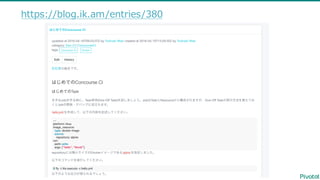
https://blog.ik.am/entries/380
Announce
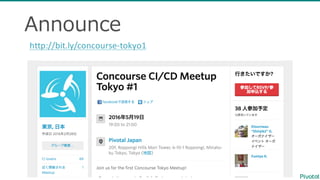
http://bit.ly/concourse-­‐tokyo1

Introduction to Concourse CI #渋谷Java