13 ways how to
launch app to the
Internet
Andrii Shumada
WalkMe/Ciklum
Why not just
call DevOps?
Responsibility Spread Do you need System
Administrator nowadays?
Who is guilty, when something
whent wrong? Is it infrastructure
problem or bug in the code?
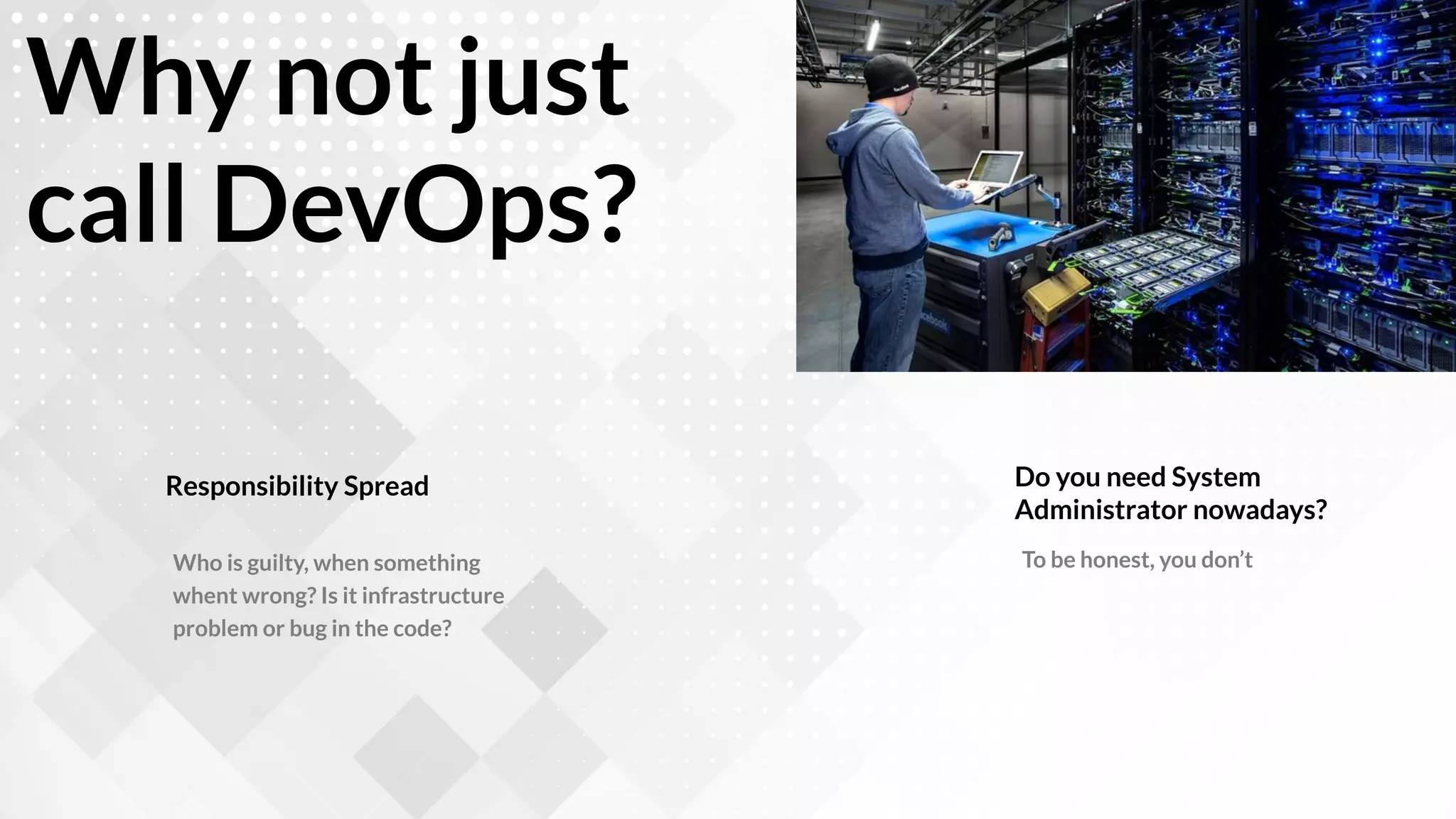
To be honest, you don’t
General requirements to get online
in the Internet
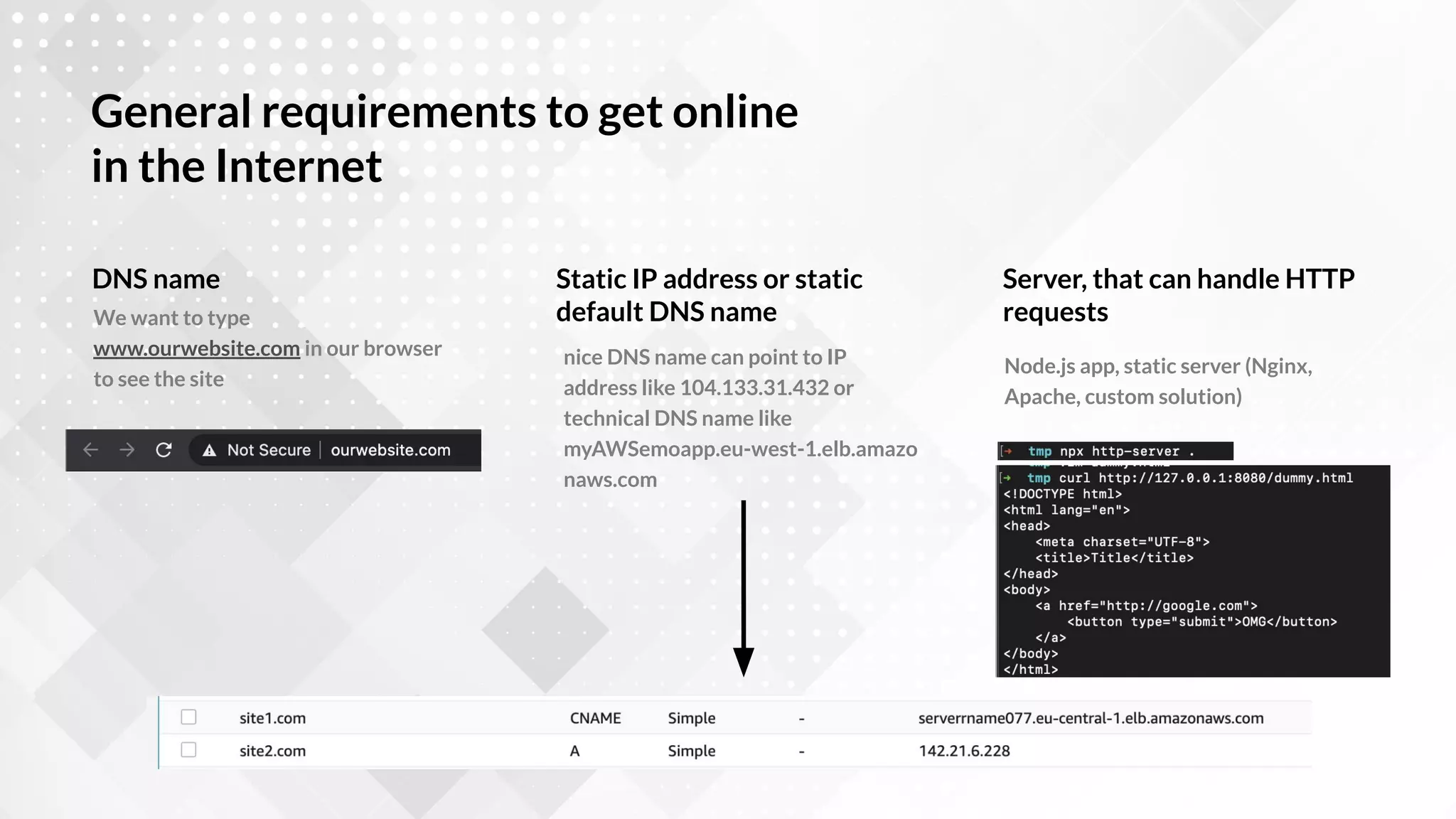
We want to type
www.ourwebsite.com in our browser
to see the site
DNS name
nice DNS name can point to IP
address like 104.133.31.432 or
technical DNS name like
myAWSemoapp.eu-west-1.elb.amazo
naws.com
Static IP address or static
default DNS name
Node.js app, static server (Nginx,
Apache, custom solution)
Server, that can handle HTTP
requests
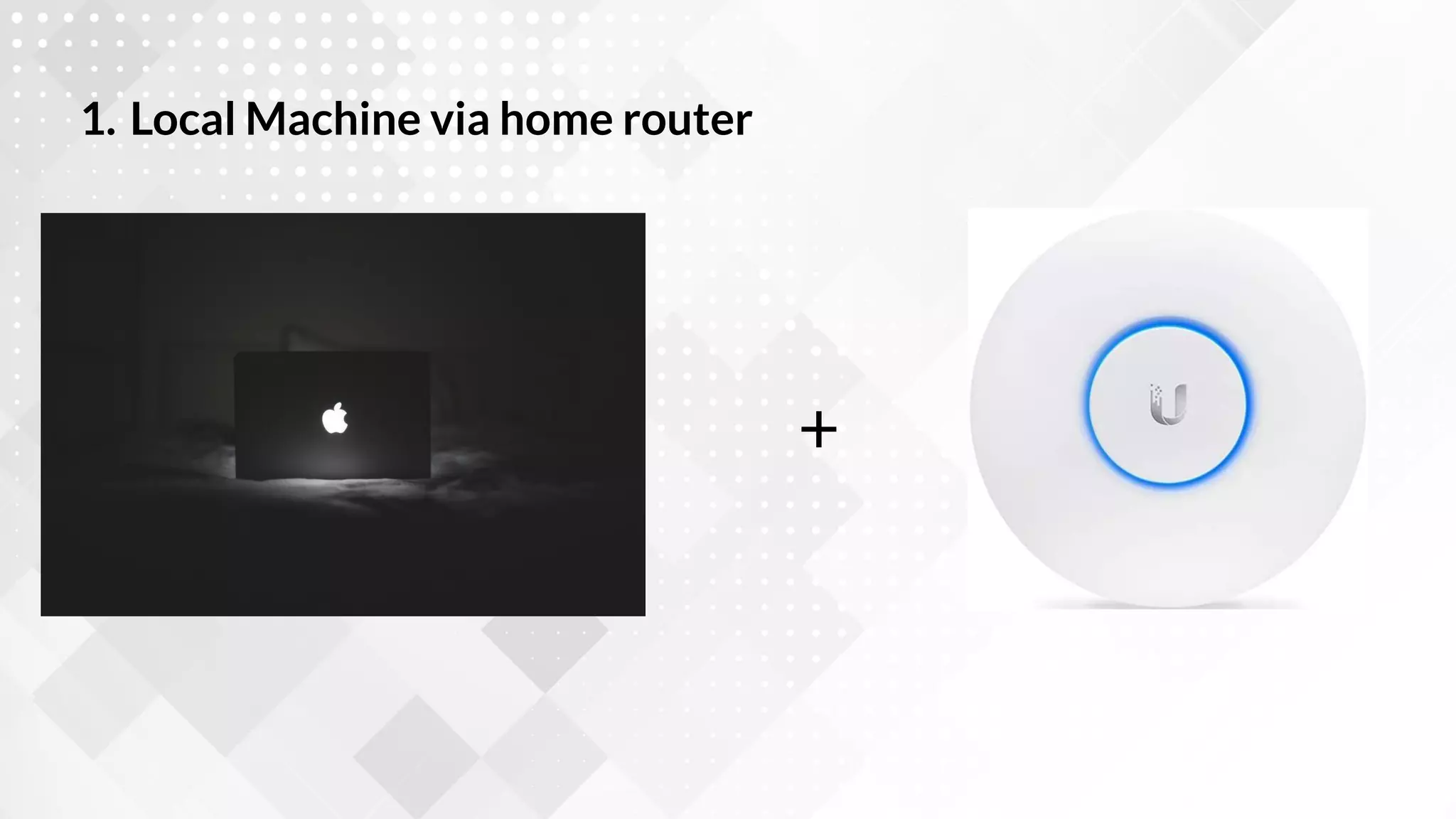
1. Local Machine via home router
+
My home laptop/PC is connected to the
Internet, can I use it to get website online?
npm start (Node.js or React or whatever)
or npm run build && npx http-server . (Frontend app)
1. Start your app locally
What I need to do?
By default your laptop is not visible to
Internet, if it’s connected via router
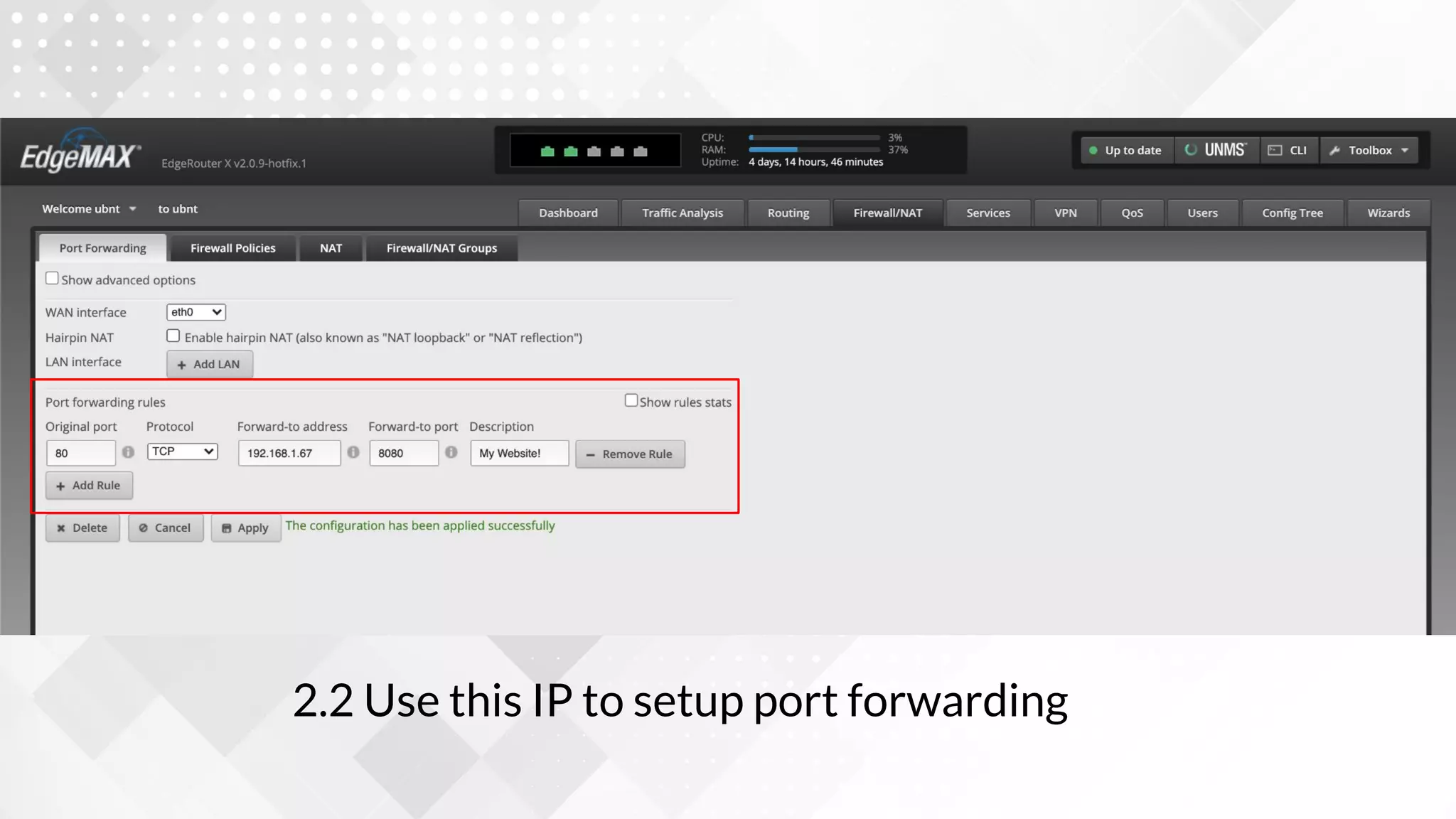
2. Do port forwarding on your router
Find IP in the router or visit myip.com
3. Find public IP of your router
and create DNS for it
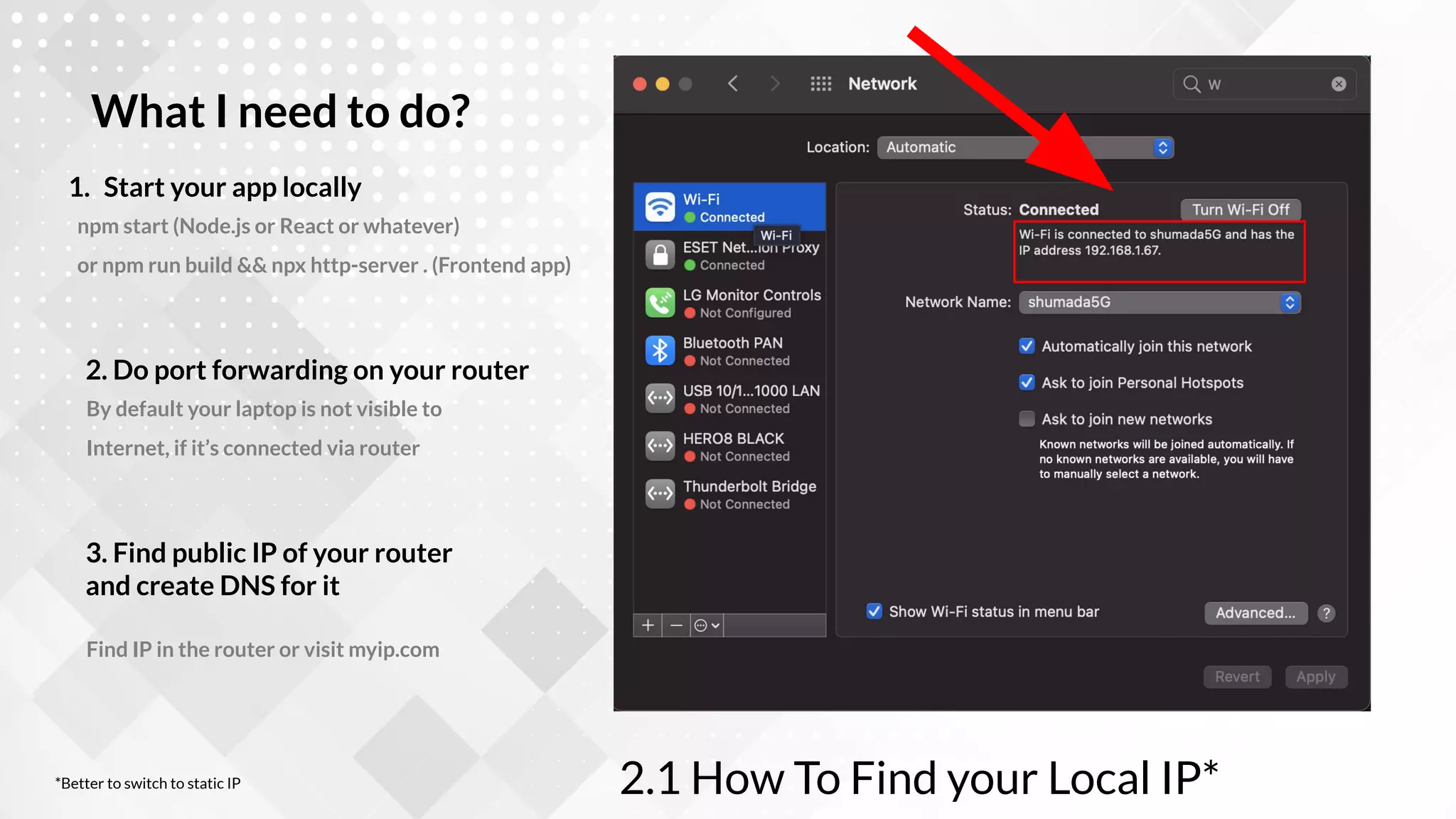
2.1 How To Find your Local IP*
*Better to switch to static IP
2.2 Use this IP to setup port forwarding
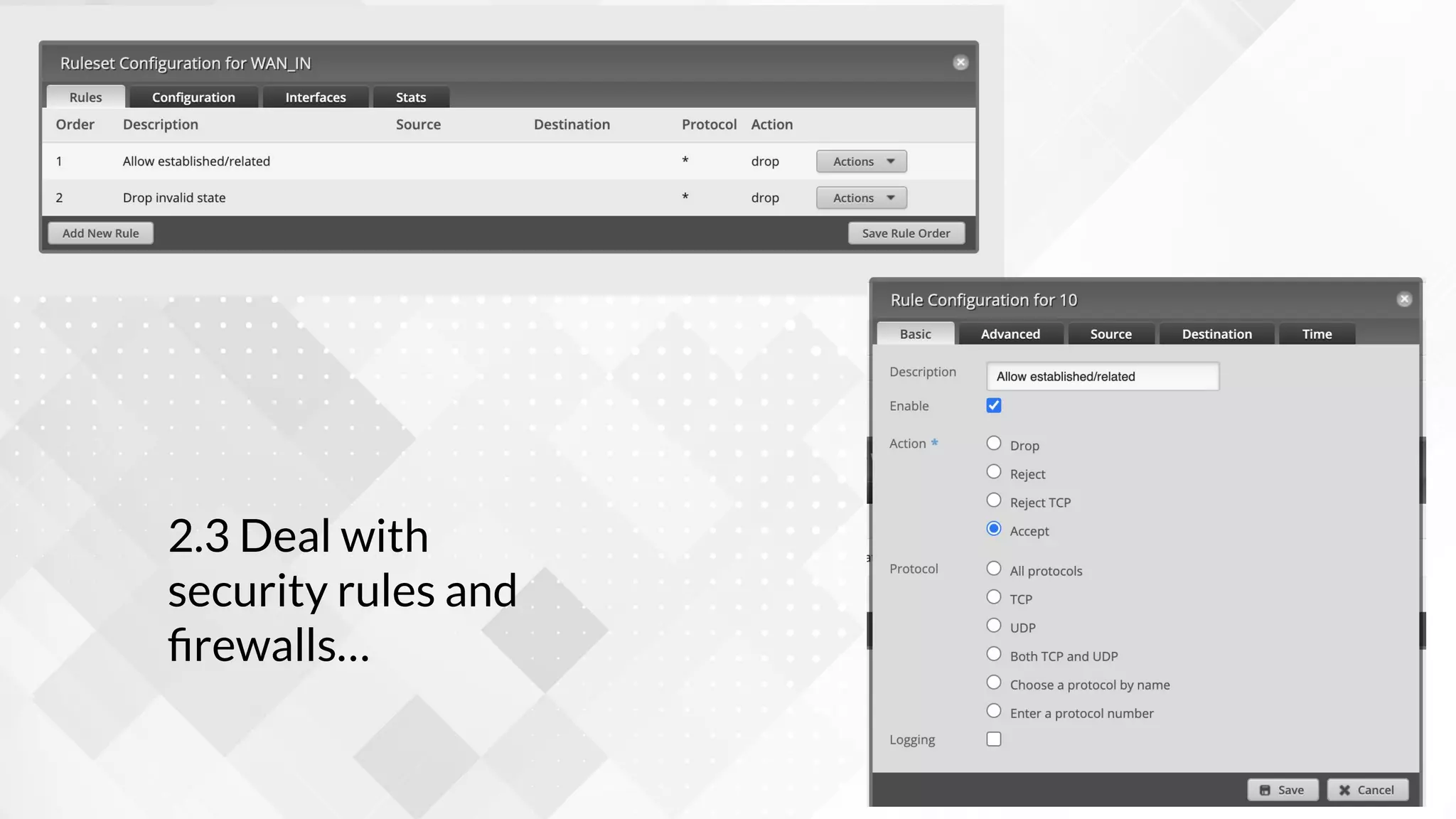
2.3 Deal with
security rules and
firewalls…
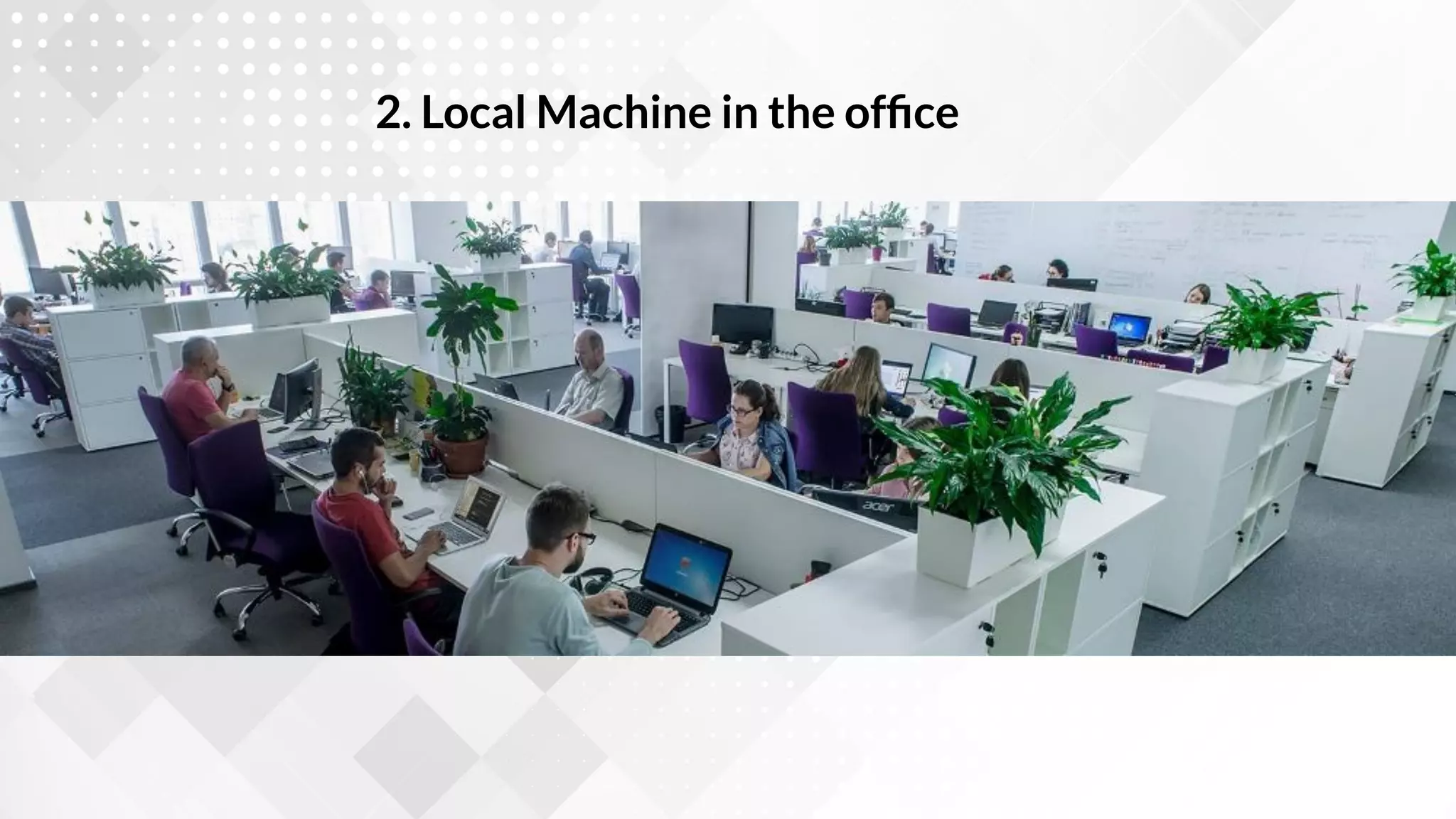
2. Local Machine in the office
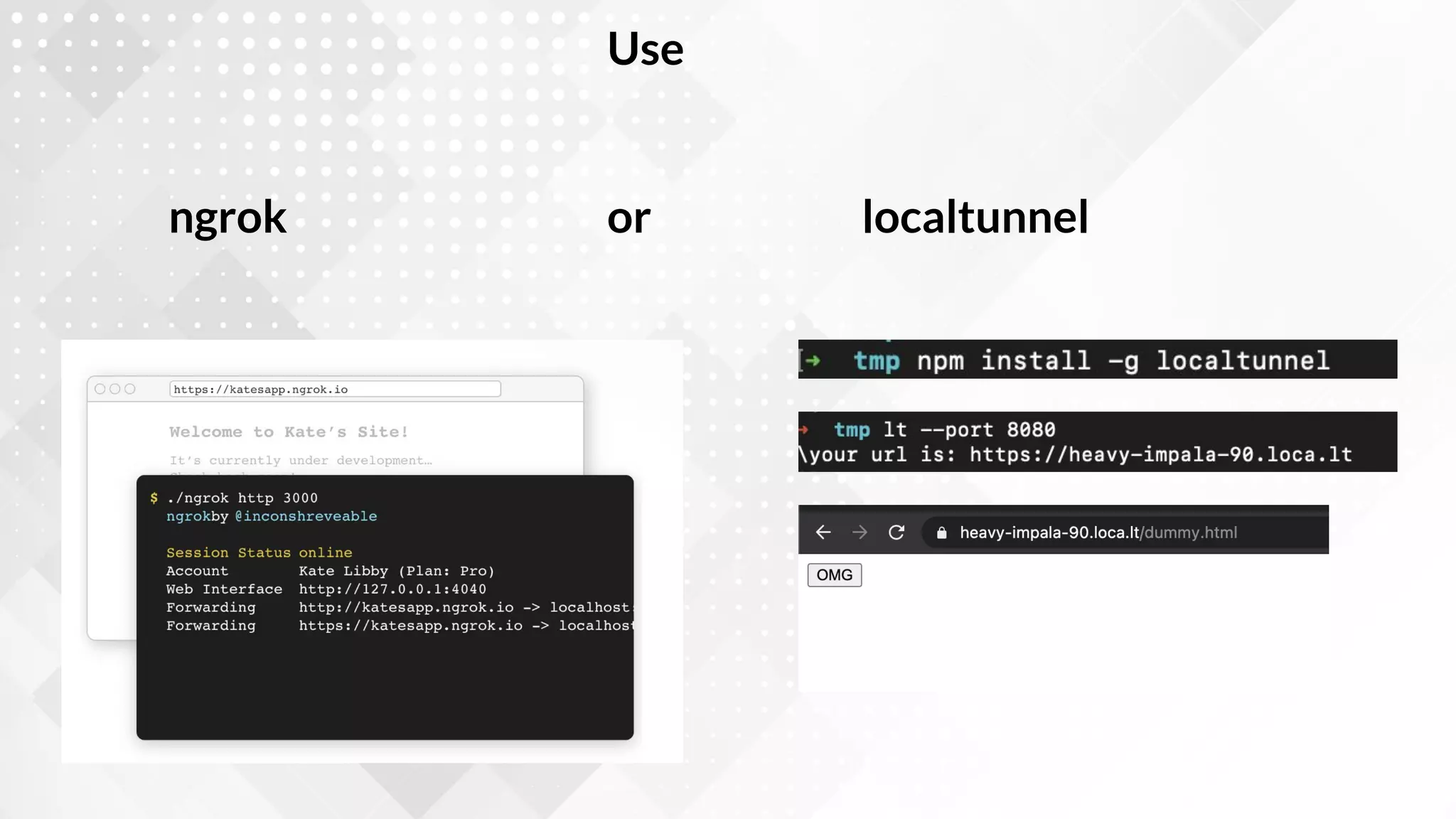
Use
or
ngrok localtunnel
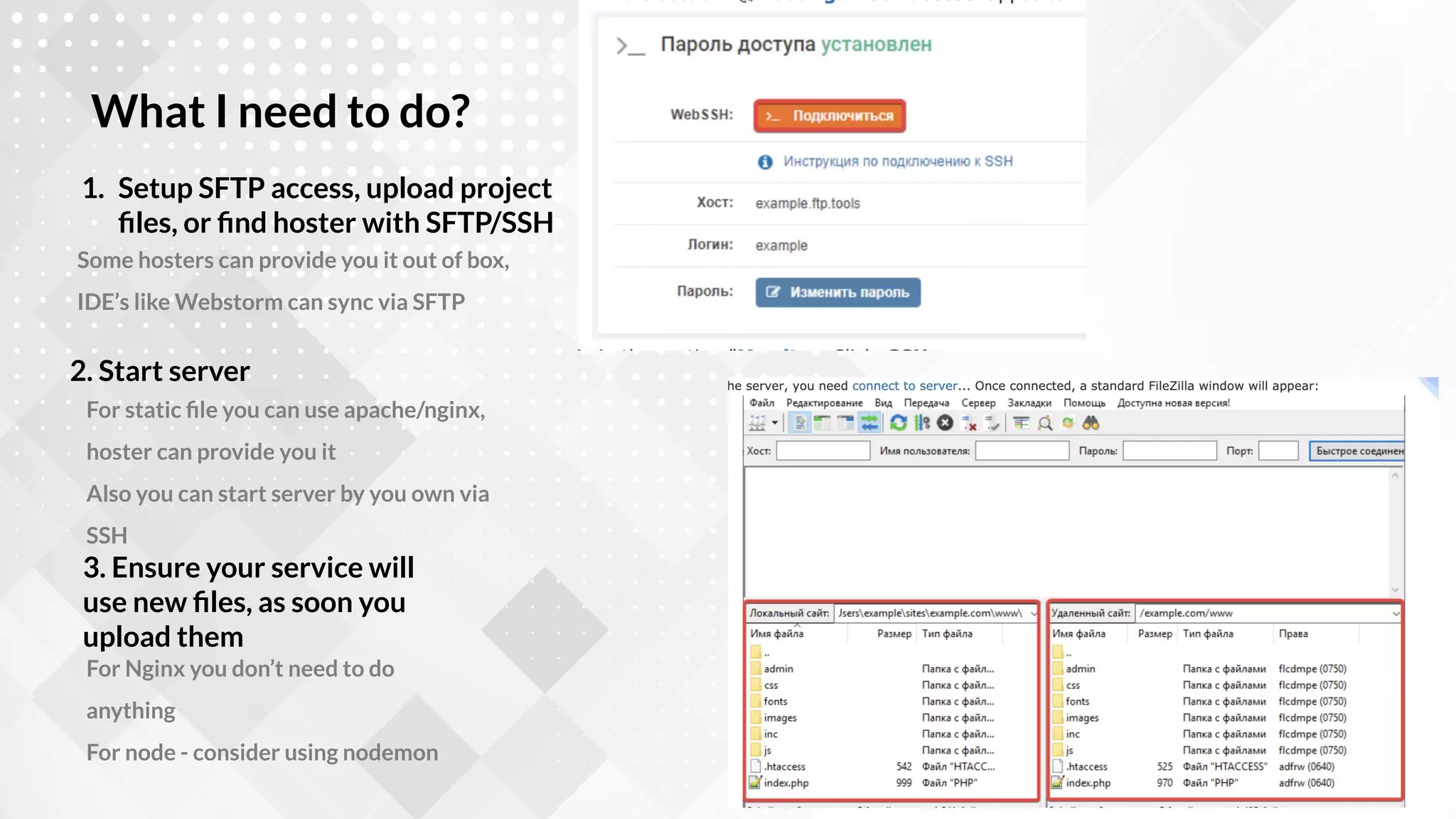
3. Dedicated server + SFTP
Some hosters can provide you it out of box,
IDE’s like Webstorm can sync via SFTP
1. Setup SFTP access, upload project
files, or find hoster with SFTP/SSH
What I need to do?
For static file you can use apache/nginx,
hoster can provide you it
Also you can start server by you own via
SSH
2. Start server
For Nginx you don’t need to do
anything
For node - consider using nodemon
3. Ensure your service will
use new files, as soon you
upload them
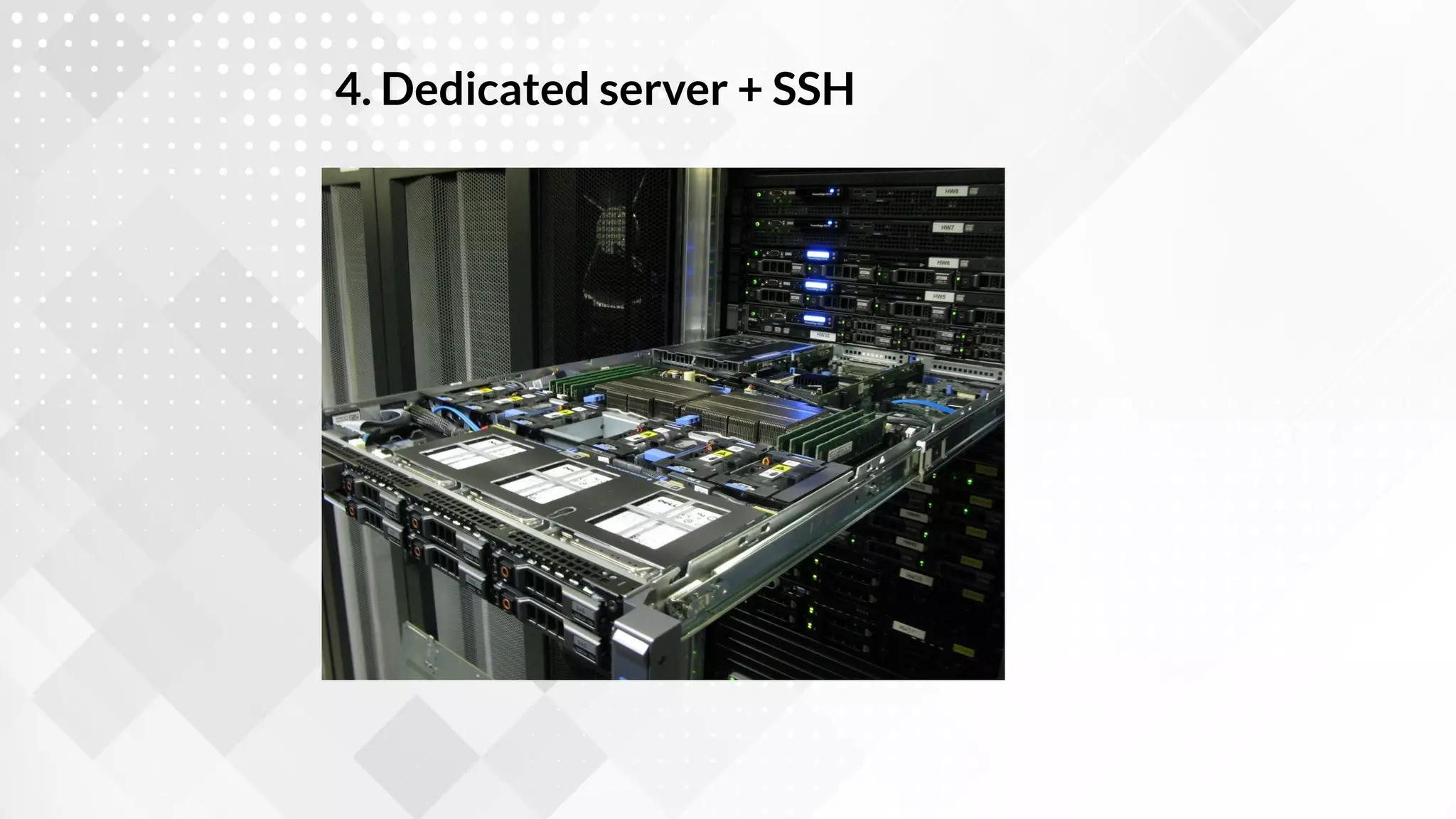
4. Dedicated server + SSH
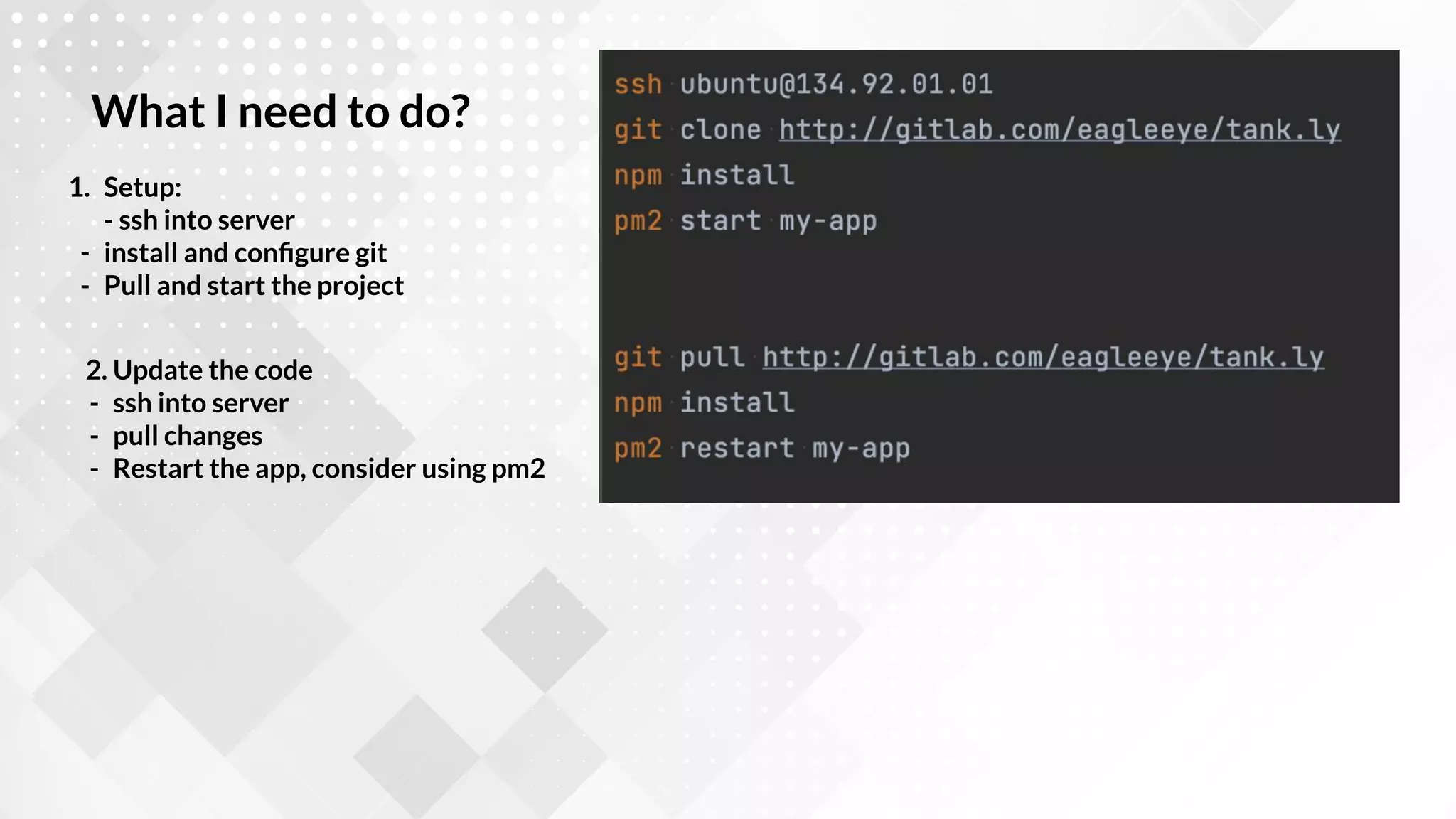
1. Setup:
- ssh into server
- install and configure git
- Pull and start the project
What I need to do?
2. Update the code
- ssh into server
- pull changes
- Restart the app, consider using pm2
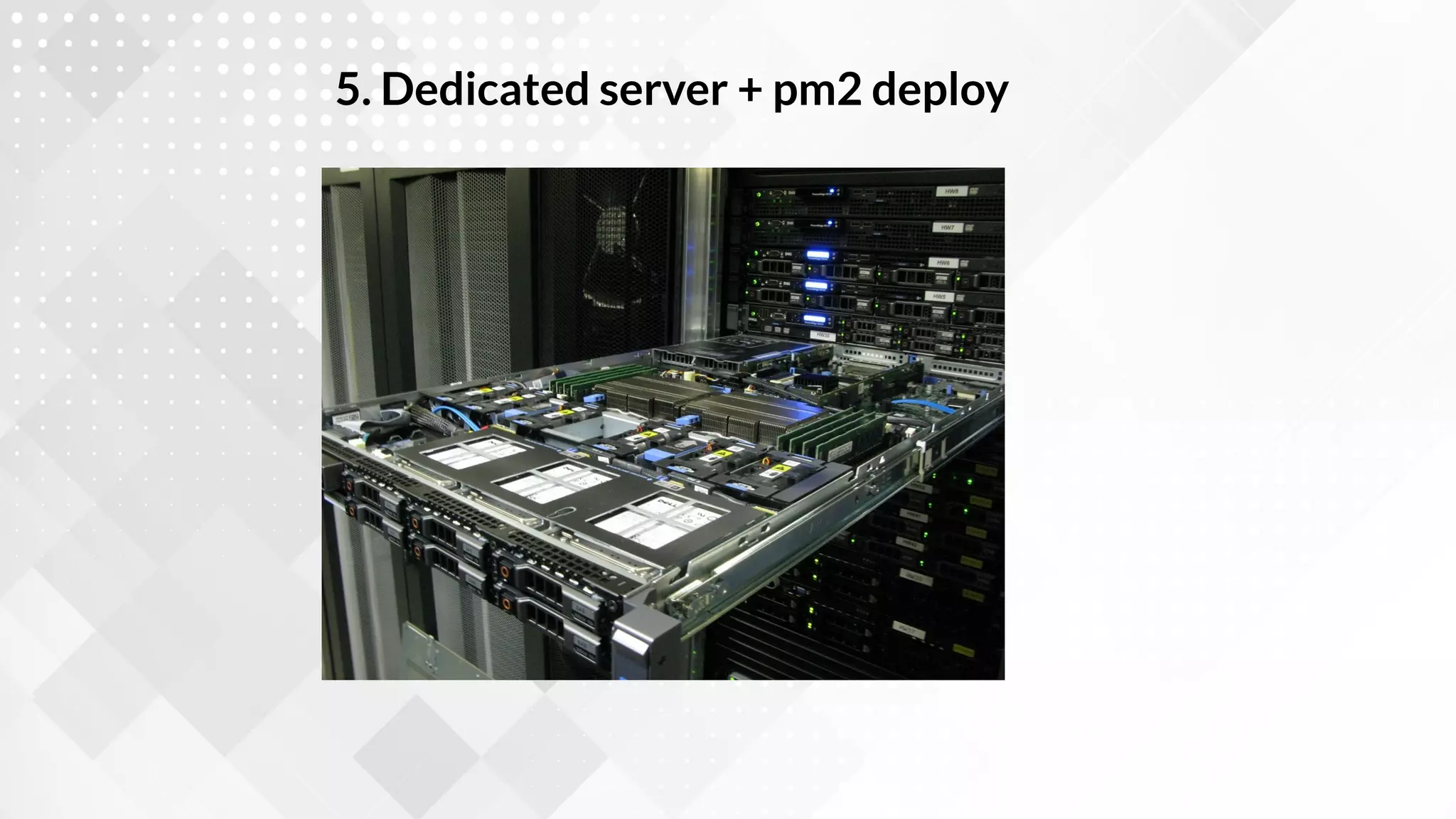
5. Dedicated server + pm2 deploy
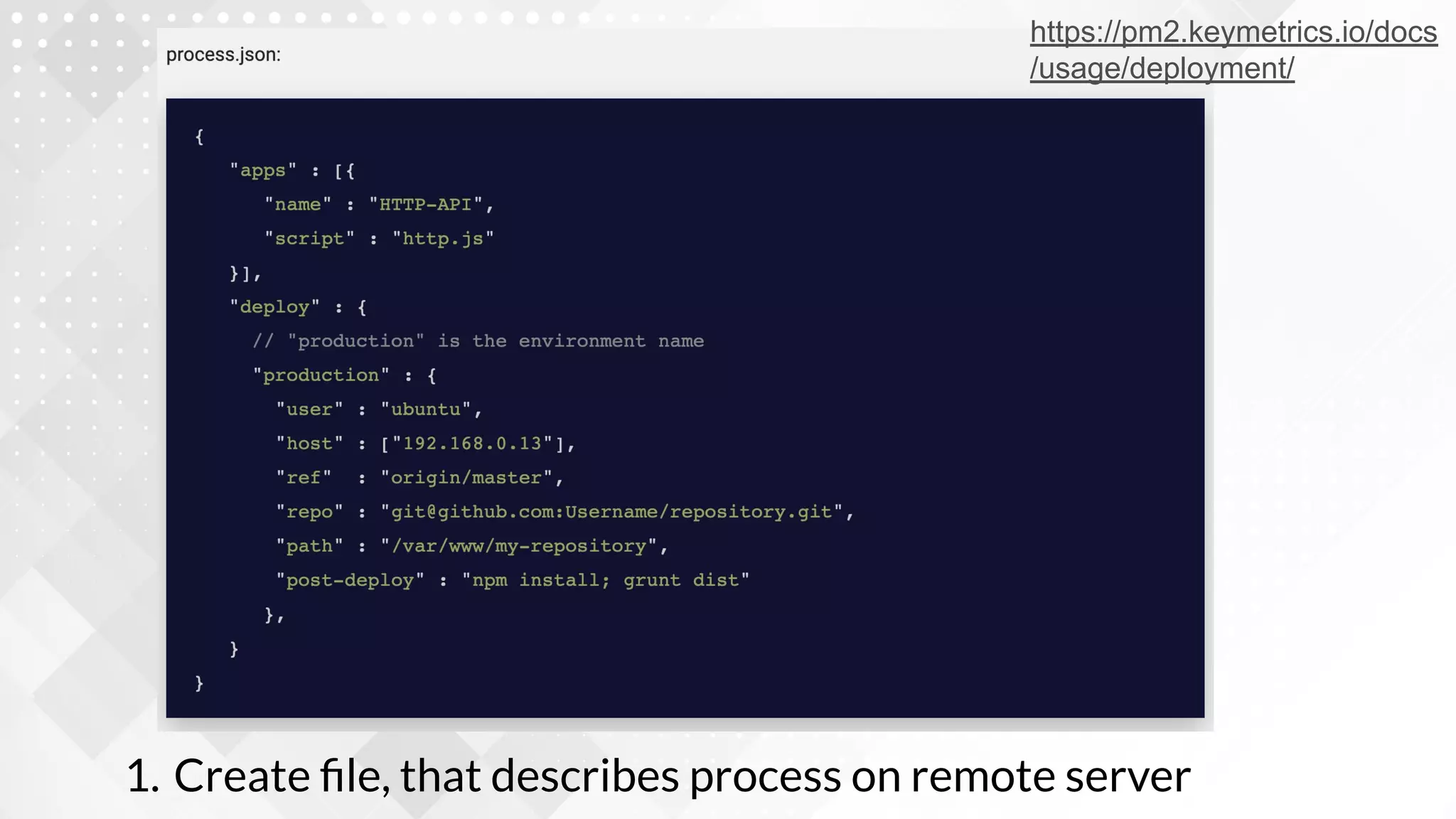
1. Create file, that describes process on remote server
https://pm2.keymetrics.io/docs
/usage/deployment/
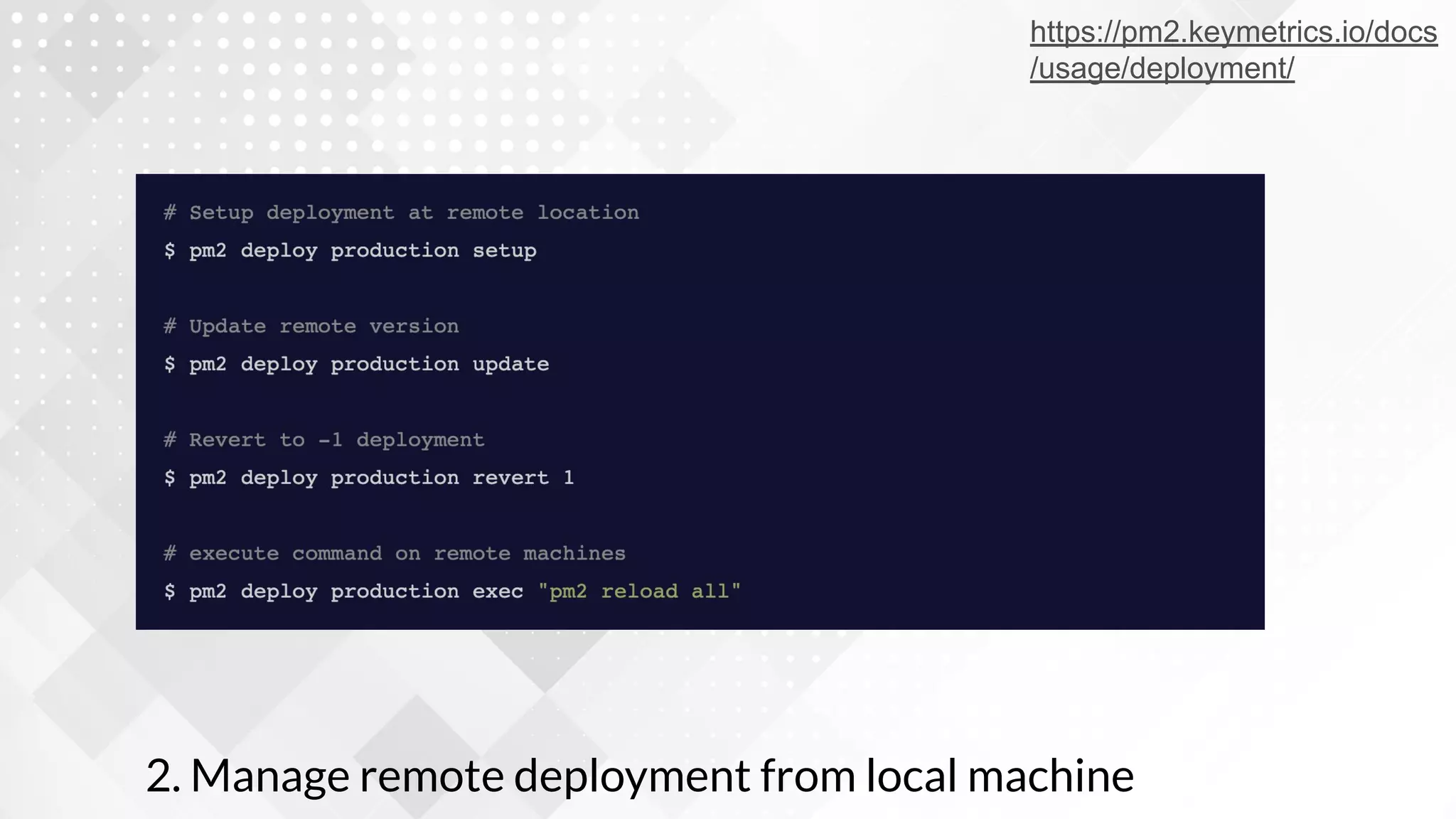
2. Manage remote deployment from local machine
https://pm2.keymetrics.io/docs
/usage/deployment/
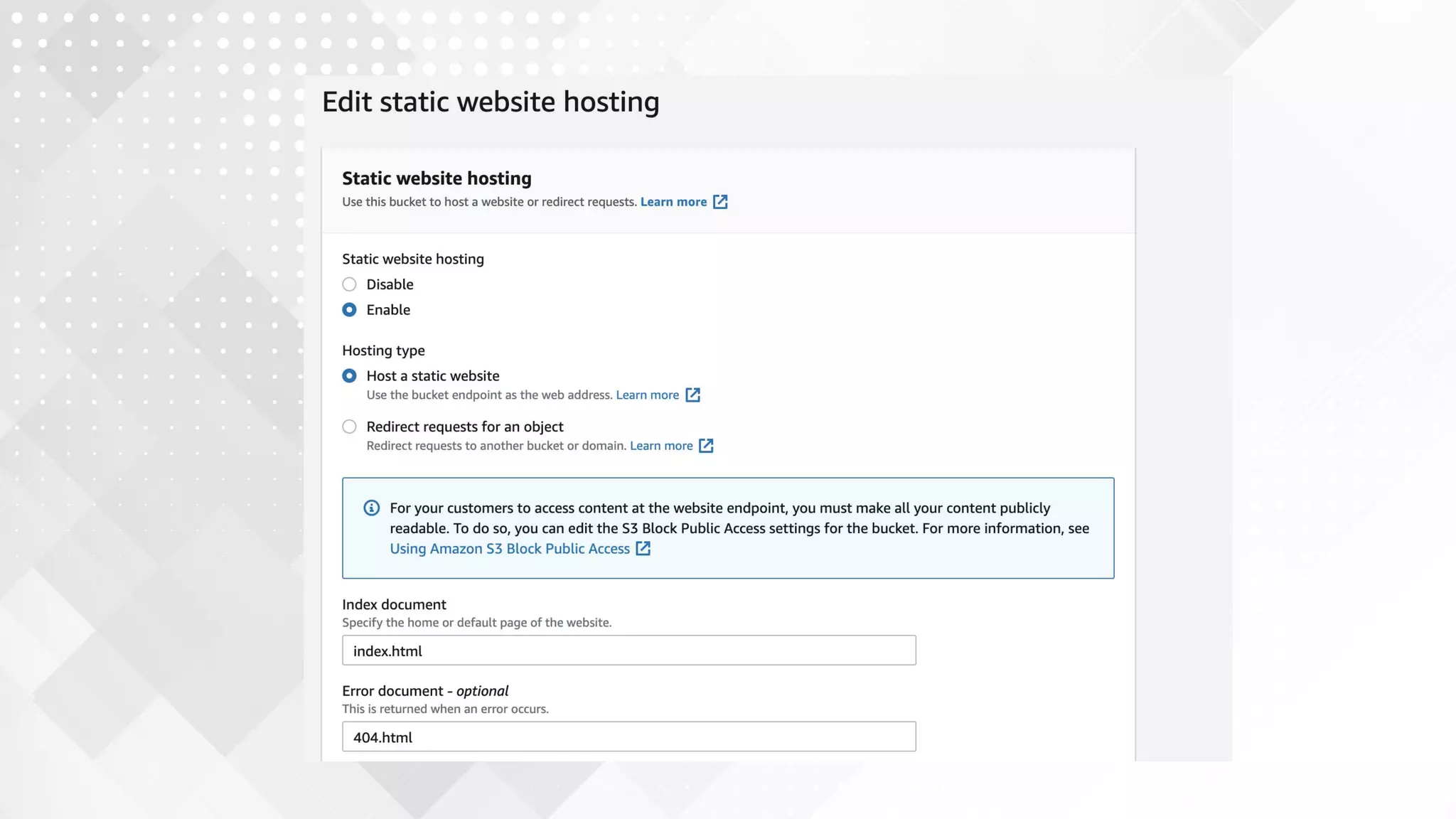
6. Cloud storage Service (AWS S3, Google
Cloud Storage,..)*
* Frontend only!
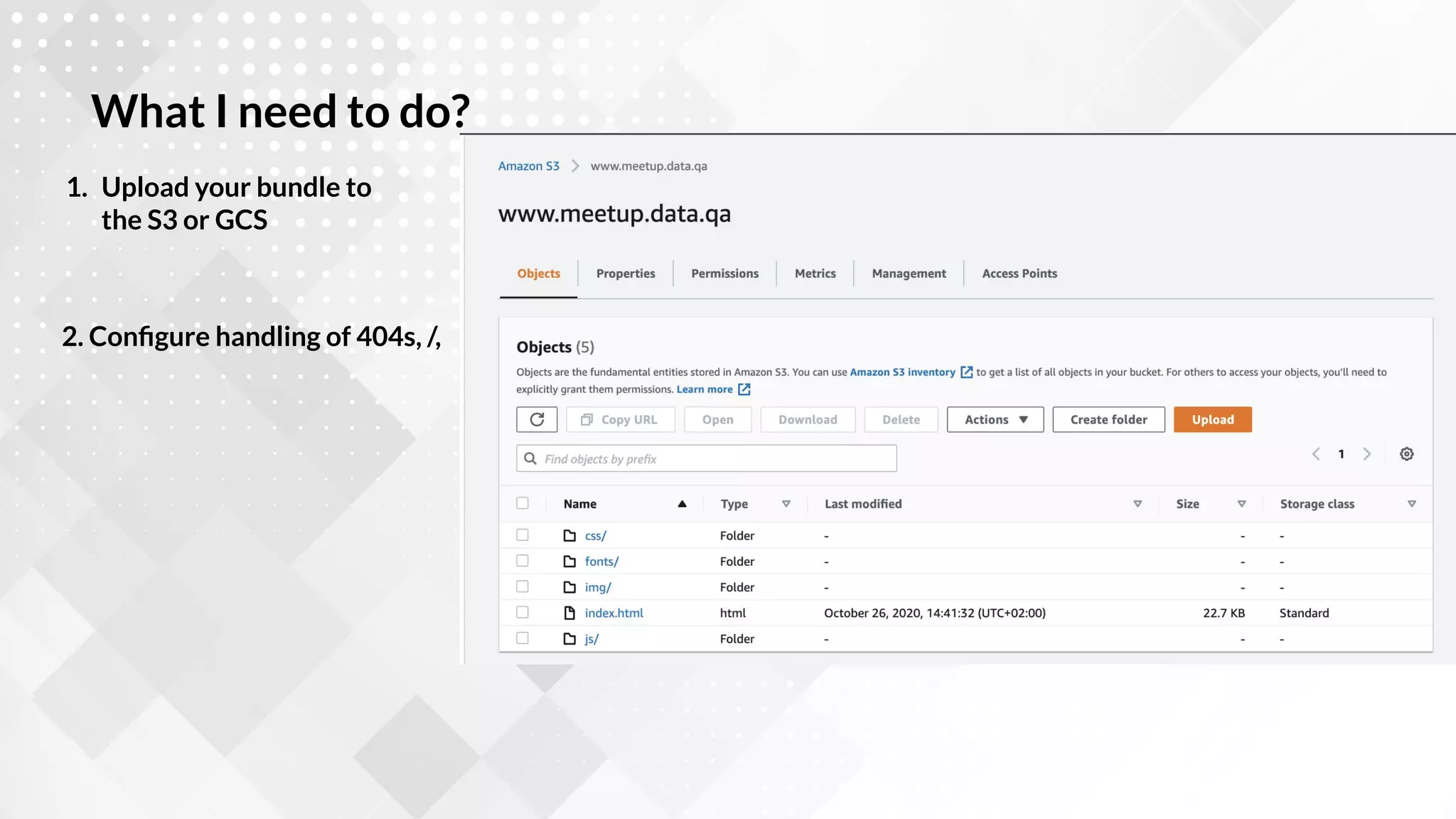
1. Upload your bundle to
the S3 or GCS
What I need to do?
2. Configure handling of 404s, /,
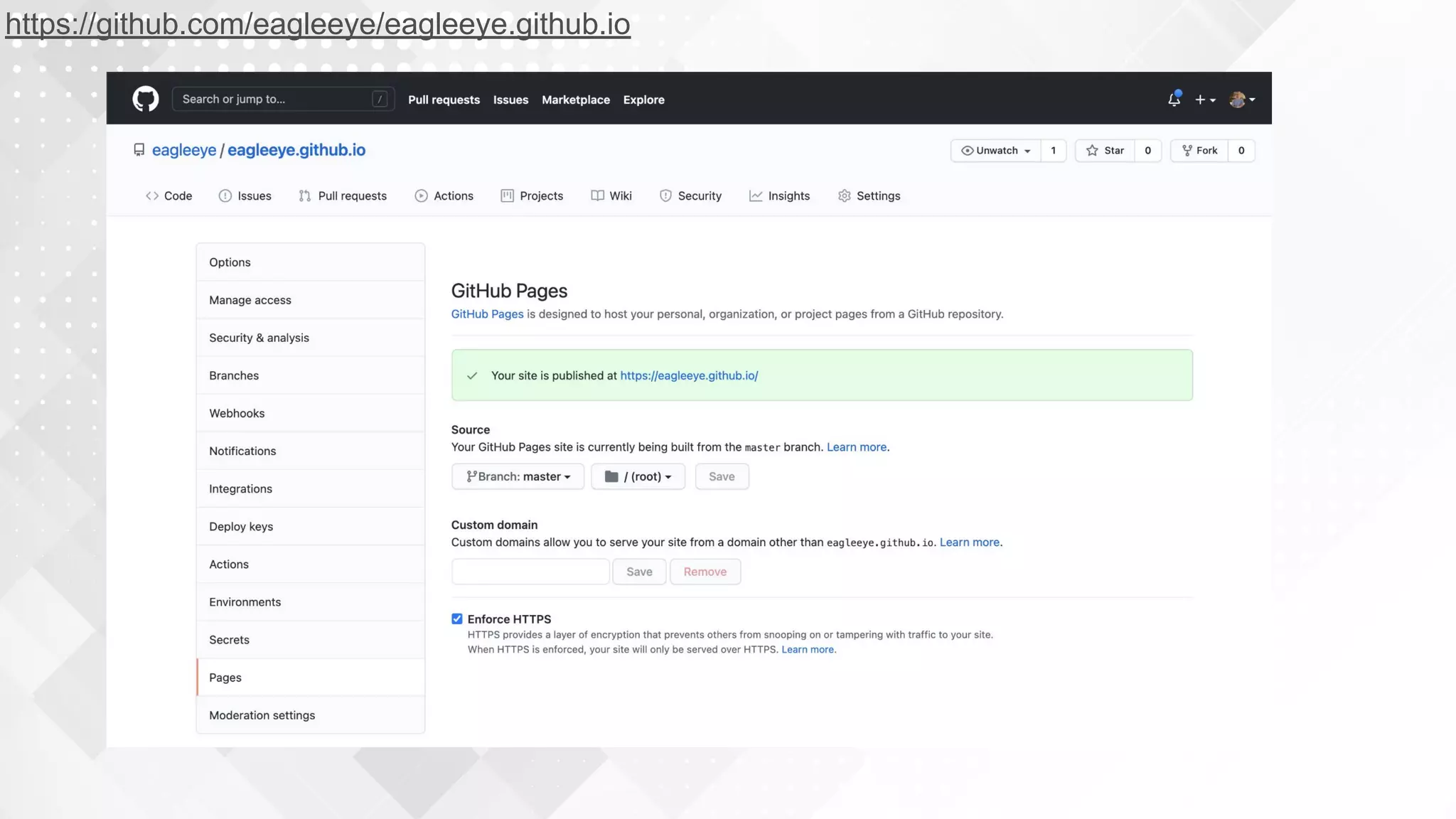
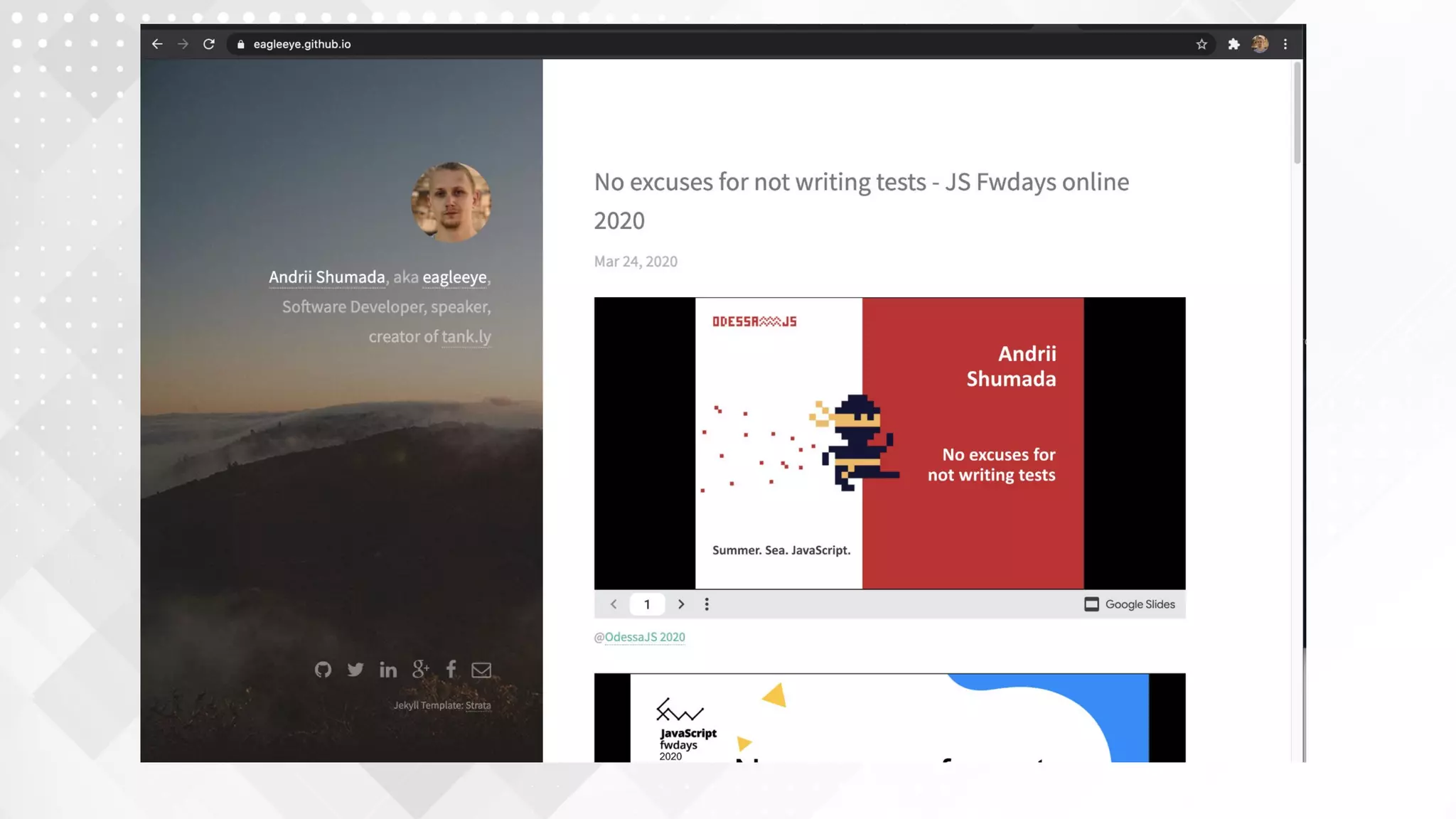
7. Git-based static hosting (github/gitlab pages)
* Frontend only!
https://github.com/eagleeye/eagleeye.github.io
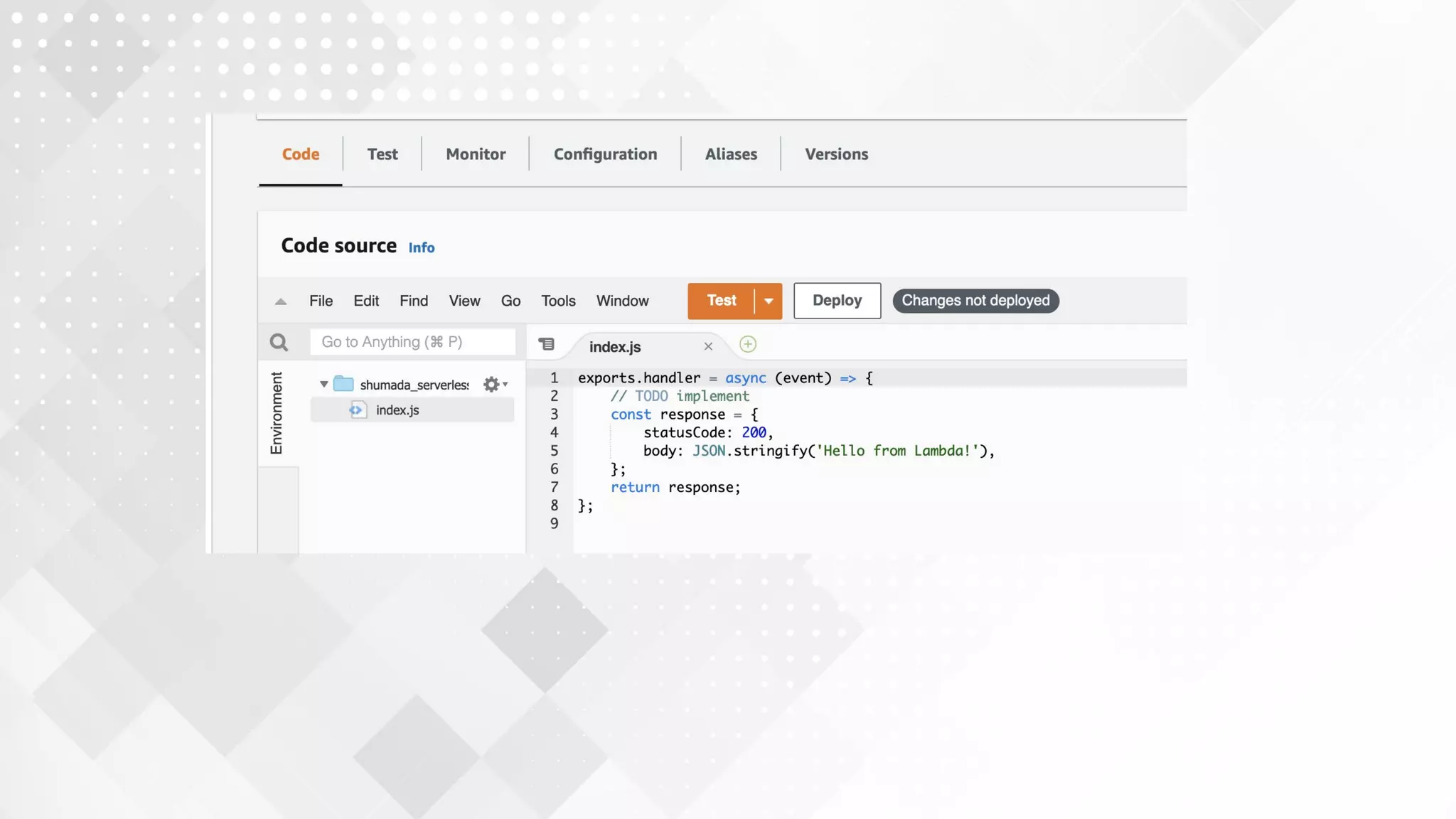
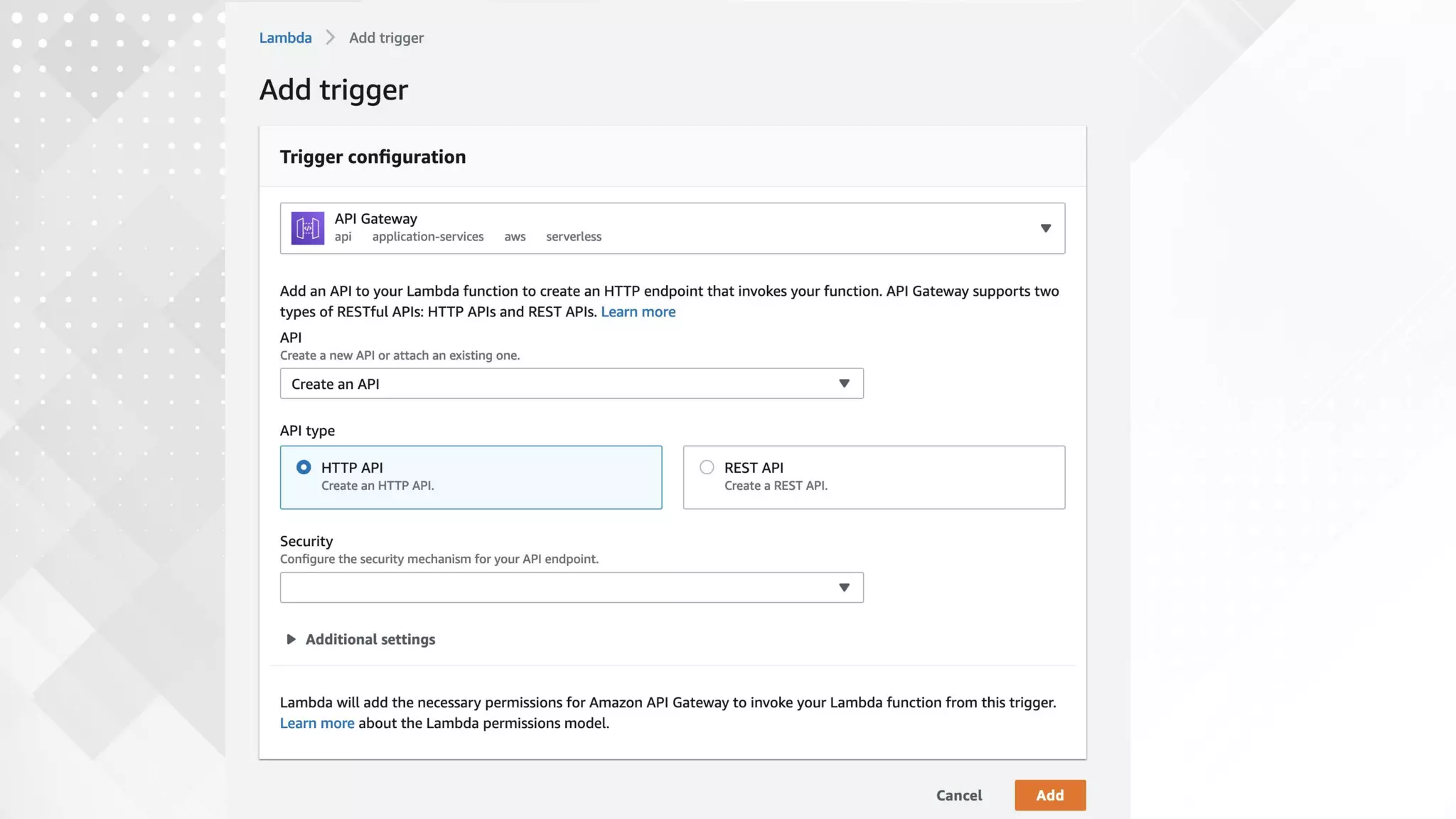
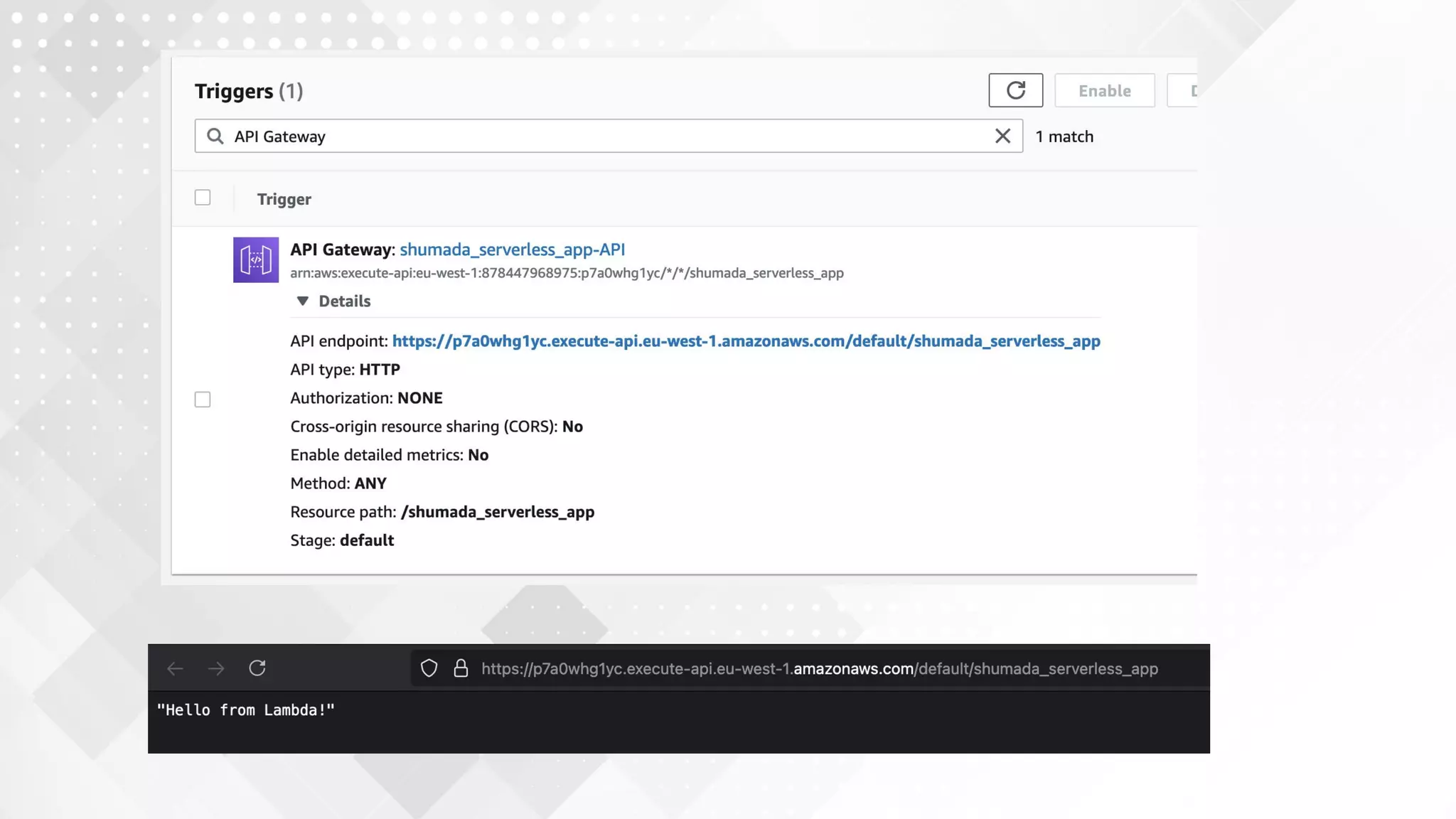
8. AWS Lambda/Google Cloud function
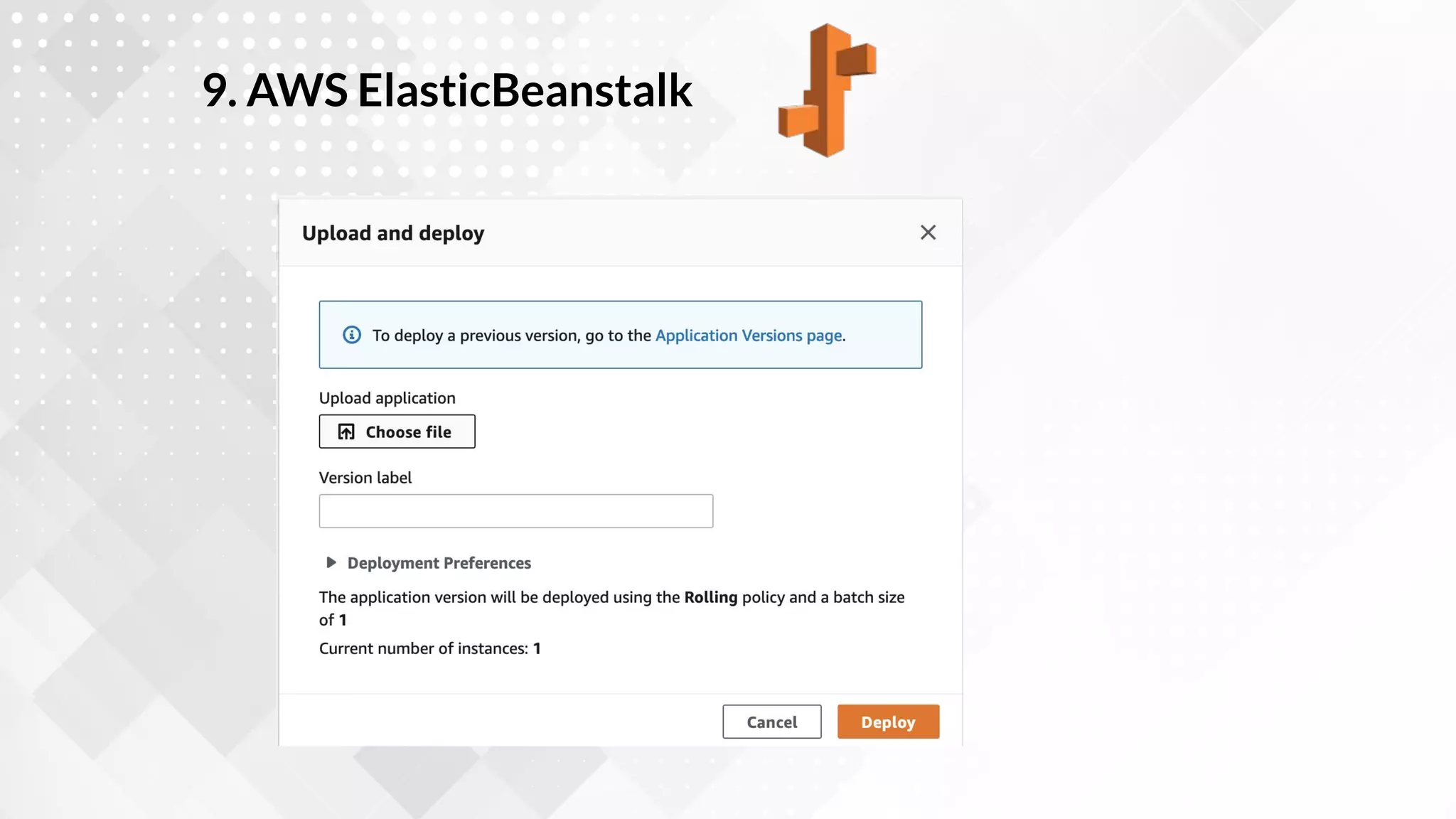
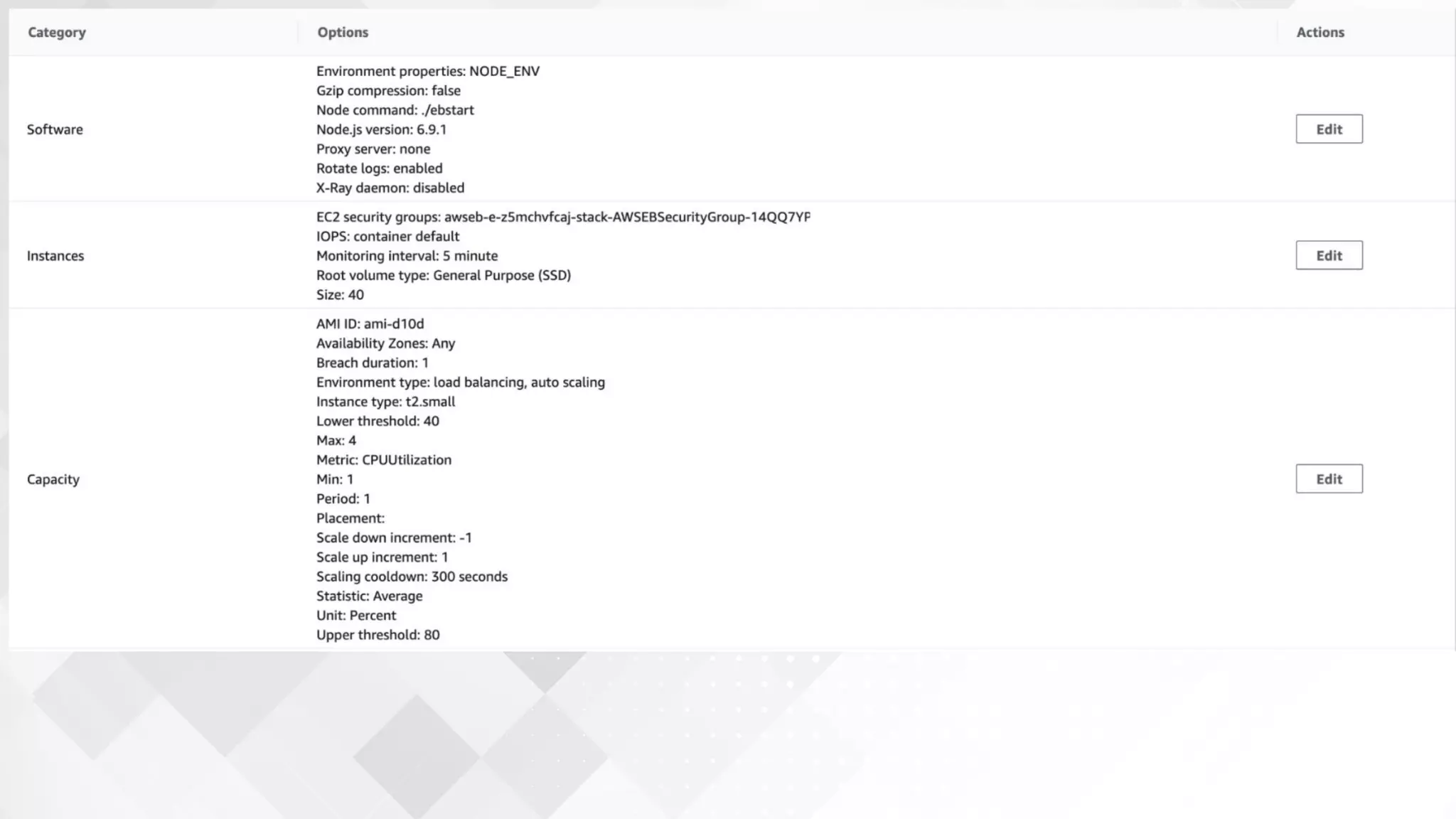
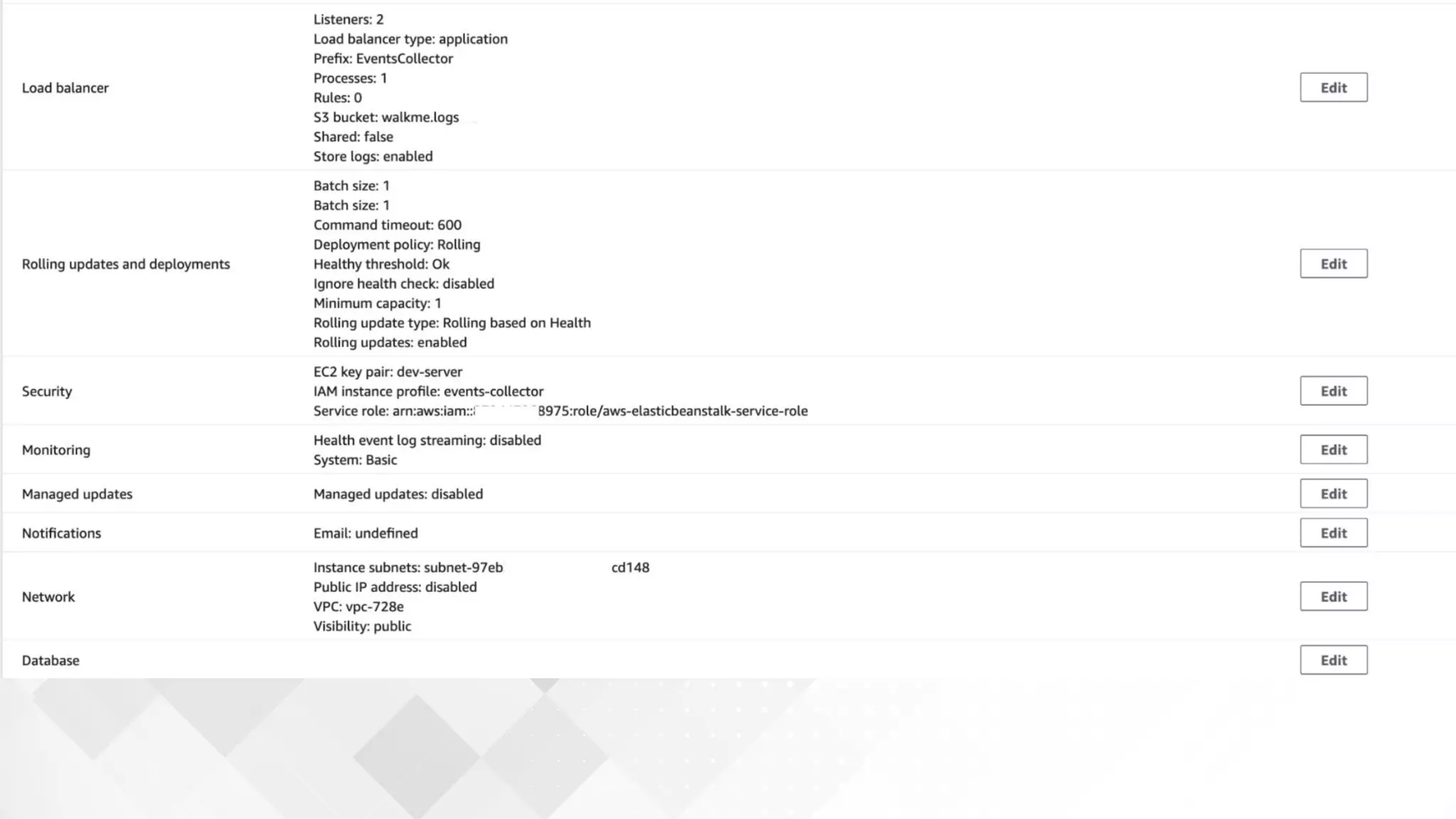
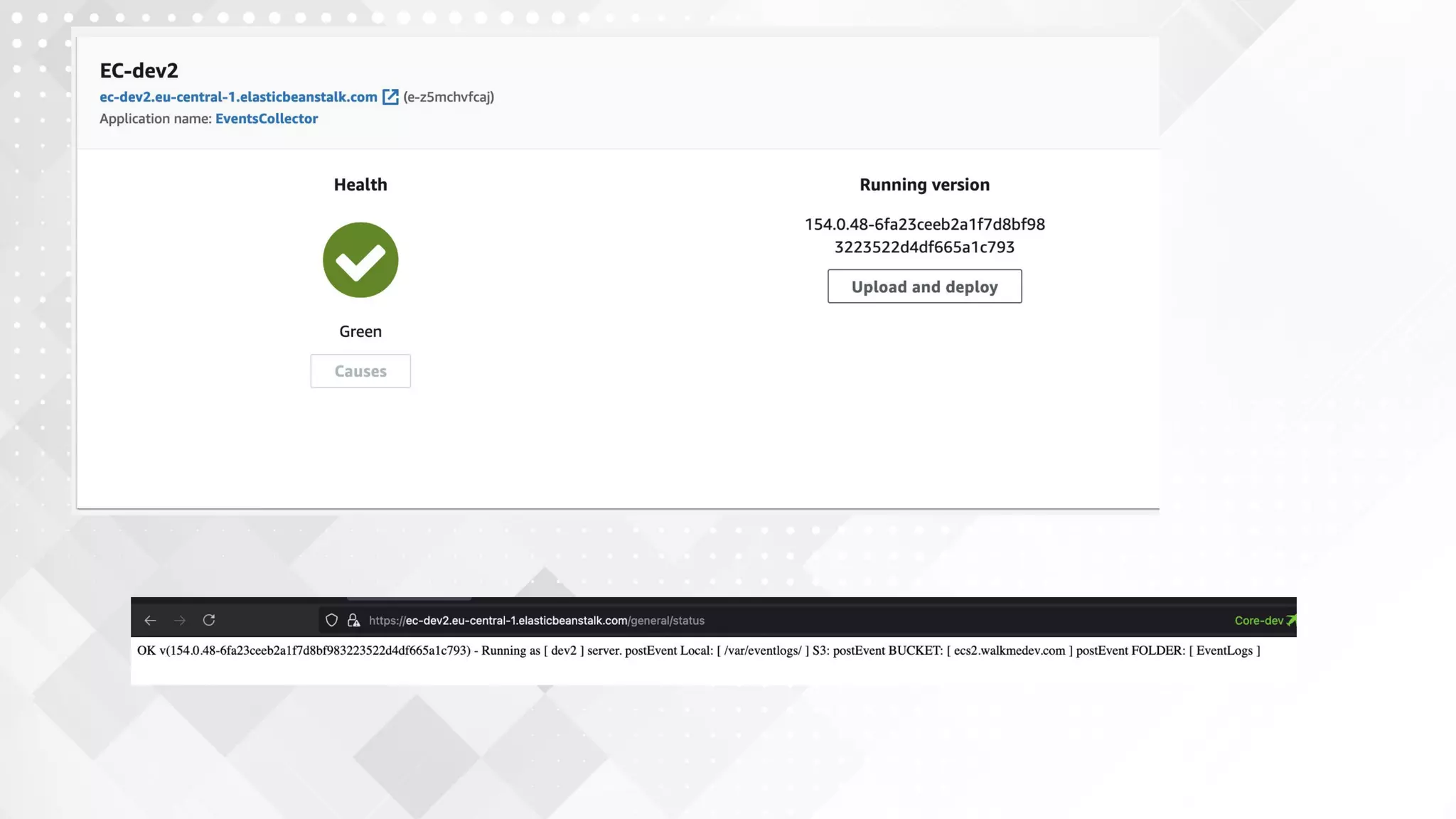
9. AWS ElasticBeanstalk
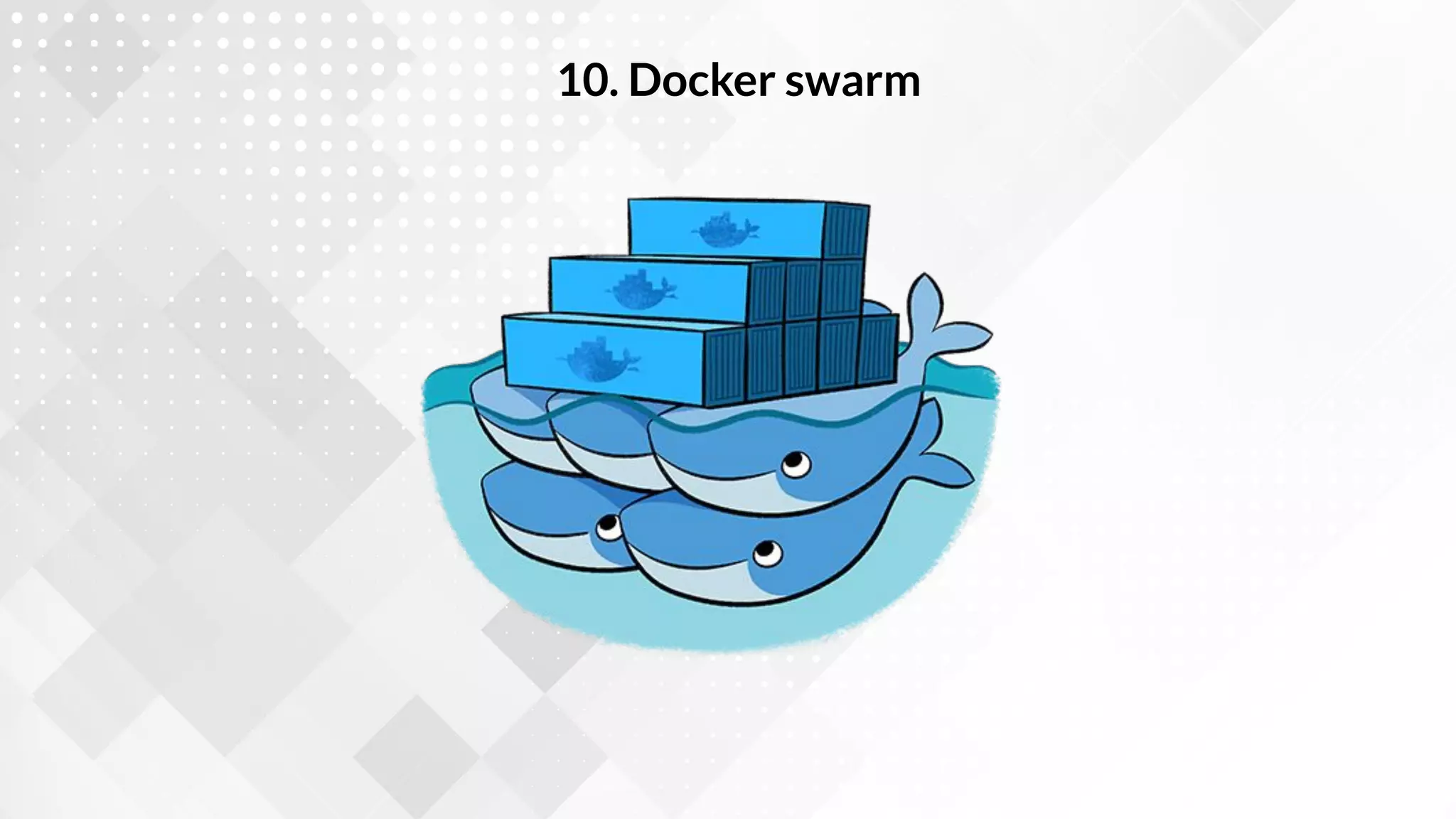
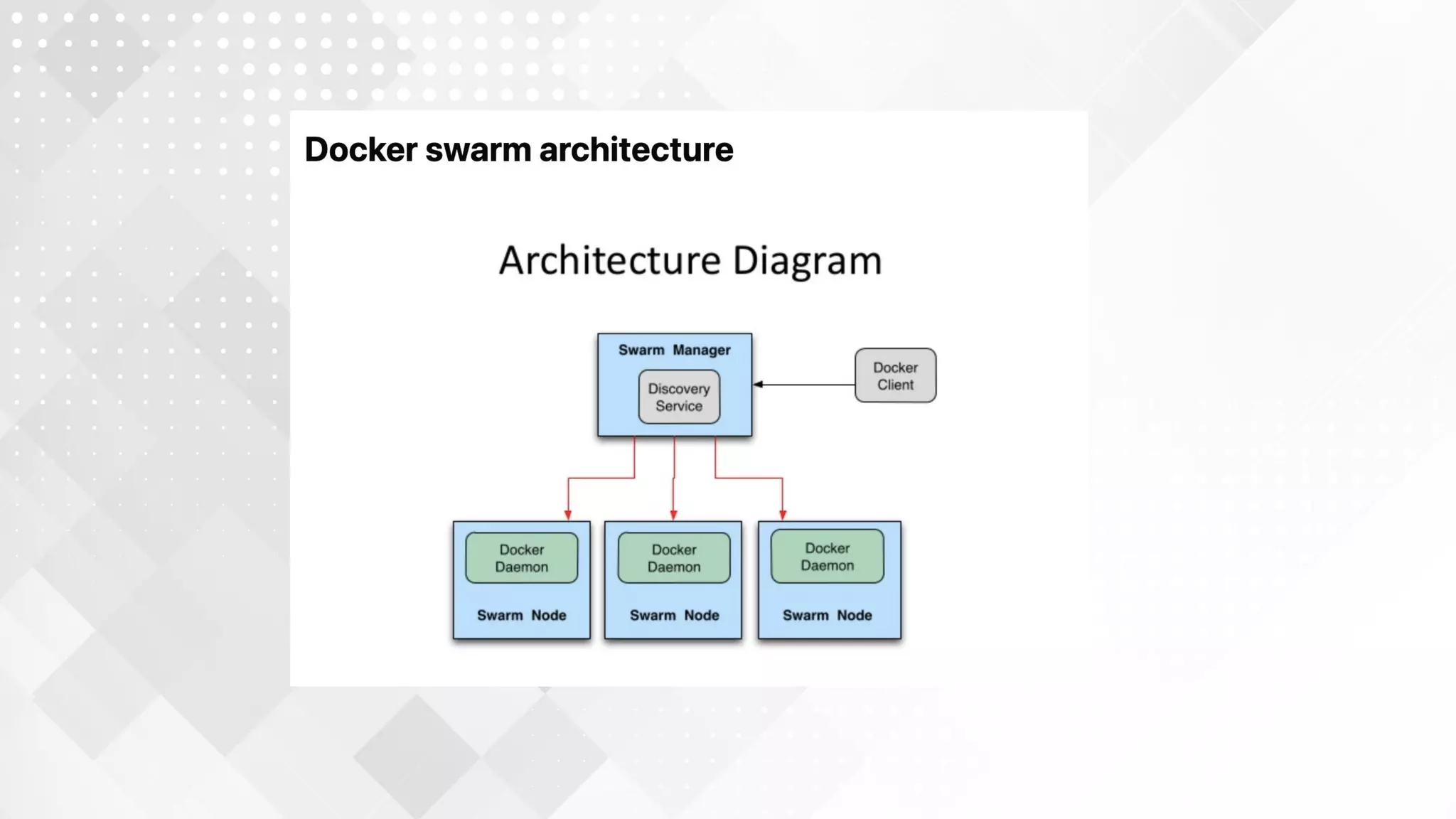
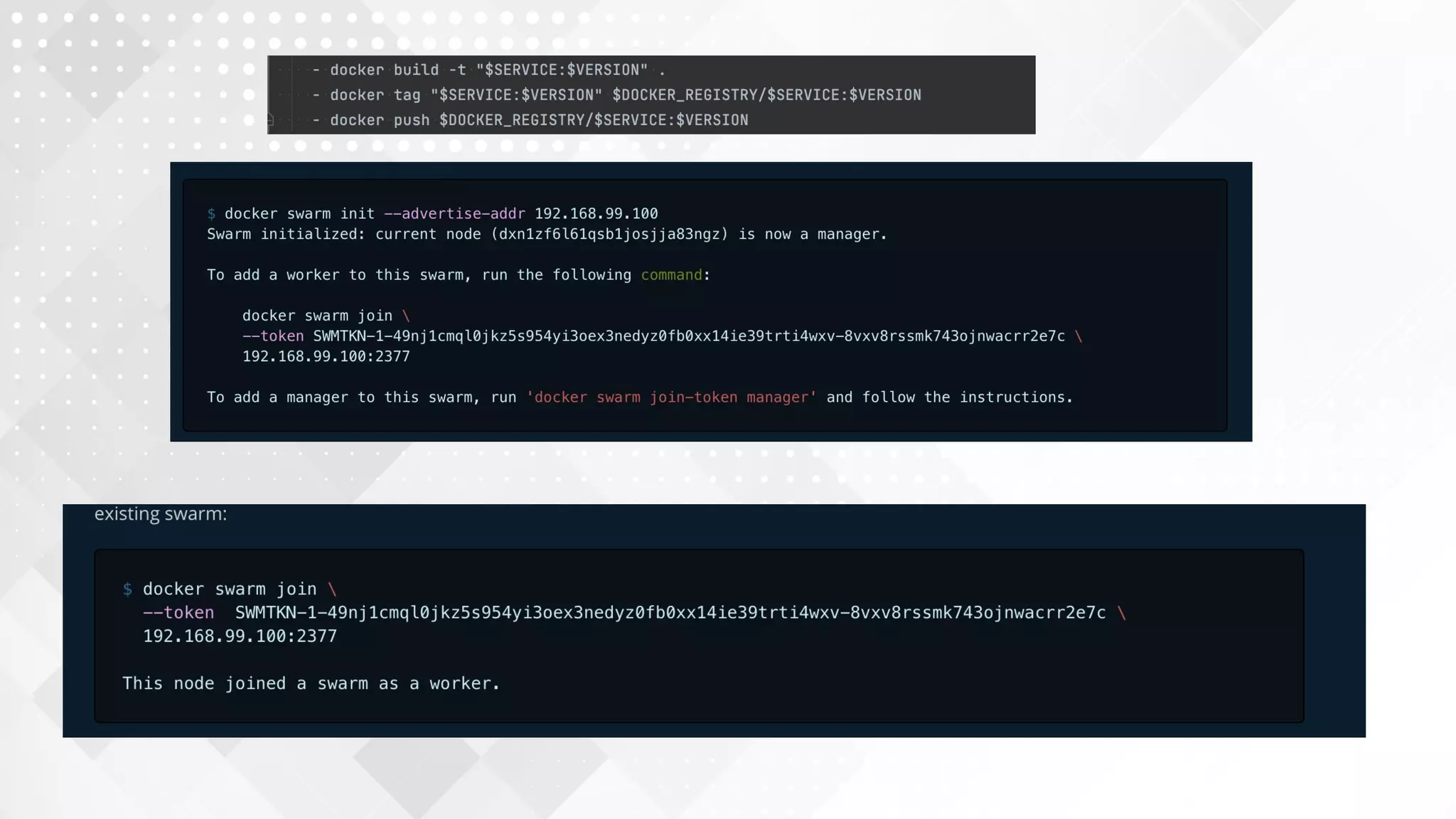
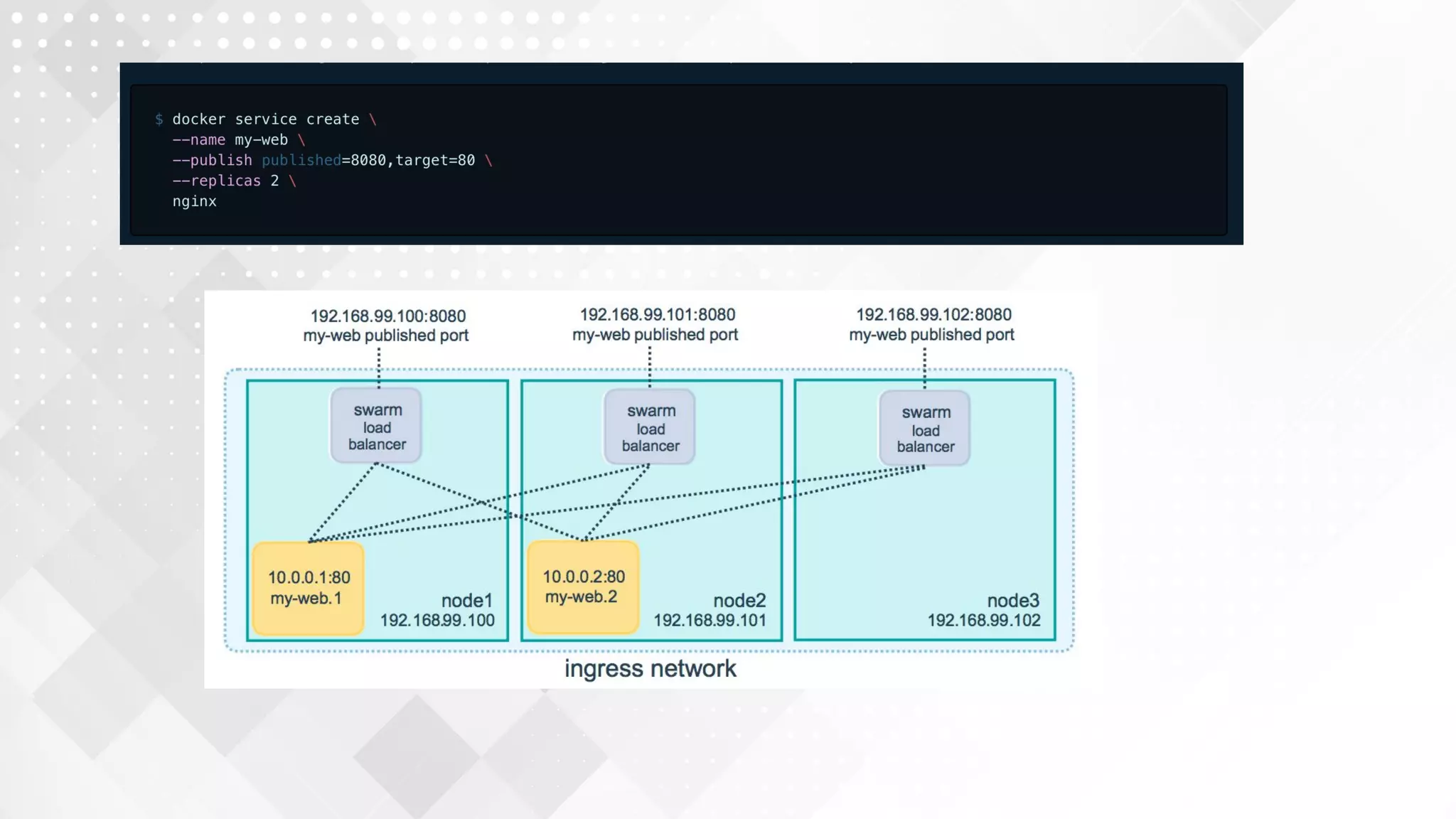
10. Docker swarm
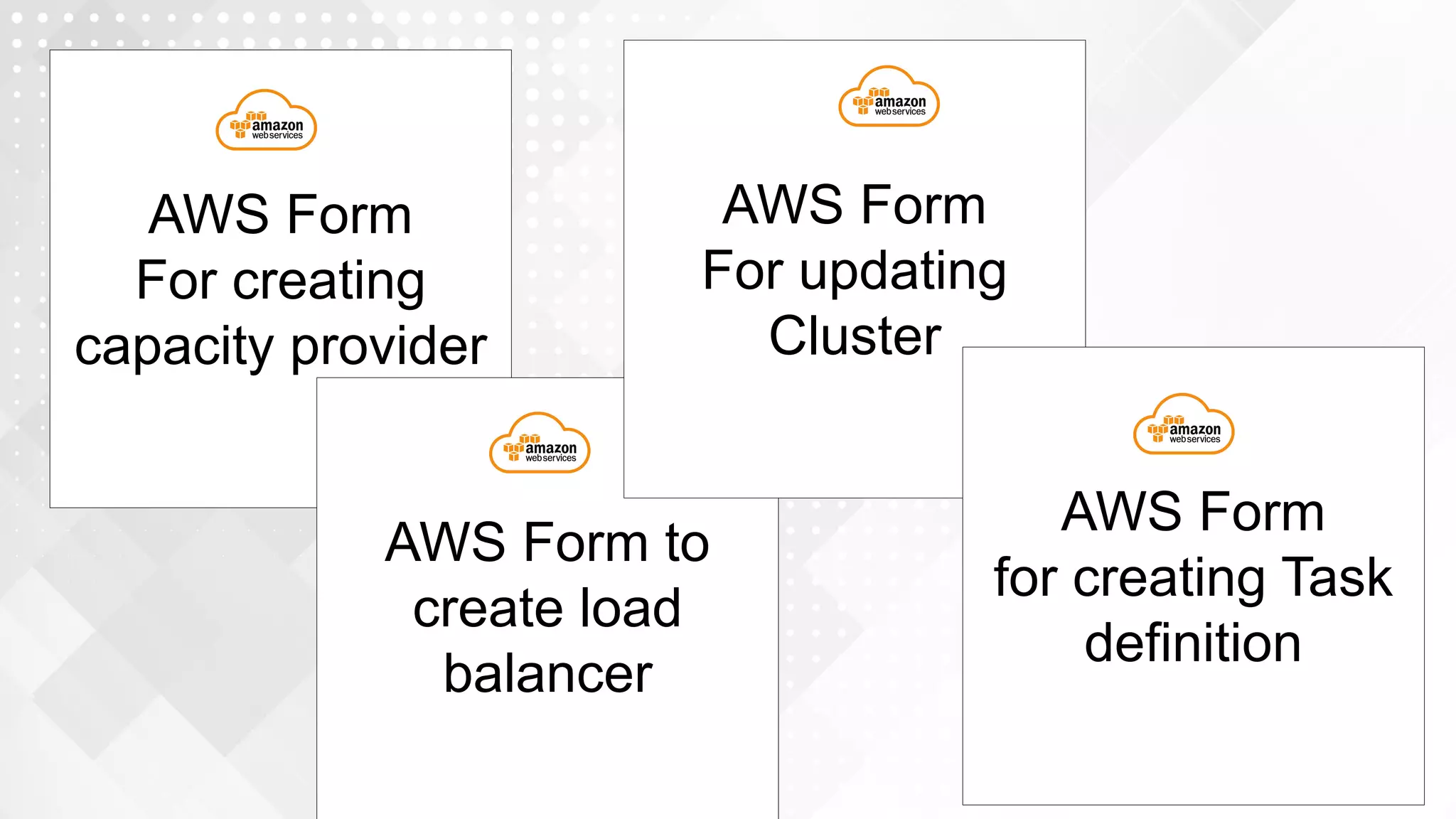
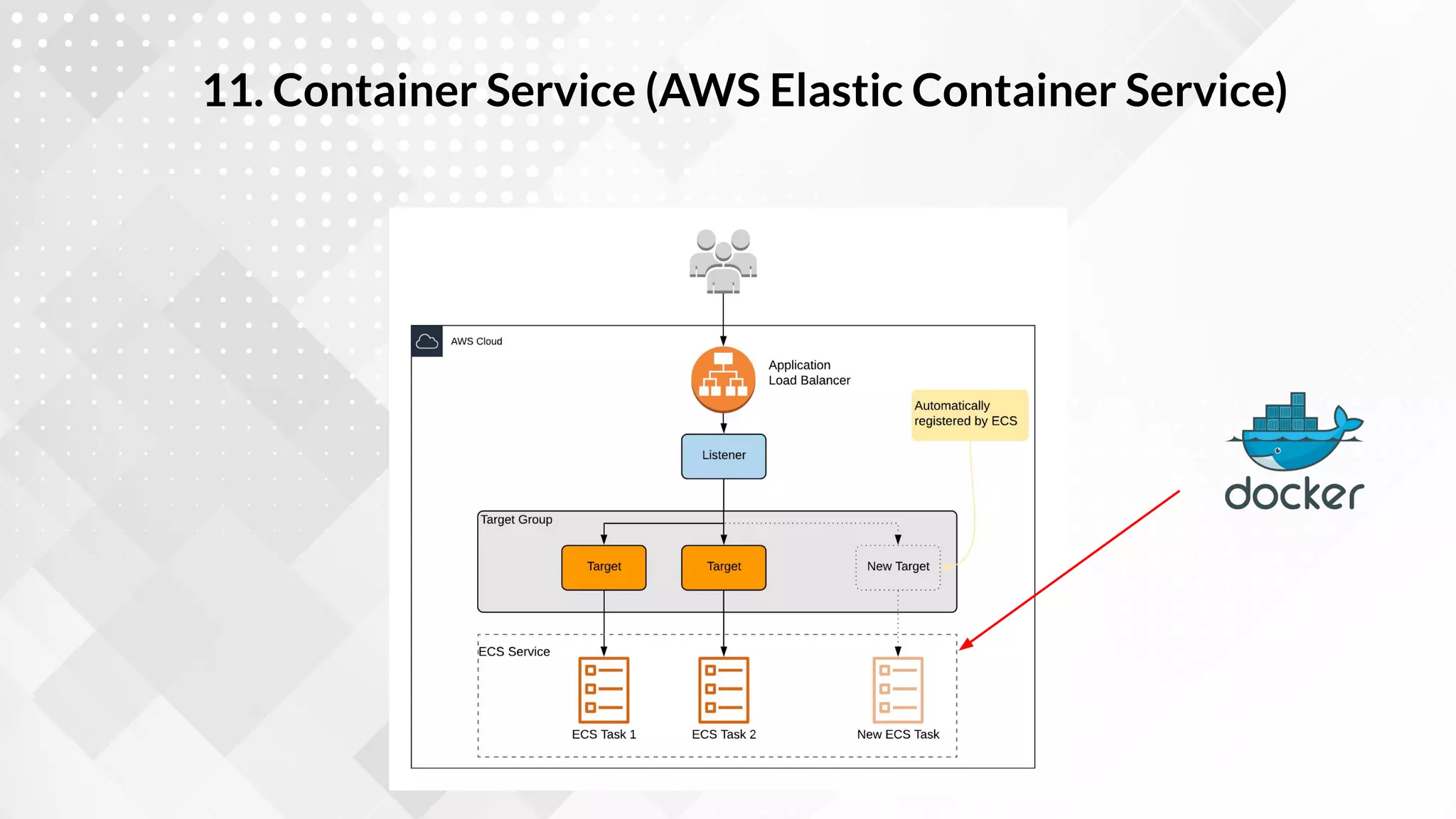
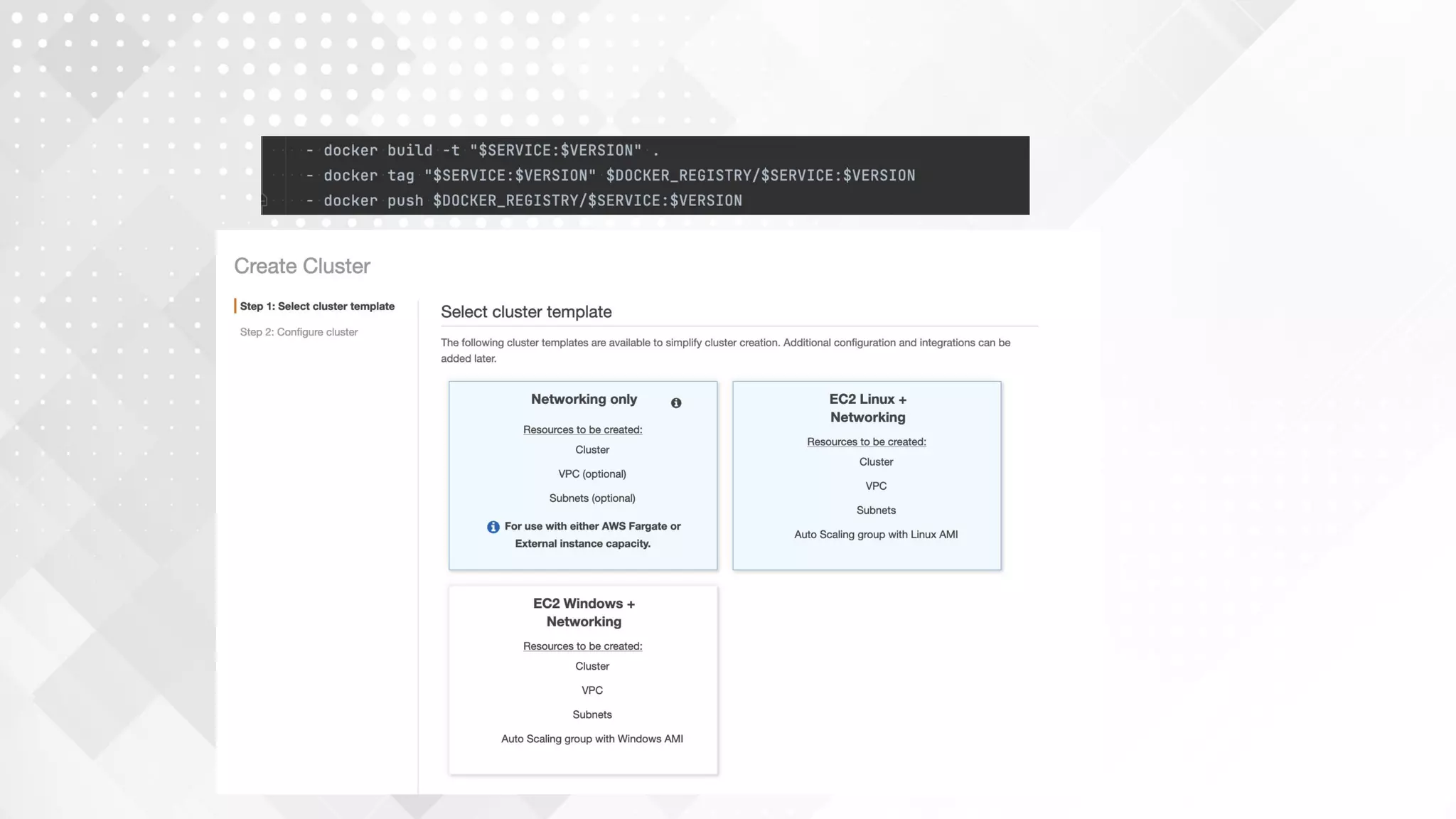
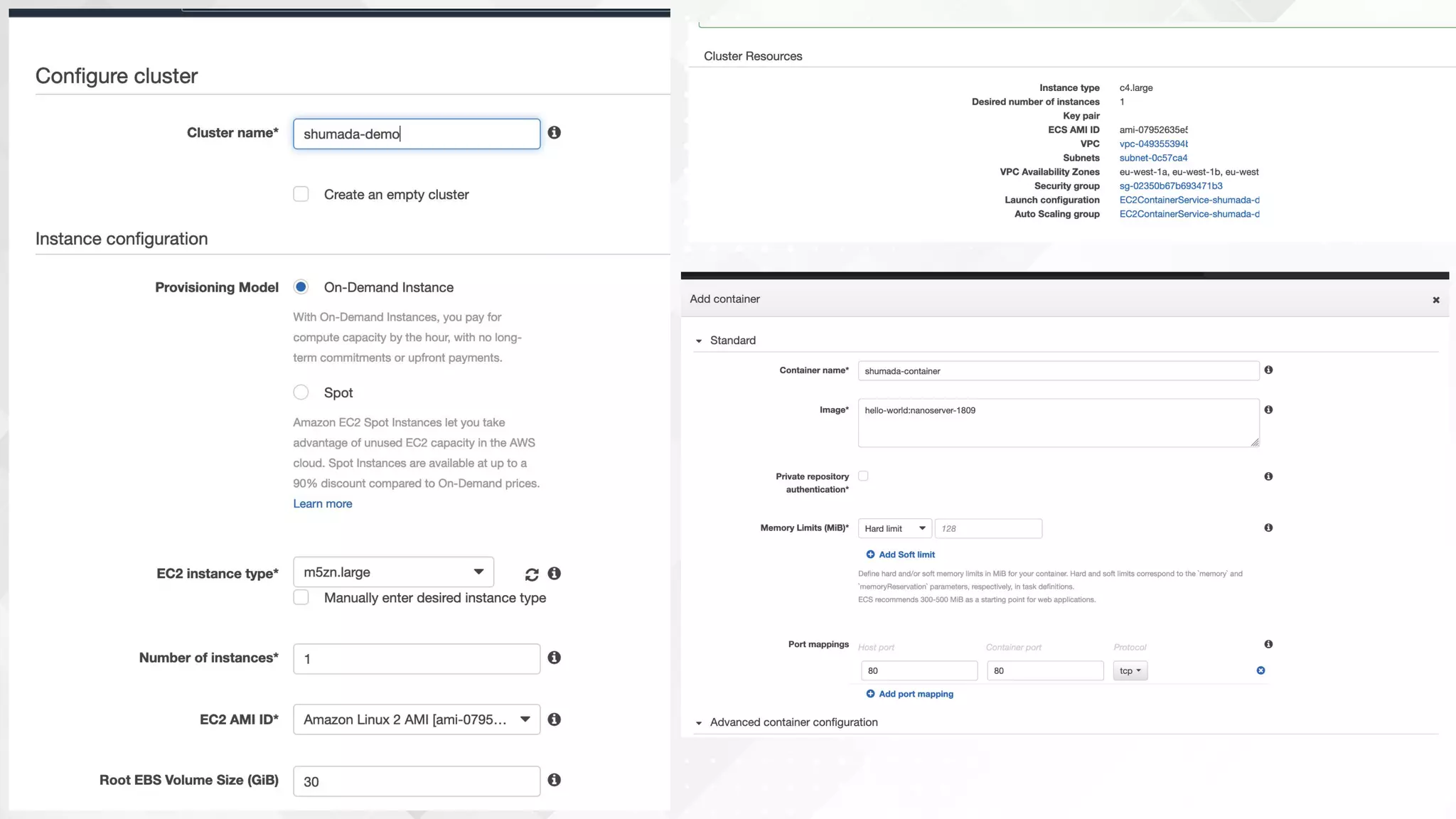
11. Container Service (AWS Elastic Container Service)
AWS Form
For creating
capacity provider
AWS Form to
create load
balancer
AWS Form
For updating
Cluster
AWS Form
for creating Task
definition
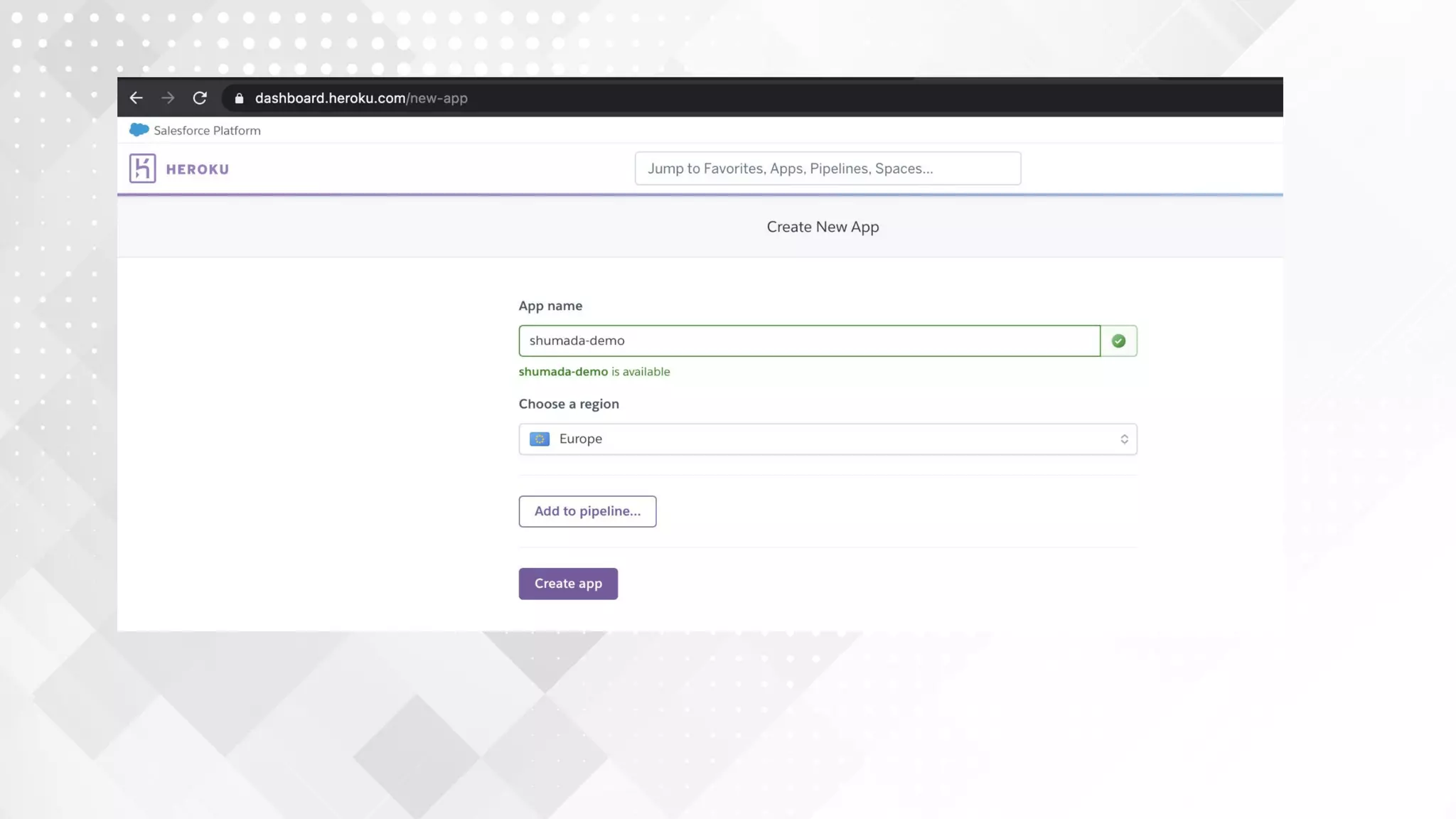
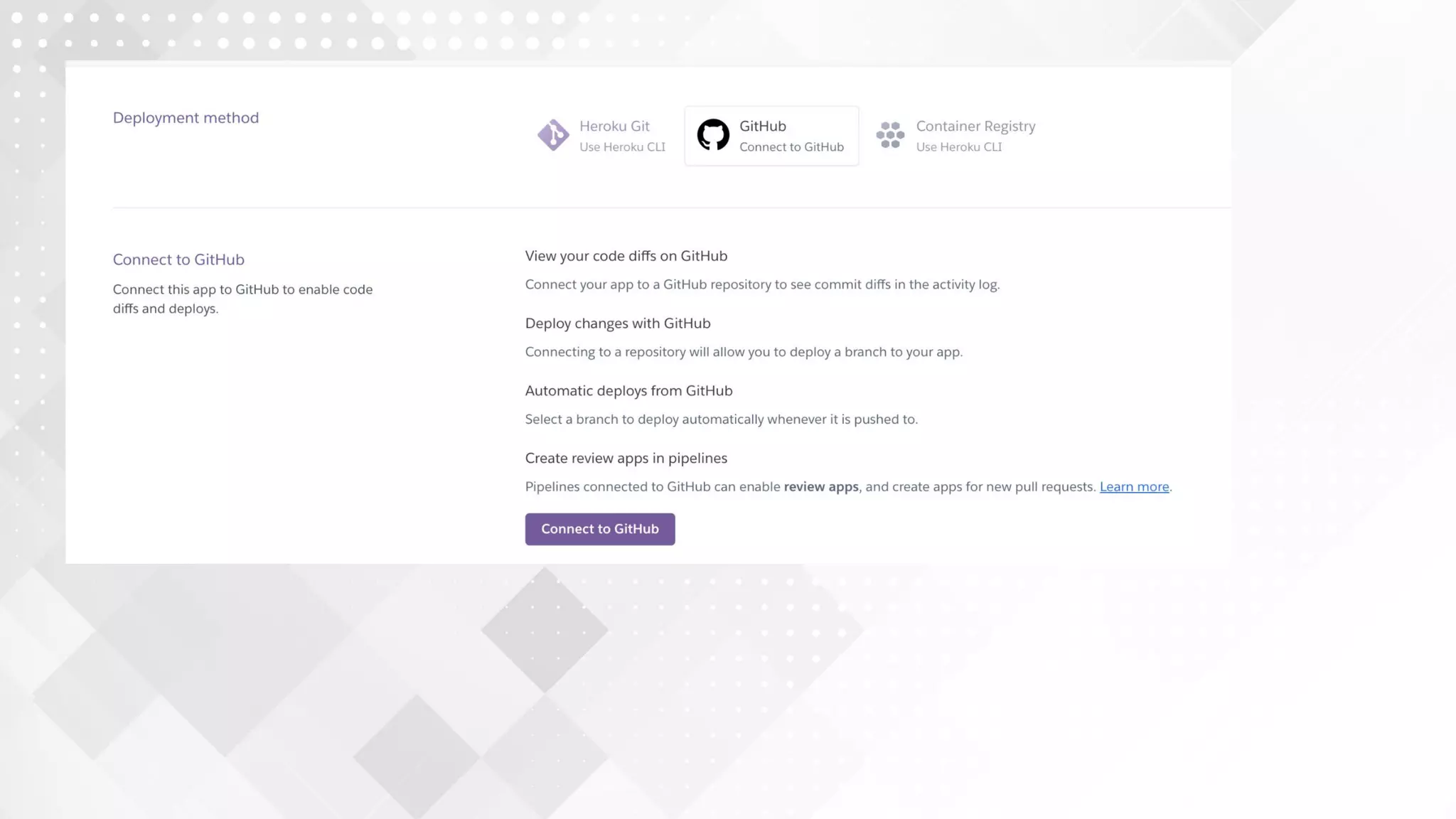
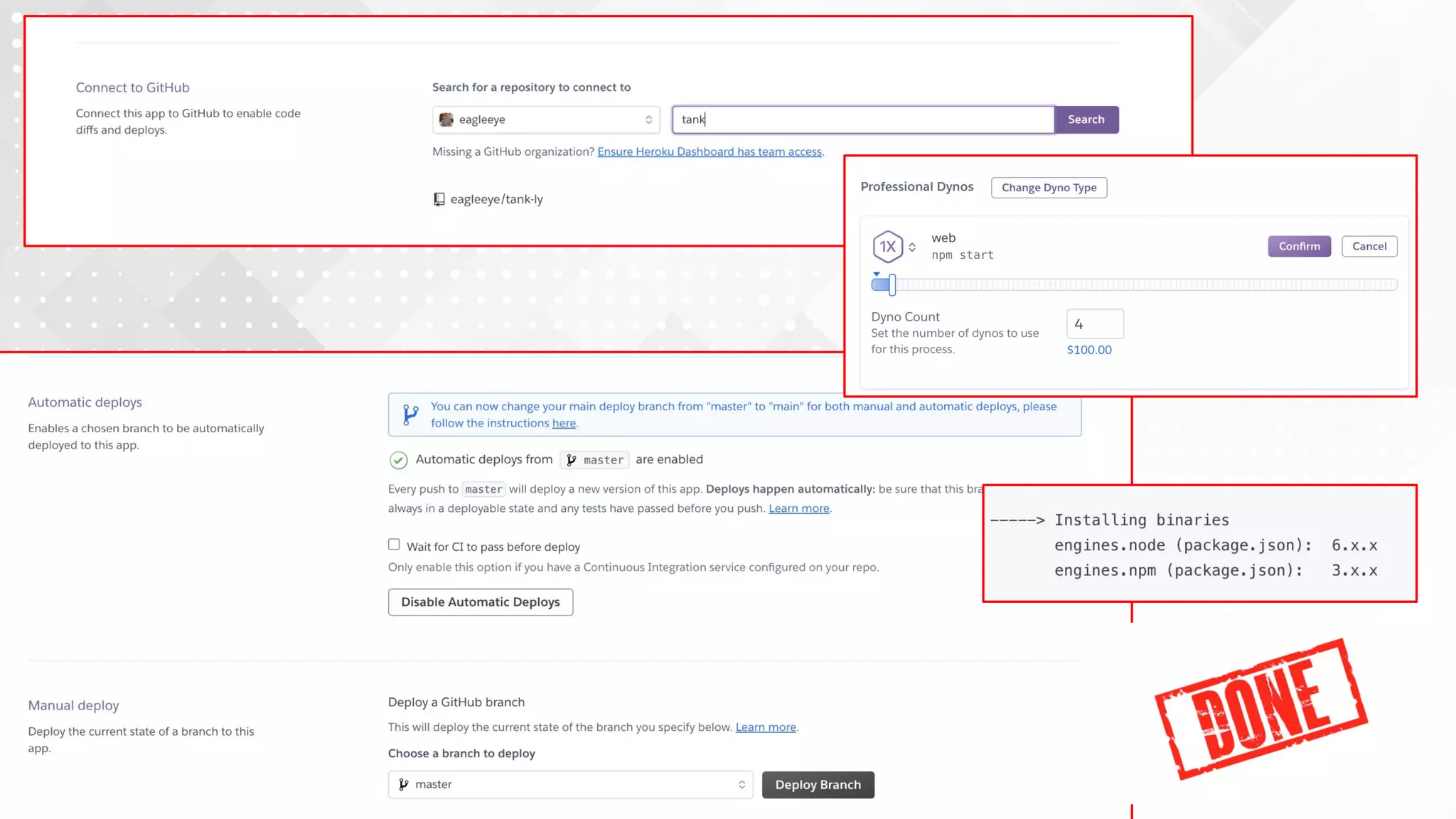
12. Heroku
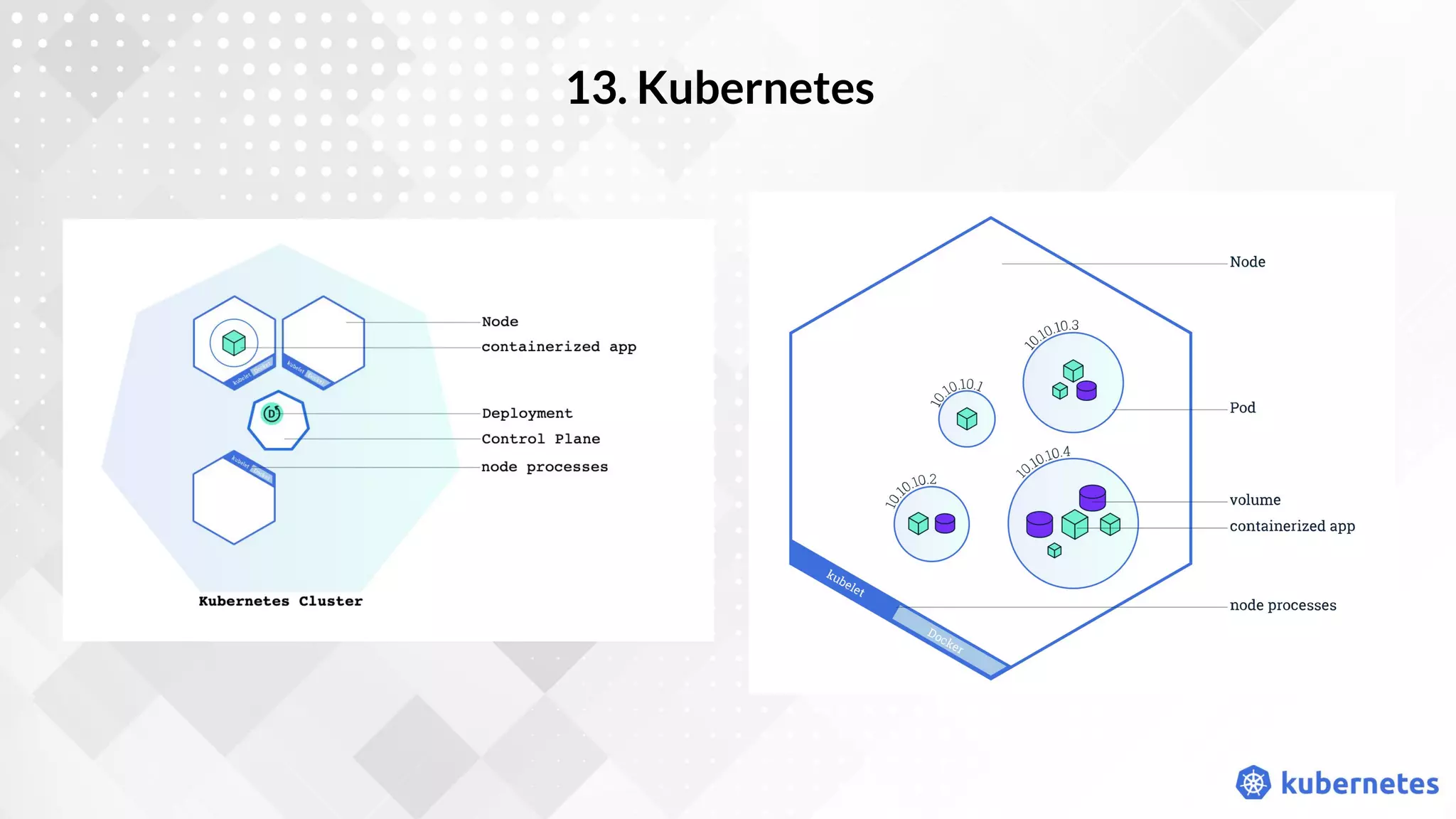
13. Kubernetes
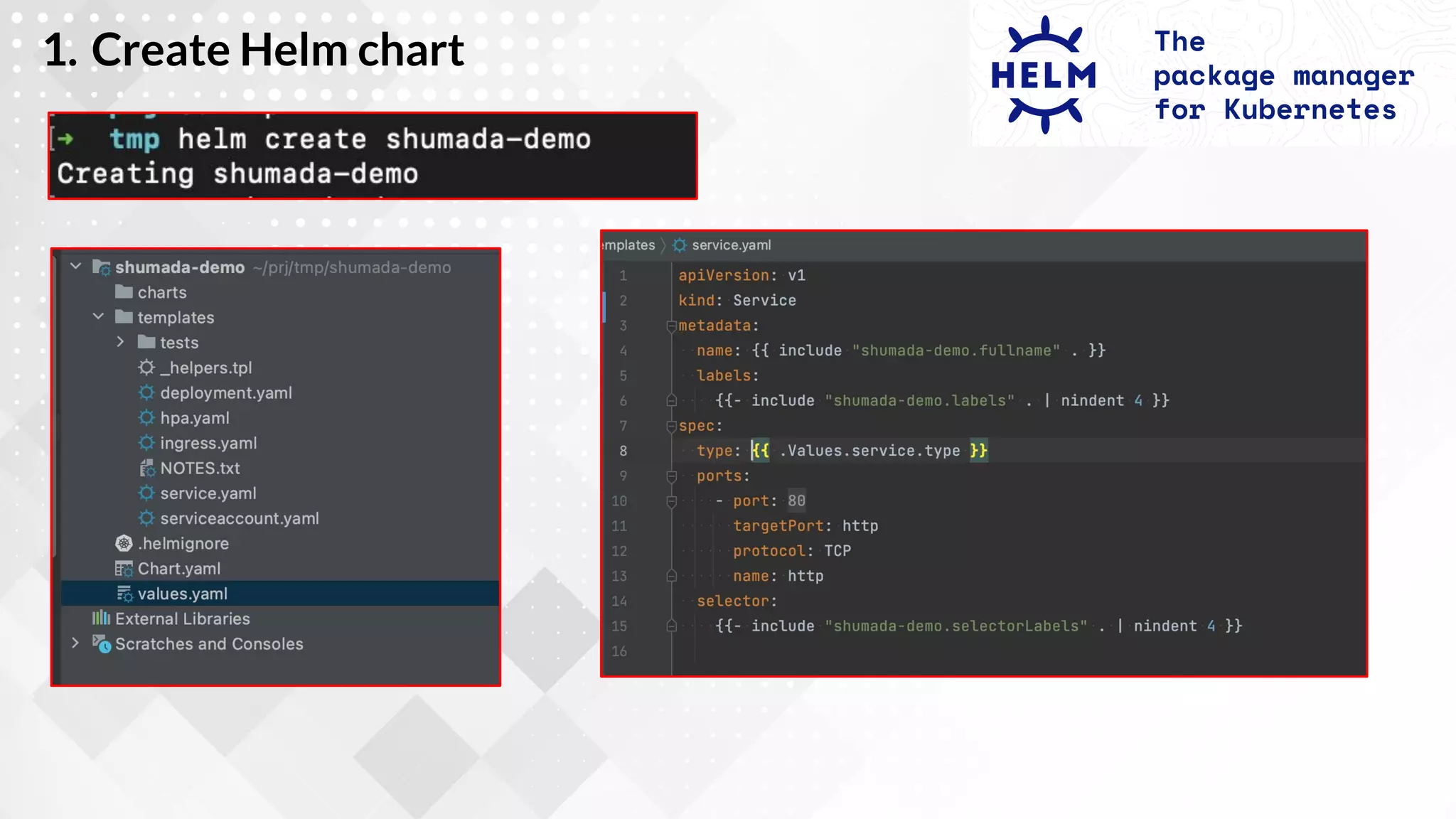
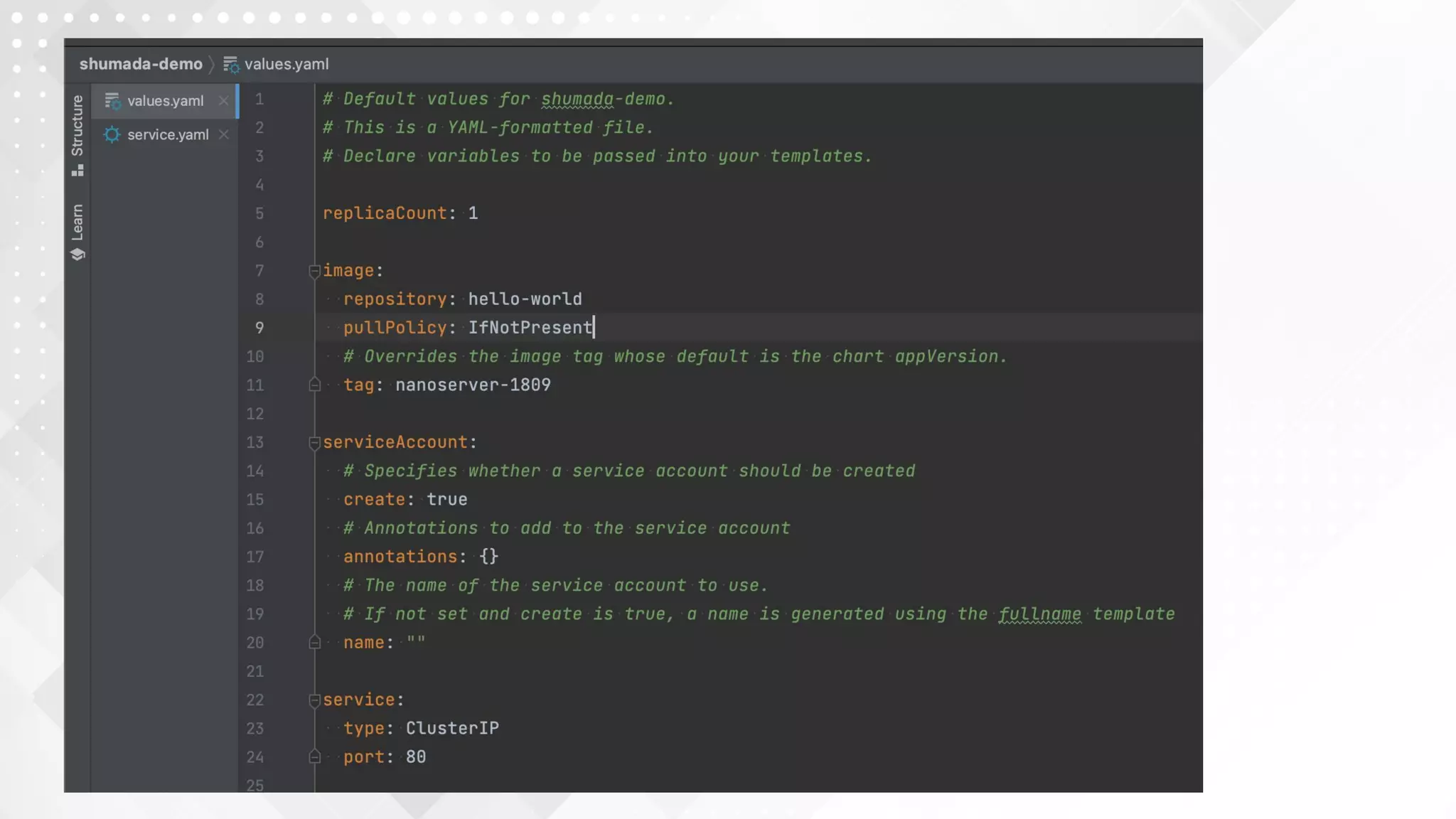
1. Create Helm chart
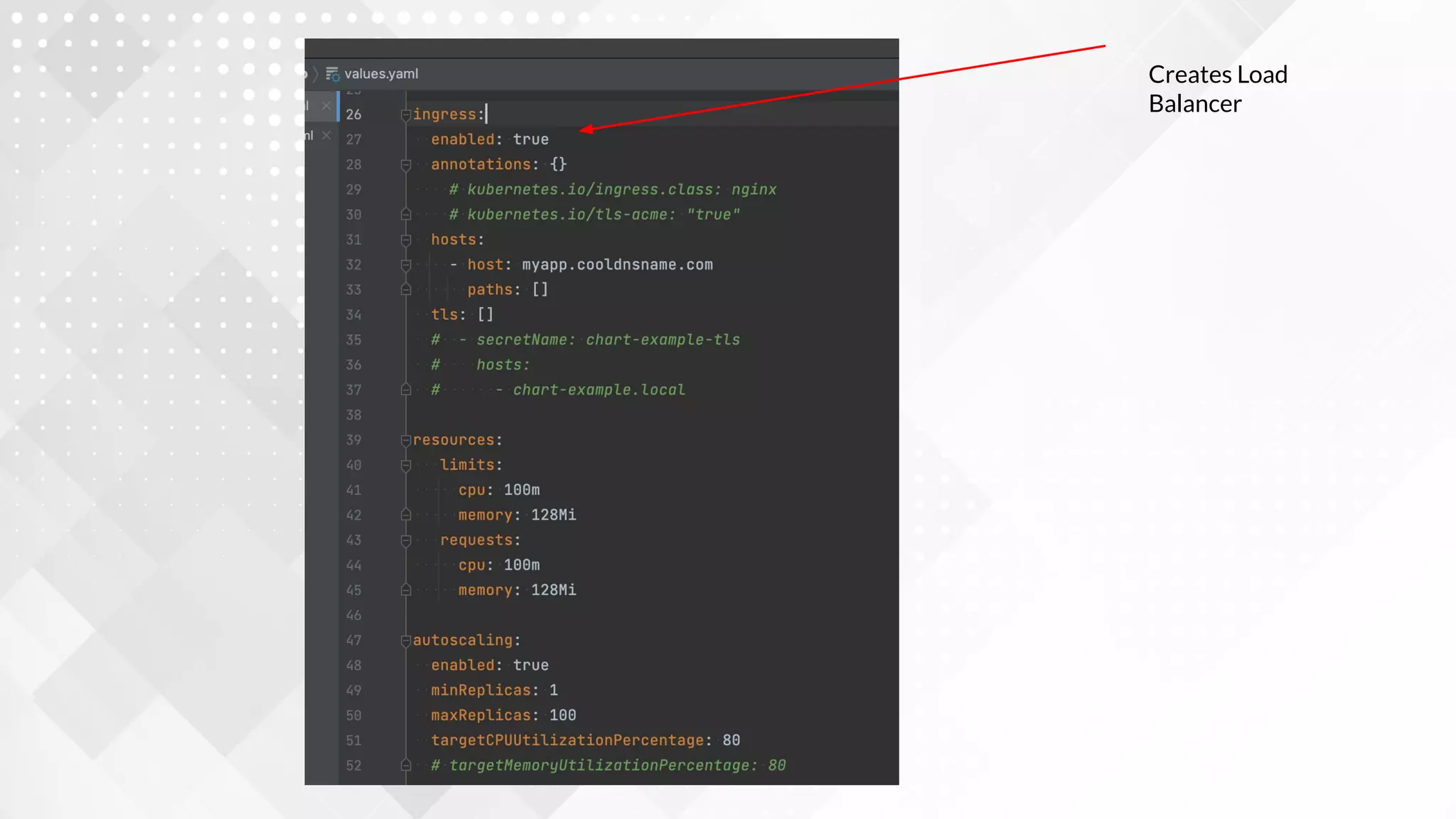
Creates Load
Balancer
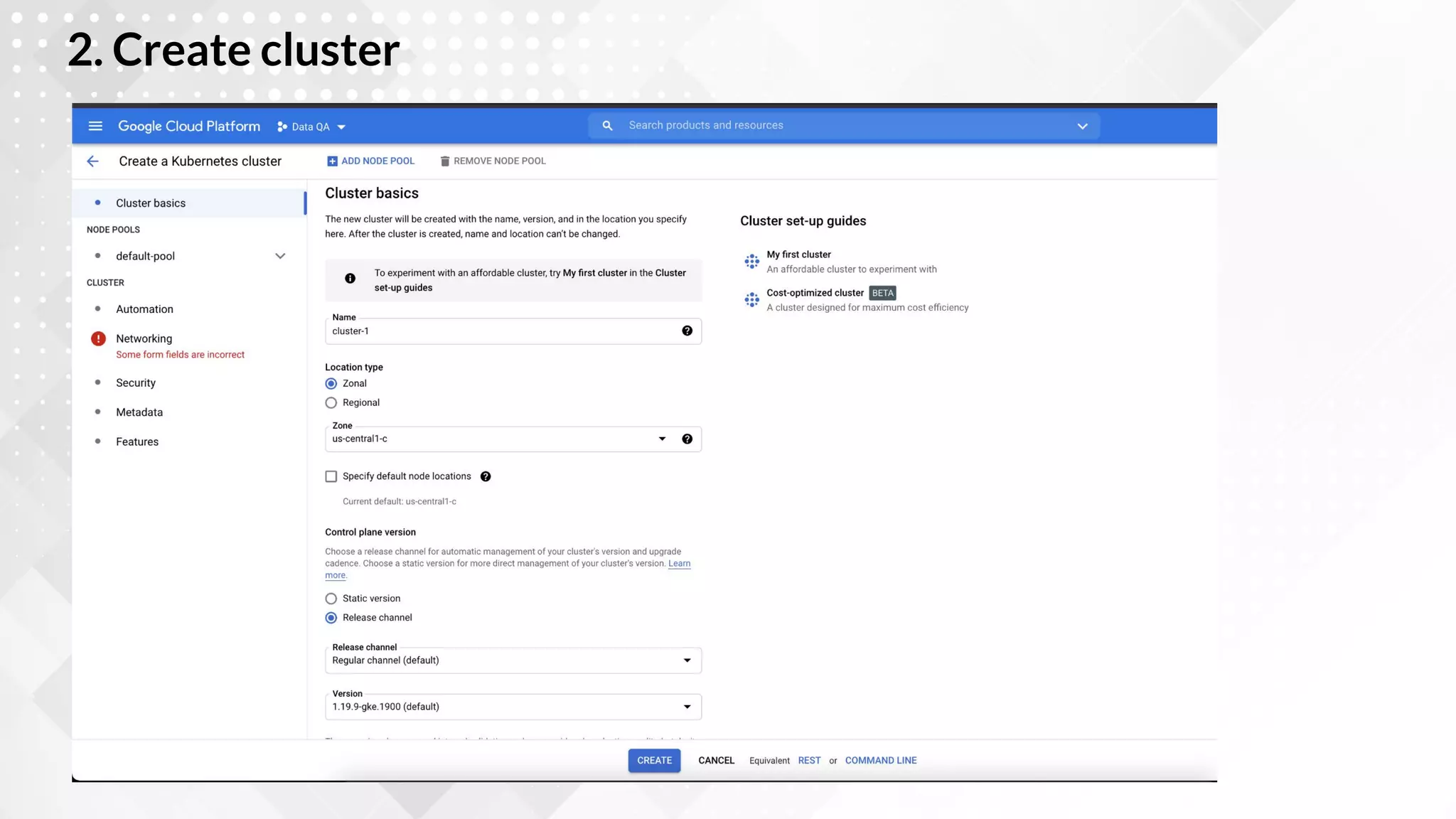
2. Create cluster
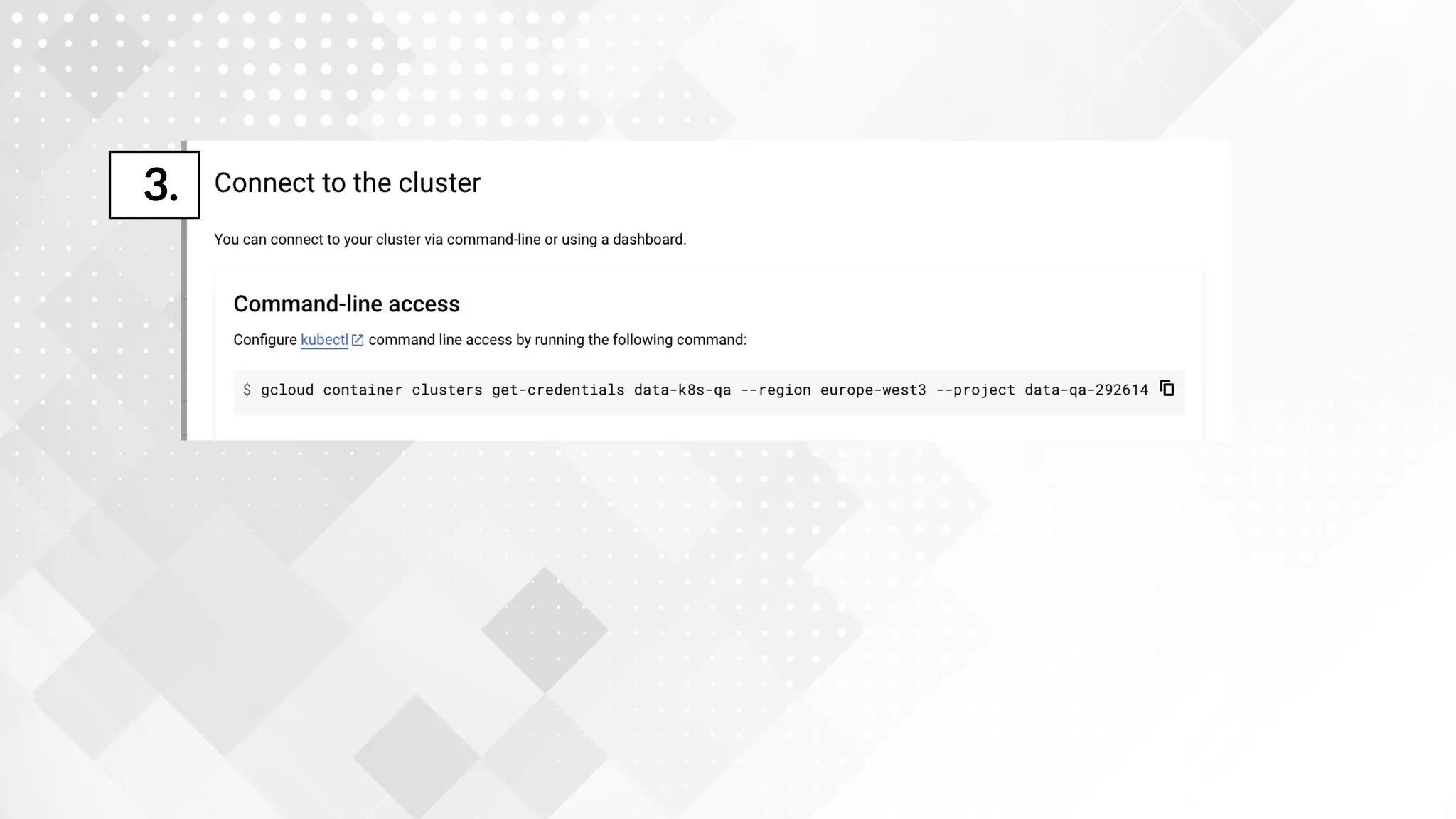
3.
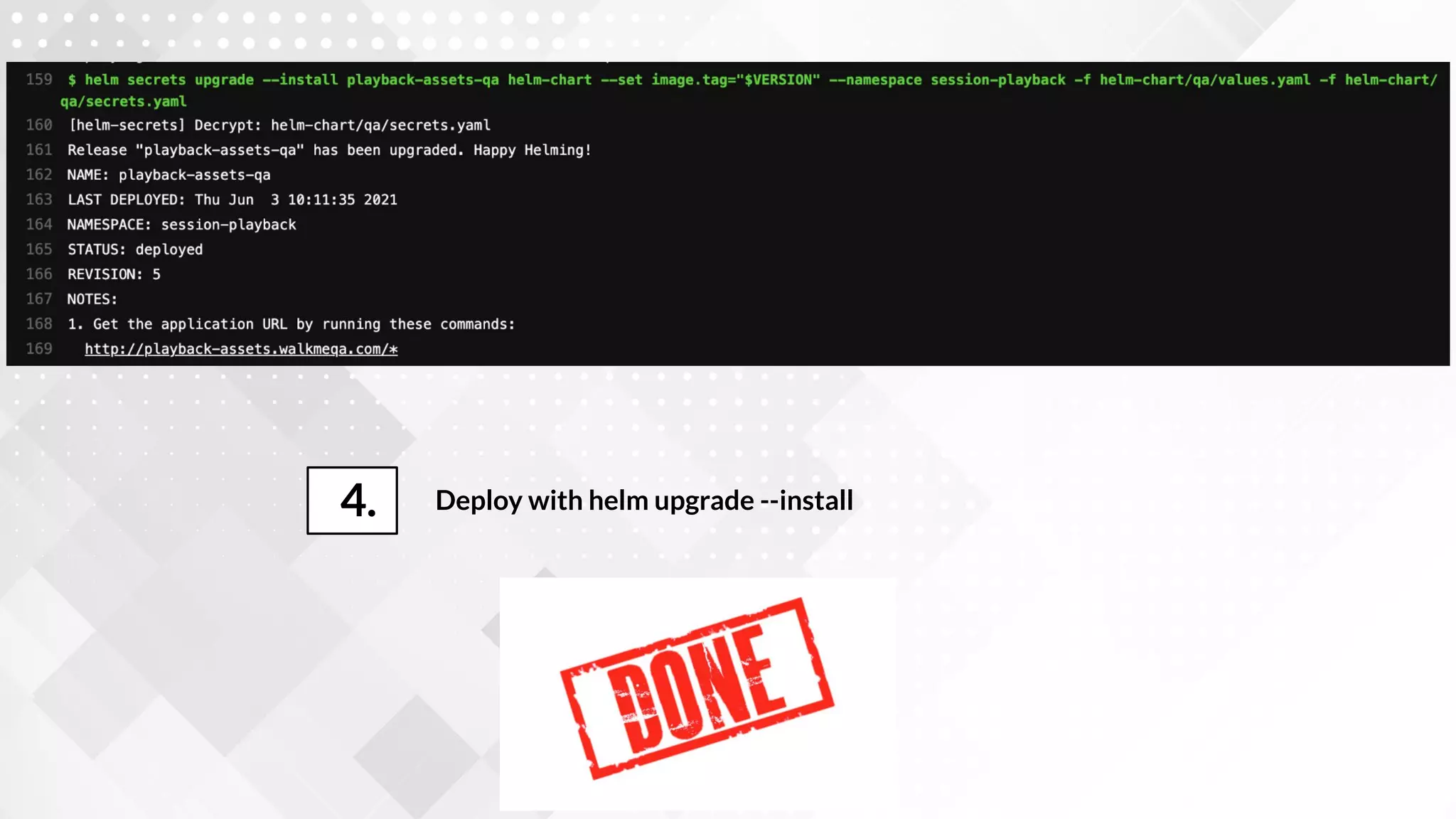
Deploy with helm upgrade --install
4.
FIRST TITLE
$720
$12
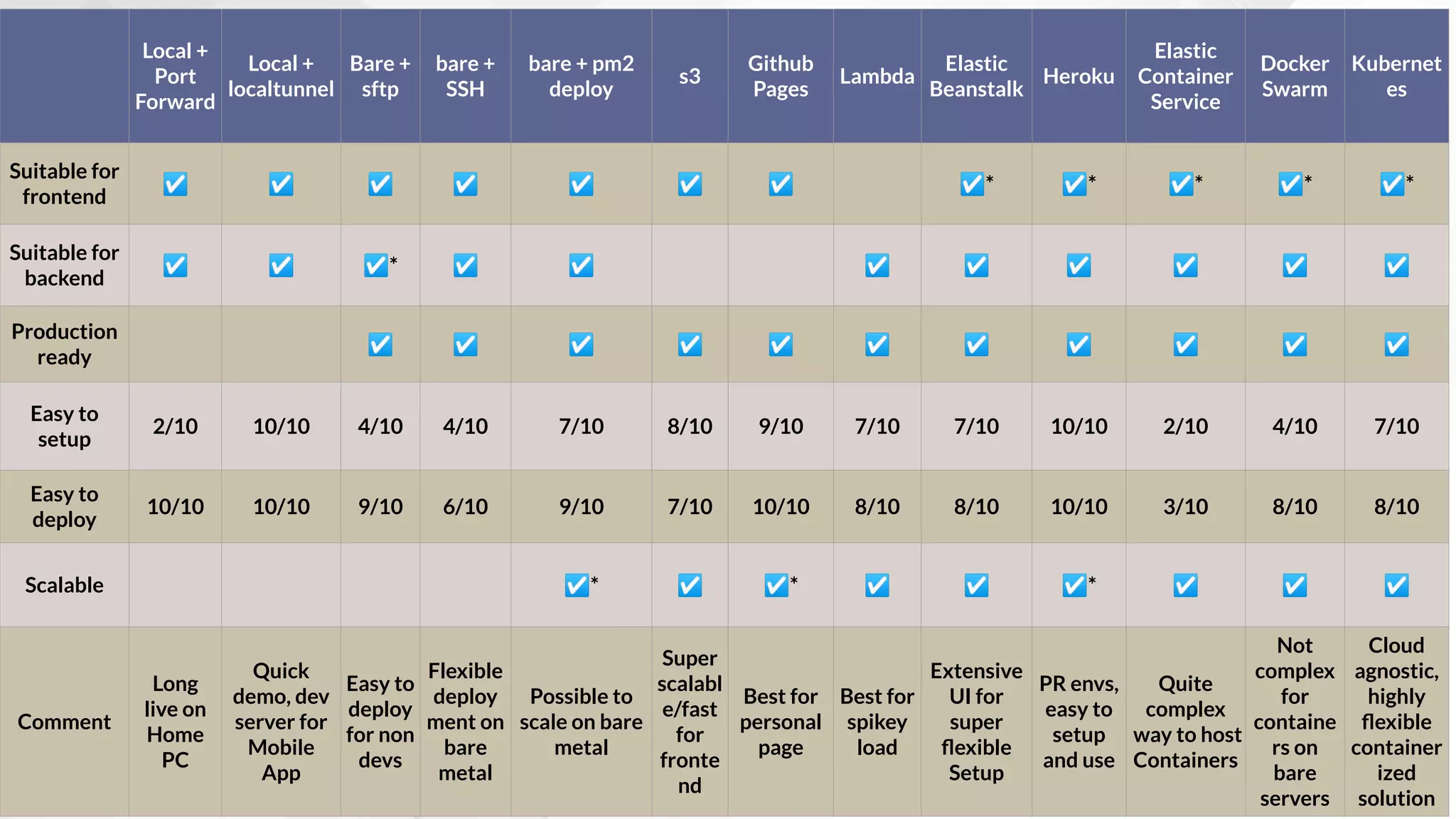
Local +
Port
Forward
Local +
localtunnel
Bare +
sftp
bare +
SSH
bare + pm2
deploy
s3
Github
Pages
Lambda
Elastic
Beanstalk
Heroku
Elastic
Container
Service
Docker
Swarm
Kubernet
es
Suitable for
frontend
☑ ☑ ☑ ☑ ☑ ☑ ☑ ☑* ☑* ☑* ☑* ☑*
Suitable for
backend
☑ ☑ ☑* ☑ ☑ ☑ ☑ ☑ ☑ ☑ ☑
Production
ready
☑ ☑ ☑ ☑ ☑ ☑ ☑ ☑ ☑ ☑ ☑
Easy to
setup
2/10 10/10 4/10 4/10 7/10 8/10 9/10 7/10 7/10 10/10 2/10 4/10 7/10
Easy to
deploy
10/10 10/10 9/10 6/10 9/10 7/10 10/10 8/10 8/10 10/10 3/10 8/10 8/10
Scalable ☑* ☑ ☑* ☑ ☑ ☑* ☑ ☑ ☑
Comment
Long
live on
Home
PC
Quick
demo, dev
server for
Mobile
App
Easy to
deploy
for non
devs
Flexible
deploy
ment on
bare
metal
Possible to
scale on bare
metal
Super
scalabl
e/fast
for
fronte
nd
Best for
personal
page
Best for
spikey
load
Extensive
UI for
super
flexible
Setup
PR envs,
easy to
setup
and use
Quite
complex
way to host
Containers
Not
complex
for
containe
rs on
bare
servers
Cloud
agnostic,
highly
flexible
container
ized
solution
THANK YOU!
ANY QUESTIONS?
You can find me as
@eagleeye in Telegram

"13 ways to run web applications on the Internet" Andrii Shumada

  • 1.
    13 ways howto launch app to the Internet Andrii Shumada WalkMe/Ciklum
  • 2.
    Why not just callDevOps? Responsibility Spread Do you need System Administrator nowadays? Who is guilty, when something whent wrong? Is it infrastructure problem or bug in the code? To be honest, you don’t
  • 3.
    General requirements toget online in the Internet We want to type www.ourwebsite.com in our browser to see the site DNS name nice DNS name can point to IP address like 104.133.31.432 or technical DNS name like myAWSemoapp.eu-west-1.elb.amazo naws.com Static IP address or static default DNS name Node.js app, static server (Nginx, Apache, custom solution) Server, that can handle HTTP requests
  • 4.
    1. Local Machinevia home router +
  • 5.
    My home laptop/PCis connected to the Internet, can I use it to get website online?
  • 6.
    npm start (Node.jsor React or whatever) or npm run build && npx http-server . (Frontend app) 1. Start your app locally What I need to do? By default your laptop is not visible to Internet, if it’s connected via router 2. Do port forwarding on your router Find IP in the router or visit myip.com 3. Find public IP of your router and create DNS for it 2.1 How To Find your Local IP* *Better to switch to static IP
  • 7.
    2.2 Use thisIP to setup port forwarding
  • 8.
    2.3 Deal with securityrules and firewalls…
  • 9.
    2. Local Machinein the office
  • 10.
  • 11.
  • 12.
    Some hosters canprovide you it out of box, IDE’s like Webstorm can sync via SFTP 1. Setup SFTP access, upload project files, or find hoster with SFTP/SSH What I need to do? For static file you can use apache/nginx, hoster can provide you it Also you can start server by you own via SSH 2. Start server For Nginx you don’t need to do anything For node - consider using nodemon 3. Ensure your service will use new files, as soon you upload them
  • 13.
  • 14.
    1. Setup: - sshinto server - install and configure git - Pull and start the project What I need to do? 2. Update the code - ssh into server - pull changes - Restart the app, consider using pm2
  • 15.
    5. Dedicated server+ pm2 deploy
  • 16.
    1. Create file,that describes process on remote server https://pm2.keymetrics.io/docs /usage/deployment/
  • 17.
    2. Manage remotedeployment from local machine https://pm2.keymetrics.io/docs /usage/deployment/
  • 18.
    6. Cloud storageService (AWS S3, Google Cloud Storage,..)* * Frontend only!
  • 19.
    1. Upload yourbundle to the S3 or GCS What I need to do? 2. Configure handling of 404s, /,
  • 21.
    7. Git-based statichosting (github/gitlab pages) * Frontend only!
  • 22.
  • 24.
    8. AWS Lambda/GoogleCloud function
  • 29.
  • 33.
  • 37.
    11. Container Service(AWS Elastic Container Service)
  • 40.
    AWS Form For creating capacityprovider AWS Form to create load balancer AWS Form For updating Cluster AWS Form for creating Task definition
  • 41.
  • 45.
  • 46.
  • 48.
  • 49.
  • 50.
  • 51.
    Deploy with helmupgrade --install 4.
  • 52.
    FIRST TITLE $720 $12 Local + Port Forward Local+ localtunnel Bare + sftp bare + SSH bare + pm2 deploy s3 Github Pages Lambda Elastic Beanstalk Heroku Elastic Container Service Docker Swarm Kubernet es Suitable for frontend ☑ ☑ ☑ ☑ ☑ ☑ ☑ ☑* ☑* ☑* ☑* ☑* Suitable for backend ☑ ☑ ☑* ☑ ☑ ☑ ☑ ☑ ☑ ☑ ☑ Production ready ☑ ☑ ☑ ☑ ☑ ☑ ☑ ☑ ☑ ☑ ☑ Easy to setup 2/10 10/10 4/10 4/10 7/10 8/10 9/10 7/10 7/10 10/10 2/10 4/10 7/10 Easy to deploy 10/10 10/10 9/10 6/10 9/10 7/10 10/10 8/10 8/10 10/10 3/10 8/10 8/10 Scalable ☑* ☑ ☑* ☑ ☑ ☑* ☑ ☑ ☑ Comment Long live on Home PC Quick demo, dev server for Mobile App Easy to deploy for non devs Flexible deploy ment on bare metal Possible to scale on bare metal Super scalabl e/fast for fronte nd Best for personal page Best for spikey load Extensive UI for super flexible Setup PR envs, easy to setup and use Quite complex way to host Containers Not complex for containe rs on bare servers Cloud agnostic, highly flexible container ized solution
  • 53.
    THANK YOU! ANY QUESTIONS? Youcan find me as @eagleeye in Telegram